
#BURNINGKEYBOARDS
DENIS.RISTIC@PERPETUUM.HR
HTTP PROTOCOL
HTTP PROTOCOL
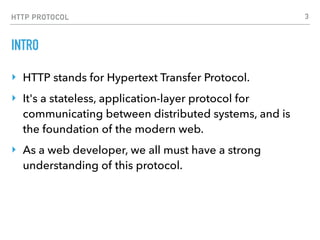
INTRO
‣ HTTP stands for Hypertext Transfer Protocol.
‣ It's a stateless, application-layer protocol for
communicating between distributed systems, and is
the foundation of the modern web.
‣ As a web developer, we all must have a strong
understanding of this protocol.
3
HTTP PROTOCOL
HTTP BASICS
‣ HTTP allows for communication between a variety of hosts
and clients, and supports a mixture of network configurations.
‣ This makes HTTP a stateless protocol. The communication
usually takes place over TCP/IP, but any reliable transport can
be used. The default port for TCP/IP is 80, but other ports can
also be used.
‣ Communication between a host and a client occurs, via a
request/response pair. The client initiates an HTTP request
message, which is serviced through a HTTP response
message in return.
4
HTTP PROTOCOL
URLS
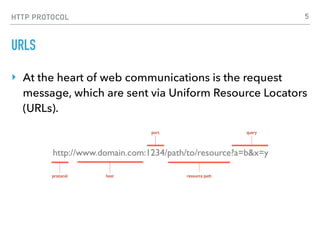
‣ At the heart of web communications is the request
message, which are sent via Uniform Resource Locators
(URLs).
5
HTTP PROTOCOL
VERBS
‣ HTTP has formalized on a few that capture the essentials that are universally applicable for all kinds
of applications.
‣ These request verbs are:
‣ GET: fetch an existing resource. The URL contains all the necessary information the server needs
to locate and return the resource.
‣ POST: create a new resource. POST requests usually carry a payload that specifies the data for
the new resource.
‣ PUT: update an existing resource. The payload may contain the updated data for the resource.
‣ DELETE: delete an existing resource.
‣ HEAD: this is similar to GET, but without the message body. It's used to retrieve the server
headers for a particular resource, generally to check if the resource has changed, via timestamps.
‣ TRACE: used to retrieve the hops that a request takes to round trip from the server. Each
intermediate proxy or gateway would inject its IP or DNS name into the Via header field. This can
be used for diagnostic purposes.
‣ OPTIONS: used to retrieve the server capabilities. On the client-side, it can be used to modify the
request based on what the server can support.
6
HTTP PROTOCOL
STATUS CODES
‣ 1xx: Informational Messages
‣ This class of codes was introduced in HTTP/1.1 and is
purely provisional. The server can send a Expect:
100-continue message, telling the client to continue
sending the remainder of the request, or ignore if it
has already sent it. HTTP/1.0 clients are supposed to
ignore this header.
7
HTTP PROTOCOL
STATUS CODES
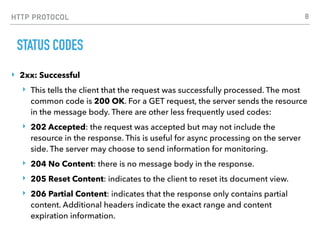
‣ 2xx: Successful
‣ This tells the client that the request was successfully processed. The most
common code is 200 OK. For a GET request, the server sends the resource
in the message body. There are other less frequently used codes:
‣ 202 Accepted: the request was accepted but may not include the
resource in the response. This is useful for async processing on the server
side. The server may choose to send information for monitoring.
‣ 204 No Content: there is no message body in the response.
‣ 205 Reset Content: indicates to the client to reset its document view.
‣ 206 Partial Content: indicates that the response only contains partial
content. Additional headers indicate the exact range and content
expiration information.
8
HTTP PROTOCOL
STATUS CODES
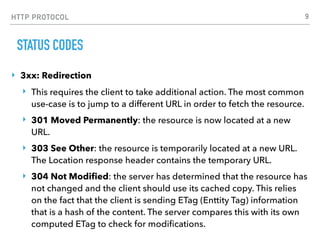
‣ 3xx: Redirection
‣ This requires the client to take additional action. The most common
use-case is to jump to a different URL in order to fetch the resource.
‣ 301 Moved Permanently: the resource is now located at a new
URL.
‣ 303 See Other: the resource is temporarily located at a new URL.
The Location response header contains the temporary URL.
‣ 304 Not Modified: the server has determined that the resource has
not changed and the client should use its cached copy. This relies
on the fact that the client is sending ETag (Enttity Tag) information
that is a hash of the content. The server compares this with its own
computed ETag to check for modifications.
9
HTTP PROTOCOL
STATUS CODES
‣ 4xx: Client Error
‣ These codes are used when the server thinks that the client is at fault, either by
requesting an invalid resource or making a bad request. The most popular code in this
class is 404 Not Found, which indicates that the resource is invalid and does not exist
on the server. The other codes in this class include:
‣ 400 Bad Request: the request was malformed.
‣ 401 Unauthorized: request requires authentication. The client can repeat the request
with the Authorization header. If the client already included the Authorization header,
then the credentials were wrong.
‣ 403 Forbidden: server has denied access to the resource.
‣ 405 Method Not Allowed: invalid HTTP verb used in the request line, or the server
does not support that verb.
‣ 409 Conflict: the server could not complete the request because the client is trying to
modify a resource that is newer than the client's timestamp. Conflicts arise mostly for
PUT requests during collaborative edits on a resource.
10
HTTP PROTOCOL
STATUS CODES
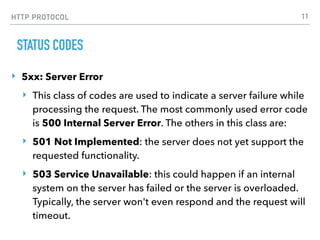
‣ 5xx: Server Error
‣ This class of codes are used to indicate a server failure while
processing the request. The most commonly used error code
is 500 Internal Server Error. The others in this class are:
‣ 501 Not Implemented: the server does not yet support the
requested functionality.
‣ 503 Service Unavailable: this could happen if an internal
system on the server has failed or the server is overloaded.
Typically, the server won't even respond and the request will
timeout.
11
HTTP PROTOCOL
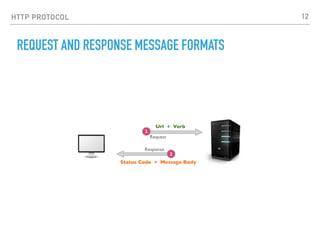
REQUEST AND RESPONSE MESSAGE FORMATS
12
HTTP PROTOCOL
MESSAGE FORMAT
‣ The HTTP specification states that a request or response
message has the following generic structure:
‣ message = <start-line>
‣ *(<message-header>)
‣ CRLF
‣ [<message-body>]
‣ <start-line> = Request-Line | Status-Line
‣ <message-header> = Field-Name ':' Field-Value
13
HTTP PROTOCOL
GENERAL HEADERS
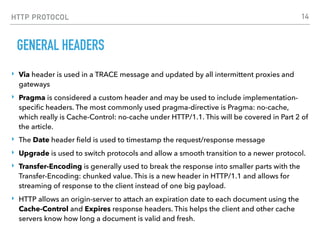
‣ Via header is used in a TRACE message and updated by all intermittent proxies and
gateways
‣ Pragma is considered a custom header and may be used to include implementation-
specific headers. The most commonly used pragma-directive is Pragma: no-cache,
which really is Cache-Control: no-cache under HTTP/1.1. This will be covered in Part 2 of
the article.
‣ The Date header field is used to timestamp the request/response message
‣ Upgrade is used to switch protocols and allow a smooth transition to a newer protocol.
‣ Transfer-Encoding is generally used to break the response into smaller parts with the
Transfer-Encoding: chunked value. This is a new header in HTTP/1.1 and allows for
streaming of response to the client instead of one big payload.
‣ HTTP allows an origin-server to attach an expiration date to each document using the
Cache-Control and Expires response headers. This helps the client and other cache
servers know how long a document is valid and fresh.
14
HTTP PROTOCOL
ENTITY HEADERS
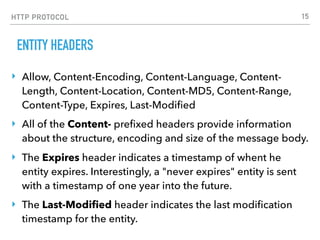
‣ Allow, Content-Encoding, Content-Language, Content-
Length, Content-Location, Content-MD5, Content-Range,
Content-Type, Expires, Last-Modified
‣ All of the Content- prefixed headers provide information
about the structure, encoding and size of the message body.
‣ The Expires header indicates a timestamp of whent he
entity expires. Interestingly, a "never expires" entity is sent
with a timestamp of one year into the future.
‣ The Last-Modified header indicates the last modification
timestamp for the entity.
15
HTTP PROTOCOL
REQUEST FORMAT
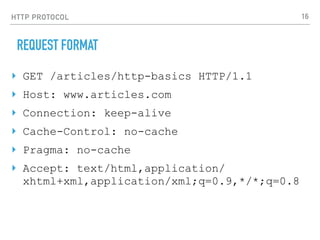
‣ GET /articles/http-basics HTTP/1.1
‣ Host: www.articles.com
‣ Connection: keep-alive
‣ Cache-Control: no-cache
‣ Pragma: no-cache
‣ Accept: text/html,application/
xhtml+xml,application/xml;q=0.9,*/*;q=0.8
16
HTTP PROTOCOL
REQUEST HEADERS
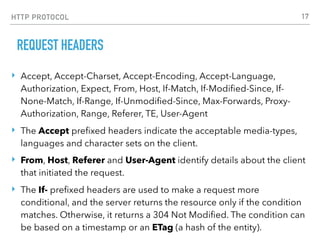
‣ Accept, Accept-Charset, Accept-Encoding, Accept-Language,
Authorization, Expect, From, Host, If-Match, If-Modified-Since, If-
None-Match, If-Range, If-Unmodified-Since, Max-Forwards, Proxy-
Authorization, Range, Referer, TE, User-Agent
‣ The Accept prefixed headers indicate the acceptable media-types,
languages and character sets on the client.
‣ From, Host, Referer and User-Agent identify details about the client
that initiated the request.
‣ The If- prefixed headers are used to make a request more
conditional, and the server returns the resource only if the condition
matches. Otherwise, it returns a 304 Not Modified. The condition can
be based on a timestamp or an ETag (a hash of the entity).
17
HTTP PROTOCOL
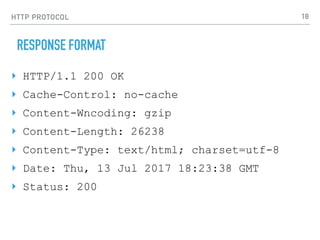
RESPONSE FORMAT
‣ HTTP/1.1 200 OK
‣ Cache-Control: no-cache
‣ Content-Wncoding: gzip
‣ Content-Length: 26238
‣ Content-Type: text/html; charset=utf-8
‣ Date: Thu, 13 Jul 2017 18:23:38 GMT
‣ Status: 200
18
HTTP PROTOCOL
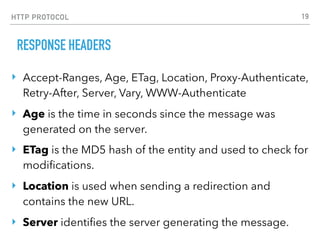
RESPONSE HEADERS
‣ Accept-Ranges, Age, ETag, Location, Proxy-Authenticate,
Retry-After, Server, Vary, WWW-Authenticate
‣ Age is the time in seconds since the message was
generated on the server.
‣ ETag is the MD5 hash of the entity and used to check for
modifications.
‣ Location is used when sending a redirection and
contains the new URL.
‣ Server identifies the server generating the message.
19
HTTP PROTOCOL
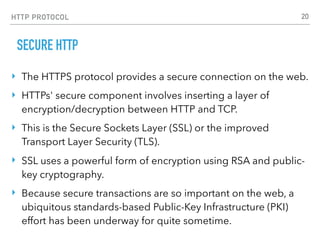
SECURE HTTP
‣ The HTTPS protocol provides a secure connection on the web.
‣ HTTPs' secure component involves inserting a layer of
encryption/decryption between HTTP and TCP.
‣ This is the Secure Sockets Layer (SSL) or the improved
Transport Layer Security (TLS).
‣ SSL uses a powerful form of encryption using RSA and public-
key cryptography.
‣ Because secure transactions are so important on the web, a
ubiquitous standards-based Public-Key Infrastructure (PKI)
effort has been underway for quite sometime.
20
HTTP PROTOCOL
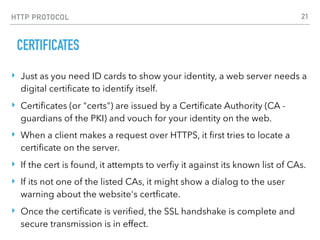
CERTIFICATES
‣ Just as you need ID cards to show your identity, a web server needs a
digital certificate to identify itself.
‣ Certificates (or "certs") are issued by a Certificate Authority (CA -
guardians of the PKI) and vouch for your identity on the web.
‣ When a client makes a request over HTTPS, it first tries to locate a
certificate on the server.
‣ If the cert is found, it attempts to verfiy it against its known list of CAs.
‣ If its not one of the listed CAs, it might show a dialog to the user
warning about the website's certficate.
‣ Once the certificate is verified, the SSL handshake is complete and
secure transmission is in effect.
21
HTTP PROTOCOL
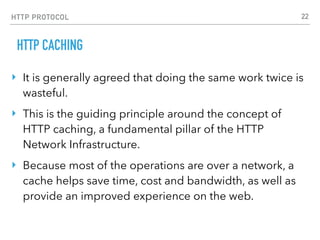
HTTP CACHING
‣ It is generally agreed that doing the same work twice is
wasteful.
‣ This is the guiding principle around the concept of
HTTP caching, a fundamental pillar of the HTTP
Network Infrastructure.
‣ Because most of the operations are over a network, a
cache helps save time, cost and bandwidth, as well as
provide an improved experience on the web.
22
HTTP PROTOCOL
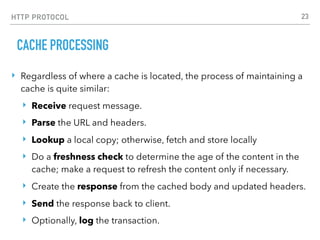
CACHE PROCESSING
‣ Regardless of where a cache is located, the process of maintaining a
cache is quite similar:
‣ Receive request message.
‣ Parse the URL and headers.
‣ Lookup a local copy; otherwise, fetch and store locally
‣ Do a freshness check to determine the age of the content in the
cache; make a request to refresh the content only if necessary.
‣ Create the response from the cached body and updated headers.
‣ Send the response back to client.
‣ Optionally, log the transaction.
23

21 HTTP Protocol #burningkeyboards

  • 1.
  • 2.
  • 3.
    HTTP PROTOCOL INTRO ‣ HTTPstands for Hypertext Transfer Protocol. ‣ It's a stateless, application-layer protocol for communicating between distributed systems, and is the foundation of the modern web. ‣ As a web developer, we all must have a strong understanding of this protocol. 3
  • 4.
    HTTP PROTOCOL HTTP BASICS ‣HTTP allows for communication between a variety of hosts and clients, and supports a mixture of network configurations. ‣ This makes HTTP a stateless protocol. The communication usually takes place over TCP/IP, but any reliable transport can be used. The default port for TCP/IP is 80, but other ports can also be used. ‣ Communication between a host and a client occurs, via a request/response pair. The client initiates an HTTP request message, which is serviced through a HTTP response message in return. 4
  • 5.
    HTTP PROTOCOL URLS ‣ Atthe heart of web communications is the request message, which are sent via Uniform Resource Locators (URLs). 5
  • 6.
    HTTP PROTOCOL VERBS ‣ HTTPhas formalized on a few that capture the essentials that are universally applicable for all kinds of applications. ‣ These request verbs are: ‣ GET: fetch an existing resource. The URL contains all the necessary information the server needs to locate and return the resource. ‣ POST: create a new resource. POST requests usually carry a payload that specifies the data for the new resource. ‣ PUT: update an existing resource. The payload may contain the updated data for the resource. ‣ DELETE: delete an existing resource. ‣ HEAD: this is similar to GET, but without the message body. It's used to retrieve the server headers for a particular resource, generally to check if the resource has changed, via timestamps. ‣ TRACE: used to retrieve the hops that a request takes to round trip from the server. Each intermediate proxy or gateway would inject its IP or DNS name into the Via header field. This can be used for diagnostic purposes. ‣ OPTIONS: used to retrieve the server capabilities. On the client-side, it can be used to modify the request based on what the server can support. 6
  • 7.
    HTTP PROTOCOL STATUS CODES ‣1xx: Informational Messages ‣ This class of codes was introduced in HTTP/1.1 and is purely provisional. The server can send a Expect: 100-continue message, telling the client to continue sending the remainder of the request, or ignore if it has already sent it. HTTP/1.0 clients are supposed to ignore this header. 7
  • 8.
    HTTP PROTOCOL STATUS CODES ‣2xx: Successful ‣ This tells the client that the request was successfully processed. The most common code is 200 OK. For a GET request, the server sends the resource in the message body. There are other less frequently used codes: ‣ 202 Accepted: the request was accepted but may not include the resource in the response. This is useful for async processing on the server side. The server may choose to send information for monitoring. ‣ 204 No Content: there is no message body in the response. ‣ 205 Reset Content: indicates to the client to reset its document view. ‣ 206 Partial Content: indicates that the response only contains partial content. Additional headers indicate the exact range and content expiration information. 8
  • 9.
    HTTP PROTOCOL STATUS CODES ‣3xx: Redirection ‣ This requires the client to take additional action. The most common use-case is to jump to a different URL in order to fetch the resource. ‣ 301 Moved Permanently: the resource is now located at a new URL. ‣ 303 See Other: the resource is temporarily located at a new URL. The Location response header contains the temporary URL. ‣ 304 Not Modified: the server has determined that the resource has not changed and the client should use its cached copy. This relies on the fact that the client is sending ETag (Enttity Tag) information that is a hash of the content. The server compares this with its own computed ETag to check for modifications. 9
  • 10.
    HTTP PROTOCOL STATUS CODES ‣4xx: Client Error ‣ These codes are used when the server thinks that the client is at fault, either by requesting an invalid resource or making a bad request. The most popular code in this class is 404 Not Found, which indicates that the resource is invalid and does not exist on the server. The other codes in this class include: ‣ 400 Bad Request: the request was malformed. ‣ 401 Unauthorized: request requires authentication. The client can repeat the request with the Authorization header. If the client already included the Authorization header, then the credentials were wrong. ‣ 403 Forbidden: server has denied access to the resource. ‣ 405 Method Not Allowed: invalid HTTP verb used in the request line, or the server does not support that verb. ‣ 409 Conflict: the server could not complete the request because the client is trying to modify a resource that is newer than the client's timestamp. Conflicts arise mostly for PUT requests during collaborative edits on a resource. 10
  • 11.
    HTTP PROTOCOL STATUS CODES ‣5xx: Server Error ‣ This class of codes are used to indicate a server failure while processing the request. The most commonly used error code is 500 Internal Server Error. The others in this class are: ‣ 501 Not Implemented: the server does not yet support the requested functionality. ‣ 503 Service Unavailable: this could happen if an internal system on the server has failed or the server is overloaded. Typically, the server won't even respond and the request will timeout. 11
  • 12.
    HTTP PROTOCOL REQUEST ANDRESPONSE MESSAGE FORMATS 12
  • 13.
    HTTP PROTOCOL MESSAGE FORMAT ‣The HTTP specification states that a request or response message has the following generic structure: ‣ message = <start-line> ‣ *(<message-header>) ‣ CRLF ‣ [<message-body>] ‣ <start-line> = Request-Line | Status-Line ‣ <message-header> = Field-Name ':' Field-Value 13
  • 14.
    HTTP PROTOCOL GENERAL HEADERS ‣Via header is used in a TRACE message and updated by all intermittent proxies and gateways ‣ Pragma is considered a custom header and may be used to include implementation- specific headers. The most commonly used pragma-directive is Pragma: no-cache, which really is Cache-Control: no-cache under HTTP/1.1. This will be covered in Part 2 of the article. ‣ The Date header field is used to timestamp the request/response message ‣ Upgrade is used to switch protocols and allow a smooth transition to a newer protocol. ‣ Transfer-Encoding is generally used to break the response into smaller parts with the Transfer-Encoding: chunked value. This is a new header in HTTP/1.1 and allows for streaming of response to the client instead of one big payload. ‣ HTTP allows an origin-server to attach an expiration date to each document using the Cache-Control and Expires response headers. This helps the client and other cache servers know how long a document is valid and fresh. 14
  • 15.
    HTTP PROTOCOL ENTITY HEADERS ‣Allow, Content-Encoding, Content-Language, Content- Length, Content-Location, Content-MD5, Content-Range, Content-Type, Expires, Last-Modified ‣ All of the Content- prefixed headers provide information about the structure, encoding and size of the message body. ‣ The Expires header indicates a timestamp of whent he entity expires. Interestingly, a "never expires" entity is sent with a timestamp of one year into the future. ‣ The Last-Modified header indicates the last modification timestamp for the entity. 15
  • 16.
    HTTP PROTOCOL REQUEST FORMAT ‣GET /articles/http-basics HTTP/1.1 ‣ Host: www.articles.com ‣ Connection: keep-alive ‣ Cache-Control: no-cache ‣ Pragma: no-cache ‣ Accept: text/html,application/ xhtml+xml,application/xml;q=0.9,*/*;q=0.8 16
  • 17.
    HTTP PROTOCOL REQUEST HEADERS ‣Accept, Accept-Charset, Accept-Encoding, Accept-Language, Authorization, Expect, From, Host, If-Match, If-Modified-Since, If- None-Match, If-Range, If-Unmodified-Since, Max-Forwards, Proxy- Authorization, Range, Referer, TE, User-Agent ‣ The Accept prefixed headers indicate the acceptable media-types, languages and character sets on the client. ‣ From, Host, Referer and User-Agent identify details about the client that initiated the request. ‣ The If- prefixed headers are used to make a request more conditional, and the server returns the resource only if the condition matches. Otherwise, it returns a 304 Not Modified. The condition can be based on a timestamp or an ETag (a hash of the entity). 17
  • 18.
    HTTP PROTOCOL RESPONSE FORMAT ‣HTTP/1.1 200 OK ‣ Cache-Control: no-cache ‣ Content-Wncoding: gzip ‣ Content-Length: 26238 ‣ Content-Type: text/html; charset=utf-8 ‣ Date: Thu, 13 Jul 2017 18:23:38 GMT ‣ Status: 200 18
  • 19.
    HTTP PROTOCOL RESPONSE HEADERS ‣Accept-Ranges, Age, ETag, Location, Proxy-Authenticate, Retry-After, Server, Vary, WWW-Authenticate ‣ Age is the time in seconds since the message was generated on the server. ‣ ETag is the MD5 hash of the entity and used to check for modifications. ‣ Location is used when sending a redirection and contains the new URL. ‣ Server identifies the server generating the message. 19
  • 20.
    HTTP PROTOCOL SECURE HTTP ‣The HTTPS protocol provides a secure connection on the web. ‣ HTTPs' secure component involves inserting a layer of encryption/decryption between HTTP and TCP. ‣ This is the Secure Sockets Layer (SSL) or the improved Transport Layer Security (TLS). ‣ SSL uses a powerful form of encryption using RSA and public- key cryptography. ‣ Because secure transactions are so important on the web, a ubiquitous standards-based Public-Key Infrastructure (PKI) effort has been underway for quite sometime. 20
  • 21.
    HTTP PROTOCOL CERTIFICATES ‣ Justas you need ID cards to show your identity, a web server needs a digital certificate to identify itself. ‣ Certificates (or "certs") are issued by a Certificate Authority (CA - guardians of the PKI) and vouch for your identity on the web. ‣ When a client makes a request over HTTPS, it first tries to locate a certificate on the server. ‣ If the cert is found, it attempts to verfiy it against its known list of CAs. ‣ If its not one of the listed CAs, it might show a dialog to the user warning about the website's certficate. ‣ Once the certificate is verified, the SSL handshake is complete and secure transmission is in effect. 21
  • 22.
    HTTP PROTOCOL HTTP CACHING ‣It is generally agreed that doing the same work twice is wasteful. ‣ This is the guiding principle around the concept of HTTP caching, a fundamental pillar of the HTTP Network Infrastructure. ‣ Because most of the operations are over a network, a cache helps save time, cost and bandwidth, as well as provide an improved experience on the web. 22
  • 23.
    HTTP PROTOCOL CACHE PROCESSING ‣Regardless of where a cache is located, the process of maintaining a cache is quite similar: ‣ Receive request message. ‣ Parse the URL and headers. ‣ Lookup a local copy; otherwise, fetch and store locally ‣ Do a freshness check to determine the age of the content in the cache; make a request to refresh the content only if necessary. ‣ Create the response from the cached body and updated headers. ‣ Send the response back to client. ‣ Optionally, log the transaction. 23