
Web Application
Security Headers
Marek Puchalski
marek.puchalski@capgemini.com
marek.puchalski@owasp.org
Table of Content
• HTTP Headers
• Clickjacking -> X-Frame-Options, CSP
• XSS -> X-XSS-Protection, CSP
• CSP Summary
HTTP HEADERS
HTTP Headers
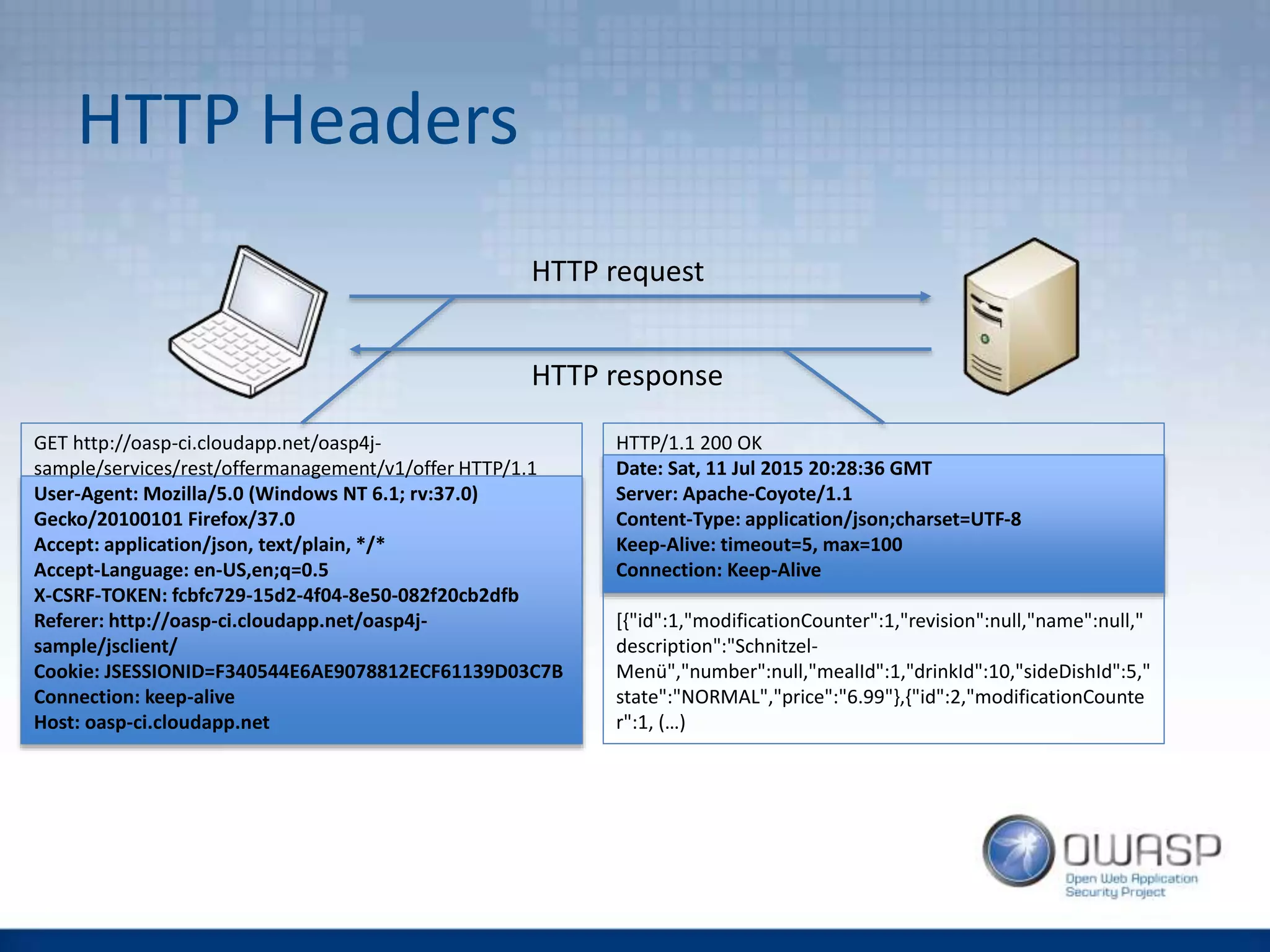
GET http://oasp-ci.cloudapp.net/oasp4j-
sample/services/rest/offermanagement/v1/offer HTTP/1.1
User-Agent: Mozilla/5.0 (Windows NT 6.1; rv:37.0)
Gecko/20100101 Firefox/37.0
Accept: application/json, text/plain, */*
Accept-Language: en-US,en;q=0.5
X-CSRF-TOKEN: fcbfc729-15d2-4f04-8e50-082f20cb2dfb
Referer: http://oasp-ci.cloudapp.net/oasp4j-
sample/jsclient/
Cookie: JSESSIONID=F340544E6AE9078812ECF61139D03C7B
Connection: keep-alive
Host: oasp-ci.cloudapp.net
HTTP request
HTTP/1.1 200 OK
Date: Sat, 11 Jul 2015 20:28:36 GMT
Server: Apache-Coyote/1.1
Content-Type: application/json;charset=UTF-8
Keep-Alive: timeout=5, max=100
Connection: Keep-Alive
[{"id":1,"modificationCounter":1,"revision":null,"name":null,"
description":"Schnitzel-
Menü","number":null,"mealId":1,"drinkId":10,"sideDishId":5,"
state":"NORMAL","price":"6.99"},{"id":2,"modificationCounte
r":1, (…)
HTTP response
Facts about HTTP Headers
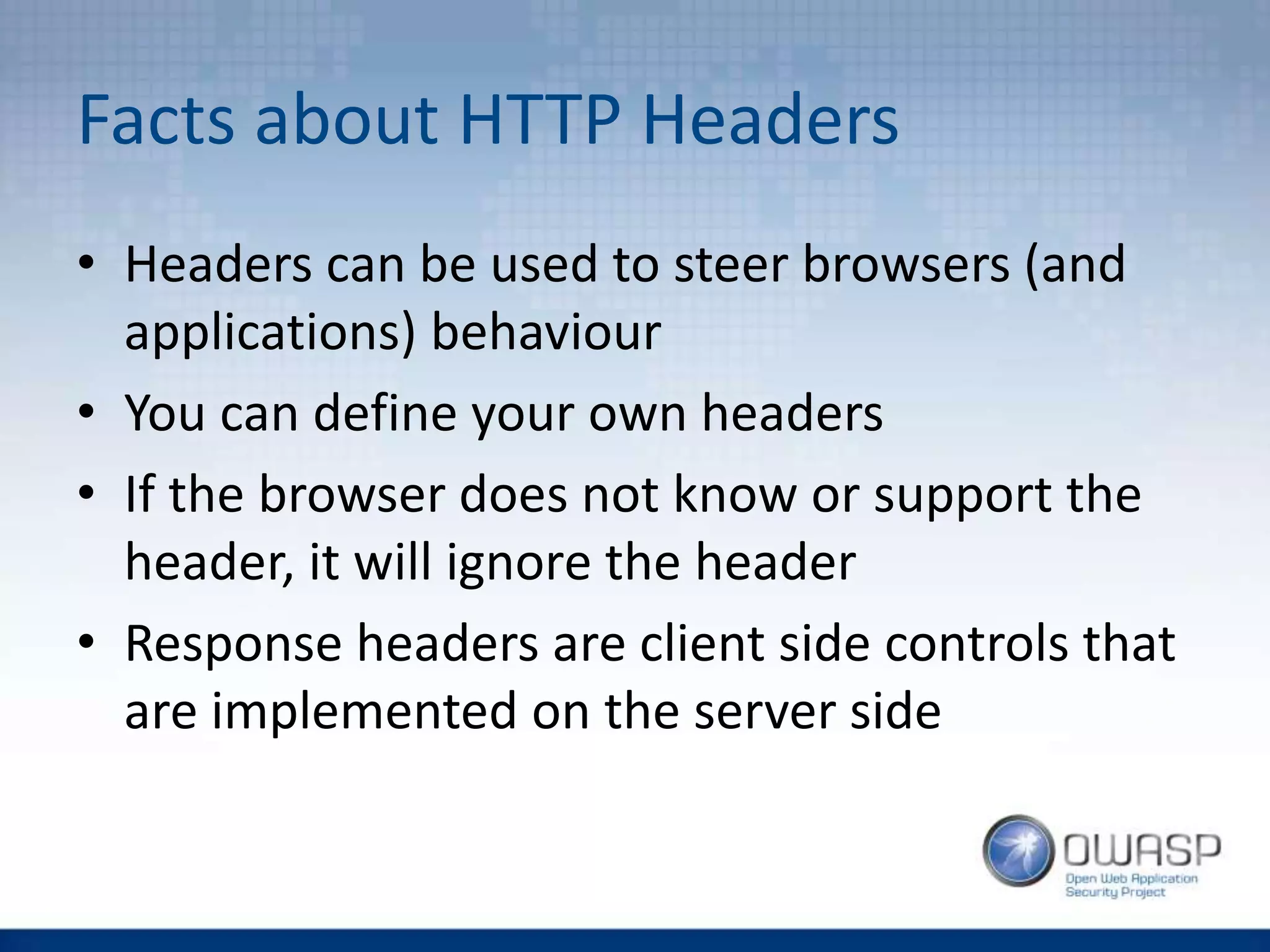
• Headers can be used to steer browsers (and
applications) behaviour
• You can define your own headers
• If the browser does not know or support the
header, it will ignore the header
• Response headers are client side controls that
are implemented on the server side
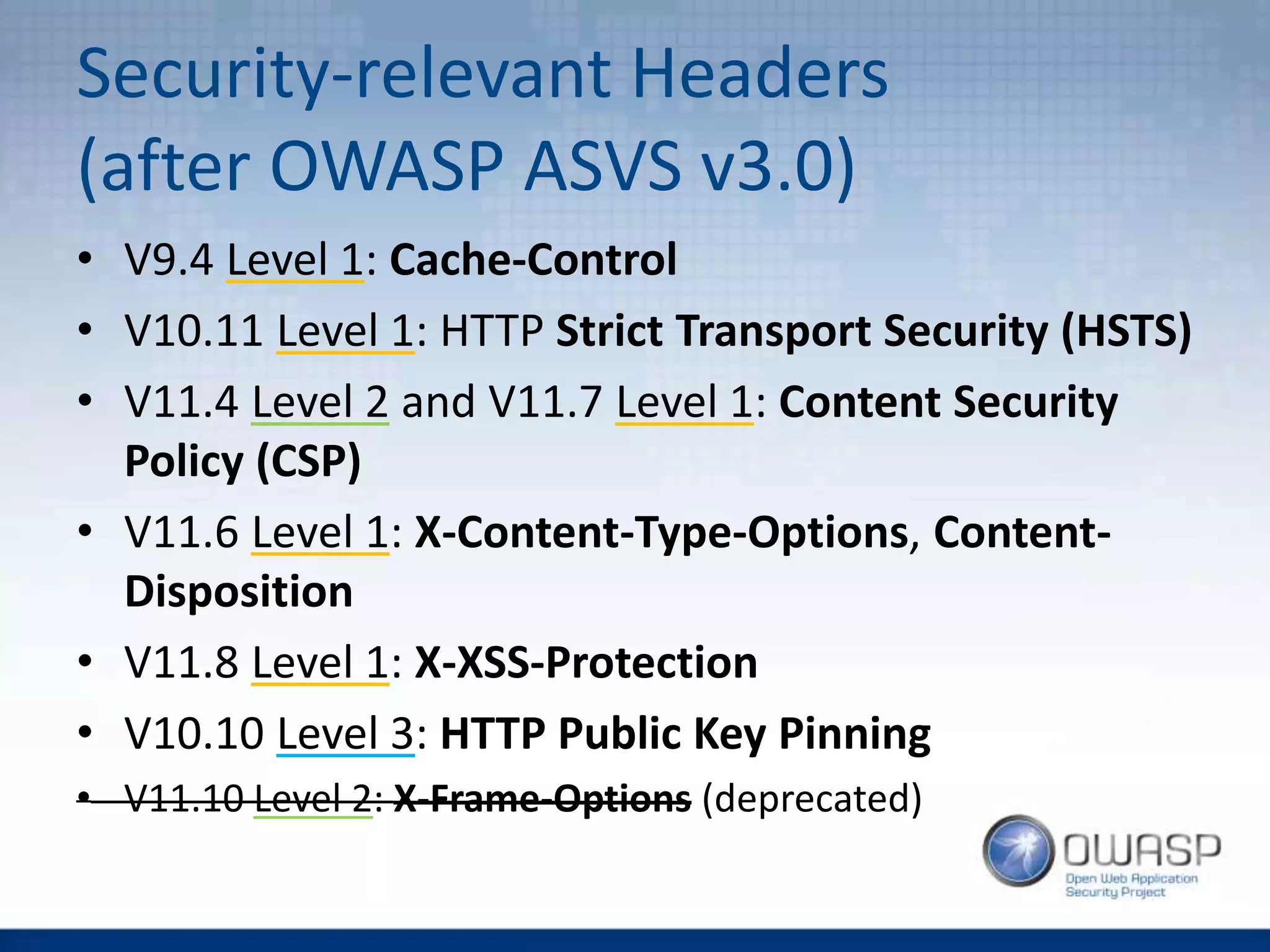
Security-relevant Headers
(after OWASP ASVS v3.0)
• V9.4 Level 1: Cache-Control
• V10.11 Level 1: HTTP Strict Transport Security (HSTS)
• V11.4 Level 2 and V11.7 Level 1: Content Security
Policy (CSP)
• V11.6 Level 1: X-Content-Type-Options, Content-
Disposition
• V11.8 Level 1: X-XSS-Protection
• V10.10 Level 3: HTTP Public Key Pinning
• V11.10 Level 2: X-Frame-Options (deprecated)
CLICKJACKING
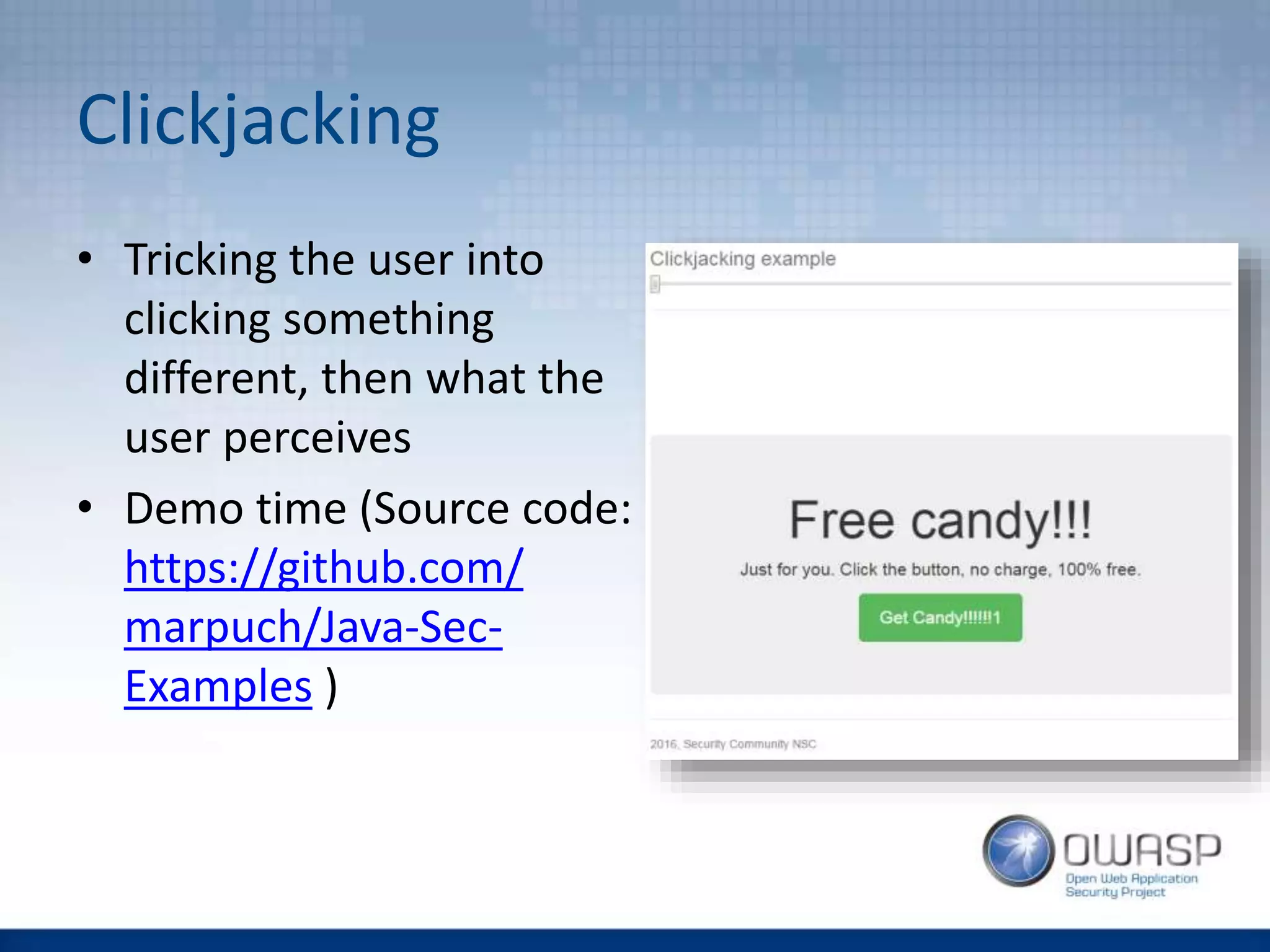
Clickjacking
• Tricking the user into
clicking something
different, then what the
user perceives
• Demo time (Source code:
https://github.com/
marpuch/Java-Sec-
Examples )
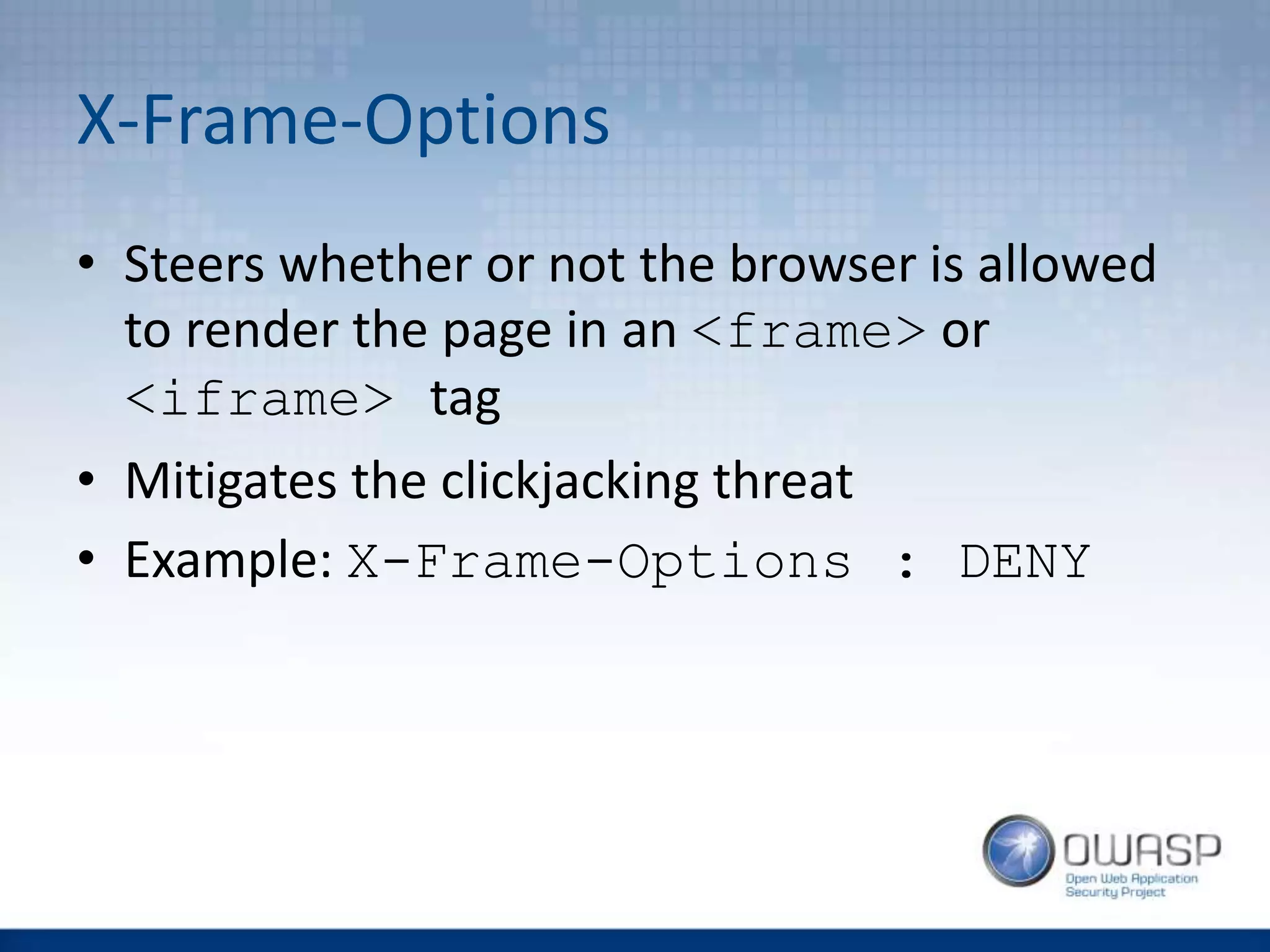
X-Frame-Options
• Steers whether or not the browser is allowed
to render the page in an <frame> or
<iframe> tag
• Mitigates the clickjacking threat
• Example: X-Frame-Options : DENY
X-Frame-Options - Parameters
• DENY - The page can never be displayed in a
frame
• SAMEORIGIN - The page can only be framed
by pages with the same origin.
• ALLOW-FROM <uri> - The page can only be
framed by the followingURIs.
X-Frame-Options - Compatibility
• Parameters DENY and SAMEORIGIN are
supported by all major browsers
• Some major browser (e.g. Chrome v47) does
not support ALLOW-FROM uri
• Browsers compatibility can be checked here:
http://erlend.oftedal.no/blog/tools/xframeop
tions/
X-Frame-Options - Implementation
• Tomcat users - activate the
httpHeaderSecurity filter in the file
TOMCAT_HOME/conf/web.xml
• Spring MVC users - look here
• ...
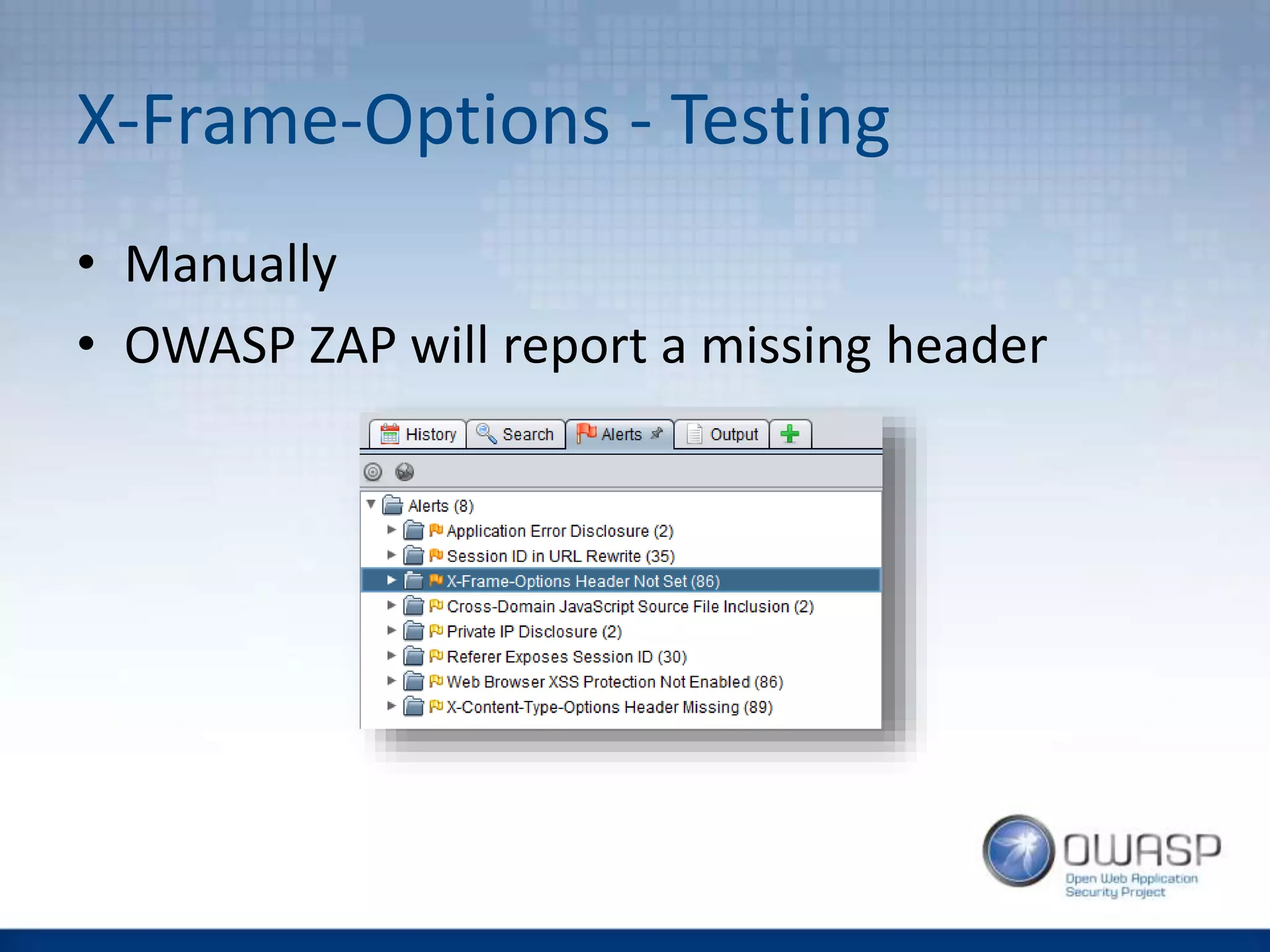
X-Frame-Options - Testing
• Manually
• OWASP ZAP will report a missing header
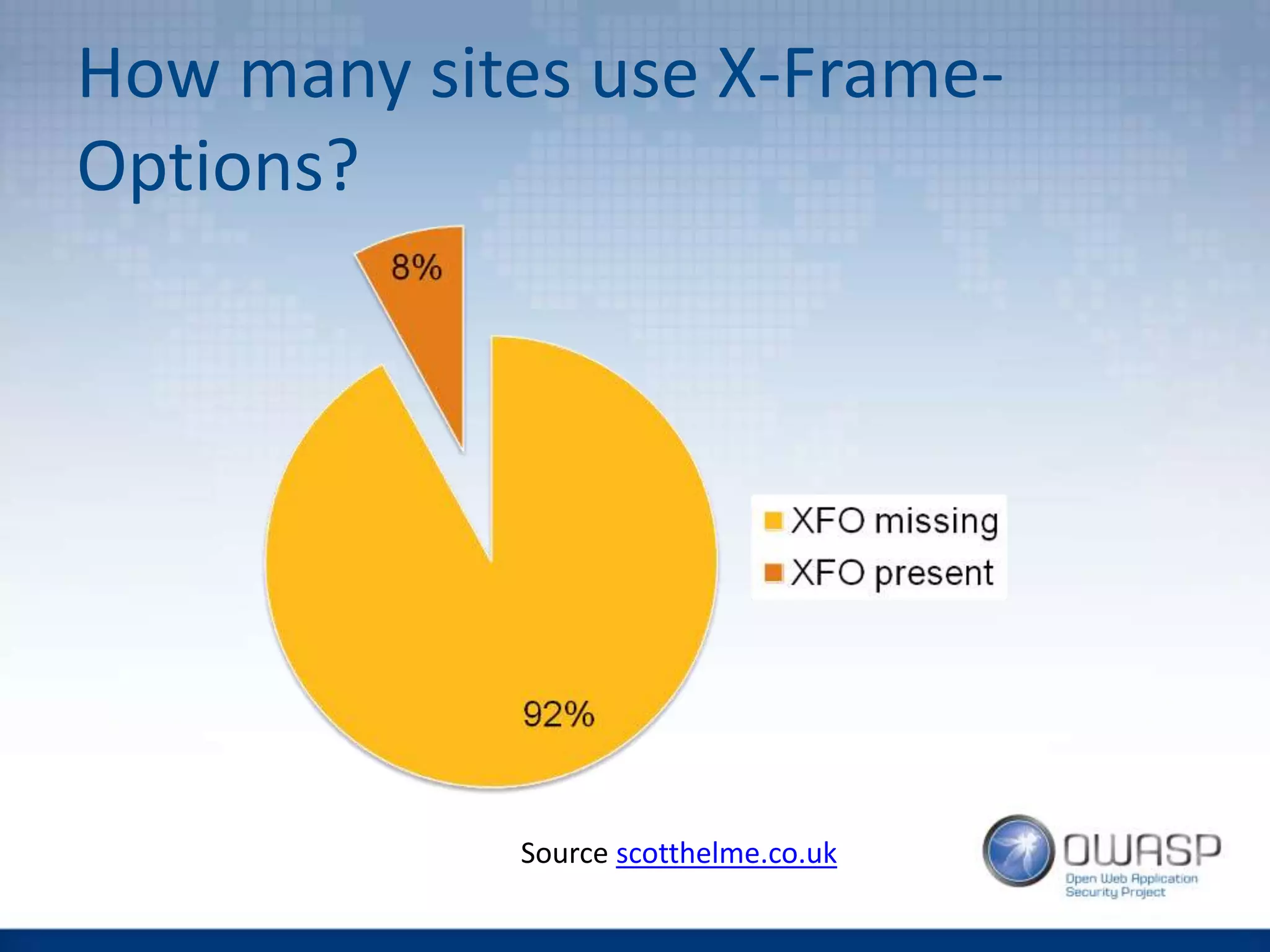
How many sites use X-Frame-
Options?
Source scotthelme.co.uk
Content Security Policy (CSP)
• CSP defines the sources (of images, scripts,
styles, media, fonts, …) the site can access
• Quite big and powerful
• Current version 2.0, version 3.0 in progress
• Addresses not only clickjacking, but also cross-
site vulnerabilities
• Enforces coding rules on developers (yes, can
be painful for the dev team)
Using CSP
• Header syntax:
Content-Security-Policy: <directive1>
<source1.1> <source1.2> <source1.3>;
<directive 2> <source2.1> <source2.2>; …
• You can define CSP also over the meta tag on
the HTML page like this:
<meta http-equiv="Content-Security-Policy"
content="directive source1 source2">
CSP Directives VS Clickjacking
• default-src
• script-src, style-src, img-src,
font-src, media-src, connect-src,
object-src
• child-src, frame-ancestor
• form-action
• plugin-types
• report-uri [-Report-Only]
CSP Sources
• *
• 'none', 'self'
• domain.example.com,
https://domain.example.com,
*.example.com
• 'unsafe-inline', 'unsafe-eval'
Clickjacking mitigation with CSP
• Does the same as X-Frame-Options:
Content-Security-Policy: frame-
ancestor 'none'; …
• Defines allowed sources for frame and
iframe:
Content-Security-Policy: child-src
'none'; …
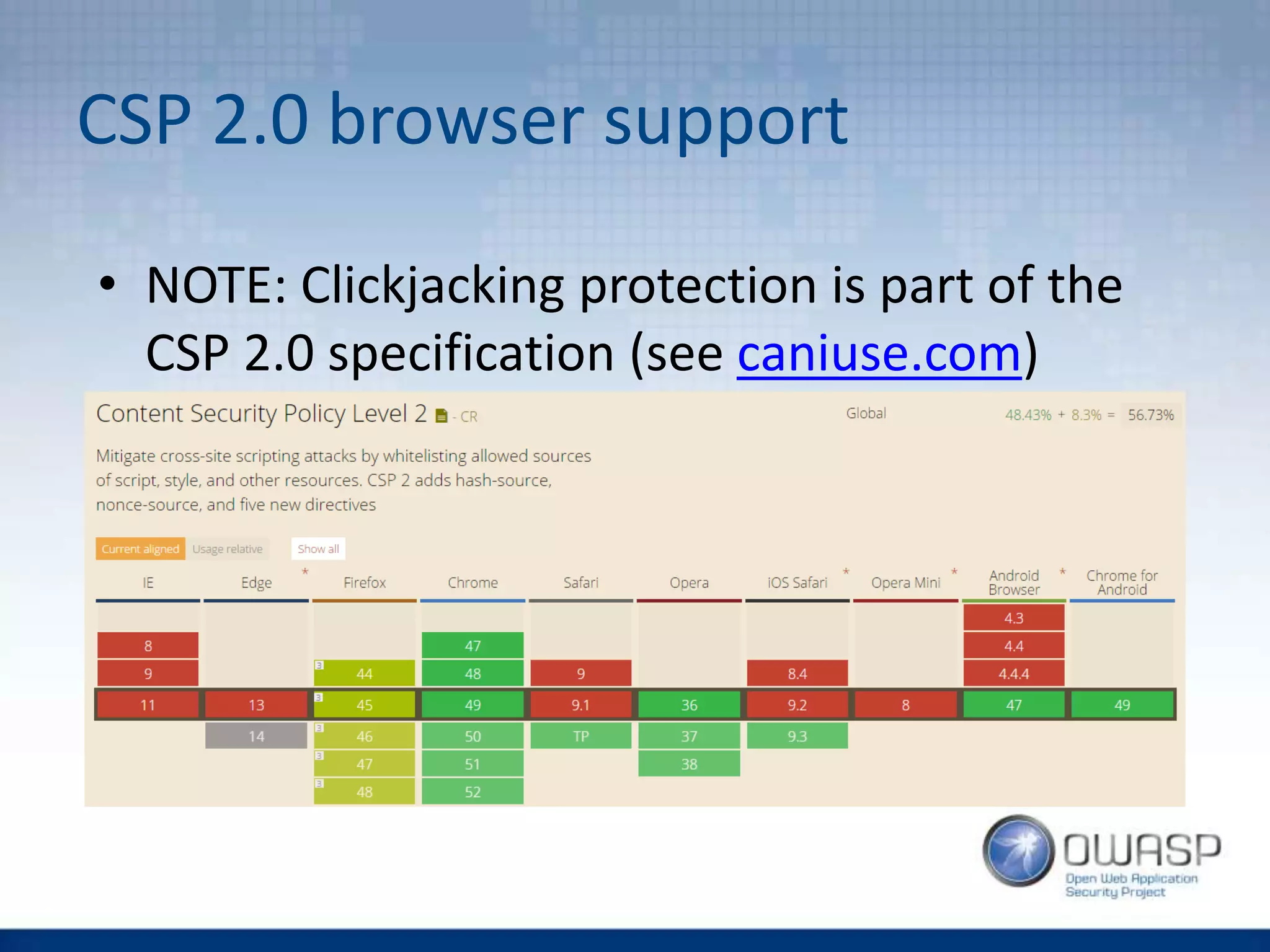
CSP 2.0 browser support
• NOTE: Clickjacking protection is part of the
CSP 2.0 specification (see caniuse.com)
CROSS-SITE SCRIPTING (XSS)
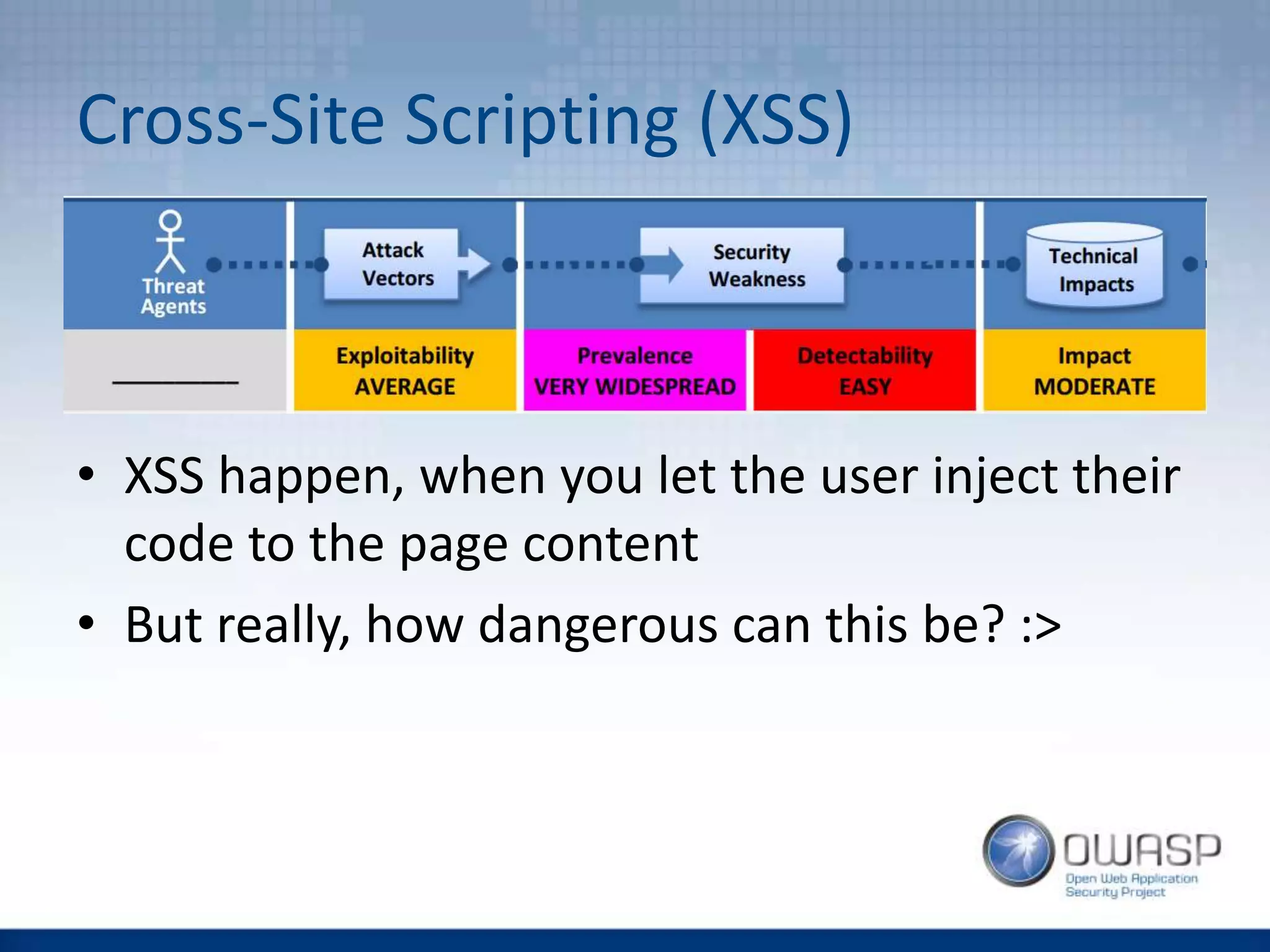
Cross-Site Scripting (XSS)
• XSS happen, when you let the user inject their
code to the page content
• But really, how dangerous can this be? :>
Types of XSS
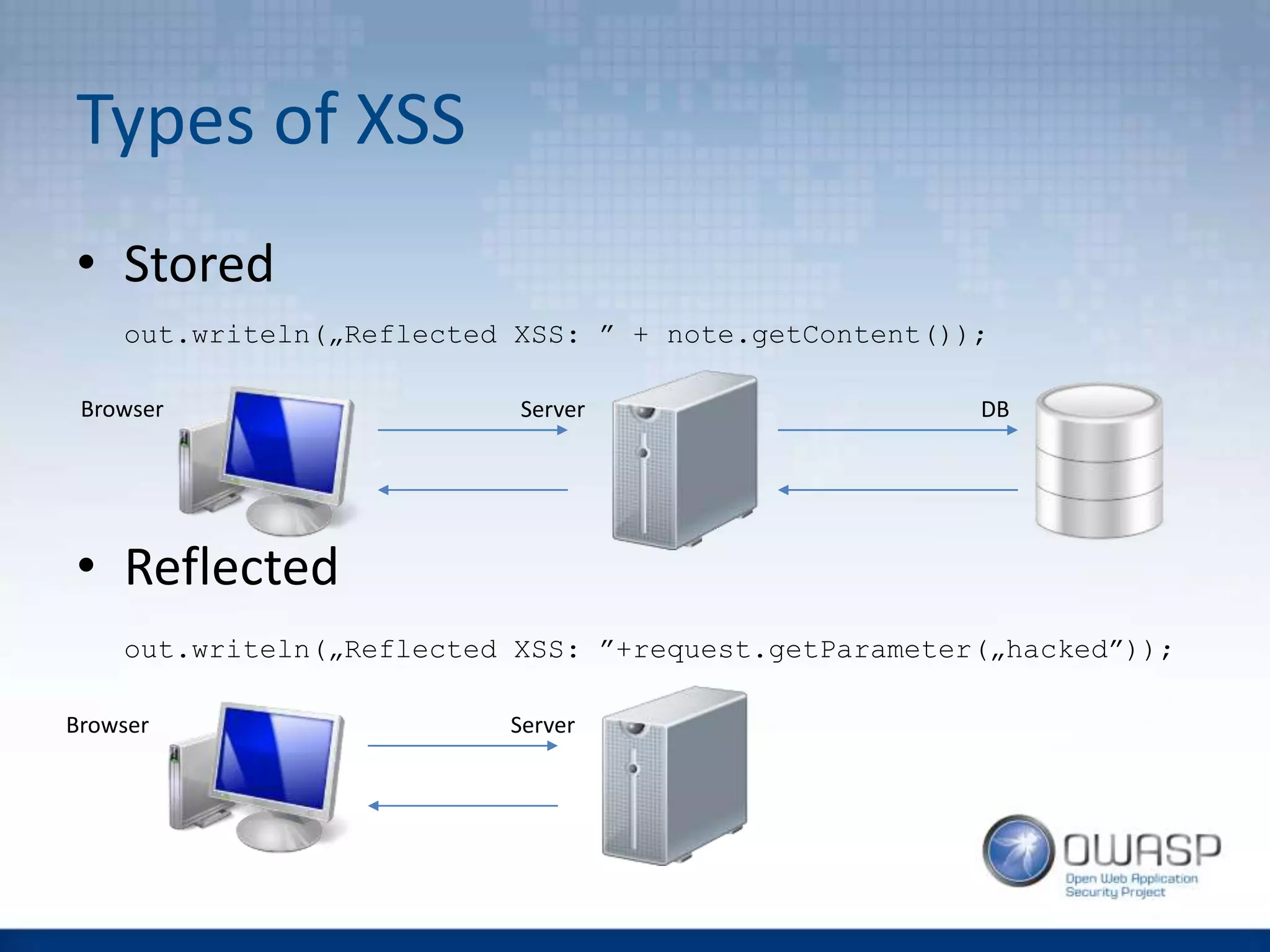
• Stored
out.writeln(„Reflected XSS: ” + note.getContent());
• Reflected
out.writeln(„Reflected XSS: ”+request.getParameter(„hacked”));
Browser Server DB
Browser Server
Types of XSS
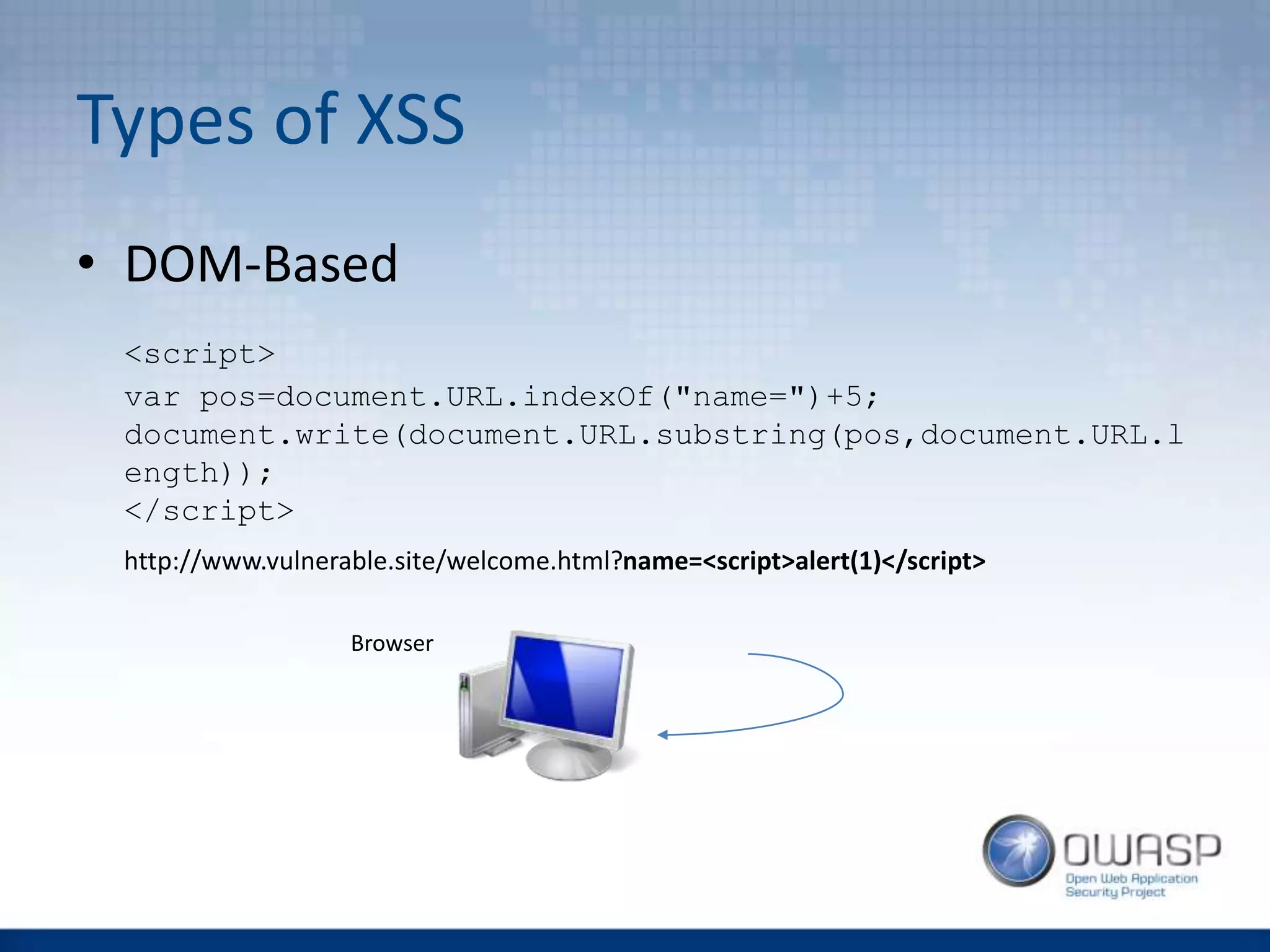
• DOM-Based
<script>
var pos=document.URL.indexOf("name=")+5;
document.write(document.URL.substring(pos,document.URL.l
ength));
</script>
http://www.vulnerable.site/welcome.html?name=<script>alert(1)</script>
Browser
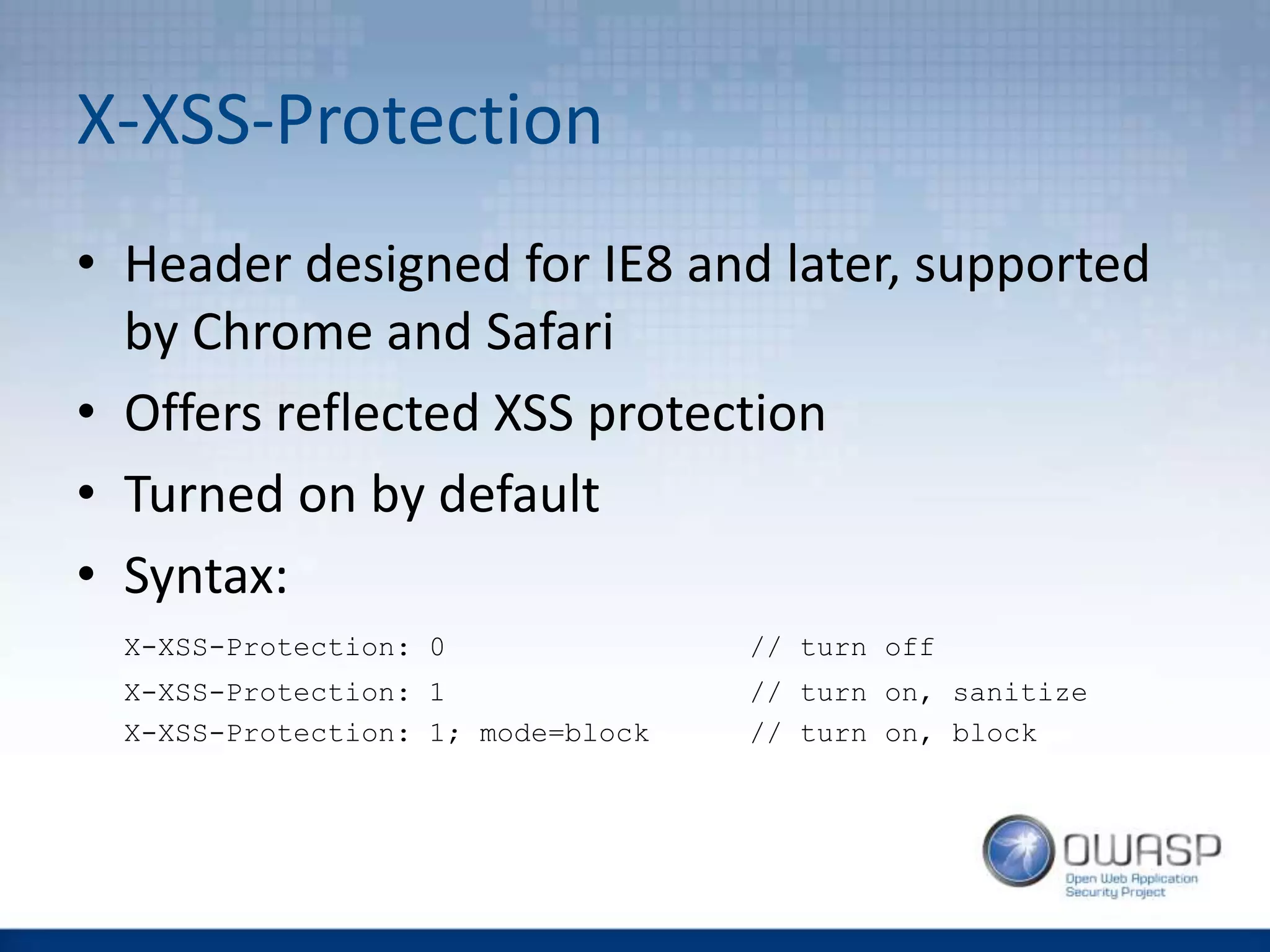
X-XSS-Protection
• Header designed for IE8 and later, supported
by Chrome and Safari
• Offers reflected XSS protection
• Turned on by default
• Syntax:
X-XSS-Protection: 0 // turn off
X-XSS-Protection: 1 // turn on, sanitize
X-XSS-Protection: 1; mode=block // turn on, block
CSP Directives VS XSS
• default-src
• script-src, style-src, img-src,
font-src, media-src, connect-src,
object-src
• child-src, frame-ancestor
• form-action
• plugin-types
• report-uri [-Report-Only]
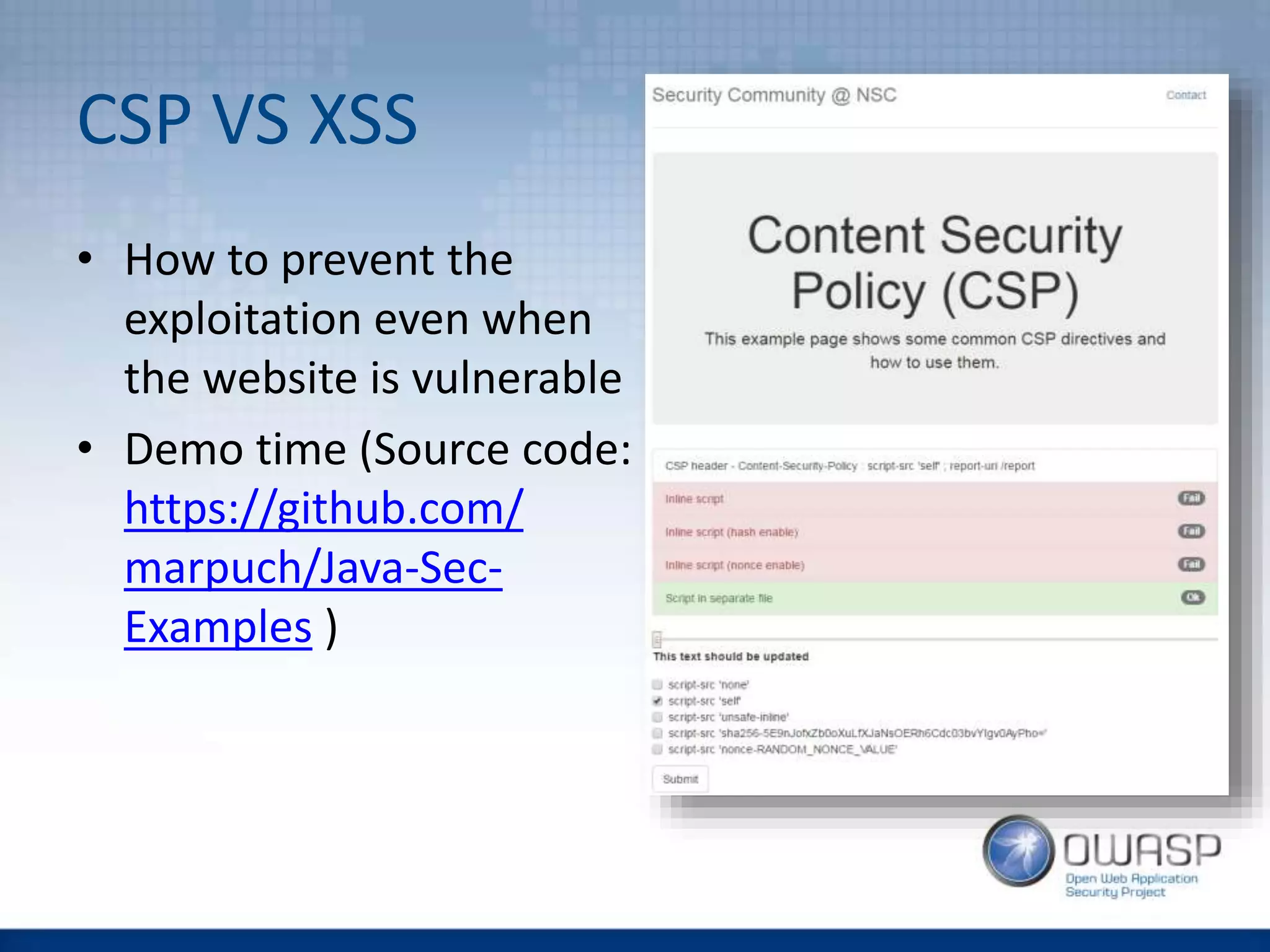
CSP VS XSS
• How to prevent the
exploitation even when
the website is vulnerable
• Demo time (Source code:
https://github.com/
marpuch/Java-Sec-
Examples )
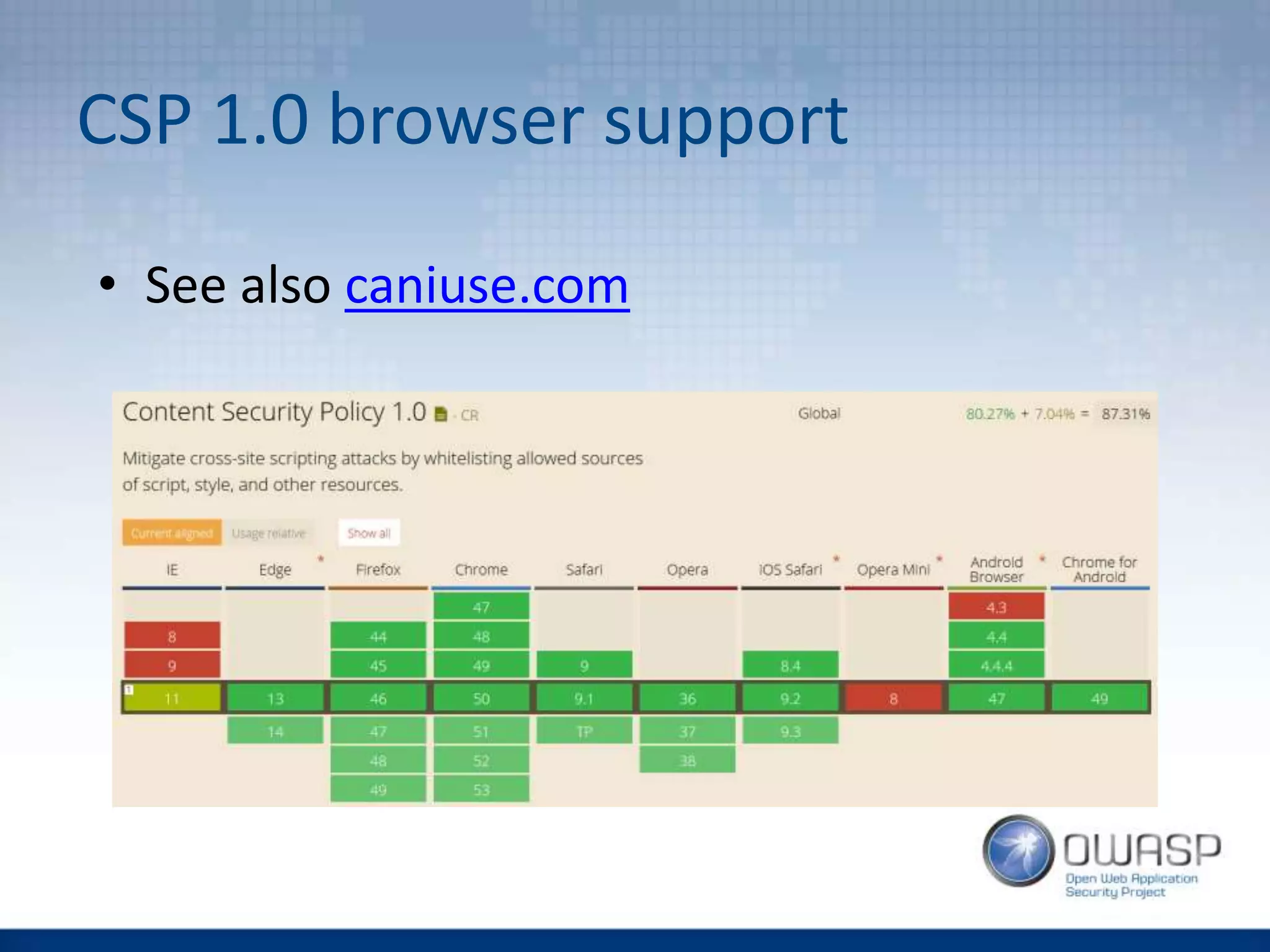
CSP 1.0 browser support
• See also caniuse.com
CSP SUMMARY
CSP - Implementation
• You want your developer team to be aware of
CSP to detect problems early
• It is better to turn this feature on in your
software stack (then e.g. web server), but be
aware – it is somehow still a new feature:
“Spring Security does not provide support for this [CSP] as the specification is not
released and it is quite a bit more complicated. However, you could use the static
headers feature to implement this. To stay up to date with this issue and to see how you
can implement it with Spring Security refer to SEC-2342”
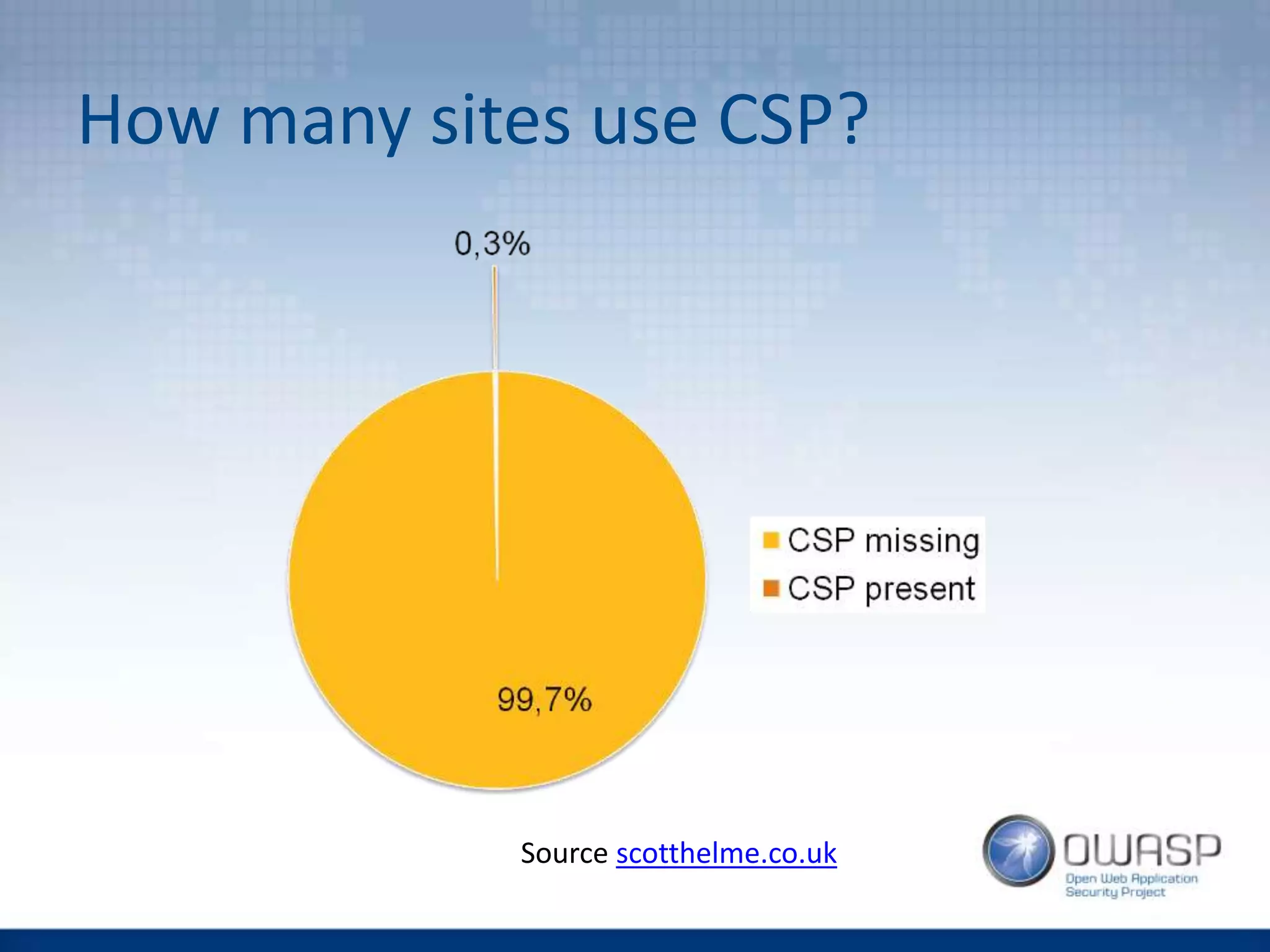
How many sites use CSP?
Source scotthelme.co.uk
Better CSP utilization, CSP testing
• Be aware, that you can run CSP in the report-
only mode by setting the –Report-only
flag or by using the Content-Security-
Policy-Report-Only header
• You can use both Content-Security-
Policy and Content-Security-
Policy-Report-Only header to enforce
CSP rules and to test stricter ones
Read more about CSP
• https://scotthelme.co.uk/csp-cheat-sheet/
• https://report-uri.io/home/generate
• https://cspbuilder.info/static/#/main/
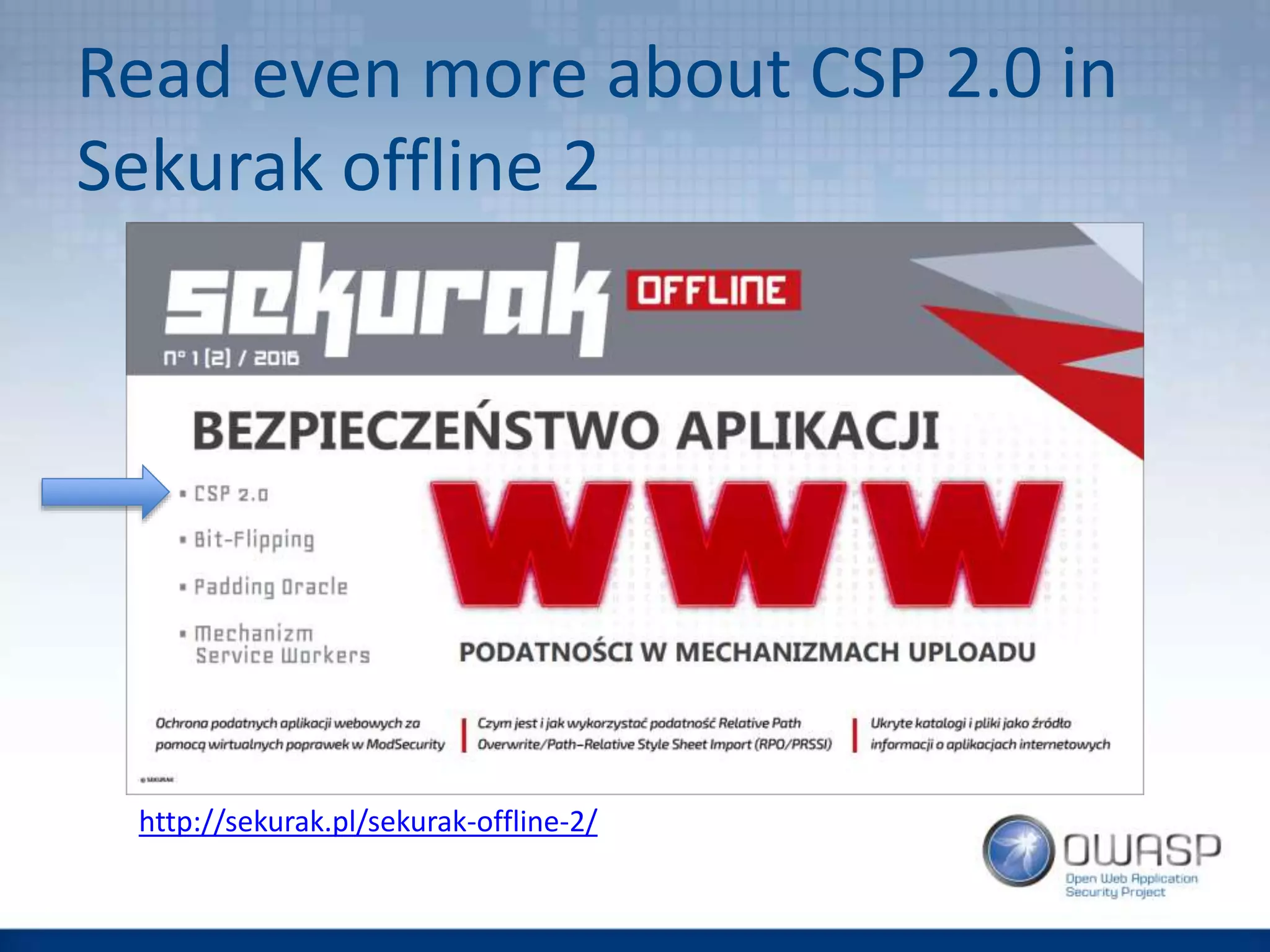
Read even more about CSP 2.0 in
Sekurak offline 2
http://sekurak.pl/sekurak-offline-2/
QUESTIONS?
marek.puchalski@capgemini.com
marek.puchalski@owasp.org

[Wroclaw #2] Web Application Security Headers

  • 1.
    Web Application Security Headers MarekPuchalski marek.puchalski@capgemini.com marek.puchalski@owasp.org
  • 2.
    Table of Content •HTTP Headers • Clickjacking -> X-Frame-Options, CSP • XSS -> X-XSS-Protection, CSP • CSP Summary
  • 3.
  • 4.
    HTTP Headers GET http://oasp-ci.cloudapp.net/oasp4j- sample/services/rest/offermanagement/v1/offerHTTP/1.1 User-Agent: Mozilla/5.0 (Windows NT 6.1; rv:37.0) Gecko/20100101 Firefox/37.0 Accept: application/json, text/plain, */* Accept-Language: en-US,en;q=0.5 X-CSRF-TOKEN: fcbfc729-15d2-4f04-8e50-082f20cb2dfb Referer: http://oasp-ci.cloudapp.net/oasp4j- sample/jsclient/ Cookie: JSESSIONID=F340544E6AE9078812ECF61139D03C7B Connection: keep-alive Host: oasp-ci.cloudapp.net HTTP request HTTP/1.1 200 OK Date: Sat, 11 Jul 2015 20:28:36 GMT Server: Apache-Coyote/1.1 Content-Type: application/json;charset=UTF-8 Keep-Alive: timeout=5, max=100 Connection: Keep-Alive [{"id":1,"modificationCounter":1,"revision":null,"name":null," description":"Schnitzel- Menü","number":null,"mealId":1,"drinkId":10,"sideDishId":5," state":"NORMAL","price":"6.99"},{"id":2,"modificationCounte r":1, (…) HTTP response
  • 5.
    Facts about HTTPHeaders • Headers can be used to steer browsers (and applications) behaviour • You can define your own headers • If the browser does not know or support the header, it will ignore the header • Response headers are client side controls that are implemented on the server side
  • 6.
    Security-relevant Headers (after OWASPASVS v3.0) • V9.4 Level 1: Cache-Control • V10.11 Level 1: HTTP Strict Transport Security (HSTS) • V11.4 Level 2 and V11.7 Level 1: Content Security Policy (CSP) • V11.6 Level 1: X-Content-Type-Options, Content- Disposition • V11.8 Level 1: X-XSS-Protection • V10.10 Level 3: HTTP Public Key Pinning • V11.10 Level 2: X-Frame-Options (deprecated)
  • 7.
  • 8.
    Clickjacking • Tricking theuser into clicking something different, then what the user perceives • Demo time (Source code: https://github.com/ marpuch/Java-Sec- Examples )
  • 9.
    X-Frame-Options • Steers whetheror not the browser is allowed to render the page in an <frame> or <iframe> tag • Mitigates the clickjacking threat • Example: X-Frame-Options : DENY
  • 10.
    X-Frame-Options - Parameters •DENY - The page can never be displayed in a frame • SAMEORIGIN - The page can only be framed by pages with the same origin. • ALLOW-FROM <uri> - The page can only be framed by the followingURIs.
  • 11.
    X-Frame-Options - Compatibility •Parameters DENY and SAMEORIGIN are supported by all major browsers • Some major browser (e.g. Chrome v47) does not support ALLOW-FROM uri • Browsers compatibility can be checked here: http://erlend.oftedal.no/blog/tools/xframeop tions/
  • 12.
    X-Frame-Options - Implementation •Tomcat users - activate the httpHeaderSecurity filter in the file TOMCAT_HOME/conf/web.xml • Spring MVC users - look here • ...
  • 13.
    X-Frame-Options - Testing •Manually • OWASP ZAP will report a missing header
  • 14.
    How many sitesuse X-Frame- Options? Source scotthelme.co.uk
  • 15.
    Content Security Policy(CSP) • CSP defines the sources (of images, scripts, styles, media, fonts, …) the site can access • Quite big and powerful • Current version 2.0, version 3.0 in progress • Addresses not only clickjacking, but also cross- site vulnerabilities • Enforces coding rules on developers (yes, can be painful for the dev team)
  • 16.
    Using CSP • Headersyntax: Content-Security-Policy: <directive1> <source1.1> <source1.2> <source1.3>; <directive 2> <source2.1> <source2.2>; … • You can define CSP also over the meta tag on the HTML page like this: <meta http-equiv="Content-Security-Policy" content="directive source1 source2">
  • 17.
    CSP Directives VSClickjacking • default-src • script-src, style-src, img-src, font-src, media-src, connect-src, object-src • child-src, frame-ancestor • form-action • plugin-types • report-uri [-Report-Only]
  • 18.
    CSP Sources • * •'none', 'self' • domain.example.com, https://domain.example.com, *.example.com • 'unsafe-inline', 'unsafe-eval'
  • 19.
    Clickjacking mitigation withCSP • Does the same as X-Frame-Options: Content-Security-Policy: frame- ancestor 'none'; … • Defines allowed sources for frame and iframe: Content-Security-Policy: child-src 'none'; …
  • 20.
    CSP 2.0 browsersupport • NOTE: Clickjacking protection is part of the CSP 2.0 specification (see caniuse.com)
  • 21.
  • 22.
    Cross-Site Scripting (XSS) •XSS happen, when you let the user inject their code to the page content • But really, how dangerous can this be? :>
  • 23.
    Types of XSS •Stored out.writeln(„Reflected XSS: ” + note.getContent()); • Reflected out.writeln(„Reflected XSS: ”+request.getParameter(„hacked”)); Browser Server DB Browser Server
  • 24.
    Types of XSS •DOM-Based <script> var pos=document.URL.indexOf("name=")+5; document.write(document.URL.substring(pos,document.URL.l ength)); </script> http://www.vulnerable.site/welcome.html?name=<script>alert(1)</script> Browser
  • 25.
    X-XSS-Protection • Header designedfor IE8 and later, supported by Chrome and Safari • Offers reflected XSS protection • Turned on by default • Syntax: X-XSS-Protection: 0 // turn off X-XSS-Protection: 1 // turn on, sanitize X-XSS-Protection: 1; mode=block // turn on, block
  • 26.
    CSP Directives VSXSS • default-src • script-src, style-src, img-src, font-src, media-src, connect-src, object-src • child-src, frame-ancestor • form-action • plugin-types • report-uri [-Report-Only]
  • 27.
    CSP VS XSS •How to prevent the exploitation even when the website is vulnerable • Demo time (Source code: https://github.com/ marpuch/Java-Sec- Examples )
  • 28.
    CSP 1.0 browsersupport • See also caniuse.com
  • 29.
  • 30.
    CSP - Implementation •You want your developer team to be aware of CSP to detect problems early • It is better to turn this feature on in your software stack (then e.g. web server), but be aware – it is somehow still a new feature: “Spring Security does not provide support for this [CSP] as the specification is not released and it is quite a bit more complicated. However, you could use the static headers feature to implement this. To stay up to date with this issue and to see how you can implement it with Spring Security refer to SEC-2342”
  • 31.
    How many sitesuse CSP? Source scotthelme.co.uk
  • 32.
    Better CSP utilization,CSP testing • Be aware, that you can run CSP in the report- only mode by setting the –Report-only flag or by using the Content-Security- Policy-Report-Only header • You can use both Content-Security- Policy and Content-Security- Policy-Report-Only header to enforce CSP rules and to test stricter ones
  • 33.
    Read more aboutCSP • https://scotthelme.co.uk/csp-cheat-sheet/ • https://report-uri.io/home/generate • https://cspbuilder.info/static/#/main/
  • 34.
    Read even moreabout CSP 2.0 in Sekurak offline 2 http://sekurak.pl/sekurak-offline-2/
  • 35.