Wordpress and MampJim RaffelCEO ColorMetrixand Inspirational Small Business Story Teller at Jim Raffel.com
A functional WordPress development environment on your local machine.The Goal
The MethodInstall MAMPInstall an empty WordPress blogCopy and edit your live databaseCopy your live wp-content folderFix all the little things that are broke
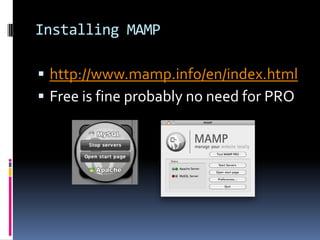
Installing MAMPhttp://www.mamp.info/en/index.htmlFree is fine probably no need for PRO
Installing WordPressRecommend svncd /applications/MAMP/htdocsmkdir blogcd blogsvn co http://core.svn.wordpress.org/tags/3.2.1 .Detailed info here:http://codex.wordpress.org/Installing/Updating_WordPress_with_Subversion
Installing WordPress (cont)Create a blank MySQL database http://localhost/MAMPUtilize phpMyAdmin – it makes life easierNavigate to new bloghttp://localhost/blogComplete WordPress configuration page
Copy and Edit Live Databasemysqldump to copy$ mysqldump –u [database user name] –p[database user’s password] [database name] > [dump file name].sql Move dump file to local machine and editreplace //blogname.com with //localhost/blogCreate blank MySQL databaseImport edited dump file /applications/mamp/Library/bin/mysql -u root -proot[database name] < [edited dump file].sql
Copy and Edit Live wp-contentThere is where all your plugins, images and other customizations should be.I use tarfrom the blog foldertar cvf wp-content.tar wp-content/Copy that file to local machineExpand the tar file and replace the local wp-content foldertar xvf wp-content.tar
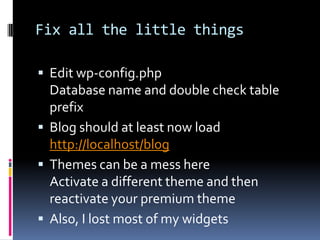
Fix all the little thingsEdit wp-config.phpDatabase name and double check table prefixBlog should at least now loadhttp://localhost/blogThemes can be a mess hereActivate a different theme and then reactivate your premium themeAlso, I lost most of my widgets
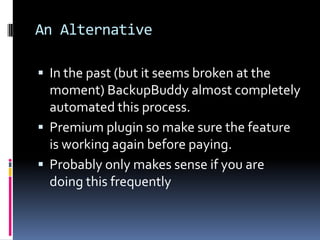
An AlternativeIn the past (but it seems broken at the moment) BackupBuddy almost completely automated this process.Premium plugin so make sure the feature is working again before paying.Probably only makes sense if you are doing this frequently
Finding Jim Raffelhttp://JimRaffel.comTwitter: @raffeljim@jimraffel.comhttp://ColorMetrix.comTwitter @ColorMetrixraffelj@colormetrix.comCell Phone: 414-732-6954

WordPress and MAMP

  • 1.
    Wordpress and MampJimRaffelCEO ColorMetrixand Inspirational Small Business Story Teller at Jim Raffel.com
  • 2.
    A functional WordPressdevelopment environment on your local machine.The Goal
  • 3.
    The MethodInstall MAMPInstallan empty WordPress blogCopy and edit your live databaseCopy your live wp-content folderFix all the little things that are broke
  • 4.
  • 5.
    Installing WordPressRecommend svncd/applications/MAMP/htdocsmkdir blogcd blogsvn co http://core.svn.wordpress.org/tags/3.2.1 .Detailed info here:http://codex.wordpress.org/Installing/Updating_WordPress_with_Subversion
  • 6.
    Installing WordPress (cont)Createa blank MySQL database http://localhost/MAMPUtilize phpMyAdmin – it makes life easierNavigate to new bloghttp://localhost/blogComplete WordPress configuration page
  • 7.
    Copy and EditLive Databasemysqldump to copy$ mysqldump –u [database user name] –p[database user’s password] [database name] > [dump file name].sql Move dump file to local machine and editreplace //blogname.com with //localhost/blogCreate blank MySQL databaseImport edited dump file /applications/mamp/Library/bin/mysql -u root -proot[database name] < [edited dump file].sql
  • 8.
    Copy and EditLive wp-contentThere is where all your plugins, images and other customizations should be.I use tarfrom the blog foldertar cvf wp-content.tar wp-content/Copy that file to local machineExpand the tar file and replace the local wp-content foldertar xvf wp-content.tar
  • 9.
    Fix all thelittle thingsEdit wp-config.phpDatabase name and double check table prefixBlog should at least now loadhttp://localhost/blogThemes can be a mess hereActivate a different theme and then reactivate your premium themeAlso, I lost most of my widgets
  • 10.
    An AlternativeIn thepast (but it seems broken at the moment) BackupBuddy almost completely automated this process.Premium plugin so make sure the feature is working again before paying.Probably only makes sense if you are doing this frequently
  • 11.
    Finding Jim Raffelhttp://JimRaffel.comTwitter:@raffeljim@jimraffel.comhttp://ColorMetrix.comTwitter @ColorMetrixraffelj@colormetrix.comCell Phone: 414-732-6954