Mambo: OpenSource CMS For Web Sites John Patten Director of Technology and Info Systems Sylvan Union School District [email_address] www.sylvan.k12.ca.us
Multiple CMS Systems Drupal Post Nuke Mambo Joomala Typo3 Plone WordPress …
Apache, mySQL, PHP, and PERL Web Server Database Scripting/Programming Lanuage Connects the database to the web site
Styles and Format Blog Wiki Traditional Portal
Mambo www.mamboserver.com
Why We Chose Mambo Most Traditional Looking End User Ease of Use Established History Active Knowledge Base/Discussion Board Wide Variety of Built in Components Good Documentation Built Upon Apache, PHP, mySQL Price Is Right
Installation  PHP 4.2x or above – http://www.php.net MySQL 3.23.x or above – http://www.mysql.com Apache 1.13.19 or above – http://www.apache.org WAMP (AppServ) http://www.appservnetwork.com/index.php XAMPP http://www.apachefriends.org/en/xampp.html
Hardware OS X Server 2 GB RAM Dual 2.3 Ghz G5 PowerPC 3 – 80 GB Drives 1 for the OS 2 Mirrored for site
Apple Hardware Rack mounted servers no longer come with video cards  Configuration Apple Server Remote Config Software Command Line VNC Server/client OSXvnc – http://www.redstonesoftware.com/vnc.html
MySQL Managed with phpMyAdmin http://www.phpmyadmin.net
Installation Create a database and user account for Mambo installation Download latest Mambo version Place directory in web root Point your web browser at your Mambo directory http://”mainweburl”/mambo
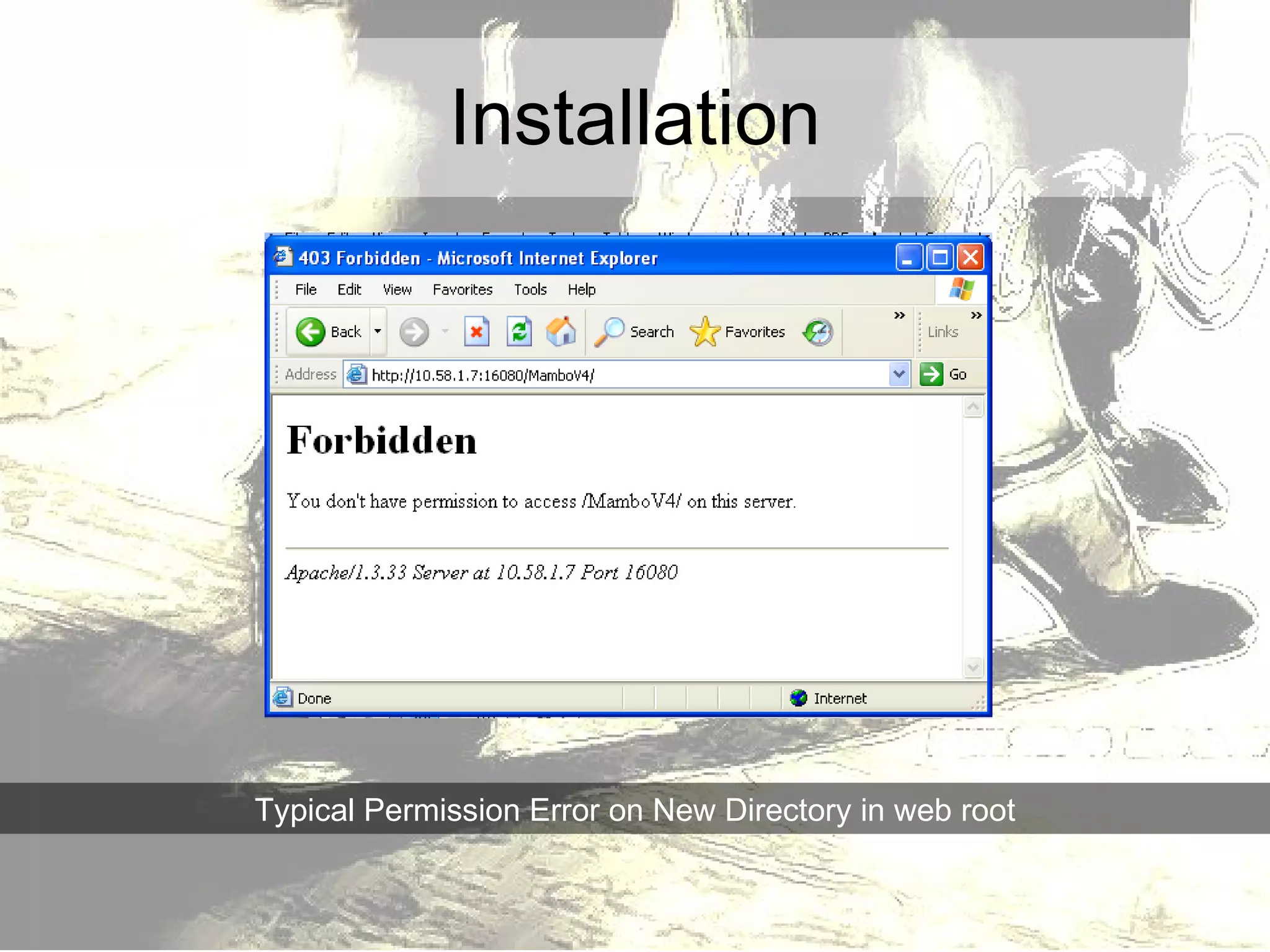
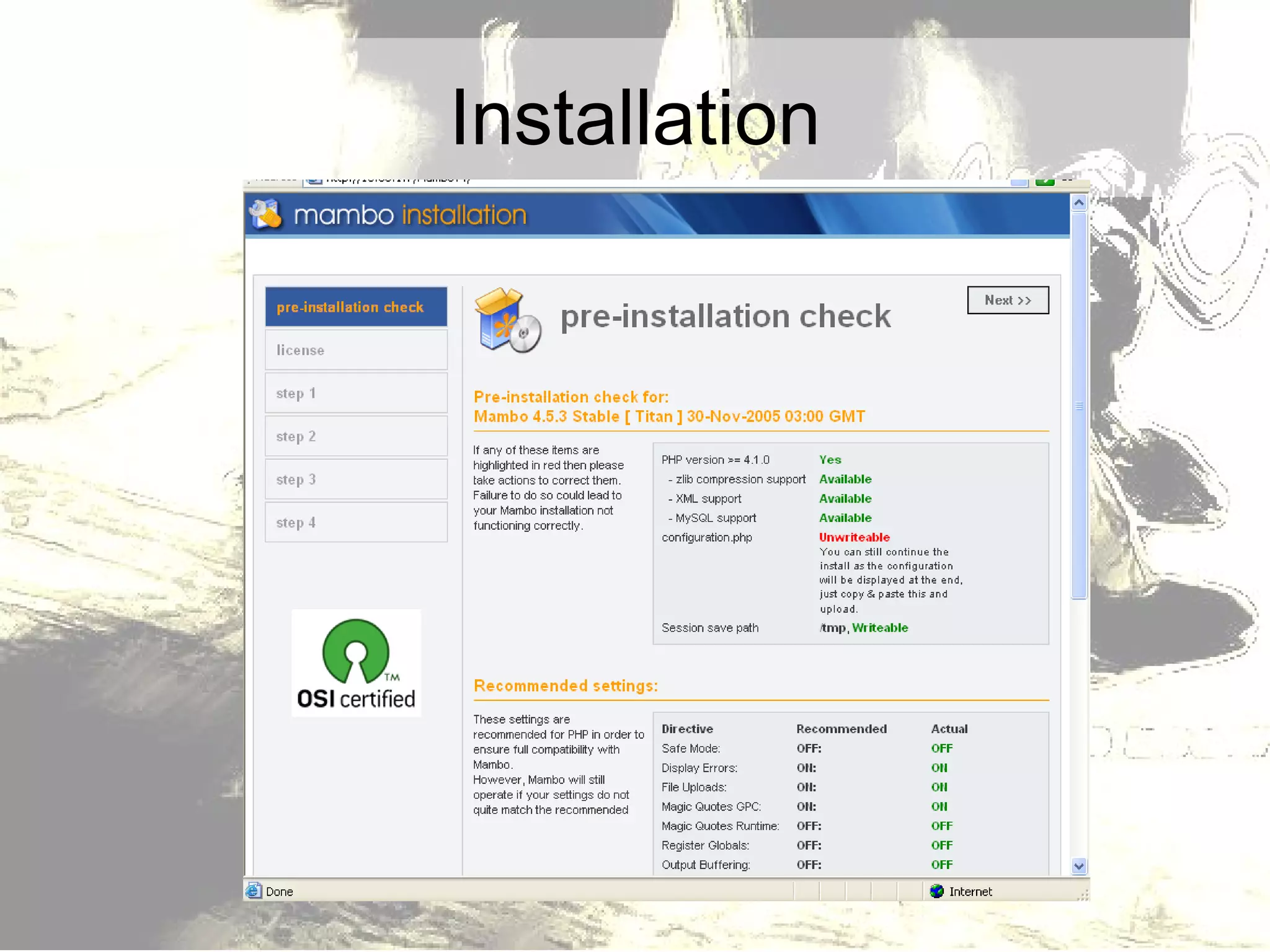
Installation Typical Permission Error on New Directory in web root
Installation Chmod Mambo Directory 755 Use GUI tools – change owner to www Some FTP clients will allow for permission changes (Fetch on a Mac)
Installation
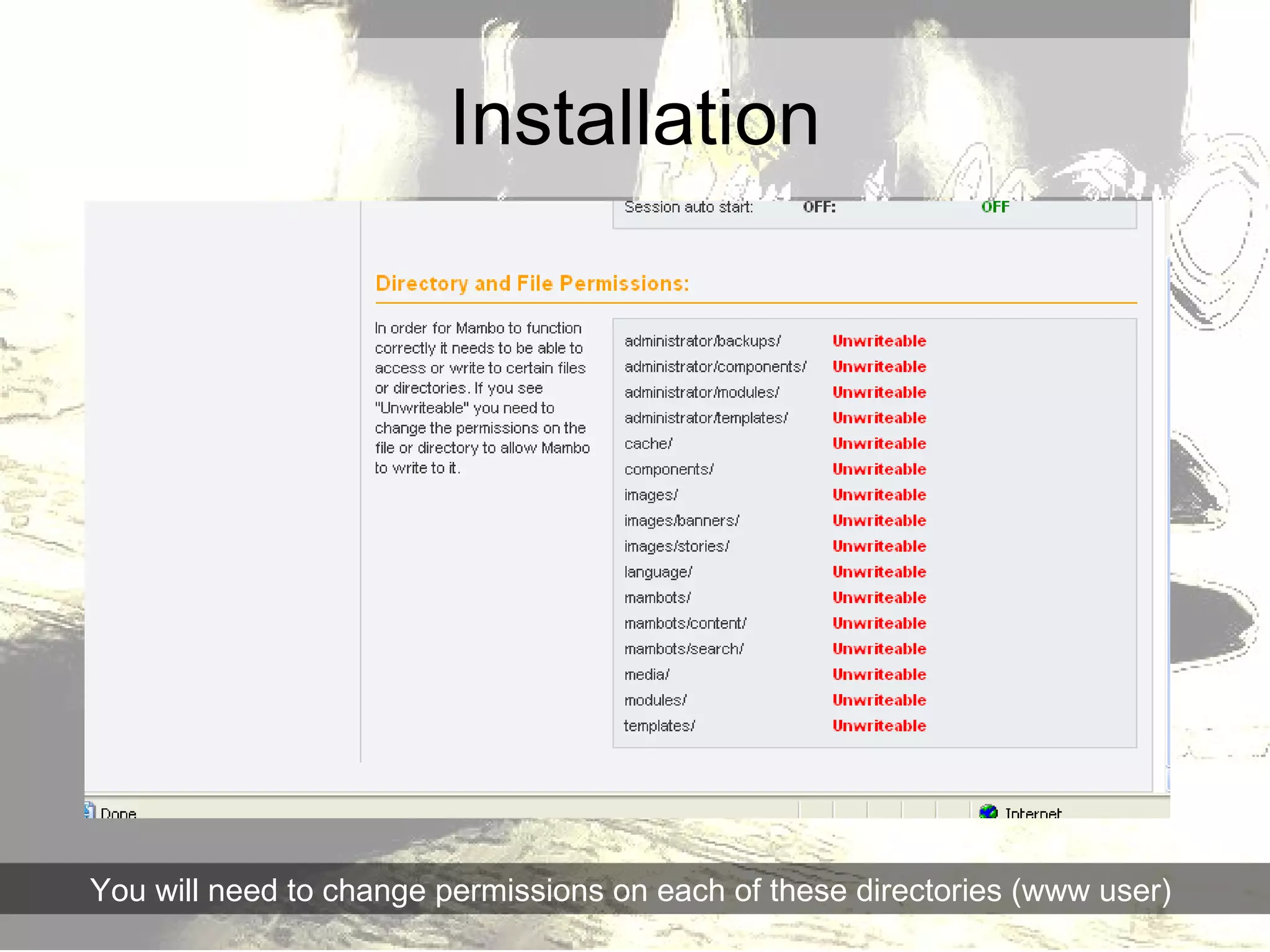
Installation You will need to change permissions on each of these directories (www user)
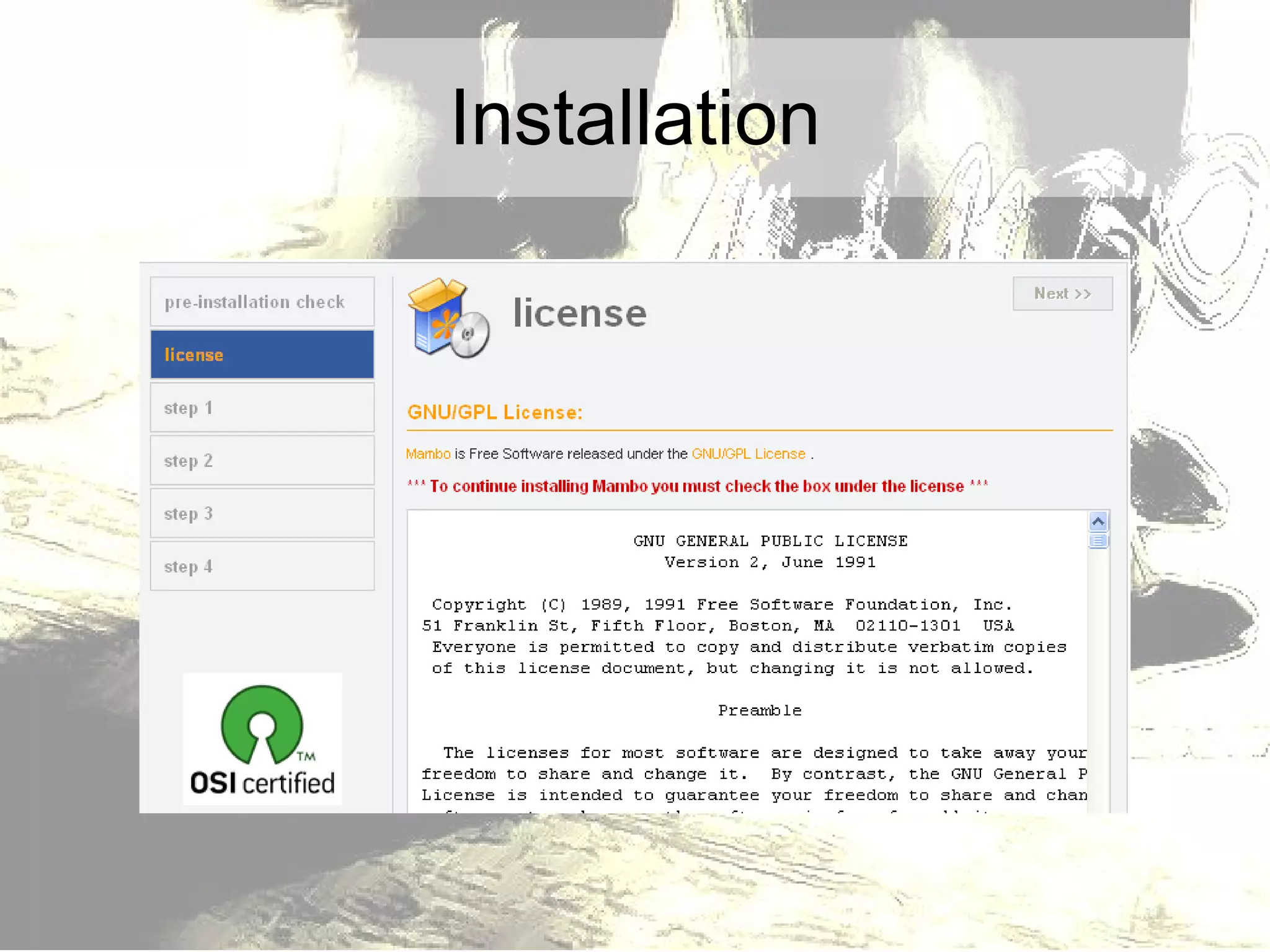
Installation
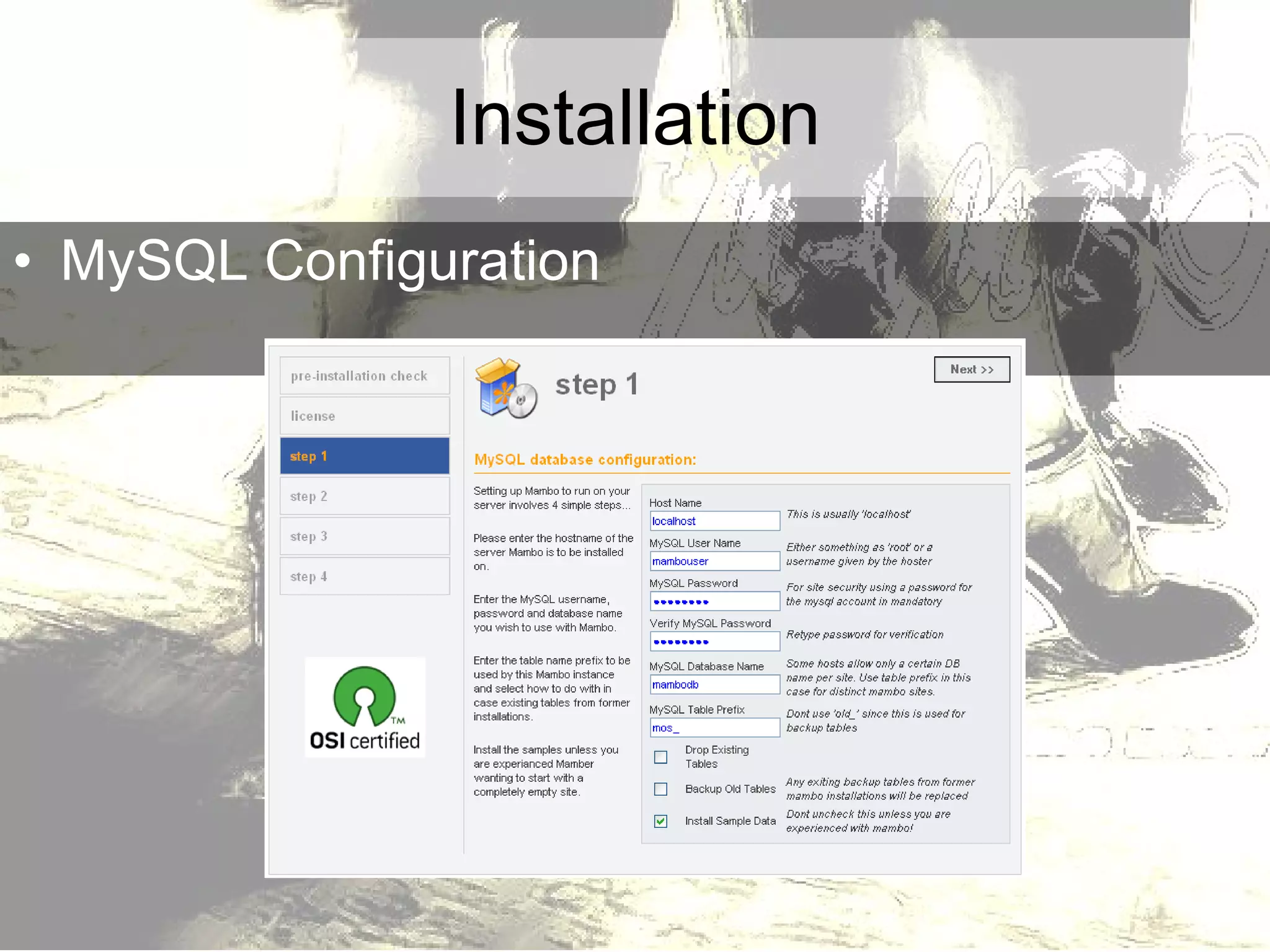
Installation MySQL Configuration
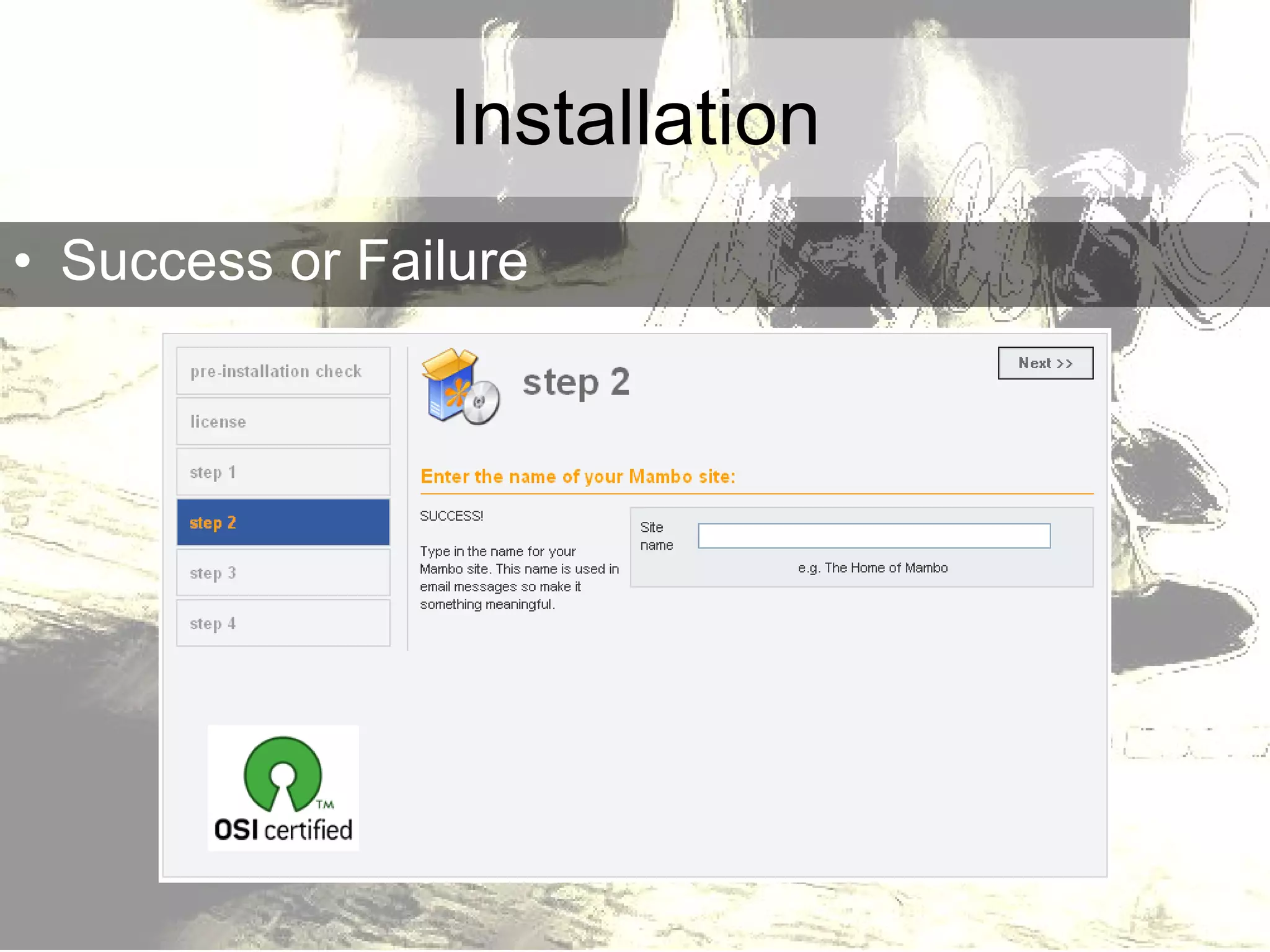
Installation Success or Failure
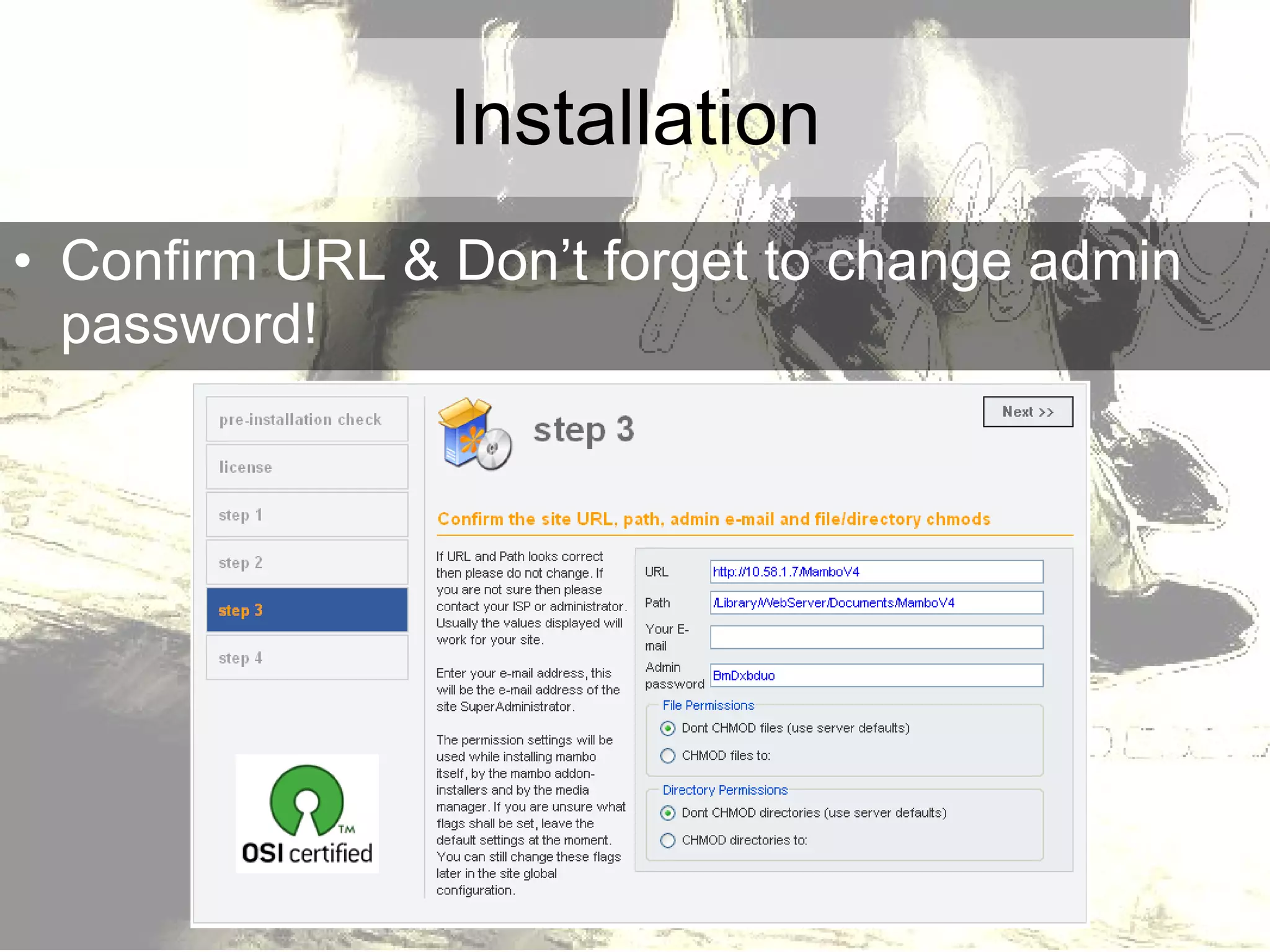
Installation Confirm URL & Don’t forget to change admin password!
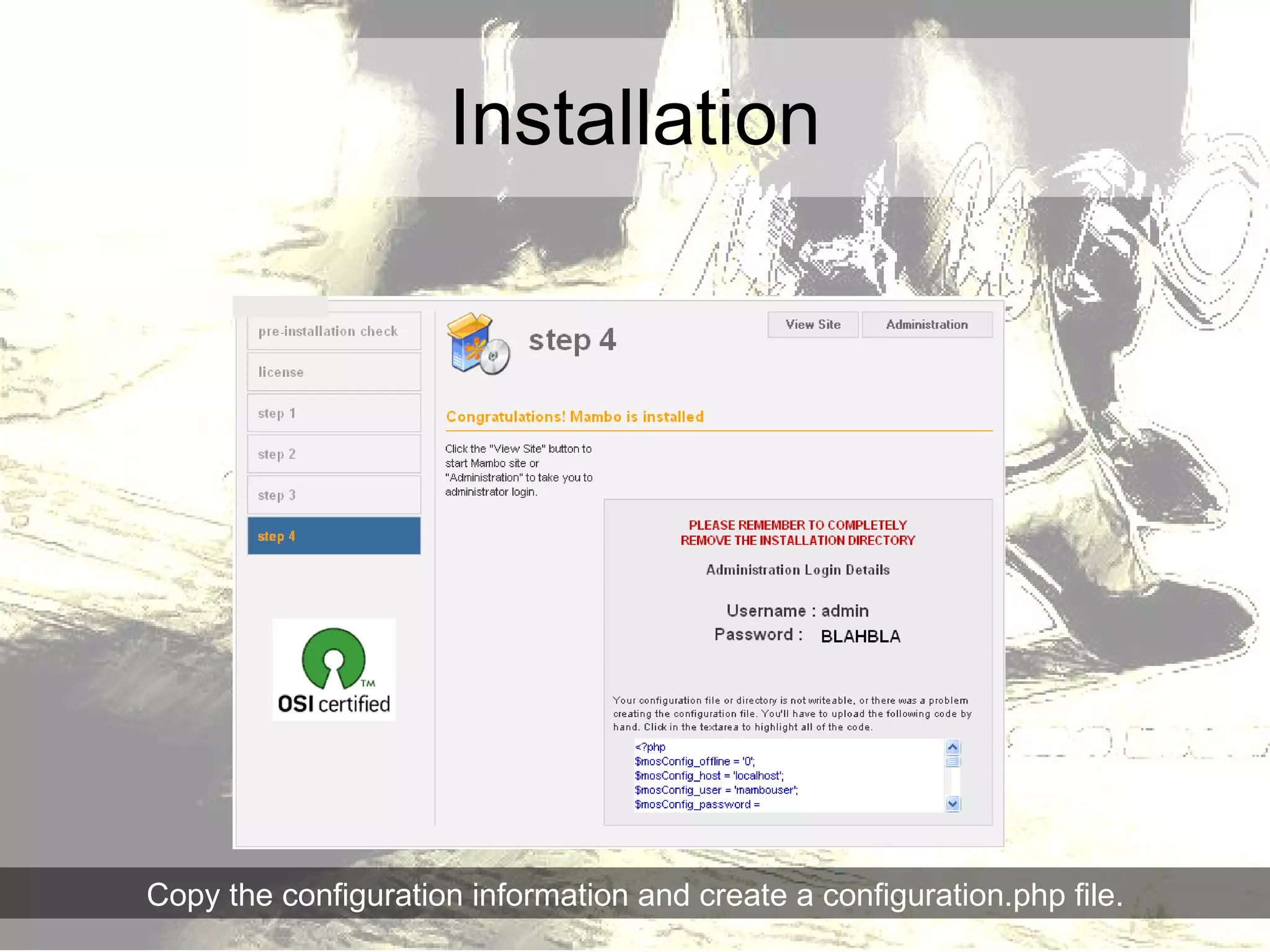
Installation Copy the configuration information and create a configuration.php file.
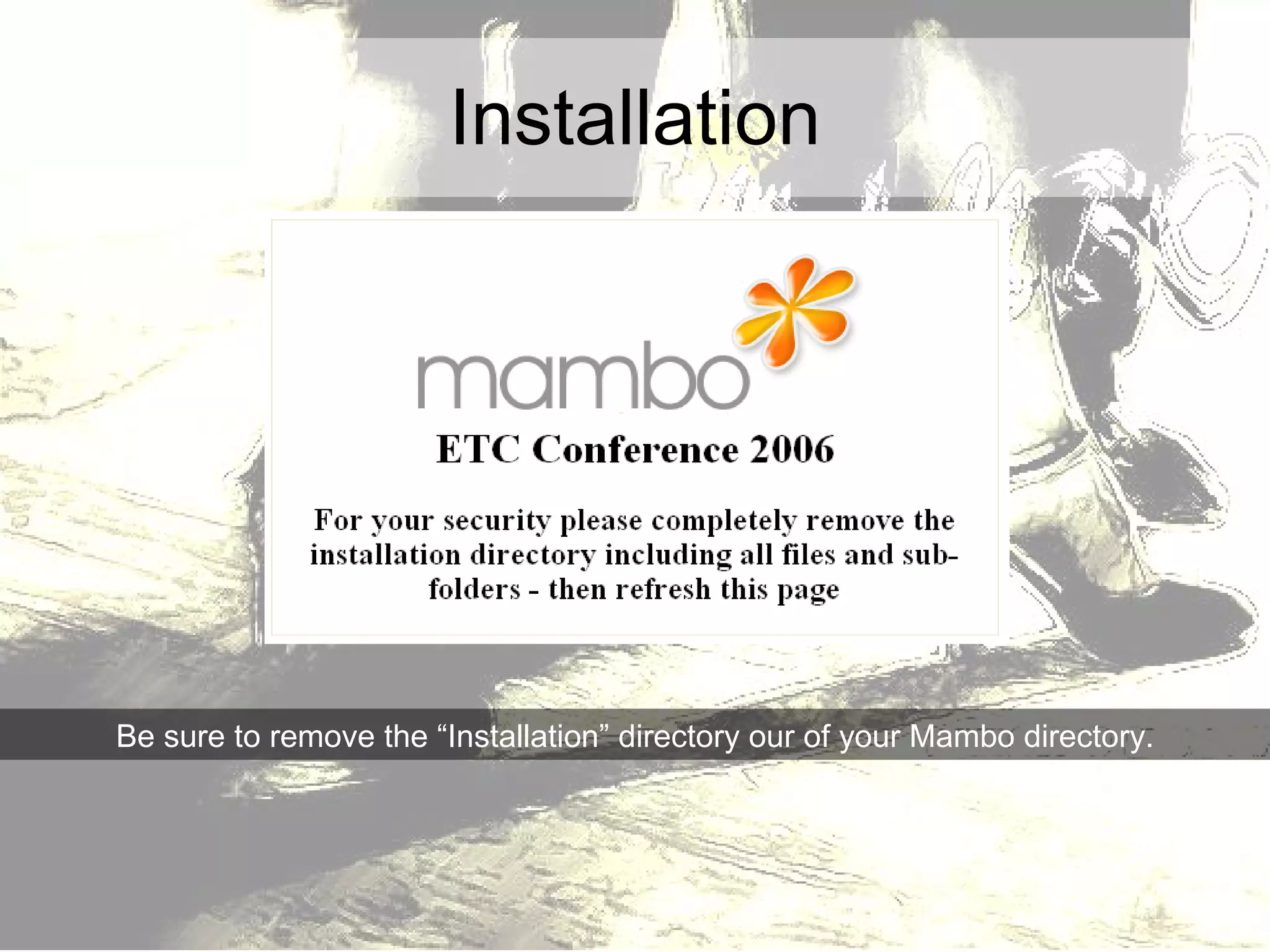
Installation Be sure to remove the “Installation” directory our of your Mambo directory.
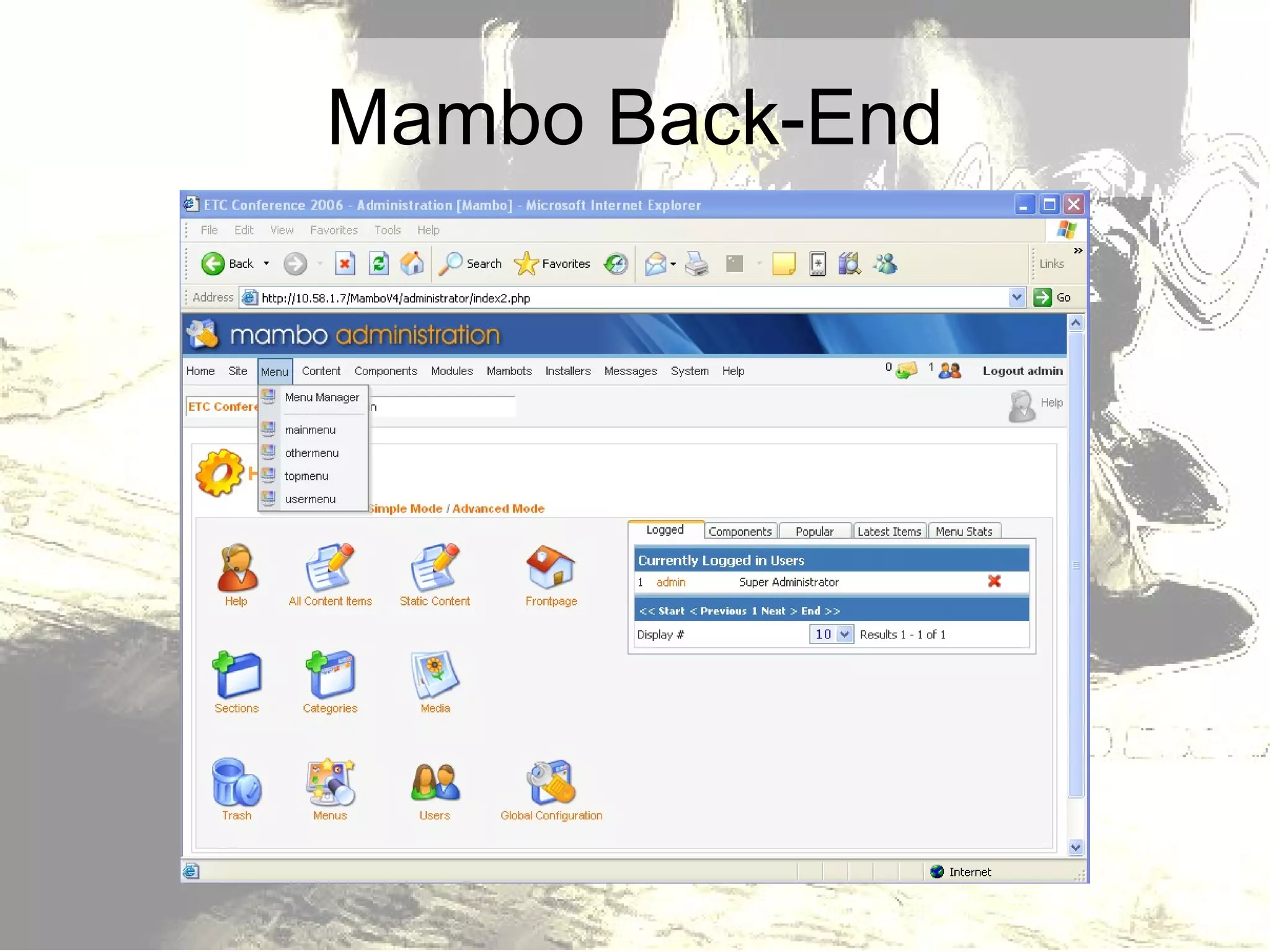
Mambo Back-End
Cha, Cha, Cha through Mambo Three Key Building Blocks Components Modules Mambots
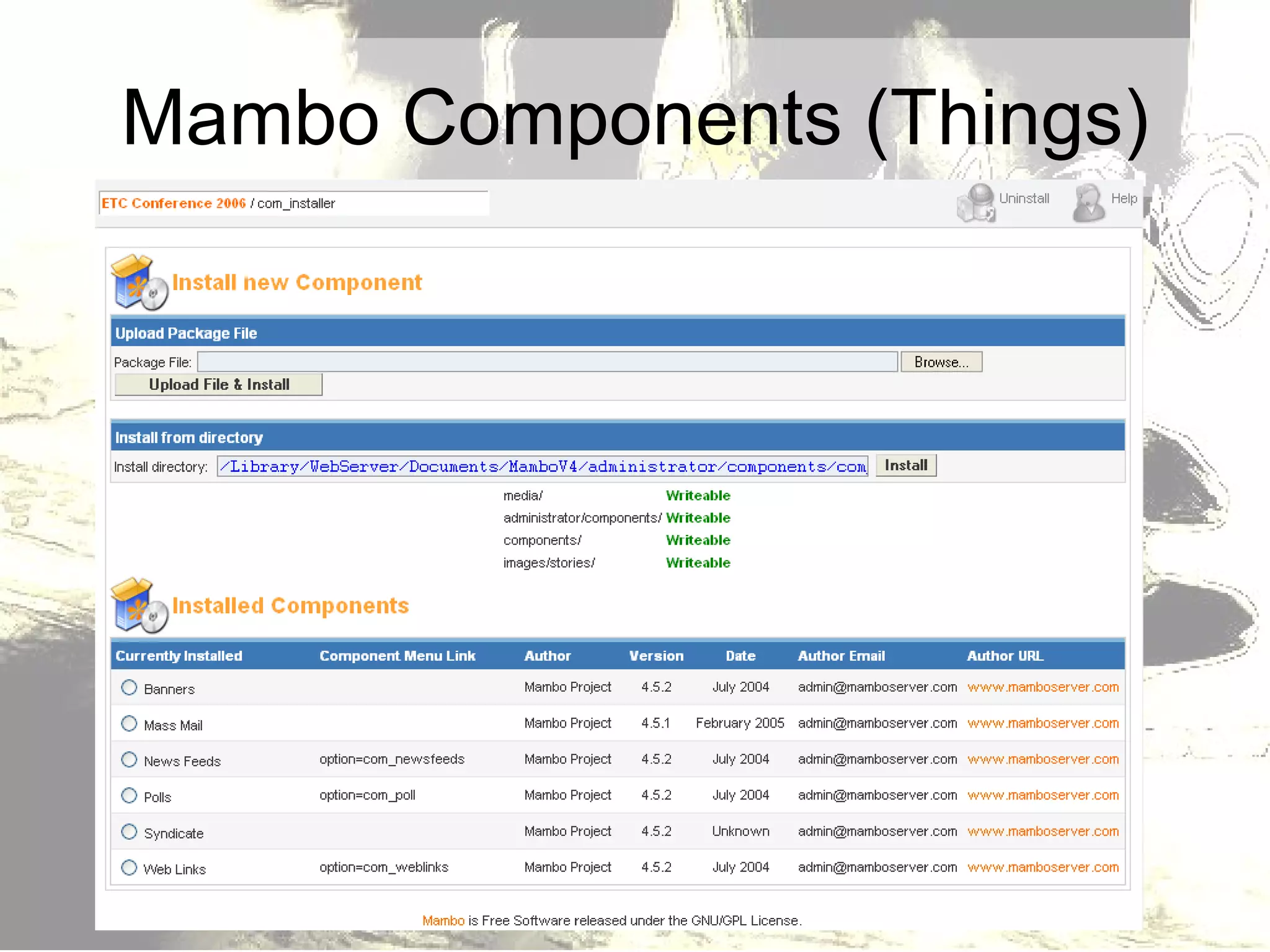
Mambo Components (Things)
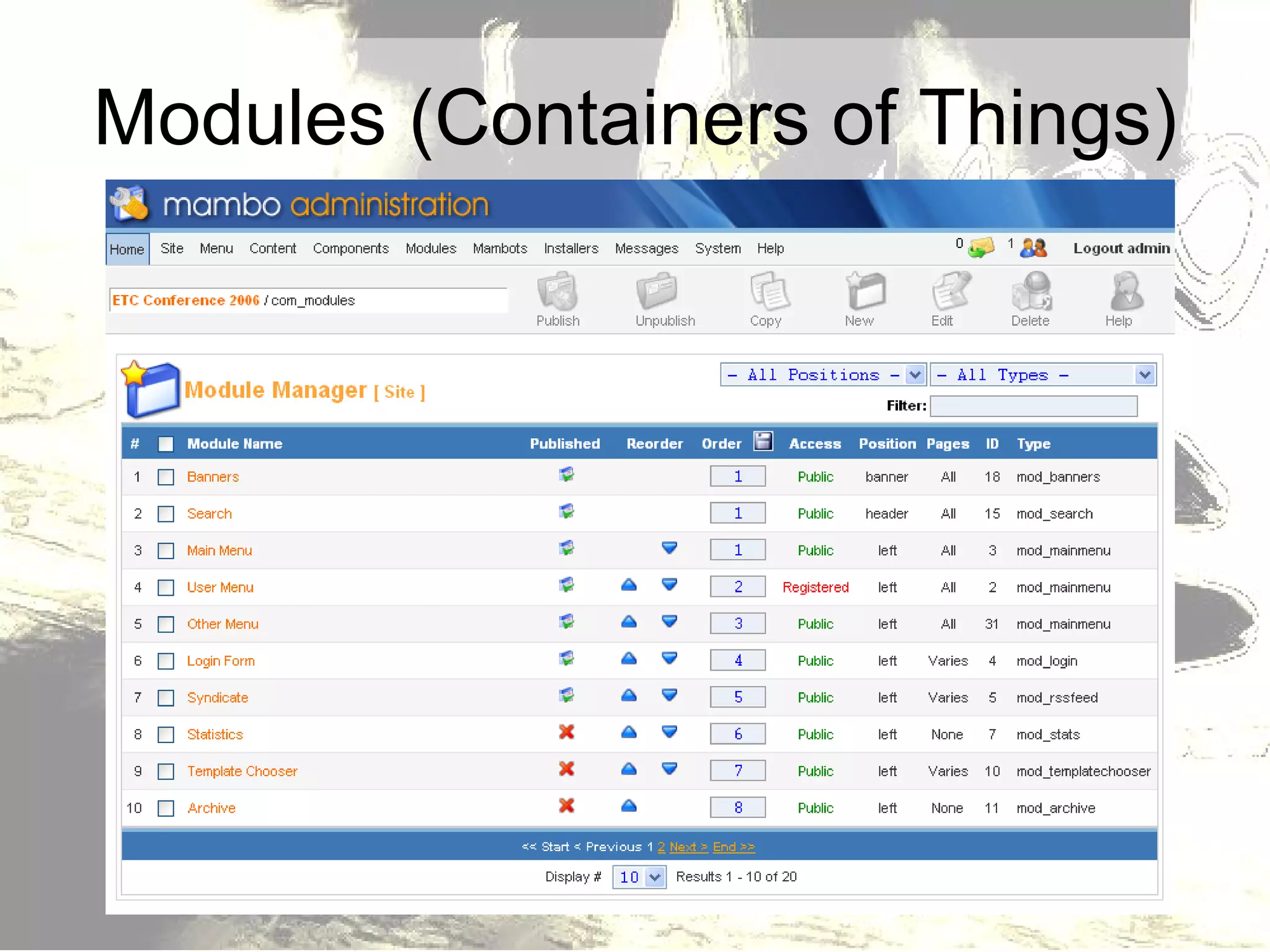
Modules (Containers of Things)
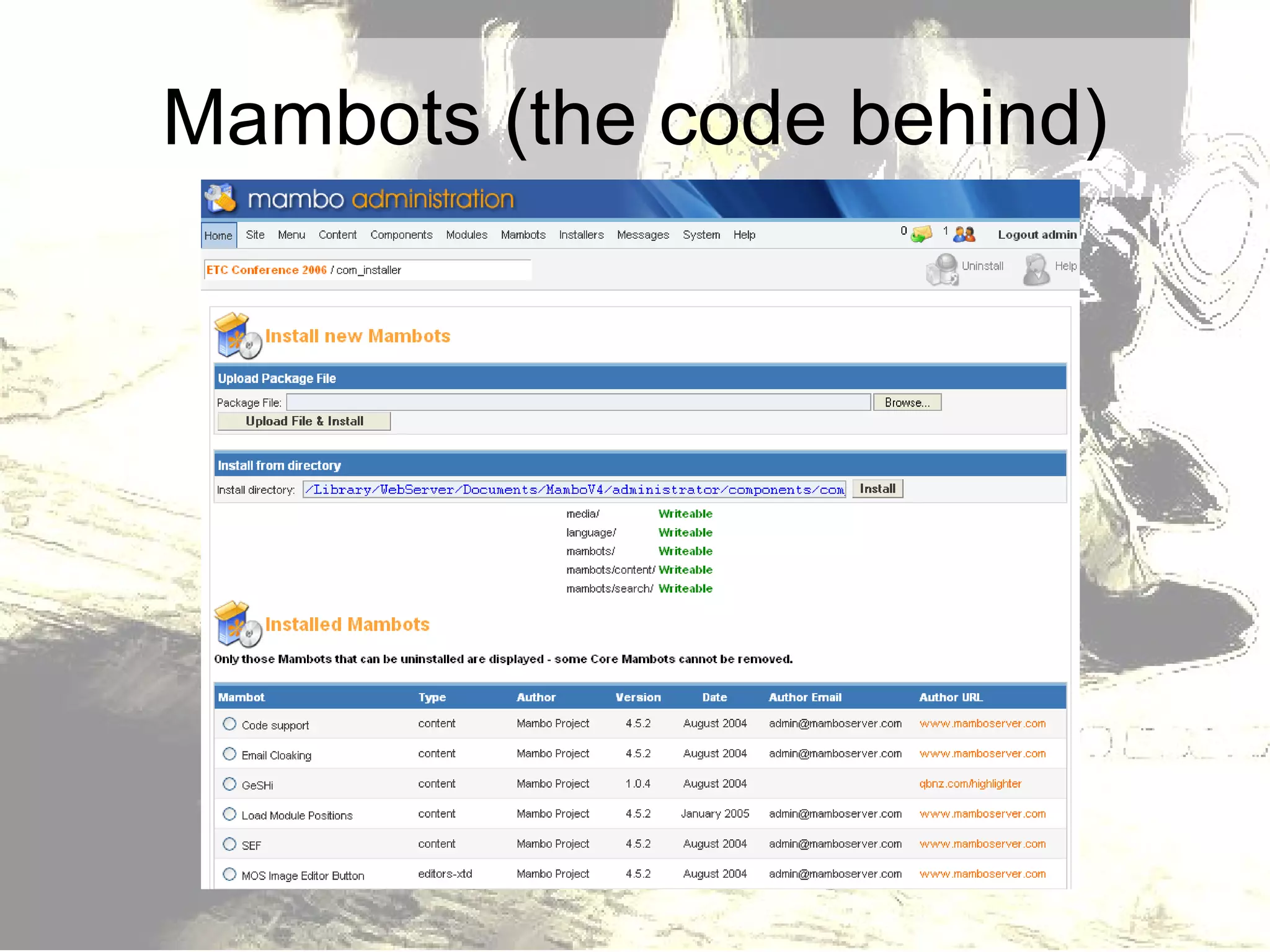
Mambots (the code behind)
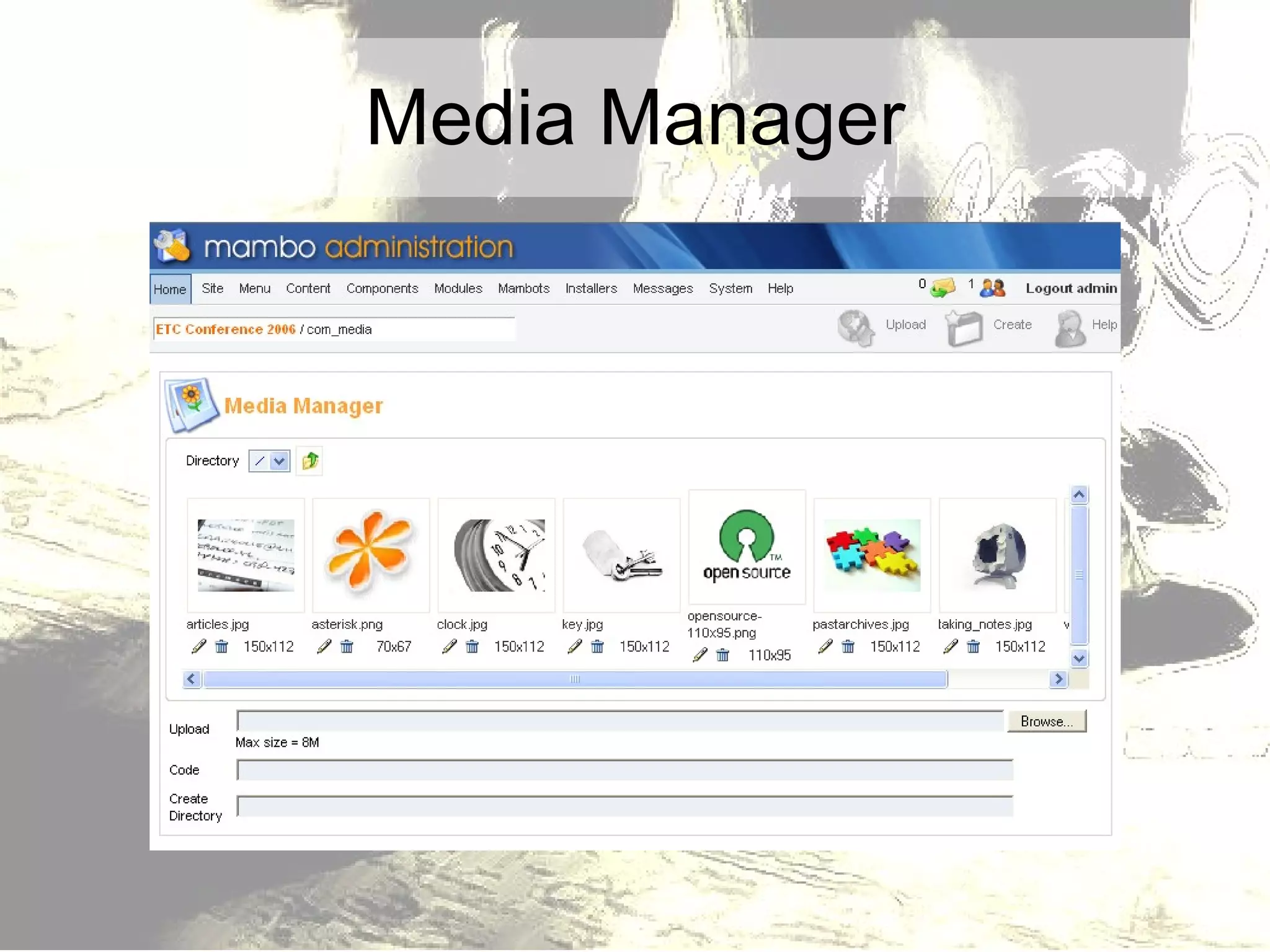
Media Manager
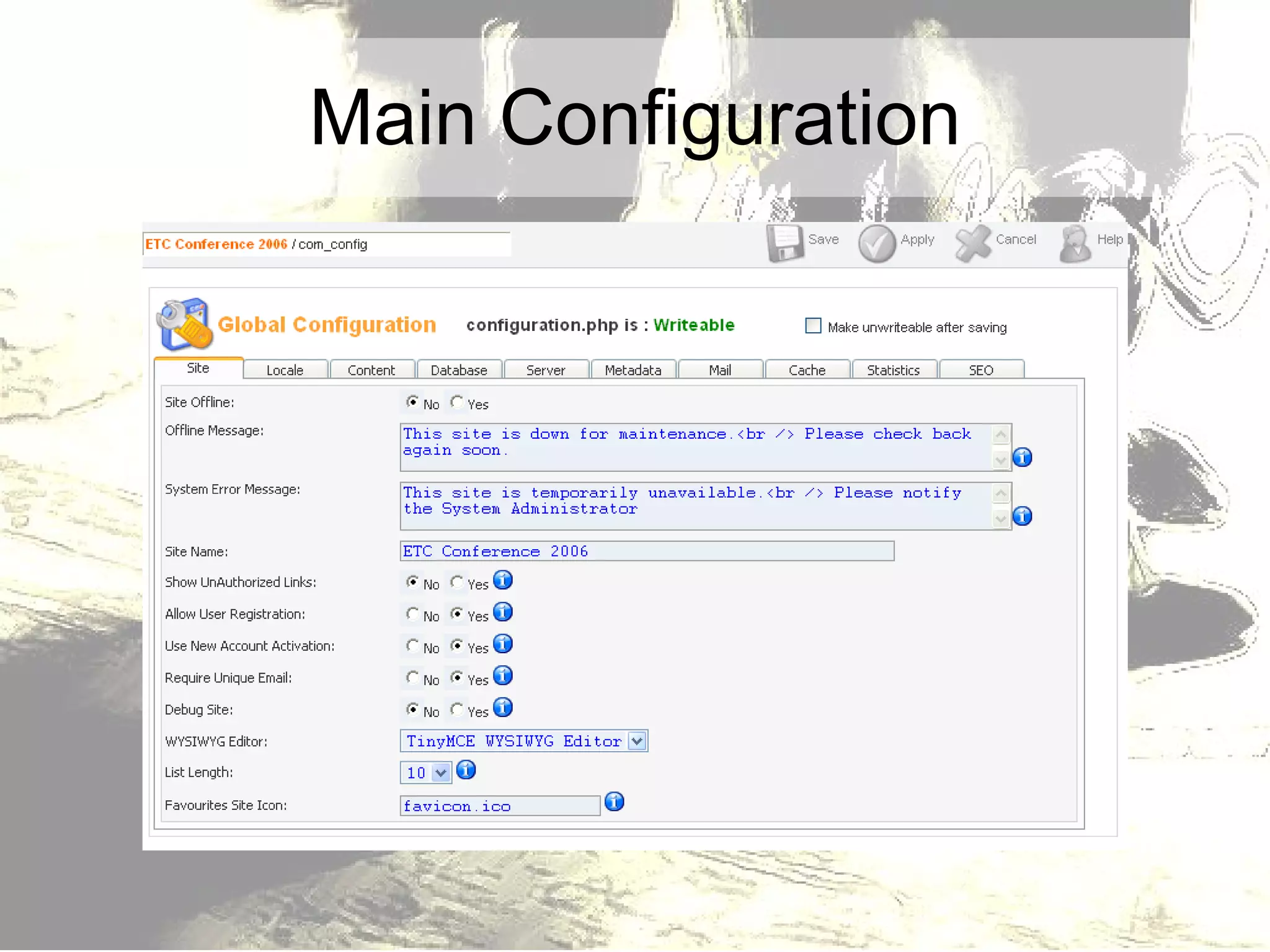
Main Configuration
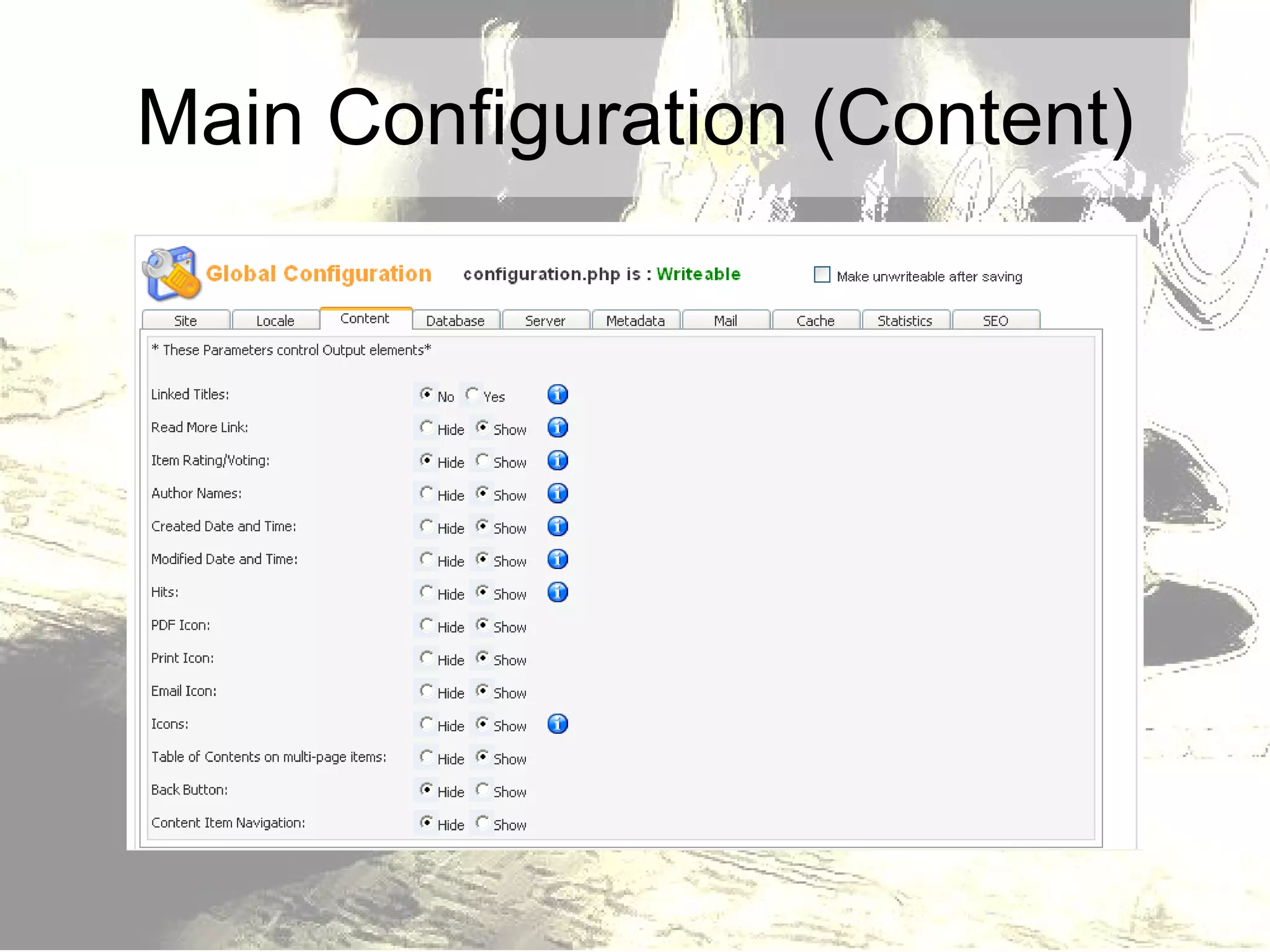
Main Configuration (Content)
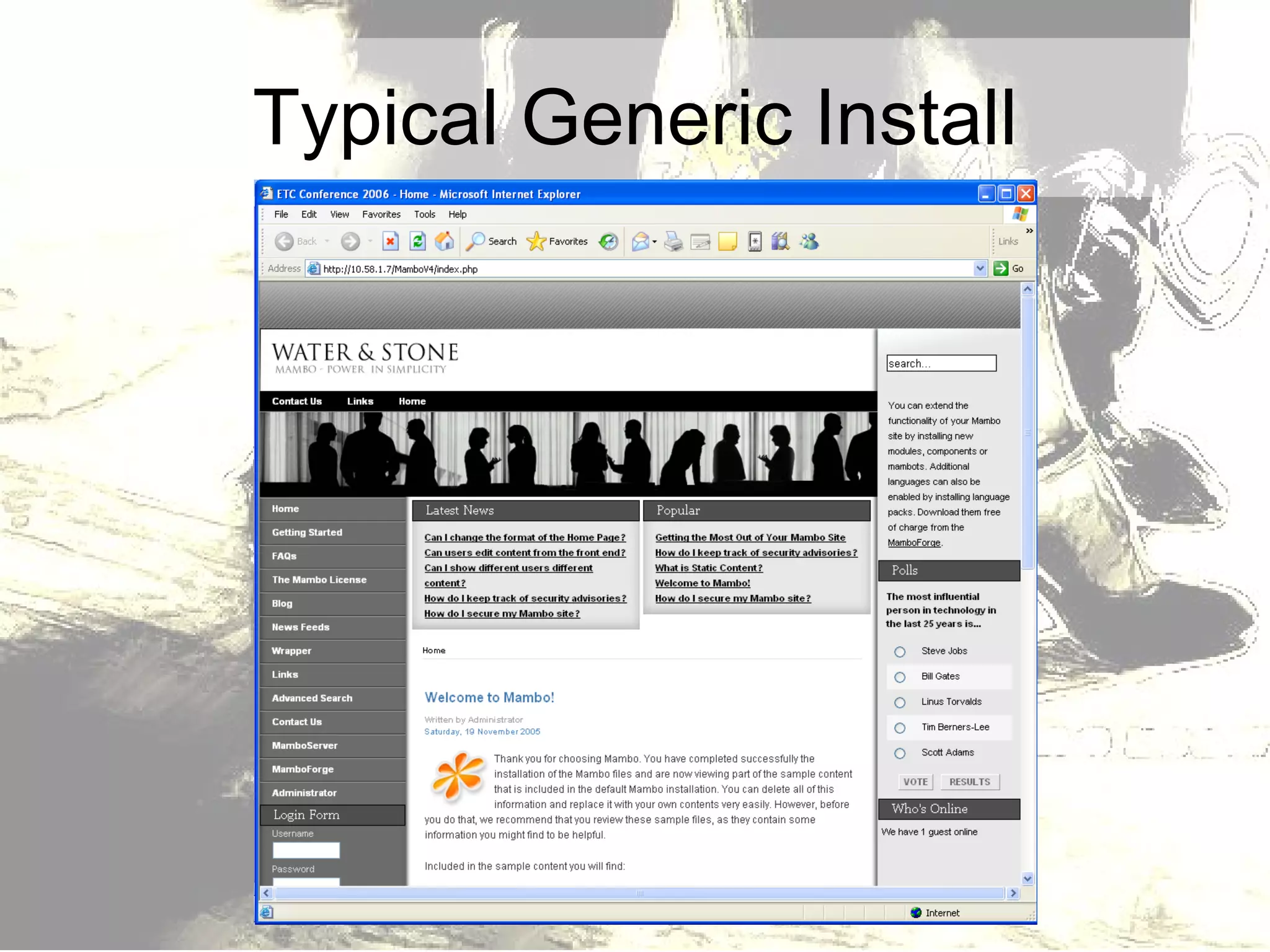
Typical Generic Install
Design Modification Designs are based on templates Modify the files in the template design…And you change the look of the site If you are comfortable with CSS style sheets, you can even create your own design or modify an existing template.
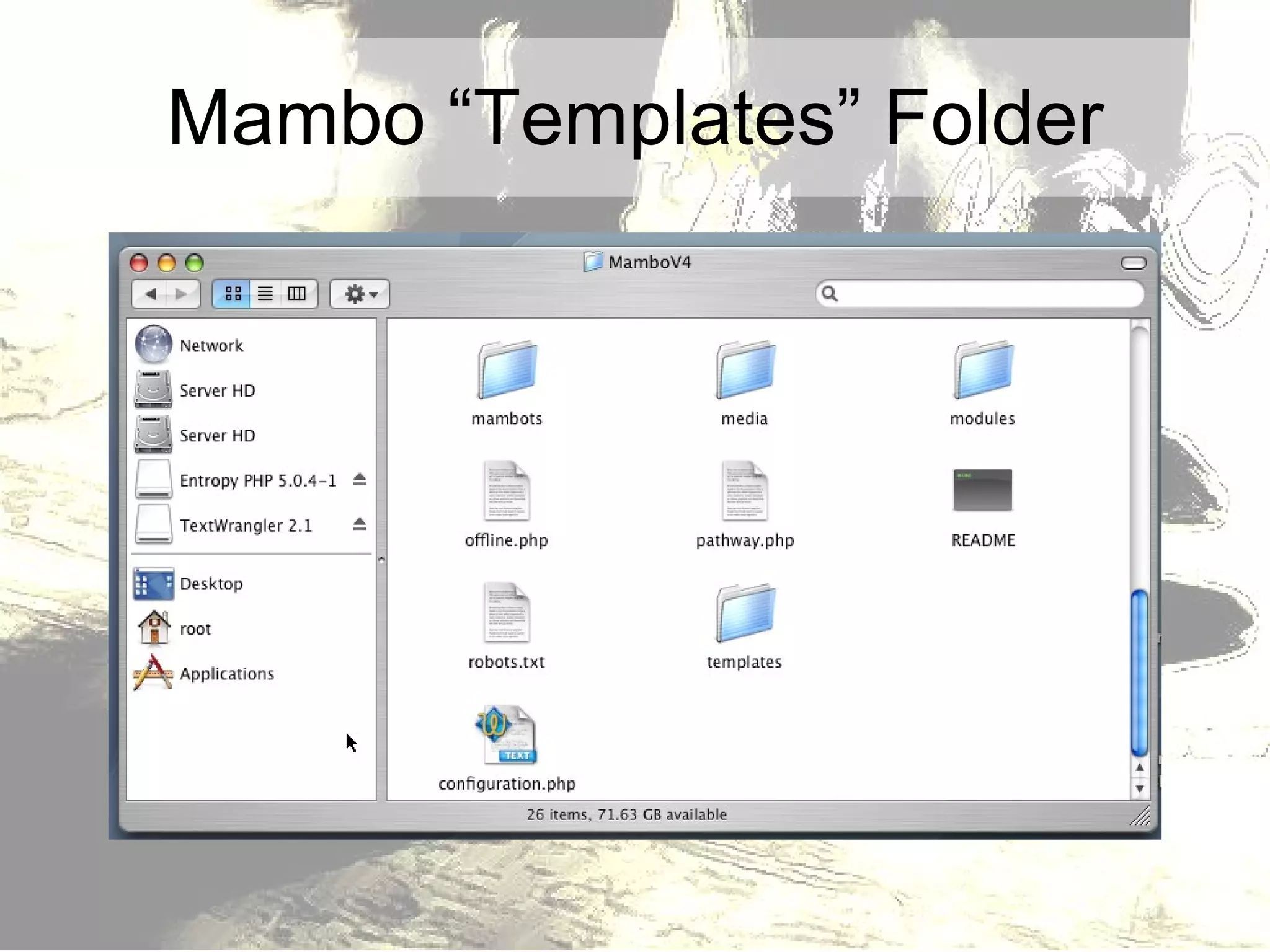
Mambo “Templates” Folder
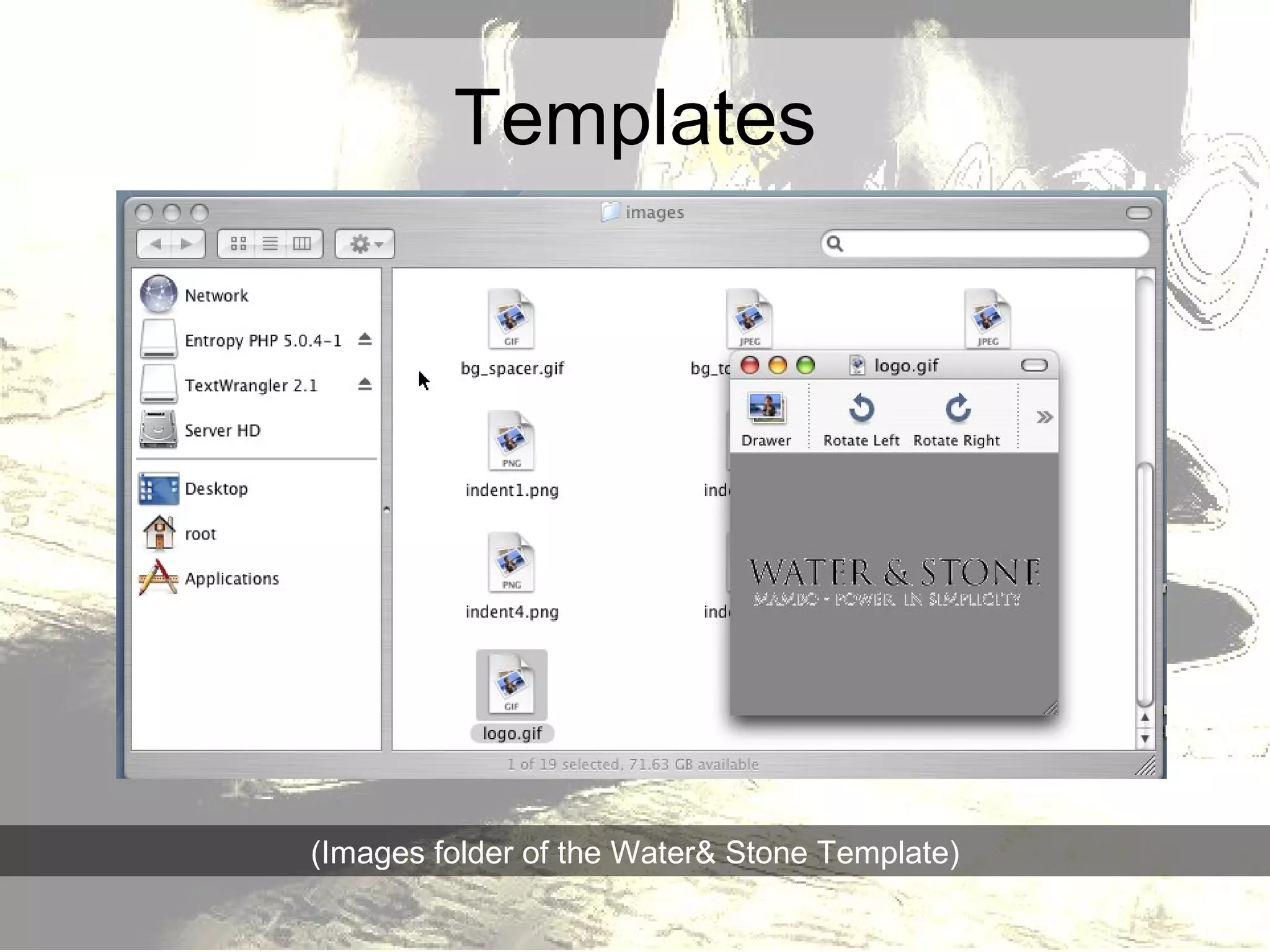
Templates (Images folder of the Water& Stone Template)
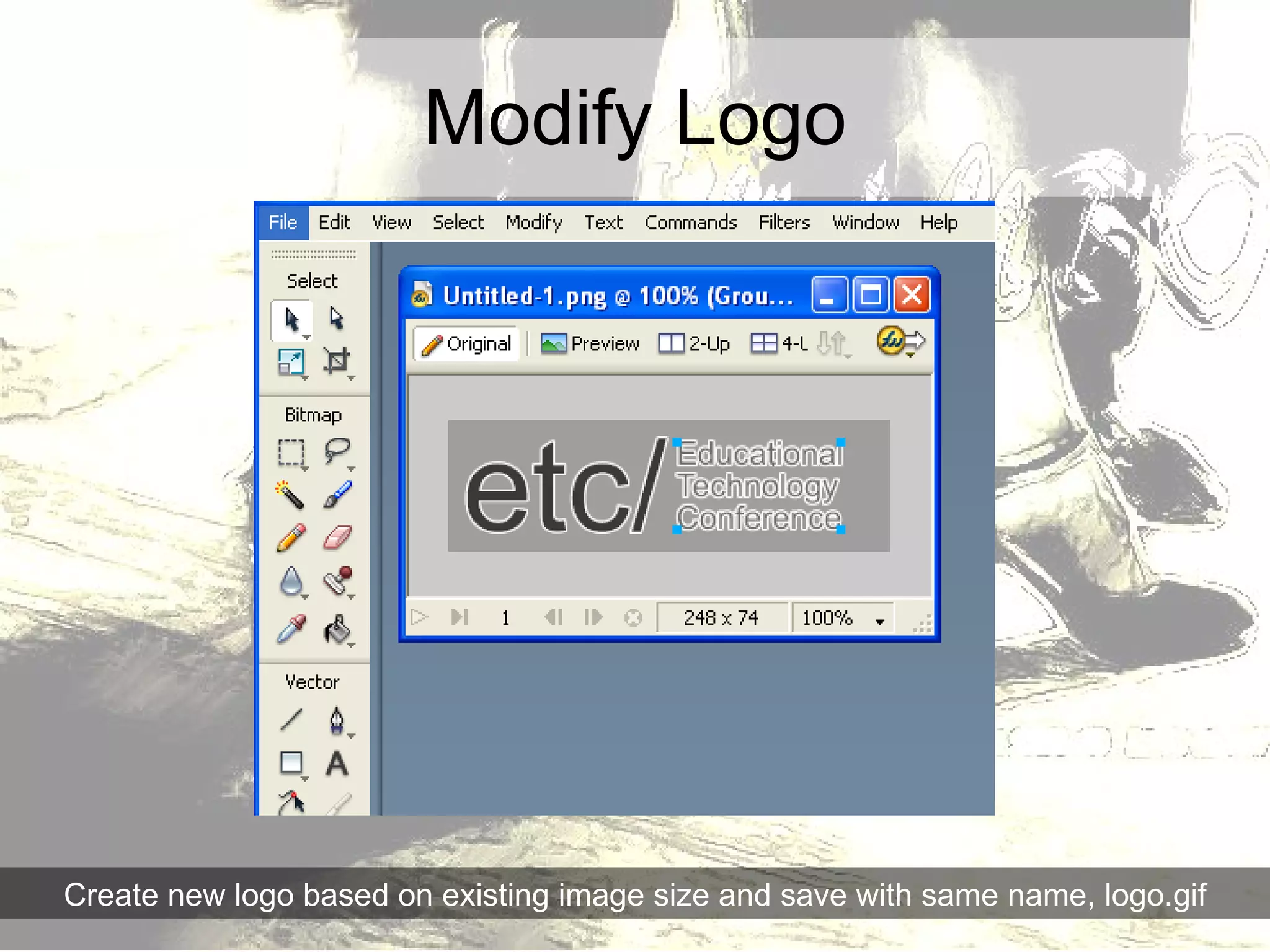
Modify Logo Create new logo based on existing image size and save with same name, logo.gif
Adding Components
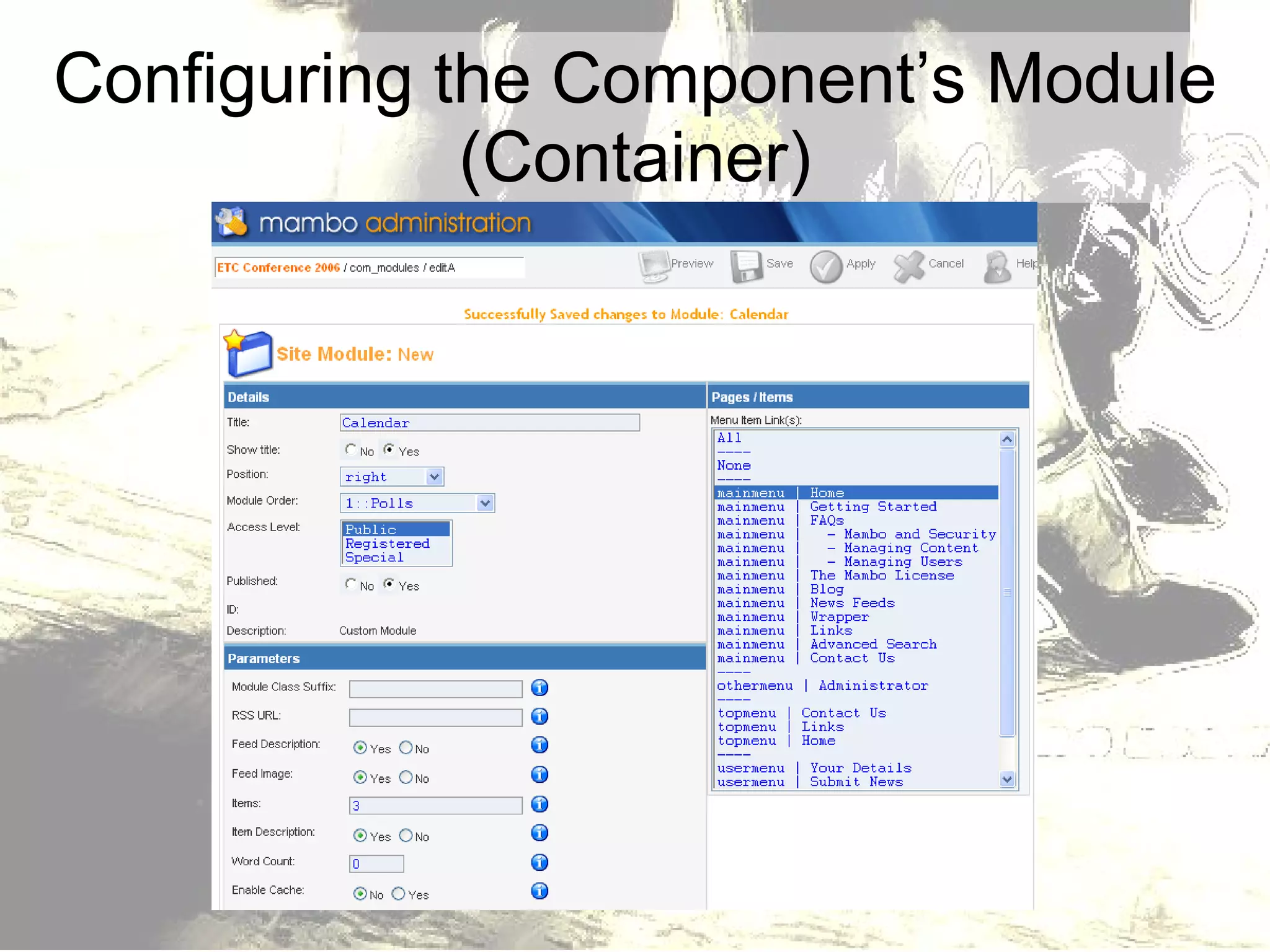
Configuring the Component’s Module (Container)
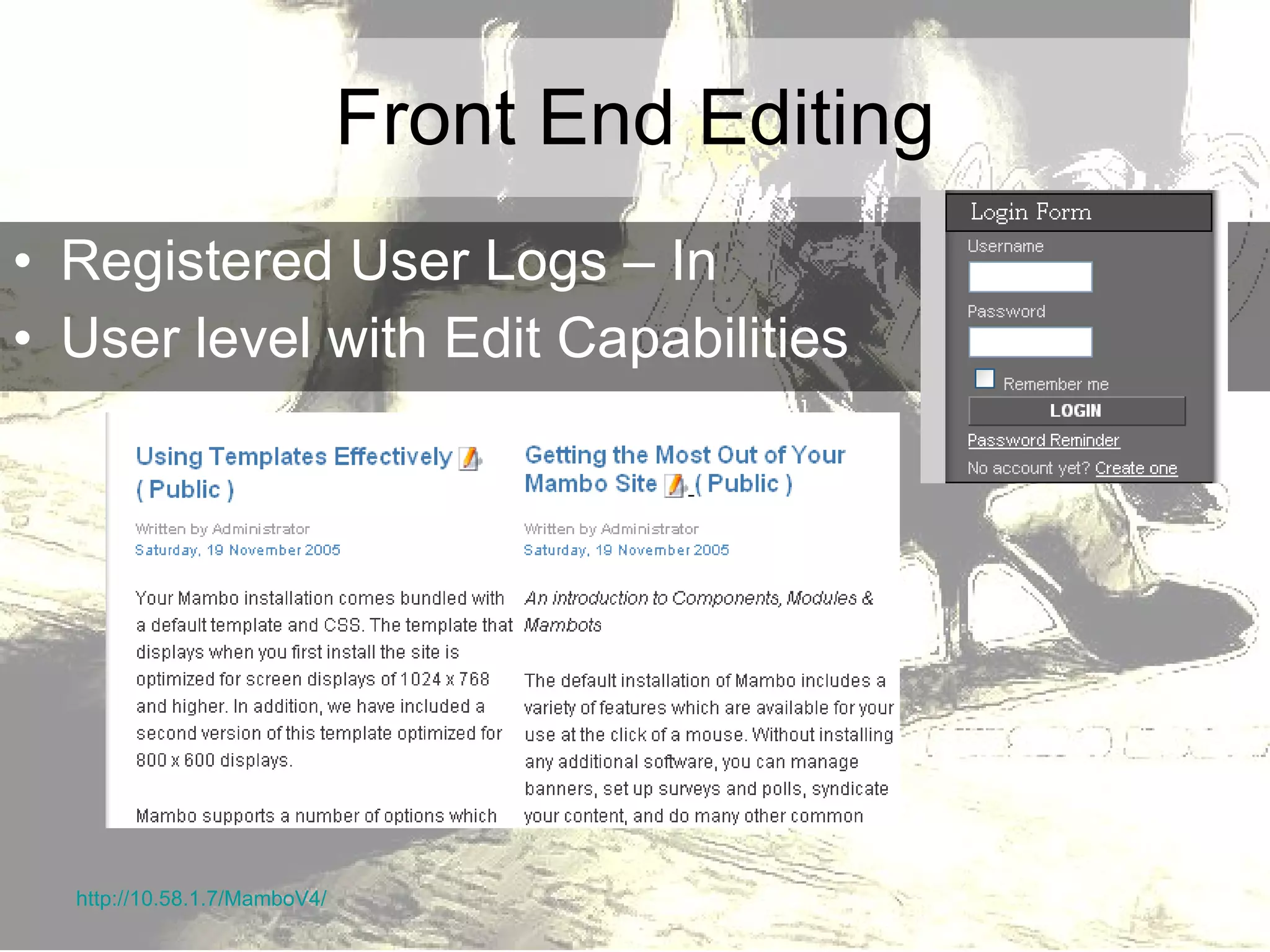
Front End Editing Registered User Logs – In User level with Edit Capabilities http://10.58.1.7/MamboV4/
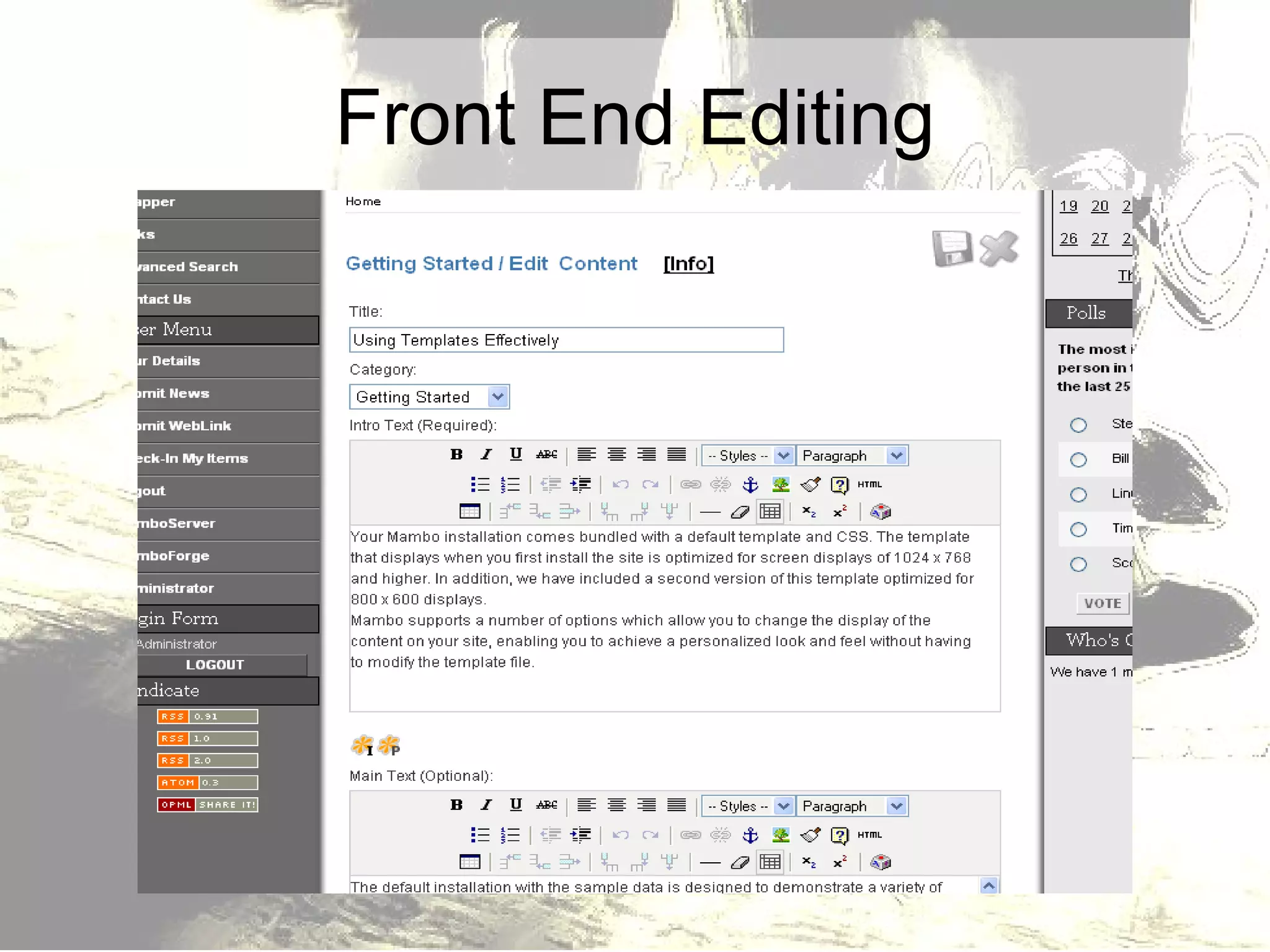
Front End Editing
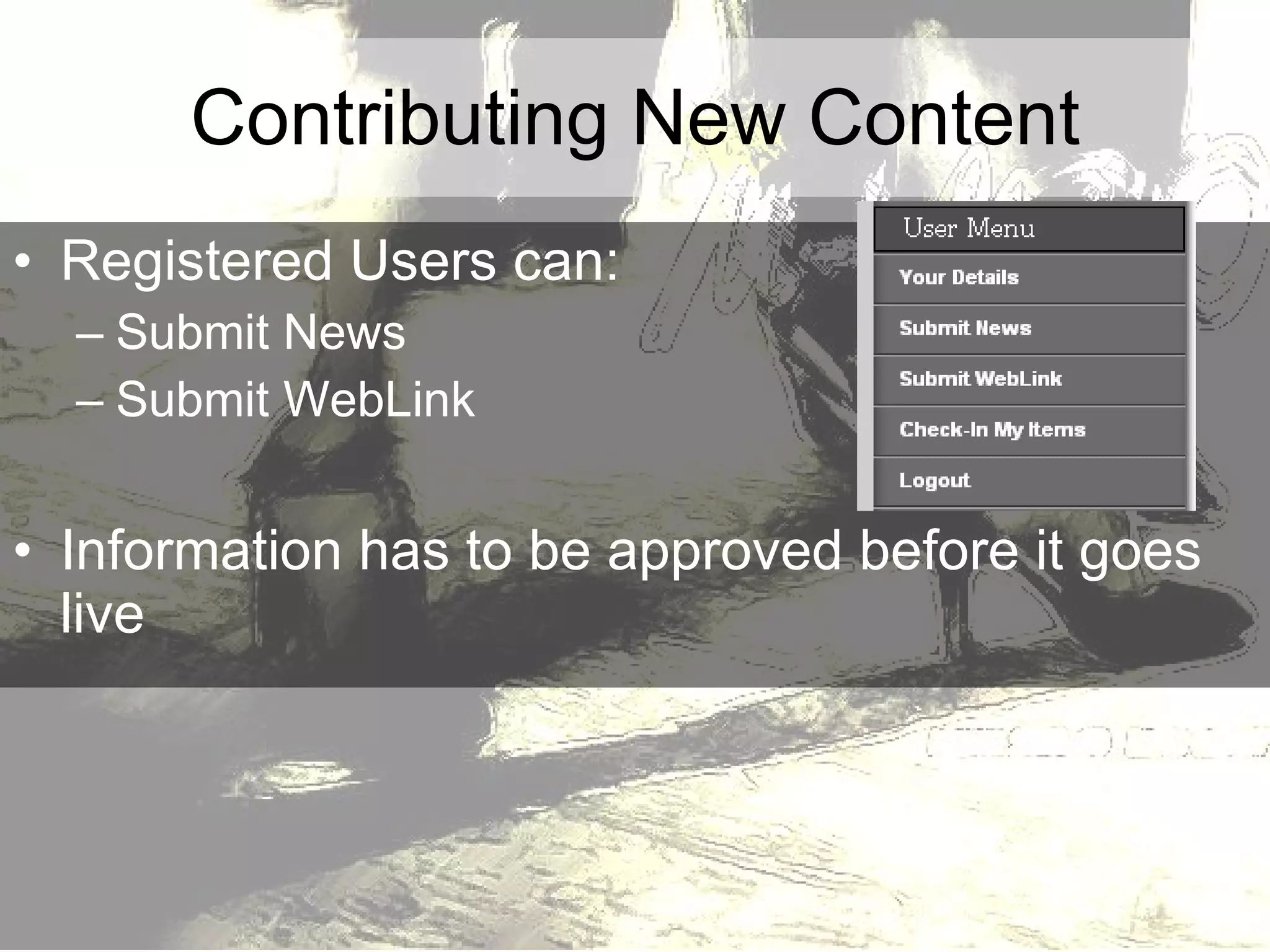
Registered Users can: Submit News Submit WebLink Information has to be approved before it goes live Contributing New Content
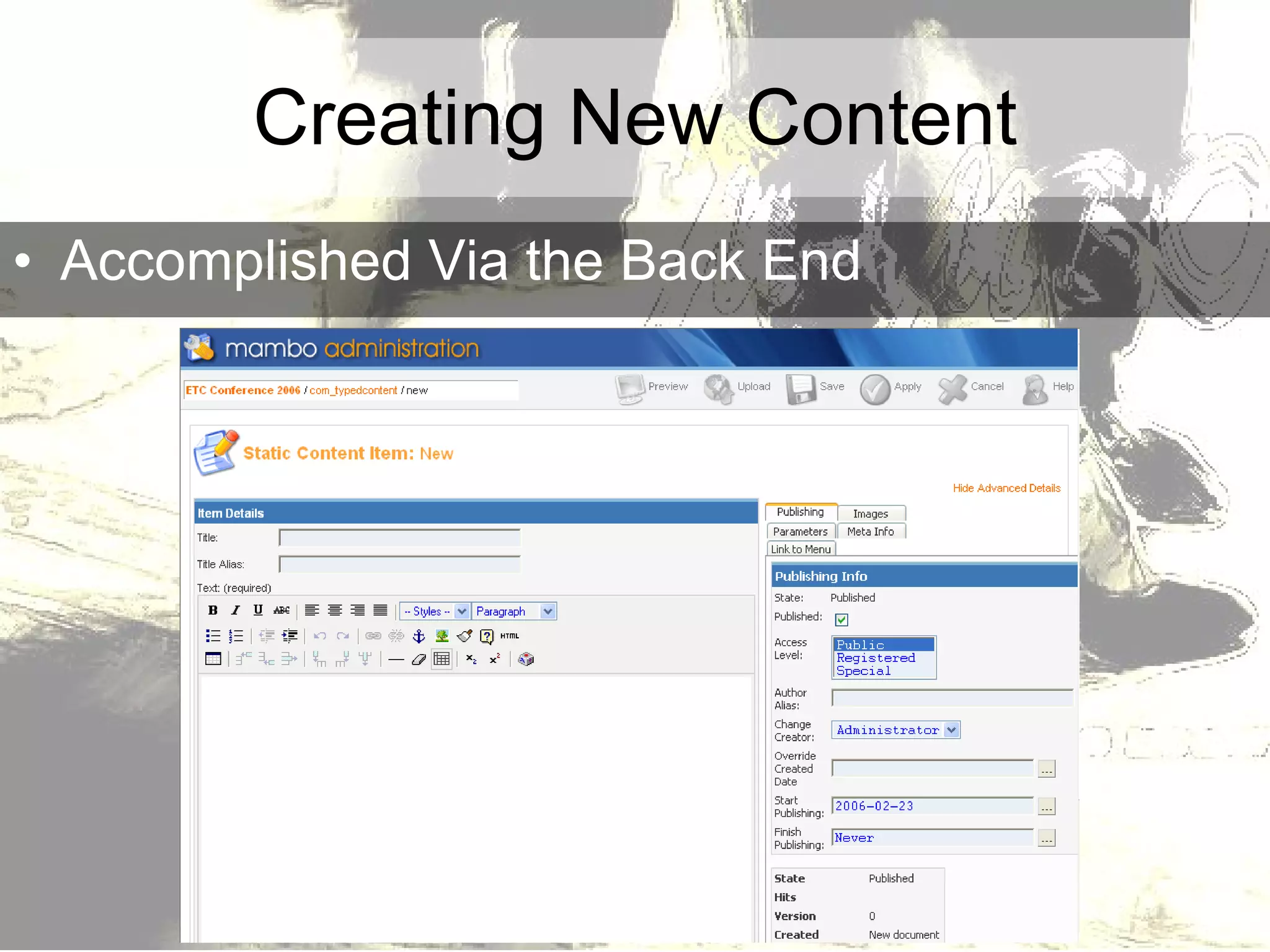
Creating New Content Accomplished Via the Back End
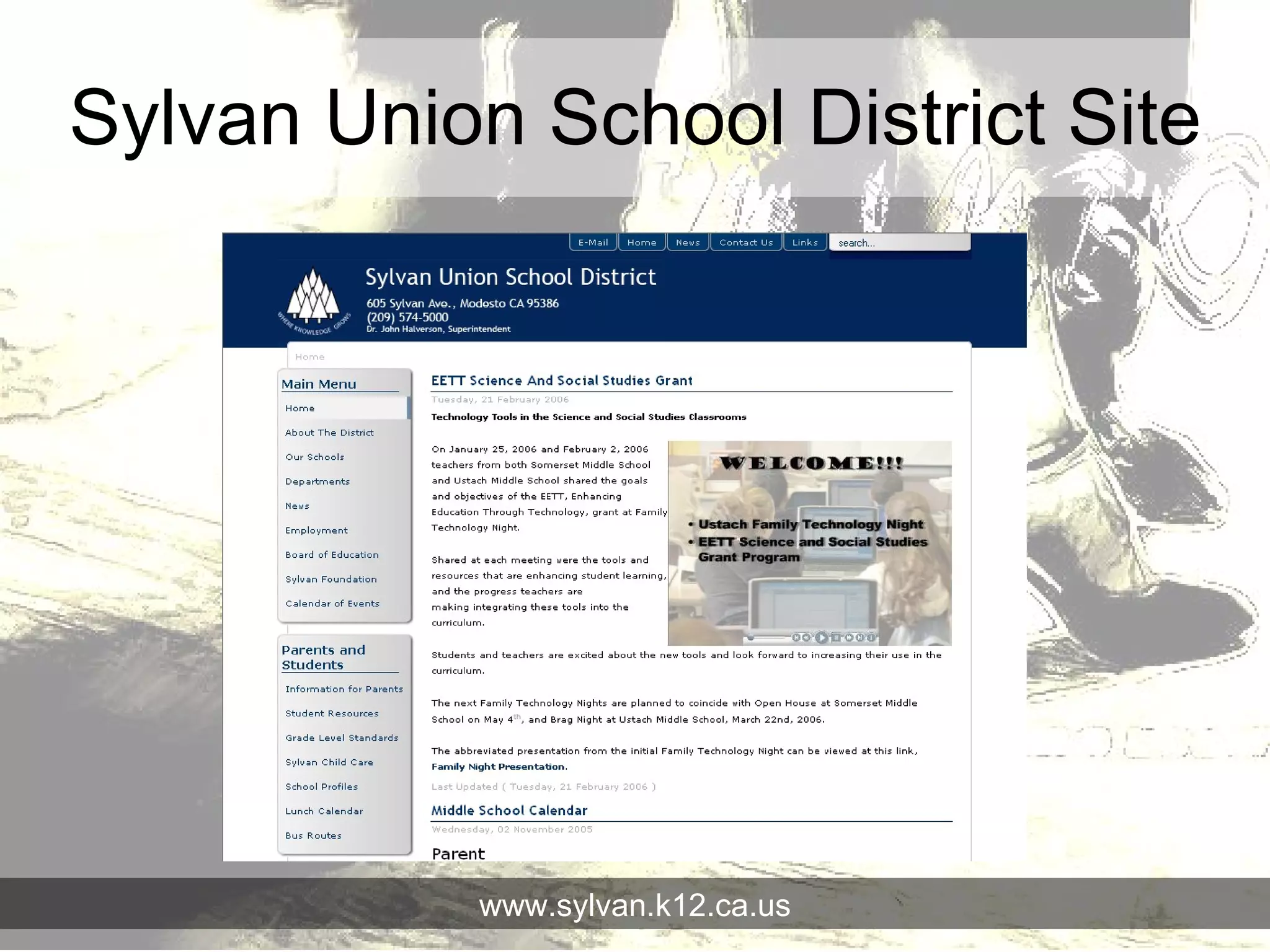
Sylvan Union School District Site www.sylvan.k12.ca.us

Mambo (2006) Presentation on CMS