Wordpress 101

     Brian McDonald
@bmcd67 squarejawmedia.com
Getting Started
•   Get hosting and domain
•   FTP
•   Download WP at wordpress.org/download/
•   Setup config file wp-config.php
•   Documentation http://codex.wordpress.org/
•   Copy software to server and go to
    your-domain.com/wp-config
Site Map
• Create outline of everything you want on your
  site
• Group content into 4-5 groups
• Determine how many menus
• Global elements: contact, privacy, search
• Create sitemap.xml for SEO
Pages vs. Posts
• Pages tend to be more static
• Posts are more dynamic with comments and
  trackbacks
• Both can contain rich media (video, photo,
  tables, etc.)
• Posts can be aggregated in many ways
Plugins
•   Great way to add functionality
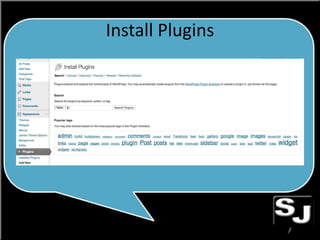
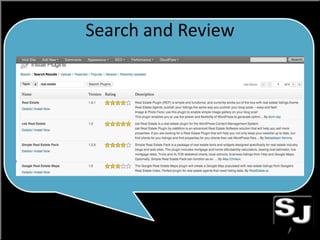
•   Built in search tool to add new ones
•   Organized in directory
•   Sometimes don’t play nice with others
•   Load and test one at a time
Install Plugins
Search and Review
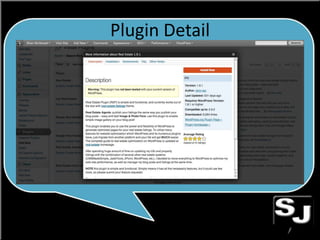
Plugin Detail
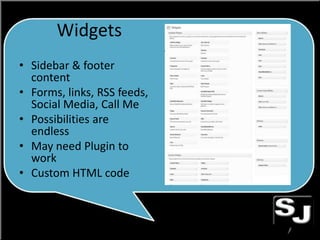
Widgets
• Sidebar & footer
  content
• Forms, links, RSS feeds,
  Social Media, Call Me
• Possibilities are
  endless
• May need Plugin to
  work
• Custom HTML code
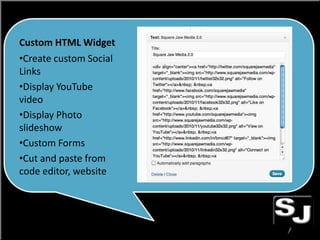
Custom HTML Widget
•Create custom Social
Links
•Display YouTube
video
•Display Photo
slideshow
•Custom Forms
•Cut and paste from
code editor, website
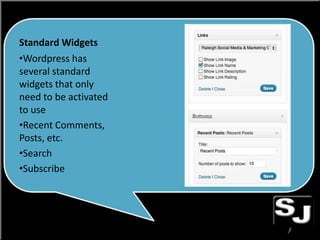
Standard Widgets
•Wordpress has
several standard
widgets that only
need to be activated
to use
•Recent Comments,
Posts, etc.
•Search
•Subscribe

Wordpress 101

  • 1.
    Wordpress 101 Brian McDonald @bmcd67 squarejawmedia.com
  • 2.
    Getting Started • Get hosting and domain • FTP • Download WP at wordpress.org/download/ • Setup config file wp-config.php • Documentation http://codex.wordpress.org/ • Copy software to server and go to your-domain.com/wp-config
  • 3.
    Site Map • Createoutline of everything you want on your site • Group content into 4-5 groups • Determine how many menus • Global elements: contact, privacy, search • Create sitemap.xml for SEO
  • 4.
    Pages vs. Posts •Pages tend to be more static • Posts are more dynamic with comments and trackbacks • Both can contain rich media (video, photo, tables, etc.) • Posts can be aggregated in many ways
  • 5.
    Plugins • Great way to add functionality • Built in search tool to add new ones • Organized in directory • Sometimes don’t play nice with others • Load and test one at a time
  • 6.
  • 7.
  • 8.
  • 9.
    Widgets • Sidebar &footer content • Forms, links, RSS feeds, Social Media, Call Me • Possibilities are endless • May need Plugin to work • Custom HTML code
  • 10.
    Custom HTML Widget •Createcustom Social Links •Display YouTube video •Display Photo slideshow •Custom Forms •Cut and paste from code editor, website
  • 11.
    Standard Widgets •Wordpress has severalstandard widgets that only need to be activated to use •Recent Comments, Posts, etc. •Search •Subscribe