



WordCamp Montréal 2012

A Beginner’s Guide
to WordPress
with Shannon Smith & Kathryn Presner


                                August 2012
Kathryn Presner

Automattic Happiness Engineer
Web Designer
@zoonini
Shannon Smith
Café Noir Design
www.cafenoirdesign.com
@cafenoirdesign
What We’ll Cover

Welcome
Intro to WordPress
Intro to the Admin Panel
Resources
Closing
Questions
Intro to WordPress
Diving into WordPress


   What is WordPress?
   WordPress.com vs.
   WordPress.org
   What is it used for?


http://en.support.wordpress.com/com-vs-org/
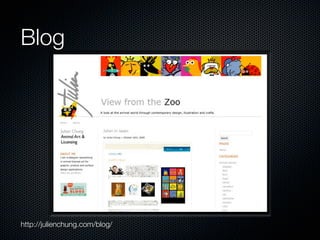
Blog


http://julienchung.com/blog/
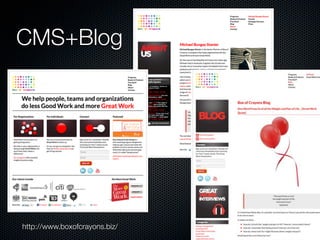
CMS+Blog


http://www.boxofcrayons.biz/
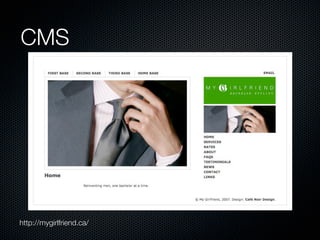
CMS


http://mygirlfriend.ca/
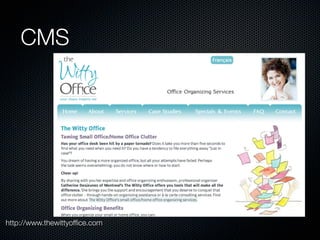
CMS


http://www.thewittyoffice.com
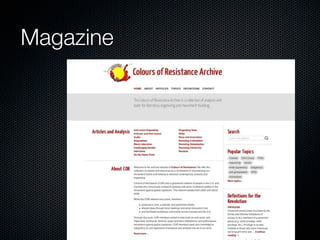
Magazine
Photo Portfolio


http://www.silviaphotography.com/
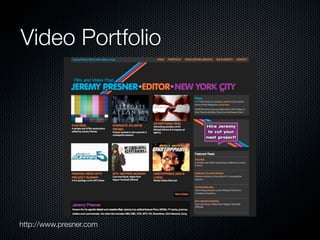
Video Portfolio


http://www.presner.com
Audio Portfolio
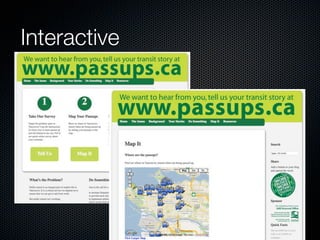
Interactive
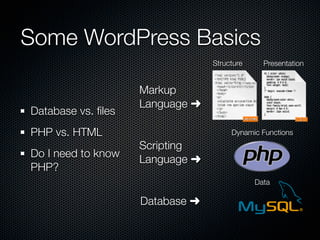
Some WordPress Basics
                                 Structure     Presentation


                    Markup
                    Language ➜
Database vs. files
PHP vs. HTML                          Dynamic Functions
                    Scripting
Do I need to know
                    Language ➜
PHP?
                                             Data

                    Database ➜
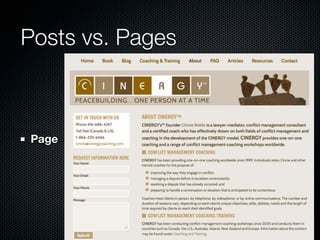
Posts vs. Pages


Page
Posts vs. Pages


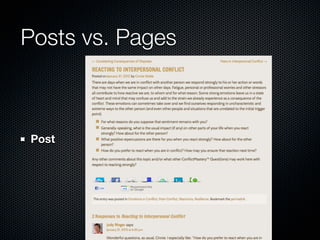
Post
Posts vs. Pages


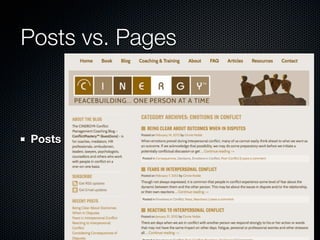
Posts
Introduction to Themes
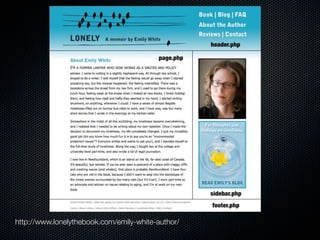
      A WP Theme is a collection of Template files -
      (X)HTML + PHP + CSS
      The CSS (aka stylesheet) usually controls the
      layout and design
      Only two template files are required: index.php,
      style.css
      Some are optional: sidebar.php, comments.php,
      etc.


http://codex.wordpress.org/Stepping_Into_Templates
http://codex.wordpress.org/Template_Hierarchy
http://www.lonelythebook.com/emily-white-author/
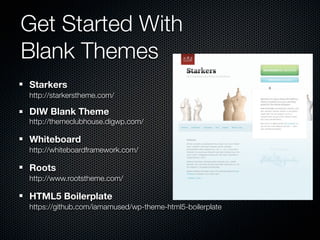
Get Started With
Blank Themes
Starkers
http://starkerstheme.com/

DIW Blank Theme
http://themeclubhouse.digwp.com/

Whiteboard
http://whiteboardframework.com/

Roots
http://www.rootstheme.com/

HTML5 Boilerplate
https://github.com/iamamused/wp-theme-html5-boilerplate
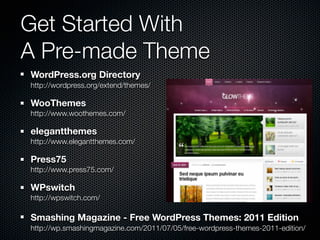
Get Started With
A Pre-made Theme
WordPress.org Directory
http://wordpress.org/extend/themes/

WooThemes
http://www.woothemes.com/

elegantthemes
http://www.elegantthemes.com/

Press75
http://www.press75.com/

WPswitch
http://wpswitch.com/

Smashing Magazine - Free WordPress Themes: 2011 Edition
http://wp.smashingmagazine.com/2011/07/05/free-wordpress-themes-2011-edition/
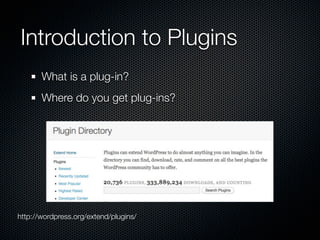
Introduction to Plugins
       What is a plug-in?
       Where do you get plug-ins?


http://wordpress.org/extend/plugins/
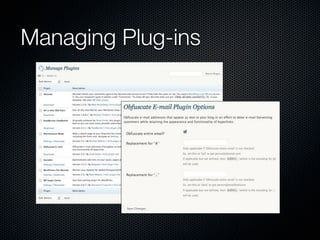
Managing Plug-ins
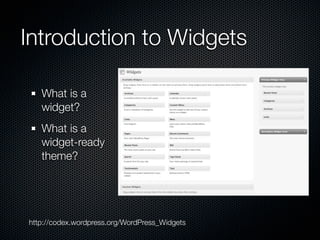
Introduction to Widgets

   What is a
   widget?
   What is a
   widget-ready
   theme?


http://codex.wordpress.org/WordPress_Widgets
Intro to the Admin Panel
The Admin Panel


 Let’s go spelunking!
WordPress Resources
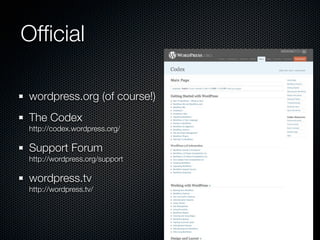
Official

wordpress.org (of course!)
The Codex
http://codex.wordpress.org/

Support Forum
http://wordpress.org/support

wordpress.tv
http://wordpress.tv/
Cheat Sheets

WordPress Template Tags Reference Guide
http://www.dbswebsite.com/design/wordpress-reference/V3/


Optimization Cheat Sheet for WordPress
http://codex.wordpress.org/WordPress_Optimization/Cheat_Sheet


Various 3.0-Ready Cheat Sheets
http://www.webanddesigners.com/11-extremely-helpful-wordpress-cheatsheets/


Remember: Cheat sheets need to be current
Theme Development Tools

Theme Test Drive Plugin
http://wordpress.org/extend/plugins/theme-test-drive/


Official Theme Development Checklist & Sample Data
http://codex.wordpress.org/Theme_Development_Checklist


Book: Digging Into WordPress
http://digwp.com/


Online and In-Person Classes
http://zoonini.wordpress.com/wordpress-resources-wcnyc/
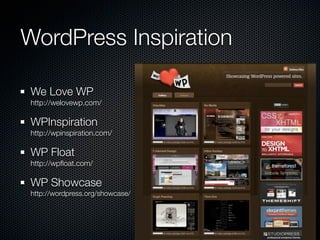
WordPress Inspiration

We Love WP
http://welovewp.com/

WPInspiration
http://wpinspiration.com/

WP Float
http://wpfloat.com/

WP Showcase
http://wordpress.org/showcase/
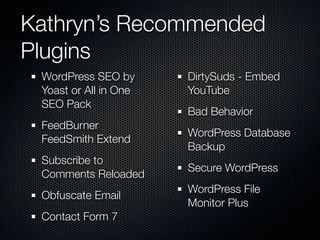
Kathryn’s Recommended
Plugins
 WordPress SEO by      DirtySuds - Embed
 Yoast or All in One   YouTube
 SEO Pack
                       Bad Behavior
 FeedBurner
                       WordPress Database
 FeedSmith Extend
                       Backup
 Subscribe to
                       Secure WordPress
 Comments Reloaded
                       WordPress File
 Obfuscate Email
                       Monitor Plus
 Contact Form 7
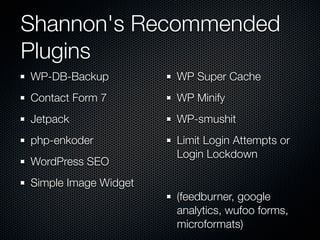
Shannon's Recommended
Plugins
WP-DB-Backup          WP Super Cache
Contact Form 7        WP Minify
Jetpack               WP-smushit
php-enkoder           Limit Login Attempts or
                      Login Lockdown
WordPress SEO
Simple Image Widget
                      (feedburner, google
                      analytics, wufoo forms,
                      microformats)
Closing
What Next? Questions?
Get the presentation at Slideshare
  http://www.slideshare.net/zoonini

Find Us
  http://www.zoonini.com
  Twitter @zoonini


  http://www.cafenoirdesign.com
  Twitter @cafenoirdesign

A Beginner's Guide to WordPress - WordCamp Montreal 2012

Editor's Notes

  • #2 \n
  • #3 Kathryn \nI’m Kathryn Presner. Been building Web sites for over a decade through Zoonini Web Services. My background in communications leads me to look at web design holistically, taking into account design/technical aspects/content/optimization. I'm a moderator in the WordPress support forums and particularly enjoy helping newbies because I remember very well what it was like to be new to WordPress.\n
  • #4 Shannon\nShannon Smith is the founder of Café Noir Design Inc., a small boutique web design company in the Montreal area specializing in bilingual web design. She supports web standards, semantic markup, microformats, open source products, and sustainable business practices. Shannon works with a number of PHP/MySQL content management systems to create clean, minimalist designs, that adhere to W3C standards. She also holds graduate degrees in journalism and psychology. Also a foodie and mother of three.\n
  • #5 Shannon\n
  • #6 \n
  • #7 Kathryn\nWhat is WordPress? \n- popular open-source blogging platform that started in 2003\n- two distinct flavours: WordPress.com & WordPress.org\n- .org - need your own Web host server but the basic software is Open Source, meaning that the source code is made available to anyone, free of charge and free of copyright restrictions\n- .com - WordPress hosts site for you, there are commercial limitations (advertising, affiliate links), limited choice of themes or plug-ins, can’t install your own plug-ins or custom themes, to access certain features & customization you need to buy credits, URL like janesblog.wordpress.com (you can upgrade to use your own domain). WordPress.com may display ads on your site unless you upgrade\n- our focus today is on WordPress.org\n
  • #8 Shannon\nThis blog for an illustrator allows the designer to share news easily\n-Typical blog format, few plugins\n
  • #9 Kathryn\nThis site for a business coach incorporates a blog as well as informational pages (CMS part). The client can manage the content for both at their end.\n
  • #10 Shannon\n-plugins here are mostly for navigation, audio\n
  • #11 Kathryn\n-WordPress can be used for sites without a blog, news section or any repeating info\n- this one is bilingual\n
  • #12 Shannon\n\n
  • #13 Shannon\n\n
  • #14 Kathryn\nWordPress doesn't have to be used like a traditional written blog. This portfolio site for a film & TV editor features dozens of video clips, some informational pages and no blog. “Premium theme” purchased & customized.\n
  • #15 Shannon\n\n
  • #16 Shannon\n-Doesn’t look like a blog\n-Uses few plugins\n-Uses web tools instead (Google interactive maps, Wuforms, Email Signup, etc.\n
  • #17 Shannon \nSome technical things that are helpful to understand at least the basics of:\n- WordPress runs on PHP (scripting language) PHP: Hypertext Preprocessor& MySQL (type of database)\n-Php allows for a dynamic site\n- Difference between database vs. files\n- file - document\n- database - bits of information that can be interconnected in different ways\n- WordPress - and most other CMSs - use both files and a database to allow quick updating and access of information\n- What is PHP and how does it differ from HTML. Do you need to know HTML or PHP or CSS to use WordPress? No - BUT a little bit can go a long way.\n- We will assume most of you know at least a little HTML but little-to-no PHP\n-On top of these can be added Javascript, Flash, etc.\n-Javascript is a programming language designed for performing dynamic tasks.\n-Flash is a multimedia platform that is popular for adding animation and interactivity to web pages. It contains a scripting language called ActionScript.\n\n
  • #18 Shannon\n- Posts vs. Pages \n- Pages are just what they sound like - whole pages on a site\n-meant to be used for static content - content that rarely changes\n-example : an About page\n
  • #19 Shannon\n- posts are individual entries within a blog, they can include things like:\n- the title of the entry, the date, tags, categories, comments\n-typical blog entries, but can also be any dynamic content (events list, etc.)\n
  • #20 Shannon\n\nPosts can be displayed in different ways, for example the latest posts are often displayed in reverse chronological order on a blog homepage. \n\nThis is an example of a category page where all posts in a given category are displayed with the most recent first.\n
  • #21 Shannon\nIntro to themes\n- a theme is a collection of template files that tells WordPress what your site should look like and how it should work\n- (X)HTML files & CSS stylesheet\n- Where to get a blank theme\nHow does a theme file work - i.e. usually pulls in header, footer, sidebar\nTheme file structure \n(Good intro for beginners here: http://www.wpdesigner.com/2007/02/21/wp-theme-lesson-1-intro/)\nhttp://css-tricks.com/the-book-digging-into-wordpress/\n\n
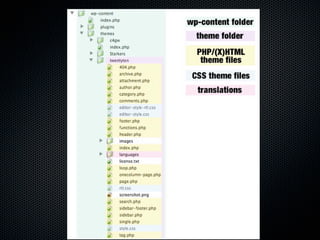
  • #22 Shannon\n-List of typical theme files - this is TwentyTen, a default theme\n
  • #23 Shannon\n-Typical layout\n-Atypical layouts can include multiple sidebars, special files for repeating sections, like contact info, etc.\n
  • #24 Shannon\nFree, easy to use, can be used as a base for a custom design for yourself or a client that will be unique\nCan also make your own from scratch\n
  • #25 Shannon\nCan be paid or free\nGo with the WP free-themes directory or a *reputable* premium theme. Beware of random “free WordPress themes” sites - their themes are often full of virus, malware and other bad stuff.\n
  • #26 Kathryn\nPlug-ins add extra functionality to the basic WordPress setup, so you only have to install what you need. This keeps your base installation as lean & mean as possible. \n\nThe WP plug-in directory lets you choose from thousands of plug-ins contributed by the WP community.\n\nYou can often get added functionality without a plugin - see passups.ca\n
  • #27 Kathryn\nPlug-ins do everything from encrypt email addresses to make them harder for spammers to harvest to... to generating a complete database backup of your site and emailing it to you.\n\nThose things are “behind-the-scenes” - often plug-ins are more up-front, too - like rotating testimonials or social-bookmarking tools.\n
  • #28 Kathryn\nWidgets allow you to drag-and-drop ready-made bits of functionality to a pre-designated spot on your site. It could be a search box, a text bock, a calendar, or list of archives in your bog... just for starters. \n\n-You can widgetize many areas of your blog, not just the sidebar. \n\nhttp://wpmu.org/how-to-widgetize-a-page-post-header-or-any-other-template-in-wordpress/\n\n
  • #29 \n
  • #30 Kathryn \nIntro to the admin panel: see http://www.geekniche.com/you/tutorials/intro-to-wordpress/\n\n
  • #31 \n
  • #32 Kathryn\n
  • #33 Kathryn\n
  • #34 Kathryn\n
  • #35 Kathryn\n
  • #36 Kathryn\n
  • #37 Shannon\n
  • #38 \n
  • #39 Shannon\n