OPERATING SYSTEM
COURSE
BEGINNER TO EXPERT GUARANTEED
ACCESS MORE COURSES PLAYLIST LINK IN DESCRIPTION
SUBSCRIBE!!
!
TOPICS
1. Introduction to Operating System or Windows 10
2. Windows 10 Installation and Highlighted Features
3. Getting Friendly with Interface & Basic Operations
4. User Management in Windows 10 Operating System
5. Shrinking & Extending Hard Disk Drive Partitions
6. Filesystem (NTFS & FAT32) Partition Style (MBR & GPT)
7. Windows Firewall & Windows Defender Security
8. Uses of Command Line Terminals in Windows 10
9. Disk Defragmentation & Disk Cleanup Utilities in OS
10. Registry Editor & system32 Folder Importance in OS
11. Antivirus & Malwares Full Information with Roles
12. Policies & Services in Operating System Windows 10
13. Task Manager & RUN in Operating System Windows 10
14. Connecting to Internet all basic information you need
15. Connecting in Network & Sharing File using Network
16. Remote Desktop Connection & Windows Remote Assist.
17. Basic Understanding of Computer terms (FPS, dpi & RPS)
18. Backup & Restore Importance in OS with Practical
19. Migration of data Importance in OS with Practical
20. What is Binary or Machine Language full information
1. Introduction to Operating System or Windows 10
OPERATING
SYSTEM
• The operating system is the most important program that runs on a
computer.
• Operating system is an interface between computer and user.
• It is responsible for the management and coordination of activities and
the sharing of the resources of the computer.
OPERATING SYSTEM
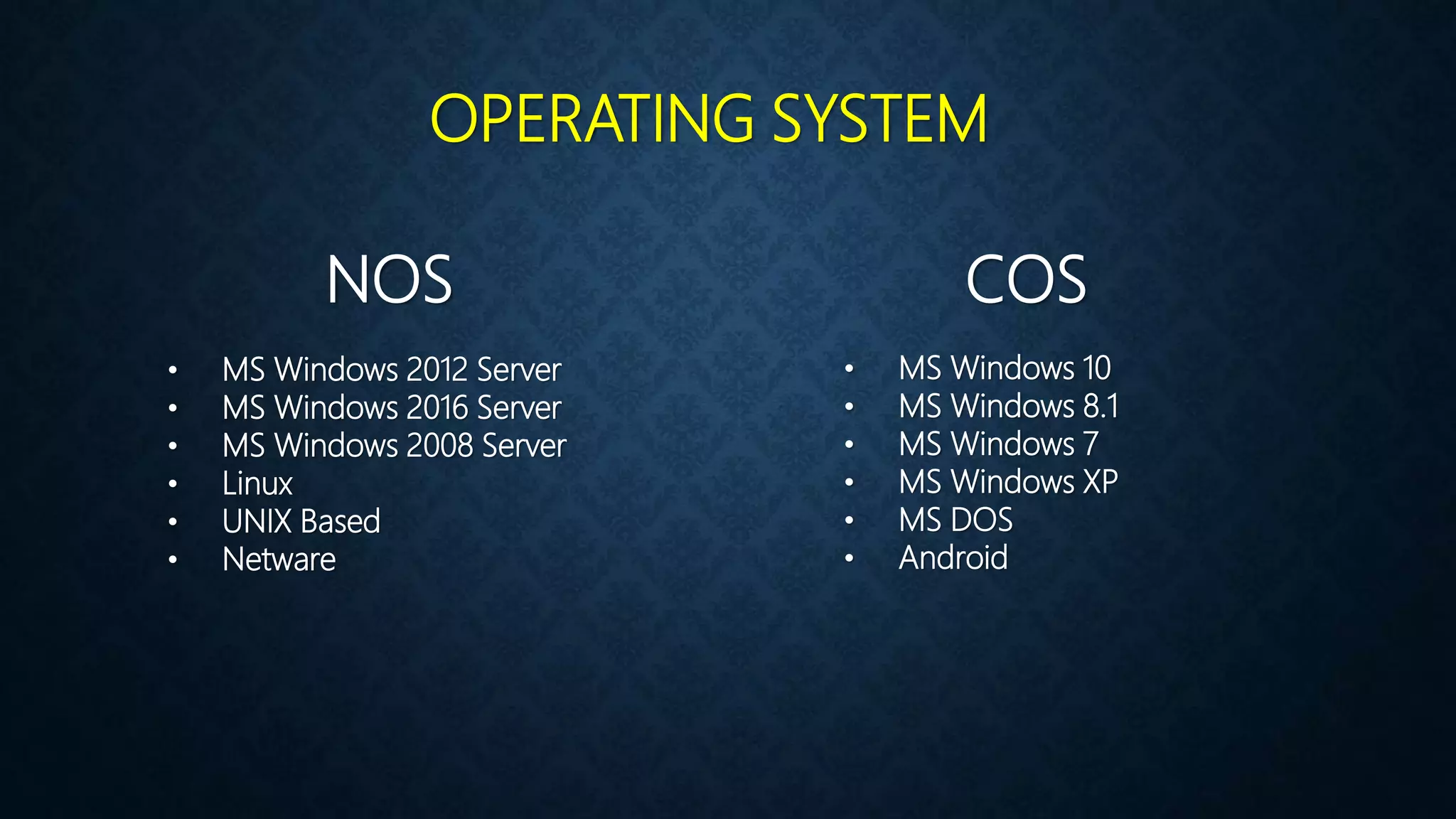
NOS COS
• MS Windows 2012 Server
• MS Windows 2016 Server
• MS Windows 2008 Server
• Linux
• UNIX Based
• Netware
• MS Windows 10
• MS Windows 8.1
• MS Windows 7
• MS Windows XP
• MS DOS
• Android
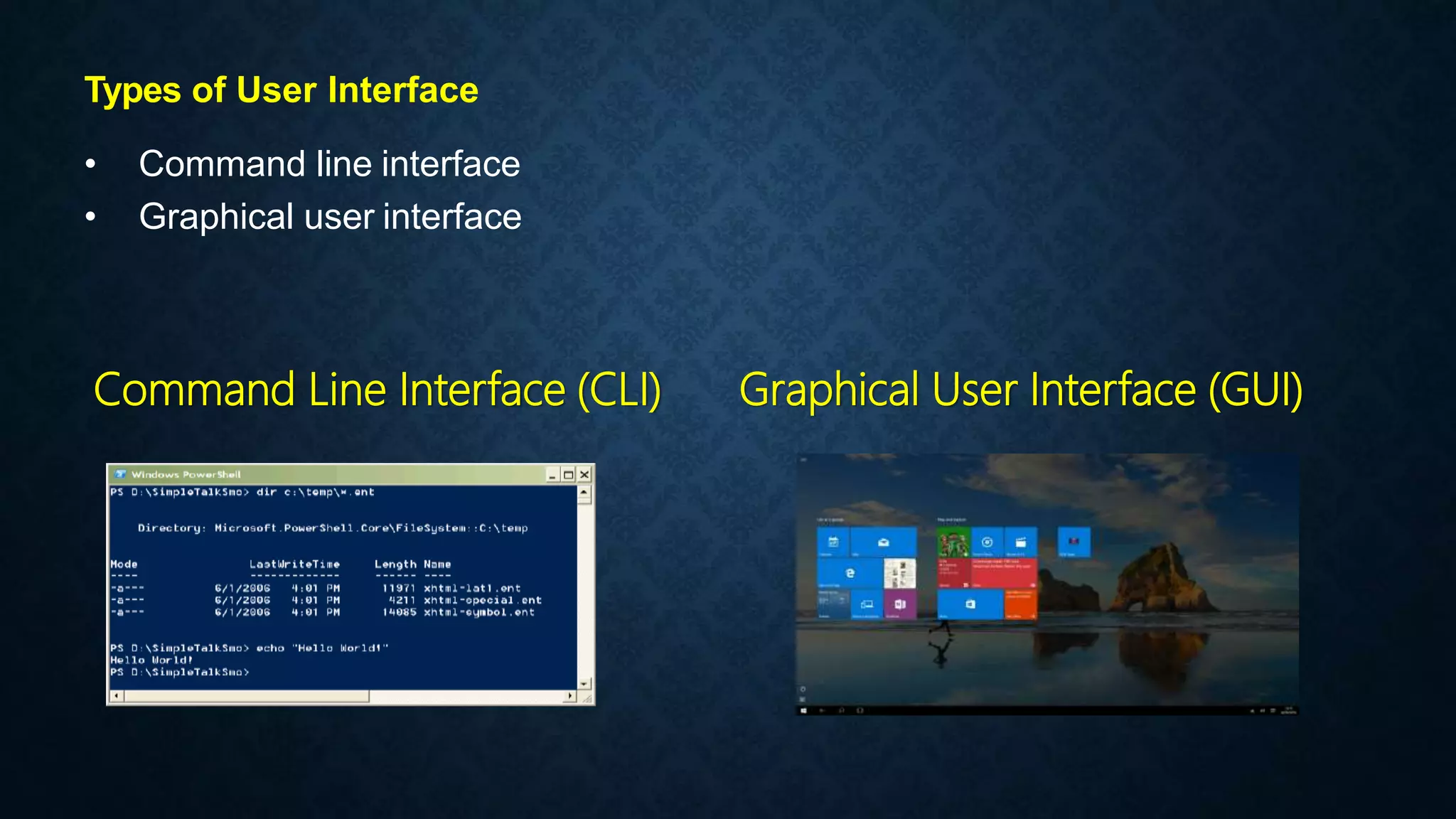
Types of User Interface
• Command line interface
• Graphical user interface
Command Line Interface (CLI) Graphical User Interface (GUI)
Examples of Operating System
• MS-DOS
• Windows
• Mac OS
• Linux
• Solaris
• Android
INTRODUCTION WINDOW 10
 Developed by Microsoft
 Frist presented in April 2014 at the
build Conference
 Scheduled to be released in late 2015
 FREE upgrade to Window 10
 Goal of Window 10 is to unify the
Window pc, Window phone, Window
Embedded and Xbox one product
families, Surface Hub and HoloLens,
etc.
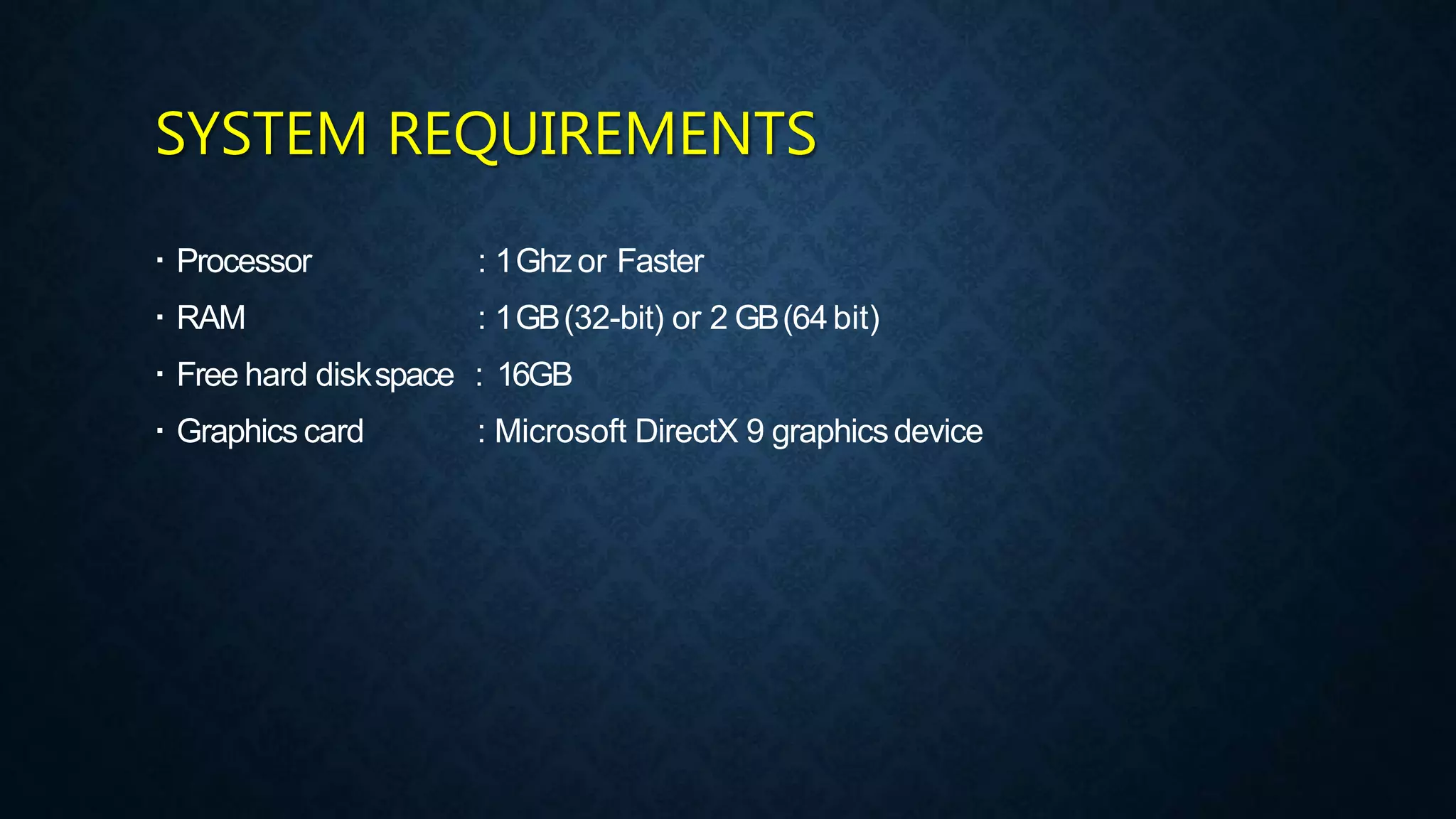
SYSTEM REQUIREMENTS
 Processor
 RAM
 Free hard diskspace
 Graphics card
: 1Ghz or Faster
: 1GB(32-bit) or 2 GB(64bit)
: 16GB
: Microsoft DirectX 9 graphicsdevice
Let’s Download Windows 10 Image
ISO
2. Windows 10 Installation and Highlighted Features
Let’s Install Windows 10
NEW FEATURES
 Start Menu
 Cortana
 Edge Browser
 Improved Multitasking
 Advanced Settings
 App Store
 X-Box Gaming
 OneDrive
 Hyper-V
3. Getting Friendly with Interface & Basic Operations
4. User Management in Windows 10 Operating System
Users in Windows 10
Administrator :- The administrator controls the entire computer, deciding who
gets to play with it and what each user may do on it. On a computer running
Windows, the owner usually holds the almighty Administrator account.
Standard :- Standard account holders can access most of the computer, but
they can’t make any big changes to it. They can’t run or install new programs,
for example, but they can run existing programs.
Child :- The Child account setting is actually just a Standard account with the
Family Safety settings automatically turned on.
Guest :- Guests can play with the computer, but the computer doesn’t
recognize them by name. Guest accounts function much like Standard
accounts but with no privacy: Anybody can sign in with the Guest account,
and the desktop will look the way the last guest left it.
5. Shrinking & Extending Hard Disk Drive Partitions
Shrink :- Shrink means Concatenating Unallocated space within the selected
drive.
Extend :- Extend means Making a new partition from the selecting drive.
Label :- Label refers to the name of the partition drive seems like drive name.
Format :- Process of Cleaning up the drives for fresh use is known as format.
Drive Letter :- Drive Letter refers to the primary identification of partition by letters.
Disk Management
6. Filesystem (NTFS & FAT32) Partition Style (MBR & GPT)
Definition :- Computers use particular kinds of file systems to store and
organize data on media, such as a hard drive, the CDs, DVDs, and BDs in an
optical drive. Any place that a PC stores data is employing the use of some
type of file system. A file system can be thoughtof as an index or database
containing the physical location of every piece of data on a harddrive. A file
system is setup on a drive during a format.
Definition
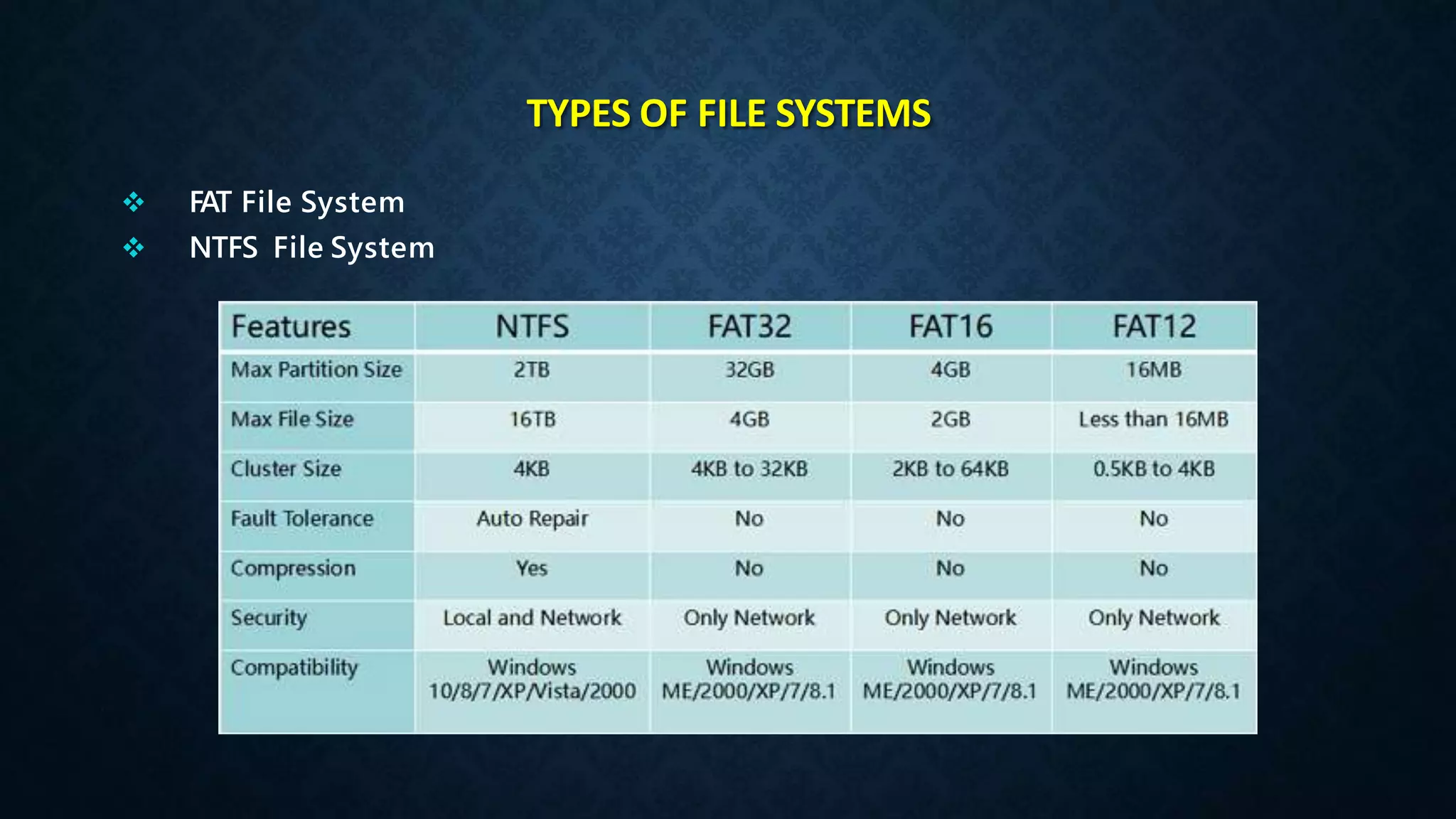
TYPES OF FILE SYSTEMS
 FAT File System
 NTFS File System
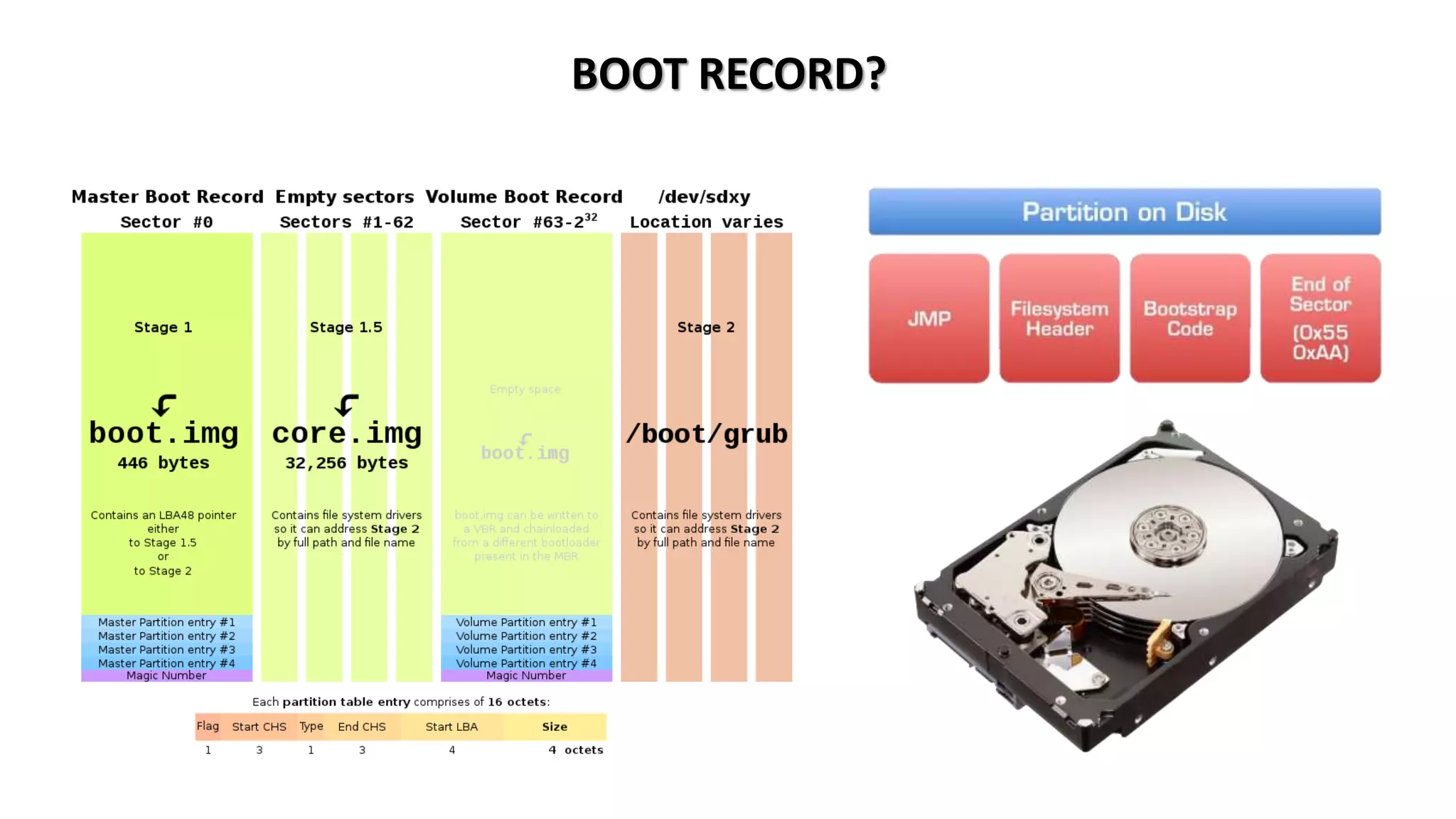
BOOT RECORD?
MASTER BOOT RECORD (MBR)
The Master Boot Record (MBR) is the information in the first sector of any
hard disk that identifies how and where an operating system is located so
that it can be loaded into the computer's main storage or random access
memory.
• It is Standard Signature of Drive Partition
• It lies on the Difference of Partition of Media
• Not more than 2 TB HDD are allowed
• Not more than 4 Primary Partition allowed
• Uses in Legacy & UEFI BIOS Both
• MBR is Ideal upto Windows 7 OS
GLOBAL PARTITION TABLE (GPT)
GPT is a newer standard that’s gradually replacing MBR.GPT, in turn,
replaces the old MBR partitioning system with something more modern. It’s
associated with UEFI. It’s called GUID Partition Table because every partition
on your drive has a “globally unique identifier.
• It is Standard Signature of Drive Partition
• It lies on the Difference of Partition of Media
• More than 8 ZB HDD are allowed as Storage
• More than 128 Primary Partition allowed in GPT
• Uses in UEFI BIOS only
• GPT is Ideal for Windows 10 or Latest Operating System
7. Windows Firewall & Windows Defender Security
What is a Firewall?
A firewall is a network security device, either hardware or software-based,
which monitors all incoming and outgoing traffic and based on a defined set
of security rules it accepts, rejects or drops that specific traffic.
Accept : allow the traffic
Reject : block the traffic but reply with an “unreachable error”
Drop : block the traffic with no reply
A firewall establishes a barrier between secured
internal networks and outside untrusted network,
such as the Internet.
Firewall Working
HOST-BASED FIREWALL VS NETWORK-BASED FIREWALL?
A host-based firewall is installed on an individual computerto protect it from activity
occurring on its network.
A network-based firewall is implemented at a specified pointin
the network path and protects all computers on the “internal” side of the firewall from all
computers on the “external” side of the firewall.
HARDWARE FIREWALL VS SOFTWARE FIREWALL
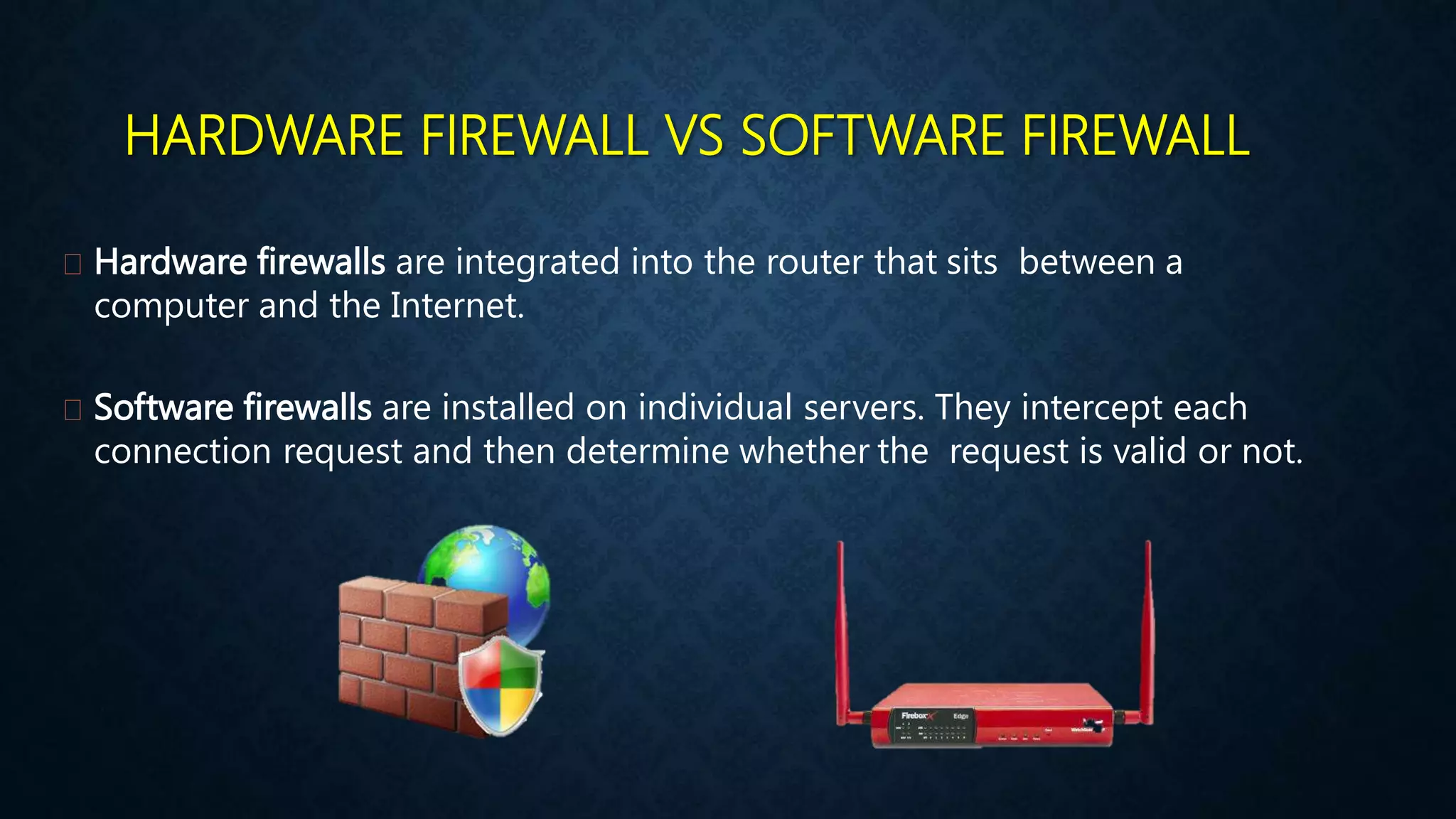
Hardware firewalls are integrated into the router that sits between a
computer and the Internet.
Software firewalls are installed on individual servers. They intercept each
connection request and then determine whether the request is valid or not.
Microsoft Defender is antivirus software developed by Microsoft to protect
computers running Windows. It detects and removes viruses, spyware, and malware,
helping to protect the operating system from infection.
What is a Windows Defender?
8. Uses of Command Line Terminals in Windows 10
What is a CLI?
CLI is a command line program that accepts text input to execute operating
system functions. In the 1960s, using only computer terminals, this was the
only way to interact with computers. In the 1970s an 1980s, command line
input was commonly used by Unix systems and PC systems like MS-DOS and
Apple DOS.
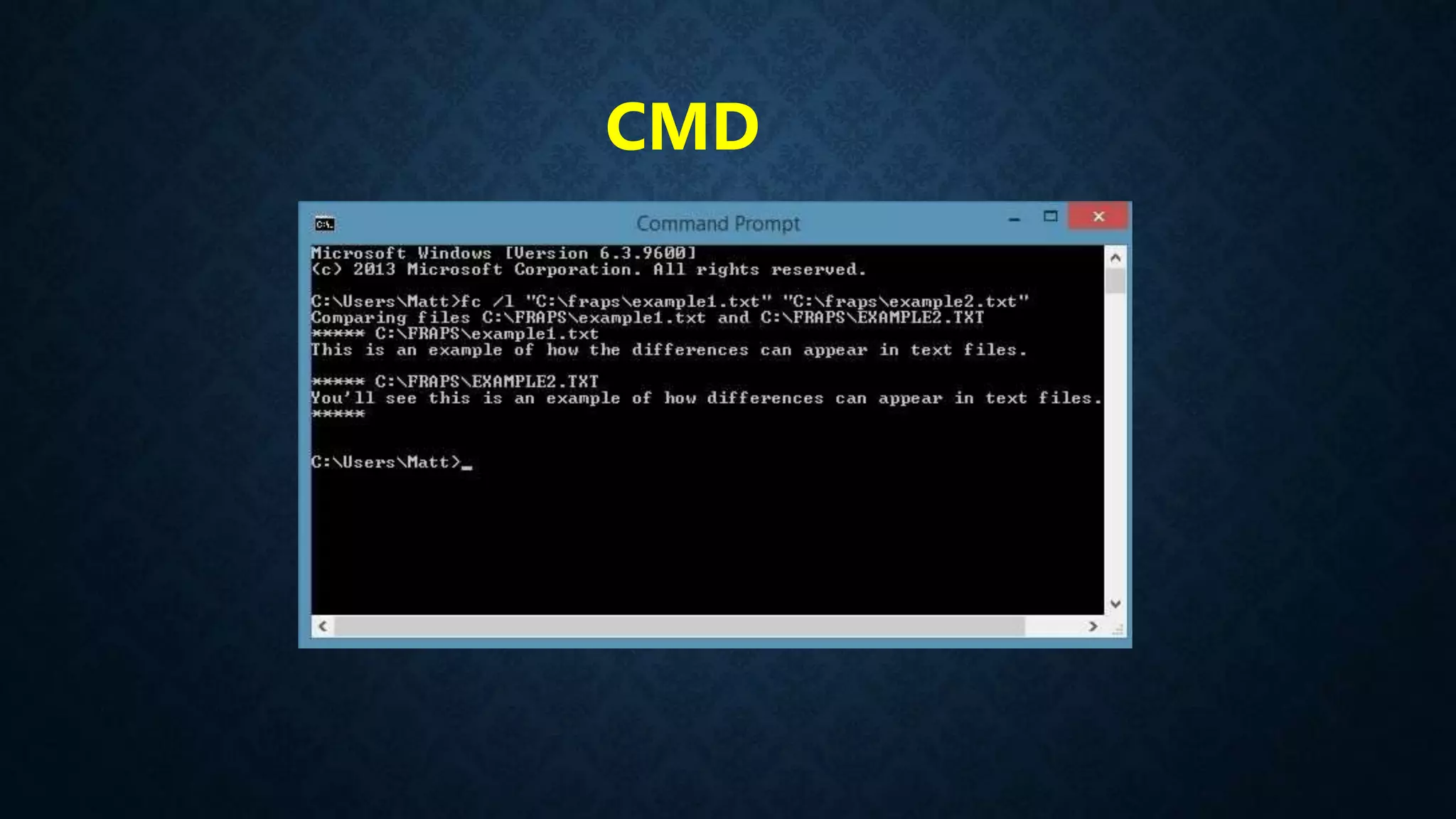
CMD POWERSHELL
CMD
POWERSHELL
9. Disk Defragmentation & Disk Cleanup Utilities in OS
INTRODUCTION
• Defragmentation :- is like cleaning house for your server or PC, it picks up all of
the pieces of data that are spread across your hard drive and puts them back
together again. Why is defragmentation important? Because every computer
suffers from the constant growth of fragmentation and if you don’t clean house,
your server or PC suffers.
• Disk fragmentation :- occurs when a file is broken up into pieces to fit on the
disk. Because files are constantly being written, deleted and resized,
fragmentation is a natural occurrence.
INTRODUCTION
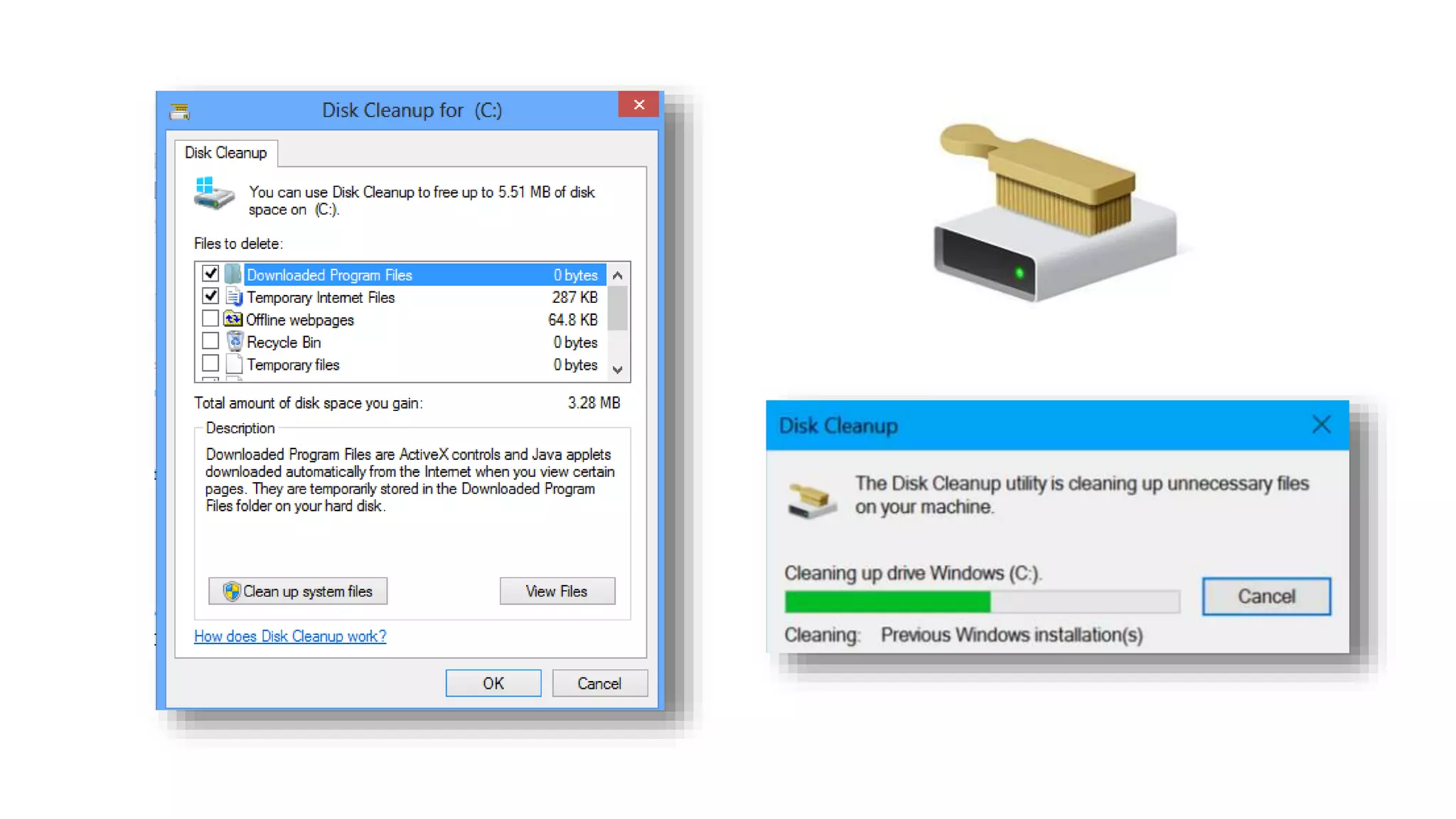
• Disk Cleanup is a Windows maintenance utility. This utility is designed to free up
disk space on a computer hard drive. The way Disk Cleanup works is by scanning
and analyzing the hard drive to see if there are files that are no longer needed.
Disk Cleanup then removes the unnecessary files and frees up more available
space.
SOME WAYS TO CLEAN DISKS
• Uninstall Extra Non Useful Programs
• Use Disk Cleanup
• Use to Delete PREFETCH Files
• Use to Delete RECENT Files
• Use to Delete TEMPORARY Files
• Use to Delete PACKAGE Files
• 3rd Party Software for Deleting Duplicates
• Use Storage Sense in Windows 10
10. Registry Editor & system32 Folder Importance in OS
INTRODUCTION
• The Windows Registry is a database of
settings used by Microsoft Windows. It
stores configurations for hardware
devices, installed applications, and the
Windows operating system.
The Registry provides a centralized
method of storing custom preferences for
each Windows user, rather than storing
them as individual .
SYSTEM32 FOLDER
• System32 contains important operating
system files that Windows needs in order
to function properly. This directory
contains many different types of files, but
DLL and EXE are some of the most
common types you’ll find if you start
digging through the folder. Dynamic Link
Library (DLL) files are shared library files
used by Windows programs
system32
11. Antivirus & Malwares Full Information with Roles
INTRODUCTION
Malware is a malicious software that gets installed in your device and performs
unwanted tasks. Mainly designed to transmit information about your web browsing
habits to the third party
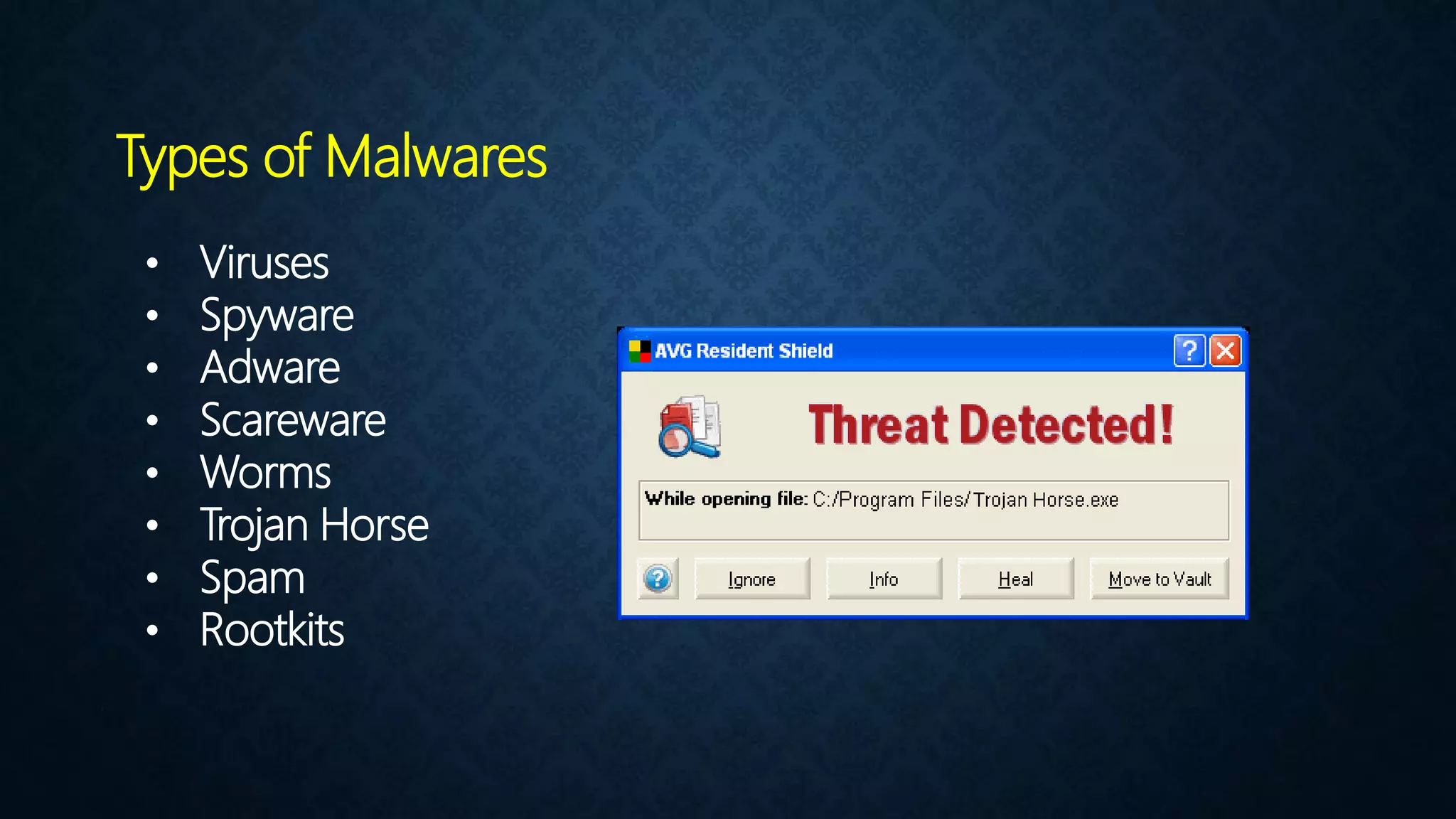
• Viruses
• Spyware
• Adware
• Scareware
• Worms
• Trojan Horse
• Spam
• Rootkits
Types of Malwares
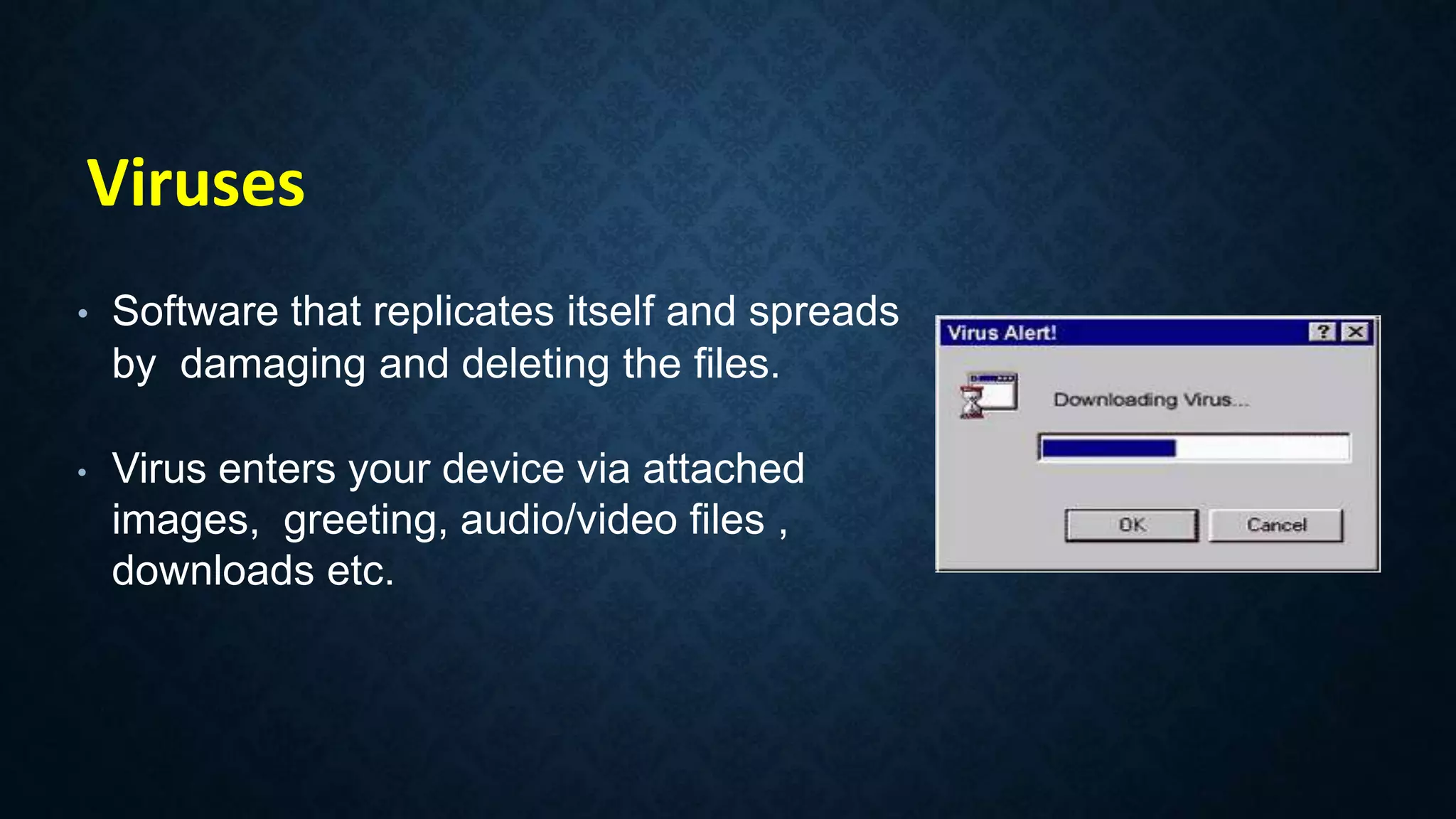
• Software that replicates itself and spreads
by damaging and deleting the files.
• Virus enters your device via attached
images, greeting, audio/video files ,
downloads etc.
Viruses
• Spyware is a program that gets installed
without the user’s permission.
• It monitors the user’s activities on the internet
and transmits that information to the third
party.
Spyware
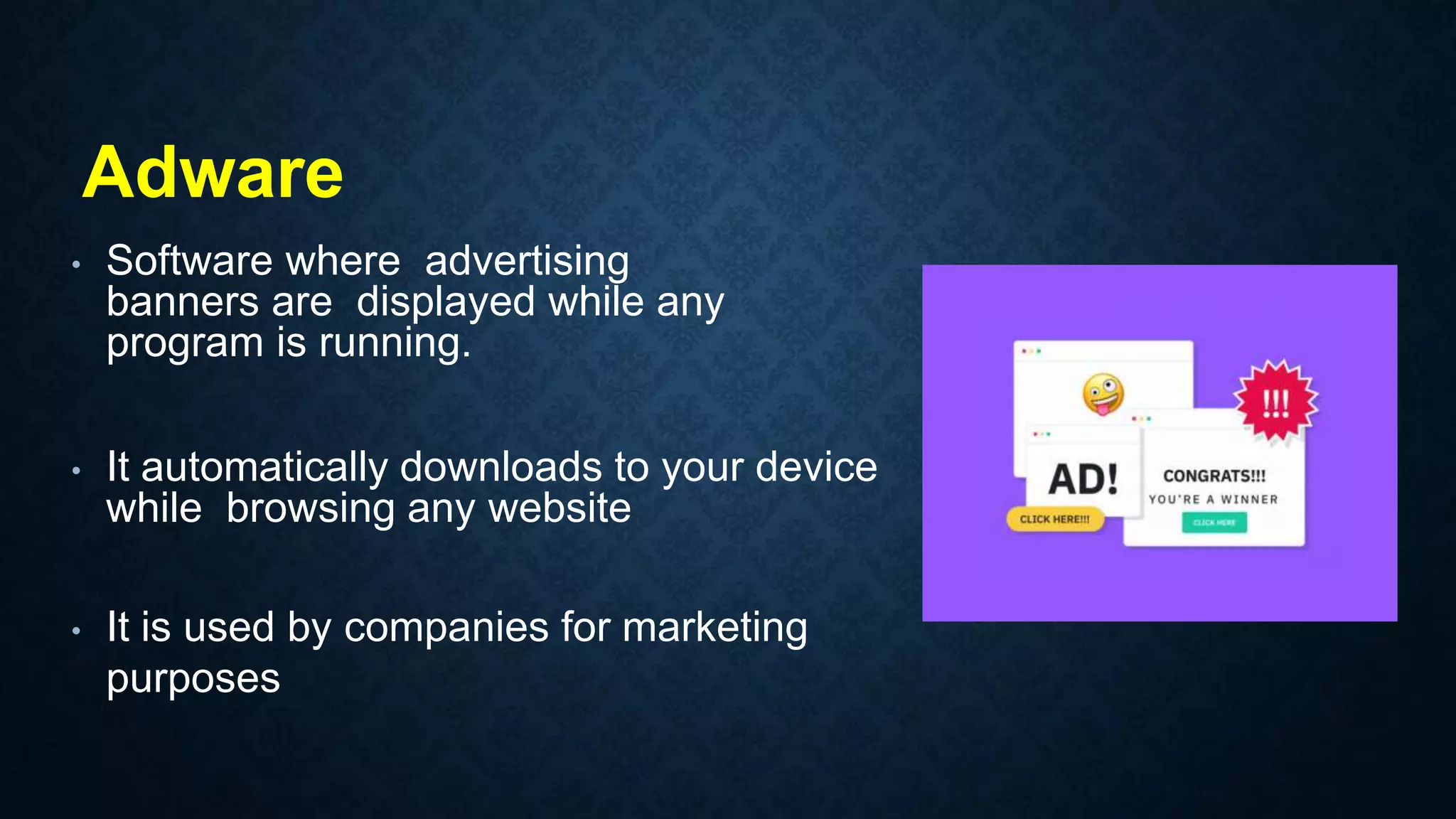
• Software where advertising
banners are displayed while any
program is running.
• It automatically downloads to your device
while browsing any website
• It is used by companies for marketing
purposes
Adware
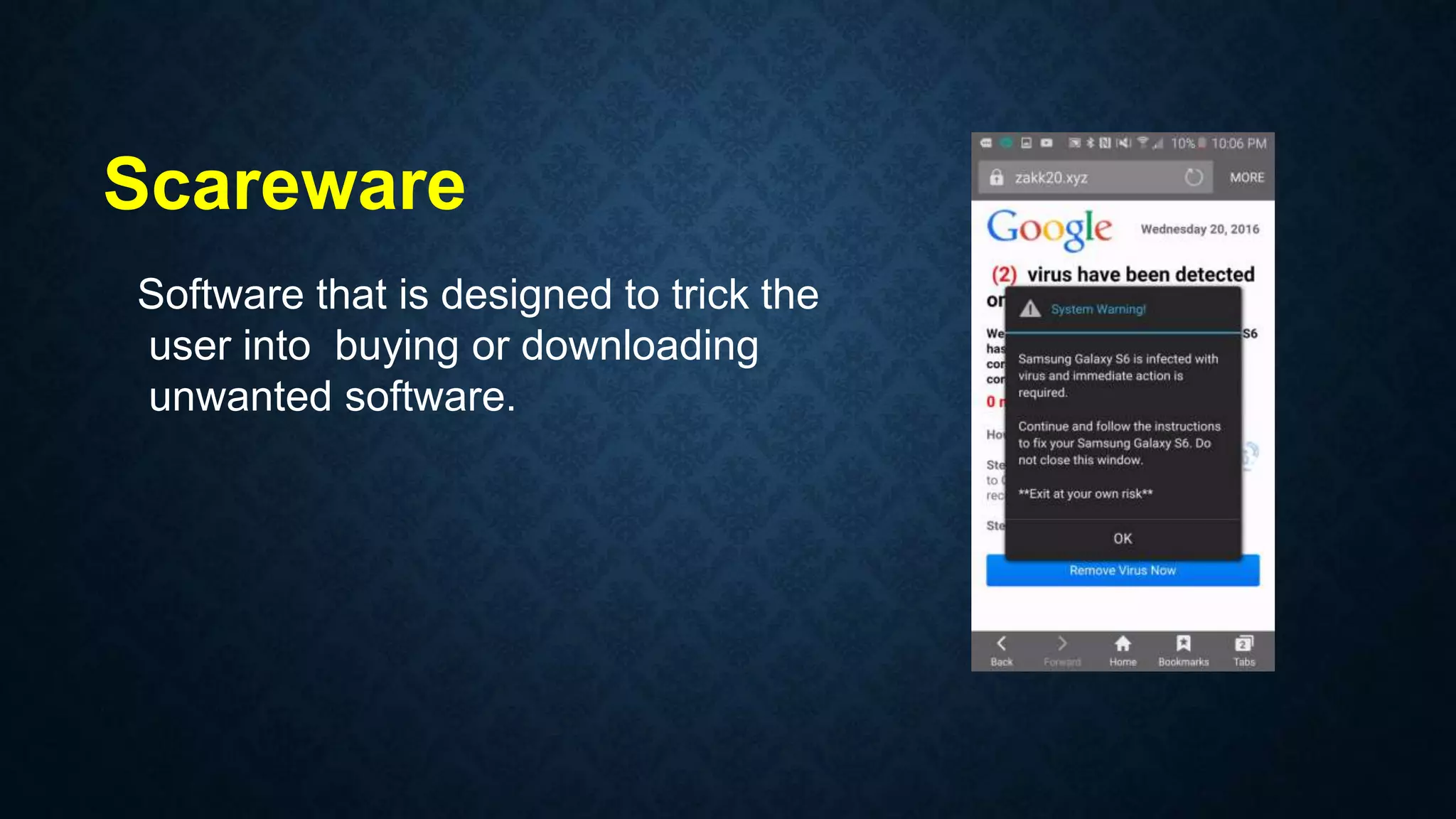
Software that is designed to trick the
user into buying or downloading
unwanted software.
Scareware
WORMS
• Malicious program that make
copies of itself on local device,
network shares etc.
• They make the working of your
device slower.
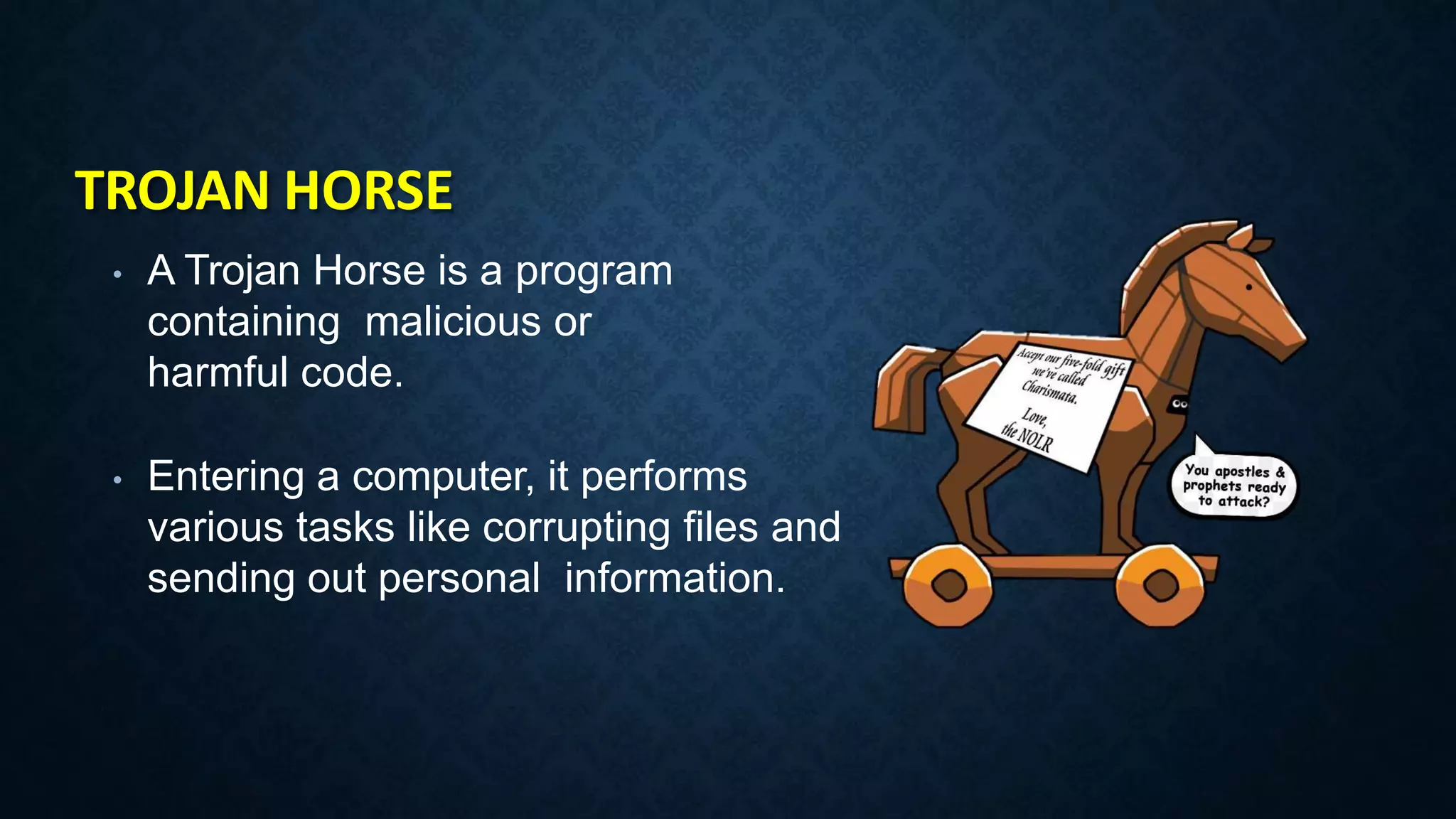
TROJAN HORSE
• A Trojan Horse is a program
containing malicious or
harmful code.
• Entering a computer, it performs
various tasks like corrupting files and
sending out personal information.
• Method of flooding the internet with
the copies of the same message
• It is for the purpose of advertising,
phishing, spreading malware etc.
Spam
Rootkits
• Softwarehidden deep inside
your device which remains
undetected.
• It transmits all your sensitive
information
WHAT ISANTIVIRUS PROGRAM?
Antivirus Software is acomputer program that identify and remove computer viruses,
and other malicious software like Worms andTrojansfrom an infected computer. Not
only this, anantivirus software also protects the computer from further virus attacks.
Thefirst anti-virus software in 1987. Fix,aGerman astrophysicist and amateur computer
programmer developed software to combat the first computer virus “in the wild,"
which means that the virus had escapedthe confines of the lab or network .
SYMPTOMS OF INFECTED COMPUTER
1. Unexpected pop-up windows
2. Slow start up and slow performance
3. Suspicious hard drive activity
4. Lack of storage space
5. Missing files
6. Crashes and error messages
7. High network activity
8. Email is hijacked
9. Security attacks
10. Background Data Processing
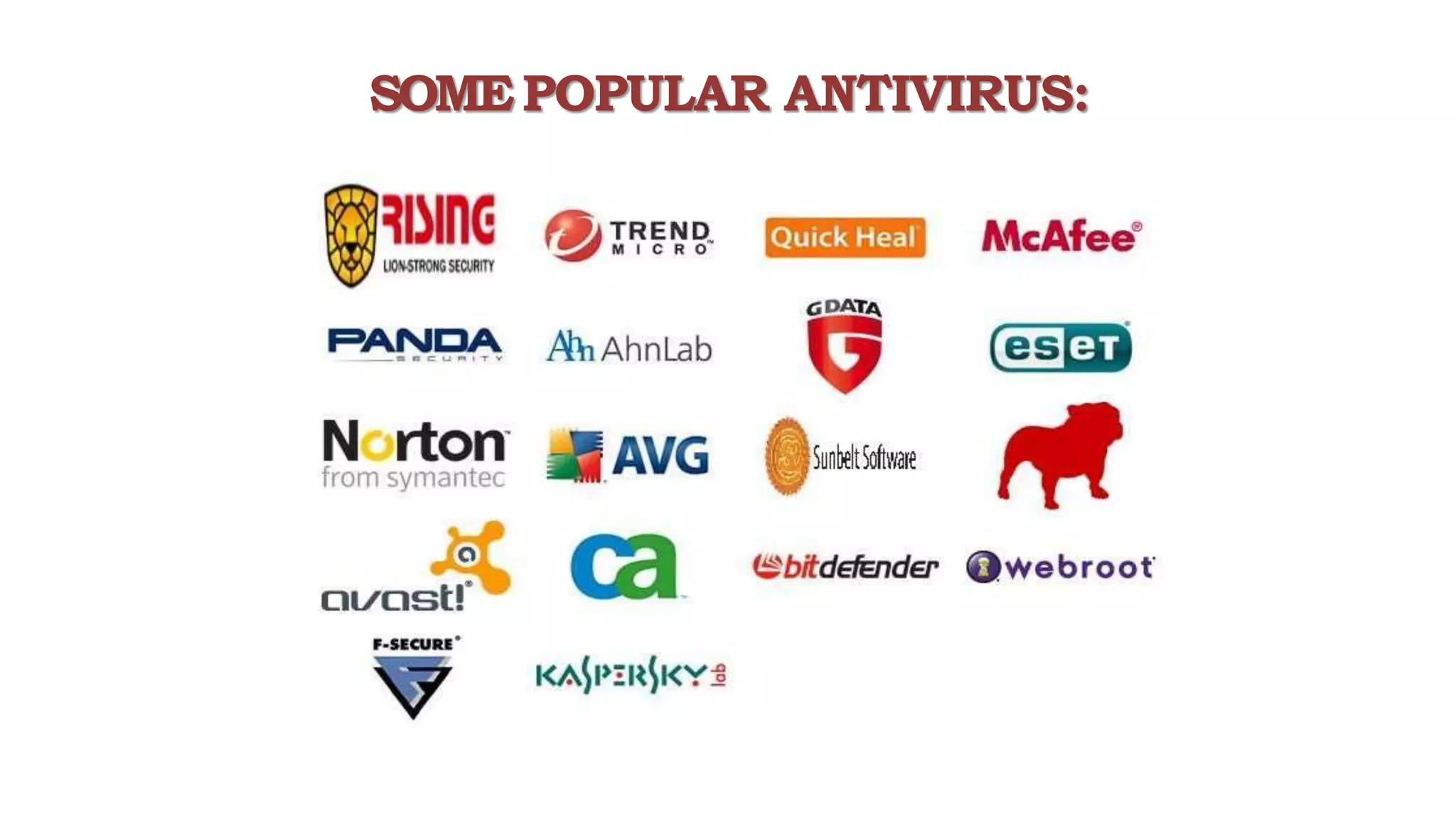
SOMEPOPULAR ANTIVIRUS:
12. Policies & Services in Operating System Windows 10
POLICIES?
Secpol is a way in which you can control
various security policies and settings that
define different behaviors on
your Windows 10 computer. And it's a
great way to ensure you have a standard
security policy configuration across
multiple computers if you don't have a
domain.
SERVICES?
• Microsoft Windows services, formerly
known as NT services, enable you to
create long-running executable
applications that run in their
own Windows sessions. These services can
be automatically started when the
computer boots, can be paused and
restarted, and do not show any user
interface
13. Task Manager & RUN in Operating System Windows 10
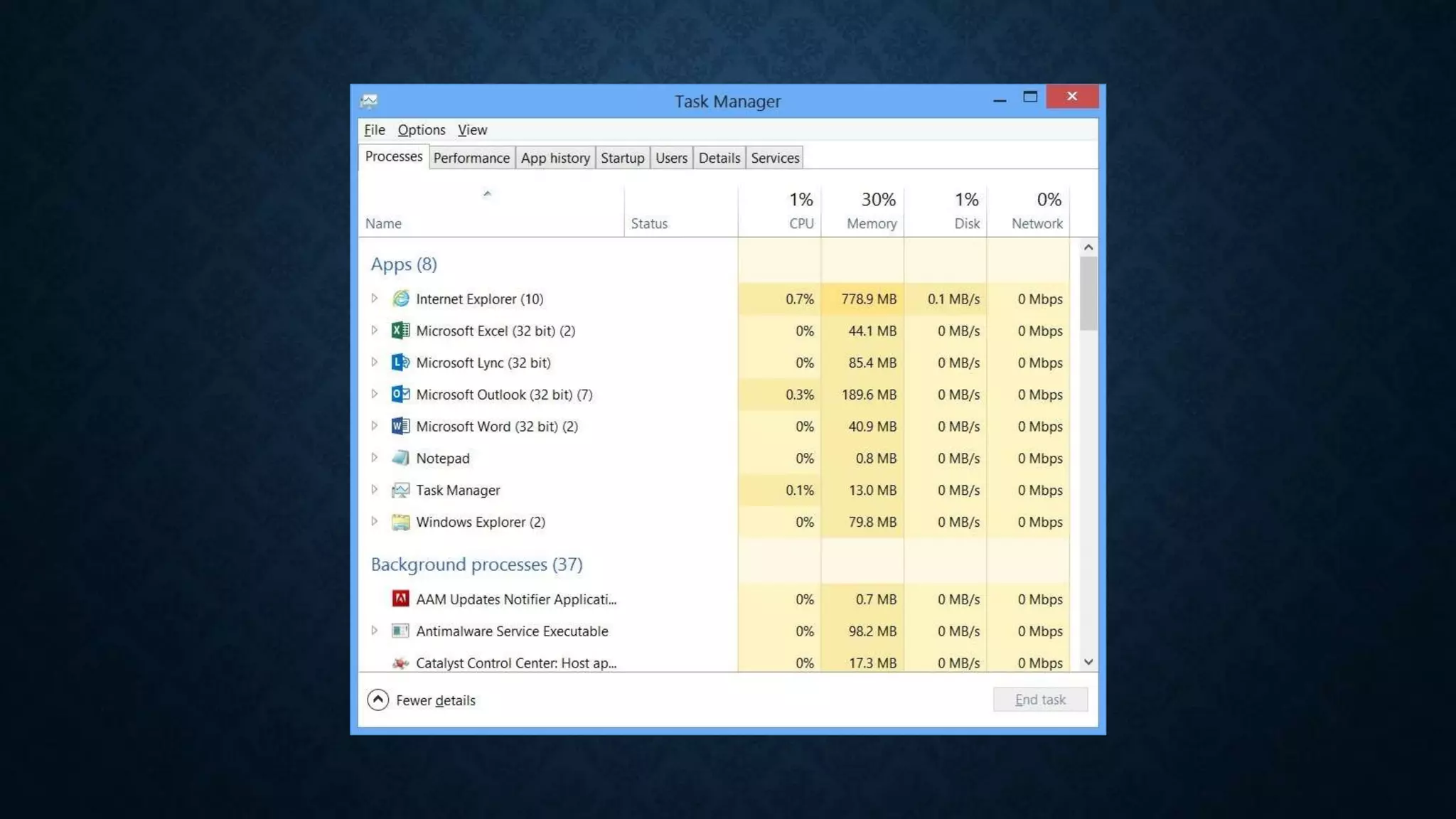
TASK MANAGER
• A task manager is a system monitor
program used to provide information
about the processes and applications
running on a computer, as well as the
general status of the computer. Some
implementations can also be used to
terminate processes and applications, as
well as change the processes' scheduling
priority.
RUN DIALOG BOX
• RUN Command Dialog Box is a Windows
easy Utility Which works as like a Gateway
to locate applications, services and
Features in Windows OS. It can be
Accessible by using shortcut command
WIN+R. It is a Unique type of Utility
Introduces in later Windows XP
14. Connecting to Internet all basic information you need
Connecting to
Internet
1. Ethernet
2. Wireless LAN
3. USB Internet
1. IP Address
2. Network Adapters
3. Wi-Fi Connection
4. Hotspot Connection
5. Default Gateway
Terms you may know
GOOGLE CHROME
• Google Chrome is a cross-platform
web browser developed by Google.
It was first released in 2008 for
Microsoft Windows, and was later
ported to Linux, macOS, iOS, and
Android where it is the default
browser built into the OS.
GOOGLE
ACCOUNT
A Google account lets you log in on computers,
smartphones and tablets using a single
password. Google synchronises all your data
from across all your devices, so things like
email, photos and documents can be accessible
wherever you are. There are a host of
other benefits too, and best of all, it's simple to
set up.
15. Connecting in Network & Sharing File using Network
Terms you may know
Network :- Group of two or more computers which are
connected together are responsible to creating a network.
Sharing Folder :- Sharing a folder means you are sharing files
to another computer by allowing to share from first one.
Simple Transfer :- Simple transfer refers to the process of
sharing files to flash drives or disks using operating system.
Share via Internet :- It refers to sharing files via Internet by
Uploading it best example is Google Drive.
FTP:- It refers to sharing files using File Transfer Protocol or
FTP Server by hosting it.
16. Remote Desktop Connection & Windows Remote Assist.
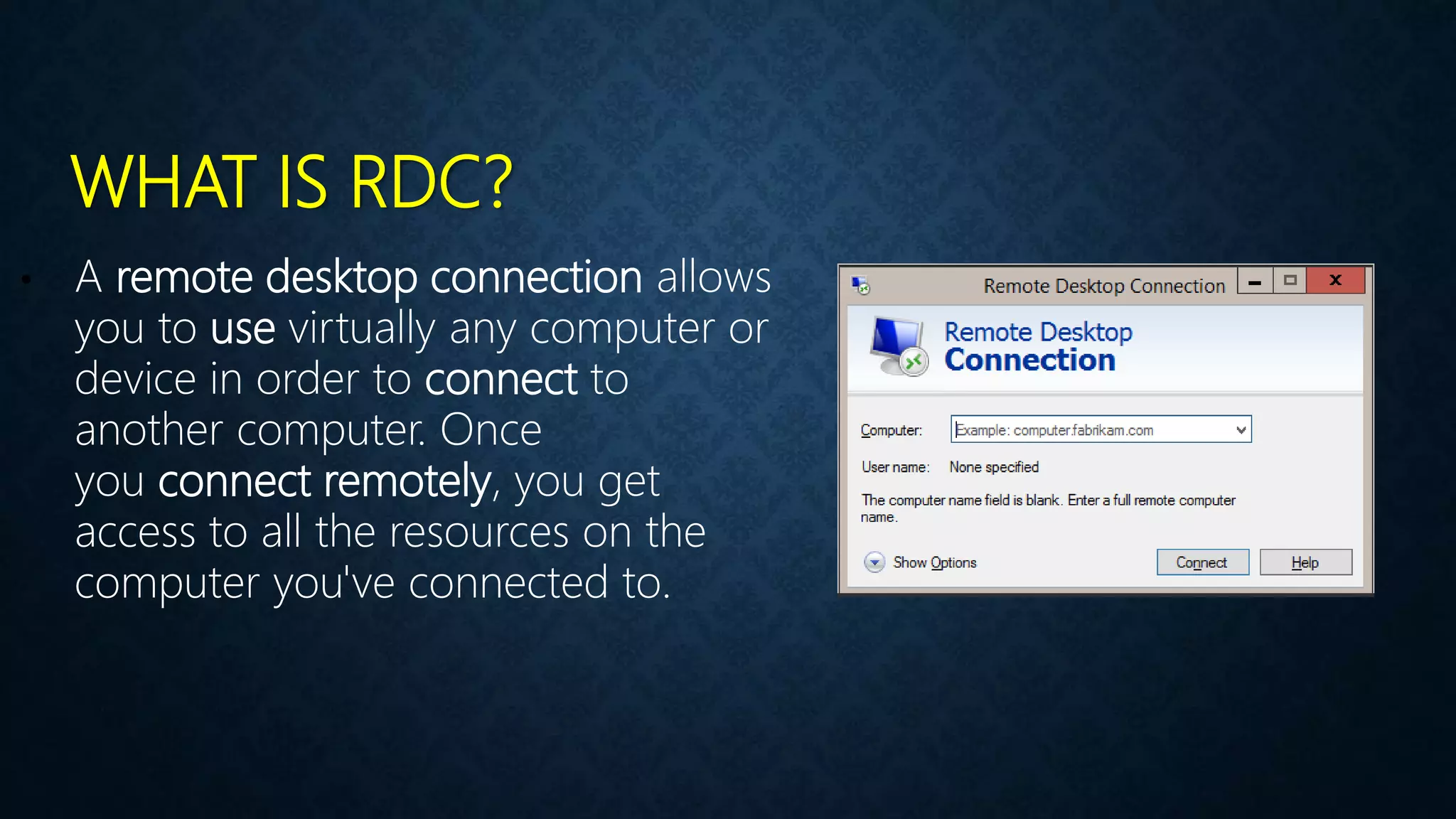
WHAT IS RDC?
• A remote desktop connection allows
you to use virtually any computer or
device in order to connect to
another computer. Once
you connect remotely, you get
access to all the resources on the
computer you've connected to.
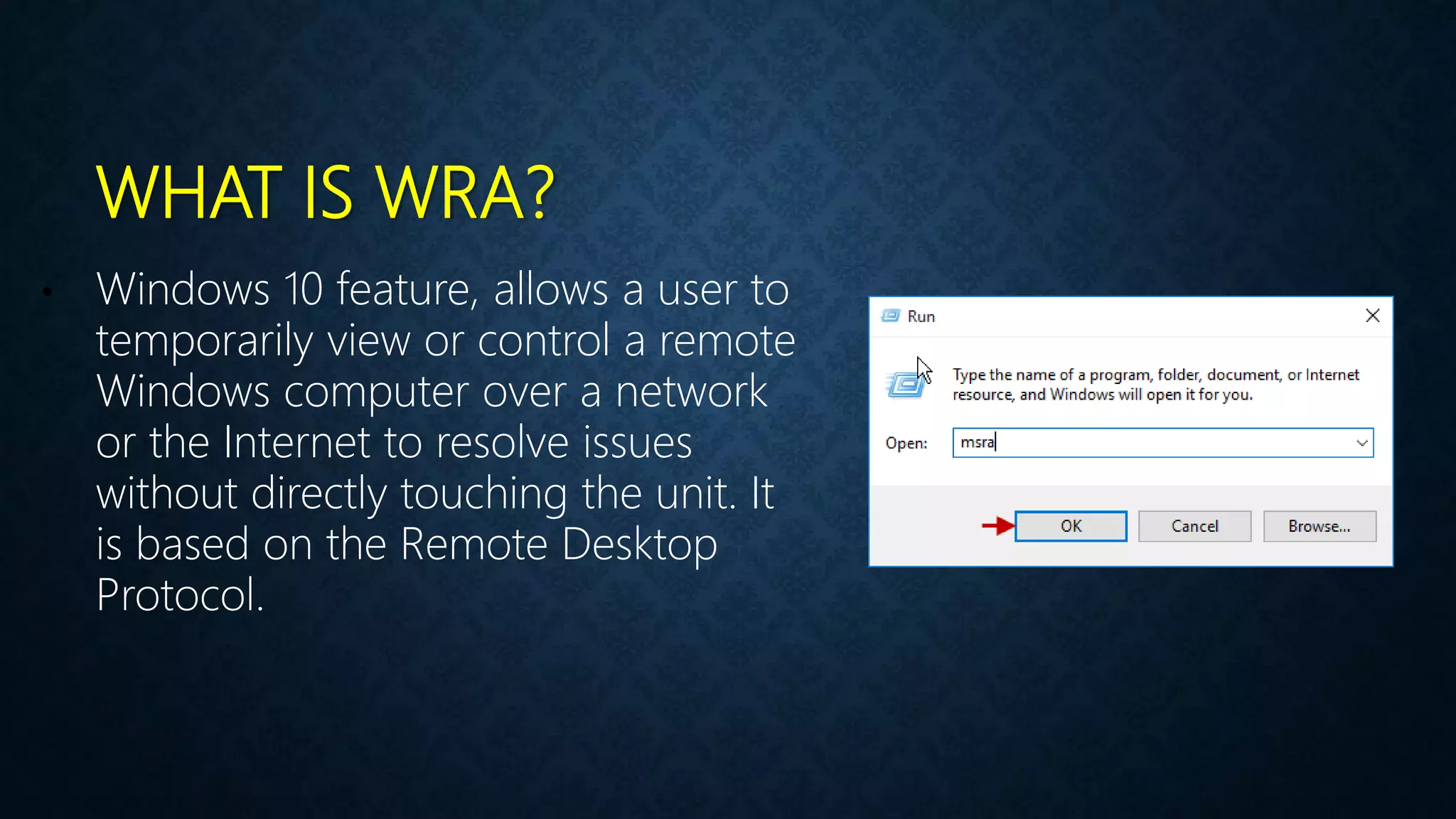
WHAT IS WRA?
• Windows 10 feature, allows a user to
temporarily view or control a remote
Windows computer over a network
or the Internet to resolve issues
without directly touching the unit. It
is based on the Remote Desktop
Protocol.
17. Basic Understanding of Computer terms (FPS, dpi & RPS)
Terms
Video :-
• FPS
• Resolution
• MP4, 3GP or MWV
Audio :-
• Bitrate
• Hz or Mhz
• MP3, 3GP or WAV
Pictures :-
• GIF
• Transparent
• Dimension
Others :-
• DPI
• RPS
• PPM or PPH
• Refresh rate
• MBPS or GBPS
• Clock Speed
• Frequency
• Domain
• KB, MB, GB & TB
• File Extensions
18. Backup & Restore Importance in OS with Practical
WHAT IS BACKUP
• The simplest definition of
a computer backup is an exact copy.
In the case of computer files, we are
referring to copies of the original
files that you have on your laptop,
desktop, or external drive
TYPES OF BACKUP (4 TYPES)
1. Full backups
A full backup is the most basic of all backup types. And as its name suggests, it’s
also the most comprehensive. In a full data or system backup, all data is copied to
another location.
2. Incremental backups
This type only backs up the information that has changed since the last backup
occurred. Incremental backups are completed quickly and require fewer resources.
3. Differential backups
Similar to an incremental backup, a differential backup copies all data changed since
the last full backup every time it is run. A differential backup provides a way of
up changed data to the same convenient location as all new data.
4. Custom backups
This type of Backup allows you to backup anything which you want no restrictions
here to the User.
RESTORE WINDOWS
• Windows Update is a Microsoft
service for the Windows 9x and
Windows NT families of operating
system, which automates
downloading and installing Microsoft
Windows software updates over the
Internet.
19. Migration of data Importance in OS with Practical
WHAT IS MIGRATION?
• PC migration is the process of transferring
the entire user environment (e.g. personal
documents and settings) between two
computer systems.
• The User State Migration Tool (USMT) 10.0
is an application intended for
administrators who are performing large-
scale automated deployments.
TOOL WE NEED
USMT
20. What is Binary or Machine Language full information
WHAT IS BINARY?
Binary is a base-2 number system
invented by Gottfried Leibniz that is
made up of only two numbers: 0 and 1.
This number system is the basis for
all binary code, which is used to write
data such as the computer
processor instructions used every day.
HOW DOES BINARY WORK?
The 0s and 1s in binary represent OFF
or ON, respectively. In a transistor, an
"0" represents no flow of electricity, and
"1" represents electricity being allowed
to flow. In this way, numbers are
represented physically inside the
computing device, permitting
calculation.
WHAT IS FORM OF DATA?
Data is measured, collected and
reported, and analyzed, whereupon it
can be visualized using graphs, images
or other analysis tools. Data as a general
concept refers to the fact that some
existing information or knowledge is
represented or coded in some form
suitable for better usage or processing.
Hope Guys You got the point of the Video

windows.pptx

  • 1.
    OPERATING SYSTEM COURSE BEGINNER TOEXPERT GUARANTEED ACCESS MORE COURSES PLAYLIST LINK IN DESCRIPTION SUBSCRIBE!! !
  • 2.
    TOPICS 1. Introduction toOperating System or Windows 10 2. Windows 10 Installation and Highlighted Features 3. Getting Friendly with Interface & Basic Operations 4. User Management in Windows 10 Operating System 5. Shrinking & Extending Hard Disk Drive Partitions 6. Filesystem (NTFS & FAT32) Partition Style (MBR & GPT) 7. Windows Firewall & Windows Defender Security 8. Uses of Command Line Terminals in Windows 10 9. Disk Defragmentation & Disk Cleanup Utilities in OS 10. Registry Editor & system32 Folder Importance in OS 11. Antivirus & Malwares Full Information with Roles 12. Policies & Services in Operating System Windows 10 13. Task Manager & RUN in Operating System Windows 10 14. Connecting to Internet all basic information you need 15. Connecting in Network & Sharing File using Network 16. Remote Desktop Connection & Windows Remote Assist. 17. Basic Understanding of Computer terms (FPS, dpi & RPS) 18. Backup & Restore Importance in OS with Practical 19. Migration of data Importance in OS with Practical 20. What is Binary or Machine Language full information
  • 3.
    1. Introduction toOperating System or Windows 10
  • 4.
    OPERATING SYSTEM • The operatingsystem is the most important program that runs on a computer. • Operating system is an interface between computer and user. • It is responsible for the management and coordination of activities and the sharing of the resources of the computer.
  • 6.
    OPERATING SYSTEM NOS COS •MS Windows 2012 Server • MS Windows 2016 Server • MS Windows 2008 Server • Linux • UNIX Based • Netware • MS Windows 10 • MS Windows 8.1 • MS Windows 7 • MS Windows XP • MS DOS • Android
  • 7.
    Types of UserInterface • Command line interface • Graphical user interface Command Line Interface (CLI) Graphical User Interface (GUI)
  • 8.
    Examples of OperatingSystem • MS-DOS • Windows • Mac OS • Linux • Solaris • Android
  • 9.
    INTRODUCTION WINDOW 10 Developed by Microsoft  Frist presented in April 2014 at the build Conference  Scheduled to be released in late 2015  FREE upgrade to Window 10  Goal of Window 10 is to unify the Window pc, Window phone, Window Embedded and Xbox one product families, Surface Hub and HoloLens, etc.
  • 10.
    SYSTEM REQUIREMENTS  Processor RAM  Free hard diskspace  Graphics card : 1Ghz or Faster : 1GB(32-bit) or 2 GB(64bit) : 16GB : Microsoft DirectX 9 graphicsdevice
  • 11.
  • 12.
    2. Windows 10Installation and Highlighted Features
  • 13.
  • 14.
    NEW FEATURES  StartMenu  Cortana  Edge Browser  Improved Multitasking  Advanced Settings  App Store  X-Box Gaming  OneDrive  Hyper-V
  • 15.
    3. Getting Friendlywith Interface & Basic Operations
  • 16.
    4. User Managementin Windows 10 Operating System
  • 17.
    Users in Windows10 Administrator :- The administrator controls the entire computer, deciding who gets to play with it and what each user may do on it. On a computer running Windows, the owner usually holds the almighty Administrator account. Standard :- Standard account holders can access most of the computer, but they can’t make any big changes to it. They can’t run or install new programs, for example, but they can run existing programs. Child :- The Child account setting is actually just a Standard account with the Family Safety settings automatically turned on. Guest :- Guests can play with the computer, but the computer doesn’t recognize them by name. Guest accounts function much like Standard accounts but with no privacy: Anybody can sign in with the Guest account, and the desktop will look the way the last guest left it.
  • 18.
    5. Shrinking &Extending Hard Disk Drive Partitions
  • 19.
    Shrink :- Shrinkmeans Concatenating Unallocated space within the selected drive. Extend :- Extend means Making a new partition from the selecting drive. Label :- Label refers to the name of the partition drive seems like drive name. Format :- Process of Cleaning up the drives for fresh use is known as format. Drive Letter :- Drive Letter refers to the primary identification of partition by letters. Disk Management
  • 20.
    6. Filesystem (NTFS& FAT32) Partition Style (MBR & GPT)
  • 21.
    Definition :- Computersuse particular kinds of file systems to store and organize data on media, such as a hard drive, the CDs, DVDs, and BDs in an optical drive. Any place that a PC stores data is employing the use of some type of file system. A file system can be thoughtof as an index or database containing the physical location of every piece of data on a harddrive. A file system is setup on a drive during a format. Definition
  • 22.
    TYPES OF FILESYSTEMS  FAT File System  NTFS File System
  • 23.
  • 25.
    MASTER BOOT RECORD(MBR) The Master Boot Record (MBR) is the information in the first sector of any hard disk that identifies how and where an operating system is located so that it can be loaded into the computer's main storage or random access memory. • It is Standard Signature of Drive Partition • It lies on the Difference of Partition of Media • Not more than 2 TB HDD are allowed • Not more than 4 Primary Partition allowed • Uses in Legacy & UEFI BIOS Both • MBR is Ideal upto Windows 7 OS
  • 26.
    GLOBAL PARTITION TABLE(GPT) GPT is a newer standard that’s gradually replacing MBR.GPT, in turn, replaces the old MBR partitioning system with something more modern. It’s associated with UEFI. It’s called GUID Partition Table because every partition on your drive has a “globally unique identifier. • It is Standard Signature of Drive Partition • It lies on the Difference of Partition of Media • More than 8 ZB HDD are allowed as Storage • More than 128 Primary Partition allowed in GPT • Uses in UEFI BIOS only • GPT is Ideal for Windows 10 or Latest Operating System
  • 27.
    7. Windows Firewall& Windows Defender Security
  • 28.
    What is aFirewall? A firewall is a network security device, either hardware or software-based, which monitors all incoming and outgoing traffic and based on a defined set of security rules it accepts, rejects or drops that specific traffic. Accept : allow the traffic Reject : block the traffic but reply with an “unreachable error” Drop : block the traffic with no reply A firewall establishes a barrier between secured internal networks and outside untrusted network, such as the Internet. Firewall Working
  • 29.
    HOST-BASED FIREWALL VSNETWORK-BASED FIREWALL? A host-based firewall is installed on an individual computerto protect it from activity occurring on its network. A network-based firewall is implemented at a specified pointin the network path and protects all computers on the “internal” side of the firewall from all computers on the “external” side of the firewall.
  • 30.
    HARDWARE FIREWALL VSSOFTWARE FIREWALL Hardware firewalls are integrated into the router that sits between a computer and the Internet. Software firewalls are installed on individual servers. They intercept each connection request and then determine whether the request is valid or not.
  • 31.
    Microsoft Defender isantivirus software developed by Microsoft to protect computers running Windows. It detects and removes viruses, spyware, and malware, helping to protect the operating system from infection. What is a Windows Defender?
  • 32.
    8. Uses ofCommand Line Terminals in Windows 10
  • 33.
    What is aCLI? CLI is a command line program that accepts text input to execute operating system functions. In the 1960s, using only computer terminals, this was the only way to interact with computers. In the 1970s an 1980s, command line input was commonly used by Unix systems and PC systems like MS-DOS and Apple DOS. CMD POWERSHELL
  • 34.
  • 35.
  • 36.
    9. Disk Defragmentation& Disk Cleanup Utilities in OS
  • 37.
    INTRODUCTION • Defragmentation :-is like cleaning house for your server or PC, it picks up all of the pieces of data that are spread across your hard drive and puts them back together again. Why is defragmentation important? Because every computer suffers from the constant growth of fragmentation and if you don’t clean house, your server or PC suffers. • Disk fragmentation :- occurs when a file is broken up into pieces to fit on the disk. Because files are constantly being written, deleted and resized, fragmentation is a natural occurrence.
  • 39.
    INTRODUCTION • Disk Cleanupis a Windows maintenance utility. This utility is designed to free up disk space on a computer hard drive. The way Disk Cleanup works is by scanning and analyzing the hard drive to see if there are files that are no longer needed. Disk Cleanup then removes the unnecessary files and frees up more available space.
  • 41.
    SOME WAYS TOCLEAN DISKS • Uninstall Extra Non Useful Programs • Use Disk Cleanup • Use to Delete PREFETCH Files • Use to Delete RECENT Files • Use to Delete TEMPORARY Files • Use to Delete PACKAGE Files • 3rd Party Software for Deleting Duplicates • Use Storage Sense in Windows 10
  • 42.
    10. Registry Editor& system32 Folder Importance in OS
  • 43.
    INTRODUCTION • The WindowsRegistry is a database of settings used by Microsoft Windows. It stores configurations for hardware devices, installed applications, and the Windows operating system. The Registry provides a centralized method of storing custom preferences for each Windows user, rather than storing them as individual .
  • 44.
    SYSTEM32 FOLDER • System32contains important operating system files that Windows needs in order to function properly. This directory contains many different types of files, but DLL and EXE are some of the most common types you’ll find if you start digging through the folder. Dynamic Link Library (DLL) files are shared library files used by Windows programs system32
  • 45.
    11. Antivirus &Malwares Full Information with Roles
  • 46.
    INTRODUCTION Malware is amalicious software that gets installed in your device and performs unwanted tasks. Mainly designed to transmit information about your web browsing habits to the third party
  • 47.
    • Viruses • Spyware •Adware • Scareware • Worms • Trojan Horse • Spam • Rootkits Types of Malwares
  • 48.
    • Software thatreplicates itself and spreads by damaging and deleting the files. • Virus enters your device via attached images, greeting, audio/video files , downloads etc. Viruses
  • 49.
    • Spyware isa program that gets installed without the user’s permission. • It monitors the user’s activities on the internet and transmits that information to the third party. Spyware
  • 50.
    • Software whereadvertising banners are displayed while any program is running. • It automatically downloads to your device while browsing any website • It is used by companies for marketing purposes Adware
  • 51.
    Software that isdesigned to trick the user into buying or downloading unwanted software. Scareware
  • 52.
    WORMS • Malicious programthat make copies of itself on local device, network shares etc. • They make the working of your device slower.
  • 53.
    TROJAN HORSE • ATrojan Horse is a program containing malicious or harmful code. • Entering a computer, it performs various tasks like corrupting files and sending out personal information.
  • 54.
    • Method offlooding the internet with the copies of the same message • It is for the purpose of advertising, phishing, spreading malware etc. Spam
  • 55.
    Rootkits • Softwarehidden deepinside your device which remains undetected. • It transmits all your sensitive information
  • 56.
    WHAT ISANTIVIRUS PROGRAM? AntivirusSoftware is acomputer program that identify and remove computer viruses, and other malicious software like Worms andTrojansfrom an infected computer. Not only this, anantivirus software also protects the computer from further virus attacks. Thefirst anti-virus software in 1987. Fix,aGerman astrophysicist and amateur computer programmer developed software to combat the first computer virus “in the wild," which means that the virus had escapedthe confines of the lab or network .
  • 57.
    SYMPTOMS OF INFECTEDCOMPUTER 1. Unexpected pop-up windows 2. Slow start up and slow performance 3. Suspicious hard drive activity 4. Lack of storage space 5. Missing files 6. Crashes and error messages 7. High network activity 8. Email is hijacked 9. Security attacks 10. Background Data Processing
  • 58.
  • 59.
    12. Policies &Services in Operating System Windows 10
  • 60.
    POLICIES? Secpol is away in which you can control various security policies and settings that define different behaviors on your Windows 10 computer. And it's a great way to ensure you have a standard security policy configuration across multiple computers if you don't have a domain.
  • 61.
    SERVICES? • Microsoft Windowsservices, formerly known as NT services, enable you to create long-running executable applications that run in their own Windows sessions. These services can be automatically started when the computer boots, can be paused and restarted, and do not show any user interface
  • 62.
    13. Task Manager& RUN in Operating System Windows 10
  • 63.
    TASK MANAGER • Atask manager is a system monitor program used to provide information about the processes and applications running on a computer, as well as the general status of the computer. Some implementations can also be used to terminate processes and applications, as well as change the processes' scheduling priority.
  • 65.
    RUN DIALOG BOX •RUN Command Dialog Box is a Windows easy Utility Which works as like a Gateway to locate applications, services and Features in Windows OS. It can be Accessible by using shortcut command WIN+R. It is a Unique type of Utility Introduces in later Windows XP
  • 66.
    14. Connecting toInternet all basic information you need
  • 67.
    Connecting to Internet 1. Ethernet 2.Wireless LAN 3. USB Internet 1. IP Address 2. Network Adapters 3. Wi-Fi Connection 4. Hotspot Connection 5. Default Gateway Terms you may know
  • 68.
    GOOGLE CHROME • GoogleChrome is a cross-platform web browser developed by Google. It was first released in 2008 for Microsoft Windows, and was later ported to Linux, macOS, iOS, and Android where it is the default browser built into the OS.
  • 69.
    GOOGLE ACCOUNT A Google accountlets you log in on computers, smartphones and tablets using a single password. Google synchronises all your data from across all your devices, so things like email, photos and documents can be accessible wherever you are. There are a host of other benefits too, and best of all, it's simple to set up.
  • 70.
    15. Connecting inNetwork & Sharing File using Network
  • 71.
    Terms you mayknow Network :- Group of two or more computers which are connected together are responsible to creating a network. Sharing Folder :- Sharing a folder means you are sharing files to another computer by allowing to share from first one. Simple Transfer :- Simple transfer refers to the process of sharing files to flash drives or disks using operating system. Share via Internet :- It refers to sharing files via Internet by Uploading it best example is Google Drive. FTP:- It refers to sharing files using File Transfer Protocol or FTP Server by hosting it.
  • 72.
    16. Remote DesktopConnection & Windows Remote Assist.
  • 73.
    WHAT IS RDC? •A remote desktop connection allows you to use virtually any computer or device in order to connect to another computer. Once you connect remotely, you get access to all the resources on the computer you've connected to.
  • 74.
    WHAT IS WRA? •Windows 10 feature, allows a user to temporarily view or control a remote Windows computer over a network or the Internet to resolve issues without directly touching the unit. It is based on the Remote Desktop Protocol.
  • 75.
    17. Basic Understandingof Computer terms (FPS, dpi & RPS)
  • 76.
    Terms Video :- • FPS •Resolution • MP4, 3GP or MWV Audio :- • Bitrate • Hz or Mhz • MP3, 3GP or WAV Pictures :- • GIF • Transparent • Dimension Others :- • DPI • RPS • PPM or PPH • Refresh rate • MBPS or GBPS • Clock Speed • Frequency • Domain • KB, MB, GB & TB • File Extensions
  • 77.
    18. Backup &Restore Importance in OS with Practical
  • 78.
    WHAT IS BACKUP •The simplest definition of a computer backup is an exact copy. In the case of computer files, we are referring to copies of the original files that you have on your laptop, desktop, or external drive
  • 79.
    TYPES OF BACKUP(4 TYPES) 1. Full backups A full backup is the most basic of all backup types. And as its name suggests, it’s also the most comprehensive. In a full data or system backup, all data is copied to another location. 2. Incremental backups This type only backs up the information that has changed since the last backup occurred. Incremental backups are completed quickly and require fewer resources.
  • 80.
    3. Differential backups Similarto an incremental backup, a differential backup copies all data changed since the last full backup every time it is run. A differential backup provides a way of up changed data to the same convenient location as all new data. 4. Custom backups This type of Backup allows you to backup anything which you want no restrictions here to the User.
  • 81.
    RESTORE WINDOWS • WindowsUpdate is a Microsoft service for the Windows 9x and Windows NT families of operating system, which automates downloading and installing Microsoft Windows software updates over the Internet.
  • 82.
    19. Migration ofdata Importance in OS with Practical
  • 83.
    WHAT IS MIGRATION? •PC migration is the process of transferring the entire user environment (e.g. personal documents and settings) between two computer systems. • The User State Migration Tool (USMT) 10.0 is an application intended for administrators who are performing large- scale automated deployments.
  • 84.
  • 85.
    20. What isBinary or Machine Language full information
  • 86.
    WHAT IS BINARY? Binaryis a base-2 number system invented by Gottfried Leibniz that is made up of only two numbers: 0 and 1. This number system is the basis for all binary code, which is used to write data such as the computer processor instructions used every day.
  • 87.
    HOW DOES BINARYWORK? The 0s and 1s in binary represent OFF or ON, respectively. In a transistor, an "0" represents no flow of electricity, and "1" represents electricity being allowed to flow. In this way, numbers are represented physically inside the computing device, permitting calculation.
  • 89.
    WHAT IS FORMOF DATA? Data is measured, collected and reported, and analyzed, whereupon it can be visualized using graphs, images or other analysis tools. Data as a general concept refers to the fact that some existing information or knowledge is represented or coded in some form suitable for better usage or processing.
  • 90.
    Hope Guys Yougot the point of the Video