Windows 7:Community Launch Abhishek KantMVP Leadhttp://www.abhishekkant.net
Friday, October 23, 20092Microsoft Confidentialhttp://flickr.com/baxiabhishek
Friday, October 23, 20093
Our Vision
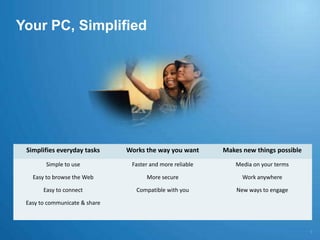
Your PC, Simplified5
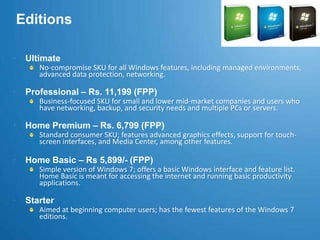
EditionsUltimateNo-compromise SKU for all Windows features, including managed environments, advanced data protection, networking.Professional – Rs. 11,199 (FPP)Business-focused SKU for small and lower mid-market companies and users who have networking, backup, and security needs and multiple PCs or servers.Home Premium – Rs. 6,799 (FPP)Standard consumer SKU; features advanced graphics effects, support for touch-screen interfaces, and Media Center, among other features.Home Basic – Rs 5,899/- (FPP)Simple version of Windows 7; offers a basic Windows interface and feature list.  Home Basic is meant for accessing the internet and running basic productivity applications.StarterAimed at beginning computer users; has the fewest features of the Windows 7 editions.
Minimum System Requirements1 GHz processor (32-bit or 64-bit)
1 GB of random access memory (RAM)
16 GB of free disk space
Support for DX9 graphics with 128 MB of memory (for the Aero interface)
A DVD-R/W driveSimplifies Everyday TasksFriday, October 23, 20098Microsoft Confidential
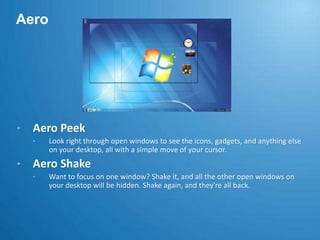
AeroAero Peek
Look right through open windows to see the icons, gadgets, and anything else on your desktop, all with a simple move of your cursor.
Aero Shake
Want to focus on one window? Shake it, and all the other open windows on your desktop will be hidden. Shake again, and they're all back.Desktop ProductivityJump Lists
Got a file, photo, or website you use a lot? Open it in two clicks. Jump Lists keep the most recent things you've used handy for faster access than ever.
Pin
Pin programs to the taskbar. Pin files to Jump Lists. Just like tacking notes on a bulletin board, you can use pin to keep the things you need close at hand.
Taskbar
Open files and get around your PC faster. You can even pin programs you use often to the taskbar so you can launch them in just one click.Desktop ProductivitySnap
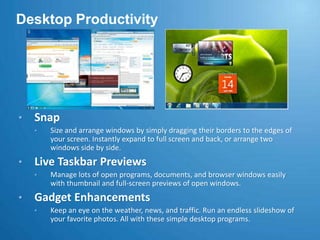
Size and arrange windows by simply dragging their borders to the edges of your screen. Instantly expand to full screen and back, or arrange two windows side by side.
Live Taskbar Previews
Manage lots of open programs, documents, and browser windows easily with thumbnail and full-screen previews of open windows.
Gadget Enhancements
Keep an eye on the weather, news, and traffic. Run an endless slideshow of your favorite photos. All with these simple desktop programs. Windows ApplicationsCalculator
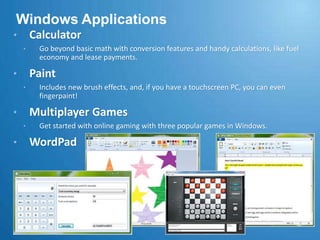
Go beyond basic math with conversion features and handy calculations, like fuel economy and lease payments.
Paint
Includes new brush effects, and, if you have a touchscreen PC, you can even fingerpaint!
Multiplayer Games
Get started with online gaming with three popular games in Windows.
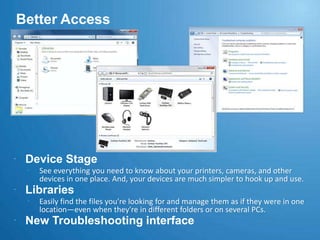
WordPadBetter AccessDevice StageSee everything you need to know about your printers, cameras, and other devices in one place. And, your devices are much simpler to hook up and use. LibrariesEasily find the files you're looking for and manage them as if they were in one location—even when they're in different folders or on several PCs.New Troubleshooting interface
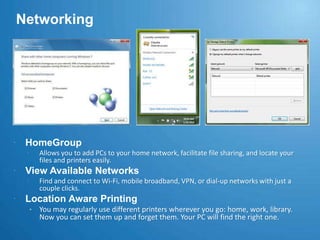
NetworkingHomeGroupAllows you to add PCs to your home network, facilitate file sharing, and locate your files and printers easily.View Available NetworksFind and connect to Wi-Fi, mobile broadband, VPN, or dial-up networks with just a couple clicks.Location Aware PrintingYou may regularly use different printers wherever you go: home, work, library. Now you can set them up and forget them. Your PC will find the right one.Internet Explorer 8Instant SearchThe search box now displays relevant suggestions the moment you start typing. IE 8 even uses your browsing history to narrow its suggestions. Results are also more visual—with weather reports, stock charts, photos, and other relevant images.AcceleratorsMakes it easier to do things without navigating to other websites. Simply highlight some text, then click the blue Accelerator icon that appears to see what you can do. Web SlicesIt can be a chore to keep up with fast-changing sites. Web Slices can do it for you. If something changes on that site, the Web Slices icon in your Favorites bar lights up. Point to the glowing icon to see what's changed.Compatibility ViewIf a webpage doesn't look right, just click the new Compatibility View button on the Address bar. The button corrects misaligned text or images on pages designed for older browsersWorks the Way You WantFriday, October 23, 200916Microsoft Confidential

Windows 7 Features

  • 1.
    Windows 7:Community LaunchAbhishek KantMVP Leadhttp://www.abhishekkant.net
  • 2.
    Friday, October 23,20092Microsoft Confidentialhttp://flickr.com/baxiabhishek
  • 3.
  • 4.
  • 5.
  • 6.
    EditionsUltimateNo-compromise SKU forall Windows features, including managed environments, advanced data protection, networking.Professional – Rs. 11,199 (FPP)Business-focused SKU for small and lower mid-market companies and users who have networking, backup, and security needs and multiple PCs or servers.Home Premium – Rs. 6,799 (FPP)Standard consumer SKU; features advanced graphics effects, support for touch-screen interfaces, and Media Center, among other features.Home Basic – Rs 5,899/- (FPP)Simple version of Windows 7; offers a basic Windows interface and feature list. Home Basic is meant for accessing the internet and running basic productivity applications.StarterAimed at beginning computer users; has the fewest features of the Windows 7 editions.
  • 7.
    Minimum System Requirements1GHz processor (32-bit or 64-bit)
  • 8.
    1 GB ofrandom access memory (RAM)
  • 9.
    16 GB offree disk space
  • 10.
    Support for DX9graphics with 128 MB of memory (for the Aero interface)
  • 11.
    A DVD-R/W driveSimplifiesEveryday TasksFriday, October 23, 20098Microsoft Confidential
  • 12.
  • 13.
    Look right throughopen windows to see the icons, gadgets, and anything else on your desktop, all with a simple move of your cursor.
  • 14.
  • 15.
    Want to focuson one window? Shake it, and all the other open windows on your desktop will be hidden. Shake again, and they're all back.Desktop ProductivityJump Lists
  • 16.
    Got a file,photo, or website you use a lot? Open it in two clicks. Jump Lists keep the most recent things you've used handy for faster access than ever.
  • 17.
  • 18.
    Pin programs tothe taskbar. Pin files to Jump Lists. Just like tacking notes on a bulletin board, you can use pin to keep the things you need close at hand.
  • 19.
  • 20.
    Open files andget around your PC faster. You can even pin programs you use often to the taskbar so you can launch them in just one click.Desktop ProductivitySnap
  • 21.
    Size and arrangewindows by simply dragging their borders to the edges of your screen. Instantly expand to full screen and back, or arrange two windows side by side.
  • 22.
  • 23.
    Manage lots ofopen programs, documents, and browser windows easily with thumbnail and full-screen previews of open windows.
  • 24.
  • 25.
    Keep an eyeon the weather, news, and traffic. Run an endless slideshow of your favorite photos. All with these simple desktop programs. Windows ApplicationsCalculator
  • 26.
    Go beyond basicmath with conversion features and handy calculations, like fuel economy and lease payments.
  • 27.
  • 28.
    Includes new brusheffects, and, if you have a touchscreen PC, you can even fingerpaint!
  • 29.
  • 30.
    Get started withonline gaming with three popular games in Windows.
  • 31.
    WordPadBetter AccessDevice StageSeeeverything you need to know about your printers, cameras, and other devices in one place. And, your devices are much simpler to hook up and use. LibrariesEasily find the files you're looking for and manage them as if they were in one location—even when they're in different folders or on several PCs.New Troubleshooting interface
  • 32.
    NetworkingHomeGroupAllows you toadd PCs to your home network, facilitate file sharing, and locate your files and printers easily.View Available NetworksFind and connect to Wi-Fi, mobile broadband, VPN, or dial-up networks with just a couple clicks.Location Aware PrintingYou may regularly use different printers wherever you go: home, work, library. Now you can set them up and forget them. Your PC will find the right one.Internet Explorer 8Instant SearchThe search box now displays relevant suggestions the moment you start typing. IE 8 even uses your browsing history to narrow its suggestions. Results are also more visual—with weather reports, stock charts, photos, and other relevant images.AcceleratorsMakes it easier to do things without navigating to other websites. Simply highlight some text, then click the blue Accelerator icon that appears to see what you can do. Web SlicesIt can be a chore to keep up with fast-changing sites. Web Slices can do it for you. If something changes on that site, the Web Slices icon in your Favorites bar lights up. Point to the glowing icon to see what's changed.Compatibility ViewIf a webpage doesn't look right, just click the new Compatibility View button on the Address bar. The button corrects misaligned text or images on pages designed for older browsersWorks the Way You WantFriday, October 23, 200916Microsoft Confidential

Editor's Notes

  • #27 EXTERNAL versionGoal:Drive community participation on the Microsoft Answers sitesSpeaking points:Why participate?Visibility- this is looked upon as a key communtiy contribution when it comes to evaluating new/renewing MVPs.Official Support site- when a consumer has a question, they are most often going to go to the support site offered by the provider of the product or service. In this case, that would be Microsoft Answers. Get started from the beginning in this promising and vibrant community.Consumer-centric- Scoped entirely to the needs of consumers, your answers won’t be lost amidst content provided by developers and IT professionals. Get your voice heard in our carefully scope, but easily accessible support site.