BY: P.H.SUBHAN   BABU
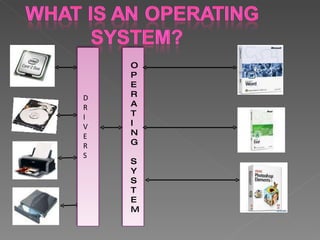
D R I V E R S O P E R A T I N G S Y S T E M
Requirements high. Over Price. Requires more powerful  Hardware. The 3 buttons got reduced in their sizes. Making them unclear to aged people with eyesight problems. Driver problems.
WINDOWS 7 OS is the latest version of Microsoft Windows. It is a series of OS produced by MICROSOFT Corp. WINDOWS  7 OS Beta vesion  was released on July 22 nd  2009. WINDOWS  7 OS with general retail availability set will be  released on  October 22 nd  2009.
More user-centric. Performance improvements. Microsoft was used a variety of new tracing tools  to measure the performance of OS. WINDOWS 7 is a Refined version of WINDOWS VISTA.
It works the way you want: Everyday Tasks are Faster & Easier: Performance,reliability,security. Designed to be compatible. Make it easier to keep our PC running smoothly Sharing data across all our PCs & devices is easier too.  Internet Explorer 8 provides a faster, safer &  more productive web Experience
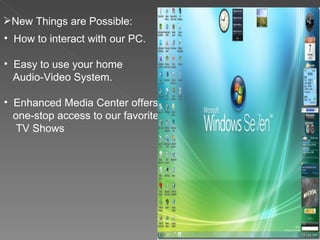
New Things are Possible: How to interact with our PC. Easy to use your home Audio-Video System. Enhanced Media Center offers one-stop access to our favorite  TV Shows
Enhanced Windows TaskBar. Jump Lists. Windows Aero Desktop Enhancements. Windows Touch. Internet Explorer 8
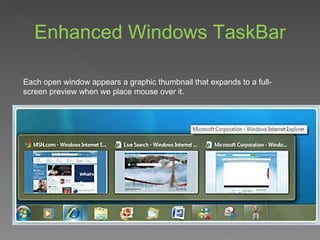
Enhanced Windows TaskBar Each open window appears a graphic thumbnail that expands to a full-screen preview when we place mouse over it.
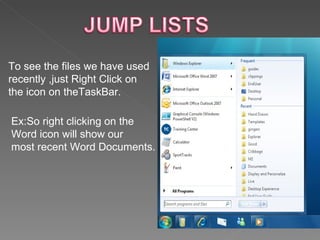
To see the files we have used  recently ,just Right Click on  the icon on theTaskBar. Ex:So right clicking on the  Word icon will show our  most recent Word Documents.
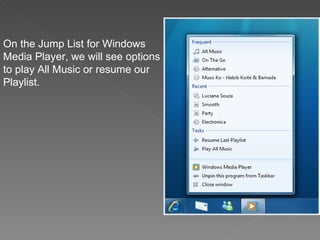
On the Jump List for Windows Media Player, we will see options to play All Music or resume our Playlist.
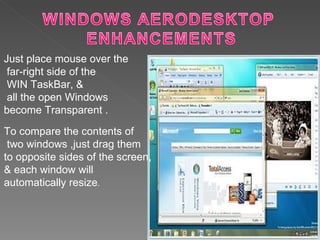
Just place mouse over the far-right side of the WIN TaskBar, & all the open Windows  become Transparent . To compare the contents of two windows ,just drag them  to opposite sides of the screen, & each window will  automatically resize .
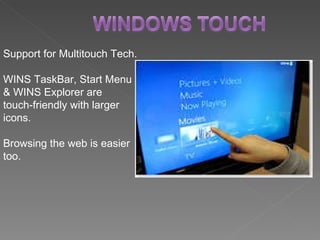
Support for Multitouch Tech. WINS TaskBar, Start Menu  & WINS Explorer are  touch-friendly with larger  icons. Browsing the web is easier too.
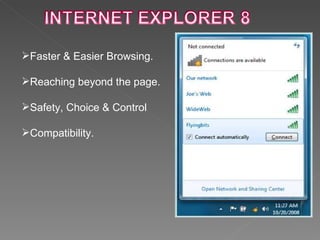
Faster & Easier Browsing. Reaching beyond the page. Safety, Choice & Control Compatibility.
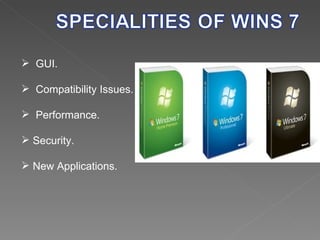
GUI. Compatibility Issues. Performance. Security.  New Applications.
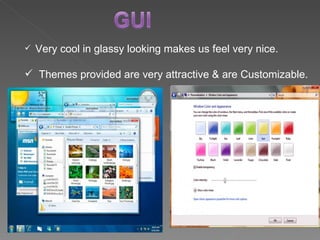
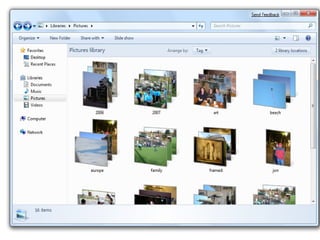
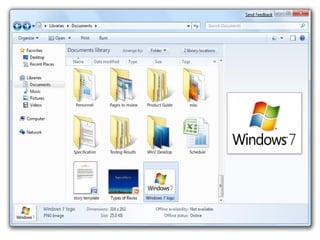
Very cool in glassy looking makes us feel very nice. Themes provided are very attractive & are Customizable.
 
 
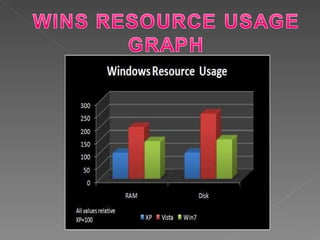
Compatibility Issues: Supports all different kinds of graphics cards. Performance : Supports upto 256 logical processors. Instead of WINS Defragmenter it provides TRIM command  to erase the data . Security: Delivers new capabilities to better protect our security & privacy  Such as User Account Control & WINS Defender easier to use.
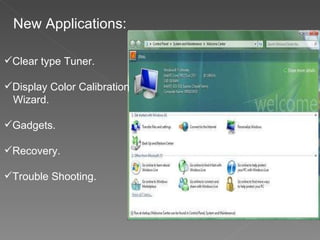
New Applications: Clear type Tuner. Display Color Calibration  Wizard. Gadgets. Recovery. Trouble Shooting.
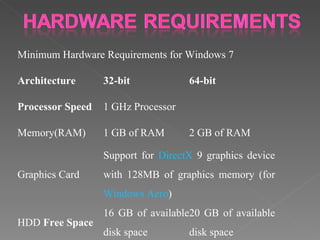
Minimum Hardware Requirements for Windows 7 Architecture 32-bit 64-bit Processor Speed 1 GHz Processor Memory(RAM) 1 GB of RAM 2 GB of RAM Graphics Card Support for  DirectX  9 graphics device with 128MB of graphics memory (for  Windows Aero ) HDD  Free Space 16 GB of available disk space 20 GB of available disk space
 
Apart from all these features, we will get very good feeling & we never shift to any other OS once we start working with  WINDOWS 7 OS.


Windows 7 OS

  • 1.
  • 2.
  • 3.
    D R IV E R S O P E R A T I N G S Y S T E M
  • 4.
    Requirements high. OverPrice. Requires more powerful Hardware. The 3 buttons got reduced in their sizes. Making them unclear to aged people with eyesight problems. Driver problems.
  • 5.
    WINDOWS 7 OSis the latest version of Microsoft Windows. It is a series of OS produced by MICROSOFT Corp. WINDOWS 7 OS Beta vesion was released on July 22 nd 2009. WINDOWS 7 OS with general retail availability set will be released on October 22 nd 2009.
  • 6.
    More user-centric. Performanceimprovements. Microsoft was used a variety of new tracing tools to measure the performance of OS. WINDOWS 7 is a Refined version of WINDOWS VISTA.
  • 7.
    It works theway you want: Everyday Tasks are Faster & Easier: Performance,reliability,security. Designed to be compatible. Make it easier to keep our PC running smoothly Sharing data across all our PCs & devices is easier too. Internet Explorer 8 provides a faster, safer & more productive web Experience
  • 8.
    New Things arePossible: How to interact with our PC. Easy to use your home Audio-Video System. Enhanced Media Center offers one-stop access to our favorite TV Shows
  • 9.
    Enhanced Windows TaskBar.Jump Lists. Windows Aero Desktop Enhancements. Windows Touch. Internet Explorer 8
  • 10.
    Enhanced Windows TaskBarEach open window appears a graphic thumbnail that expands to a full-screen preview when we place mouse over it.
  • 11.
    To see thefiles we have used recently ,just Right Click on the icon on theTaskBar. Ex:So right clicking on the Word icon will show our most recent Word Documents.
  • 12.
    On the JumpList for Windows Media Player, we will see options to play All Music or resume our Playlist.
  • 13.
    Just place mouseover the far-right side of the WIN TaskBar, & all the open Windows become Transparent . To compare the contents of two windows ,just drag them to opposite sides of the screen, & each window will automatically resize .
  • 14.
    Support for MultitouchTech. WINS TaskBar, Start Menu & WINS Explorer are touch-friendly with larger icons. Browsing the web is easier too.
  • 15.
    Faster & EasierBrowsing. Reaching beyond the page. Safety, Choice & Control Compatibility.
  • 16.
    GUI. Compatibility Issues.Performance. Security. New Applications.
  • 17.
    Very cool inglassy looking makes us feel very nice. Themes provided are very attractive & are Customizable.
  • 18.
  • 19.
  • 20.
    Compatibility Issues: Supportsall different kinds of graphics cards. Performance : Supports upto 256 logical processors. Instead of WINS Defragmenter it provides TRIM command to erase the data . Security: Delivers new capabilities to better protect our security & privacy Such as User Account Control & WINS Defender easier to use.
  • 21.
    New Applications: Cleartype Tuner. Display Color Calibration Wizard. Gadgets. Recovery. Trouble Shooting.
  • 22.
    Minimum Hardware Requirementsfor Windows 7 Architecture 32-bit 64-bit Processor Speed 1 GHz Processor Memory(RAM) 1 GB of RAM 2 GB of RAM Graphics Card Support for DirectX 9 graphics device with 128MB of graphics memory (for Windows Aero ) HDD Free Space 16 GB of available disk space 20 GB of available disk space
  • 23.
  • 24.
    Apart from allthese features, we will get very good feeling & we never shift to any other OS once we start working with WINDOWS 7 OS.
  • 25.
  • 26.