Let’s Know About
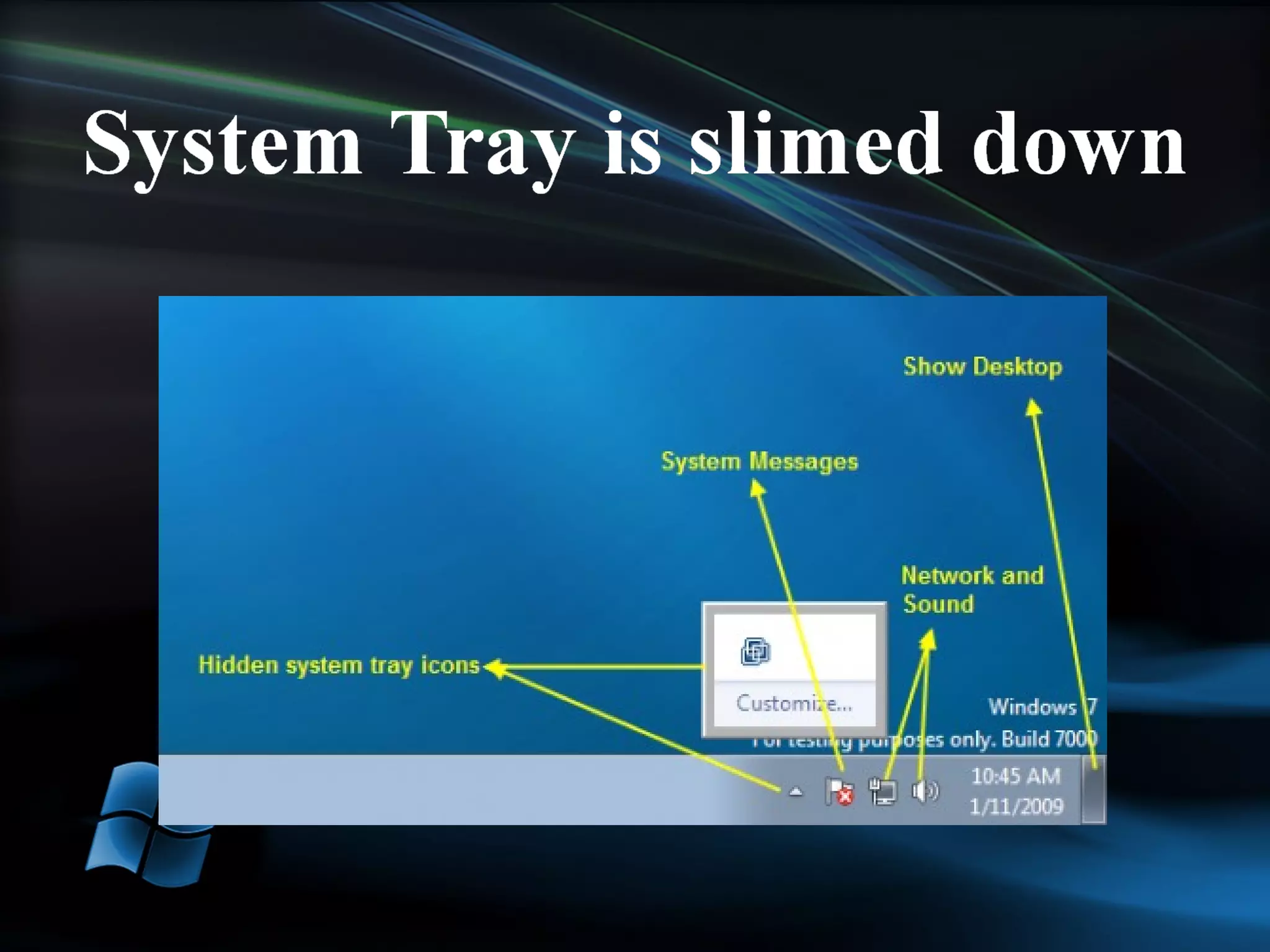
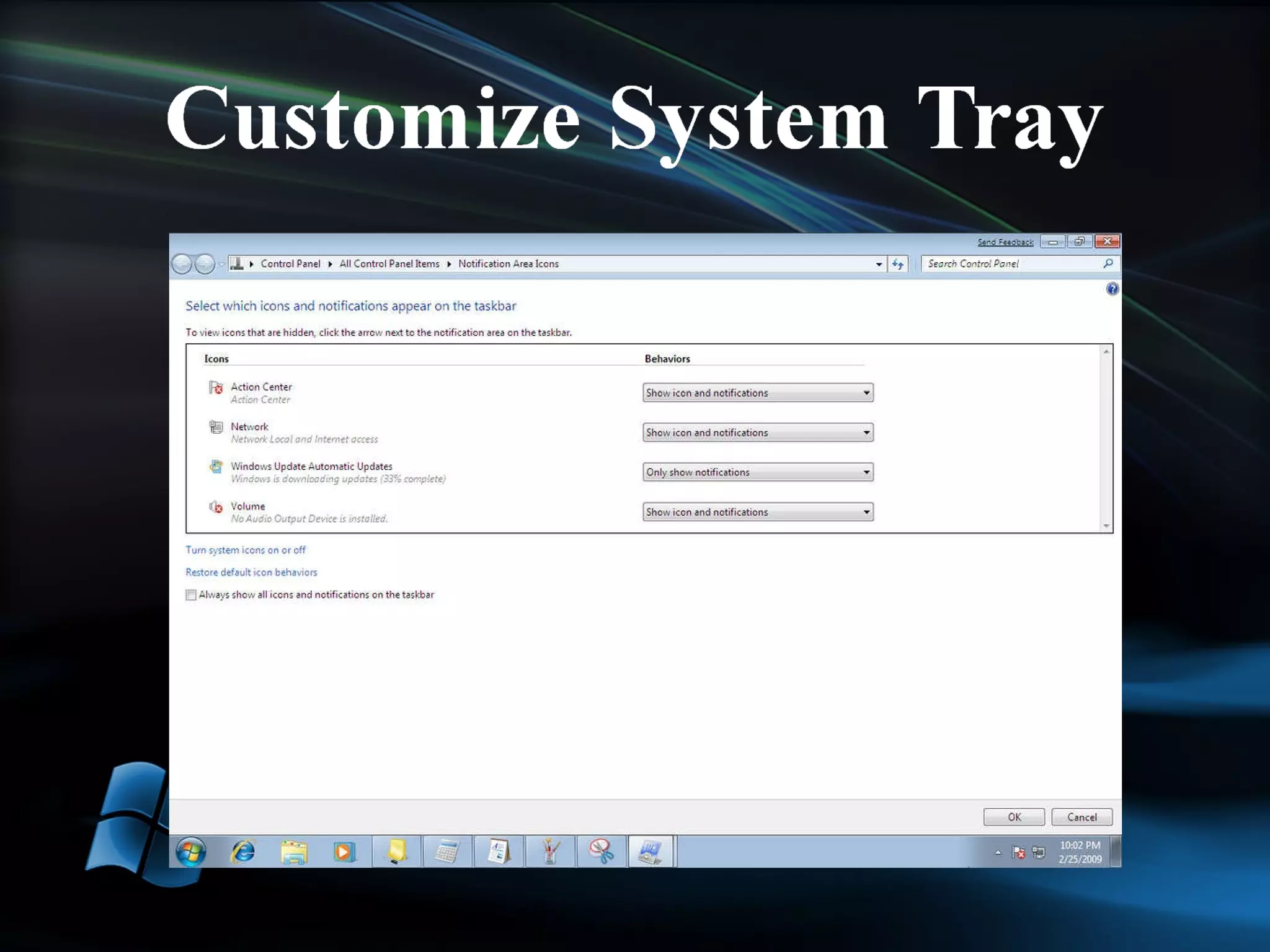
Better Memory Management Jump Lists Moveable taskbar icons Customize UAC Snap Windows to screen edges Control over System Tray icons Media Player Lightweight mode
Windows 7 Starter Windows 7 Home Basic Windows 7 Home Premium: Recommended Choice for Consumers Windows 7 Professional: Recommended Choice for Enthusiasts and Small Business Customers Windows 7 Enterprise Windows 7 Ultimate
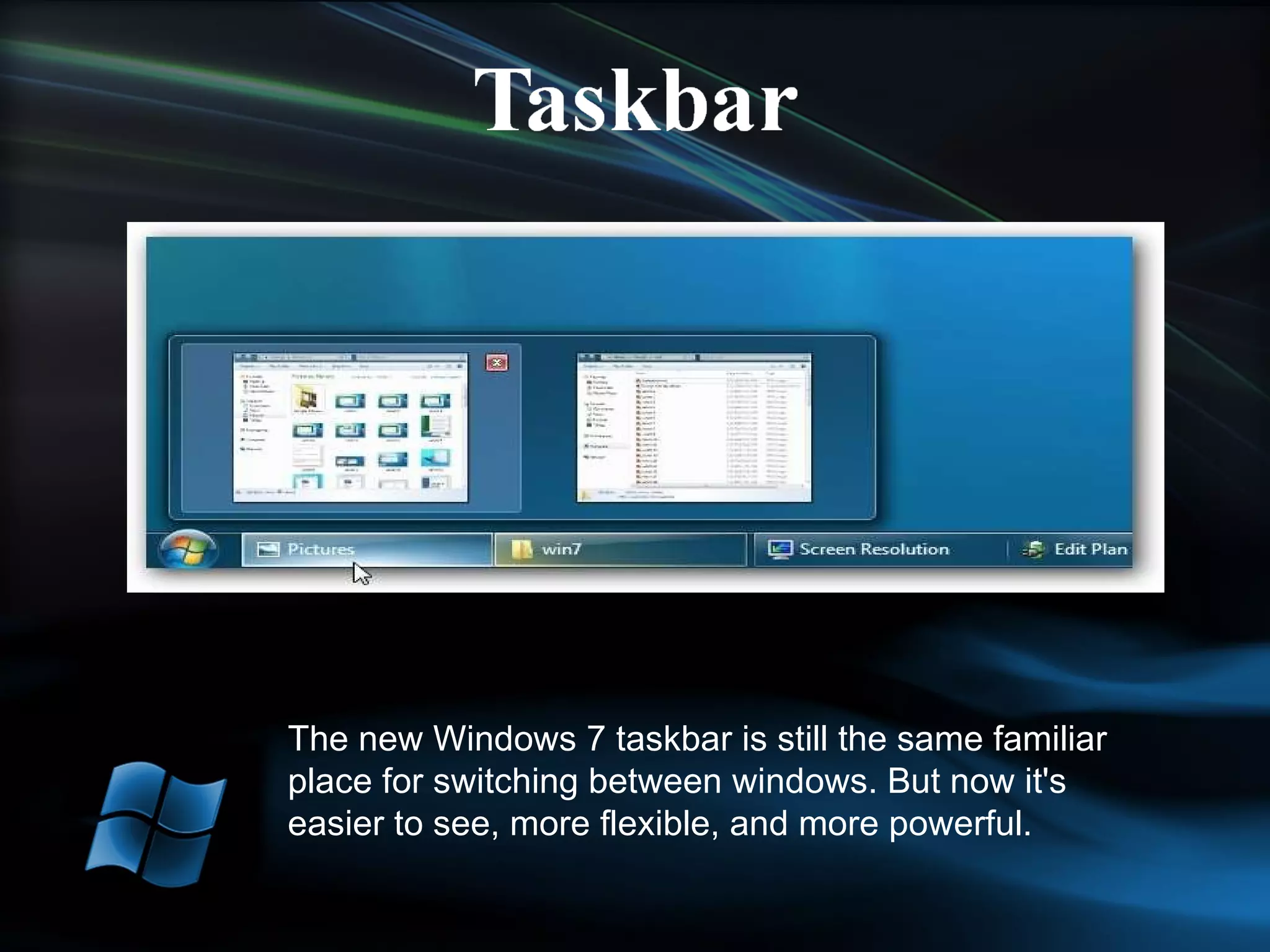
Thumbnails can represent devices and applications Quick Launch Toolbar is gone Taskbar icons can be moved and pinned as desired by the user
The new Windows 7 taskbar is still the same familiar place for switching between windows. But now it's easier to see, more flexible, and more powerful.
One click access to tasks associated with an application Extends the recent documents feature from XP and Vista and tying it to specific applications. Start menu goes back to the two panes of Windows XP. If an application uses the standard ‘Most Recent Documents’ feature, it automatically gets a Jump List in the Start menu as well as on the Taskbar
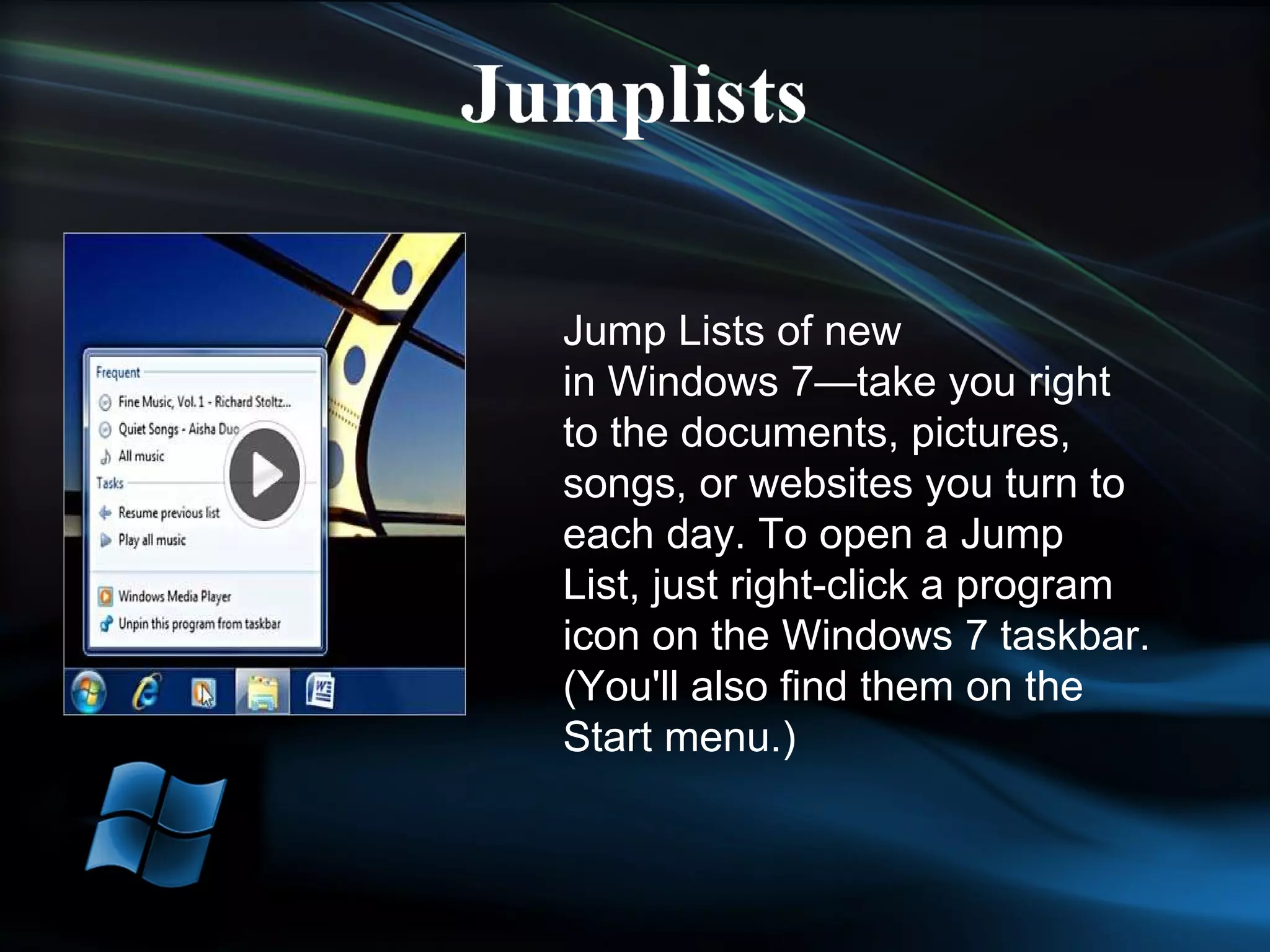
Jump Lists of new in Windows 7—take you right to the documents, pictures, songs, or websites you turn to each day. To open a Jump List, just right-click a program icon on the Windows 7 taskbar. (You'll also find them on the Start menu.)
Snap to full size and then restore. When multiple windows are open if you drag one to the edge they automatically tile.
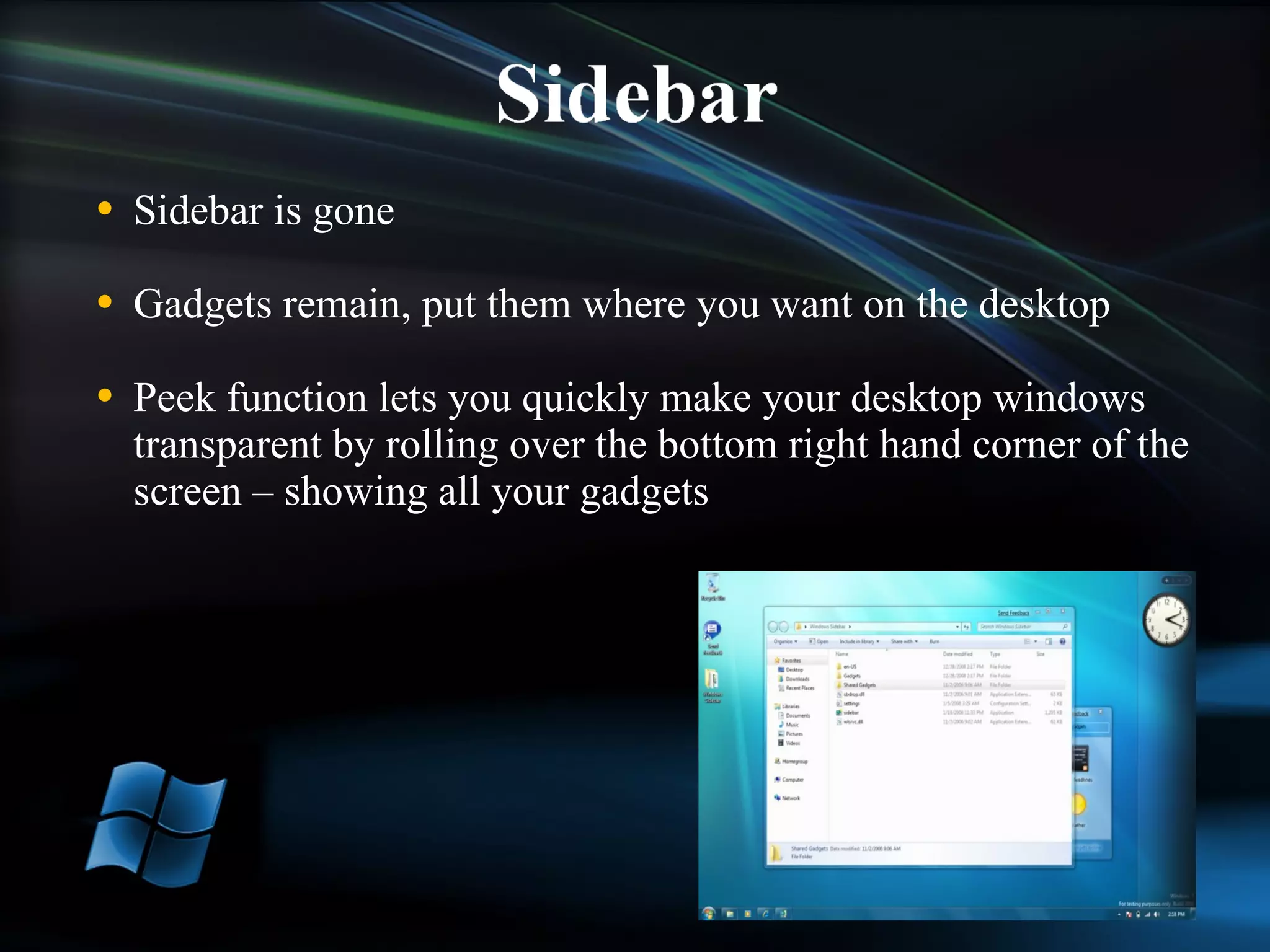
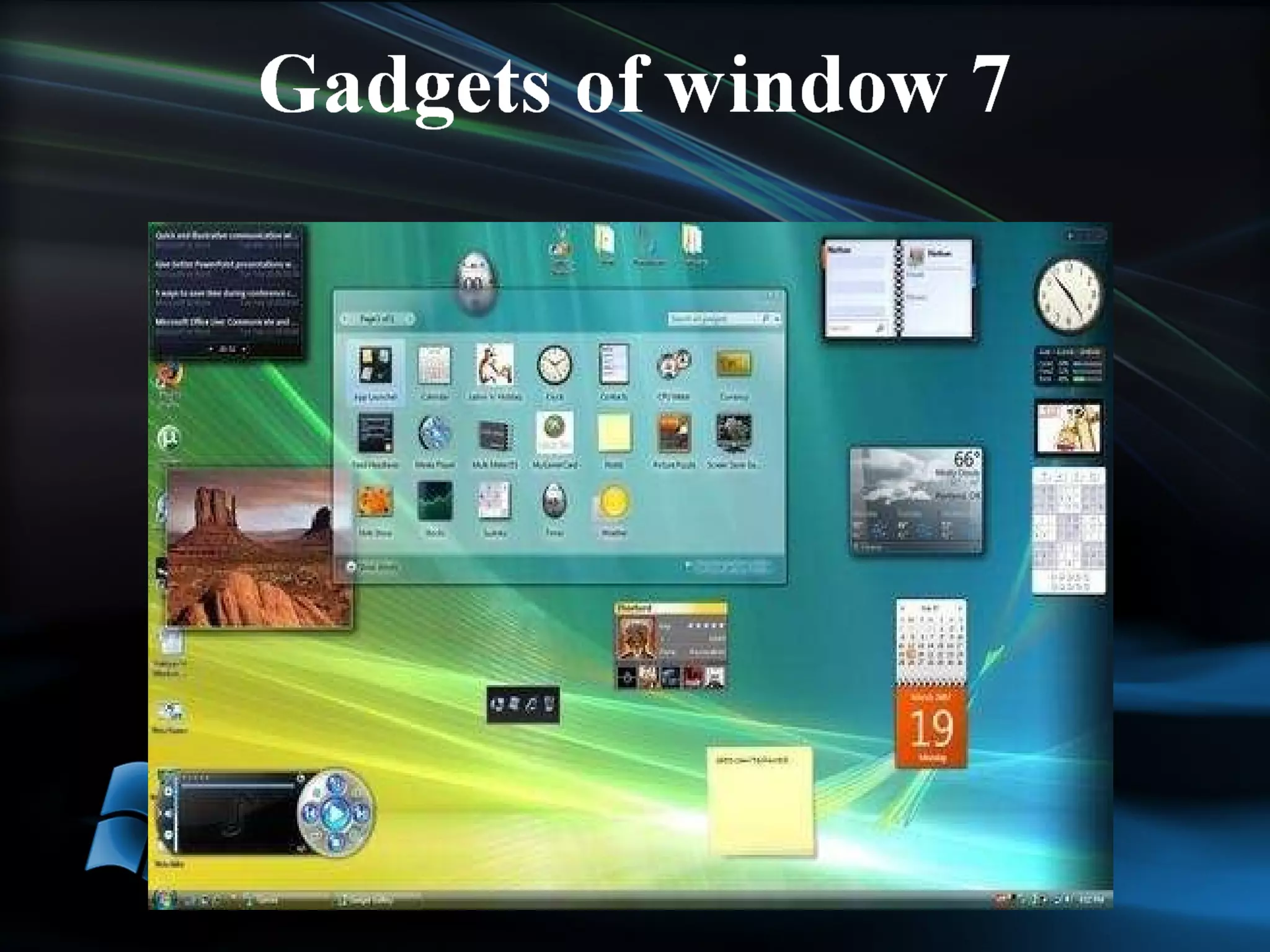
Sidebar is gone Gadgets remain, put them where you want on the desktop Peek function lets you quickly make your desktop windows transparent by rolling over the bottom right hand corner of the screen – showing all your gadgets


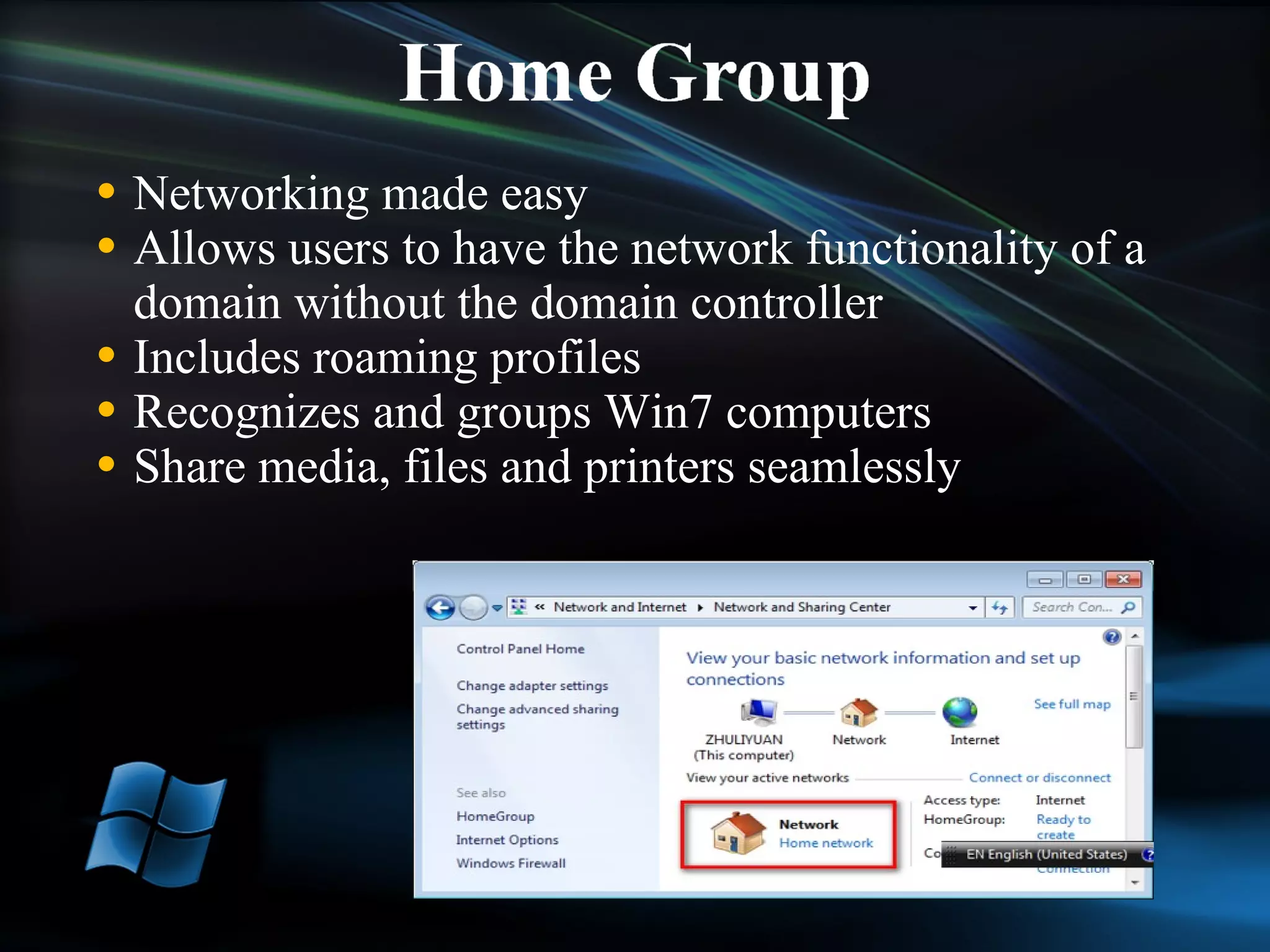
Networking made easy Allows users to have the network functionality of a domain without the domain controller Includes roaming profiles Recognizes and groups Win7 computers Share media, files and printers seamlessly
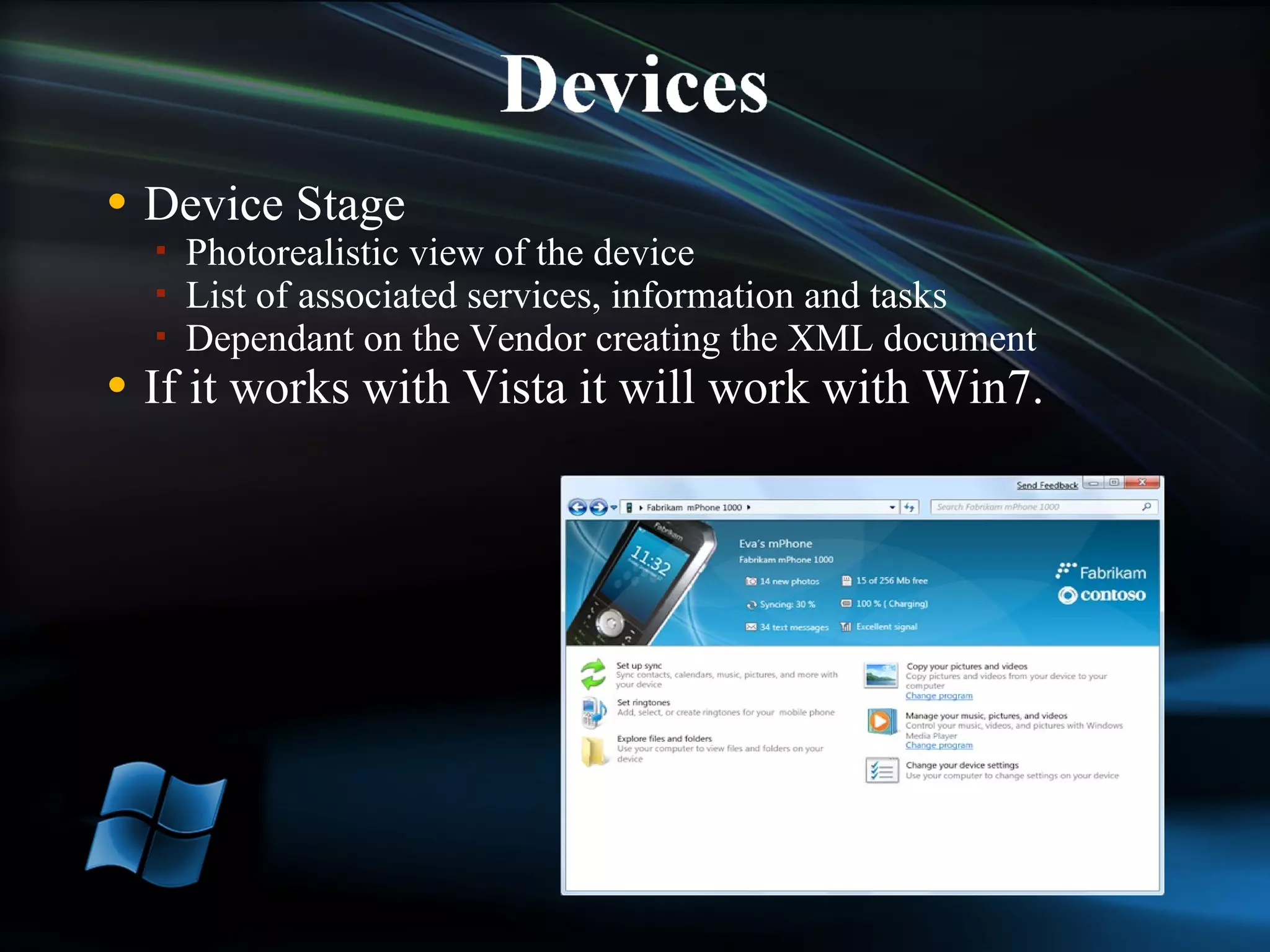
Device Stage Photorealistic view of the device List of associated services, information and tasks Dependant on the Vendor creating the XML document If it works with Vista it will work with Win7.
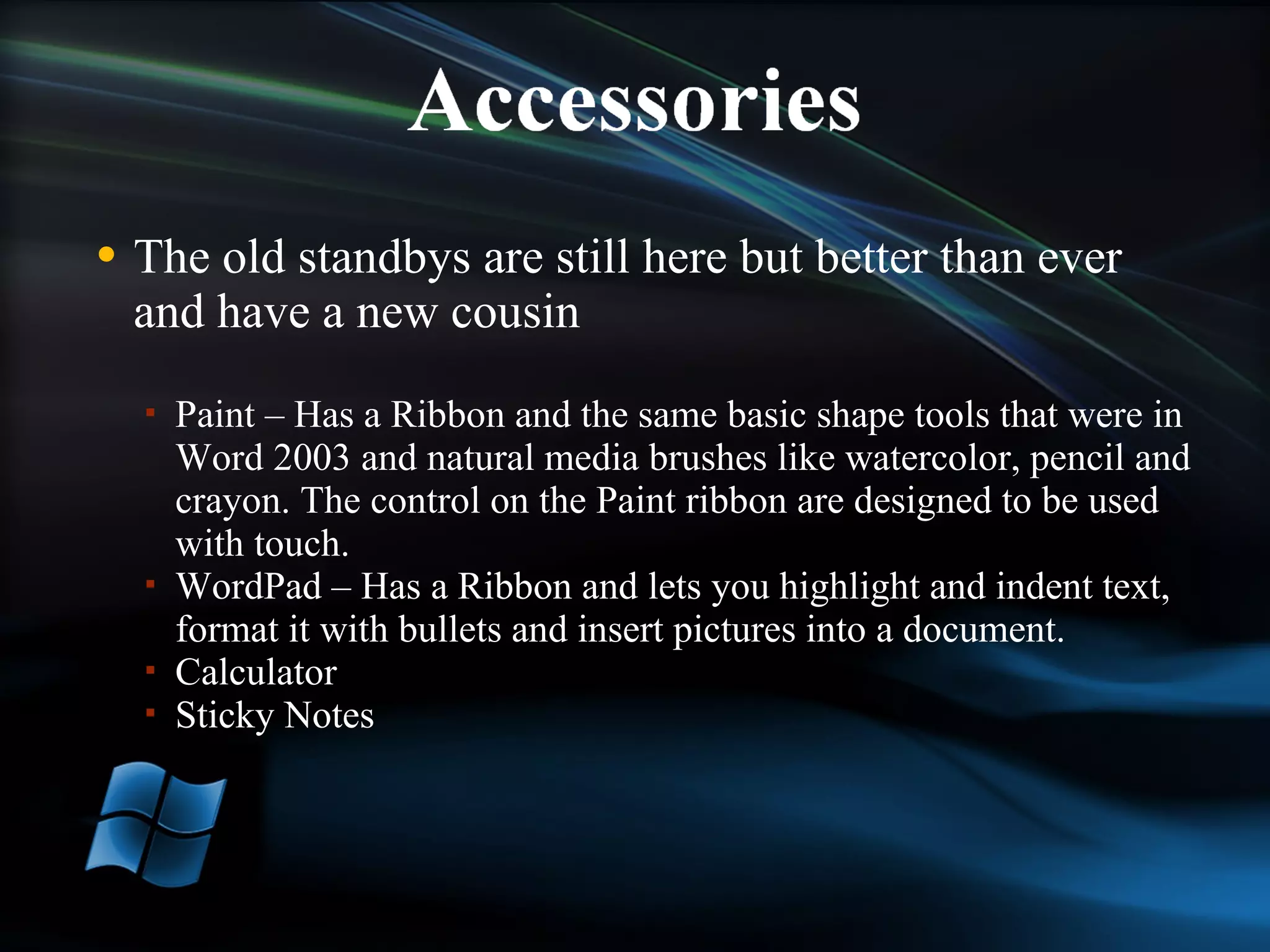
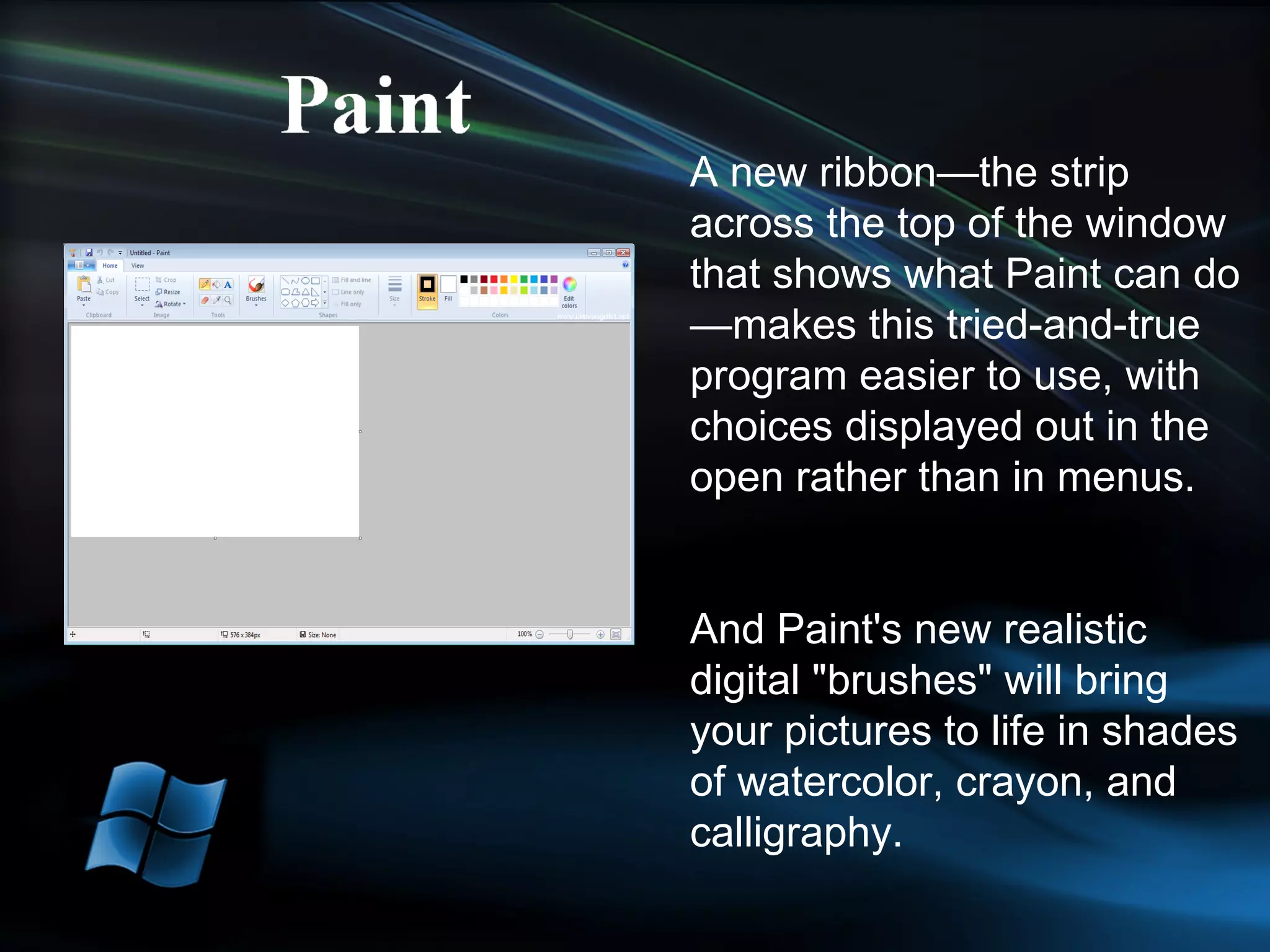
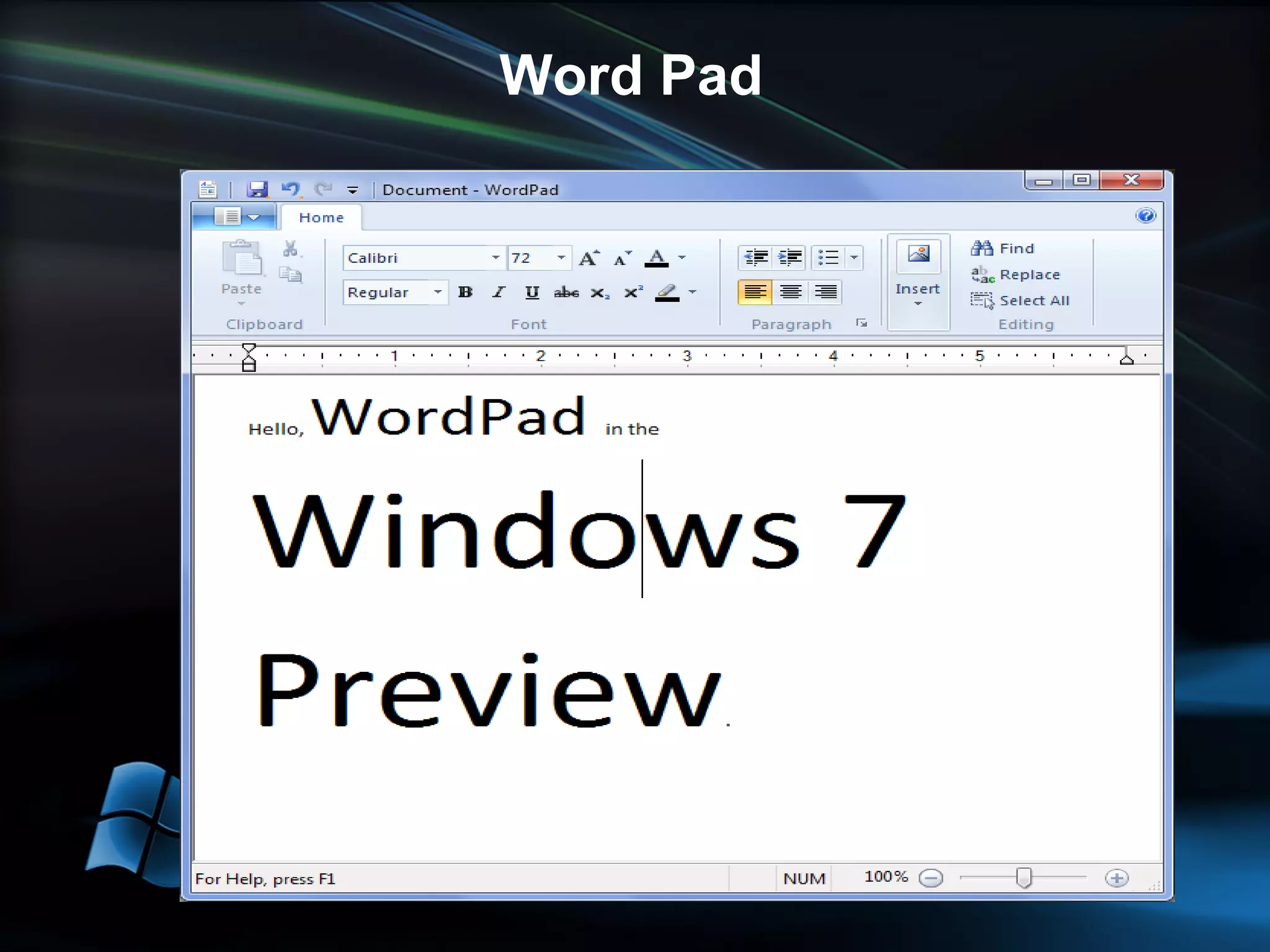
The old standbys are still here but better than ever and have a new cousin  Paint – Has a Ribbon and the same basic shape tools that were in Word 2003 and natural media brushes like watercolor, pencil and crayon. The control on the Paint ribbon are designed to be used with touch. WordPad – Has a Ribbon and lets you highlight and indent text, format it with bullets and insert pictures into a document.  Calculator Sticky Notes
A new ribbon—the strip across the top of the window that shows what Paint can do—makes this tried-and-true program easier to use, with choices displayed out in the open rather than in menus. And Paint's new realistic digital "brushes" will bring your pictures to life in shades of watercolor, crayon, and calligraphy.
Word Pad
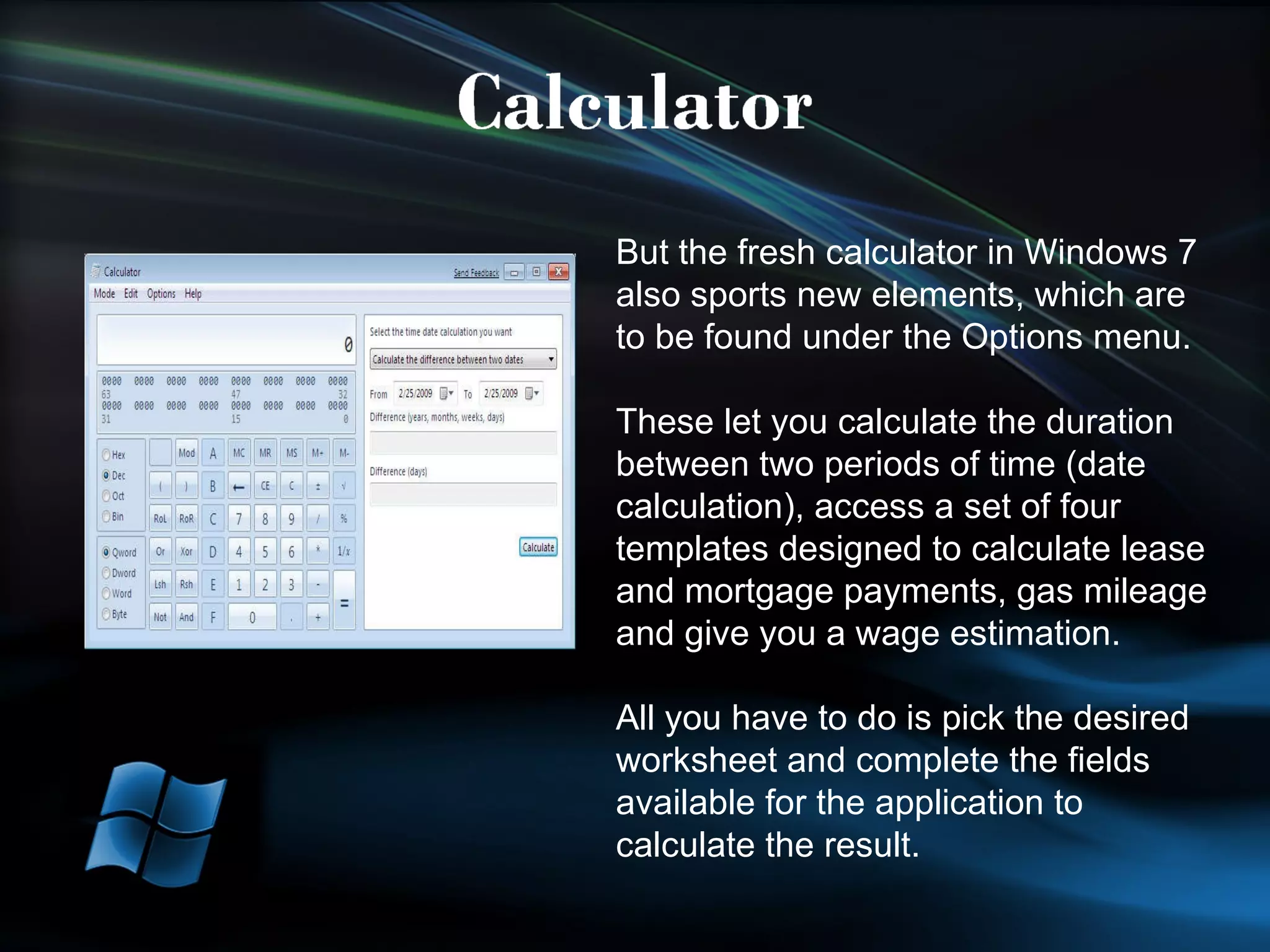
But the fresh calculator in Windows 7 also sports new elements, which are to be found under the Options menu. These let you calculate the duration between two periods of time (date calculation), access a set of four templates designed to calculate lease and mortgage payments, gas mileage and give you a wage estimation.  All you have to do is pick the desired worksheet and complete the fields available for the application to calculate the result.
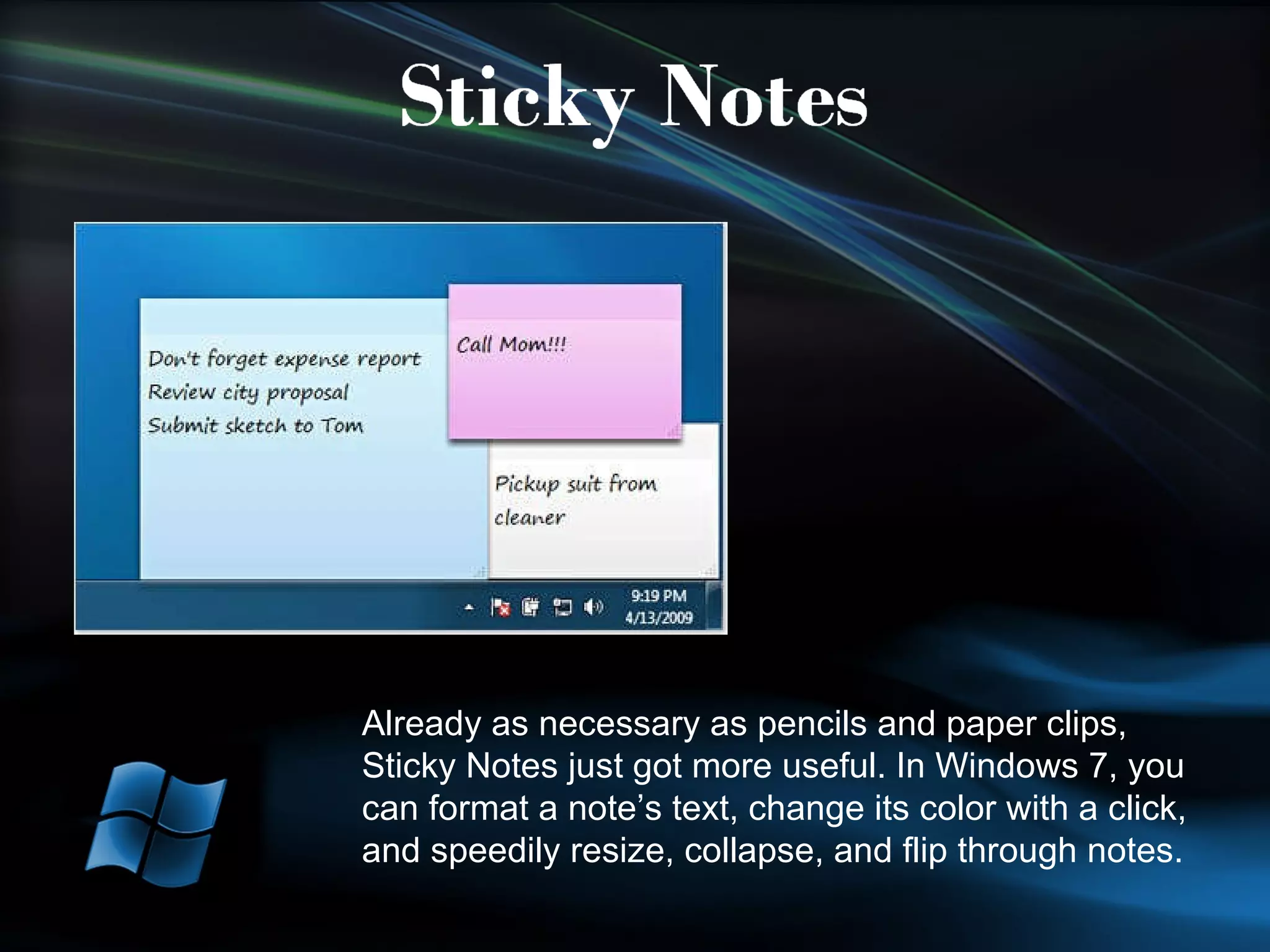
Already as necessary as pencils and paper clips, Sticky Notes just got more useful. In Windows 7, you can format a note’s text, change its color with a click, and speedily resize, collapse, and flip through notes.
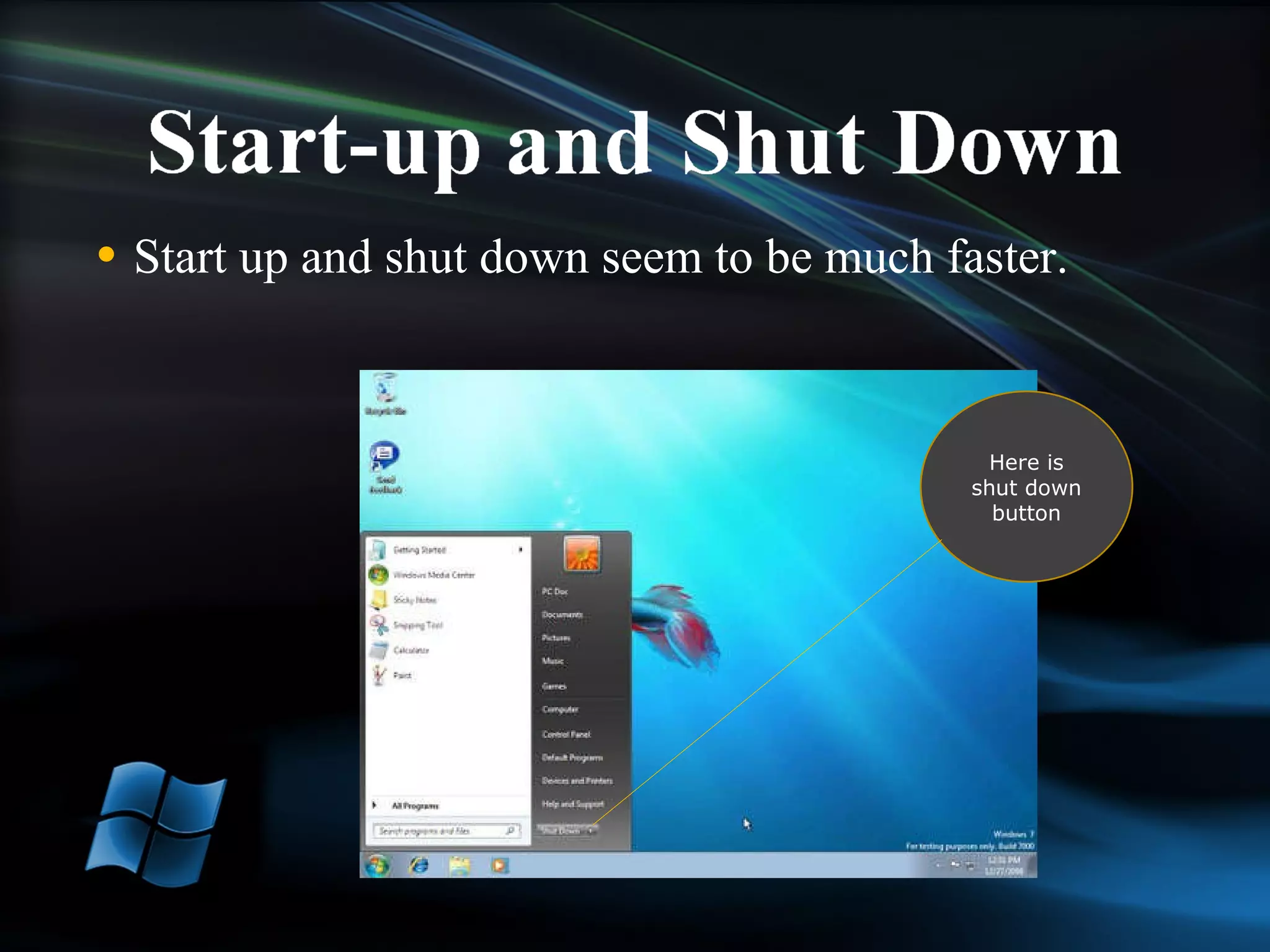
Start up and shut down seem to be much faster. Here is shut down button
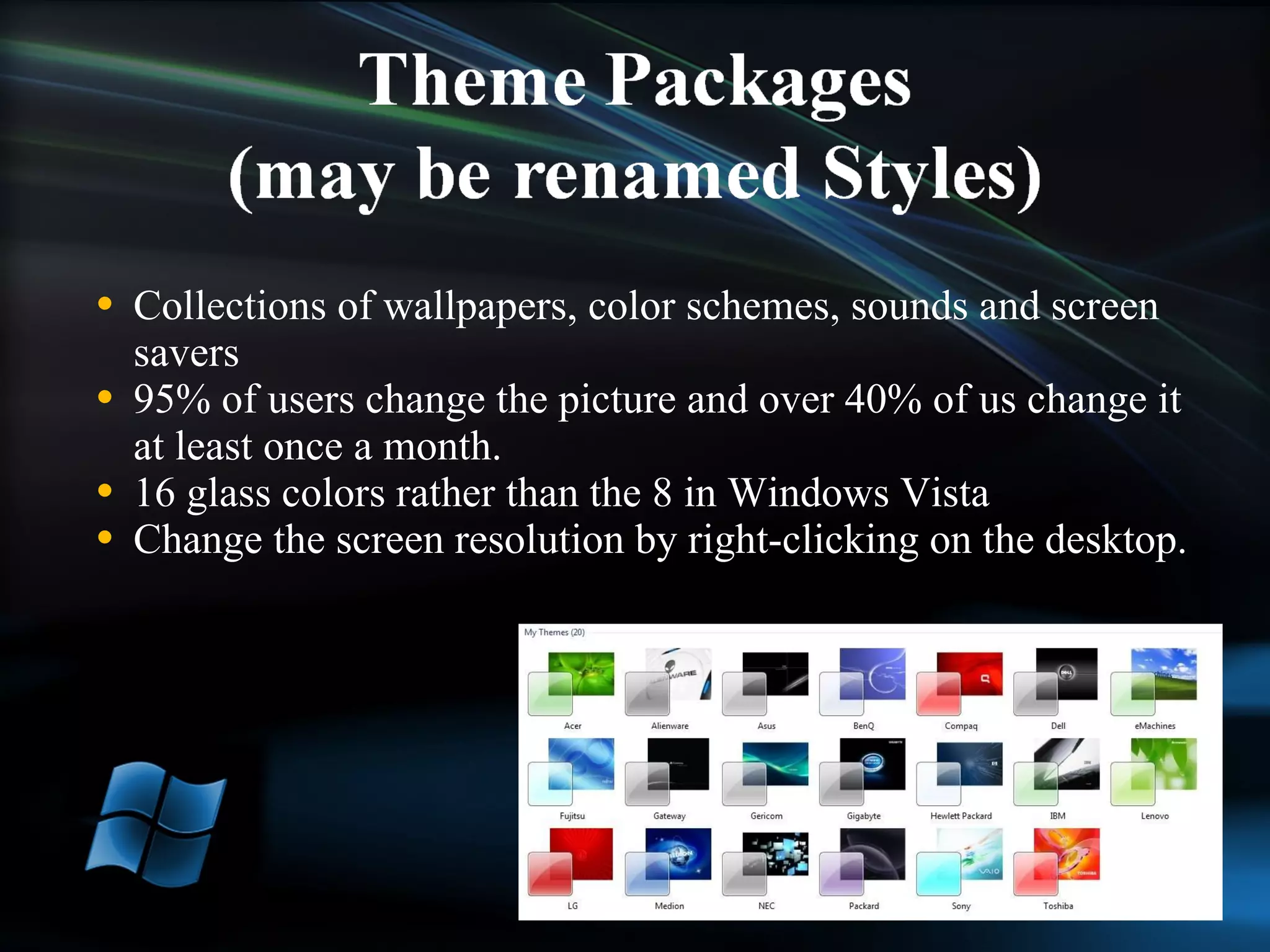
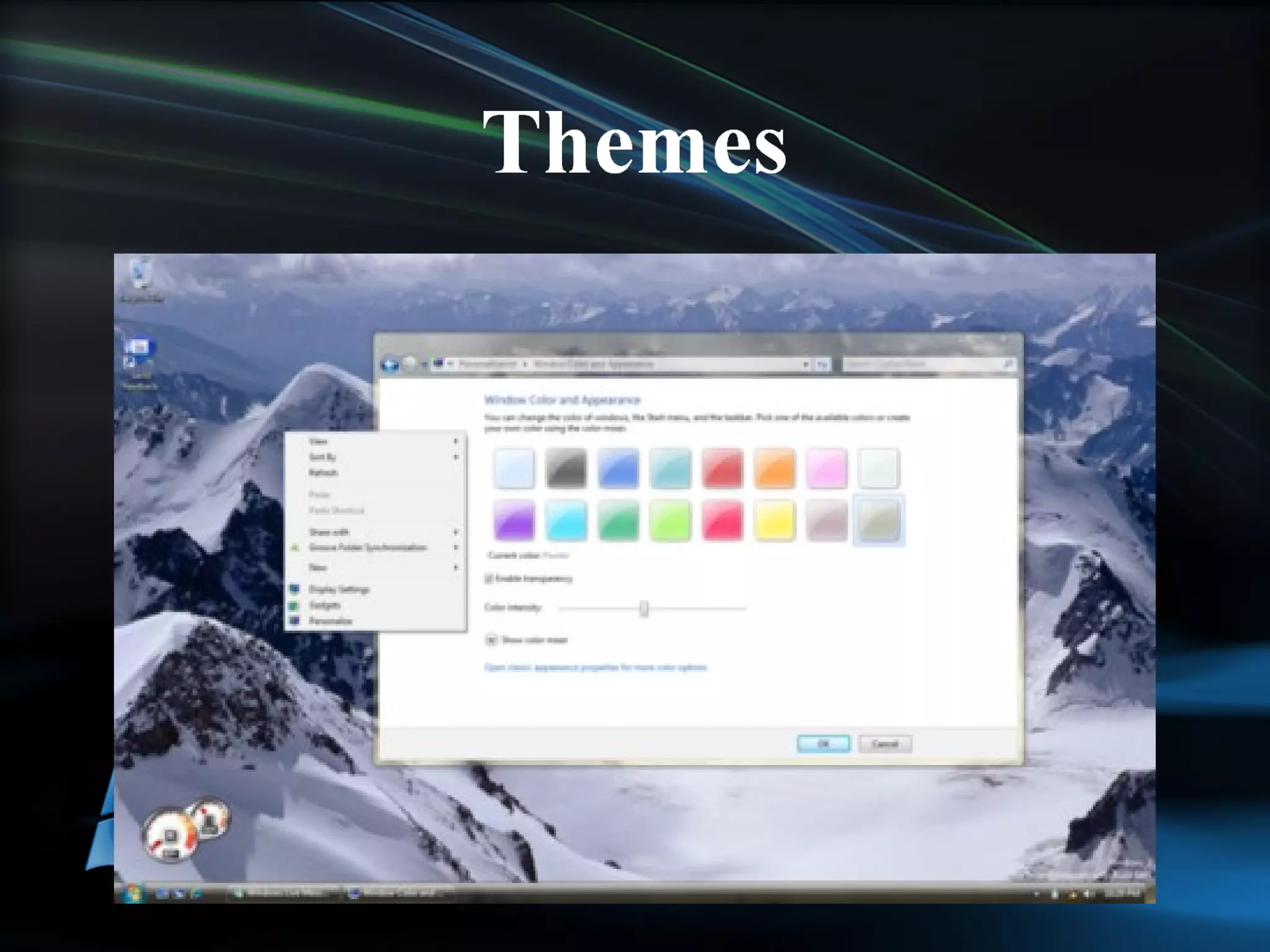
Collections of wallpapers, color schemes, sounds and screen savers 95% of users change the picture and over 40% of us change it at least once a month.  16 glass colors rather than the 8 in Windows Vista Change the screen resolution by right-clicking on the desktop.
 
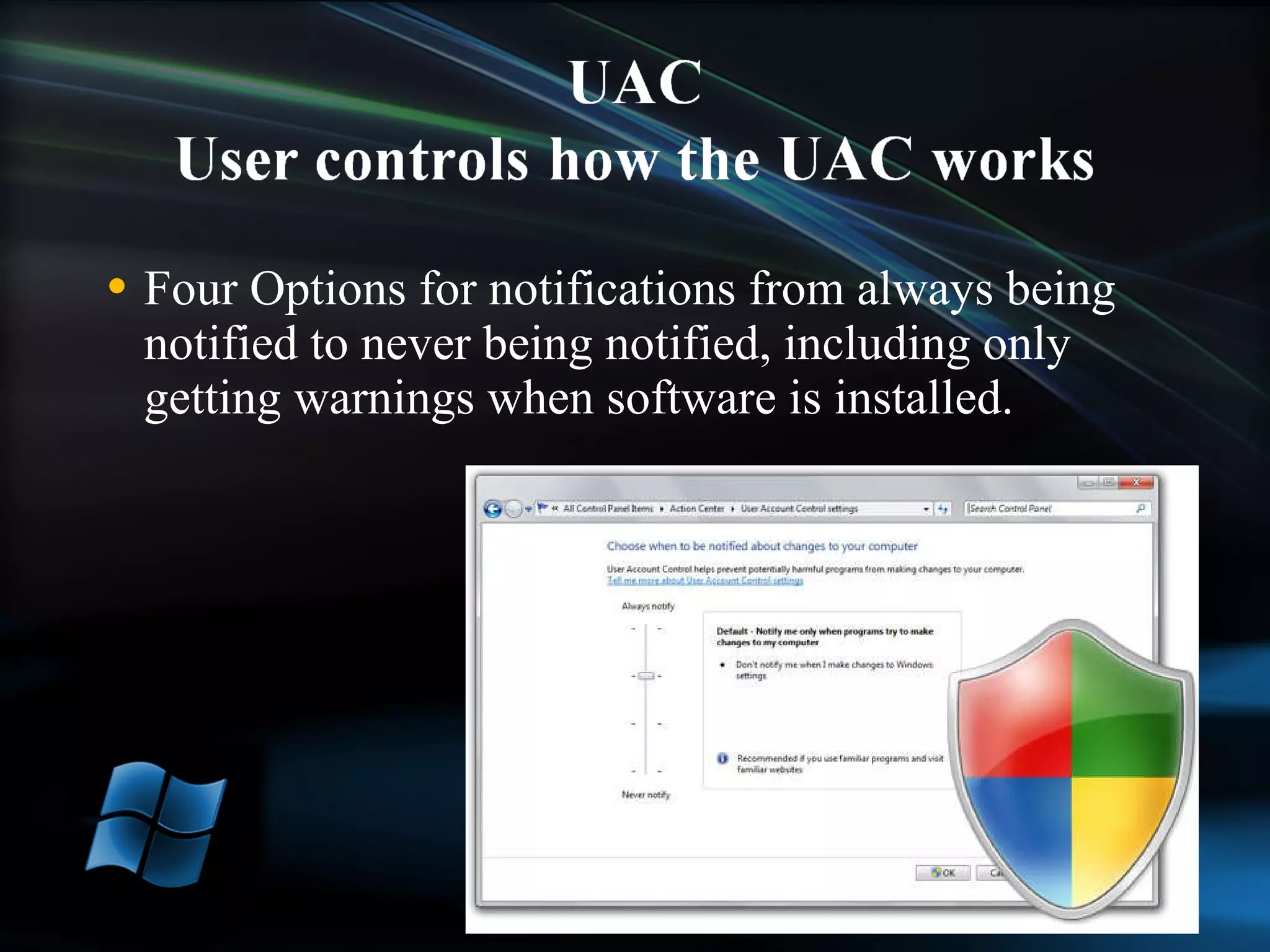
Four Options for notifications from always being notified to never being notified, including only getting warnings when software is installed.
Tries to bring all the functions associated with a device into one place in the new Printer and Devices folder.  Each Device Stage is written and branded by the device manufacturer with buttons to common tasks, services and applications. Can include links to online services and customer support if the manufacturer wants to add them.
 
 
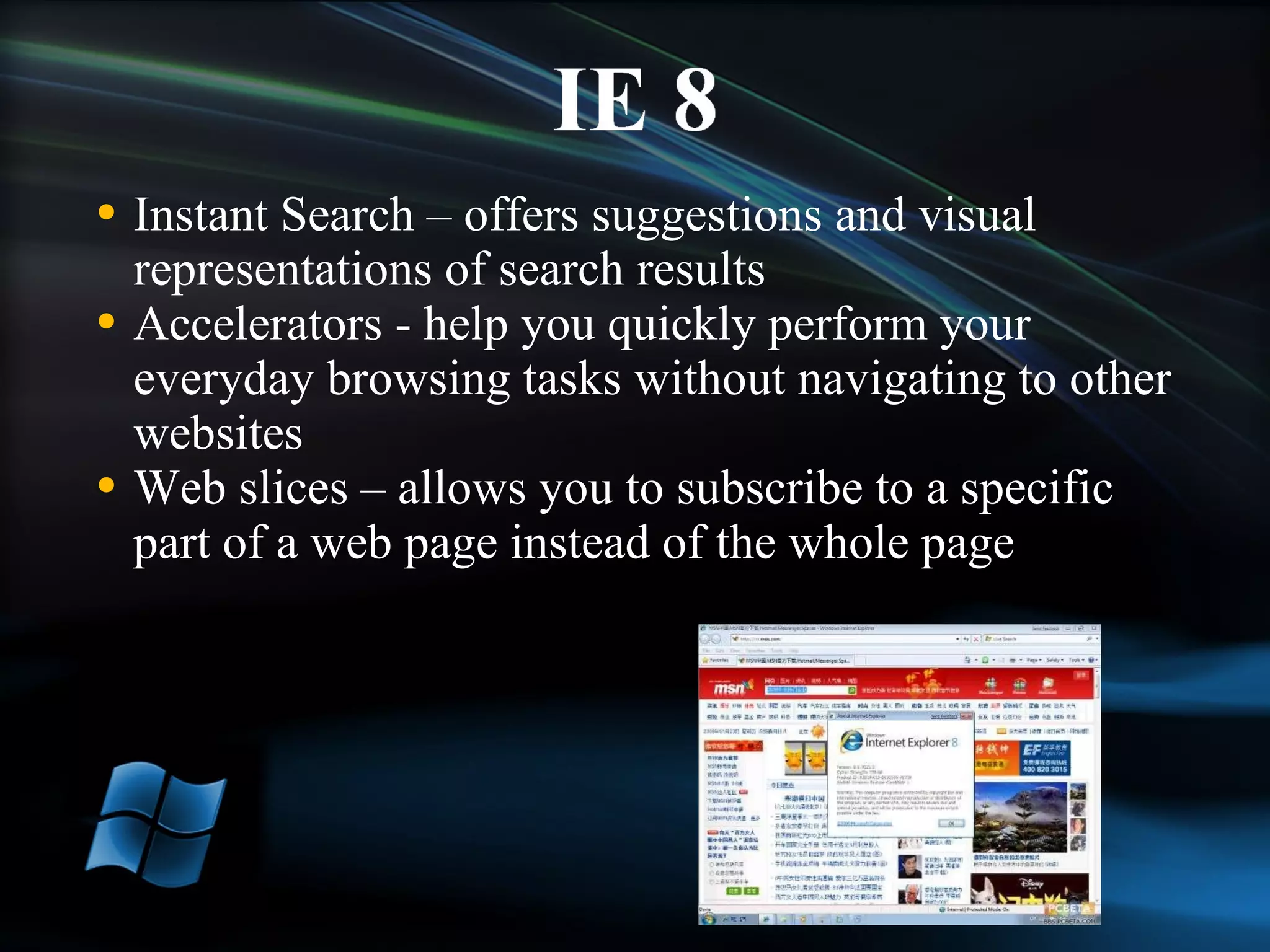
Instant Search – offers suggestions and visual representations of search results Accelerators - help you quickly perform your everyday browsing tasks without navigating to other websites Web slices – allows you to subscribe to a specific part of a web page instead of the whole page
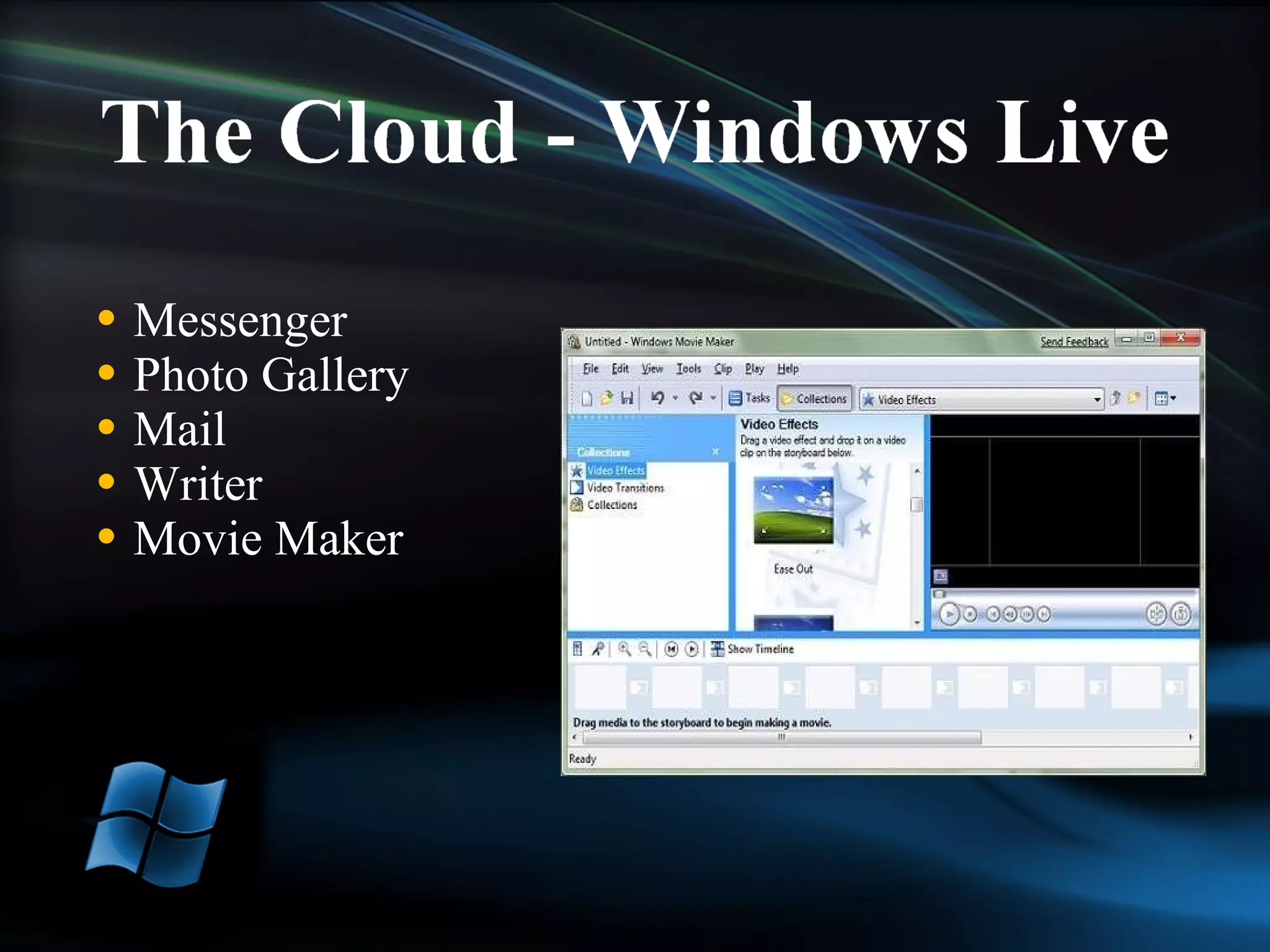
Messenger Photo Gallery Mail Writer  Movie Maker
Early Beta is out currently Expect at least two more beta versions Beta versions should be close to final but may have differences Anticipated RTM is 4Q 2009
Name is rumored to be Office 2009 or Office 14 On line versions of Word, Excel, PowerPoint and OneNote The key changes in Office 14 seem to be centered in the collaboration tools.  Do not expect major changes in the interface based on the screen shots that have been leaked. Beta 1 is anticipated 2Q 2009 with RTM late 2009 or early 2010
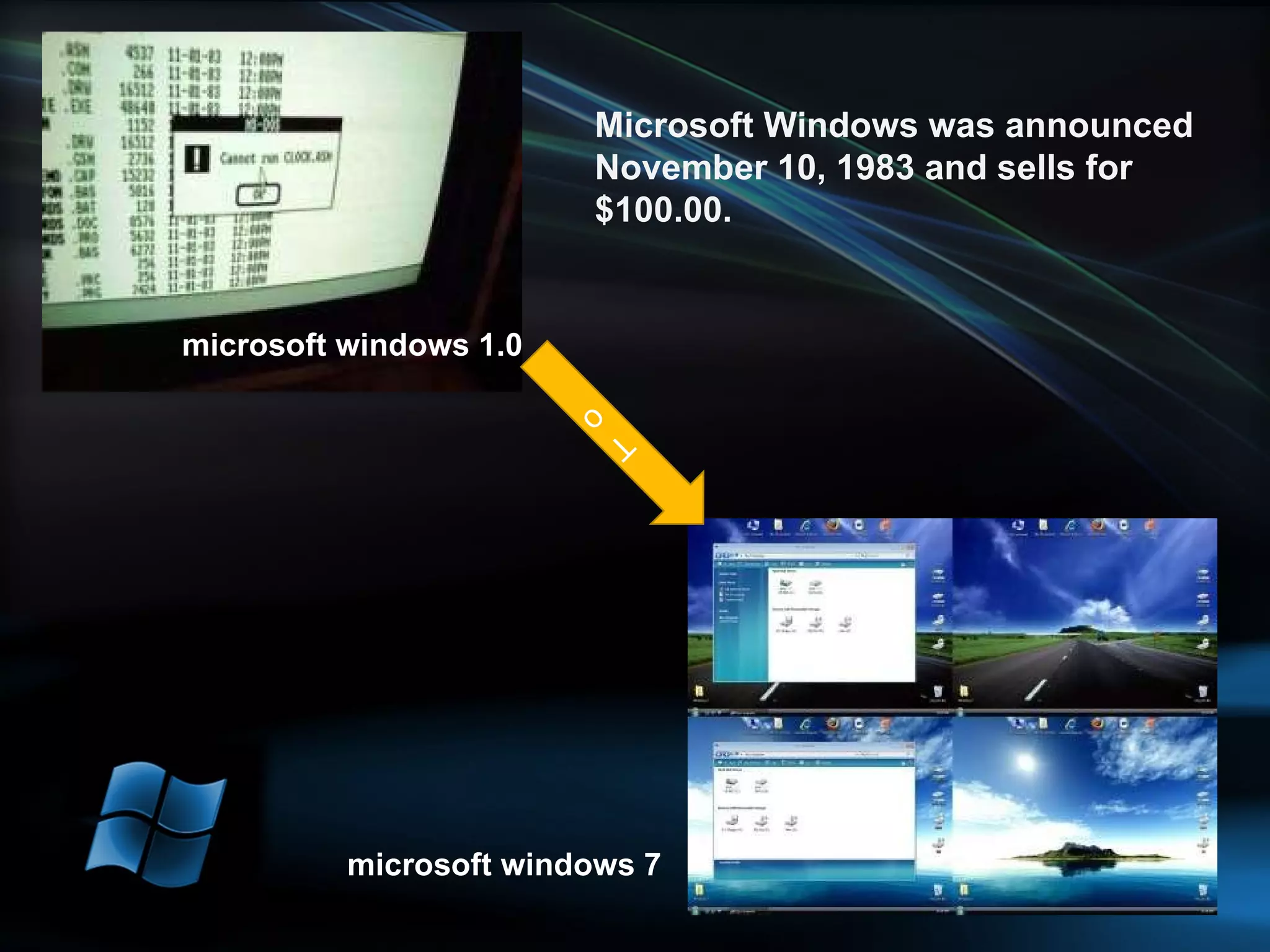
Microsoft Windows was announced November 10, 1983 and sells for $100.00. microsoft windows 1.0 microsoft windows 7 To
Let's see What's microsoft do new?

Windows 7

  • 1.
  • 2.
    Better Memory ManagementJump Lists Moveable taskbar icons Customize UAC Snap Windows to screen edges Control over System Tray icons Media Player Lightweight mode
  • 3.
    Windows 7 StarterWindows 7 Home Basic Windows 7 Home Premium: Recommended Choice for Consumers Windows 7 Professional: Recommended Choice for Enthusiasts and Small Business Customers Windows 7 Enterprise Windows 7 Ultimate
  • 4.
    Thumbnails can representdevices and applications Quick Launch Toolbar is gone Taskbar icons can be moved and pinned as desired by the user
  • 5.
    The new Windows 7 taskbar isstill the same familiar place for switching between windows. But now it's easier to see, more flexible, and more powerful.
  • 6.
    One click accessto tasks associated with an application Extends the recent documents feature from XP and Vista and tying it to specific applications. Start menu goes back to the two panes of Windows XP. If an application uses the standard ‘Most Recent Documents’ feature, it automatically gets a Jump List in the Start menu as well as on the Taskbar
  • 7.
    Jump Lists ofnew in Windows 7—take you right to the documents, pictures, songs, or websites you turn to each day. To open a Jump List, just right-click a program icon on the Windows 7 taskbar. (You'll also find them on the Start menu.)
  • 8.
    Snap to fullsize and then restore. When multiple windows are open if you drag one to the edge they automatically tile.
  • 9.
    Sidebar is goneGadgets remain, put them where you want on the desktop Peek function lets you quickly make your desktop windows transparent by rolling over the bottom right hand corner of the screen – showing all your gadgets
  • 10.
  • 11.
  • 12.
  • 13.
  • 14.
    Networking made easyAllows users to have the network functionality of a domain without the domain controller Includes roaming profiles Recognizes and groups Win7 computers Share media, files and printers seamlessly
  • 15.
    Device Stage Photorealisticview of the device List of associated services, information and tasks Dependant on the Vendor creating the XML document If it works with Vista it will work with Win7.
  • 16.
    The old standbysare still here but better than ever and have a new cousin Paint – Has a Ribbon and the same basic shape tools that were in Word 2003 and natural media brushes like watercolor, pencil and crayon. The control on the Paint ribbon are designed to be used with touch. WordPad – Has a Ribbon and lets you highlight and indent text, format it with bullets and insert pictures into a document. Calculator Sticky Notes
  • 17.
    A new ribbon—thestrip across the top of the window that shows what Paint can do—makes this tried-and-true program easier to use, with choices displayed out in the open rather than in menus. And Paint's new realistic digital "brushes" will bring your pictures to life in shades of watercolor, crayon, and calligraphy.
  • 18.
  • 19.
    But the freshcalculator in Windows 7 also sports new elements, which are to be found under the Options menu. These let you calculate the duration between two periods of time (date calculation), access a set of four templates designed to calculate lease and mortgage payments, gas mileage and give you a wage estimation. All you have to do is pick the desired worksheet and complete the fields available for the application to calculate the result.
  • 20.
    Already as necessaryas pencils and paper clips, Sticky Notes just got more useful. In Windows 7, you can format a note’s text, change its color with a click, and speedily resize, collapse, and flip through notes.
  • 21.
    Start up andshut down seem to be much faster. Here is shut down button
  • 22.
    Collections of wallpapers,color schemes, sounds and screen savers 95% of users change the picture and over 40% of us change it at least once a month. 16 glass colors rather than the 8 in Windows Vista Change the screen resolution by right-clicking on the desktop.
  • 23.
  • 24.
    Four Options fornotifications from always being notified to never being notified, including only getting warnings when software is installed.
  • 25.
    Tries to bringall the functions associated with a device into one place in the new Printer and Devices folder. Each Device Stage is written and branded by the device manufacturer with buttons to common tasks, services and applications. Can include links to online services and customer support if the manufacturer wants to add them.
  • 26.
  • 27.
  • 28.
    Instant Search –offers suggestions and visual representations of search results Accelerators - help you quickly perform your everyday browsing tasks without navigating to other websites Web slices – allows you to subscribe to a specific part of a web page instead of the whole page
  • 29.
    Messenger Photo GalleryMail Writer Movie Maker
  • 30.
    Early Beta isout currently Expect at least two more beta versions Beta versions should be close to final but may have differences Anticipated RTM is 4Q 2009
  • 31.
    Name is rumoredto be Office 2009 or Office 14 On line versions of Word, Excel, PowerPoint and OneNote The key changes in Office 14 seem to be centered in the collaboration tools. Do not expect major changes in the interface based on the screen shots that have been leaked. Beta 1 is anticipated 2Q 2009 with RTM late 2009 or early 2010
  • 32.
    Microsoft Windows was announced November10, 1983 and sells for $100.00. microsoft windows 1.0 microsoft windows 7 To
  • 33.
    Let's see What'smicrosoft do new?