Features of windows
What is meant by
Windows Operating System?
 A group of several graphical operating system families, all
of which are developed, marketed, and sold by Microsoft.
 As a graphical operating system shell for MS-DOS in
response to the growing interest in graphical user interfaces
(GUIs).
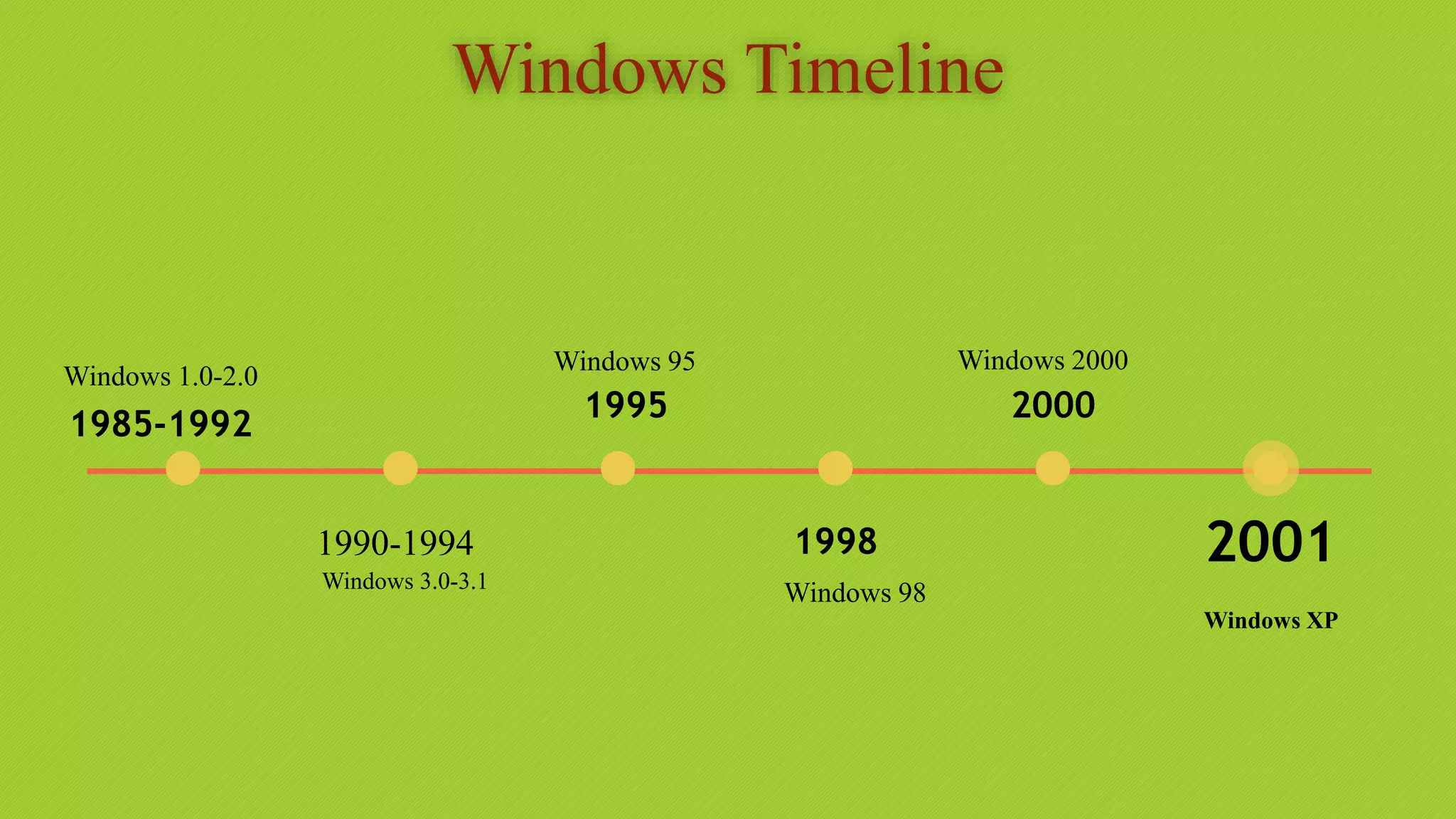
Windows Timeline
1990-1994
1995
1998
2000
2001
1985-1992
Windows 3.0-3.1
Windows 95
Windows 98
Windows 2000
Windows XP
Windows 1.0-2.0
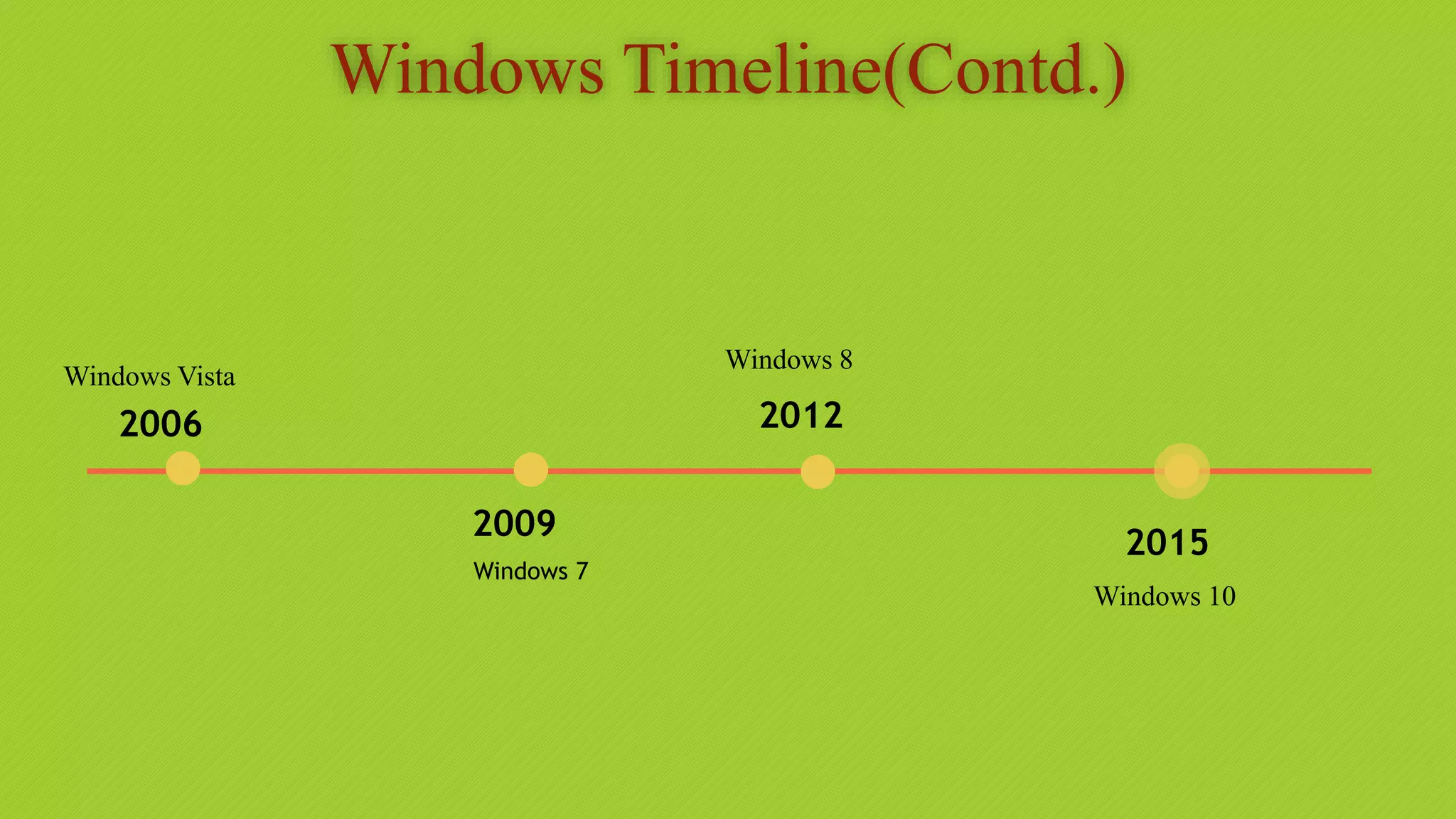
Windows Timeline(Contd.)
2009
2012
2015
2006
Windows 7
Windows 8
Windows 10
Windows Vista
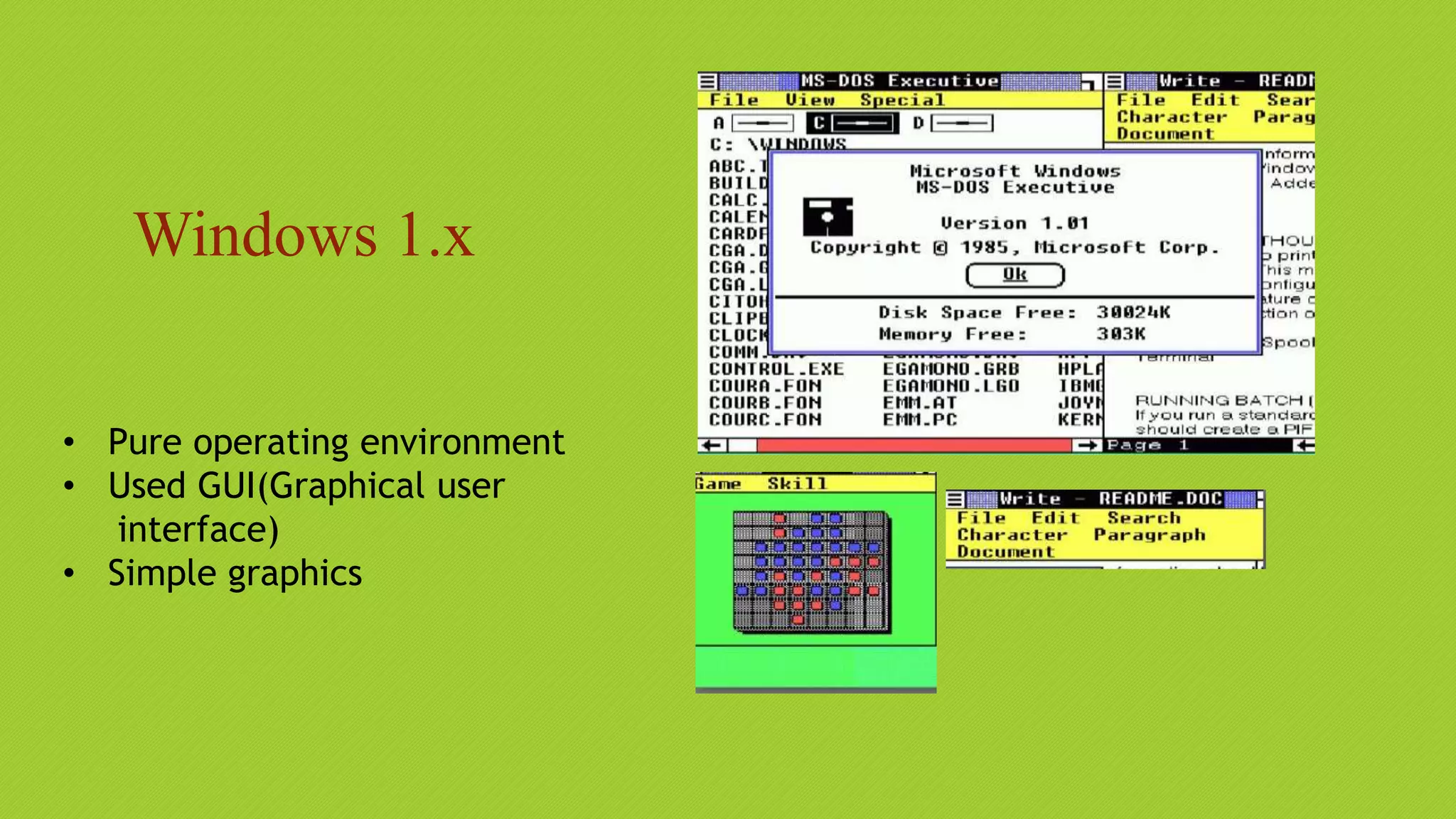
Windows 1.x
• Pure operating environment
• Used GUI(Graphical user
interface)
• Simple graphics
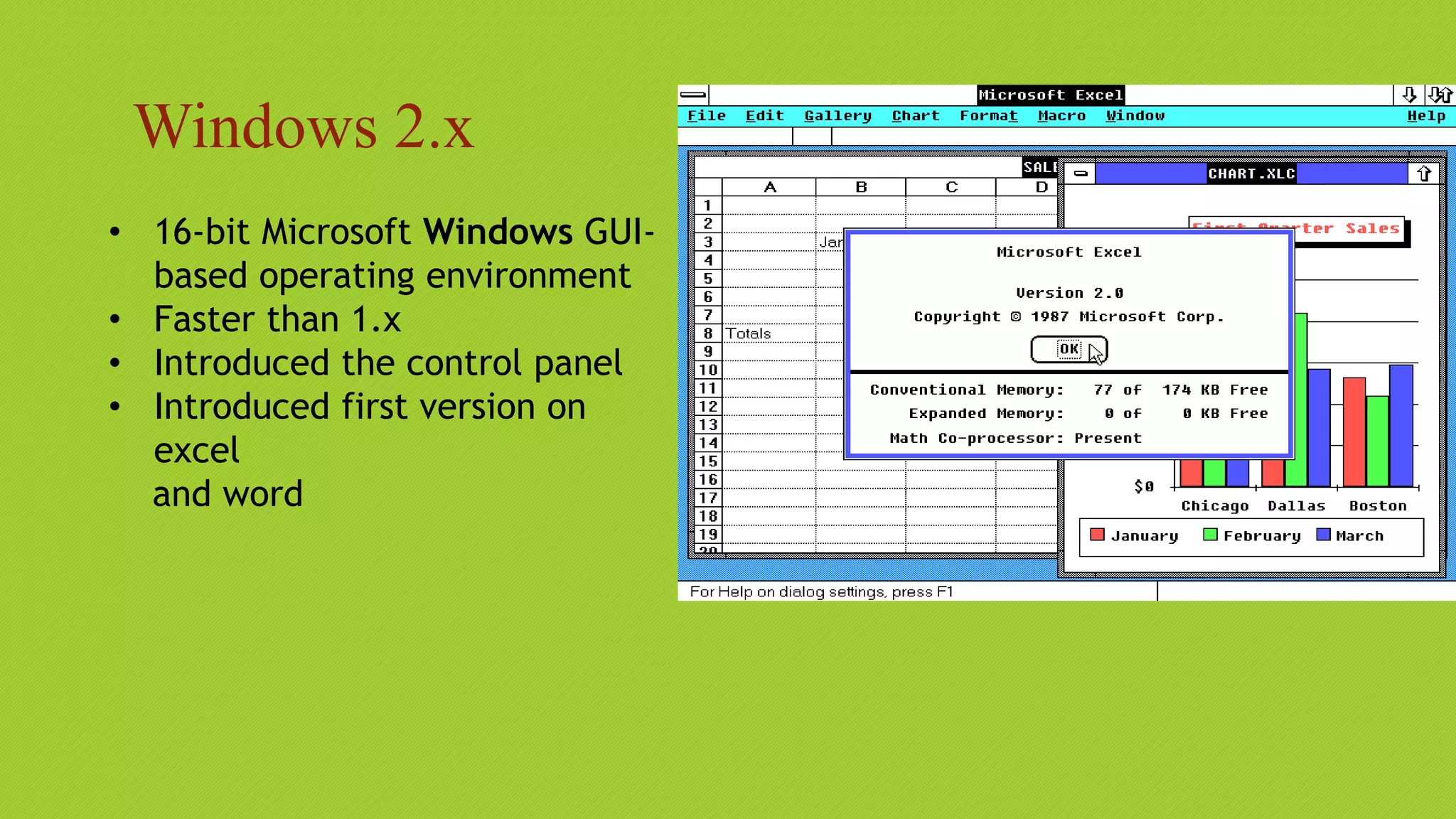
Windows 2.x
• 16-bit Microsoft Windows GUI-
based operating environment
• Faster than 1.x
• Introduced the control panel
• Introduced first version on
excel
and word
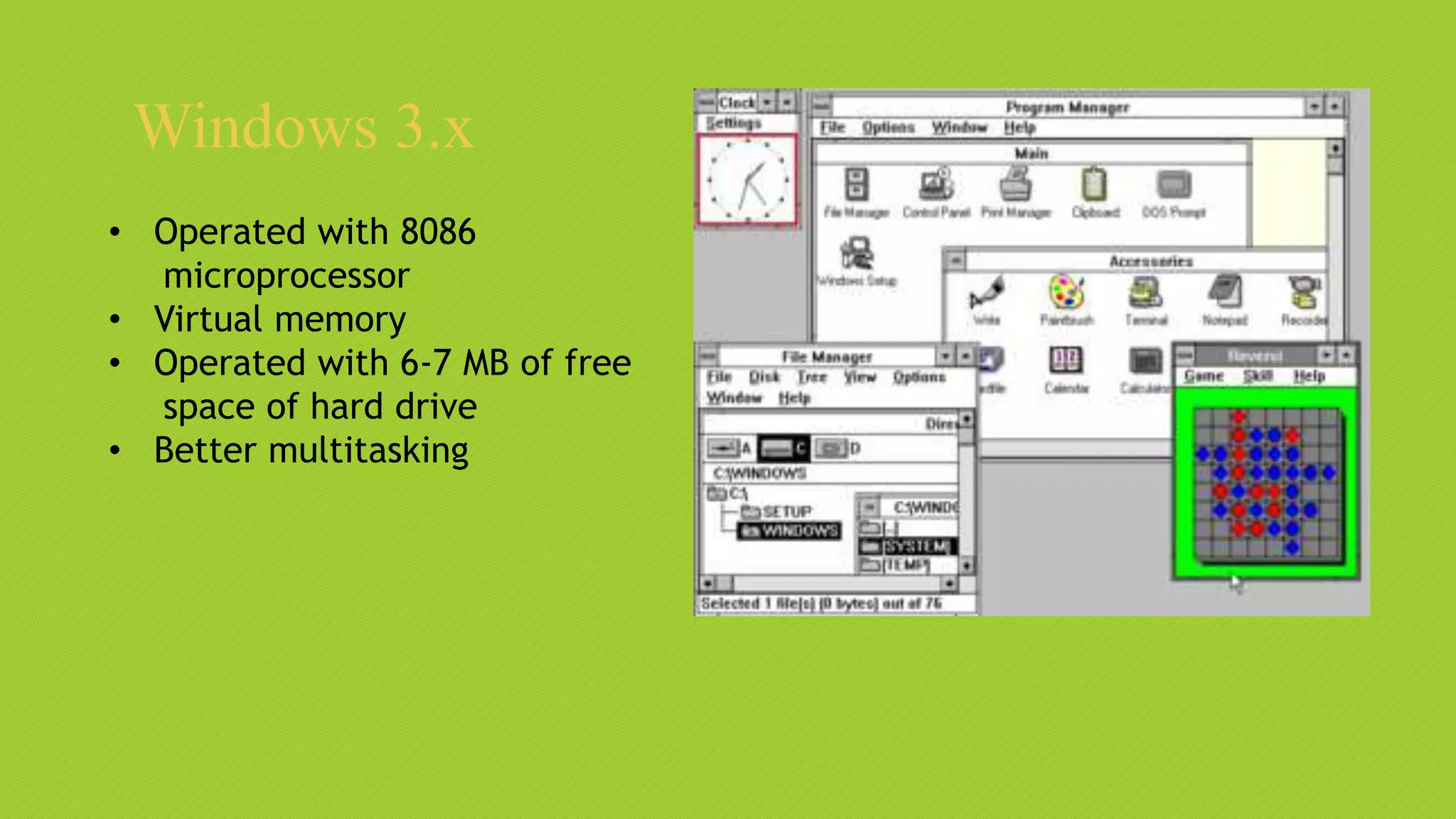
Windows 3.x
• Operated with 8086
microprocessor
• Virtual memory
• Operated with 6-7 MB of free
space of hard drive
• Better multitasking
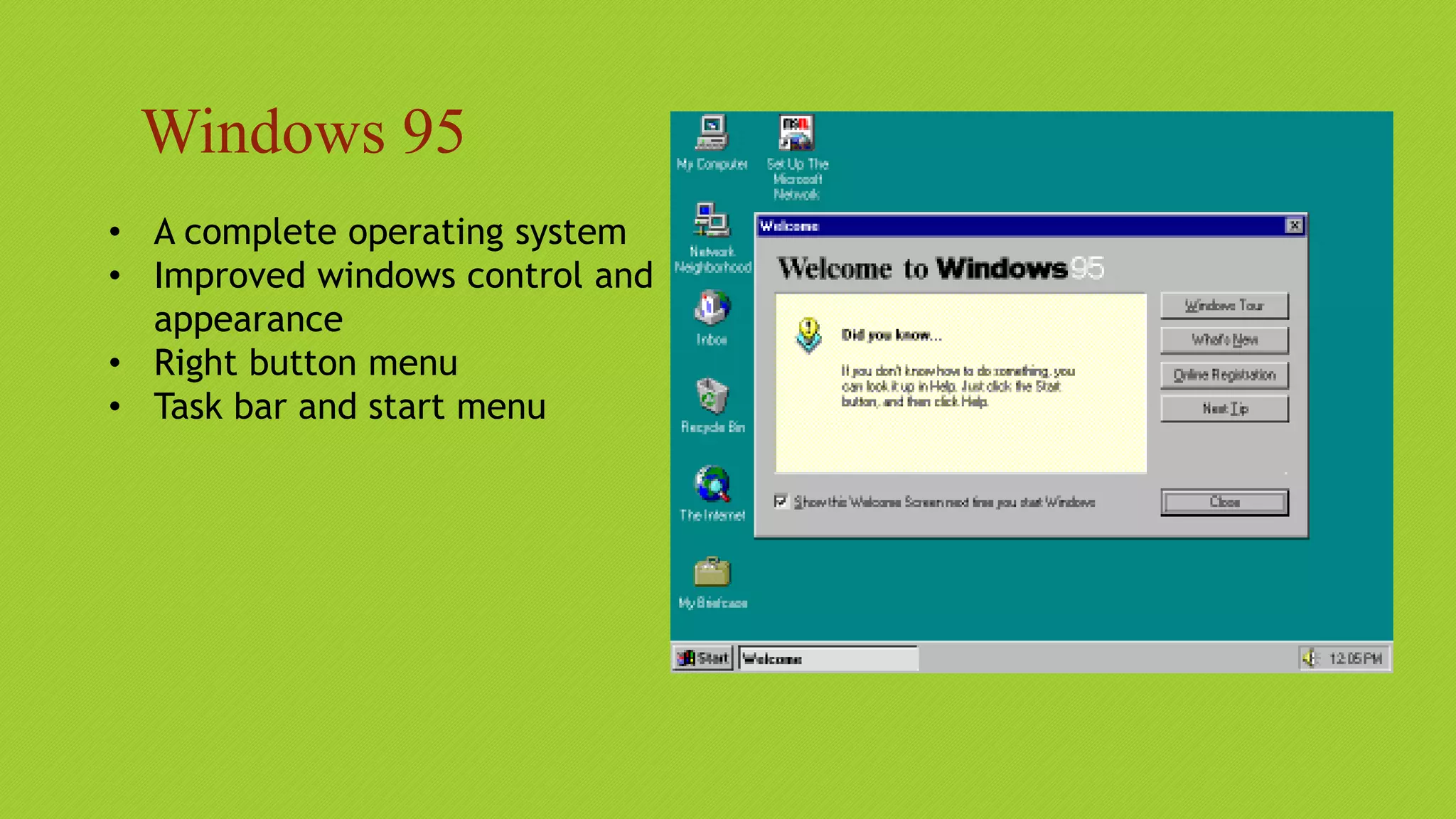
Windows 95
• A complete operating system
• Improved windows control and
appearance
• Right button menu
• Task bar and start menu
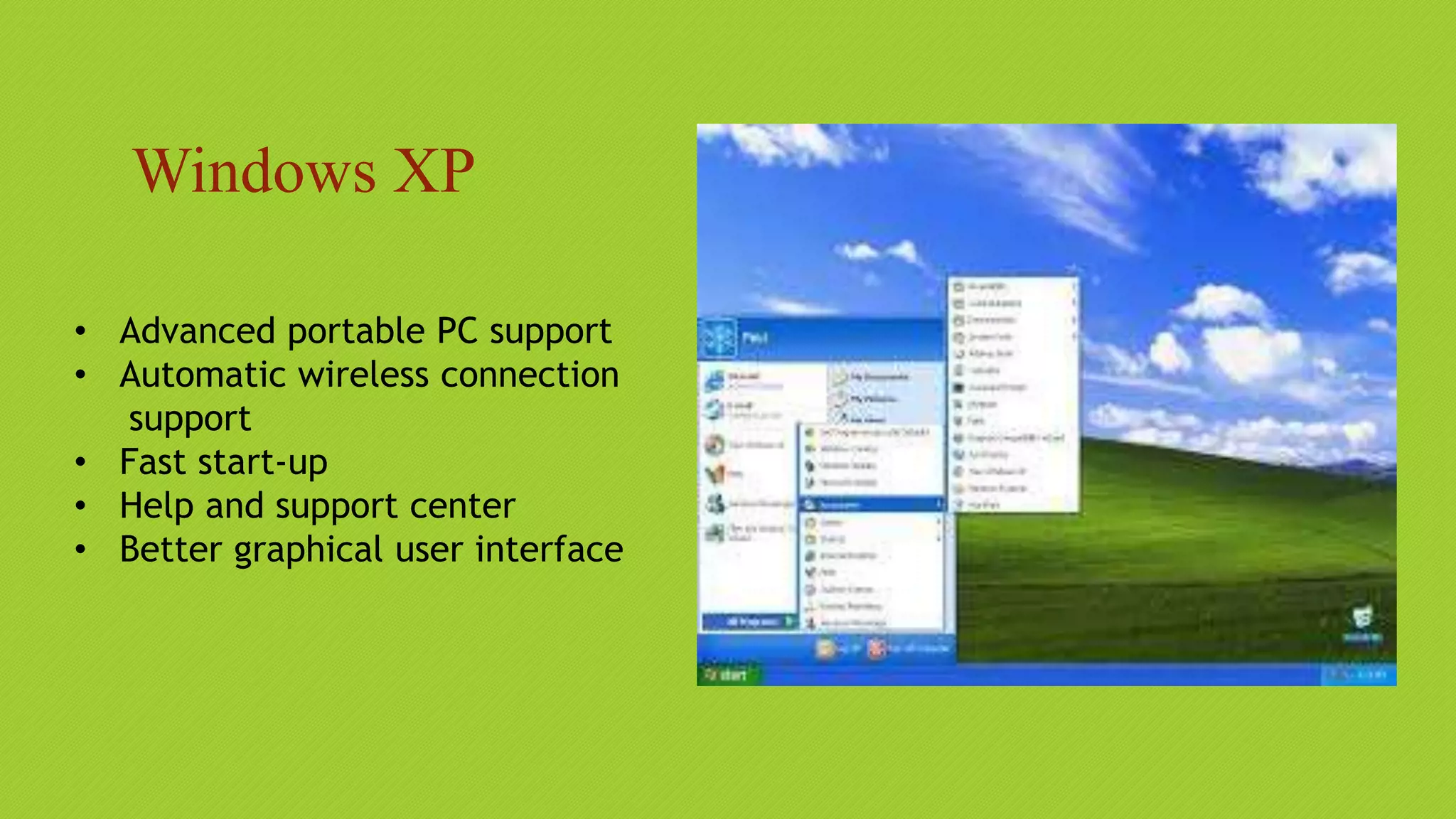
Windows XP
• Advanced portable PC support
• Automatic wireless connection
support
• Fast start-up
• Help and support center
• Better graphical user interface
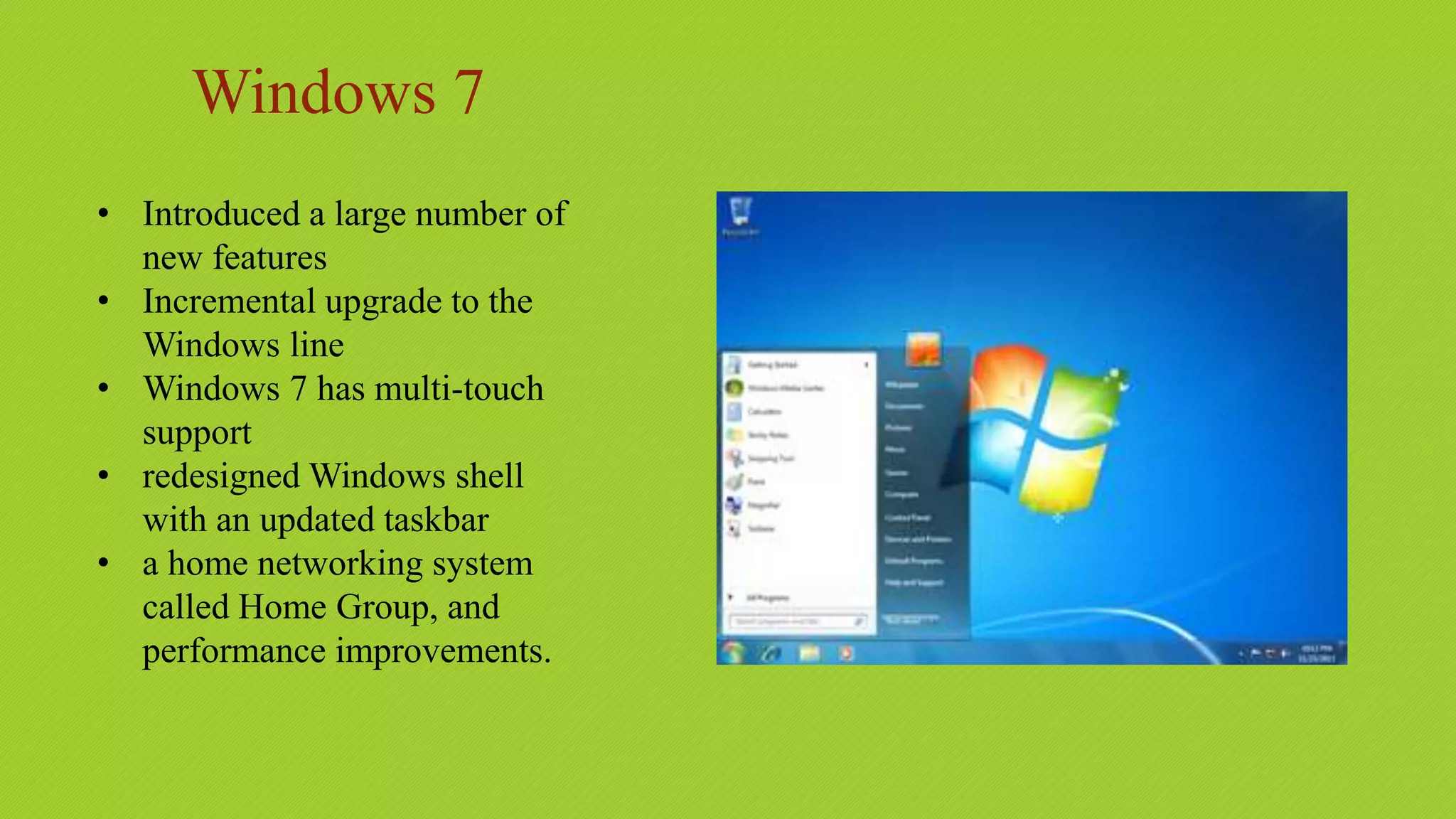
Windows 7
• Introduced a large number of
new features
• Incremental upgrade to the
Windows line
• Windows 7 has multi-touch
support
• redesigned Windows shell
with an updated taskbar
• a home networking system
called Home Group, and
performance improvements.
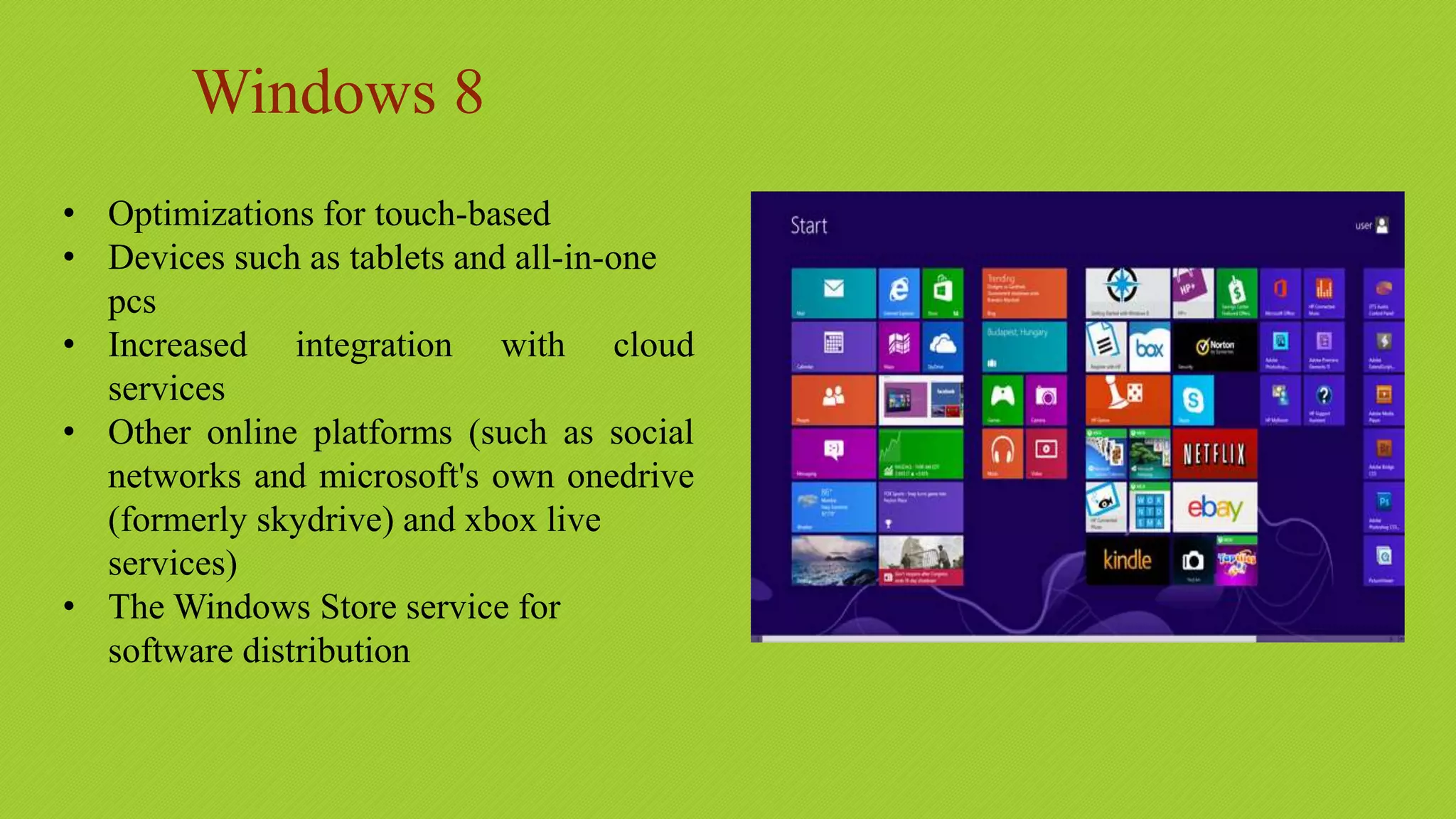
Windows 8
• Optimizations for touch-based
• Devices such as tablets and all-in-one
pcs
• Increased integration with cloud
services
• Other online platforms (such as social
networks and microsoft's own onedrive
(formerly skydrive) and xbox live
services)
• The Windows Store service for
software distribution
Windows 10
• Addresses shortcomings in the user
interface first introduced with
windows 8
• The return of the start menu
• A virtual desktop system
• The ability to run windows store apps
within windows on the desktop rather
than in full-screen mode
• Includes new icons and right-click
context menus, default printer
management, four times as many tiles
allowed in the start menu, find My
Device, and Edge updates.
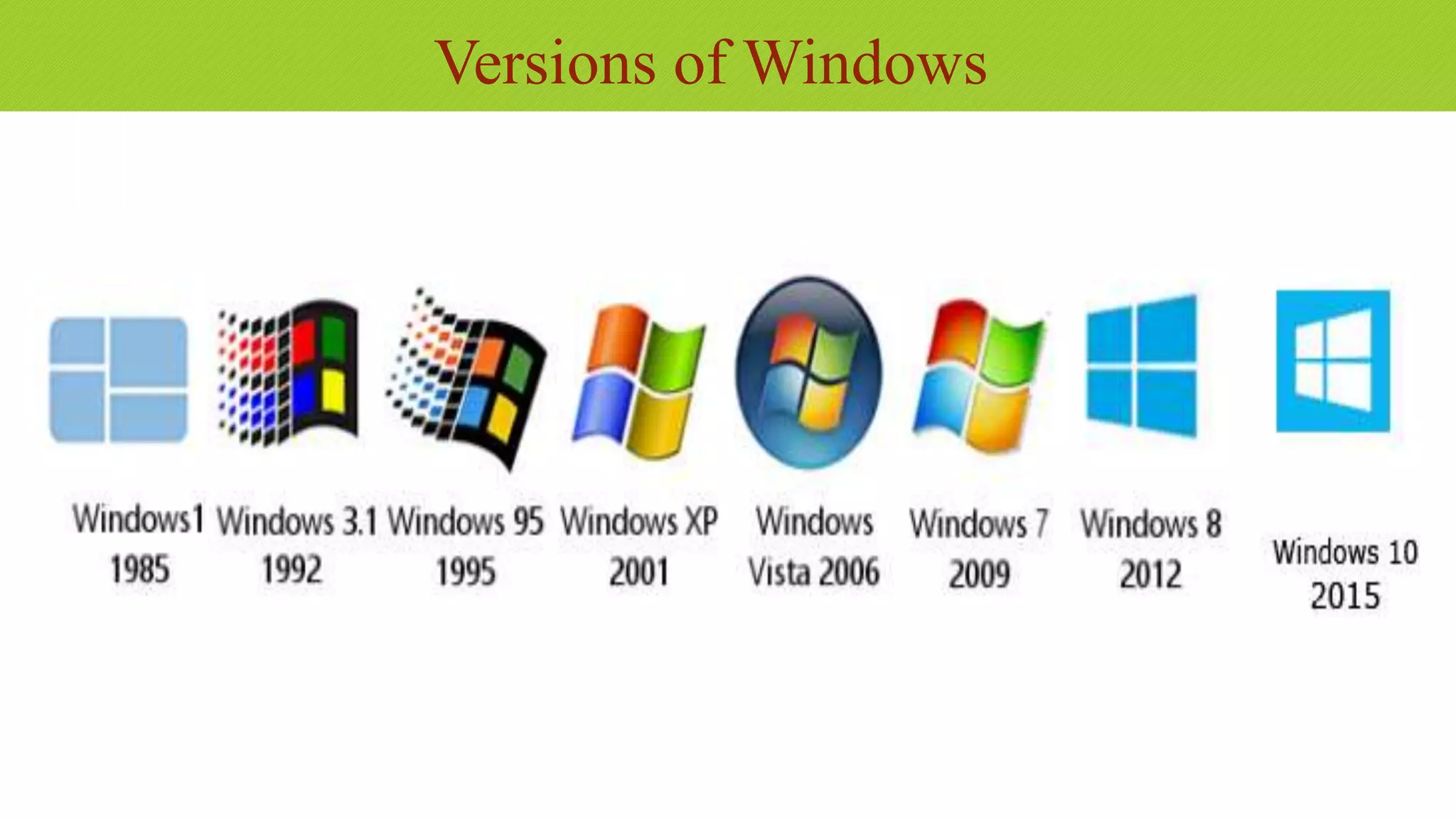
Versions of Windows
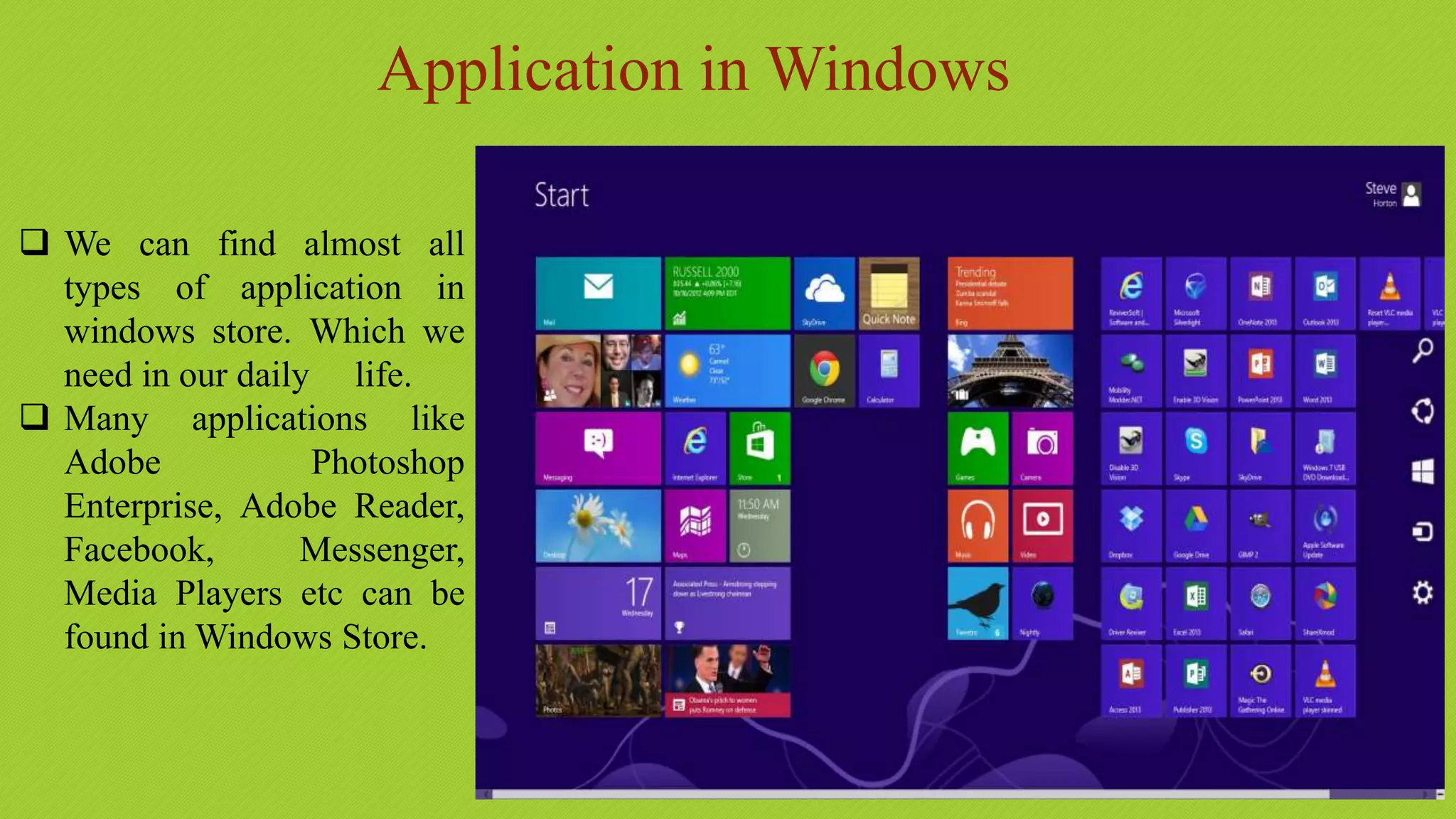
Application in Windows
 We can find almost all
types of application in
windows store. Which we
need in our daily life.
 Many applications like
Adobe Photoshop
Enterprise, Adobe Reader,
Facebook, Messenger,
Media Players etc can be
found in Windows Store.
Most Common Features
 Program Execution
 Providing user interface
 Handling input/output operations
 Error handling
 Memory management
 Process management
Functions of an operating system
1. Process management
Code execution
Context switching
Multitasking
2. Memory management
Allocation
Sharing
Protection
Virtual memory
3. Device management
Input / Output
Disk access
Interrupt handling
Any one can install any
types of software & games
into windows.
It is compatible of all
types of software &
games.
Compatibility
Security
• It is less secured than
other Operating System
due to its popularity.
• There are about 60,000
viruses known for
Windows.
• There are numerous anti
virus program in
windows.
Popularity (Cont.)
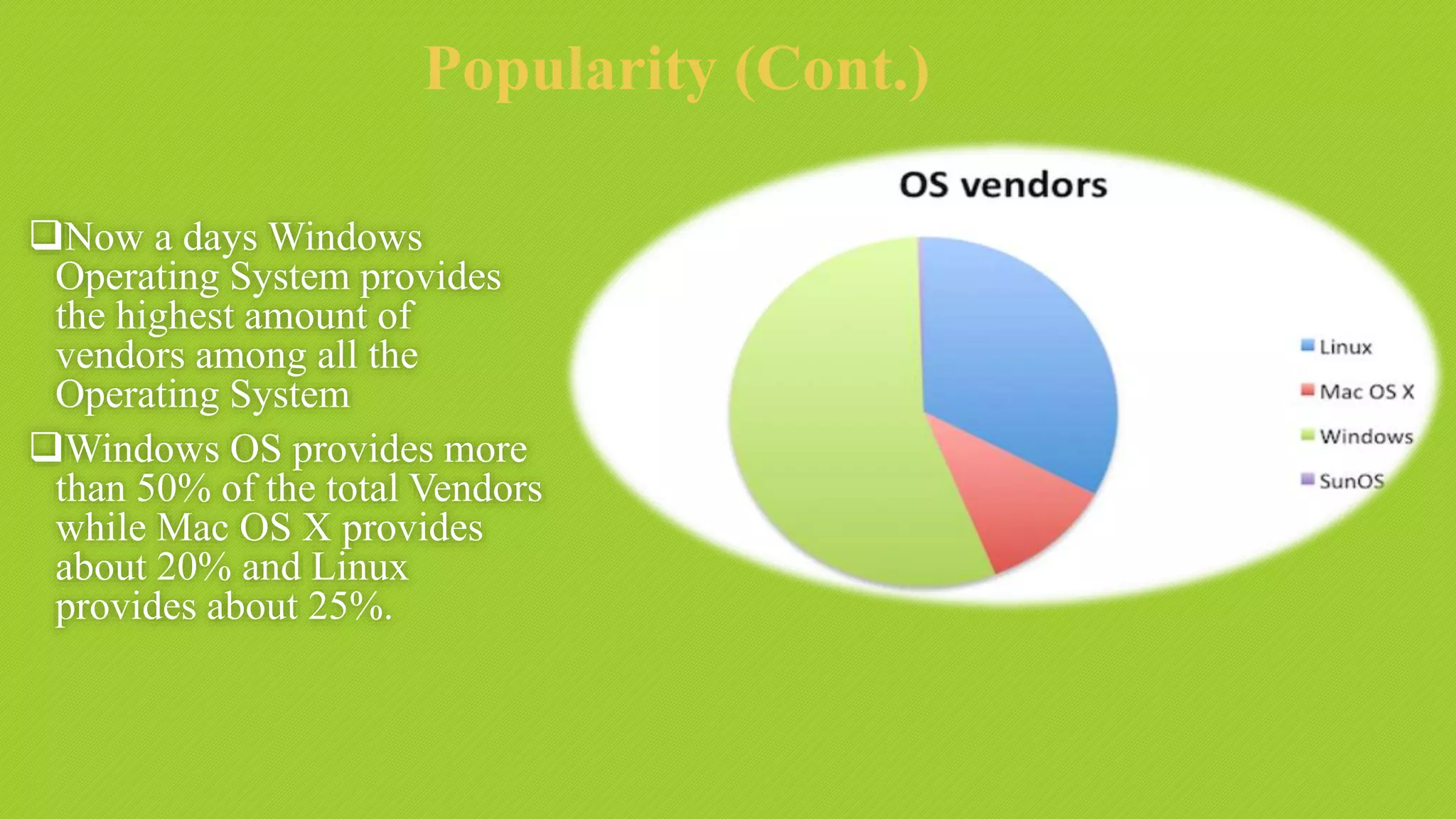
Now a days Windows
Operating System provides
the highest amount of
vendors among all the
Operating System
Windows OS provides more
than 50% of the total Vendors
while Mac OS X provides
about 20% and Linux
provides about 25%.
Price?
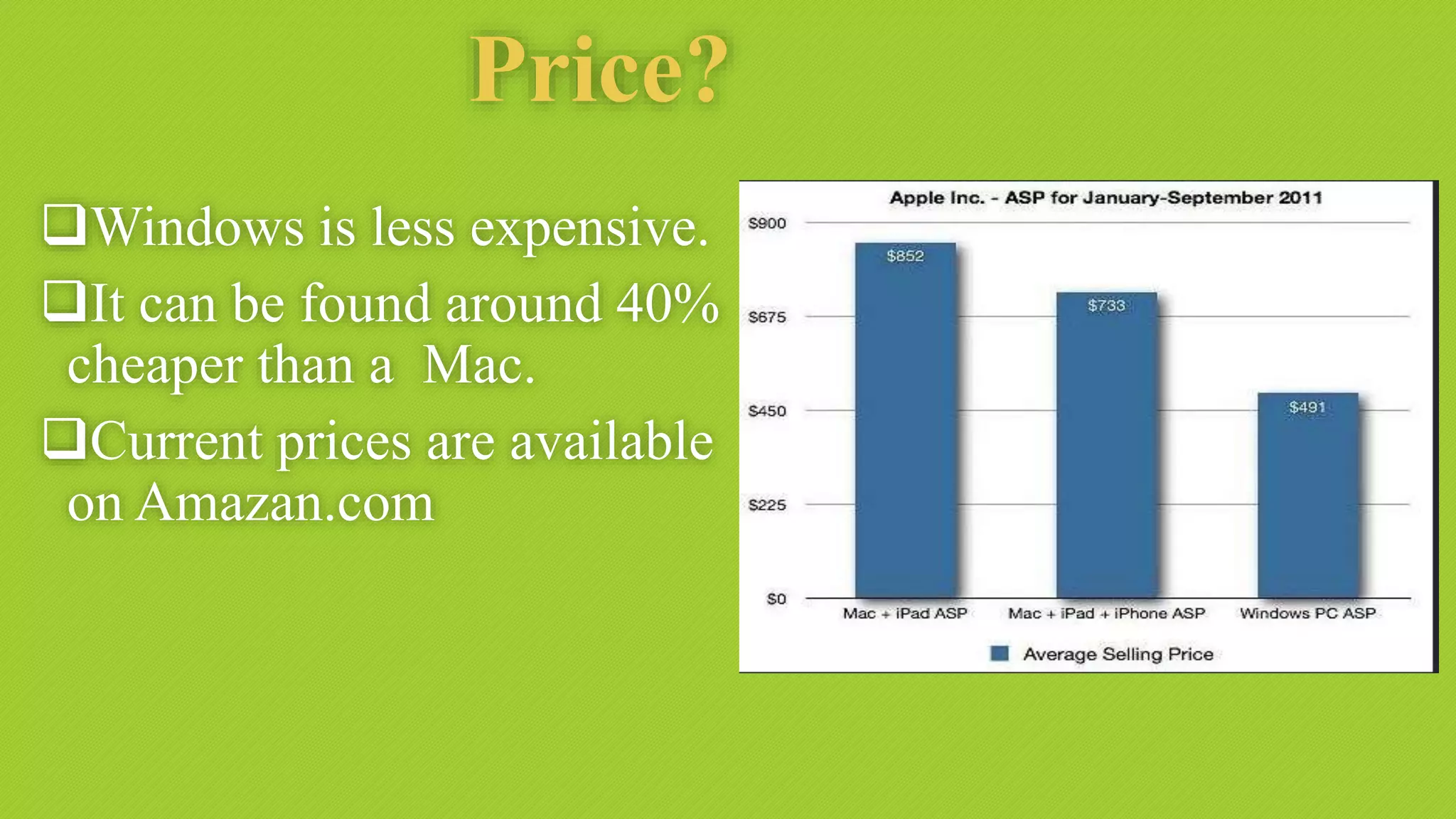
Windows is less expensive.
It can be found around 40%
cheaper than a Mac.
Current prices are available
on Amazan.com
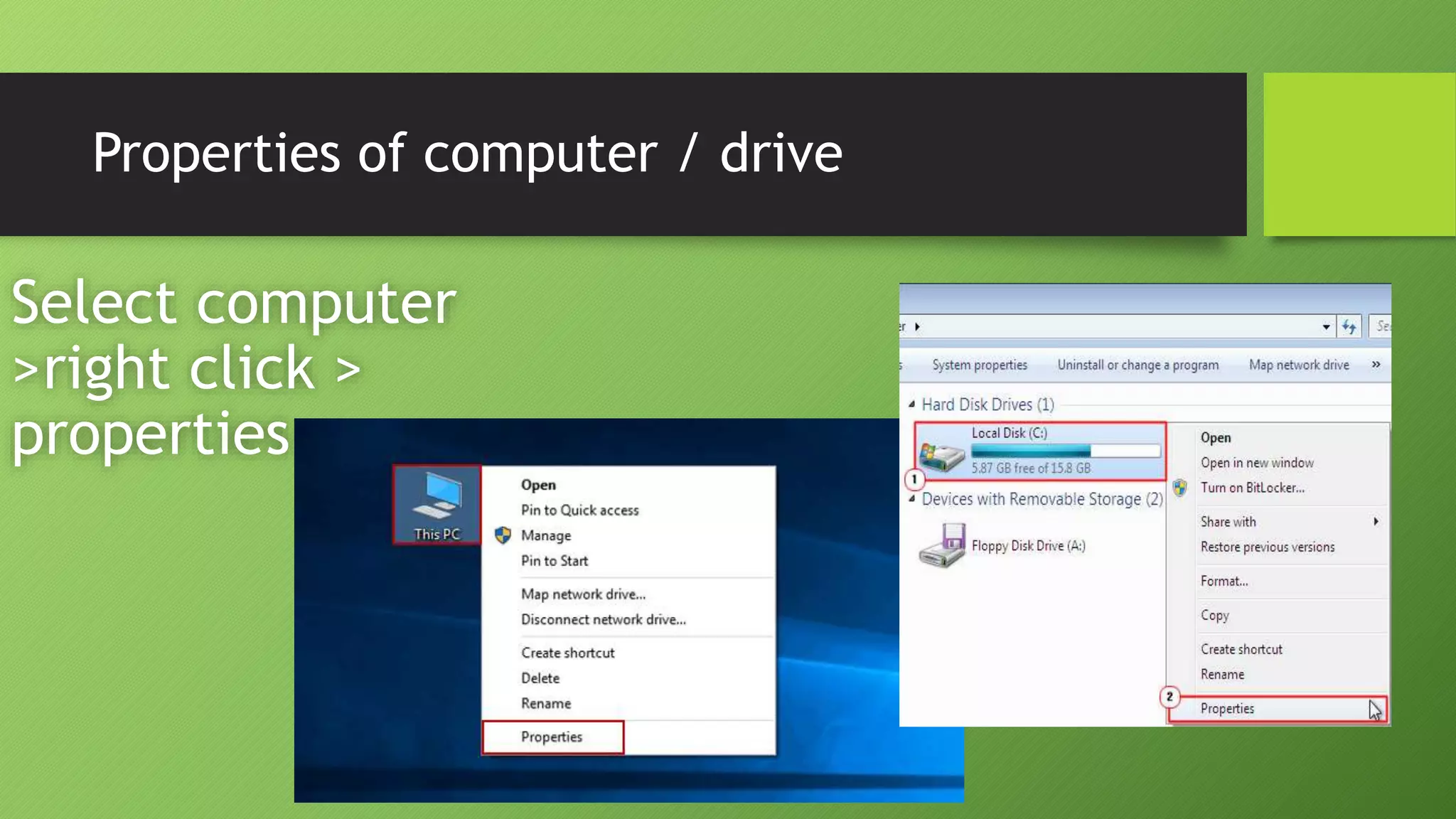
Properties of computer / drive
Select computer
>right click >
properties
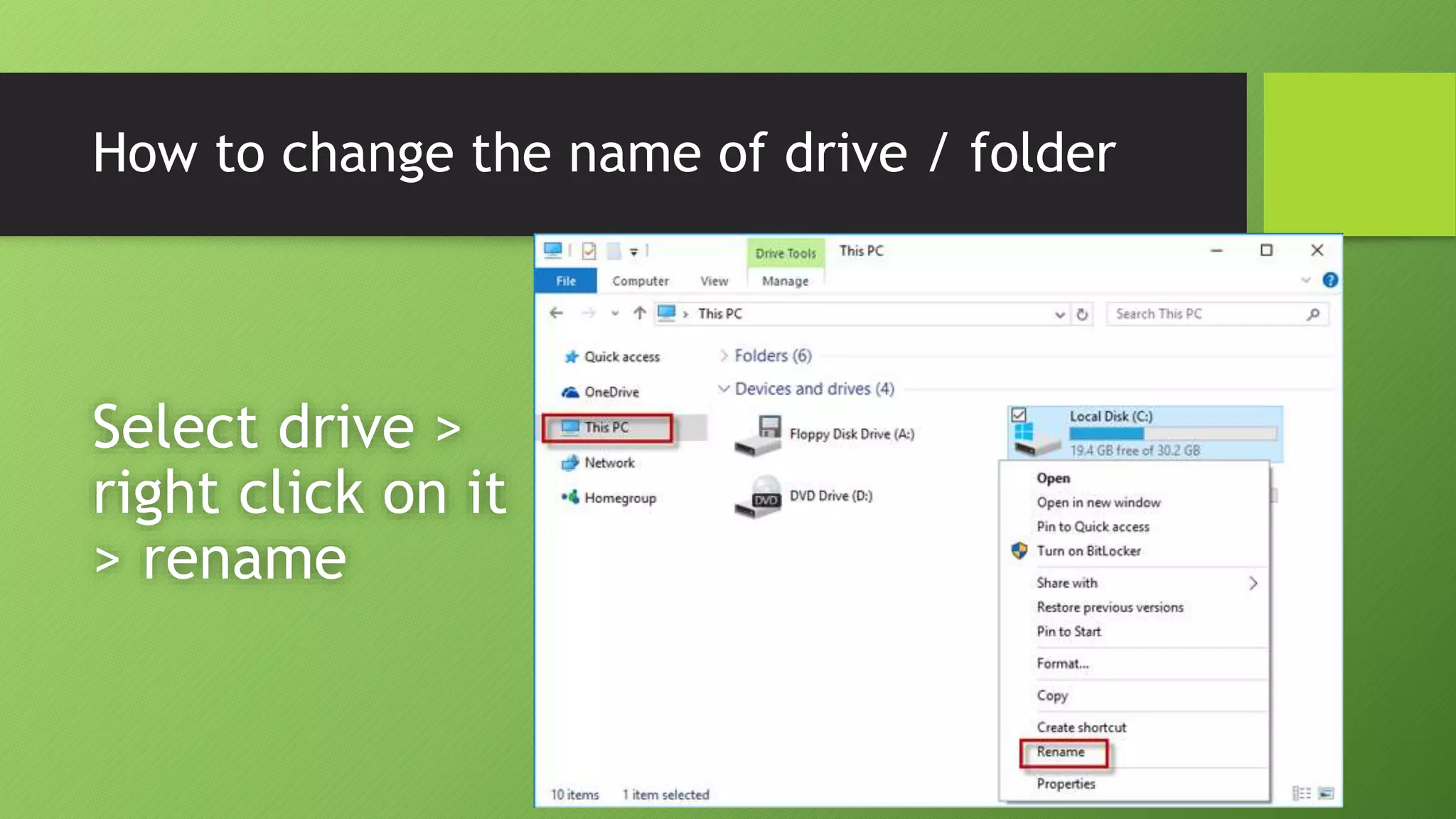
How to change the name of drive / folder
Select drive >
right click on it
> rename
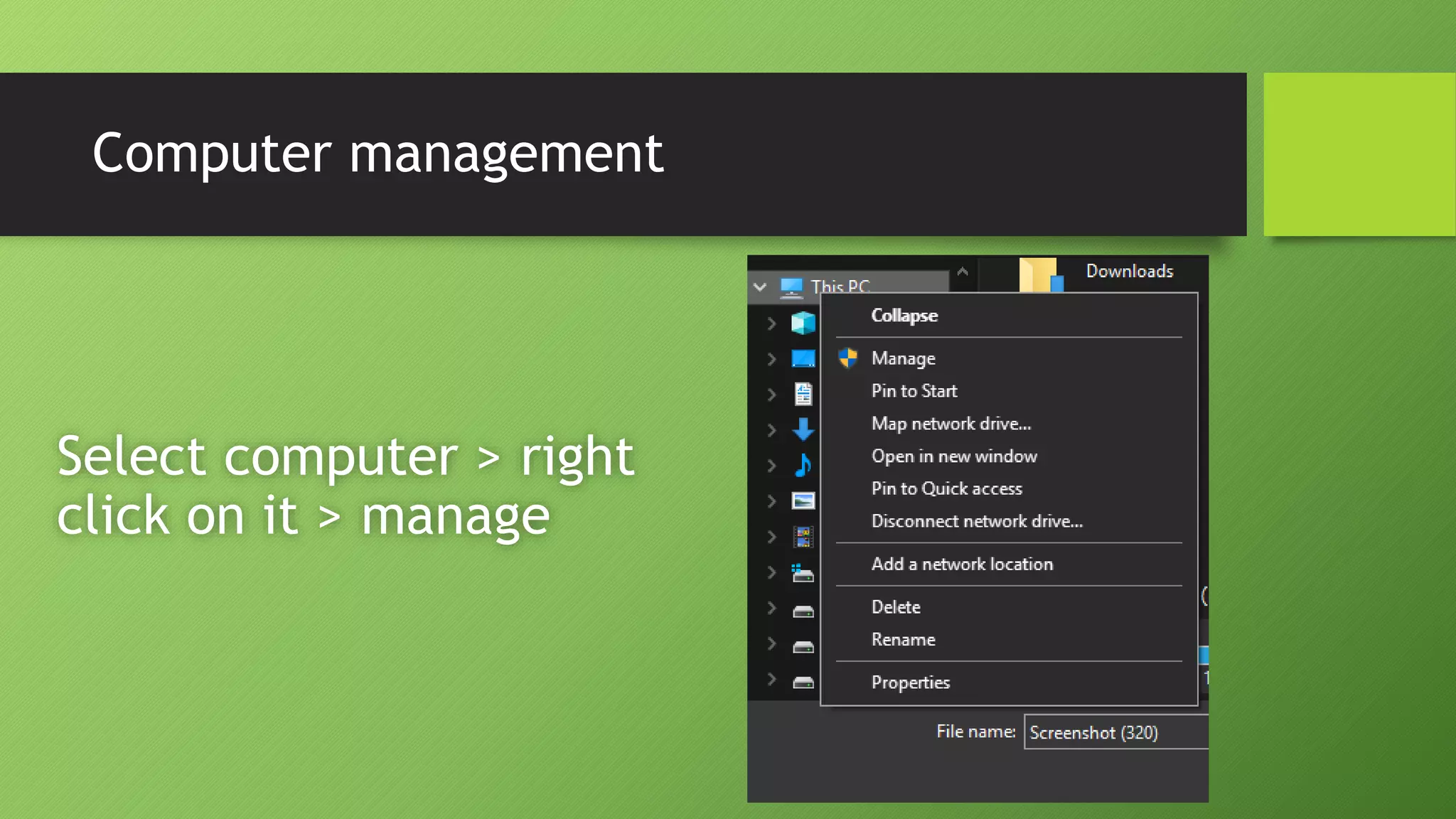
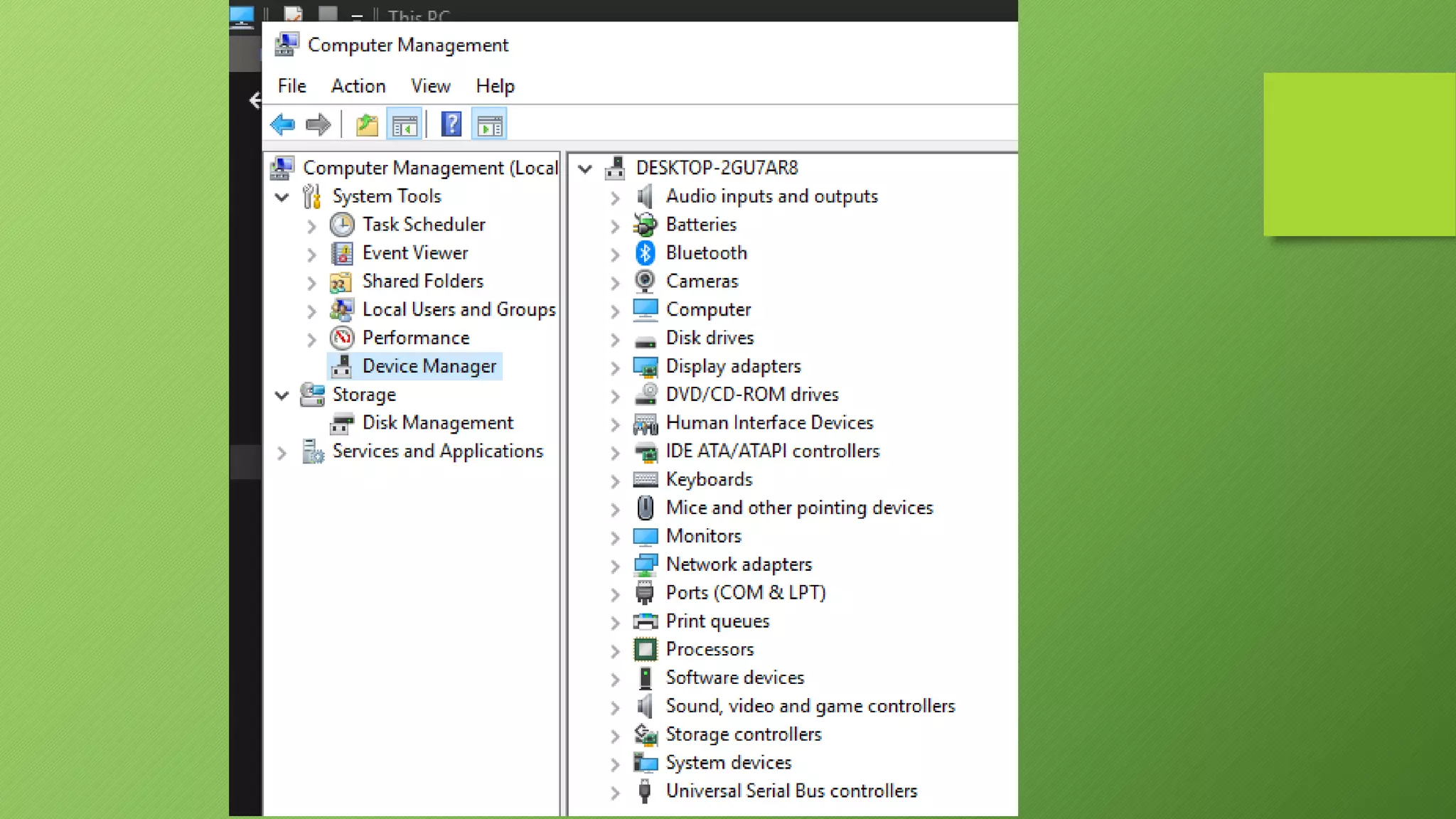
Computer management
Select computer > right
click on it > manage
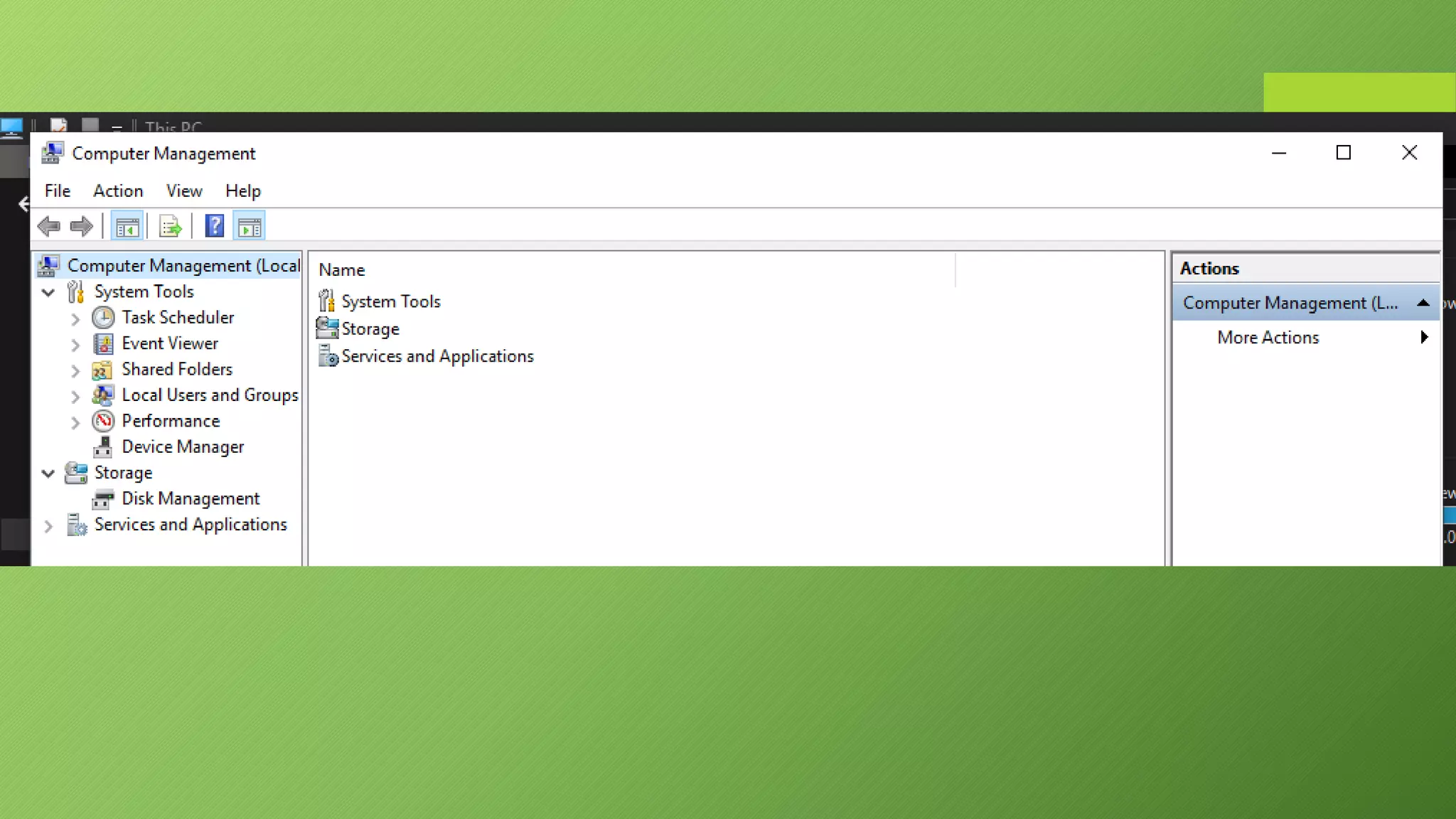
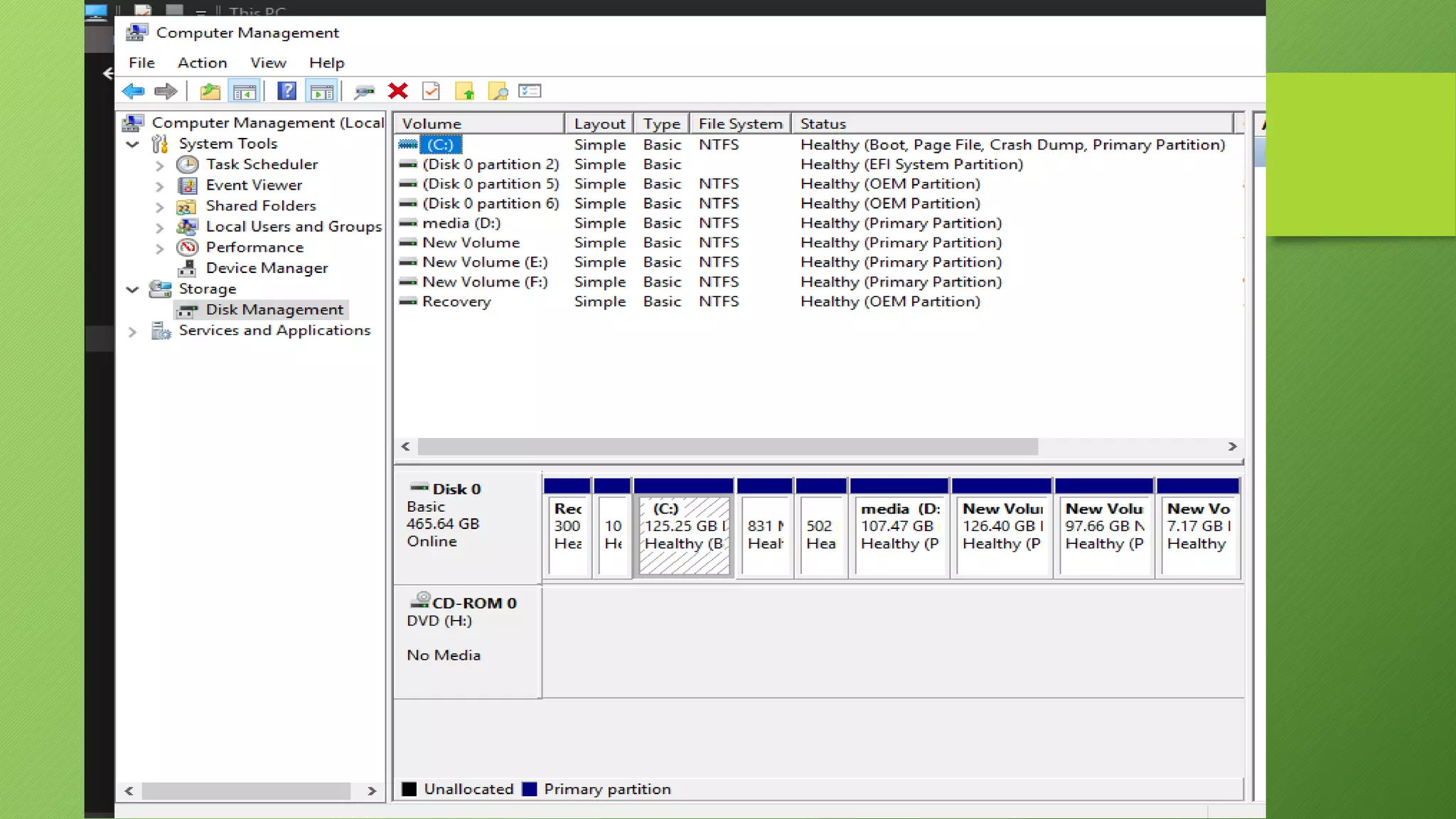
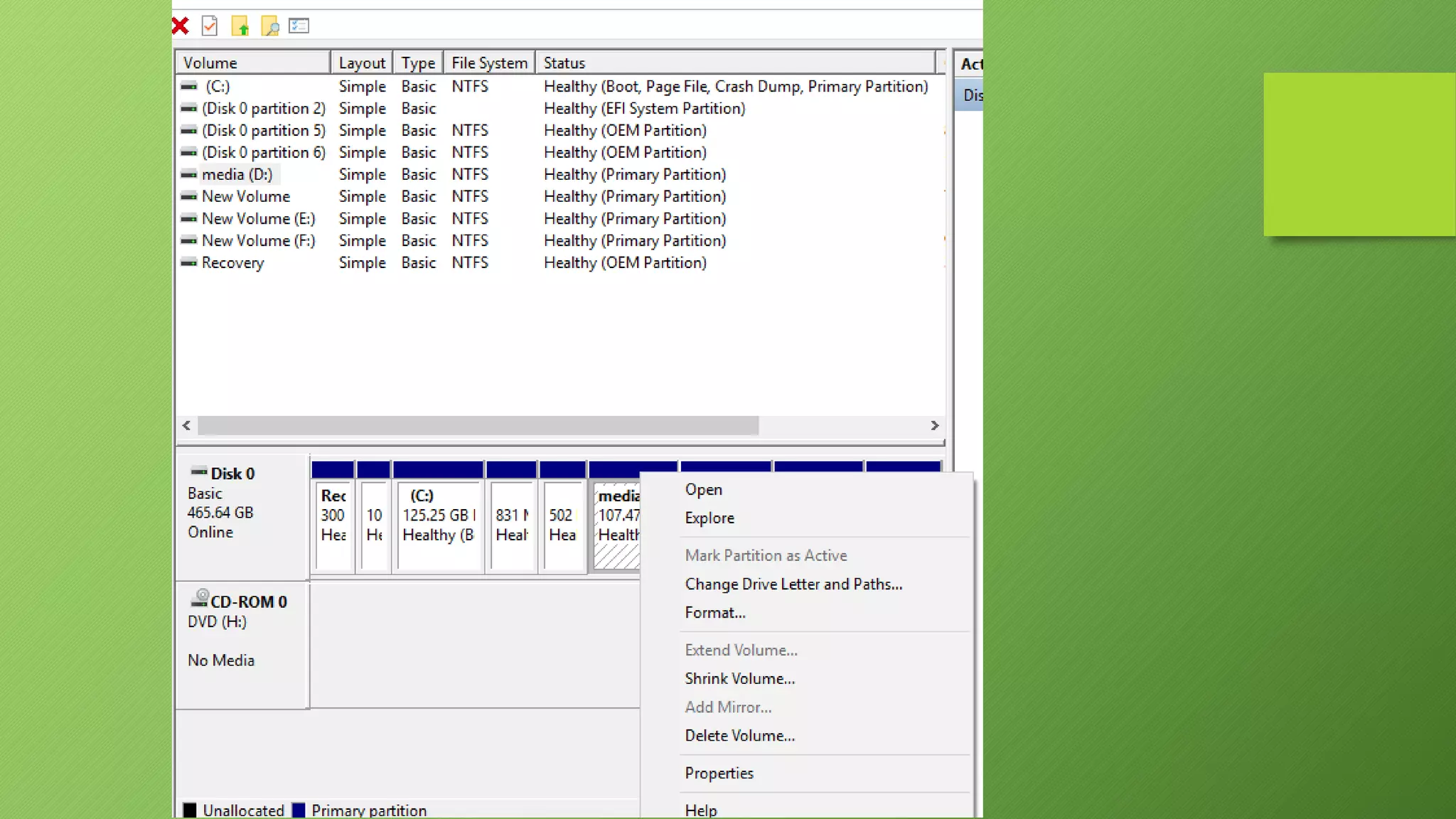
How to make partitions of a drive
Right click on
computer> manage >
Disk management
Features of windows
Features of windows

Features of windows

  • 1.
  • 2.
    What is meantby Windows Operating System?  A group of several graphical operating system families, all of which are developed, marketed, and sold by Microsoft.  As a graphical operating system shell for MS-DOS in response to the growing interest in graphical user interfaces (GUIs).
  • 3.
    Windows Timeline 1990-1994 1995 1998 2000 2001 1985-1992 Windows 3.0-3.1 Windows95 Windows 98 Windows 2000 Windows XP Windows 1.0-2.0
  • 4.
  • 5.
    Windows 1.x • Pureoperating environment • Used GUI(Graphical user interface) • Simple graphics
  • 6.
    Windows 2.x • 16-bitMicrosoft Windows GUI- based operating environment • Faster than 1.x • Introduced the control panel • Introduced first version on excel and word
  • 7.
    Windows 3.x • Operatedwith 8086 microprocessor • Virtual memory • Operated with 6-7 MB of free space of hard drive • Better multitasking
  • 8.
    Windows 95 • Acomplete operating system • Improved windows control and appearance • Right button menu • Task bar and start menu
  • 9.
    Windows XP • Advancedportable PC support • Automatic wireless connection support • Fast start-up • Help and support center • Better graphical user interface
  • 10.
    Windows 7 • Introduceda large number of new features • Incremental upgrade to the Windows line • Windows 7 has multi-touch support • redesigned Windows shell with an updated taskbar • a home networking system called Home Group, and performance improvements.
  • 11.
    Windows 8 • Optimizationsfor touch-based • Devices such as tablets and all-in-one pcs • Increased integration with cloud services • Other online platforms (such as social networks and microsoft's own onedrive (formerly skydrive) and xbox live services) • The Windows Store service for software distribution
  • 12.
    Windows 10 • Addressesshortcomings in the user interface first introduced with windows 8 • The return of the start menu • A virtual desktop system • The ability to run windows store apps within windows on the desktop rather than in full-screen mode • Includes new icons and right-click context menus, default printer management, four times as many tiles allowed in the start menu, find My Device, and Edge updates.
  • 13.
  • 14.
    Application in Windows We can find almost all types of application in windows store. Which we need in our daily life.  Many applications like Adobe Photoshop Enterprise, Adobe Reader, Facebook, Messenger, Media Players etc can be found in Windows Store.
  • 15.
    Most Common Features Program Execution  Providing user interface  Handling input/output operations  Error handling  Memory management  Process management
  • 16.
    Functions of anoperating system 1. Process management Code execution Context switching Multitasking 2. Memory management Allocation Sharing Protection Virtual memory 3. Device management Input / Output Disk access Interrupt handling
  • 17.
    Any one caninstall any types of software & games into windows. It is compatible of all types of software & games. Compatibility
  • 18.
    Security • It isless secured than other Operating System due to its popularity. • There are about 60,000 viruses known for Windows. • There are numerous anti virus program in windows.
  • 19.
    Popularity (Cont.) Now adays Windows Operating System provides the highest amount of vendors among all the Operating System Windows OS provides more than 50% of the total Vendors while Mac OS X provides about 20% and Linux provides about 25%.
  • 20.
    Price? Windows is lessexpensive. It can be found around 40% cheaper than a Mac. Current prices are available on Amazan.com
  • 21.
    Properties of computer/ drive Select computer >right click > properties
  • 22.
    How to changethe name of drive / folder Select drive > right click on it > rename
  • 23.
    Computer management Select computer> right click on it > manage
  • 26.
    How to makepartitions of a drive Right click on computer> manage > Disk management