Wiki!  Wiki!   A  Quick  Introduction to Using a Wiki in Your Classroom Presented by: Gary Collins Saudi Aramco Schools Dhahran, Saudi Arabia [email_address]
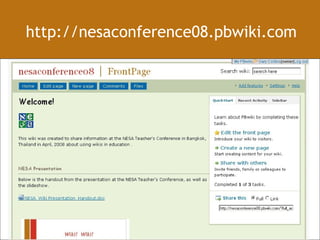
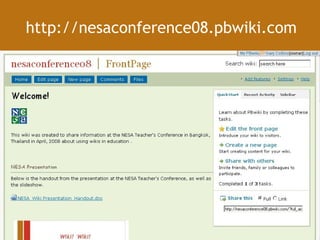
http://nesaconference08.pbwiki.com
Presentation Outline What is a wiki? Why use a wiki with my students? Ways to use a wiki in your class Examples of wikis in classroom Questions about using a wiki… How do I create a wiki? The End, or just the beginning…?
What is a wiki?
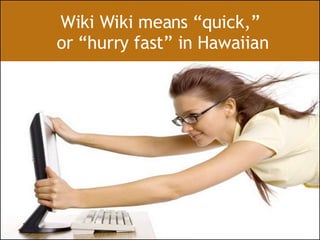
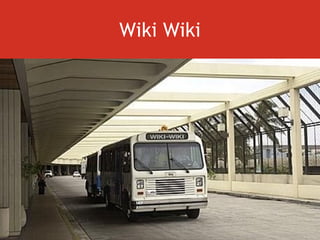
Wiki Wiki means “quick,”  or “hurry fast” in Hawaiian
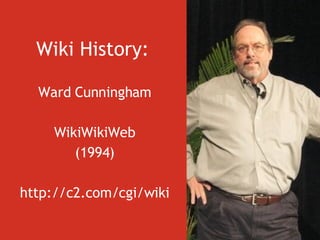
Wiki History:   Ward Cunningham WikiWikiWeb (1994) http://c2.com/cgi/wiki
Wiki Wiki
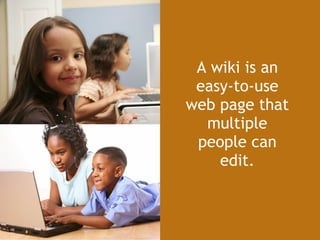
A wiki is an easy-to-use web page that multiple people can edit.
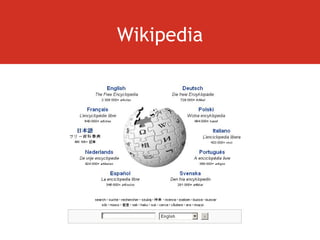
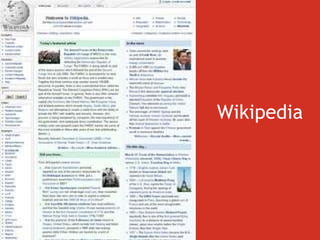
Wikipedia
Wikipedia
Collaborative Open, public writing tool Constructive Community of users construct the knowledge Add, edit, delete, modify the content Manage the content Ongoing collective work of many authors
“ Aside from project management, companies use wikis for wide-ranging activities, such as tracking industry news, setting meeting agendas, posting corporate policies, and even creating strategy documents.”
 
“ At PIXAR … wiki technology is being used to help coordinate new computerized animation tools for the studio’s planned 2008 release of a film called  WALL-E .”
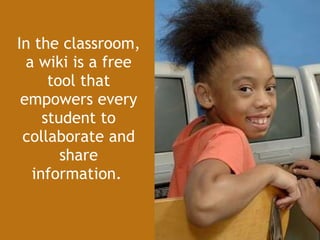
In the classroom, a wiki is a free tool that empowers every student to collaborate and share information.
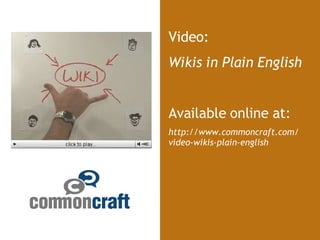
Video: Wikis in Plain English Available online at: http://www.commoncraft.com/ video-wikis-plain-english
Why use a wiki with my students?
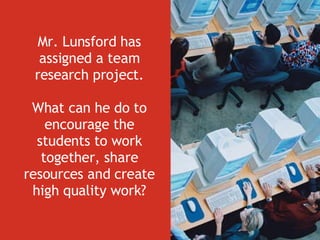
Mr. Lunsford has assigned a team research project. What can he do to encourage the students to work together, share resources and create high quality work?
Collaborative Open, public writing tool Constructive Community of users construct the knowledge Add, edit, delete, modify the content Manage the content Ongoing collective work of many authors
Why use a wiki? A wiki is a great tool for… (1) Student communication (2) Student collaboration generating ideas sharing information, resources creating together (3) Student presentation of learning
Why use a wiki? Differentiation Student engagement Information literacy skills Others…
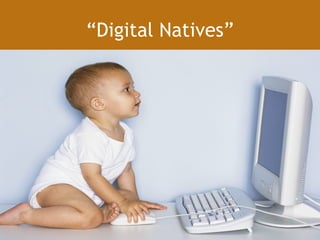
“ Digital Natives”
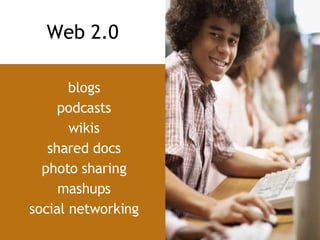
blogs podcasts wikis shared docs photo sharing mashups social networking Web 2.0
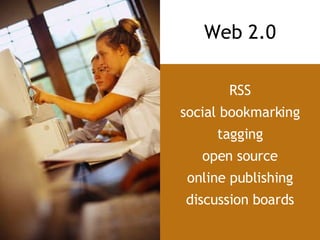
RSS social bookmarking tagging open source online publishing discussion boards Web 2.0
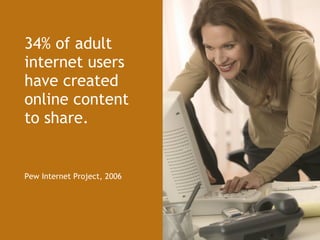
34% of adult internet users have created online content  to share. Pew Internet Project, 2006
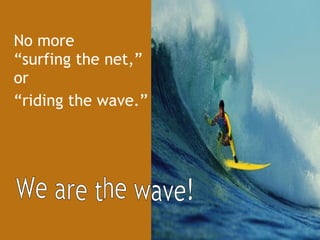
No more  “surfing the net,” or  “ riding the wave.” We are the wave!
Ways to use a wiki in your class
Ways to use a wiki Easily create simple student websites Project collaboration  (Big 6 skills!) Peer review Group authoring Data collection, survey Presentations
Ways to use a wiki Teacher collaboration Calendar Assignments and homework Review and extend class activities and discussions Link to video, podcasts, games Post supplemental resources and extension activities
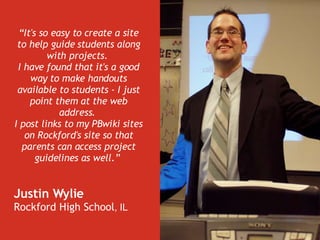
“ It's so easy to create a site to help guide students along with projects.  I have found that it's a good way to make handouts available to students - I just point them at the web address.  I post links to my PBwiki sites on Rockford's site so that parents can access project guidelines as well.”   Justin Wylie  Rockford High School , IL
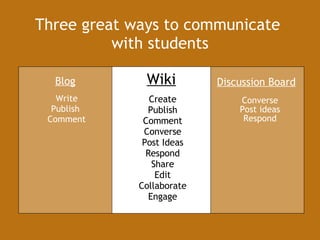
Converse Post ideas Respond Discussion Board Write Publish  Comment Create Publish Comment Converse Post Ideas Respond Share Edit Collaborate Engage Blog Wiki Three great ways to communicate  with students
Examples of Wikis in Classrooms
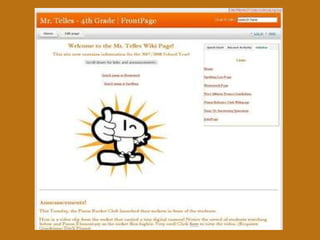
Grade 4 classroom wiki http://mrtelles.pbwiki.com
 
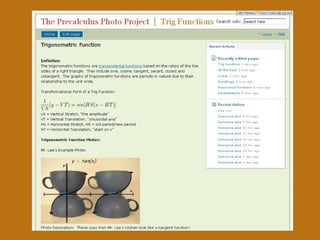
High School Pre-Calculus class http://precalculus.pbwiki.com/Trig+Functions
 
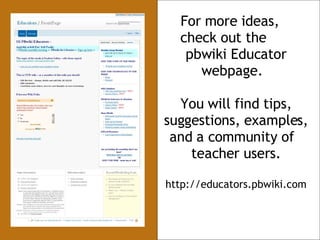
For more ideas,  check out the  pbwiki Educator webpage.  You will find tips, suggestions, examples, and a community of  teacher users. http://educators.pbwiki.com
Questions about using a wiki with my students…
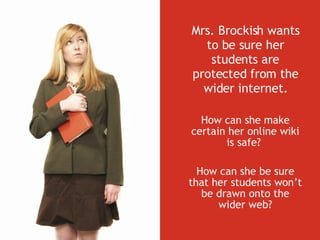
Mrs. Brockish wants to be sure her students are protected from the wider internet. How can she make certain her online wiki is safe?  How can she be sure that her students won’t be drawn onto the wider web?
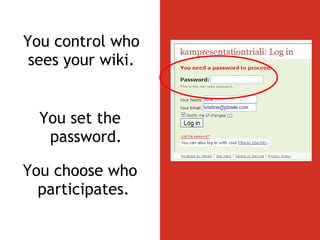
You control who sees your wiki. You set the password. You choose who participates.
Educator wikis are free  and have no advertisements. NO  ADS
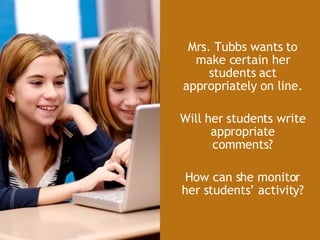
Mrs. Tubbs wants to make certain her students act appropriately on line. Will her students write appropriate comments? How can she monitor her students’ activity?
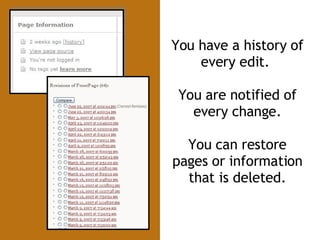
You have a history of every edit.  You are notified of every change. You can restore pages or information that is deleted.
No more “dog ate my homework.” Edits are time stamped.  You know who made changes and when they were made.
How do I create  a wiki?
Wiki Resources NESA now has a wiki tool! http://www.pbwiki.com http://www.wikispaces.com http://www.wetpaint.com
    Make a free wiki as easily as a    peanut butter sandwich.
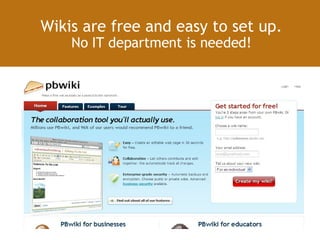
Wikis are free and easy to set up. No IT department is needed!
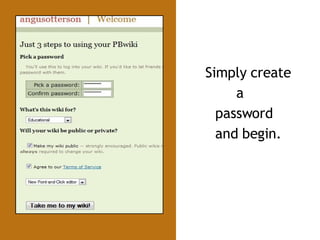
Simply create  a password and begin.
 
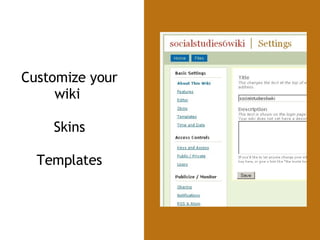
Customize your wiki  Skins Templates
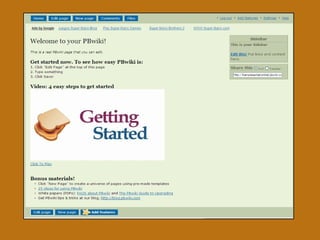
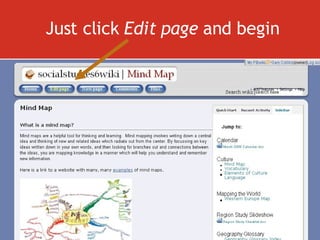
Just click  Edit page  and begin
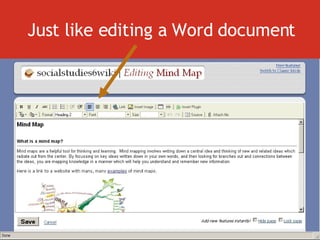
Just like editing a Word document
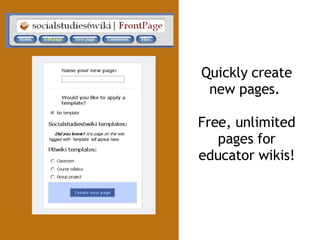
Quickly create new pages.  Free, unlimited pages for educator wikis!
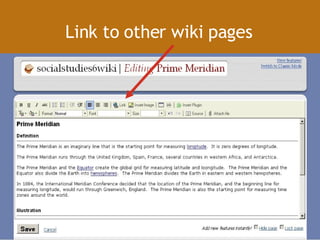
Link to other wiki pages
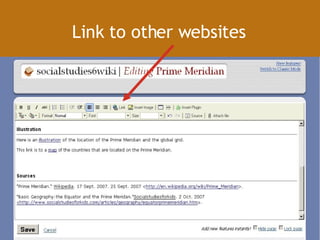
Link to other websites
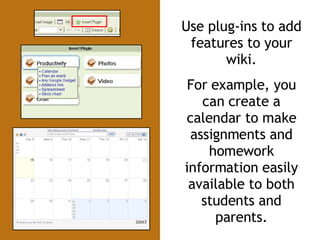
Use plug-ins to add features to your wiki. For example, you can create a calendar to make assignments and homework information easily available to both students and parents.
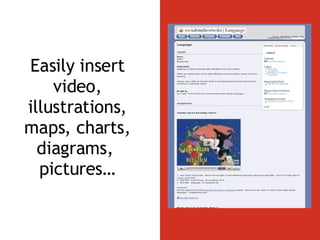
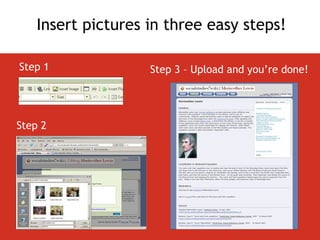
Easily insert video, illustrations, maps, charts, diagrams,  pictures…
Step 1 Step 2 Step 3 – Upload and you’re done! Insert pictures in three easy steps!
The End… or just the beginning?!
http://nesaconference08.pbwiki.com
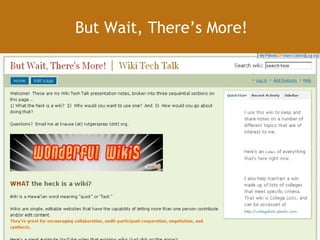
But Wait, There’s More!
Wiki Champion!
Gary Collins Saudi Aramco Schools Dhahran, Saudi Arabia [email_address]
 

NESA_Wiki_Presentation

  • 1.
    Wiki! Wiki! A Quick Introduction to Using a Wiki in Your Classroom Presented by: Gary Collins Saudi Aramco Schools Dhahran, Saudi Arabia [email_address]
  • 2.
  • 3.
    Presentation Outline Whatis a wiki? Why use a wiki with my students? Ways to use a wiki in your class Examples of wikis in classroom Questions about using a wiki… How do I create a wiki? The End, or just the beginning…?
  • 4.
    What is awiki?
  • 5.
    Wiki Wiki means“quick,” or “hurry fast” in Hawaiian
  • 6.
    Wiki History: Ward Cunningham WikiWikiWeb (1994) http://c2.com/cgi/wiki
  • 7.
  • 8.
    A wiki isan easy-to-use web page that multiple people can edit.
  • 9.
  • 10.
  • 11.
    Collaborative Open, publicwriting tool Constructive Community of users construct the knowledge Add, edit, delete, modify the content Manage the content Ongoing collective work of many authors
  • 12.
    “ Aside fromproject management, companies use wikis for wide-ranging activities, such as tracking industry news, setting meeting agendas, posting corporate policies, and even creating strategy documents.”
  • 13.
  • 14.
    “ At PIXAR… wiki technology is being used to help coordinate new computerized animation tools for the studio’s planned 2008 release of a film called WALL-E .”
  • 15.
    In the classroom,a wiki is a free tool that empowers every student to collaborate and share information.
  • 16.
    Video: Wikis inPlain English Available online at: http://www.commoncraft.com/ video-wikis-plain-english
  • 17.
    Why use awiki with my students?
  • 18.
    Mr. Lunsford hasassigned a team research project. What can he do to encourage the students to work together, share resources and create high quality work?
  • 19.
    Collaborative Open, publicwriting tool Constructive Community of users construct the knowledge Add, edit, delete, modify the content Manage the content Ongoing collective work of many authors
  • 20.
    Why use awiki? A wiki is a great tool for… (1) Student communication (2) Student collaboration generating ideas sharing information, resources creating together (3) Student presentation of learning
  • 21.
    Why use awiki? Differentiation Student engagement Information literacy skills Others…
  • 22.
  • 23.
    blogs podcasts wikisshared docs photo sharing mashups social networking Web 2.0
  • 24.
    RSS social bookmarkingtagging open source online publishing discussion boards Web 2.0
  • 25.
    34% of adultinternet users have created online content to share. Pew Internet Project, 2006
  • 26.
    No more “surfing the net,” or “ riding the wave.” We are the wave!
  • 27.
    Ways to usea wiki in your class
  • 28.
    Ways to usea wiki Easily create simple student websites Project collaboration (Big 6 skills!) Peer review Group authoring Data collection, survey Presentations
  • 29.
    Ways to usea wiki Teacher collaboration Calendar Assignments and homework Review and extend class activities and discussions Link to video, podcasts, games Post supplemental resources and extension activities
  • 30.
    “ It's soeasy to create a site to help guide students along with projects. I have found that it's a good way to make handouts available to students - I just point them at the web address. I post links to my PBwiki sites on Rockford's site so that parents can access project guidelines as well.” Justin Wylie Rockford High School , IL
  • 31.
    Converse Post ideasRespond Discussion Board Write Publish Comment Create Publish Comment Converse Post Ideas Respond Share Edit Collaborate Engage Blog Wiki Three great ways to communicate with students
  • 32.
    Examples of Wikisin Classrooms
  • 33.
    Grade 4 classroomwiki http://mrtelles.pbwiki.com
  • 34.
  • 35.
    High School Pre-Calculusclass http://precalculus.pbwiki.com/Trig+Functions
  • 36.
  • 37.
    For more ideas, check out the pbwiki Educator webpage. You will find tips, suggestions, examples, and a community of teacher users. http://educators.pbwiki.com
  • 38.
    Questions about usinga wiki with my students…
  • 39.
    Mrs. Brockish wantsto be sure her students are protected from the wider internet. How can she make certain her online wiki is safe? How can she be sure that her students won’t be drawn onto the wider web?
  • 40.
    You control whosees your wiki. You set the password. You choose who participates.
  • 41.
    Educator wikis arefree and have no advertisements. NO ADS
  • 42.
    Mrs. Tubbs wantsto make certain her students act appropriately on line. Will her students write appropriate comments? How can she monitor her students’ activity?
  • 43.
    You have ahistory of every edit. You are notified of every change. You can restore pages or information that is deleted.
  • 44.
    No more “dogate my homework.” Edits are time stamped. You know who made changes and when they were made.
  • 45.
    How do Icreate a wiki?
  • 46.
    Wiki Resources NESAnow has a wiki tool! http://www.pbwiki.com http://www.wikispaces.com http://www.wetpaint.com
  • 47.
    Make a free wiki as easily as a peanut butter sandwich.
  • 48.
    Wikis are freeand easy to set up. No IT department is needed!
  • 49.
    Simply create a password and begin.
  • 50.
  • 51.
    Customize your wiki Skins Templates
  • 52.
    Just click Edit page and begin
  • 53.
    Just like editinga Word document
  • 54.
    Quickly create newpages. Free, unlimited pages for educator wikis!
  • 55.
    Link to otherwiki pages
  • 56.
    Link to otherwebsites
  • 57.
    Use plug-ins toadd features to your wiki. For example, you can create a calendar to make assignments and homework information easily available to both students and parents.
  • 58.
    Easily insert video,illustrations, maps, charts, diagrams, pictures…
  • 59.
    Step 1 Step2 Step 3 – Upload and you’re done! Insert pictures in three easy steps!
  • 60.
    The End… orjust the beginning?!
  • 61.
  • 62.
  • 63.
  • 64.
    Gary Collins SaudiAramco Schools Dhahran, Saudi Arabia [email_address]
  • 65.