DotNetNuke Urls : Best Practice for
   Administrators, Editors and
          Developers

Orlando DotNetNuke User Group
       9th October 2012

          Bruce Chapman
Brief History of the Url
• ‘The goal of the Web was to be a shared
  information space through which people and
  machines could communicate’ – Tim Berners
  Lee, 1996
• WWW design:
  – An information system must be able to record
    random associations between any arbitary objects
  – Linking between two systems should be
    incremental, and not require onscalable
    operations such as the merging of link database
Brief History of the Url, cont.
• 3 Standards of the World Wide Web
  – Addressing Scheme : URI
  – Common Protocol : HTTP
  – Format Negotiation : HTML
• The URI (Uniform Resource Identifier) gives a
  cross-platform, generic, redefinable link to any
  resource.
• URL (Uniform Resource Locator) is a URI to a
  ‘thing’ on the internet.
Urls are the glue of the internet
• The entire WWW is held together by links
• Your DotNetNuke site is held together by links – get it
  right and don’t make a mess!
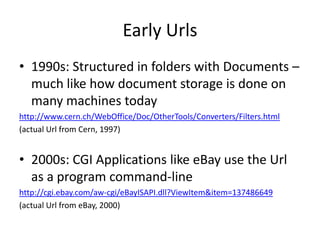
Early Urls
• 1990s: Structured in folders with Documents –
  much like how document storage is done on
  many machines today
http://www.cern.ch/WebOffice/Doc/OtherTools/Converters/Filters.html
(actual Url from Cern, 1997)


• 2000s: CGI Applications like eBay use the Url
  as a program command-line
http://cgi.ebay.com/aw-cgi/eBayISAPI.dll?ViewItem&item=137486649
(actual Url from eBay, 2000)
Mid-life Urls
• Rise of Scripting Languages (asp, et al) gave us
  the one-page-fits-all approach
http://www.msdn.microsoft.com/library/default.asp?url=/library/en-
   us/dnofftalk/html/office01022003.asp
Actual Url from MSDN, 2003


• Rise of Google in search engines counteracted
  the query-string approach, and introduced the
  human friendly Url
Modern Urls
• SEO Forces* have brought Urls back to the beginning,
  where they are:
   – Structured
   – Meaningful
   – Unique
   – Simple
   * precisely because SEO is all about being machine readable
• DotNetNuke Forums Url, 2004
   http://dotnetnuke.com/LinkClick.aspx?link=http%3a%2f%2fwww.asp.net%2fForums%2fShowForu
       m.aspx%3ftabindex%3d1%26ForumID%3d90&mid=1248

• DotNetNuke Forums Url, 2012
   http://www.dotnetnuke.com/Resources/Forums.aspx
DotNetNuke Urls for Editors
• Your Menu structure is your Link structure –
  be thoughtful in the names of pages
• Don’t use ‘Link Tracking’ – which generates
  LinkClick.aspx Urls
• Use the ‘Page’ drop down in the Html Editor
  to get the correct Url link each time.
• If using a staging / test environment, modify
  the link to be relative instead of absolute
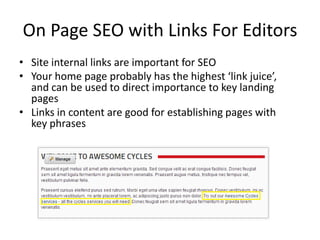
On Page SEO with Links For Editors
• Site internal links are important for SEO
• Your home page probably has the highest ‘link juice’,
  and can be used to direct importance to key landing
  pages
• Links in content are good for establishing pages with
  key phrases
On Page SEO with Links for Editors
• Footers are a good way to drive links into content
• Footers are also useful for mobile device users where
  scrolling can be more troublesome
• Consider varying the footer for different parts of your
  site – Products, Blog, Forum – make the footer links
  relevant to the page
Off Page SEO Links for Editors
• Promoting the site means collecting links from
  other sites
• ‘Linkbait’ content like blog posts or feature
  pages is a valid way of attracting links
• The usual methods are writing lists, (top 10 ),
  using provocative adjectives, stirring up
  emotion
• ‘10 useful DotNetNuke tips’ vs ’10 Promotion
  Causing DotNetNuke tips’
Off Page SEO Links for Editors
• If using this strategy, take the time to optimise
  the Url, so that the incoming links have
  maximum value.
• For blog posts, this usually means writing the
  title with the best keyword combination
• Keep it concise and short enough
• You don’t get control over the link text, but
  you do get control over the Url
Off Page SEO Links for Editors
• Consider creating a ‘hidden’ landing
  page/pages to optimise the Url if the content
  is static
  http://example.com/my-important-key-phrase
• Where possible, use a tool like Url Master to
  allow freedom with the page Url, which, when
  linked externally, will help ranking (and click-
  through)
  http://www.ifinity.com.au/Products/Url_Master_DNN_SEO_Urls
Choosing Extensions for DotNetNuke
           Administrators
• Urls have a real effect on the success of a site
• Bad Url strategies take time and money to
  correct
• Most modules, menus and other extensions
  have the Url ‘baked in’
• Evaluation of extensions should include
  assessing what Urls are being locked in
Choosing Menus for Administrators
• Most menus use the DNN API to retrieve the
  Url for a page
• Any Menu that doesn’t should be viewed with
  suspicion
• Menus that use simple Html (unordered list)
  are crawled better by search engines
• If using multi-language, check how the menu
  will adapt
Choosing Modules for Administrators
• Simpler Urls are better – period
• Admin Urls don’t matter much at all, not
  crawled, not linked.
• Products Listings, Blog posts, Catalogues –
  should all use simple Url with not much more
  than the item name
• Excessively long Urls with extraneous
  information reduce linkability, increase the
  keyword/noise ratio in the Url
Choosing Modules for Administrators
• Watch out for proprietary Urls that aren’t
  using the DNN Url API
• Giveaways include handlers
  (/myModuleHander.ashx) and items in
  DesktopModules path
  (/DesktopModules/MyProductPage.aspx)
• Others do API-external modifications like
  looking for particular patterns and doing
  find/replace
Choosing Modules for Administrators
• Using the DNN Apis allows the content to
  upgrade along with the core platform
• Ignoring the Apis locks into a particular
  structure and version of DotNetNuke
• As the platform improves, so will the Urls for
  the module
• Third-party Url plug-ins work with the DNN
  Api, modules which don’t use the Api may not
  be compatible
Choosing Modules for Administrators
• Some modules vary content slightly with
  different Urls – consider using Canonical Link
• Some modules have built-in Canonical Link
  control, look for this
• SEO Related – gold standard in modules is to
  allow specification of the Url, Title and
  Description separately to other content
Choosing Modules for Administrators
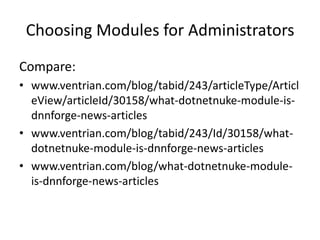
Compare:
• www.ventrian.com/blog/tabid/243/articleType/Articl
  eView/articleId/30158/what-dotnetnuke-module-is-
  dnnforge-news-articles
• www.ventrian.com/blog/tabid/243/Id/30158/what-
  dotnetnuke-module-is-dnnforge-news-articles
• www.ventrian.com/blog/what-dotnetnuke-module-
  is-dnnforge-news-articles
Planning a site migration
• Three categories of site migration
  1. Previous technology to DotNetNuke
  2. Change in domain name
  3. Re-organisation of content
• Migrations usually include using 301
  permanent redirect to move Urls
• 301 Permanent Redirect gives a signal to
  search engines and browsers to look for
  content in new location
Planning a Site Migration
• Plan for when it should happen – pick a quiet
  time to implement, and pick a quiet time for the
  project
• You can always maintain same Url and show new
  content. For highly-ranked pages, always a safer
  strategy.
• There is no problem with a mix of Url, styles,
  extensions, whatever. The concept of a ‘site’ is
  really only a set of pages with the same domain
Planning Redirects
• Create a list of all ‘from’ and ‘to’ Urls
• Google Webmaster / Bing Webmaster tools
  provides good starting point
• Best way is to use spreadsheet with ‘from’ and
  ‘to’ columns
• Be thorough and get good results
• Plan for a catch-all for some content
• Find the highest ranking/best performing pages
  and work backwards
Planning Redirect Strategy
• Tools for redirects:
  – IIS7 Rewrite Tool (web.config/regex)
  – Other IIS plugin
  – Dnn siteurls.config file
  – Third party plug-ins
  – 404 handler based
  – General Purpose module like Url Master
Previous Technology to DotNetNuke
• For DNN Based solution, Must re-map prior
  page extension to ASP.NET runtime
  – html / htm / php / asp / cfm
  – Easiest way is to use
    ‘runAllManagedModulesForAllRequests’
    (rammfar)
• Native IIS7 redirects do not require remapping
• Alternatively, add individual file handlers for
  requests for that extension
Change in Domain Name
• Adding new portal alias and changing the
  ‘primary’ portal alias will work
• Can use IIS7 Rewrite Tool
• Same principle as redirecting non-www to
  www
• Make sure site is working OK on new Url
  before switching over
Re-Organisation of Content
• For minor changes, using the ‘Permanent
  Redirect’ option in Dnn will work
• Tools like Url Master allow non-technical staff
  to enter and create redirects
• It’s OK to ‘retire’ whole subsections by
  redirecting to a single page, but not optimal
Post-Migration Checking
• Monitor 404 pages (remember Analytics etc
  do not log 404s)
• Daily check of search engine ranking for
  important pages
• Expect a temporary drop in rankings across
  the site
• If strategy was correct, rankings should return
  better than before
Urls for the Developer
• For new modules, plan your Urls as part of
  your design
• For existing modules, you can always add
  better Url schemes with new versions
• Always provide the option to switch off
  redirects if you add this
Urls for the Developer
• Best practice for module development is
  provide a default value derived from content,
  but then allow overriding by power user
• Example:
  – new product Url :
     example.com/Products/Widget
  – allow admin to override :
     example.com/Products/Widget-for-widgeting-platform
Urls for the Developer
• Don’t make assumptions about Dnn Url and
  try and make changes
• Worst mistakes are
  – case-insensitive comparisons
  – looking for specific patterns (/default.aspx) and
    replacing – there are APIs for this
  – Intentionally creating duplicate content
    (example.com/product and
    example.com/category/product)
Urls for the Developer
• For commercial modules, don’t forget multi-
  language Urls. Allow flexibility in Urls for
  different languages:
  – example.com/products/white-wine
  – example.com/produits/vin-blanc
  – example.com/producto/vino-blanco

• Again, allowing override relieves many
  requirements for administrators
Urls for the Developer
• Don’t stuff too many things into the Url, try to
  keep it simple but unique
• There’s no need for /view and /edit – the view
  is implied
• Allow for Url change. Keep a history and
  redirect where changes occur
• Consider use of Canonical Links
• Always, always give administrators options
Urls for the Developer
• Building Providers:
  – Search Engine Sitemap Provider API
  – Friendly Url Provider for Url Master
• Don’t ignore other aspects of SEO that are
  unrelated to the Url – customisable titles +
  descriptions
• Be aware that social features like Journal may
  ‘save’ Url, so must always support old versions
  of module Urls
Best Practice for Urls in DotNetNuke
• Summary
  – Urls are very important for the usability of the
    internet
  – When editing, take care with Urls
  – When selecting and installing modules, check out
    if the Url strategy is flexible and usable
  – When developing DNN modules, think about
    flexibility, customisation and SEO

DotNetNuke Urls - Best practice for administrators, editors and developers

  • 1.
    DotNetNuke Urls :Best Practice for Administrators, Editors and Developers Orlando DotNetNuke User Group 9th October 2012 Bruce Chapman
  • 2.
    Brief History ofthe Url • ‘The goal of the Web was to be a shared information space through which people and machines could communicate’ – Tim Berners Lee, 1996 • WWW design: – An information system must be able to record random associations between any arbitary objects – Linking between two systems should be incremental, and not require onscalable operations such as the merging of link database
  • 3.
    Brief History ofthe Url, cont. • 3 Standards of the World Wide Web – Addressing Scheme : URI – Common Protocol : HTTP – Format Negotiation : HTML • The URI (Uniform Resource Identifier) gives a cross-platform, generic, redefinable link to any resource. • URL (Uniform Resource Locator) is a URI to a ‘thing’ on the internet.
  • 4.
    Urls are theglue of the internet • The entire WWW is held together by links • Your DotNetNuke site is held together by links – get it right and don’t make a mess!
  • 5.
    Early Urls • 1990s:Structured in folders with Documents – much like how document storage is done on many machines today http://www.cern.ch/WebOffice/Doc/OtherTools/Converters/Filters.html (actual Url from Cern, 1997) • 2000s: CGI Applications like eBay use the Url as a program command-line http://cgi.ebay.com/aw-cgi/eBayISAPI.dll?ViewItem&item=137486649 (actual Url from eBay, 2000)
  • 6.
    Mid-life Urls • Riseof Scripting Languages (asp, et al) gave us the one-page-fits-all approach http://www.msdn.microsoft.com/library/default.asp?url=/library/en- us/dnofftalk/html/office01022003.asp Actual Url from MSDN, 2003 • Rise of Google in search engines counteracted the query-string approach, and introduced the human friendly Url
  • 7.
    Modern Urls • SEOForces* have brought Urls back to the beginning, where they are: – Structured – Meaningful – Unique – Simple * precisely because SEO is all about being machine readable • DotNetNuke Forums Url, 2004 http://dotnetnuke.com/LinkClick.aspx?link=http%3a%2f%2fwww.asp.net%2fForums%2fShowForu m.aspx%3ftabindex%3d1%26ForumID%3d90&mid=1248 • DotNetNuke Forums Url, 2012 http://www.dotnetnuke.com/Resources/Forums.aspx
  • 8.
    DotNetNuke Urls forEditors • Your Menu structure is your Link structure – be thoughtful in the names of pages • Don’t use ‘Link Tracking’ – which generates LinkClick.aspx Urls • Use the ‘Page’ drop down in the Html Editor to get the correct Url link each time. • If using a staging / test environment, modify the link to be relative instead of absolute
  • 9.
    On Page SEOwith Links For Editors • Site internal links are important for SEO • Your home page probably has the highest ‘link juice’, and can be used to direct importance to key landing pages • Links in content are good for establishing pages with key phrases
  • 10.
    On Page SEOwith Links for Editors • Footers are a good way to drive links into content • Footers are also useful for mobile device users where scrolling can be more troublesome • Consider varying the footer for different parts of your site – Products, Blog, Forum – make the footer links relevant to the page
  • 11.
    Off Page SEOLinks for Editors • Promoting the site means collecting links from other sites • ‘Linkbait’ content like blog posts or feature pages is a valid way of attracting links • The usual methods are writing lists, (top 10 ), using provocative adjectives, stirring up emotion • ‘10 useful DotNetNuke tips’ vs ’10 Promotion Causing DotNetNuke tips’
  • 12.
    Off Page SEOLinks for Editors • If using this strategy, take the time to optimise the Url, so that the incoming links have maximum value. • For blog posts, this usually means writing the title with the best keyword combination • Keep it concise and short enough • You don’t get control over the link text, but you do get control over the Url
  • 13.
    Off Page SEOLinks for Editors • Consider creating a ‘hidden’ landing page/pages to optimise the Url if the content is static http://example.com/my-important-key-phrase • Where possible, use a tool like Url Master to allow freedom with the page Url, which, when linked externally, will help ranking (and click- through) http://www.ifinity.com.au/Products/Url_Master_DNN_SEO_Urls
  • 14.
    Choosing Extensions forDotNetNuke Administrators • Urls have a real effect on the success of a site • Bad Url strategies take time and money to correct • Most modules, menus and other extensions have the Url ‘baked in’ • Evaluation of extensions should include assessing what Urls are being locked in
  • 15.
    Choosing Menus forAdministrators • Most menus use the DNN API to retrieve the Url for a page • Any Menu that doesn’t should be viewed with suspicion • Menus that use simple Html (unordered list) are crawled better by search engines • If using multi-language, check how the menu will adapt
  • 16.
    Choosing Modules forAdministrators • Simpler Urls are better – period • Admin Urls don’t matter much at all, not crawled, not linked. • Products Listings, Blog posts, Catalogues – should all use simple Url with not much more than the item name • Excessively long Urls with extraneous information reduce linkability, increase the keyword/noise ratio in the Url
  • 17.
    Choosing Modules forAdministrators • Watch out for proprietary Urls that aren’t using the DNN Url API • Giveaways include handlers (/myModuleHander.ashx) and items in DesktopModules path (/DesktopModules/MyProductPage.aspx) • Others do API-external modifications like looking for particular patterns and doing find/replace
  • 18.
    Choosing Modules forAdministrators • Using the DNN Apis allows the content to upgrade along with the core platform • Ignoring the Apis locks into a particular structure and version of DotNetNuke • As the platform improves, so will the Urls for the module • Third-party Url plug-ins work with the DNN Api, modules which don’t use the Api may not be compatible
  • 19.
    Choosing Modules forAdministrators • Some modules vary content slightly with different Urls – consider using Canonical Link • Some modules have built-in Canonical Link control, look for this • SEO Related – gold standard in modules is to allow specification of the Url, Title and Description separately to other content
  • 20.
    Choosing Modules forAdministrators Compare: • www.ventrian.com/blog/tabid/243/articleType/Articl eView/articleId/30158/what-dotnetnuke-module-is- dnnforge-news-articles • www.ventrian.com/blog/tabid/243/Id/30158/what- dotnetnuke-module-is-dnnforge-news-articles • www.ventrian.com/blog/what-dotnetnuke-module- is-dnnforge-news-articles
  • 21.
    Planning a sitemigration • Three categories of site migration 1. Previous technology to DotNetNuke 2. Change in domain name 3. Re-organisation of content • Migrations usually include using 301 permanent redirect to move Urls • 301 Permanent Redirect gives a signal to search engines and browsers to look for content in new location
  • 22.
    Planning a SiteMigration • Plan for when it should happen – pick a quiet time to implement, and pick a quiet time for the project • You can always maintain same Url and show new content. For highly-ranked pages, always a safer strategy. • There is no problem with a mix of Url, styles, extensions, whatever. The concept of a ‘site’ is really only a set of pages with the same domain
  • 23.
    Planning Redirects • Createa list of all ‘from’ and ‘to’ Urls • Google Webmaster / Bing Webmaster tools provides good starting point • Best way is to use spreadsheet with ‘from’ and ‘to’ columns • Be thorough and get good results • Plan for a catch-all for some content • Find the highest ranking/best performing pages and work backwards
  • 24.
    Planning Redirect Strategy •Tools for redirects: – IIS7 Rewrite Tool (web.config/regex) – Other IIS plugin – Dnn siteurls.config file – Third party plug-ins – 404 handler based – General Purpose module like Url Master
  • 25.
    Previous Technology toDotNetNuke • For DNN Based solution, Must re-map prior page extension to ASP.NET runtime – html / htm / php / asp / cfm – Easiest way is to use ‘runAllManagedModulesForAllRequests’ (rammfar) • Native IIS7 redirects do not require remapping • Alternatively, add individual file handlers for requests for that extension
  • 26.
    Change in DomainName • Adding new portal alias and changing the ‘primary’ portal alias will work • Can use IIS7 Rewrite Tool • Same principle as redirecting non-www to www • Make sure site is working OK on new Url before switching over
  • 27.
    Re-Organisation of Content •For minor changes, using the ‘Permanent Redirect’ option in Dnn will work • Tools like Url Master allow non-technical staff to enter and create redirects • It’s OK to ‘retire’ whole subsections by redirecting to a single page, but not optimal
  • 28.
    Post-Migration Checking • Monitor404 pages (remember Analytics etc do not log 404s) • Daily check of search engine ranking for important pages • Expect a temporary drop in rankings across the site • If strategy was correct, rankings should return better than before
  • 29.
    Urls for theDeveloper • For new modules, plan your Urls as part of your design • For existing modules, you can always add better Url schemes with new versions • Always provide the option to switch off redirects if you add this
  • 30.
    Urls for theDeveloper • Best practice for module development is provide a default value derived from content, but then allow overriding by power user • Example: – new product Url : example.com/Products/Widget – allow admin to override : example.com/Products/Widget-for-widgeting-platform
  • 31.
    Urls for theDeveloper • Don’t make assumptions about Dnn Url and try and make changes • Worst mistakes are – case-insensitive comparisons – looking for specific patterns (/default.aspx) and replacing – there are APIs for this – Intentionally creating duplicate content (example.com/product and example.com/category/product)
  • 32.
    Urls for theDeveloper • For commercial modules, don’t forget multi- language Urls. Allow flexibility in Urls for different languages: – example.com/products/white-wine – example.com/produits/vin-blanc – example.com/producto/vino-blanco • Again, allowing override relieves many requirements for administrators
  • 33.
    Urls for theDeveloper • Don’t stuff too many things into the Url, try to keep it simple but unique • There’s no need for /view and /edit – the view is implied • Allow for Url change. Keep a history and redirect where changes occur • Consider use of Canonical Links • Always, always give administrators options
  • 34.
    Urls for theDeveloper • Building Providers: – Search Engine Sitemap Provider API – Friendly Url Provider for Url Master • Don’t ignore other aspects of SEO that are unrelated to the Url – customisable titles + descriptions • Be aware that social features like Journal may ‘save’ Url, so must always support old versions of module Urls
  • 35.
    Best Practice forUrls in DotNetNuke • Summary – Urls are very important for the usability of the internet – When editing, take care with Urls – When selecting and installing modules, check out if the Url strategy is flexible and usable – When developing DNN modules, think about flexibility, customisation and SEO