
Peter Friese
Developer Advocate, Google
What’s New in Android Wear 2.0
Android Wear 2.0
Developer Preview
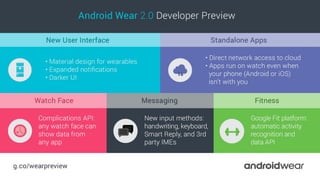
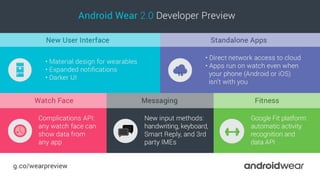
Android Wear 2.0
1. Material Design for Apps
2. Standalone
3. Watch faces
4. Messaging
5. Fitness
New User Interface
design.google.com
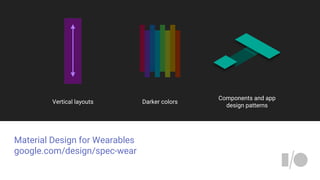
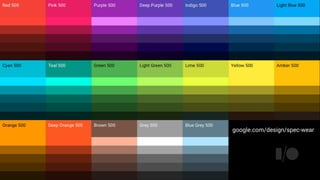
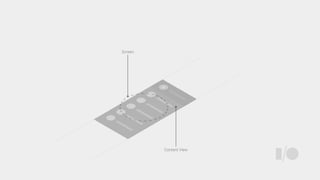
Material Design for Wearables
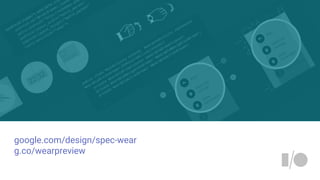
google.com/design/spec-wear
Components and app
design patterns
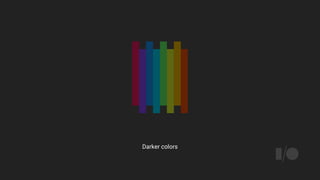
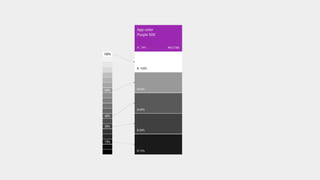
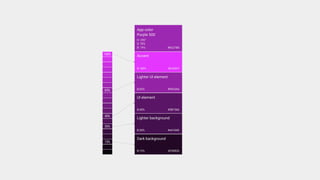
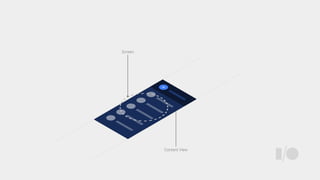
Vertical layouts Darker colors
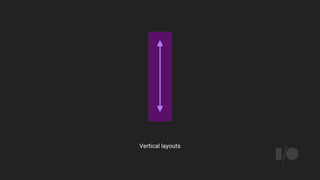
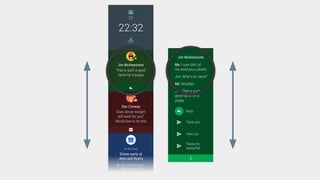
Vertical layouts
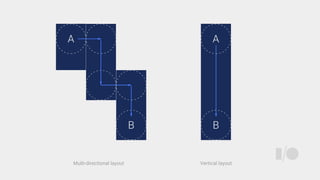
Vertical layoutMulti-directional layout
Darker colors
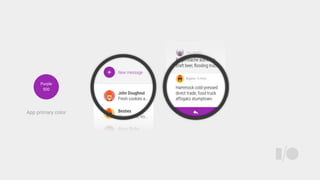
Purple
500
App primary color
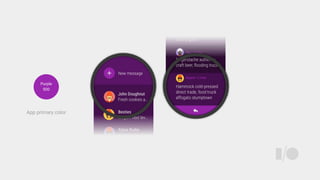
Purple
500
App primary color
google.com/design/spec-wear
Components and app
design patterns
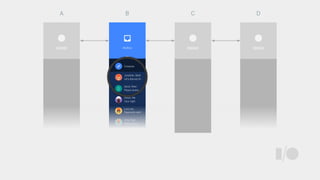
A B C D
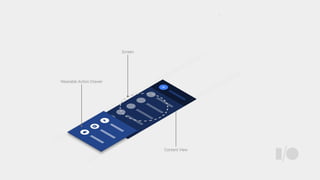
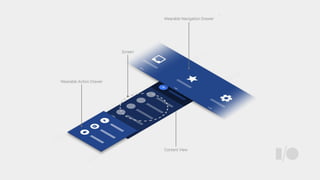
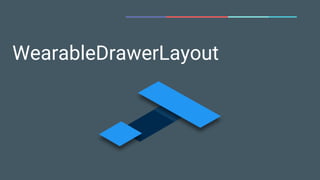
WearableDrawerLayout
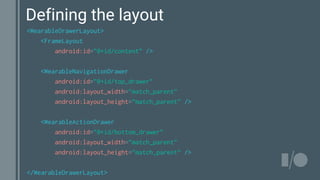
<WearableDrawerLayout>
<FrameLayout
android:id=”@+id/content” />
<WearableNavigationDrawer
android:id=”@+id/top_drawer”
android:layout_width=”match_parent”
android:layout_height=”match_parent” />
<WearableActionDrawer
android:id=”@+id/bottom_drawer”
android:layout_width=”match_parent”
android:layout_height=”match_parent” />
</WearableDrawerLayout>
Defining the layout
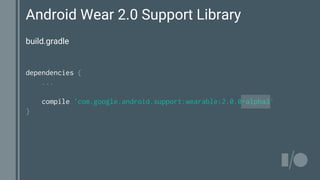
Android Wear 2.0 Support Library
dependencies {
...
compile 'com.google.android.support:wearable:2.0.0-alpha3'
}
build.gradle
google.com/design/spec-wear
g.co/wearpreview
Don’t forget
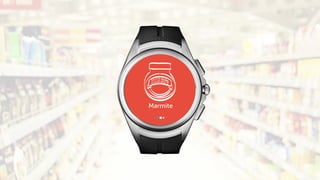
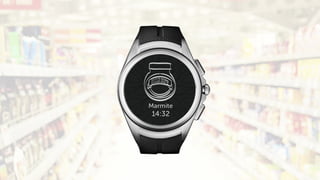
Wear apps are “real” apps
Always On Apps
Standalone Apps
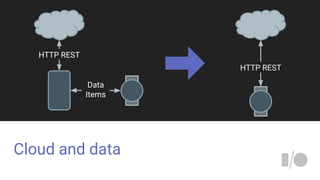
Cloud and data
Cloud DistributeAuth Notify
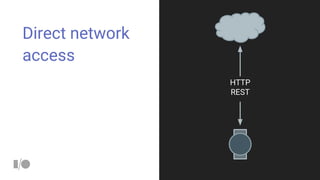
Direct network
access
HTTP
REST
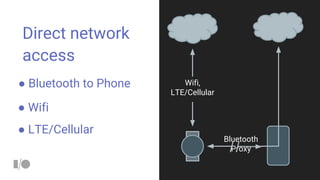
Direct network
access
● Bluetooth to Phone
Bluetooth
Proxy
● Wifi
● LTE/Cellular
Wifi,
LTE/Cellular
Cloud and data
HTTP REST
Data
Items
HTTP REST
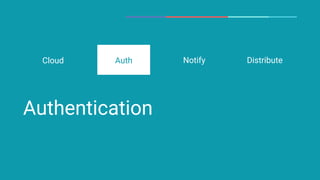
Authentication
Auth DistributeCloud Notify
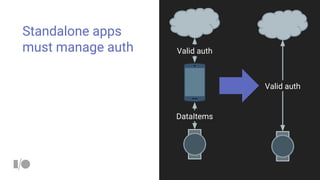
Standalone apps
must manage auth Valid auth
DataItems
Valid auth
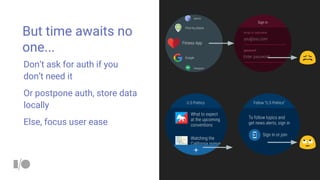
But time awaits no
one...
Don’t ask for auth if you
don’t need it
Or postpone auth, store data
locally
Else, focus user ease
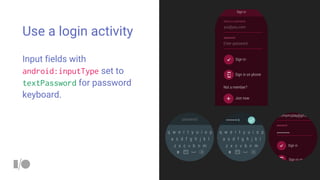
Use a login activity
Input fields with
android:inputType set to
textPassword for password
keyboard.
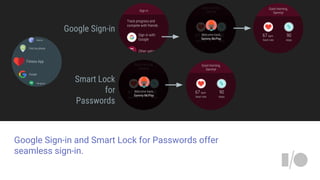
Google Sign-in and Smart Lock for Passwords offer
seamless sign-in.
Google Sign-in
Smart Lock
for
Passwords
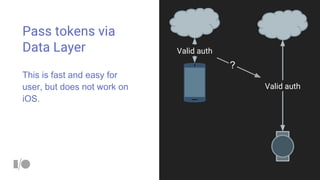
Pass tokens via
Data Layer
This is fast and easy for
user, but does not work on
iOS.
Valid auth
Valid auth
?
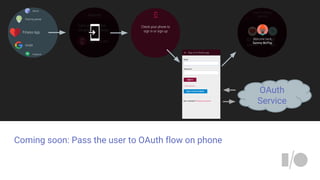
Coming soon: Pass the user to OAuth flow on phone
OAuth
Service
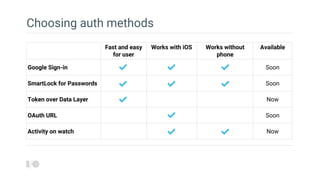
Choosing auth methods
Fast and easy
for user
Works with iOS Works without
phone
Available
Google Sign-in Soon
SmartLock for Passwords Soon
Token over Data Layer Now
OAuth URL Soon
Activity on watch Now
Notifications and push
Auth DistributeCloud Notify
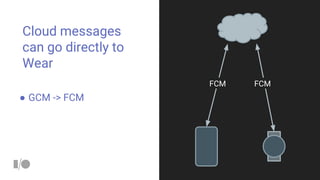
Cloud messages
can go directly to
Wear
FCM FCM
● GCM -> FCM
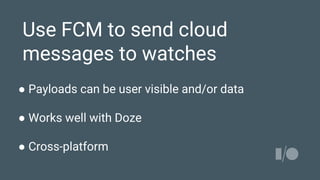
Use FCM to send cloud
messages to watches
● Payloads can be user visible and/or data
● Works well with Doze
● Cross-platform
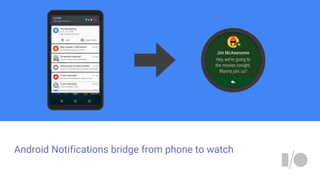
Android Notifications bridge from phone to watch
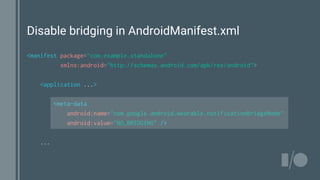
Disable bridging in AndroidManifest.xml
<manifest package="com.example.standalone"
xmlns:android="http://schemas.android.com/apk/res/android">
<application ...>
<meta-data
android:name="com.google.android.wearable.notificationBridgeMode"
android:value="NO_BRIDGING" />
...
Distribution and installation
Auth DistributeCloud Notify
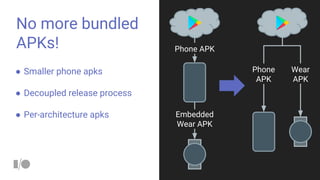
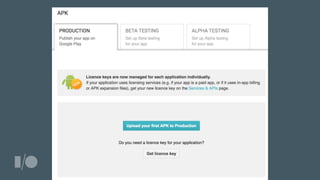
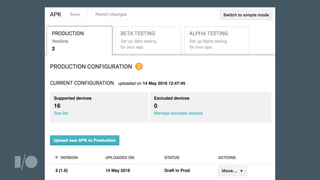
No more bundled
APKs! Phone APK
Embedded
Wear APK
Phone
APK
Wear
APK
● Smaller phone apks
● Decoupled release process
● Per-architecture apks
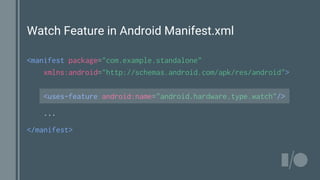
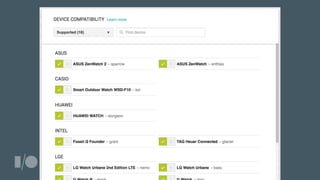
Watch Feature in Android Manifest.xml
<manifest package="com.example.standalone"
xmlns:android="http://schemas.android.com/apk/res/android">
<uses-feature android:name="android.hardware.type.watch"/>
...
</manifest>
Turn off phone app bundling of wear apps
dependencies {
compile fileTree(dir: 'libs', include: ['*.jar'])
wearApp project(':wear')
compile 'com.google.android.gms:play-services:8.4.0'
}
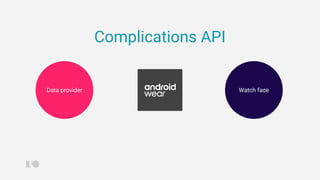
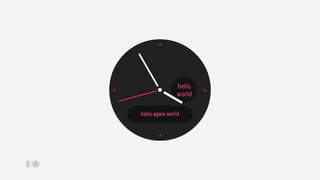
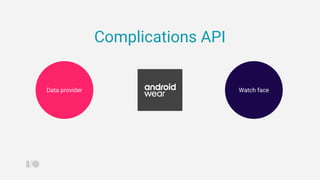
Complications API
Introducing complications
Sub Title
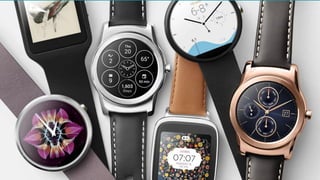
What’s a
complication?
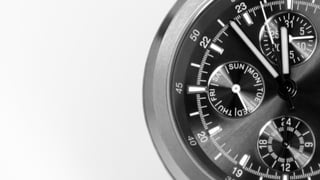
In Horology, the study of
clocks and watches, a
complication refers to any
feature in a timepiece
beyond the simple display of
hours and minutes.
Source: Wikipedia
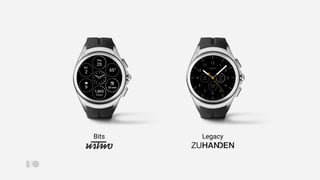
Bits Legacy
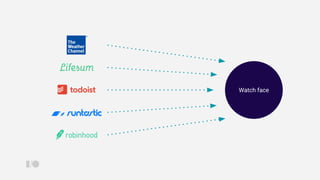
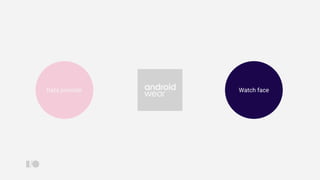
Watch faceData provider
Complications API
Watch face
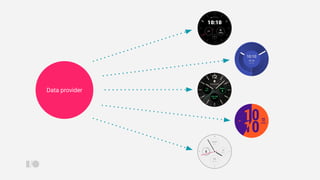
Data provider
Design Guidelines
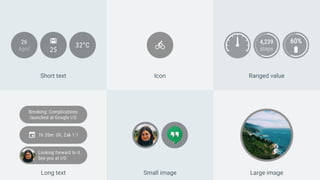
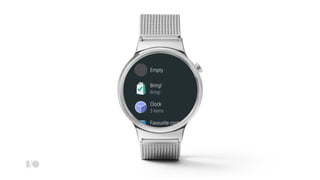
Short text Icon Ranged value
Long text Large imageSmall image
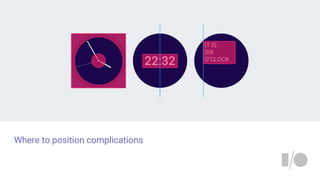
Where to position complications
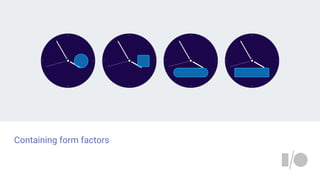
Containing form factors
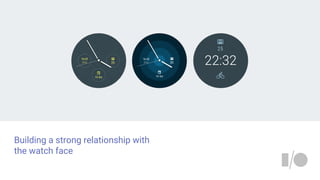
Building a strong relationship with
the watch face
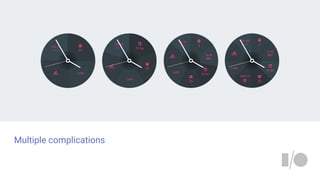
Multiple complications
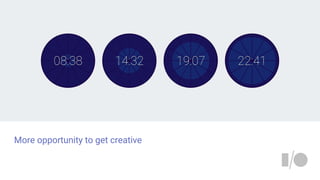
More opportunity to get creative
Using the API
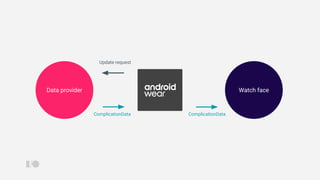
Watch faceData provider
Watch face
Update request
Data provider
ComplicationData ComplicationData
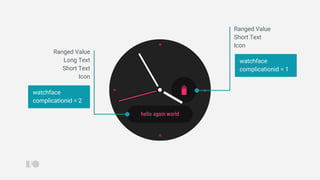
watchface
complicationid = 2
watchface
complicationid = 1
Ranged Value
Long Text
Short Text
Icon
Ranged Value
Short Text
Icon
MyWatchFaceConfigActivity.java
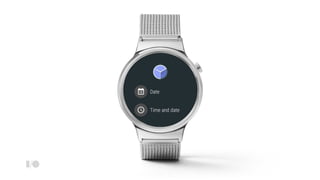
Intent intent = ComplicationHelperActivity.createProviderChooserIntent(
getActivity(),
watchfaceComponentName,
watchFaceComplicationId,
new int[] {
ComplicationData.TYPE_RANGED_VALUE,
ComplicationData.TYPE_SHORT_TEXT,
ComplicationData.TYPE_ICON
});
startActivityForResult(intent, REQ_CODE);
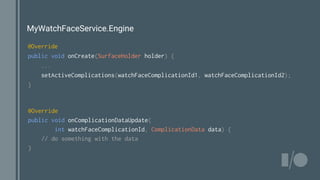
MyWatchFaceService.Engine
@Override
public void onCreate(SurfaceHolder holder) {
...
setActiveComplications(watchFaceComplicationId1, watchFaceComplicationId2);
}
@Override
public void onComplicationDataUpdate(
int watchFaceComplicationId, ComplicationData data) {
// do something with the data
}
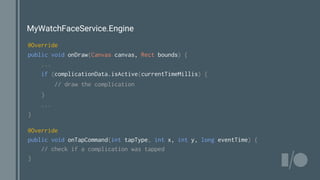
MyWatchFaceService.Engine
@Override
public void onDraw(Canvas canvas, Rect bounds) {
...
if (complicationData.isActive(currentTimeMillis) {
// draw the complication
}
...
}
@Override
public void onTapCommand(int tapType, int x, int y, long eventTime) {
// check if a complication was tapped
}
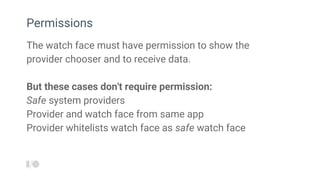
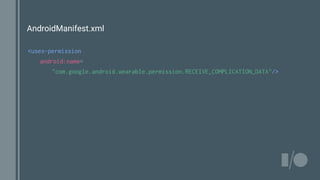
The watch face must have permission to show the
provider chooser and to receive data.
But these cases don't require permission:
Safe system providers
Provider and watch face from same app
Provider whitelists watch face as safe watch face
Permissions
AndroidManifest.xml
<uses-permission
android:name=
"com.google.android.wearable.permission.RECEIVE_COMPLICATION_DATA"/>
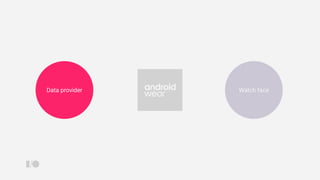
Watch faceData provider
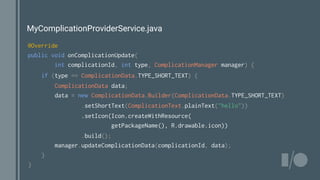
MyComplicationProviderService.java
@Override
public void onComplicationUpdate(
int complicationId, int type, ComplicationManager manager) {
if (type == ComplicationData.TYPE_SHORT_TEXT) {
ComplicationData data;
data = new ComplicationData.Builder(ComplicationData.TYPE_SHORT_TEXT)
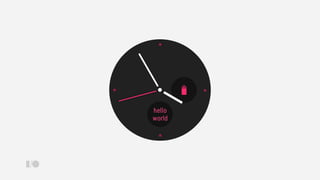
.setShortText(ComplicationText.plainText("hello"))
.setIcon(Icon.createWithResource(
getPackageName(), R.drawable.icon))
.build();
manager.updateComplicationData(complicationId, data);
}
}
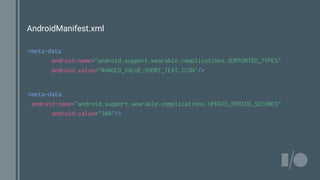
AndroidManifest.xml
<meta-data
android:name="android.support.wearable.complications.SUPPORTED_TYPES"
android:value="RANGED_VALUE,SHORT_TEXT,ICON"/>
<meta-data
android:name="android.support.wearable.complications.UPDATE_PERIOD_SECONDS"
android:value="300"/>
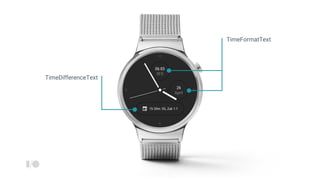
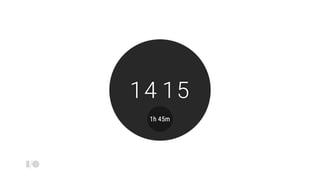
TimeDifferenceText
TimeFormatText
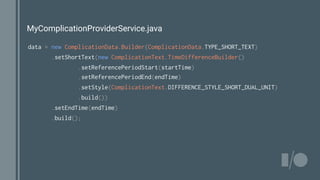
MyComplicationProviderService.java
data = new ComplicationData.Builder(ComplicationData.TYPE_SHORT_TEXT)
.setShortText(new ComplicationText.TimeDifferenceBuilder()
.setReferencePeriodStart(startTime)
.setReferencePeriodEnd(endTime)
.setStyle(ComplicationText.DIFFERENCE_STYLE_SHORT_DUAL_UNIT)
.build())
.setEndTime(endTime)
.build();
Watch faceData provider
Complications API
Introducing complications
Sub Title
Android Wear 2.0
1. System UI and Material Design
2. Standalone
3. Watch faces
4. Messaging
5. Fitness
g.co/wearpreview
g.co/wearpreview
Bugs, API suggestions?
Android Wear Developer Preview Issue tracker
g.co/wearpreviewbug
Discussion
Android Wear G+ Community
g.co/androidweardev
Peter Friese
@peterfriese
Thank You!

What's new in Android Wear 2.0