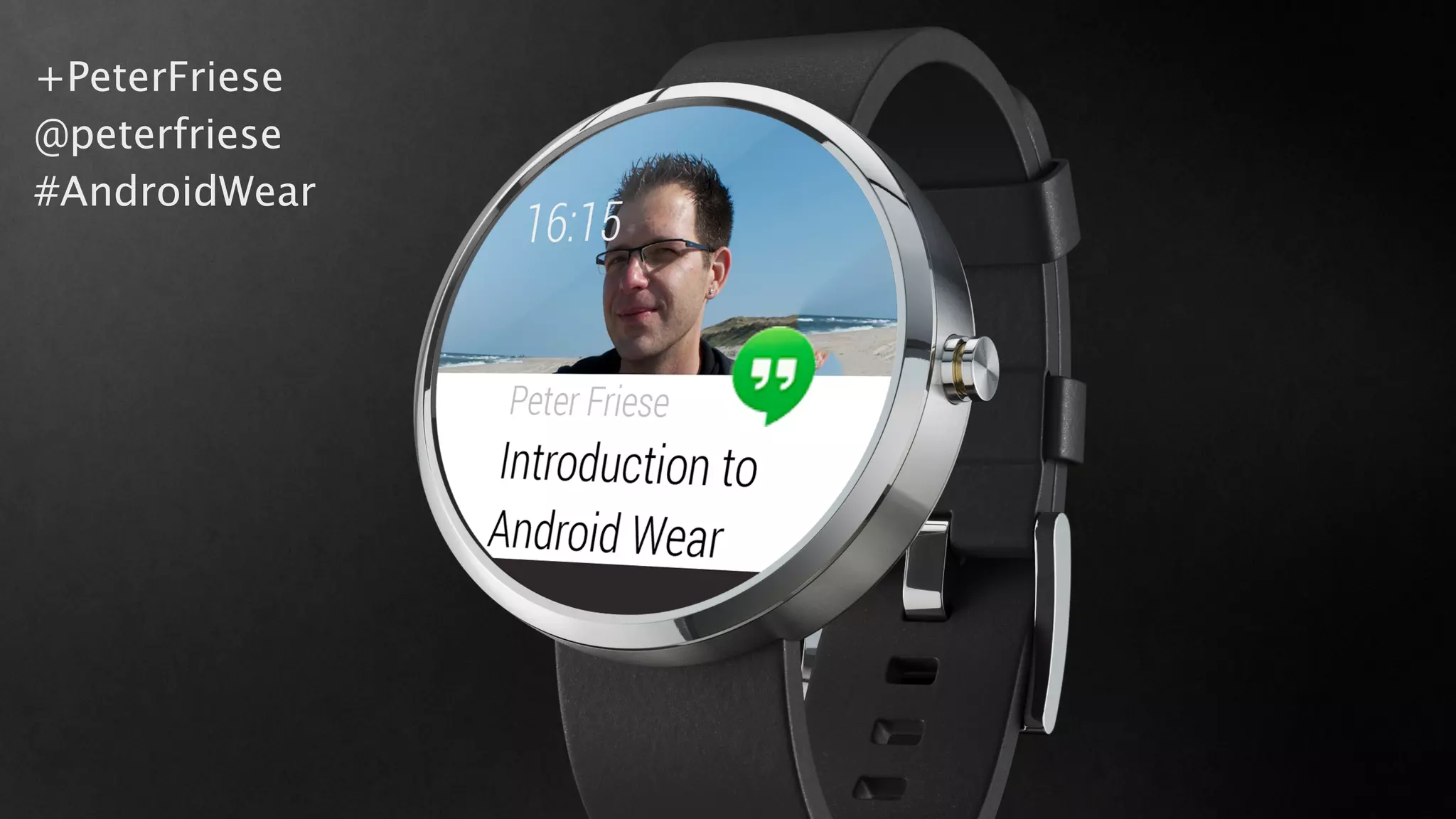
+PeterFriese
@peterfriese
#AndroidWear
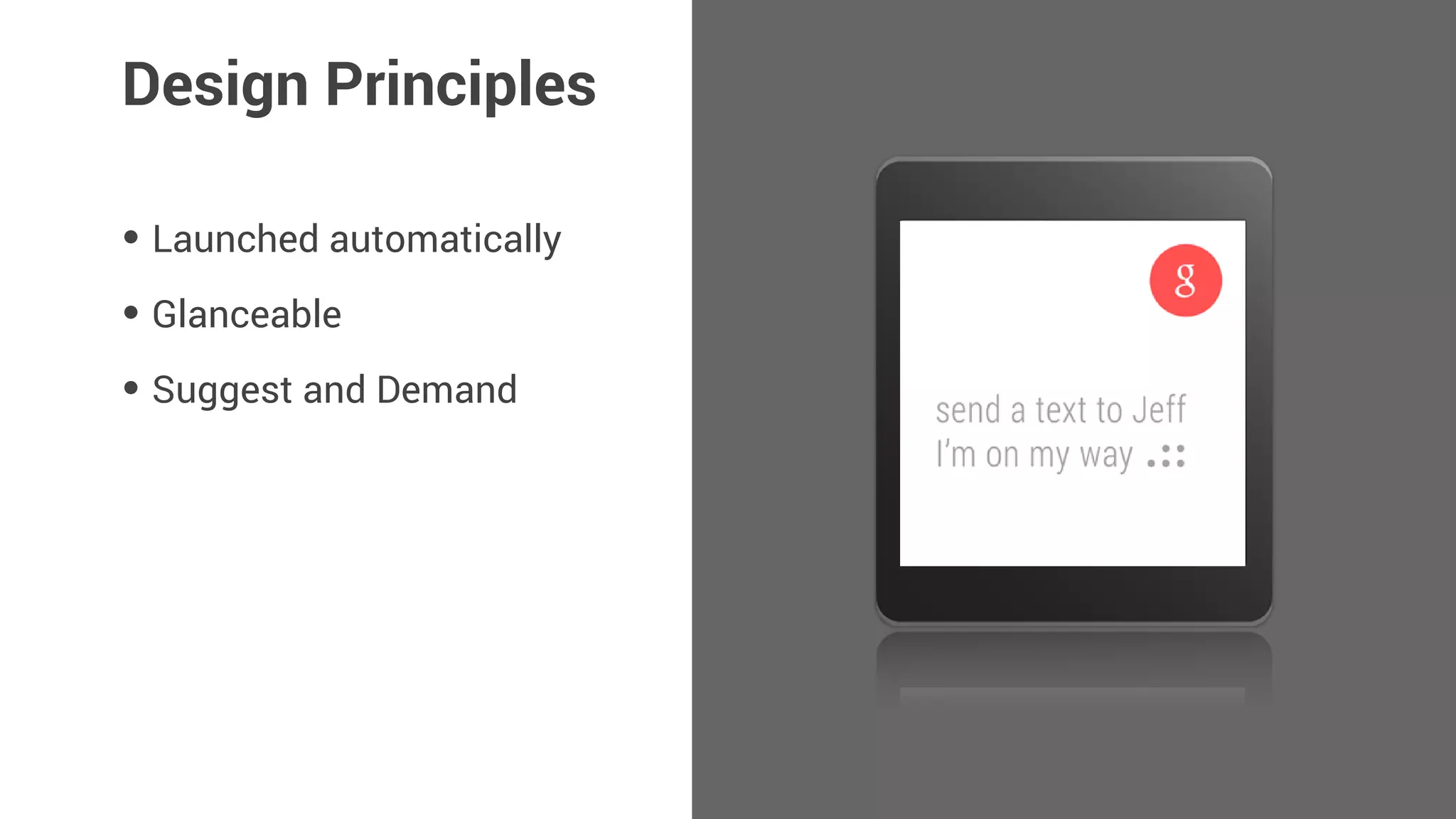
Design Principles
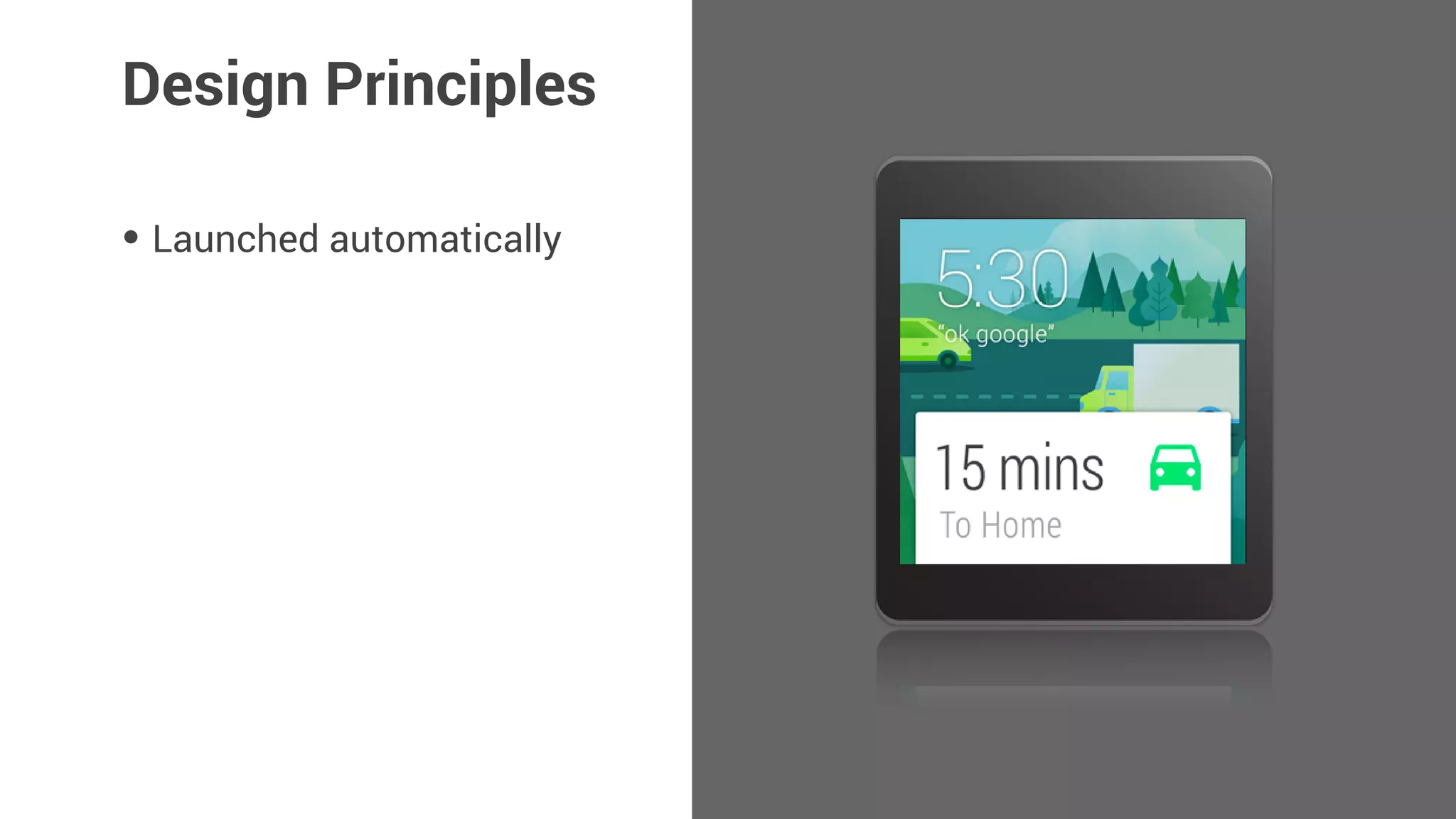
• Launched automatically
Design Principles
• Launched automatically
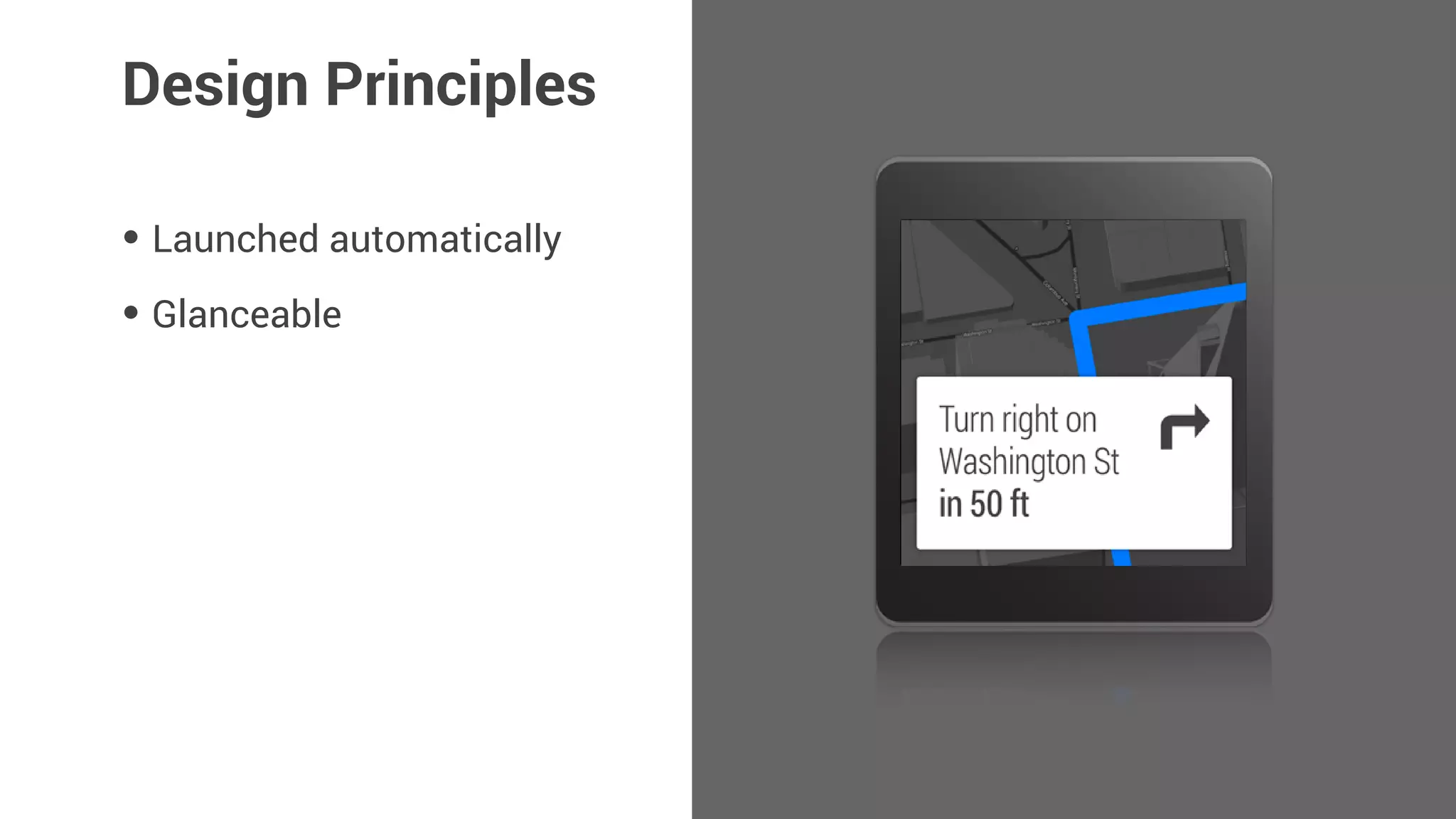
• Glanceable
Design Principles
• Launched automatically
• Glanceable
• Suggest and Demand
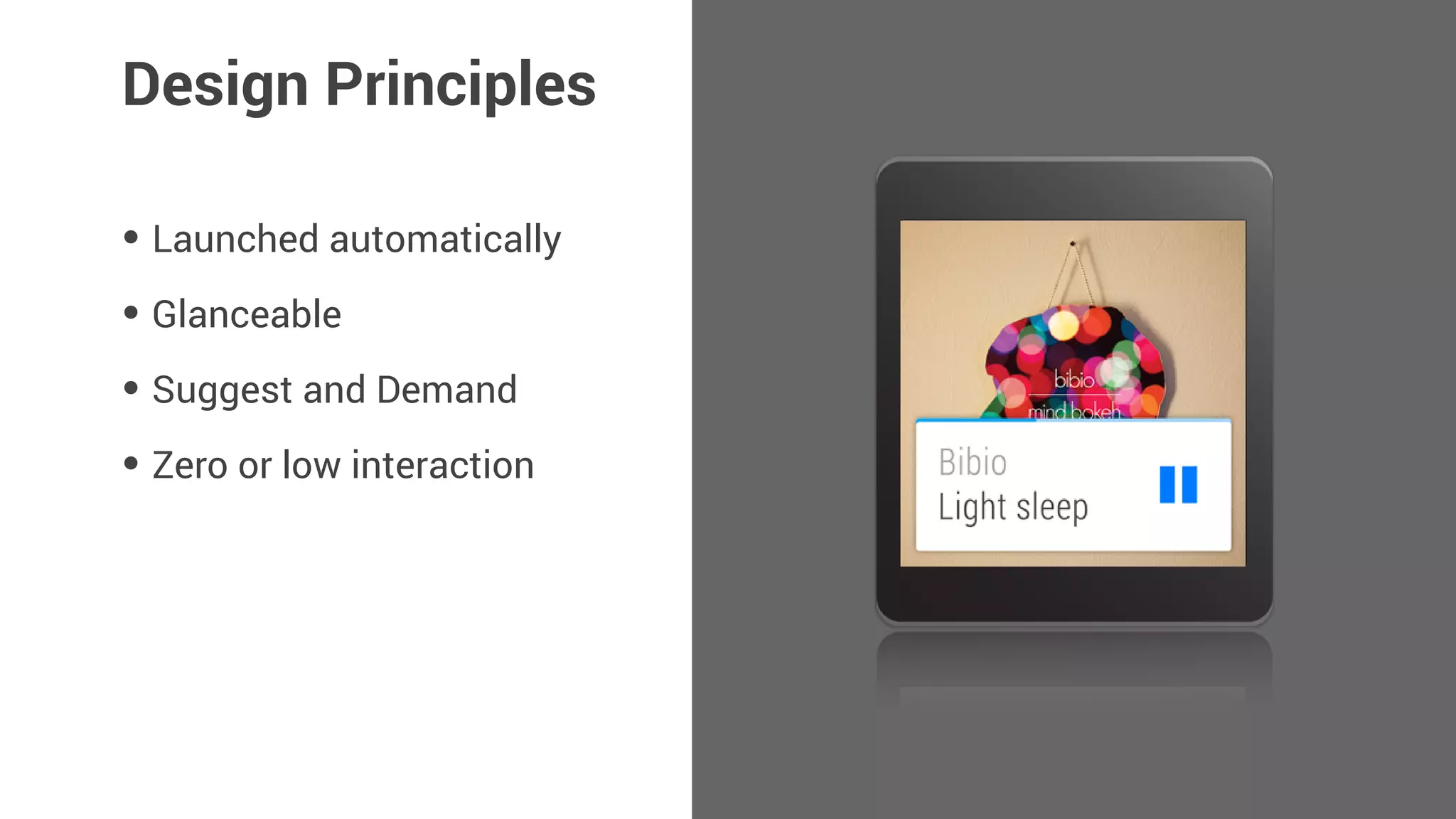
Design Principles
• Launched automatically
• Glanceable
• Suggest and Demand
• Zero or low interaction
Design Principles
Developing for
Android Wear
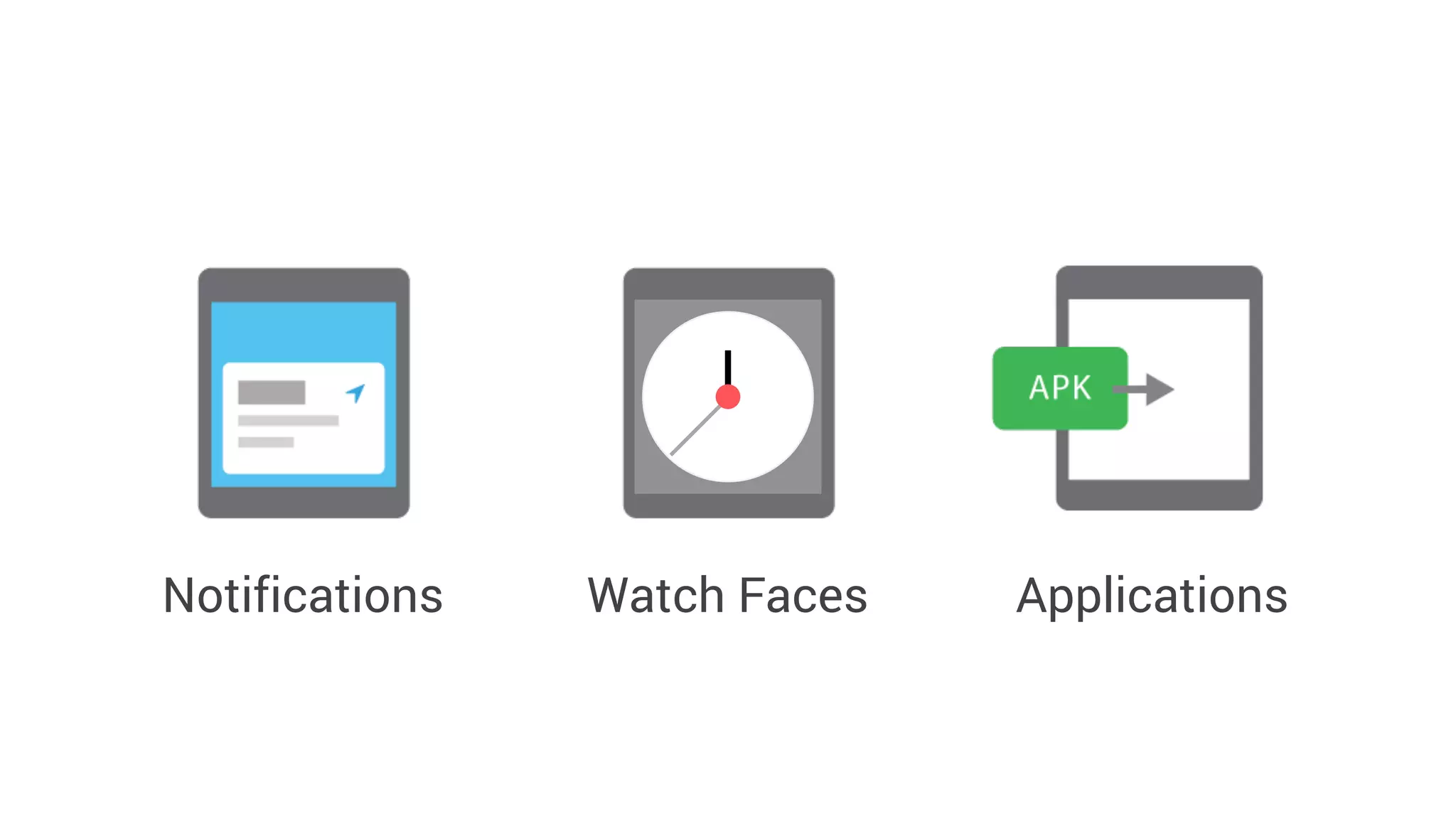
Notifications ApplicationsWatch Faces
Notifications
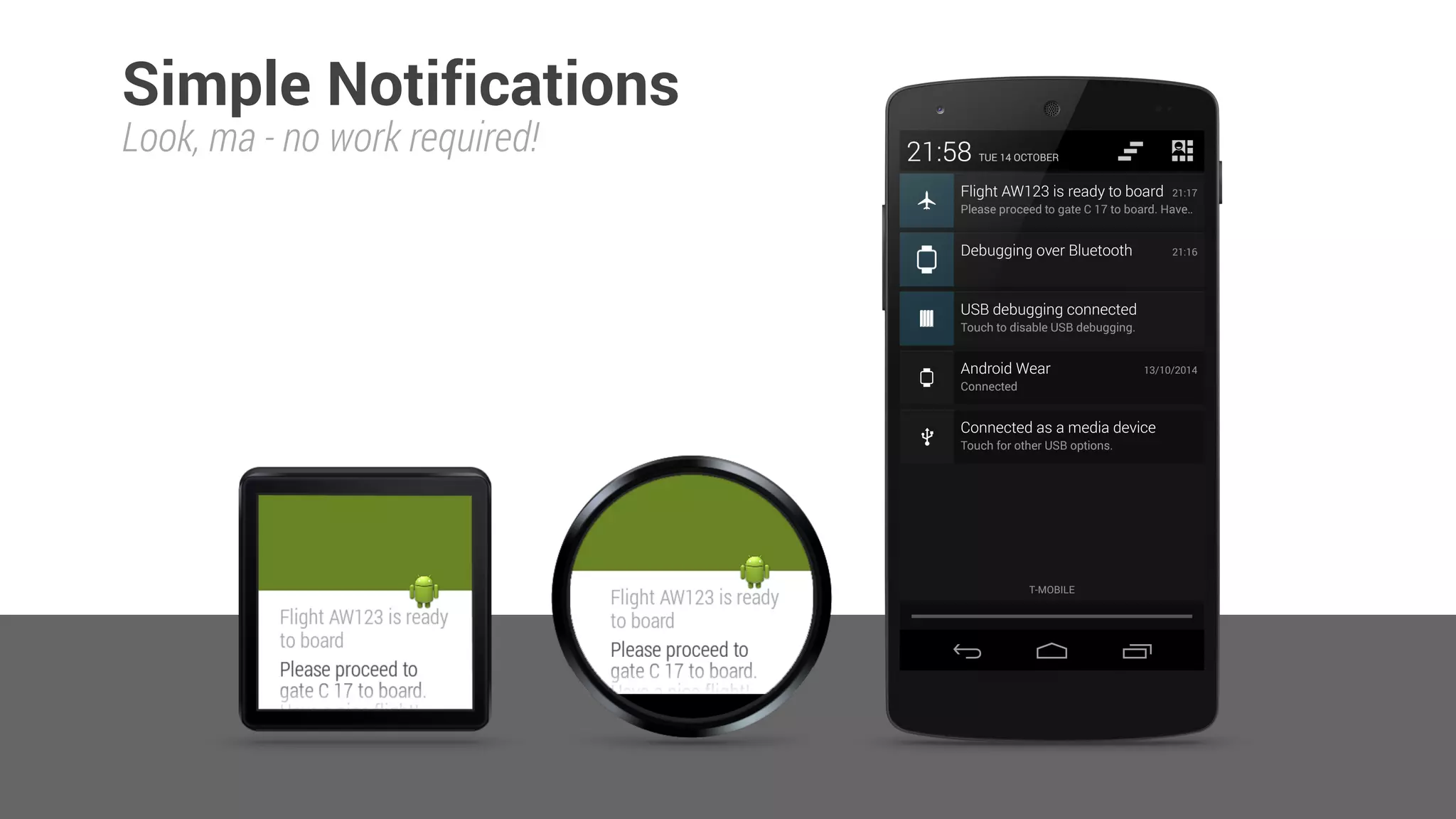
Simple Notifications
Look, ma - no work required!
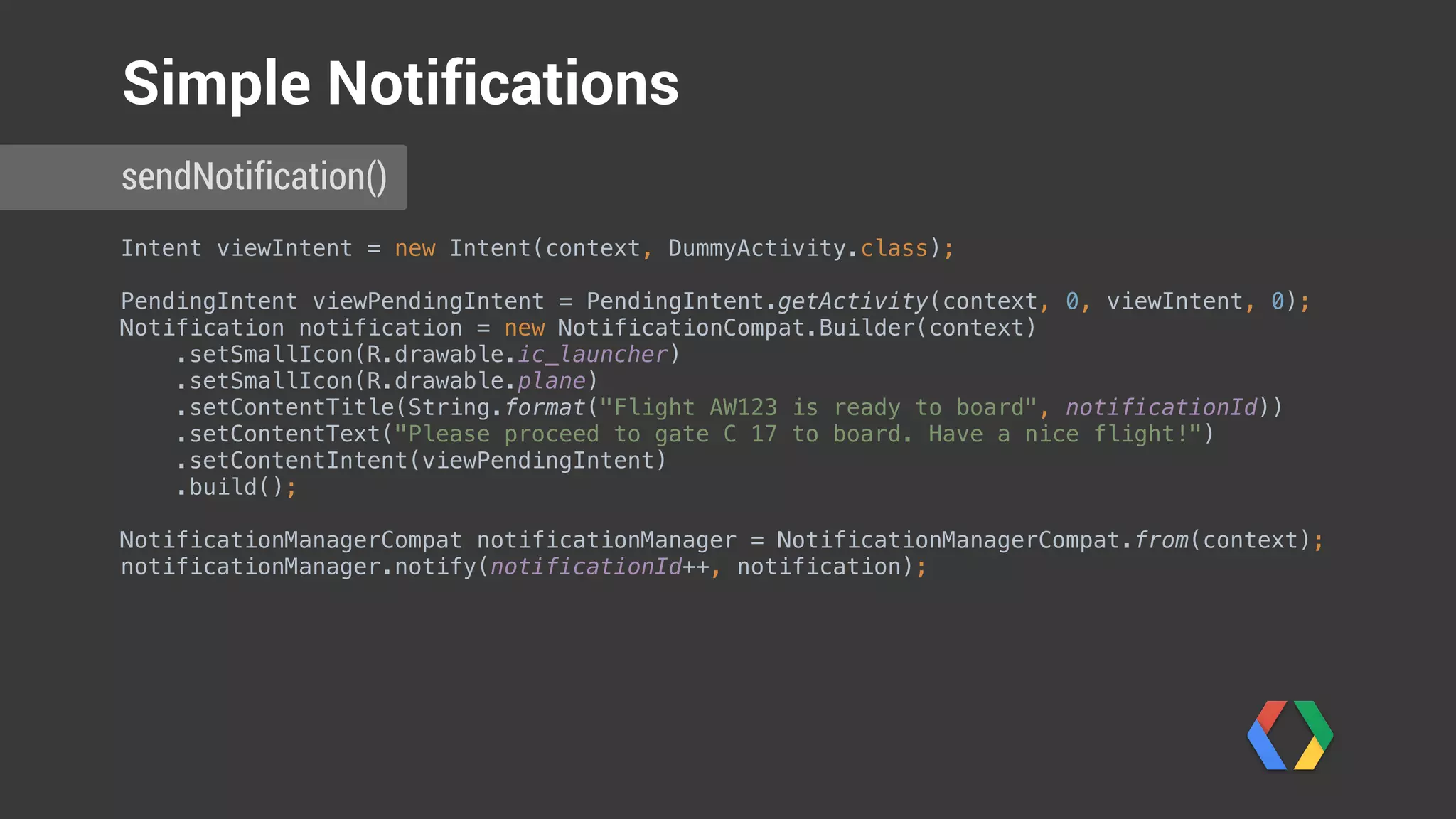
Intent viewIntent = new Intent(context, DummyActivity.class);


PendingIntent viewPendingIntent = PendingIntent.getActivity(context, 0, viewIntent, 0);

Notification notification = new NotificationCompat.Builder(context)
.setSmallIcon(R.drawable.ic_launcher)

.setSmallIcon(R.drawable.plane)

.setContentTitle(String.format("Flight AW123 is ready to board", notificationId))

.setContentText("Please proceed to gate C 17 to board. Have a nice flight!")

.setContentIntent(viewPendingIntent)

.build();


NotificationManagerCompat notificationManager = NotificationManagerCompat.from(context);

notificationManager.notify(notificationId++, notification);

sendNotification()
Simple Notifications
Can we do better?
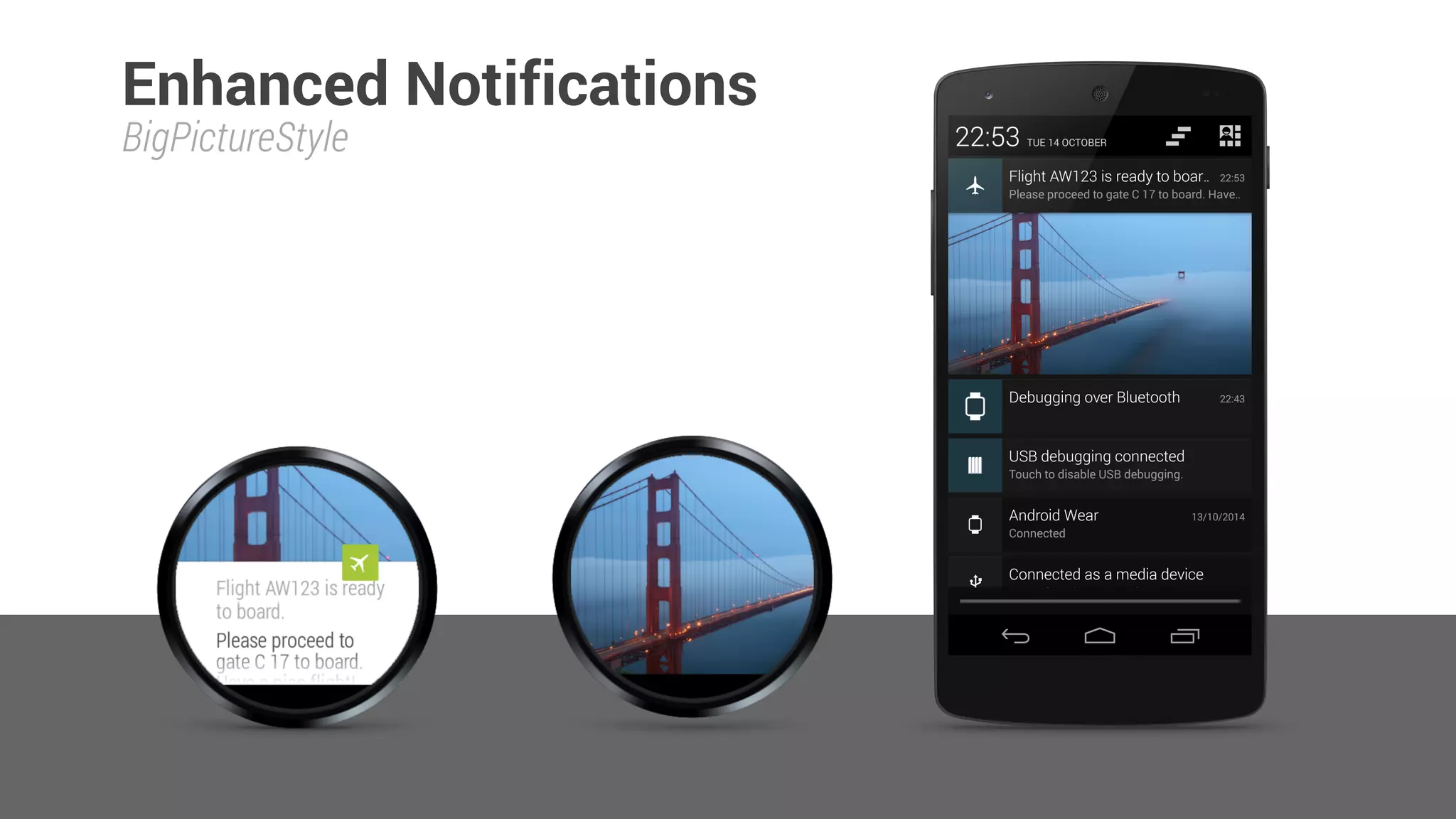
BigPictureStyle
Enhanced Notifications
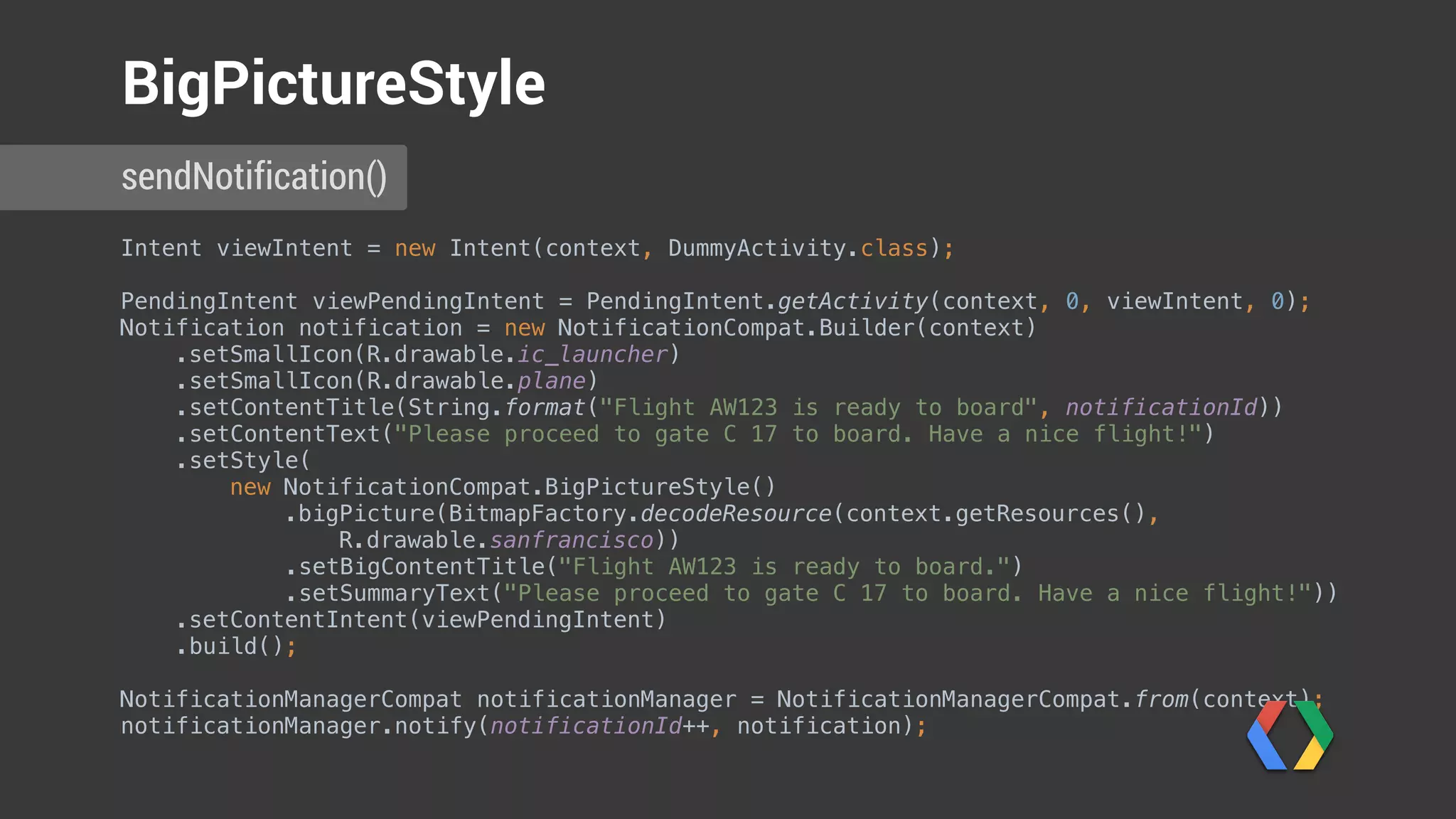
Intent viewIntent = new Intent(context, DummyActivity.class);


PendingIntent viewPendingIntent = PendingIntent.getActivity(context, 0, viewIntent, 0);

Notification notification = new NotificationCompat.Builder(context)

.setSmallIcon(R.drawable.ic_launcher)

.setSmallIcon(R.drawable.plane)

.setContentTitle(String.format("Flight AW123 is ready to board", notificationId))

.setContentText("Please proceed to gate C 17 to board. Have a nice flight!")

.setStyle(

new NotificationCompat.BigPictureStyle()

.bigPicture(BitmapFactory.decodeResource(context.getResources(),
R.drawable.sanfrancisco))

.setBigContentTitle("Flight AW123 is ready to board.")

.setSummaryText("Please proceed to gate C 17 to board. Have a nice flight!"))

.setContentIntent(viewPendingIntent)

.build();


NotificationManagerCompat notificationManager = NotificationManagerCompat.from(context);

notificationManager.notify(notificationId++, notification);

sendNotification()
BigPictureStyle
Intent viewIntent = new Intent(context, DummyActivity.class);


PendingIntent viewPendingIntent = PendingIntent.getActivity(context, 0, viewIntent, 0);

Notification notification = new NotificationCompat.Builder(context)

.setSmallIcon(R.drawable.ic_launcher)

.setSmallIcon(R.drawable.plane)

.setContentTitle(String.format("Flight AW123 is ready to board", notificationId))

.setContentText("Please proceed to gate C 17 to board. Have a nice flight!")

.setStyle(

new NotificationCompat.BigPictureStyle()

.bigPicture(BitmapFactory.decodeResource(context.getResources(),
R.drawable.sanfrancisco))

.setBigContentTitle("Flight AW123 is ready to board.")

.setSummaryText("Please proceed to gate C 17 to board. Have a nice flight!"))

.setContentIntent(viewPendingIntent)

.build();


NotificationManagerCompat notificationManager = NotificationManagerCompat.from(context);

notificationManager.notify(notificationId++, notification);

sendNotification()
BigPictureStyle
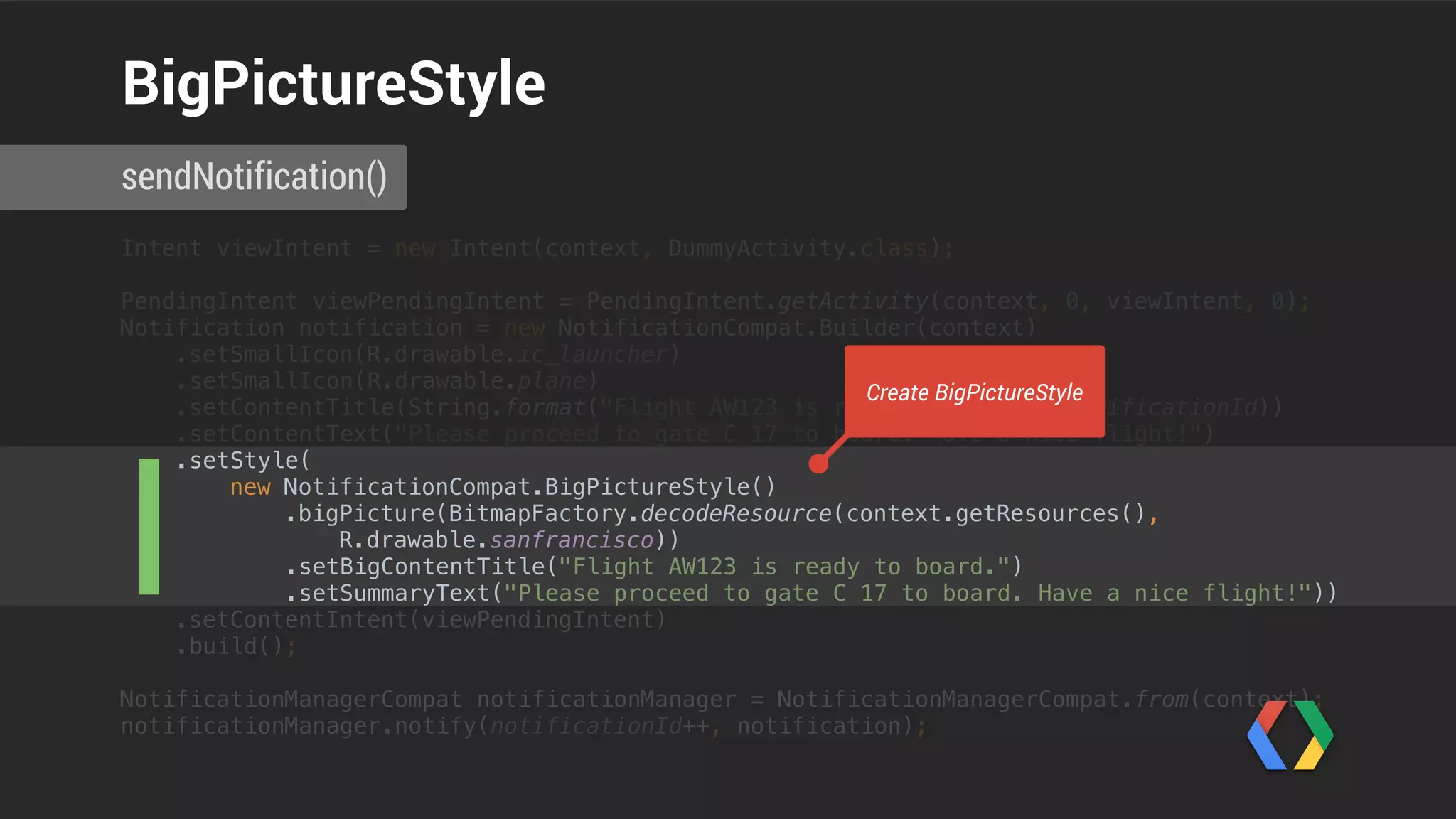
Create BigPictureStyle
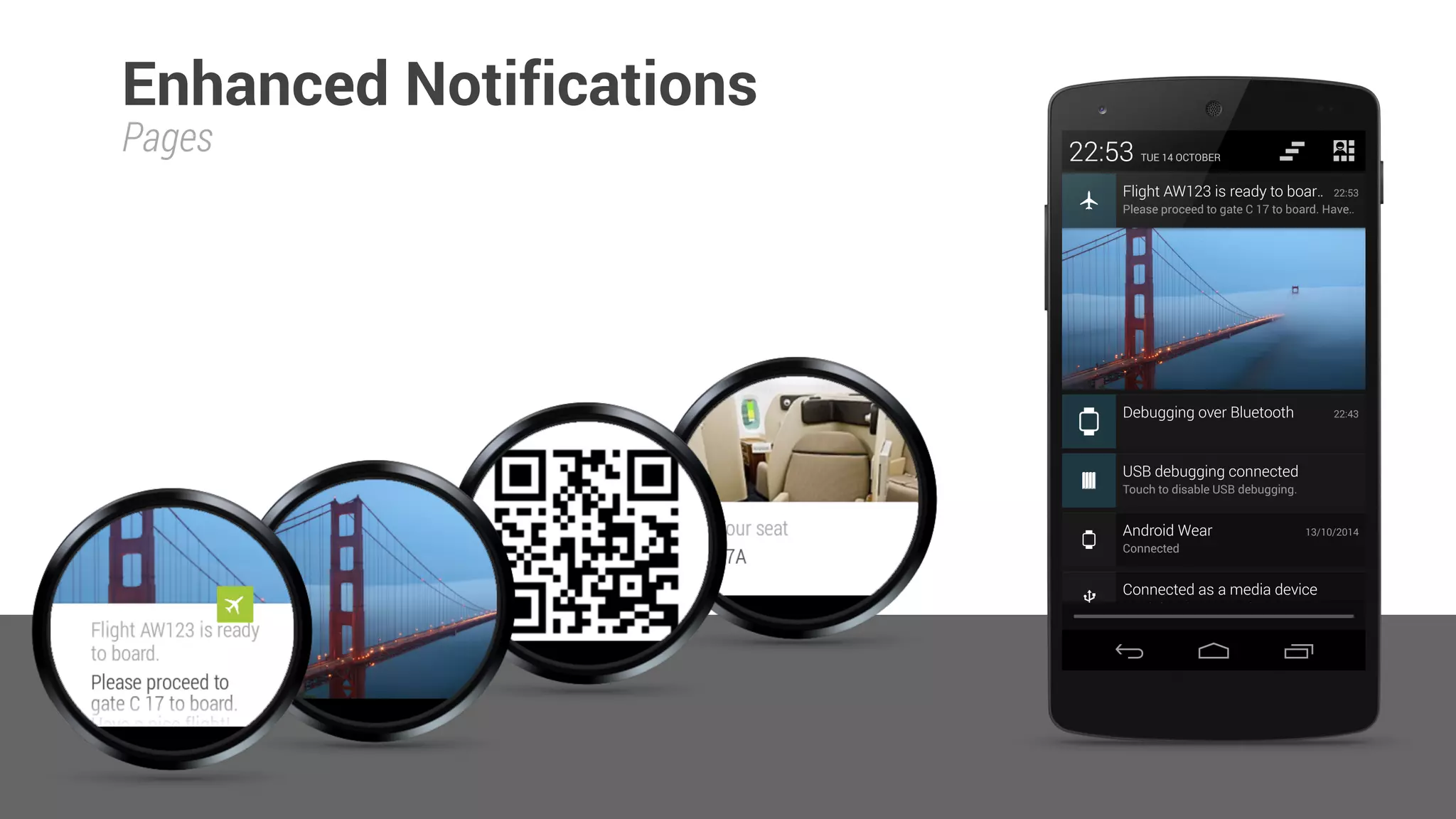
Pages
Enhanced Notifications
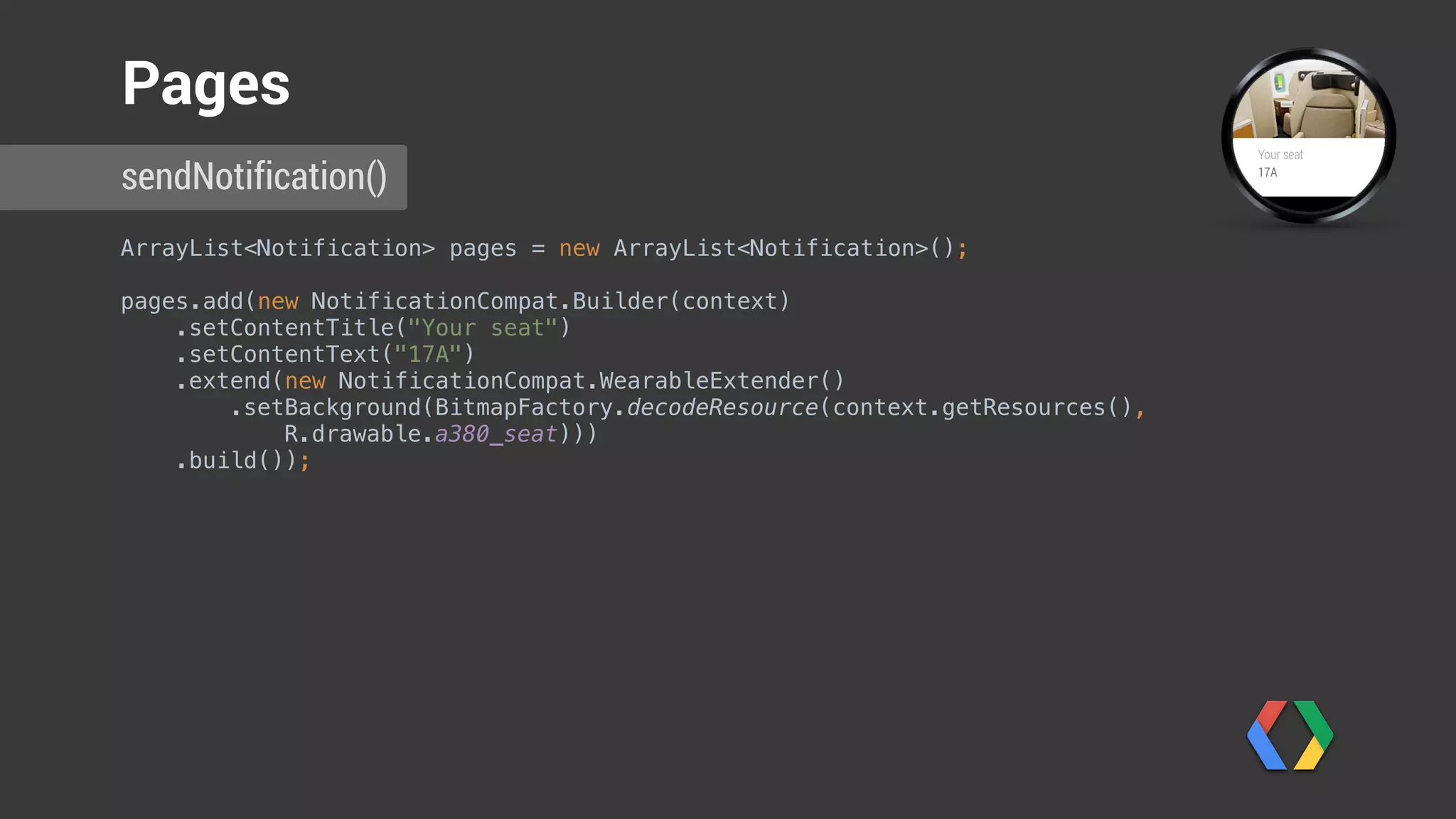
ArrayList<Notification> pages = new ArrayList<Notification>();

pages.add(new NotificationCompat.Builder(context)

.setContentTitle("Your seat")

.setContentText("17A")

.extend(new NotificationCompat.WearableExtender()

.setBackground(BitmapFactory.decodeResource(context.getResources(),
R.drawable.a380_seat)))

.build());
sendNotification()
Pages
ArrayList<Notification> pages = new ArrayList<Notification>();

pages.add(new NotificationCompat.Builder(context)

.setContentTitle("Your seat")

.setContentText("17A")

.extend(new NotificationCompat.WearableExtender()

.setBackground(BitmapFactory.decodeResource(context.getResources(),
R.drawable.a380_seat)))

.build());
sendNotification()
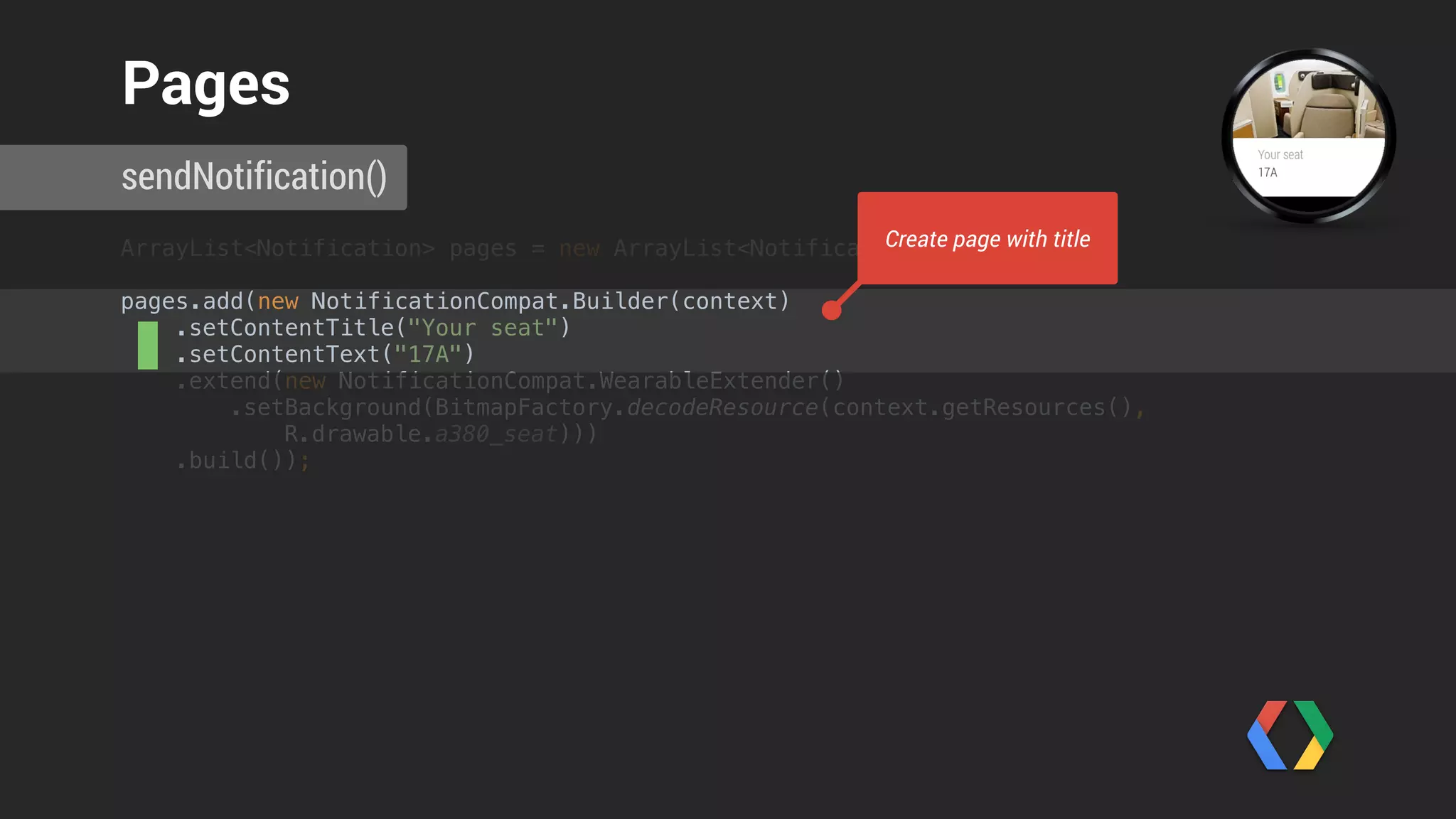
Pages
Create page with title
ArrayList<Notification> pages = new ArrayList<Notification>();

pages.add(new NotificationCompat.Builder(context)

.setContentTitle("Your seat")

.setContentText("17A")

.extend(new NotificationCompat.WearableExtender()

.setBackground(BitmapFactory.decodeResource(context.getResources(),
R.drawable.a380_seat)))

.build());
sendNotification()
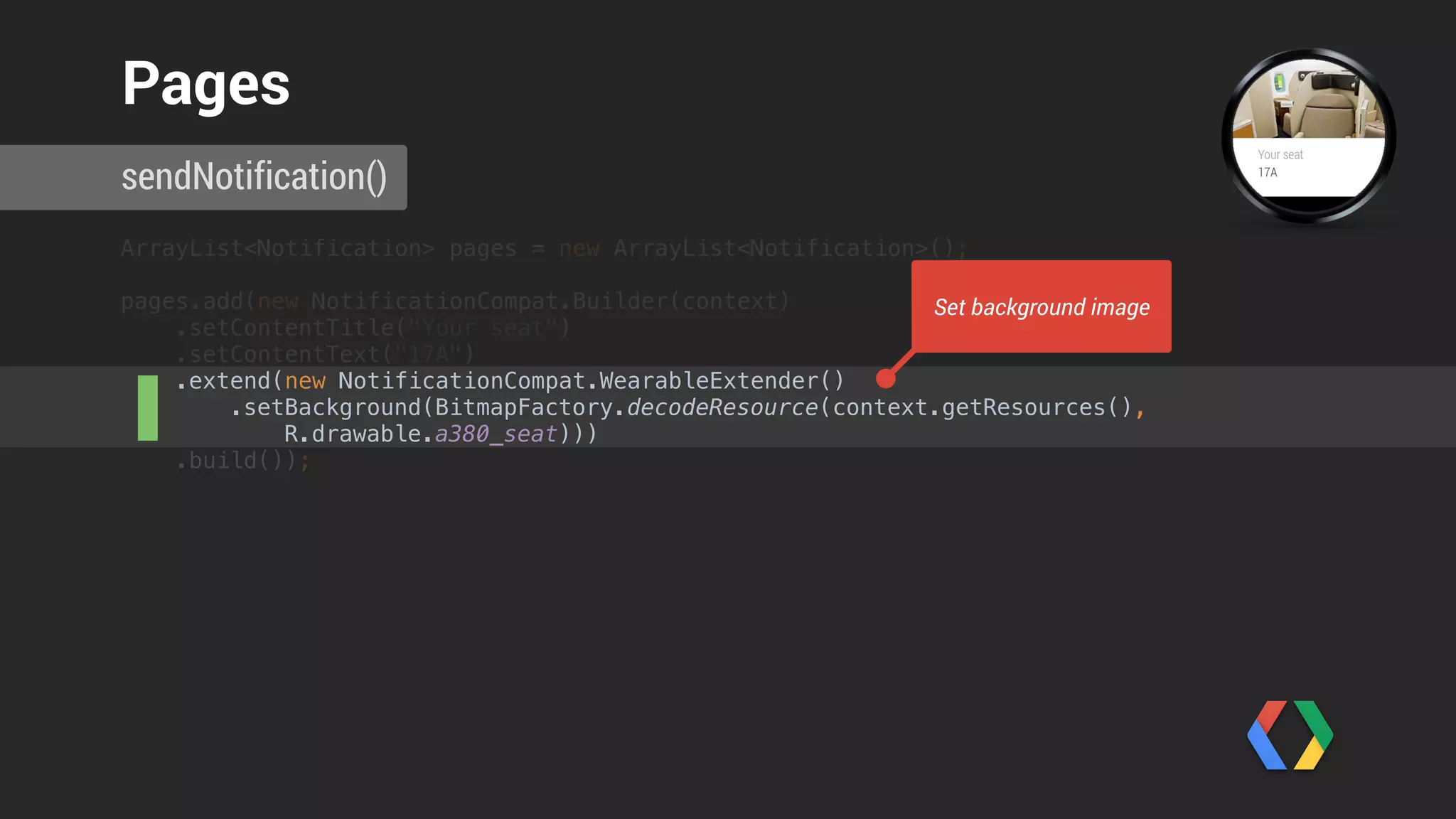
Pages
Set background image
pages.add(new NotificationCompat.Builder(context)

.extend(new NotificationCompat.WearableExtender()

.setHintShowBackgroundOnly(true)
.setHintAvoidBackgroundClipping(true)

.setHintScreenTimeout(NotificationCompat.WearableExtender.SCREEN_TIMEOUT_LONG)

.setBackground(
BitmapFactory.decodeResource(
context.getResources(),
R.drawable.qrcode)))

.build());
sendNotification()
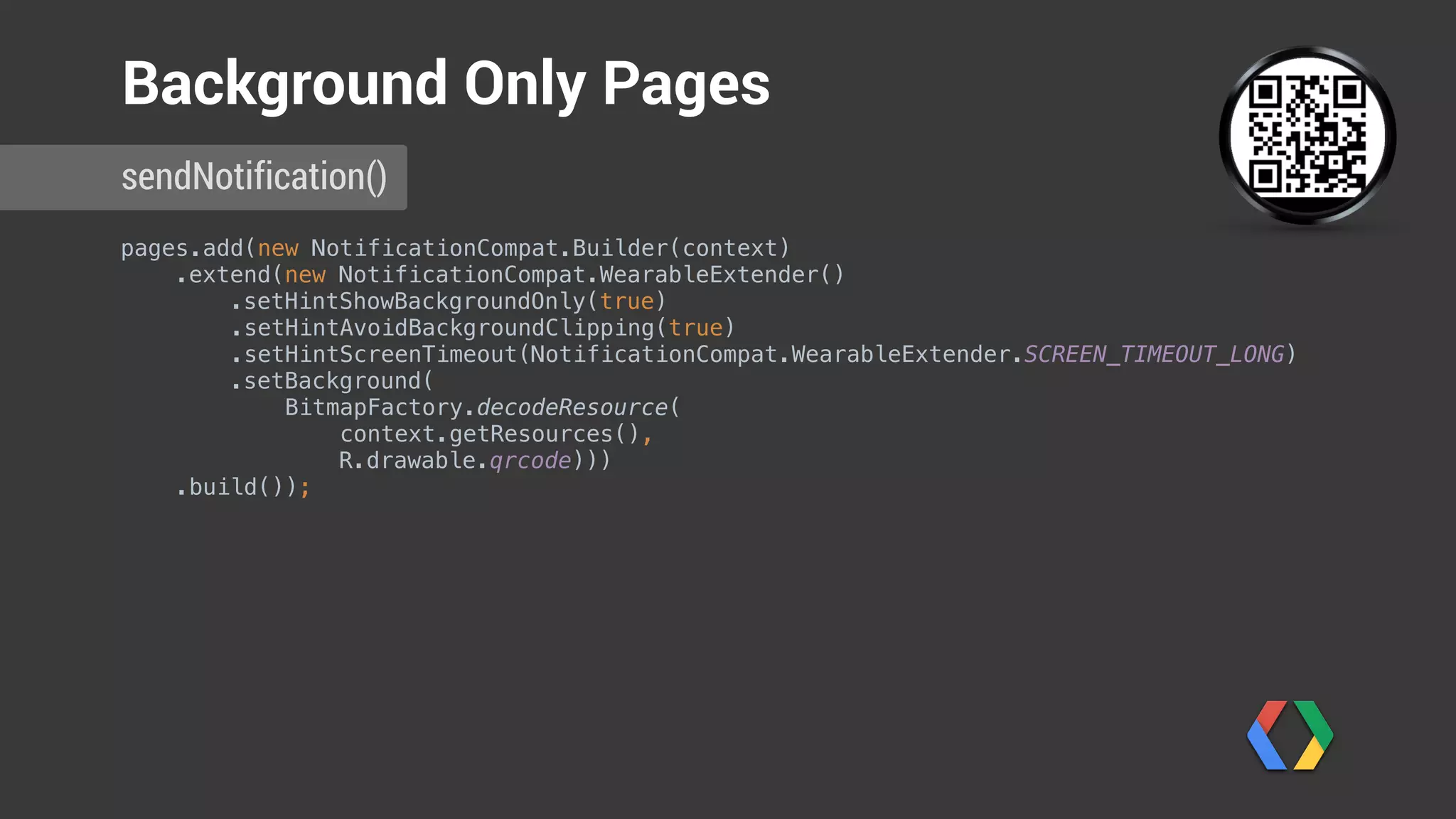
Background Only Pages
pages.add(new NotificationCompat.Builder(context)

.extend(new NotificationCompat.WearableExtender()

.setHintShowBackgroundOnly(true)
.setHintAvoidBackgroundClipping(true)

.setHintScreenTimeout(NotificationCompat.WearableExtender.SCREEN_TIMEOUT_LONG)

.setBackground(
BitmapFactory.decodeResource(
context.getResources(),
R.drawable.qrcode)))

.build());
sendNotification()
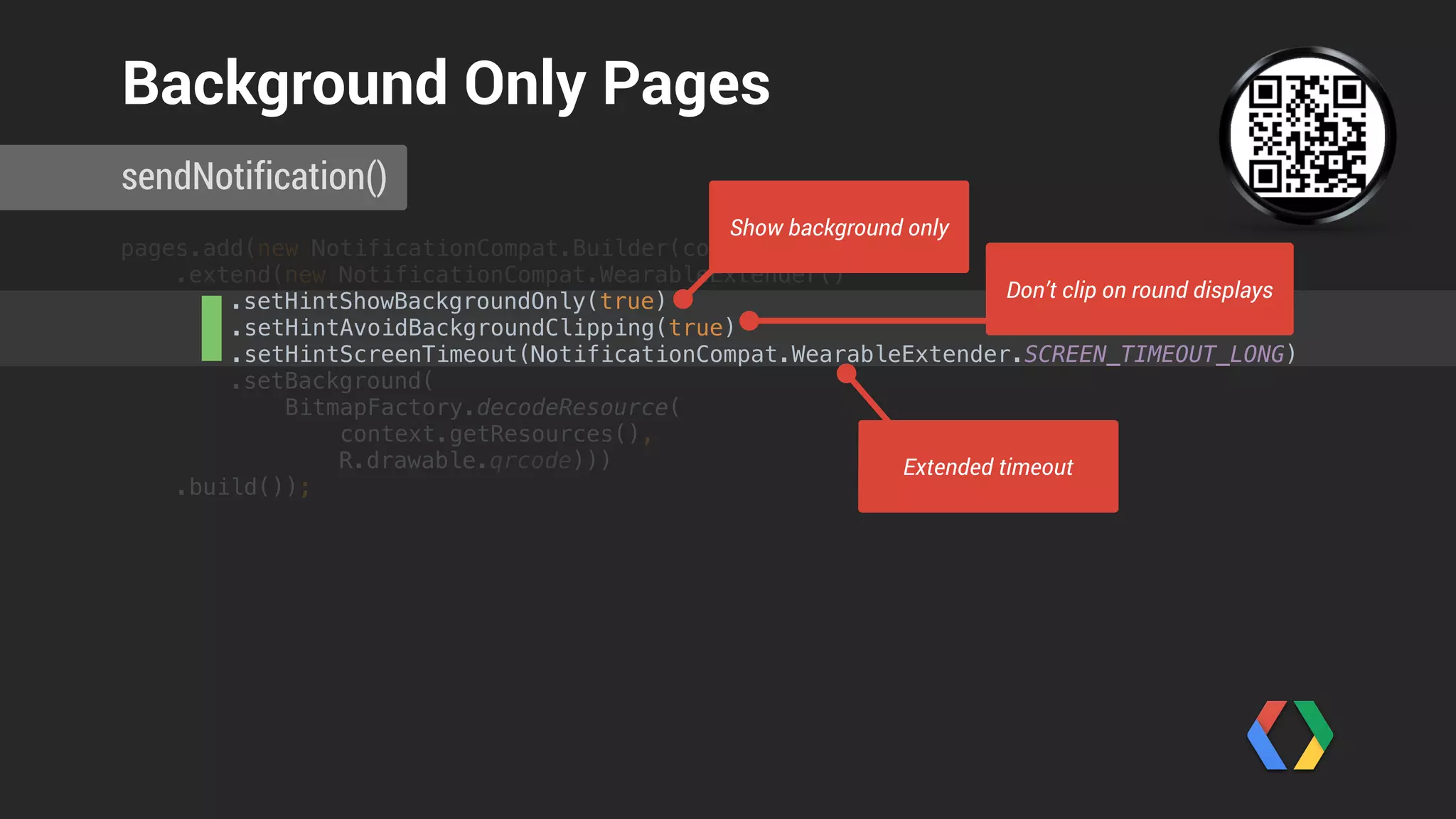
Background Only Pages
Show background only
Don’t clip on round displays
Extended timeout
ArrayList<Notification> pages = new ArrayList<Notification>();

pages.add(new NotificationCompat.Builder(context)

// ... (set properties)

.build());
Notification notification = new NotificationCompat.Builder(context)

.setSmallIcon(R.drawable.plane)

.setContentTitle(String.format("Flight AW123 is ready to board", notificationId))

.setContentIntent(viewPendingIntent)

.extend(new NotificationCompat.WearableExtender()

.addPages(pages))

.build();


NotificationManagerCompat notificationManager = NotificationManagerCompat.from(context);

notificationManager.notify(notificationId++, notification);

sendNotification()
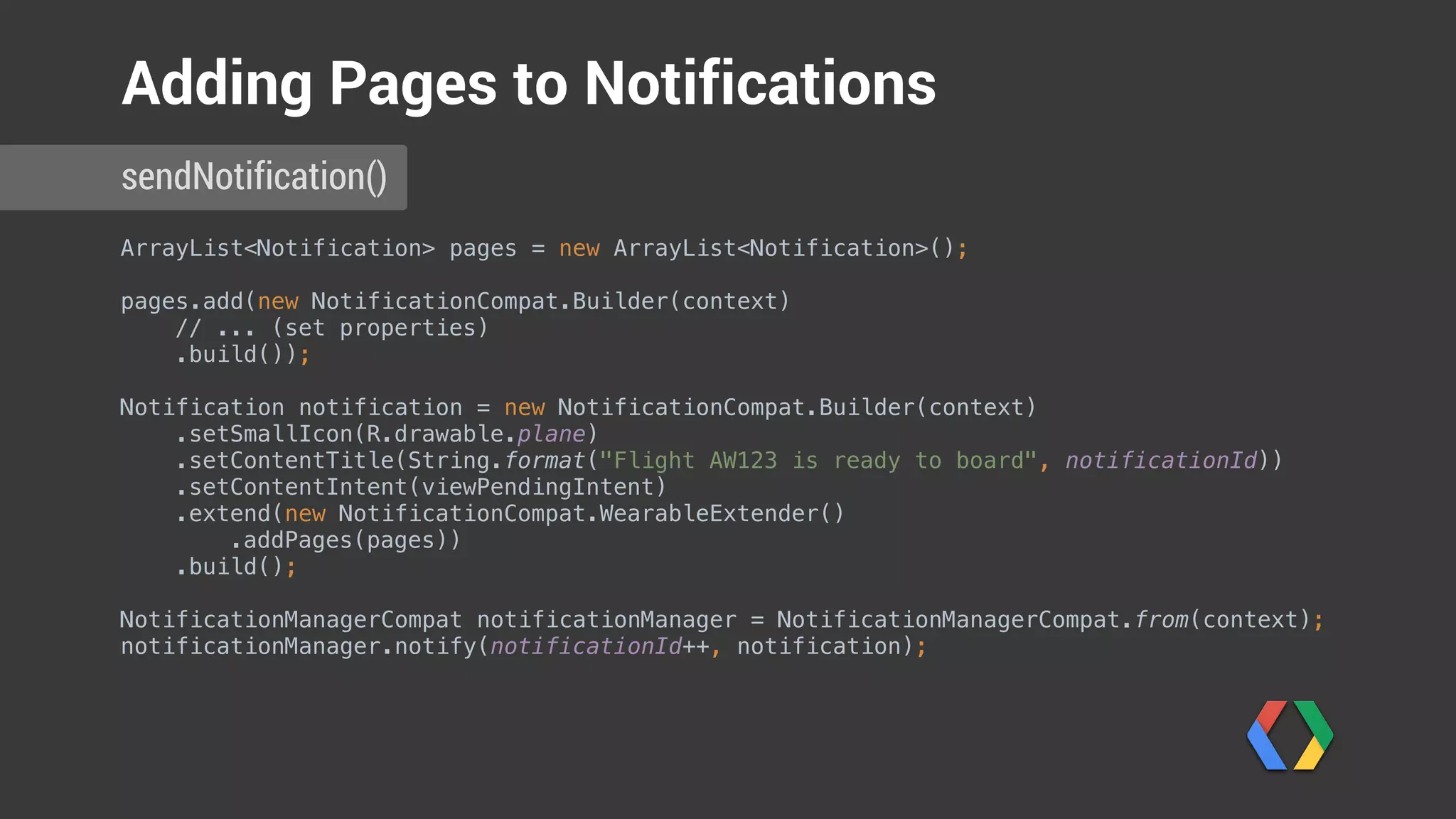
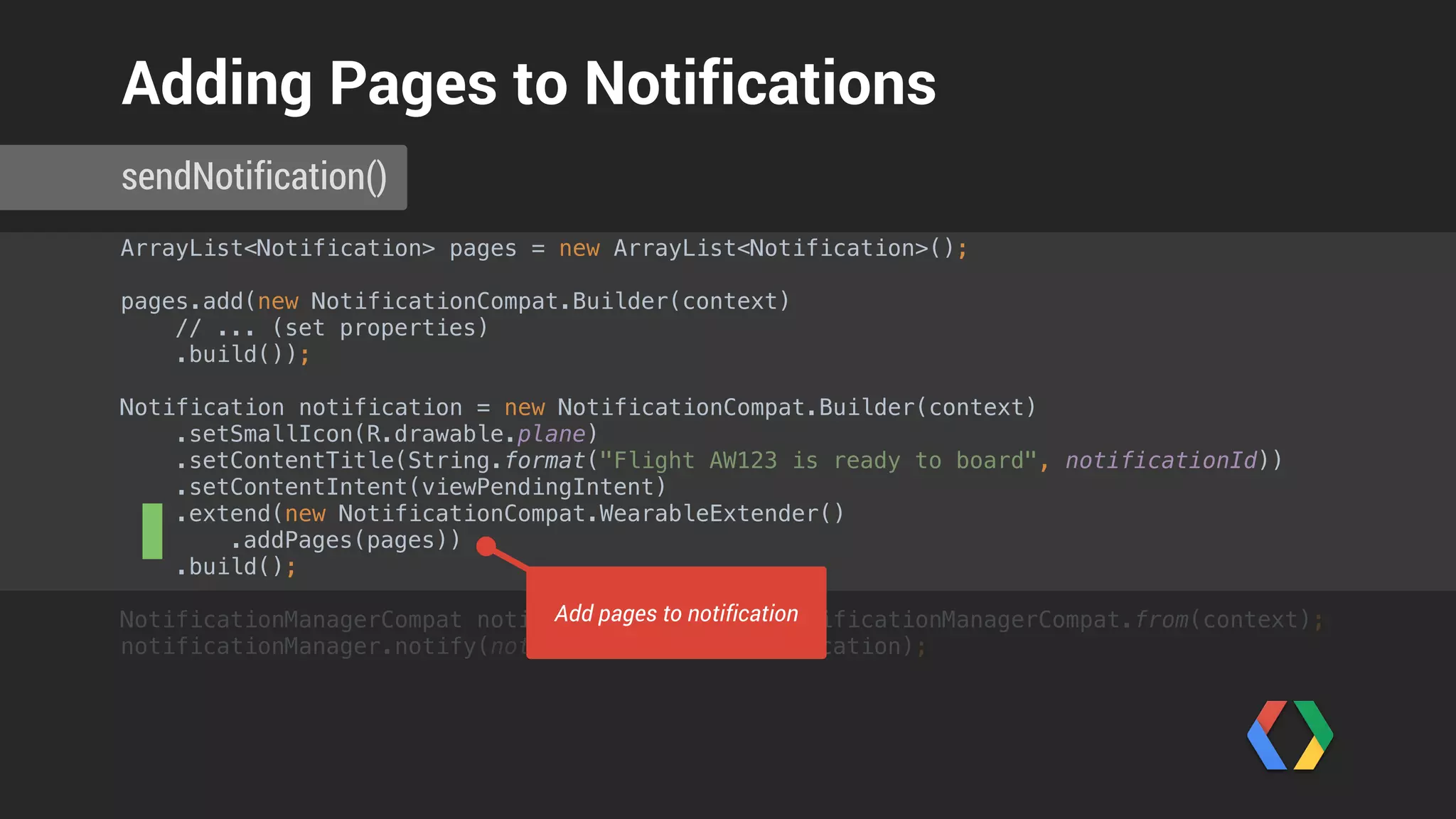
Adding Pages to Notifications
ArrayList<Notification> pages = new ArrayList<Notification>();

pages.add(new NotificationCompat.Builder(context)

// ... (set properties)

.build());
Notification notification = new NotificationCompat.Builder(context)

.setSmallIcon(R.drawable.plane)

.setContentTitle(String.format("Flight AW123 is ready to board", notificationId))

.setContentIntent(viewPendingIntent)

.extend(new NotificationCompat.WearableExtender()

.addPages(pages))

.build();


NotificationManagerCompat notificationManager = NotificationManagerCompat.from(context);

notificationManager.notify(notificationId++, notification);

sendNotification()
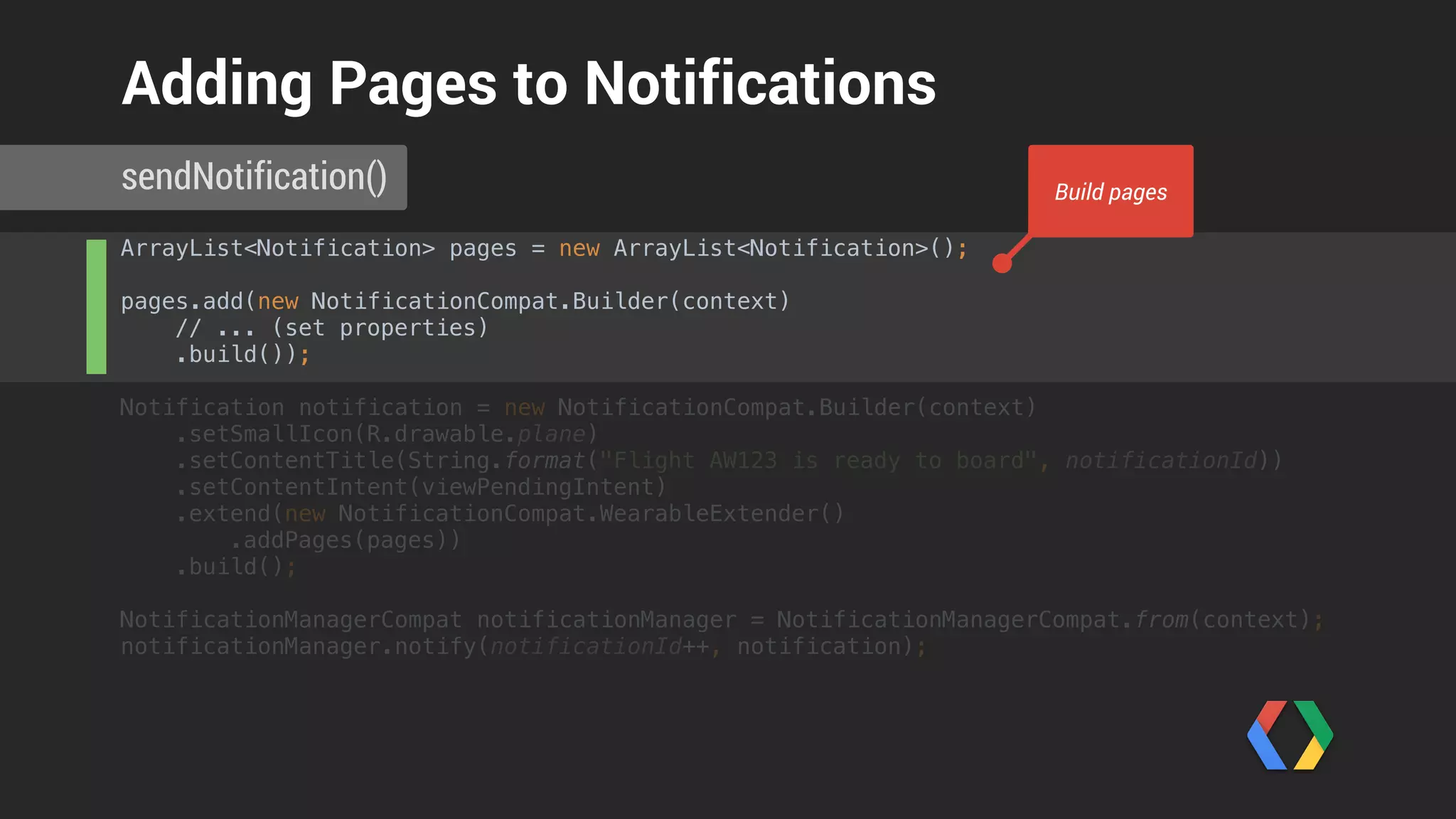
Adding Pages to Notifications
Build pages
ArrayList<Notification> pages = new ArrayList<Notification>();

pages.add(new NotificationCompat.Builder(context)

// ... (set properties)

.build());
Notification notification = new NotificationCompat.Builder(context)

.setSmallIcon(R.drawable.plane)

.setContentTitle(String.format("Flight AW123 is ready to board", notificationId))

.setContentIntent(viewPendingIntent)

.extend(new NotificationCompat.WearableExtender()

.addPages(pages))

.build();


NotificationManagerCompat notificationManager = NotificationManagerCompat.from(context);

notificationManager.notify(notificationId++, notification);

sendNotification()
Adding Pages to Notifications
Add pages to notification
Voice Input
Enhanced Notifications
// Feedback intent

Intent replyIntent = new Intent(context, DummyActivity.class);

PendingIntent replyPendingIntent = PendingIntent.getActivity(context, 0, replyIntent, 0);


String replyLabel = context.getResources().getString(R.string.reply_label);

String[] cannedResponses = context.getResources().getStringArray(R.array.canned_responses);

RemoteInput remoteInput = new RemoteInput.Builder(EXTRA_VOICE_REPLY)

.setLabel(replyLabel)

.setChoices(cannedResponses)

.build();


NotificationCompat.Action replyAction =

new NotificationCompat.Action.Builder(
R.drawable.chatbubble_working,
replyLabel,
replyPendingIntent)

.addRemoteInput(remoteInput)

.build();
Notification notification = new NotificationCompat.Builder(context)

.setSmallIcon(R.drawable.ic_launcher)

.setSmallIcon(R.drawable.plane)

sendNotification()
Voice Input
// Feedback intent

Intent replyIntent = new Intent(context, DummyActivity.class);

PendingIntent replyPendingIntent = PendingIntent.getActivity(context, 0, replyIntent, 0);


String replyLabel = context.getResources().getString(R.string.reply_label);

String[] cannedResponses = context.getResources().getStringArray(R.array.canned_responses);

RemoteInput remoteInput = new RemoteInput.Builder(EXTRA_VOICE_REPLY)

.setLabel(replyLabel)

.setChoices(cannedResponses)

.build();


NotificationCompat.Action replyAction =

new NotificationCompat.Action.Builder(
R.drawable.chatbubble_working,
replyLabel,
replyPendingIntent)

.addRemoteInput(remoteInput)

.build();
Notification notification = new NotificationCompat.Builder(context)

.setSmallIcon(R.drawable.ic_launcher)

.setSmallIcon(R.drawable.plane)

sendNotification()
Voice Input
Create pending intent
// Feedback intent

Intent replyIntent = new Intent(context, DummyActivity.class);

PendingIntent replyPendingIntent = PendingIntent.getActivity(context, 0, replyIntent, 0);


String replyLabel = context.getResources().getString(R.string.reply_label);

String[] cannedResponses = context.getResources().getStringArray(R.array.canned_responses);

RemoteInput remoteInput = new RemoteInput.Builder(EXTRA_VOICE_REPLY)

.setLabel(replyLabel)

.setChoices(cannedResponses)

.build();


NotificationCompat.Action replyAction =

new NotificationCompat.Action.Builder(
R.drawable.chatbubble_working,
replyLabel,
replyPendingIntent)

.addRemoteInput(remoteInput)

.build();
Notification notification = new NotificationCompat.Builder(context)

.setSmallIcon(R.drawable.ic_launcher)

.setSmallIcon(R.drawable.plane)

sendNotification()
Voice Input
Create RemoteInput with canned responses
// Feedback intent

Intent replyIntent = new Intent(context, DummyActivity.class);

PendingIntent replyPendingIntent = PendingIntent.getActivity(context, 0, replyIntent, 0);


String replyLabel = context.getResources().getString(R.string.reply_label);

String[] cannedResponses = context.getResources().getStringArray(R.array.canned_responses);

RemoteInput remoteInput = new RemoteInput.Builder(EXTRA_VOICE_REPLY)

.setLabel(replyLabel)

.setChoices(cannedResponses)

.build();


NotificationCompat.Action replyAction =

new NotificationCompat.Action.Builder(
R.drawable.chatbubble_working,
replyLabel,
replyPendingIntent)

.addRemoteInput(remoteInput)

.build();
Notification notification = new NotificationCompat.Builder(context)

.setSmallIcon(R.drawable.ic_launcher)

.setSmallIcon(R.drawable.plane)

sendNotification()
Voice Input
Create wearable action
String[] cannedResponses = context.getResources().getStringArray(R.array.canned_responses);

RemoteInput remoteInput = new RemoteInput.Builder(EXTRA_VOICE_REPLY)

.setLabel(replyLabel)

.setChoices(cannedResponses)

.build();


NotificationCompat.Action replyAction =

new NotificationCompat.Action.Builder(
R.drawable.chatbubble_working,
replyLabel,
replyPendingIntent)

.addRemoteInput(remoteInput)

.build();
Notification notification = new NotificationCompat.Builder(context)

.setSmallIcon(R.drawable.ic_launcher)

.setSmallIcon(R.drawable.plane)

.setContentTitle(String.format("Flight AW123 is ready to board", notificationId))

.setContentText("Please proceed to gate C 17 to board. Have a nice flight!")

.extend(new NotificationCompat.WearableExtender()

.addPages(pages)

.addAction(replyAction))

.build();


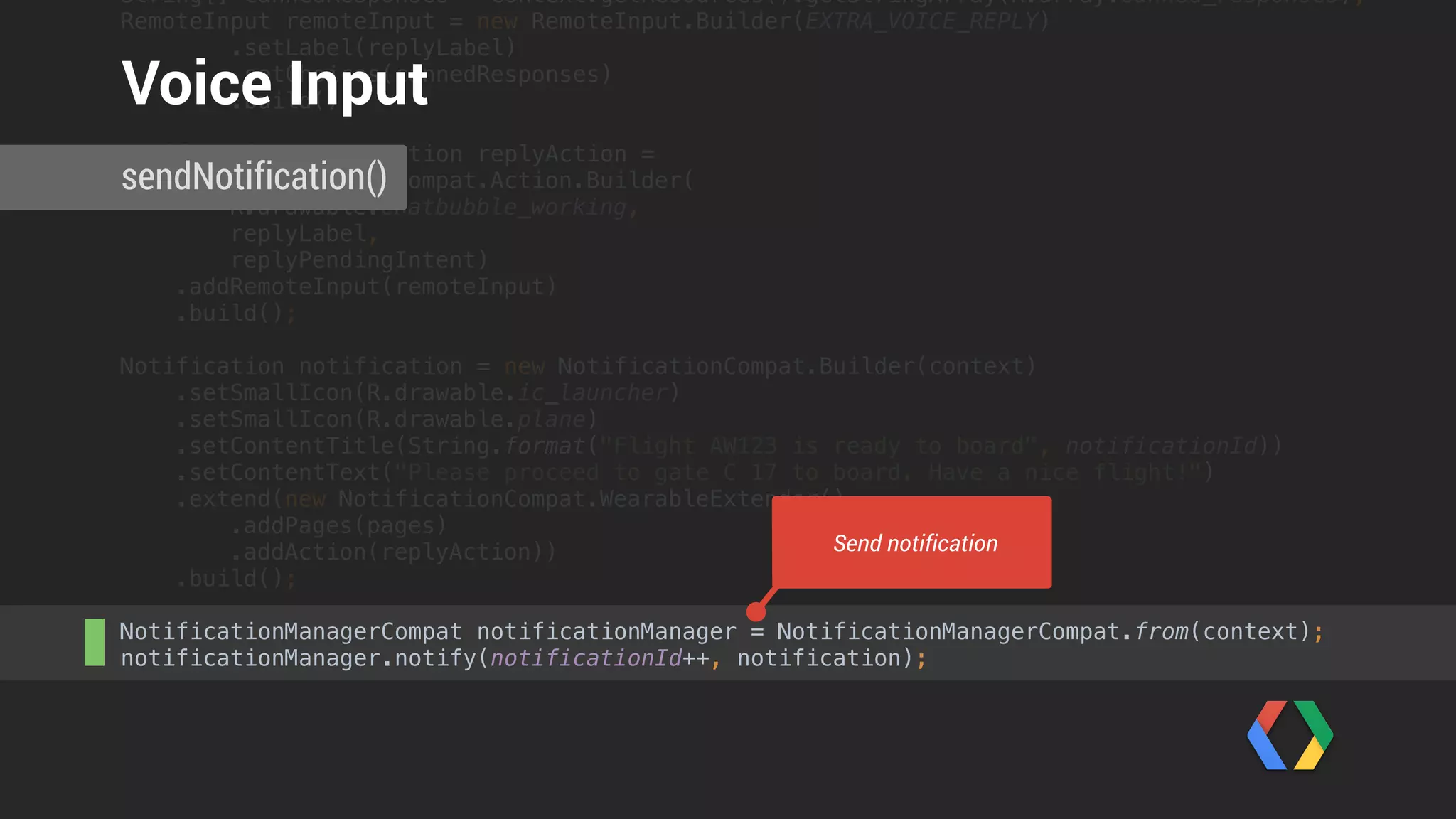
NotificationManagerCompat notificationManager = NotificationManagerCompat.from(context);

notificationManager.notify(notificationId++, notification);


sendNotification()
Voice Input
Create notification
String[] cannedResponses = context.getResources().getStringArray(R.array.canned_responses);

RemoteInput remoteInput = new RemoteInput.Builder(EXTRA_VOICE_REPLY)

.setLabel(replyLabel)

.setChoices(cannedResponses)

.build();


NotificationCompat.Action replyAction =

new NotificationCompat.Action.Builder(
R.drawable.chatbubble_working,
replyLabel,
replyPendingIntent)

.addRemoteInput(remoteInput)

.build();
Notification notification = new NotificationCompat.Builder(context)

.setSmallIcon(R.drawable.ic_launcher)

.setSmallIcon(R.drawable.plane)

.setContentTitle(String.format("Flight AW123 is ready to board", notificationId))

.setContentText("Please proceed to gate C 17 to board. Have a nice flight!")

.extend(new NotificationCompat.WearableExtender()

.addPages(pages)

.addAction(replyAction))

.build();


NotificationManagerCompat notificationManager = NotificationManagerCompat.from(context);

notificationManager.notify(notificationId++, notification);


sendNotification()
Voice Input
Send notification
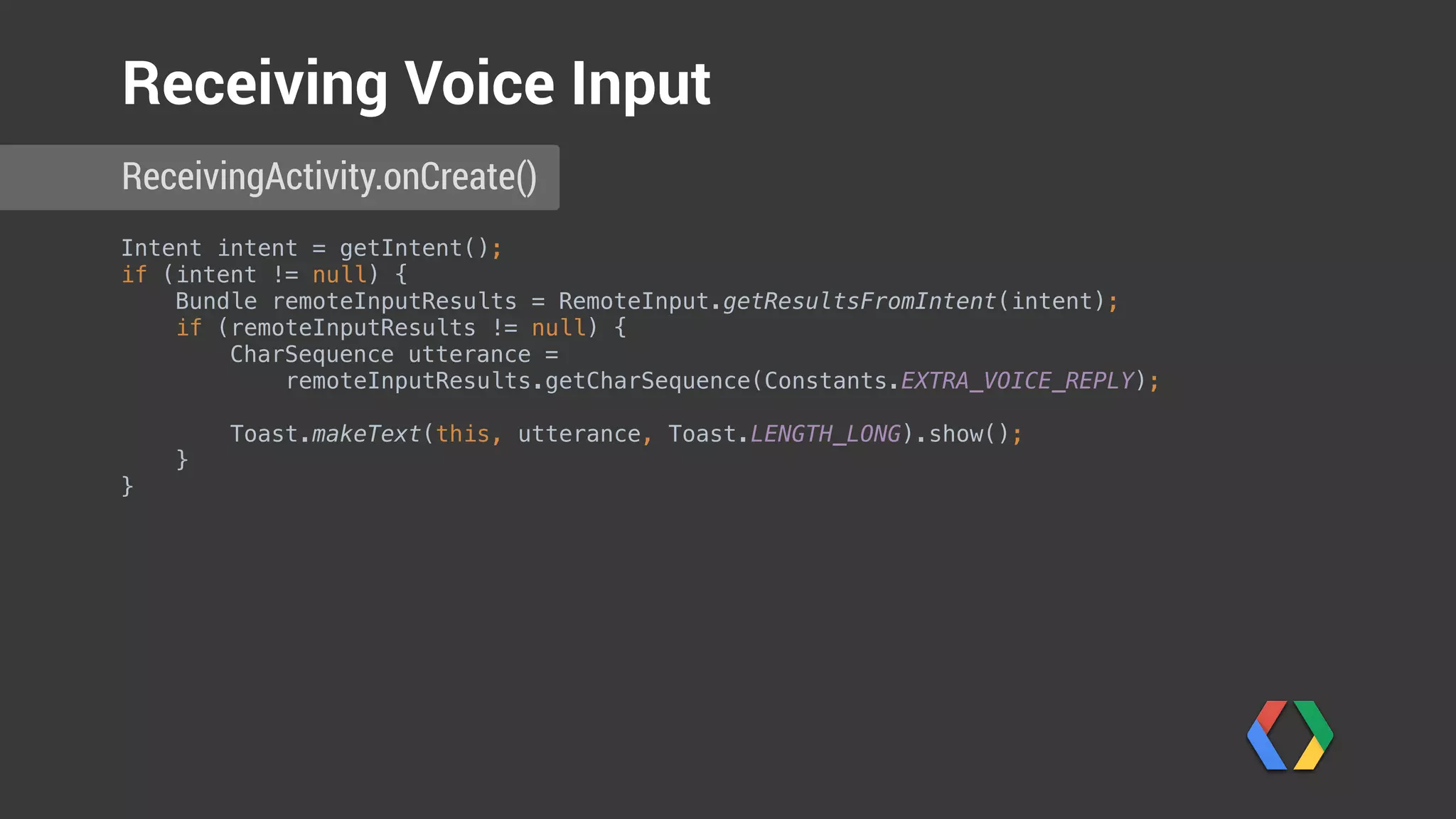
Intent intent = getIntent();

if (intent != null) {
Bundle remoteInputResults = RemoteInput.getResultsFromIntent(intent);

if (remoteInputResults != null) {

CharSequence utterance =
remoteInputResults.getCharSequence(Constants.EXTRA_VOICE_REPLY);


Toast.makeText(this, utterance, Toast.LENGTH_LONG).show();

}
}
ReceivingActivity.onCreate()
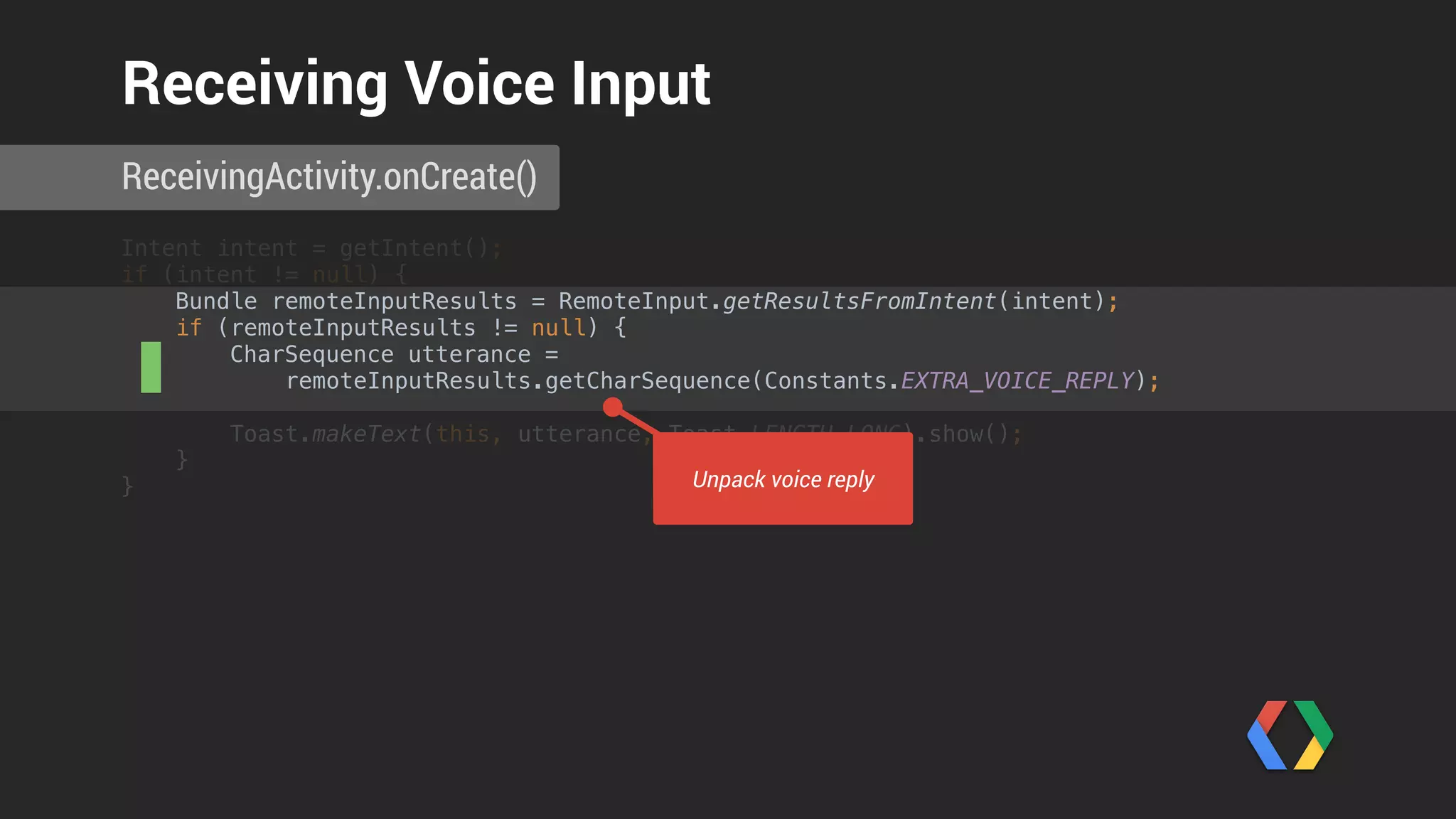
Receiving Voice Input
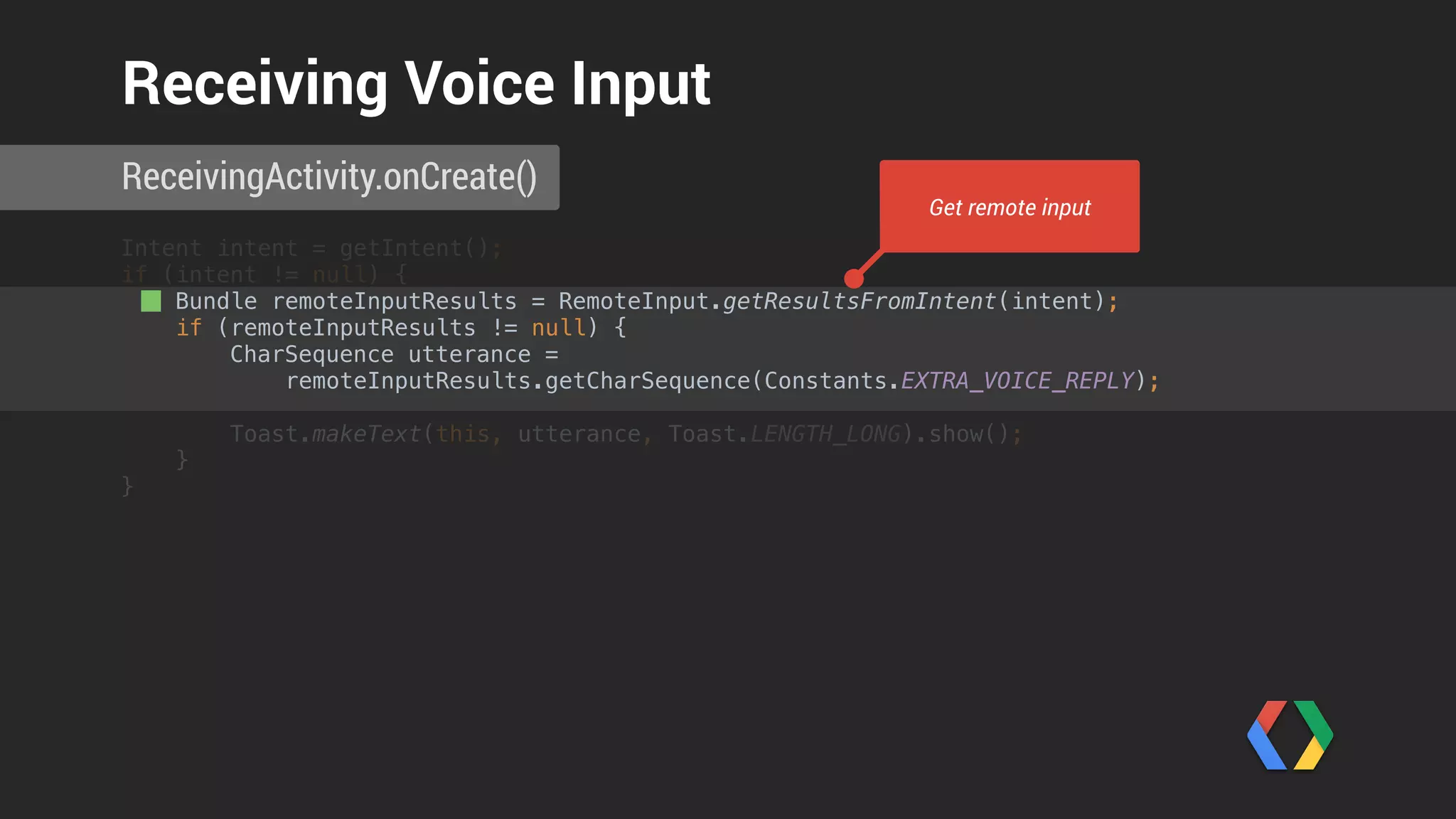
Intent intent = getIntent();

if (intent != null) {
Bundle remoteInputResults = RemoteInput.getResultsFromIntent(intent);

if (remoteInputResults != null) {

CharSequence utterance =
remoteInputResults.getCharSequence(Constants.EXTRA_VOICE_REPLY);


Toast.makeText(this, utterance, Toast.LENGTH_LONG).show();

}
}
ReceivingActivity.onCreate()
Receiving Voice Input
Get remote input
Intent intent = getIntent();

if (intent != null) {
Bundle remoteInputResults = RemoteInput.getResultsFromIntent(intent);

if (remoteInputResults != null) {

CharSequence utterance =
remoteInputResults.getCharSequence(Constants.EXTRA_VOICE_REPLY);


Toast.makeText(this, utterance, Toast.LENGTH_LONG).show();

}
}
ReceivingActivity.onCreate()
Receiving Voice Input
Unpack voice reply
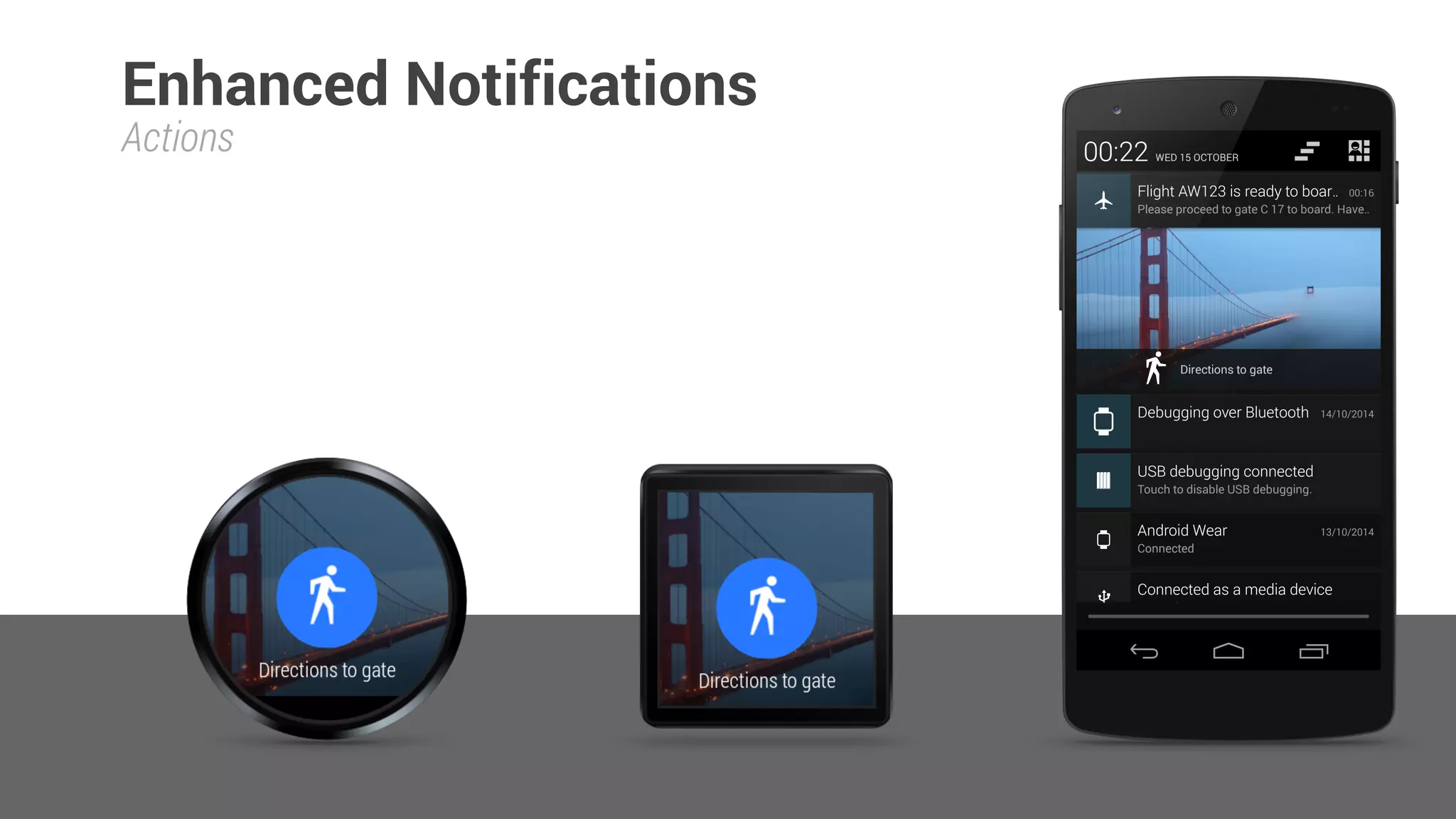
Actions
Enhanced Notifications
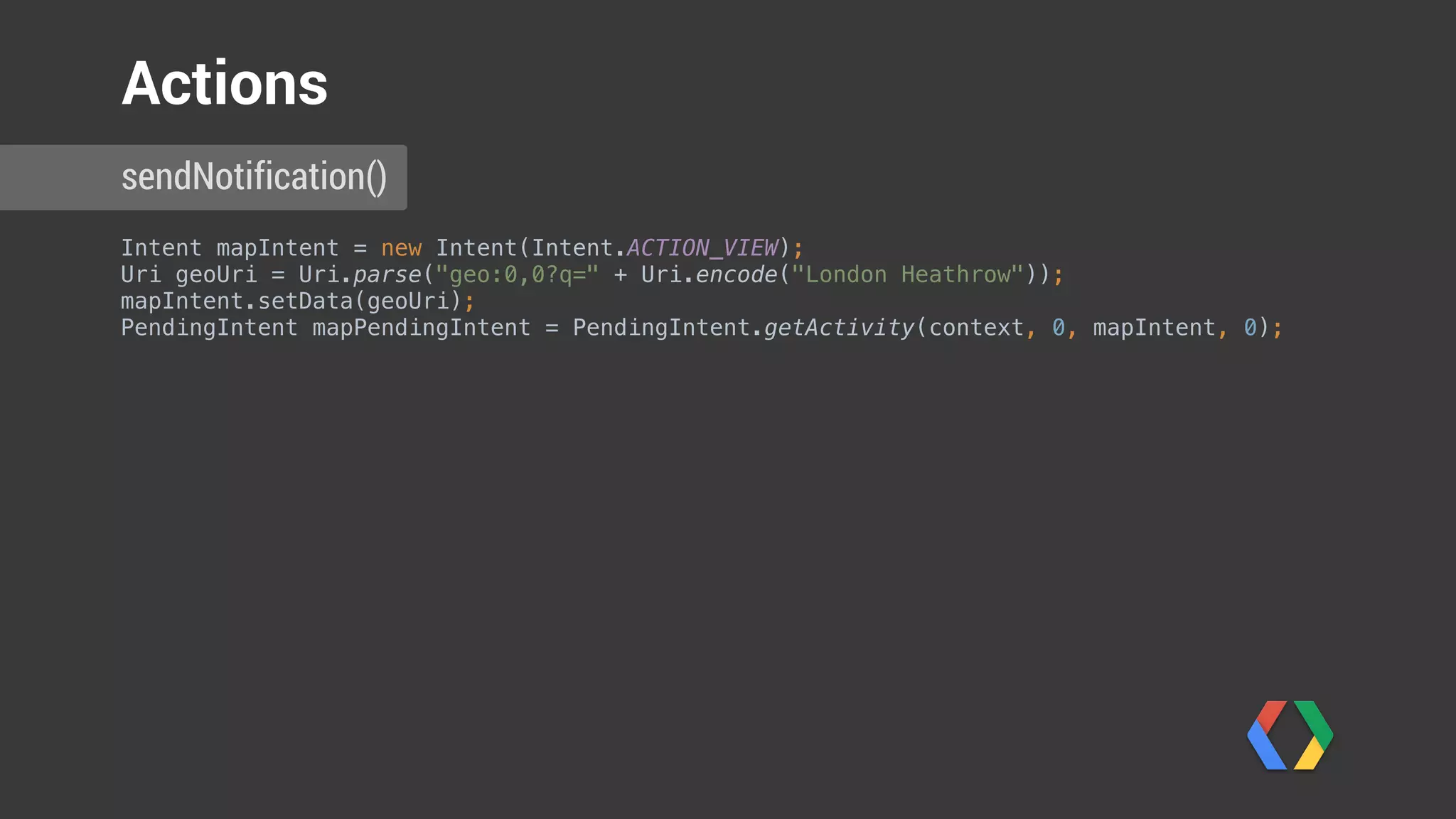
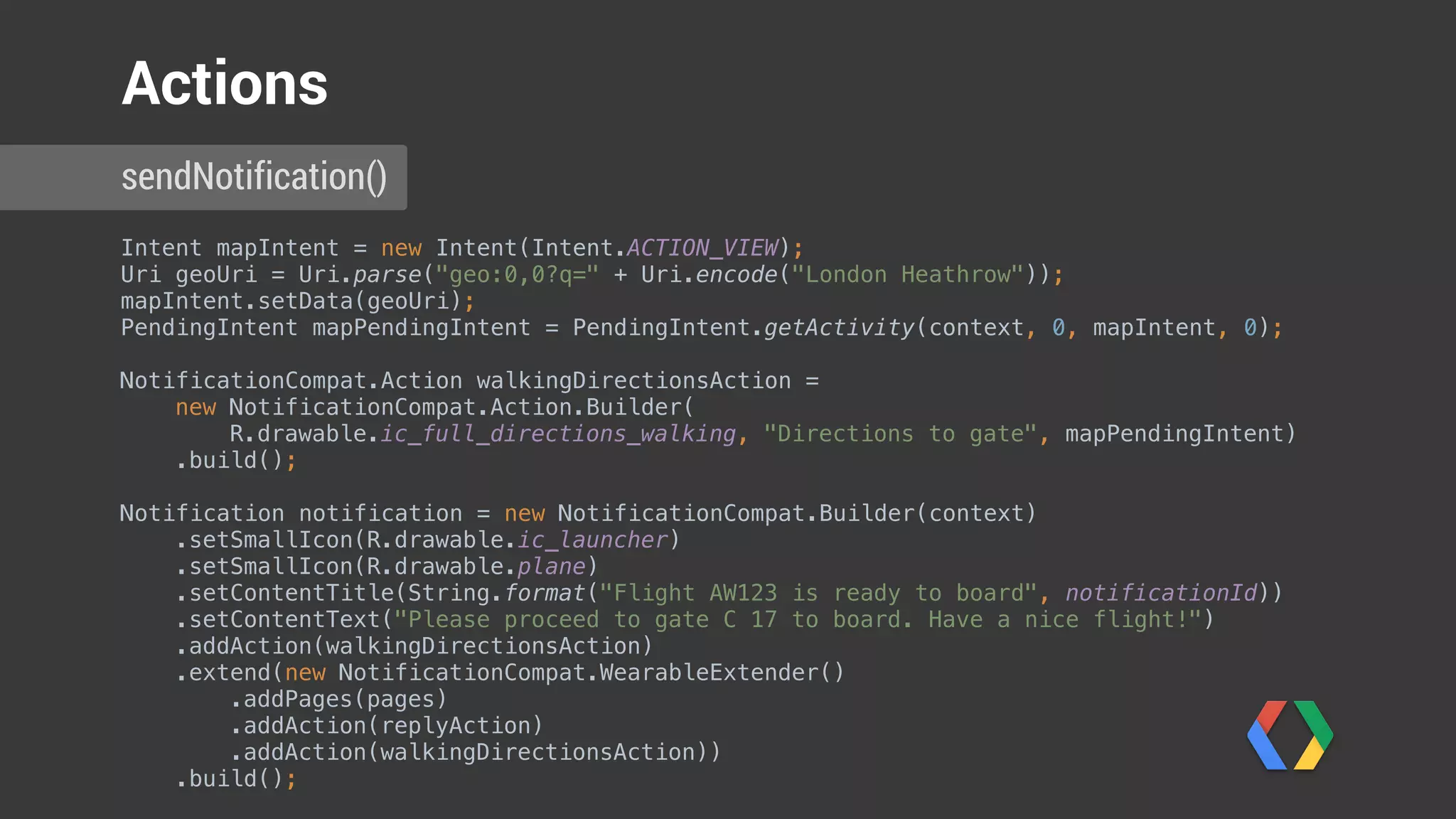
Intent mapIntent = new Intent(Intent.ACTION_VIEW);

Uri geoUri = Uri.parse("geo:0,0?q=" + Uri.encode("London Heathrow"));

mapIntent.setData(geoUri);

PendingIntent mapPendingIntent = PendingIntent.getActivity(context, 0, mapIntent, 0);
sendNotification()
Actions
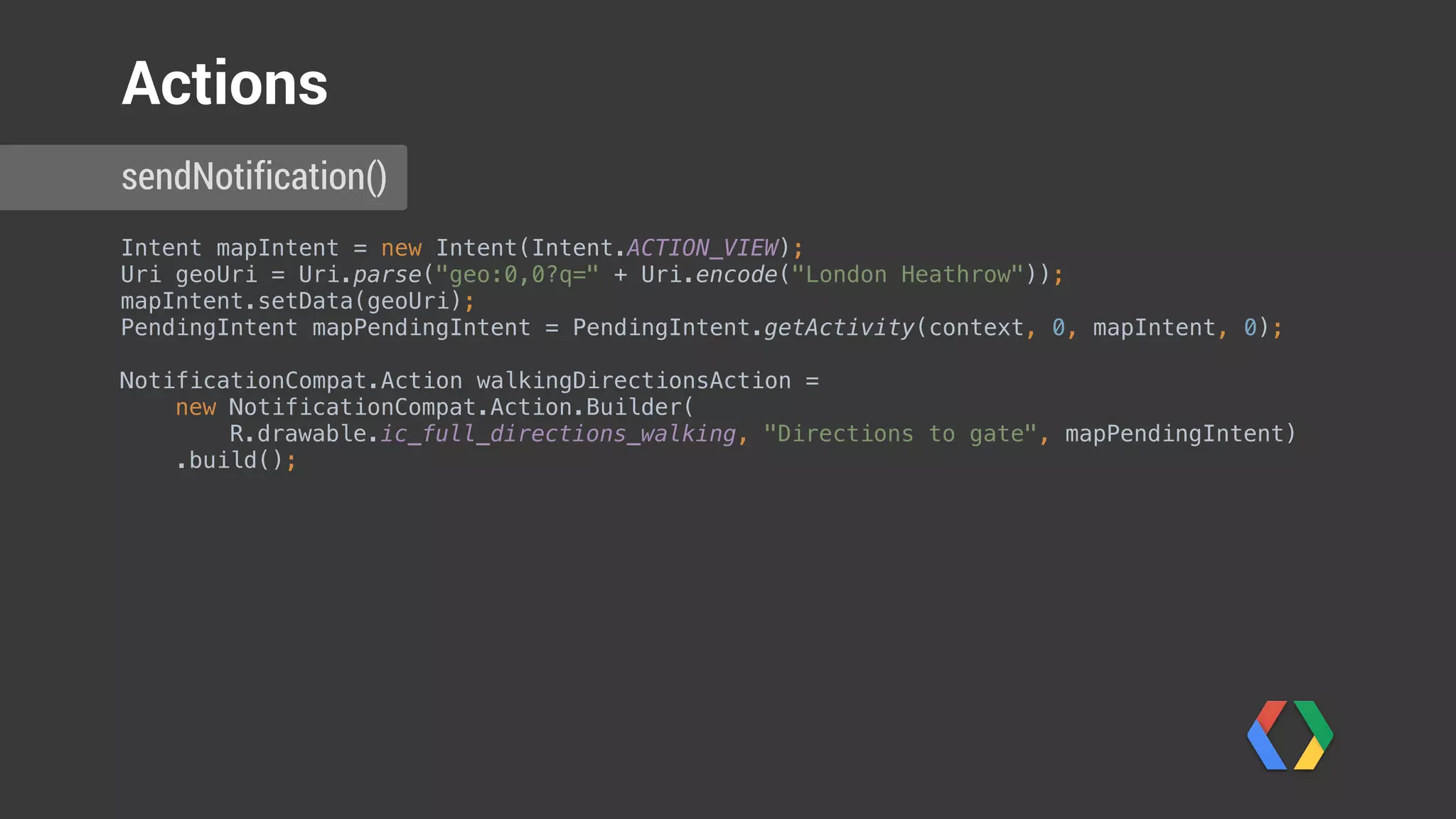
Intent mapIntent = new Intent(Intent.ACTION_VIEW);

Uri geoUri = Uri.parse("geo:0,0?q=" + Uri.encode("London Heathrow"));

mapIntent.setData(geoUri);

PendingIntent mapPendingIntent = PendingIntent.getActivity(context, 0, mapIntent, 0);


NotificationCompat.Action walkingDirectionsAction =

new NotificationCompat.Action.Builder(
R.drawable.ic_full_directions_walking, "Directions to gate", mapPendingIntent)

.build();
sendNotification()
Actions
Intent mapIntent = new Intent(Intent.ACTION_VIEW);

Uri geoUri = Uri.parse("geo:0,0?q=" + Uri.encode("London Heathrow"));

mapIntent.setData(geoUri);

PendingIntent mapPendingIntent = PendingIntent.getActivity(context, 0, mapIntent, 0);


NotificationCompat.Action walkingDirectionsAction =

new NotificationCompat.Action.Builder(
R.drawable.ic_full_directions_walking, "Directions to gate", mapPendingIntent)

.build();
Notification notification = new NotificationCompat.Builder(context)

.setSmallIcon(R.drawable.ic_launcher)

.setSmallIcon(R.drawable.plane)

.setContentTitle(String.format("Flight AW123 is ready to board", notificationId))

.setContentText("Please proceed to gate C 17 to board. Have a nice flight!")

.addAction(walkingDirectionsAction)

.extend(new NotificationCompat.WearableExtender()

.addPages(pages)

.addAction(replyAction)

.addAction(walkingDirectionsAction))

.build();

sendNotification()
Actions
Applications
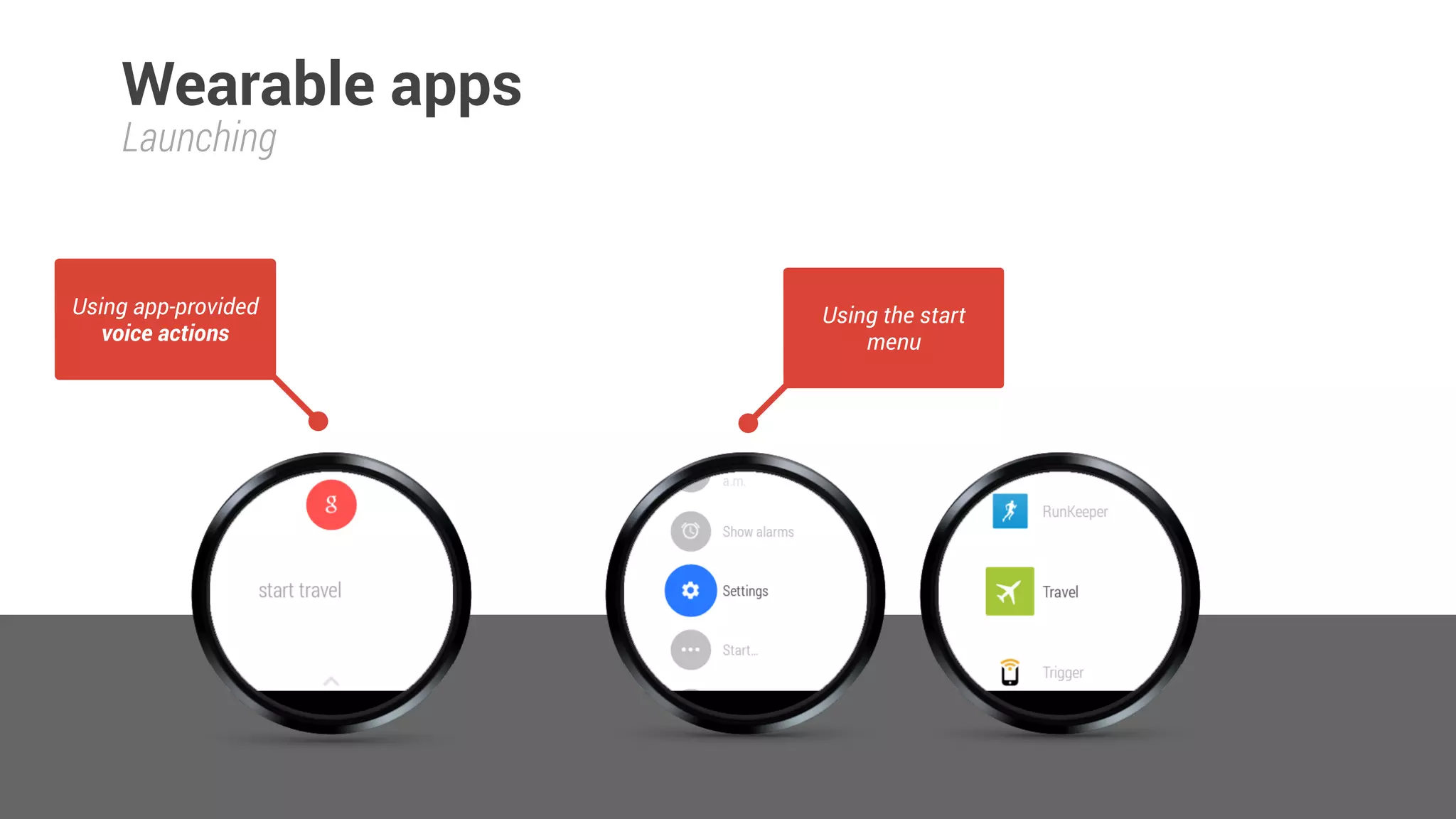
Launching
Wearable apps
Using app-provided
voice actions
Using the start
menu
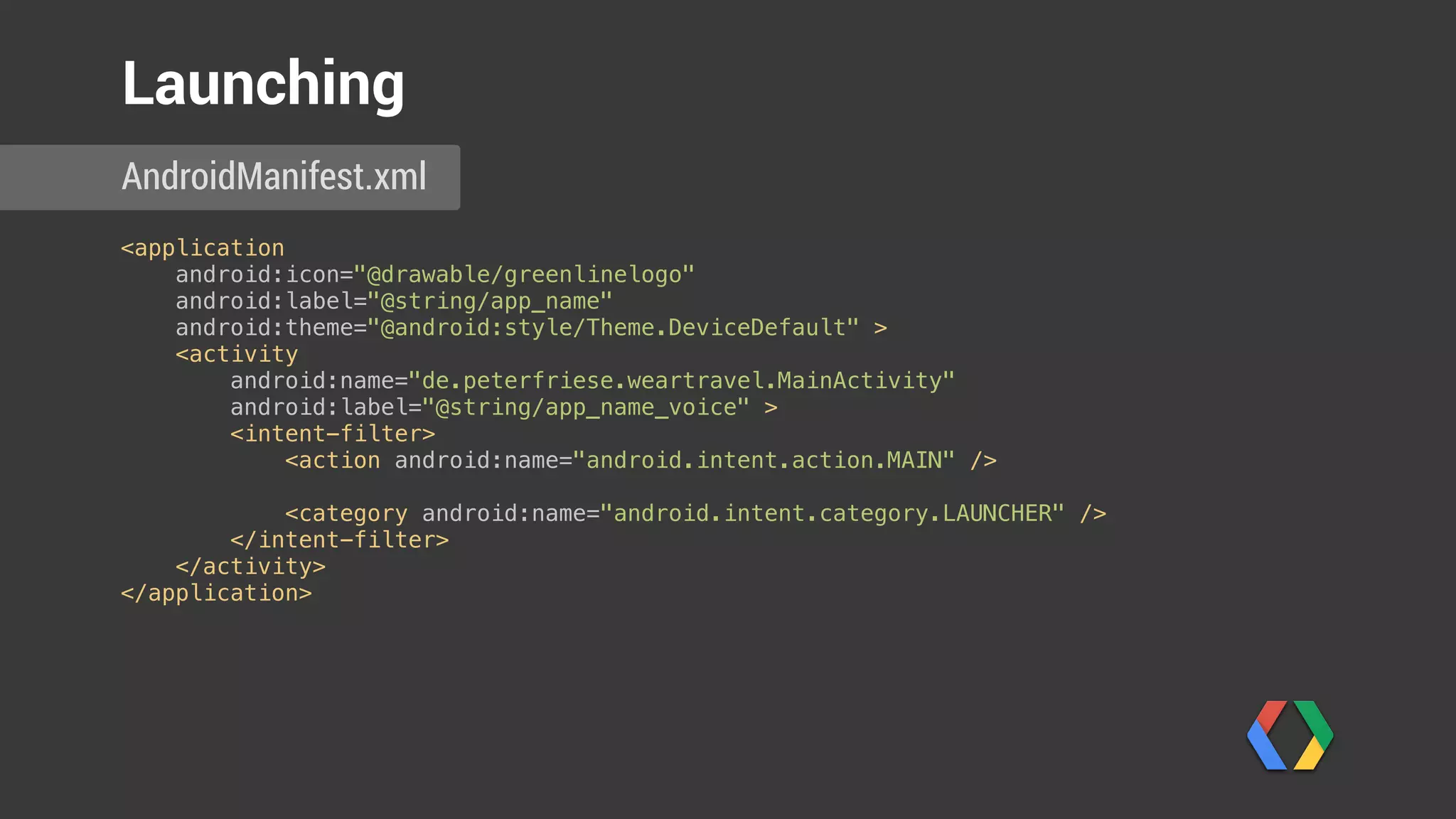
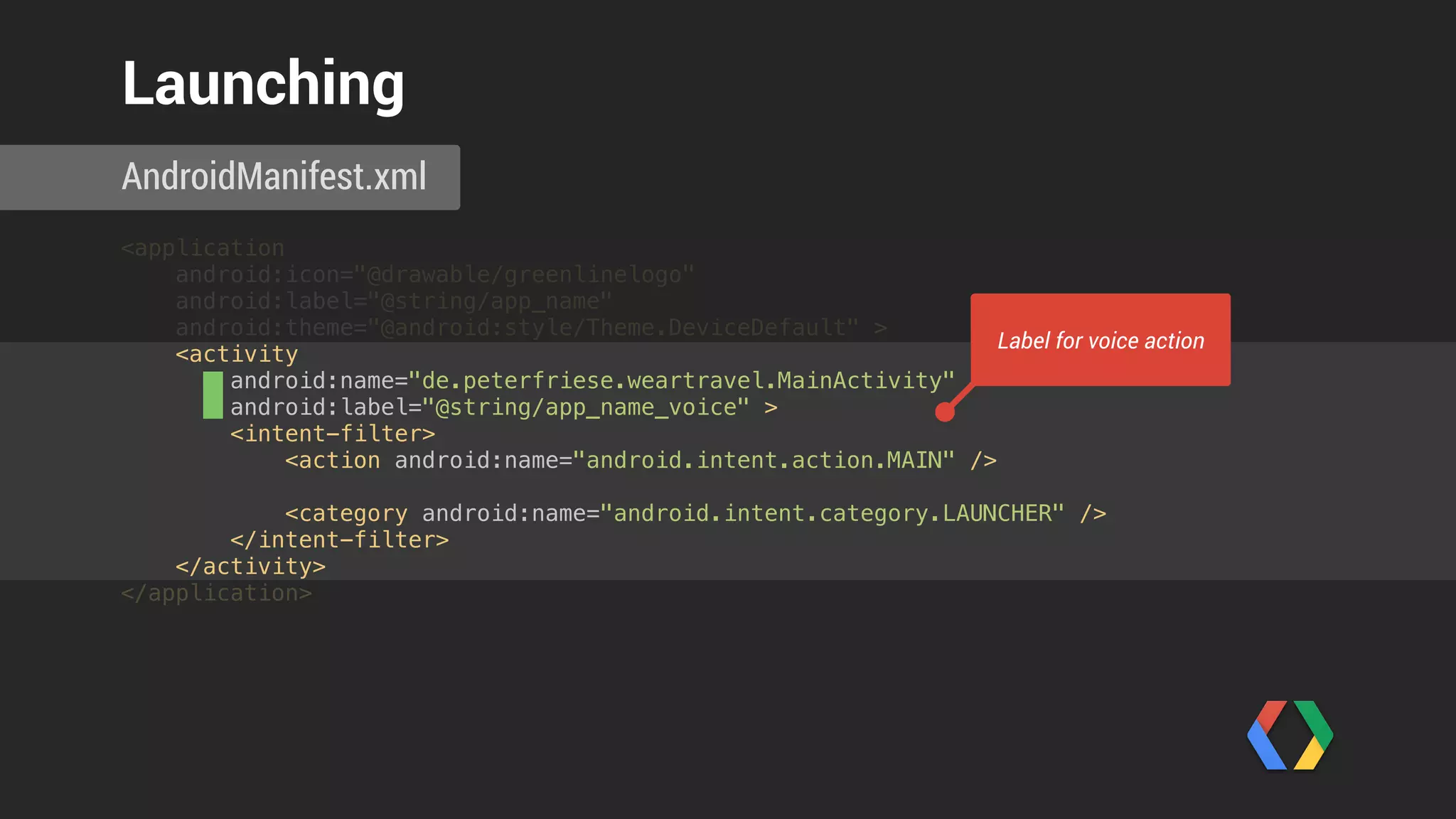
<application

android:icon="@drawable/greenlinelogo"

android:label="@string/app_name"

android:theme="@android:style/Theme.DeviceDefault" >

<activity

android:name="de.peterfriese.weartravel.MainActivity"

android:label="@string/app_name_voice" >

<intent-filter>

<action android:name="android.intent.action.MAIN" />


<category android:name="android.intent.category.LAUNCHER" />

</intent-filter>

</activity>

</application>

AndroidManifest.xml
Launching
<application

android:icon="@drawable/greenlinelogo"

android:label="@string/app_name"

android:theme="@android:style/Theme.DeviceDefault" >

<activity

android:name="de.peterfriese.weartravel.MainActivity"

android:label="@string/app_name_voice" >

<intent-filter>

<action android:name="android.intent.action.MAIN" />


<category android:name="android.intent.category.LAUNCHER" />

</intent-filter>

</activity>

</application>

AndroidManifest.xml
Launching
Label for voice action
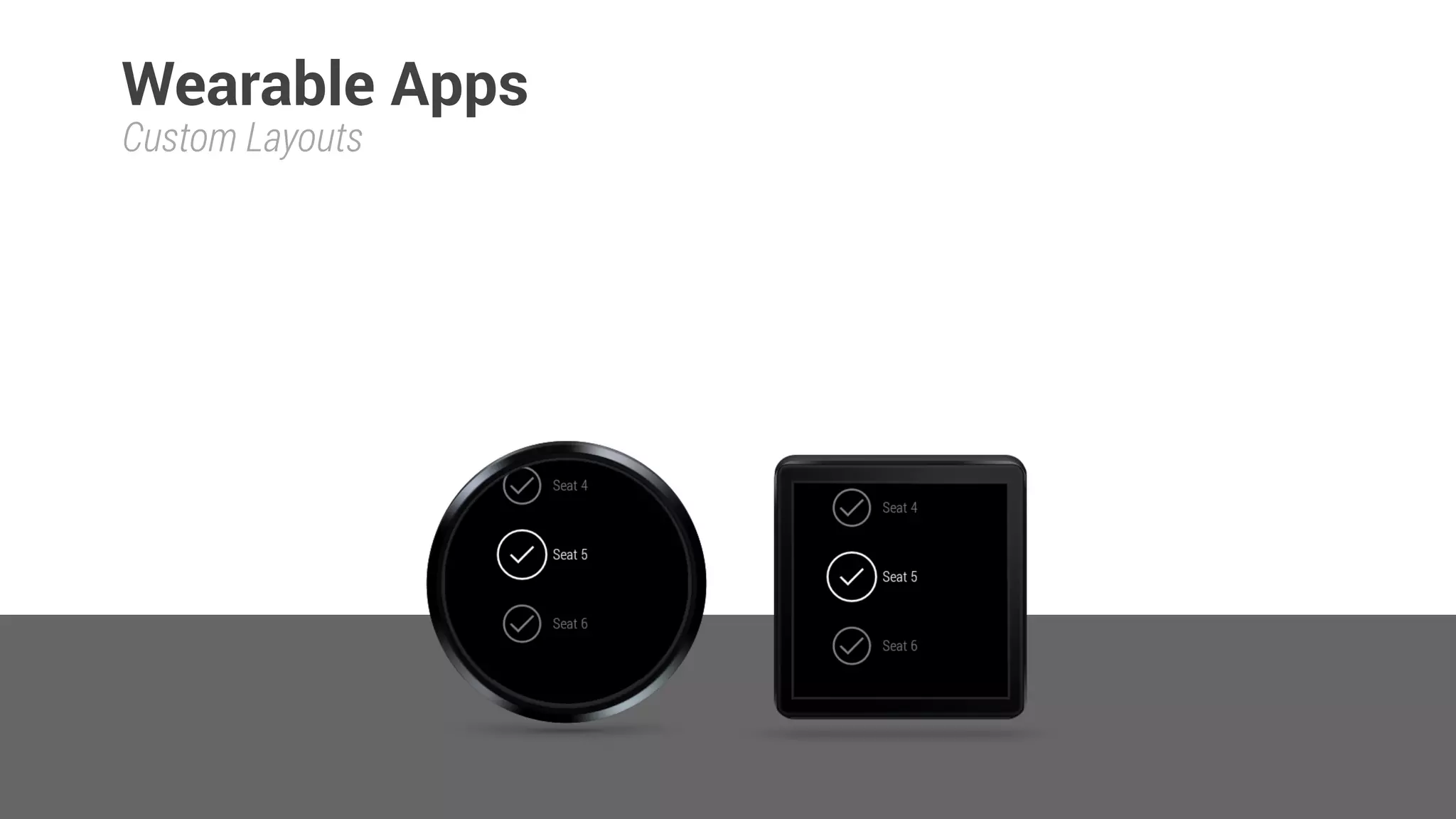
Custom Layouts
Wearable Apps
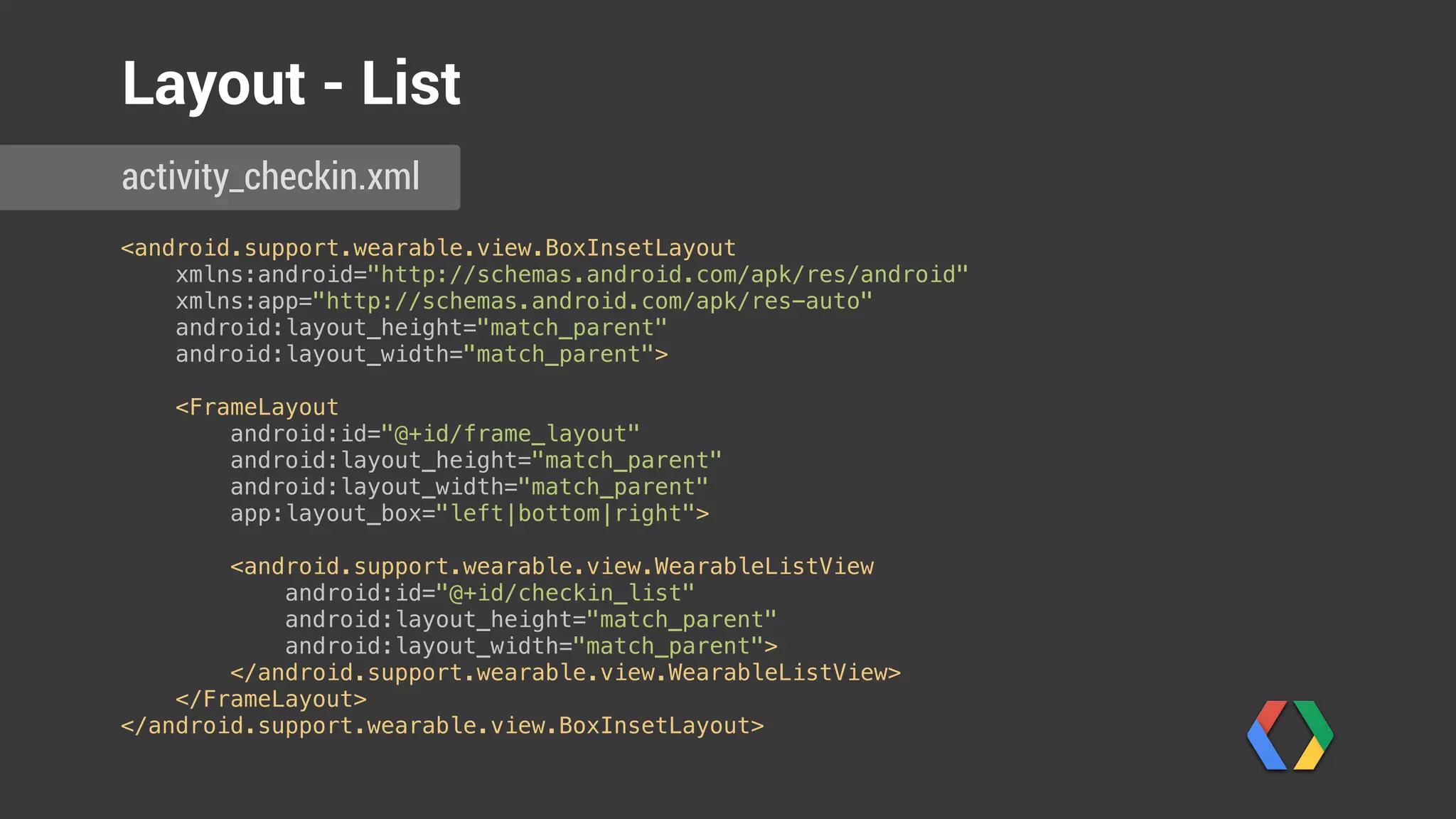
<android.support.wearable.view.BoxInsetLayout

xmlns:android="http://schemas.android.com/apk/res/android"

xmlns:app="http://schemas.android.com/apk/res-auto"

android:layout_height="match_parent"

android:layout_width="match_parent">


<FrameLayout

android:id="@+id/frame_layout"

android:layout_height="match_parent"

android:layout_width="match_parent"

app:layout_box="left|bottom|right">


<android.support.wearable.view.WearableListView

android:id="@+id/checkin_list"

android:layout_height="match_parent"

android:layout_width="match_parent">

</android.support.wearable.view.WearableListView>

</FrameLayout>

</android.support.wearable.view.BoxInsetLayout>
activity_checkin.xml
Layout - List
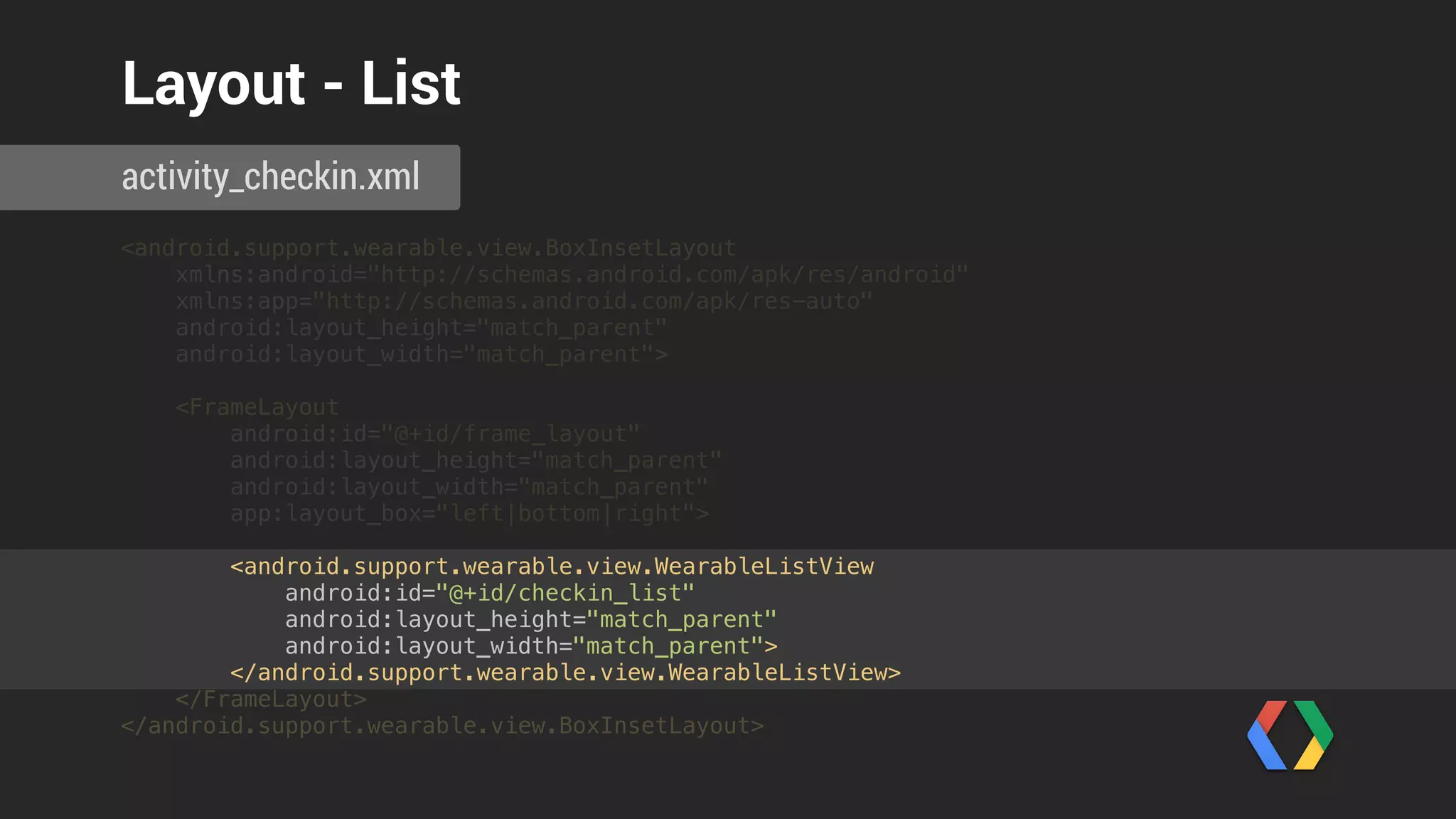
<android.support.wearable.view.BoxInsetLayout

xmlns:android="http://schemas.android.com/apk/res/android"

xmlns:app="http://schemas.android.com/apk/res-auto"

android:layout_height="match_parent"

android:layout_width="match_parent">


<FrameLayout

android:id="@+id/frame_layout"

android:layout_height="match_parent"

android:layout_width="match_parent"

app:layout_box="left|bottom|right">


<android.support.wearable.view.WearableListView

android:id="@+id/checkin_list"

android:layout_height="match_parent"

android:layout_width="match_parent">

</android.support.wearable.view.WearableListView>

</FrameLayout>

</android.support.wearable.view.BoxInsetLayout>
activity_checkin.xml
Layout - List
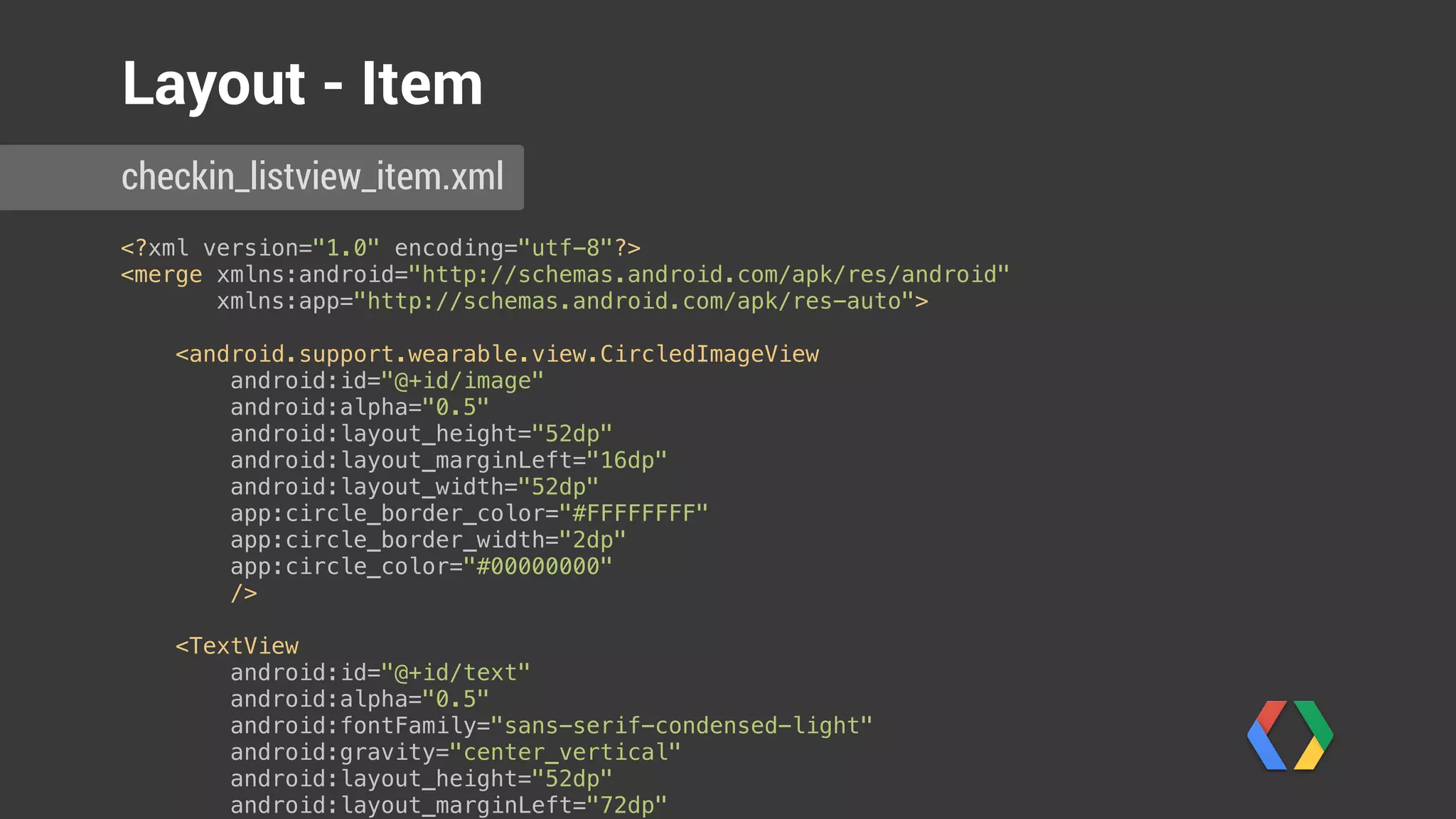
<?xml version="1.0" encoding="utf-8"?>

<merge xmlns:android="http://schemas.android.com/apk/res/android"

xmlns:app="http://schemas.android.com/apk/res-auto">


<android.support.wearable.view.CircledImageView

android:id="@+id/image"

android:alpha="0.5"

android:layout_height="52dp"

android:layout_marginLeft="16dp"

android:layout_width="52dp"

app:circle_border_color="#FFFFFFFF"

app:circle_border_width="2dp"

app:circle_color="#00000000"

/>


<TextView

android:id="@+id/text"

android:alpha="0.5"

android:fontFamily="sans-serif-condensed-light"

android:gravity="center_vertical"

android:layout_height="52dp"

android:layout_marginLeft="72dp"

checkin_listview_item.xml
Layout - Item
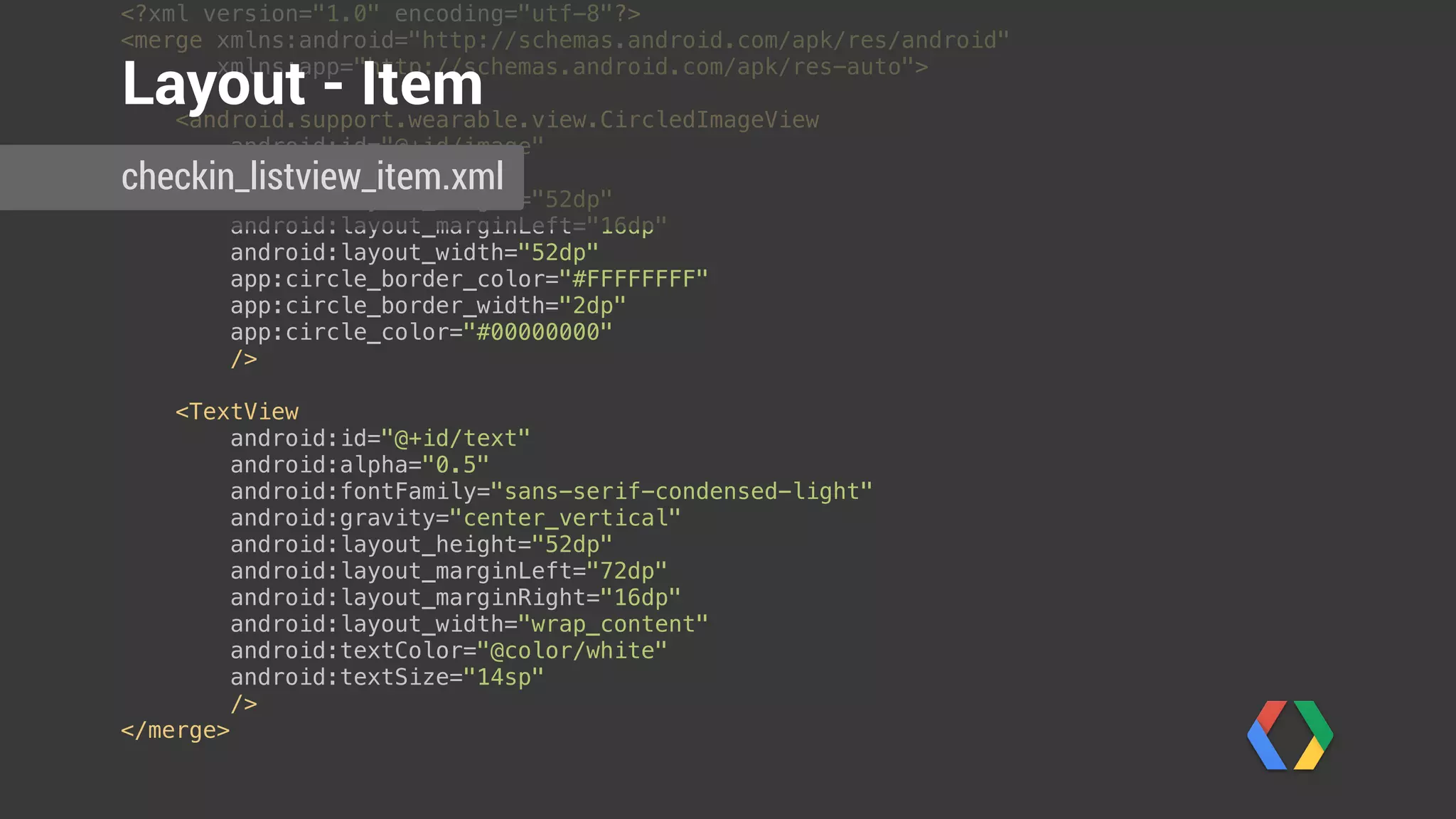
<?xml version="1.0" encoding="utf-8"?>

<merge xmlns:android="http://schemas.android.com/apk/res/android"

xmlns:app="http://schemas.android.com/apk/res-auto">


<android.support.wearable.view.CircledImageView

android:id="@+id/image"

android:alpha="0.5"

android:layout_height="52dp"

android:layout_marginLeft="16dp"

android:layout_width="52dp"

app:circle_border_color="#FFFFFFFF"

app:circle_border_width="2dp"

app:circle_color="#00000000"

/>


<TextView

android:id="@+id/text"

android:alpha="0.5"

android:fontFamily="sans-serif-condensed-light"

android:gravity="center_vertical"

android:layout_height="52dp"

android:layout_marginLeft="72dp"

android:layout_marginRight="16dp"

android:layout_width="wrap_content"

android:textColor="@color/white"

android:textSize="14sp"

/>

</merge>
Layout - Item
checkin_listview_item.xml
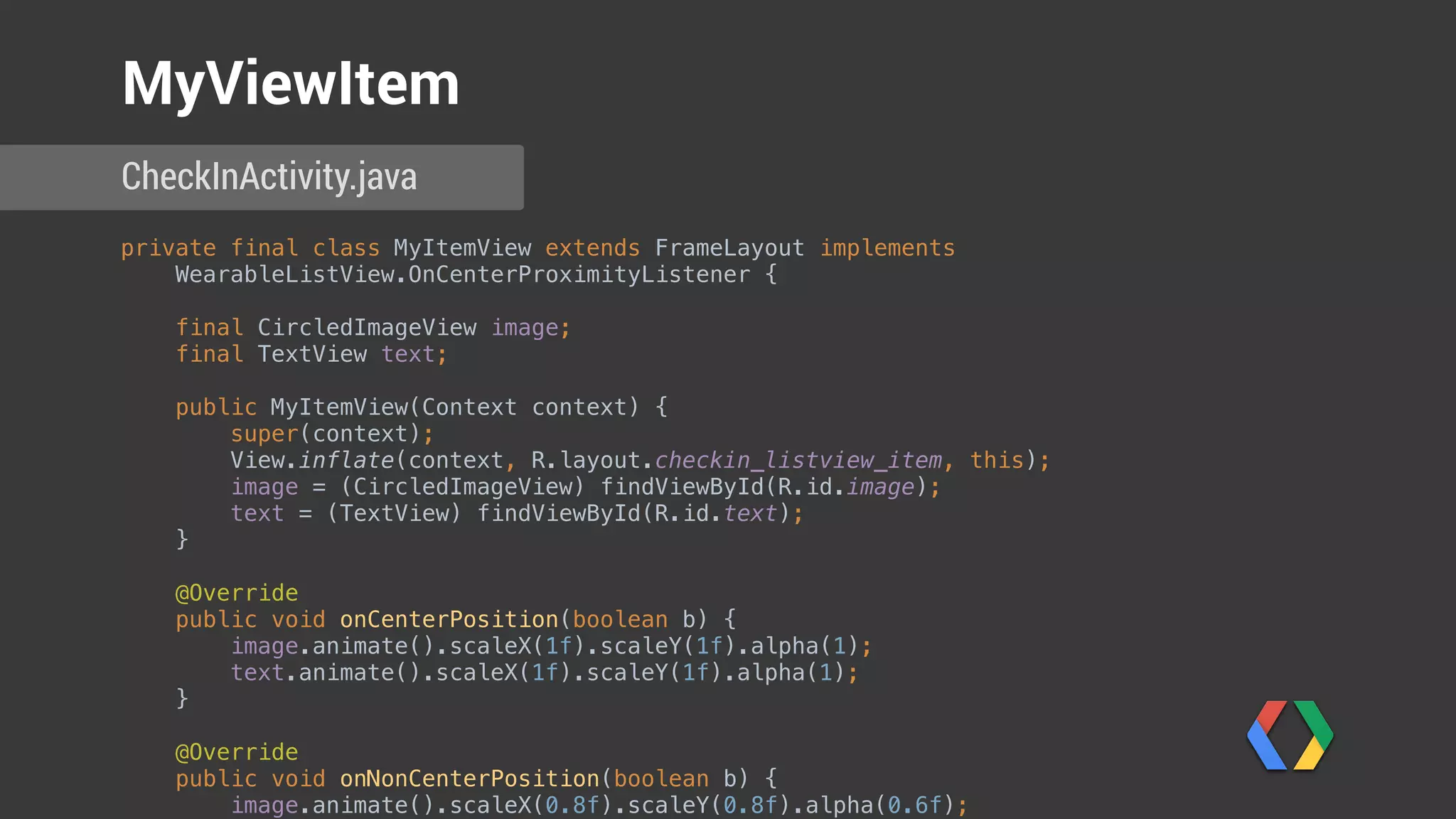
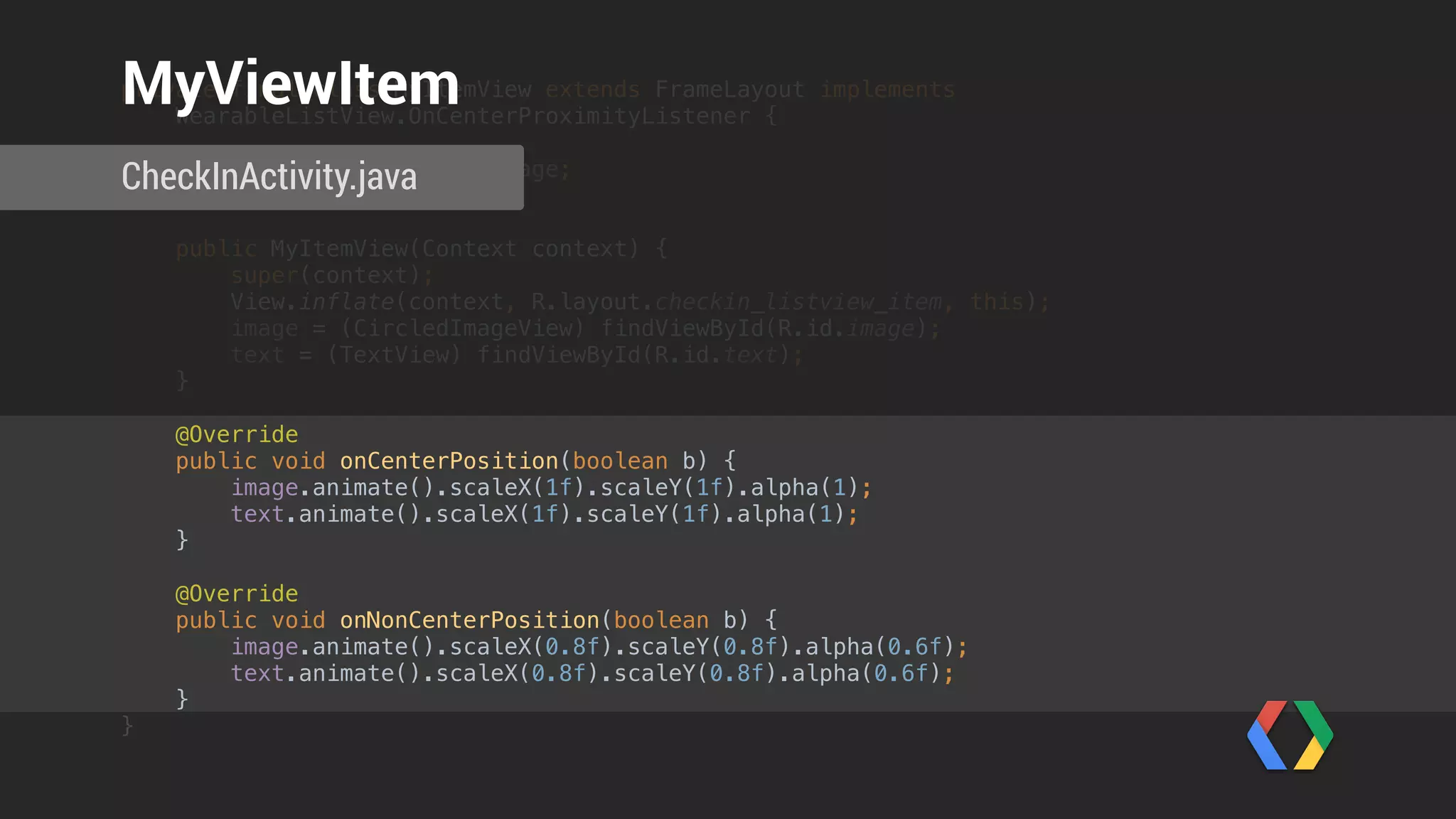
private final class MyItemView extends FrameLayout implements
WearableListView.OnCenterProximityListener {


final CircledImageView image;

final TextView text;


public MyItemView(Context context) {

super(context);

View.inflate(context, R.layout.checkin_listview_item, this);

image = (CircledImageView) findViewById(R.id.image);

text = (TextView) findViewById(R.id.text);

}


@Override

public void onCenterPosition(boolean b) {

image.animate().scaleX(1f).scaleY(1f).alpha(1);

text.animate().scaleX(1f).scaleY(1f).alpha(1);

}


@Override

public void onNonCenterPosition(boolean b) {

image.animate().scaleX(0.8f).scaleY(0.8f).alpha(0.6f);

CheckInActivity.java
MyViewItem
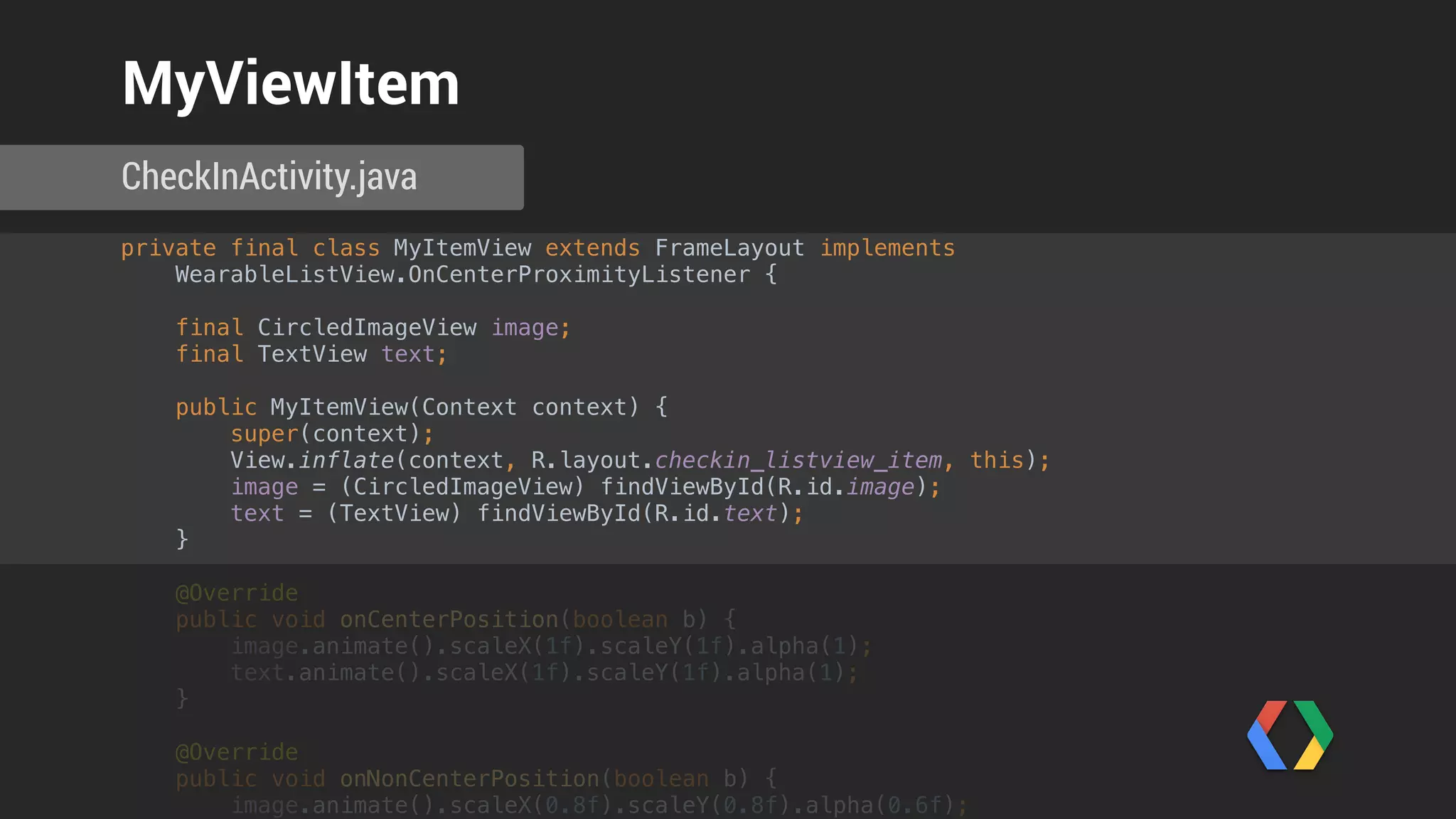
private final class MyItemView extends FrameLayout implements
WearableListView.OnCenterProximityListener {


final CircledImageView image;

final TextView text;


public MyItemView(Context context) {

super(context);

View.inflate(context, R.layout.checkin_listview_item, this);

image = (CircledImageView) findViewById(R.id.image);

text = (TextView) findViewById(R.id.text);

}


@Override

public void onCenterPosition(boolean b) {

image.animate().scaleX(1f).scaleY(1f).alpha(1);

text.animate().scaleX(1f).scaleY(1f).alpha(1);

}


@Override

public void onNonCenterPosition(boolean b) {

image.animate().scaleX(0.8f).scaleY(0.8f).alpha(0.6f);

CheckInActivity.java
MyViewItem
private final class MyItemView extends FrameLayout implements
WearableListView.OnCenterProximityListener {


final CircledImageView image;

final TextView text;


public MyItemView(Context context) {

super(context);

View.inflate(context, R.layout.checkin_listview_item, this);

image = (CircledImageView) findViewById(R.id.image);

text = (TextView) findViewById(R.id.text);

}


@Override

public void onCenterPosition(boolean b) {

image.animate().scaleX(1f).scaleY(1f).alpha(1);

text.animate().scaleX(1f).scaleY(1f).alpha(1);

}


@Override

public void onNonCenterPosition(boolean b) {

image.animate().scaleX(0.8f).scaleY(0.8f).alpha(0.6f);

text.animate().scaleX(0.8f).scaleY(0.8f).alpha(0.6f);

}

}
CheckInActivity.java
MyViewItem
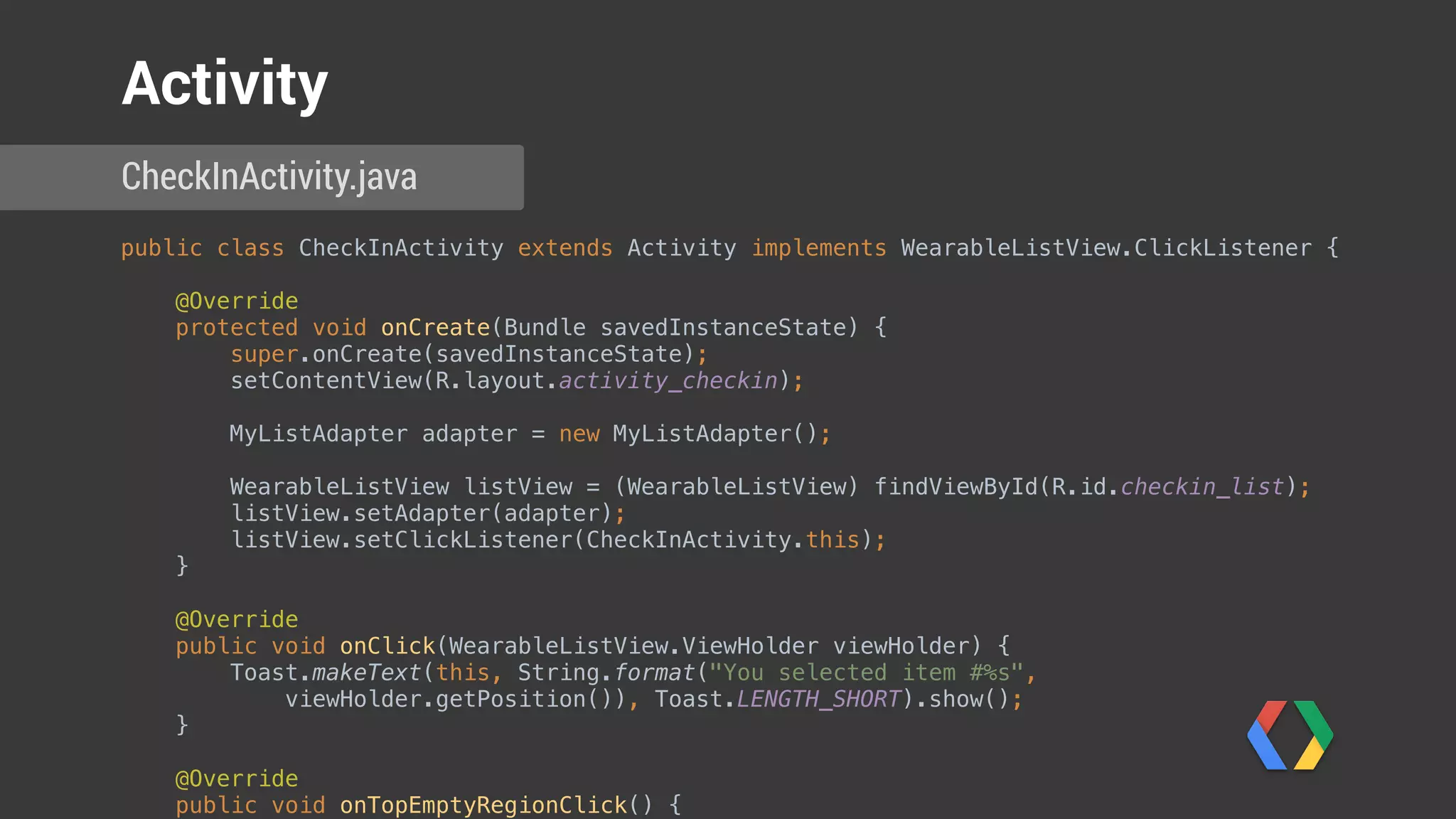
public class CheckInActivity extends Activity implements WearableListView.ClickListener {


@Override

protected void onCreate(Bundle savedInstanceState) {

super.onCreate(savedInstanceState);

setContentView(R.layout.activity_checkin);


MyListAdapter adapter = new MyListAdapter();


WearableListView listView = (WearableListView) findViewById(R.id.checkin_list);

listView.setAdapter(adapter);

listView.setClickListener(CheckInActivity.this);

}


@Override

public void onClick(WearableListView.ViewHolder viewHolder) {

Toast.makeText(this, String.format("You selected item #%s",
viewHolder.getPosition()), Toast.LENGTH_SHORT).show();

}


@Override

public void onTopEmptyRegionClick() {

CheckInActivity.java
Activity
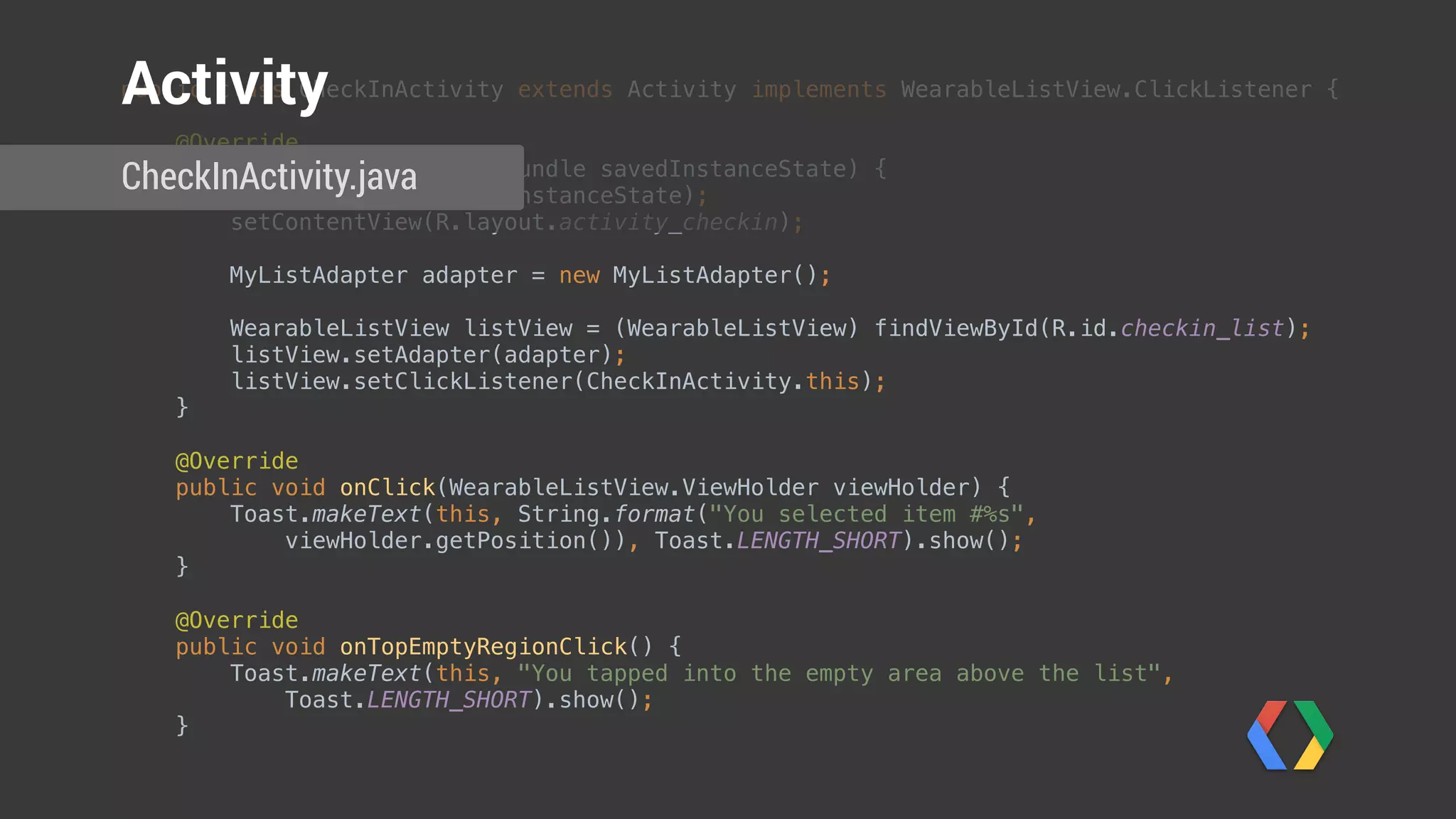
public class CheckInActivity extends Activity implements WearableListView.ClickListener {


@Override

protected void onCreate(Bundle savedInstanceState) {

super.onCreate(savedInstanceState);

setContentView(R.layout.activity_checkin);


MyListAdapter adapter = new MyListAdapter();


WearableListView listView = (WearableListView) findViewById(R.id.checkin_list);

listView.setAdapter(adapter);

listView.setClickListener(CheckInActivity.this);

}


@Override

public void onClick(WearableListView.ViewHolder viewHolder) {

Toast.makeText(this, String.format("You selected item #%s",
viewHolder.getPosition()), Toast.LENGTH_SHORT).show();

}


@Override

public void onTopEmptyRegionClick() {

Toast.makeText(this, "You tapped into the empty area above the list",
Toast.LENGTH_SHORT).show();

}

CheckInActivity.java
Activity
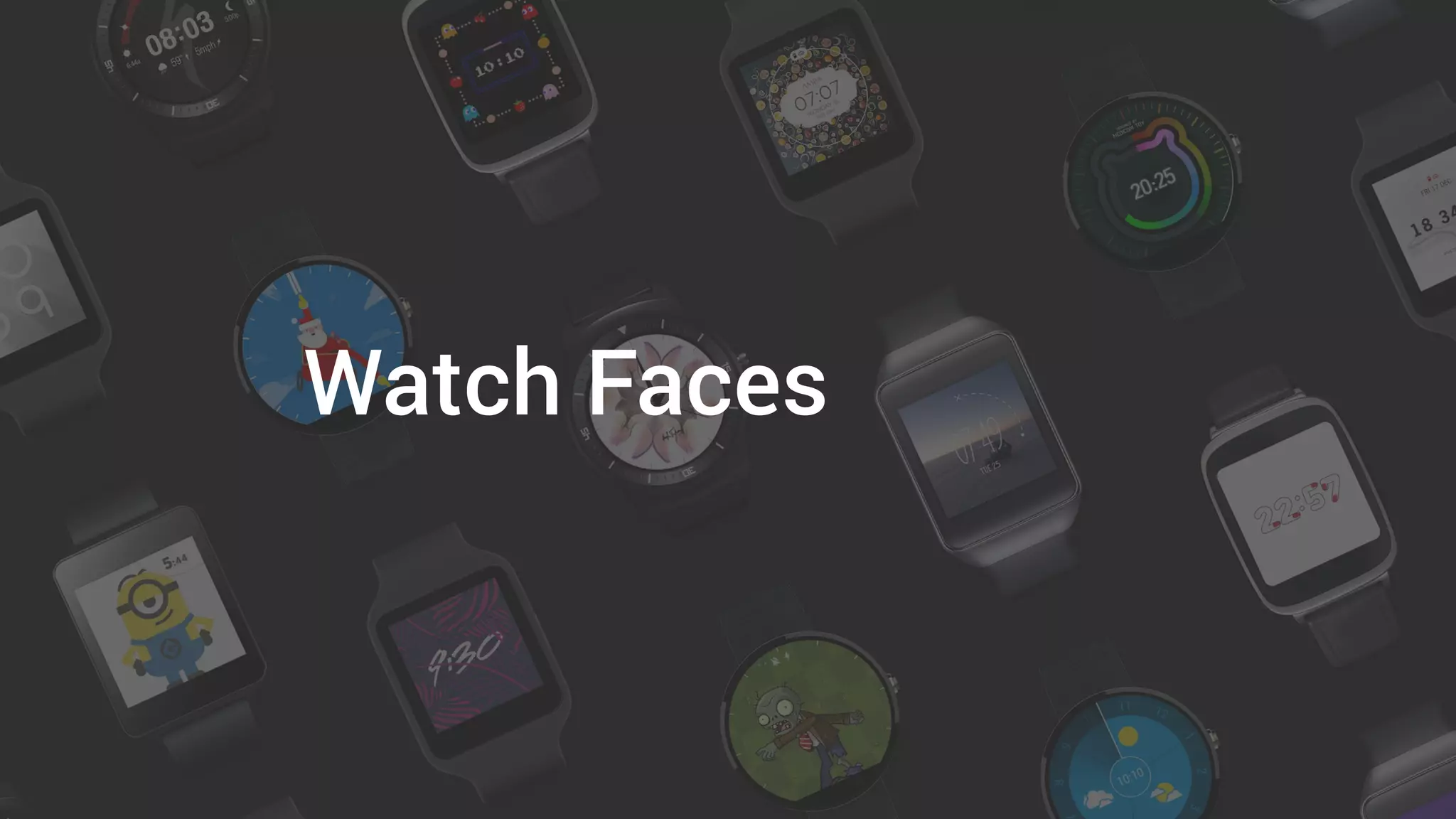
Watch Faces
Design Principles
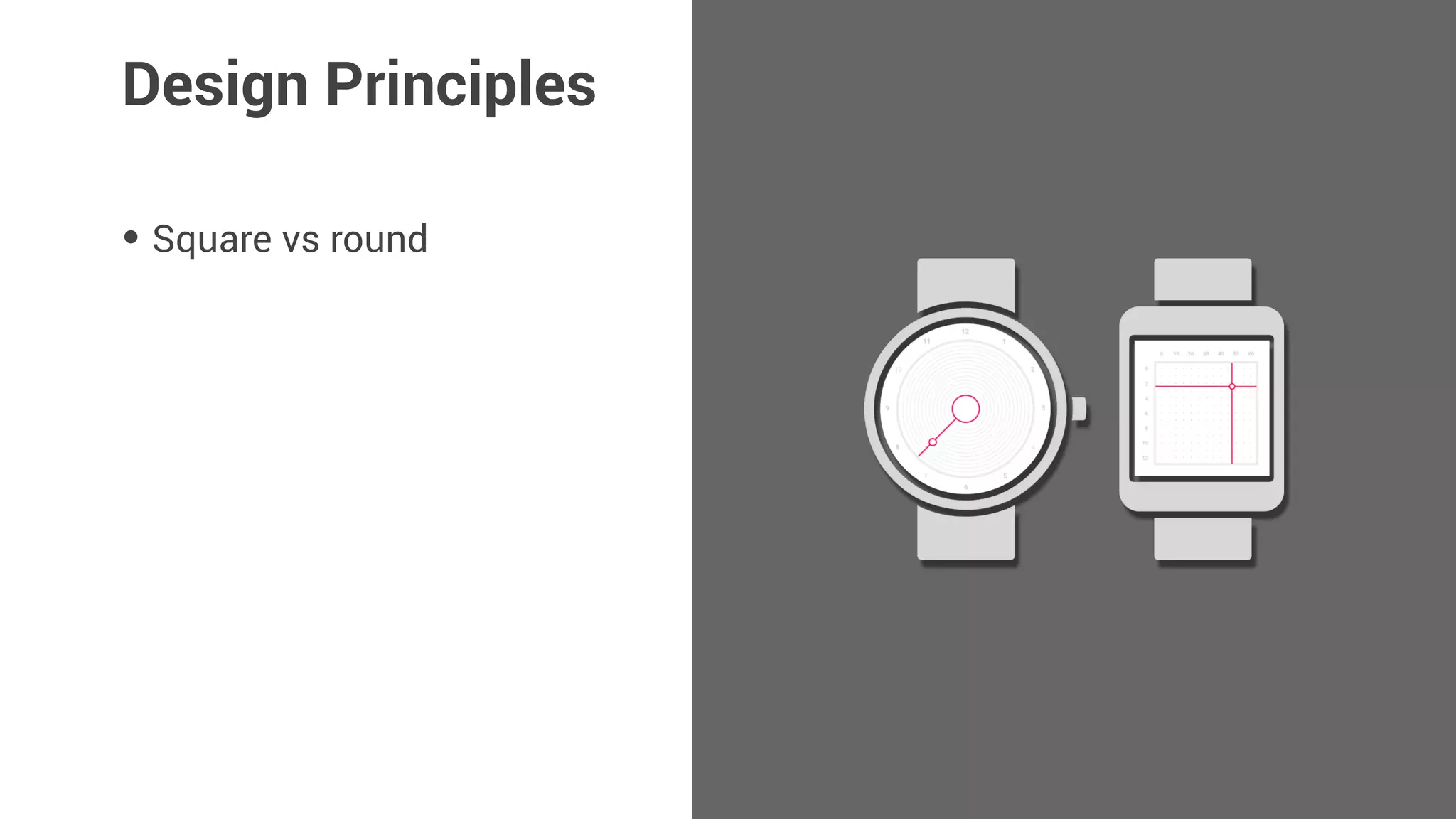
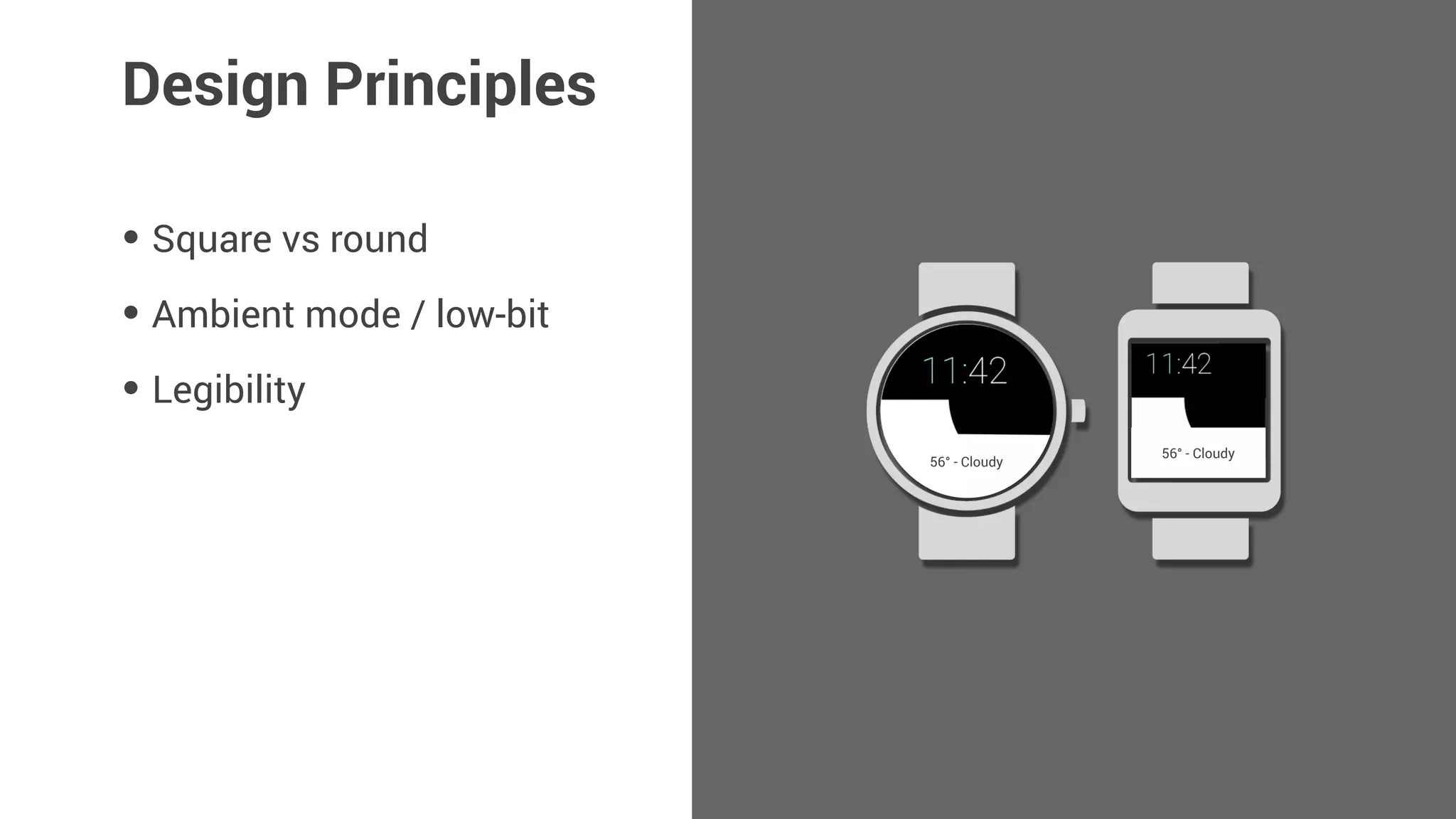
• Square vs round
Design Principles
• Square vs round
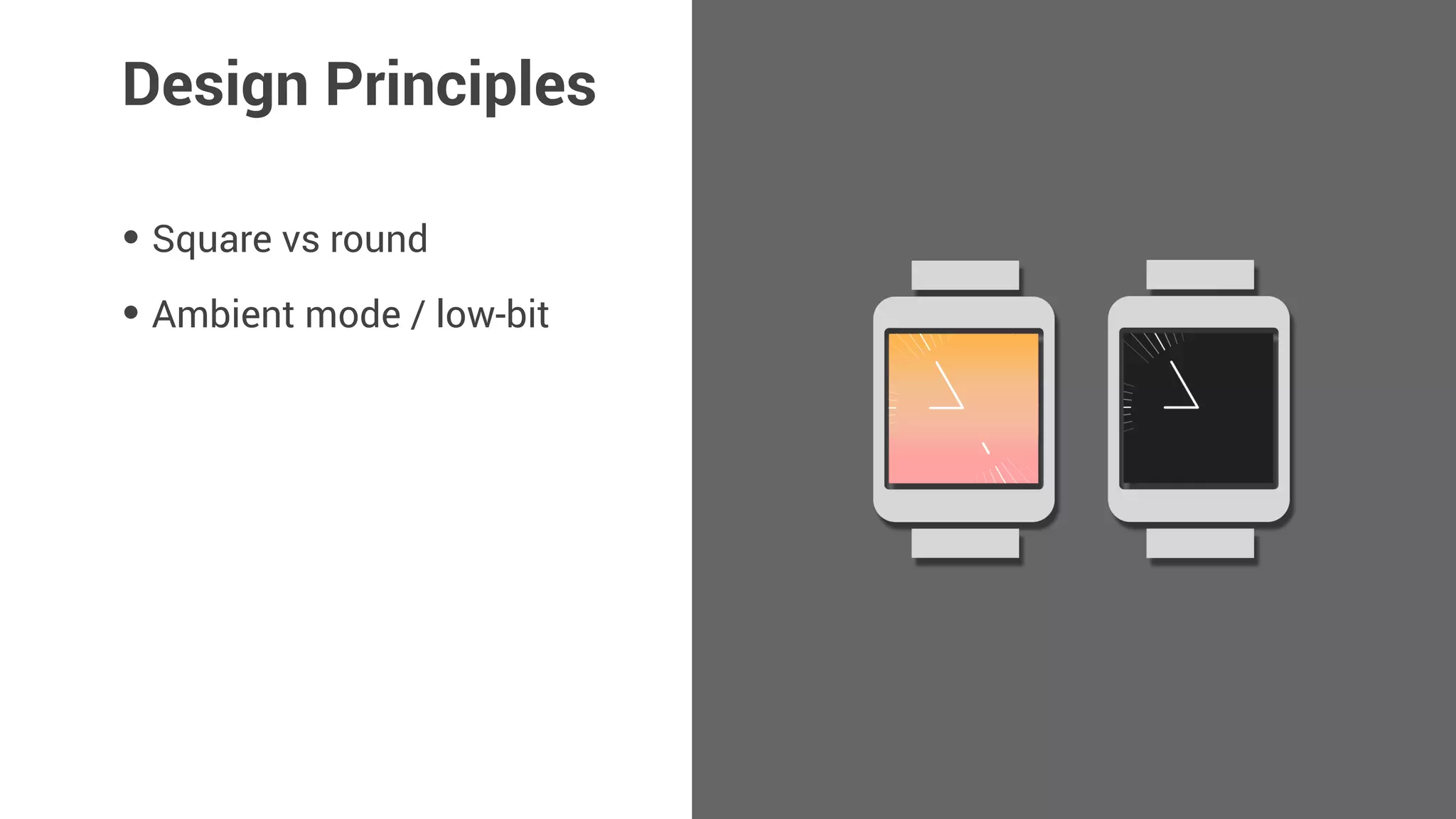
• Ambient mode / low-bit
Design Principles
• Square vs round
• Ambient mode / low-bit
• Legibility
Design Principles
56° - Cloudy
56° - Cloudy
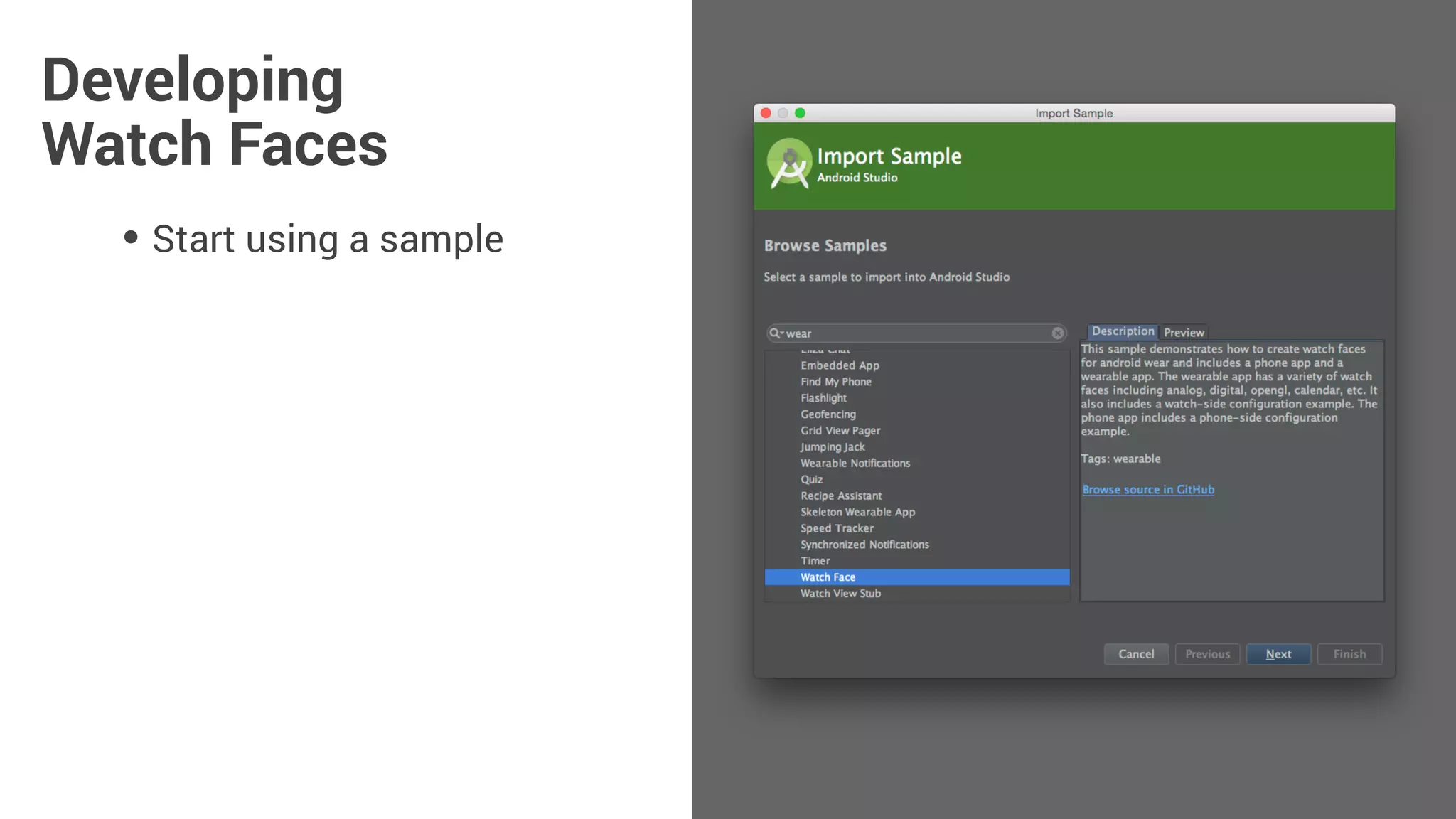
Developing
Watch Faces
• Start using a sample
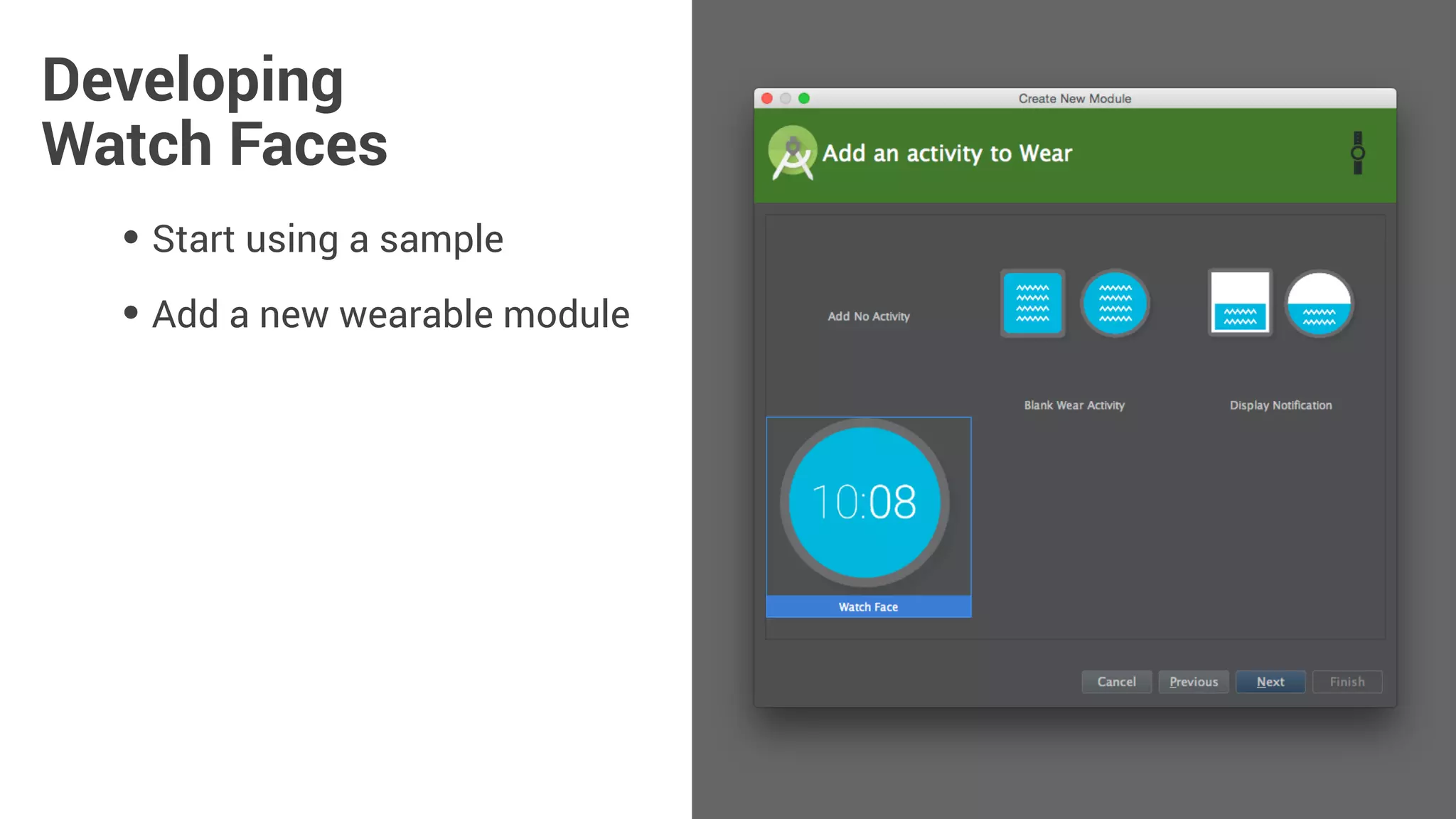
Developing
Watch Faces
• Start using a sample
• Add a new wearable module
Developing
Watch Faces
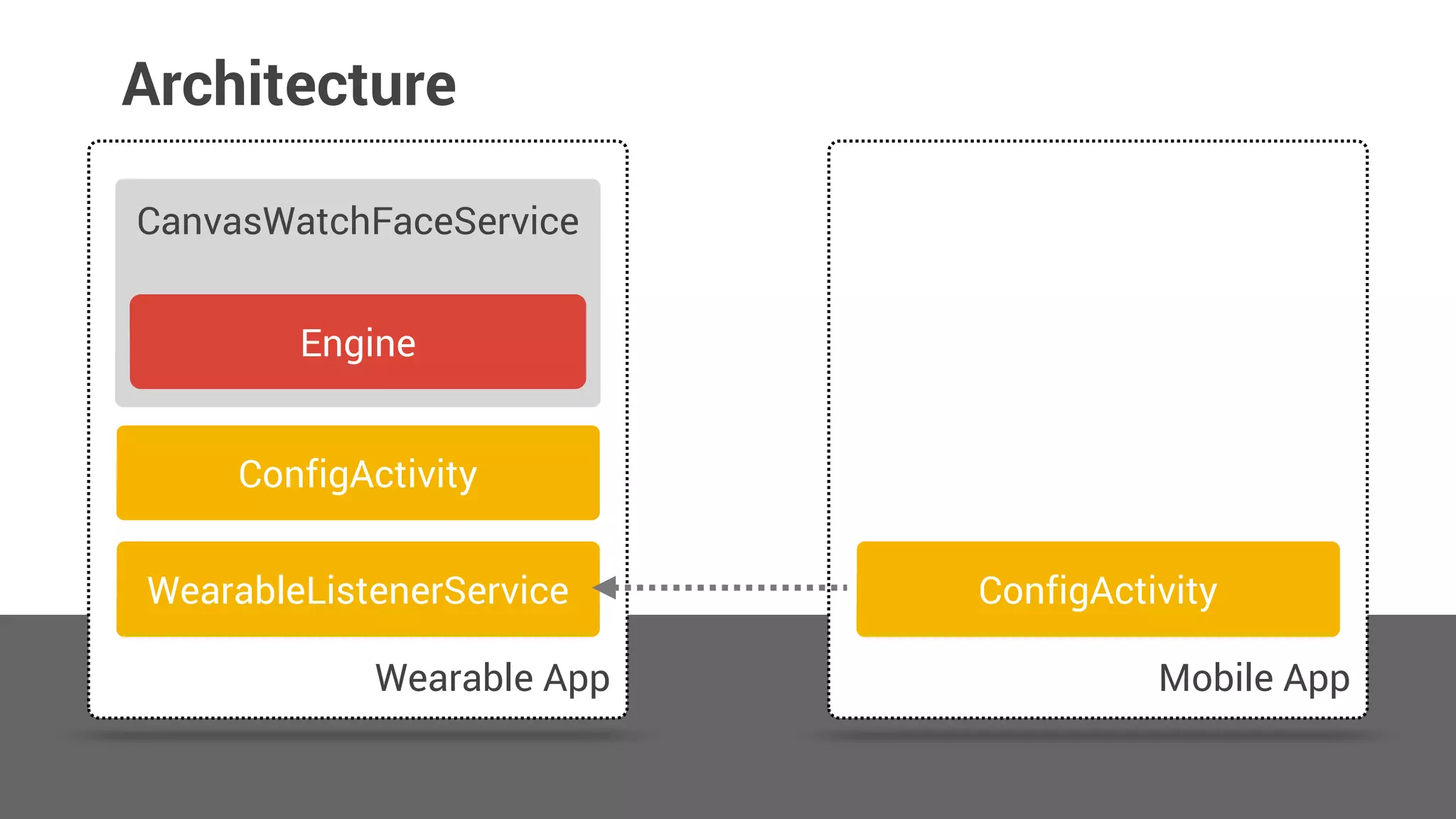
Architecture
Wearable App Mobile App
CanvasWatchFaceService
ConfigActivity
Engine
ConfigActivityWearableListenerService
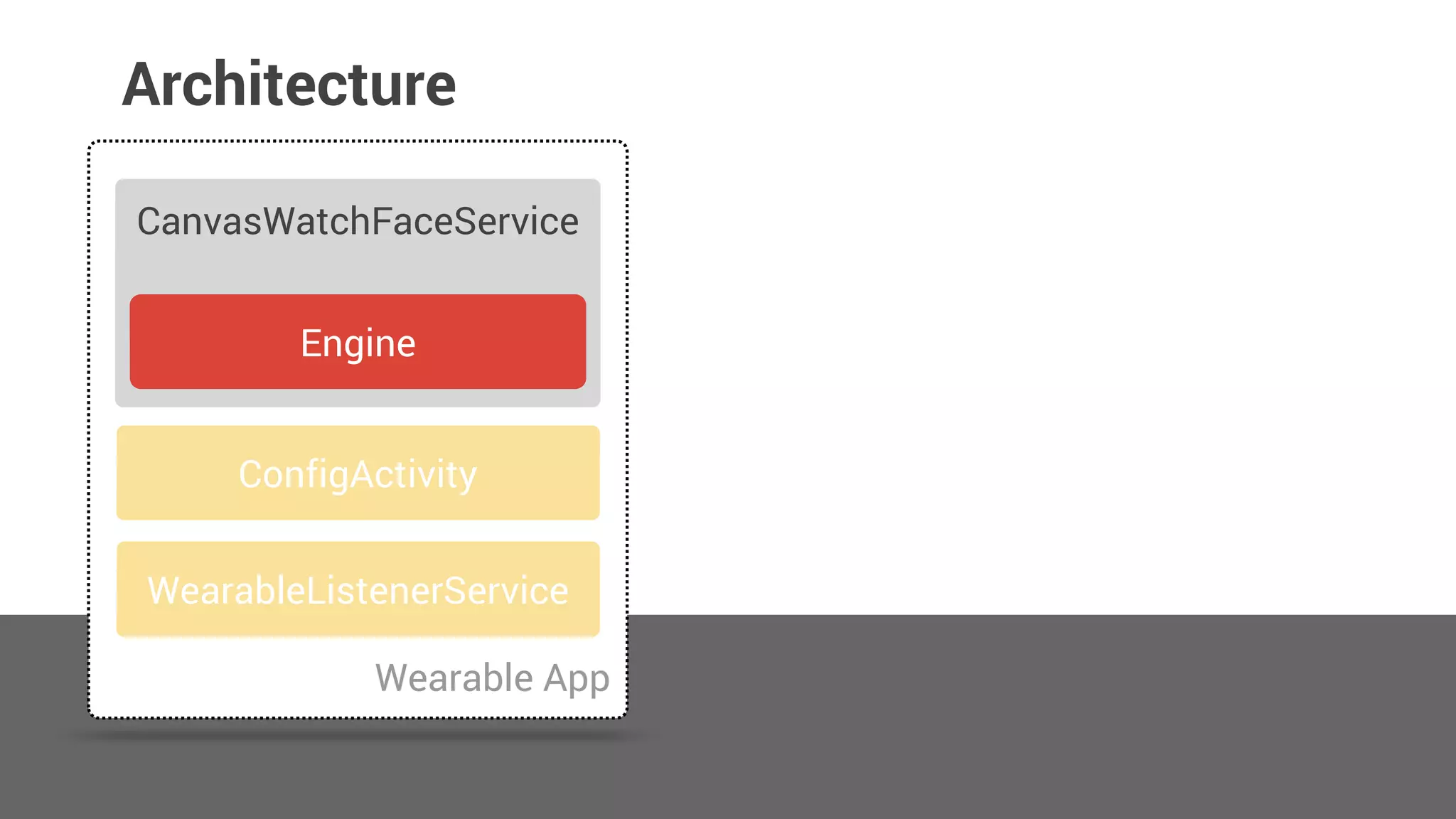
Architecture
Wearable App
CanvasWatchFaceService
ConfigActivity
Engine
WearableListenerService
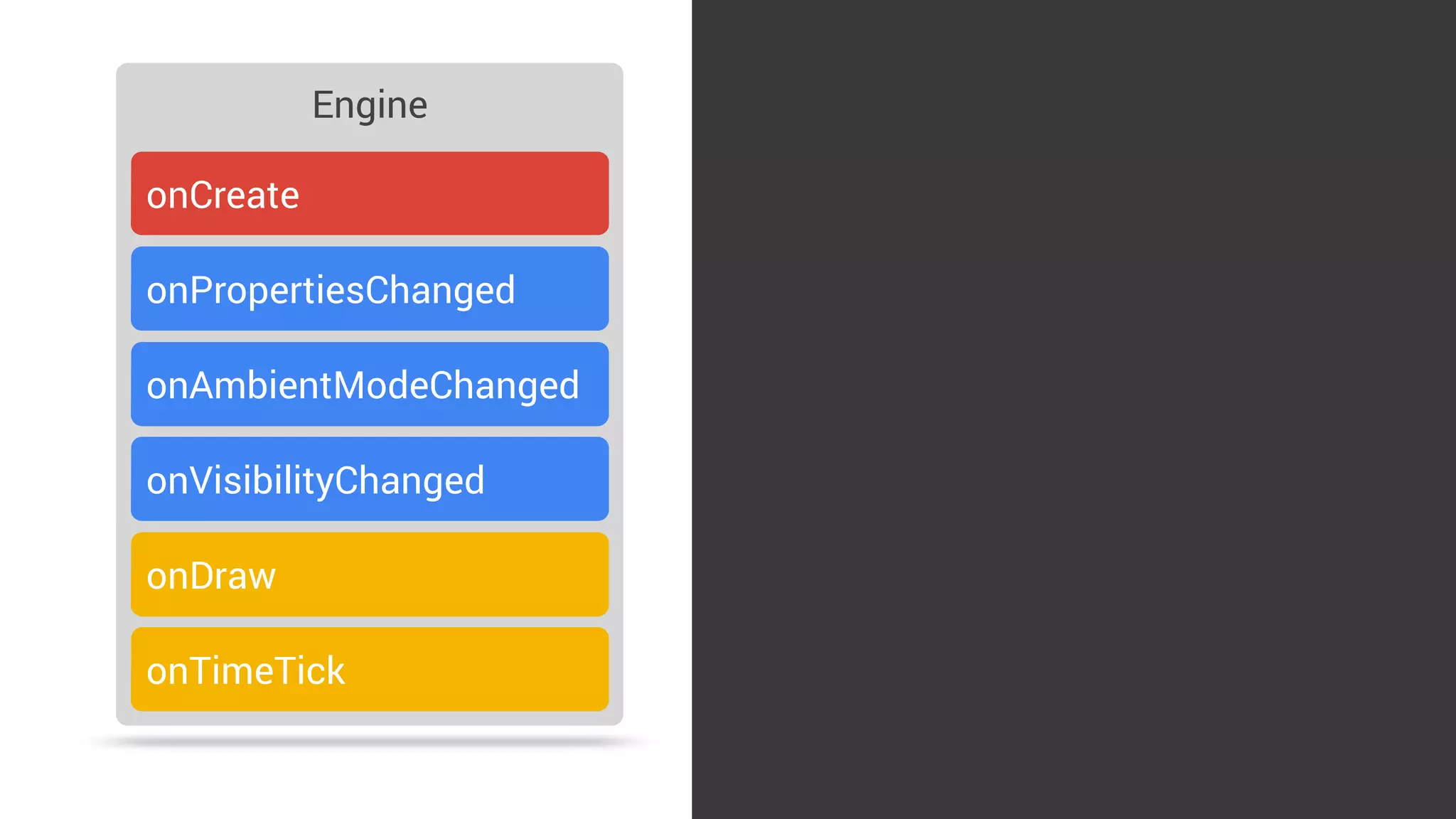
Engine
onCreate
onPropertiesChanged
onDraw
onTimeTick
onAmbientModeChanged
onVisibilityChanged
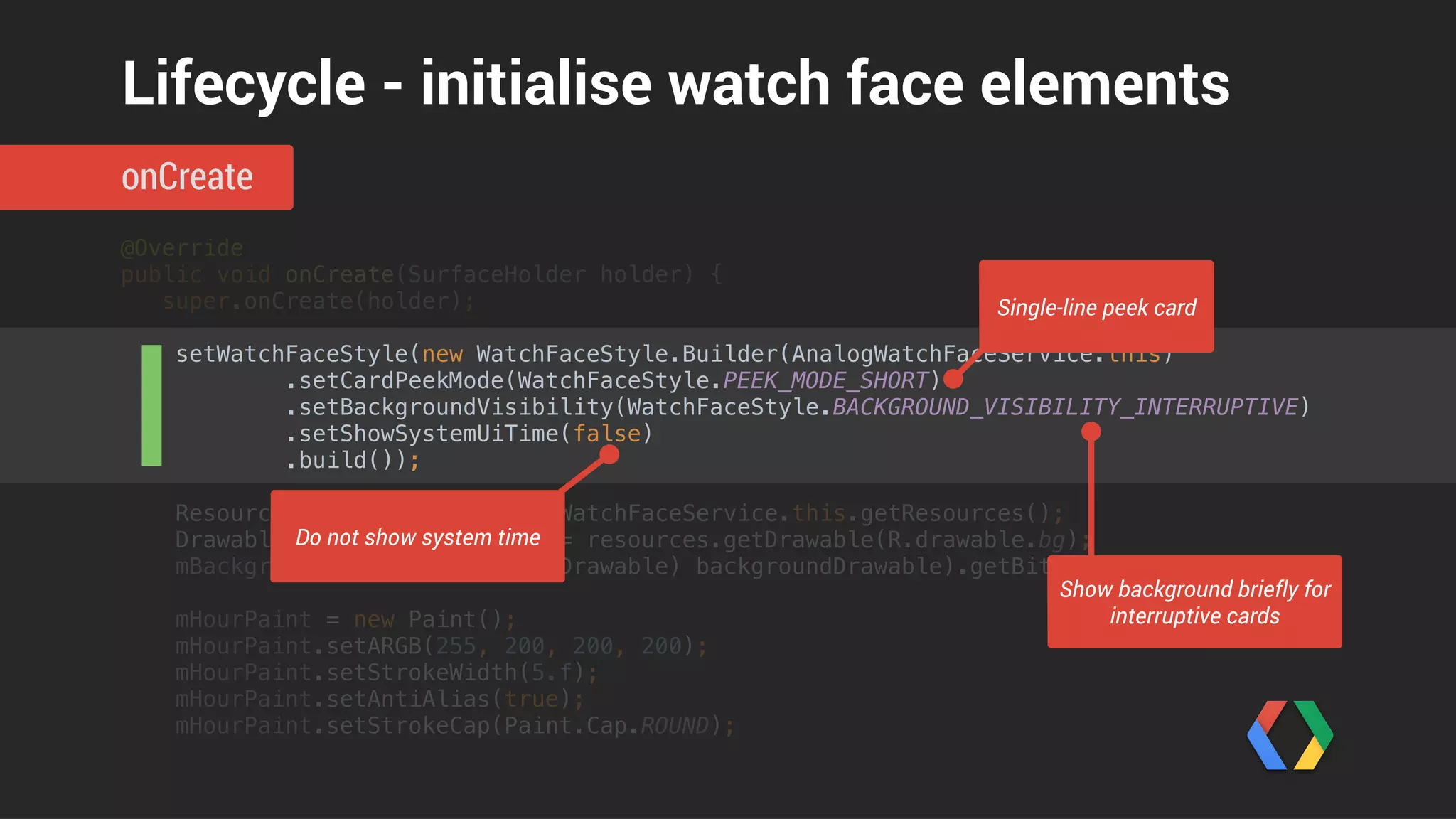
@Override

public void onCreate(SurfaceHolder holder) {

super.onCreate(holder);


setWatchFaceStyle(new WatchFaceStyle.Builder(AnalogWatchFaceService.this)

.setCardPeekMode(WatchFaceStyle.PEEK_MODE_SHORT)

.setBackgroundVisibility(WatchFaceStyle.BACKGROUND_VISIBILITY_INTERRUPTIVE)

.setShowSystemUiTime(false)

.build());


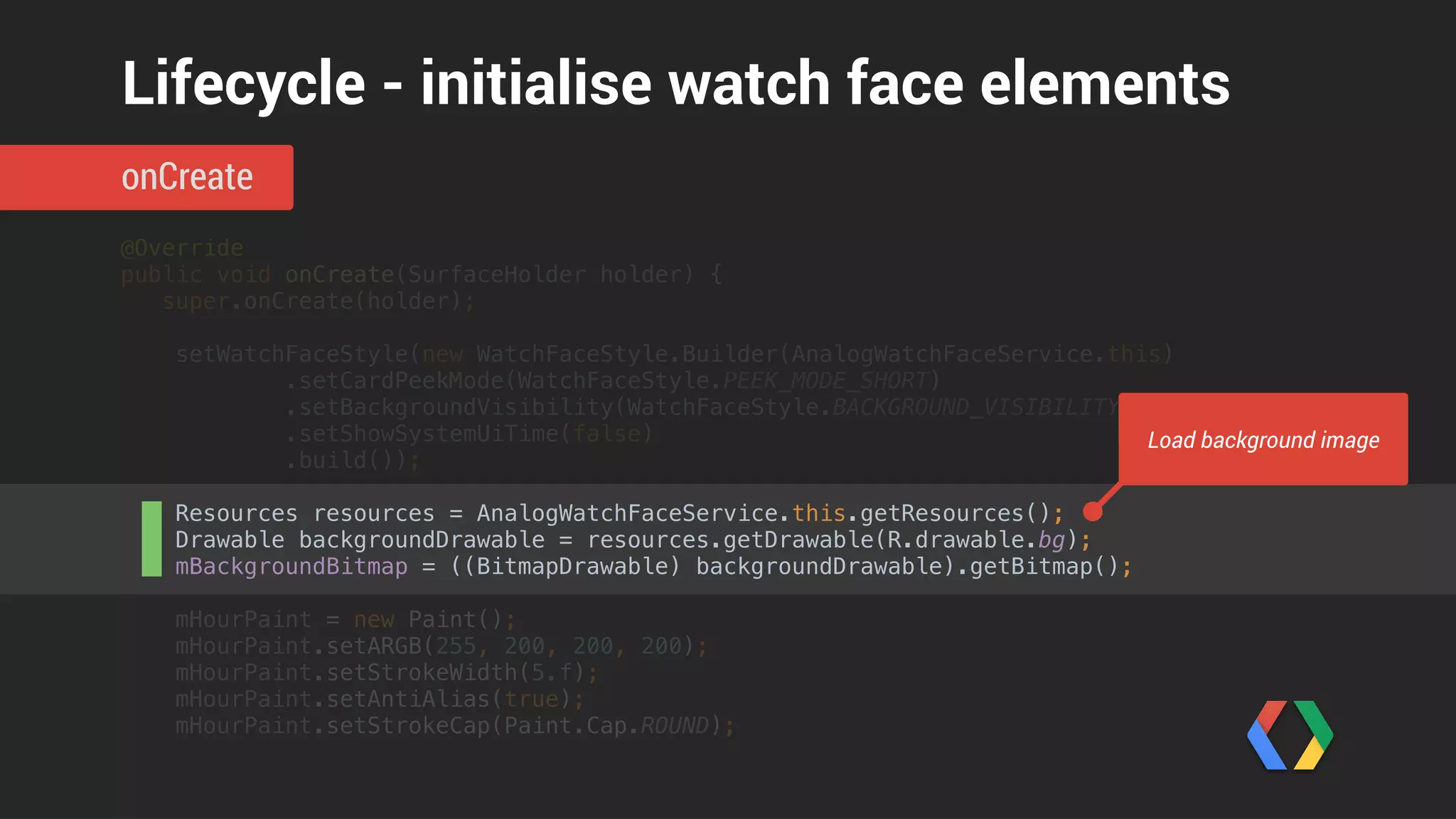
Resources resources = AnalogWatchFaceService.this.getResources();

Drawable backgroundDrawable = resources.getDrawable(R.drawable.bg);

mBackgroundBitmap = ((BitmapDrawable) backgroundDrawable).getBitmap();


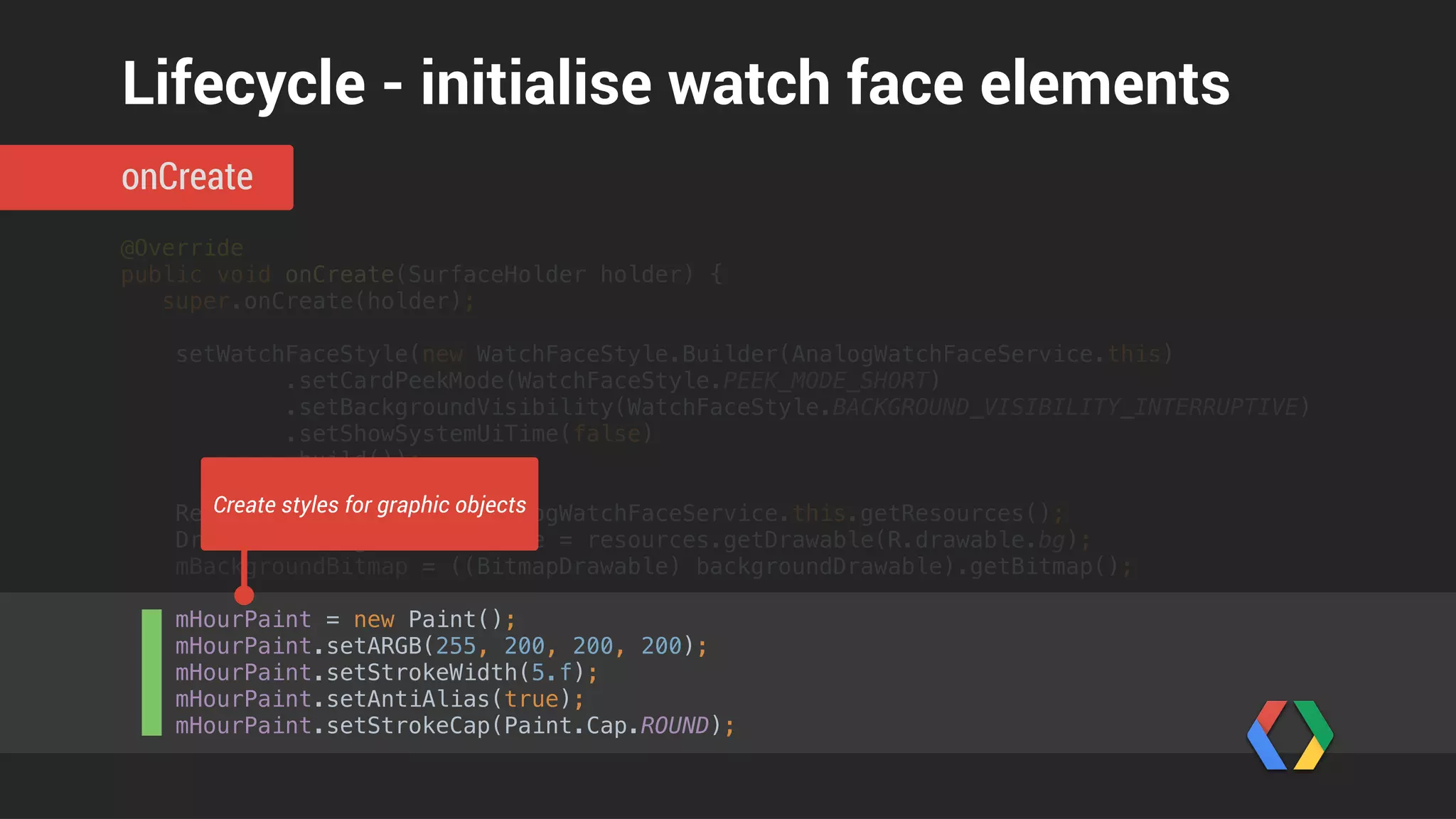
mHourPaint = new Paint();

mHourPaint.setARGB(255, 200, 200, 200);

mHourPaint.setStrokeWidth(5.f);

mHourPaint.setAntiAlias(true);

mHourPaint.setStrokeCap(Paint.Cap.ROUND);
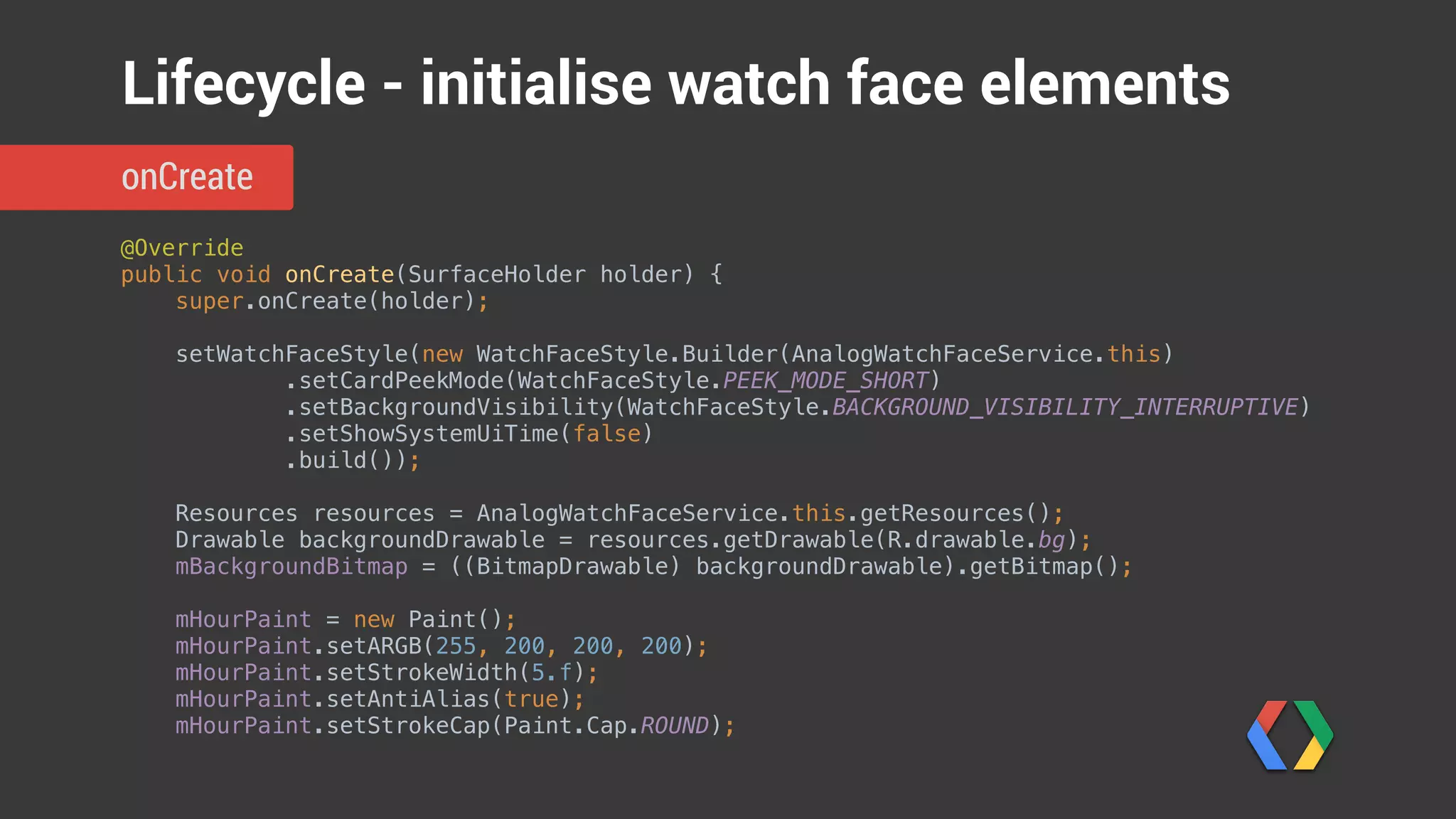
onCreate
Lifecycle - initialise watch face elements
@Override

public void onCreate(SurfaceHolder holder) {

super.onCreate(holder);


setWatchFaceStyle(new WatchFaceStyle.Builder(AnalogWatchFaceService.this)

.setCardPeekMode(WatchFaceStyle.PEEK_MODE_SHORT)

.setBackgroundVisibility(WatchFaceStyle.BACKGROUND_VISIBILITY_INTERRUPTIVE)

.setShowSystemUiTime(false)

.build());


Resources resources = AnalogWatchFaceService.this.getResources();

Drawable backgroundDrawable = resources.getDrawable(R.drawable.bg);

mBackgroundBitmap = ((BitmapDrawable) backgroundDrawable).getBitmap();


mHourPaint = new Paint();

mHourPaint.setARGB(255, 200, 200, 200);

mHourPaint.setStrokeWidth(5.f);

mHourPaint.setAntiAlias(true);

mHourPaint.setStrokeCap(Paint.Cap.ROUND);
onCreate
Lifecycle - initialise watch face elements
Single-line peek card
Do not show system time
Show background briefly for
interruptive cards
@Override

public void onCreate(SurfaceHolder holder) {

super.onCreate(holder);


setWatchFaceStyle(new WatchFaceStyle.Builder(AnalogWatchFaceService.this)

.setCardPeekMode(WatchFaceStyle.PEEK_MODE_SHORT)

.setBackgroundVisibility(WatchFaceStyle.BACKGROUND_VISIBILITY_INTERRUPTIVE)

.setShowSystemUiTime(false)

.build());


Resources resources = AnalogWatchFaceService.this.getResources();

Drawable backgroundDrawable = resources.getDrawable(R.drawable.bg);

mBackgroundBitmap = ((BitmapDrawable) backgroundDrawable).getBitmap();


mHourPaint = new Paint();

mHourPaint.setARGB(255, 200, 200, 200);

mHourPaint.setStrokeWidth(5.f);

mHourPaint.setAntiAlias(true);

mHourPaint.setStrokeCap(Paint.Cap.ROUND);
onCreate
Lifecycle - initialise watch face elements
Load background image
@Override

public void onCreate(SurfaceHolder holder) {

super.onCreate(holder);


setWatchFaceStyle(new WatchFaceStyle.Builder(AnalogWatchFaceService.this)

.setCardPeekMode(WatchFaceStyle.PEEK_MODE_SHORT)

.setBackgroundVisibility(WatchFaceStyle.BACKGROUND_VISIBILITY_INTERRUPTIVE)

.setShowSystemUiTime(false)

.build());


Resources resources = AnalogWatchFaceService.this.getResources();

Drawable backgroundDrawable = resources.getDrawable(R.drawable.bg);

mBackgroundBitmap = ((BitmapDrawable) backgroundDrawable).getBitmap();


mHourPaint = new Paint();

mHourPaint.setARGB(255, 200, 200, 200);

mHourPaint.setStrokeWidth(5.f);

mHourPaint.setAntiAlias(true);

mHourPaint.setStrokeCap(Paint.Cap.ROUND);
onCreate
Lifecycle - initialise watch face elements
Create styles for graphic objects
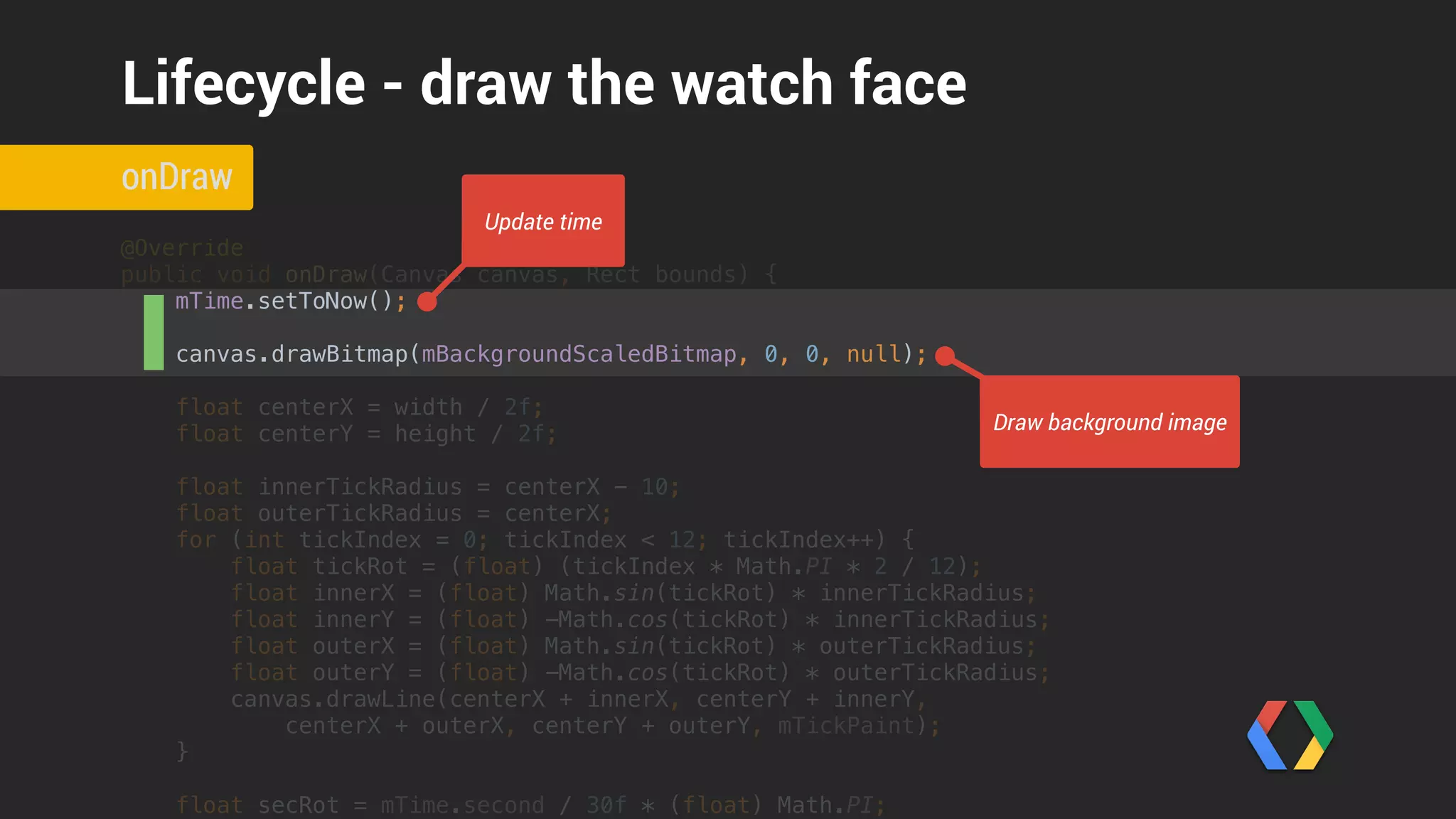
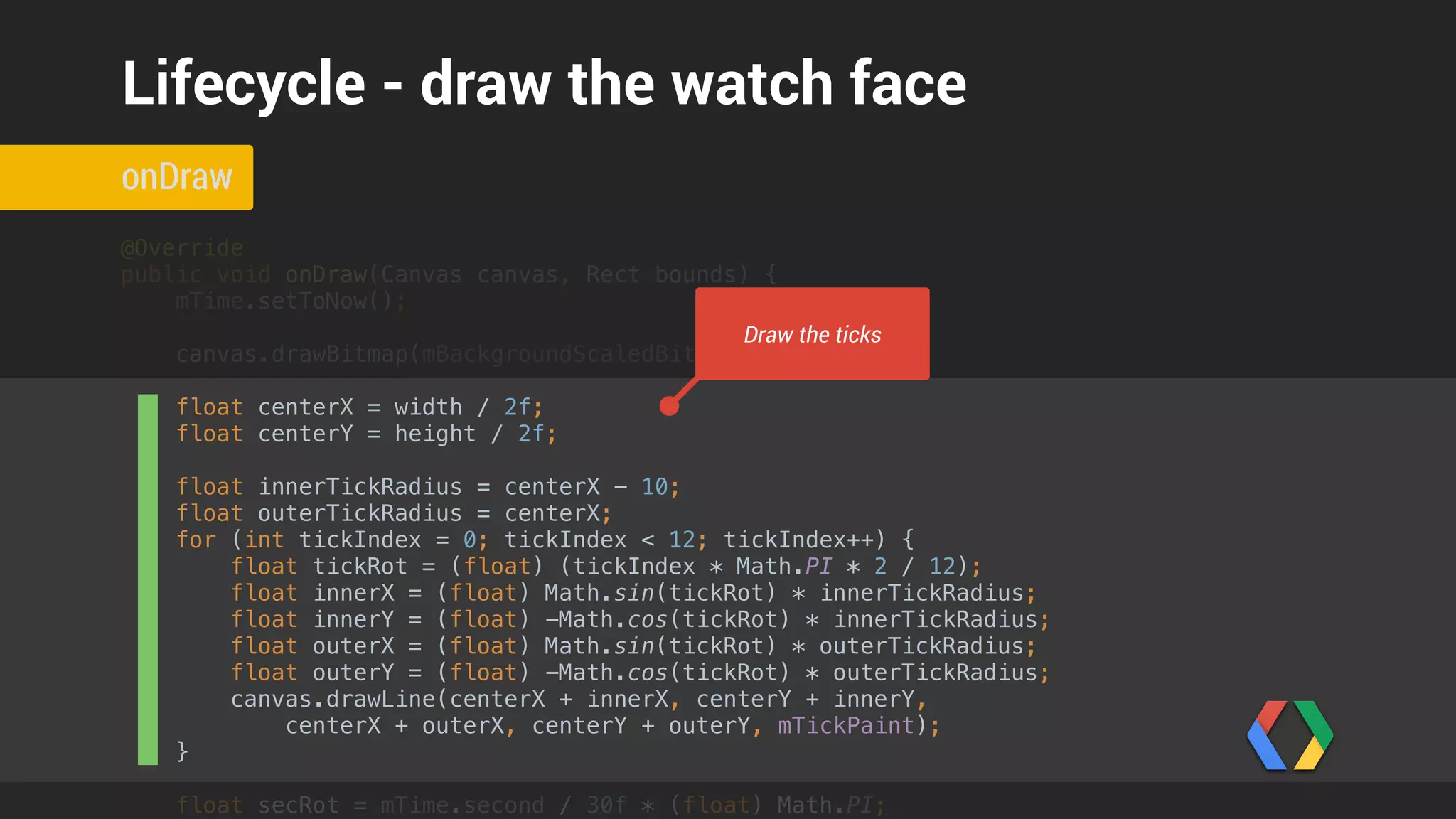
@Override

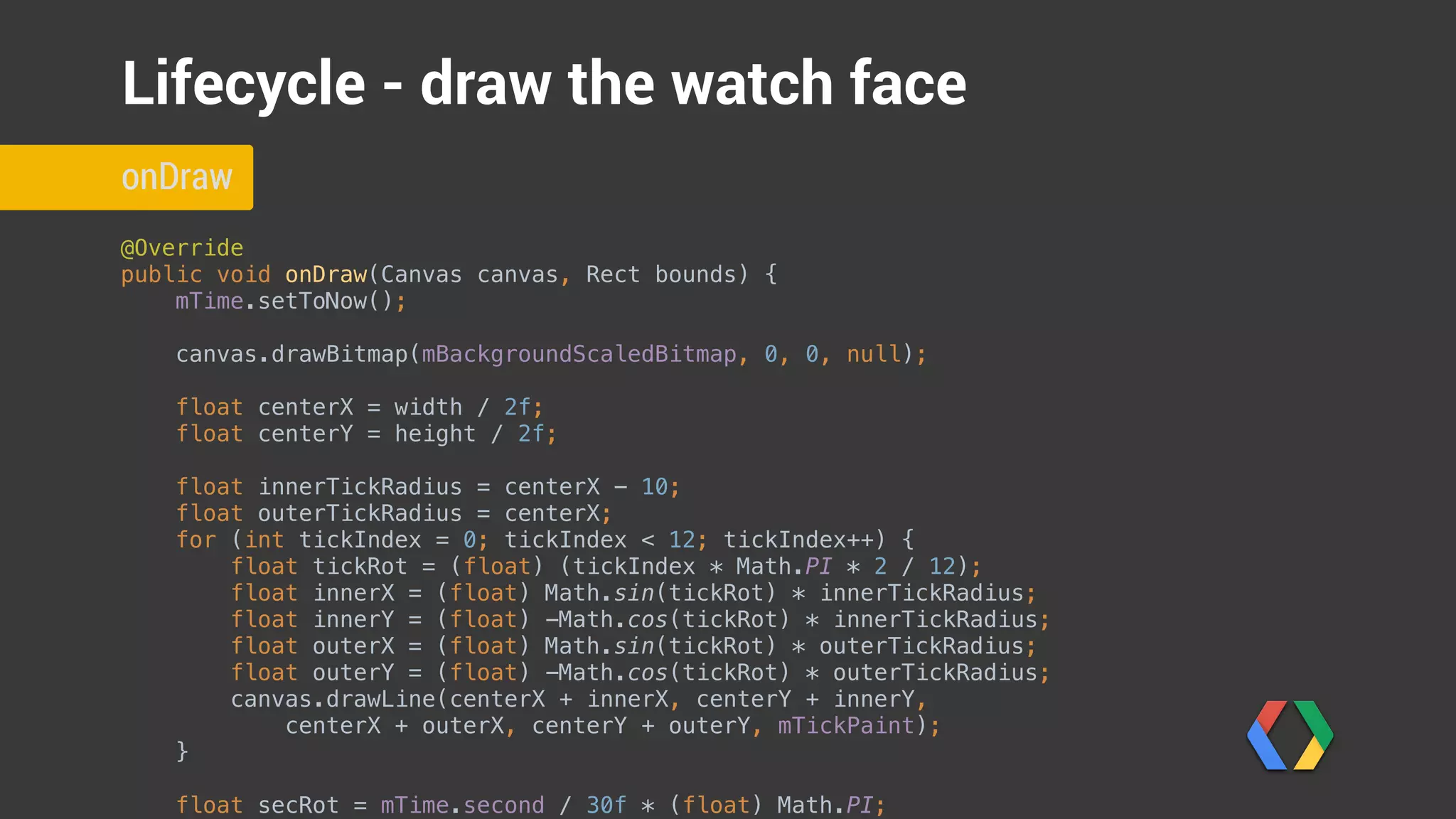
public void onDraw(Canvas canvas, Rect bounds) {

mTime.setToNow();


canvas.drawBitmap(mBackgroundScaledBitmap, 0, 0, null);
float centerX = width / 2f;

float centerY = height / 2f;


float innerTickRadius = centerX - 10;

float outerTickRadius = centerX;

for (int tickIndex = 0; tickIndex < 12; tickIndex++) {

float tickRot = (float) (tickIndex * Math.PI * 2 / 12);

float innerX = (float) Math.sin(tickRot) * innerTickRadius;

float innerY = (float) -Math.cos(tickRot) * innerTickRadius;

float outerX = (float) Math.sin(tickRot) * outerTickRadius;

float outerY = (float) -Math.cos(tickRot) * outerTickRadius;

canvas.drawLine(centerX + innerX, centerY + innerY,

centerX + outerX, centerY + outerY, mTickPaint);

}


float secRot = mTime.second / 30f * (float) Math.PI;

onDraw
Lifecycle - draw the watch face
@Override

public void onDraw(Canvas canvas, Rect bounds) {

mTime.setToNow();


canvas.drawBitmap(mBackgroundScaledBitmap, 0, 0, null);
float centerX = width / 2f;

float centerY = height / 2f;


float innerTickRadius = centerX - 10;

float outerTickRadius = centerX;

for (int tickIndex = 0; tickIndex < 12; tickIndex++) {

float tickRot = (float) (tickIndex * Math.PI * 2 / 12);

float innerX = (float) Math.sin(tickRot) * innerTickRadius;

float innerY = (float) -Math.cos(tickRot) * innerTickRadius;

float outerX = (float) Math.sin(tickRot) * outerTickRadius;

float outerY = (float) -Math.cos(tickRot) * outerTickRadius;

canvas.drawLine(centerX + innerX, centerY + innerY,

centerX + outerX, centerY + outerY, mTickPaint);

}


float secRot = mTime.second / 30f * (float) Math.PI;

onDraw
Lifecycle - draw the watch face
Update time
Draw background image
@Override

public void onDraw(Canvas canvas, Rect bounds) {

mTime.setToNow();


canvas.drawBitmap(mBackgroundScaledBitmap, 0, 0, null);
float centerX = width / 2f;

float centerY = height / 2f;


float innerTickRadius = centerX - 10;

float outerTickRadius = centerX;

for (int tickIndex = 0; tickIndex < 12; tickIndex++) {

float tickRot = (float) (tickIndex * Math.PI * 2 / 12);

float innerX = (float) Math.sin(tickRot) * innerTickRadius;

float innerY = (float) -Math.cos(tickRot) * innerTickRadius;

float outerX = (float) Math.sin(tickRot) * outerTickRadius;

float outerY = (float) -Math.cos(tickRot) * outerTickRadius;

canvas.drawLine(centerX + innerX, centerY + innerY,

centerX + outerX, centerY + outerY, mTickPaint);

}


float secRot = mTime.second / 30f * (float) Math.PI;

onDraw
Lifecycle - draw the watch face
Draw the ticks
float centerX = width / 2f;

float centerY = height / 2f;


float innerTickRadius = centerX - 10;

float outerTickRadius = centerX;

for (int tickIndex = 0; tickIndex < 12; tickIndex++) {

float tickRot = (float) (tickIndex * Math.PI * 2 / 12);

float innerX = (float) Math.sin(tickRot) * innerTickRadius;

float innerY = (float) -Math.cos(tickRot) * innerTickRadius;

float outerX = (float) Math.sin(tickRot) * outerTickRadius;

float outerY = (float) -Math.cos(tickRot) * outerTickRadius;

canvas.drawLine(centerX + innerX, centerY + innerY,

centerX + outerX, centerY + outerY, mTickPaint);

}


float secRot = mTime.second / 30f * (float) Math.PI;

int minutes = mTime.minute;

float minRot = minutes / 30f * (float) Math.PI;

float hrRot = ((mTime.hour + (minutes / 60f)) / 6f ) * (float) Math.PI;


float secLength = centerX - 20;

float minLength = centerX - 40;

float hrLength = centerX - 80;

if (!isInAmbientMode()) {

float secX = (float) Math.sin(secRot) * secLength;

float secY = (float) -Math.cos(secRot) * secLength;

canvas.drawLine(centerX, centerY, centerX + secX, centerY + secY, mSecondPaint);

}


onDraw
Lifecycle - draw the watch face
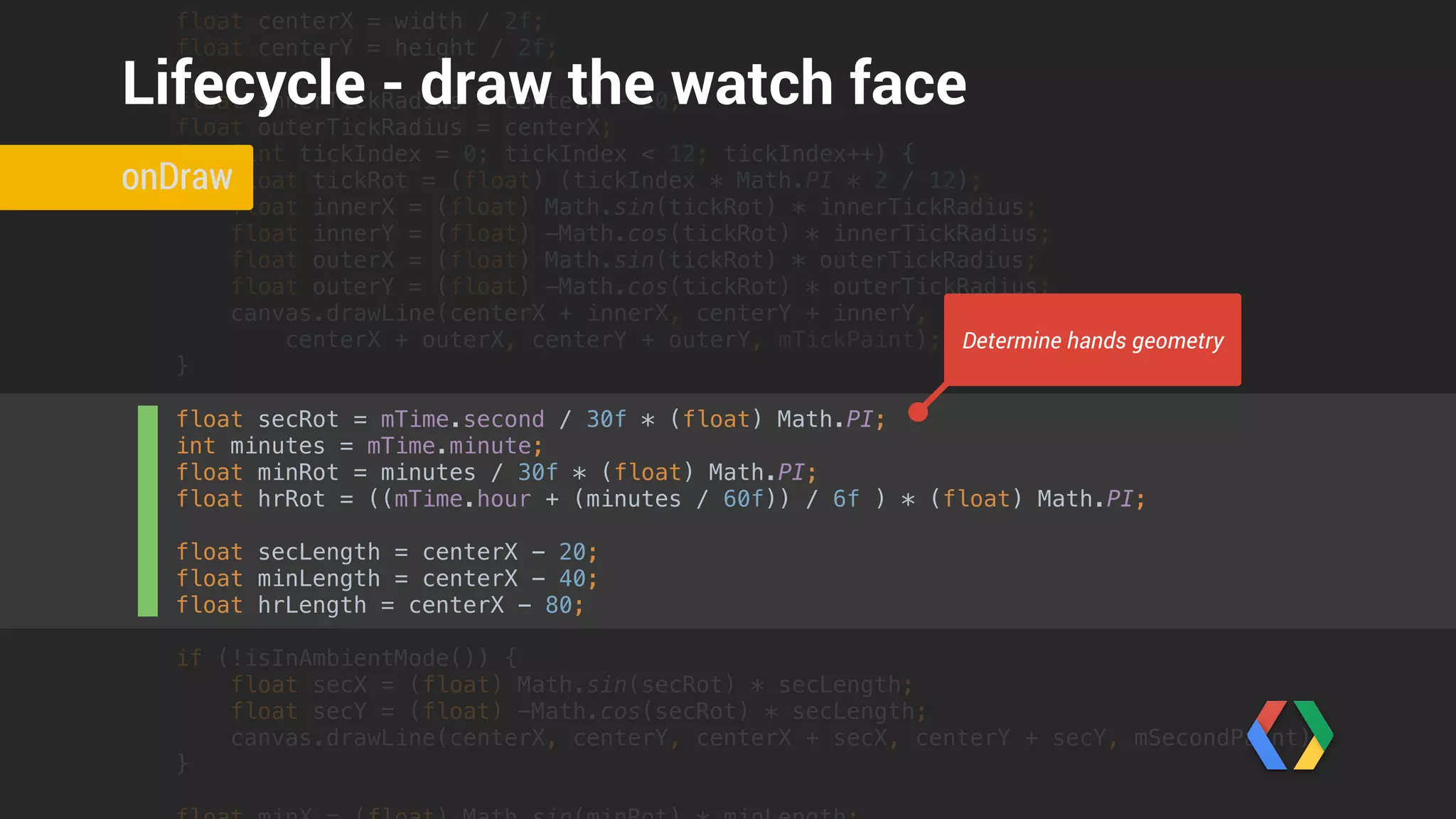
Determine hands geometry
float outerX = (float) Math.sin(tickRot) * outerTickRadius;

float outerY = (float) -Math.cos(tickRot) * outerTickRadius;

canvas.drawLine(centerX + innerX, centerY + innerY,

centerX + outerX, centerY + outerY, mTickPaint);

}


float secRot = mTime.second / 30f * (float) Math.PI;

int minutes = mTime.minute;

float minRot = minutes / 30f * (float) Math.PI;

float hrRot = ((mTime.hour + (minutes / 60f)) / 6f ) * (float) Math.PI;


float secLength = centerX - 20;

float minLength = centerX - 40;

float hrLength = centerX - 80;

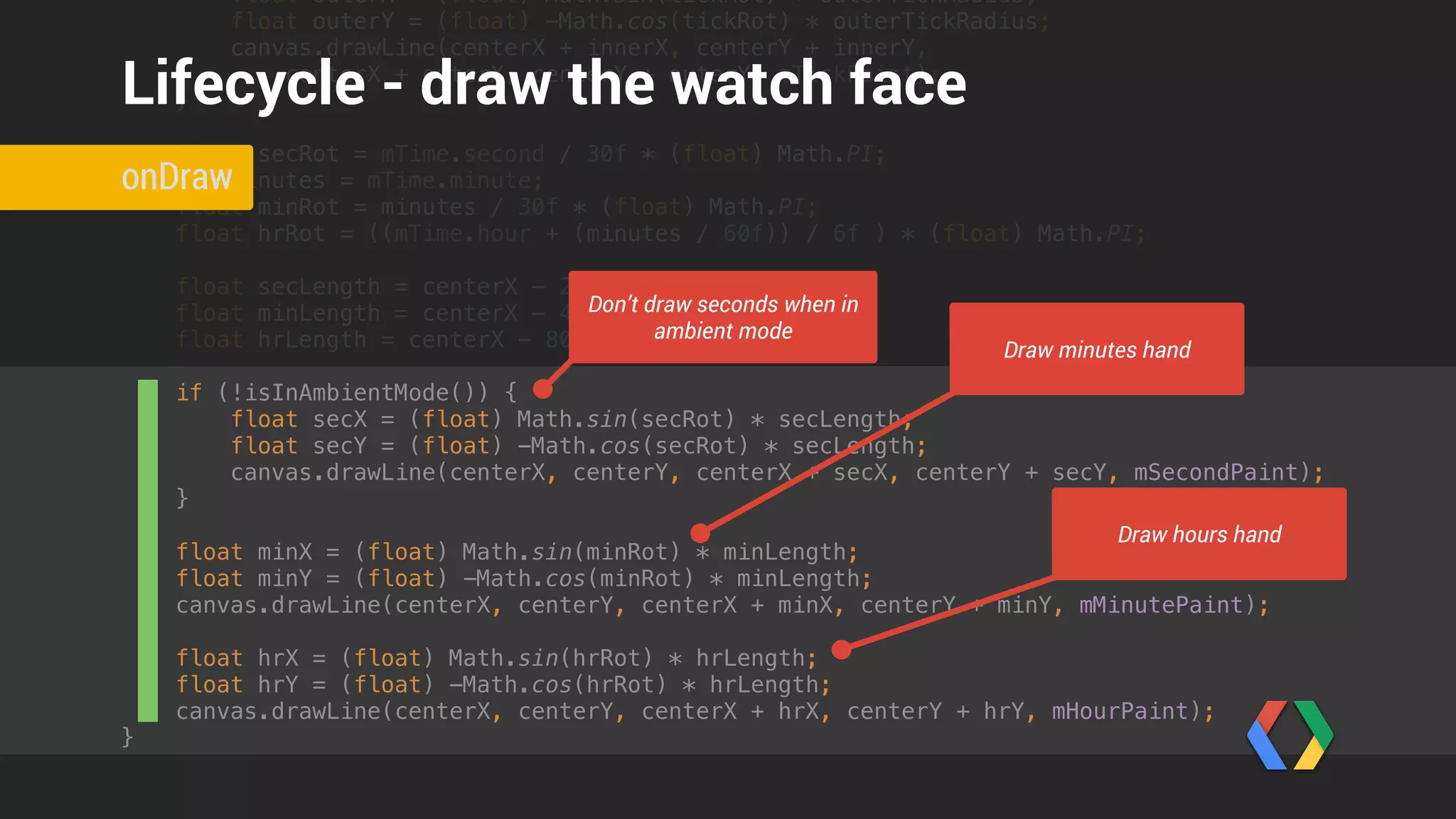
if (!isInAmbientMode()) {

float secX = (float) Math.sin(secRot) * secLength;

float secY = (float) -Math.cos(secRot) * secLength;

canvas.drawLine(centerX, centerY, centerX + secX, centerY + secY, mSecondPaint);

}


float minX = (float) Math.sin(minRot) * minLength;

float minY = (float) -Math.cos(minRot) * minLength;

canvas.drawLine(centerX, centerY, centerX + minX, centerY + minY, mMinutePaint);


float hrX = (float) Math.sin(hrRot) * hrLength;

float hrY = (float) -Math.cos(hrRot) * hrLength;

canvas.drawLine(centerX, centerY, centerX + hrX, centerY + hrY, mHourPaint);

}
onDraw
Lifecycle - draw the watch face
Don’t draw seconds when in
ambient mode
Draw minutes hand
Draw hours hand
Watch Faces
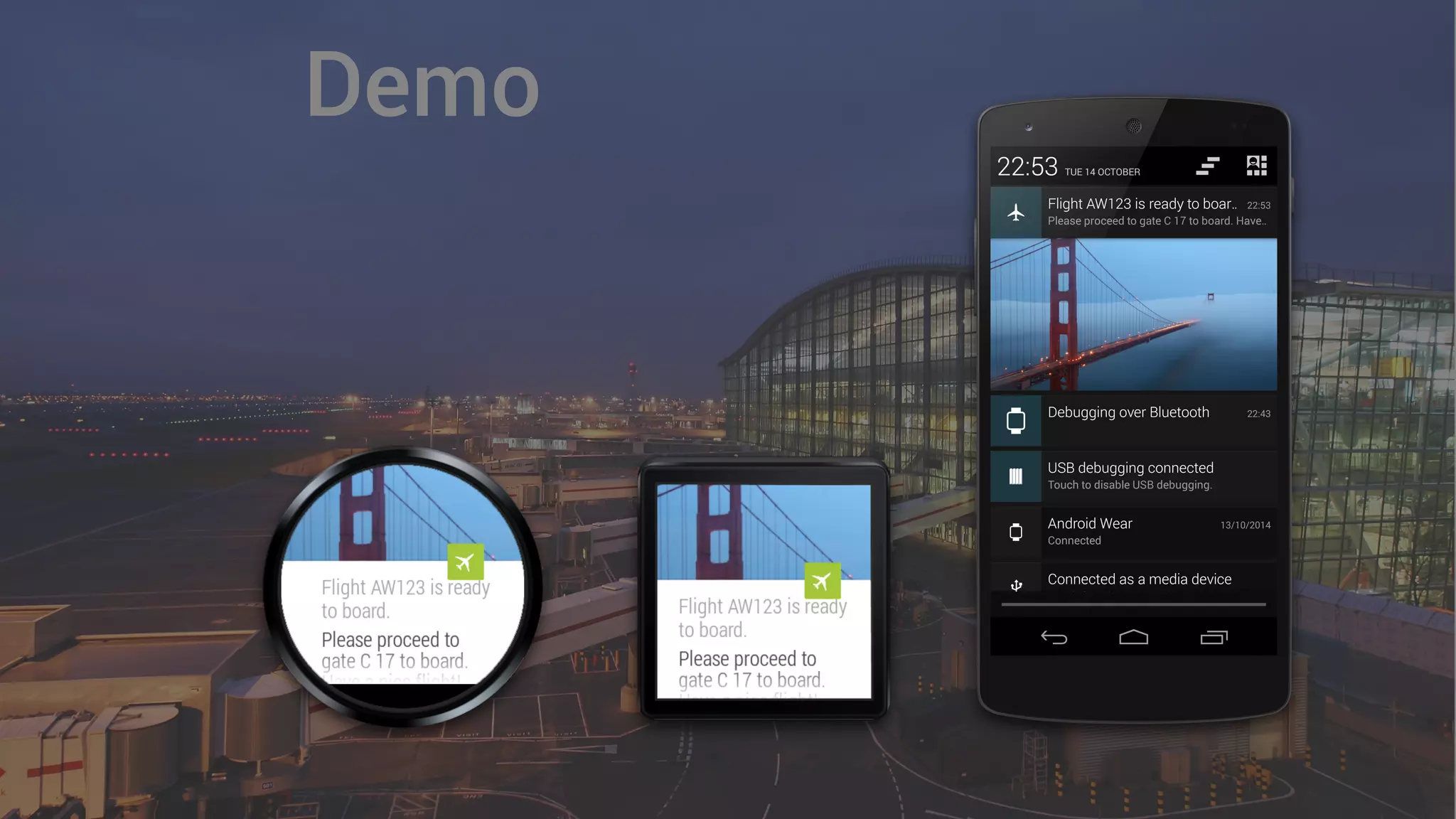
Demo
+PeterFriese
@
Thank you!
#AndroidWear
W
e’re
hiring!
+PeterFriese
@
Q & A
#AndroidWear
W
e’re
hiring!
W
e’re
hiring!
Introduction to Android Wear

Introduction to Android Wear

  • 1.
  • 6.
  • 7.
  • 8.
    • Launched automatically •Glanceable Design Principles
  • 9.
    • Launched automatically •Glanceable • Suggest and Demand Design Principles
  • 10.
    • Launched automatically •Glanceable • Suggest and Demand • Zero or low interaction Design Principles
  • 11.
  • 12.
  • 13.
  • 14.
    Simple Notifications Look, ma- no work required!
  • 15.
    Intent viewIntent =new Intent(context, DummyActivity.class);
 
 PendingIntent viewPendingIntent = PendingIntent.getActivity(context, 0, viewIntent, 0);
 Notification notification = new NotificationCompat.Builder(context)
 .setSmallIcon(R.drawable.ic_launcher)
 .setSmallIcon(R.drawable.plane)
 .setContentTitle(String.format("Flight AW123 is ready to board", notificationId))
 .setContentText("Please proceed to gate C 17 to board. Have a nice flight!")
 .setContentIntent(viewPendingIntent)
 .build();
 
 NotificationManagerCompat notificationManager = NotificationManagerCompat.from(context);
 notificationManager.notify(notificationId++, notification);
 sendNotification() Simple Notifications
  • 16.
    Can we dobetter?
  • 18.
  • 19.
    Intent viewIntent =new Intent(context, DummyActivity.class);
 
 PendingIntent viewPendingIntent = PendingIntent.getActivity(context, 0, viewIntent, 0);
 Notification notification = new NotificationCompat.Builder(context)
 .setSmallIcon(R.drawable.ic_launcher)
 .setSmallIcon(R.drawable.plane)
 .setContentTitle(String.format("Flight AW123 is ready to board", notificationId))
 .setContentText("Please proceed to gate C 17 to board. Have a nice flight!")
 .setStyle(
 new NotificationCompat.BigPictureStyle()
 .bigPicture(BitmapFactory.decodeResource(context.getResources(), R.drawable.sanfrancisco))
 .setBigContentTitle("Flight AW123 is ready to board.")
 .setSummaryText("Please proceed to gate C 17 to board. Have a nice flight!"))
 .setContentIntent(viewPendingIntent)
 .build();
 
 NotificationManagerCompat notificationManager = NotificationManagerCompat.from(context);
 notificationManager.notify(notificationId++, notification);
 sendNotification() BigPictureStyle
  • 20.
    Intent viewIntent =new Intent(context, DummyActivity.class);
 
 PendingIntent viewPendingIntent = PendingIntent.getActivity(context, 0, viewIntent, 0);
 Notification notification = new NotificationCompat.Builder(context)
 .setSmallIcon(R.drawable.ic_launcher)
 .setSmallIcon(R.drawable.plane)
 .setContentTitle(String.format("Flight AW123 is ready to board", notificationId))
 .setContentText("Please proceed to gate C 17 to board. Have a nice flight!")
 .setStyle(
 new NotificationCompat.BigPictureStyle()
 .bigPicture(BitmapFactory.decodeResource(context.getResources(), R.drawable.sanfrancisco))
 .setBigContentTitle("Flight AW123 is ready to board.")
 .setSummaryText("Please proceed to gate C 17 to board. Have a nice flight!"))
 .setContentIntent(viewPendingIntent)
 .build();
 
 NotificationManagerCompat notificationManager = NotificationManagerCompat.from(context);
 notificationManager.notify(notificationId++, notification);
 sendNotification() BigPictureStyle Create BigPictureStyle
  • 21.
  • 22.
    ArrayList<Notification> pages =new ArrayList<Notification>();
 pages.add(new NotificationCompat.Builder(context)
 .setContentTitle("Your seat")
 .setContentText("17A")
 .extend(new NotificationCompat.WearableExtender()
 .setBackground(BitmapFactory.decodeResource(context.getResources(), R.drawable.a380_seat)))
 .build()); sendNotification() Pages
  • 23.
    ArrayList<Notification> pages =new ArrayList<Notification>();
 pages.add(new NotificationCompat.Builder(context)
 .setContentTitle("Your seat")
 .setContentText("17A")
 .extend(new NotificationCompat.WearableExtender()
 .setBackground(BitmapFactory.decodeResource(context.getResources(), R.drawable.a380_seat)))
 .build()); sendNotification() Pages Create page with title
  • 24.
    ArrayList<Notification> pages =new ArrayList<Notification>();
 pages.add(new NotificationCompat.Builder(context)
 .setContentTitle("Your seat")
 .setContentText("17A")
 .extend(new NotificationCompat.WearableExtender()
 .setBackground(BitmapFactory.decodeResource(context.getResources(), R.drawable.a380_seat)))
 .build()); sendNotification() Pages Set background image
  • 25.
  • 26.
  • 27.
    ArrayList<Notification> pages =new ArrayList<Notification>();
 pages.add(new NotificationCompat.Builder(context)
 // ... (set properties)
 .build()); Notification notification = new NotificationCompat.Builder(context)
 .setSmallIcon(R.drawable.plane)
 .setContentTitle(String.format("Flight AW123 is ready to board", notificationId))
 .setContentIntent(viewPendingIntent)
 .extend(new NotificationCompat.WearableExtender()
 .addPages(pages))
 .build();
 
 NotificationManagerCompat notificationManager = NotificationManagerCompat.from(context);
 notificationManager.notify(notificationId++, notification);
 sendNotification() Adding Pages to Notifications
  • 28.
    ArrayList<Notification> pages =new ArrayList<Notification>();
 pages.add(new NotificationCompat.Builder(context)
 // ... (set properties)
 .build()); Notification notification = new NotificationCompat.Builder(context)
 .setSmallIcon(R.drawable.plane)
 .setContentTitle(String.format("Flight AW123 is ready to board", notificationId))
 .setContentIntent(viewPendingIntent)
 .extend(new NotificationCompat.WearableExtender()
 .addPages(pages))
 .build();
 
 NotificationManagerCompat notificationManager = NotificationManagerCompat.from(context);
 notificationManager.notify(notificationId++, notification);
 sendNotification() Adding Pages to Notifications Build pages
  • 29.
    ArrayList<Notification> pages =new ArrayList<Notification>();
 pages.add(new NotificationCompat.Builder(context)
 // ... (set properties)
 .build()); Notification notification = new NotificationCompat.Builder(context)
 .setSmallIcon(R.drawable.plane)
 .setContentTitle(String.format("Flight AW123 is ready to board", notificationId))
 .setContentIntent(viewPendingIntent)
 .extend(new NotificationCompat.WearableExtender()
 .addPages(pages))
 .build();
 
 NotificationManagerCompat notificationManager = NotificationManagerCompat.from(context);
 notificationManager.notify(notificationId++, notification);
 sendNotification() Adding Pages to Notifications Add pages to notification
  • 30.
  • 31.
    // Feedback intent
 IntentreplyIntent = new Intent(context, DummyActivity.class);
 PendingIntent replyPendingIntent = PendingIntent.getActivity(context, 0, replyIntent, 0);
 
 String replyLabel = context.getResources().getString(R.string.reply_label);
 String[] cannedResponses = context.getResources().getStringArray(R.array.canned_responses);
 RemoteInput remoteInput = new RemoteInput.Builder(EXTRA_VOICE_REPLY)
 .setLabel(replyLabel)
 .setChoices(cannedResponses)
 .build();
 
 NotificationCompat.Action replyAction =
 new NotificationCompat.Action.Builder( R.drawable.chatbubble_working, replyLabel, replyPendingIntent)
 .addRemoteInput(remoteInput)
 .build(); Notification notification = new NotificationCompat.Builder(context)
 .setSmallIcon(R.drawable.ic_launcher)
 .setSmallIcon(R.drawable.plane)
 sendNotification() Voice Input
  • 32.
    // Feedback intent
 IntentreplyIntent = new Intent(context, DummyActivity.class);
 PendingIntent replyPendingIntent = PendingIntent.getActivity(context, 0, replyIntent, 0);
 
 String replyLabel = context.getResources().getString(R.string.reply_label);
 String[] cannedResponses = context.getResources().getStringArray(R.array.canned_responses);
 RemoteInput remoteInput = new RemoteInput.Builder(EXTRA_VOICE_REPLY)
 .setLabel(replyLabel)
 .setChoices(cannedResponses)
 .build();
 
 NotificationCompat.Action replyAction =
 new NotificationCompat.Action.Builder( R.drawable.chatbubble_working, replyLabel, replyPendingIntent)
 .addRemoteInput(remoteInput)
 .build(); Notification notification = new NotificationCompat.Builder(context)
 .setSmallIcon(R.drawable.ic_launcher)
 .setSmallIcon(R.drawable.plane)
 sendNotification() Voice Input Create pending intent
  • 33.
    // Feedback intent
 IntentreplyIntent = new Intent(context, DummyActivity.class);
 PendingIntent replyPendingIntent = PendingIntent.getActivity(context, 0, replyIntent, 0);
 
 String replyLabel = context.getResources().getString(R.string.reply_label);
 String[] cannedResponses = context.getResources().getStringArray(R.array.canned_responses);
 RemoteInput remoteInput = new RemoteInput.Builder(EXTRA_VOICE_REPLY)
 .setLabel(replyLabel)
 .setChoices(cannedResponses)
 .build();
 
 NotificationCompat.Action replyAction =
 new NotificationCompat.Action.Builder( R.drawable.chatbubble_working, replyLabel, replyPendingIntent)
 .addRemoteInput(remoteInput)
 .build(); Notification notification = new NotificationCompat.Builder(context)
 .setSmallIcon(R.drawable.ic_launcher)
 .setSmallIcon(R.drawable.plane)
 sendNotification() Voice Input Create RemoteInput with canned responses
  • 34.
    // Feedback intent
 IntentreplyIntent = new Intent(context, DummyActivity.class);
 PendingIntent replyPendingIntent = PendingIntent.getActivity(context, 0, replyIntent, 0);
 
 String replyLabel = context.getResources().getString(R.string.reply_label);
 String[] cannedResponses = context.getResources().getStringArray(R.array.canned_responses);
 RemoteInput remoteInput = new RemoteInput.Builder(EXTRA_VOICE_REPLY)
 .setLabel(replyLabel)
 .setChoices(cannedResponses)
 .build();
 
 NotificationCompat.Action replyAction =
 new NotificationCompat.Action.Builder( R.drawable.chatbubble_working, replyLabel, replyPendingIntent)
 .addRemoteInput(remoteInput)
 .build(); Notification notification = new NotificationCompat.Builder(context)
 .setSmallIcon(R.drawable.ic_launcher)
 .setSmallIcon(R.drawable.plane)
 sendNotification() Voice Input Create wearable action
  • 35.
    String[] cannedResponses =context.getResources().getStringArray(R.array.canned_responses);
 RemoteInput remoteInput = new RemoteInput.Builder(EXTRA_VOICE_REPLY)
 .setLabel(replyLabel)
 .setChoices(cannedResponses)
 .build();
 
 NotificationCompat.Action replyAction =
 new NotificationCompat.Action.Builder( R.drawable.chatbubble_working, replyLabel, replyPendingIntent)
 .addRemoteInput(remoteInput)
 .build(); Notification notification = new NotificationCompat.Builder(context)
 .setSmallIcon(R.drawable.ic_launcher)
 .setSmallIcon(R.drawable.plane)
 .setContentTitle(String.format("Flight AW123 is ready to board", notificationId))
 .setContentText("Please proceed to gate C 17 to board. Have a nice flight!")
 .extend(new NotificationCompat.WearableExtender()
 .addPages(pages)
 .addAction(replyAction))
 .build();
 
 NotificationManagerCompat notificationManager = NotificationManagerCompat.from(context);
 notificationManager.notify(notificationId++, notification); 
 sendNotification() Voice Input Create notification
  • 36.
    String[] cannedResponses =context.getResources().getStringArray(R.array.canned_responses);
 RemoteInput remoteInput = new RemoteInput.Builder(EXTRA_VOICE_REPLY)
 .setLabel(replyLabel)
 .setChoices(cannedResponses)
 .build();
 
 NotificationCompat.Action replyAction =
 new NotificationCompat.Action.Builder( R.drawable.chatbubble_working, replyLabel, replyPendingIntent)
 .addRemoteInput(remoteInput)
 .build(); Notification notification = new NotificationCompat.Builder(context)
 .setSmallIcon(R.drawable.ic_launcher)
 .setSmallIcon(R.drawable.plane)
 .setContentTitle(String.format("Flight AW123 is ready to board", notificationId))
 .setContentText("Please proceed to gate C 17 to board. Have a nice flight!")
 .extend(new NotificationCompat.WearableExtender()
 .addPages(pages)
 .addAction(replyAction))
 .build();
 
 NotificationManagerCompat notificationManager = NotificationManagerCompat.from(context);
 notificationManager.notify(notificationId++, notification); 
 sendNotification() Voice Input Send notification
  • 37.
    Intent intent =getIntent();
 if (intent != null) { Bundle remoteInputResults = RemoteInput.getResultsFromIntent(intent);
 if (remoteInputResults != null) {
 CharSequence utterance = remoteInputResults.getCharSequence(Constants.EXTRA_VOICE_REPLY); 
 Toast.makeText(this, utterance, Toast.LENGTH_LONG).show();
 } } ReceivingActivity.onCreate() Receiving Voice Input
  • 38.
    Intent intent =getIntent();
 if (intent != null) { Bundle remoteInputResults = RemoteInput.getResultsFromIntent(intent);
 if (remoteInputResults != null) {
 CharSequence utterance = remoteInputResults.getCharSequence(Constants.EXTRA_VOICE_REPLY); 
 Toast.makeText(this, utterance, Toast.LENGTH_LONG).show();
 } } ReceivingActivity.onCreate() Receiving Voice Input Get remote input
  • 39.
    Intent intent =getIntent();
 if (intent != null) { Bundle remoteInputResults = RemoteInput.getResultsFromIntent(intent);
 if (remoteInputResults != null) {
 CharSequence utterance = remoteInputResults.getCharSequence(Constants.EXTRA_VOICE_REPLY); 
 Toast.makeText(this, utterance, Toast.LENGTH_LONG).show();
 } } ReceivingActivity.onCreate() Receiving Voice Input Unpack voice reply
  • 40.
  • 41.
    Intent mapIntent =new Intent(Intent.ACTION_VIEW);
 Uri geoUri = Uri.parse("geo:0,0?q=" + Uri.encode("London Heathrow"));
 mapIntent.setData(geoUri);
 PendingIntent mapPendingIntent = PendingIntent.getActivity(context, 0, mapIntent, 0); sendNotification() Actions
  • 42.
    Intent mapIntent =new Intent(Intent.ACTION_VIEW);
 Uri geoUri = Uri.parse("geo:0,0?q=" + Uri.encode("London Heathrow"));
 mapIntent.setData(geoUri);
 PendingIntent mapPendingIntent = PendingIntent.getActivity(context, 0, mapIntent, 0);
 
 NotificationCompat.Action walkingDirectionsAction =
 new NotificationCompat.Action.Builder( R.drawable.ic_full_directions_walking, "Directions to gate", mapPendingIntent)
 .build(); sendNotification() Actions
  • 43.
    Intent mapIntent =new Intent(Intent.ACTION_VIEW);
 Uri geoUri = Uri.parse("geo:0,0?q=" + Uri.encode("London Heathrow"));
 mapIntent.setData(geoUri);
 PendingIntent mapPendingIntent = PendingIntent.getActivity(context, 0, mapIntent, 0);
 
 NotificationCompat.Action walkingDirectionsAction =
 new NotificationCompat.Action.Builder( R.drawable.ic_full_directions_walking, "Directions to gate", mapPendingIntent)
 .build(); Notification notification = new NotificationCompat.Builder(context)
 .setSmallIcon(R.drawable.ic_launcher)
 .setSmallIcon(R.drawable.plane)
 .setContentTitle(String.format("Flight AW123 is ready to board", notificationId))
 .setContentText("Please proceed to gate C 17 to board. Have a nice flight!")
 .addAction(walkingDirectionsAction)
 .extend(new NotificationCompat.WearableExtender()
 .addPages(pages)
 .addAction(replyAction)
 .addAction(walkingDirectionsAction))
 .build();
 sendNotification() Actions
  • 44.
  • 45.
  • 46.
    <application
 android:icon="@drawable/greenlinelogo"
 android:label="@string/app_name"
 android:theme="@android:style/Theme.DeviceDefault" >
 <activity
 android:name="de.peterfriese.weartravel.MainActivity"
 android:label="@string/app_name_voice" >
 <intent-filter>
 <actionandroid:name="android.intent.action.MAIN" />
 
 <category android:name="android.intent.category.LAUNCHER" />
 </intent-filter>
 </activity>
 </application>
 AndroidManifest.xml Launching
  • 47.
    <application
 android:icon="@drawable/greenlinelogo"
 android:label="@string/app_name"
 android:theme="@android:style/Theme.DeviceDefault" >
 <activity
 android:name="de.peterfriese.weartravel.MainActivity"
 android:label="@string/app_name_voice" >
 <intent-filter>
 <actionandroid:name="android.intent.action.MAIN" />
 
 <category android:name="android.intent.category.LAUNCHER" />
 </intent-filter>
 </activity>
 </application>
 AndroidManifest.xml Launching Label for voice action
  • 48.
  • 49.
  • 50.
  • 51.
    <?xml version="1.0" encoding="utf-8"?>
 <mergexmlns:android="http://schemas.android.com/apk/res/android"
 xmlns:app="http://schemas.android.com/apk/res-auto">
 
 <android.support.wearable.view.CircledImageView
 android:id="@+id/image"
 android:alpha="0.5"
 android:layout_height="52dp"
 android:layout_marginLeft="16dp"
 android:layout_width="52dp"
 app:circle_border_color="#FFFFFFFF"
 app:circle_border_width="2dp"
 app:circle_color="#00000000"
 />
 
 <TextView
 android:id="@+id/text"
 android:alpha="0.5"
 android:fontFamily="sans-serif-condensed-light"
 android:gravity="center_vertical"
 android:layout_height="52dp"
 android:layout_marginLeft="72dp"
 checkin_listview_item.xml Layout - Item
  • 52.
    <?xml version="1.0" encoding="utf-8"?>
 <mergexmlns:android="http://schemas.android.com/apk/res/android"
 xmlns:app="http://schemas.android.com/apk/res-auto">
 
 <android.support.wearable.view.CircledImageView
 android:id="@+id/image"
 android:alpha="0.5"
 android:layout_height="52dp"
 android:layout_marginLeft="16dp"
 android:layout_width="52dp"
 app:circle_border_color="#FFFFFFFF"
 app:circle_border_width="2dp"
 app:circle_color="#00000000"
 />
 
 <TextView
 android:id="@+id/text"
 android:alpha="0.5"
 android:fontFamily="sans-serif-condensed-light"
 android:gravity="center_vertical"
 android:layout_height="52dp"
 android:layout_marginLeft="72dp"
 android:layout_marginRight="16dp"
 android:layout_width="wrap_content"
 android:textColor="@color/white"
 android:textSize="14sp"
 />
 </merge> Layout - Item checkin_listview_item.xml
  • 53.
    private final classMyItemView extends FrameLayout implements WearableListView.OnCenterProximityListener {
 
 final CircledImageView image;
 final TextView text;
 
 public MyItemView(Context context) {
 super(context);
 View.inflate(context, R.layout.checkin_listview_item, this);
 image = (CircledImageView) findViewById(R.id.image);
 text = (TextView) findViewById(R.id.text);
 }
 
 @Override
 public void onCenterPosition(boolean b) {
 image.animate().scaleX(1f).scaleY(1f).alpha(1);
 text.animate().scaleX(1f).scaleY(1f).alpha(1);
 }
 
 @Override
 public void onNonCenterPosition(boolean b) {
 image.animate().scaleX(0.8f).scaleY(0.8f).alpha(0.6f);
 CheckInActivity.java MyViewItem
  • 54.
    private final classMyItemView extends FrameLayout implements WearableListView.OnCenterProximityListener {
 
 final CircledImageView image;
 final TextView text;
 
 public MyItemView(Context context) {
 super(context);
 View.inflate(context, R.layout.checkin_listview_item, this);
 image = (CircledImageView) findViewById(R.id.image);
 text = (TextView) findViewById(R.id.text);
 }
 
 @Override
 public void onCenterPosition(boolean b) {
 image.animate().scaleX(1f).scaleY(1f).alpha(1);
 text.animate().scaleX(1f).scaleY(1f).alpha(1);
 }
 
 @Override
 public void onNonCenterPosition(boolean b) {
 image.animate().scaleX(0.8f).scaleY(0.8f).alpha(0.6f);
 CheckInActivity.java MyViewItem
  • 55.
    private final classMyItemView extends FrameLayout implements WearableListView.OnCenterProximityListener {
 
 final CircledImageView image;
 final TextView text;
 
 public MyItemView(Context context) {
 super(context);
 View.inflate(context, R.layout.checkin_listview_item, this);
 image = (CircledImageView) findViewById(R.id.image);
 text = (TextView) findViewById(R.id.text);
 }
 
 @Override
 public void onCenterPosition(boolean b) {
 image.animate().scaleX(1f).scaleY(1f).alpha(1);
 text.animate().scaleX(1f).scaleY(1f).alpha(1);
 }
 
 @Override
 public void onNonCenterPosition(boolean b) {
 image.animate().scaleX(0.8f).scaleY(0.8f).alpha(0.6f);
 text.animate().scaleX(0.8f).scaleY(0.8f).alpha(0.6f);
 }
 } CheckInActivity.java MyViewItem
  • 56.
    public class CheckInActivityextends Activity implements WearableListView.ClickListener {
 
 @Override
 protected void onCreate(Bundle savedInstanceState) {
 super.onCreate(savedInstanceState);
 setContentView(R.layout.activity_checkin);
 
 MyListAdapter adapter = new MyListAdapter();
 
 WearableListView listView = (WearableListView) findViewById(R.id.checkin_list);
 listView.setAdapter(adapter);
 listView.setClickListener(CheckInActivity.this);
 }
 
 @Override
 public void onClick(WearableListView.ViewHolder viewHolder) {
 Toast.makeText(this, String.format("You selected item #%s", viewHolder.getPosition()), Toast.LENGTH_SHORT).show();
 }
 
 @Override
 public void onTopEmptyRegionClick() {
 CheckInActivity.java Activity
  • 57.
    public class CheckInActivityextends Activity implements WearableListView.ClickListener {
 
 @Override
 protected void onCreate(Bundle savedInstanceState) {
 super.onCreate(savedInstanceState);
 setContentView(R.layout.activity_checkin);
 
 MyListAdapter adapter = new MyListAdapter();
 
 WearableListView listView = (WearableListView) findViewById(R.id.checkin_list);
 listView.setAdapter(adapter);
 listView.setClickListener(CheckInActivity.this);
 }
 
 @Override
 public void onClick(WearableListView.ViewHolder viewHolder) {
 Toast.makeText(this, String.format("You selected item #%s", viewHolder.getPosition()), Toast.LENGTH_SHORT).show();
 }
 
 @Override
 public void onTopEmptyRegionClick() {
 Toast.makeText(this, "You tapped into the empty area above the list", Toast.LENGTH_SHORT).show();
 }
 CheckInActivity.java Activity
  • 58.
  • 60.
  • 61.
    • Square vsround Design Principles
  • 62.
    • Square vsround • Ambient mode / low-bit Design Principles
  • 63.
    • Square vsround • Ambient mode / low-bit • Legibility Design Principles 56° - Cloudy 56° - Cloudy
  • 64.
  • 65.
    • Start usinga sample Developing Watch Faces
  • 66.
    • Start usinga sample • Add a new wearable module Developing Watch Faces
  • 67.
    Architecture Wearable App MobileApp CanvasWatchFaceService ConfigActivity Engine ConfigActivityWearableListenerService
  • 68.
  • 69.
  • 70.
    @Override
 public void onCreate(SurfaceHolderholder) {
 super.onCreate(holder);
 
 setWatchFaceStyle(new WatchFaceStyle.Builder(AnalogWatchFaceService.this)
 .setCardPeekMode(WatchFaceStyle.PEEK_MODE_SHORT)
 .setBackgroundVisibility(WatchFaceStyle.BACKGROUND_VISIBILITY_INTERRUPTIVE)
 .setShowSystemUiTime(false)
 .build());
 
 Resources resources = AnalogWatchFaceService.this.getResources();
 Drawable backgroundDrawable = resources.getDrawable(R.drawable.bg);
 mBackgroundBitmap = ((BitmapDrawable) backgroundDrawable).getBitmap();
 
 mHourPaint = new Paint();
 mHourPaint.setARGB(255, 200, 200, 200);
 mHourPaint.setStrokeWidth(5.f);
 mHourPaint.setAntiAlias(true);
 mHourPaint.setStrokeCap(Paint.Cap.ROUND); onCreate Lifecycle - initialise watch face elements
  • 71.
    @Override
 public void onCreate(SurfaceHolderholder) {
 super.onCreate(holder);
 
 setWatchFaceStyle(new WatchFaceStyle.Builder(AnalogWatchFaceService.this)
 .setCardPeekMode(WatchFaceStyle.PEEK_MODE_SHORT)
 .setBackgroundVisibility(WatchFaceStyle.BACKGROUND_VISIBILITY_INTERRUPTIVE)
 .setShowSystemUiTime(false)
 .build());
 
 Resources resources = AnalogWatchFaceService.this.getResources();
 Drawable backgroundDrawable = resources.getDrawable(R.drawable.bg);
 mBackgroundBitmap = ((BitmapDrawable) backgroundDrawable).getBitmap();
 
 mHourPaint = new Paint();
 mHourPaint.setARGB(255, 200, 200, 200);
 mHourPaint.setStrokeWidth(5.f);
 mHourPaint.setAntiAlias(true);
 mHourPaint.setStrokeCap(Paint.Cap.ROUND); onCreate Lifecycle - initialise watch face elements Single-line peek card Do not show system time Show background briefly for interruptive cards
  • 72.
    @Override
 public void onCreate(SurfaceHolderholder) {
 super.onCreate(holder);
 
 setWatchFaceStyle(new WatchFaceStyle.Builder(AnalogWatchFaceService.this)
 .setCardPeekMode(WatchFaceStyle.PEEK_MODE_SHORT)
 .setBackgroundVisibility(WatchFaceStyle.BACKGROUND_VISIBILITY_INTERRUPTIVE)
 .setShowSystemUiTime(false)
 .build());
 
 Resources resources = AnalogWatchFaceService.this.getResources();
 Drawable backgroundDrawable = resources.getDrawable(R.drawable.bg);
 mBackgroundBitmap = ((BitmapDrawable) backgroundDrawable).getBitmap();
 
 mHourPaint = new Paint();
 mHourPaint.setARGB(255, 200, 200, 200);
 mHourPaint.setStrokeWidth(5.f);
 mHourPaint.setAntiAlias(true);
 mHourPaint.setStrokeCap(Paint.Cap.ROUND); onCreate Lifecycle - initialise watch face elements Load background image
  • 73.
    @Override
 public void onCreate(SurfaceHolderholder) {
 super.onCreate(holder);
 
 setWatchFaceStyle(new WatchFaceStyle.Builder(AnalogWatchFaceService.this)
 .setCardPeekMode(WatchFaceStyle.PEEK_MODE_SHORT)
 .setBackgroundVisibility(WatchFaceStyle.BACKGROUND_VISIBILITY_INTERRUPTIVE)
 .setShowSystemUiTime(false)
 .build());
 
 Resources resources = AnalogWatchFaceService.this.getResources();
 Drawable backgroundDrawable = resources.getDrawable(R.drawable.bg);
 mBackgroundBitmap = ((BitmapDrawable) backgroundDrawable).getBitmap();
 
 mHourPaint = new Paint();
 mHourPaint.setARGB(255, 200, 200, 200);
 mHourPaint.setStrokeWidth(5.f);
 mHourPaint.setAntiAlias(true);
 mHourPaint.setStrokeCap(Paint.Cap.ROUND); onCreate Lifecycle - initialise watch face elements Create styles for graphic objects
  • 74.
    @Override
 public void onDraw(Canvascanvas, Rect bounds) {
 mTime.setToNow();
 
 canvas.drawBitmap(mBackgroundScaledBitmap, 0, 0, null); float centerX = width / 2f;
 float centerY = height / 2f;
 
 float innerTickRadius = centerX - 10;
 float outerTickRadius = centerX;
 for (int tickIndex = 0; tickIndex < 12; tickIndex++) {
 float tickRot = (float) (tickIndex * Math.PI * 2 / 12);
 float innerX = (float) Math.sin(tickRot) * innerTickRadius;
 float innerY = (float) -Math.cos(tickRot) * innerTickRadius;
 float outerX = (float) Math.sin(tickRot) * outerTickRadius;
 float outerY = (float) -Math.cos(tickRot) * outerTickRadius;
 canvas.drawLine(centerX + innerX, centerY + innerY,
 centerX + outerX, centerY + outerY, mTickPaint);
 }
 
 float secRot = mTime.second / 30f * (float) Math.PI;
 onDraw Lifecycle - draw the watch face
  • 75.
    @Override
 public void onDraw(Canvascanvas, Rect bounds) {
 mTime.setToNow();
 
 canvas.drawBitmap(mBackgroundScaledBitmap, 0, 0, null); float centerX = width / 2f;
 float centerY = height / 2f;
 
 float innerTickRadius = centerX - 10;
 float outerTickRadius = centerX;
 for (int tickIndex = 0; tickIndex < 12; tickIndex++) {
 float tickRot = (float) (tickIndex * Math.PI * 2 / 12);
 float innerX = (float) Math.sin(tickRot) * innerTickRadius;
 float innerY = (float) -Math.cos(tickRot) * innerTickRadius;
 float outerX = (float) Math.sin(tickRot) * outerTickRadius;
 float outerY = (float) -Math.cos(tickRot) * outerTickRadius;
 canvas.drawLine(centerX + innerX, centerY + innerY,
 centerX + outerX, centerY + outerY, mTickPaint);
 }
 
 float secRot = mTime.second / 30f * (float) Math.PI;
 onDraw Lifecycle - draw the watch face Update time Draw background image
  • 76.
    @Override
 public void onDraw(Canvascanvas, Rect bounds) {
 mTime.setToNow();
 
 canvas.drawBitmap(mBackgroundScaledBitmap, 0, 0, null); float centerX = width / 2f;
 float centerY = height / 2f;
 
 float innerTickRadius = centerX - 10;
 float outerTickRadius = centerX;
 for (int tickIndex = 0; tickIndex < 12; tickIndex++) {
 float tickRot = (float) (tickIndex * Math.PI * 2 / 12);
 float innerX = (float) Math.sin(tickRot) * innerTickRadius;
 float innerY = (float) -Math.cos(tickRot) * innerTickRadius;
 float outerX = (float) Math.sin(tickRot) * outerTickRadius;
 float outerY = (float) -Math.cos(tickRot) * outerTickRadius;
 canvas.drawLine(centerX + innerX, centerY + innerY,
 centerX + outerX, centerY + outerY, mTickPaint);
 }
 
 float secRot = mTime.second / 30f * (float) Math.PI;
 onDraw Lifecycle - draw the watch face Draw the ticks
  • 77.
    float centerX =width / 2f;
 float centerY = height / 2f;
 
 float innerTickRadius = centerX - 10;
 float outerTickRadius = centerX;
 for (int tickIndex = 0; tickIndex < 12; tickIndex++) {
 float tickRot = (float) (tickIndex * Math.PI * 2 / 12);
 float innerX = (float) Math.sin(tickRot) * innerTickRadius;
 float innerY = (float) -Math.cos(tickRot) * innerTickRadius;
 float outerX = (float) Math.sin(tickRot) * outerTickRadius;
 float outerY = (float) -Math.cos(tickRot) * outerTickRadius;
 canvas.drawLine(centerX + innerX, centerY + innerY,
 centerX + outerX, centerY + outerY, mTickPaint);
 }
 
 float secRot = mTime.second / 30f * (float) Math.PI;
 int minutes = mTime.minute;
 float minRot = minutes / 30f * (float) Math.PI;
 float hrRot = ((mTime.hour + (minutes / 60f)) / 6f ) * (float) Math.PI;
 
 float secLength = centerX - 20;
 float minLength = centerX - 40;
 float hrLength = centerX - 80;
 if (!isInAmbientMode()) {
 float secX = (float) Math.sin(secRot) * secLength;
 float secY = (float) -Math.cos(secRot) * secLength;
 canvas.drawLine(centerX, centerY, centerX + secX, centerY + secY, mSecondPaint);
 }
 
 onDraw Lifecycle - draw the watch face Determine hands geometry
  • 78.
    float outerX =(float) Math.sin(tickRot) * outerTickRadius;
 float outerY = (float) -Math.cos(tickRot) * outerTickRadius;
 canvas.drawLine(centerX + innerX, centerY + innerY,
 centerX + outerX, centerY + outerY, mTickPaint);
 }
 
 float secRot = mTime.second / 30f * (float) Math.PI;
 int minutes = mTime.minute;
 float minRot = minutes / 30f * (float) Math.PI;
 float hrRot = ((mTime.hour + (minutes / 60f)) / 6f ) * (float) Math.PI;
 
 float secLength = centerX - 20;
 float minLength = centerX - 40;
 float hrLength = centerX - 80;
 if (!isInAmbientMode()) {
 float secX = (float) Math.sin(secRot) * secLength;
 float secY = (float) -Math.cos(secRot) * secLength;
 canvas.drawLine(centerX, centerY, centerX + secX, centerY + secY, mSecondPaint);
 }
 
 float minX = (float) Math.sin(minRot) * minLength;
 float minY = (float) -Math.cos(minRot) * minLength;
 canvas.drawLine(centerX, centerY, centerX + minX, centerY + minY, mMinutePaint);
 
 float hrX = (float) Math.sin(hrRot) * hrLength;
 float hrY = (float) -Math.cos(hrRot) * hrLength;
 canvas.drawLine(centerX, centerY, centerX + hrX, centerY + hrY, mHourPaint);
 } onDraw Lifecycle - draw the watch face Don’t draw seconds when in ambient mode Draw minutes hand Draw hours hand
  • 79.
  • 80.
  • 81.
  • 82.
  • 83.