1
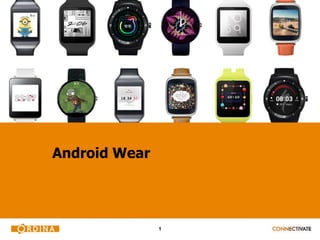
Android Wear
2
Who am I?
 Frederick Bousson
 Competence Center Leader Mobile / IoT
 IoTBE Regional Hub Organiser
 Frederick.Bousson@ordina.be
 @fbousson
3
Get hyped!
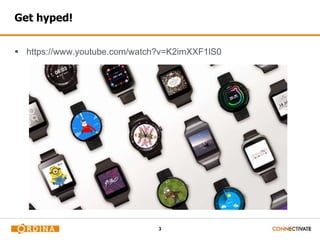
 https://www.youtube.com/watch?v=K2imXXF1lS0
4
Agenda
 What is Android Wear
- Hardware Overview
- Feature Overview
- Living with Wear
 Voice Input
 Writing apps
5
Android History
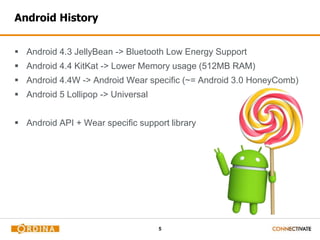
 Android 4.3 JellyBean -> Bluetooth Low Energy Support
 Android 4.4 KitKat -> Lower Memory usage (512MB RAM)
 Android 4.4W -> Android Wear specific (~= Android 3.0 HoneyComb)
 Android 5 Lollipop -> Universal
 Android API + Wear specific support library
6
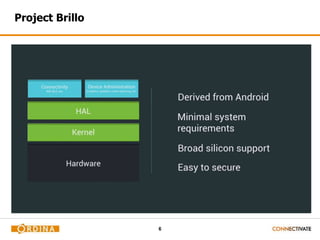
Project Brillo
7
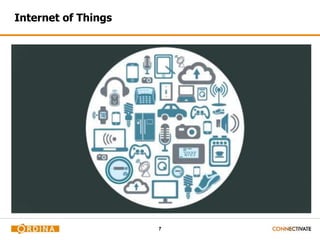
Internet of Things
8
Typical Wear hardware -> Super Cheap
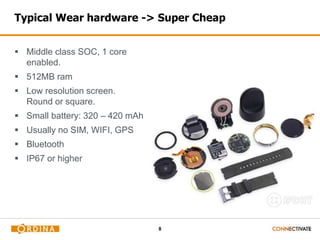
 Middle class SOC, 1 core
enabled.
 512MB ram
 Low resolution screen.
Round or square.
 Small battery: 320 – 420 mAh
 Usually no SIM, WIFI, GPS
 Bluetooth
 IP67 or higher
9
Major vendor support
10
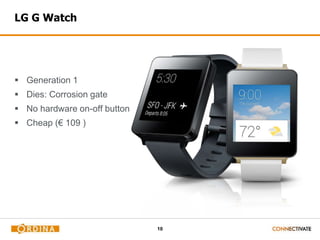
LG G Watch
 Generation 1
 Dies: Corrosion gate
 No hardware on-off button
 Cheap (€ 109 )
11
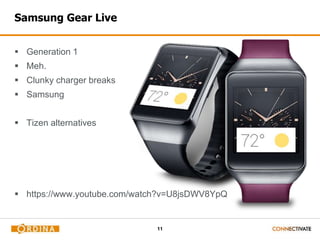
Samsung Gear Live
 Generation 1
 Meh.
 Clunky charger breaks
 Samsung
 Tizen alternatives
 https://www.youtube.com/watch?v=U8jsDWV8YpQ
12
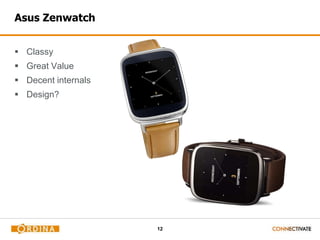
Asus Zenwatch
 Classy
 Great Value
 Decent internals
 Design?
13
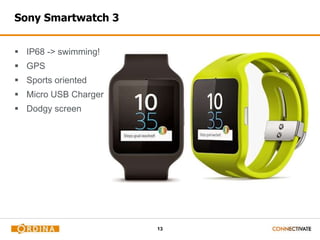
Sony Smartwatch 3
 IP68 -> swimming!
 GPS
 Sports oriented
 Micro USB Charger
 Dodgy screen
14
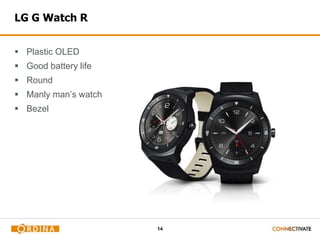
LG G Watch R
 Plastic OLED
 Good battery life
 Round
 Manly man’s watch
 Bezel
15
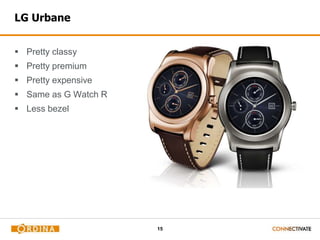
LG Urbane
 Pretty classy
 Pretty premium
 Pretty expensive
 Same as G Watch R
 Less bezel
16
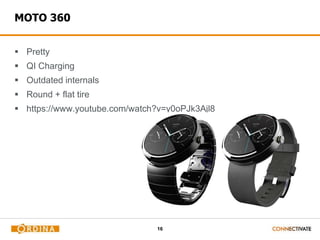
MOTO 360
 Pretty
 QI Charging
 Outdated internals
 Round + flat tire
 https://www.youtube.com/watch?v=y0oPJk3Ajl8
17
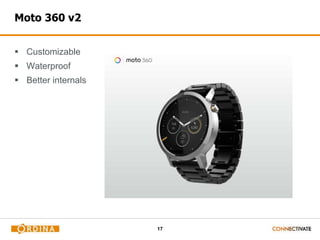
Moto 360 v2
 Customizable
 Waterproof
 Better internals
18
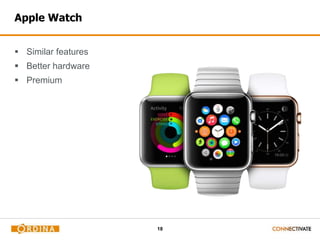
Apple Watch
 Similar features
 Better hardware
 Premium
19
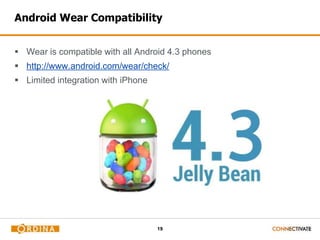
Android Wear Compatibility
 Wear is compatible with all Android 4.3 phones
 http://www.android.com/wear/check/
 Limited integration with iPhone
20
Typical software / Operating System
 It’s all the same.
 Google does not allow software modifications / branding of Wear.
 Vendors have to differentiate on hardware
- Heart rate monitor
- Water proofing
- Ambient light sensor
- Screen type
- Charging
- Design
- …
21
Connectivity
22
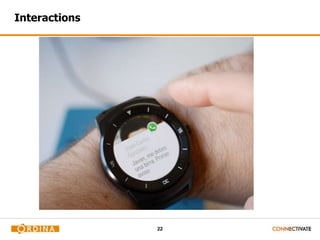
Interactions
23
Turning it on
 Button (optional)
 Touch the screen
 Wristy twisty
 Notifications
24
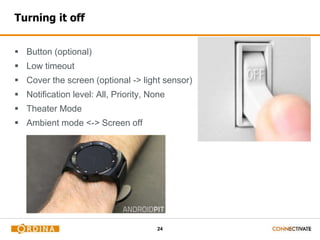
Turning it off
 Button (optional)
 Low timeout
 Cover the screen (optional -> light sensor)
 Notification level: All, Priority, None
 Theater Mode
 Ambient mode <-> Screen off
25
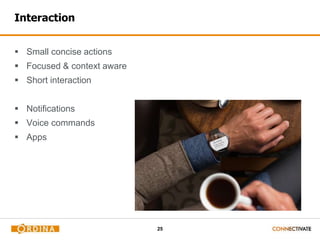
Interaction
 Small concise actions
 Focused & context aware
 Short interaction
 Notifications
 Voice commands
 Apps
26
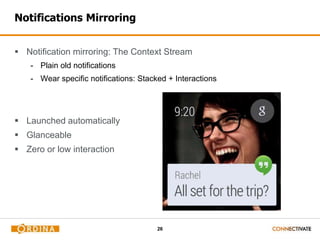
Notifications Mirroring
 Notification mirroring: The Context Stream
- Plain old notifications
- Wear specific notifications: Stacked + Interactions
 Launched automatically
 Glanceable
 Zero or low interaction
27
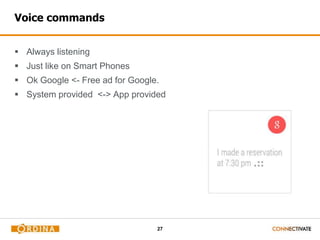
Voice commands
 Always listening
 Just like on Smart Phones
 Ok Google <- Free ad for Google.
 System provided <-> App provided
28
System provided
 Navigate home
 Remind me to pack my sports gear when I’m home
 Play music (Play song X by Y)
 What’s my heart rate
 Send a text / message / email
 Take a note
 What’s my Agenda (for day X)
 Set alarm / timer
29
App provided
 App based voice commands
 Start “Label” starts an activity.
 Labels are fixed. You can’t listen to everything and filter.
 Not easy to discover.
30
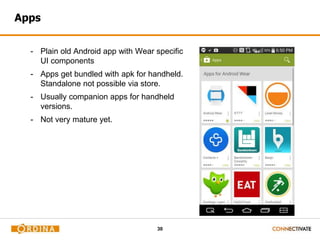
Apps
- Plain old Android app with Wear specific
UI components
- Apps get bundled with apk for handheld.
Standalone not possible via store.
- Usually companion apps for handheld
versions.
- Not very mature yet.
31
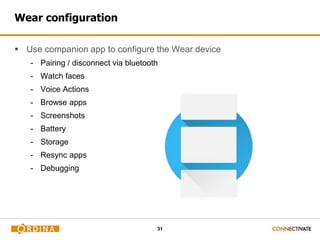
Wear configuration
 Use companion app to configure the Wear device
- Pairing / disconnect via bluetooth
- Watch faces
- Voice Actions
- Browse apps
- Screenshots
- Battery
- Storage
- Resync apps
- Debugging
32
3rd party Apps
 Wear Mini Launcher
 Poweramp Remote
 Runkeeper
 Wear Camera
 Telegram / Whatsapp / Hangouts / Mail
 Hue control
 Maps
 Facer
 …
https://play.google.com/store/apps/collection/promotion_3000cf4_andro
id_wear_all?hl=en
33
Living with Wear
 I don’t like watches.
 I do like gadgets.
 It runs Android, so I need this… for science.
 The smart phone smart watch as life’s remote control.
 Think of it as a watch, but with extra’s.
 It’s very slow to operate. For most actions I just grab my phone anyway
 It’s strapped to your body. You can’t lose it, it’s always there for you.
 It’s fast for small interactions.
 Health device. Shows promise, but just not there yet.
34
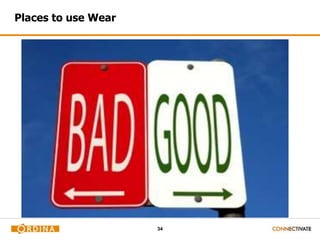
Places to use Wear
35
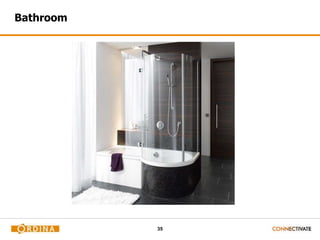
Bathroom
36
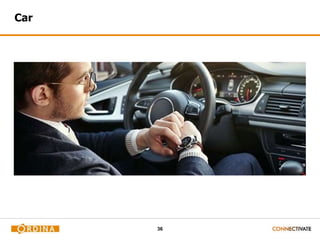
Car
37
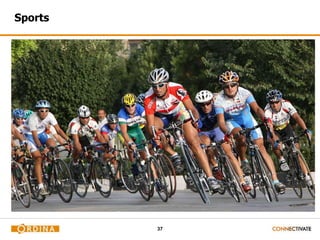
Sports
38
Office
39
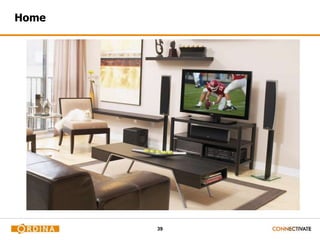
Home
40
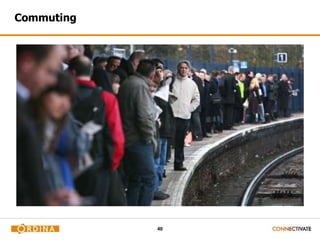
Commuting
41
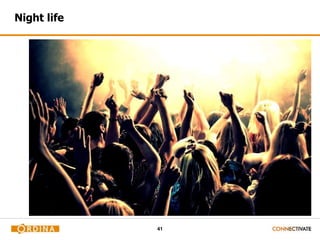
Night life
42
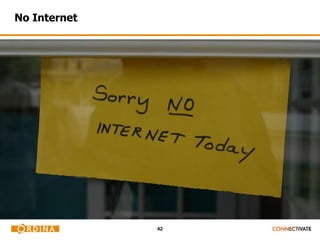
No Internet
43
Input
 Your other hand 
- Using both hands is very cumbersome. One handed smartphone usage is
more flexible.
 Voice =/
- Even I have a geek threshold I won’t cross.
 Your nose 
- I am not alone (@ reddit ).
44
The good
 It’s a watch.
 Aesthetically pleasing: hardware + watchfaces
 All day battery under normal usage.
 Charges quickly.
 Not grabbing your phone every 5 minutes is stress relieving.
 Never missing calls / messages anymore.
 Notifications are fun and efficient.
 Fun remote control.
 Proximity unlocking.
45
The bad
 Buggy.
 Usability is a work in progress.
 Loses connection.
 Sudden battery drain + heat.
 Battery life while actually using it.
 Scratches.
 Not that many apps.
 Limited integration with existing apps.
 Long interactions aren’t fun.
 Low res screen: low quality images.
46
The future?
 Vendors need this to be a success. They need a new source of
revenue because the smartphone market is saturated.
 It can be very cheap or very expensive.
 If you’re going to own a watch, might as well own a smart watch.
 Still waiting for killer app / integration with existing apps.
 Still waiting to see what next gen will bring in regards of screen
quality and battery life.
 Other form factors?
47
The future? part 2
 Should become a universal remote for everything.
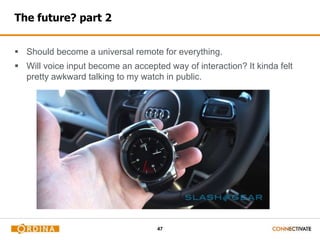
 Will voice input become an accepted way of interaction? It kinda felt
pretty awkward talking to my watch in public.
48
User Interface
49
Automate!
50
Tasker
 App
 https://play.google.com/store/apps/details?id=net.dinglisch.android.task
erm just €2,99
 Triggers: App, Time, Day, Location, Hard/Soft State, Event, Shortcut,
Widget, Timer, Plugins
 Actions: 200+ built-in, plugin support
 Tasks: loops, variables, conditions
 Scenes: design your own screen overlays
 Extensible via plugins
51
Auto all the things!
 AutoInput: UI automation. A bit like Selenium. Relies on accessibility.
UI scraping possible.
 AutoVoice: Scrape voice input from Google Now. Feed it into tasker.
 AutoWear: Voice commands on Wear. Bypassing Google Now
 Hue plugin
 Action Box -> Poweramp plugin + other stuff.
 https://www.youtube.com/watch?v=ZPd515IN_G0
52
Scenarios
 Turn on Hue lights: AutoWear + Hue plugin
 Turn on Chromecast mirroring: AutoInput + AutoWear
 Spotify Random playlist: AutoInput + AutoWear
 Poweramp: Action Box
 Bank Account demo: AutoInput + AutoWear + Notification
 Time: Text2Speech engine
53
Some thoughts
 Hue controls can sometimes be slow
 Wristy twisty works a lot better than on vid.
Odd angle + filming = frowny face
 Not all keywords work well. See what works best.
 Sound on device is auto muted when accepting voice commands.
54
Developing for Wear
55
Developing for Wear
 Extensive UI / design guidelines
http://developer.android.com/design/wear/index.html
 Extensive API documentation:
http://developer.android.com/training/building-wearables.html
 Basically, it’s just Android, with a different UI toolkit and data api.
56
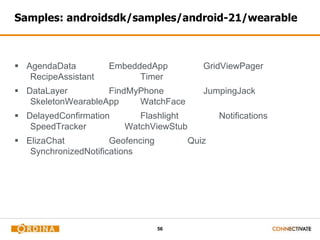
Samples: androidsdk/samples/android-21/wearable
 AgendaData EmbeddedApp GridViewPager
RecipeAssistant Timer
 DataLayer FindMyPhone JumpingJack
SkeletonWearableApp WatchFace

 DelayedConfirmation Flashlight Notifications
SpeedTracker WatchViewStub
 ElizaChat Geofencing Quiz
SynchronizedNotifications
57
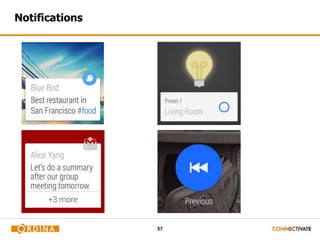
Notifications
58
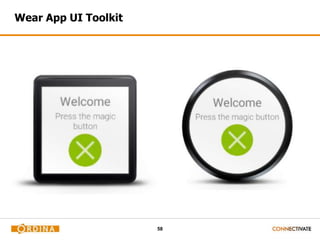
Wear App UI Toolkit
59
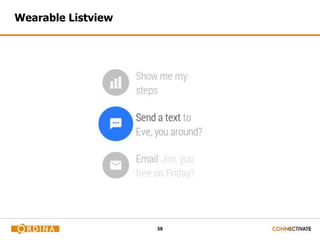
Wearable Listview
60
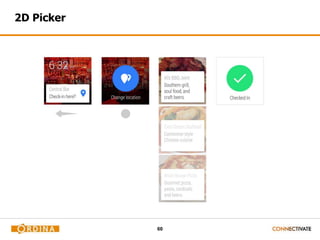
2D Picker
61
Wearable DataLayer API
 Data Items: Data storage with automatic syncing
 Messages: RPC, Request + Reponse
 Asset: Binary blobs of data
 WearableListenerService (background)
 DataListener (foreground activities)
 Avoid direct low level sockets
 Google Play Service
62
Code time!
63
ReMorse
 Running on emulator
 Running on device
 Libraries:
- Android v4 support library
- Wearable Data Layer -> Google Services -> 
- Wearable UI support library
 Debugging over bluetooth
 Packaging
64
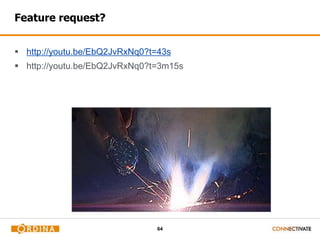
Feature request?
 http://youtu.be/EbQ2JvRxNq0?t=43s
 http://youtu.be/EbQ2JvRxNq0?t=3m15s
65
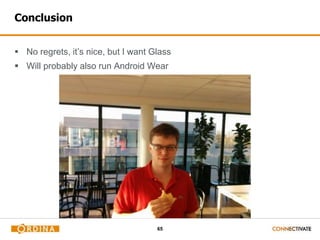
Conclusion
 No regrets, it’s nice, but I want Glass
 Will probably also run Android Wear
66
Q&A

Android wear - CC Mobile

  • 1.
  • 2.
    2 Who am I? Frederick Bousson  Competence Center Leader Mobile / IoT  IoTBE Regional Hub Organiser  Frederick.Bousson@ordina.be  @fbousson
  • 3.
  • 4.
    4 Agenda  What isAndroid Wear - Hardware Overview - Feature Overview - Living with Wear  Voice Input  Writing apps
  • 5.
    5 Android History  Android4.3 JellyBean -> Bluetooth Low Energy Support  Android 4.4 KitKat -> Lower Memory usage (512MB RAM)  Android 4.4W -> Android Wear specific (~= Android 3.0 HoneyComb)  Android 5 Lollipop -> Universal  Android API + Wear specific support library
  • 6.
  • 7.
  • 8.
    8 Typical Wear hardware-> Super Cheap  Middle class SOC, 1 core enabled.  512MB ram  Low resolution screen. Round or square.  Small battery: 320 – 420 mAh  Usually no SIM, WIFI, GPS  Bluetooth  IP67 or higher
  • 9.
  • 10.
    10 LG G Watch Generation 1  Dies: Corrosion gate  No hardware on-off button  Cheap (€ 109 )
  • 11.
    11 Samsung Gear Live Generation 1  Meh.  Clunky charger breaks  Samsung  Tizen alternatives  https://www.youtube.com/watch?v=U8jsDWV8YpQ
  • 12.
    12 Asus Zenwatch  Classy Great Value  Decent internals  Design?
  • 13.
    13 Sony Smartwatch 3 IP68 -> swimming!  GPS  Sports oriented  Micro USB Charger  Dodgy screen
  • 14.
    14 LG G WatchR  Plastic OLED  Good battery life  Round  Manly man’s watch  Bezel
  • 15.
    15 LG Urbane  Prettyclassy  Pretty premium  Pretty expensive  Same as G Watch R  Less bezel
  • 16.
    16 MOTO 360  Pretty QI Charging  Outdated internals  Round + flat tire  https://www.youtube.com/watch?v=y0oPJk3Ajl8
  • 17.
    17 Moto 360 v2 Customizable  Waterproof  Better internals
  • 18.
    18 Apple Watch  Similarfeatures  Better hardware  Premium
  • 19.
    19 Android Wear Compatibility Wear is compatible with all Android 4.3 phones  http://www.android.com/wear/check/  Limited integration with iPhone
  • 20.
    20 Typical software /Operating System  It’s all the same.  Google does not allow software modifications / branding of Wear.  Vendors have to differentiate on hardware - Heart rate monitor - Water proofing - Ambient light sensor - Screen type - Charging - Design - …
  • 21.
  • 22.
  • 23.
    23 Turning it on Button (optional)  Touch the screen  Wristy twisty  Notifications
  • 24.
    24 Turning it off Button (optional)  Low timeout  Cover the screen (optional -> light sensor)  Notification level: All, Priority, None  Theater Mode  Ambient mode <-> Screen off
  • 25.
    25 Interaction  Small conciseactions  Focused & context aware  Short interaction  Notifications  Voice commands  Apps
  • 26.
    26 Notifications Mirroring  Notificationmirroring: The Context Stream - Plain old notifications - Wear specific notifications: Stacked + Interactions  Launched automatically  Glanceable  Zero or low interaction
  • 27.
    27 Voice commands  Alwayslistening  Just like on Smart Phones  Ok Google <- Free ad for Google.  System provided <-> App provided
  • 28.
    28 System provided  Navigatehome  Remind me to pack my sports gear when I’m home  Play music (Play song X by Y)  What’s my heart rate  Send a text / message / email  Take a note  What’s my Agenda (for day X)  Set alarm / timer
  • 29.
    29 App provided  Appbased voice commands  Start “Label” starts an activity.  Labels are fixed. You can’t listen to everything and filter.  Not easy to discover.
  • 30.
    30 Apps - Plain oldAndroid app with Wear specific UI components - Apps get bundled with apk for handheld. Standalone not possible via store. - Usually companion apps for handheld versions. - Not very mature yet.
  • 31.
    31 Wear configuration  Usecompanion app to configure the Wear device - Pairing / disconnect via bluetooth - Watch faces - Voice Actions - Browse apps - Screenshots - Battery - Storage - Resync apps - Debugging
  • 32.
    32 3rd party Apps Wear Mini Launcher  Poweramp Remote  Runkeeper  Wear Camera  Telegram / Whatsapp / Hangouts / Mail  Hue control  Maps  Facer  … https://play.google.com/store/apps/collection/promotion_3000cf4_andro id_wear_all?hl=en
  • 33.
    33 Living with Wear I don’t like watches.  I do like gadgets.  It runs Android, so I need this… for science.  The smart phone smart watch as life’s remote control.  Think of it as a watch, but with extra’s.  It’s very slow to operate. For most actions I just grab my phone anyway  It’s strapped to your body. You can’t lose it, it’s always there for you.  It’s fast for small interactions.  Health device. Shows promise, but just not there yet.
  • 34.
  • 35.
  • 36.
  • 37.
  • 38.
  • 39.
  • 40.
  • 41.
  • 42.
  • 43.
    43 Input  Your otherhand  - Using both hands is very cumbersome. One handed smartphone usage is more flexible.  Voice =/ - Even I have a geek threshold I won’t cross.  Your nose  - I am not alone (@ reddit ).
  • 44.
    44 The good  It’sa watch.  Aesthetically pleasing: hardware + watchfaces  All day battery under normal usage.  Charges quickly.  Not grabbing your phone every 5 minutes is stress relieving.  Never missing calls / messages anymore.  Notifications are fun and efficient.  Fun remote control.  Proximity unlocking.
  • 45.
    45 The bad  Buggy. Usability is a work in progress.  Loses connection.  Sudden battery drain + heat.  Battery life while actually using it.  Scratches.  Not that many apps.  Limited integration with existing apps.  Long interactions aren’t fun.  Low res screen: low quality images.
  • 46.
    46 The future?  Vendorsneed this to be a success. They need a new source of revenue because the smartphone market is saturated.  It can be very cheap or very expensive.  If you’re going to own a watch, might as well own a smart watch.  Still waiting for killer app / integration with existing apps.  Still waiting to see what next gen will bring in regards of screen quality and battery life.  Other form factors?
  • 47.
    47 The future? part2  Should become a universal remote for everything.  Will voice input become an accepted way of interaction? It kinda felt pretty awkward talking to my watch in public.
  • 48.
  • 49.
  • 50.
    50 Tasker  App  https://play.google.com/store/apps/details?id=net.dinglisch.android.task ermjust €2,99  Triggers: App, Time, Day, Location, Hard/Soft State, Event, Shortcut, Widget, Timer, Plugins  Actions: 200+ built-in, plugin support  Tasks: loops, variables, conditions  Scenes: design your own screen overlays  Extensible via plugins
  • 51.
    51 Auto all thethings!  AutoInput: UI automation. A bit like Selenium. Relies on accessibility. UI scraping possible.  AutoVoice: Scrape voice input from Google Now. Feed it into tasker.  AutoWear: Voice commands on Wear. Bypassing Google Now  Hue plugin  Action Box -> Poweramp plugin + other stuff.  https://www.youtube.com/watch?v=ZPd515IN_G0
  • 52.
    52 Scenarios  Turn onHue lights: AutoWear + Hue plugin  Turn on Chromecast mirroring: AutoInput + AutoWear  Spotify Random playlist: AutoInput + AutoWear  Poweramp: Action Box  Bank Account demo: AutoInput + AutoWear + Notification  Time: Text2Speech engine
  • 53.
    53 Some thoughts  Huecontrols can sometimes be slow  Wristy twisty works a lot better than on vid. Odd angle + filming = frowny face  Not all keywords work well. See what works best.  Sound on device is auto muted when accepting voice commands.
  • 54.
  • 55.
    55 Developing for Wear Extensive UI / design guidelines http://developer.android.com/design/wear/index.html  Extensive API documentation: http://developer.android.com/training/building-wearables.html  Basically, it’s just Android, with a different UI toolkit and data api.
  • 56.
    56 Samples: androidsdk/samples/android-21/wearable  AgendaDataEmbeddedApp GridViewPager RecipeAssistant Timer  DataLayer FindMyPhone JumpingJack SkeletonWearableApp WatchFace  DelayedConfirmation Flashlight Notifications SpeedTracker WatchViewStub  ElizaChat Geofencing Quiz SynchronizedNotifications
  • 57.
  • 58.
  • 59.
  • 60.
  • 61.
    61 Wearable DataLayer API Data Items: Data storage with automatic syncing  Messages: RPC, Request + Reponse  Asset: Binary blobs of data  WearableListenerService (background)  DataListener (foreground activities)  Avoid direct low level sockets  Google Play Service
  • 62.
  • 63.
    63 ReMorse  Running onemulator  Running on device  Libraries: - Android v4 support library - Wearable Data Layer -> Google Services ->  - Wearable UI support library  Debugging over bluetooth  Packaging
  • 64.
  • 65.
    65 Conclusion  No regrets,it’s nice, but I want Glass  Will probably also run Android Wear
  • 66.

Editor's Notes

  • #6 iOS : No reply on Sms,
  • #36 In bath / shower -> touch screen and water is a bad combo. Voice commands are great though. Leather strap isn’t the best combined with water. My next one will be a metal one.
  • #37 In the car: More difficult to read small display than big phone. You need 2 hands to operate. I tend to just go to theater mode. Unnecessary battery drain while driving like a pro.
  • #39 Office -> those long meetings where you have to pay attention.
  • #40 Home -> very nice for media controls: music + video
  • #41 Commuting -> media controls.
  • #43 No Internet means no voice input. Crippled interaction.
  • #49 Voice as a new way of interacting.
  • #58 Notification Builder in Compatibility library Card based Action buttons with Pending Intents Voice input Pages Stacking
  • #59 WatchViewStub: 2 layouts -> Round + Square layout BoxInsetLayout: 1 layout -> window insets on round screens