Titanium SDK
   Alessio Ricco
     @alessioricco


           1
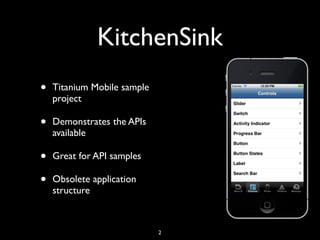
KitchenSink
•   Titanium Mobile sample
    project

•   Demonstrates the APIs
    available

•   Great for API samples

•   Obsolete application
    structure


                             2
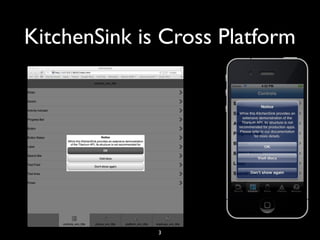
KitchenSink is Cross Platform


              3
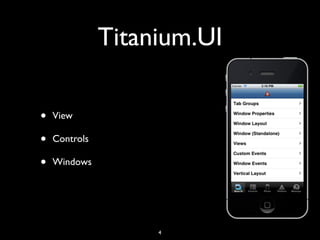
Titanium.UI

•   View

•   Controls

•   Windows


                    4
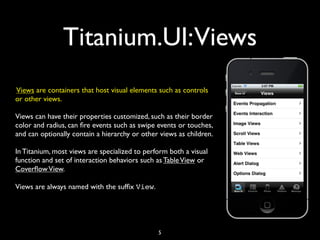
Titanium.UI:Views
Views are containers that host visual elements such as controls
or other views.

Views can have their properties customized, such as their border
color and radius, can fire events such as swipe events or touches,
and can optionally contain a hierarchy or other views as children.

In Titanium, most views are specialized to perform both a visual
function and set of interaction behaviors such as Table View or
Coverflow View.

Views are always named with the suffix View.


                                               5
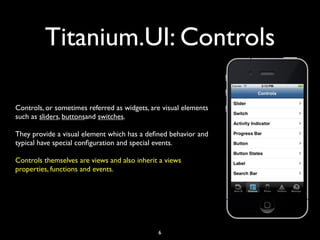
Titanium.UI: Controls

Controls, or sometimes referred as widgets, are visual elements
such as sliders, buttonsand switches.

They provide a visual element which has a defined behavior and
typical have special configuration and special events.

Controls themselves are views and also inherit a views
properties, functions and events.


                                              6
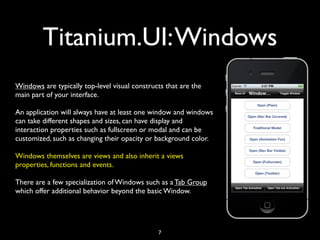
Titanium.UI: Windows
Windows are typically top-level visual constructs that are the
main part of your interface.

An application will always have at least one window and windows
can take different shapes and sizes, can have display and
interaction properties such as fullscreen or modal and can be
customized, such as changing their opacity or background color.

Windows themselves are views and also inherit a views
properties, functions and events.

There are a few specialization of Windows such as a Tab Group
which offer additional behavior beyond the basic Window.


                                               7
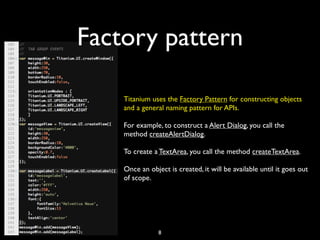
Factory pattern

    Titanium uses the Factory Pattern for constructing objects
    and a general naming pattern for APIs.

    For example, to construct a Alert Dialog, you call the
    method createAlertDialog.

    To create a TextArea, you call the method createTextArea.

    Once an object is created, it will be available until it goes out
    of scope.


                8
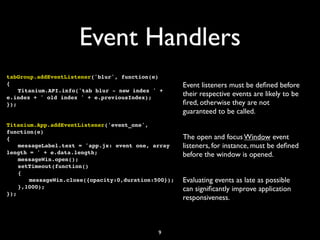
Event Handlers
tabGroup.addEventListener('blur', function(e)
{                                                 Event listeners must be defined before
! Titanium.API.info('tab blur - new index ' +
e.index + ' old index ' + e.previousIndex);
                                                  their respective events are likely to be
});                                               fired, otherwise they are not
                                                  guaranteed to be called.
Titanium.App.addEventListener('event_one',
function(e)
{                                                 The open and focus Window event
! messageLabel.text = 'app.js: event one, array   listeners, for instance, must be defined
length = ' + e.data.length;                       before the window is opened.
! messageWin.open();
! setTimeout(function()
! {
! ! messageWin.close({opacity:0,duration:500});   Evaluating events as late as possible
! },1000);                                        can significantly improve application
});
                                                  responsiveness.


                                           9
Ti.UI
Ti.UI                                     Ti.UI.ProgressBar
Ti.UI.2DMatrix                            Ti.UI.ScrollView
Ti.UI.3DMatrix                            Ti.UI.ScrollableView      Ti.UI.iPad.DocumentViewer
Ti.UI.ActivityIndicator                   Ti.UI.SearchBar           Ti.UI.iPad.Popover
Ti.UI.AlertDialog                         Ti.UI.Slider              Ti.UI.iPad.SplitWindow
Ti.UI.Android                             Ti.UI.Switch              Ti.UI.iPhone
Ti.UI.Animation                           Ti.UI.Tab                 Ti.UI.iPhone.ActivityIndicatorStyle
Ti.UI.Button                              Ti.UI.TabGroup            Ti.UI.iPhone.AnimationStyle
Ti.UI.ButtonBar                           Ti.UI.TabbedBar           Ti.UI.iPhone.NavigationGroup
Ti.UI.Clipboard                           Ti.UI.TableView           Ti.UI.iPhone.ProgressBarStyle
Ti.UI.CoverFlowView                       Ti.UI.TableViewRow        Ti.UI.iPhone.RowAnimationStyle
Ti.UI.DashboardItem                       Ti.UI.TableViewSection    Ti.UI.iPhone.ScrollIndicatorStyle
Ti.UI.DashboardView                       Ti.UI.TextArea            Ti.UI.iPhone.StatusBar
Ti.UI.EmailDialog                         Ti.UI.TextField           Ti.UI.iPhone.SystemButton
Ti.UI.ImageView                           Ti.UI.Toolbar             Ti.UI.iPhone.SystemButtonStyle
Ti.UI.Label                               Ti.UI.View                Ti.UI.iPhone.SystemIcon
Ti.UI.MaskedImage                         Ti.UI.WebView             Ti.UI.iPhone.TableViewCellSelectionStyle
Ti.UI.MobileWeb                           Ti.UI.Window              Ti.UI.iPhone.TableViewScrollPosition
Ti.UI.MobileWeb.NavigationGroup           Ti.UI.iOS                 Ti.UI.iPhone.TableViewSeparatorStyle
Ti.UI.MobileWeb.TableViewSeparatorStyle   Ti.UI.iOS.3DMatrix        Ti.UI.iPhone.TableViewStyle
Ti.UI.Notification                         Ti.UI.iOS.AdView
Ti.UI.OptionDialog                        Ti.UI.iOS.CoverFlowView
Ti.UI.Picker                              Ti.UI.iOS.TabbedBar
Ti.UI.PickerColumn                        Ti.UI.iOS.Toolbar
Ti.UI.PickerRow                           Ti.UI.iPad


                                                            10
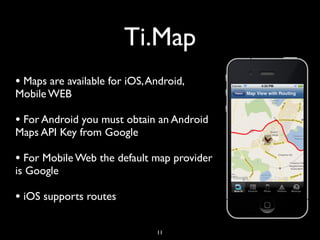
Ti.Map
• Maps are available for iOS, Android,
Mobile WEB

• For Android you must obtain an Android
Maps API Key from Google

• For Mobile Web the default map provider
is Google

• iOS supports routes

                               11
Ti.Map
var   atlantaParams = {
!     !    latitude:33.74511,
!     !    longitude:-84.38993,
!     !    title:"Atlanta, GA",
!     !    subtitle:'Atlanta Braves Stadiumnfoo',
!     !    animate:true,
!     !    leftButton:'../images/atlanta.jpg',
!     !    rightButton: Titanium.UI.iPhone.SystemButton.DISCLOSURE,
!     !    myid:3 // CUSTOM ATTRIBUTE THAT IS PASSED INTO EVENT OBJECTS
!     };

var atlanta = Titanium.Map.createAnnotation(atlantaParams);
...
var presetAnnotations = [atlanta,apple];
var mapview = Titanium.Map.createView({
!   mapType: Titanium.Map.STANDARD_TYPE,
!   region:{latitude:33.74511, longitude:-84.38993, latitudeDelta:0.5,
longitudeDelta:0.5},
!   animate:true,
!   regionFit:true,
!   userLocation:true,
!   annotations:presetAnnotations
});

mapview.selectAnnotation(atlanta);
win.add(mapview);


                                                        12
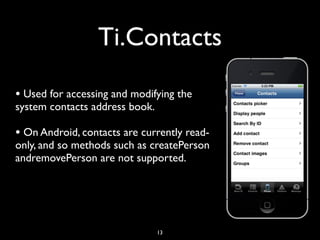
Ti.Contacts

• Used for accessing and modifying the
system contacts address book.

• On Android, contacts are currently read-
only, and so methods such as createPerson
andremovePerson are not supported.


                                13
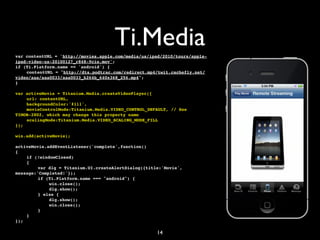
Ti.Media
var contentURL = 'http://movies.apple.com/media/us/ipad/2010/tours/apple-
ipad-video-us-20100127_r848-9cie.mov';
if (Ti.Platform.name == 'android') {
!   contentURL = "http://dts.podtrac.com/redirect.mp4/twit.cachefly.net/
video/aaa/aaa0033/aaa0033_h264b_640x368_256.mp4";
}

var activeMovie = Titanium.Media.createVideoPlayer({
!   url: contentURL,
!   backgroundColor:'#111',
!   movieControlMode:Titanium.Media.VIDEO_CONTROL_DEFAULT, // See
TIMOB-2802, which may change this property name
!   scalingMode:Titanium.Media.VIDEO_SCALING_MODE_FILL
});

win.add(activeMovie);

activeMovie.addEventListener('complete',function()
{
!   if (!windowClosed)
!   {
!   !    var dlg = Titanium.UI.createAlertDialog({title:'Movie',
message:'Completed!'});
!   !    if (Ti.Platform.name === "android") {
!   !    !   win.close();
!   !    !   dlg.show();
!   !    } else {
!   !    !   dlg.show();
!   !    !   win.close();
!   !    }
!   }
});

                                                      14
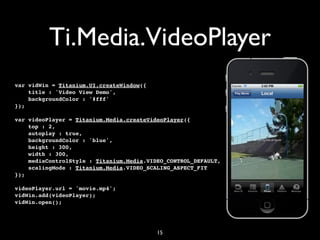
Ti.Media.VideoPlayer
var vidWin = Titanium.UI.createWindow({
    title : 'Video View Demo',
    backgroundColor : '#fff'
});

var videoPlayer = Titanium.Media.createVideoPlayer({
    top : 2,
    autoplay : true,
    backgroundColor : 'blue',
    height : 300,
    width : 300,
    mediaControlStyle : Titanium.Media.VIDEO_CONTROL_DEFAULT,
    scalingMode : Titanium.Media.VIDEO_SCALING_ASPECT_FIT
});

videoPlayer.url = 'movie.mp4';
vidWin.add(videoPlayer);
vidWin.open();


                                          15
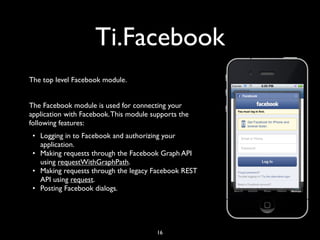
Ti.Facebook
The top level Facebook module.


The Facebook module is used for connecting your
application with Facebook. This module supports the
following features:
 • Logging in to Facebook and authorizing your
   application.
 • Making requests through the Facebook Graph API
   using requestWithGraphPath.
 • Making requests through the legacy Facebook REST
   API using request.
 • Posting Facebook dialogs.


                                        16
Ti.Facebook: login
// Don't forget to set your appid and requested permissions, else the login button
// won't be effective.
Ti.Facebook.appid = '[your appid]';
Ti.Facebook.permissions = ['publish_stream'];
Ti.Facebook.addEventListener('login', function(e) {
    if (e.success) {
       alert('Logged in');
    }
});
Ti.Facebook.addEventListener('logout', function(e) {
    alert('Logged out');
});

// Add the button. Note that it doesn't need a click event listener.
win2.add(Ti.Facebook.createLoginButton({
   top : 50,
   style : Ti.Facebook.BUTTON_STYLE_WIDE
}));


                                             17
Ti.Facebook: events
// First make sure this permission exists
Ti.Facebook.permissions = ['create_event'];
Ti.Facebook.authorize();
// ...
// Now create the event after you've confirmed authorize() was successful.
var starttime = new Date(2012, 4, 31, 17, 0);
var endtime = new Date(2012, 4, 31, 19, 0);
var title = "Barry's Birthday Celebration";
var description = "Barry will have a great party";
var data = {
    start_time: JSON.stringify(starttime),
    end_time: JSON.stringify(endtime),
    summary: description,
    name: title
};
Ti.Facebook.requestWithGraphPath('me/events', data, 'POST', function(e) {
    if (e.success) {
        alert("Success! Returned from FB: " + e.result);
    } else {
        if (e.error) {
             alert(e.error);
        } else {
             alert("Unknown result");
        }
    }
});
                                       18
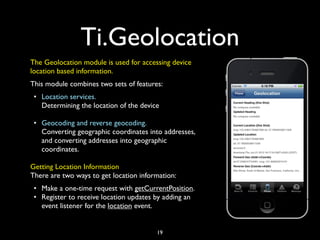
Ti.Geolocation
The Geolocation module is used for accessing device
location based information.
This module combines two sets of features:
 • Location services.
   Determining the location of the device

 • Geocoding and reverse geocoding.
   Converting geographic coordinates into addresses,
   and converting addresses into geographic
   coordinates.

Getting Location Information
There are two ways to get location information:
 • Make a one-time request with getCurrentPosition.
 • Register to receive location updates by adding an
   event listener for the location event.


                                        19
Ti.Geolocation: Position
	

  // GET CURRENT POSITION - THIS FIRES ONCE
	

  Titanium.Geolocation.getCurrentPosition(function(e)
	

  {


  if (!e.success || e.error)


  {


  currentLocation.text = 'error: ' + JSON.stringify(e.error);


  Ti.API.info("Code translation: "+translateErrorCode(e.code));


  alert('error ' + JSON.stringify(e.error));


  return;


  }


  var longitude = e.coords.longitude;


  var latitude = e.coords.latitude;


  var altitude = e.coords.altitude;


  var heading = e.coords.heading;


  var accuracy = e.coords.accuracy;


  var speed = e.coords.speed;


  var timestamp = e.coords.timestamp;


  var altitudeAccuracy = e.coords.altitudeAccuracy;


  Ti.API.info('speed ' + speed);


  currentLocation.text = 'long:' + longitude + ' lat: ' + latitude;


  Titanium.API.info('geo - current location: ' + new Date(timestamp) + ' long ' + longitude + ' lat
' + latitude + ' accuracy ' + accuracy);
	

  });


                                                    20
Ti.Geolocation: geocoding
var addr = "2065 Hamilton Avenue San Jose California 95125";

Titanium.Geolocation.forwardGeocoder(addr,function(evt)
{
! Ti.API.info('in forward ');
! forwardGeo.text = "lat:"+evt.latitude+", long:"+evt.longitude;
! Titanium.Geolocation.reverseGeocoder(evt.latitude,evt.longitude,function(evt)
! {
! ! if (evt.success) {
! ! ! var text = "";
! ! ! for (var i = 0; i < evt.places.length; i++) {
! ! ! ! text += "" + i + ") " + evt.places[i].address + "n";
! ! ! }
! ! ! Ti.API.info('Reversed forward: '+text);
! ! }
! ! else {
          .....
! ! }
! });
});


                                        21
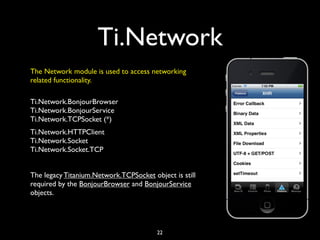
Ti.Network
The Network module is used to access networking
related functionality.

Ti.Network.BonjourBrowser
Ti.Network.BonjourService
Ti.Network.TCPSocket (*)
Ti.Network.HTTPClient
Ti.Network.Socket
Ti.Network.Socket.TCP


The legacy Titanium.Network.TCPSocket object is still
required by the BonjourBrowser and BonjourService
objects.


                                        22
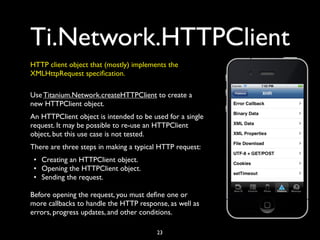
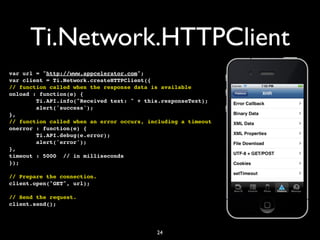
Ti.Network.HTTPClient
HTTP client object that (mostly) implements the
XMLHttpRequest specification.

Use Titanium.Network.createHTTPClient to create a
new HTTPClient object.
An HTTPClient object is intended to be used for a single
request. It may be possible to re-use an HTTPClient
object, but this use case is not tested.
There are three steps in making a typical HTTP request:
 • Creating an HTTPClient object.
 • Opening the HTTPClient object.
 • Sending the request.

Before opening the request, you must define one or
more callbacks to handle the HTTP response, as well as
errors, progress updates, and other conditions.

                                        23
Ti.Network.HTTPClient
var url = "http://www.appcelerator.com";
var client = Ti.Network.createHTTPClient({
// function called when the response data is available
onload : function(e) {
        Ti.API.info("Received text: " + this.responseText);
        alert('success');
},
// function called when an error occurs, including a timeout
onerror : function(e) {
        Ti.API.debug(e.error);
        alert('error');
},
timeout : 5000 // in milliseconds
});

// Prepare the connection.
client.open("GET", url);

// Send the request.
client.send();


                                           24
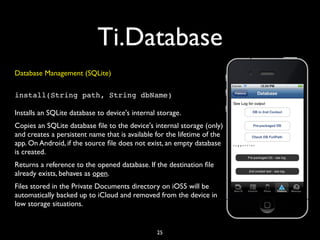
Ti.Database
Database Management (SQLite)

install(String path, String dbName)

Installs an SQLite database to device's internal storage.
Copies an SQLite database file to the device's internal storage (only)
and creates a persistent name that is available for the lifetime of the
app. On Android, if the source file does not exist, an empty database
is created.
Returns a reference to the opened database. If the destination file
already exists, behaves as open.
Files stored in the Private Documents directory on iOS5 will be
automatically backed up to iCloud and removed from the device in
low storage situations.


                                                25
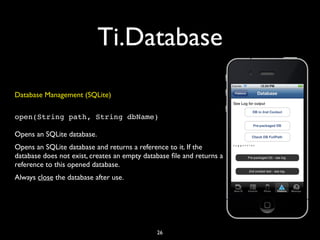
Ti.Database
Database Management (SQLite)

open(String path, String dbName)

Opens an SQLite database.
Opens an SQLite database and returns a reference to it. If the
database does not exist, creates an empty database file and returns a
reference to this opened database.
Always close the database after use.


                                              26
Ti.Database
 var db = Ti.Database.open('mydb1Installed');
    db.execute('CREATE TABLE IF NOT EXISTS people (name TEXT, phone_number TEXT, city TEXT)');
    db.execute('DELETE FROM people');

    var thisName = 'Arthur';
    var thisPhoneNo = '1-617-000-0000';
    var thisCity = 'Mountain View';
    db.execute('INSERT INTO people (name, phone_number, city) VALUES (?, ?, ?)', thisName, thisPhoneNo,
thisCity);

    var personArray = ['Paul','020 7000 0000', 'London'];
    db.execute('INSERT INTO people (name, phone_number, city) VALUES (?, ?, ?)', personArray);

    var rows = db.execute('SELECT rowid,name,phone_number,city FROM people');
    db.close();

   Ti.API.info('Row count: ' + rows.rowCount);
   var fieldCount;
   // fieldCount is a property on Android.
   if (Ti.Platform.name === 'android') {
       fieldCount = rows.fieldCount;
   } else {
       fieldCount = rows.fieldCount();
   }
   Ti.API.info('Field count: ' + fieldCount);

    while (rows.isValidRow()){
      Ti.API.info('Person ---> ROWID: ' + rows.fieldByName('rowid') + ', name:' + rows.field(1) + ',
phone_number: ' + rows.fieldByName('phone_number') + ', city: ' + rows.field(3));
      rows.next();
    }
    rows.close();

                                                     27
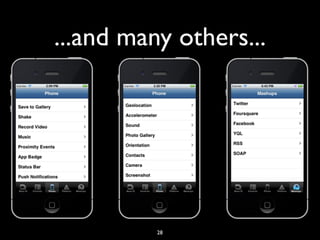
...and many others...


          28
Ti.Cloud
Appcelerator Cloud Services (ACS) provides a wide array of
automatically-scaled data storage and web services, such as user
logins, photo uploads, checkins, status updates, and push
notifications, without the need to learn multiple third-party SDKs
or do any server-side programming.

This module is not included in the Titanium namespace, but it is
bundled with the Titanium SDK as of version 2.0.0. To use it, it
must be registered like this:
var Cloud = require('ti.cloud');

                                29
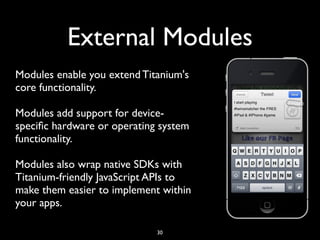
External Modules
Modules enable you extend Titanium's
core functionality.

Modules add support for device-
specific hardware or operating system
functionality.

Modules also wrap native SDKs with
Titanium-friendly JavaScript APIs to
make them easier to implement within
your apps.

                             30
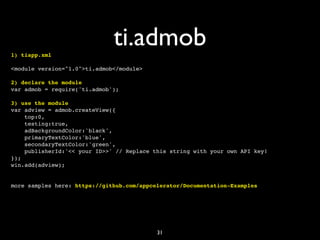
1) tiapp.xml
                              ti.admob
<module version="1.0">ti.admob</module>

2) declare the module
var admob = require('ti.admob');

3) use the module
var adview = admob.createView({
    top:0,
    testing:true,
    adBackgroundColor:'black',
    primaryTextColor:'blue',
    secondaryTextColor:'green',
    publisherId:'<< your ID>>' // Replace this string with your own API key!
});
win.add(adview);


more samples here: https://github.com/appcelerator/Documentation-Examples


                                           31
Resources
This work is based upon the official Titanium docs


•   http://docs.appcelerator.com/titanium/2.0/index.html

•   http://docs.appcelerator.com/titanium/2.1/#!/api


                                           32
About me

•   @alessioricco

•   http://www.slideshare.net/alessioricco

•   http://itunes.apple.com/app/twinsmatcher/id429890747?mt=8

•   http://www.linkedin.com/in/alessioricco


                                             33

Titanium appcelerator sdk

  • 1.
    Titanium SDK Alessio Ricco @alessioricco 1
  • 2.
    KitchenSink • Titanium Mobile sample project • Demonstrates the APIs available • Great for API samples • Obsolete application structure 2
  • 3.
  • 4.
    Titanium.UI • View • Controls • Windows 4
  • 5.
    Titanium.UI:Views Views are containersthat host visual elements such as controls or other views. Views can have their properties customized, such as their border color and radius, can fire events such as swipe events or touches, and can optionally contain a hierarchy or other views as children. In Titanium, most views are specialized to perform both a visual function and set of interaction behaviors such as Table View or Coverflow View. Views are always named with the suffix View. 5
  • 6.
    Titanium.UI: Controls Controls, orsometimes referred as widgets, are visual elements such as sliders, buttonsand switches. They provide a visual element which has a defined behavior and typical have special configuration and special events. Controls themselves are views and also inherit a views properties, functions and events. 6
  • 7.
    Titanium.UI: Windows Windows aretypically top-level visual constructs that are the main part of your interface. An application will always have at least one window and windows can take different shapes and sizes, can have display and interaction properties such as fullscreen or modal and can be customized, such as changing their opacity or background color. Windows themselves are views and also inherit a views properties, functions and events. There are a few specialization of Windows such as a Tab Group which offer additional behavior beyond the basic Window. 7
  • 8.
    Factory pattern Titanium uses the Factory Pattern for constructing objects and a general naming pattern for APIs. For example, to construct a Alert Dialog, you call the method createAlertDialog. To create a TextArea, you call the method createTextArea. Once an object is created, it will be available until it goes out of scope. 8
  • 9.
    Event Handlers tabGroup.addEventListener('blur', function(e) { Event listeners must be defined before ! Titanium.API.info('tab blur - new index ' + e.index + ' old index ' + e.previousIndex); their respective events are likely to be }); fired, otherwise they are not guaranteed to be called. Titanium.App.addEventListener('event_one', function(e) { The open and focus Window event ! messageLabel.text = 'app.js: event one, array listeners, for instance, must be defined length = ' + e.data.length; before the window is opened. ! messageWin.open(); ! setTimeout(function() ! { ! ! messageWin.close({opacity:0,duration:500}); Evaluating events as late as possible ! },1000); can significantly improve application }); responsiveness. 9
  • 10.
    Ti.UI Ti.UI Ti.UI.ProgressBar Ti.UI.2DMatrix Ti.UI.ScrollView Ti.UI.3DMatrix Ti.UI.ScrollableView Ti.UI.iPad.DocumentViewer Ti.UI.ActivityIndicator Ti.UI.SearchBar Ti.UI.iPad.Popover Ti.UI.AlertDialog Ti.UI.Slider Ti.UI.iPad.SplitWindow Ti.UI.Android Ti.UI.Switch Ti.UI.iPhone Ti.UI.Animation Ti.UI.Tab Ti.UI.iPhone.ActivityIndicatorStyle Ti.UI.Button Ti.UI.TabGroup Ti.UI.iPhone.AnimationStyle Ti.UI.ButtonBar Ti.UI.TabbedBar Ti.UI.iPhone.NavigationGroup Ti.UI.Clipboard Ti.UI.TableView Ti.UI.iPhone.ProgressBarStyle Ti.UI.CoverFlowView Ti.UI.TableViewRow Ti.UI.iPhone.RowAnimationStyle Ti.UI.DashboardItem Ti.UI.TableViewSection Ti.UI.iPhone.ScrollIndicatorStyle Ti.UI.DashboardView Ti.UI.TextArea Ti.UI.iPhone.StatusBar Ti.UI.EmailDialog Ti.UI.TextField Ti.UI.iPhone.SystemButton Ti.UI.ImageView Ti.UI.Toolbar Ti.UI.iPhone.SystemButtonStyle Ti.UI.Label Ti.UI.View Ti.UI.iPhone.SystemIcon Ti.UI.MaskedImage Ti.UI.WebView Ti.UI.iPhone.TableViewCellSelectionStyle Ti.UI.MobileWeb Ti.UI.Window Ti.UI.iPhone.TableViewScrollPosition Ti.UI.MobileWeb.NavigationGroup Ti.UI.iOS Ti.UI.iPhone.TableViewSeparatorStyle Ti.UI.MobileWeb.TableViewSeparatorStyle Ti.UI.iOS.3DMatrix Ti.UI.iPhone.TableViewStyle Ti.UI.Notification Ti.UI.iOS.AdView Ti.UI.OptionDialog Ti.UI.iOS.CoverFlowView Ti.UI.Picker Ti.UI.iOS.TabbedBar Ti.UI.PickerColumn Ti.UI.iOS.Toolbar Ti.UI.PickerRow Ti.UI.iPad 10
  • 11.
    Ti.Map • Maps areavailable for iOS, Android, Mobile WEB • For Android you must obtain an Android Maps API Key from Google • For Mobile Web the default map provider is Google • iOS supports routes 11
  • 12.
    Ti.Map var atlantaParams = { ! ! latitude:33.74511, ! ! longitude:-84.38993, ! ! title:"Atlanta, GA", ! ! subtitle:'Atlanta Braves Stadiumnfoo', ! ! animate:true, ! ! leftButton:'../images/atlanta.jpg', ! ! rightButton: Titanium.UI.iPhone.SystemButton.DISCLOSURE, ! ! myid:3 // CUSTOM ATTRIBUTE THAT IS PASSED INTO EVENT OBJECTS ! }; var atlanta = Titanium.Map.createAnnotation(atlantaParams); ... var presetAnnotations = [atlanta,apple]; var mapview = Titanium.Map.createView({ ! mapType: Titanium.Map.STANDARD_TYPE, ! region:{latitude:33.74511, longitude:-84.38993, latitudeDelta:0.5, longitudeDelta:0.5}, ! animate:true, ! regionFit:true, ! userLocation:true, ! annotations:presetAnnotations }); mapview.selectAnnotation(atlanta); win.add(mapview); 12
  • 13.
    Ti.Contacts • Used foraccessing and modifying the system contacts address book. • On Android, contacts are currently read- only, and so methods such as createPerson andremovePerson are not supported. 13
  • 14.
    Ti.Media var contentURL ='http://movies.apple.com/media/us/ipad/2010/tours/apple- ipad-video-us-20100127_r848-9cie.mov'; if (Ti.Platform.name == 'android') { ! contentURL = "http://dts.podtrac.com/redirect.mp4/twit.cachefly.net/ video/aaa/aaa0033/aaa0033_h264b_640x368_256.mp4"; } var activeMovie = Titanium.Media.createVideoPlayer({ ! url: contentURL, ! backgroundColor:'#111', ! movieControlMode:Titanium.Media.VIDEO_CONTROL_DEFAULT, // See TIMOB-2802, which may change this property name ! scalingMode:Titanium.Media.VIDEO_SCALING_MODE_FILL }); win.add(activeMovie); activeMovie.addEventListener('complete',function() { ! if (!windowClosed) ! { ! ! var dlg = Titanium.UI.createAlertDialog({title:'Movie', message:'Completed!'}); ! ! if (Ti.Platform.name === "android") { ! ! ! win.close(); ! ! ! dlg.show(); ! ! } else { ! ! ! dlg.show(); ! ! ! win.close(); ! ! } ! } }); 14
  • 15.
    Ti.Media.VideoPlayer var vidWin =Titanium.UI.createWindow({ title : 'Video View Demo', backgroundColor : '#fff' }); var videoPlayer = Titanium.Media.createVideoPlayer({ top : 2, autoplay : true, backgroundColor : 'blue', height : 300, width : 300, mediaControlStyle : Titanium.Media.VIDEO_CONTROL_DEFAULT, scalingMode : Titanium.Media.VIDEO_SCALING_ASPECT_FIT }); videoPlayer.url = 'movie.mp4'; vidWin.add(videoPlayer); vidWin.open(); 15
  • 16.
    Ti.Facebook The top levelFacebook module. The Facebook module is used for connecting your application with Facebook. This module supports the following features: • Logging in to Facebook and authorizing your application. • Making requests through the Facebook Graph API using requestWithGraphPath. • Making requests through the legacy Facebook REST API using request. • Posting Facebook dialogs. 16
  • 17.
    Ti.Facebook: login // Don'tforget to set your appid and requested permissions, else the login button // won't be effective. Ti.Facebook.appid = '[your appid]'; Ti.Facebook.permissions = ['publish_stream']; Ti.Facebook.addEventListener('login', function(e) { if (e.success) { alert('Logged in'); } }); Ti.Facebook.addEventListener('logout', function(e) { alert('Logged out'); }); // Add the button. Note that it doesn't need a click event listener. win2.add(Ti.Facebook.createLoginButton({ top : 50, style : Ti.Facebook.BUTTON_STYLE_WIDE })); 17
  • 18.
    Ti.Facebook: events // Firstmake sure this permission exists Ti.Facebook.permissions = ['create_event']; Ti.Facebook.authorize(); // ... // Now create the event after you've confirmed authorize() was successful. var starttime = new Date(2012, 4, 31, 17, 0); var endtime = new Date(2012, 4, 31, 19, 0); var title = "Barry's Birthday Celebration"; var description = "Barry will have a great party"; var data = { start_time: JSON.stringify(starttime), end_time: JSON.stringify(endtime), summary: description, name: title }; Ti.Facebook.requestWithGraphPath('me/events', data, 'POST', function(e) { if (e.success) { alert("Success! Returned from FB: " + e.result); } else { if (e.error) { alert(e.error); } else { alert("Unknown result"); } } }); 18
  • 19.
    Ti.Geolocation The Geolocation moduleis used for accessing device location based information. This module combines two sets of features: • Location services. Determining the location of the device • Geocoding and reverse geocoding. Converting geographic coordinates into addresses, and converting addresses into geographic coordinates. Getting Location Information There are two ways to get location information: • Make a one-time request with getCurrentPosition. • Register to receive location updates by adding an event listener for the location event. 19
  • 20.
    Ti.Geolocation: Position // GET CURRENT POSITION - THIS FIRES ONCE Titanium.Geolocation.getCurrentPosition(function(e) { if (!e.success || e.error) { currentLocation.text = 'error: ' + JSON.stringify(e.error); Ti.API.info("Code translation: "+translateErrorCode(e.code)); alert('error ' + JSON.stringify(e.error)); return; } var longitude = e.coords.longitude; var latitude = e.coords.latitude; var altitude = e.coords.altitude; var heading = e.coords.heading; var accuracy = e.coords.accuracy; var speed = e.coords.speed; var timestamp = e.coords.timestamp; var altitudeAccuracy = e.coords.altitudeAccuracy; Ti.API.info('speed ' + speed); currentLocation.text = 'long:' + longitude + ' lat: ' + latitude; Titanium.API.info('geo - current location: ' + new Date(timestamp) + ' long ' + longitude + ' lat ' + latitude + ' accuracy ' + accuracy); }); 20
  • 21.
    Ti.Geolocation: geocoding var addr= "2065 Hamilton Avenue San Jose California 95125"; Titanium.Geolocation.forwardGeocoder(addr,function(evt) { ! Ti.API.info('in forward '); ! forwardGeo.text = "lat:"+evt.latitude+", long:"+evt.longitude; ! Titanium.Geolocation.reverseGeocoder(evt.latitude,evt.longitude,function(evt) ! { ! ! if (evt.success) { ! ! ! var text = ""; ! ! ! for (var i = 0; i < evt.places.length; i++) { ! ! ! ! text += "" + i + ") " + evt.places[i].address + "n"; ! ! ! } ! ! ! Ti.API.info('Reversed forward: '+text); ! ! } ! ! else { ..... ! ! } ! }); }); 21
  • 22.
    Ti.Network The Network moduleis used to access networking related functionality. Ti.Network.BonjourBrowser Ti.Network.BonjourService Ti.Network.TCPSocket (*) Ti.Network.HTTPClient Ti.Network.Socket Ti.Network.Socket.TCP The legacy Titanium.Network.TCPSocket object is still required by the BonjourBrowser and BonjourService objects. 22
  • 23.
    Ti.Network.HTTPClient HTTP client objectthat (mostly) implements the XMLHttpRequest specification. Use Titanium.Network.createHTTPClient to create a new HTTPClient object. An HTTPClient object is intended to be used for a single request. It may be possible to re-use an HTTPClient object, but this use case is not tested. There are three steps in making a typical HTTP request: • Creating an HTTPClient object. • Opening the HTTPClient object. • Sending the request. Before opening the request, you must define one or more callbacks to handle the HTTP response, as well as errors, progress updates, and other conditions. 23
  • 24.
    Ti.Network.HTTPClient var url ="http://www.appcelerator.com"; var client = Ti.Network.createHTTPClient({ // function called when the response data is available onload : function(e) { Ti.API.info("Received text: " + this.responseText); alert('success'); }, // function called when an error occurs, including a timeout onerror : function(e) { Ti.API.debug(e.error); alert('error'); }, timeout : 5000 // in milliseconds }); // Prepare the connection. client.open("GET", url); // Send the request. client.send(); 24
  • 25.
    Ti.Database Database Management (SQLite) install(Stringpath, String dbName) Installs an SQLite database to device's internal storage. Copies an SQLite database file to the device's internal storage (only) and creates a persistent name that is available for the lifetime of the app. On Android, if the source file does not exist, an empty database is created. Returns a reference to the opened database. If the destination file already exists, behaves as open. Files stored in the Private Documents directory on iOS5 will be automatically backed up to iCloud and removed from the device in low storage situations. 25
  • 26.
    Ti.Database Database Management (SQLite) open(Stringpath, String dbName) Opens an SQLite database. Opens an SQLite database and returns a reference to it. If the database does not exist, creates an empty database file and returns a reference to this opened database. Always close the database after use. 26
  • 27.
    Ti.Database var db= Ti.Database.open('mydb1Installed'); db.execute('CREATE TABLE IF NOT EXISTS people (name TEXT, phone_number TEXT, city TEXT)'); db.execute('DELETE FROM people'); var thisName = 'Arthur'; var thisPhoneNo = '1-617-000-0000'; var thisCity = 'Mountain View'; db.execute('INSERT INTO people (name, phone_number, city) VALUES (?, ?, ?)', thisName, thisPhoneNo, thisCity); var personArray = ['Paul','020 7000 0000', 'London']; db.execute('INSERT INTO people (name, phone_number, city) VALUES (?, ?, ?)', personArray); var rows = db.execute('SELECT rowid,name,phone_number,city FROM people'); db.close(); Ti.API.info('Row count: ' + rows.rowCount); var fieldCount; // fieldCount is a property on Android. if (Ti.Platform.name === 'android') { fieldCount = rows.fieldCount; } else { fieldCount = rows.fieldCount(); } Ti.API.info('Field count: ' + fieldCount); while (rows.isValidRow()){ Ti.API.info('Person ---> ROWID: ' + rows.fieldByName('rowid') + ', name:' + rows.field(1) + ', phone_number: ' + rows.fieldByName('phone_number') + ', city: ' + rows.field(3)); rows.next(); } rows.close(); 27
  • 28.
  • 29.
    Ti.Cloud Appcelerator Cloud Services(ACS) provides a wide array of automatically-scaled data storage and web services, such as user logins, photo uploads, checkins, status updates, and push notifications, without the need to learn multiple third-party SDKs or do any server-side programming. This module is not included in the Titanium namespace, but it is bundled with the Titanium SDK as of version 2.0.0. To use it, it must be registered like this: var Cloud = require('ti.cloud'); 29
  • 30.
    External Modules Modules enableyou extend Titanium's core functionality. Modules add support for device- specific hardware or operating system functionality. Modules also wrap native SDKs with Titanium-friendly JavaScript APIs to make them easier to implement within your apps. 30
  • 31.
    1) tiapp.xml ti.admob <module version="1.0">ti.admob</module> 2) declare the module var admob = require('ti.admob'); 3) use the module var adview = admob.createView({ top:0, testing:true, adBackgroundColor:'black', primaryTextColor:'blue', secondaryTextColor:'green', publisherId:'<< your ID>>' // Replace this string with your own API key! }); win.add(adview); more samples here: https://github.com/appcelerator/Documentation-Examples 31
  • 32.
    Resources This work isbased upon the official Titanium docs • http://docs.appcelerator.com/titanium/2.0/index.html • http://docs.appcelerator.com/titanium/2.1/#!/api 32
  • 33.
    About me • @alessioricco • http://www.slideshare.net/alessioricco • http://itunes.apple.com/app/twinsmatcher/id429890747?mt=8 • http://www.linkedin.com/in/alessioricco 33