What’s New in 2010MSDN/Licensing Changes+ Visual Studio 2010Steve LangeDeveloper Technology Specialist – Microsoftstevenl@microsoft.com | blogs.msdn.com/slange
AgendaIntroductionsWhat’s New in 2010?Product LineupMSDN & Licensing ChangesWhat it Means to YouWhat’s New in Visual Studio 2010Team Foundation ServerArchitecture & ModelingDevelopmentTestingQ&AClose & Next Steps
What’s New In 2010?Product Lineup & MSDN Changes
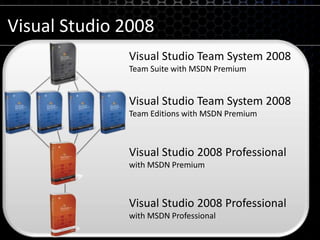
Visual Studio 2008Visual Studio Team System 2008Team Suite with MSDN PremiumVisual Studio Team System 2008Team Editions with MSDN PremiumVisual Studio 2008 Professionalwith MSDN PremiumVisual Studio 2008 Professionalwith MSDN Professional
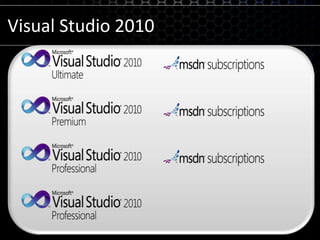
Visual Studio 2010
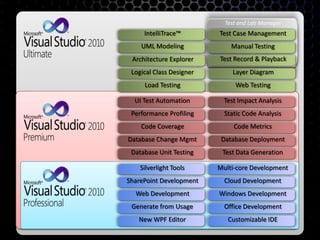
Test and Lab ManagerUML ModelingManual TestingLayer DiagramLoad TestingWeb TestingTest Case ManagementIntelliTrace™Architecture ExplorerLogical Class DesignerCloud DevelopmentOffice DevelopmentWindows DevelopmentNew WPF EditorCustomizable IDEMulti-core DevelopmentSilverlight ToolsWeb DevelopmentSharePoint DevelopmentGenerate from UsageStatic Code AnalysisDatabase DeploymentCode MetricsDatabase Unit TestingTest Data GenerationTest Impact AnalysisUI Test AutomationCode CoveragePerformance ProfilingDatabase Change MgmtTest Record & Playback
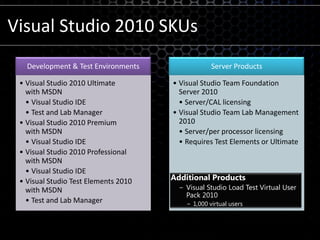
Visual Studio 2010 SKUsAdditional ProductsVisual Studio Load Test Virtual User Pack 20101,000 virtual users
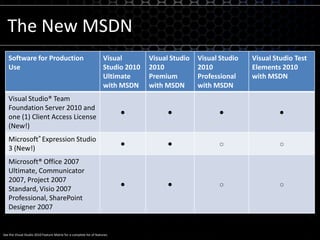
See the Visual Studio 2010 Feature Matrix for a complete list of features.The New MSDN
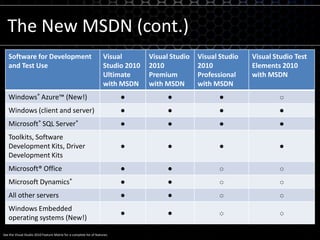
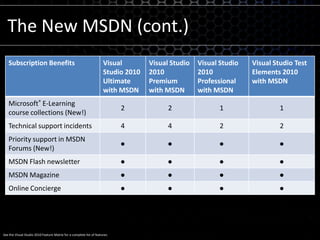
See the Visual Studio 2010 Feature Matrix for a complete list of features.The New MSDN (cont.)
Visual Studio 2010What’s New
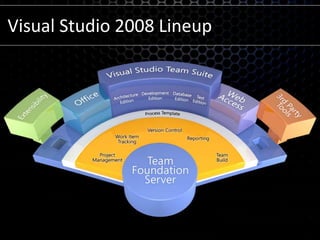
Visual Studio 2008 Lineup
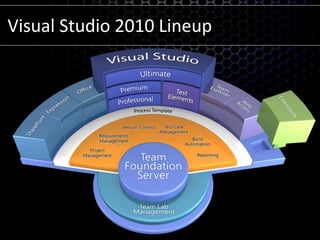
Visual Studio 2010 Lineup
Team Foundation ServerVisual Studio 2010
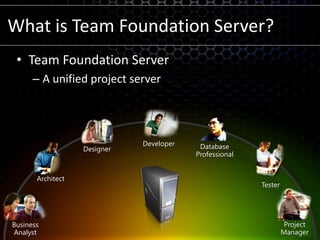
What is Team Foundation Server?Team Foundation ServerA unified project serverDeveloperDesignerDatabase ProfessionalArchitectTesterProjectManagerBusinessAnalyst
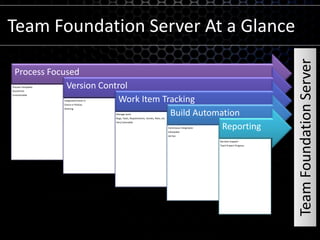
Team Foundation Server At a GlanceTeam Foundation Server
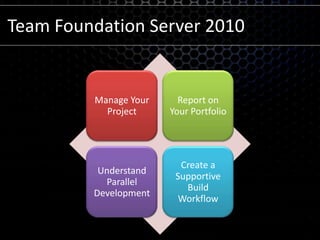
Team Foundation Server 2010
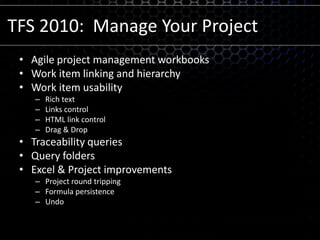
TFS 2010:  Manage Your ProjectAgile project management workbooksWork item linking and hierarchyWork item usabilityRich textLinks controlHTML link controlDrag & DropTraceability queriesQuery foldersExcel & Project improvementsProject round trippingFormula persistenceUndo
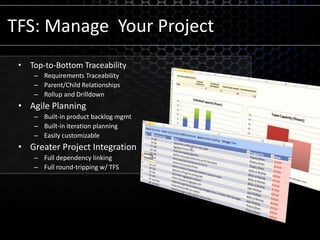
TFS: Manage  Your ProjectTop-to-Bottom TraceabilityRequirements TraceabilityParent/Child RelationshipsRollup and DrilldownAgile PlanningBuilt-in product backlog mgmtBuilt-in iteration planningEasily customizableGreater Project IntegrationFull dependency linking Full round-tripping w/ TFS
demoManage Your Project
TFS 2010: Report on Your Entire Portfolio
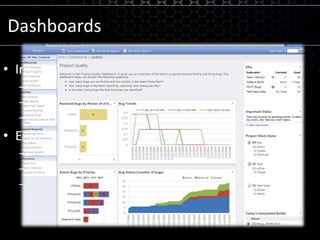
DashboardsInformation-rich dashboardsRoll-up reports show KPI’sDrill-down for further analysisQuickly customizableEasy interaction with developersWeb-based bug filingWeb-based feature requestsTrack status of bugs / features
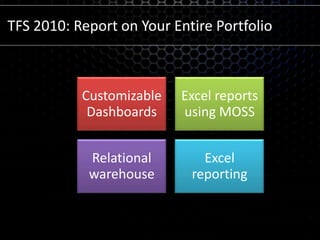
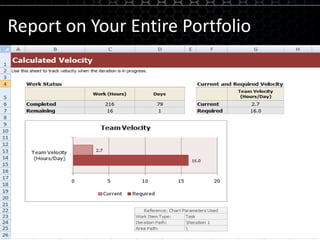
Report on Your Entire PortfolioCustomizable DashboardsSharePoint web partsTFSWAExcel reports using MOSSRelational warehouseExcel reporting
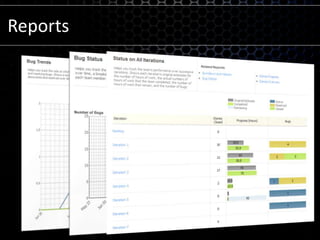
Reports
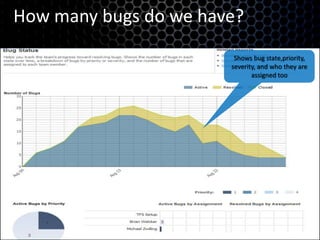
How many bugs do we have?Shows bug state,priority, severity, and who they are assigned tooShows state of bugs over time and by priority
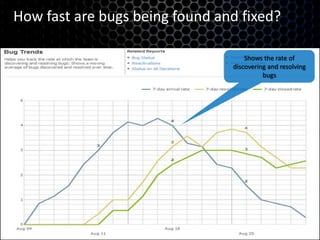
How fast are bugs being found and fixed?Shows the rate of discovering and resolving bugsTrack the rate bugs are found and fixed
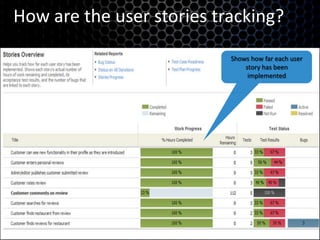
How are the user stories tracking?Shows how far each user story has been implemented
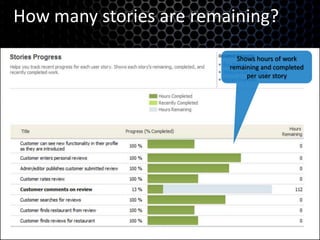
How many stories are remaining?Shows hours of work remaining and completed per user story
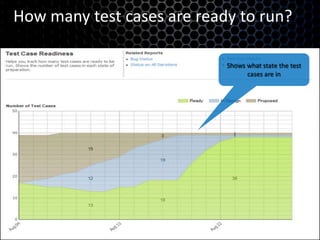
How many test cases are ready to run?Shows what state the test cases are in
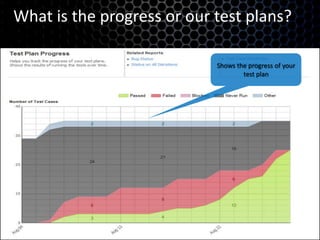
What is the progress or our test plans?Shows the progress of your test plan
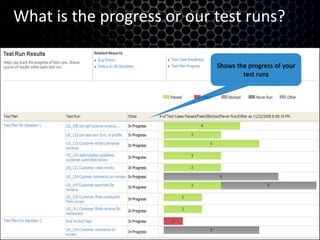
What is the progress or our test runs?Shows the progress of your test runs
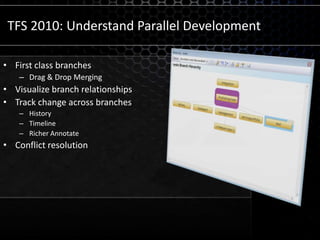
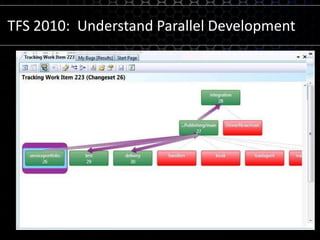
TFS 2010: Understand Parallel DevelopmentFirst class branchesDrag & Drop MergingVisualize branch relationshipsTrack change across branchesHistoryTimelineRicher AnnotateConflict resolution
TFS 2010:  Understand Parallel Development
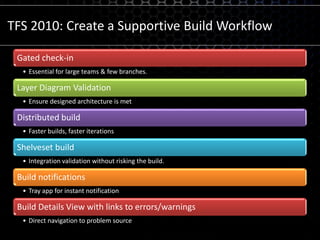
TFS 2010: Create a Supportive Build Workflow
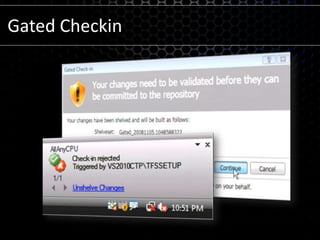
Gated Checkin
For Non-.NET DevelopmentTeamprise (acquired by Microsoft)Eclipse plug-in for TFSRich client (Java-based)Command-LineRuns on any Java-supported platform
Architecture & ModelingVisual Studio 2010
Architecture & ModelingExpanded Diagram SupportLayerArchitecture ExplorerUML DiagramsActivityComponentClassSequenceUse Case
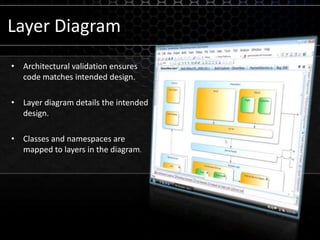
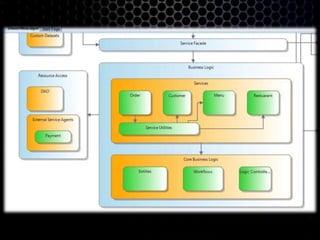
Layer DiagramArchitectural validation ensures code matches intended design.Layer diagram details the intended design.Classes and namespaces are mapped to layers in the diagram.
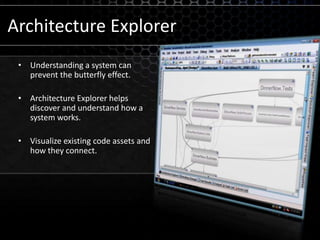
Architecture ExplorerUnderstanding a system can prevent the butterfly effect.Architecture Explorer helps discover and understand how a system works.Visualize existing code assets and how they connect.
demoArchitecture Explorer
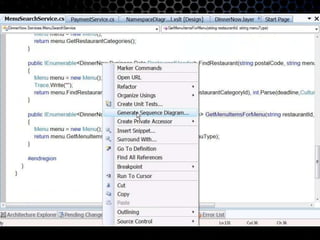
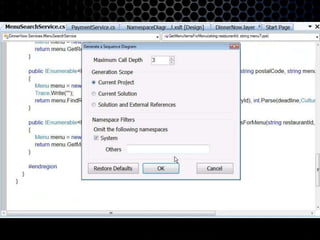
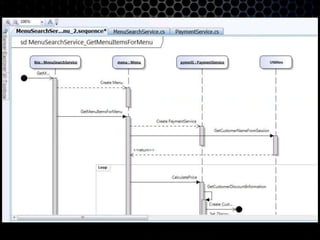
Generating Sequence Diagrams
DevelopmentVisual Studio 2010
Development
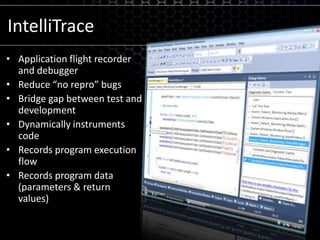
IntelliTraceApplication flight recorder and debuggerReduce “no repro” bugsBridge gap between test and developmentDynamically instruments codeRecords program execution flowRecords program data (parameters& return values)
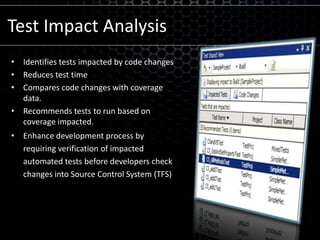
Test Impact AnalysisIdentifies tests impacted by code changesReduces test timeCompares code changes with coverage data.Recommends tests to run based on coverage impacted.Enhance development process by requiring verification of impacted automated tests before developers check changes into Source Control System (TFS)
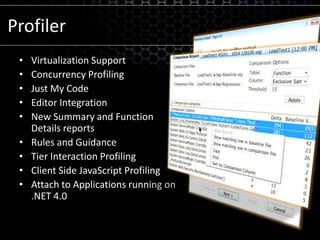
ProfilerVirtualization SupportConcurrency ProfilingJust My CodeEditor IntegrationNew Summary and Function Details reportsRules and GuidanceTier Interaction Profiling Client Side JavaScript Profiling Attach to Applications running on .NET 4.0
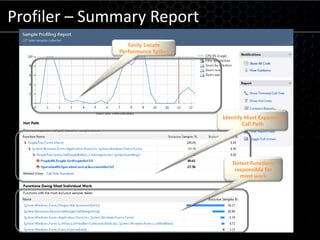
Profiler – Summary Report Easily Locate Performance SpikesIdentify Most Expensive Call PathDetect Functions responsible for most work
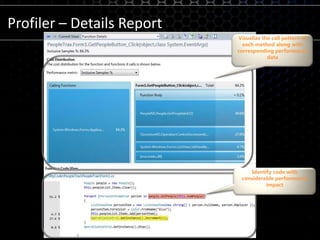
Profiler – Details ReportVisualize the call pattern of each method along with corresponding performance dataIdentify code with considerable performance impact
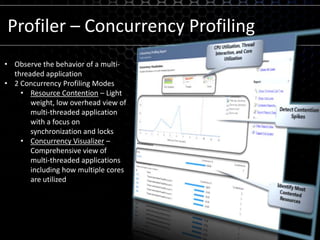
Profiler – Concurrency ProfilingObserve the behavior of a multi-threaded application
2 Concurrency Profiling Modes
Resource Contention – Light weight, low overhead view of multi-threaded application with a focus on synchronization and locks
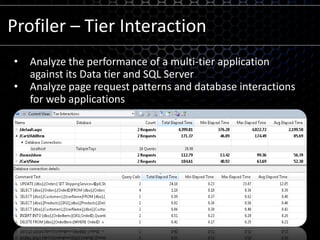
Concurrency Visualizer – Comprehensive view of multi-threaded applications including how multiple cores are utilizedProfiler – Tier InteractionAnalyze the performance of a multi-tier application against its Data tier and SQL Server
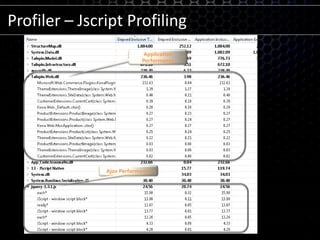
Analyze page request patterns and database interactions for web applicationsProfiler – Jscript Profiling Application PerformanceAjax Performance
Database DevelopmentAdditional refactoring optionsRename objectRename server or database referencesMove database object between schemasFully qualify database object namesExpand wildcards in SELECT statementsOracle support is in Beta (from Quest)
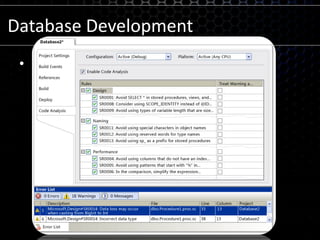
Database DevelopmentImproved Database Code AnalysisT-SQL Design IssuesT-SQL Naming IssuesT-SQL Performance Issues
TestingVisual Studio 2010
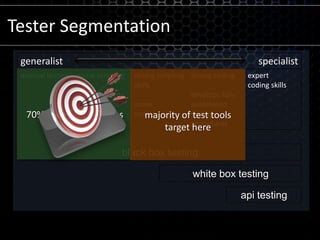
Tester Segmentation70% of testing happens heremajority of test tools target hereblack box testingwhite box testingapi testing
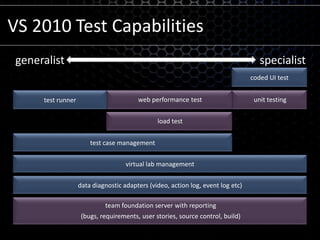
VS 2010 Test Capabilitiesgeneralistspecialistcoded UI testunit testingweb performance testtest runnerload testtest case managementvirtual lab managementdata diagnostic adapters (video, action log, event log etc)team foundation server with reporting(bugs, requirements, user stories, source control, build)
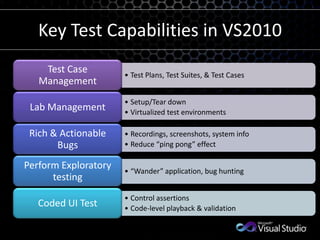
Key Test Capabilities in VS2010
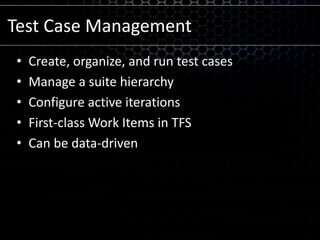
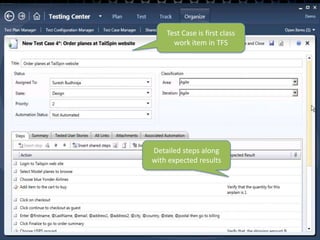
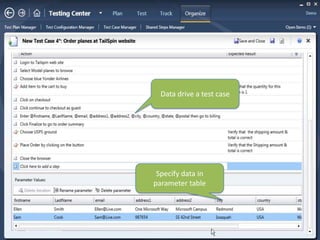
Test Case ManagementCreate, organize, and run test casesManage a suite hierarchyConfigure active iterationsFirst-class Work Items in TFSCan be data-driven
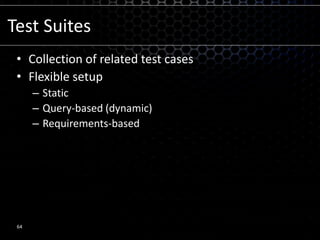
Test SuitesCollection of related test casesFlexible setupStaticQuery-based (dynamic)Requirements-based64
demoTest Case Management
Microsoft Confidential66Test Case is first class work item in TFSDetailed steps along with expected results
Microsoft Confidential67Data drive a test caseSpecify data in parameter table
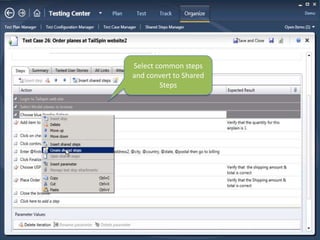
Microsoft Confidential68Select common steps and convert to Shared Steps
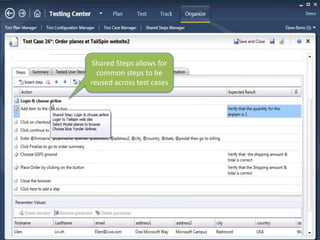
Microsoft Confidential69Shared Steps allows for common steps to be reused across test cases
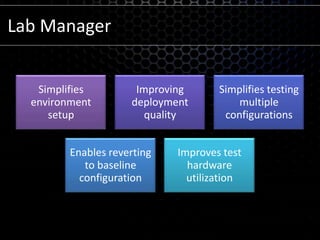
Lab Manager
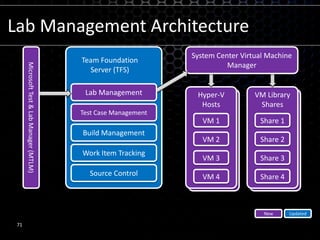
Lab Management ArchitectureSystem Center Virtual Machine ManagerTeam Foundation Server (TFS)Lab ManagementTest Case ManagementMicrosoft Test & Lab Manager (MTLM)Build ManagementHyper-VHostsVM LibrarySharesWork Item TrackingVM 1Share 1Source ControlVM 2Share 2VM 3Share 3UpdatedNewVM 4Share 471
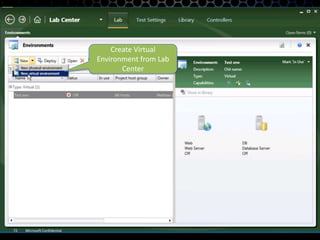
Microsoft Confidential72Create Virtual Environment from Lab Center
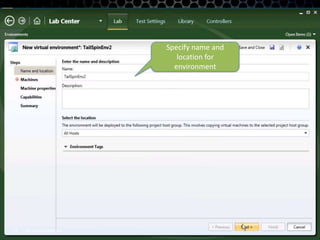
Microsoft Confidential73Specify name and location for environment
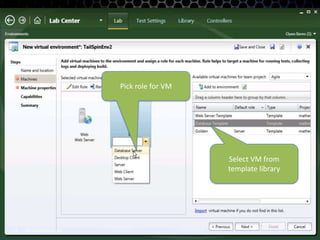
Microsoft Confidential74Pick role for VMSelect VM from template library
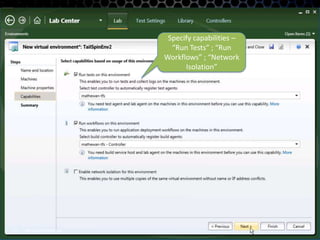
Microsoft Confidential75Specify capabilities – “Run Tests” ; “Run Workflows” ; “Network Isolation”
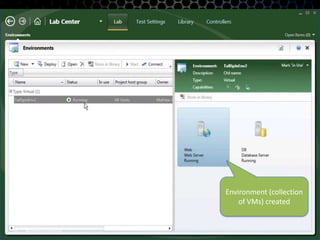
Microsoft Confidential76Environment (collection of VMs) created
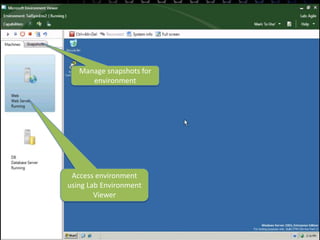
Microsoft Confidential77Manage snapshots for environmentAccess environment using Lab Environment Viewer
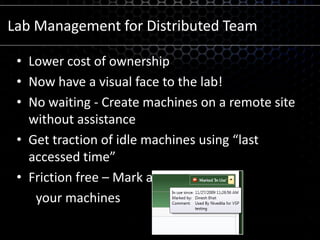
Lab Management for Distributed TeamLower cost of ownership Now have a visual face to the lab! No waiting - Create machines on a remote site without assistanceGet traction of idle machines using “last accessed time”Friction free – Mark and reserve      your machines
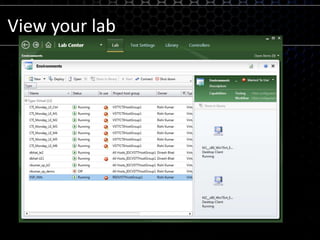
View your lab
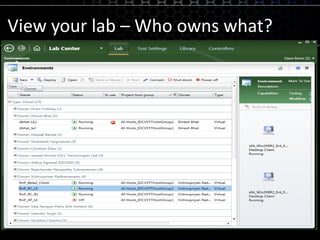
View your lab – Who owns what?
Coded UI TestPuts recorded actions into codeDissects action against executing codeCan be associated against test caseMicrosoft Confidential81
demoCoded UI Test
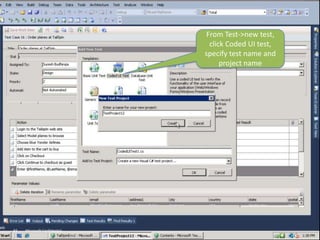
Microsoft Confidential83From Test->new test, click Coded UI test, specify test name and project name
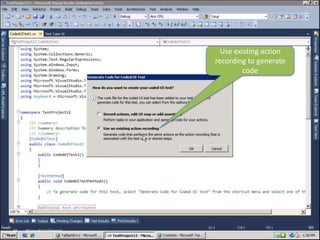
Microsoft Confidential84Use existing action recording to generate code
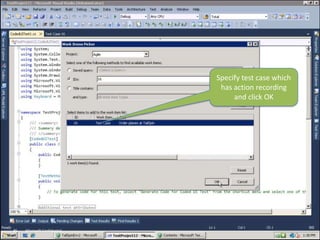
Microsoft Confidential85Specify test case which has action recording and click OK
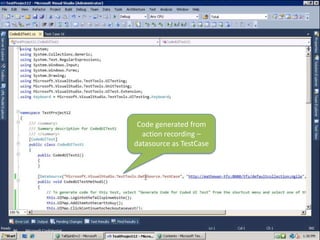
Microsoft Confidential86Code generated from action recording – datasource as TestCase
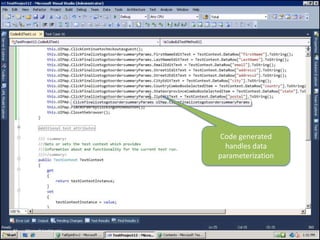
Microsoft Confidential87Code generated handles data parameterization
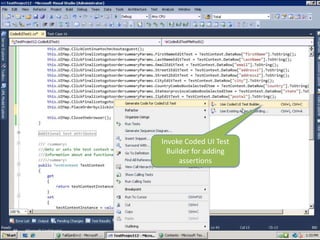
Microsoft Confidential88Invoke Coded UI Test Builder for adding assertions
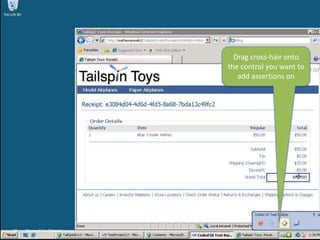
Microsoft Confidential89Drag cross-hair onto the control you want to add assertions on
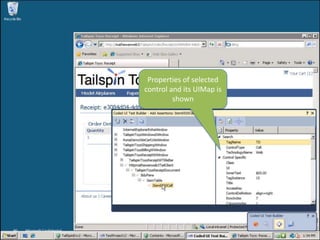
Microsoft Confidential90Properties of selected control and its UIMap is shown
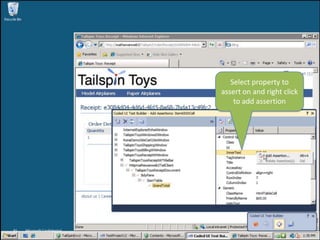
Microsoft Confidential91Select property to assert on and right click to add assertion
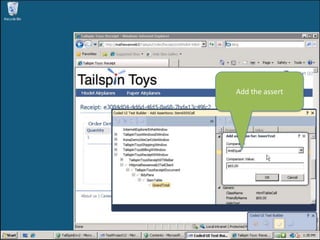
Microsoft Confidential92Add the assert
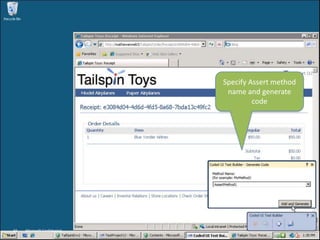
Microsoft Confidential93Specify Assert method name and generate code
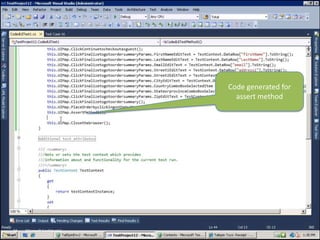
Microsoft Confidential94Code generated for assert method
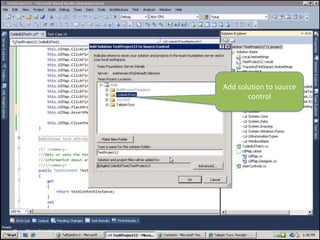
Microsoft Confidential95Add solution to source control
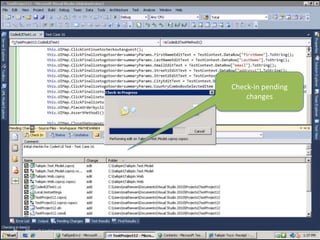
Microsoft Confidential96Check-in pending changes
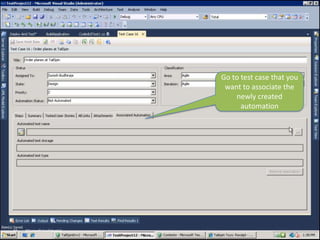
Microsoft Confidential97Go to test case that you want to associate the newly created automation
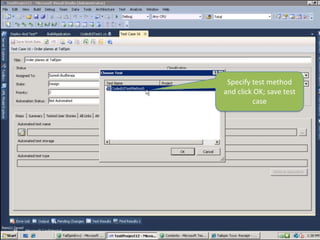
Microsoft Confidential98Specify test method and click OK; save test case
Thank You!Questions?

Whats New In 2010 (Msdn & Visual Studio)