

Team Foundation Server 2010Testing WorkshopEd BlankenshipMicrosoft MVP (TFS, Visual Studio ALM, and VSTS)Notion Solutions, Inc.www.notionsolutions.com
About Ed BlankenshipMicrosoft MVP of the Year
ALM/TFS Consultant at Notion Solutions
Live in Charleston, SC
Blog:  http://edsquared.com
Twitter:  @EdBlankenship
E-Mail:  edb@notionsolutions.com
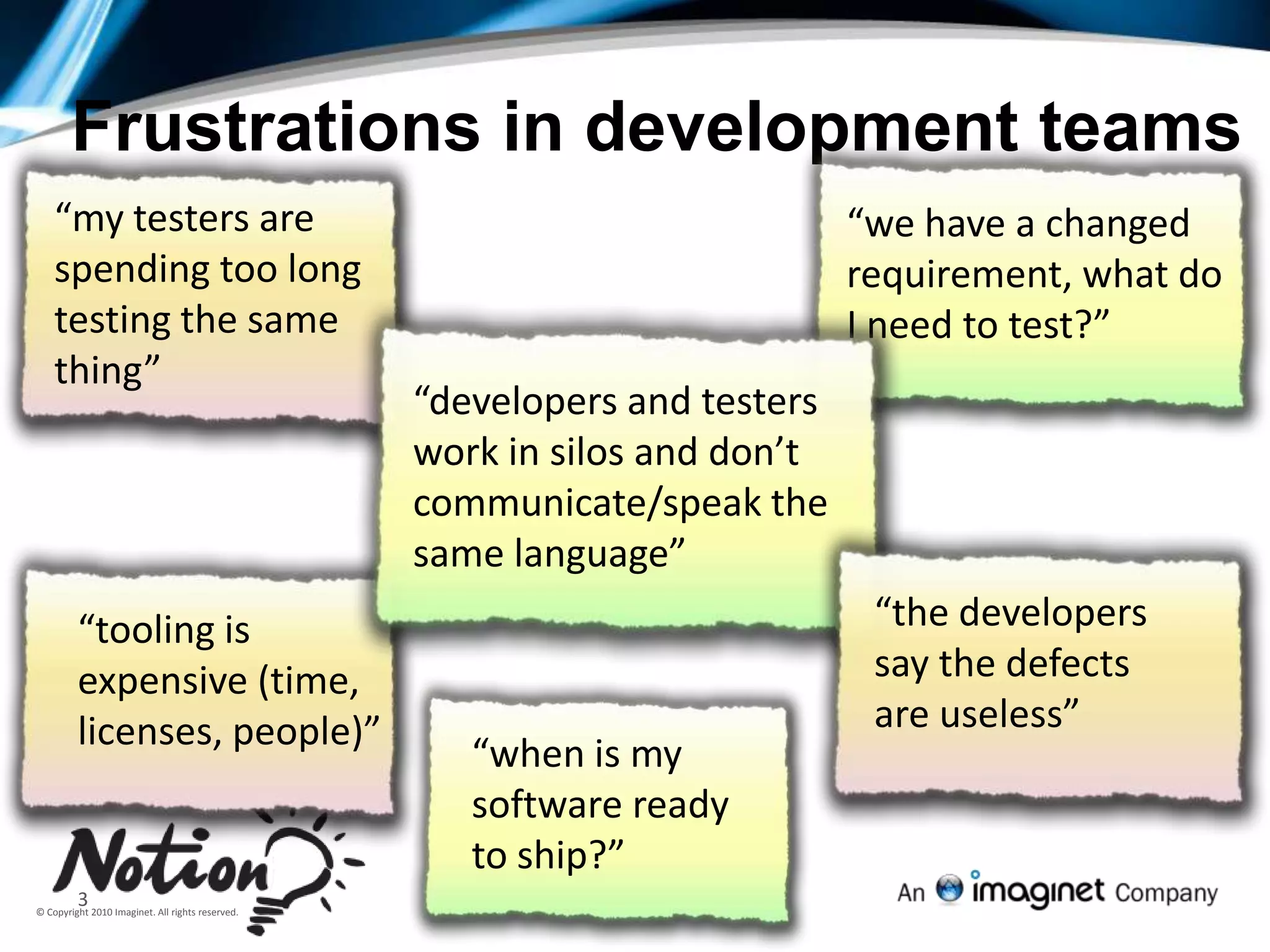
Author - Wrox TFS 2010 Book:  http://bit.ly/TFS2010BookFrustrations in development teams“my testers are spending too long testing the same thing”“tooling is expensive (time, licenses, people)”“the developers say the defects are useless”“when is my software ready to ship?”“we have a changed requirement, what do I need to test?”“developers and testers work in silos and don’t communicate/speak the same language”3
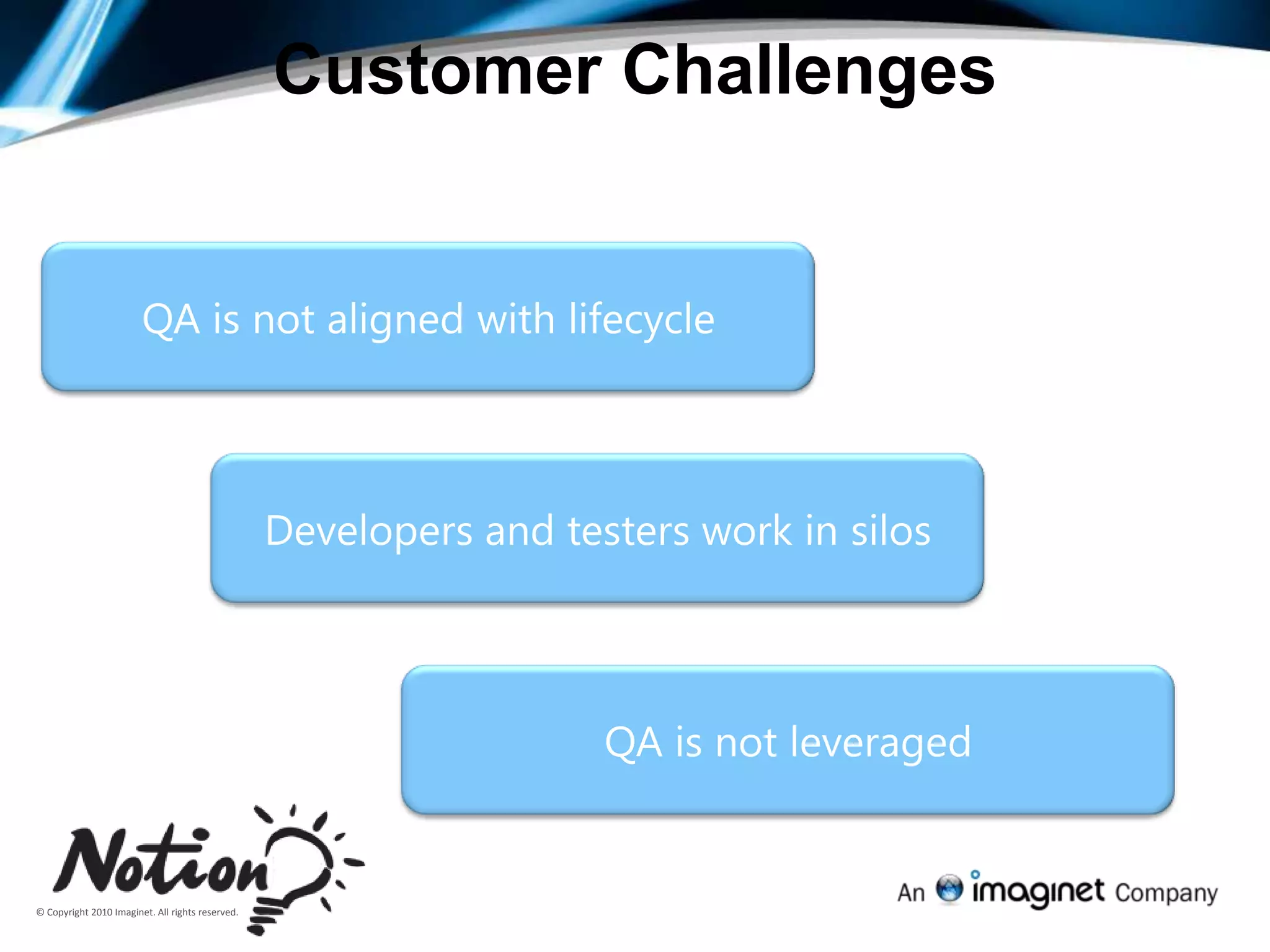
Customer Challenges QA is not aligned with lifecycleDevelopers and testers work in silosQA is not leveraged
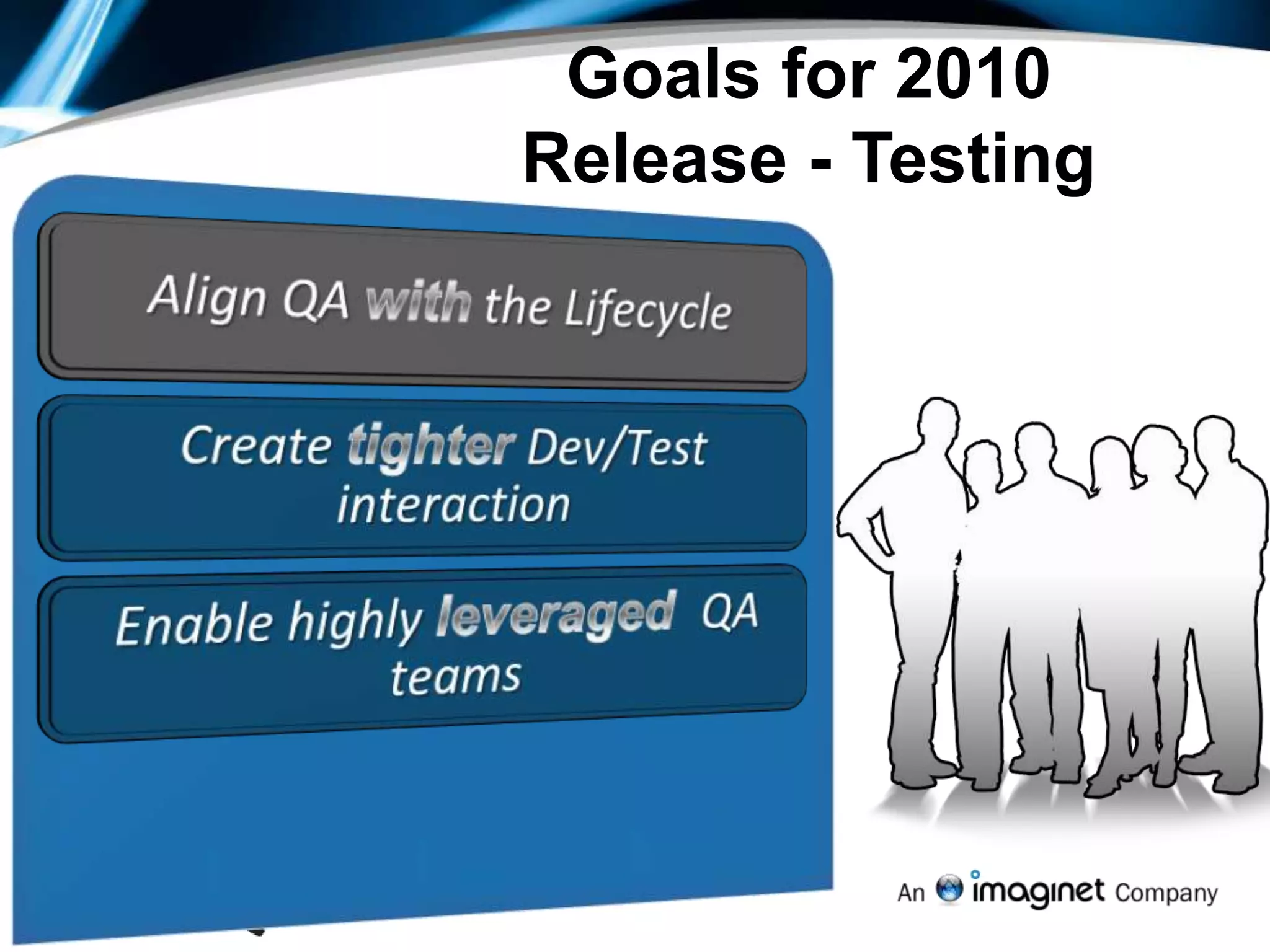
Goals for 2010 Release - TestingAlign QA with the LifecycleCreate tighter Dev/Test interactionEnable highly leveraged  QA teams
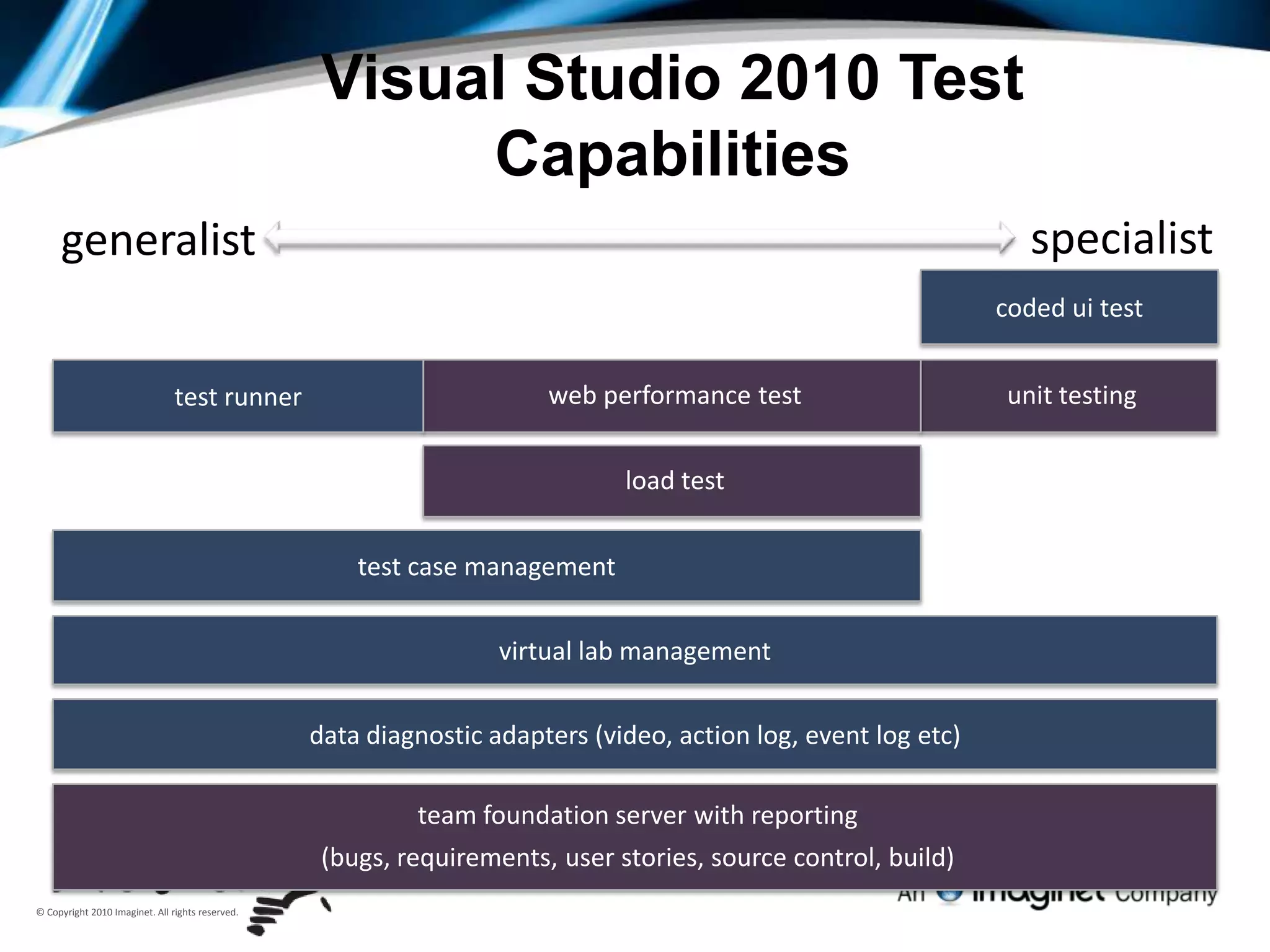
Visual Studio 2010 Test Capabilitiesspecialistgeneralistcoded ui testunit testingweb performance testtest runnerload testtest case managementvirtual lab managementdata diagnostic adapters (video, action log, event log etc)team foundation server with reporting(bugs, requirements, user stories, source control, build)
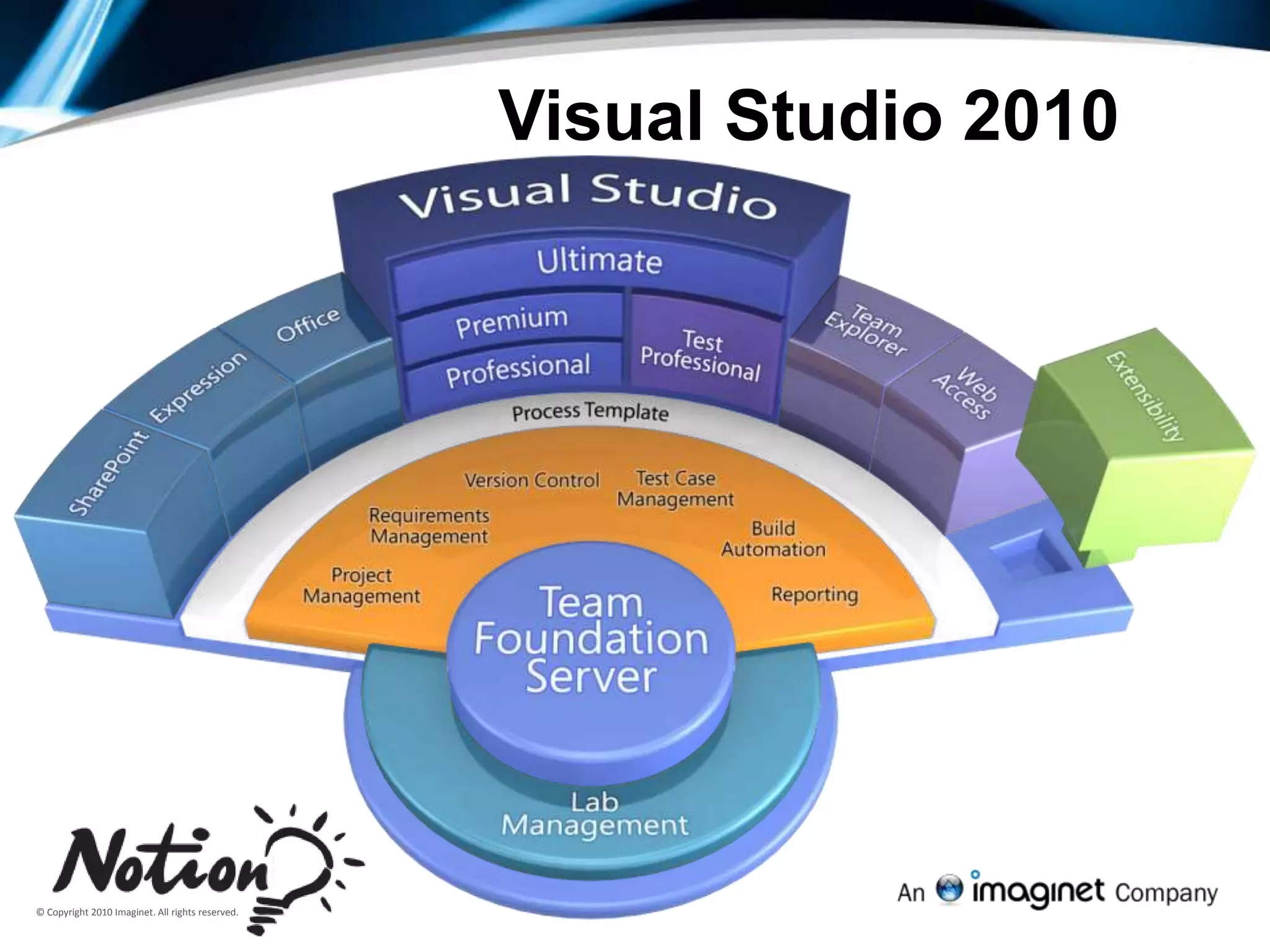
Visual Studio 2010
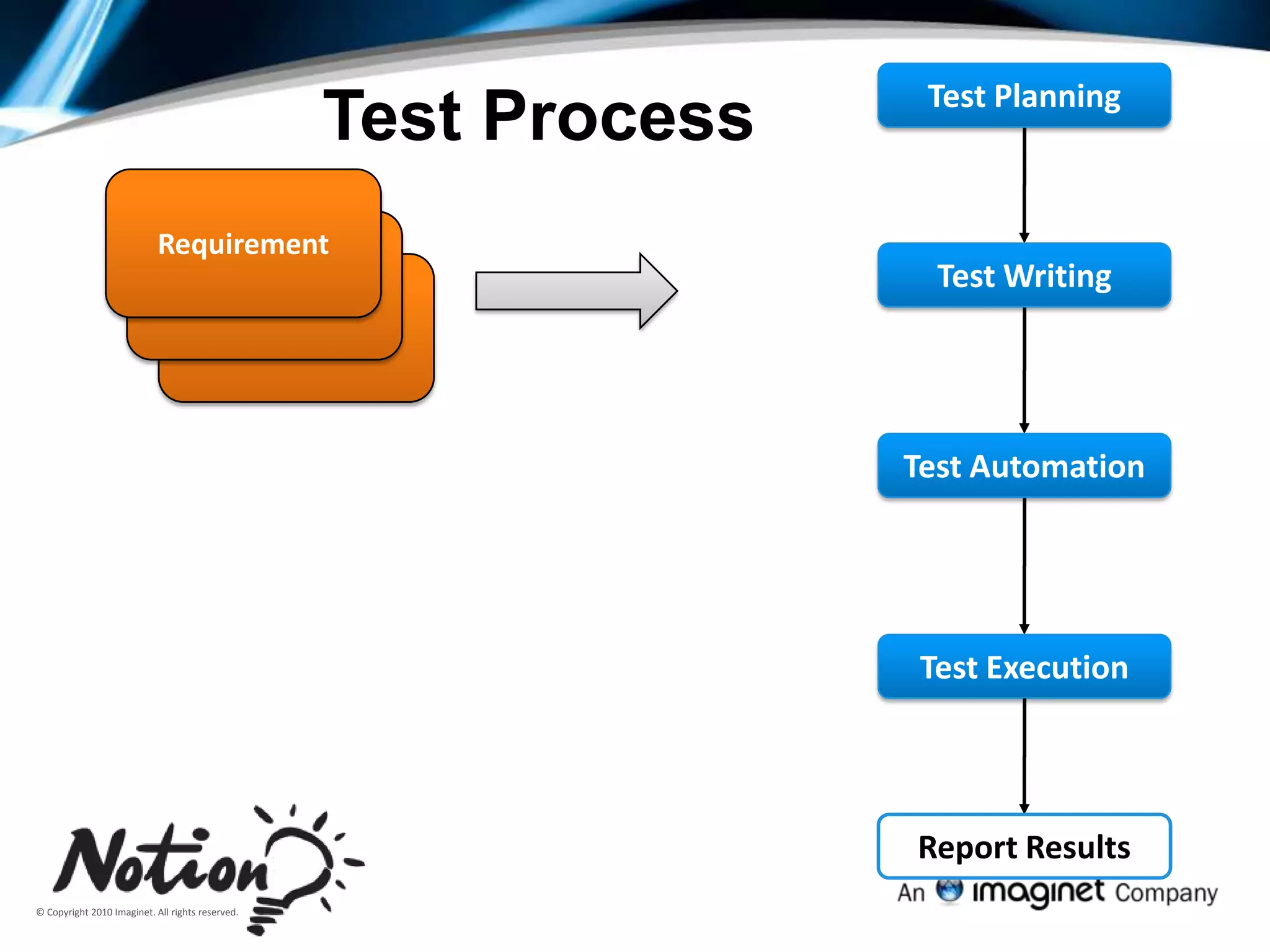
Test PlanningTest ProcessRequirementRequirementTest WritingRequirementTest AutomationTest ExecutionReport Results
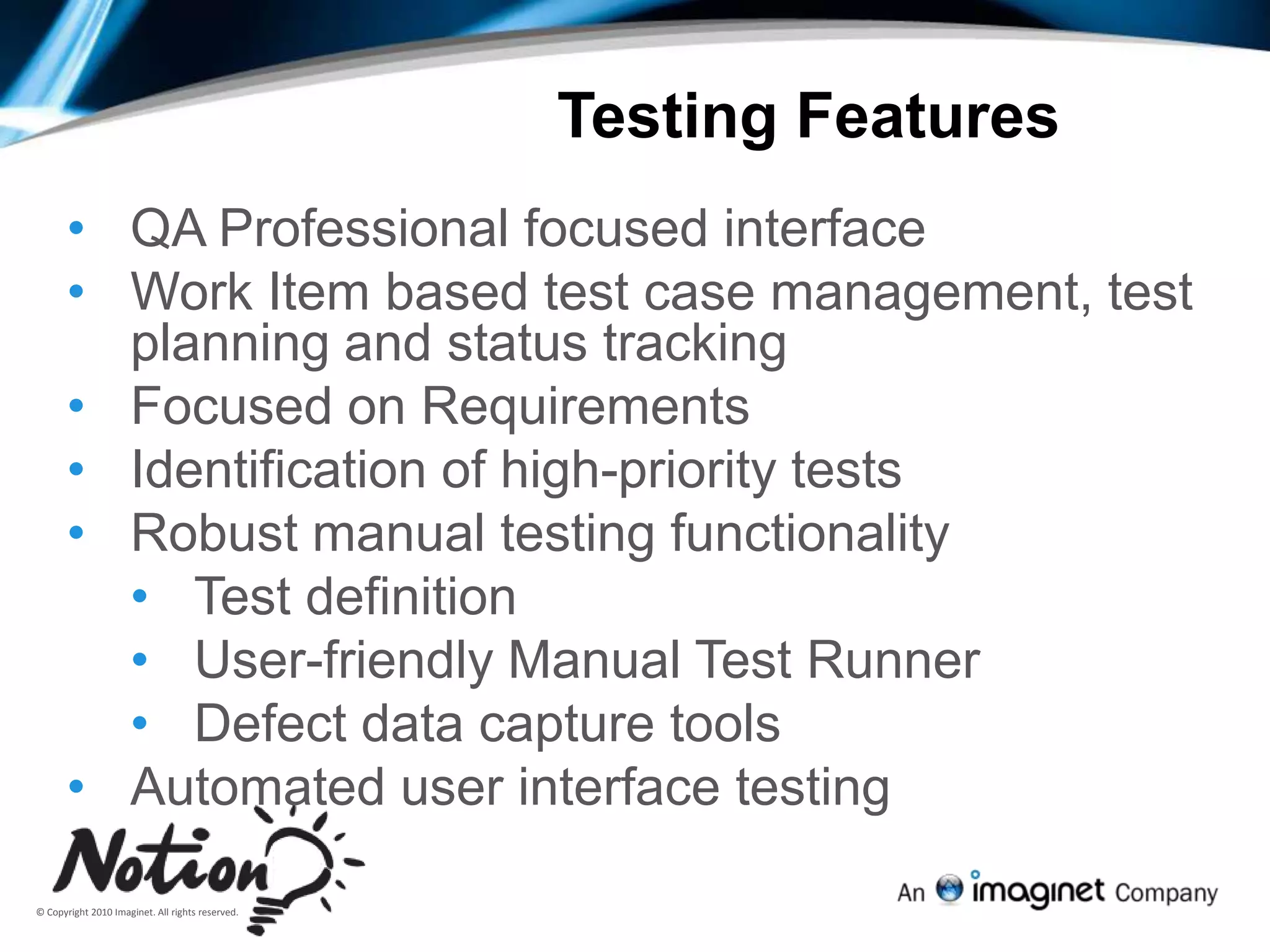
Testing FeaturesQA Professional focused interface
Work Item based test case management, test planning and status tracking
Focused on Requirements
Identification of high-priority tests
Robust manual testing functionality
Test definition
User-friendly Manual Test Runner
Defect data capture tools
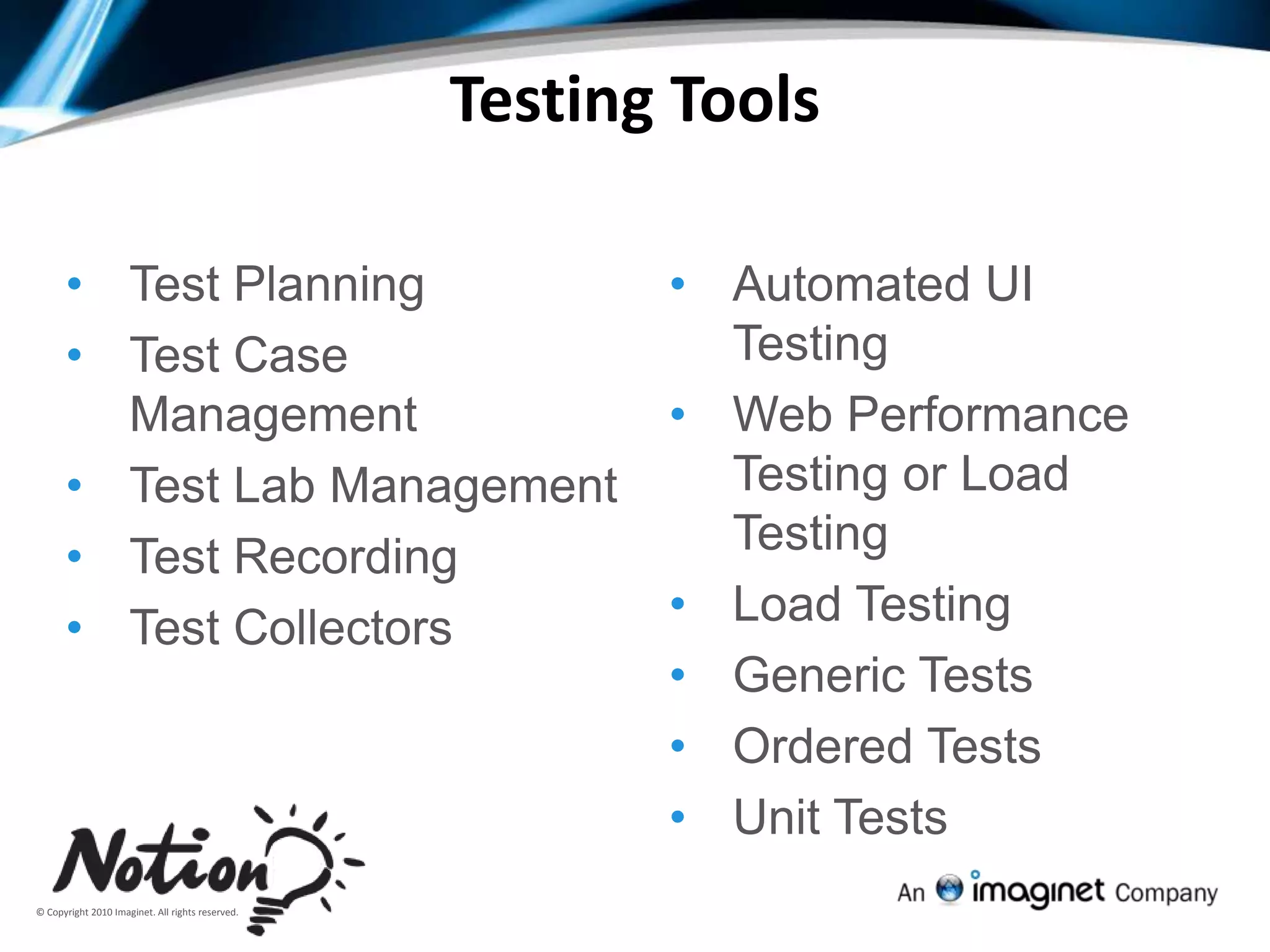
Automated user interface testingTesting ToolsTest Planning
Test Case Management
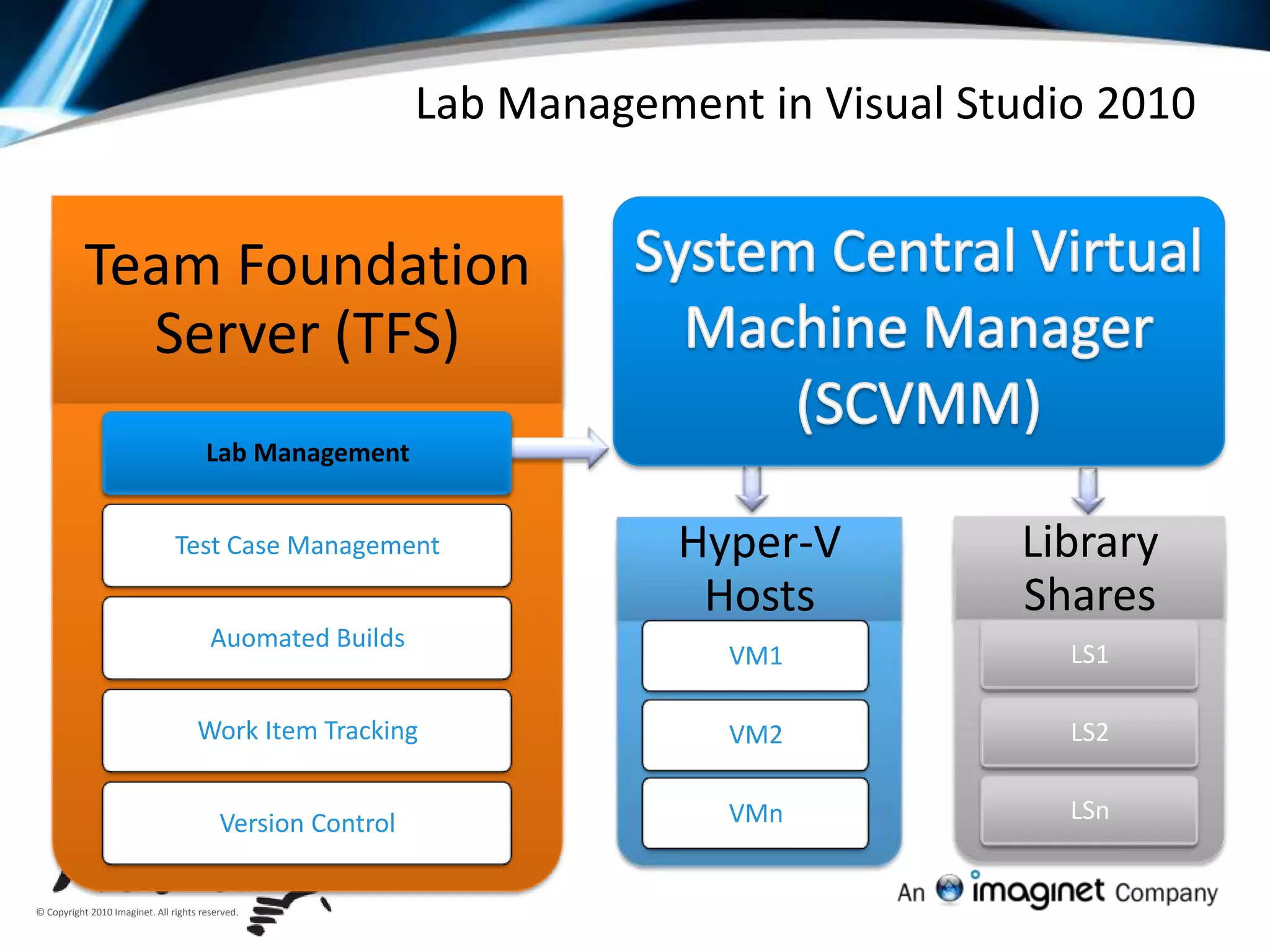
Test Lab Management
Test Recording
Test Collectors
Automated UI Testing
Web Performance Testing or Load Testing
Load Testing
Generic Tests
Ordered Tests
Unit Tests11Test Case Management
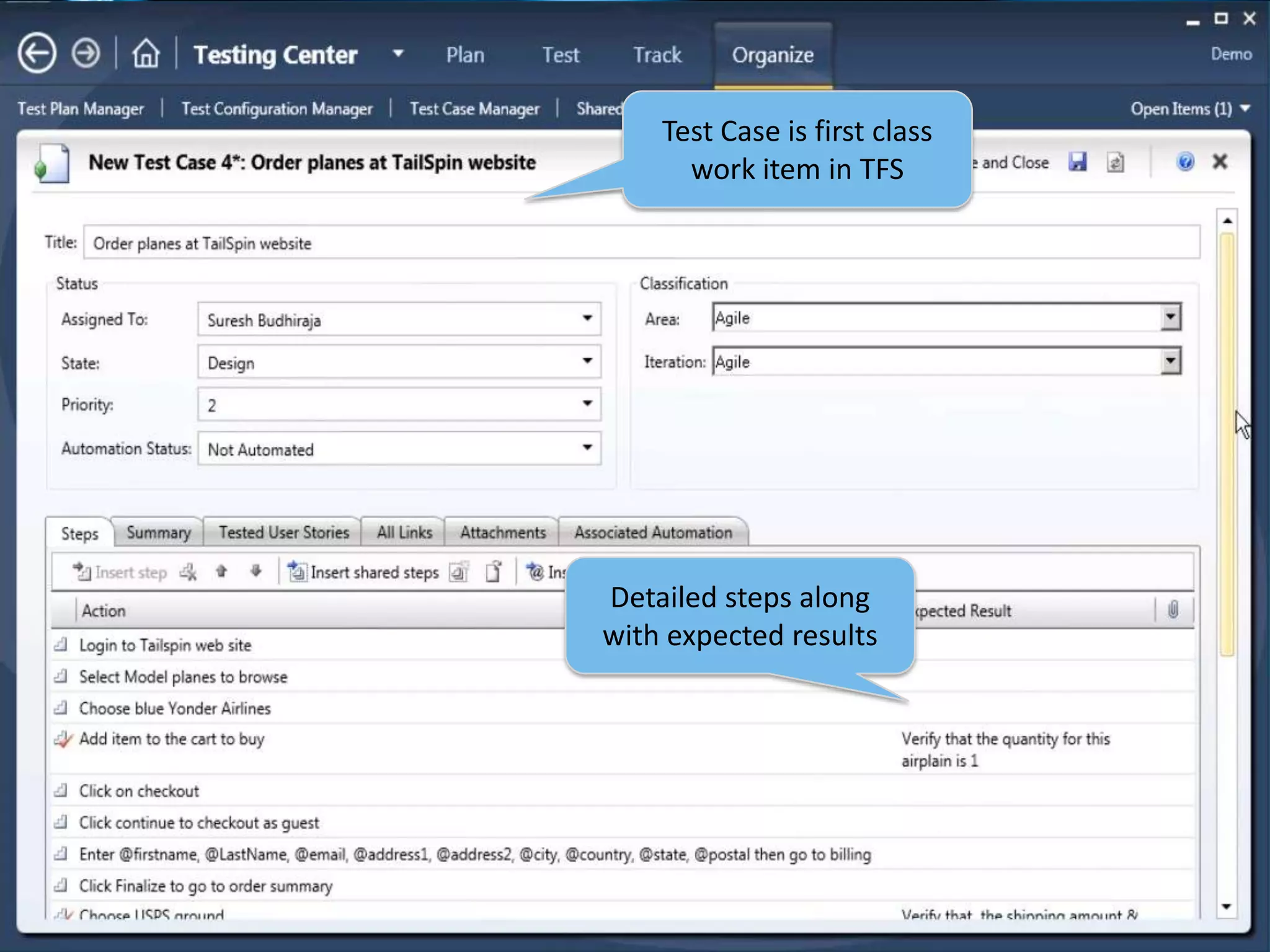
12Test Case is first class work item in TFSDetailed steps along with expected results
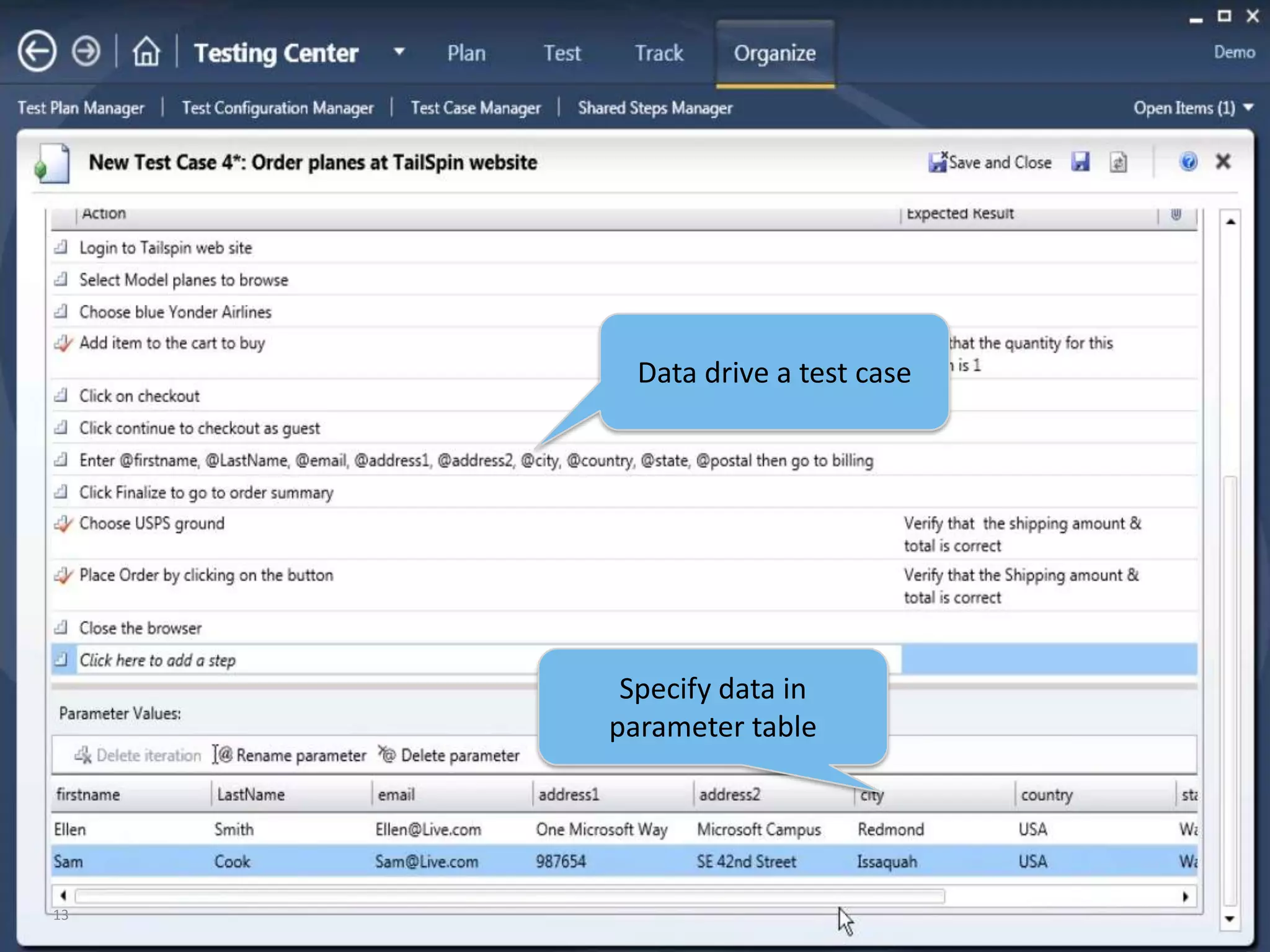
13Data drive a test caseSpecify data in parameter table
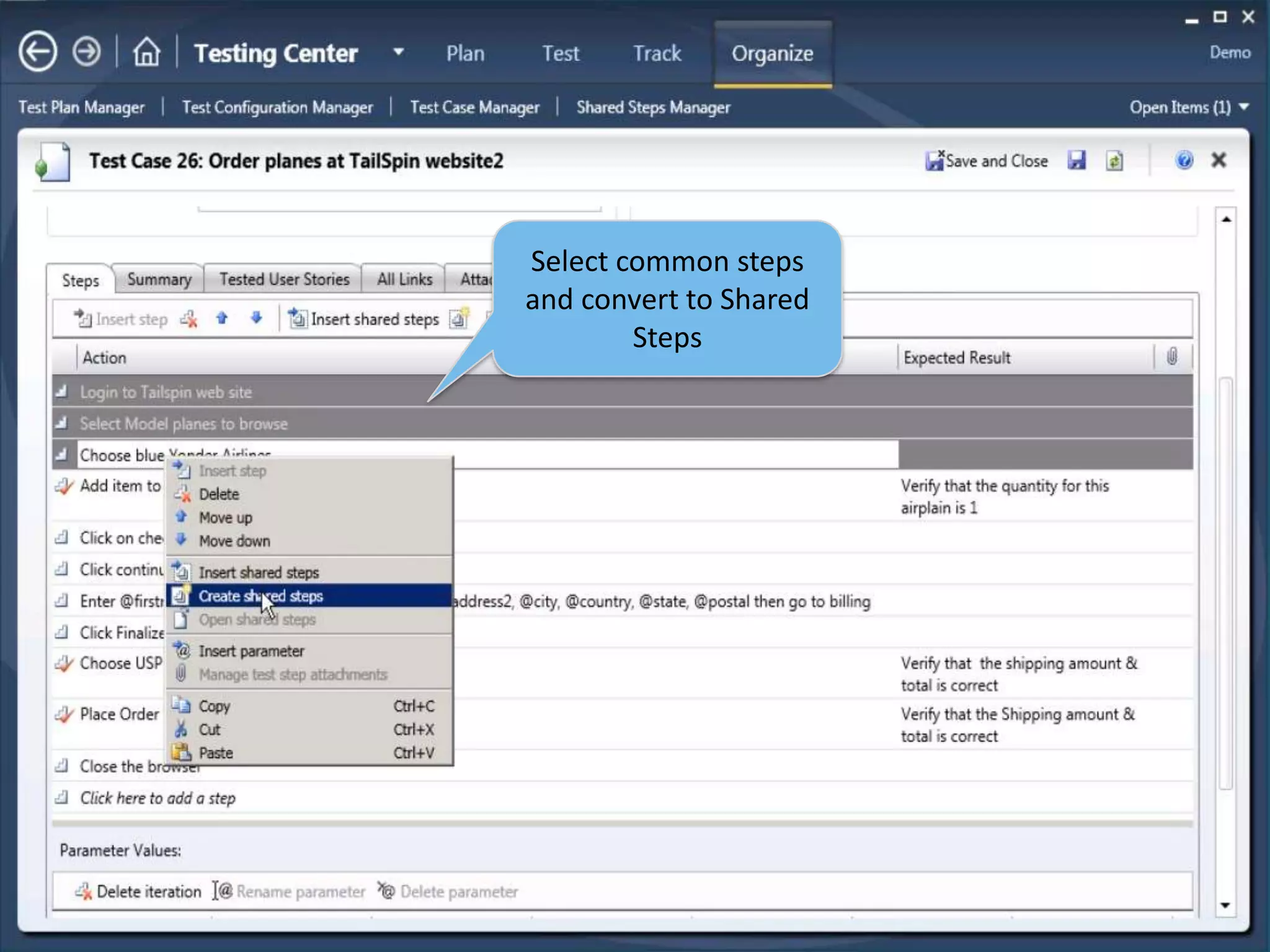
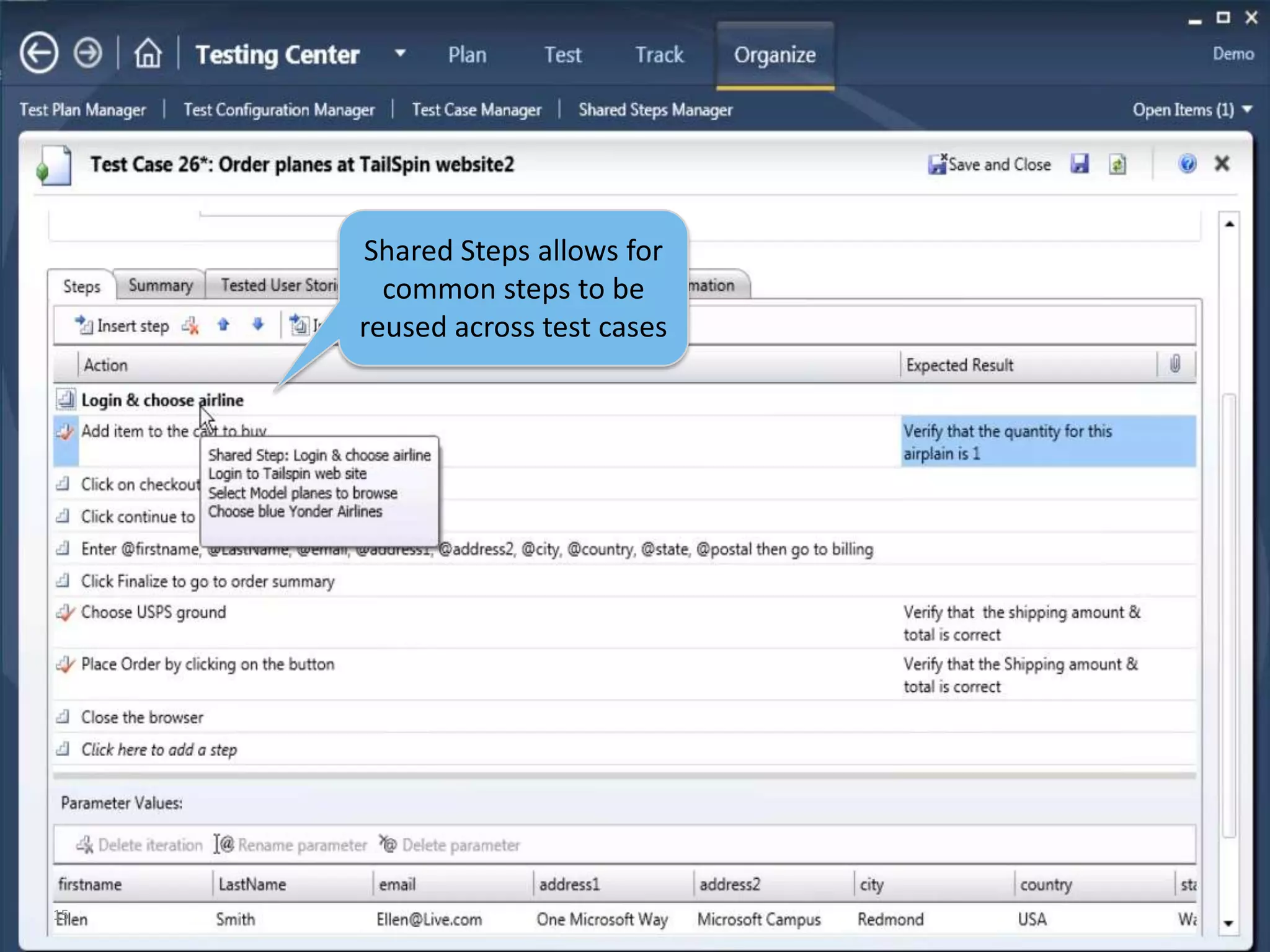
14Select common steps and convert to Shared Steps
15Shared Steps allows for common steps to be reused across test cases
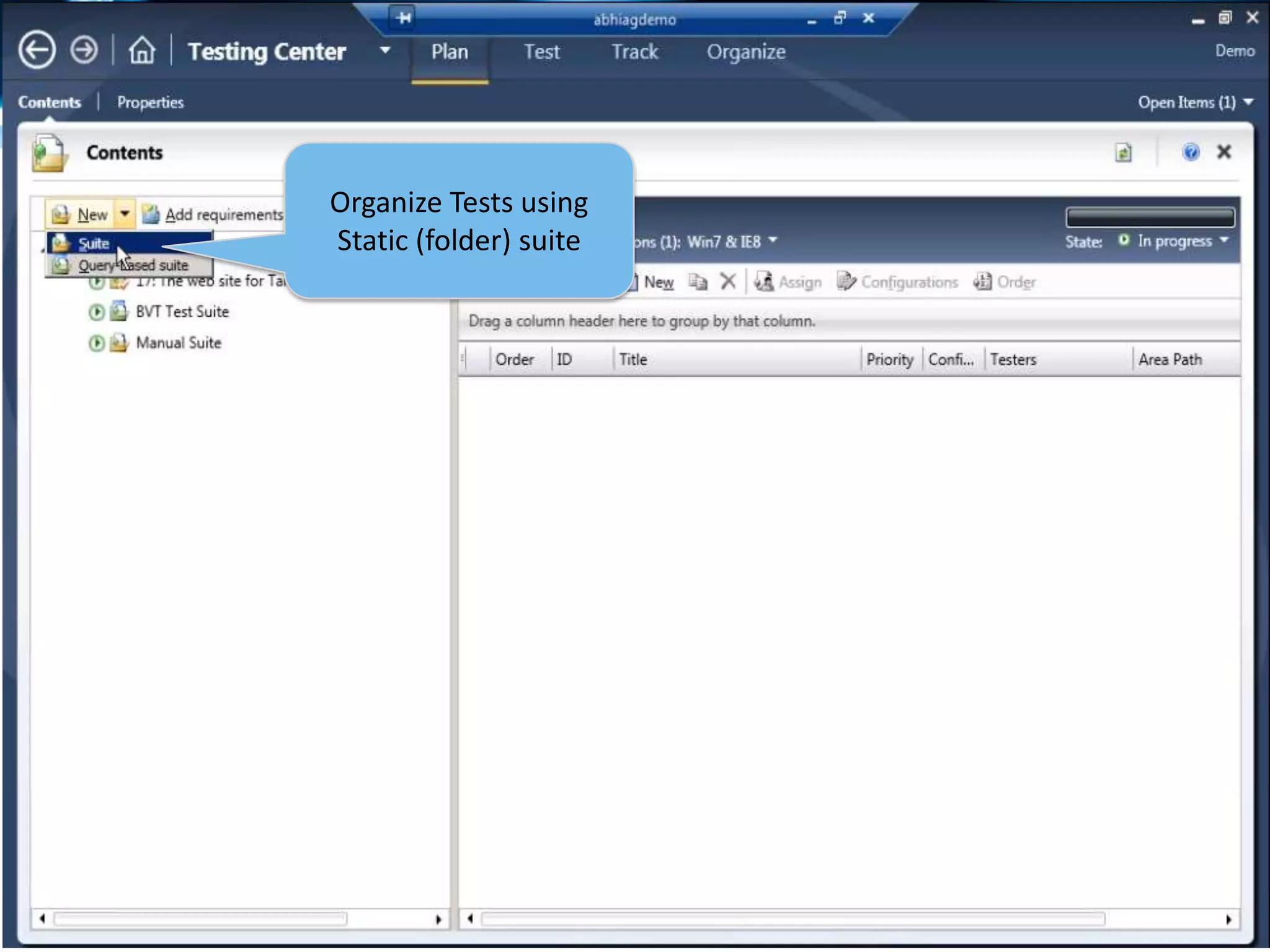
16Organize Tests using Static (folder) suite
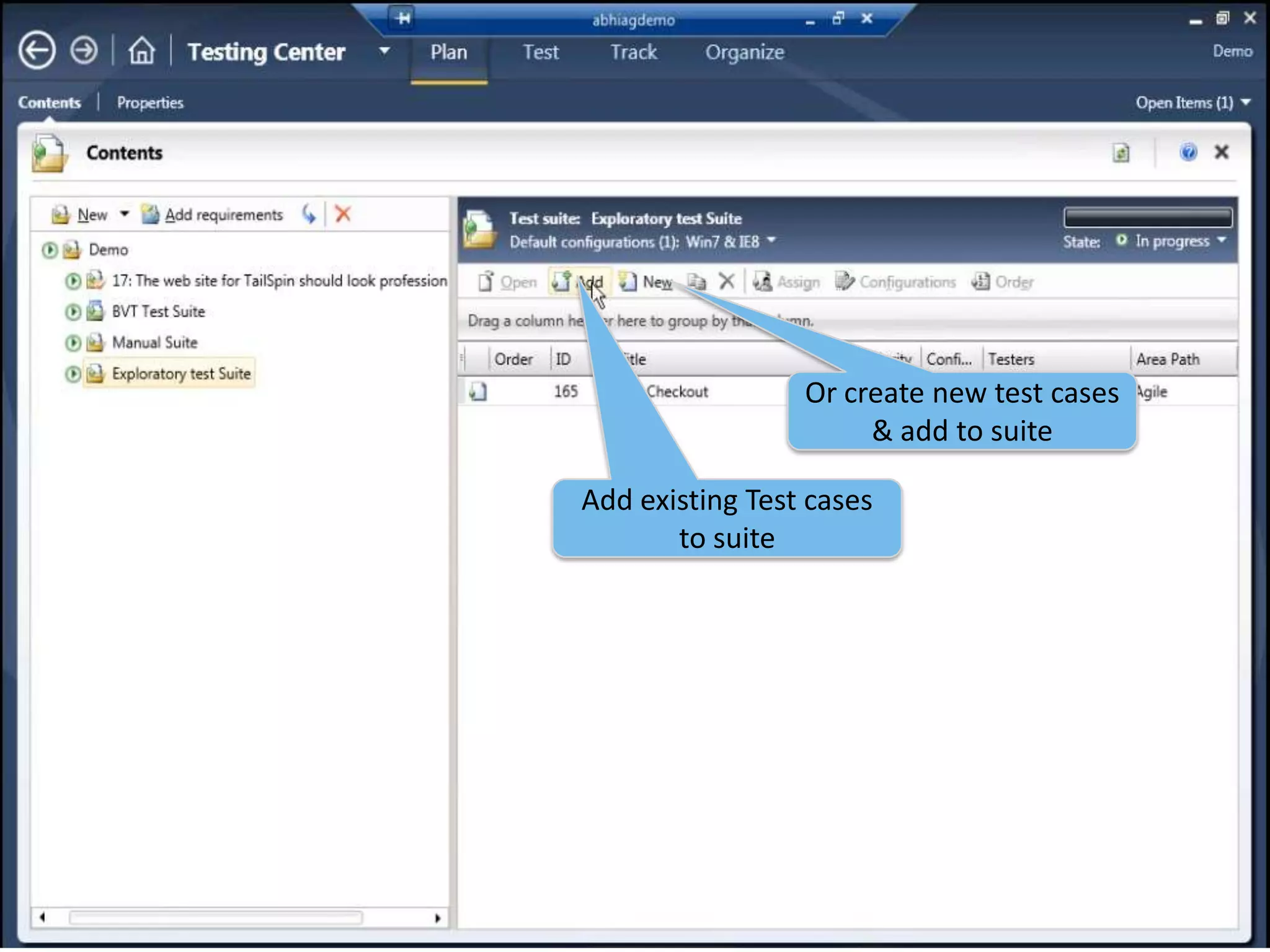
17Or create new test cases & add to suiteAdd existing Test cases to suite
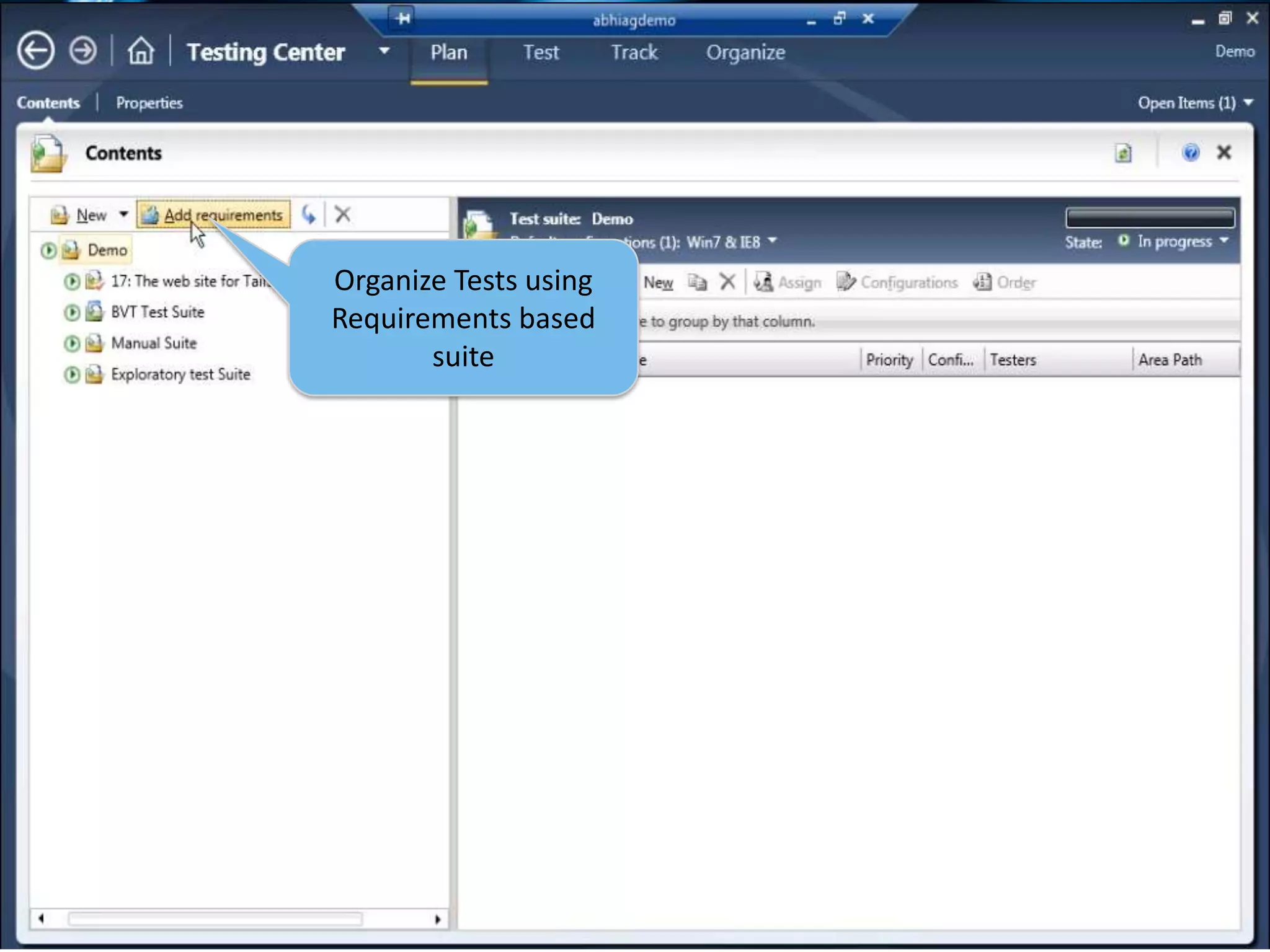
18Organize Tests using Requirements based suite
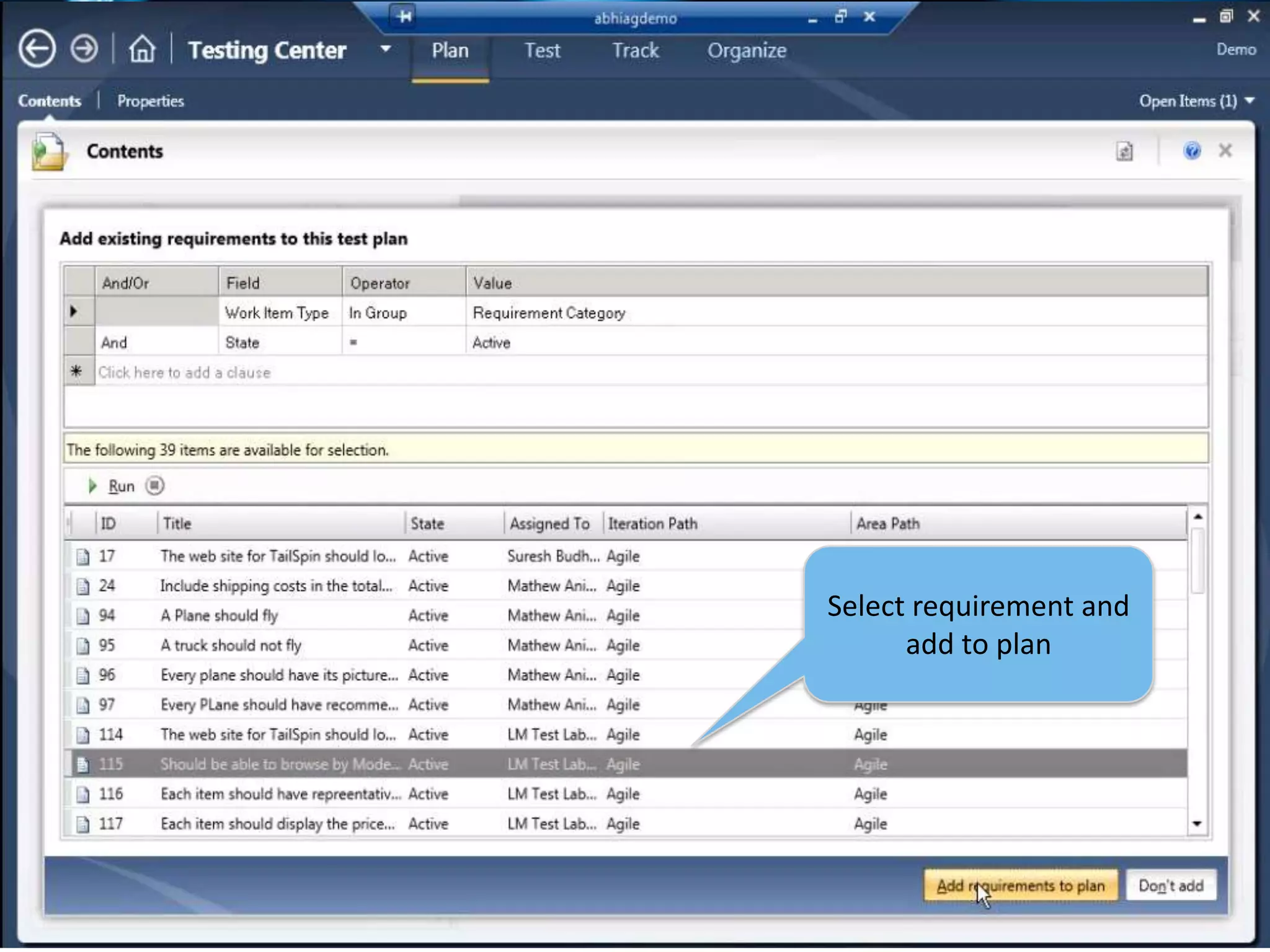
19Select requirement and add to plan
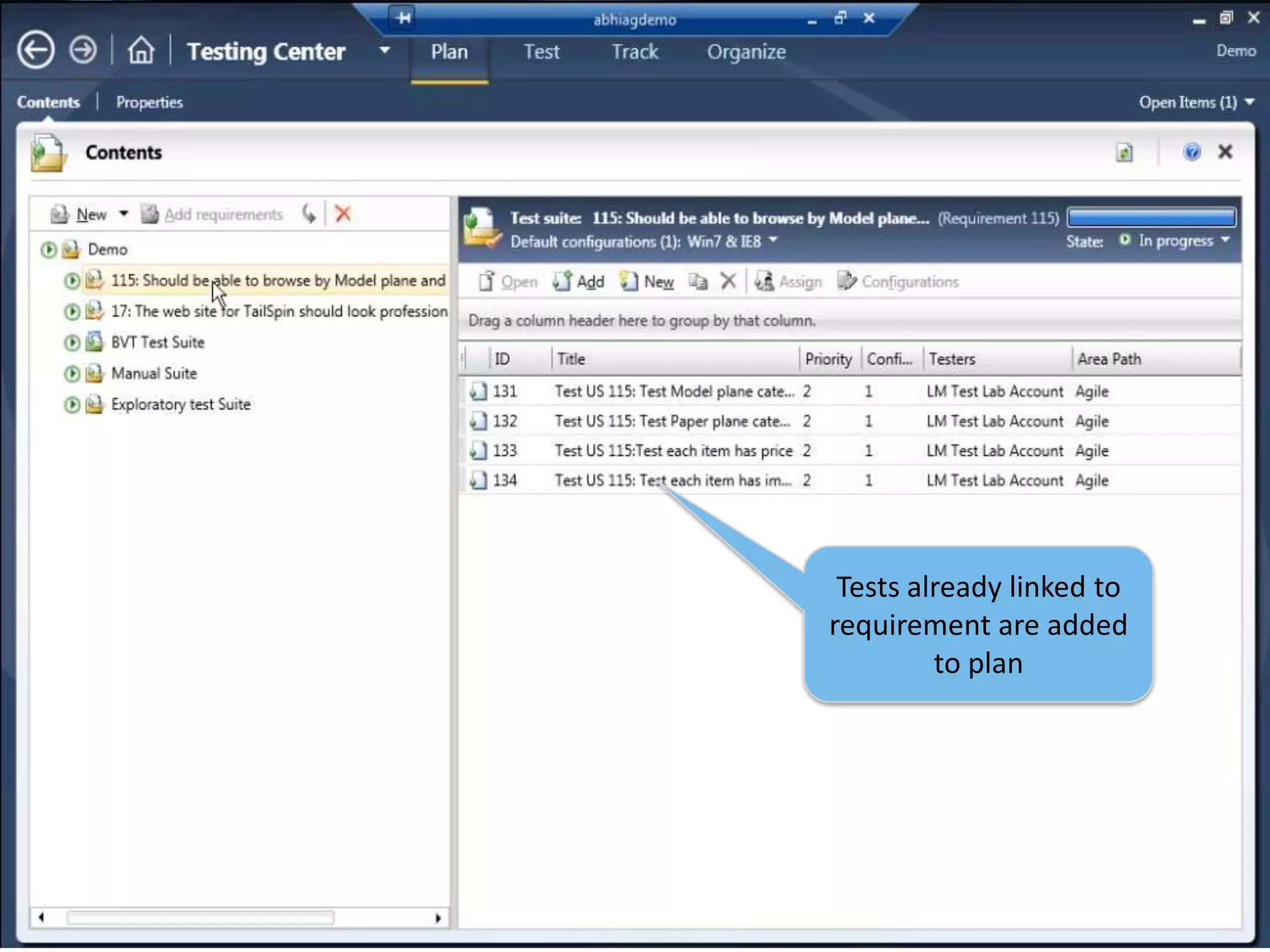
20Tests already linked to requirement are added to plan
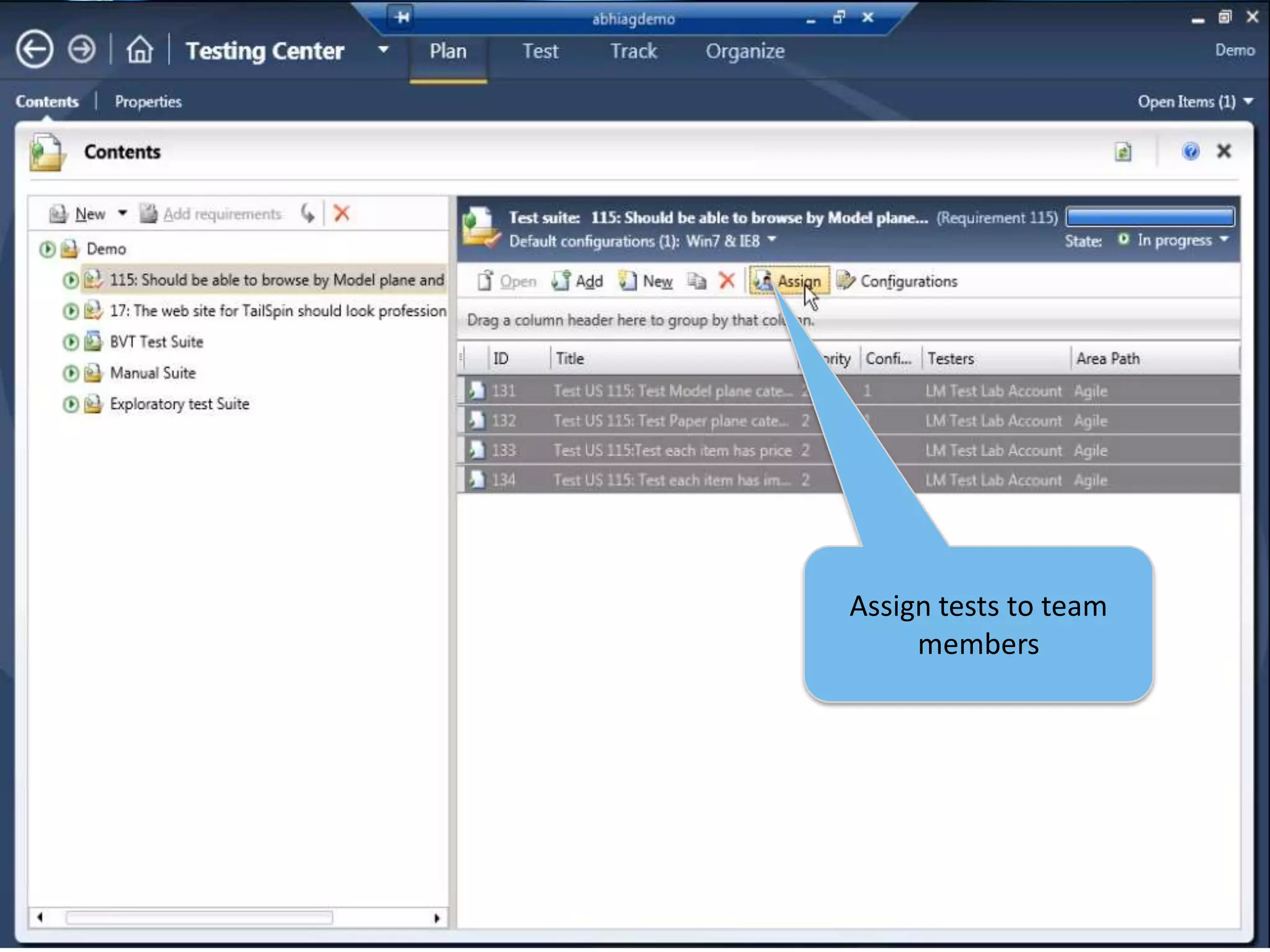
21Assign tests to team members
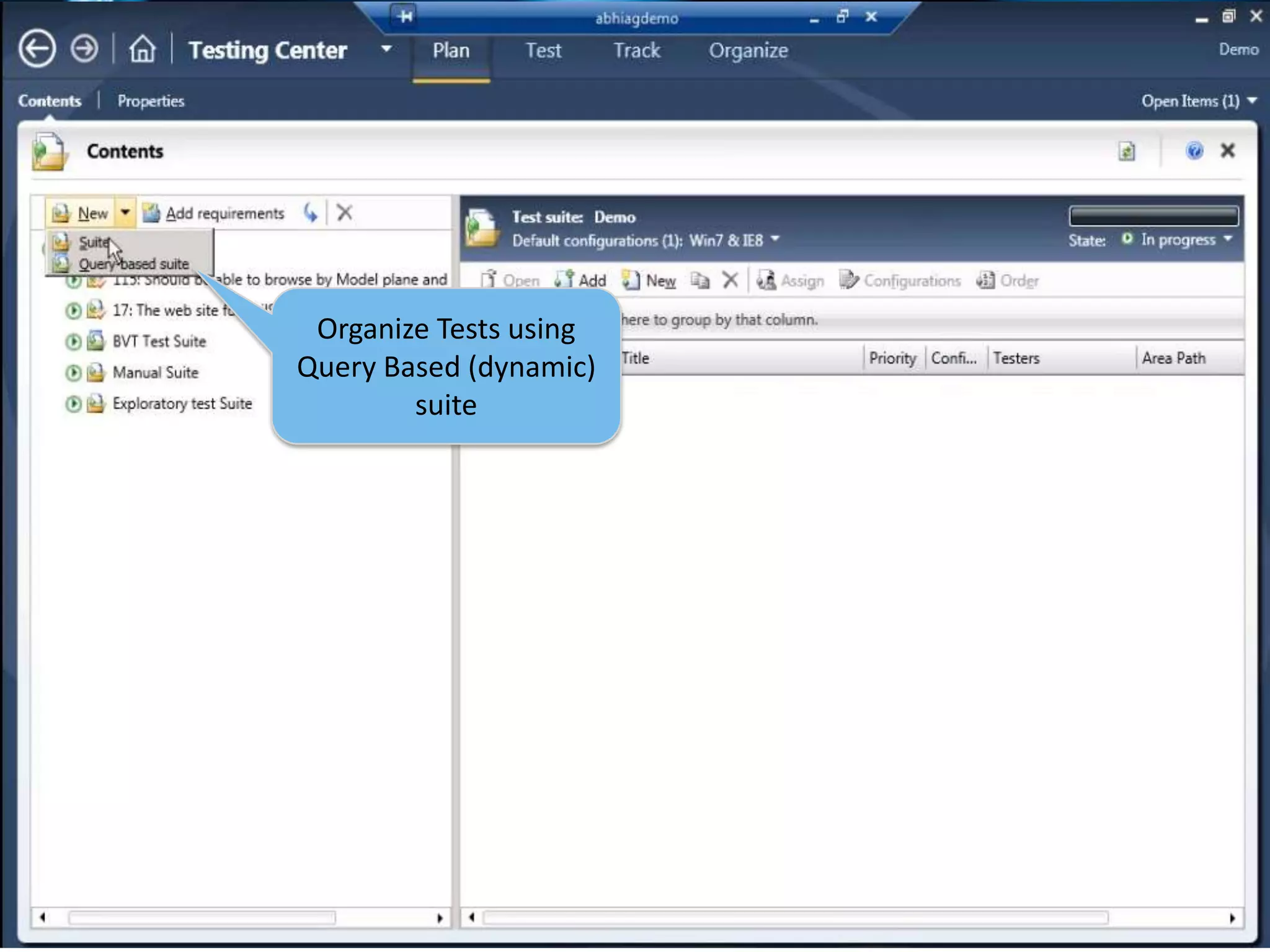
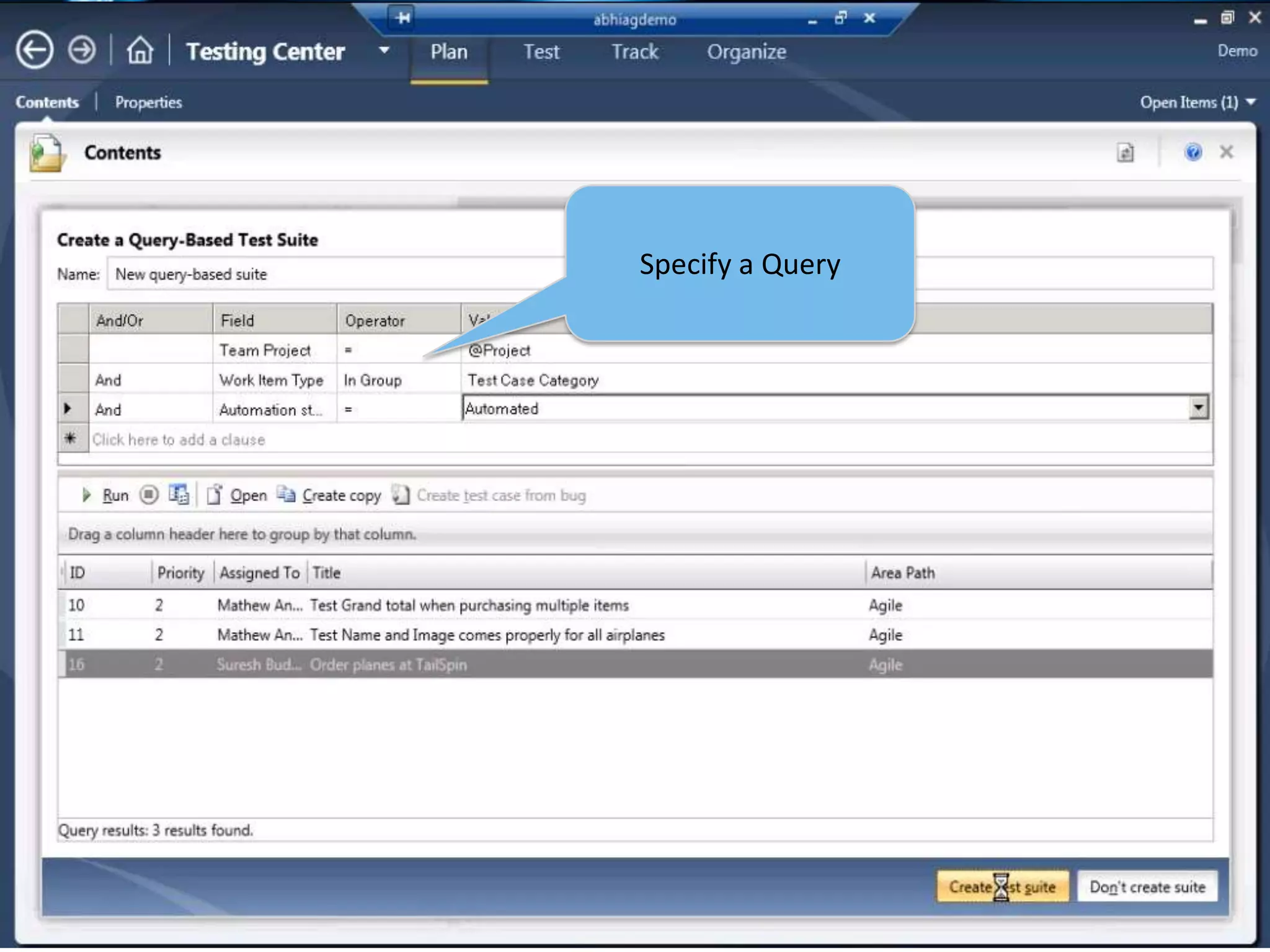
22Organize Tests using Query Based (dynamic) suite
23Specify a Query
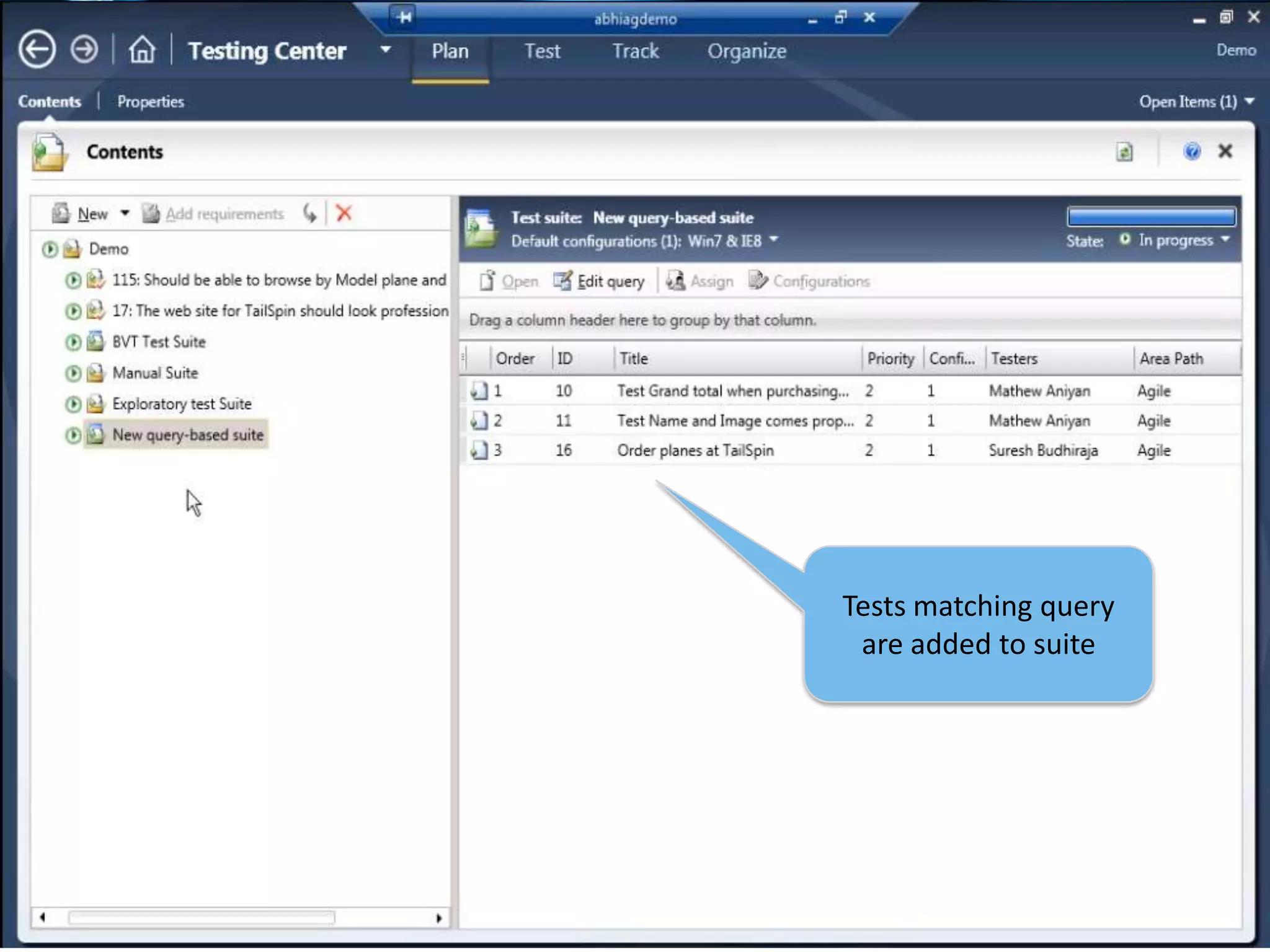
24Tests matching query are added to suite
25Rich Bug
Better Tester / Developer CollaborationAutomatically gathers defect and runtime details
Eliminates the “ping pong” effect
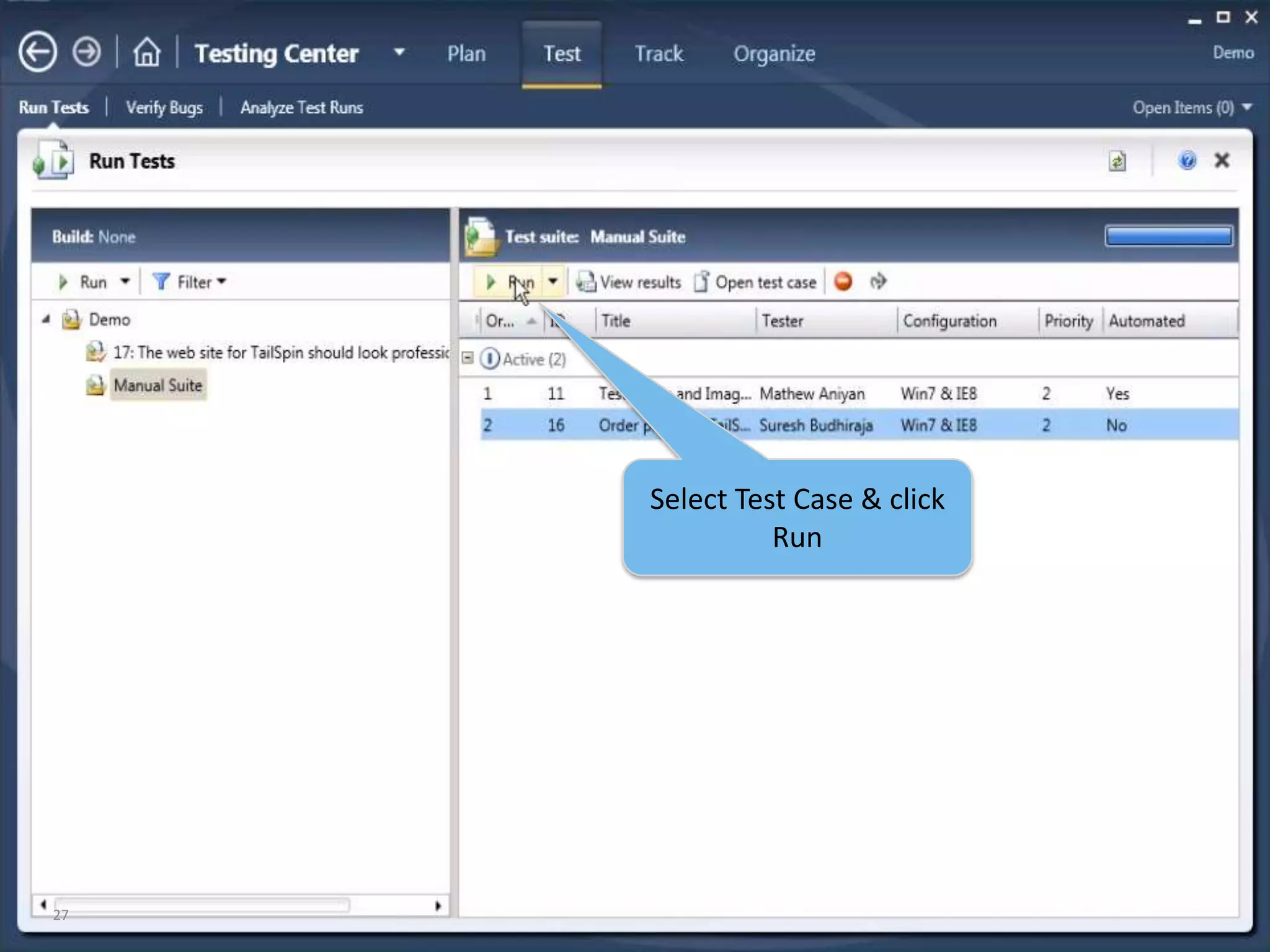
Eliminates the “No Repro” problem27Select Test Case & click Run
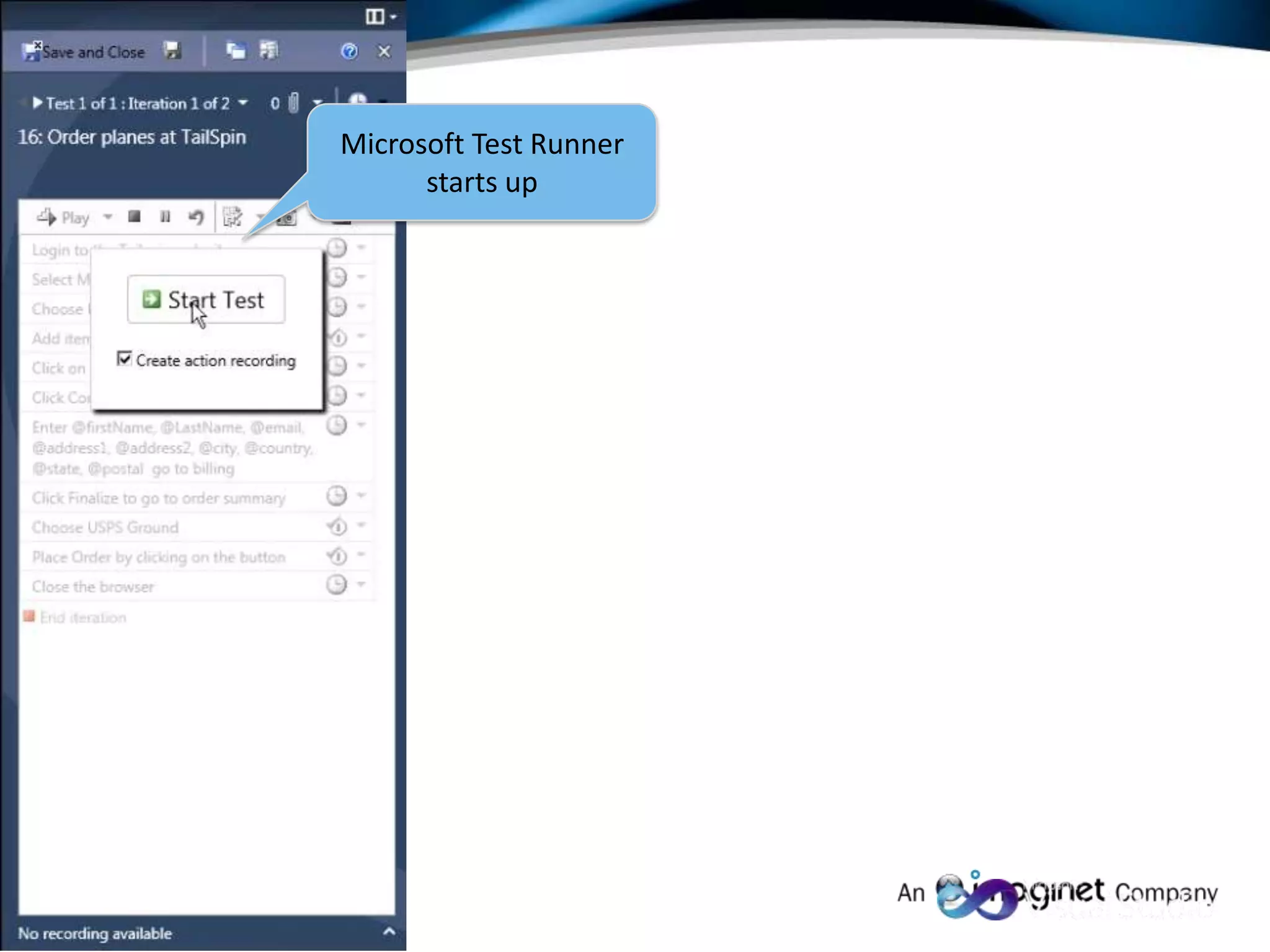
28Microsoft Test Runner starts up
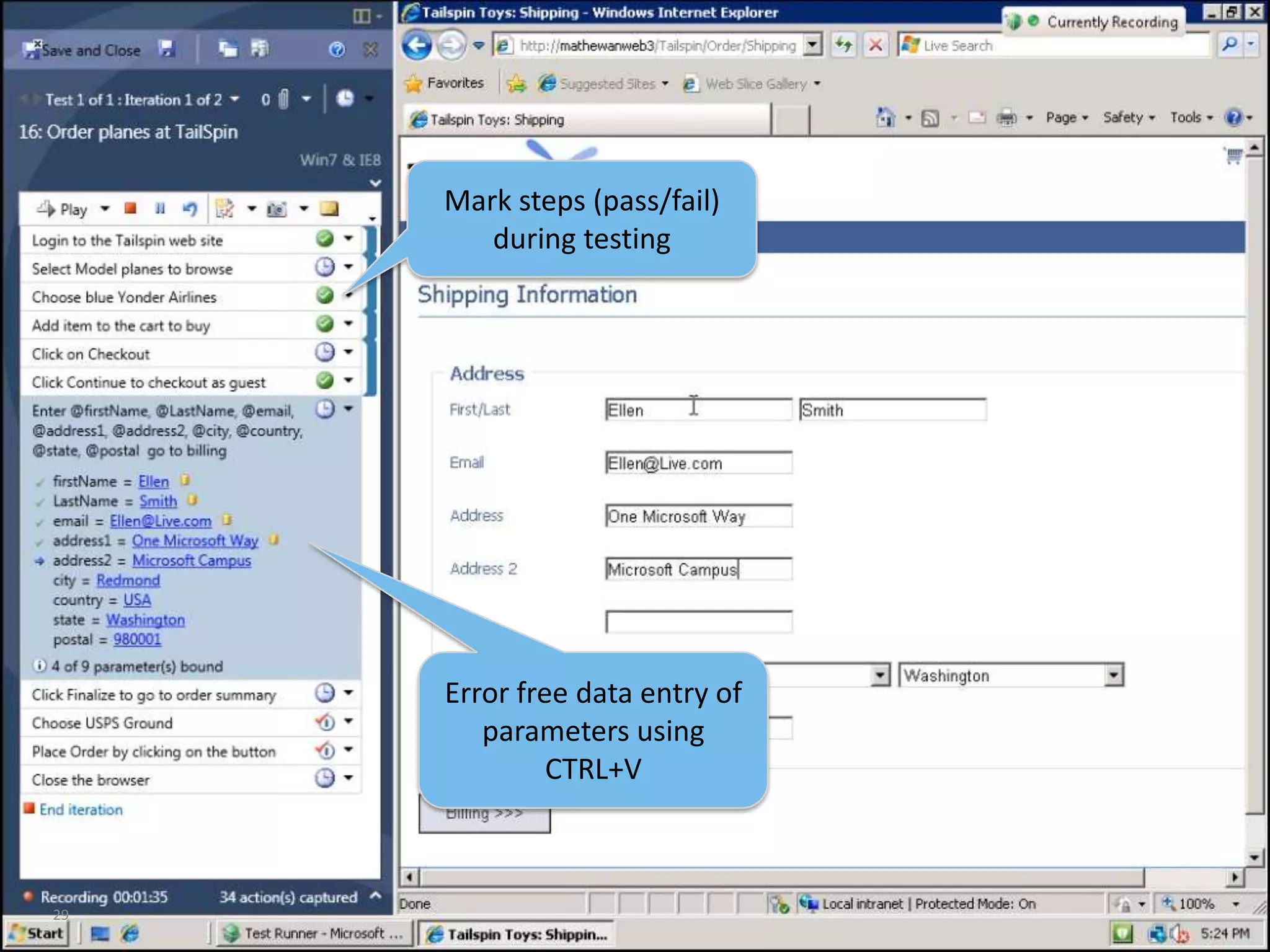
29Mark steps (pass/fail) during testingError free data entry of parameters using CTRL+V
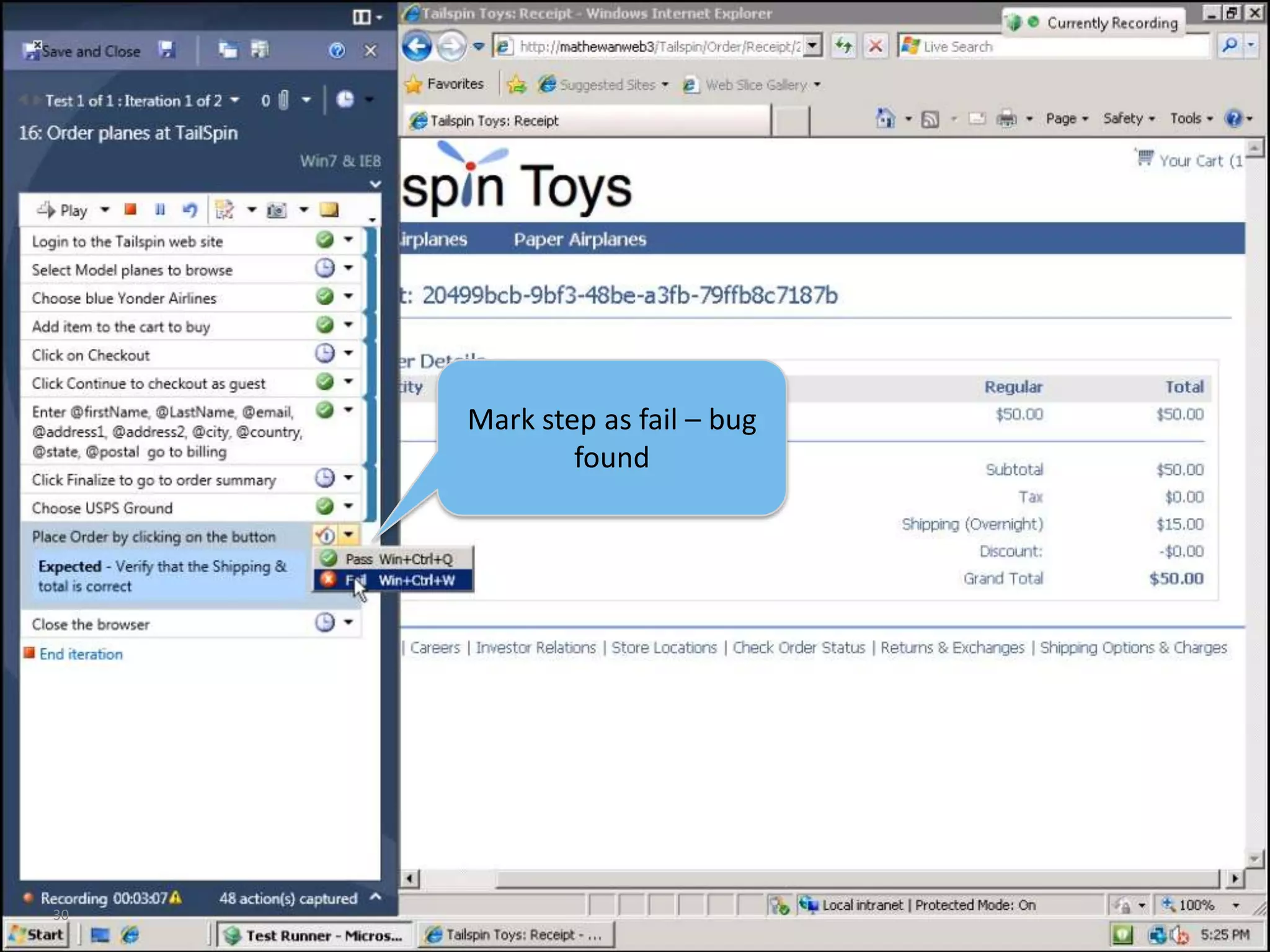
30Mark step as fail – bug found
31Add comment
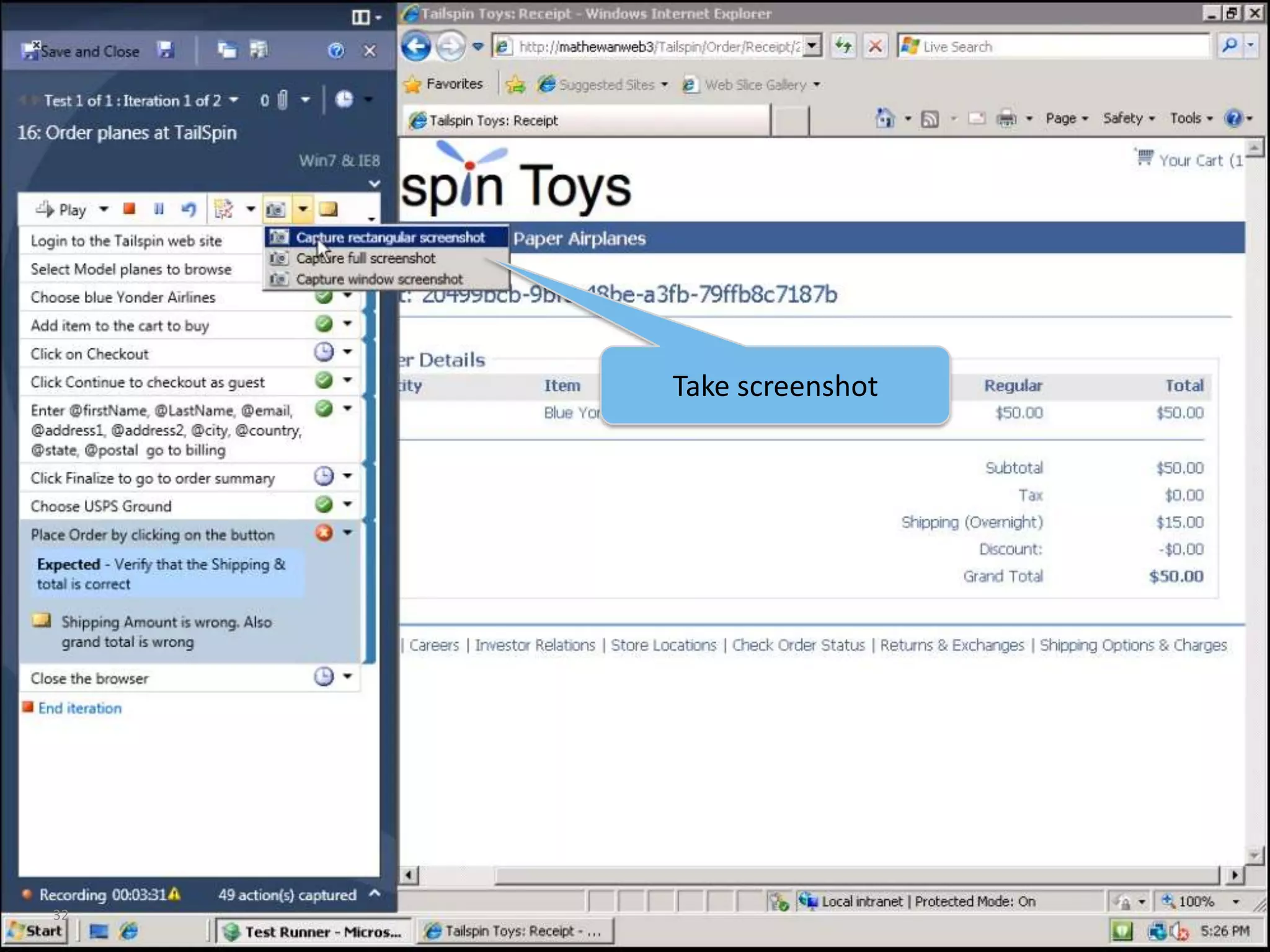
32Take screenshot
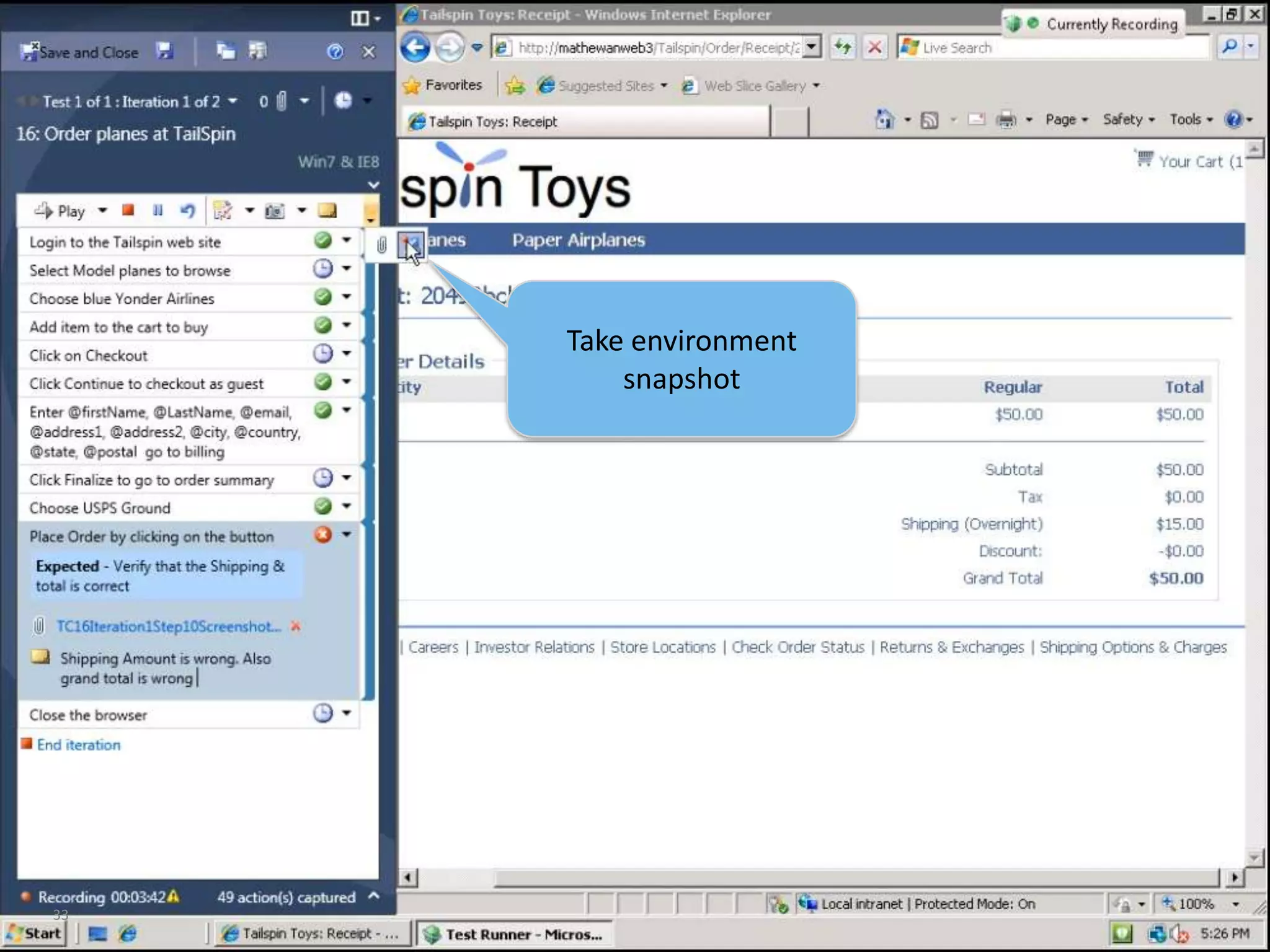
33Take environment snapshot
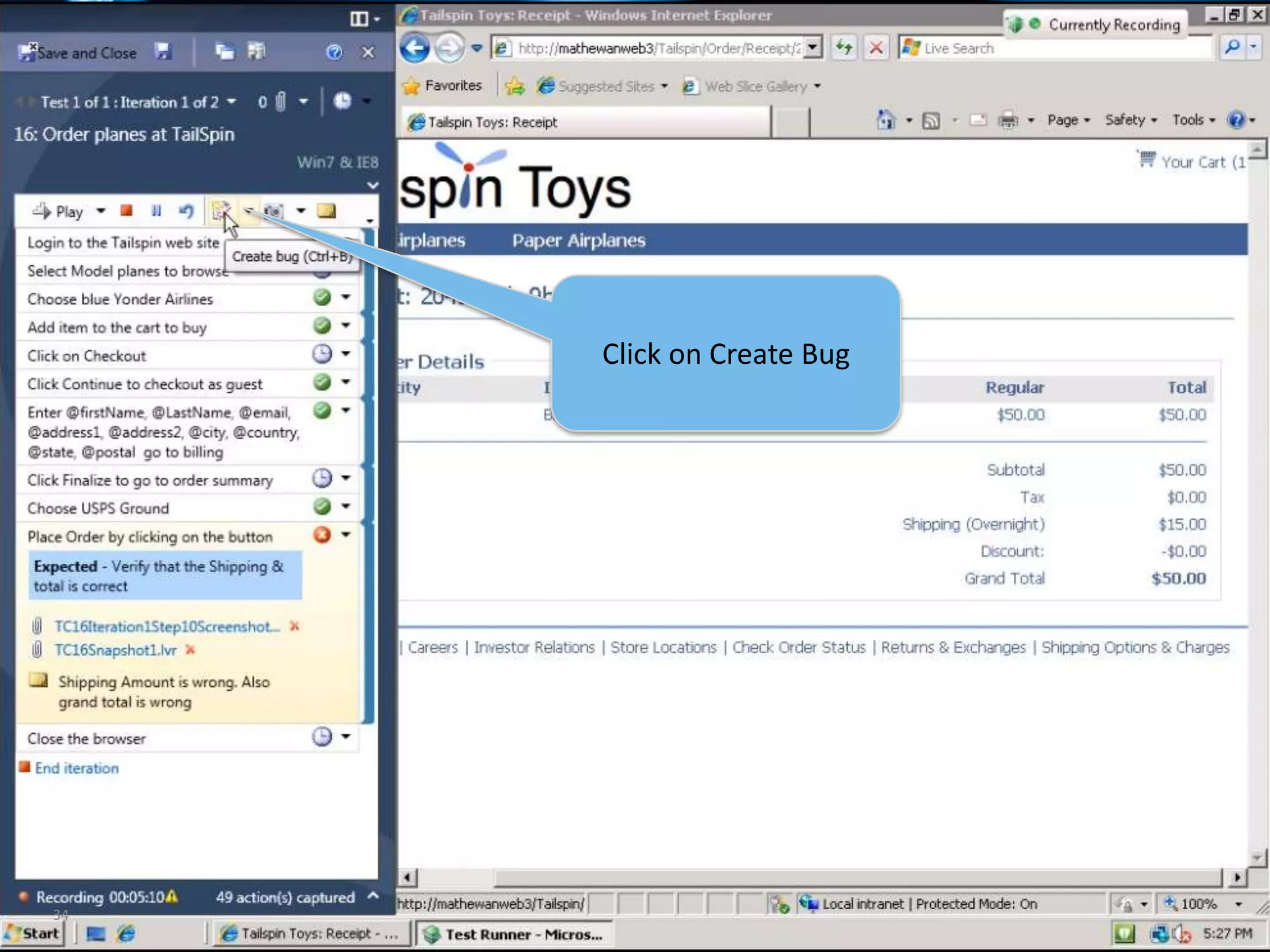
34Click on Create Bug
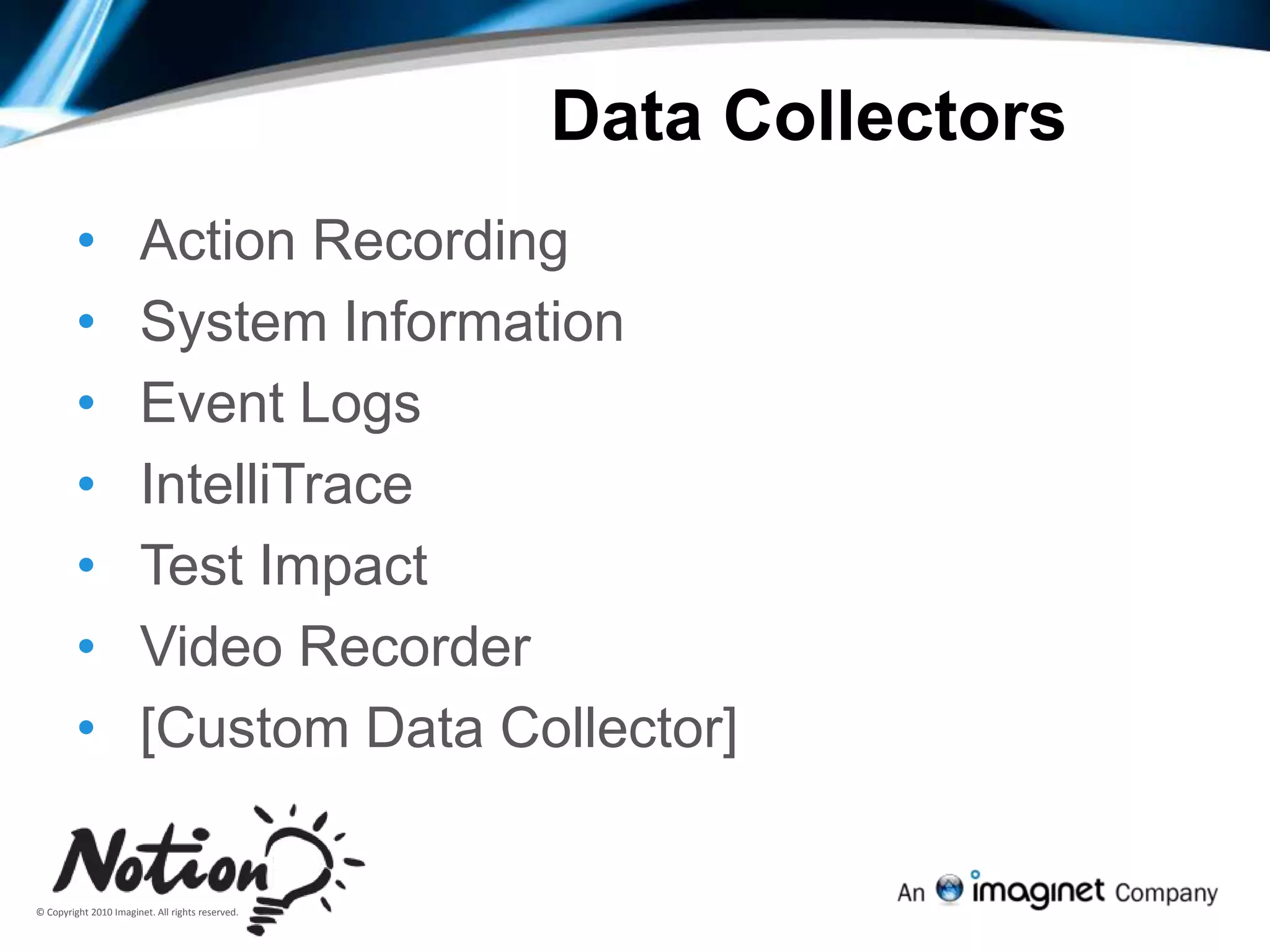
Data CollectorsAction Recording
System Information
Event Logs
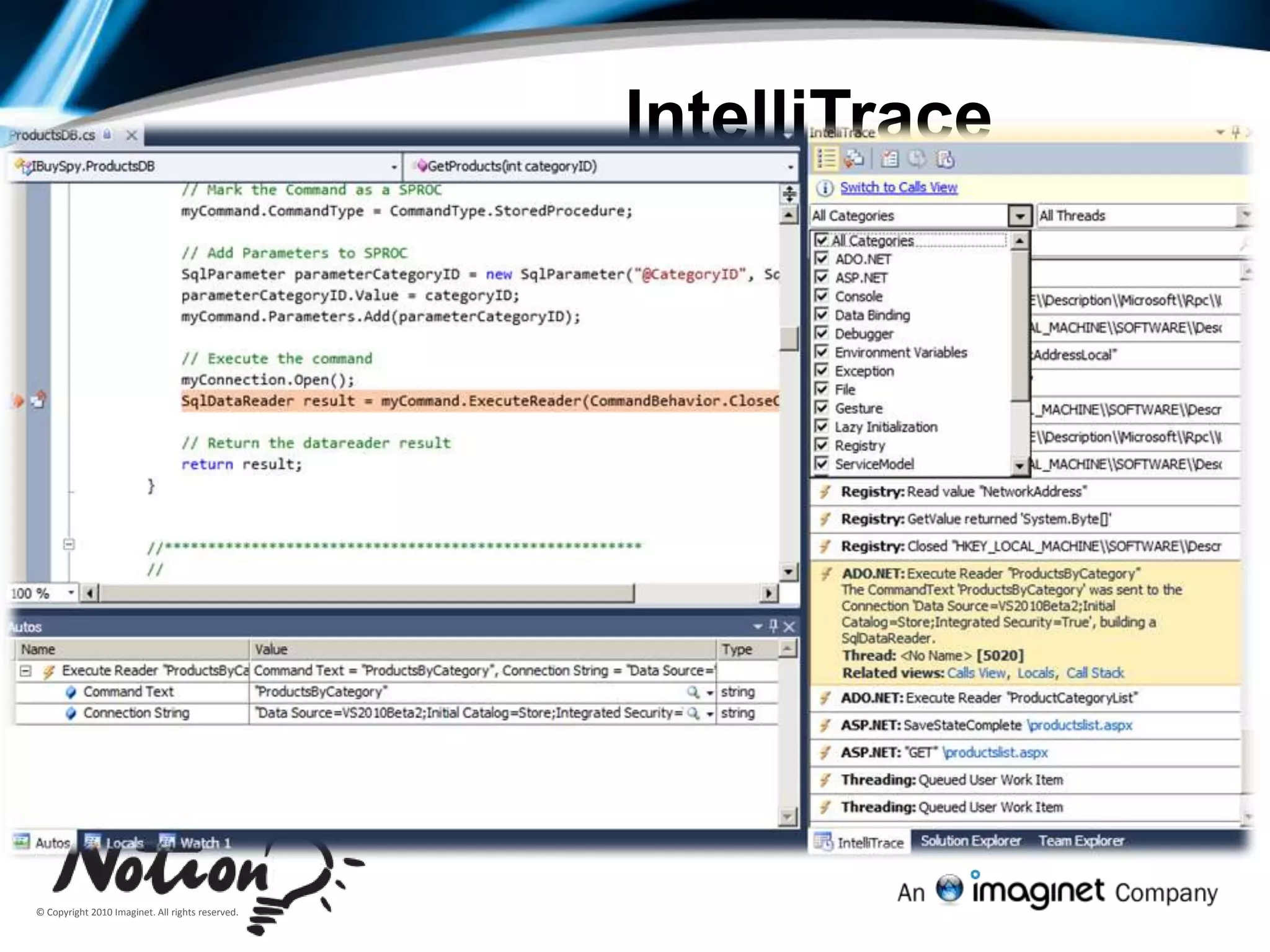
IntelliTrace
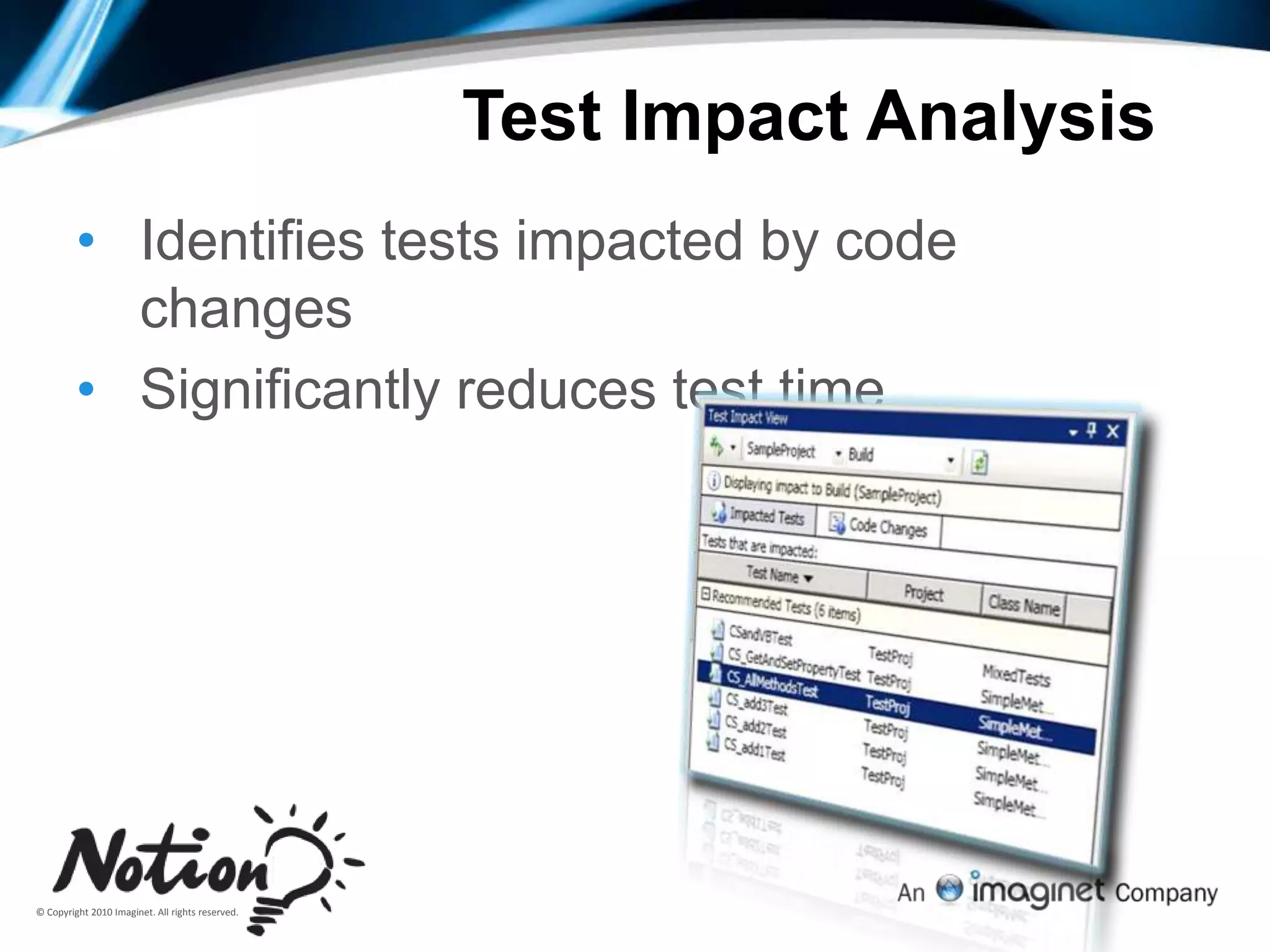
Test Impact
Video Recorder
[Custom Data Collector]36Bug Form auto-filled with step results & step attachments
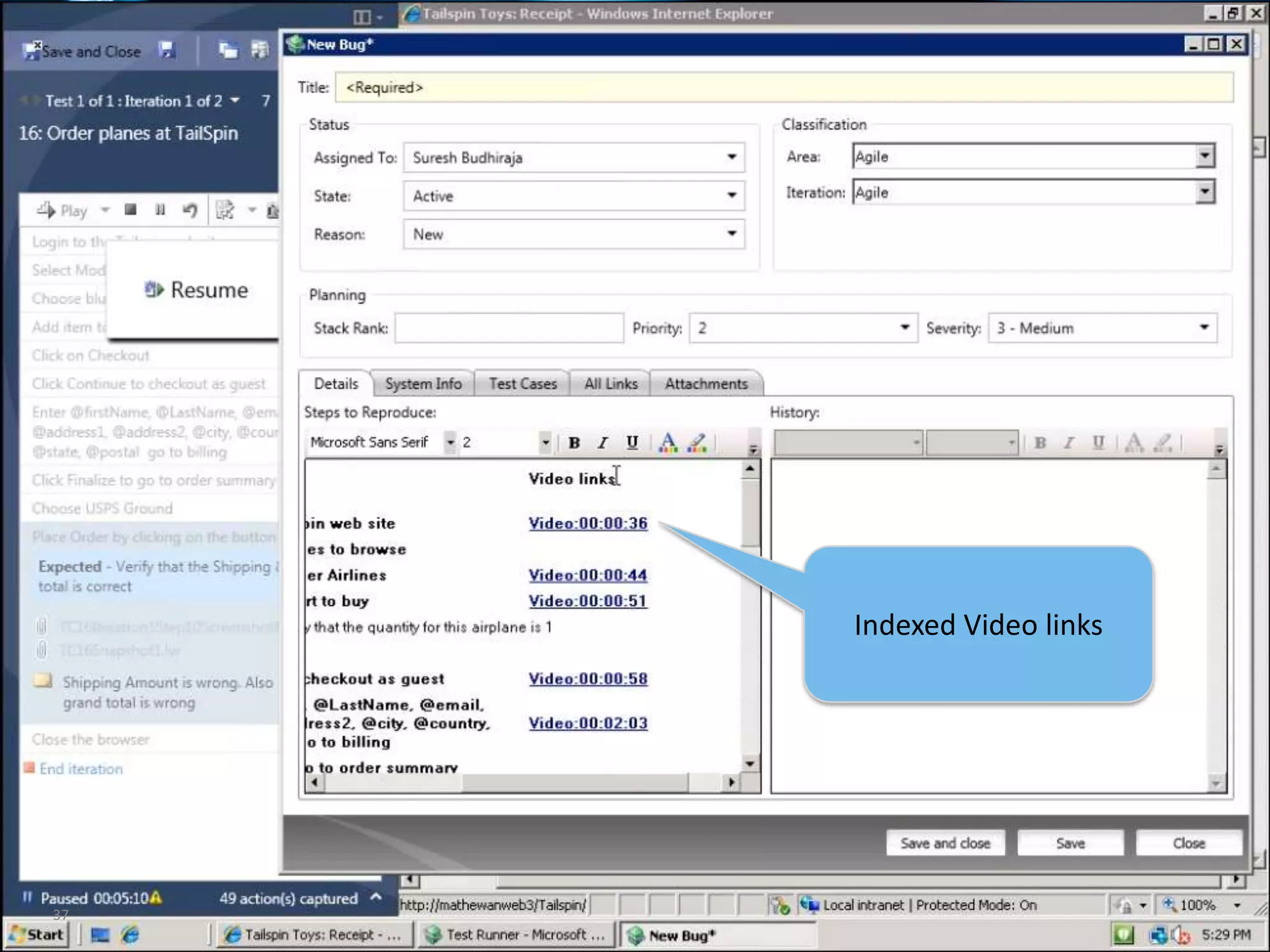
37Indexed Video links
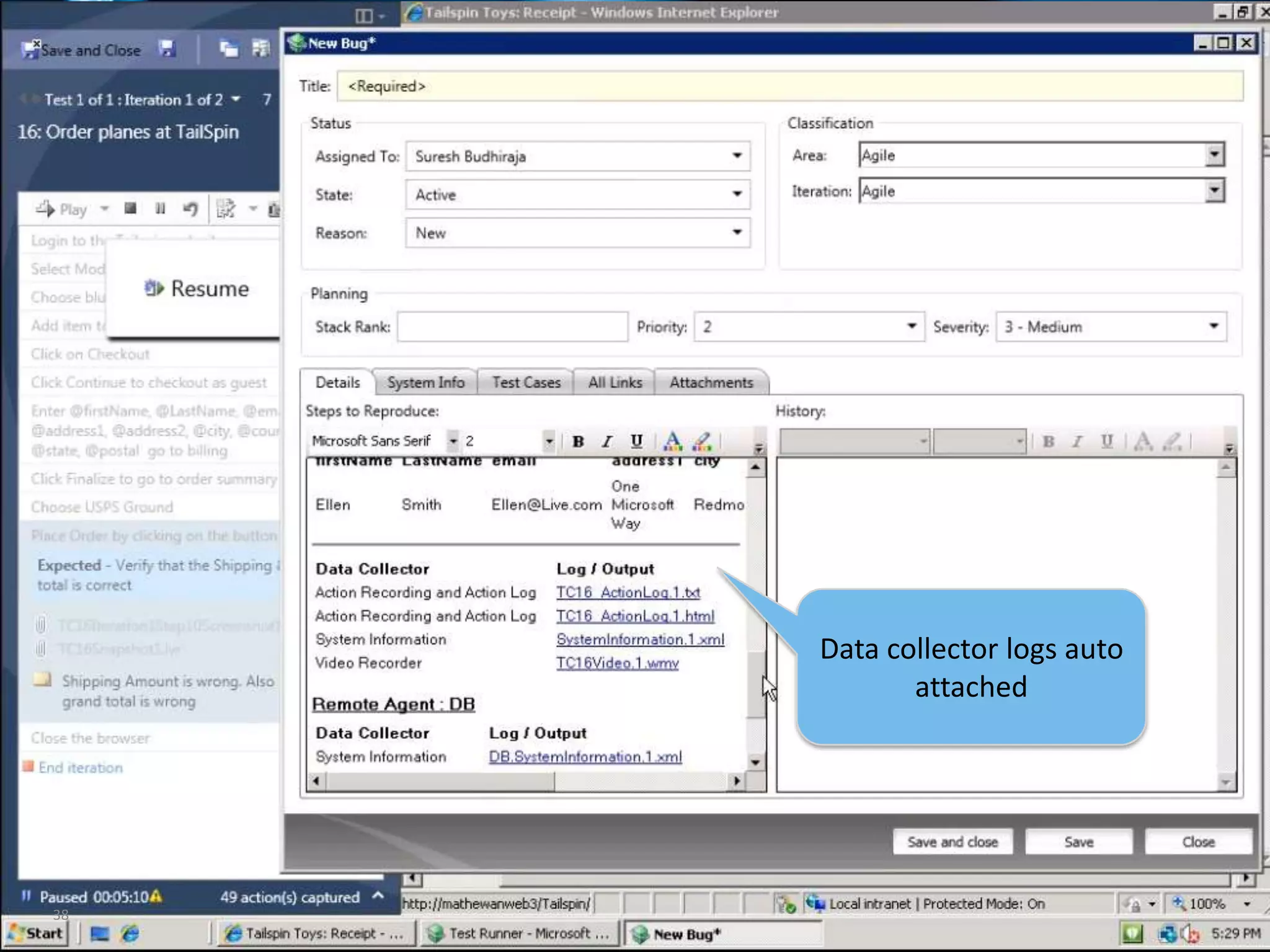
38Data collector logs auto attached
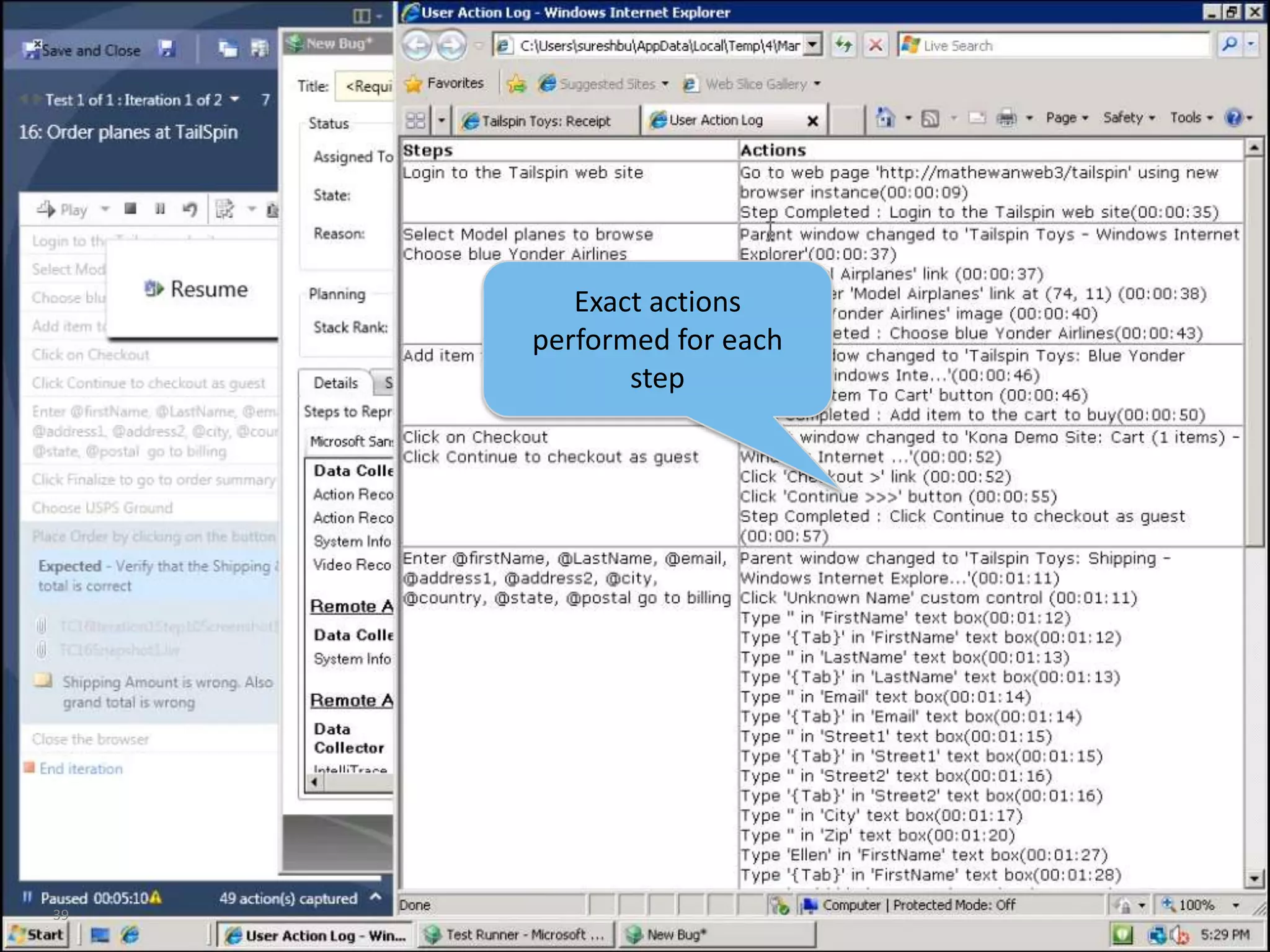
39Exact actions performed for each step
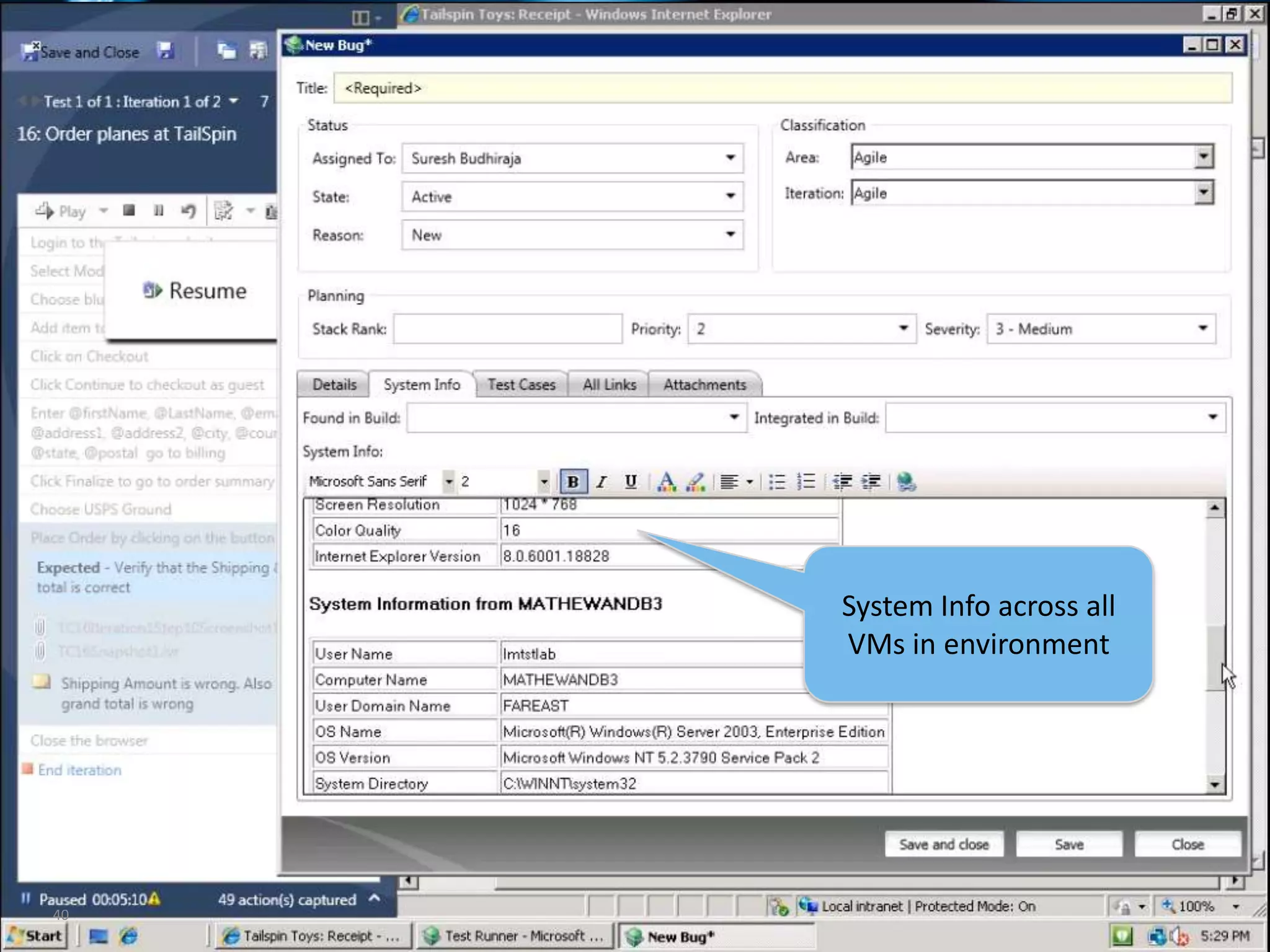
40System Info across all VMs in environment
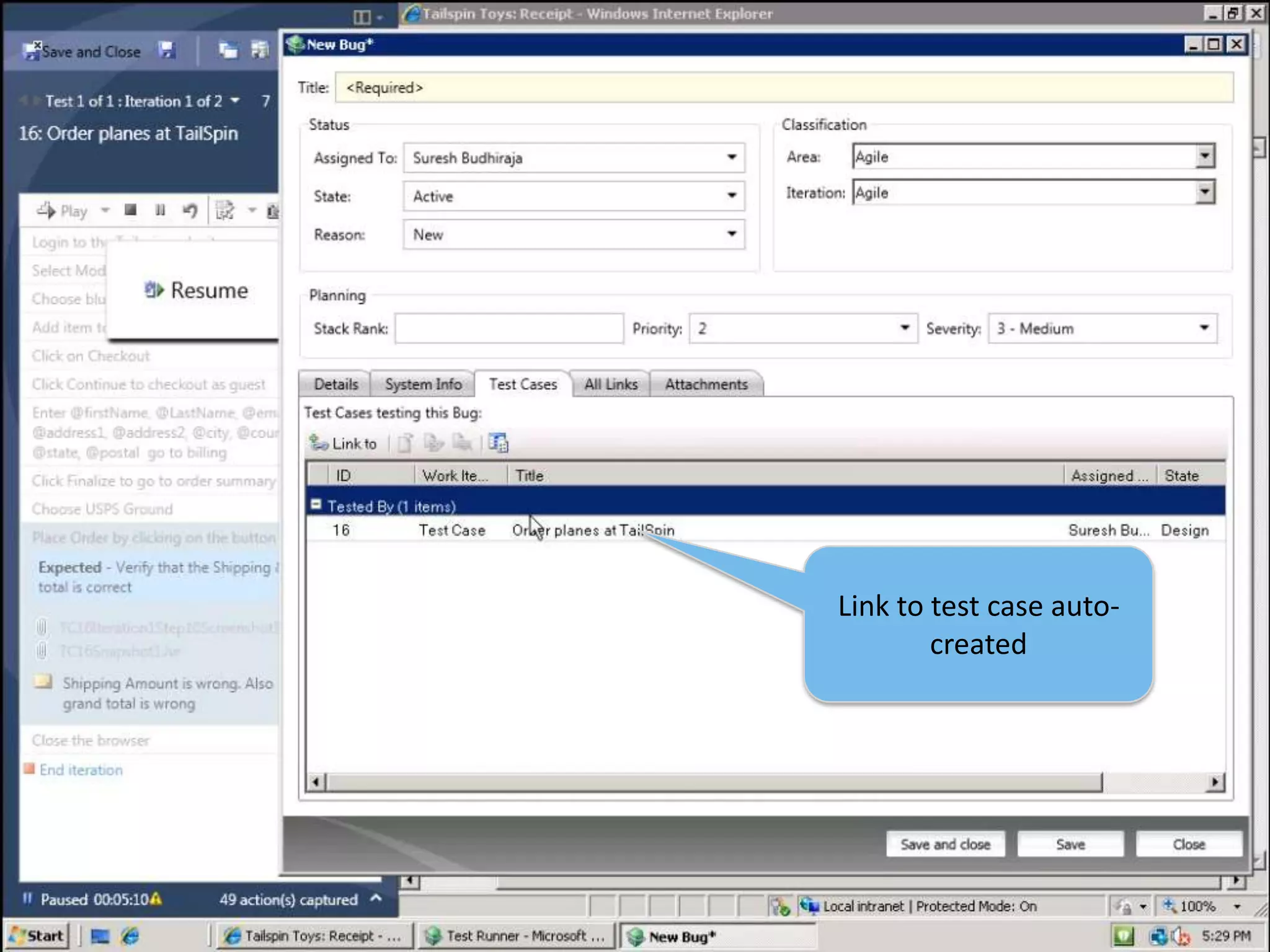
41Link to test case auto-created
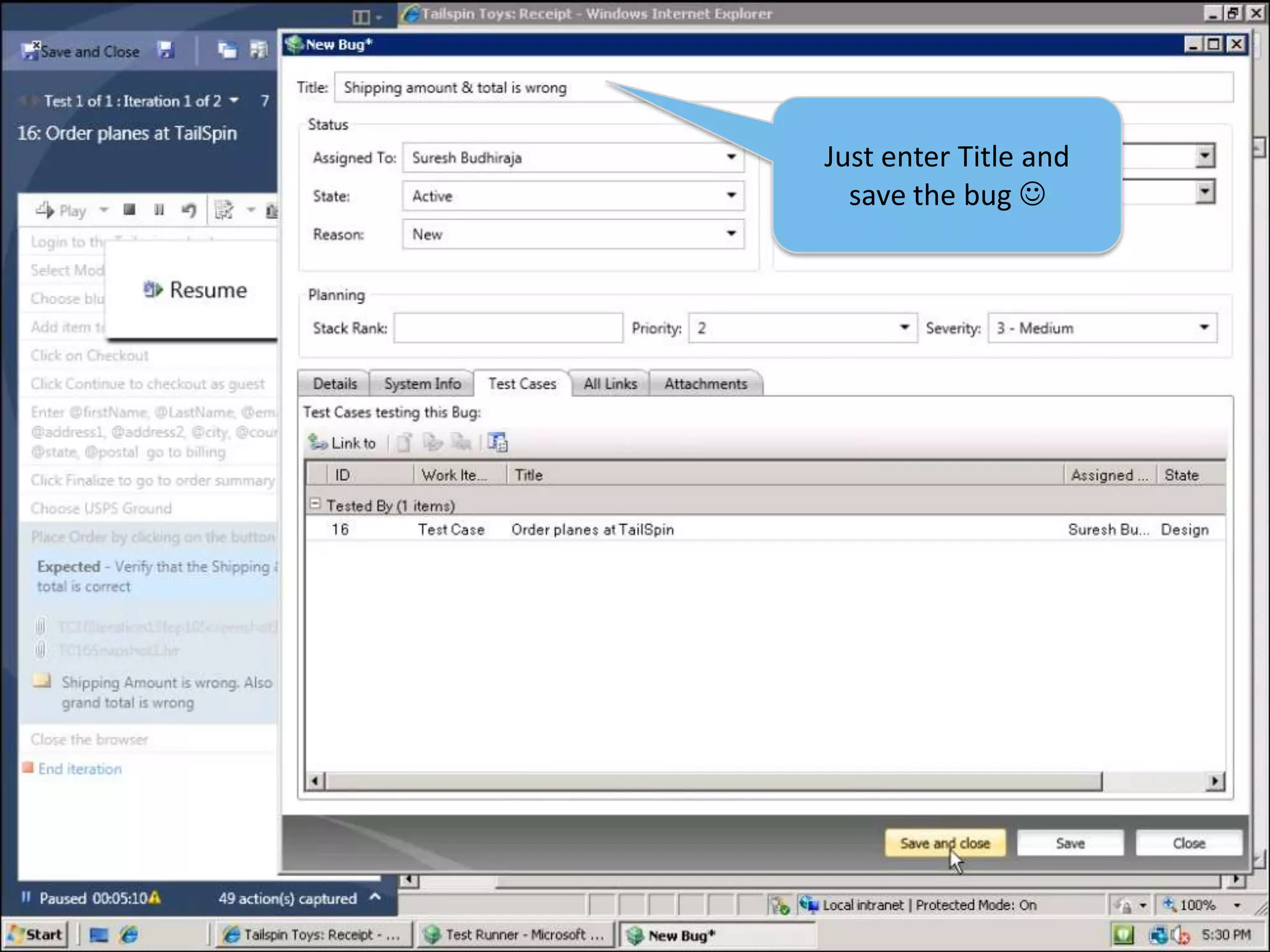
42Just enter Title and save the bug 
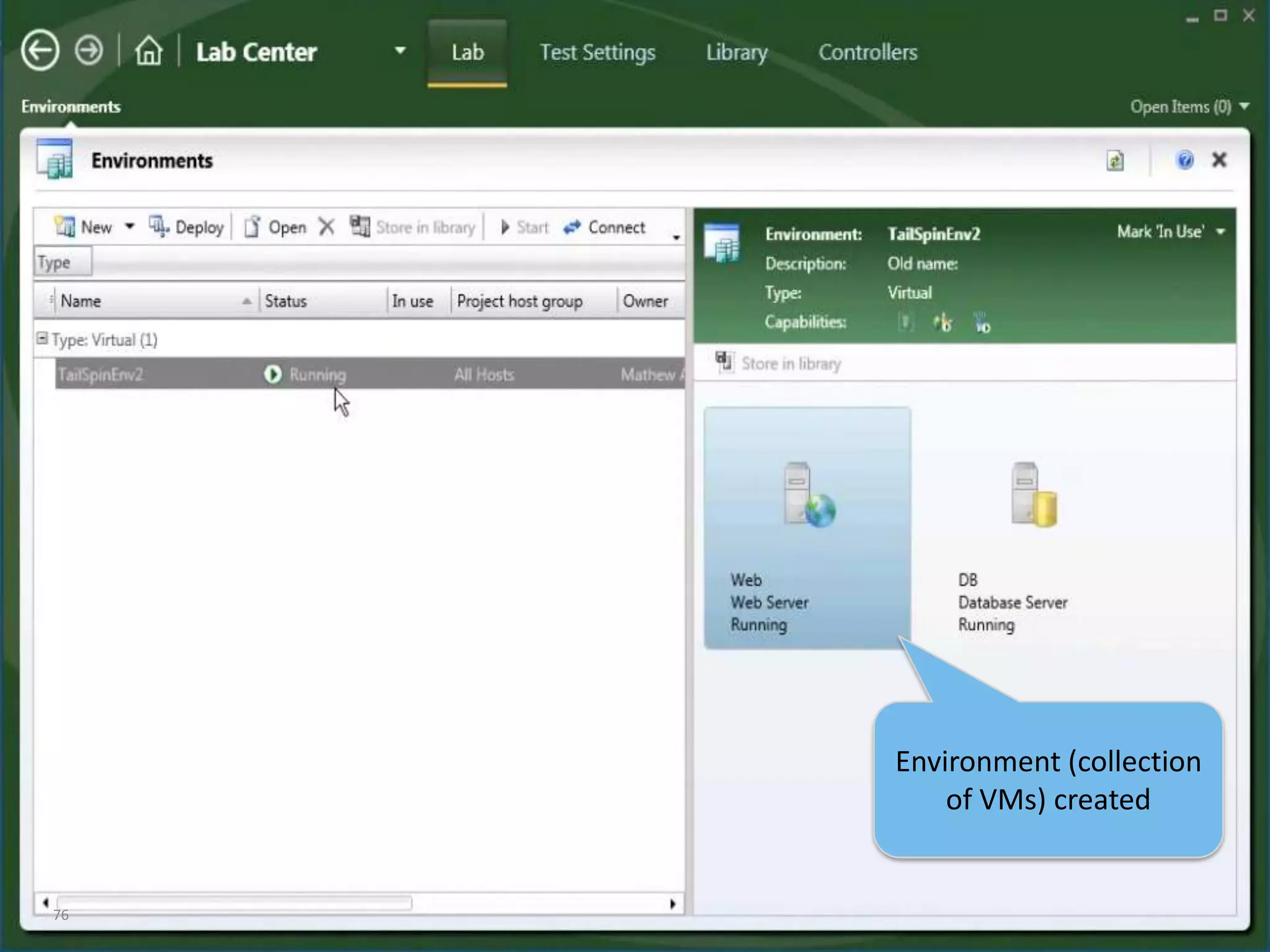
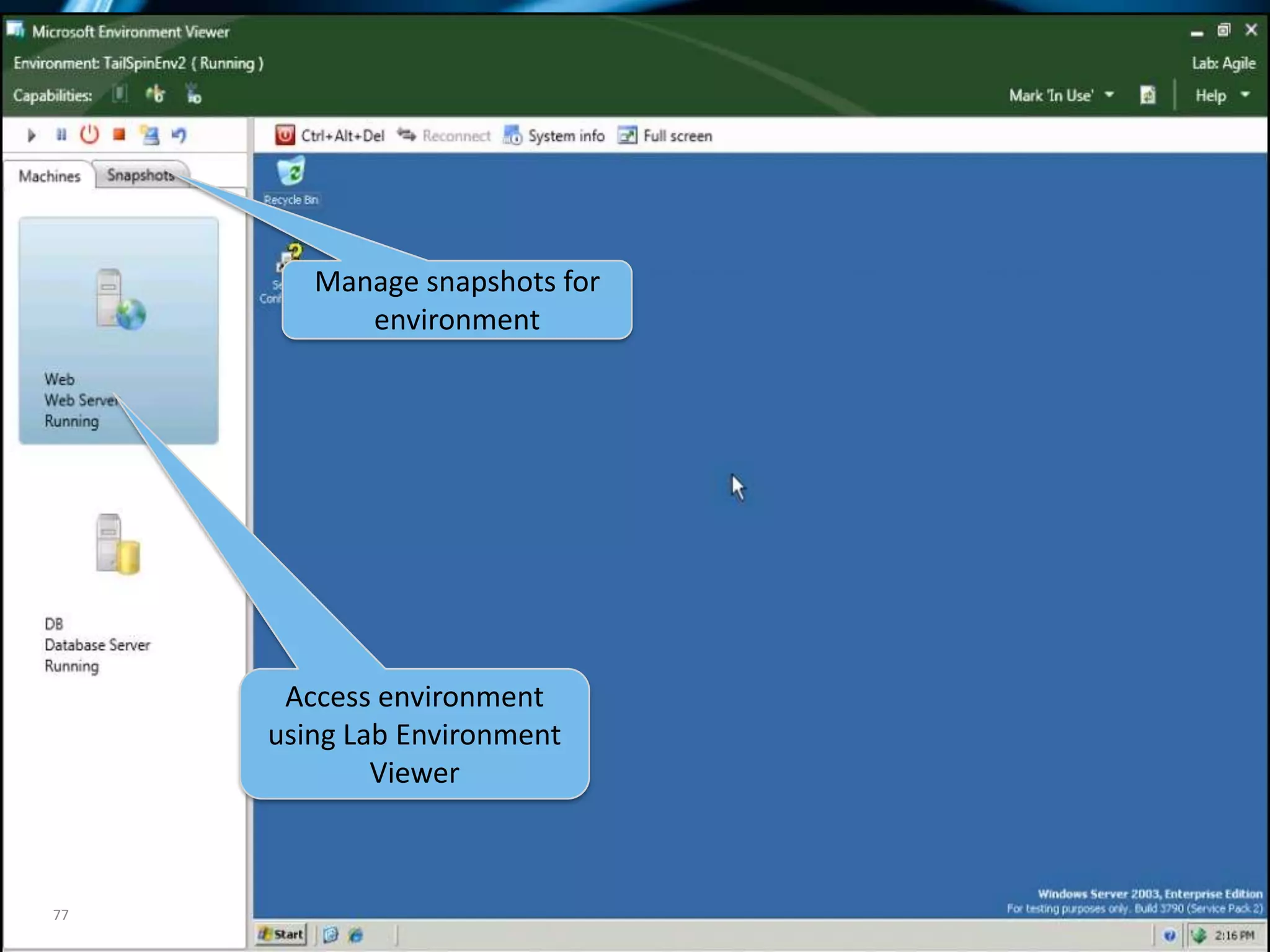
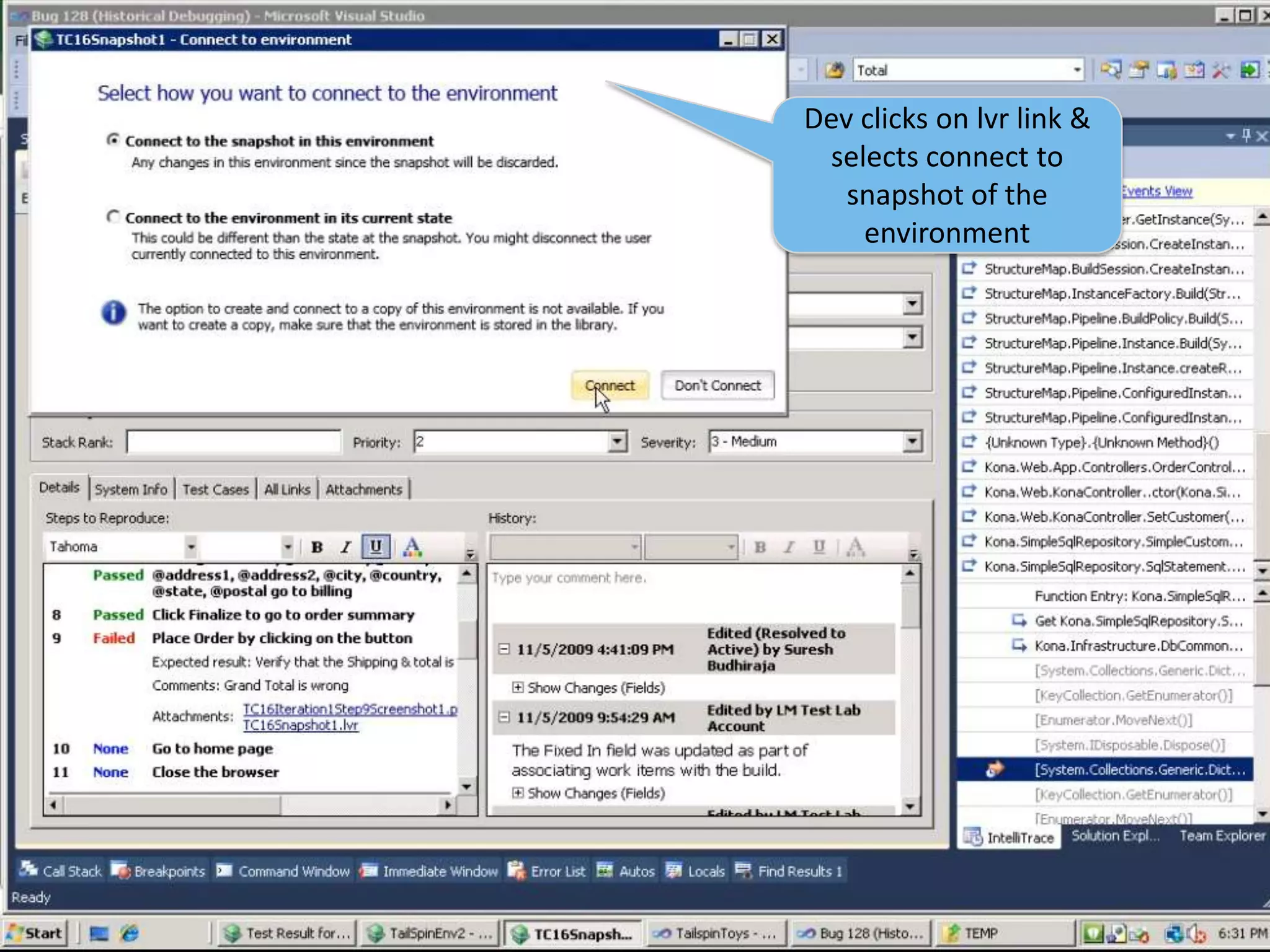
43Dev clicks on lvr link & selects connect to snapshot of the environment
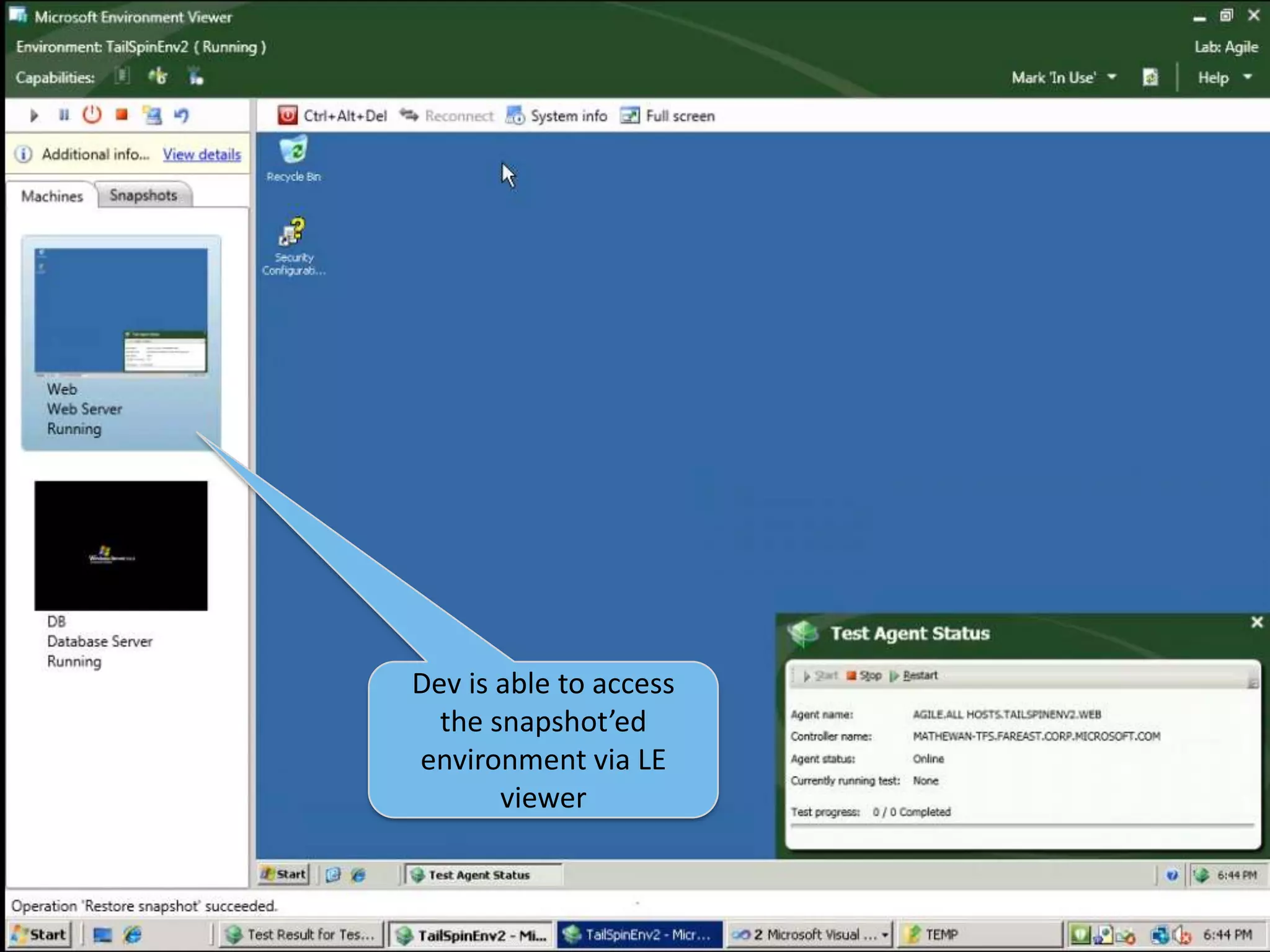
44Dev is able to access the snapshot’ed environment via LE viewer
IntelliTraceReduces debug “cycling”
Start Debug
Encounter defect
Drop into debugger
Move back through execution history to locate defect
Historical debug trace enables debugging offline test runs
“As you sit in the debugger, being able to move backwards while in the debugger (or attach the execution log to a bug) has to be the killer feature coming up in the entire Visual Studio 2010 release.”  -John RobbinsIntelliTrace
Test Impact AnalysisIdentifies tests impacted by code changes
Significantly reduces test timeCoded UI Testing
Coded UI TestingEnables verification of UI functionality.Record test actions and VS will generate the resulting code.Assertions can be added to verify functionality.Like all VS tests, results can be stored in TFS.
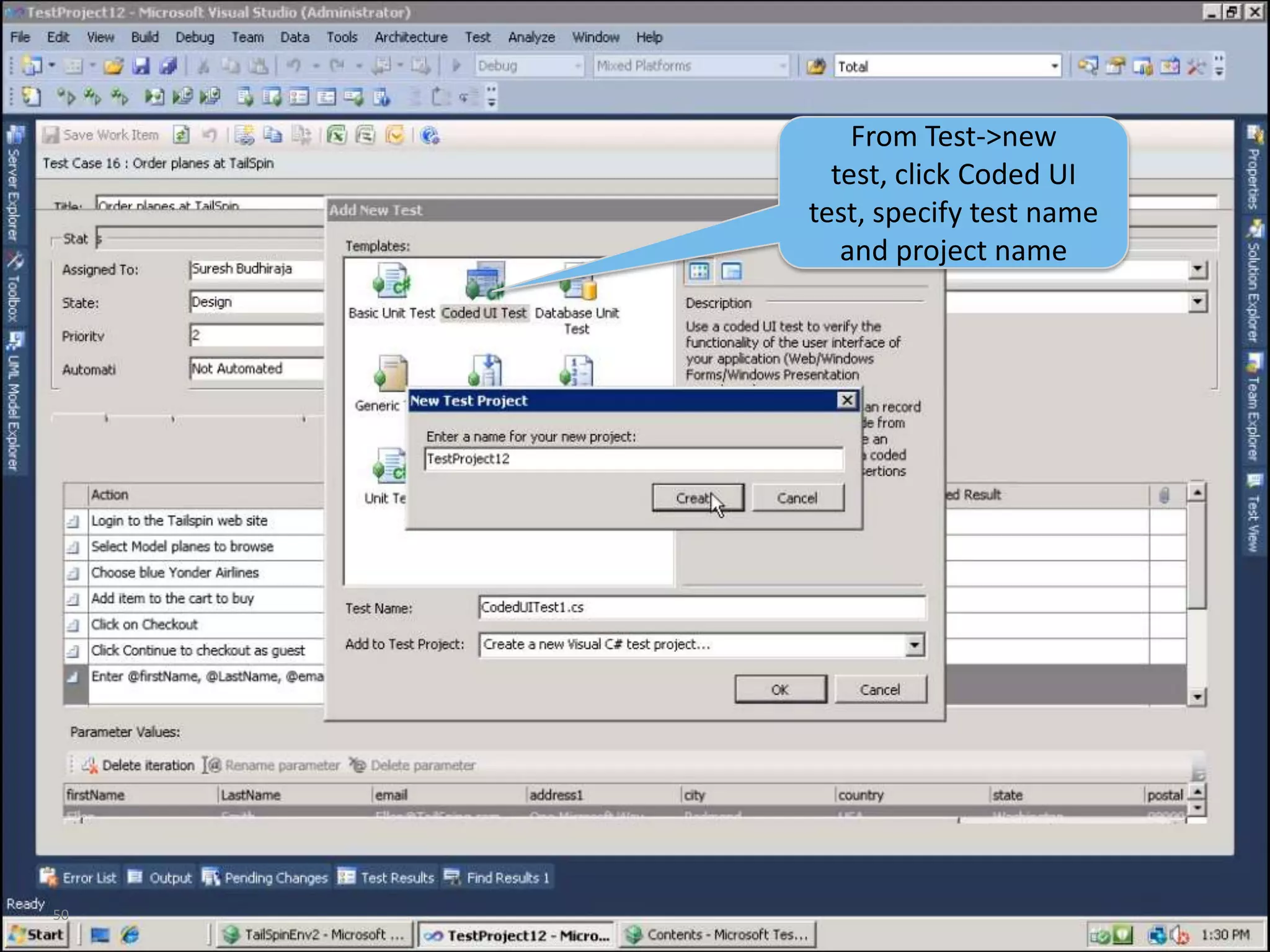
50From Test->new test, click Coded UI test, specify test name and project name
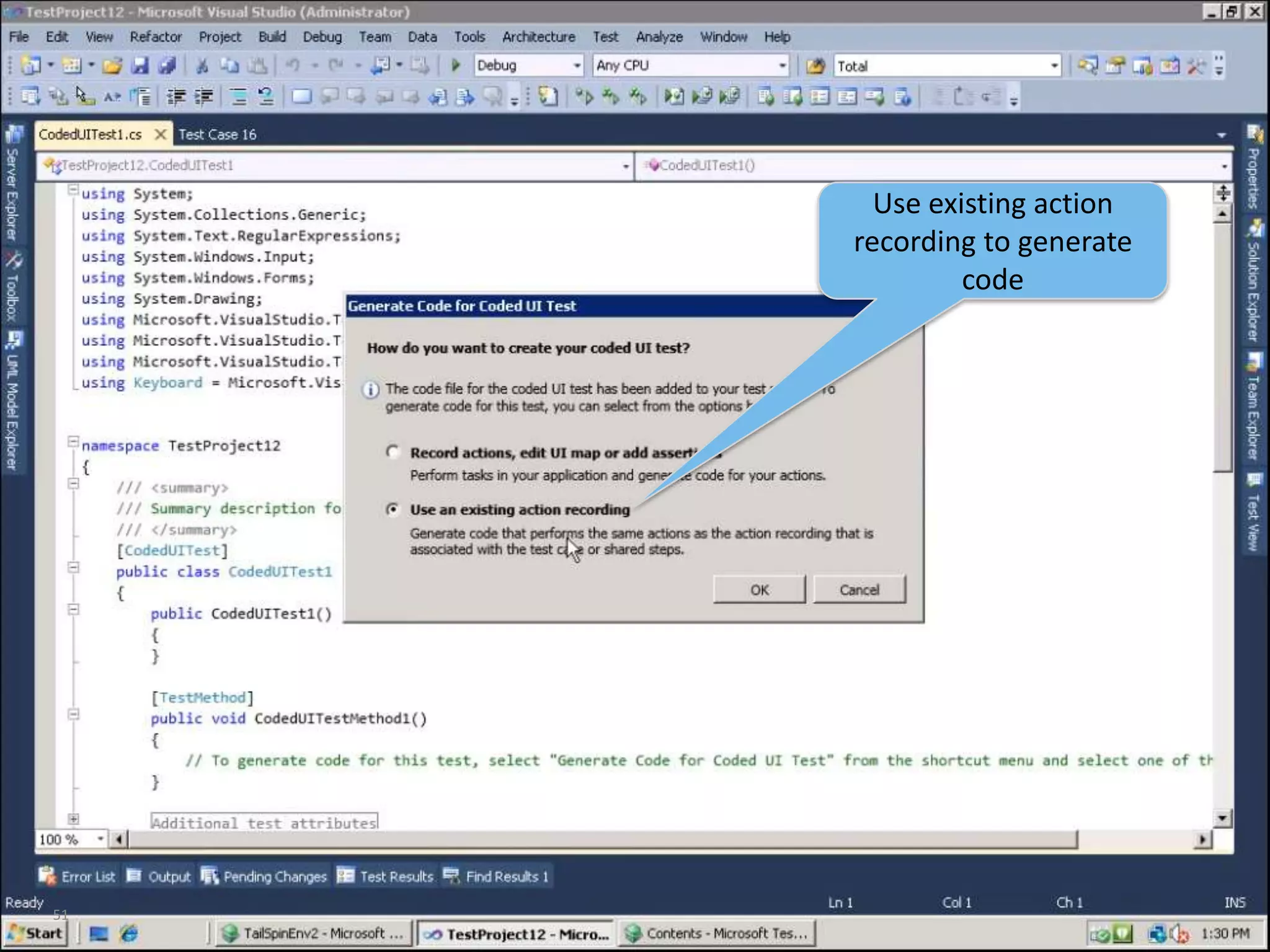
51Use existing action recording to generate code
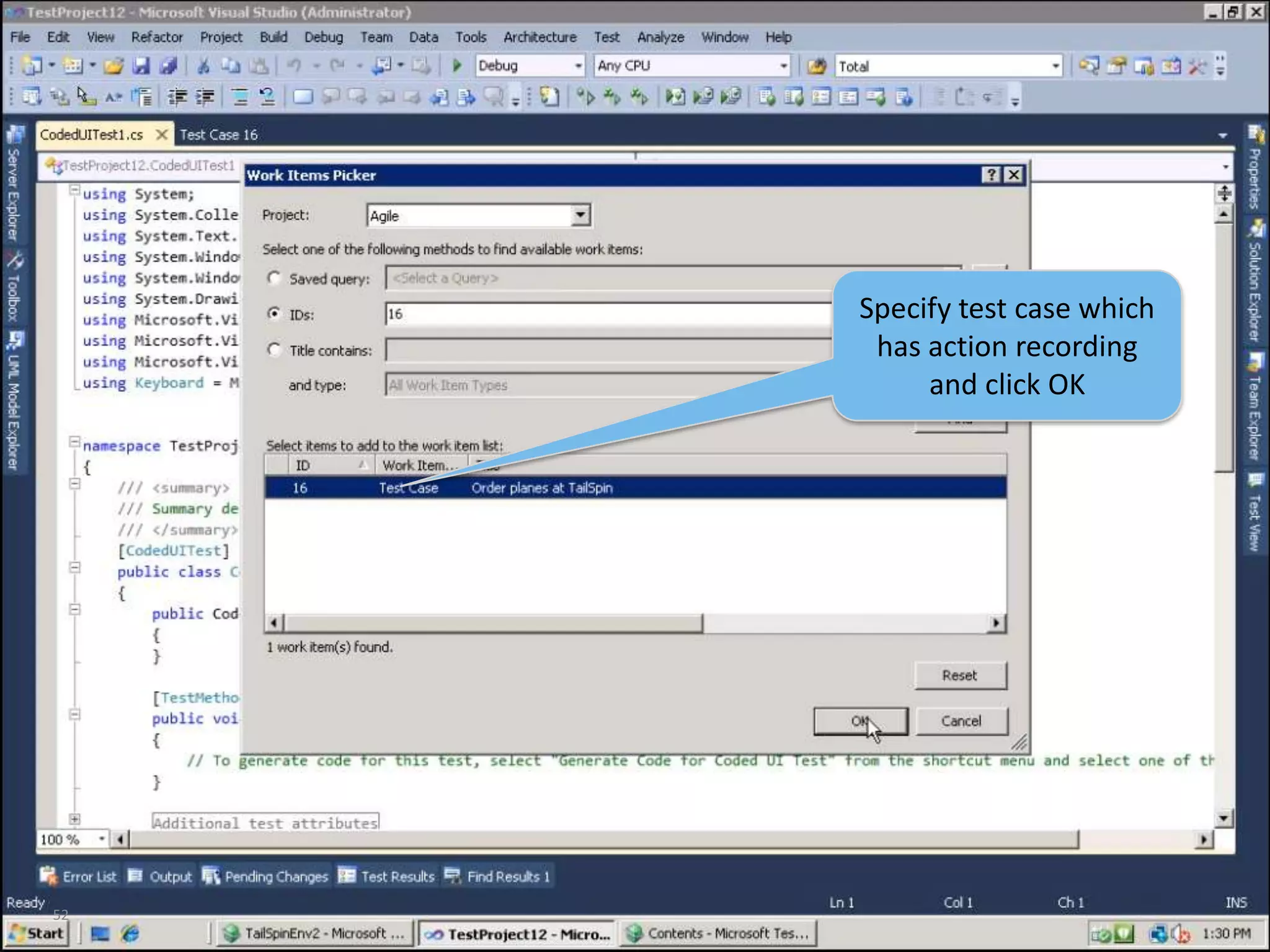
52Specify test case which has action recording and click OK
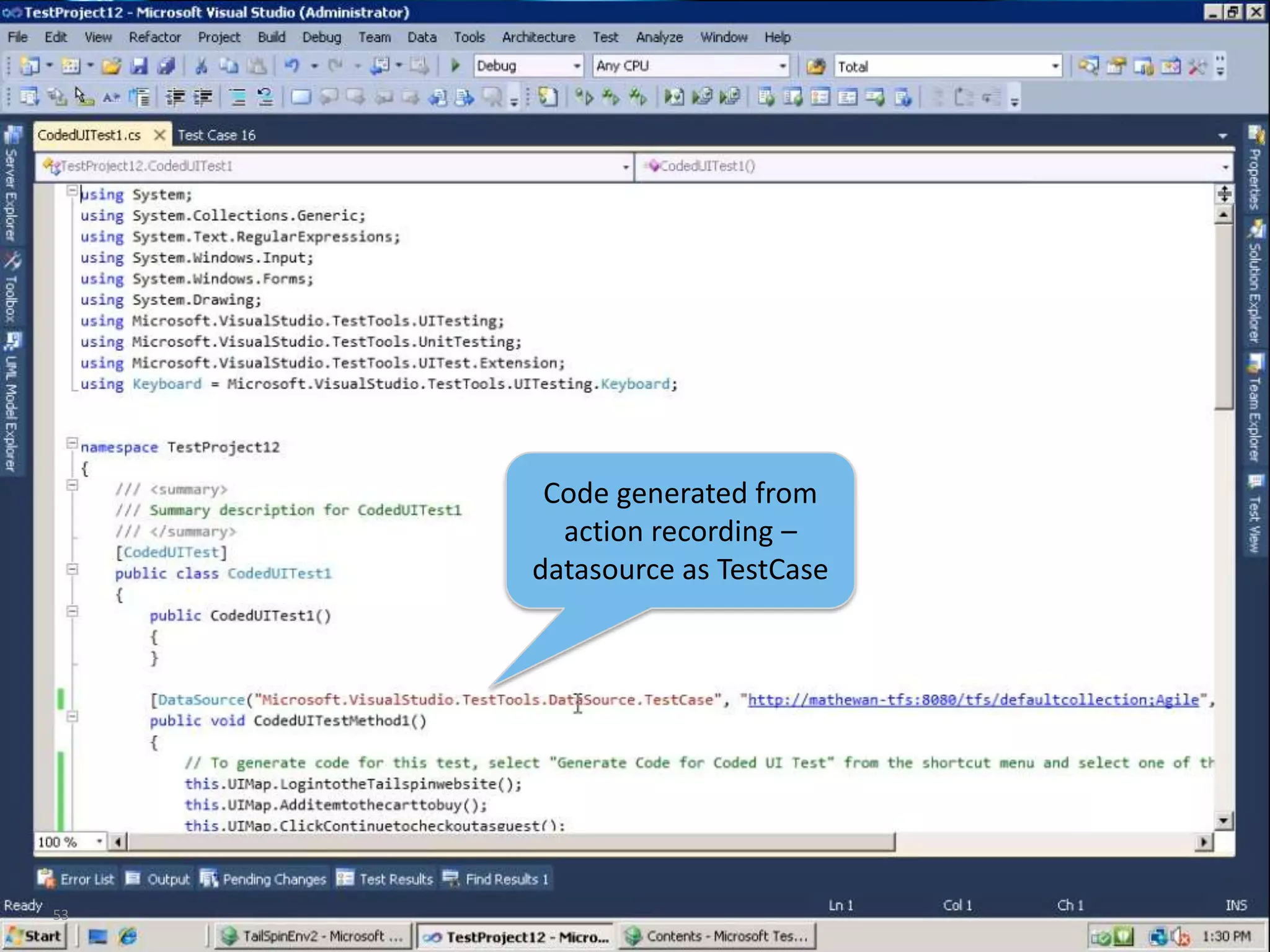
53Code generated from action recording – datasource as TestCase
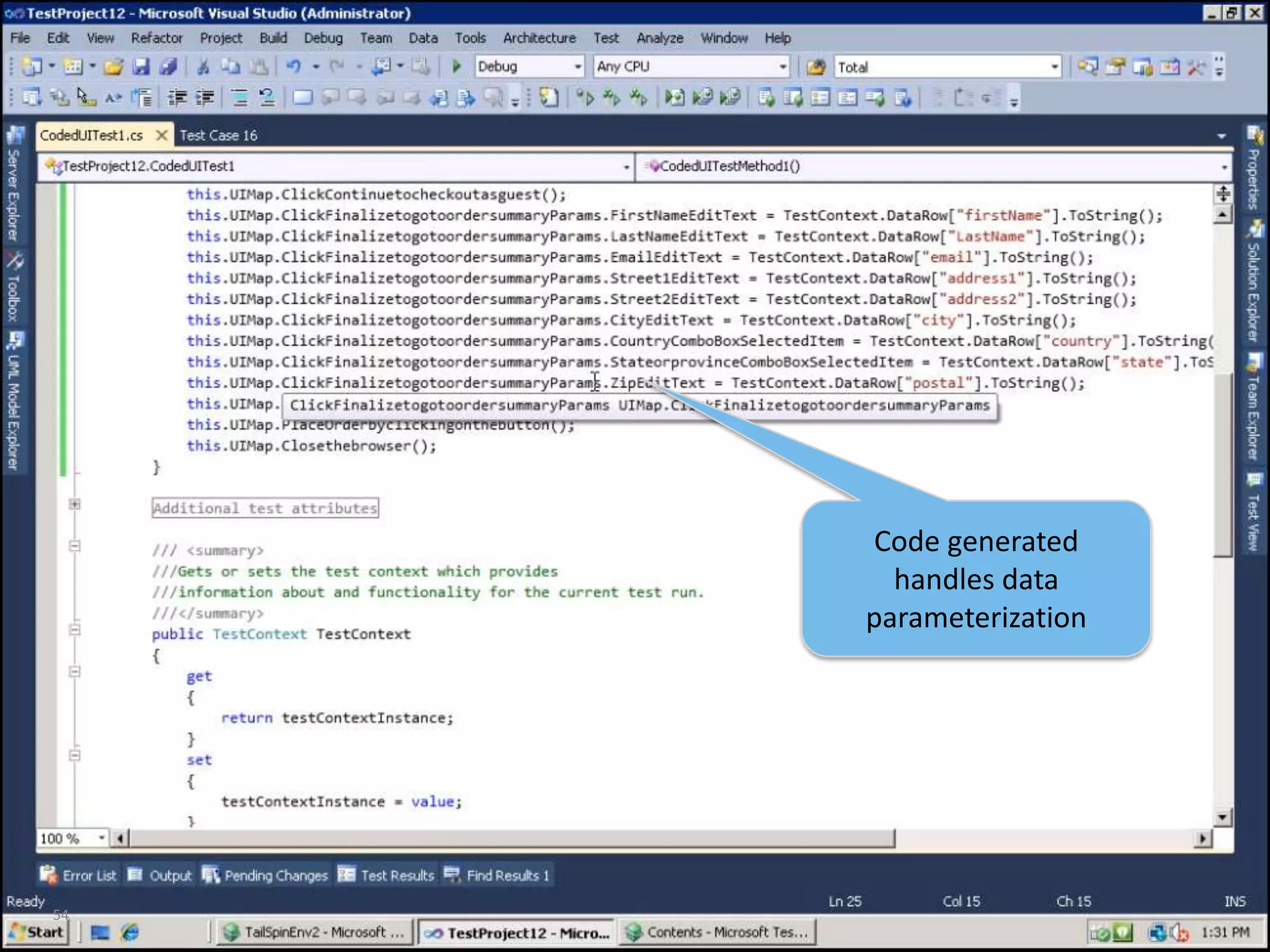
54Code generated handles data parameterization
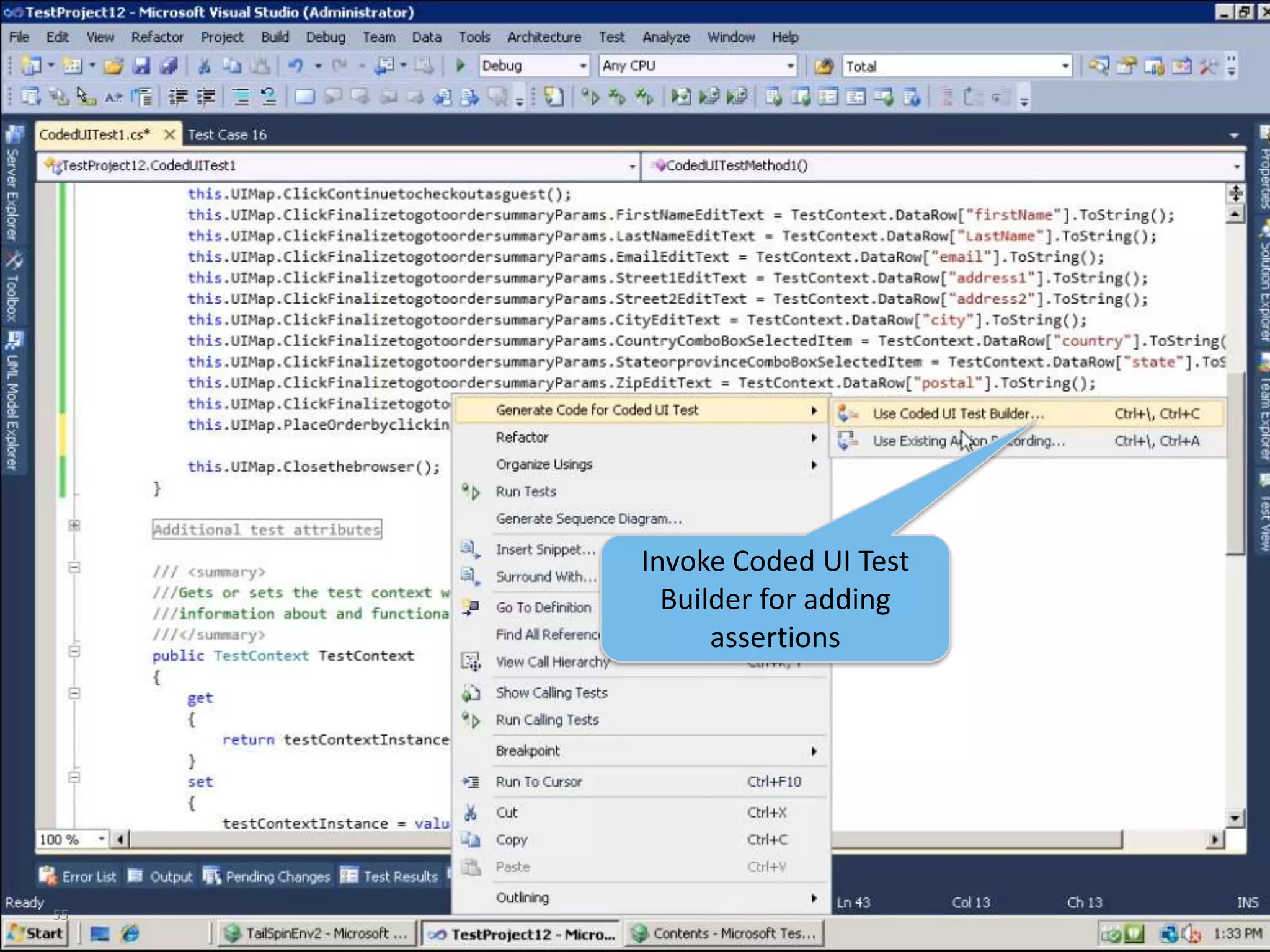
55Invoke Coded UI Test Builder for adding assertions
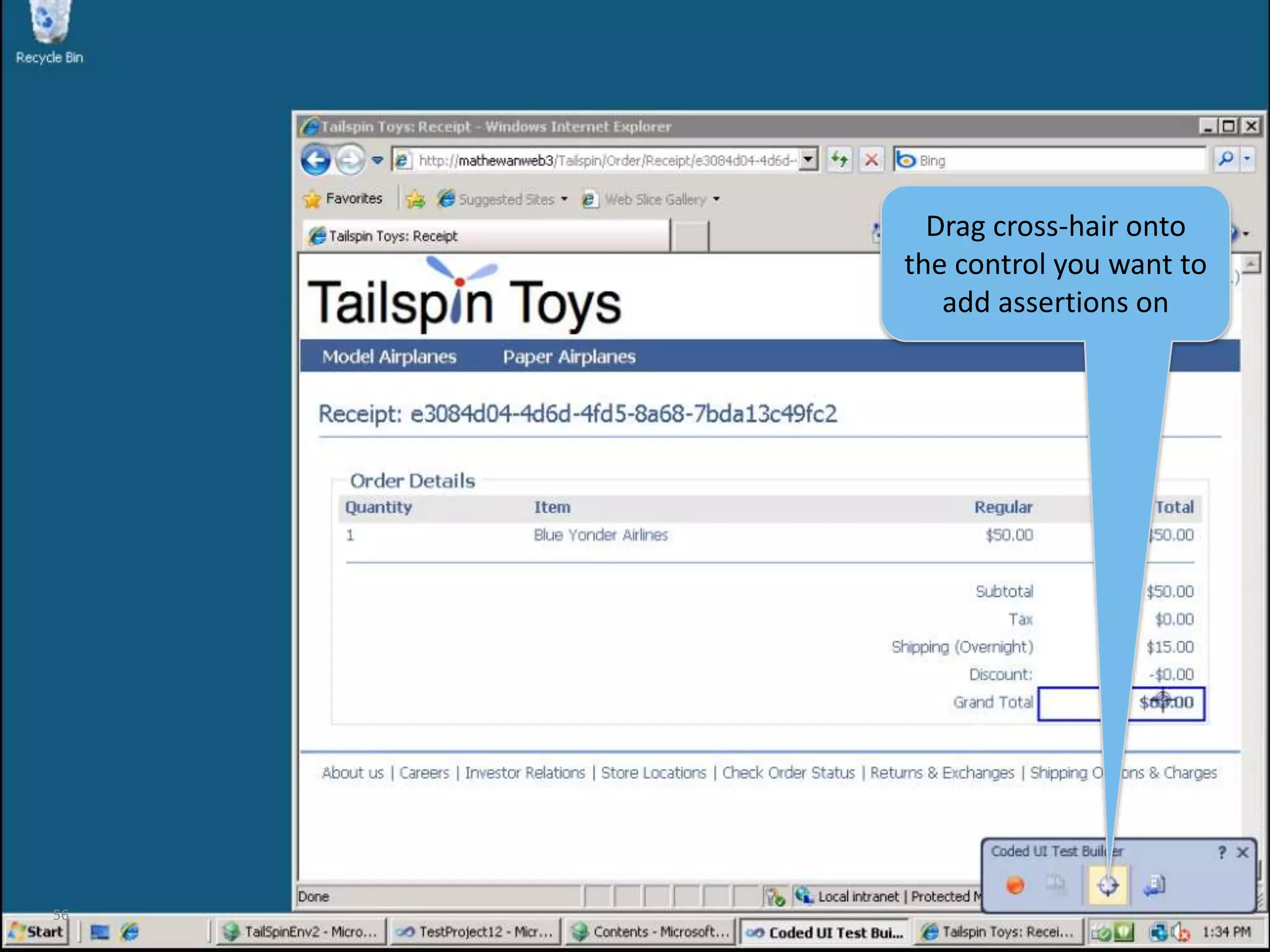
56Drag cross-hair onto the control you want to add assertions on
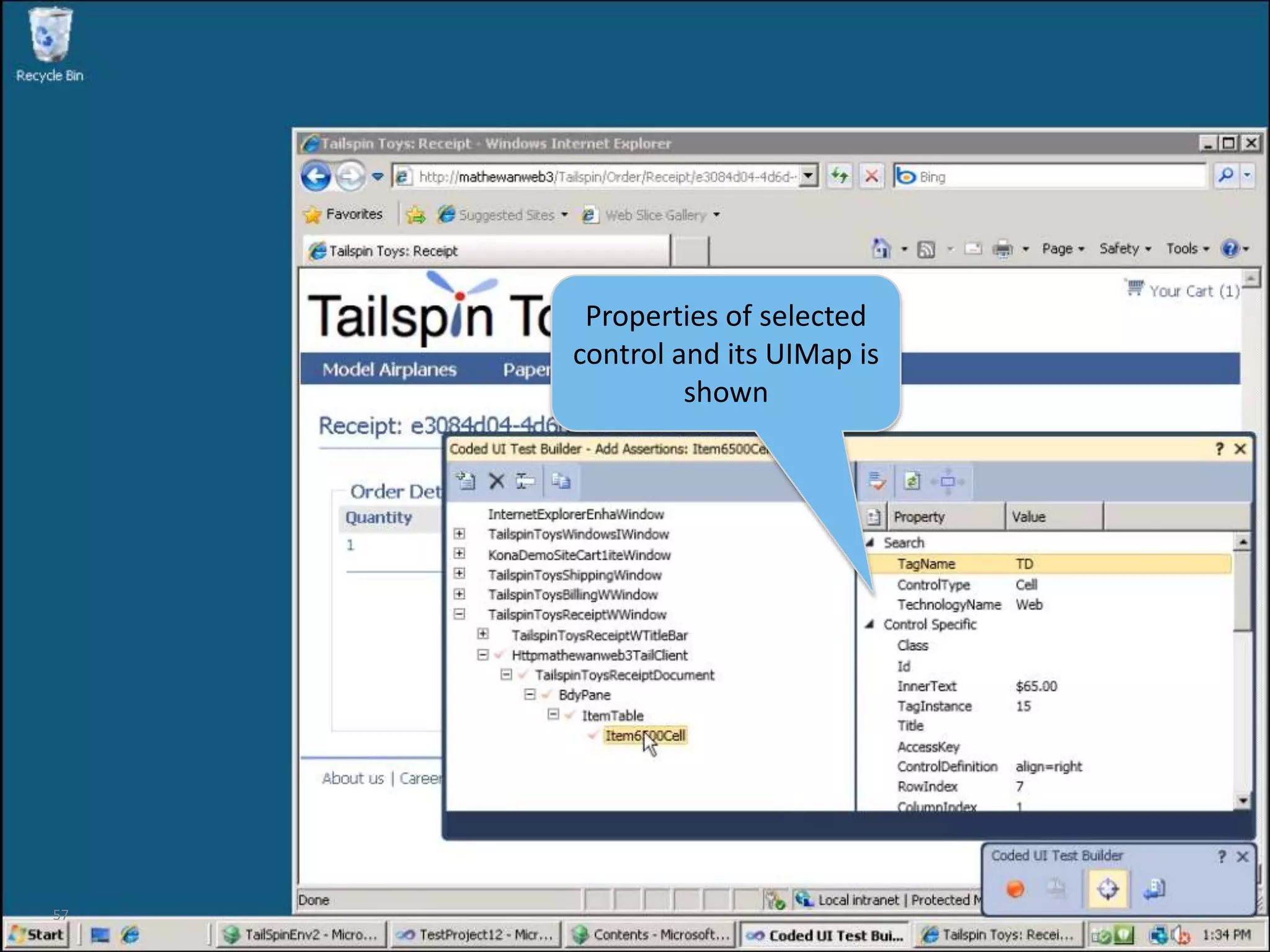
57Properties of selected control and its UIMap is shown
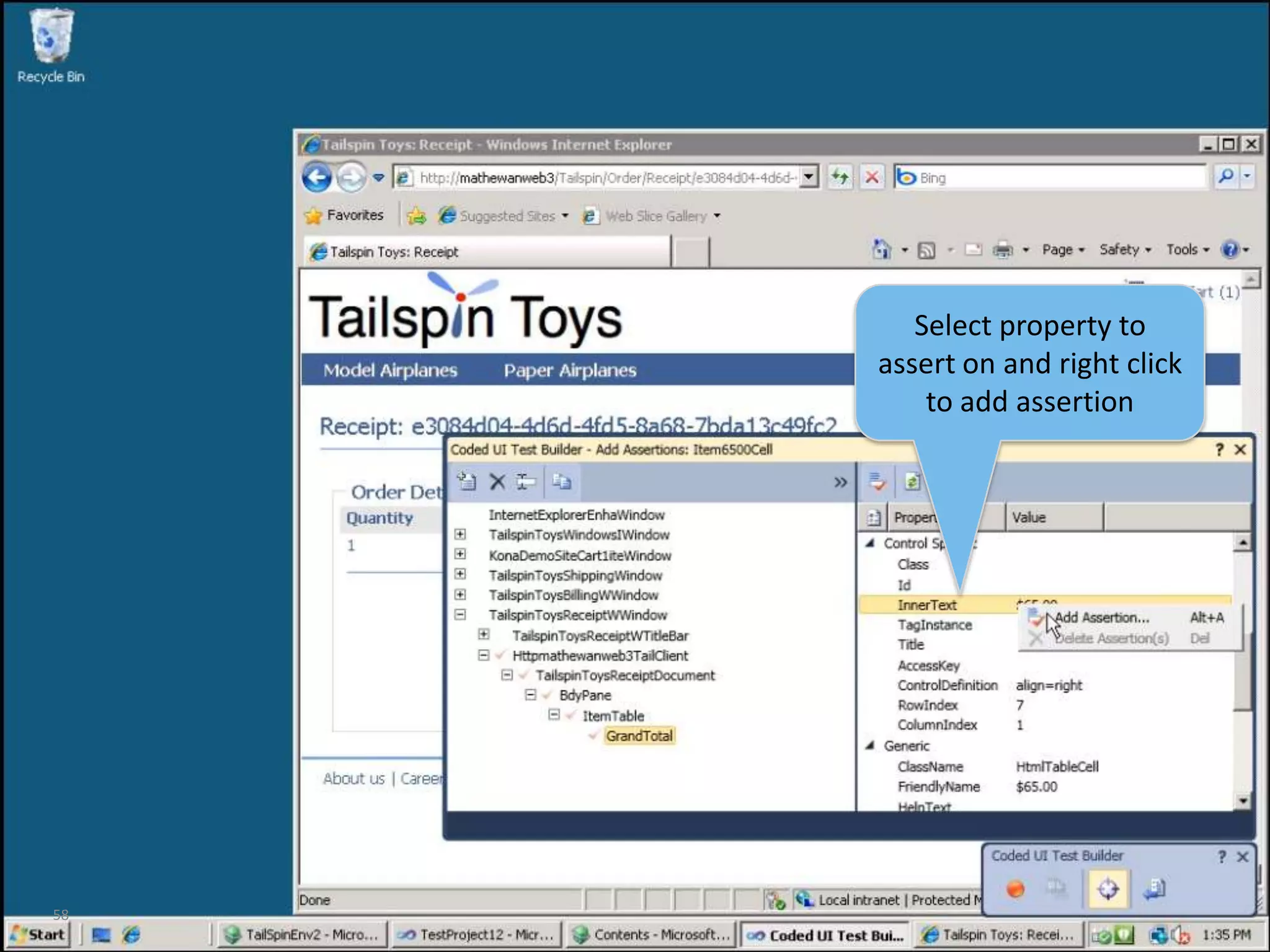
58Select property to assert on and right click to add assertion
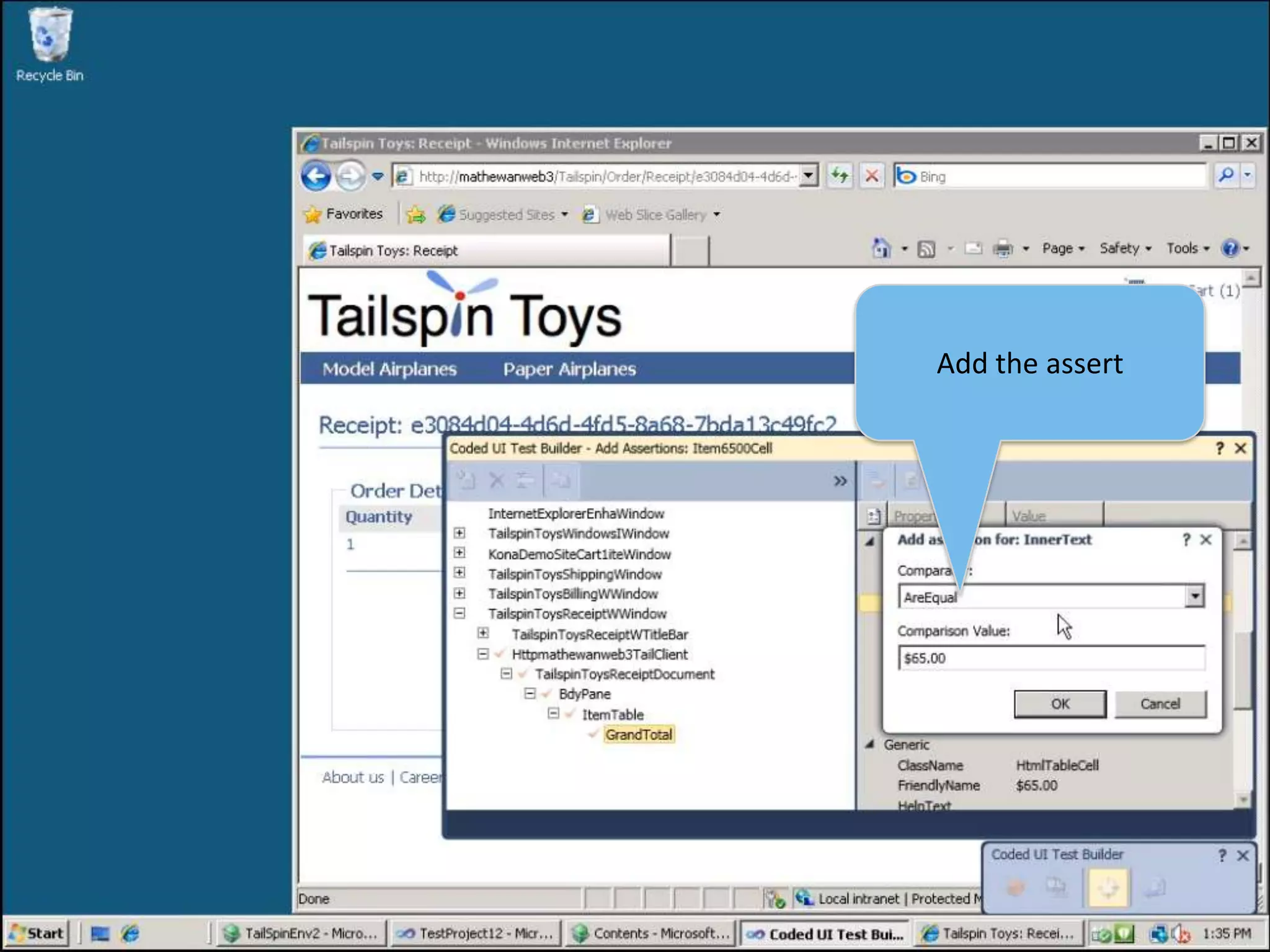
59Add the assert
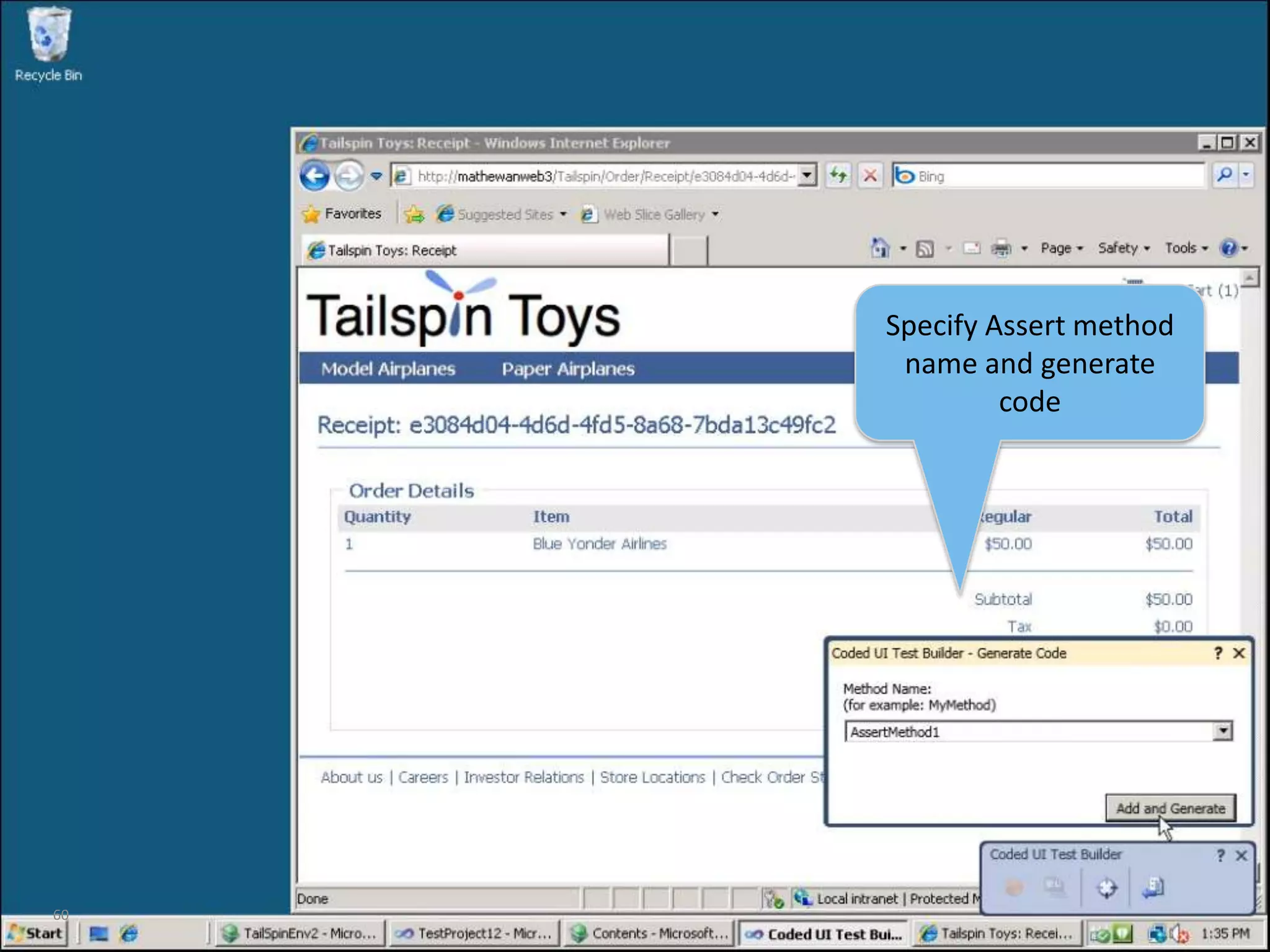
60Specify Assert method name and generate code
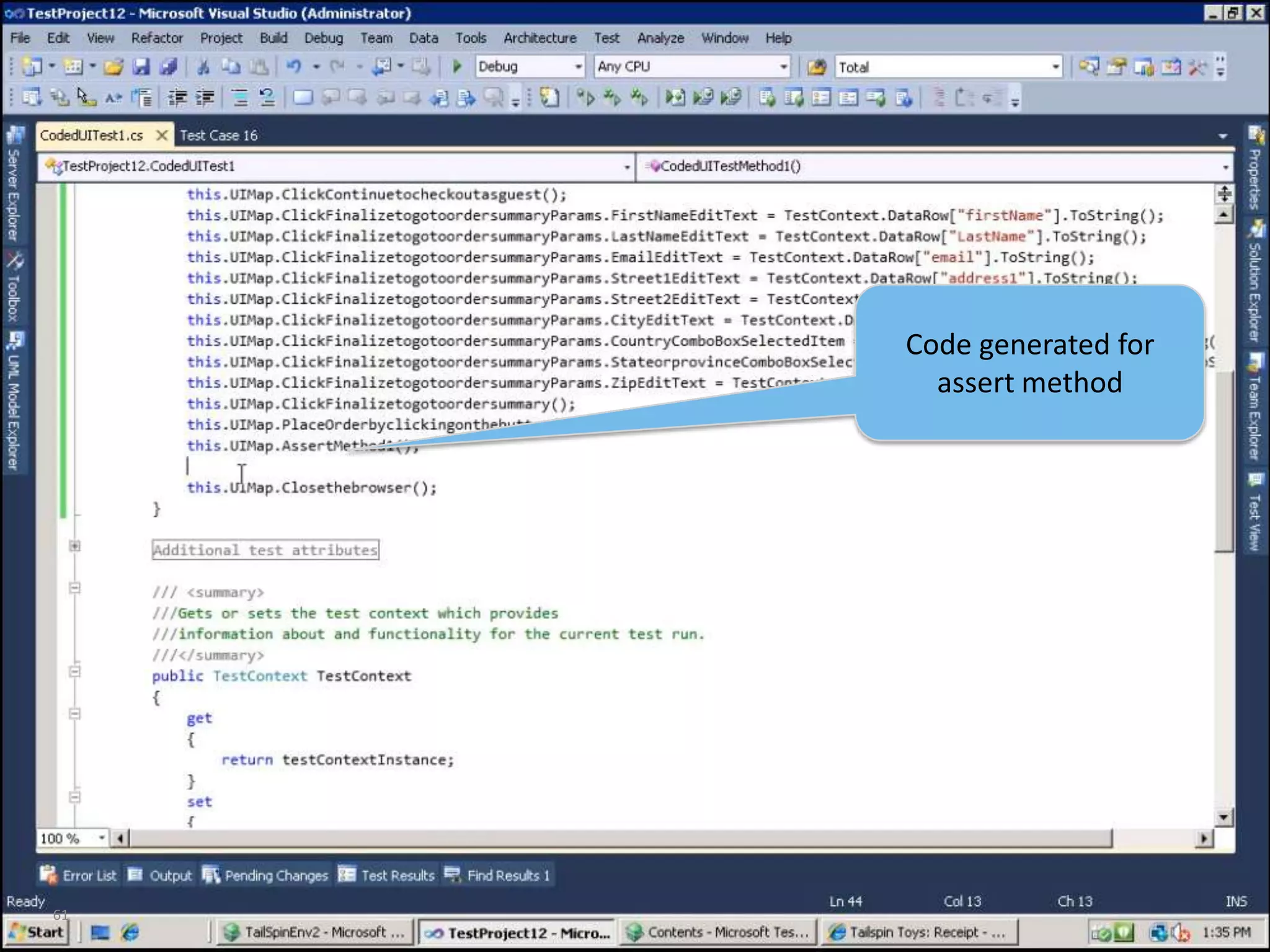
61Code generated for assert method
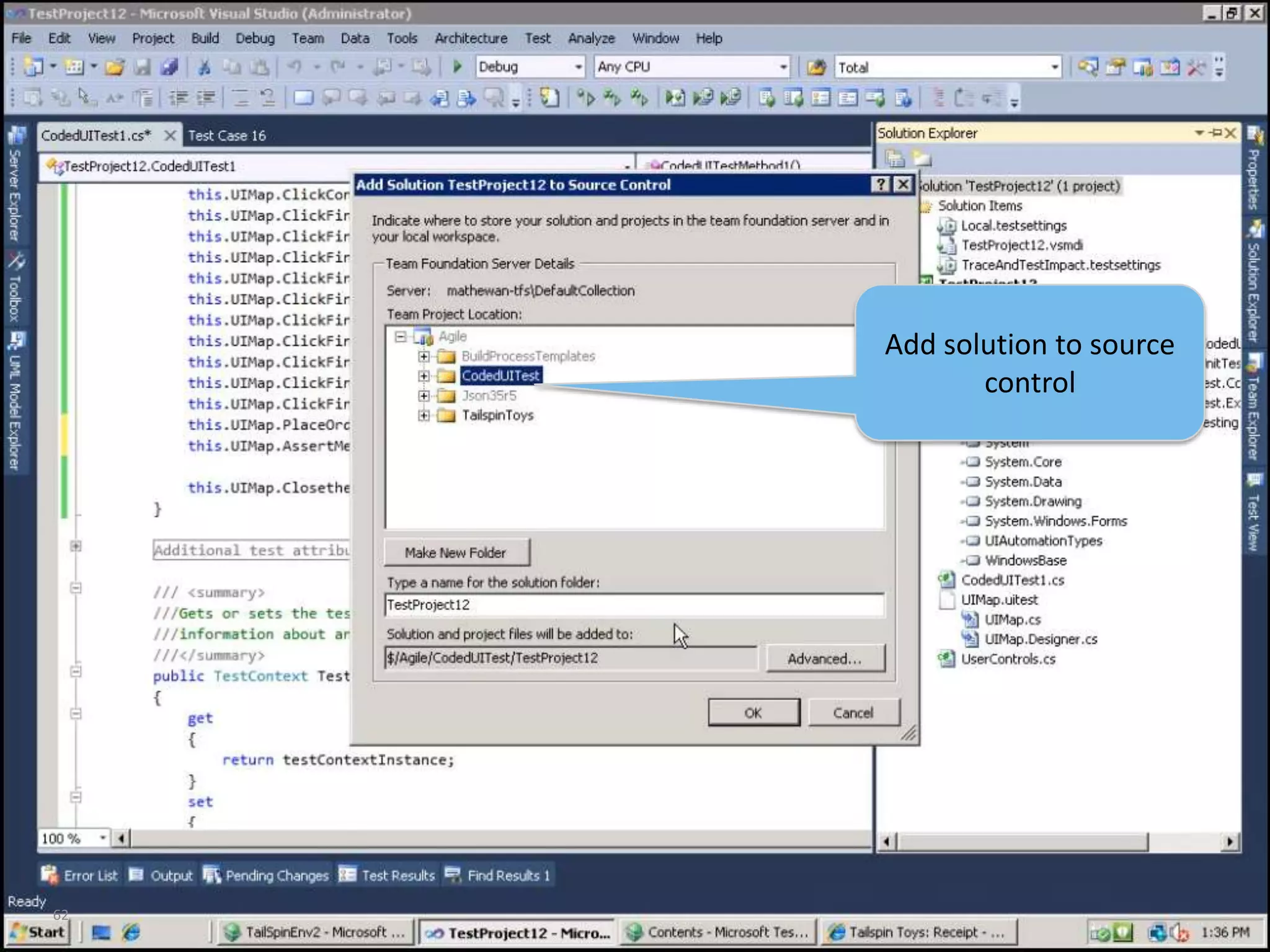
62Add solution to source control
63Check-in pending changes
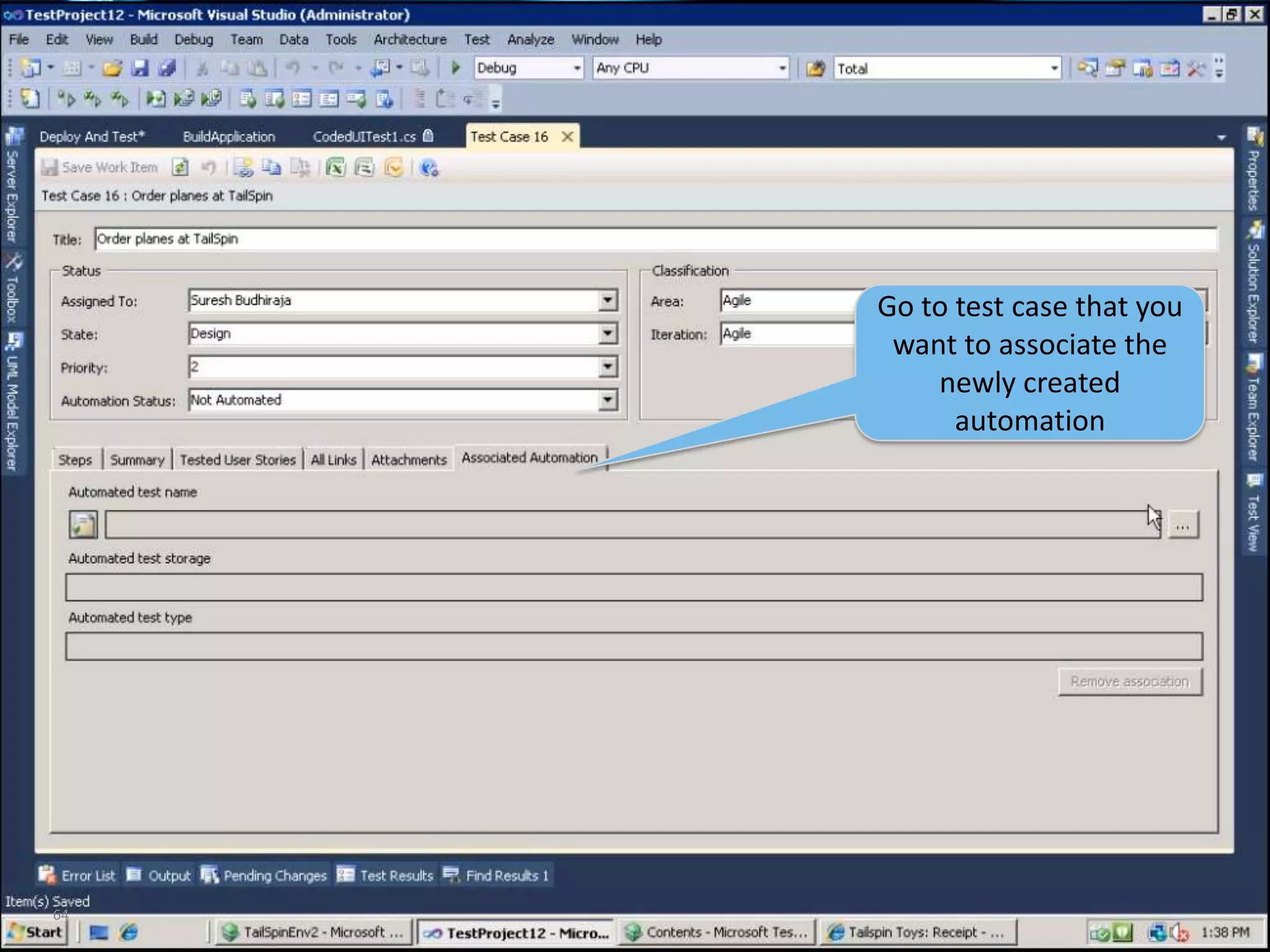
64Go to test case that you want to associate the newly created automation
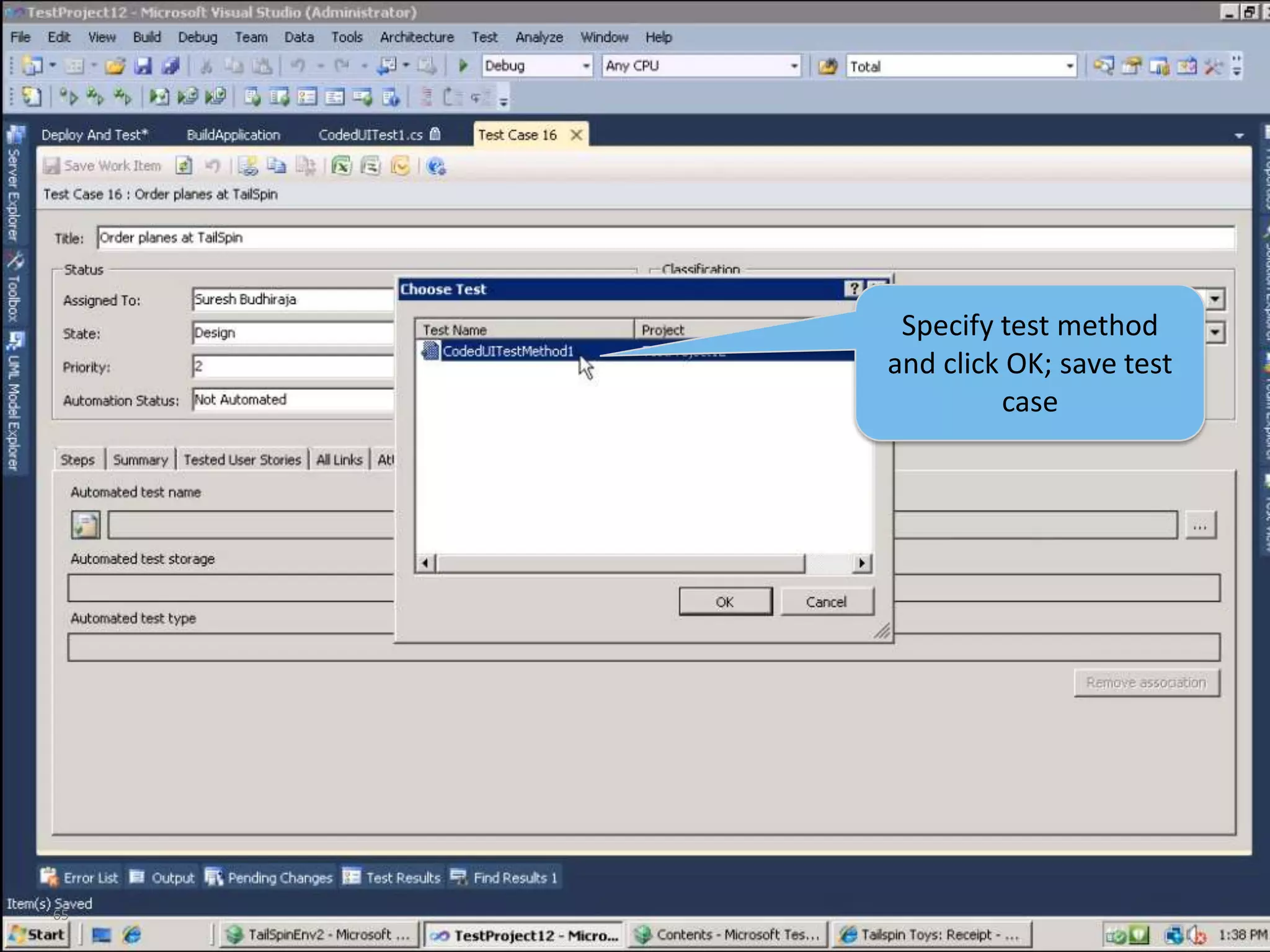
65Specify test method and click OK; save test case
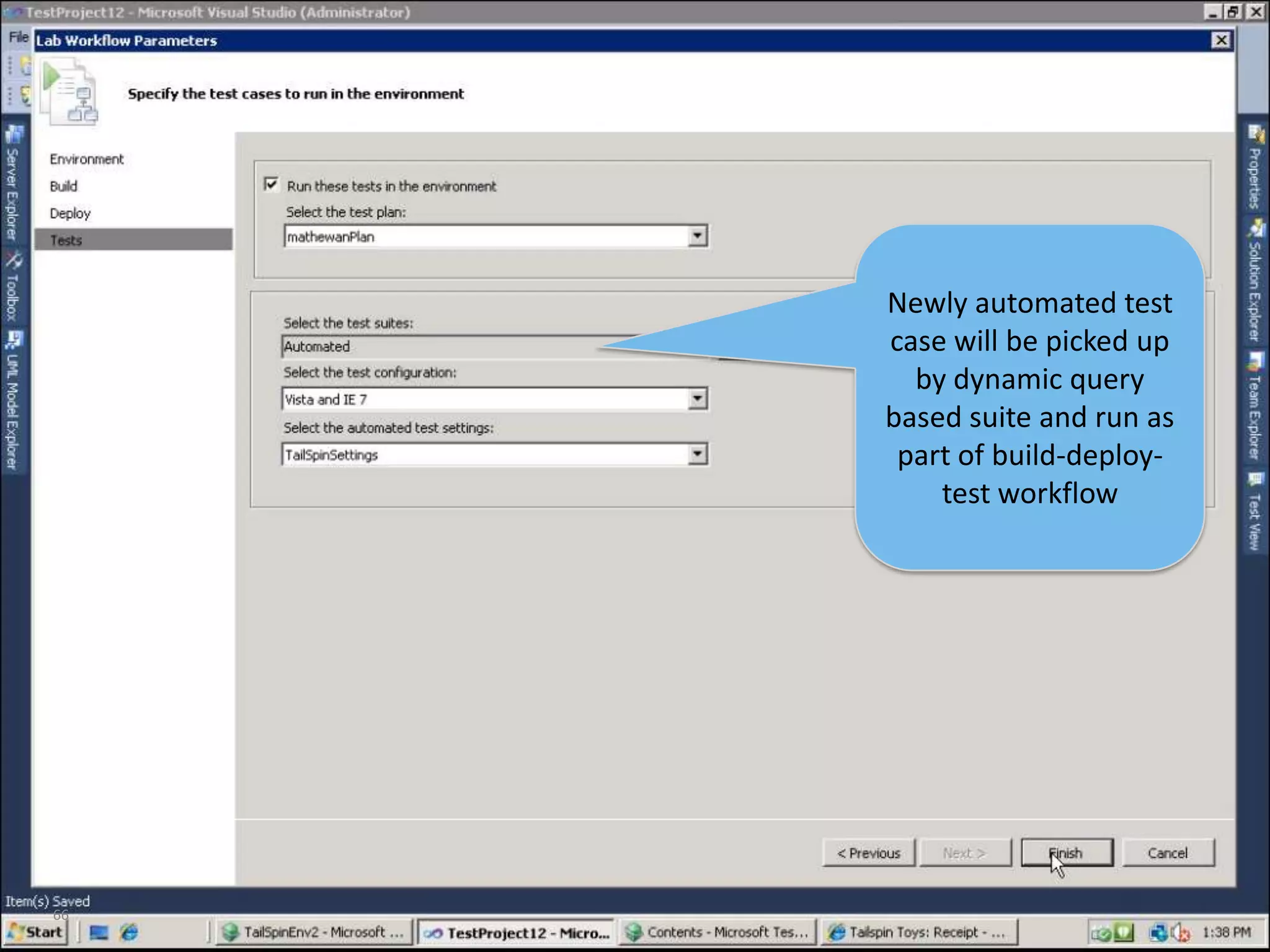
66Newly automated test case will be picked up by dynamic query based suite and run as part of build-deploy-test workflow
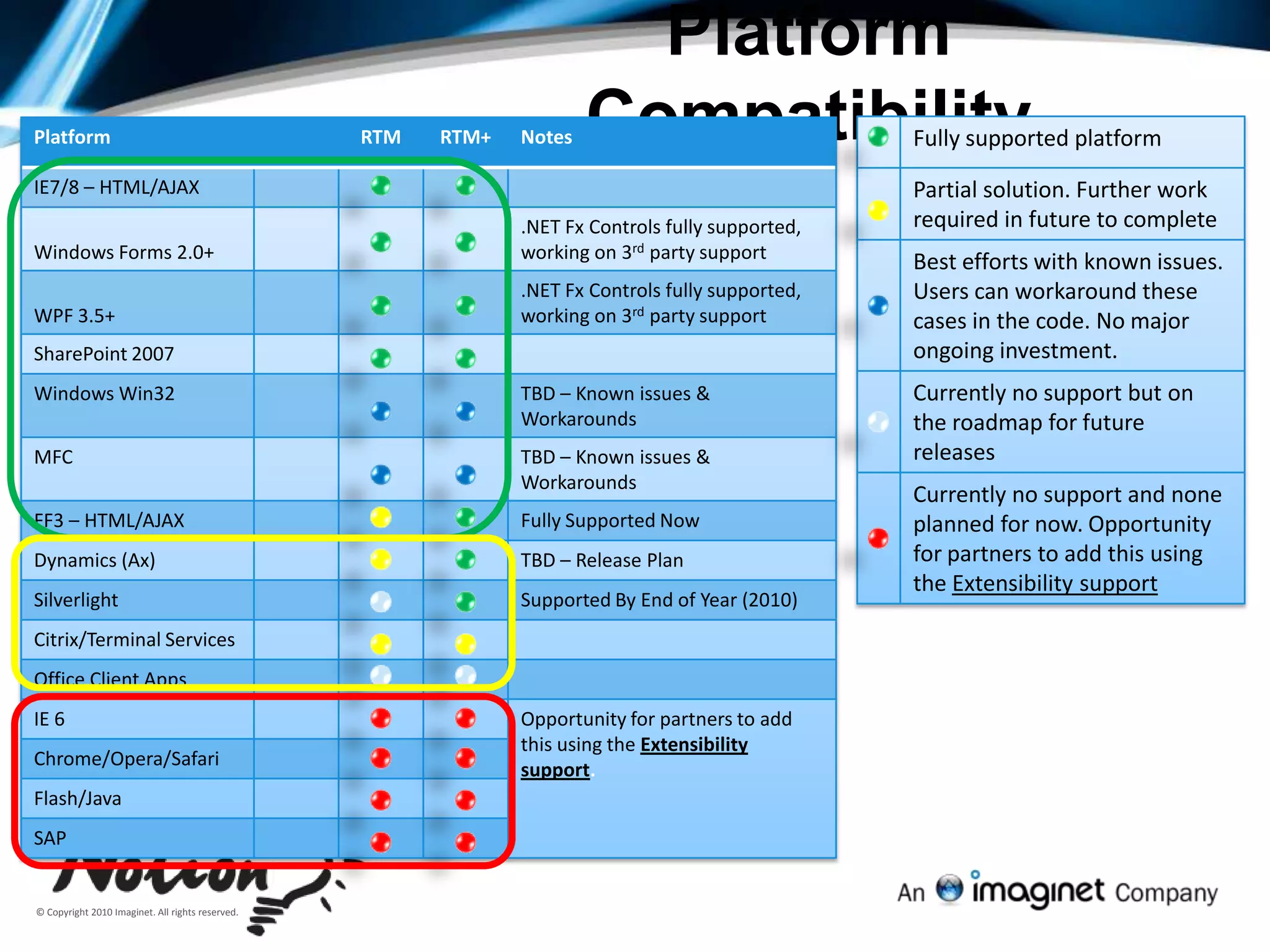
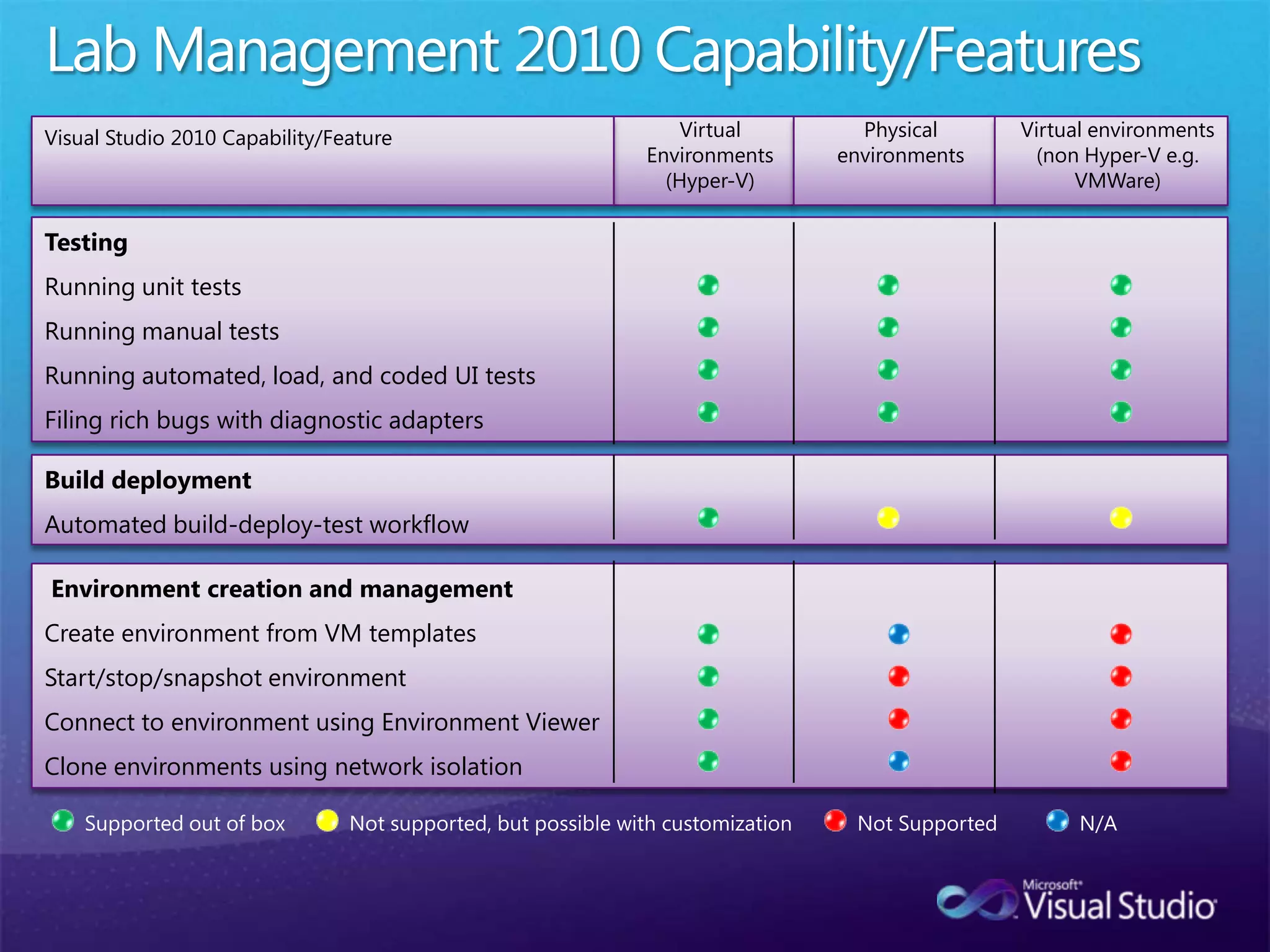
Platform Compatibility

Full Testing Experience - Visual Studio and TFS 2010