Team Foundation Server 2010 OverviewChad GreenProject LeadHP Enterprise Services
About Chad GreenHP Enterprise Services (formerly EDS)Project LeadInformation Technology Acquisition Support System (ITASS)Responsible for the requisition, acquisition, and management of information technology for USAAC.NET Technology LeaderContact InformationBlog: chadgreen.comTwitter: chadgreenEmail: chadgreen@chadgreen.com
Visual Studio 2010 & TFS 2010 Important DatesRelease Candidate: February 08, 2010Launch Date: April 12, 2010Release to Manufacturing: When Its Done
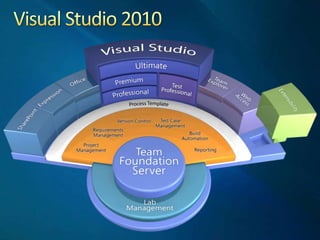
Visual Studio 2010
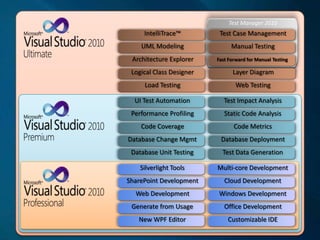
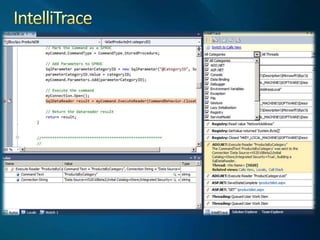
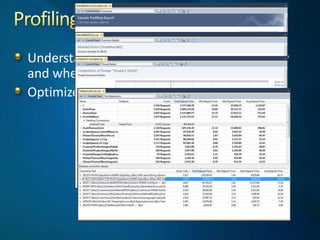
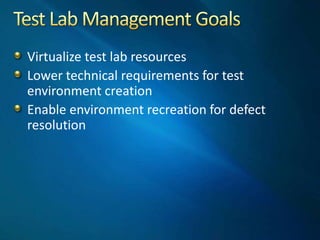
Test Manager 2010UML ModelingManual TestingLayer DiagramLoad TestingWeb TestingTest Case ManagementIntelliTrace™Architecture ExplorerLogical Class DesignerCloud DevelopmentOffice DevelopmentWindows DevelopmentNew WPF EditorCustomizable IDEMulti-core DevelopmentSilverlight ToolsWeb DevelopmentSharePoint DevelopmentGenerate from UsageStatic Code AnalysisDatabase DeploymentCode MetricsDatabase Unit TestingTest Data GenerationTest Impact AnalysisUI Test AutomationCode CoveragePerformance ProfilingDatabase Change MgmtFast Forward for Manual Testing
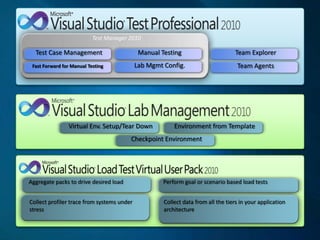
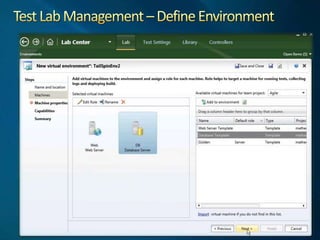
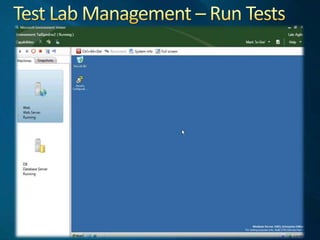
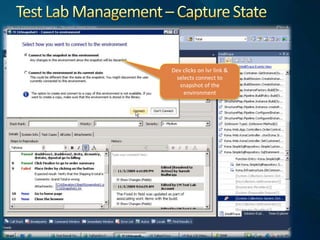
Test Manager 2010Test Case ManagementManual TestingLab MgmtConfig.Checkpoint EnvironmentEnvironment from TemplateVirtual Env. Setup/Tear DownTeam ExplorerTeam AgentsFast Forward for Manual TestingAggregate packs to drive desired loadPerform goal or scenario based load testsCollect profiler trace from systems under stressCollect data from all the tiers in your application architecture
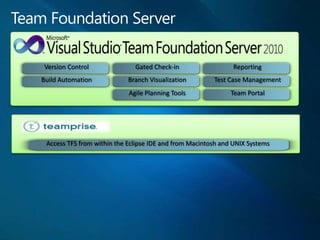
Team Foundation ServerAccess TFS from within the Eclipse IDE and from Macintosh and UNIX SystemsReportingTeam PortalTest Case ManagementBranch VisualizationVersion ControlBuild AutomationGated Check-inAgile Planning Tools
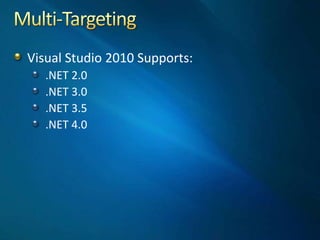
Multi-TargetingVisual Studio 2010 Supports:.NET 2.0.NET 3.0.NET 3.5.NET 4.0
Team Foundation Server 2010
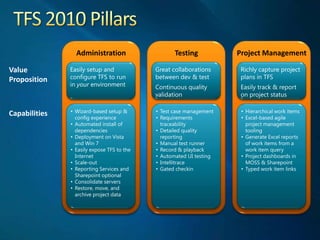
TFS 2010 PillarsAdministrationTestingProject ManagementValuePropositionEasily setup and configure TFS to run in your environmentGreat collaborations between dev & testContinuous quality validationRichly capture project plans in TFSEasily track & report on project statusWizard-based setup & config experience
Automated install of dependencies
Deployment on Vista and Win 7
Easily expose TFS to the Internet
Scale-out
Reporting Services and Sharepoint optional
Consolidate servers
Restore, move, and archive project data
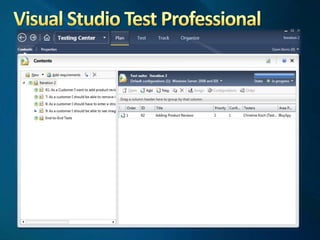
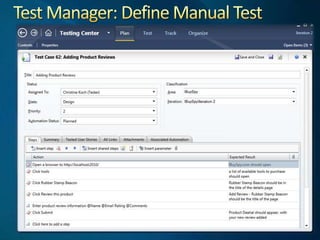
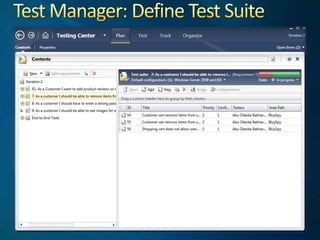
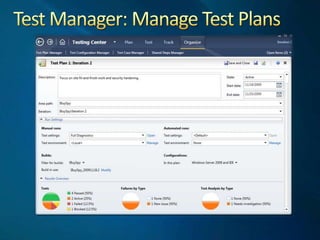
Test case management
Requirements traceability
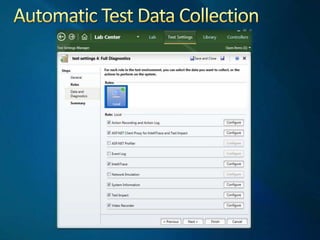
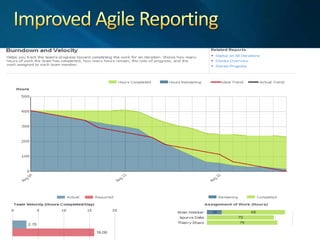
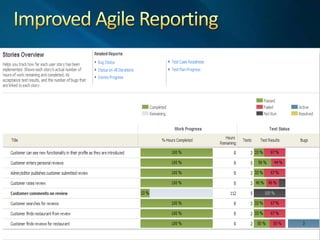
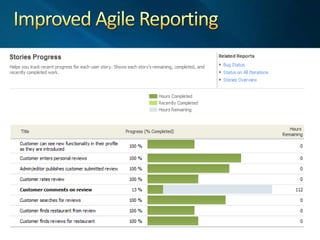
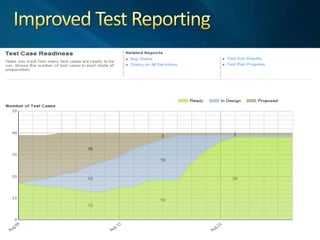
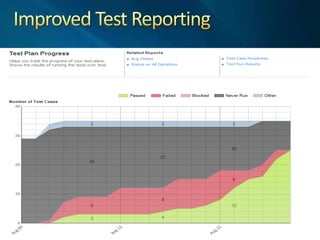
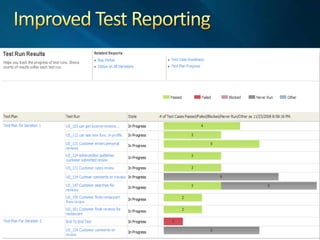
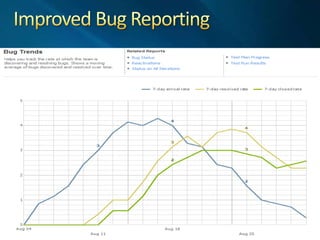
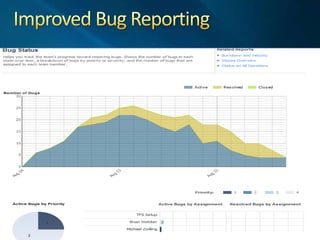
Detailed quality reporting
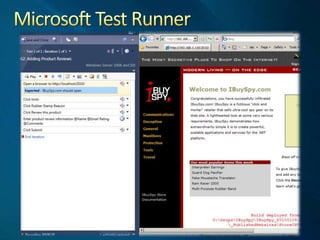
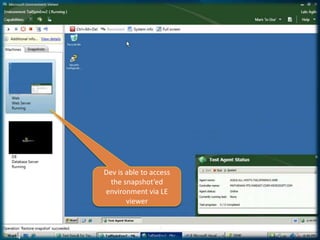
Manual test runner
Record & playback
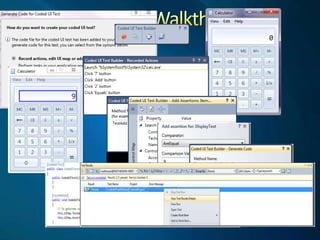
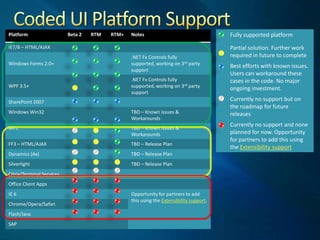
Automated UI testing
Intellitrace
Gated checkin
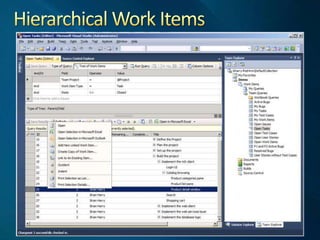
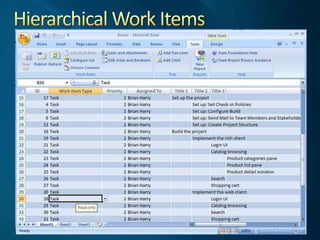
Hierarchical work items
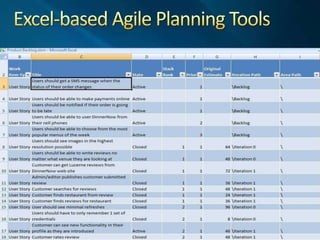
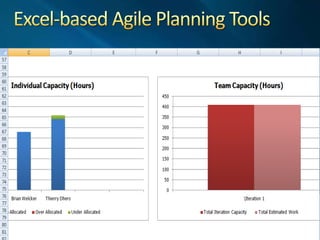
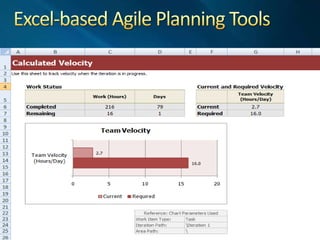
Excel-based agile project management tooling
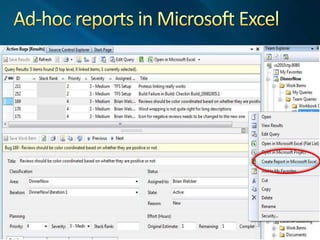
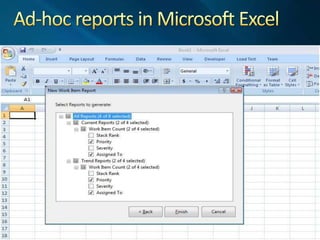
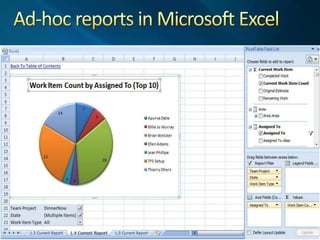
Generate Excel reports of work items from a work item query
Project dashboards in MOSS & Sharepoint
Typed work item linksCapabilities
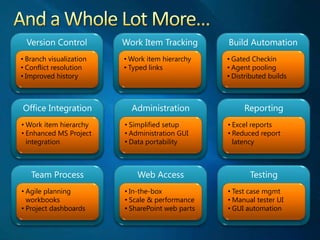
And a Whole Lot More…Version ControlWork Item TrackingBuild AutomationOffice IntegrationAdministrationReportingTeam ProcessWeb AccessTestingBranch visualization
Conflict resolution
Improved history
Work item hierarchy
Typed links
Gated Checkin
Agent pooling
Distributed builds
Work item hierarchy
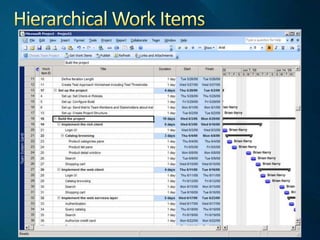
Enhanced MS Project integration
Simplified setup
Administration GUI
Data portability
Excel reports
Reduced report latency
Agile planning workbooks
Project dashboards
In-the-box
Scale & performance
SharePoint web parts
Test case mgmt
Manual tester UI
GUI automationAdministering TFS improvementsSeparate setup and configurationAdministration consoleFlexible configurationArchitecture for hostingTeam Project CollectionsMultiple Data Tier InstancesApplication Tier load balancingExtensive scalability
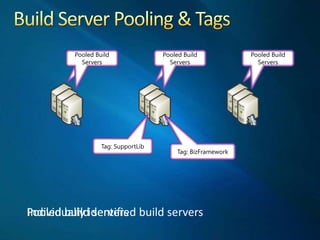
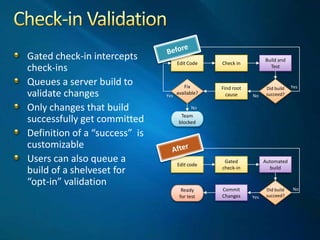
Source Control & Build ImprovementsBranch visualizationWorkflow Foundation based build engineBuild Server poolingBuild Server tagsGated check-in
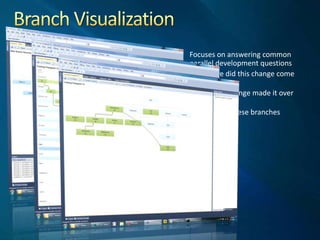
Branch VisualizationFocuses on answering common parallel development questionsWhere did this change come from?Has my change made it over there?How are these branches related?
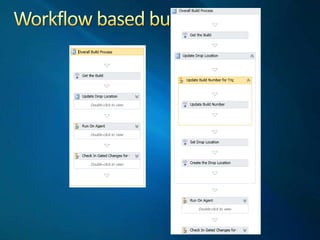
Workflow based build
Build Server Pooling & TagsBuild ServerPooled Build ServersBuild ServerBuild ServerPooled Build ServersPooled Build ServersTag: SupportLibTag: BizFrameworkIndividually identified build serversPooled build servers
Check-in ValidationEdit CodeCheck inBuild and TestDid build succeed?Fixavailable?Find root causeYesNoYesNoTeamblockedEdit codeGated check-inAutomated buildDid build succeed?Commit ChangesReadyfor testNoYesBeforeGated check-in intercepts check-insQueues a server build to validate changesOnly changes that build successfully get committedDefinition of a “success”  is customizableUsers can also queue a build of a shelveset for “opt-in” validationAfter
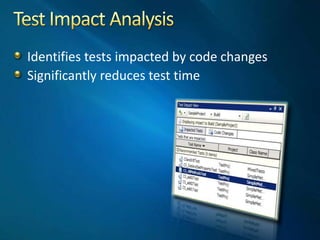
Test Impact AnalysisIdentifies tests impacted by code changesSignificantly reduces test time
Project Management & Business Alignment Improvements
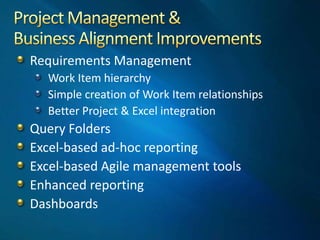
Project Management &Business Alignment ImprovementsRequirements ManagementWork Item hierarchySimple creation of Work Item relationshipsBetter Project & Excel integrationQuery FoldersExcel-based ad-hoc reportingExcel-based Agile management toolsEnhanced reportingDashboards
Hierarchical Work Items
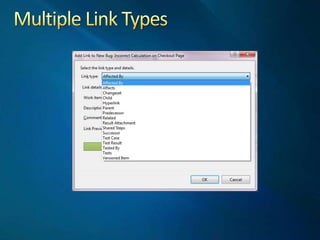
Multiple Link Types
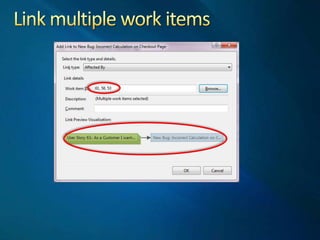
Link multiple work items
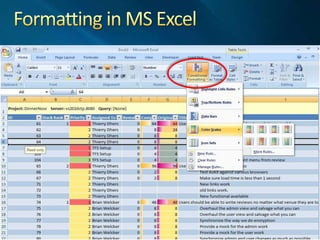
Formatting in MS Excel
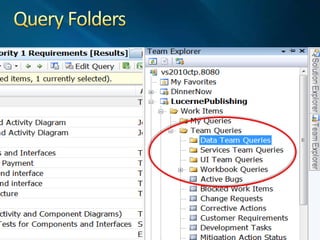
Query Folders
Ad-hoc reports in Microsoft Excel
Architecture Features
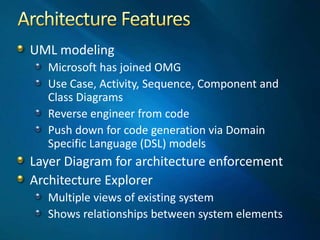
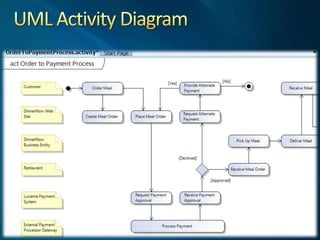
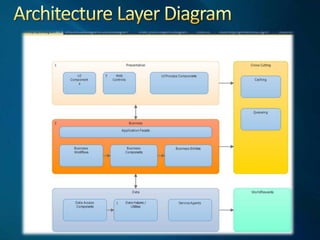
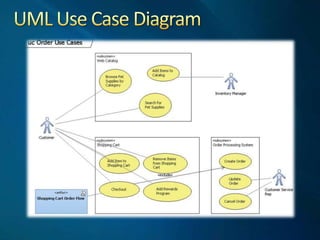
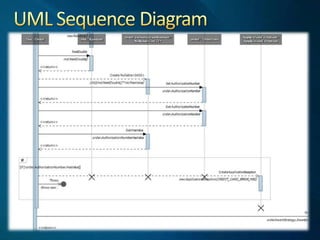
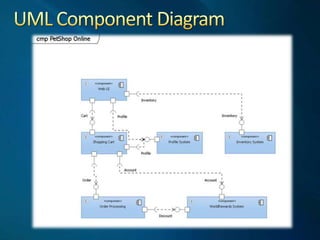
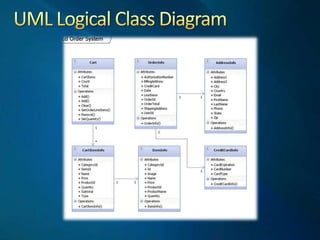
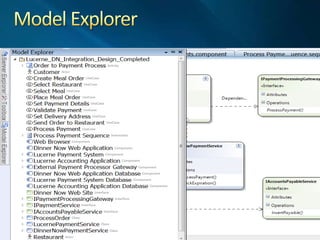
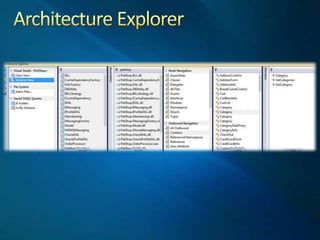
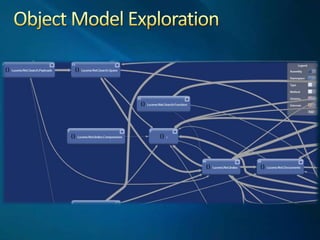
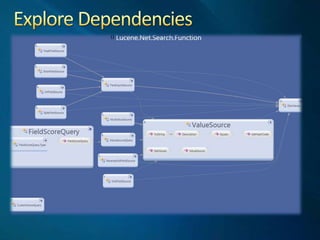
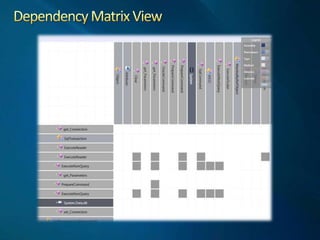
 Architecture FeaturesUML modelingMicrosoft has joined OMGUse Case, Activity, Sequence, Component and Class DiagramsReverse engineer from codePush down for code generation via Domain Specific Language (DSL) modelsLayer Diagram for architecture enforcementArchitecture ExplorerMultiple views of existing systemShows relationships between system elements
UML Activity Diagram
Architecture Layer Diagram
UML Use Case Diagram
UML Sequence Diagram
UML Component Diagram
UML Logical Class Diagram

Tfs Overview

Editor's Notes

  • #3 Some quick information about myself:I work for HP Enterprise Services, which is the new name for EDS. EDS founded the information technology outsourcing industry in 1962. We are now a business unit of HP, and we are leading the world in global technology services delivering business solutions to our clients. Our business unit is built on a heritage of delivery excellence, industry knowledge, a world-class technical infrastructure, and the expertise and commitment of our people.Enterprise Services delivers one of the industry’s broadest portfolios of information technology, applications, and business process outsourcing services to clients in the manufacturing; financial services; healthcare; communications, media, and entertainment; energy; transportation; and consumer and retail industries; and to governments around the world.I specifically work as a project lead on the United States Army Accessions Command (USAAC) account at Ft. Knox. As such, I’m responsible for the day-to-day management of several .NET projects. Most of my time is spent working on the Information Technology Acquisition Support System or ITASS. ITASS is responsible for the requisition, acquisition, and management of information technology for the command. This project has been around since 2000, starting as a Classic ASP/VB6 web application and since migrated to an ASP.NET site.Amongst the things I do at Ft. Knox, I provide technology leadership for .NET projects. Basically, if there is something we want to do that involves .NET or the our .NET projects (whether directly or indirectly) I usually get involved in some way.I also provide guidance for our process improvement efforts. This has included helping determine the .NET related coding/development standards, peer review processes, etc.Finally, you see my contact information. I sort-of maintain a blog at chadgreen.com, but I rarely get a chance to write any articles there. My Twitter handle is chadgreen and you can always email me at chadgreen@chadgreen.com.
  • #4 First, the really important information: when is VS 2010 and TFS 2010 going to be available. The release candidate was released to MSDN subscribers on February 8th and the rest of the world a couple of days later.The official launch date is April 12th. It should be noted that while they have already delayed the launch (it was originally scheduled for March 22nd), I just don’t see them changing this date again.As far as the RTM date, the only thing Microsoft officially is saying is that it will be released when its done. Personally, I don’t think this will be until the very end of March, basically just in time to produce DVDs for the launch event. Basically, they want to prevent issues like they had with 2008, when they had to quickly produce a HotFix due to some nasty performance issues that crept into the RTM version.Couple of quick notes about the Release Candidate. First, it expires on June 30, so be prepared to replace it rather quickly. Second, if you are installing it on a Windows XP machine (that is what the Army is still running), the RC introduced a dependency of XP SP3.