Microsoft Application Lifecycle ManagementTeam Foundation Server 2010Steve LangeSr. Developer Technology SpecialistMicrosoft | Denver, COstevenl@microsoft.com | blogs.msdn.com/slange
AgendaIntroductionsMicrosoft’s Application Lifecycle Management SolutionsVisual Studio 2010 Product FamilyFocus AreasPlan and Manage Your ProjectUnderstand Parallel DevelopmentNo More “No Repro” BugsReport on Your PortfolioSummaryQ&AClose & Next Steps
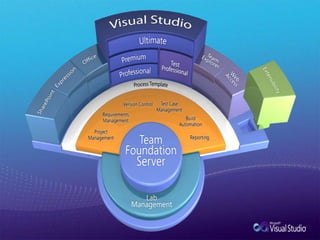
Visual Studio 2010Application Lifecycle Management Solutions
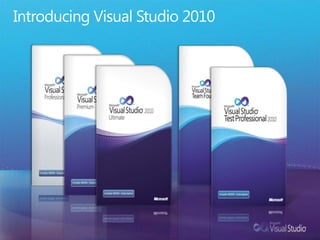
Introducing Visual Studio 2010
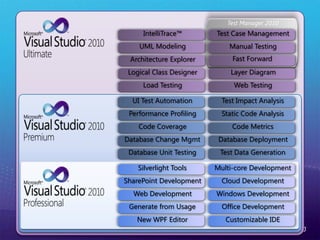
Test Manager 2010UML ModelingManual TestingLayer DiagramLoad TestingWeb TestingTest Case ManagementIntelliTrace™Architecture ExplorerLogical Class DesignerCloud DevelopmentOffice DevelopmentWindows DevelopmentNew WPF EditorCustomizable IDEMulti-core DevelopmentSilverlight ToolsWeb DevelopmentSharePoint DevelopmentGenerate from UsageStatic Code AnalysisDatabase DeploymentCode MetricsDatabase Unit TestingTest Data GenerationTest Impact AnalysisUI Test AutomationCode CoveragePerformance ProfilingDatabase Change MgmtFast Forward
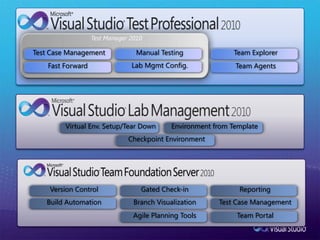
Test Manager 2010Fast ForwardTest Case ManagementManual TestingLab MgmtConfig.Checkpoint EnvironmentEnvironment from TemplateVirtual Env. Setup/Tear DownTeam ExplorerTeam AgentsReportingTeam PortalTest Case ManagementBranch VisualizationVersion ControlBuild AutomationGated Check-inAgile Planning Tools
Team Foundation ServerFocus Areas
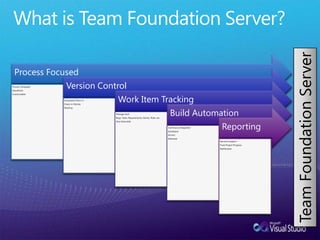
What is Team Foundation Server?Team Foundation Server
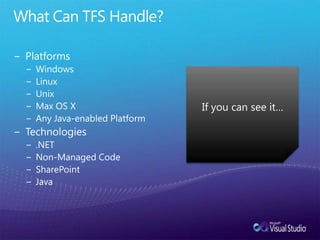
What Can TFS Handle?PlatformsWindowsLinuxUnixMax OS XAny Java-enabled PlatformTechnologies.NETNon-Managed CodeSharePointJavaIf you can see it…
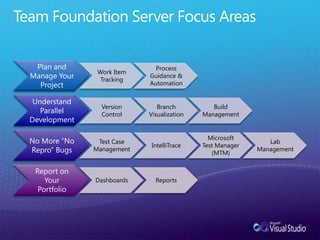
Team Foundation Server Focus Areas
Plan & Manage Your Project
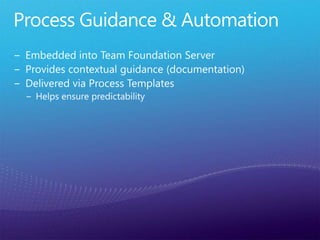
Process Guidance & AutomationEmbedded into Team Foundation ServerProvides contextual guidance (documentation)Delivered via Process TemplatesHelps ensure predictability
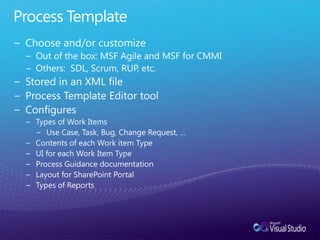
Process TemplateChoose and/or customizeOut of the box: MSF Agile and MSF for CMMIOthers:  SDL, Scrum, RUP, etc.Stored in an XML fileProcess Template Editor toolConfiguresTypes of Work ItemsUse Case, Task, Bug, Change Request, …Contents of each Work item TypeUI for each Work Item TypeProcess Guidance documentationLayout for SharePoint PortalTypes of Reports
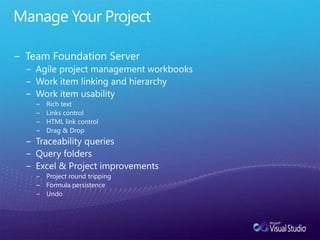
Manage Your ProjectTeam Foundation ServerAgile project management workbooksWork item linking and hierarchyWork item usabilityRich textLinks controlHTML link controlDrag & DropTraceability queriesQuery foldersExcel & Project improvementsProject round trippingFormula persistenceUndo
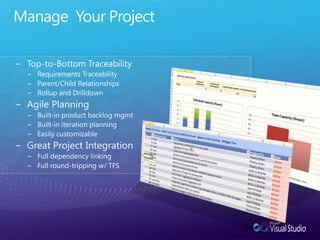
Manage  Your ProjectTop-to-Bottom TraceabilityRequirements TraceabilityParent/Child RelationshipsRollup and DrilldownAgile PlanningBuilt-in product backlog mgmtBuilt-in iteration planningEasily customizableGreat Project IntegrationFull dependency linking Full round-tripping w/ TFS
Work Item Tracking
Understand Parallel Development
Common Misconceptions
Version ControlIntegrated into Work Item Tracking, BuildsMajor CapabilitiesChangesetsWorkspacesBranch And MergeShelving
Integrated Check-inAtomicA changeset is guaranteed to have all changes from a check-inIntegratedCheck-in policy applied (but override-able)Work Items associatedBuilds associated with Work ItemsCheck-in notesAll related to changesetPending Check-in WindowNotification possibilitiesCheck-in PolicyCustomizable, extensible
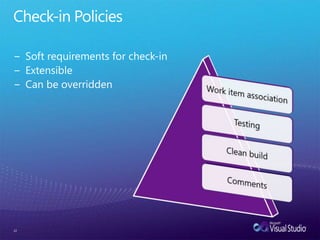
Check-in PoliciesSoft requirements for check-inExtensibleCan be overridden22
ChangesetsLogical container of data related to check-inFile and branch informationLinks to work itemsCheck-in notesCommentPolicy complianceMetadata (date, time, user)Unit of atomic checkinUniquely identifiedNumeric identifierIncrementalRepresents a point in time of source repository
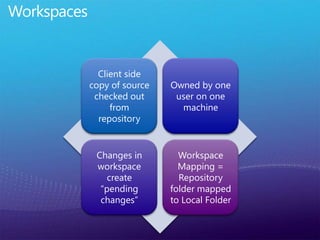
Workspaces
Branch And Merge
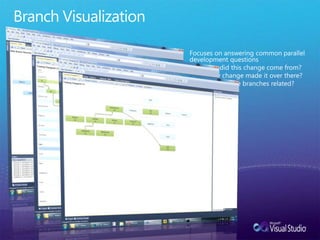
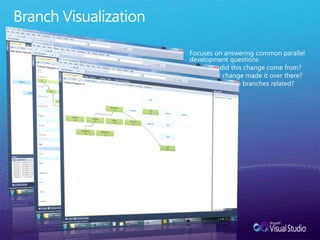
Branch VisualizationFocuses on answering common parallel development questionsWhere did this change come from?Has my change made it over there?How are these branches related?
ShelvingSet aside pending changes without checkinOptionally revert to unmodified filesRestore shelved changes by “unshelving”Unshelve other user’s changesPower of task branching with less overhead27
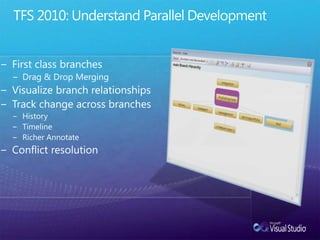
TFS 2010: Understand Parallel DevelopmentFirst class branchesDrag & Drop MergingVisualize branch relationshipsTrack change across branchesHistoryTimelineRicher AnnotateConflict resolution
Branch VisualizationFocuses on answering common parallel development questionsWhere did this change come from?Has my change made it over there?How are these branches related?
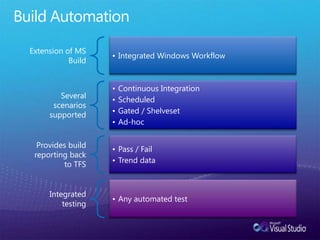
Build Automation
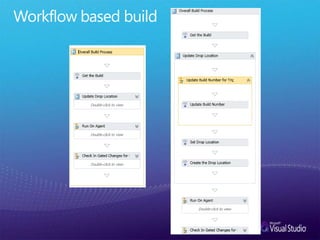
Workflow based build
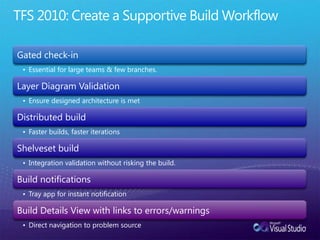
TFS 2010: Create a Supportive Build Workflow
For Non-.NET DevelopmentTeam Explorer EverywhereEclipse plug-in for TFSRich client (Java-based)Command-Line
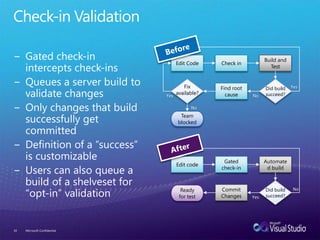
Check-in Validation34Microsoft ConfidentialEdit CodeCheck inBuild and TestDid build succeed?Fixavailable?Find root causeYesNoYesNoTeamblockedEdit codeGated check-inAutomated buildDid build succeed?Commit ChangesReadyfor testNoYesBeforeGated check-in intercepts check-insQueues a server build to validate changesOnly changes that build successfully get committedDefinition of a “success”  is customizableUsers can also queue a build of a shelveset for “opt-in” validationAfter
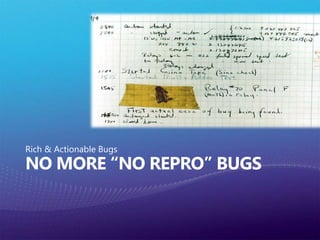
No More “No Repro” BugsRich & Actionable Bugs
Actionable BugEnables immediate action.Contains:Steps to ReproduceSystem InformationScreenshots & Video CaptureIntelliTrace
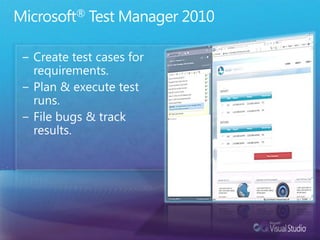
Microsoft® Test Manager 2010Create test cases for requirements.Plan & execute test runs.File bugs & track results.
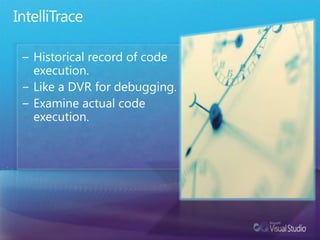
IntelliTraceHistorical record of code execution.Like a DVR for debugging.Examine actual code execution.
Report on Your Portfolio
Are we going to deliver a quality project on time?What do I need to know now to course correct?What ‘fires’ will we have to put out that we don’t know about?What can I do to reduce the risk?
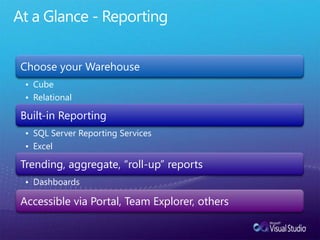
At a Glance - Reporting
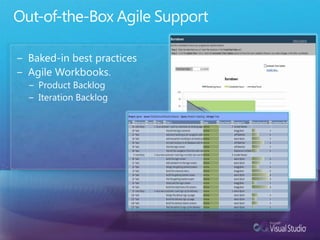
Out-of-the-Box Agile SupportBaked-in best practicesAgile Workbooks.Product BacklogIteration Backlog
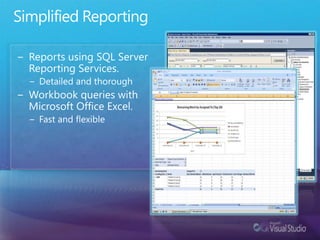
Simplified ReportingReports using SQL Server Reporting Services.Detailed and thoroughWorkbook queries with Microsoft Office Excel.Fast and flexible
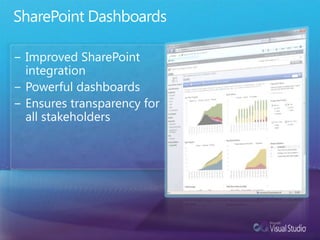
SharePoint DashboardsImproved SharePoint integration Powerful dashboardsEnsures transparency for all stakeholders
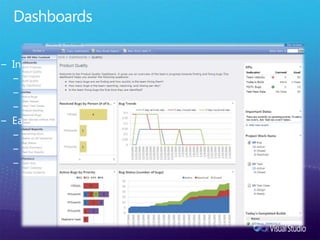
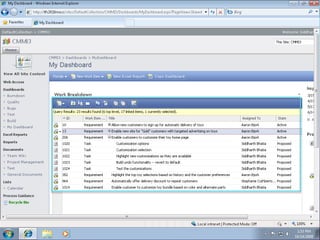
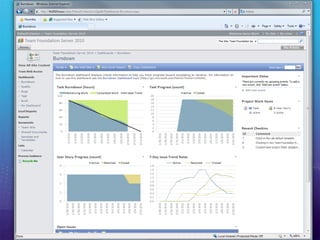
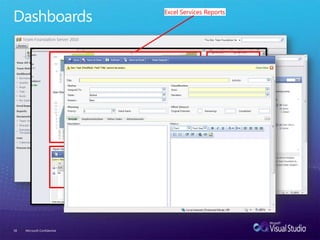
DashboardsInformation-rich dashboardsRoll-up reports show KPI’sDrill-down for further analysisQuickly customizableEasy interaction with developersWeb-based bug filingWeb-based feature requestsTrack status of bugs / features
Microsoft Confidential46
Microsoft Confidential47
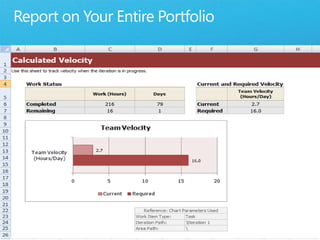
Report on Your Entire PortfolioCustomizable DashboardsSharePoint web partsTFSWAExcel reports using MOSSRelational warehouseExcel reporting
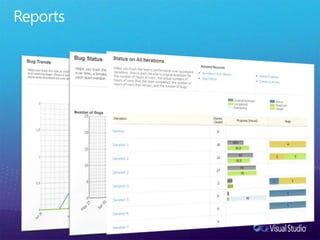
Reports
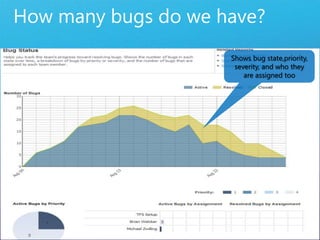
How many bugs do we have?Shows bug state,priority, severity, and who they are assigned tooShows state of bugs over time and by priority
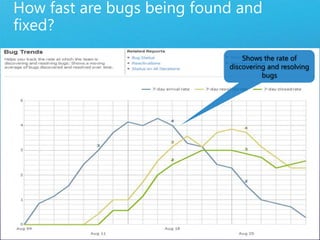
How fast are bugs being found and fixed?Shows the rate of discovering and resolving bugsTrack the rate bugs are found and fixed
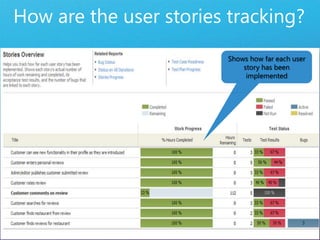
How are the user stories tracking?Shows how far each user story has been implemented
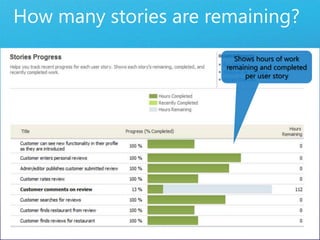
How many stories are remaining?Shows hours of work remaining and completed per user story
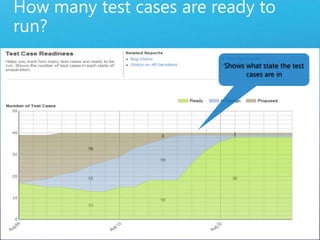
How many test cases are ready to run?Shows what state the test cases are in
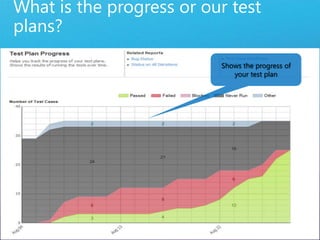
What is the progress or our test plans?Shows the progress of your test plan
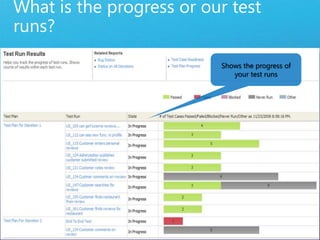
What is the progress or our test runs?Shows the progress of your test runs
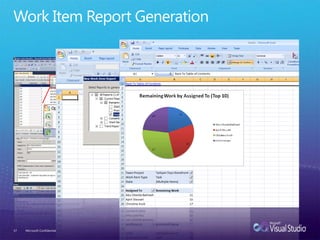
Work Item Report GenerationMicrosoft Confidential57
DashboardsMicrosoft Confidential58Excel Services ReportsTeam Web AccessSharepoint Web Parts
Thank You
Contact Information
Team Foundation Server 2010 - Overview

Team Foundation Server 2010 - Overview

  • 1.
    Microsoft Application LifecycleManagementTeam Foundation Server 2010Steve LangeSr. Developer Technology SpecialistMicrosoft | Denver, COstevenl@microsoft.com | blogs.msdn.com/slange
  • 2.
    AgendaIntroductionsMicrosoft’s Application LifecycleManagement SolutionsVisual Studio 2010 Product FamilyFocus AreasPlan and Manage Your ProjectUnderstand Parallel DevelopmentNo More “No Repro” BugsReport on Your PortfolioSummaryQ&AClose & Next Steps
  • 3.
    Visual Studio 2010ApplicationLifecycle Management Solutions
  • 4.
  • 5.
    Test Manager 2010UMLModelingManual TestingLayer DiagramLoad TestingWeb TestingTest Case ManagementIntelliTrace™Architecture ExplorerLogical Class DesignerCloud DevelopmentOffice DevelopmentWindows DevelopmentNew WPF EditorCustomizable IDEMulti-core DevelopmentSilverlight ToolsWeb DevelopmentSharePoint DevelopmentGenerate from UsageStatic Code AnalysisDatabase DeploymentCode MetricsDatabase Unit TestingTest Data GenerationTest Impact AnalysisUI Test AutomationCode CoveragePerformance ProfilingDatabase Change MgmtFast Forward
  • 6.
    Test Manager 2010FastForwardTest Case ManagementManual TestingLab MgmtConfig.Checkpoint EnvironmentEnvironment from TemplateVirtual Env. Setup/Tear DownTeam ExplorerTeam AgentsReportingTeam PortalTest Case ManagementBranch VisualizationVersion ControlBuild AutomationGated Check-inAgile Planning Tools
  • 8.
  • 9.
    What is TeamFoundation Server?Team Foundation Server
  • 10.
    What Can TFSHandle?PlatformsWindowsLinuxUnixMax OS XAny Java-enabled PlatformTechnologies.NETNon-Managed CodeSharePointJavaIf you can see it…
  • 11.
  • 12.
    Plan & ManageYour Project
  • 13.
    Process Guidance &AutomationEmbedded into Team Foundation ServerProvides contextual guidance (documentation)Delivered via Process TemplatesHelps ensure predictability
  • 14.
    Process TemplateChoose and/orcustomizeOut of the box: MSF Agile and MSF for CMMIOthers: SDL, Scrum, RUP, etc.Stored in an XML fileProcess Template Editor toolConfiguresTypes of Work ItemsUse Case, Task, Bug, Change Request, …Contents of each Work item TypeUI for each Work Item TypeProcess Guidance documentationLayout for SharePoint PortalTypes of Reports
  • 15.
    Manage Your ProjectTeamFoundation ServerAgile project management workbooksWork item linking and hierarchyWork item usabilityRich textLinks controlHTML link controlDrag & DropTraceability queriesQuery foldersExcel & Project improvementsProject round trippingFormula persistenceUndo
  • 16.
    Manage YourProjectTop-to-Bottom TraceabilityRequirements TraceabilityParent/Child RelationshipsRollup and DrilldownAgile PlanningBuilt-in product backlog mgmtBuilt-in iteration planningEasily customizableGreat Project IntegrationFull dependency linking Full round-tripping w/ TFS
  • 17.
  • 18.
  • 19.
  • 20.
    Version ControlIntegrated intoWork Item Tracking, BuildsMajor CapabilitiesChangesetsWorkspacesBranch And MergeShelving
  • 21.
    Integrated Check-inAtomicA changesetis guaranteed to have all changes from a check-inIntegratedCheck-in policy applied (but override-able)Work Items associatedBuilds associated with Work ItemsCheck-in notesAll related to changesetPending Check-in WindowNotification possibilitiesCheck-in PolicyCustomizable, extensible
  • 22.
    Check-in PoliciesSoft requirementsfor check-inExtensibleCan be overridden22
  • 23.
    ChangesetsLogical container ofdata related to check-inFile and branch informationLinks to work itemsCheck-in notesCommentPolicy complianceMetadata (date, time, user)Unit of atomic checkinUniquely identifiedNumeric identifierIncrementalRepresents a point in time of source repository
  • 24.
  • 25.
  • 26.
    Branch VisualizationFocuses onanswering common parallel development questionsWhere did this change come from?Has my change made it over there?How are these branches related?
  • 27.
    ShelvingSet aside pendingchanges without checkinOptionally revert to unmodified filesRestore shelved changes by “unshelving”Unshelve other user’s changesPower of task branching with less overhead27
  • 28.
    TFS 2010: UnderstandParallel DevelopmentFirst class branchesDrag & Drop MergingVisualize branch relationshipsTrack change across branchesHistoryTimelineRicher AnnotateConflict resolution
  • 29.
    Branch VisualizationFocuses onanswering common parallel development questionsWhere did this change come from?Has my change made it over there?How are these branches related?
  • 30.
  • 31.
  • 32.
    TFS 2010: Createa Supportive Build Workflow
  • 33.
    For Non-.NET DevelopmentTeamExplorer EverywhereEclipse plug-in for TFSRich client (Java-based)Command-Line
  • 34.
    Check-in Validation34Microsoft ConfidentialEditCodeCheck inBuild and TestDid build succeed?Fixavailable?Find root causeYesNoYesNoTeamblockedEdit codeGated check-inAutomated buildDid build succeed?Commit ChangesReadyfor testNoYesBeforeGated check-in intercepts check-insQueues a server build to validate changesOnly changes that build successfully get committedDefinition of a “success” is customizableUsers can also queue a build of a shelveset for “opt-in” validationAfter
  • 35.
    No More “NoRepro” BugsRich & Actionable Bugs
  • 36.
    Actionable BugEnables immediateaction.Contains:Steps to ReproduceSystem InformationScreenshots & Video CaptureIntelliTrace
  • 37.
    Microsoft® Test Manager2010Create test cases for requirements.Plan & execute test runs.File bugs & track results.
  • 38.
    IntelliTraceHistorical record ofcode execution.Like a DVR for debugging.Examine actual code execution.
  • 39.
  • 40.
    Are we goingto deliver a quality project on time?What do I need to know now to course correct?What ‘fires’ will we have to put out that we don’t know about?What can I do to reduce the risk?
  • 41.
    At a Glance- Reporting
  • 42.
    Out-of-the-Box Agile SupportBaked-inbest practicesAgile Workbooks.Product BacklogIteration Backlog
  • 43.
    Simplified ReportingReports usingSQL Server Reporting Services.Detailed and thoroughWorkbook queries with Microsoft Office Excel.Fast and flexible
  • 44.
    SharePoint DashboardsImproved SharePointintegration Powerful dashboardsEnsures transparency for all stakeholders
  • 45.
    DashboardsInformation-rich dashboardsRoll-up reportsshow KPI’sDrill-down for further analysisQuickly customizableEasy interaction with developersWeb-based bug filingWeb-based feature requestsTrack status of bugs / features
  • 46.
  • 47.
  • 48.
    Report on YourEntire PortfolioCustomizable DashboardsSharePoint web partsTFSWAExcel reports using MOSSRelational warehouseExcel reporting
  • 49.
  • 50.
    How many bugsdo we have?Shows bug state,priority, severity, and who they are assigned tooShows state of bugs over time and by priority
  • 51.
    How fast arebugs being found and fixed?Shows the rate of discovering and resolving bugsTrack the rate bugs are found and fixed
  • 52.
    How are theuser stories tracking?Shows how far each user story has been implemented
  • 53.
    How many storiesare remaining?Shows hours of work remaining and completed per user story
  • 54.
    How many testcases are ready to run?Shows what state the test cases are in
  • 55.
    What is theprogress or our test plans?Shows the progress of your test plan
  • 56.
    What is theprogress or our test runs?Shows the progress of your test runs
  • 57.
    Work Item ReportGenerationMicrosoft Confidential57
  • 58.
    DashboardsMicrosoft Confidential58Excel ServicesReportsTeam Web AccessSharepoint Web Parts
  • 59.
  • 60.