Presented by:
            Sufyan Saleem            BE307056
            Hafiz Sarfaraz Ahmad     BE307070

Presented to:
           SIR ABDUL MAALIK

Project Name:
             Student Information System

           DATA STRUCTURE
Introduction

In this project ,the student is facilitated by the online
  system for registering students and changing
  password,      add/drop      subjects     ,about    the
  departments ,fee structure, and to see rules and
  regulations.
Through this online system we overcome many
  problems like :
 Long lines in the department for these issues.
Introduction

 Through this system the time consumed by the
  students in the department can be reduced.
 The work done by this system is more efficient.
Procedure

In student reservation system we have to do
  following processes through which the student
  have to pass through.
 First of all if the student (or user) is not registered
  then we have to register it.
 For registration, student have to enter the desired
  ID, user name and password.
Procedure

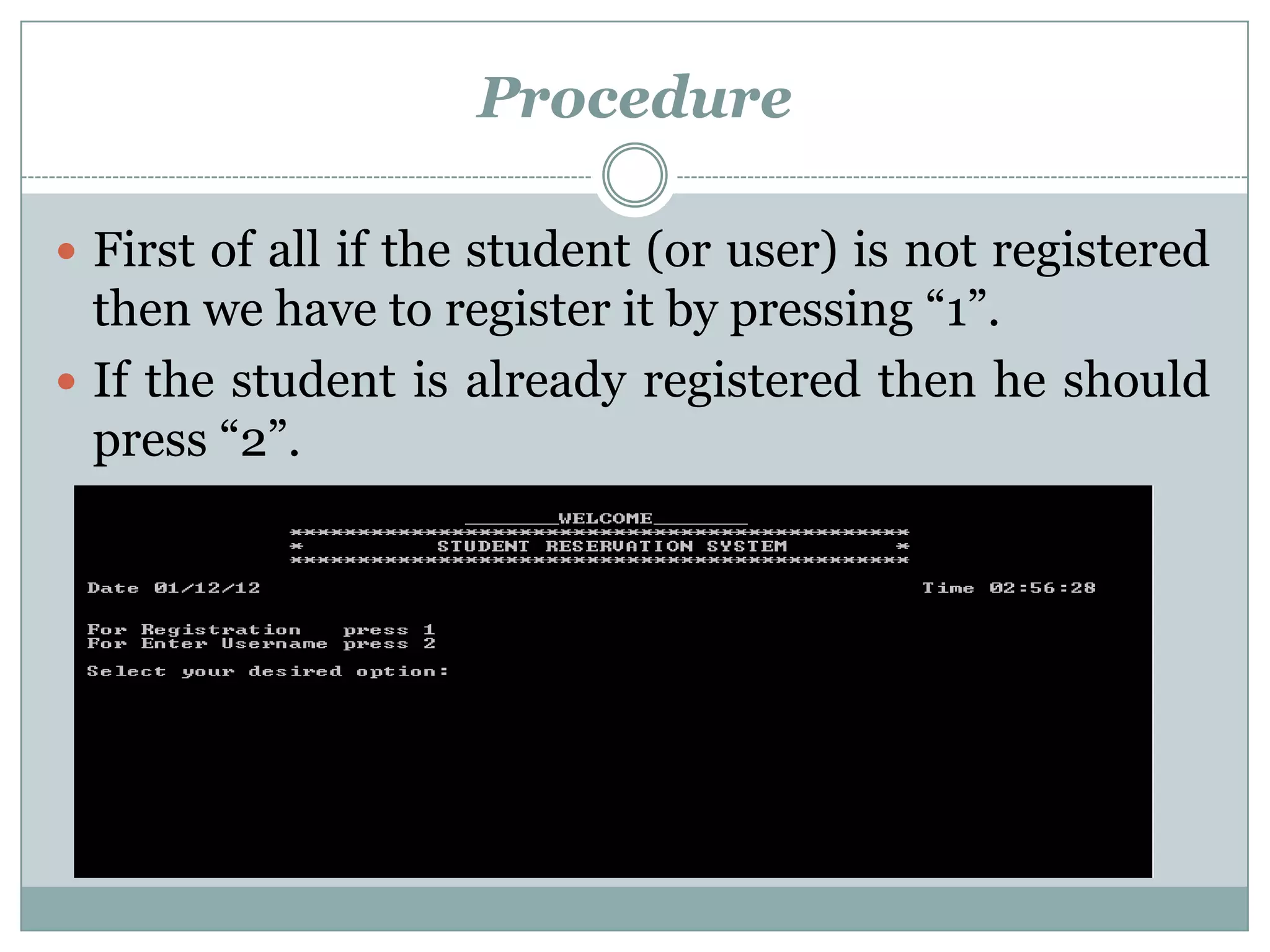
 First of all if the student (or user) is not registered
  then we have to register it by pressing “1”.
 If the student is already registered then he should
  press “2”.
Procedure
 When the unregistered student press “1” then these
 things are required.


 After completing the requirements message
 display, student successfully registered and then
 press “1” for main menu.
Procedure

 Now that student is registered and he can use the
 following facilities by giving ID, user name and
 password by pressing “2”.
Procedure
 By pressing the desired option, we can avail that
 facility e.g; By pressing “8” that student see the
 rules and regulation.


 After that if the student want to log off then he has
 to press ”1” and if he wants to avail some more
 facilities then he has to press ”2” for main menu.
Flow chart

   If std = 1 (registered)
If std = 0 (not registered)

                              “0”
          “1”

           User    passw
    ID
           name     ord


         Main menu


    Perform the desired
         function


         LOG OFF
                              Registered
                                 first
Student information system project

Student information system project

  • 2.
    Presented by: Sufyan Saleem BE307056 Hafiz Sarfaraz Ahmad BE307070 Presented to: SIR ABDUL MAALIK Project Name: Student Information System DATA STRUCTURE
  • 3.
    Introduction In this project,the student is facilitated by the online system for registering students and changing password, add/drop subjects ,about the departments ,fee structure, and to see rules and regulations. Through this online system we overcome many problems like :  Long lines in the department for these issues.
  • 4.
    Introduction  Through thissystem the time consumed by the students in the department can be reduced.  The work done by this system is more efficient.
  • 5.
    Procedure In student reservationsystem we have to do following processes through which the student have to pass through.  First of all if the student (or user) is not registered then we have to register it.  For registration, student have to enter the desired ID, user name and password.
  • 6.
    Procedure  First ofall if the student (or user) is not registered then we have to register it by pressing “1”.  If the student is already registered then he should press “2”.
  • 7.
    Procedure  When theunregistered student press “1” then these things are required.  After completing the requirements message display, student successfully registered and then press “1” for main menu.
  • 8.
    Procedure  Now thatstudent is registered and he can use the following facilities by giving ID, user name and password by pressing “2”.
  • 9.
    Procedure  By pressingthe desired option, we can avail that facility e.g; By pressing “8” that student see the rules and regulation.  After that if the student want to log off then he has to press ”1” and if he wants to avail some more facilities then he has to press ”2” for main menu.
  • 10.
    Flow chart If std = 1 (registered) If std = 0 (not registered) “0” “1” User passw ID name ord Main menu Perform the desired function LOG OFF Registered first