

Virtual Lab ManagementTeam Foundation Server 2010Ed BlankenshipMicrosoft MVP (TFS, Visual Studio ALM, and VSTS)Notion Solutions, Inc.www.notionsolutions.com
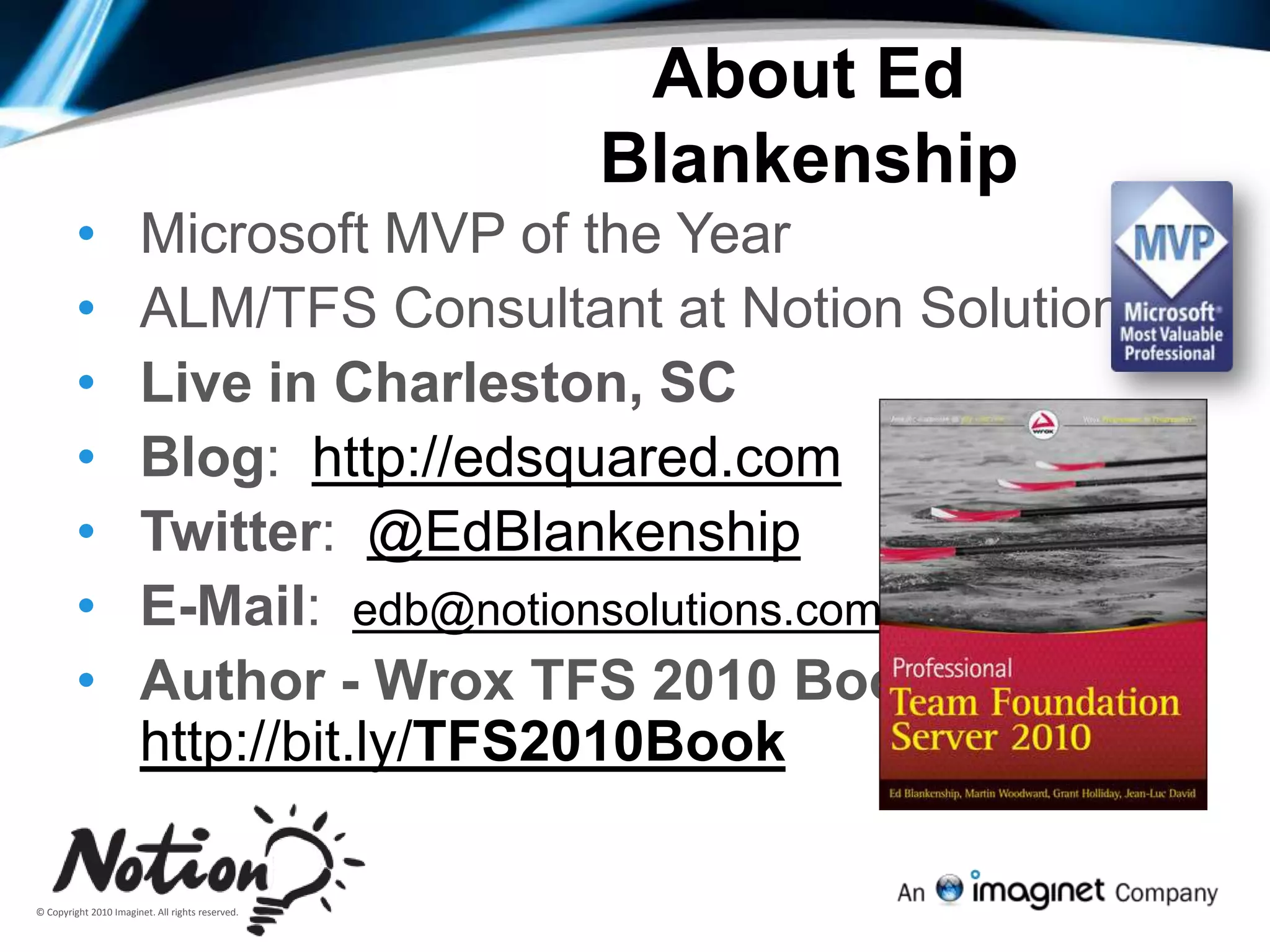
About Ed BlankenshipMicrosoft MVP of the Year
ALM/TFS Consultant at Notion Solutions
Live in Charleston, SC
Blog:  http://edsquared.com
Twitter:  @EdBlankenship
E-Mail:  edb@notionsolutions.com
Author - Wrox TFS 2010 Book:  http://bit.ly/TFS2010BookFrustrations in development teams“my testers are spending too long testing the same thing”“tooling is expensive (time, licenses, people)”“the developers say the defects are useless”“when is my software ready to ship?”“we have a changed requirement, what do I need to test?”“developers and testers work in silos and don’t communicate/speak the same language”3
Customer Challenges QA is not aligned with lifecycleDevelopers and testers work in silosQA is not leveraged
Goals for 2010 Release - TestingAlign QA with the LifecycleCreate tighter Dev/Test interactionEnable highly leveraged  QA teams
Visual Studio 2010 Test Capabilitiesspecialistgeneralistcoded ui testunit testingweb performance testtest runnerload testtest case managementvirtual lab managementdata diagnostic adapters (video, action log, event log etc)team foundation server with reporting(bugs, requirements, user stories, source control, build)
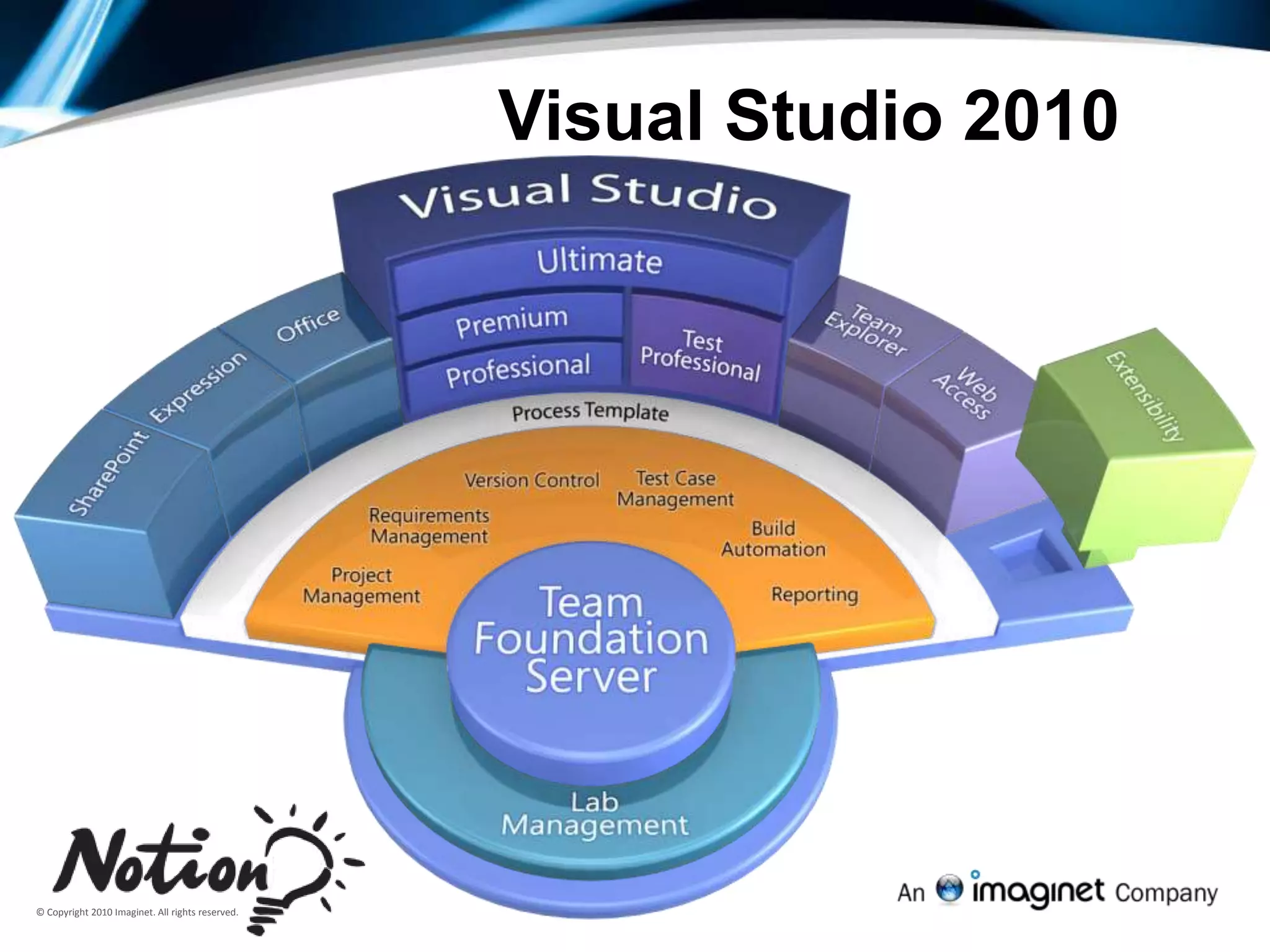
Visual Studio 2010
Test PlanningTest ProcessRequirementRequirementTest WritingRequirementTest AutomationTest ExecutionReport Results
Testing FeaturesQA Professional focused interface
Work Item based test case management, test planning and status tracking
Focused on Requirements
Identification of high-priority tests
Robust manual testing functionality
Test definition
User-friendly Manual Test Runner
Defect data capture tools
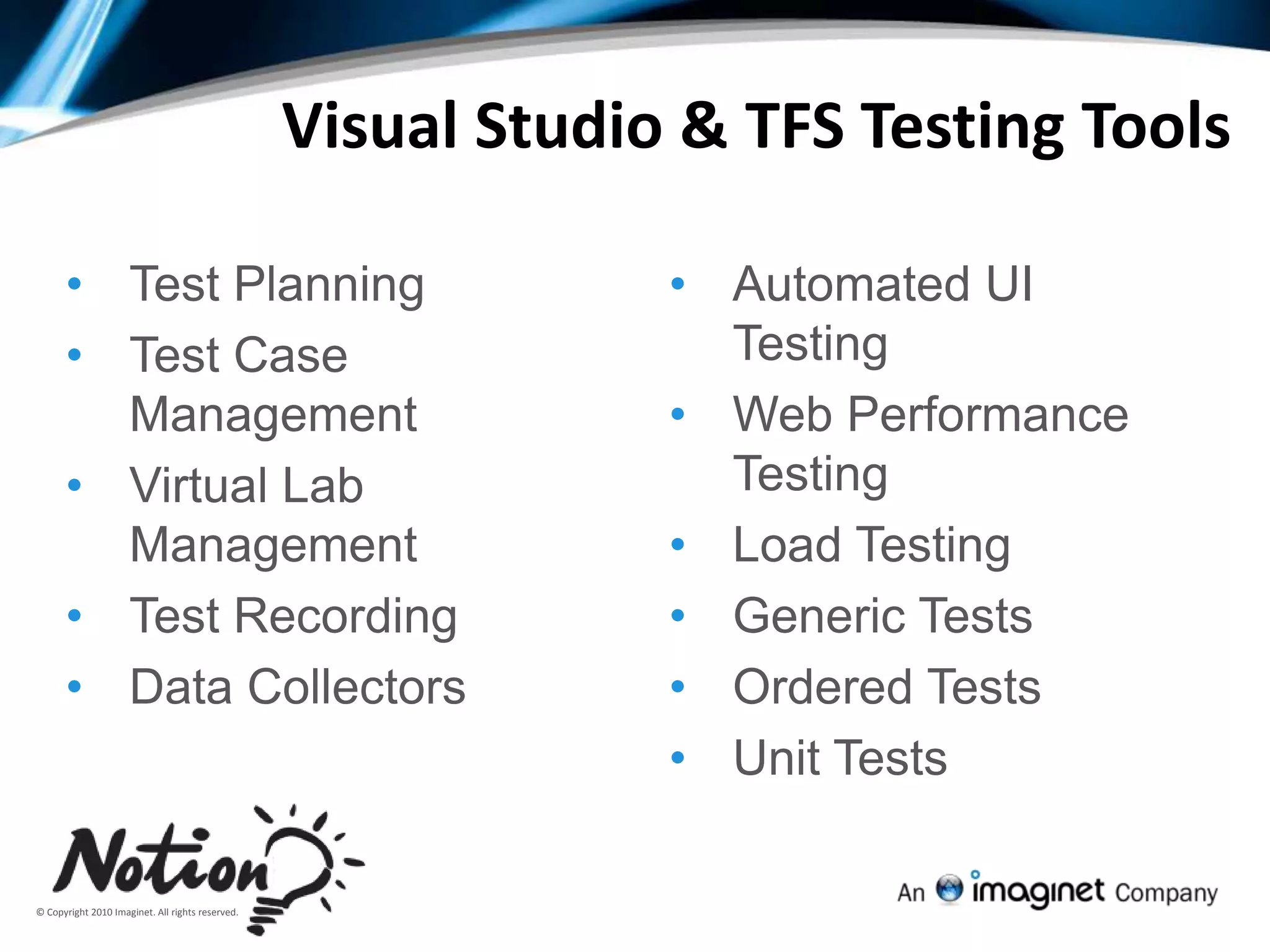
Automated user interface testingVisual Studio & TFS Testing ToolsTest Planning
Test Case Management
Virtual Lab Management
Test Recording
Data Collectors
Automated UI Testing
Web Performance Testing
Load Testing
Generic Tests
Ordered Tests
Unit Tests11Test Case Management
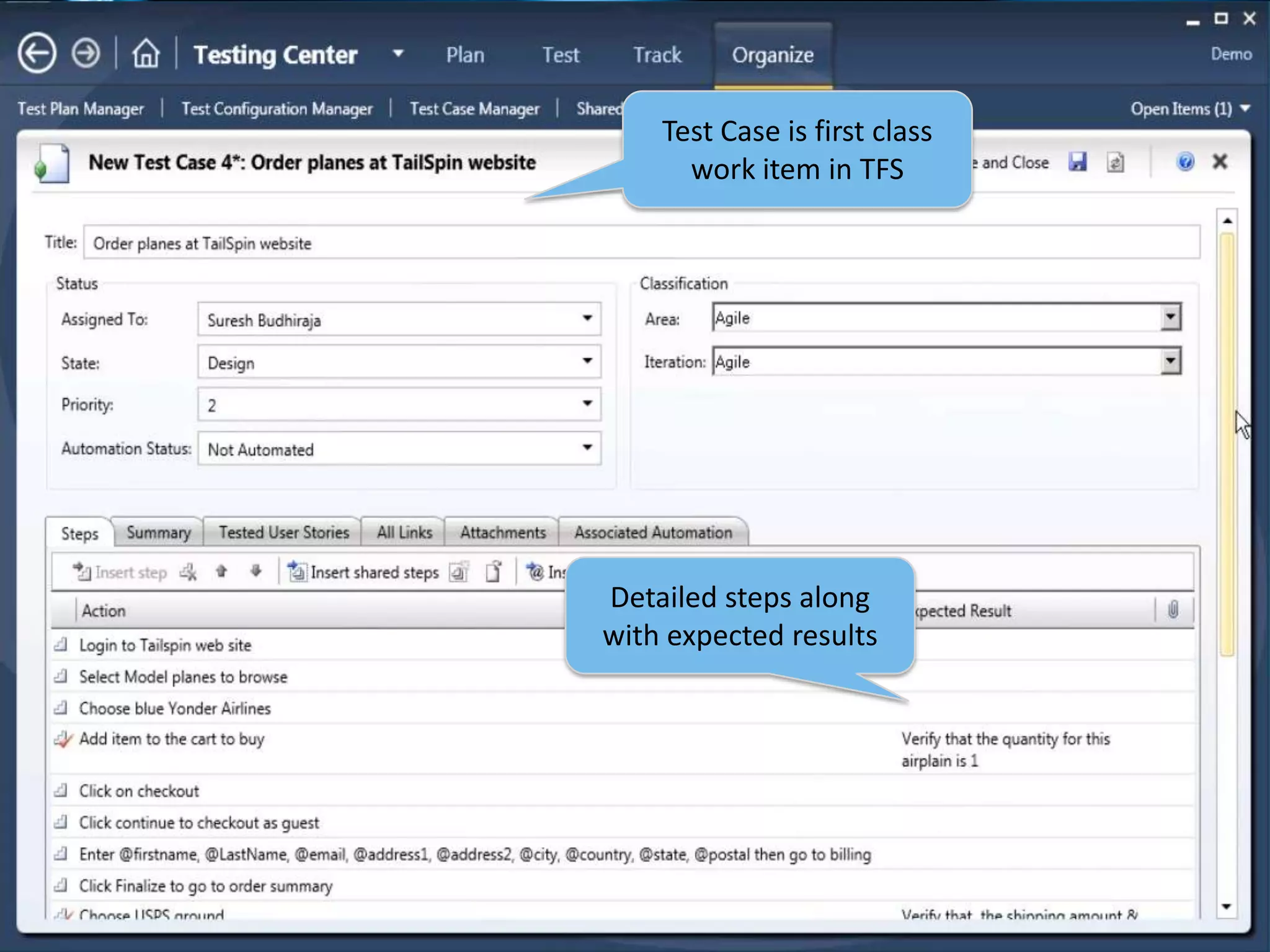
12Test Case is first class work item in TFSDetailed steps along with expected results
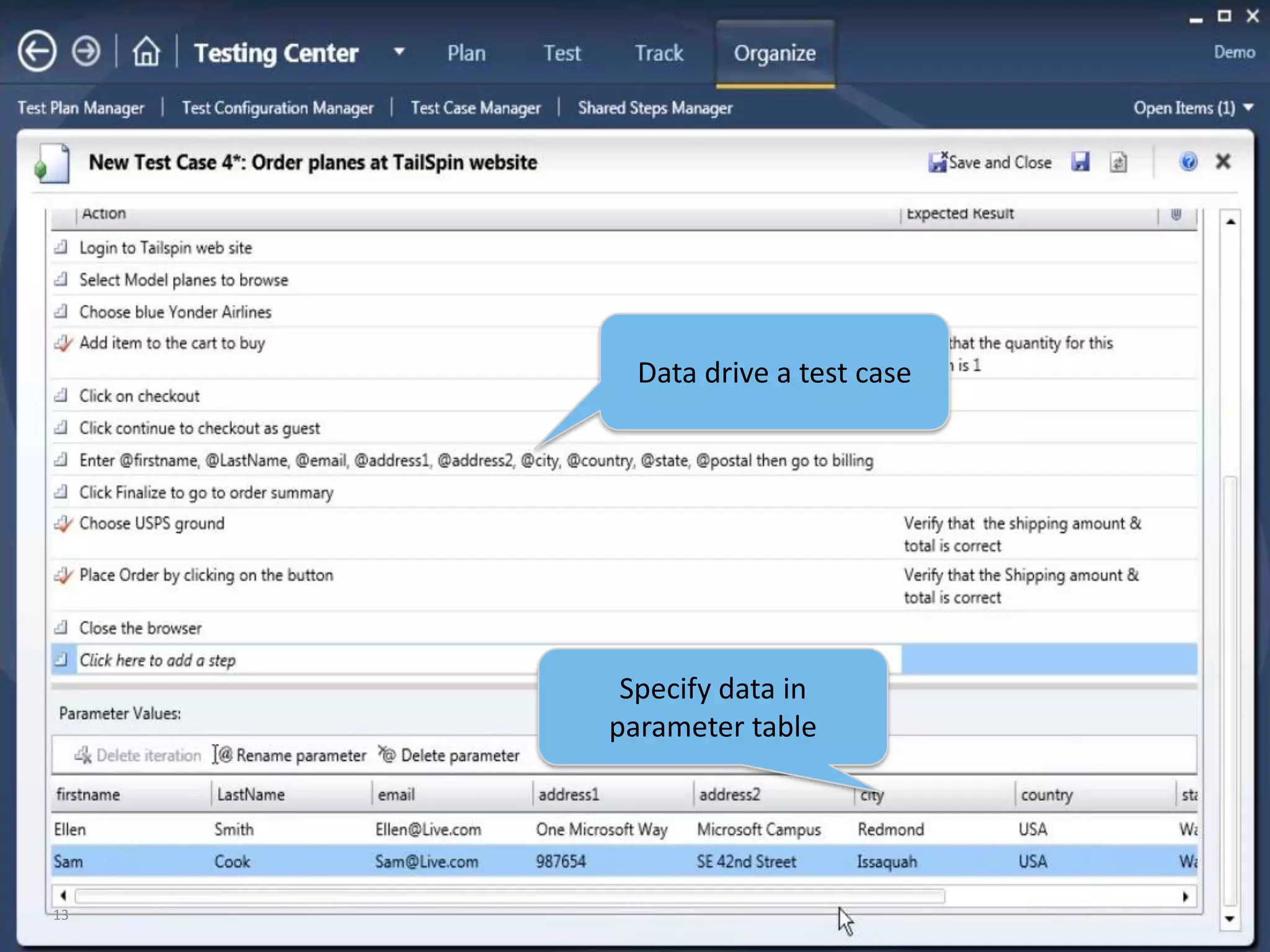
13Data drive a test caseSpecify data in parameter table
14Select common steps and convert to Shared Steps
15Shared Steps allows for common steps to be reused across test cases
16Organize Tests using Static (folder) suite
17Or create new test cases & add to suiteAdd existing Test cases to suite
18Organize Tests using Requirements based suite
19Select requirement and add to plan
20Tests already linked to requirement are added to plan
21Assign tests to team members
22Organize Tests using Query Based (dynamic) suite
23Specify a Query
24Tests matching query are added to suite
25Rich Bug and Test Runner
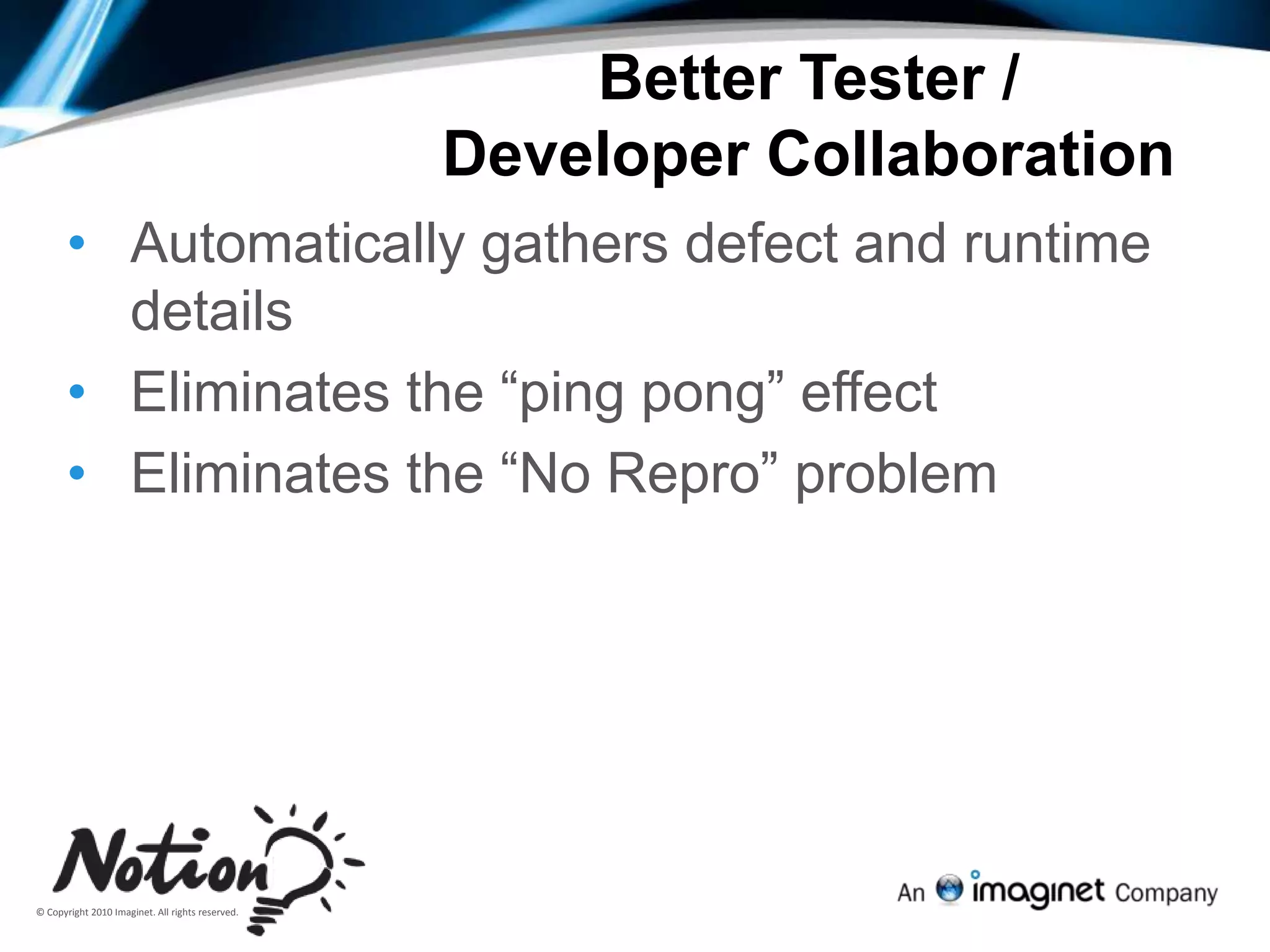
Better Tester / Developer CollaborationAutomatically gathers defect and runtime details
Eliminates the “ping pong” effect
Eliminates the “No Repro” problem27Select Test Case & click Run
28Microsoft Test Runner starts up
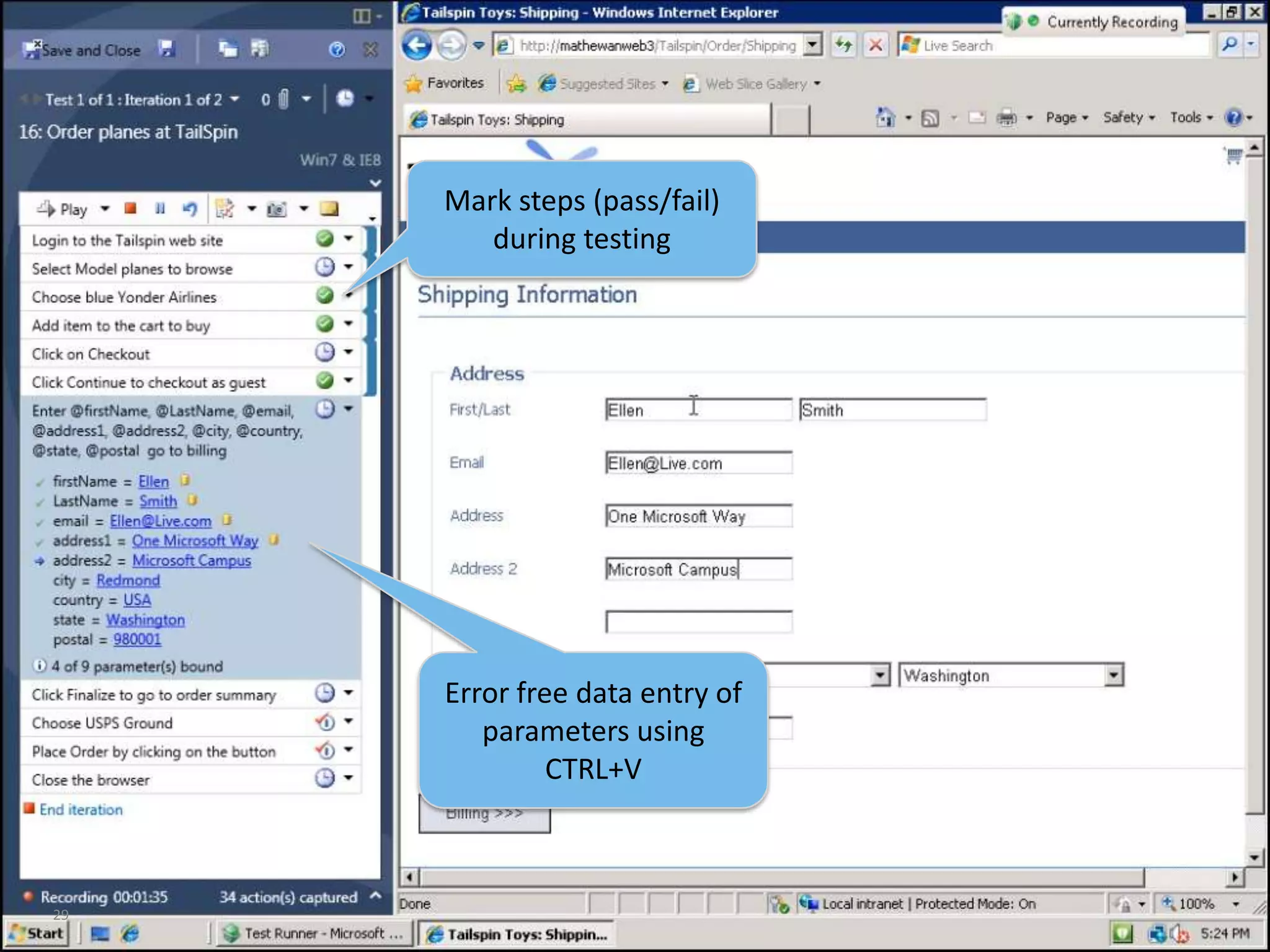
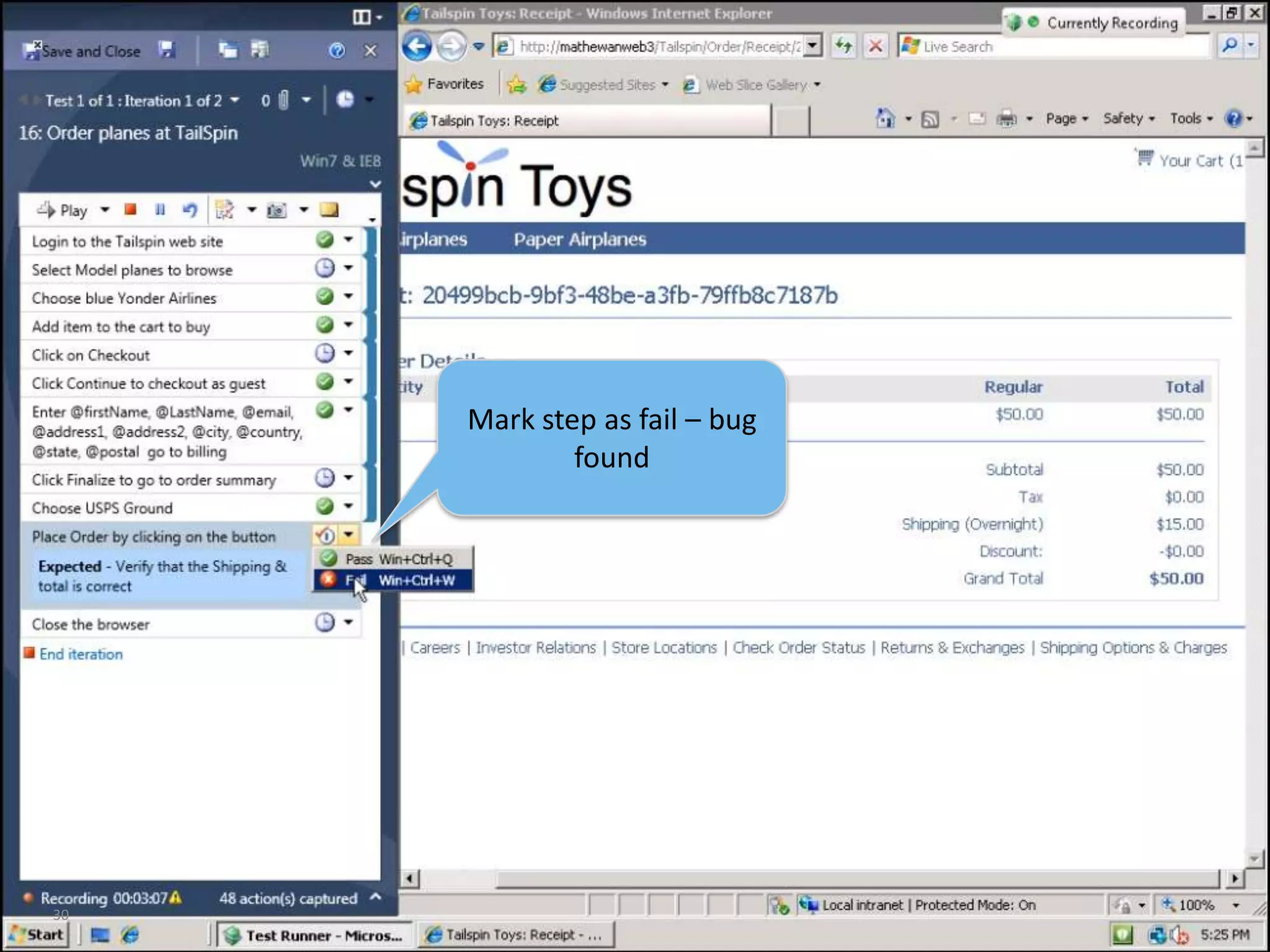
29Mark steps (pass/fail) during testingError free data entry of parameters using CTRL+V
30Mark step as fail – bug found
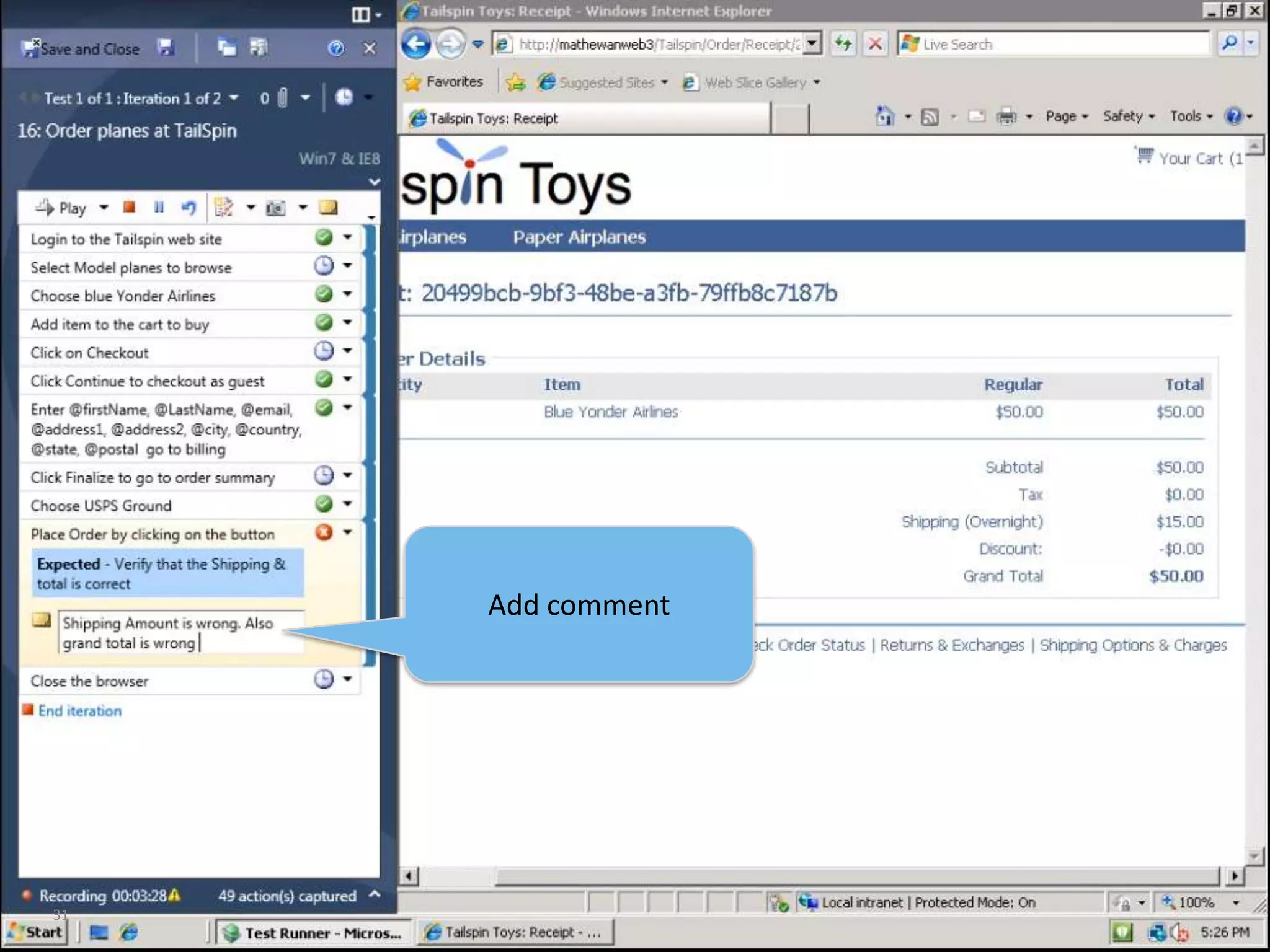
31Add comment
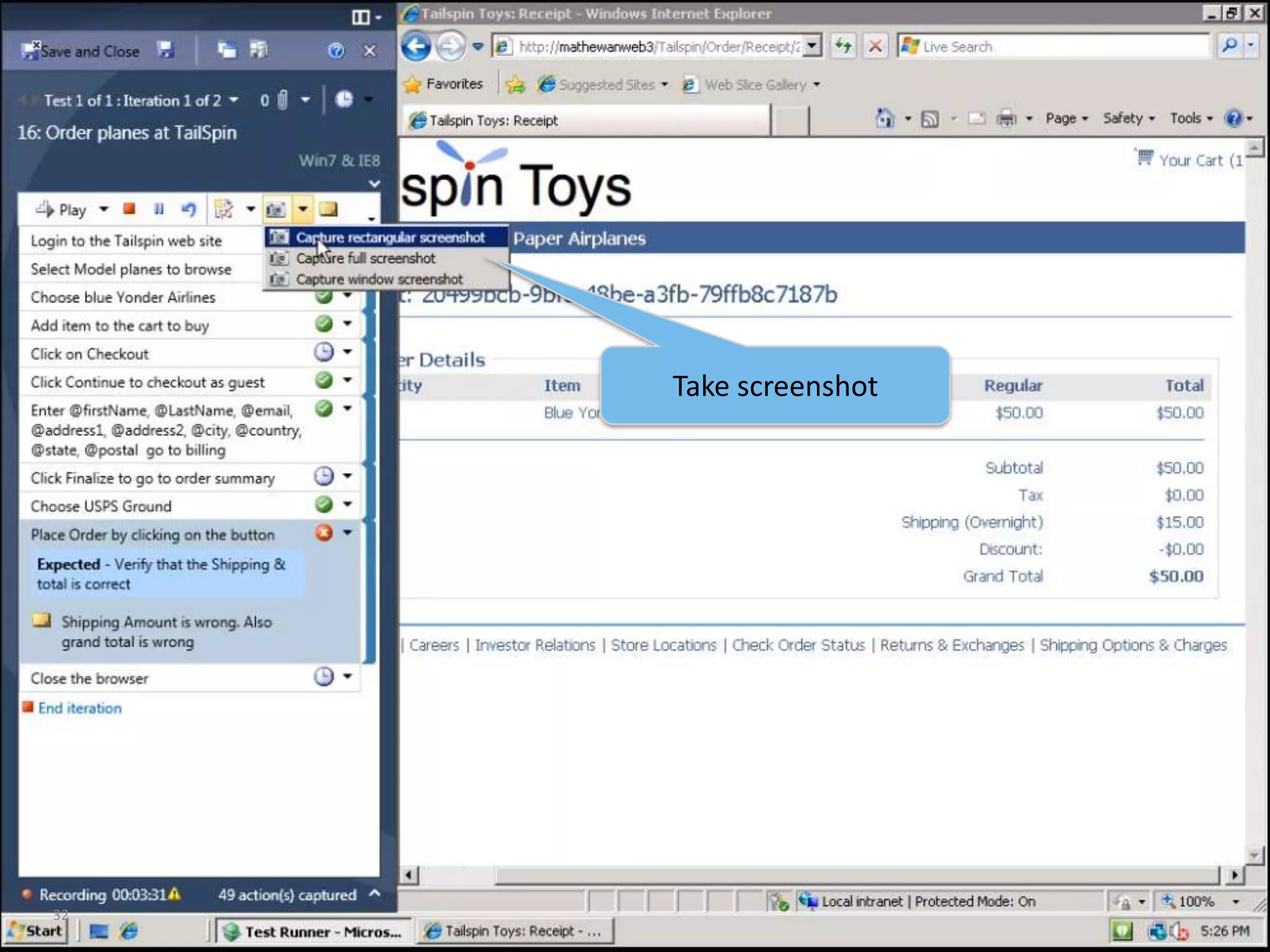
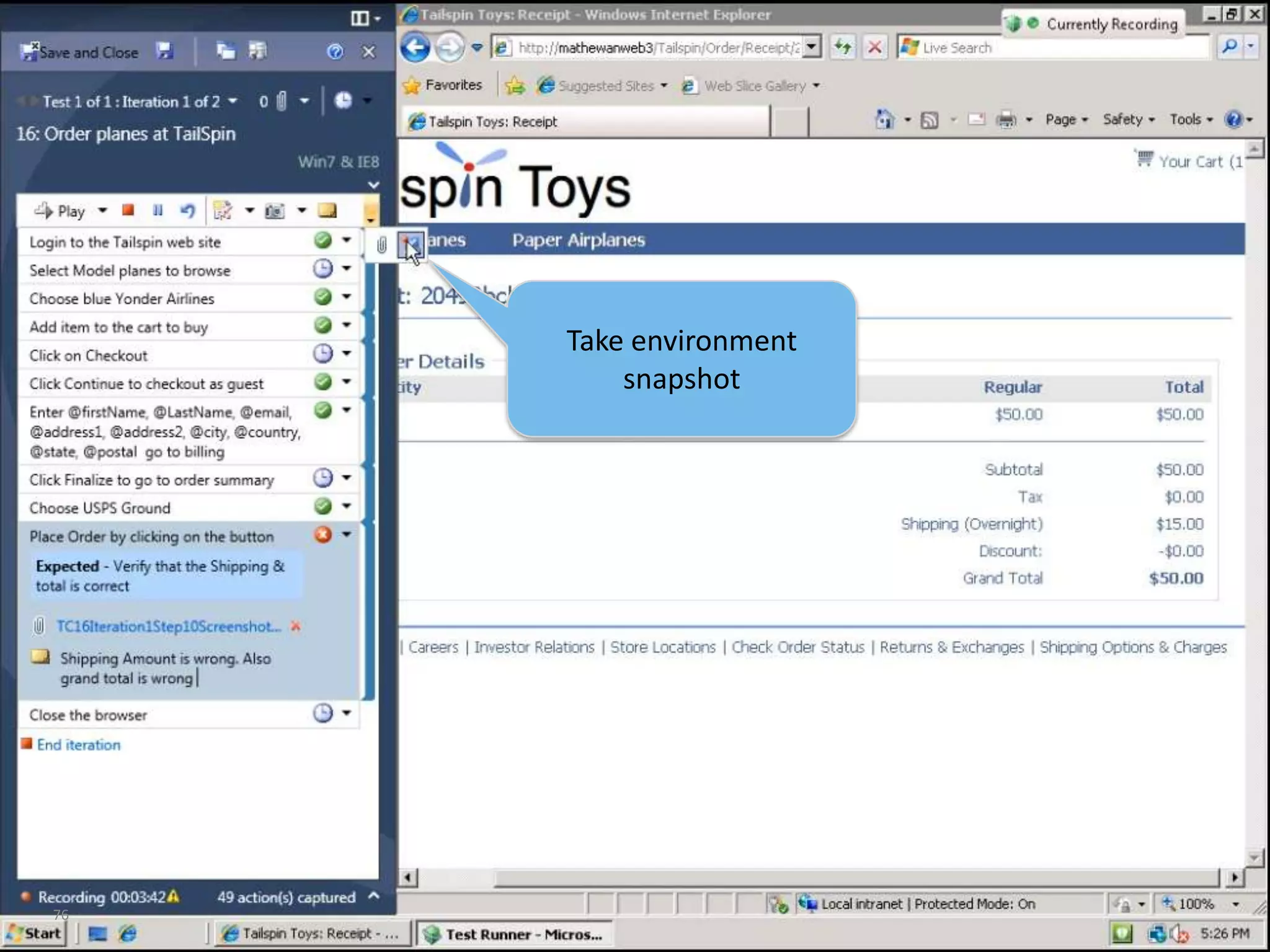
32Take screenshot
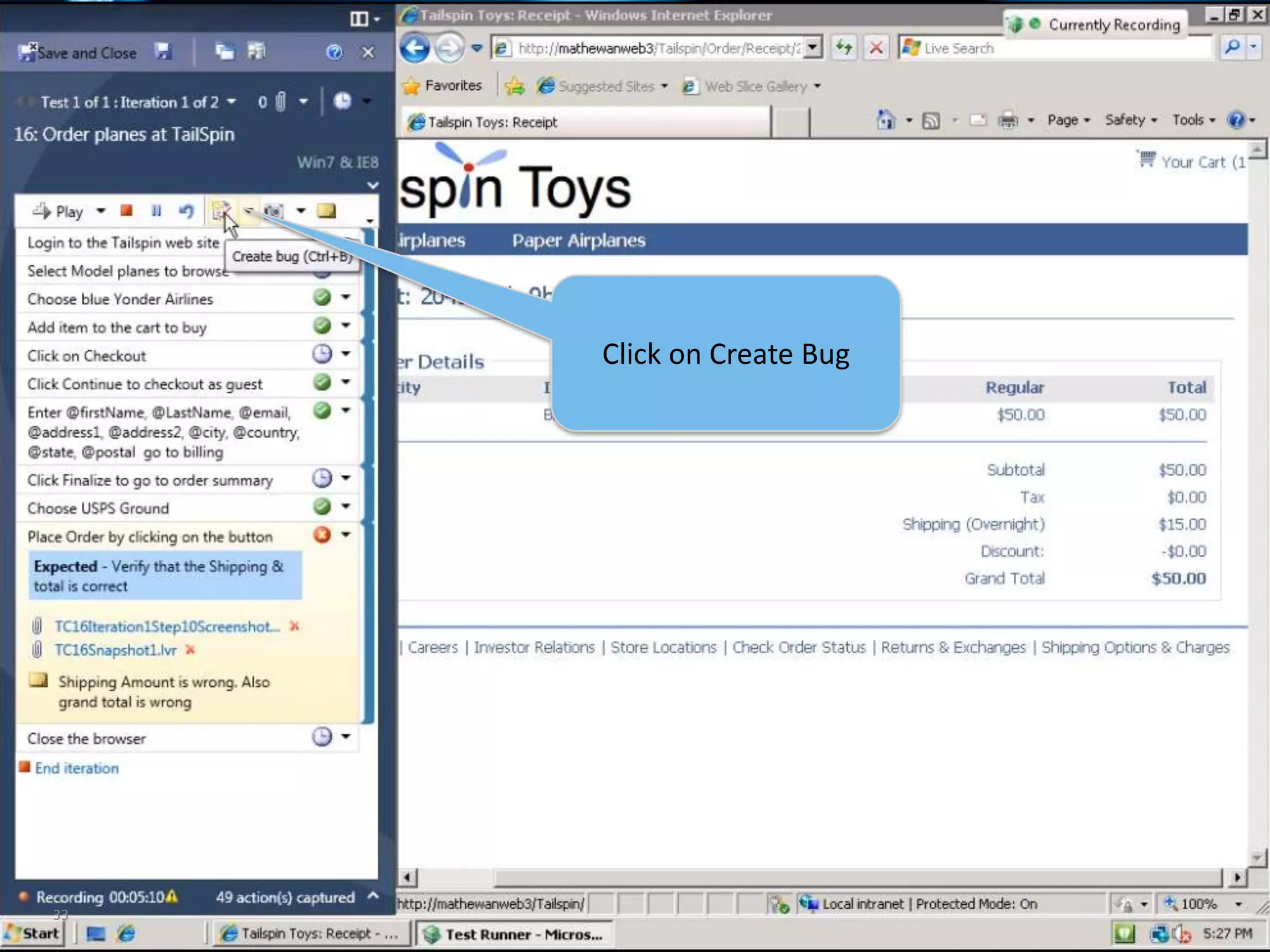
33Click on Create Bug
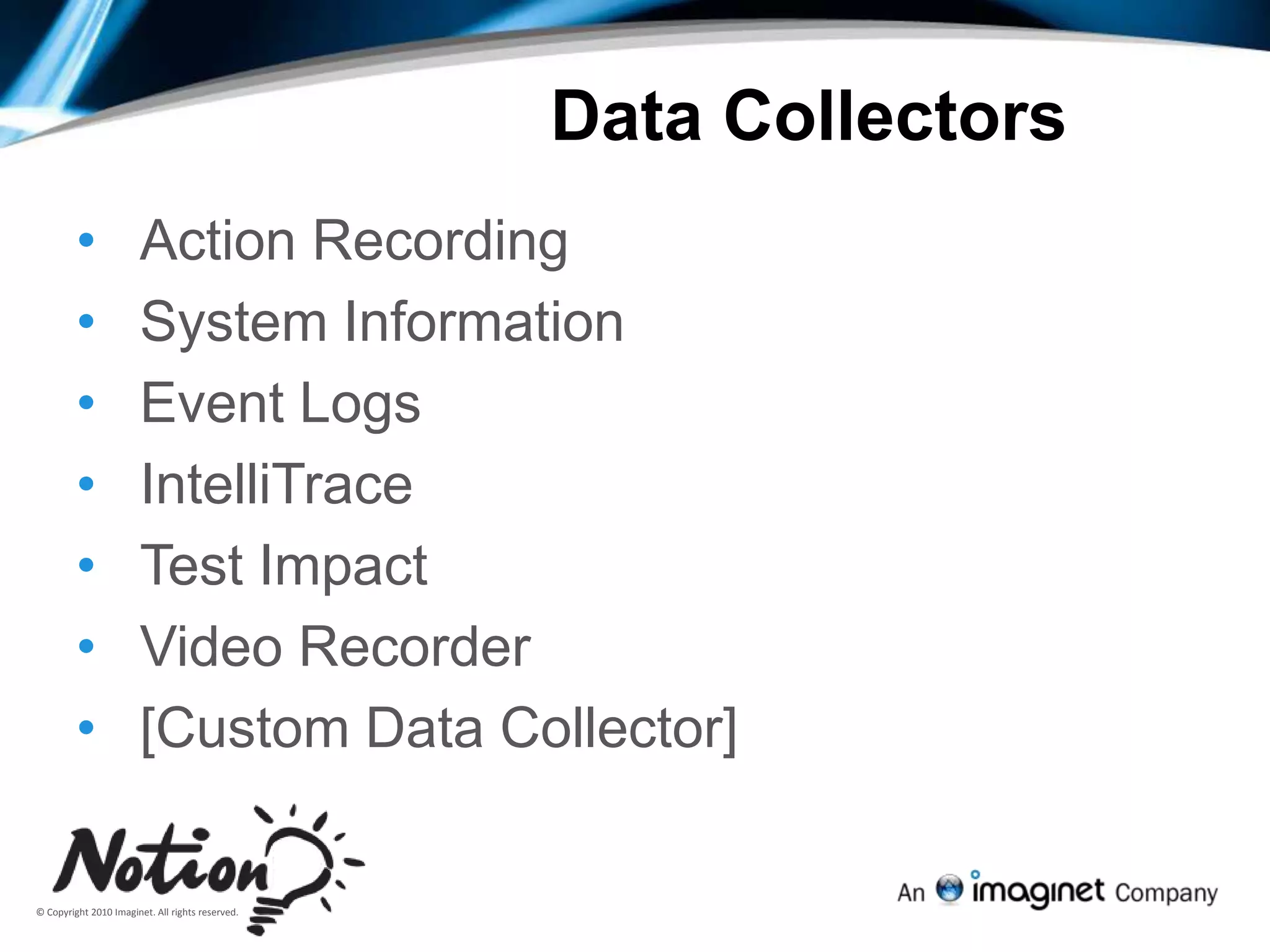
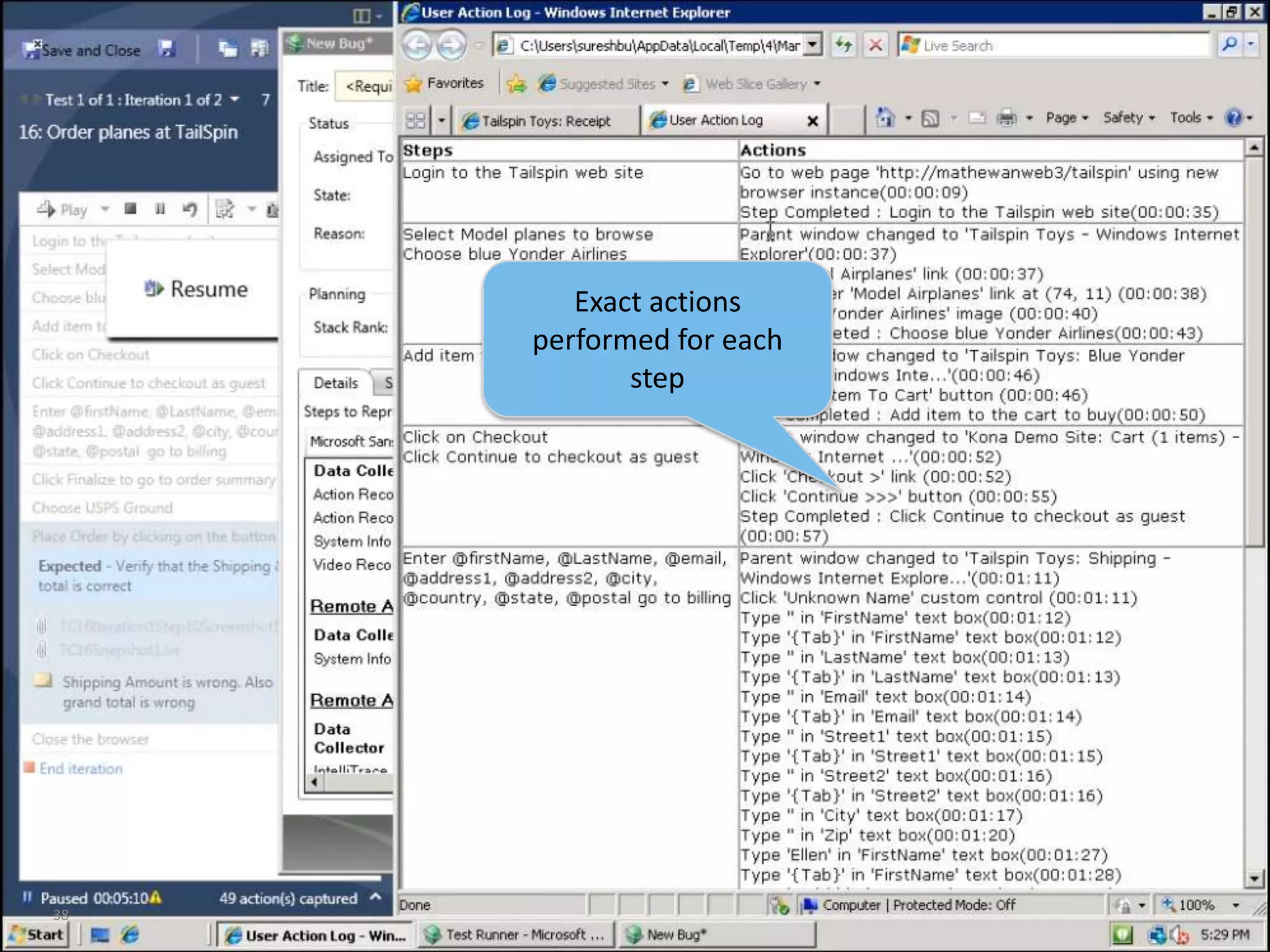
Data CollectorsAction Recording
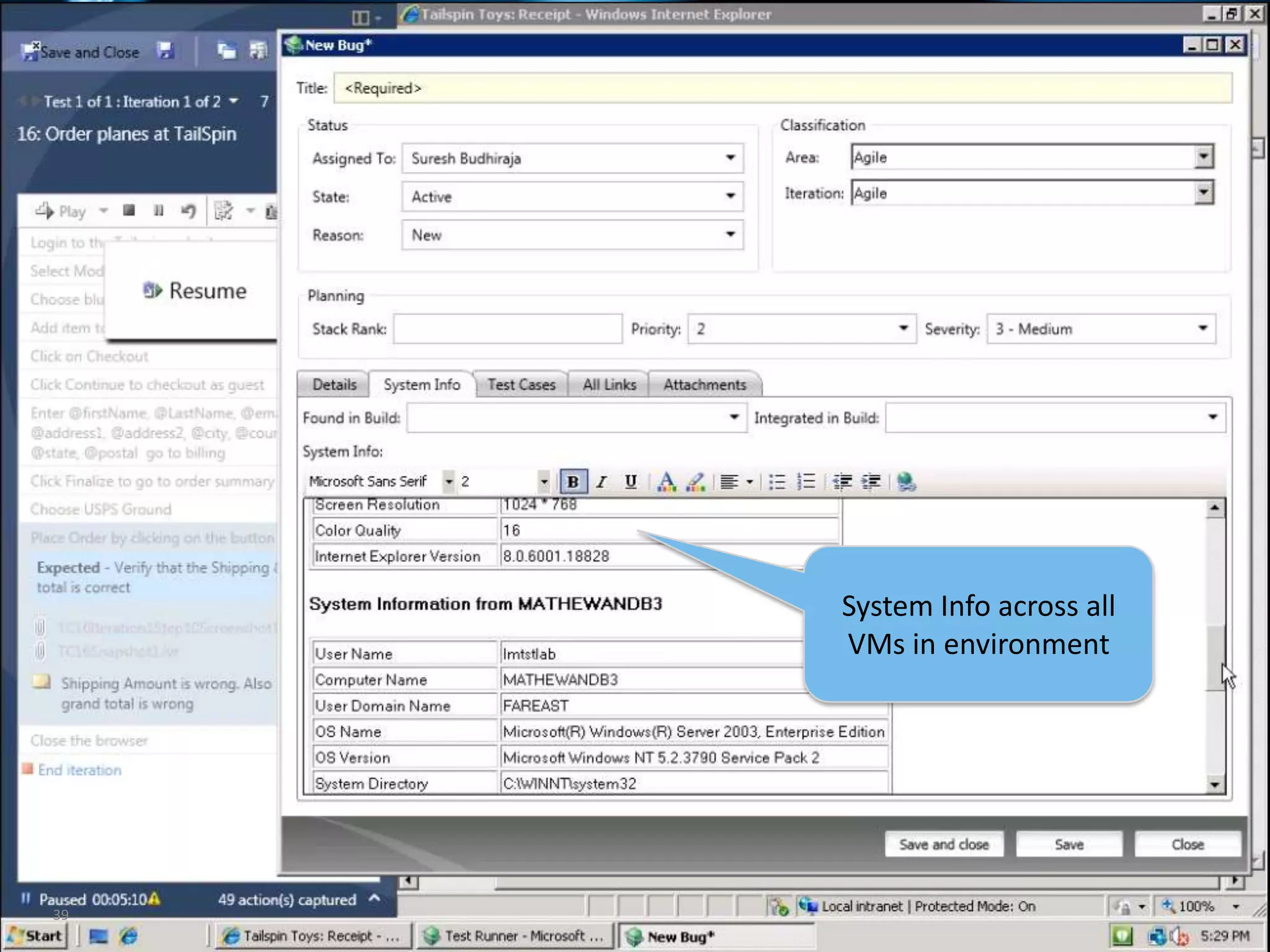
System Information
Event Logs
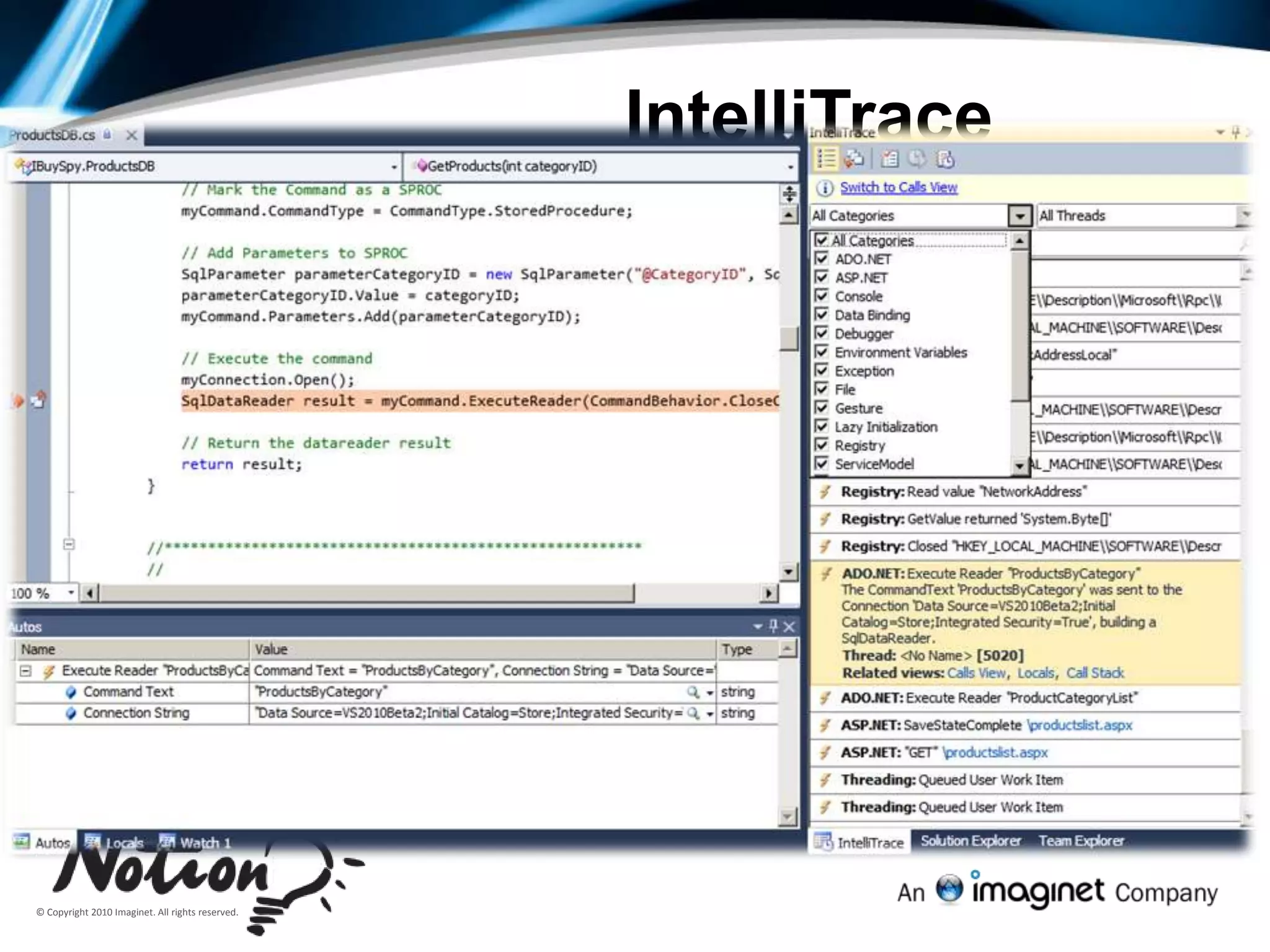
IntelliTrace
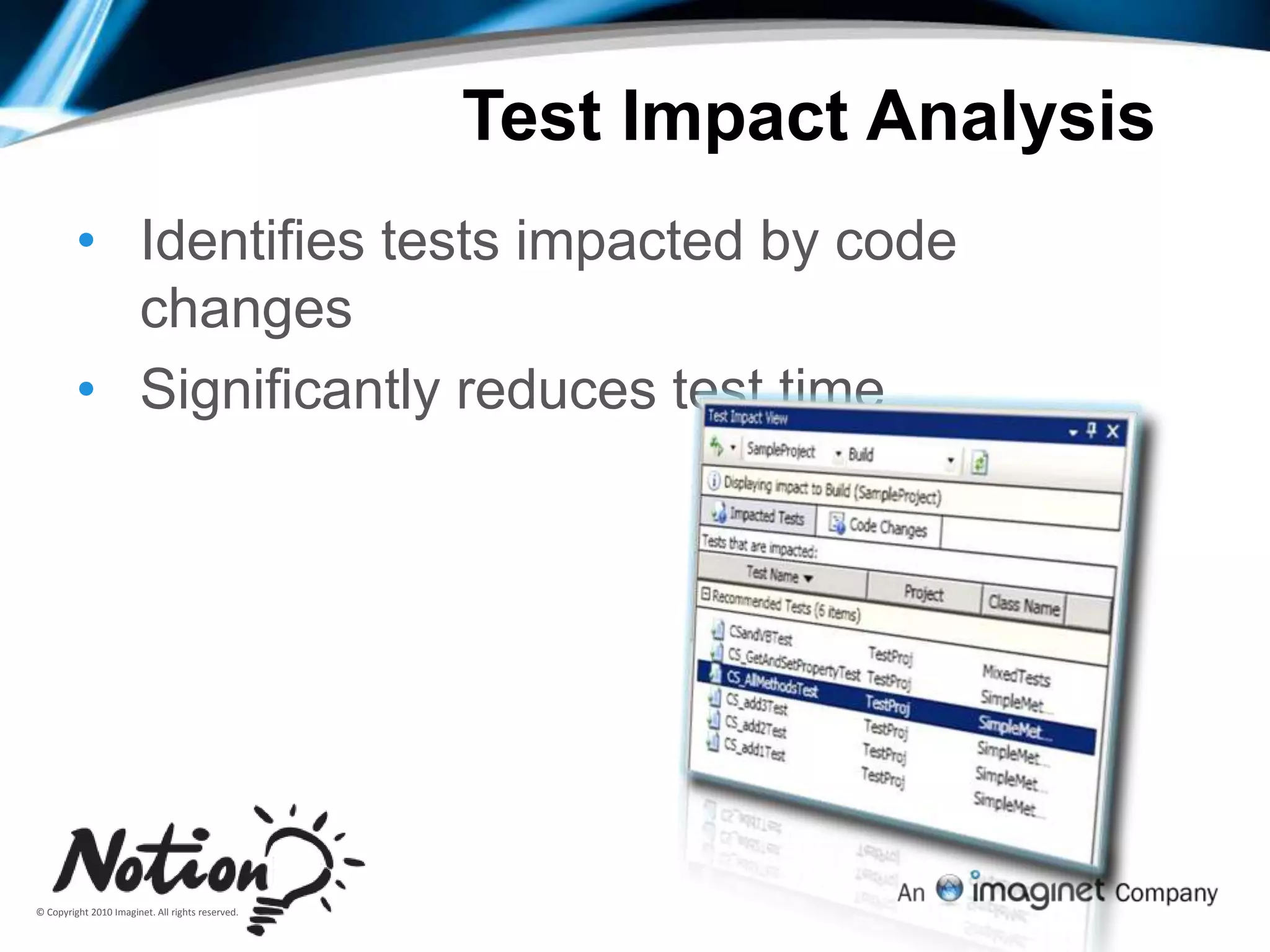
Test Impact
Video Recorder
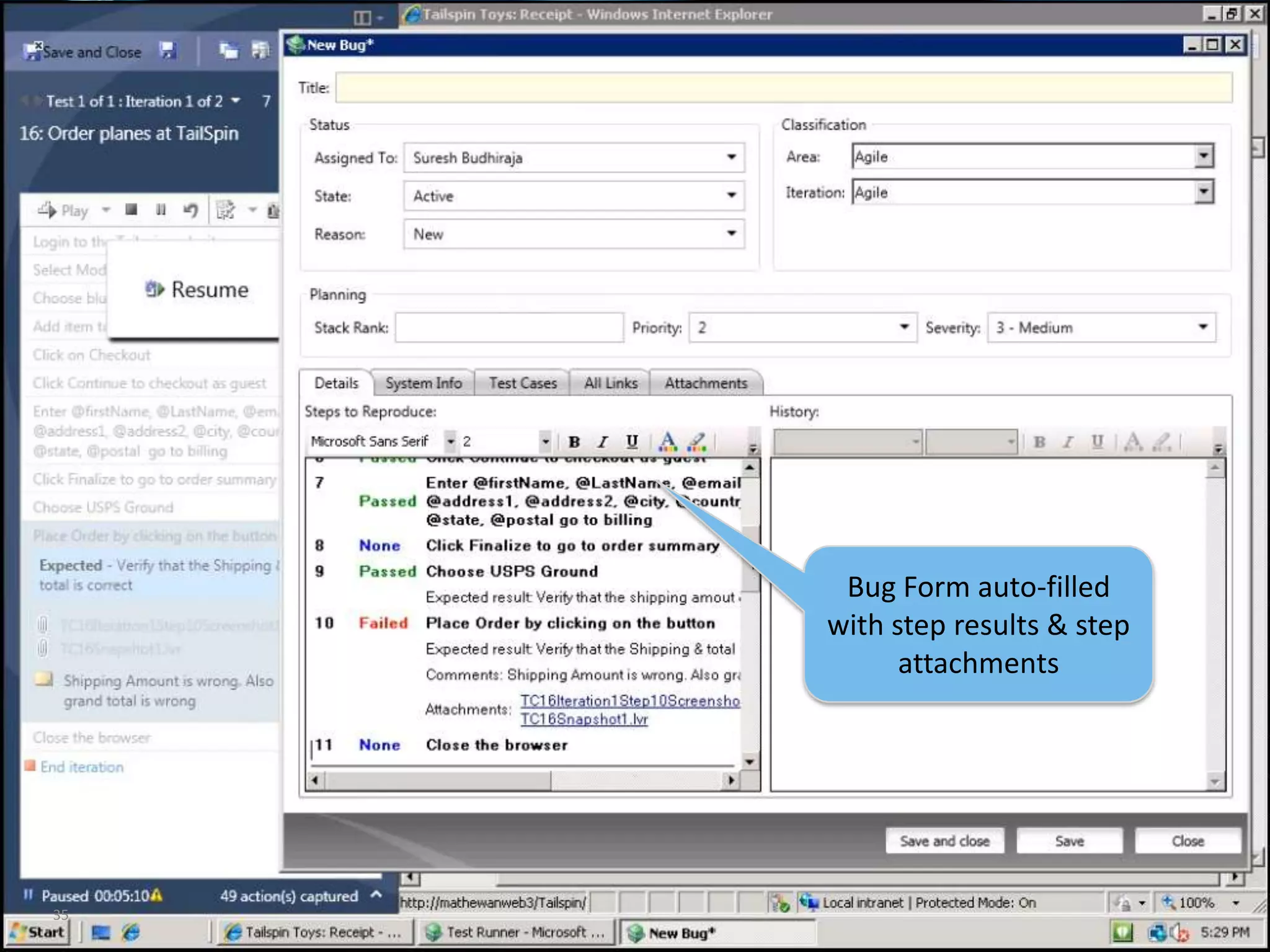
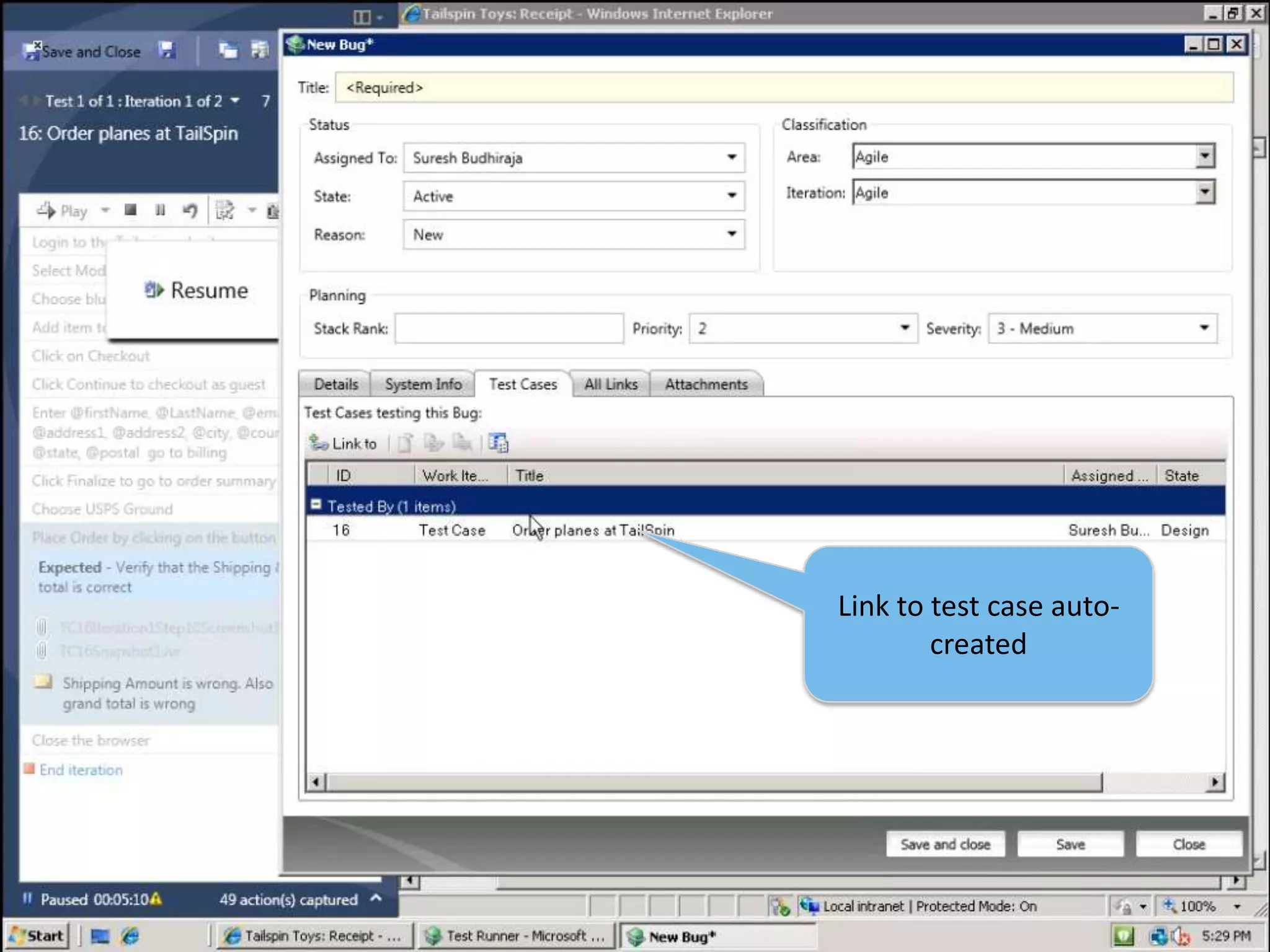
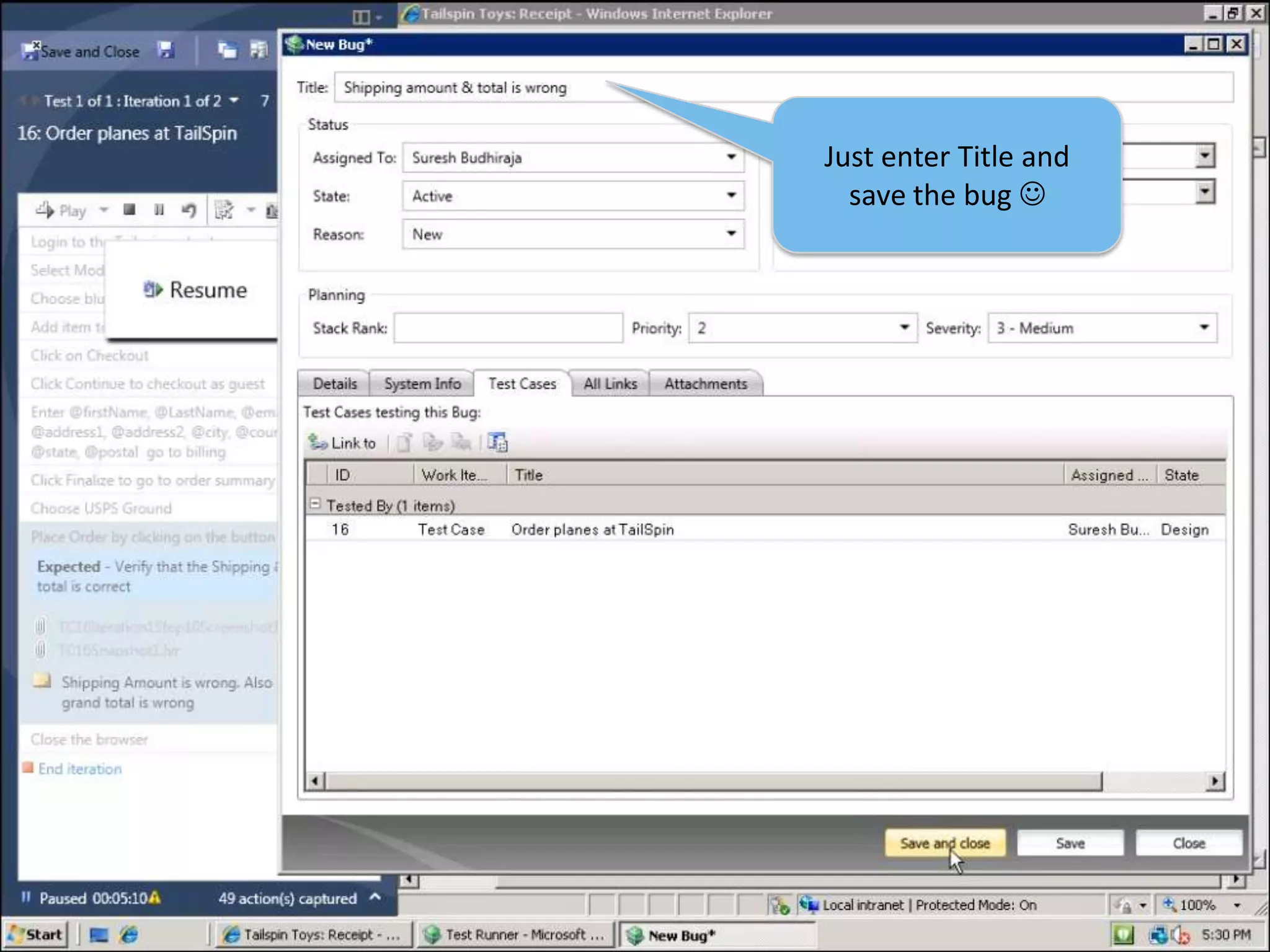
[Custom Data Collector]35Bug Form auto-filled with step results & step attachments
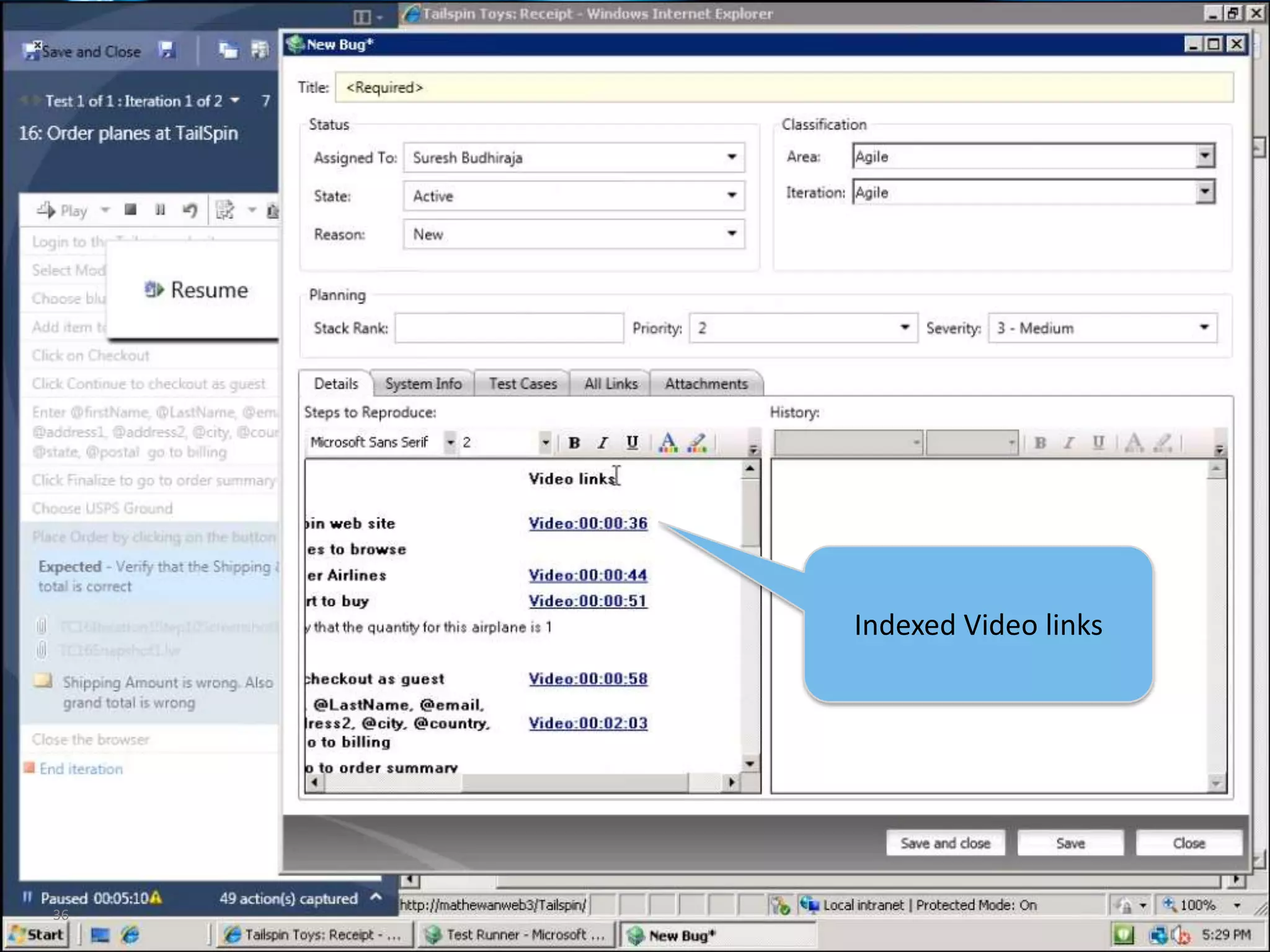
36Indexed Video links
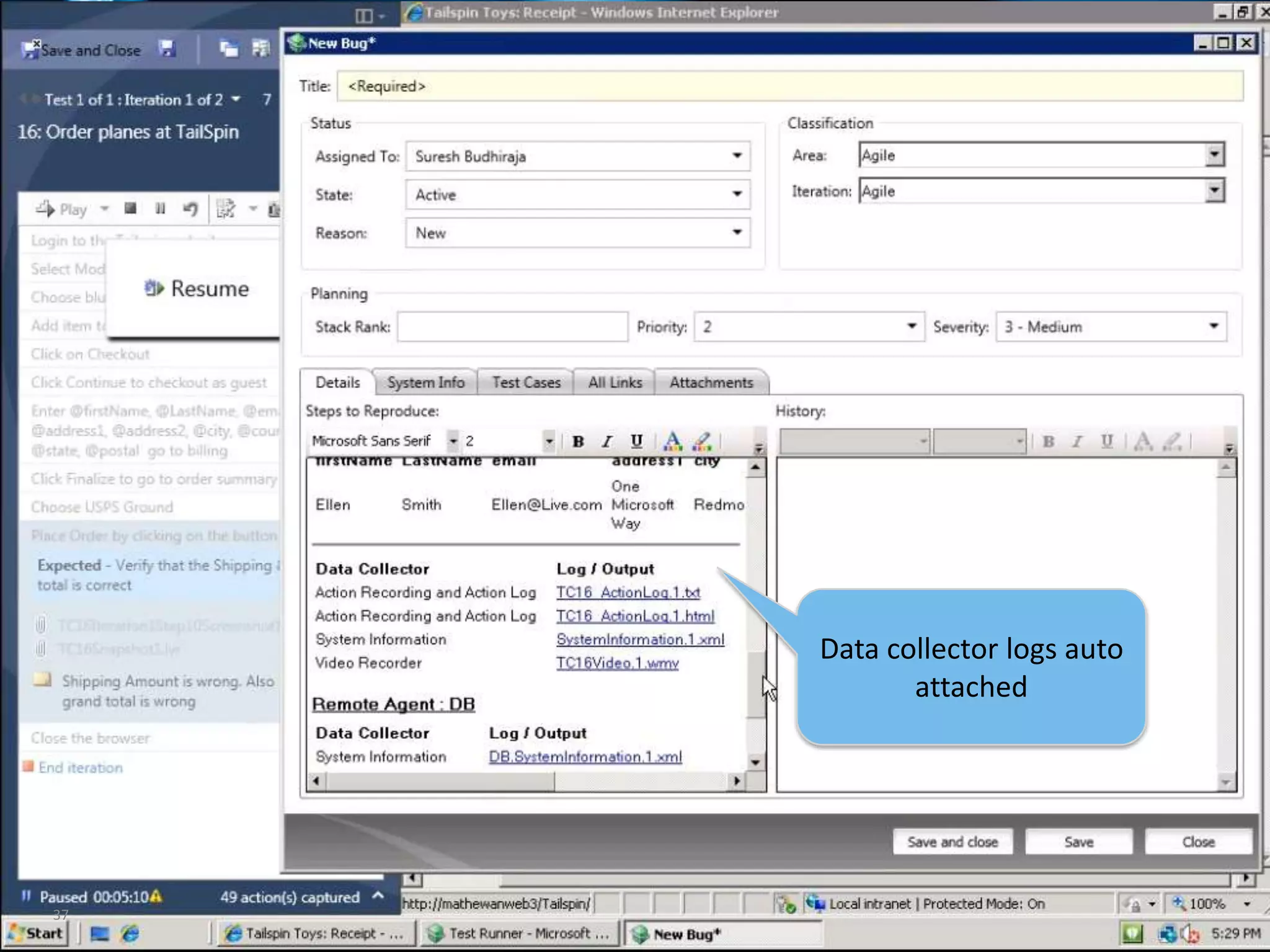
37Data collector logs auto attached

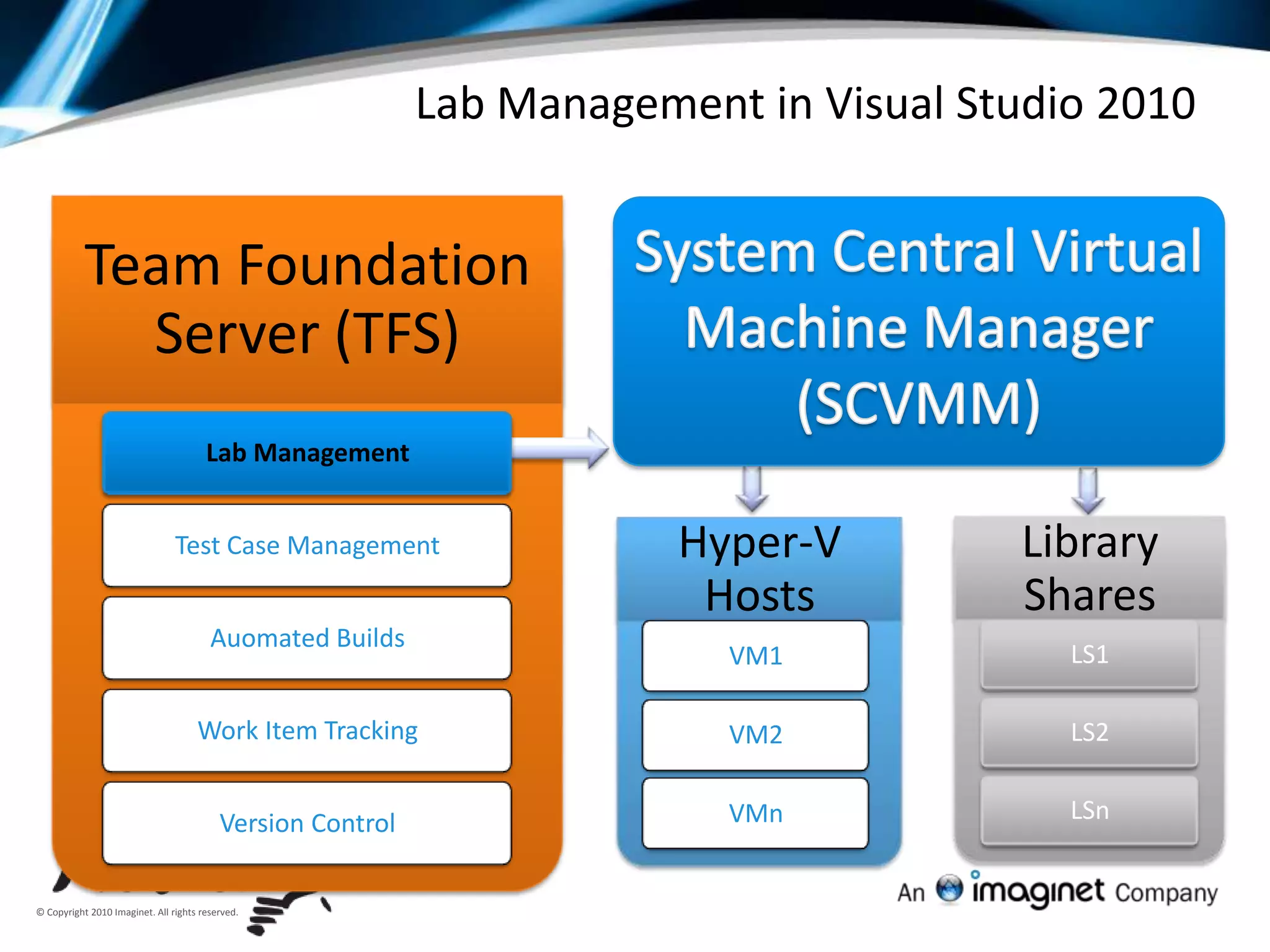
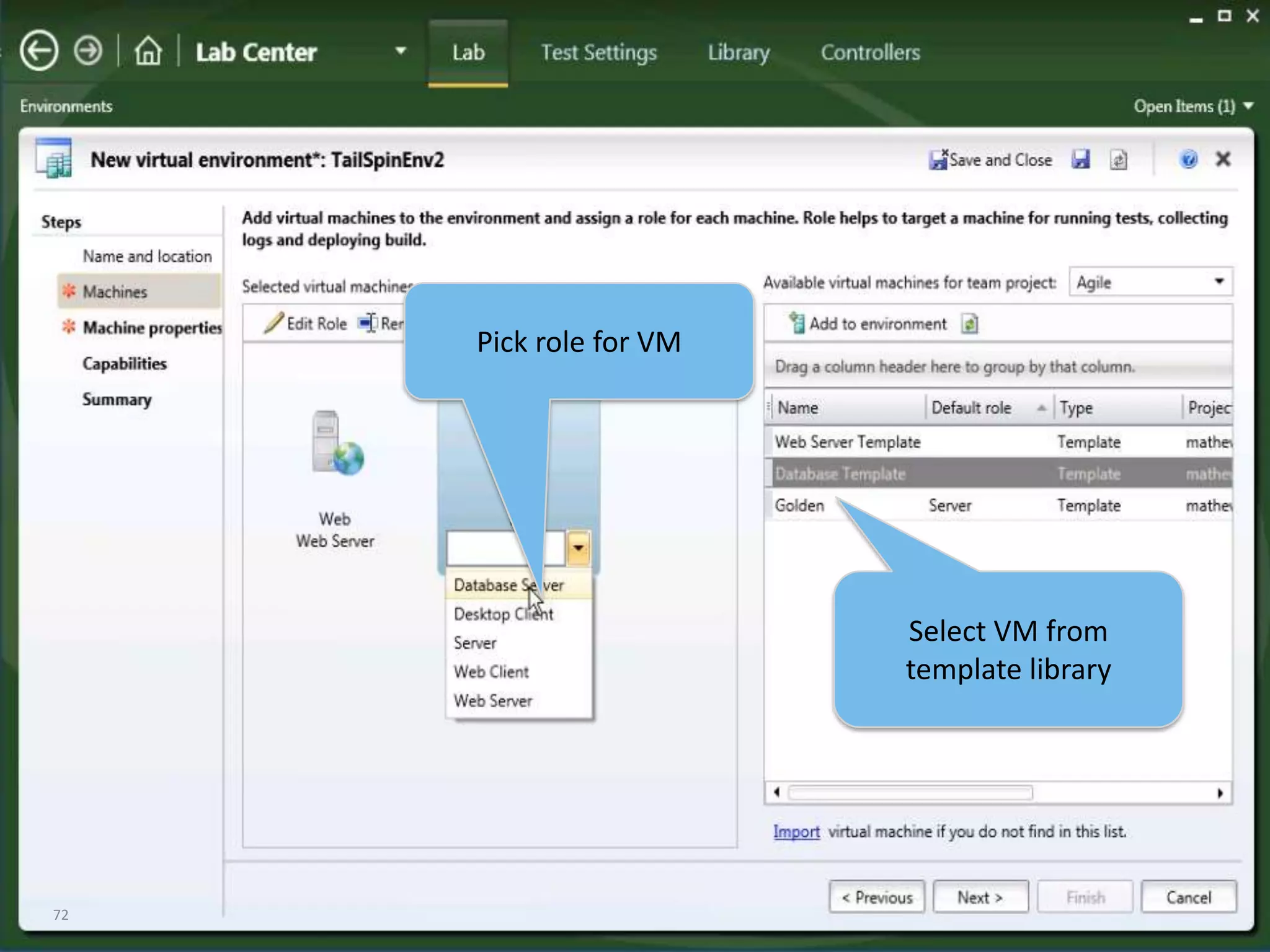
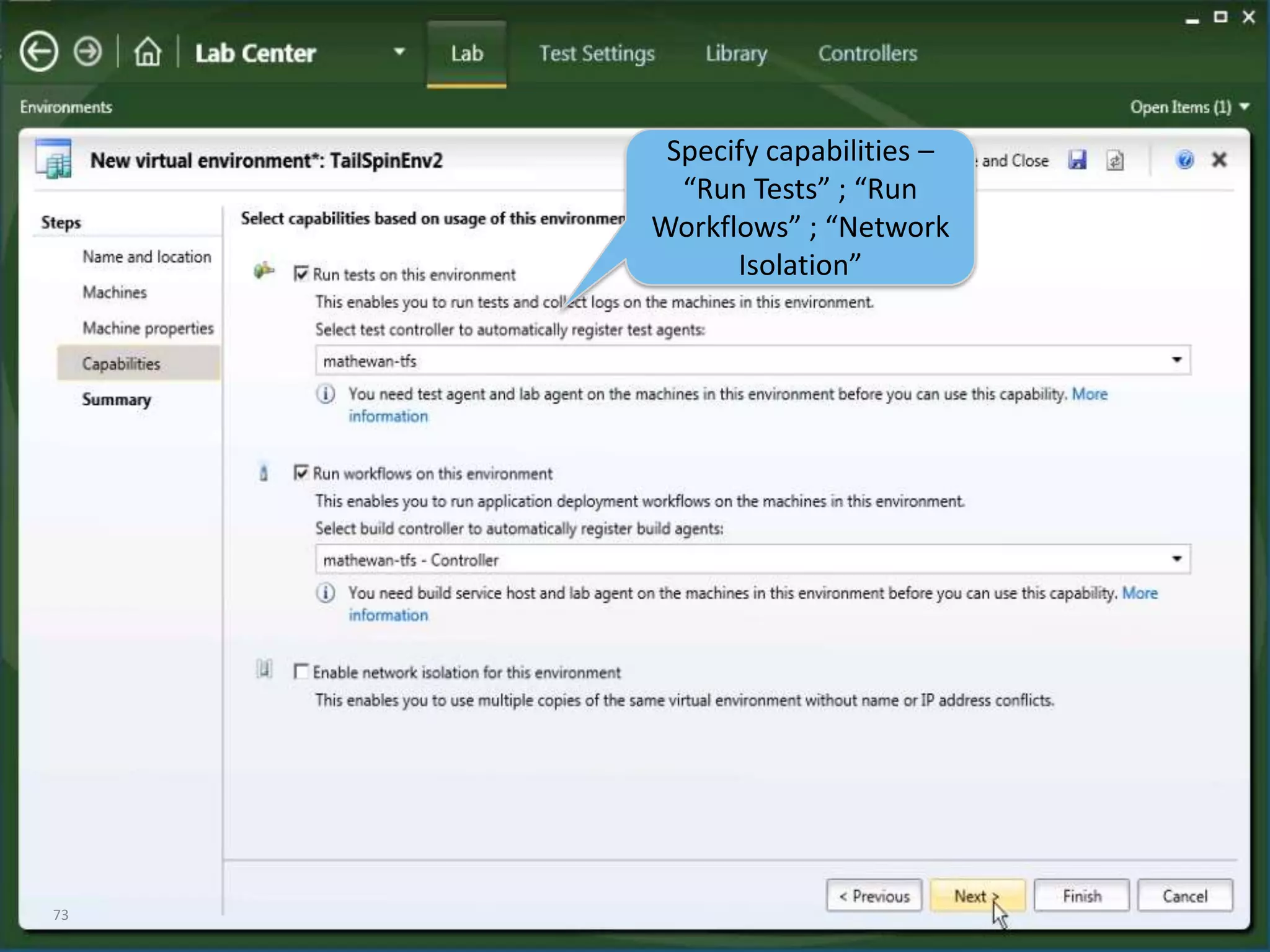
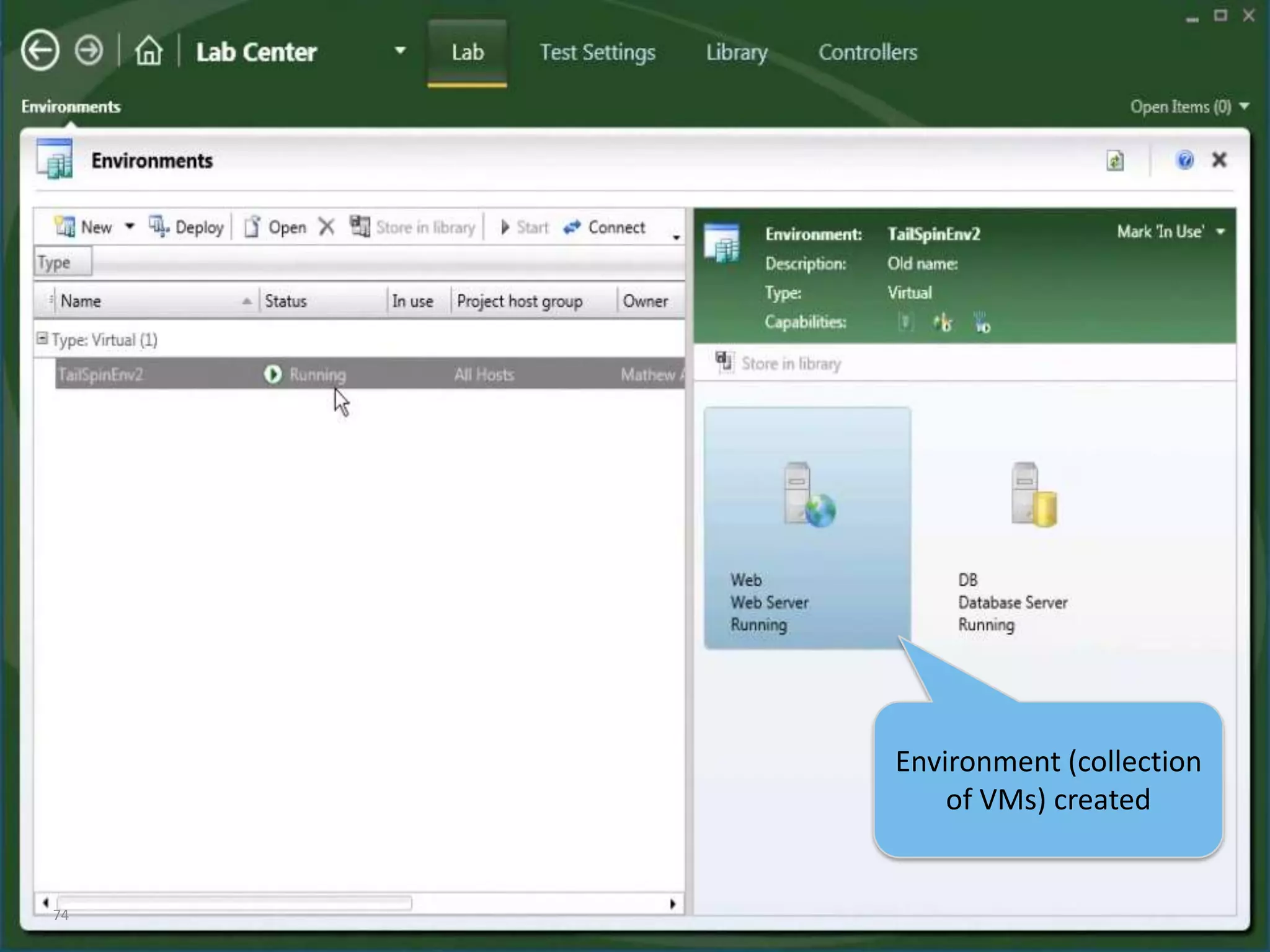
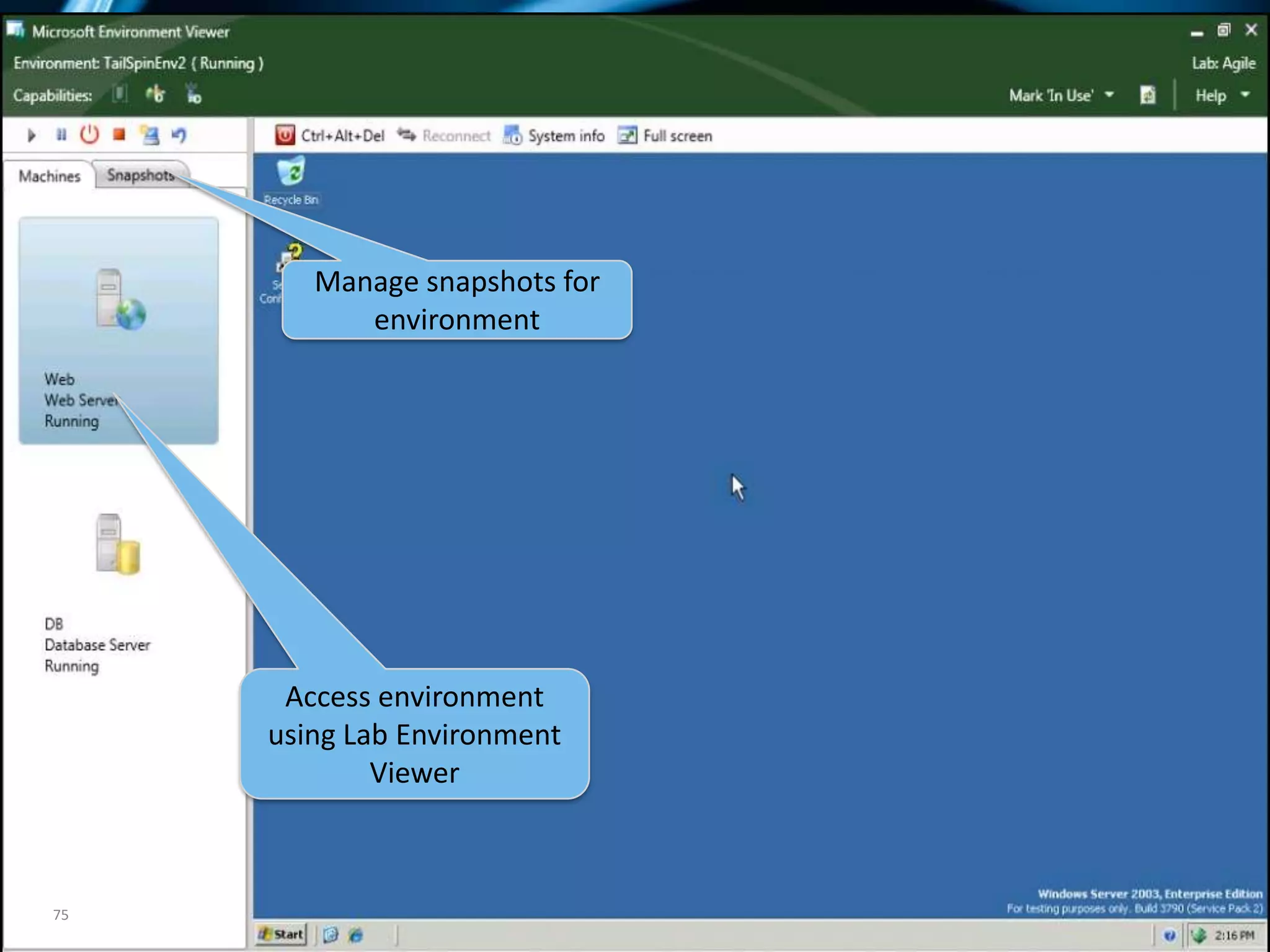
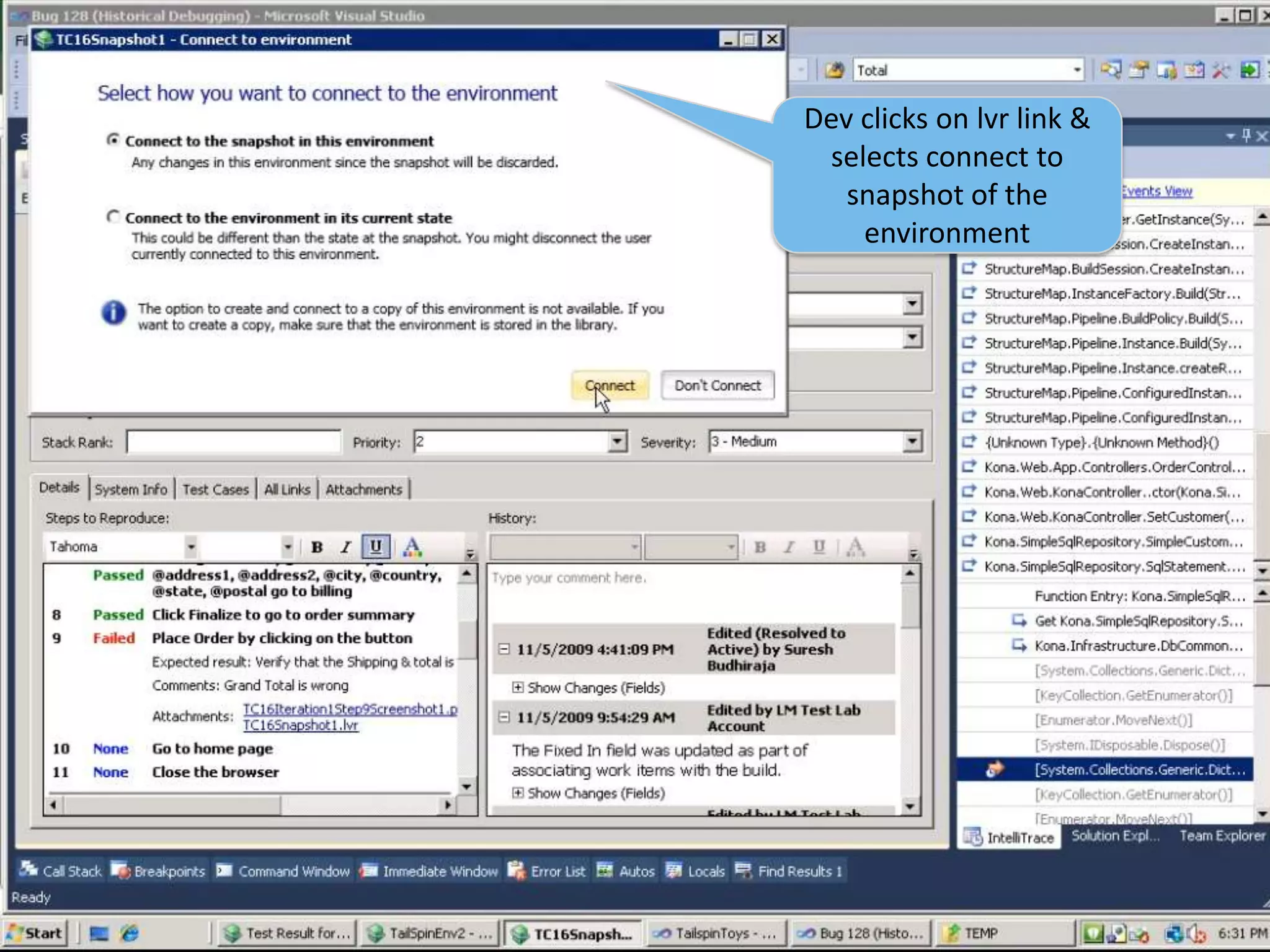
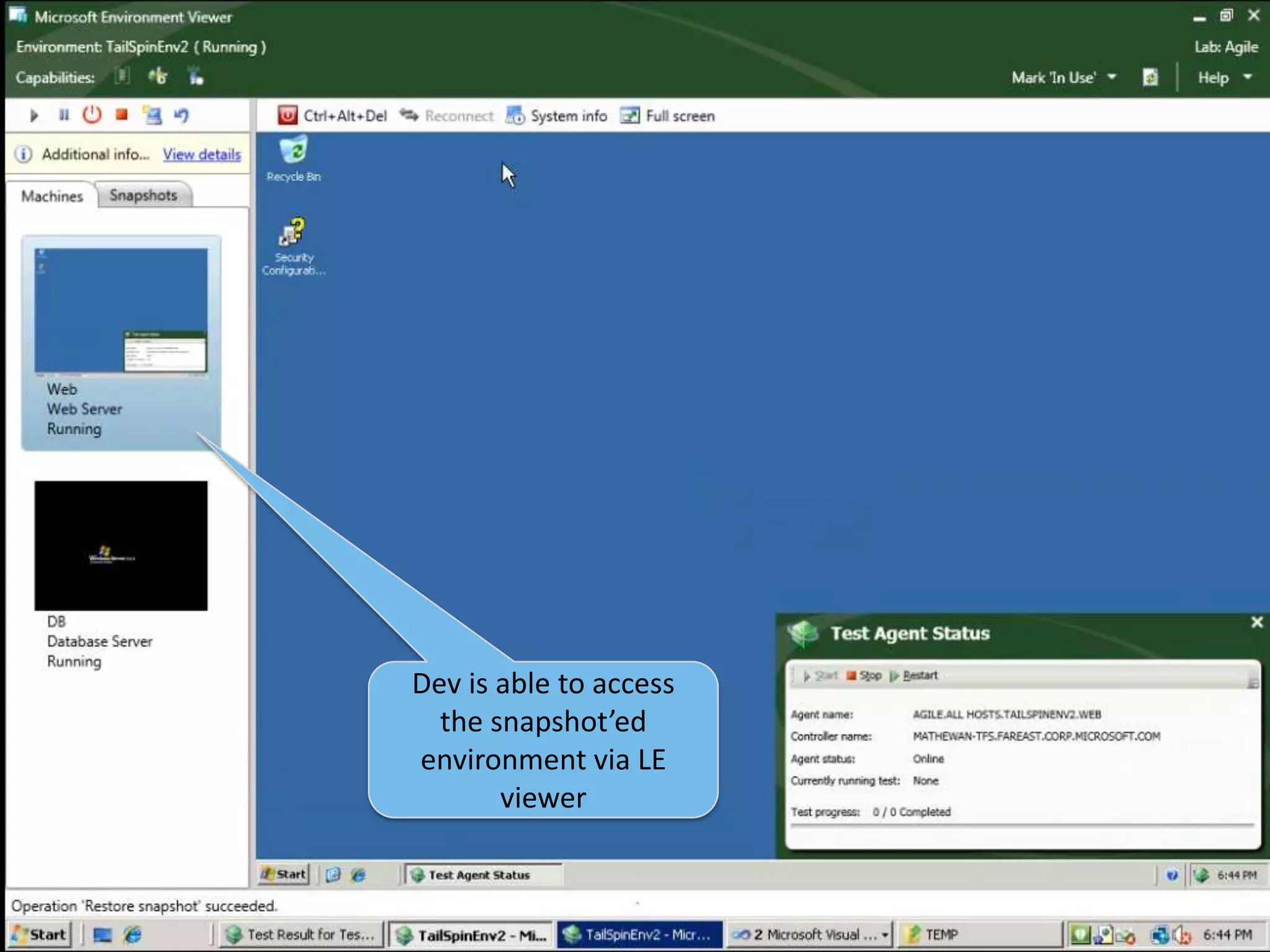
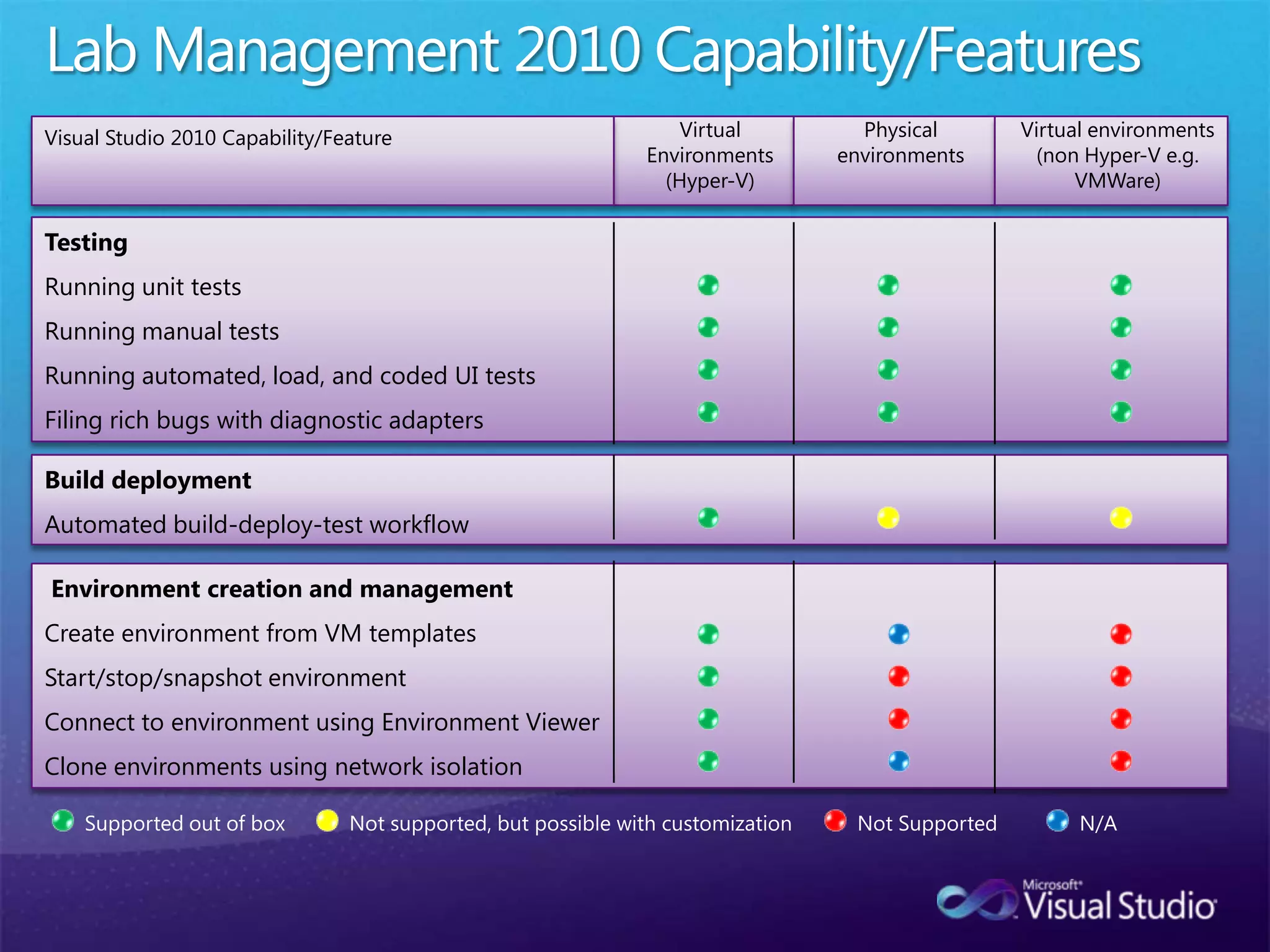
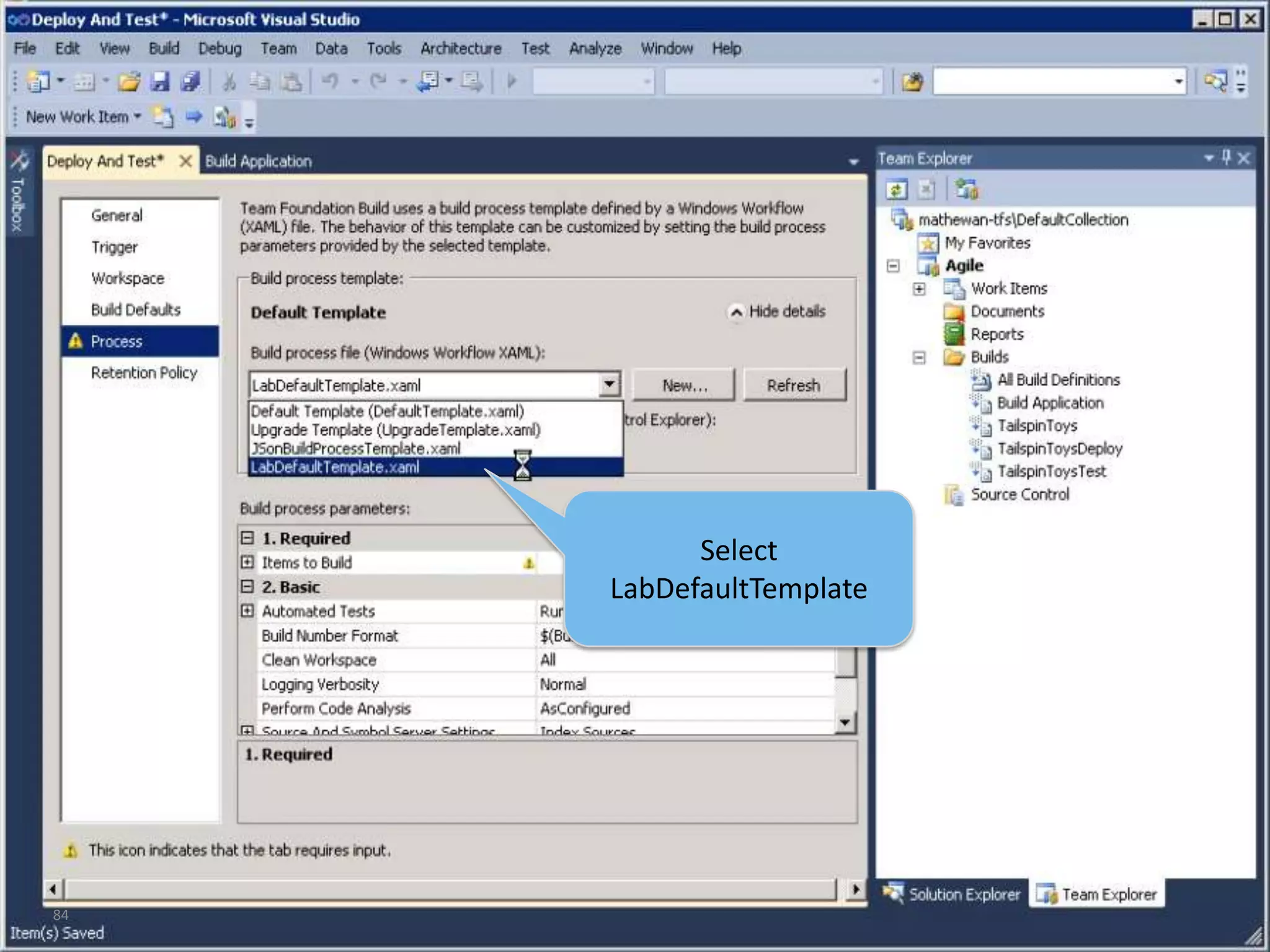
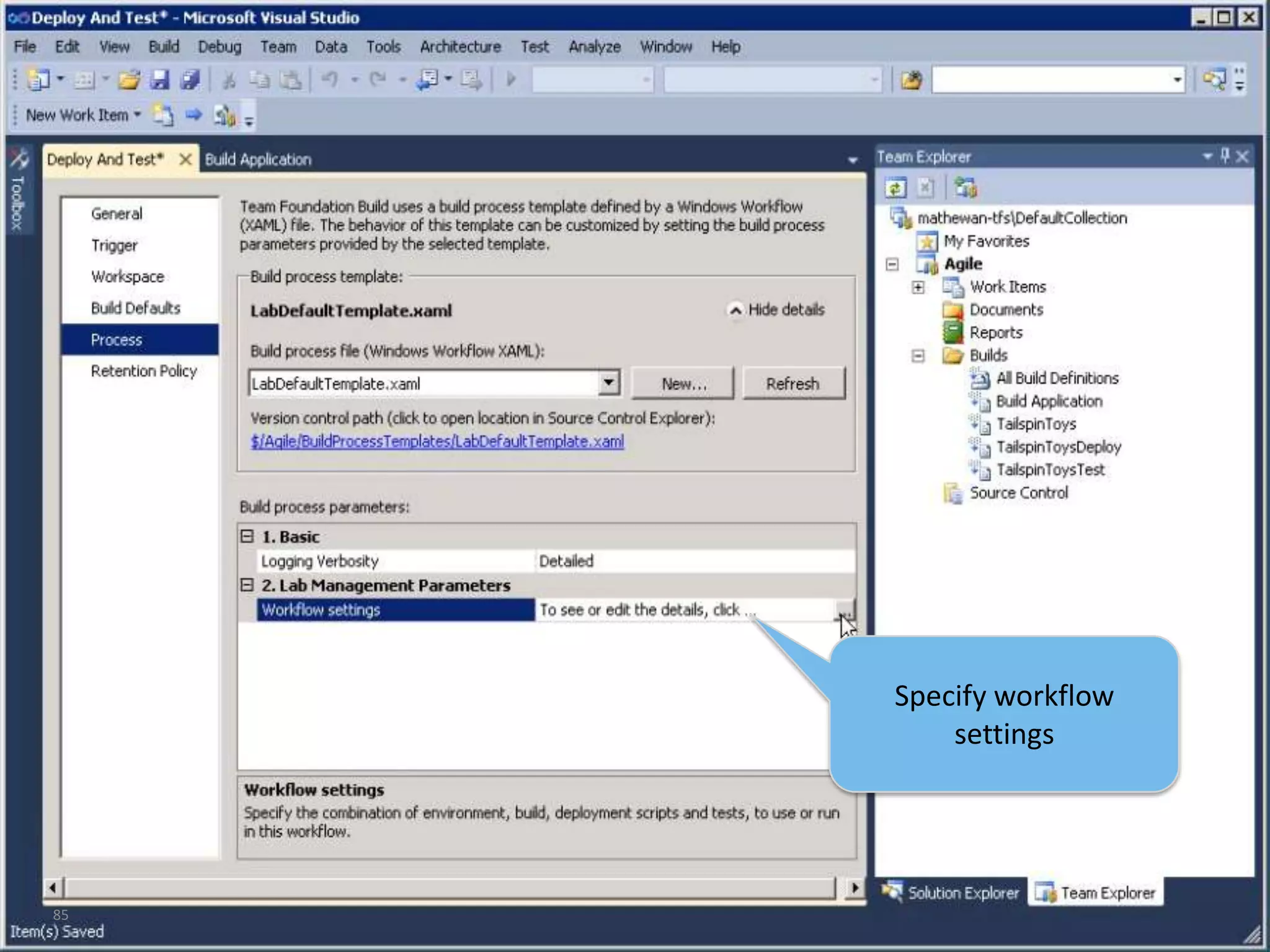
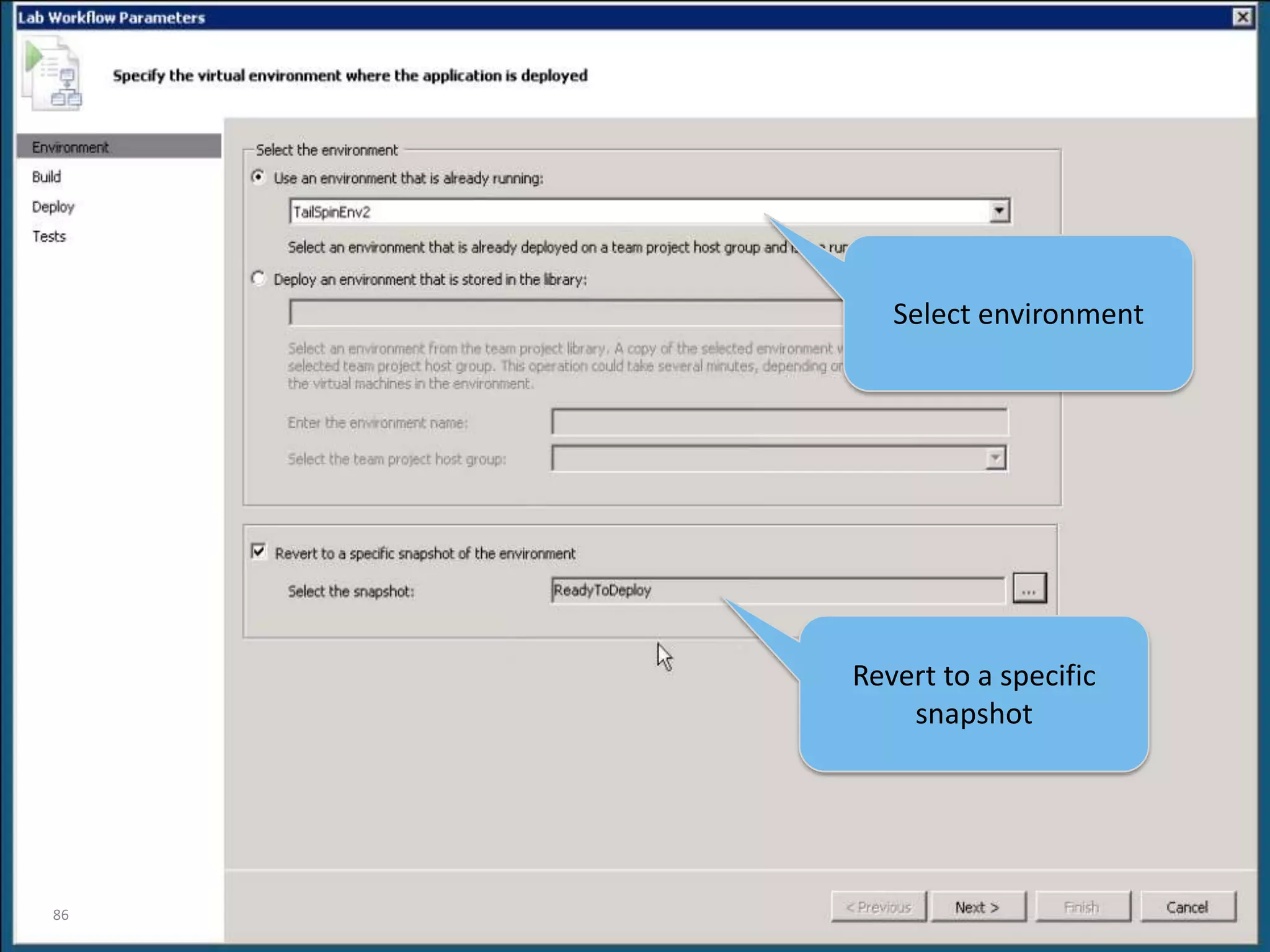
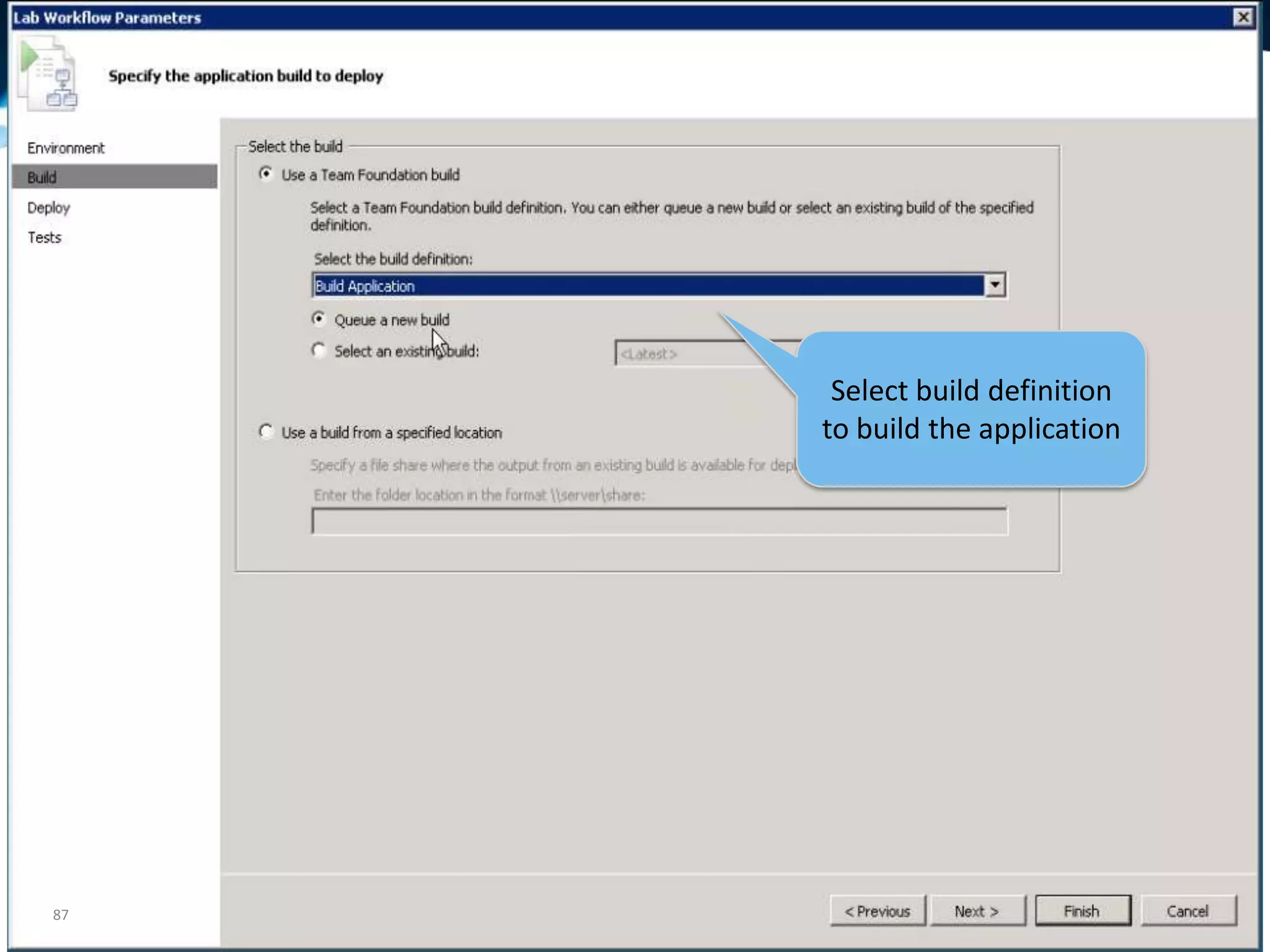
Lab Management with TFS 2010

Editor's Notes

  • #5 We found that customers pain points bucketed themselves into three things areasTesters are not aligned with the lifecycle. Finding out a code change is impacting their day at work (test more, go home late, miss the time with kids). Testers and developers work in silo’s often causing significant dis-satisfaction and un-happiness and creating an environment of lack of respect across the two teams. Testers are smart, developers often don’t give them the respect they deserve because they see testers filing poor defects, not really impacting quality. Testing teams are not really leveraged well as they waste so much time doing the basic things. Just getting their bugs looked at take so much time that they cannot spend quality time doing what they love and provide better service to the broader teams.
  • #6 The 2010 release for Microsoft is a very big release with a lot of rich capabilities. Quality is a key pillars for the release planning efforts and we aspired to achieve the above goals with the test offerings in the 2010 release by taking a fresh look at the problems.We want to align QA with the lifecycle to ensure that testers can add more value to the application lifecycle and are not looked at “necessary evil”. Having test assets co-located with the dev assets & project assets ensures visibility across the entire team.Create tighter integration across development & test teams to ensure that we can eliminate waste across the hand shake (or lack there of) that happens across devs & tests when it comes to bugs, builds, recreation of bugs etc. Enable highly leveraged QA teams ensures that teams are most efficient and are driving up productivity by focusing on key tasks and eliminating a lot of the waste that spans from boring repetitive tasks.
  • #8 This is the fully animated slide.
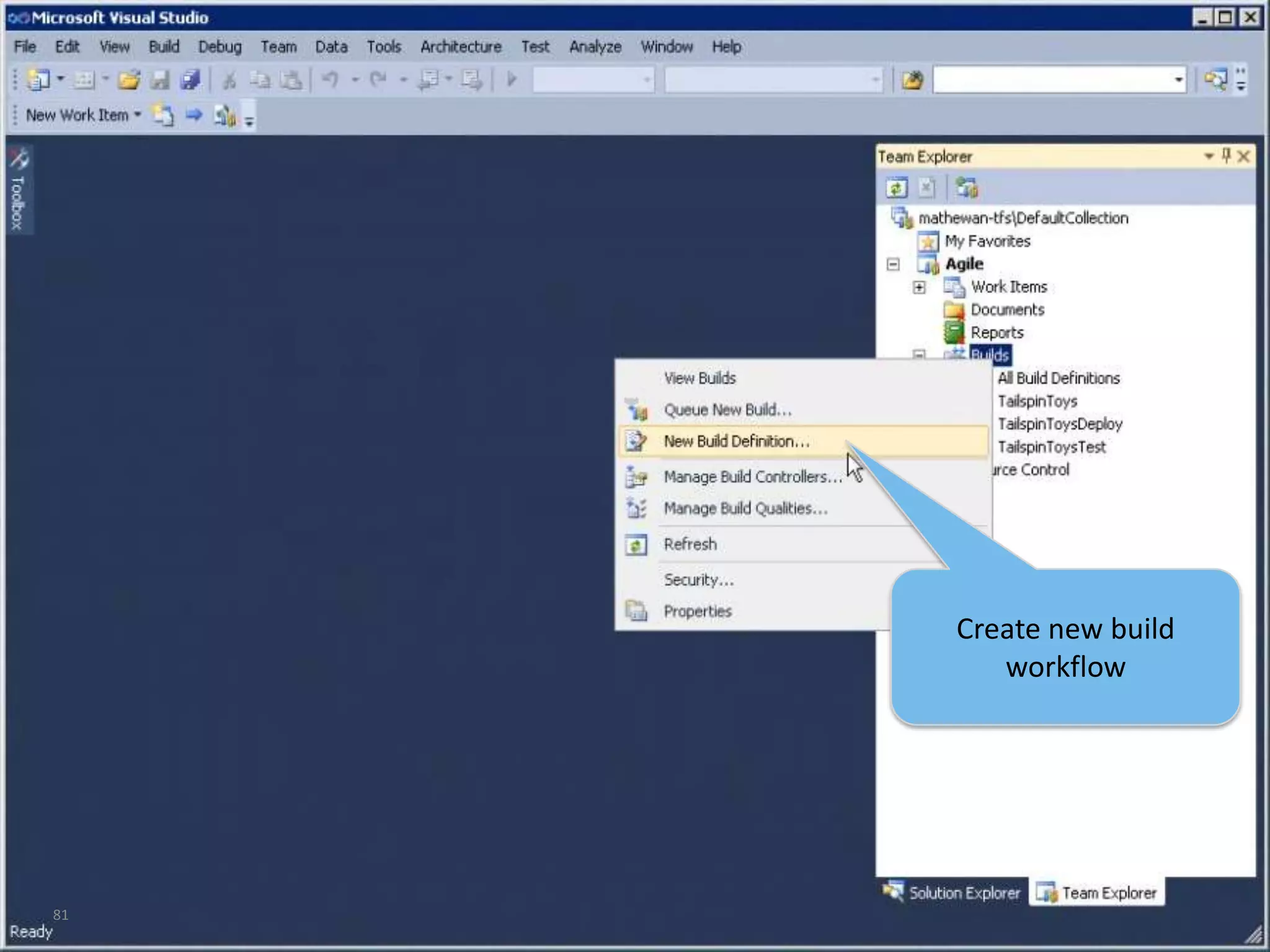
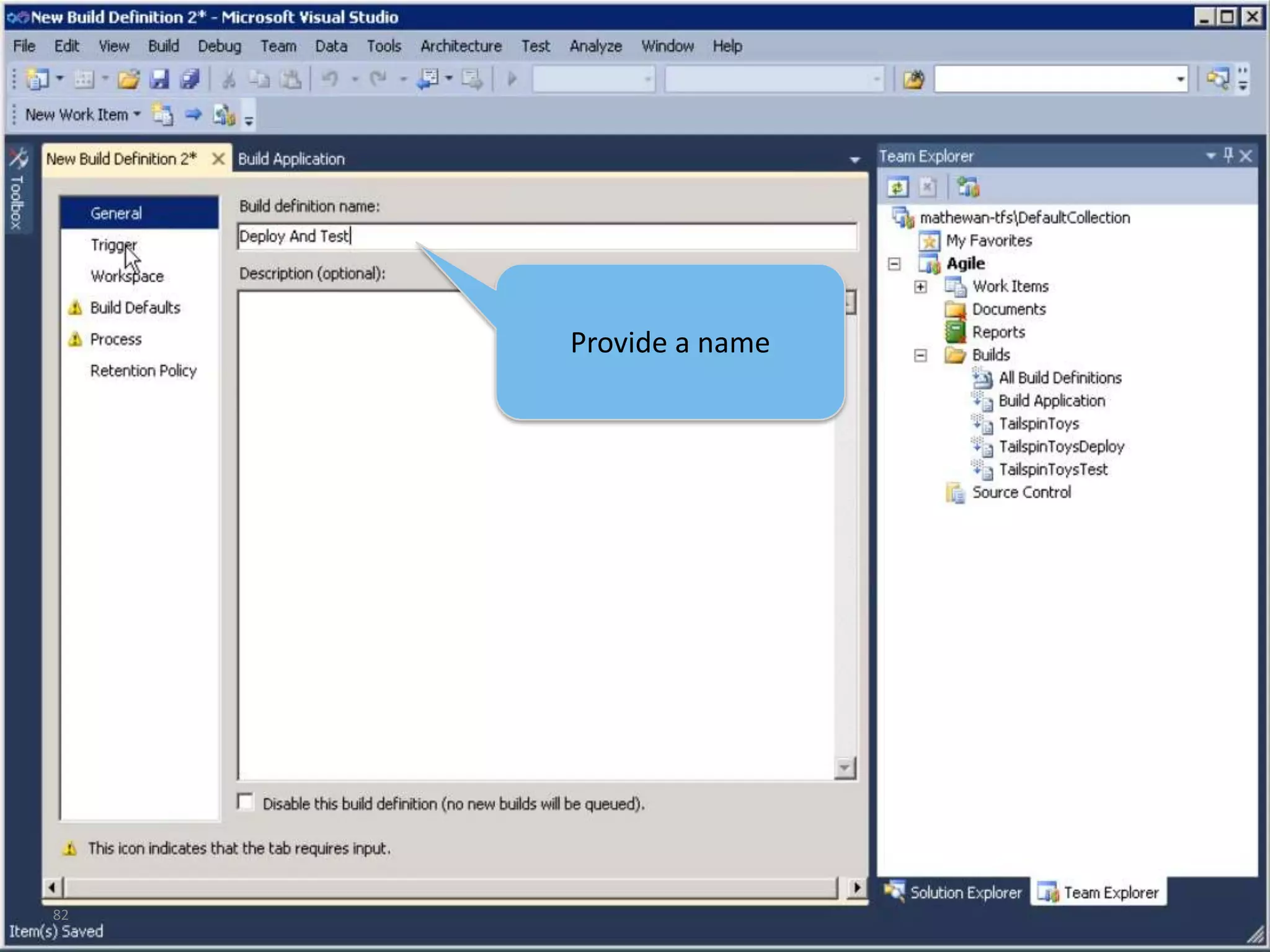
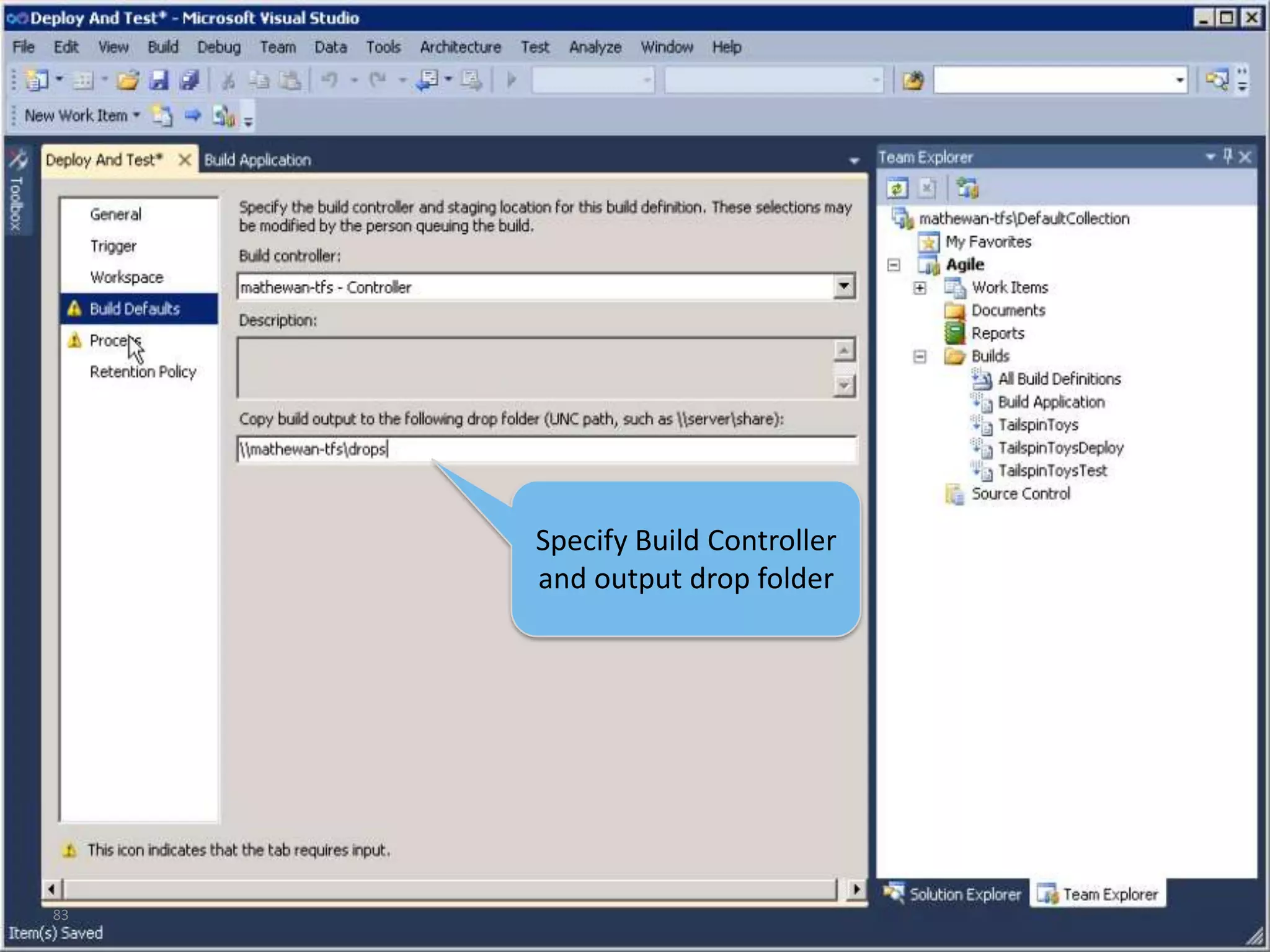
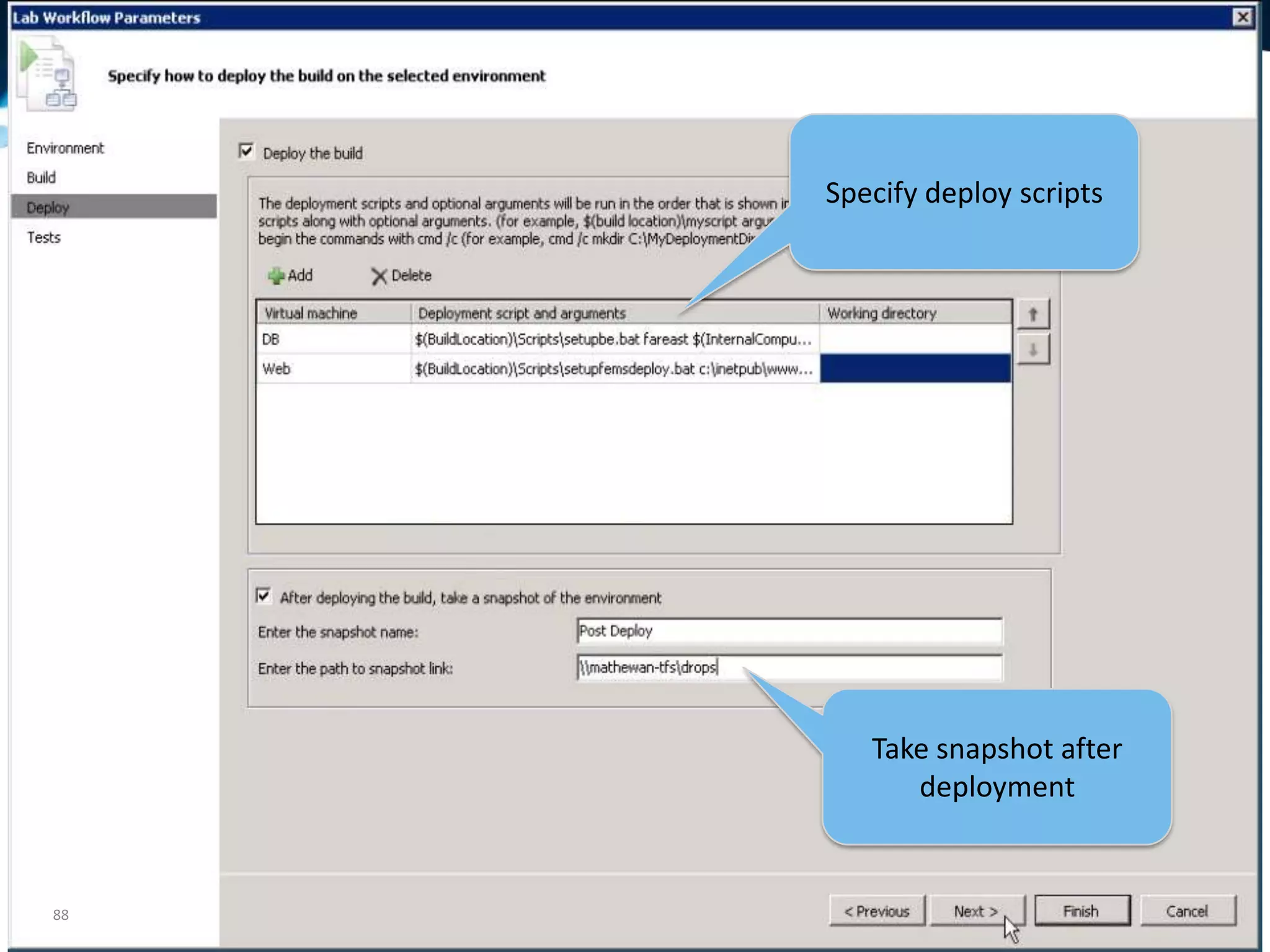
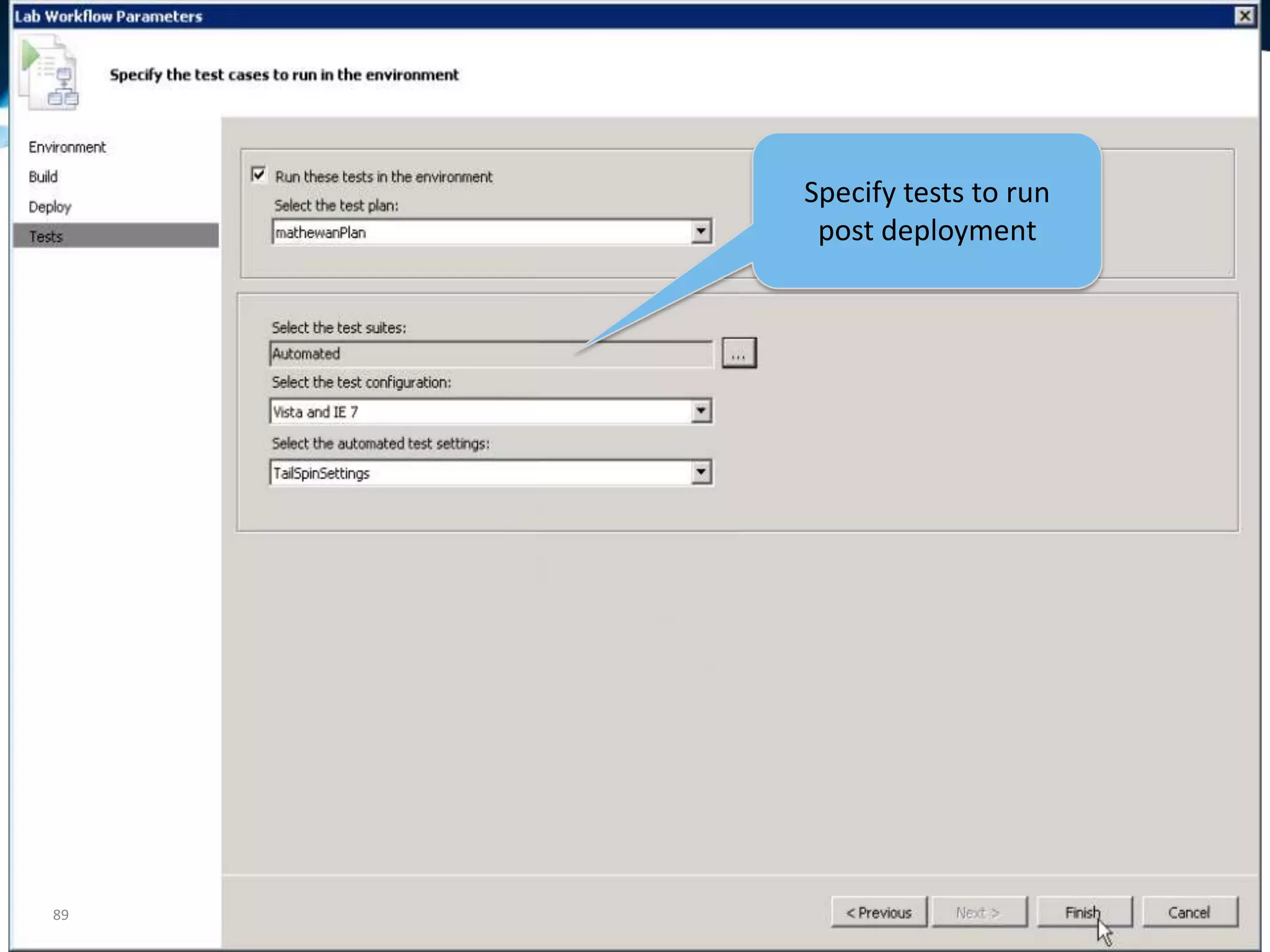
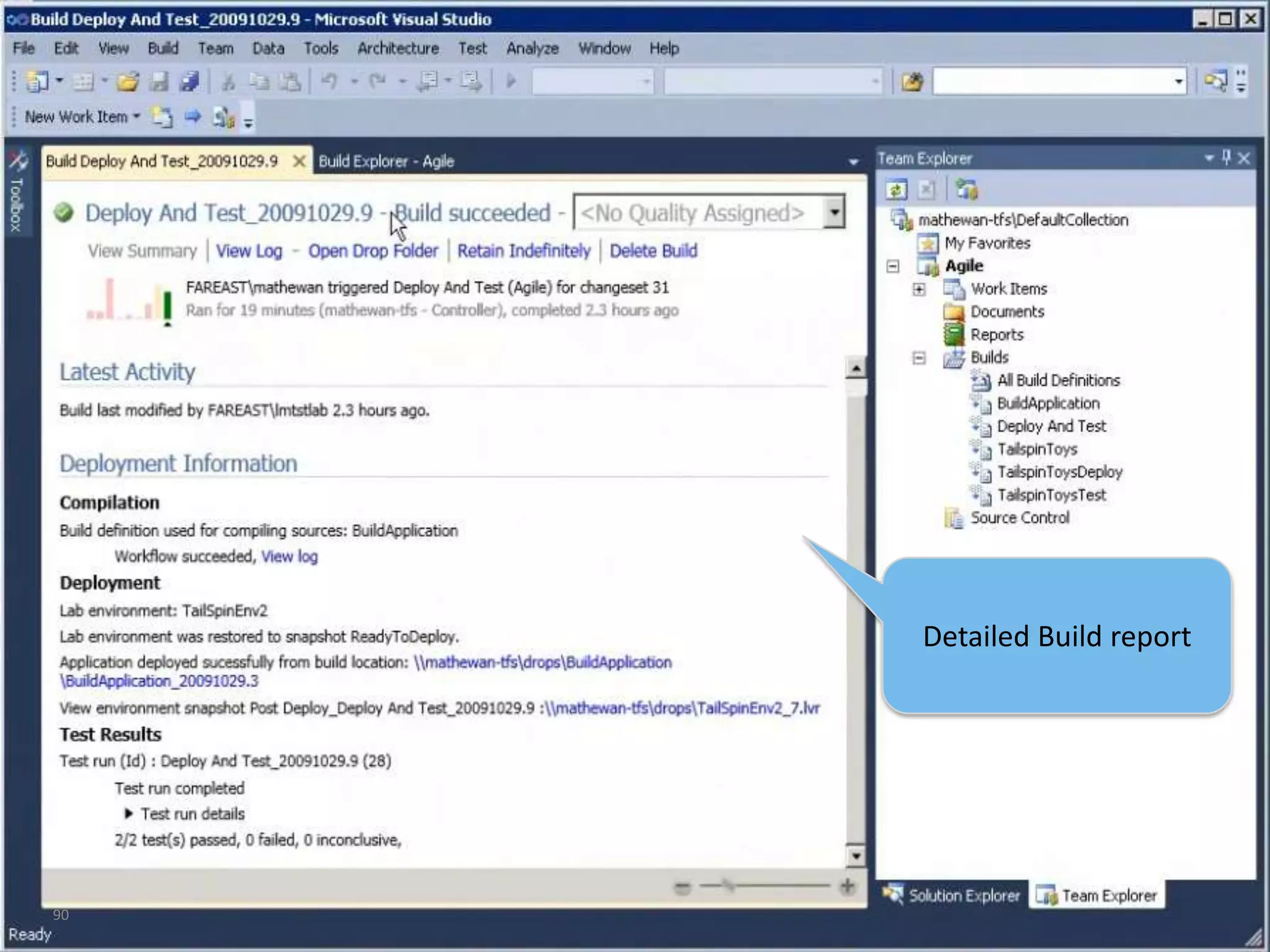
  • #12 Test Case Management using Microsoft Test and Lab Manager, a centralized testing toolProvisioning of multi-tier test environments and integrating it with build workflowFiling rich & actionable bug with minimal effort on the provisioned environmentCreating Coded UI Test using Action Log from Manual Testing & adding it run as part of build workflow on provisioned test environment
  • #13 Test Case Management using Microsoft Test and Lab Manager, a centralized testing toolProvisioning of multi-tier test environments and integrating it with build workflowFiling rich & actionable bug with minimal effort on the provisioned environmentCreating Coded UI Test using Action Log from Manual Testing & adding it run as part of build workflow on provisioned test environment
  • #14 Test Case Management using Microsoft Test and Lab Manager, a centralized testing toolProvisioning of multi-tier test environments and integrating it with build workflowFiling rich & actionable bug with minimal effort on the provisioned environmentCreating Coded UI Test using Action Log from Manual Testing & adding it run as part of build workflow on provisioned test environment
  • #15 Test Case Management using Microsoft Test and Lab Manager, a centralized testing toolProvisioning of multi-tier test environments and integrating it with build workflowFiling rich & actionable bug with minimal effort on the provisioned environmentCreating Coded UI Test using Action Log from Manual Testing & adding it run as part of build workflow on provisioned test environment
  • #26 Test Case Management using Microsoft Test and Lab Manager, a centralized testing toolProvisioning of multi-tier test environments and integrating it with build workflowFiling rich & actionable bug with minimal effort on the provisioned environmentCreating Coded UI Test using Action Log from Manual Testing & adding it run as part of build workflow on provisioned test environment
  • #28 Test Case Management using Microsoft Test and Lab Manager, a centralized testing toolProvisioning of multi-tier test environments and integrating it with build workflowFiling rich & actionable bug with minimal effort on the provisioned environmentCreating Coded UI Test using Action Log from Manual Testing & adding it run as part of build workflow on provisioned test environment
  • #29 Test Case Management using Microsoft Test and Lab Manager, a centralized testing toolProvisioning of multi-tier test environments and integrating it with build workflowFiling rich & actionable bug with minimal effort on the provisioned environmentCreating Coded UI Test using Action Log from Manual Testing & adding it run as part of build workflow on provisioned test environment
  • #30 Test Case Management using Microsoft Test and Lab Manager, a centralized testing toolProvisioning of multi-tier test environments and integrating it with build workflowFiling rich & actionable bug with minimal effort on the provisioned environmentCreating Coded UI Test using Action Log from Manual Testing & adding it run as part of build workflow on provisioned test environment
  • #43 http://www.wintellect.com/CS/blogs/jrobbins/archive/2009/06/16/how-does-vs2010-historical-debugging-work.aspxhttp://blogs.msdn.com/habibh/default.aspx
  • #45 This would normally go in the Testing section but want to demonstrate it here during the build process.
  • #47 http://blogs.msdn.com/mathew_aniyan
  • #48 Test Case Management using Microsoft Test and Lab Manager, a centralized testing toolProvisioning of multi-tier test environments and integrating it with build workflowFiling rich & actionable bug with minimal effort on the provisioned environmentCreating Coded UI Test using Action Log from Manual Testing & adding it run as part of build workflow on provisioned test environment
  • #49 Test Case Management using Microsoft Test and Lab Manager, a centralized testing toolProvisioning of multi-tier test environments and integrating it with build workflowFiling rich & actionable bug with minimal effort on the provisioned environmentCreating Coded UI Test using Action Log from Manual Testing & adding it run as part of build workflow on provisioned test environment
  • #50 Test Case Management using Microsoft Test and Lab Manager, a centralized testing toolProvisioning of multi-tier test environments and integrating it with build workflowFiling rich & actionable bug with minimal effort on the provisioned environmentCreating Coded UI Test using Action Log from Manual Testing & adding it run as part of build workflow on provisioned test environment
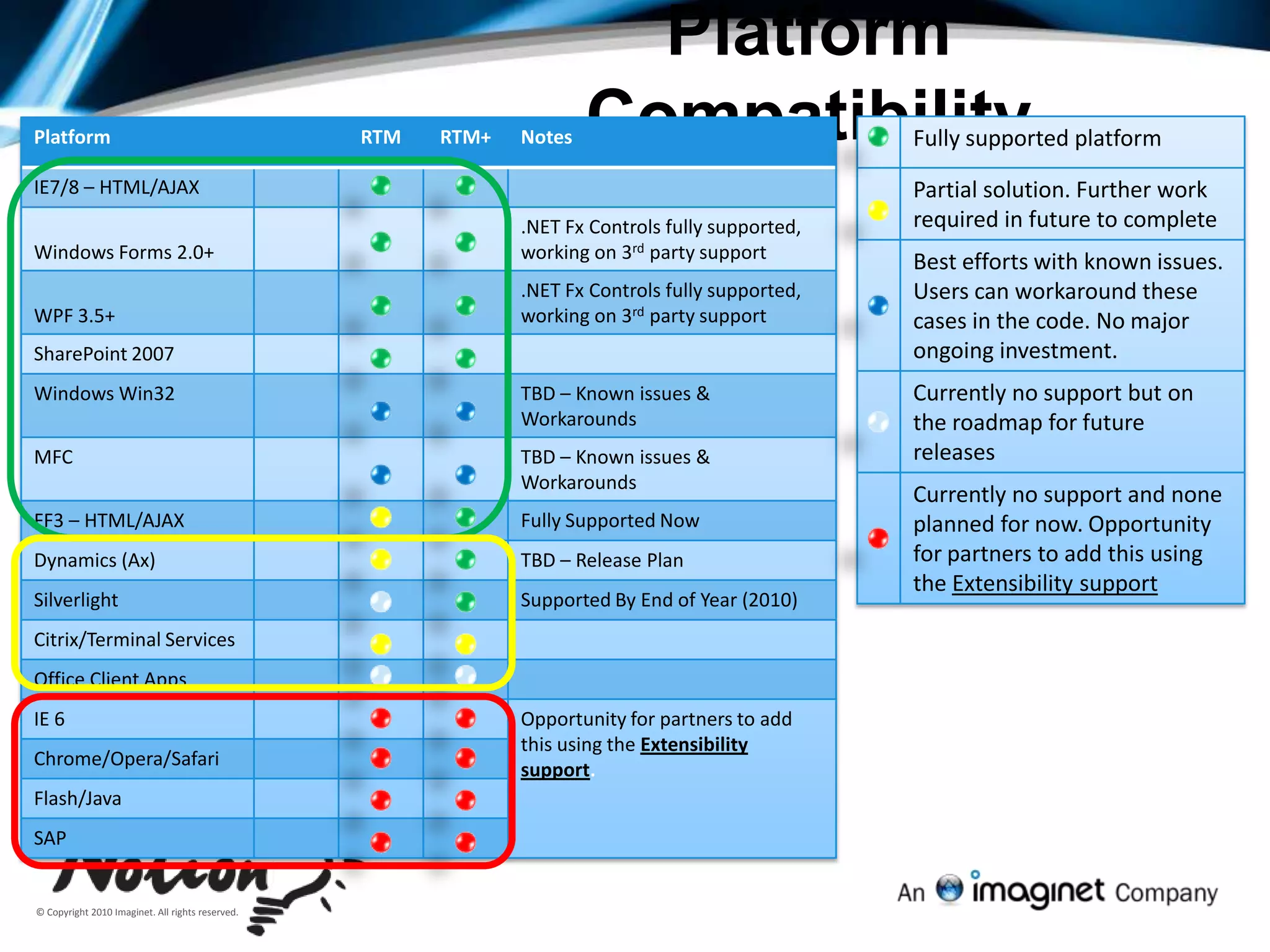
  • #65 http://blogs.msdn.com/gautamg/archive/2010/01/07/platform-support-for-coded-ui-test-and-fast-forward-feature-of-test-runner.aspx
  • #66 Test Case Management using Microsoft Test and Lab Manager, a centralized testing toolProvisioning of multi-tier test environments and integrating it with build workflowFiling rich & actionable bug with minimal effort on the provisioned environmentCreating Coded UI Test using Action Log from Manual Testing & adding it run as part of build workflow on provisioned test environment
  • #71 Test Case Management using Microsoft Test and Lab Manager, a centralized testing toolProvisioning of multi-tier test environments and integrating it with build workflowFiling rich & actionable bug with minimal effort on the provisioned environmentCreating Coded UI Test using Action Log from Manual Testing & adding it run as part of build workflow on provisioned test environment
  • #72 Test Case Management using Microsoft Test and Lab Manager, a centralized testing toolProvisioning of multi-tier test environments and integrating it with build workflowFiling rich & actionable bug with minimal effort on the provisioned environmentCreating Coded UI Test using Action Log from Manual Testing & adding it run as part of build workflow on provisioned test environment
  • #73 Test Case Management using Microsoft Test and Lab Manager, a centralized testing toolProvisioning of multi-tier test environments and integrating it with build workflowFiling rich & actionable bug with minimal effort on the provisioned environmentCreating Coded UI Test using Action Log from Manual Testing & adding it run as part of build workflow on provisioned test environment
  • #81 Test Case Management using Microsoft Test and Lab Manager, a centralized testing toolProvisioning of multi-tier test environments and integrating it with build workflowFiling rich & actionable bug with minimal effort on the provisioned environmentCreating Coded UI Test using Action Log from Manual Testing & adding it run as part of build workflow on provisioned test environment