Self-service enrollment
for Windows desktops
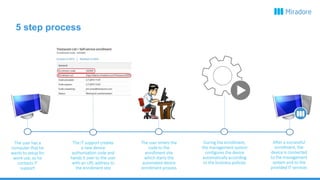
The IT support creates
a new device
authorization code and
hands it over to the user
with an URL address to
the enrollment site
The user has a
computer that he
wants to setup for
work use, so he
contacts IT
support
The user enters the
code to the
enrollment site
which starts the
automated device
enrollment process
During the enrollment,
the management system
configures the device
automatically according
to the business policies
After a successful
enrollment, the
device is connected
to the management
system and to the
provided IT services
5 step process
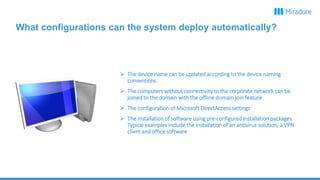
What configurations can the system deploy automatically?
 The device name can be updated according to the device naming
conventions
 The computers without connectivity to the corporate network can be
joined to the domain with the offline domain join feature
 The configuration of Microsoft DirectAccess settings
 The installation of software using pre-configured installation packages.
Typical examples include the installation of an antivirus solution, a VPN
client and office software
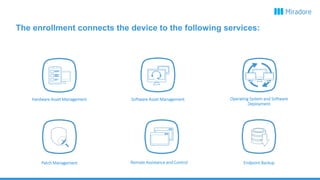
Remote Assistance and Control
Hardware Asset Management Software Asset Management
Endpoint Backup
Operating System and Software
Deployment
Patch Management
The enrollment connects the device to the following services:
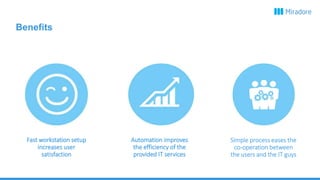
Fast workstation setup
increases user
satisfaction
Automation improves
the efficiency of the
provided IT services
Simple process eases the
co-operation between
the users and the IT guys
Benefits

Self-service enrollment for Windows desktops

  • 1.
  • 2.
    The IT supportcreates a new device authorization code and hands it over to the user with an URL address to the enrollment site The user has a computer that he wants to setup for work use, so he contacts IT support The user enters the code to the enrollment site which starts the automated device enrollment process During the enrollment, the management system configures the device automatically according to the business policies After a successful enrollment, the device is connected to the management system and to the provided IT services 5 step process
  • 3.
    What configurations canthe system deploy automatically?  The device name can be updated according to the device naming conventions  The computers without connectivity to the corporate network can be joined to the domain with the offline domain join feature  The configuration of Microsoft DirectAccess settings  The installation of software using pre-configured installation packages. Typical examples include the installation of an antivirus solution, a VPN client and office software
  • 4.
    Remote Assistance andControl Hardware Asset Management Software Asset Management Endpoint Backup Operating System and Software Deployment Patch Management The enrollment connects the device to the following services:
  • 5.
    Fast workstation setup increasesuser satisfaction Automation improves the efficiency of the provided IT services Simple process eases the co-operation between the users and the IT guys Benefits