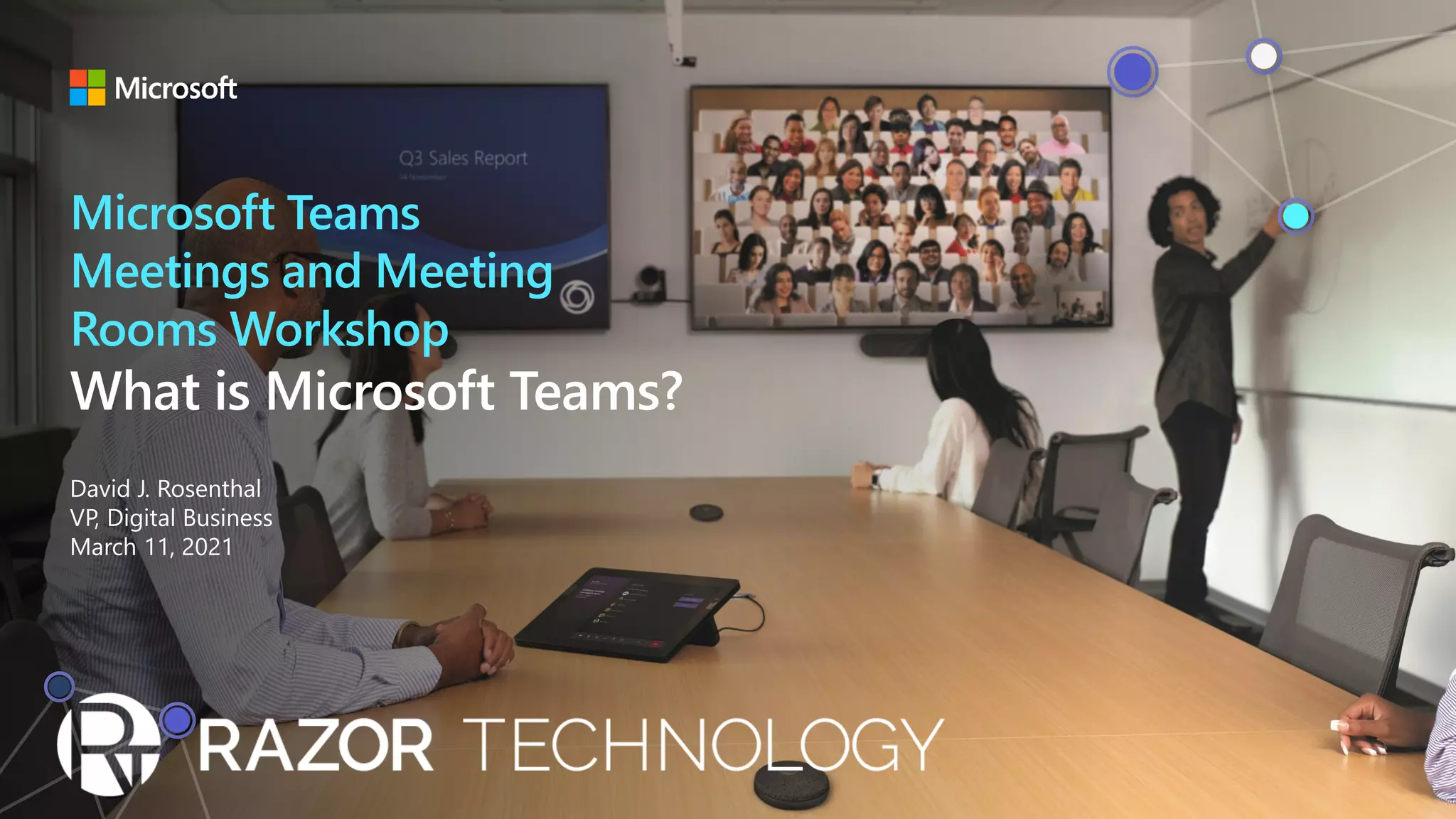
Microsoft Teams
Meetings and Meeting
Rooms Workshop
Agenda Introduction
Meetings
Business Applications and Processes
Front-Line Workforce
Employee Experience
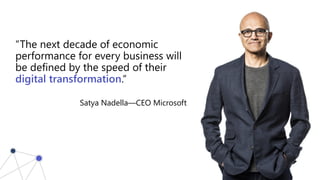
“The next decade of economic
performance for every business will
be defined by the speed of their
digital transformation.“
Satya Nadella—CEO Microsoft
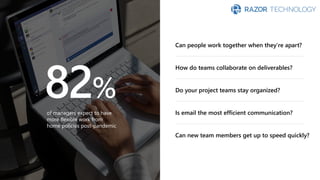
82%
of managers expect to have
more flexible work from
home policies post-pandemic
Can people work together when they’re apart?
How do teams collaborate on deliverables?
Do your project teams stay organized?
Is email the most efficient communication?
Can new team members get up to speed quickly?
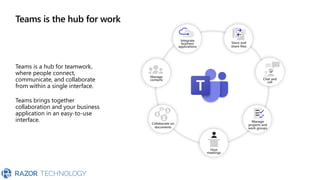
Teams is the hub for work
Teams is a hub for teamwork,
where people connect,
communicate, and collaborate
from within a single interface.
Teams brings together
collaboration and your business
application in an easy-to-use
interface. Collaborate on
documents
Integrate
business
applications
Store and
share files
Manage
projects and
work groups
Manage
contacts Chat and
call
Host
meetings
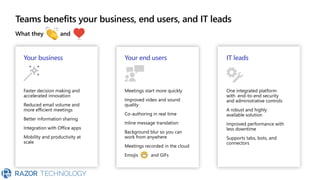
Teams benefits your business, end users, and IT leads
What they and
Your business
Faster decision making and
accelerated innovation
Reduced email volume and
more efficient meetings
Better information sharing
Integration with Office apps
Mobility and productivity at
scale
Your end users
Meetings start more quickly
Improved video and sound
quality
Co-authoring in real time
Inline message translation
Background blur so you can
work from anywhere
Meetings recorded in the cloud
Emojis and GIFs
IT leads
One integrated platform
with end-to-end security
and administrative controls
A robust and highly
available solution
Improved performance with
less downtime
Supports tabs, bots, and
connectors
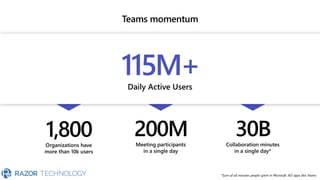
Teams momentum
Daily Active Users
115M+
Organizations have
more than 10k users
1,800 Meeting participants
in a single day
200M Collaboration minutes
in a single day*
30B
*Sum of all minutes people spent in Microsoft 365 apps like Teams
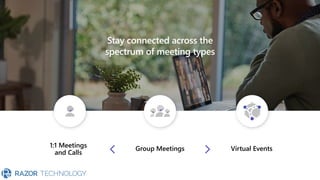
Stay connected across the
spectrum of meeting types
1:1 Meetings
and Calls
Group Meetings Virtual Events
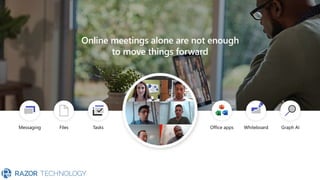
Online meetings alone are not enough
to move things forward
Messaging Files Tasks Office apps Whiteboard Graph AI
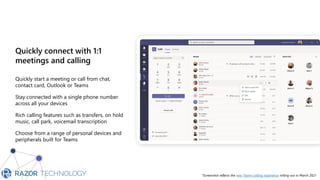
Quickly connect with 1:1
meetings and calling
Quickly start a meeting or call from chat,
contact card, Outlook or Teams
Stay connected with a single phone number
across all your devices
Rich calling features such as transfers, on hold
music, call park, voicemail transcription
Choose from a range of personal devices and
peripherals built for Teams
Hi please call me back whe…
When are y
*Screenshot reflects the new Teams calling experience rolling out in March 2021
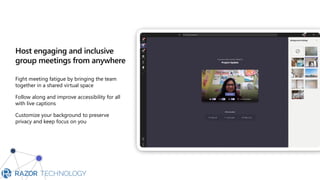
Host engaging and inclusive
group meetings from anywhere
Fight meeting fatigue by bringing the team
together in a shared virtual space
Follow along and improve accessibility for all
with live captions
Customize your background to preserve
privacy and keep focus on you
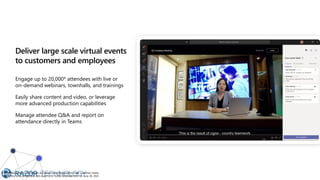
Deliver large scale virtual events
to customers and employees
Engage up to 20,000* attendees with live or
on-demand webinars, townhalls, and trainings
Easily share content and video, or leverage
more advanced production capabilities
Manage attendee Q&A and report on
attendance directly in Teams
* Attendee limits for broadcast are temporarily increased to meet customer needs
during this time. Broadcasts will revert to a 10,000 attendee limit on June 30, 2021.
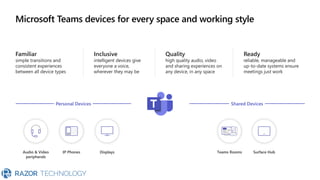
Microsoft Teams devices for every space and working style
Familiar
simple transitions and
consistent experiences
between all device types
Inclusive
intelligent devices give
everyone a voice,
wherever they may be
Quality
high quality audio, video
and sharing experiences on
any device, in any space
Ready
reliable, manageable and
up-to-date systems ensure
meetings just work
Personal Devices Shared Devices
Surface Hub
Teams Rooms
Audio & Video
peripherals
IP Phones Displays
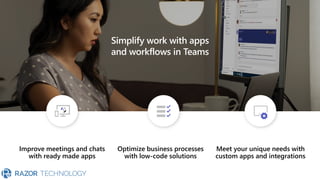
Simplify work with apps
and workflows in Teams
Improve meetings and chats
with ready made apps
Optimize business processes
with low-code solutions
Meet your unique needs with
custom apps and integrations
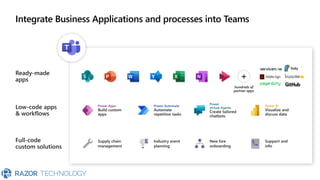
Integrate Business Applications and processes into Teams
Ready-made
apps
Low-code apps
& workflows
Full-code
custom solutions
+
hundreds of
partner apps
Power Apps
Build custom
apps
Power Automate
Automate
repetitive tasks
Power
Virtual Agents
Create tailored
chatbots
Power BI
Visualize and
discuss data
Supply chain
management
Industry event
planning
New hire
onboarding
Support and
info
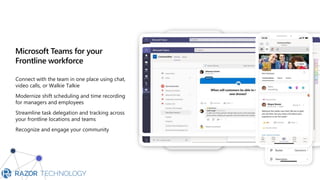
Microsoft Teams for your
Frontline workforce
Connect with the team in one place using chat,
video calls, or Walkie Talkie
Modernize shift scheduling and time recording
for managers and employees
Streamline task delegation and tracking across
your frontline locations and teams
Recognize and engage your community
Microsoft Viva
Culture & communications
Productivity & wellbeing
Knowledge & expertise
Skilling & growth
Empower people and teams to be their best
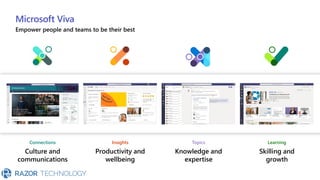
Microsoft Viva
Empower people and teams to be their best
Connections
Culture and
communications
Insights
Productivity and
wellbeing
Topics
Knowledge and
expertise
Learning
Skilling and
growth
© 2021 Razor Technology, LLC www.razor-tech.com
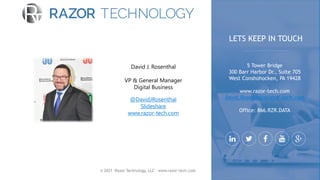
David J. Rosenthal
VP & General Manager
Digital Business
@DavidJRosenthal
Slideshare
www.razor-tech.com
5 Tower Bridge
300 Barr Harbor Dr., Suite 705
West Conshohocken, PA 19428
www.razor-tech.com
David.Rosenthal@razor-tech.com
Office: 866.RZR.DATA
LETS KEEP IN TOUCH

What is Microsoft Teams

  • 1.
    Microsoft Teams Meetings andMeeting Rooms Workshop
  • 2.
    Agenda Introduction Meetings Business Applicationsand Processes Front-Line Workforce Employee Experience
  • 4.
    “The next decadeof economic performance for every business will be defined by the speed of their digital transformation.“ Satya Nadella—CEO Microsoft
  • 5.
    82% of managers expectto have more flexible work from home policies post-pandemic Can people work together when they’re apart? How do teams collaborate on deliverables? Do your project teams stay organized? Is email the most efficient communication? Can new team members get up to speed quickly?
  • 6.
    Teams is thehub for work Teams is a hub for teamwork, where people connect, communicate, and collaborate from within a single interface. Teams brings together collaboration and your business application in an easy-to-use interface. Collaborate on documents Integrate business applications Store and share files Manage projects and work groups Manage contacts Chat and call Host meetings
  • 7.
    Teams benefits yourbusiness, end users, and IT leads What they and Your business Faster decision making and accelerated innovation Reduced email volume and more efficient meetings Better information sharing Integration with Office apps Mobility and productivity at scale Your end users Meetings start more quickly Improved video and sound quality Co-authoring in real time Inline message translation Background blur so you can work from anywhere Meetings recorded in the cloud Emojis and GIFs IT leads One integrated platform with end-to-end security and administrative controls A robust and highly available solution Improved performance with less downtime Supports tabs, bots, and connectors
  • 8.
    Teams momentum Daily ActiveUsers 115M+ Organizations have more than 10k users 1,800 Meeting participants in a single day 200M Collaboration minutes in a single day* 30B *Sum of all minutes people spent in Microsoft 365 apps like Teams
  • 10.
    Stay connected acrossthe spectrum of meeting types 1:1 Meetings and Calls Group Meetings Virtual Events
  • 11.
    Online meetings aloneare not enough to move things forward Messaging Files Tasks Office apps Whiteboard Graph AI
  • 12.
    Quickly connect with1:1 meetings and calling Quickly start a meeting or call from chat, contact card, Outlook or Teams Stay connected with a single phone number across all your devices Rich calling features such as transfers, on hold music, call park, voicemail transcription Choose from a range of personal devices and peripherals built for Teams Hi please call me back whe… When are y *Screenshot reflects the new Teams calling experience rolling out in March 2021
  • 13.
    Host engaging andinclusive group meetings from anywhere Fight meeting fatigue by bringing the team together in a shared virtual space Follow along and improve accessibility for all with live captions Customize your background to preserve privacy and keep focus on you
  • 14.
    Deliver large scalevirtual events to customers and employees Engage up to 20,000* attendees with live or on-demand webinars, townhalls, and trainings Easily share content and video, or leverage more advanced production capabilities Manage attendee Q&A and report on attendance directly in Teams * Attendee limits for broadcast are temporarily increased to meet customer needs during this time. Broadcasts will revert to a 10,000 attendee limit on June 30, 2021.
  • 15.
    Microsoft Teams devicesfor every space and working style Familiar simple transitions and consistent experiences between all device types Inclusive intelligent devices give everyone a voice, wherever they may be Quality high quality audio, video and sharing experiences on any device, in any space Ready reliable, manageable and up-to-date systems ensure meetings just work Personal Devices Shared Devices Surface Hub Teams Rooms Audio & Video peripherals IP Phones Displays
  • 17.
    Simplify work withapps and workflows in Teams Improve meetings and chats with ready made apps Optimize business processes with low-code solutions Meet your unique needs with custom apps and integrations
  • 18.
    Integrate Business Applicationsand processes into Teams Ready-made apps Low-code apps & workflows Full-code custom solutions + hundreds of partner apps Power Apps Build custom apps Power Automate Automate repetitive tasks Power Virtual Agents Create tailored chatbots Power BI Visualize and discuss data Supply chain management Industry event planning New hire onboarding Support and info
  • 20.
    Microsoft Teams foryour Frontline workforce Connect with the team in one place using chat, video calls, or Walkie Talkie Modernize shift scheduling and time recording for managers and employees Streamline task delegation and tracking across your frontline locations and teams Recognize and engage your community
  • 22.
    Microsoft Viva Culture &communications Productivity & wellbeing Knowledge & expertise Skilling & growth Empower people and teams to be their best
  • 23.
    Microsoft Viva Empower peopleand teams to be their best Connections Culture and communications Insights Productivity and wellbeing Topics Knowledge and expertise Learning Skilling and growth
  • 25.
    © 2021 RazorTechnology, LLC www.razor-tech.com David J. Rosenthal VP & General Manager Digital Business @DavidJRosenthal Slideshare www.razor-tech.com 5 Tower Bridge 300 Barr Harbor Dr., Suite 705 West Conshohocken, PA 19428 www.razor-tech.com David.Rosenthal@razor-tech.com Office: 866.RZR.DATA LETS KEEP IN TOUCH