Microsoft Teams
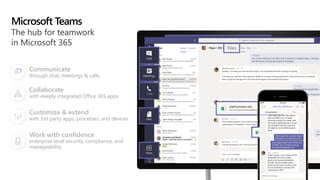
The hub for teamwork in Office 365
Microsoft Teams
Communicate
through chat, meetings & calls
Collaborate
with deeply integrated Office 365 apps
Customize & extend
with 3rd party apps, processes, and devices
Work with confidence
enterprise level security, compliance, and
manageability
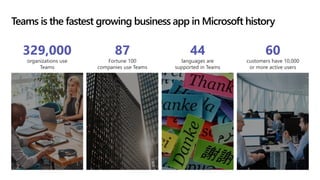
Teams is the fastest growing business app in Microsoft history
87
Fortune 100
companies use Teams
329,000
organizations use
Teams
44
languages are
supported in Teams
60
customers have 10,000
or more active users
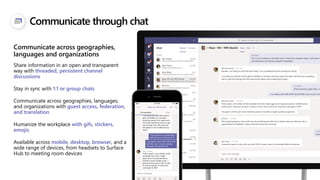
Communicate through chat
Share information in an open and transparent
way with threaded, persistent channel
discussions
Stay in sync with 1:1 or group chats
Communicate across geographies, languages,
and organizations with guest access, federation,
and translation
Humanize the workplace with gifs, stickers,
emojis
Available across mobile, desktop, browser, and a
wide range of devices, from headsets to Surface
Hub to meeting room devices
Communicate across geographies,
languages and organizations
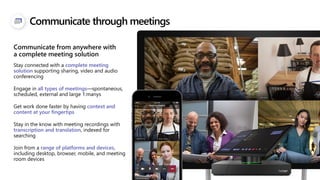
Communicate through meetings
Stay connected with a complete meeting
solution supporting sharing, video and audio
conferencing
Engage in all types of meetings—spontaneous,
scheduled, external and large 1:manys
Get work done faster by having context and
content at your fingertips
Stay in the know with meeting recordings with
transcription and translation, indexed for
searching
Join from a range of platforms and devices,
including desktop, browser, mobile, and meeting
room devices
Communicate from anywhere with
a complete meeting solution
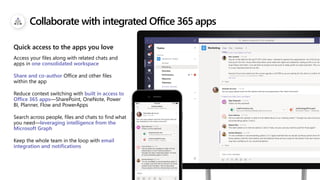
Collaborate with integrated Office 365 apps
Access your files along with related chats and
apps in one consolidated workspace
Share and co-author Office and other files
within the app
Reduce context switching with built in access to
Office 365 apps—SharePoint, OneNote, Power
BI, Planner, Flow and PowerApps
Search across people, files and chats to find what
you need—leveraging intelligence from the
Microsoft Graph
Keep the whole team in the loop with email
integration and notifications
Quick access to the apps you love
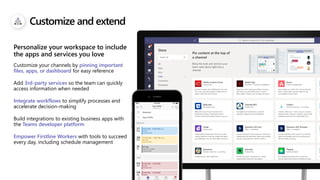
Customize and extend
Customize your channels by pinning important
files, apps, or dashboard for easy reference
Add 3rd-party services so the team can quickly
access information when needed
Integrate workflows to simplify processes and
accelerate decision-making
Build integrations to existing business apps with
the Teams developer platform
Empower Firstline Workers with tools to succeed
every day, including schedule management
Personalize your workspace to include
the apps and services you love
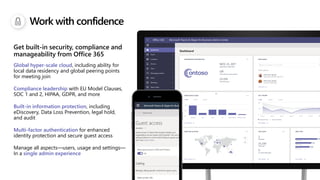
Work with confidence
Global hyper-scale cloud, including ability for
local data residency and global peering points
for meeting join
Compliance leadership with EU Model Clauses,
SOC 1 and 2, HIPAA, GDPR, and more
Built-in information protection, including
eDiscovery, Data Loss Prevention, legal hold,
and audit
Multi-factor authentication for enhanced
identity protection and secure guest access
Manage all aspects—users, usage and settings—
In a single admin experience
Get built-in security, compliance and
manageability from Office 365
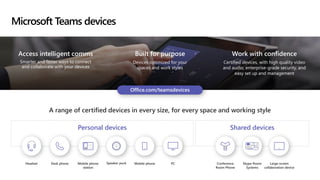
Microsoft Teams devices
Work with confidence
Certified devices, with high quality video
and audio, enterprise-grade security, and
easy set up and management
Access intelligent comms
Smarter and faster ways to connect
and collaborate with your devices
Built for purpose
Devices optimized for your
spaces and work styles
A range of certified devices in every size, for every space and working style
Personal devices Shared devices
Large screen
collaboration device
Skype Room
Systems
Conference
Room Phone
Headset Desk phone Mobile phone
station
Speaker puck Mobile phone PC
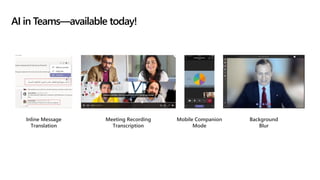
AI in Teams—available today!
Mobile Companion
Mode
Inline Message
Translation
Meeting Recording
Transcription
Background
Blur
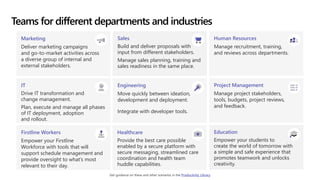
Teams for different departments and industries
Marketing
Deliver marketing campaigns
and go-to-market activities across
a diverse group of internal and
external stakeholders.
Sales
Build and deliver proposals with
input from different stakeholders.
Manage sales planning, training and
sales readiness in the same place.
Human Resources
Manage recruitment, training,
and reviews across departments.
IT
Drive IT transformation and
change management.
Plan, execute and manage all phases
of IT deployment, adoption
and rollout.
Engineering
Move quickly between ideation,
development and deployment.
Integrate with developer tools.
Project Management
Manage project stakeholders,
tools, budgets, project reviews,
and feedback.
Firstline Workers
Empower your Firstline
Workforce with tools that will
support schedule management and
provide oversight to what’s most
relevant to their day.
Healthcare
Provide the best care possible
enabled by a secure platform with
secure messaging, streamlined care
coordination and health team
huddle capabilities.
Education
Empower your students to
create the world of tomorrow with
a simple and safe experience that
promotes teamwork and unlocks
creativity.
Get guidance on these and other scenarios in the Productivity Library
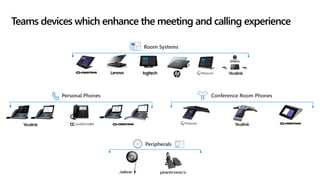
Teams devices which enhance the meeting and calling experience
Personal Phones Conference Room Phones
Peripherals
Room Systems
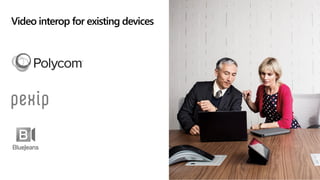
Video interop for existing devices
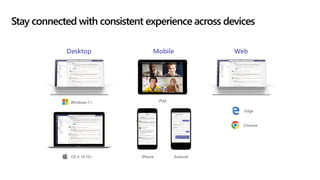
Stay connected with consistent experience across devices
Desktop Mobile Web
iPhone Android
iPad
OS X 10.10+
Windows 7+
Edge
Chrome
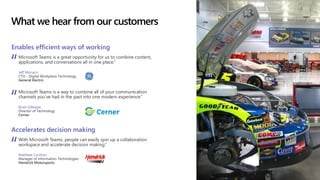
What we hear from our customers
Enables efficient ways of working
Microsoft Teams is a great opportunity for us to combine content,
applications, and conversations all in one place.”
Jeff Monaco
CTO - Digital Workplace Technology
General Electric
Accelerates decision making
With Microsoft Teams, people can easily spin up a collaboration
workspace and accelerate decision making.”
Matthew Cochran
Manager of Information Technologies
Hendrick Motorsports
Microsoft Teams is a way to combine all of your communication
channels you’ve had in the past into one modern experience.”
Brian Gillespie
Director of Technology
Cerner
© Copyright Microsoft Corporation. All rights reserved.
Thank you.
ail : info@primeinfoserv.com, primesales@primeinfoserv.com
Contact Prime Infoserv for any upcoming requirements:
Chandan : 9836363596 Shovan : 9830665397 Annesha : 7890019076

Teamwork with Microsoft Teams

  • 1.
    Microsoft Teams The hubfor teamwork in Office 365
  • 2.
    Microsoft Teams Communicate through chat,meetings & calls Collaborate with deeply integrated Office 365 apps Customize & extend with 3rd party apps, processes, and devices Work with confidence enterprise level security, compliance, and manageability
  • 3.
    Teams is thefastest growing business app in Microsoft history 87 Fortune 100 companies use Teams 329,000 organizations use Teams 44 languages are supported in Teams 60 customers have 10,000 or more active users
  • 4.
    Communicate through chat Shareinformation in an open and transparent way with threaded, persistent channel discussions Stay in sync with 1:1 or group chats Communicate across geographies, languages, and organizations with guest access, federation, and translation Humanize the workplace with gifs, stickers, emojis Available across mobile, desktop, browser, and a wide range of devices, from headsets to Surface Hub to meeting room devices Communicate across geographies, languages and organizations
  • 5.
    Communicate through meetings Stayconnected with a complete meeting solution supporting sharing, video and audio conferencing Engage in all types of meetings—spontaneous, scheduled, external and large 1:manys Get work done faster by having context and content at your fingertips Stay in the know with meeting recordings with transcription and translation, indexed for searching Join from a range of platforms and devices, including desktop, browser, mobile, and meeting room devices Communicate from anywhere with a complete meeting solution
  • 6.
    Collaborate with integratedOffice 365 apps Access your files along with related chats and apps in one consolidated workspace Share and co-author Office and other files within the app Reduce context switching with built in access to Office 365 apps—SharePoint, OneNote, Power BI, Planner, Flow and PowerApps Search across people, files and chats to find what you need—leveraging intelligence from the Microsoft Graph Keep the whole team in the loop with email integration and notifications Quick access to the apps you love
  • 7.
    Customize and extend Customizeyour channels by pinning important files, apps, or dashboard for easy reference Add 3rd-party services so the team can quickly access information when needed Integrate workflows to simplify processes and accelerate decision-making Build integrations to existing business apps with the Teams developer platform Empower Firstline Workers with tools to succeed every day, including schedule management Personalize your workspace to include the apps and services you love
  • 8.
    Work with confidence Globalhyper-scale cloud, including ability for local data residency and global peering points for meeting join Compliance leadership with EU Model Clauses, SOC 1 and 2, HIPAA, GDPR, and more Built-in information protection, including eDiscovery, Data Loss Prevention, legal hold, and audit Multi-factor authentication for enhanced identity protection and secure guest access Manage all aspects—users, usage and settings— In a single admin experience Get built-in security, compliance and manageability from Office 365
  • 9.
    Microsoft Teams devices Workwith confidence Certified devices, with high quality video and audio, enterprise-grade security, and easy set up and management Access intelligent comms Smarter and faster ways to connect and collaborate with your devices Built for purpose Devices optimized for your spaces and work styles A range of certified devices in every size, for every space and working style Personal devices Shared devices Large screen collaboration device Skype Room Systems Conference Room Phone Headset Desk phone Mobile phone station Speaker puck Mobile phone PC
  • 10.
    AI in Teams—availabletoday! Mobile Companion Mode Inline Message Translation Meeting Recording Transcription Background Blur
  • 11.
    Teams for differentdepartments and industries Marketing Deliver marketing campaigns and go-to-market activities across a diverse group of internal and external stakeholders. Sales Build and deliver proposals with input from different stakeholders. Manage sales planning, training and sales readiness in the same place. Human Resources Manage recruitment, training, and reviews across departments. IT Drive IT transformation and change management. Plan, execute and manage all phases of IT deployment, adoption and rollout. Engineering Move quickly between ideation, development and deployment. Integrate with developer tools. Project Management Manage project stakeholders, tools, budgets, project reviews, and feedback. Firstline Workers Empower your Firstline Workforce with tools that will support schedule management and provide oversight to what’s most relevant to their day. Healthcare Provide the best care possible enabled by a secure platform with secure messaging, streamlined care coordination and health team huddle capabilities. Education Empower your students to create the world of tomorrow with a simple and safe experience that promotes teamwork and unlocks creativity. Get guidance on these and other scenarios in the Productivity Library
  • 12.
    Teams devices whichenhance the meeting and calling experience Personal Phones Conference Room Phones Peripherals Room Systems
  • 13.
    Video interop forexisting devices
  • 14.
    Stay connected withconsistent experience across devices Desktop Mobile Web iPhone Android iPad OS X 10.10+ Windows 7+ Edge Chrome
  • 15.
    What we hearfrom our customers Enables efficient ways of working Microsoft Teams is a great opportunity for us to combine content, applications, and conversations all in one place.” Jeff Monaco CTO - Digital Workplace Technology General Electric Accelerates decision making With Microsoft Teams, people can easily spin up a collaboration workspace and accelerate decision making.” Matthew Cochran Manager of Information Technologies Hendrick Motorsports Microsoft Teams is a way to combine all of your communication channels you’ve had in the past into one modern experience.” Brian Gillespie Director of Technology Cerner
  • 16.
    © Copyright MicrosoftCorporation. All rights reserved. Thank you. ail : info@primeinfoserv.com, primesales@primeinfoserv.com Contact Prime Infoserv for any upcoming requirements: Chandan : 9836363596 Shovan : 9830665397 Annesha : 7890019076