WHAT'S
Everything you always wanted to know
about Learning Management Systems
(but were afraid to ask)
LMS?an
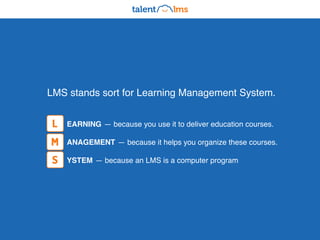
EARNING — because you use it to deliver education courses.
ANAGEMENT — because it helps you organize these courses.
YSTEM — because an LMS is a computer program
L
M
S
LMS stands sort for Learning Management System.
It is a software program that helps you create,
manage and deliver eLearning courses.
Just like Gmail helps you send emails.
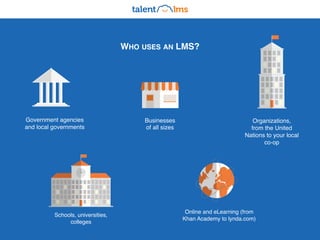
WHO USES AN LMS?
Government agencies
and local governments
Businesses
of all sizes
Organizations,
from the United
Nations to your local
co-op
Schools, universities,
colleges
Online and eLearning (from
Khan Academy to lynda.com)
Most common use cases for an LMS
platform are employee training, employee
orientation, knowledge retention.
Education!
An LMS handles the management and delivery
of eLearning courses. It lets you create eLearning
content, organize it, deliver the content, enroll
students, monitor and assess their performance.
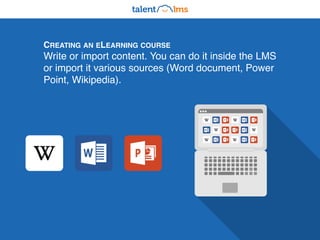
CREATING AN ELEARNING COURSE
Write or import content. You can do it inside the LMS
or import it various sources (Word document, Power
Point, Wikipedia).
Organizing your courses is simple. An LMS allow you
the freedom to structure your eLearning offering in any
way you want. There's a lot of organizational tools that
you can combine in multiple ways.
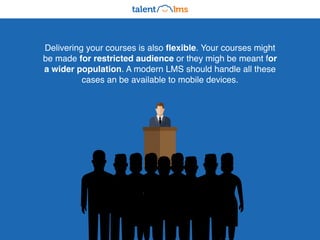
Delivering your courses is also flexible. Your courses might
be made for restricted audience or they migh be meant for
a wider population. A modern LMS should handle all these
cases an be available to mobile devices.
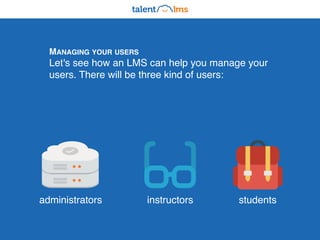
administrators instructors students
MANAGING YOUR USERS
Let's see how an LMS can help you manage your
users. There will be three kind of users:
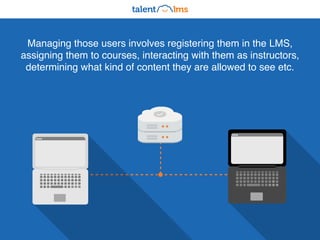
Managing those users involves registering them in the LMS,
assigning them to courses, interacting with them as instructors,
determining what kind of content they are allowed to see etc.
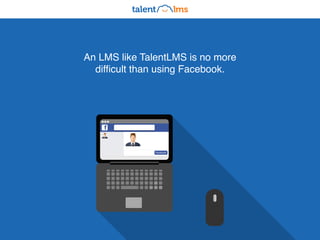
An LMS like TalentLMS is no more
difficult than using Facebook.
Facebook
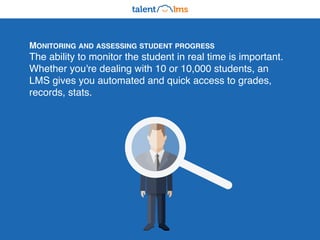
MONITORING AND ASSESSING STUDENT PROGRESS
The ability to monitor the student in real time is important.
Whether you're dealing with 10 or 10,000 students, an
LMS gives you automated and quick access to grades,
records, stats.
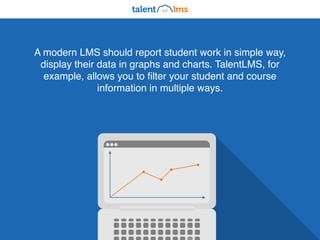
A modern LMS should report student work in simple way,
display their data in graphs and charts. TalentLMS, for
example, allows you to filter your student and course
information in multiple ways.
Advanced
LMS features
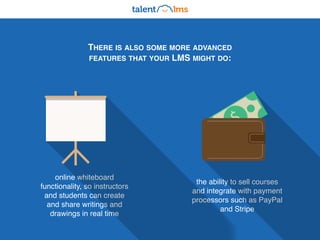
THERE IS ALSO SOME MORE ADVANCED
FEATURES THAT YOUR LMS MIGHT DO:
online whiteboard
functionality, so instructors
and students can create
and share writings and
drawings in real time
the ability to sell courses
and integrate with payment
processors such as PayPal
and Stripe
$
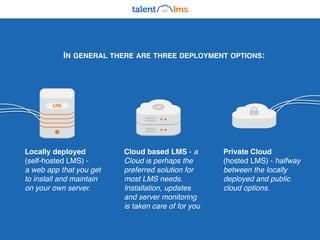
IN GENERAL THERE ARE THREE DEPLOYMENT OPTIONS:
Locally deployed
(self-hosted LMS) -
a web app that you get
to install and maintain
on your own server.
Cloud based LMS - a
Cloud is perhaps the
preferred solution for
most LMS needs.
Installation, updates
and server monitoring
is taken care of for you
Private Cloud
(hosted LMS) - halfway
between the locally
deployed and public
cloud options.
LMS
TalentLMS is an advanced LMS platform.
It supports all of important options.
Try the super-easy, cloud TalentLMS to train
your employees, partners, customers
or students, for free!
Create you eLearning portal Stay in touch Contact us
talentlms.com @TalentLMS info@talentlms.com
Want to learn more? Contact us!
The fastest path to awesome learning.
This presentation is brought to you by

What is an LMS (Definition and Uses)

  • 1.
    WHAT'S Everything you alwayswanted to know about Learning Management Systems (but were afraid to ask) LMS?an
  • 2.
    EARNING — becauseyou use it to deliver education courses. ANAGEMENT — because it helps you organize these courses. YSTEM — because an LMS is a computer program L M S LMS stands sort for Learning Management System.
  • 3.
    It is asoftware program that helps you create, manage and deliver eLearning courses. Just like Gmail helps you send emails.
  • 4.
    WHO USES ANLMS? Government agencies and local governments Businesses of all sizes Organizations, from the United Nations to your local co-op Schools, universities, colleges Online and eLearning (from Khan Academy to lynda.com)
  • 5.
    Most common usecases for an LMS platform are employee training, employee orientation, knowledge retention. Education!
  • 6.
    An LMS handlesthe management and delivery of eLearning courses. It lets you create eLearning content, organize it, deliver the content, enroll students, monitor and assess their performance.
  • 7.
    CREATING AN ELEARNINGCOURSE Write or import content. You can do it inside the LMS or import it various sources (Word document, Power Point, Wikipedia).
  • 8.
    Organizing your coursesis simple. An LMS allow you the freedom to structure your eLearning offering in any way you want. There's a lot of organizational tools that you can combine in multiple ways.
  • 9.
    Delivering your coursesis also flexible. Your courses might be made for restricted audience or they migh be meant for a wider population. A modern LMS should handle all these cases an be available to mobile devices.
  • 10.
    administrators instructors students MANAGINGYOUR USERS Let's see how an LMS can help you manage your users. There will be three kind of users:
  • 11.
    Managing those usersinvolves registering them in the LMS, assigning them to courses, interacting with them as instructors, determining what kind of content they are allowed to see etc.
  • 12.
    An LMS likeTalentLMS is no more difficult than using Facebook. Facebook
  • 13.
    MONITORING AND ASSESSINGSTUDENT PROGRESS The ability to monitor the student in real time is important. Whether you're dealing with 10 or 10,000 students, an LMS gives you automated and quick access to grades, records, stats.
  • 14.
    A modern LMSshould report student work in simple way, display their data in graphs and charts. TalentLMS, for example, allows you to filter your student and course information in multiple ways.
  • 15.
  • 16.
    THERE IS ALSOSOME MORE ADVANCED FEATURES THAT YOUR LMS MIGHT DO: online whiteboard functionality, so instructors and students can create and share writings and drawings in real time the ability to sell courses and integrate with payment processors such as PayPal and Stripe $
  • 17.
    IN GENERAL THEREARE THREE DEPLOYMENT OPTIONS: Locally deployed (self-hosted LMS) - a web app that you get to install and maintain on your own server. Cloud based LMS - a Cloud is perhaps the preferred solution for most LMS needs. Installation, updates and server monitoring is taken care of for you Private Cloud (hosted LMS) - halfway between the locally deployed and public cloud options. LMS
  • 18.
    TalentLMS is anadvanced LMS platform. It supports all of important options. Try the super-easy, cloud TalentLMS to train your employees, partners, customers or students, for free!
  • 19.
    Create you eLearningportal Stay in touch Contact us talentlms.com @TalentLMS info@talentlms.com Want to learn more? Contact us! The fastest path to awesome learning. This presentation is brought to you by