LEARNING
MANAGEMENT
SYSTEM
(LMS)
BY
Y Bhuvaneshwari
CONTENTS
◦ INTRODUCTION
◦ WHO USES LMS SOFTWARE?
◦ HOW DOES LMS WORKS?
◦ TYPES OF LMSes
◦ COMMON FEATURES
◦ PAYMENT OPTIONS FOR LMSes
◦ EXAMPLES OF POPULAR LMSes
◦ BENEFITS OF LMSes
◦ CONCLUSION
◦ REFERENCE
INTRODUCTION
◦ Learning Management System (LMS) is a digital platform
designed to make learning more efficient, manage users and
organise data.
◦ Acronym of LMS:-
L- Learning
M- Management
S- System
◦ It is a software application for the administration, documentation,
tracking, reporting, and delivery of educational courses, training
programs, or learning and development programs.
WHO USES LMS SOFTWARE?
◦ Schools, colleges, universities, and training providers.
design and manage online courses, flipped classroom teaching, blended learning, and in-class multi-
device learning.
◦ Administrators.
collates all information in one centralized place, thus streamlining the management of the soup-to-nuts
teaching process.
◦ Educators.
create and integrate course materials, align content and assessments, and create customized tests for
students, can articulate learning goals and track studying progress.
◦ Students.
offers students a flexible and highly effective learning path. It is particularly suitable for professionals with
tight work schedules.
◦ Parents.
They receive the real-time communication regarding a student’s performance from the school.
HOW DOES LMS WORK?
◦ Helps teacher to deliver lectures and upload study materials
online to the students studying remotely.
◦ Helps students to upload assignments, download tasks, syllabus
and notes.
◦ Helps the teachers in giving study materials and downloading
students assignment.
◦ Encourages collaborative learning among the students.
◦ Study materials are always available online and students can
download and view it anytime.
◦ Lectures are recorded.
TYPES OF LMS
◦ There are 6 types:-
◦ INSTALLED LMS- Installed on the institution’s server and managed
by their IT team
◦ WEB BASED LMS- Subscription based models
◦ SAAS LMS- hosted by LMS vendors
◦ HOSTED LMS- implementing hardware to host the LMS
◦ FREE LMS- free of cost and offers basic and generic features to
users
◦ COMMERCIAL LMS- set up cost based on the type of LMS installed
COMMON FEATURES
◦ Responsive design.
Users can access the LMS from any type of device, whether it's a desktop, laptop,
tablet or smartphone. The system automatically displays the version best suited for
each user's chosen device and lets users download content for offline work.
◦ User-friendly interface.
The UI lets learners navigate the LMS platform and is aligned with the abilities and
goals of the user and the organization.An unintuitive UI risks confusing or distracting
users and will make the LMS less effective.
◦ Reports and analytics.
E-learning assessment tools show instructors and administratorshow effective online
training initiatives are. Both groups of learners and individuals can be analysed with
these tools and metrics.
◦ Catalog and course management.
Admins and instructors manage the catalog of course content in the LMS to create
more targeted learning experiences.
◦ Content interoperability and integration.
Content created and stored in an LMS must be packaged in accordancewith
interoperable standards, including SCORM and xAPI.
◦ Support services.
DifferentLMS vendors offer varying levels of support. Many provide online discussion
boards where users can connect and help each other. Additional support services, such
as a dedicated, toll-free phone number, might be available for an extra cost.
◦ Certification and compliance support.
This feature is essential to systems used for online compliance training and
certifications. Instructorsand admins assess an individual's skill set and identify any
gaps in their performance. This feature also makes it possible to use LMS records during
an audit.
◦ Social learning capabilities.
Many LMSes include social media tools in their learning platforms to let users interact
with their peers, collaborateand share learning experiences.
◦ Gamification.
Some LMSes include game mechanics or built-in gamification features that add
extra motivation and engagement to courses. This gives students additional
incentiveto complete courses, in the form of leader boards, pointsand badges.
◦ Automation.
Learning management systemsautomate repeated and tedious tasks, such as
grouping, adding and deactivating users, and handling group enrollments.
◦ Localization.
LMSes often include multilingual support, removing language barriers from
learning and training content. SomeLMSes integrate geolocation features that
automatically present the appropriate version of the course when a user
accesses it.
◦ Artificial intelligence.
LMSes use AI to create personalized learning experiences for users with course
formats suited to their needs. AI also helps suggest topics a user might find
interesting based on the courses they've already completed.
PAYMENT OPTIONS FOR LMSes
◦ Freemium.
This free model lets users access the basic features of some LMS platforms for no fee.
Once users start engaging with the more advanced functionalities of the system, a fee is
imposed.
◦ Subscription.
Users pay a recurring fee at regular intervals to access the LMS. The subscription might
grant an organization total access to all LMS features or it might require the organization
to pay for each user.
◦ Licensing.
LMS licensing is based on either an annual fee that companies must renew or a one-time
fee that provides users with unlimited lifetime access.
◦ Open source.
These products are usually provided at no cost. Some examples are Chamilo, EdApp, Ilias,
Moodle and Sakai.
EXAMPLES
OF
POPULAR
LMSes
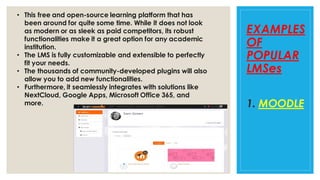
1. MOODLE
• This free and open-source learning platform that has
been around for quite some time. While it does not look
as modern or as sleek as paid competitors, its robust
functionalities make it a great option for any academic
institution.
• The LMS is fully customizable and extensible to perfectly
fit your needs.
• The thousands of community-developed plugins will also
allow you to add new functionalities.
• Furthermore, it seamlessly integrates with solutions like
NextCloud, Google Apps, Microsoft Office 365, and
more.
◦ The platform helps teachers create classes, send assignments,
communicate with students, grade coursework, and post feedback all
in one place. It also streamlines repetitive tasks so educators can
focus on teaching.
◦ With its Material Design, everyone can sign-in on any device using
any modern browser. Google Classroom is also available on Android
and iOS for students on-the-go.
◦ While it is not as comprehensive as other LMS, its integration with the
rest of Google products makes it a powerful platform.
◦ The good news is Google Classroom is free, one of the few ones
among LMS platforms. Your school or district only needs to sign-up for
a G Suite for Education account for you to access Classroom.
2. GOOGLE
CLASSROOM
◦ It is another fully-featured learning platform that aims to provide all the
tools that you need to design lessons, communicate with students, and
collaborate with educators. Its strength lies in its focus on building and
connecting your learning community from students to administrators.
◦ What’s more, it not only includes class-level channels but also allows you
to connect your entire school. This way, you can create online spaces
where students can engage with their teachers outside class hours.
◦ Furthermore, Schoology makes it easy to communicate and share
resources with educators from other schools and across districts. It also
comes with a professional learning community (PLC) where your faculty
members can share ideas and assets with others around the globe.
◦ Moreover, the platform readily integrates with third-party software from
Google Drive to Dropbox. That means you can incorporate your existing
class tools within the Schoology system.
3.
SCHOOLO-
GY
◦ It is perfect for institutions that offer certificate training programs
and continuing education. Its seamless interface allows efficient
course development and certifications.
◦ The drag-and-drop layout allows you to quickly create content
and customize it for various courses.
◦ Aside from the core LMS features, it includes advanced
functionalities such as enhanced testing, custom certificates,
compliance and security, and reporting and analytics. It also
integrates with Stripe so potential students can subscribe to
courses right away.
4. CERT
CENTRAL
◦ The platform comes in both software-as-a-service (SaaS) and non-SaaS
models. The service provider offers all core learning management features
as well as powerful data analytics, communication channels, collaboration
tools, and web conferencing. Class facilitators can easily deliver
homework, tests, and track grades. They can also manage online and
blended classes.
◦ Their core product, Blackboard Learn, features a responsive user interface
for improved accessibility. Along with the core LMS features, it also comes
with Blackboard Analytics that will allow you to see valuable insights such
as student performance, engagement, and more.
◦ The company also released Blackboard Open LMS powered by Moodle.
This is a more extensible version of BlackBoard services where you can
customize various aspects of your courses.
5. BLACK
BOARD
BENEFITS OF LMSes
◦ Engaging Virtual Classroom Sessions
The first and foremost benefit of LMS is that it creates an engaging e-space where
students can learn at their own pace. As a teacher, you get the freedom to design the
syllabus & content that would help students bring the best to the table.
The LMS allows you to break the old educational barriers and conduct virtual classroom
sessions by sharing the stuff via video lessons, PPTs, audio, etc.
◦ Skills & Knowledge Building
When the boundaries of four walls are eradicated, it’s natural for students to develop skills
along with academic knowledge. With the LMS software, you can evaluate the
understanding levels of students to a great extent. If your LMS software is configured as
per Bloom’s Taxonomy, you would be able to precisely map their learning journey.
◦ Cost-Effective ERP Platform
It offers best features at cost-effective prices.
◦ Personalized Teacher-Student Communication
Due to the new technological network setup, it may become tough for you to monitor every
student in the class. This is why, when you have an LMS system that has a personalized
communication chat option, you would be able to contact the students at any given instant.
◦ Tracking Faculty & Students Progress
It takes care of your performance in terms of the number of students that regularly attend
your classes, students who have scored good in subjects you teach, feedback of the
teaching methods from students, and finally the student learning outcomes.
◦ Blueprint For Continuous Improvement
An AI-powered dashboard would help you generate insightful reports such as -
◦ Course completion reports
◦ Active classroom session reports
◦ Time spent on classroom activities
◦ E-content download reports
◦ Online tests/assessment reports
◦ Reports on student & faculty performance
◦ Improvement reports
CONCLUSION
LMS can help schools manage the educational process more
efficiently, improve communication and collaboration, increase
accessibility, and automate assessment.
It is an essential tool for schools looking to improve student
outcomes and streamline their operations.
REFERENCES
◦ https://www.iitms.co.in/blog/guide-to-learning-management-system.html
◦ https://www.techtarget.com/searchcio/definition/learning-management-system
◦ https://research.com/software/list-of-learning-management-systems-for-schools-and-
universities
◦ https://research.com/software/learning-management-systems-for-education
◦ https://www.ispringsolutions.com/blog/what-is-lms#how-does-an-lms-work
◦ https://en.m.wikipedia.org/wiki/Learning_management_system
◦ https://leadschool.in/blog/learning-management-system-helps-in-better-school-
management/
Learning Management System

Learning Management System

  • 1.
  • 2.
    CONTENTS ◦ INTRODUCTION ◦ WHOUSES LMS SOFTWARE? ◦ HOW DOES LMS WORKS? ◦ TYPES OF LMSes ◦ COMMON FEATURES ◦ PAYMENT OPTIONS FOR LMSes ◦ EXAMPLES OF POPULAR LMSes ◦ BENEFITS OF LMSes ◦ CONCLUSION ◦ REFERENCE
  • 3.
    INTRODUCTION ◦ Learning ManagementSystem (LMS) is a digital platform designed to make learning more efficient, manage users and organise data. ◦ Acronym of LMS:- L- Learning M- Management S- System ◦ It is a software application for the administration, documentation, tracking, reporting, and delivery of educational courses, training programs, or learning and development programs.
  • 4.
    WHO USES LMSSOFTWARE? ◦ Schools, colleges, universities, and training providers. design and manage online courses, flipped classroom teaching, blended learning, and in-class multi- device learning. ◦ Administrators. collates all information in one centralized place, thus streamlining the management of the soup-to-nuts teaching process. ◦ Educators. create and integrate course materials, align content and assessments, and create customized tests for students, can articulate learning goals and track studying progress. ◦ Students. offers students a flexible and highly effective learning path. It is particularly suitable for professionals with tight work schedules. ◦ Parents. They receive the real-time communication regarding a student’s performance from the school.
  • 5.
    HOW DOES LMSWORK? ◦ Helps teacher to deliver lectures and upload study materials online to the students studying remotely. ◦ Helps students to upload assignments, download tasks, syllabus and notes. ◦ Helps the teachers in giving study materials and downloading students assignment. ◦ Encourages collaborative learning among the students. ◦ Study materials are always available online and students can download and view it anytime. ◦ Lectures are recorded.
  • 6.
    TYPES OF LMS ◦There are 6 types:- ◦ INSTALLED LMS- Installed on the institution’s server and managed by their IT team ◦ WEB BASED LMS- Subscription based models ◦ SAAS LMS- hosted by LMS vendors ◦ HOSTED LMS- implementing hardware to host the LMS ◦ FREE LMS- free of cost and offers basic and generic features to users ◦ COMMERCIAL LMS- set up cost based on the type of LMS installed
  • 7.
    COMMON FEATURES ◦ Responsivedesign. Users can access the LMS from any type of device, whether it's a desktop, laptop, tablet or smartphone. The system automatically displays the version best suited for each user's chosen device and lets users download content for offline work. ◦ User-friendly interface. The UI lets learners navigate the LMS platform and is aligned with the abilities and goals of the user and the organization.An unintuitive UI risks confusing or distracting users and will make the LMS less effective. ◦ Reports and analytics. E-learning assessment tools show instructors and administratorshow effective online training initiatives are. Both groups of learners and individuals can be analysed with these tools and metrics. ◦ Catalog and course management. Admins and instructors manage the catalog of course content in the LMS to create more targeted learning experiences.
  • 8.
    ◦ Content interoperabilityand integration. Content created and stored in an LMS must be packaged in accordancewith interoperable standards, including SCORM and xAPI. ◦ Support services. DifferentLMS vendors offer varying levels of support. Many provide online discussion boards where users can connect and help each other. Additional support services, such as a dedicated, toll-free phone number, might be available for an extra cost. ◦ Certification and compliance support. This feature is essential to systems used for online compliance training and certifications. Instructorsand admins assess an individual's skill set and identify any gaps in their performance. This feature also makes it possible to use LMS records during an audit. ◦ Social learning capabilities. Many LMSes include social media tools in their learning platforms to let users interact with their peers, collaborateand share learning experiences.
  • 9.
    ◦ Gamification. Some LMSesinclude game mechanics or built-in gamification features that add extra motivation and engagement to courses. This gives students additional incentiveto complete courses, in the form of leader boards, pointsand badges. ◦ Automation. Learning management systemsautomate repeated and tedious tasks, such as grouping, adding and deactivating users, and handling group enrollments. ◦ Localization. LMSes often include multilingual support, removing language barriers from learning and training content. SomeLMSes integrate geolocation features that automatically present the appropriate version of the course when a user accesses it. ◦ Artificial intelligence. LMSes use AI to create personalized learning experiences for users with course formats suited to their needs. AI also helps suggest topics a user might find interesting based on the courses they've already completed.
  • 10.
    PAYMENT OPTIONS FORLMSes ◦ Freemium. This free model lets users access the basic features of some LMS platforms for no fee. Once users start engaging with the more advanced functionalities of the system, a fee is imposed. ◦ Subscription. Users pay a recurring fee at regular intervals to access the LMS. The subscription might grant an organization total access to all LMS features or it might require the organization to pay for each user. ◦ Licensing. LMS licensing is based on either an annual fee that companies must renew or a one-time fee that provides users with unlimited lifetime access. ◦ Open source. These products are usually provided at no cost. Some examples are Chamilo, EdApp, Ilias, Moodle and Sakai.
  • 11.
    EXAMPLES OF POPULAR LMSes 1. MOODLE • Thisfree and open-source learning platform that has been around for quite some time. While it does not look as modern or as sleek as paid competitors, its robust functionalities make it a great option for any academic institution. • The LMS is fully customizable and extensible to perfectly fit your needs. • The thousands of community-developed plugins will also allow you to add new functionalities. • Furthermore, it seamlessly integrates with solutions like NextCloud, Google Apps, Microsoft Office 365, and more.
  • 12.
    ◦ The platformhelps teachers create classes, send assignments, communicate with students, grade coursework, and post feedback all in one place. It also streamlines repetitive tasks so educators can focus on teaching. ◦ With its Material Design, everyone can sign-in on any device using any modern browser. Google Classroom is also available on Android and iOS for students on-the-go. ◦ While it is not as comprehensive as other LMS, its integration with the rest of Google products makes it a powerful platform. ◦ The good news is Google Classroom is free, one of the few ones among LMS platforms. Your school or district only needs to sign-up for a G Suite for Education account for you to access Classroom. 2. GOOGLE CLASSROOM
  • 13.
    ◦ It isanother fully-featured learning platform that aims to provide all the tools that you need to design lessons, communicate with students, and collaborate with educators. Its strength lies in its focus on building and connecting your learning community from students to administrators. ◦ What’s more, it not only includes class-level channels but also allows you to connect your entire school. This way, you can create online spaces where students can engage with their teachers outside class hours. ◦ Furthermore, Schoology makes it easy to communicate and share resources with educators from other schools and across districts. It also comes with a professional learning community (PLC) where your faculty members can share ideas and assets with others around the globe. ◦ Moreover, the platform readily integrates with third-party software from Google Drive to Dropbox. That means you can incorporate your existing class tools within the Schoology system. 3. SCHOOLO- GY
  • 14.
    ◦ It isperfect for institutions that offer certificate training programs and continuing education. Its seamless interface allows efficient course development and certifications. ◦ The drag-and-drop layout allows you to quickly create content and customize it for various courses. ◦ Aside from the core LMS features, it includes advanced functionalities such as enhanced testing, custom certificates, compliance and security, and reporting and analytics. It also integrates with Stripe so potential students can subscribe to courses right away. 4. CERT CENTRAL
  • 15.
    ◦ The platformcomes in both software-as-a-service (SaaS) and non-SaaS models. The service provider offers all core learning management features as well as powerful data analytics, communication channels, collaboration tools, and web conferencing. Class facilitators can easily deliver homework, tests, and track grades. They can also manage online and blended classes. ◦ Their core product, Blackboard Learn, features a responsive user interface for improved accessibility. Along with the core LMS features, it also comes with Blackboard Analytics that will allow you to see valuable insights such as student performance, engagement, and more. ◦ The company also released Blackboard Open LMS powered by Moodle. This is a more extensible version of BlackBoard services where you can customize various aspects of your courses. 5. BLACK BOARD
  • 16.
    BENEFITS OF LMSes ◦Engaging Virtual Classroom Sessions The first and foremost benefit of LMS is that it creates an engaging e-space where students can learn at their own pace. As a teacher, you get the freedom to design the syllabus & content that would help students bring the best to the table. The LMS allows you to break the old educational barriers and conduct virtual classroom sessions by sharing the stuff via video lessons, PPTs, audio, etc. ◦ Skills & Knowledge Building When the boundaries of four walls are eradicated, it’s natural for students to develop skills along with academic knowledge. With the LMS software, you can evaluate the understanding levels of students to a great extent. If your LMS software is configured as per Bloom’s Taxonomy, you would be able to precisely map their learning journey. ◦ Cost-Effective ERP Platform It offers best features at cost-effective prices.
  • 17.
    ◦ Personalized Teacher-StudentCommunication Due to the new technological network setup, it may become tough for you to monitor every student in the class. This is why, when you have an LMS system that has a personalized communication chat option, you would be able to contact the students at any given instant. ◦ Tracking Faculty & Students Progress It takes care of your performance in terms of the number of students that regularly attend your classes, students who have scored good in subjects you teach, feedback of the teaching methods from students, and finally the student learning outcomes. ◦ Blueprint For Continuous Improvement An AI-powered dashboard would help you generate insightful reports such as - ◦ Course completion reports ◦ Active classroom session reports ◦ Time spent on classroom activities ◦ E-content download reports ◦ Online tests/assessment reports ◦ Reports on student & faculty performance ◦ Improvement reports
  • 18.
    CONCLUSION LMS can helpschools manage the educational process more efficiently, improve communication and collaboration, increase accessibility, and automate assessment. It is an essential tool for schools looking to improve student outcomes and streamline their operations.
  • 19.
    REFERENCES ◦ https://www.iitms.co.in/blog/guide-to-learning-management-system.html ◦ https://www.techtarget.com/searchcio/definition/learning-management-system ◦https://research.com/software/list-of-learning-management-systems-for-schools-and- universities ◦ https://research.com/software/learning-management-systems-for-education ◦ https://www.ispringsolutions.com/blog/what-is-lms#how-does-an-lms-work ◦ https://en.m.wikipedia.org/wiki/Learning_management_system ◦ https://leadschool.in/blog/learning-management-system-helps-in-better-school- management/