UNIVERSITY TENAGA NASIONAL 
COLLEGE OF INFORMATION TECHNOLOGY 
LEARNING MANAGEMENT 
SYSTEM (LMS) 
PRESENTED BY : MASHITAH HARIS 
SUPERVISOR : MR TJ ISKANDAR
HISTORY 
• In the early ’90s some Luther Seminary (St. Paul) 
faculty members were struggling to retain students who 
didn’t have the funds or, because of family obligations, 
couldn’t relocate to attend seminary. 
• Tom Walker knew there had to be some kind of tool that 
would enable people to communicate with each other 
without being in the same place at the same time. 
• Learning management systems (LMS) also sometimes 
known as Course management systems (CMS) have 
come a long way since those early days.
DEFINITION 
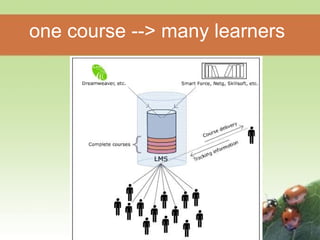
• Learning Management System (or LMS) is a 
broad term used to describe software tools 
designed to manage user learning interventions 
and provide access to online learning services 
for students, teacher, and administrator. 
• A software system, that allows the development 
and delivery of educational courses using the 
Internet as a delivery system.
one course --> many learners
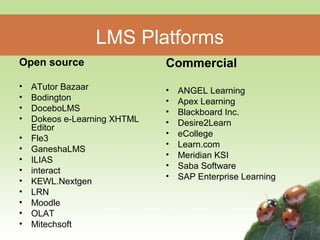
LMS Platforms 
Open source 
• ATutor Bazaar 
• Bodington 
• DoceboLMS 
• Dokeos e-Learning XHTML 
Editor 
• Fle3 
• GaneshaLMS 
• ILIAS 
• interact 
• KEWL.Nextgen 
• LRN 
• Moodle 
• OLAT 
• Mitechsoft 
Commercial 
• ANGEL Learning 
• Apex Learning 
• Blackboard Inc. 
• Desire2Learn 
• eCollege 
• Learn.com 
• Meridian KSI 
• Saba Software 
• SAP Enterprise Learning
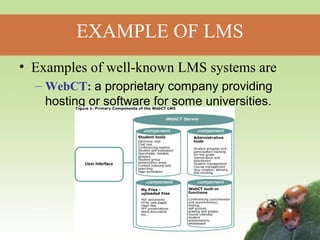
EXAMPLE OF LMS 
• Examples of well-known LMS systems are 
– WebCT: a proprietary company providing 
hosting or software for some universities.
Blackboard : Popular learning software 
provider and ASP portal for education. 
Moodle : a free, Open Source software 
package, to help educators create 
effective online learning communities.
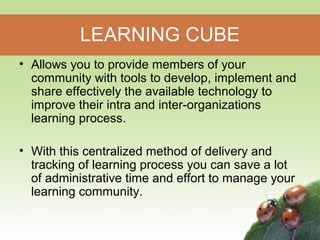
LEARNING CUBE 
• Allows you to provide members of your 
community with tools to develop, implement and 
share effectively the available technology to 
improve their intra and inter-organizations 
learning process. 
• With this centralized method of delivery and 
tracking of learning process you can save a lot 
of administrative time and effort to manage your 
learning community.
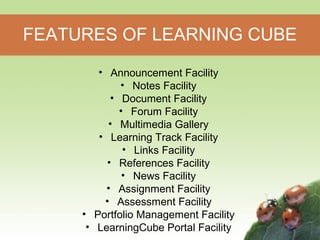
FEATURES OF LEARNING CUBE 
• Announcement Facility 
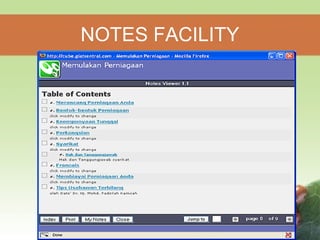
• Notes Facility 
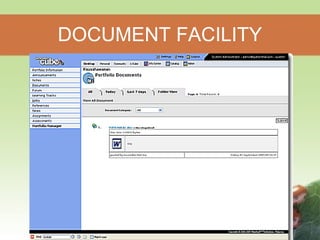
• Document Facility 
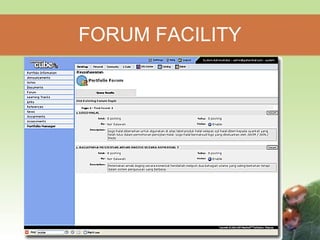
• Forum Facility 
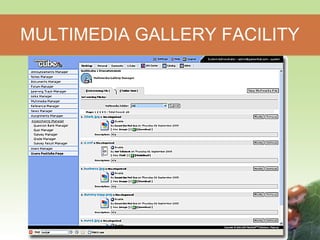
• Multimedia Gallery 
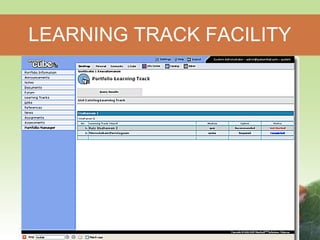
• Learning Track Facility 
• Links Facility 
• References Facility 
• News Facility 
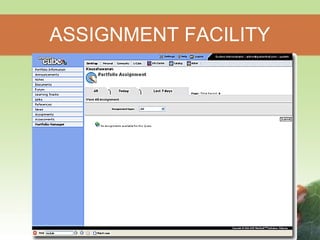
• Assignment Facility 
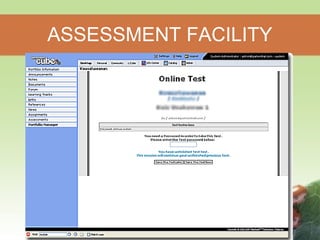
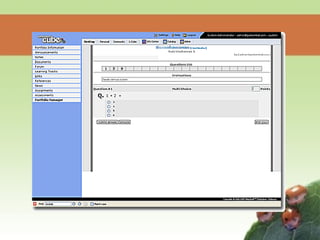
• Assessment Facility 
• Portfolio Management Facility 
• LearningCube Portal Facility
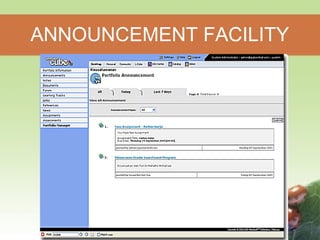
ANNOUNCEMENT FACILITY
NOTES FACILITY
DOCUMENT FACILITY
FORUM FACILITY
MULTIMEDIA GALLERY FACILITY
LEARNING TRACK FACILITY
ASSIGNMENT FACILITY
ASSESSMENT FACILITY
ROLE OF LMS 
• Registration and charging 
• Managing the process 
• Testing 
• Mentoring and monitoring 
• User’s function 
• Administrator functions
ADVANTAGES OF LMS 
• Ability of an LMS to allow you to fully 
manage and track your own learning. 
• Provide support for distance learning. 
• Purposefully designed 
– Mature 
– Safe and Secure 
– Ease of Use 
– Centrally Supported
DISADVANTAGES OF LMS 
• Cost – Expensive to create. 
• Time required to install necessary 
hardware, software, course and database. 
• Not designed to be stand-alone. 
• Need for a LMS Administrator.
USAGE OF LMS IN LOCAL 
UNIVERSITY 
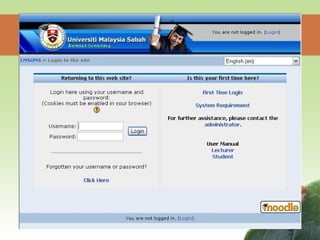
• Universiti Malaysia Sabah (UMS) 
– a course management system designed to 
help lecturers to create an online learning 
environment. 
– This system provides functions such as:- 
• register courses online 
• course cataloging 
• bulletin system 
• information searching 
• online quizzes, etc.
USAGE OF LMS IN LOCAL 
UNIVERSITY (Cont.) 
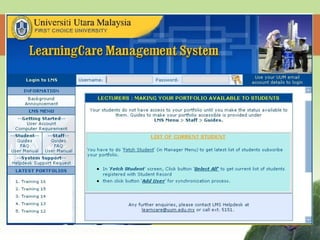
• Universiti Utara Malaysia (UUM) 
– LearningCare Learning Management System 
• An e-learning application. It is a module within Universiti 
Utara Malaysia (UUM) Group Web communication 
application. 
• Allows instructors to create courses and students to access 
their approach adopted by LearningCare. 
• LearningCare provides instructors and students with a 
complete set of tools to enhance their teaching and learning 
process. 
• The unique feature of LearningCare is that it allows portfolio 
owners to grant users certain access rights including adding 
and managing their own items and modifying and removing 
others’ items.
USAGE OF LMS IN LOCAL 
UNIVERSITY (Cont.) 
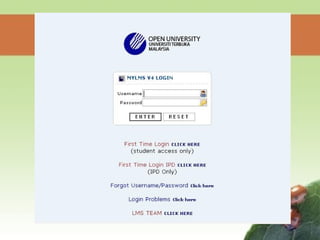
• Open University Malaysia (OUM) 
– OUM has developed its own learning portal, known as Learning 
Management System (my LMS), since June 2003 to support the 
various activities of e-learning at the university. 
– Applications : 
• e-mail 
• learner profiles 
• Learner Connexxions 
• Tutor Connexxions 
• Digital Library. 
– myLMS is a comprehensive and flexible e-learning system that 
enables facilitators and learners to interact in a virtual classroom 
environment and at the same time allows OUM to track and 
monitor learning and teaching development among 
facilitators and learners
IMPLEMENTING LMS IN UNITEN 
• Things to consider: 
– Cost : Some LMS platforms can be very 
expensive. 
– Course and Assessment : Prepared by 
lecturers or tutors. 
– The system is easy to use for both lecturers 
and students.
IMPLEMENTING LMS IN UNITEN 
• Offer Internet Tutorial 
– give students more personal support. 
– accompany them through the whole lecture 
period. 
• Run a Distance Education Program. 
– For post graduate student or part time 
students.
References 
• http://www.e-learningconsulting.com/products/learning-management- 
system.html 
• http://en.wikipedia.org/wiki/Learning_management_syste 
m 
• http://edutechwiki.unige.ch/en/Learning_management_s 
ystem 
• http://www.globalstrata.com/services/training/guide-learning- 
management-system.pdf 
• http://216.151.81.21/projects/Rafferty%20LMS.pdf 
• http://moodle.org/ 
• http://www.oum.edu.my/p5/cgs/index.php? 
op=support_services&m=37&page=278 
• http://www.mitechsoft.com/?pr_content=48
THANK YOU

Learning management-system-lms

  • 1.
    UNIVERSITY TENAGA NASIONAL COLLEGE OF INFORMATION TECHNOLOGY LEARNING MANAGEMENT SYSTEM (LMS) PRESENTED BY : MASHITAH HARIS SUPERVISOR : MR TJ ISKANDAR
  • 2.
    HISTORY • Inthe early ’90s some Luther Seminary (St. Paul) faculty members were struggling to retain students who didn’t have the funds or, because of family obligations, couldn’t relocate to attend seminary. • Tom Walker knew there had to be some kind of tool that would enable people to communicate with each other without being in the same place at the same time. • Learning management systems (LMS) also sometimes known as Course management systems (CMS) have come a long way since those early days.
  • 3.
    DEFINITION • LearningManagement System (or LMS) is a broad term used to describe software tools designed to manage user learning interventions and provide access to online learning services for students, teacher, and administrator. • A software system, that allows the development and delivery of educational courses using the Internet as a delivery system.
  • 4.
    one course -->many learners
  • 5.
    LMS Platforms Opensource • ATutor Bazaar • Bodington • DoceboLMS • Dokeos e-Learning XHTML Editor • Fle3 • GaneshaLMS • ILIAS • interact • KEWL.Nextgen • LRN • Moodle • OLAT • Mitechsoft Commercial • ANGEL Learning • Apex Learning • Blackboard Inc. • Desire2Learn • eCollege • Learn.com • Meridian KSI • Saba Software • SAP Enterprise Learning
  • 6.
    EXAMPLE OF LMS • Examples of well-known LMS systems are – WebCT: a proprietary company providing hosting or software for some universities.
  • 7.
    Blackboard : Popularlearning software provider and ASP portal for education. Moodle : a free, Open Source software package, to help educators create effective online learning communities.
  • 9.
    LEARNING CUBE •Allows you to provide members of your community with tools to develop, implement and share effectively the available technology to improve their intra and inter-organizations learning process. • With this centralized method of delivery and tracking of learning process you can save a lot of administrative time and effort to manage your learning community.
  • 10.
    FEATURES OF LEARNINGCUBE • Announcement Facility • Notes Facility • Document Facility • Forum Facility • Multimedia Gallery • Learning Track Facility • Links Facility • References Facility • News Facility • Assignment Facility • Assessment Facility • Portfolio Management Facility • LearningCube Portal Facility
  • 11.
  • 12.
  • 13.
  • 14.
  • 15.
  • 16.
  • 17.
  • 18.
  • 20.
    ROLE OF LMS • Registration and charging • Managing the process • Testing • Mentoring and monitoring • User’s function • Administrator functions
  • 21.
    ADVANTAGES OF LMS • Ability of an LMS to allow you to fully manage and track your own learning. • Provide support for distance learning. • Purposefully designed – Mature – Safe and Secure – Ease of Use – Centrally Supported
  • 22.
    DISADVANTAGES OF LMS • Cost – Expensive to create. • Time required to install necessary hardware, software, course and database. • Not designed to be stand-alone. • Need for a LMS Administrator.
  • 23.
    USAGE OF LMSIN LOCAL UNIVERSITY • Universiti Malaysia Sabah (UMS) – a course management system designed to help lecturers to create an online learning environment. – This system provides functions such as:- • register courses online • course cataloging • bulletin system • information searching • online quizzes, etc.
  • 25.
    USAGE OF LMSIN LOCAL UNIVERSITY (Cont.) • Universiti Utara Malaysia (UUM) – LearningCare Learning Management System • An e-learning application. It is a module within Universiti Utara Malaysia (UUM) Group Web communication application. • Allows instructors to create courses and students to access their approach adopted by LearningCare. • LearningCare provides instructors and students with a complete set of tools to enhance their teaching and learning process. • The unique feature of LearningCare is that it allows portfolio owners to grant users certain access rights including adding and managing their own items and modifying and removing others’ items.
  • 27.
    USAGE OF LMSIN LOCAL UNIVERSITY (Cont.) • Open University Malaysia (OUM) – OUM has developed its own learning portal, known as Learning Management System (my LMS), since June 2003 to support the various activities of e-learning at the university. – Applications : • e-mail • learner profiles • Learner Connexxions • Tutor Connexxions • Digital Library. – myLMS is a comprehensive and flexible e-learning system that enables facilitators and learners to interact in a virtual classroom environment and at the same time allows OUM to track and monitor learning and teaching development among facilitators and learners
  • 29.
    IMPLEMENTING LMS INUNITEN • Things to consider: – Cost : Some LMS platforms can be very expensive. – Course and Assessment : Prepared by lecturers or tutors. – The system is easy to use for both lecturers and students.
  • 30.
    IMPLEMENTING LMS INUNITEN • Offer Internet Tutorial – give students more personal support. – accompany them through the whole lecture period. • Run a Distance Education Program. – For post graduate student or part time students.
  • 31.
    References • http://www.e-learningconsulting.com/products/learning-management- system.html • http://en.wikipedia.org/wiki/Learning_management_syste m • http://edutechwiki.unige.ch/en/Learning_management_s ystem • http://www.globalstrata.com/services/training/guide-learning- management-system.pdf • http://216.151.81.21/projects/Rafferty%20LMS.pdf • http://moodle.org/ • http://www.oum.edu.my/p5/cgs/index.php? op=support_services&m=37&page=278 • http://www.mitechsoft.com/?pr_content=48
  • 32.