Creating Accessible Content
Tzviya Siegman
March 2019
2
Today we will discuss:
• What is accessibility?
• Business, social, and legal reasons for accessibility
• Getting started
• Resources and tooling
3
“Web accessibility means that people with disabilities
can use the Web. More specifically, Web accessibility
means that people with disabilities can perceive,
understand, navigate, and interact with the Web, and
that they can contribute to the Web. Web accessibility
also benefits others, including older people with
changing abilities due to aging.”
- The Web Accessibility Initiative Introduction to Web Accessibility
(https://www.w3.org/WAI/intro/accessibility.php)
What is Accessibility?
4
Social responsibility to provide equal opportunity for people with
disabilities. This significantly overlaps with digital divide issues
and benefits people without disabilities or people with situational
situational disabilities.
Legal requirements for accessible content and platforms are
increasing around the world. Some universities and libraries will
not purchase content that is not accessible. The Marrakesh Treaty
Why does a11y* matter?
*a11y is shorthand for accessibility – there
are 11 letters between “a” and “y”
5
• The Convention on the Rights of People with Disabilities
(CRPD) is a comprehensive human rights document that
includes a direct reference to the rights of all people to have
equal access to communications technology. Passed by the
General Assembly of the United Nations, more than 175
countries ratified it by 2018.
• The European Commission adopted the European Accessibility
Act, requiring ATMs and banking services, PCs, telephones and
TV equipment, telephony and audiovisual services, transport,
e-books, and e-commerce meet accessibility requirements.
• In the US, the number of legal actions continues to rise and
courts increasingly decide in favor of equal access, often citing
the Americans with Disabilities Act (ADA).
Minimizing the Legal Risk
6
Who Benefits from Accessibility?
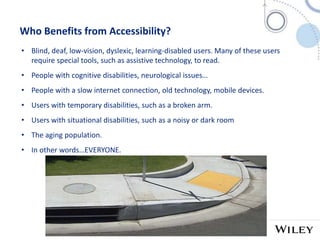
• Blind, deaf, low-vision, dyslexic, learning-disabled users. Many of these users
require special tools, such as assistive technology, to read.
• People with cognitive disabilities, neurological issues…
• People with a slow internet connection, old technology, mobile devices.
• Users with temporary disabilities, such as a broken arm.
• Users with situational disabilities, such as a noisy or dark room
• The aging population.
• In other words…EVERYONE.
7
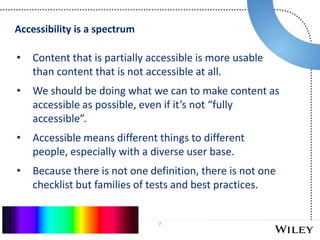
• Content that is partially accessible is more usable
than content that is not accessible at all.
• We should be doing what we can to make content as
accessible as possible, even if it’s not “fully
accessible”.
• Accessible means different things to different
people, especially with a diverse user base.
• Because there is not one definition, there is not one
checklist but families of tests and best practices.
Accessibility is a spectrum
8
Where to start?
• Tips for Getting Started in Accessibility
https://www.w3.org/WAI/tips/
• WAI Planning and Managing Web Accessibility
https://www.w3.org/WAI/planning-and-managing/
• ARIA: Accessible Rich Internet Applications
https://www.w3.org/TR/wai-aria-1.1/
• WCAG: Web Content Accessibility Guidelines
https://www.w3.org/TR/WCAG21/
• Using ARIA in HTML https://www.w3.org/TR/aria-in-html/
• EPUB Accessibility http://kb.daisy.org/publishing/docs/
9
Who Defines Accessibility?
• Web Accessibility is largely defined by a series of specifications produced by the
World Wide Web Consortium (W3C) Web Accessibility Initiative (WAI)
• Web, ebooks, LMS, and all web-based content rely heavily on these guidelines
• https://www.w3.org/TR/WCAG21/ (WCAG): A set of guidelines identifying
criteria and techniques for making content accessible. Legislation from around the
world often cites WCAG AA Compliance as a requirement for accessibility. WCAG
specifies that all content should be:
• Perceivable
• Operable
• Understandable
• Robust
10
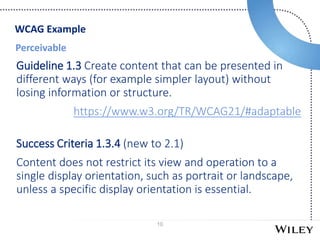
Perceivable
Guideline 1.3 Create content that can be presented in
different ways (for example simpler layout) without
losing information or structure.
https://www.w3.org/TR/WCAG21/#adaptable
Success Criteria 1.3.4 (new to 2.1)
Content does not restrict its view and operation to a
single display orientation, such as portrait or landscape,
unless a specific display orientation is essential.
WCAG Example
11
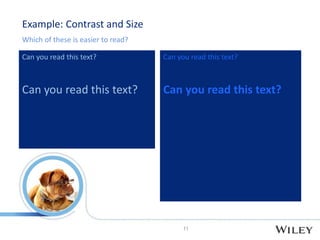
Example: Contrast and Size
Which of these is easier to read?
Can you read this text?
12
• Images are meaningless to someone who can’t
see
• More readers are choosing to listen to books
• Image descriptions provide detailed information
about images to users
• Can you understand the full meaning of the
content without the image?
• If the caption fully describes an image, it’s enough
• Other images require alt text and possibly an
extended description
Images
13
Tips for accessible interactives
• HTML 5 is NOT accessible unless you make it so.
• Ask vendors for templates, not one-offs (example: Q & A should be a
reusable script. The only change should be the text). This is also more
cost-effective.
• Ask vendors if they comply with WCAG AA and use ARIA. Ask vendors
how they perform accessibility testing. If they don’t know what these
words mean or how to answer the questions, they do not know enough
about accessibility to make your content accessible.
• Test the content yourself.
14
Resources and Tools
15
• WAI Easy checks – get in the habit of testing
using these guidelines.
• Consider formal evaluation tools, like aXe or
WAVE
• Testing with Assistive Tech is useful only if you
use the AT correctly.
• Testing with users with disabilities offers valuable
insight
• See Involving Users about users with different
(dis)abilities testing
• See How People with Disabilities Use the Web
Building up to testing
16
Numerous open tools automatically check WCAG compliance.
These tools have limitations, but are still useful:
• You will find out if you have built your links in an accessible
manner, if your tables are structured well, and if your
headings are navigable
• Some will even catch bad behavior, like alt=“image”
• There are checklists, but they are not simple. See
http://a11yproject.com/checklist.html for example.
Automated Testing
17
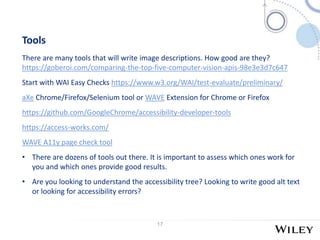
Tools
There are many tools that will write image descriptions. How good are they?
https://goberoi.com/comparing-the-top-five-computer-vision-apis-98e3e3d7c647
Start with WAI Easy Checks https://www.w3.org/WAI/test-evaluate/preliminary/
aXe Chrome/Firefox/Selenium tool or WAVE Extension for Chrome or Firefox
https://github.com/GoogleChrome/accessibility-developer-tools
https://access-works.com/
WAVE A11y page check tool
• There are dozens of tools out there. It is important to assess which ones work for
you and which ones provide good results.
• Are you looking to understand the accessibility tree? Looking to write good alt text
or looking for accessibility errors?
18
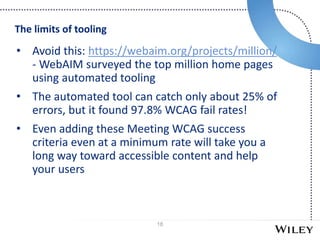
• Avoid this: https://webaim.org/projects/million/
- WebAIM surveyed the top million home pages
using automated tooling
• The automated tool can catch only about 25% of
errors, but it found 97.8% WCAG fail rates!
• Even adding these Meeting WCAG success
criteria even at a minimum rate will take you a
long way toward accessible content and help
your users
The limits of tooling
19
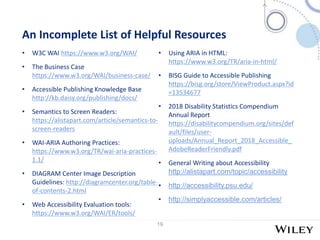
An Incomplete List of Helpful Resources
• W3C WAI https://www.w3.org/WAI/
• The Business Case
https://www.w3.org/WAI/business-case/
• Accessible Publishing Knowledge Base
http://kb.daisy.org/publishing/docs/
• Semantics to Screen Readers:
https://alistapart.com/article/semantics-to-
screen-readers
• WAI-ARIA Authoring Practices:
https://www.w3.org/TR/wai-aria-practices-
1.1/
• DIAGRAM Center Image Description
Guidelines: http://diagramcenter.org/table-
of-contents-2.html
• Web Accessibility Evaluation tools:
https://www.w3.org/WAI/ER/tools/
• Using ARIA in HTML:
https://www.w3.org/TR/aria-in-html/
• BISG Guide to Accessible Publishing
https://bisg.org/store/ViewProduct.aspx?id
=13534677
• 2018 Disability Statistics Compendium
Annual Report
https://disabilitycompendium.org/sites/def
ault/files/user-
uploads/Annual_Report_2018_Accessible_
AdobeReaderFriendly.pdf
• General Writing about Accessibility
http://alistapart.com/topic/accessibility
• http://accessibility.psu.edu/
• http://simplyaccessible.com/articles/
20
Thank you
Questions?
Tzviya Siegman
tsiegman@wiley.com
@TzviyaSiegman

Siegman "Creating Accessible Content"

  • 1.
  • 2.
    2 Today we willdiscuss: • What is accessibility? • Business, social, and legal reasons for accessibility • Getting started • Resources and tooling
  • 3.
    3 “Web accessibility meansthat people with disabilities can use the Web. More specifically, Web accessibility means that people with disabilities can perceive, understand, navigate, and interact with the Web, and that they can contribute to the Web. Web accessibility also benefits others, including older people with changing abilities due to aging.” - The Web Accessibility Initiative Introduction to Web Accessibility (https://www.w3.org/WAI/intro/accessibility.php) What is Accessibility?
  • 4.
    4 Social responsibility toprovide equal opportunity for people with disabilities. This significantly overlaps with digital divide issues and benefits people without disabilities or people with situational situational disabilities. Legal requirements for accessible content and platforms are increasing around the world. Some universities and libraries will not purchase content that is not accessible. The Marrakesh Treaty Why does a11y* matter? *a11y is shorthand for accessibility – there are 11 letters between “a” and “y”
  • 5.
    5 • The Conventionon the Rights of People with Disabilities (CRPD) is a comprehensive human rights document that includes a direct reference to the rights of all people to have equal access to communications technology. Passed by the General Assembly of the United Nations, more than 175 countries ratified it by 2018. • The European Commission adopted the European Accessibility Act, requiring ATMs and banking services, PCs, telephones and TV equipment, telephony and audiovisual services, transport, e-books, and e-commerce meet accessibility requirements. • In the US, the number of legal actions continues to rise and courts increasingly decide in favor of equal access, often citing the Americans with Disabilities Act (ADA). Minimizing the Legal Risk
  • 6.
    6 Who Benefits fromAccessibility? • Blind, deaf, low-vision, dyslexic, learning-disabled users. Many of these users require special tools, such as assistive technology, to read. • People with cognitive disabilities, neurological issues… • People with a slow internet connection, old technology, mobile devices. • Users with temporary disabilities, such as a broken arm. • Users with situational disabilities, such as a noisy or dark room • The aging population. • In other words…EVERYONE.
  • 7.
    7 • Content thatis partially accessible is more usable than content that is not accessible at all. • We should be doing what we can to make content as accessible as possible, even if it’s not “fully accessible”. • Accessible means different things to different people, especially with a diverse user base. • Because there is not one definition, there is not one checklist but families of tests and best practices. Accessibility is a spectrum
  • 8.
    8 Where to start? •Tips for Getting Started in Accessibility https://www.w3.org/WAI/tips/ • WAI Planning and Managing Web Accessibility https://www.w3.org/WAI/planning-and-managing/ • ARIA: Accessible Rich Internet Applications https://www.w3.org/TR/wai-aria-1.1/ • WCAG: Web Content Accessibility Guidelines https://www.w3.org/TR/WCAG21/ • Using ARIA in HTML https://www.w3.org/TR/aria-in-html/ • EPUB Accessibility http://kb.daisy.org/publishing/docs/
  • 9.
    9 Who Defines Accessibility? •Web Accessibility is largely defined by a series of specifications produced by the World Wide Web Consortium (W3C) Web Accessibility Initiative (WAI) • Web, ebooks, LMS, and all web-based content rely heavily on these guidelines • https://www.w3.org/TR/WCAG21/ (WCAG): A set of guidelines identifying criteria and techniques for making content accessible. Legislation from around the world often cites WCAG AA Compliance as a requirement for accessibility. WCAG specifies that all content should be: • Perceivable • Operable • Understandable • Robust
  • 10.
    10 Perceivable Guideline 1.3 Createcontent that can be presented in different ways (for example simpler layout) without losing information or structure. https://www.w3.org/TR/WCAG21/#adaptable Success Criteria 1.3.4 (new to 2.1) Content does not restrict its view and operation to a single display orientation, such as portrait or landscape, unless a specific display orientation is essential. WCAG Example
  • 11.
    11 Example: Contrast andSize Which of these is easier to read? Can you read this text? Can you read this text? Can you read this text? Can you read this text?
  • 12.
    12 • Images aremeaningless to someone who can’t see • More readers are choosing to listen to books • Image descriptions provide detailed information about images to users • Can you understand the full meaning of the content without the image? • If the caption fully describes an image, it’s enough • Other images require alt text and possibly an extended description Images
  • 13.
    13 Tips for accessibleinteractives • HTML 5 is NOT accessible unless you make it so. • Ask vendors for templates, not one-offs (example: Q & A should be a reusable script. The only change should be the text). This is also more cost-effective. • Ask vendors if they comply with WCAG AA and use ARIA. Ask vendors how they perform accessibility testing. If they don’t know what these words mean or how to answer the questions, they do not know enough about accessibility to make your content accessible. • Test the content yourself.
  • 14.
  • 15.
    15 • WAI Easychecks – get in the habit of testing using these guidelines. • Consider formal evaluation tools, like aXe or WAVE • Testing with Assistive Tech is useful only if you use the AT correctly. • Testing with users with disabilities offers valuable insight • See Involving Users about users with different (dis)abilities testing • See How People with Disabilities Use the Web Building up to testing
  • 16.
    16 Numerous open toolsautomatically check WCAG compliance. These tools have limitations, but are still useful: • You will find out if you have built your links in an accessible manner, if your tables are structured well, and if your headings are navigable • Some will even catch bad behavior, like alt=“image” • There are checklists, but they are not simple. See http://a11yproject.com/checklist.html for example. Automated Testing
  • 17.
    17 Tools There are manytools that will write image descriptions. How good are they? https://goberoi.com/comparing-the-top-five-computer-vision-apis-98e3e3d7c647 Start with WAI Easy Checks https://www.w3.org/WAI/test-evaluate/preliminary/ aXe Chrome/Firefox/Selenium tool or WAVE Extension for Chrome or Firefox https://github.com/GoogleChrome/accessibility-developer-tools https://access-works.com/ WAVE A11y page check tool • There are dozens of tools out there. It is important to assess which ones work for you and which ones provide good results. • Are you looking to understand the accessibility tree? Looking to write good alt text or looking for accessibility errors?
  • 18.
    18 • Avoid this:https://webaim.org/projects/million/ - WebAIM surveyed the top million home pages using automated tooling • The automated tool can catch only about 25% of errors, but it found 97.8% WCAG fail rates! • Even adding these Meeting WCAG success criteria even at a minimum rate will take you a long way toward accessible content and help your users The limits of tooling
  • 19.
    19 An Incomplete Listof Helpful Resources • W3C WAI https://www.w3.org/WAI/ • The Business Case https://www.w3.org/WAI/business-case/ • Accessible Publishing Knowledge Base http://kb.daisy.org/publishing/docs/ • Semantics to Screen Readers: https://alistapart.com/article/semantics-to- screen-readers • WAI-ARIA Authoring Practices: https://www.w3.org/TR/wai-aria-practices- 1.1/ • DIAGRAM Center Image Description Guidelines: http://diagramcenter.org/table- of-contents-2.html • Web Accessibility Evaluation tools: https://www.w3.org/WAI/ER/tools/ • Using ARIA in HTML: https://www.w3.org/TR/aria-in-html/ • BISG Guide to Accessible Publishing https://bisg.org/store/ViewProduct.aspx?id =13534677 • 2018 Disability Statistics Compendium Annual Report https://disabilitycompendium.org/sites/def ault/files/user- uploads/Annual_Report_2018_Accessible_ AdobeReaderFriendly.pdf • General Writing about Accessibility http://alistapart.com/topic/accessibility • http://accessibility.psu.edu/ • http://simplyaccessible.com/articles/
  • 20.

Editor's Notes

  • #7 Some people call Accessibility the ultimate expression of usability.