
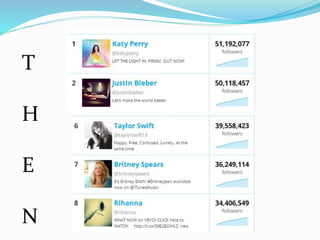




T
H
E
N
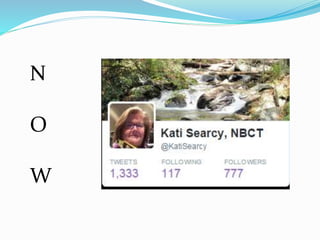
N
O
W
What is Twitter?
An online social networking service
Users can read and send “tweets”
Tweets are text messages w/140
characters max. Photos can be used.
Why Use Twitter?
 Be exposed to a lot of information quickly
 Communicate with people across the world
 Get answers to your questions
 Learn new ideas in education
 Hold group conversations on a particular topic
You have complete control on how you wish
to participate in the “Twitterverse.”
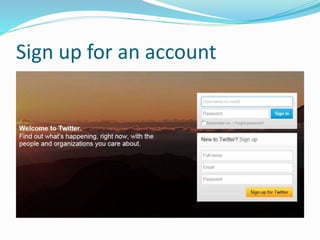
Sign up for an account
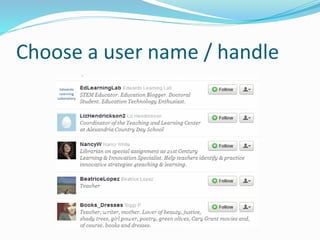
Choose a user name / handle
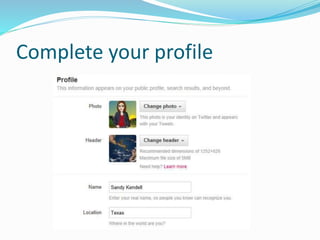
Complete your profile
Hash Tags
Let’s go lurk:
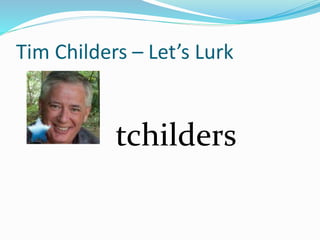
Tim Childers – Let’s Lurk
tchilders
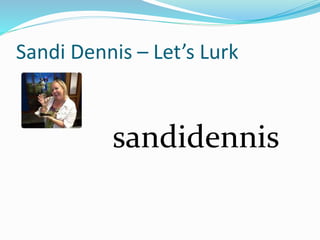
Sandi Dennis – Let’s Lurk
sandidennis
STEP 2:
THE FOLLOWER
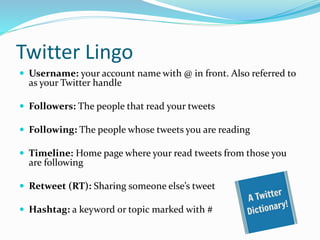
Twitter Lingo
 Username: your account name with @ in front. Also referred to
as your Twitter handle
 Followers: The people that read your tweets
 Following: The people whose tweets you are reading
 Timeline: Home page where your read tweets from those you
are following
 Retweet (RT): Sharing someone else’s tweet
 Hashtag: a keyword or topic marked with #
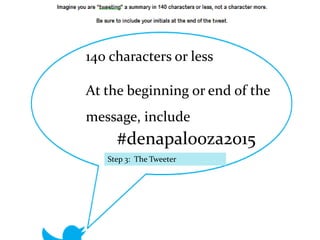
Formulate your first tweet. 140 characters or less.
Punctuation and spaces count as characters. At the end,
include #GAGC2014.
Step 3: The Tweeter
140 characters or less
At the beginning or end of the
message, include
#denapalooza2015
Why should you be on Twitter?
 24/7 Personal Learning Network Personal Learning
Network
 Classroom Resources
 Communication – Upper grade students / Parents
 Staying Up To Date – Ed. News hits Twitter first
 Ed-Chats
ED-CHATS
All assigned a # (hashtag)
All occur at a particular time
Questions are posed by the facilitator
– e.g., Q1…
Answers are given – e.g., A1…
Answers are not required
Lurking is encouraged
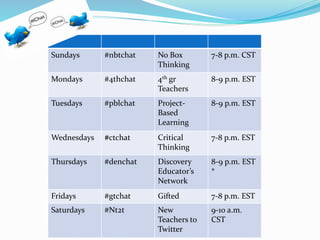
Step 4: Ed Chats
Sundays #nbtchat No Box
Thinking
7-8 p.m. CST
Mondays #4thchat 4th gr
Teachers
8-9 p.m. EST
Tuesdays #pblchat Project-
Based
Learning
8-9 p.m. EST
Wednesdays #ctchat Critical
Thinking
7-8 p.m. EST
Thursdays #denchat Discovery
Educator’s
Network
8-9 p.m. EST
*
Fridays #gtchat Gifted 7-8 p.m. EST
Saturdays #Nt2t New
Teachers to
Twitter
9-10 a.m.
CST
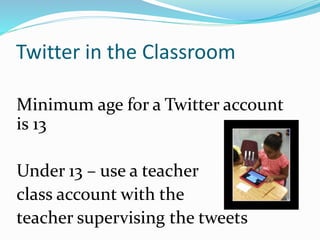
Twitter in the Classroom
Minimum age for a Twitter account
is 13
Under 13 – use a teacher
class account with the
teacher supervising the tweets
Practice writing tweets first …
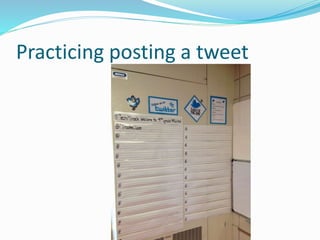
Practicing posting a tweet
Ticket Out the Door
Answering an essential question
Documenting work w/photo
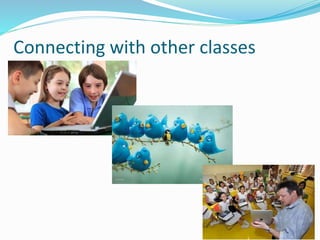
Connecting with other classes
www.katisearcy.weebly.com
Kati Searcy
searcy@fultonschools.org
@katisearcy
@searcytag

Twitter for Teachers

  • 2.
  • 3.
  • 4.
    What is Twitter? Anonline social networking service Users can read and send “tweets” Tweets are text messages w/140 characters max. Photos can be used.
  • 5.
    Why Use Twitter? Be exposed to a lot of information quickly  Communicate with people across the world  Get answers to your questions  Learn new ideas in education  Hold group conversations on a particular topic
  • 6.
    You have completecontrol on how you wish to participate in the “Twitterverse.”
  • 7.
    Sign up foran account
  • 8.
    Choose a username / handle
  • 9.
  • 10.
  • 11.
  • 12.
    Tim Childers –Let’s Lurk tchilders
  • 13.
    Sandi Dennis –Let’s Lurk sandidennis
  • 14.
  • 15.
    Twitter Lingo  Username:your account name with @ in front. Also referred to as your Twitter handle  Followers: The people that read your tweets  Following: The people whose tweets you are reading  Timeline: Home page where your read tweets from those you are following  Retweet (RT): Sharing someone else’s tweet  Hashtag: a keyword or topic marked with #
  • 16.
    Formulate your firsttweet. 140 characters or less. Punctuation and spaces count as characters. At the end, include #GAGC2014. Step 3: The Tweeter 140 characters or less At the beginning or end of the message, include #denapalooza2015
  • 17.
    Why should yoube on Twitter?  24/7 Personal Learning Network Personal Learning Network  Classroom Resources  Communication – Upper grade students / Parents  Staying Up To Date – Ed. News hits Twitter first  Ed-Chats
  • 18.
    ED-CHATS All assigned a# (hashtag) All occur at a particular time Questions are posed by the facilitator – e.g., Q1… Answers are given – e.g., A1… Answers are not required Lurking is encouraged Step 4: Ed Chats
  • 19.
    Sundays #nbtchat NoBox Thinking 7-8 p.m. CST Mondays #4thchat 4th gr Teachers 8-9 p.m. EST Tuesdays #pblchat Project- Based Learning 8-9 p.m. EST Wednesdays #ctchat Critical Thinking 7-8 p.m. EST Thursdays #denchat Discovery Educator’s Network 8-9 p.m. EST * Fridays #gtchat Gifted 7-8 p.m. EST Saturdays #Nt2t New Teachers to Twitter 9-10 a.m. CST
  • 20.
    Twitter in theClassroom Minimum age for a Twitter account is 13 Under 13 – use a teacher class account with the teacher supervising the tweets
  • 21.
  • 22.
  • 23.
    Ticket Out theDoor Answering an essential question Documenting work w/photo
  • 24.
  • 27.
  • 28.