VIRTUAL MEMORY
PRESENTED BY KAMRAN ASHRAF
13-NTU-4009
Outline
 Virtual Memory
 Page faults
 Swapping
 Paging
 Segmentation
 Paging in Linux
 Cache translation in hardware
 Translation Lookaside buffer (TLB)
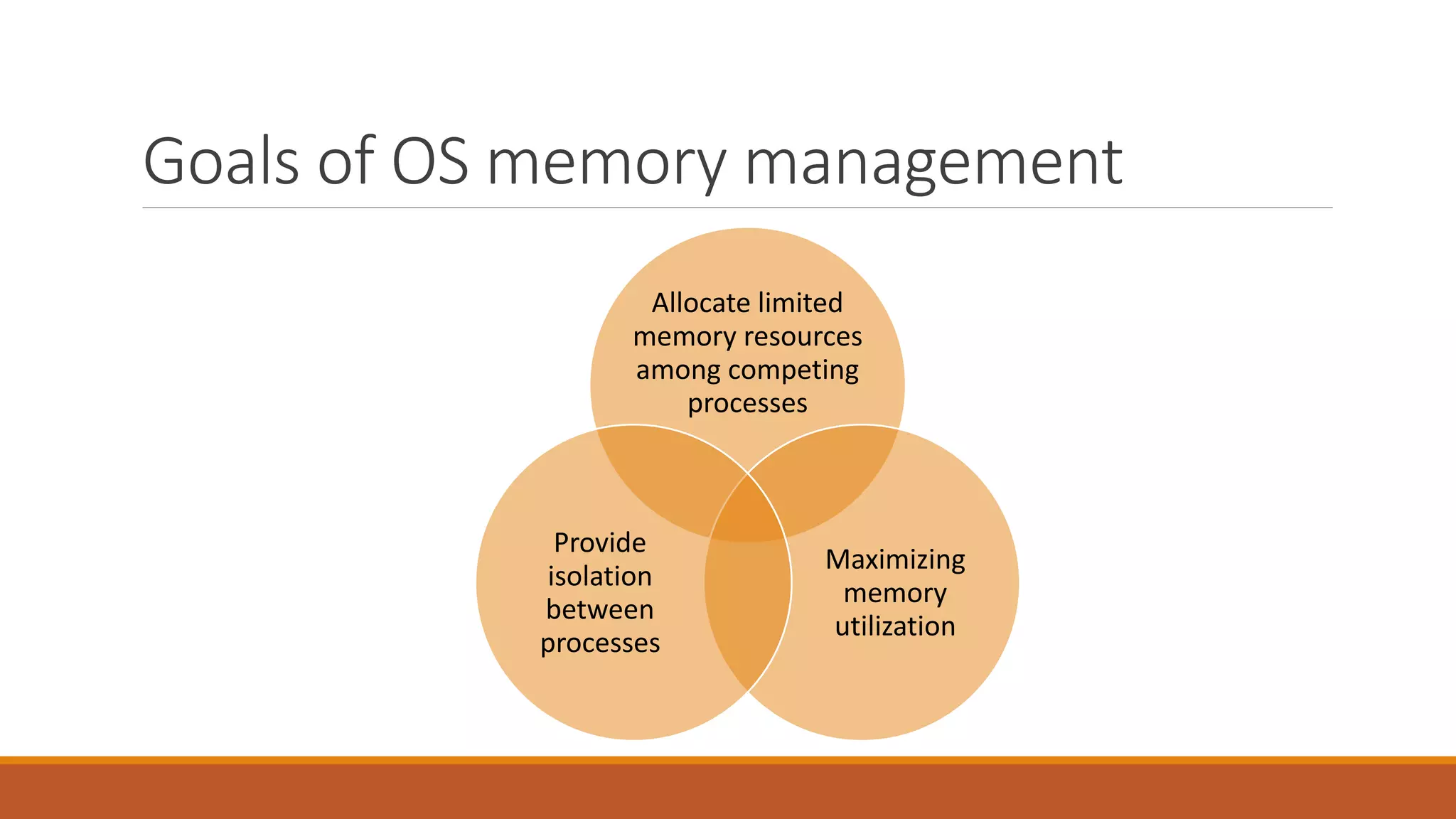
Goals of OS memory management
Allocate limited
memory resources
among competing
processes
Maximizing
memory
utilization
Provide
isolation
between
processes
Our main questions
 How is protection enforced?
 How are processes relocated?
 How is memory partitioned?
Why Virtual Memory?
 The basic abstraction that the OS provides for memory management is virtual
memory
◦ VM enables programs to execute without requiring their entire address space to be resident in physical
memory
◦ program can also execute on machines with less RAM than it “needs”
 virtual memory isolates processes from each other
◦ each process has its own isolated address space
Virtual addresses
 To make it easier to manage memory of multiple processes, virtual addresses are used
◦ virtual addresses are independent of location in physical memory (RAM)
◦ OS determines location in physical memory
 virtual addresses are translated by hardware into physical addresses
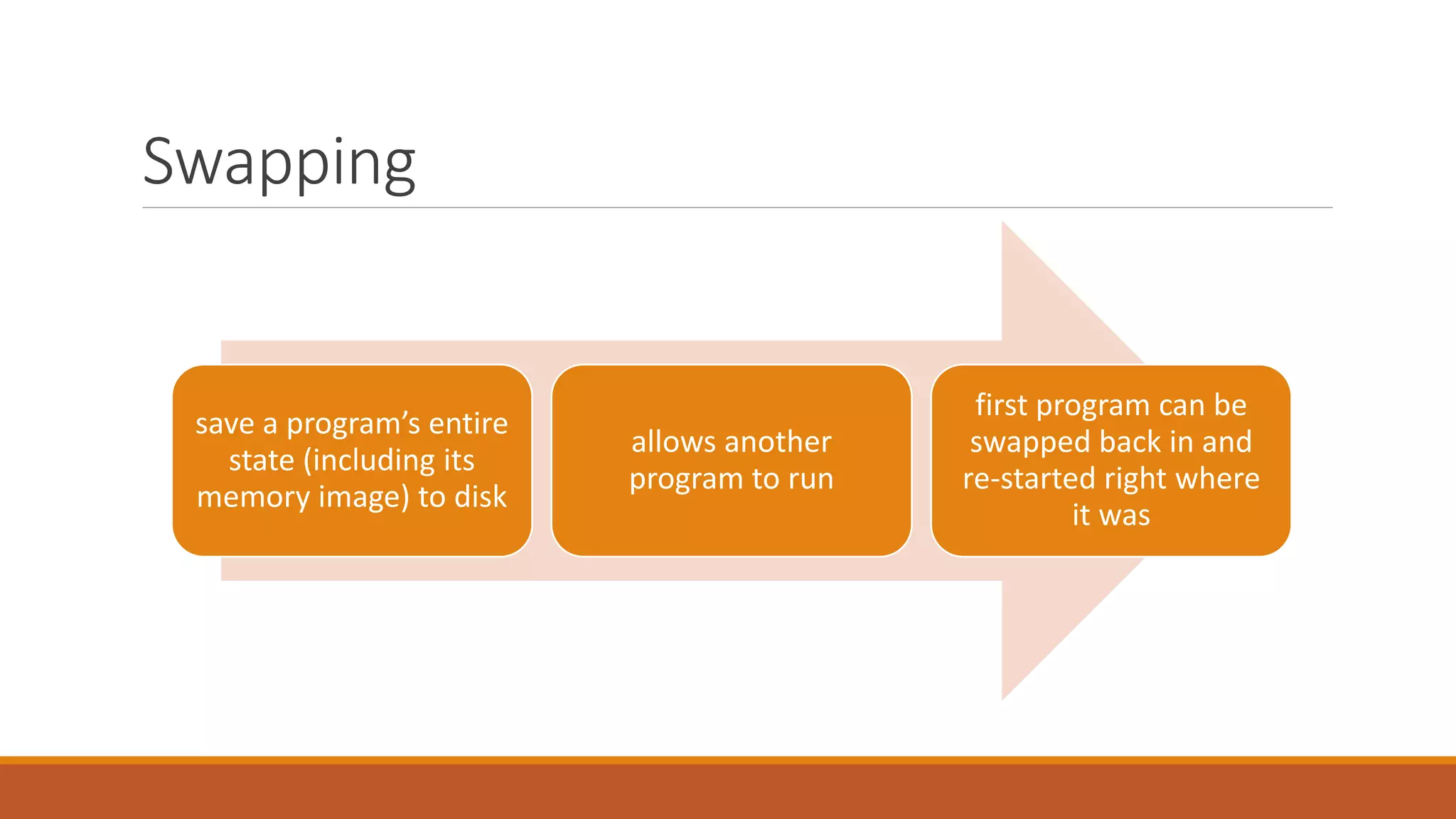
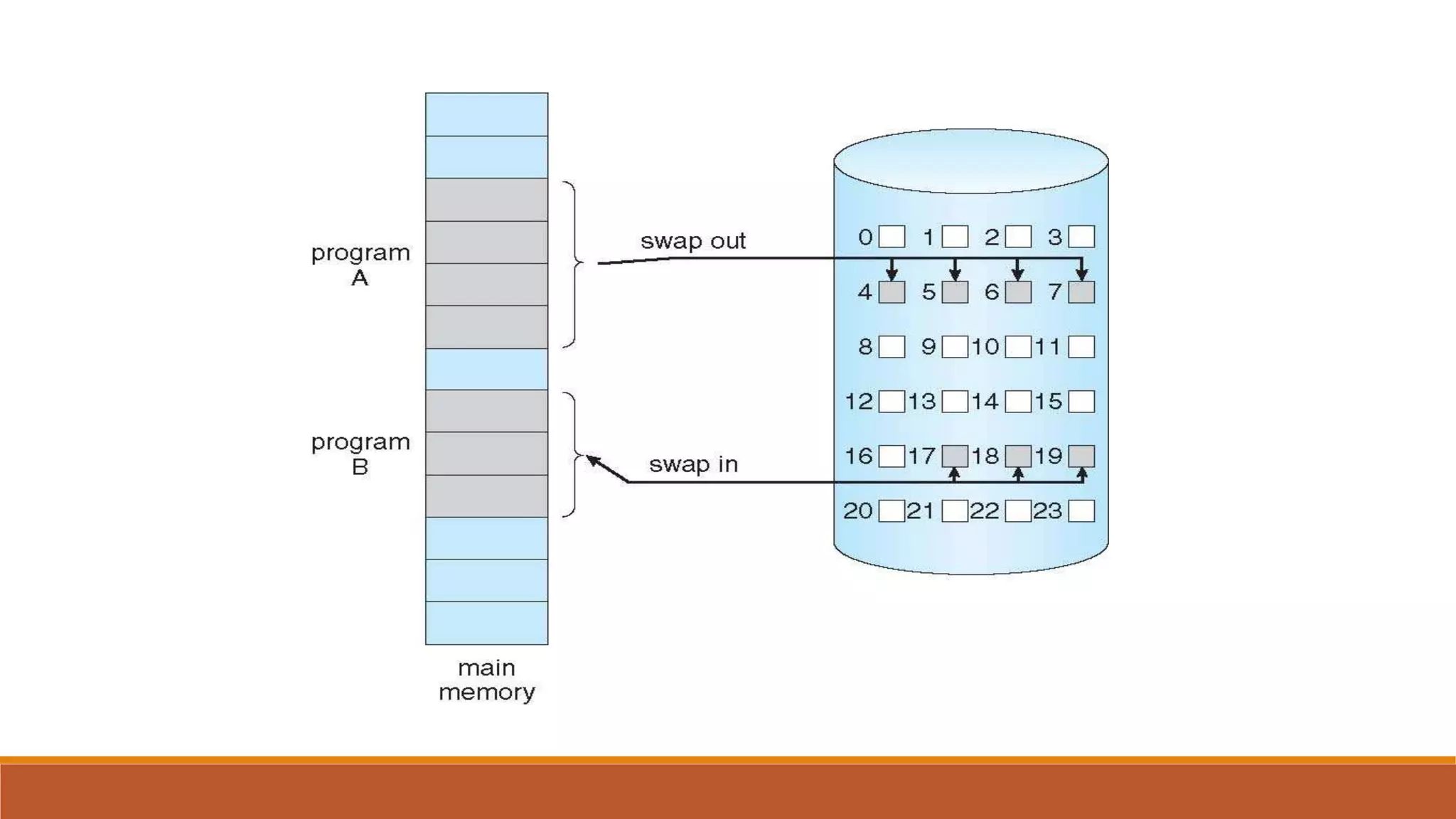
Swapping
save a program’s entire
state (including its
memory image) to disk
allows another
program to run
first program can be
swapped back in and
re-started right where
it was
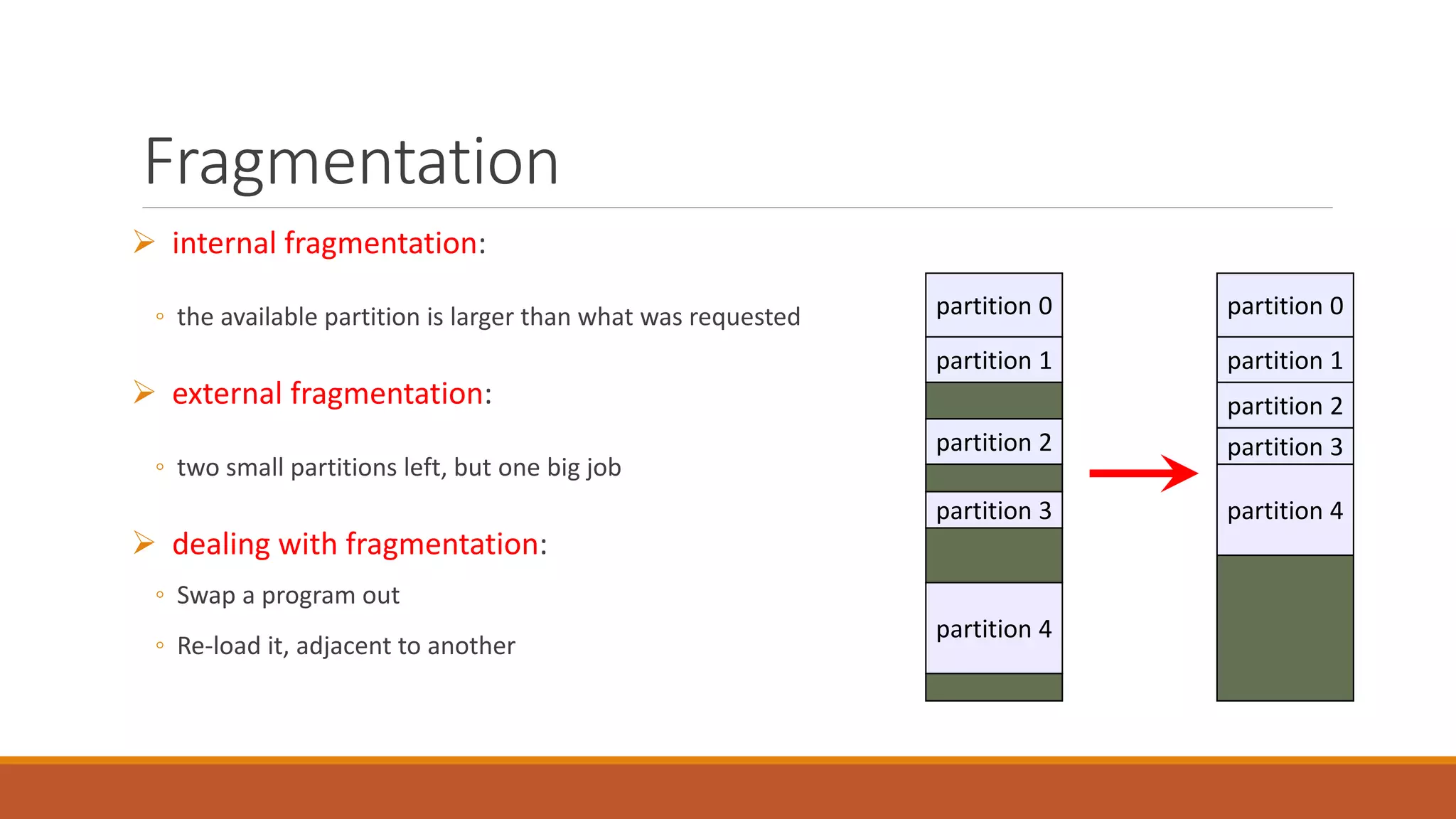
Fragmentation
 internal fragmentation:
◦ the available partition is larger than what was requested
 external fragmentation:
◦ two small partitions left, but one big job
 dealing with fragmentation:
◦ Swap a program out
◦ Re-load it, adjacent to another
partition 0
partition 1
partition 2
partition 3
partition 4
partition 0
partition 1
partition 2
partition 3
partition 4
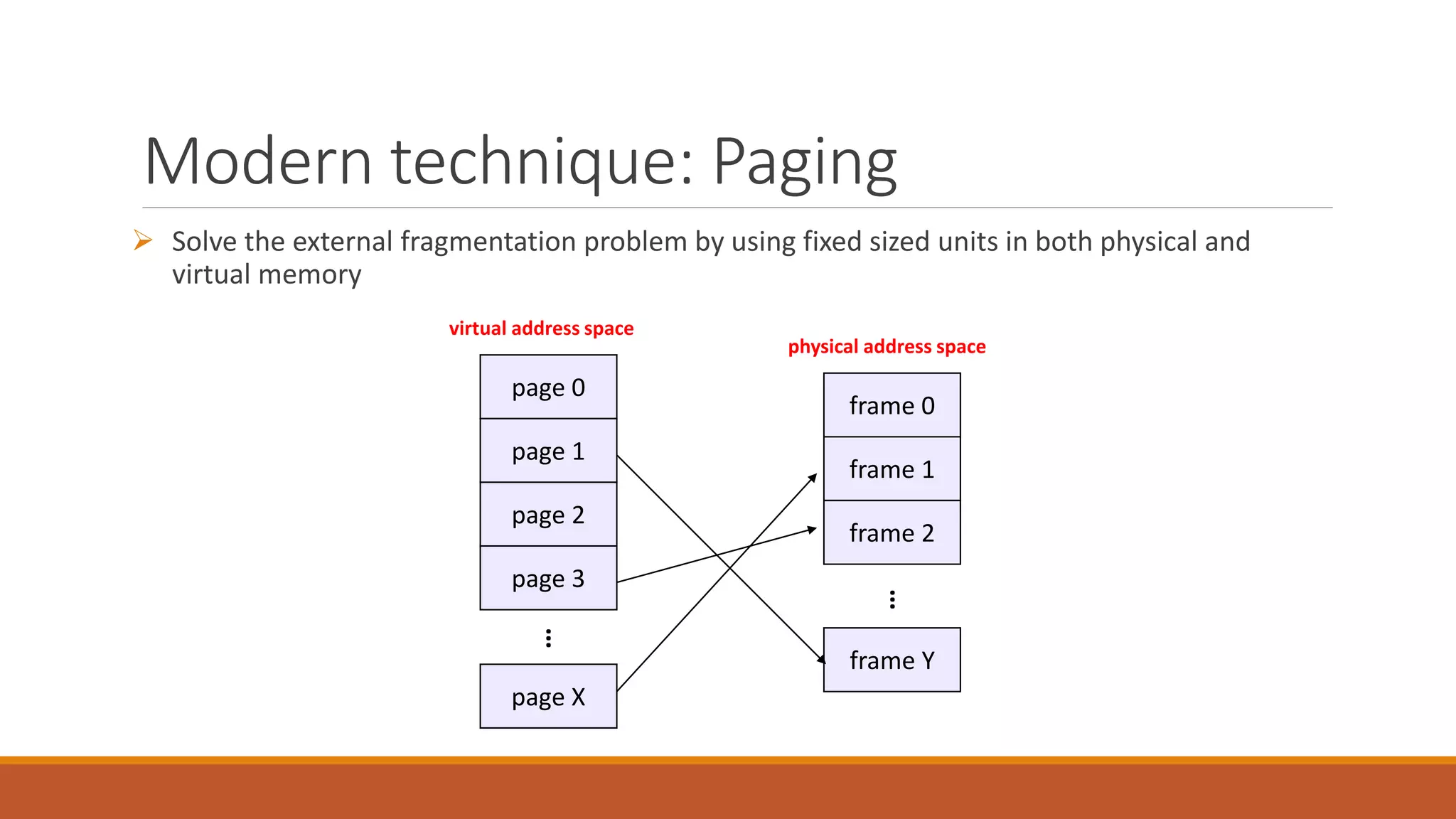
Modern technique: Paging
 Solve the external fragmentation problem by using fixed sized units in both physical and
virtual memory
frame 0
frame 1
frame 2
frame Y
physical address space
…
page 0
page 1
page 2
page X
virtual address space
…
page 3
Virtual address space
 Processes view memory as a contiguous address space from bytes 0 through N
◦ virtual address space (VAS)
 In reality, virtual pages are scattered across physical memory frames
◦ virtual-to-physical mapping is invisible to the program
 Protection is provided because a program cannot reference memory outside of its VAS
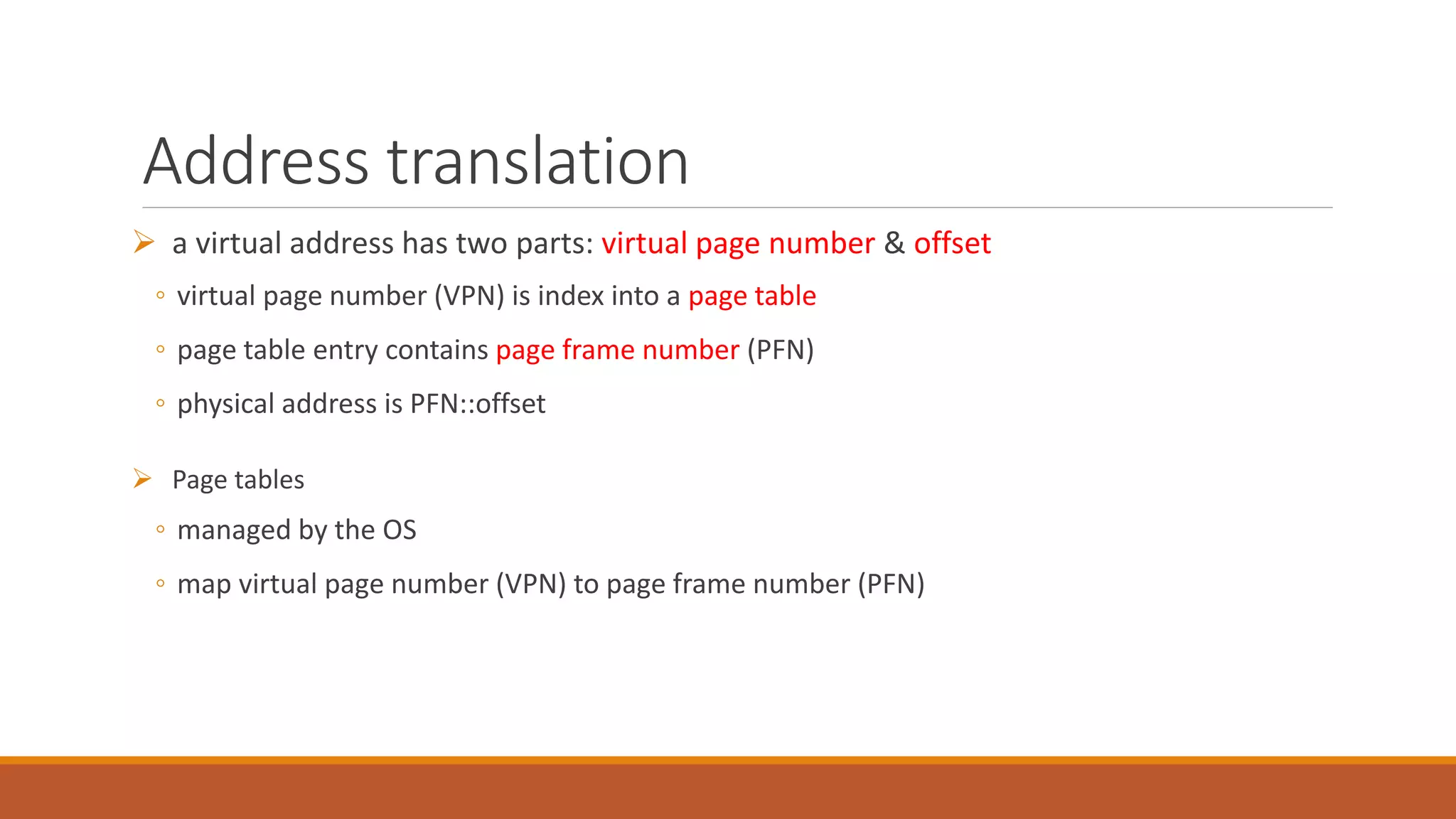
Address translation
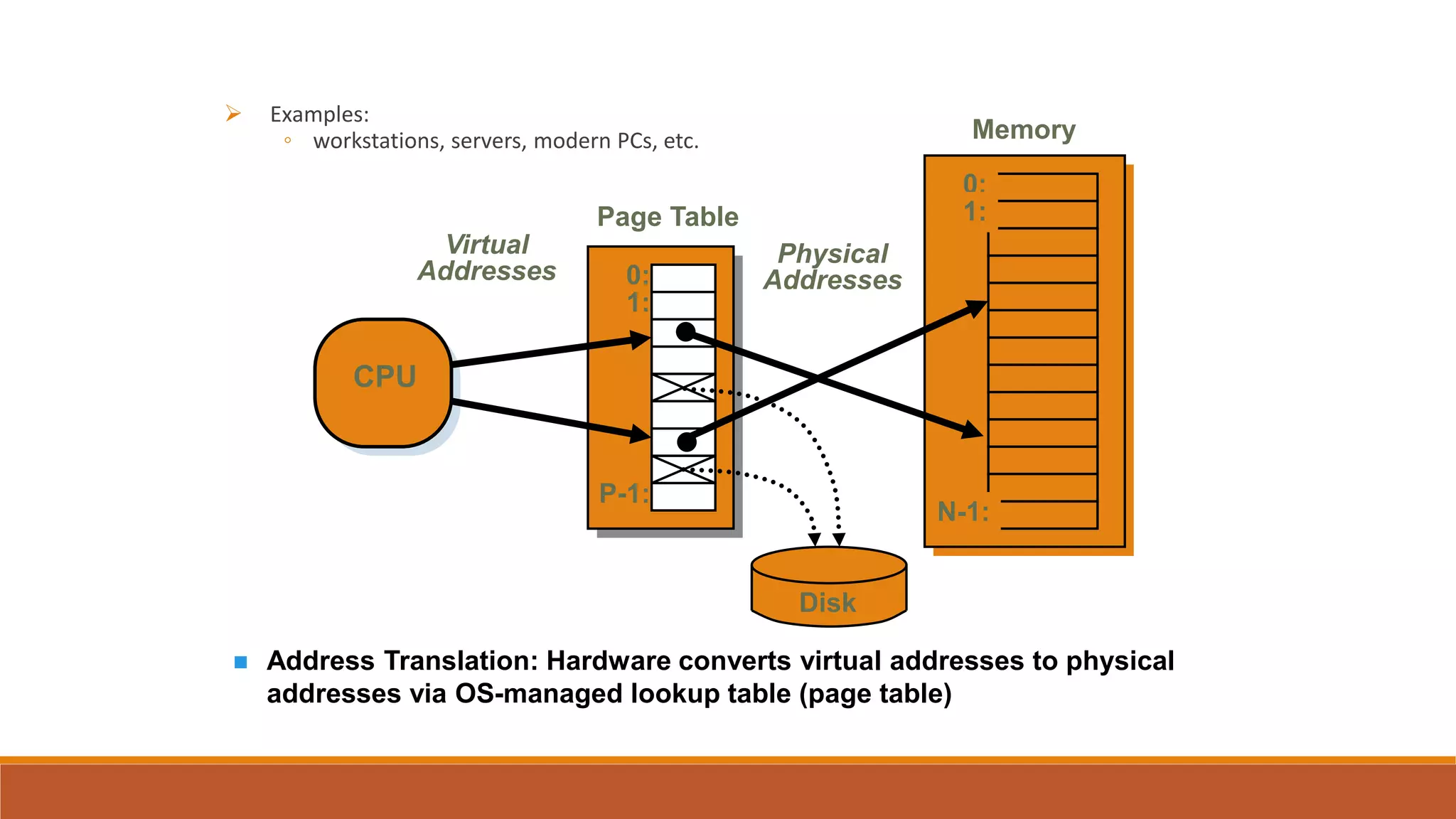
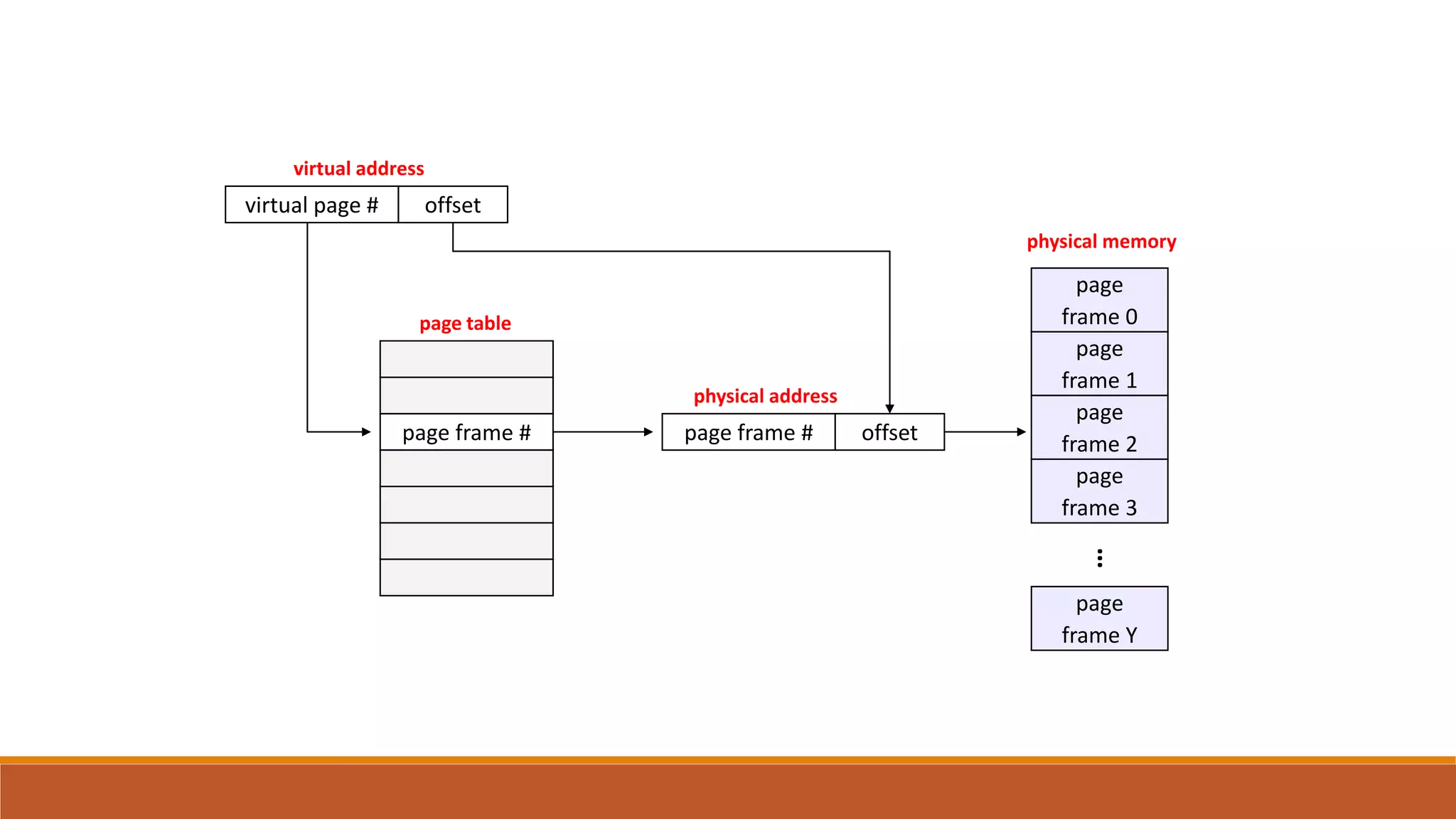
 a virtual address has two parts: virtual page number & offset
◦ virtual page number (VPN) is index into a page table
◦ page table entry contains page frame number (PFN)
◦ physical address is PFN::offset
 Page tables
◦ managed by the OS
◦ map virtual page number (VPN) to page frame number (PFN)
 Examples:
◦ workstations, servers, modern PCs, etc.
 Address Translation: Hardware converts virtual addresses to physical
addresses via OS-managed lookup table (page table)
CPU
0:
1:
N-1:
Memory
0:
1:
P-1:
Page Table
Disk
Virtual
Addresses
Physical
Addresses
page
frame 0
page
frame 1
page
frame 2
page
frame Y
…
page
frame 3
physical memory
offset
physical address
page frame #page frame #
page table
offset
virtual address
virtual page #
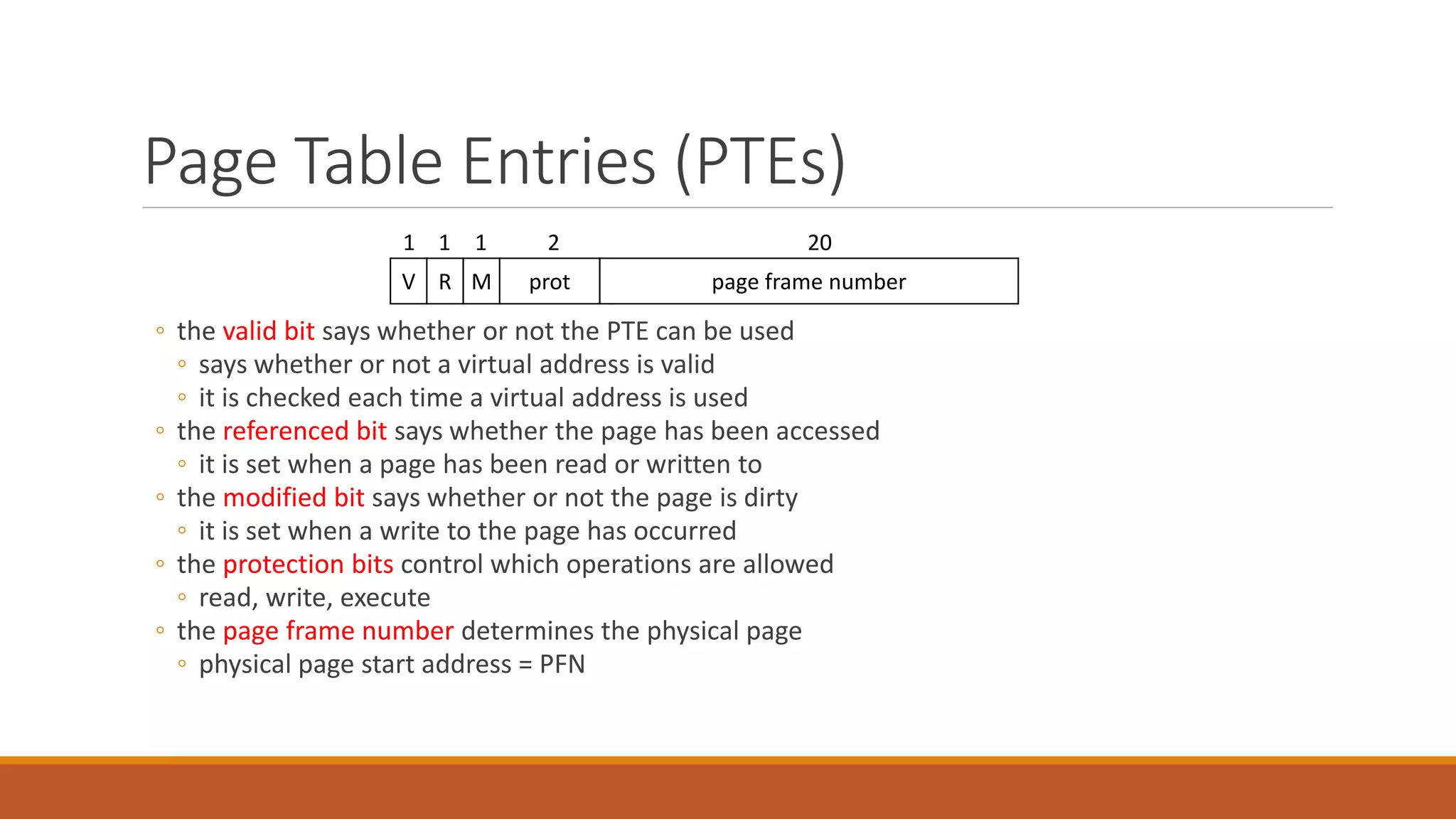
Page Table Entries (PTEs)
◦ the valid bit says whether or not the PTE can be used
◦ says whether or not a virtual address is valid
◦ it is checked each time a virtual address is used
◦ the referenced bit says whether the page has been accessed
◦ it is set when a page has been read or written to
◦ the modified bit says whether or not the page is dirty
◦ it is set when a write to the page has occurred
◦ the protection bits control which operations are allowed
◦ read, write, execute
◦ the page frame number determines the physical page
◦ physical page start address = PFN
page frame numberprotMRV
202111
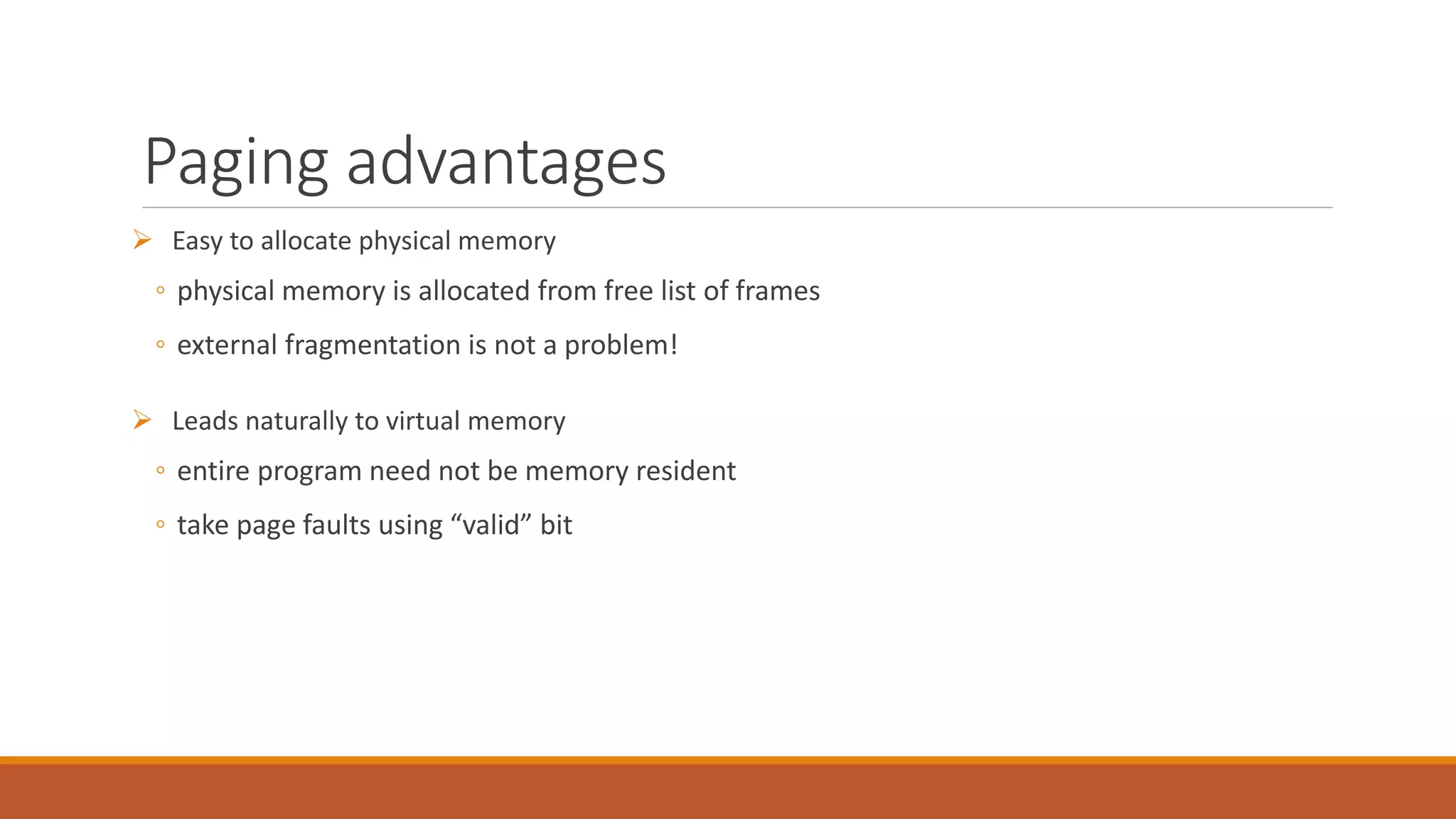
Paging advantages
 Easy to allocate physical memory
◦ physical memory is allocated from free list of frames
◦ external fragmentation is not a problem!
 Leads naturally to virtual memory
◦ entire program need not be memory resident
◦ take page faults using “valid” bit
Paging disadvantages
 Can still have internal fragmentation
◦ process may not use memory in exact multiples of pages
 Memory reference overhead
◦ 2 references per address lookup (page table, then memory)
◦ solution: use a hardware cache to absorb page table lookups
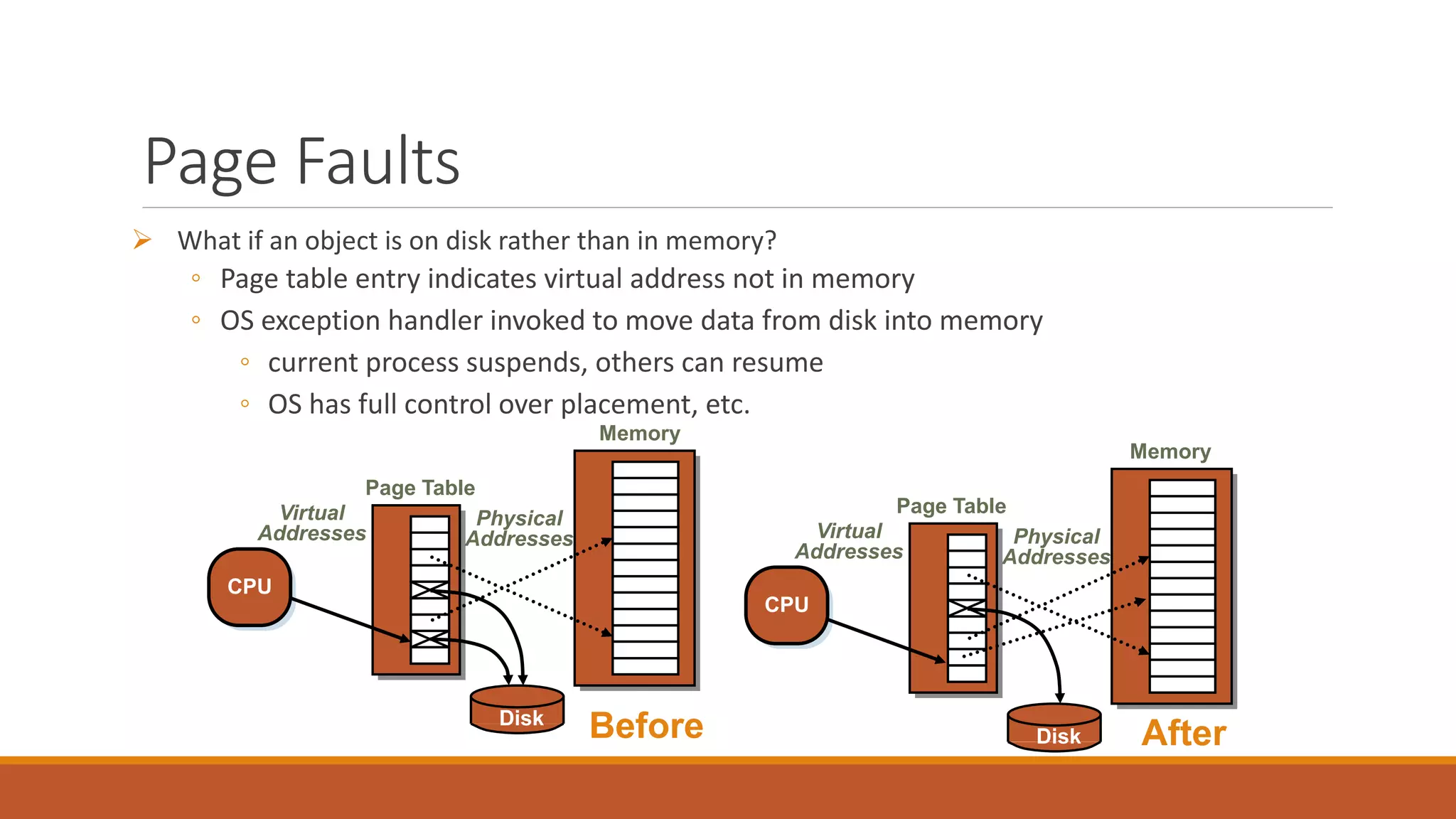
Page Faults
 What if an object is on disk rather than in memory?
◦ Page table entry indicates virtual address not in memory
◦ OS exception handler invoked to move data from disk into memory
◦ current process suspends, others can resume
◦ OS has full control over placement, etc.
CPU
Memory
Page Table
Disk
Virtual
Addresses
Physical
Addresses
CPU
Memory
Page Table
Disk
Virtual
Addresses
Physical
Addresses
Before After
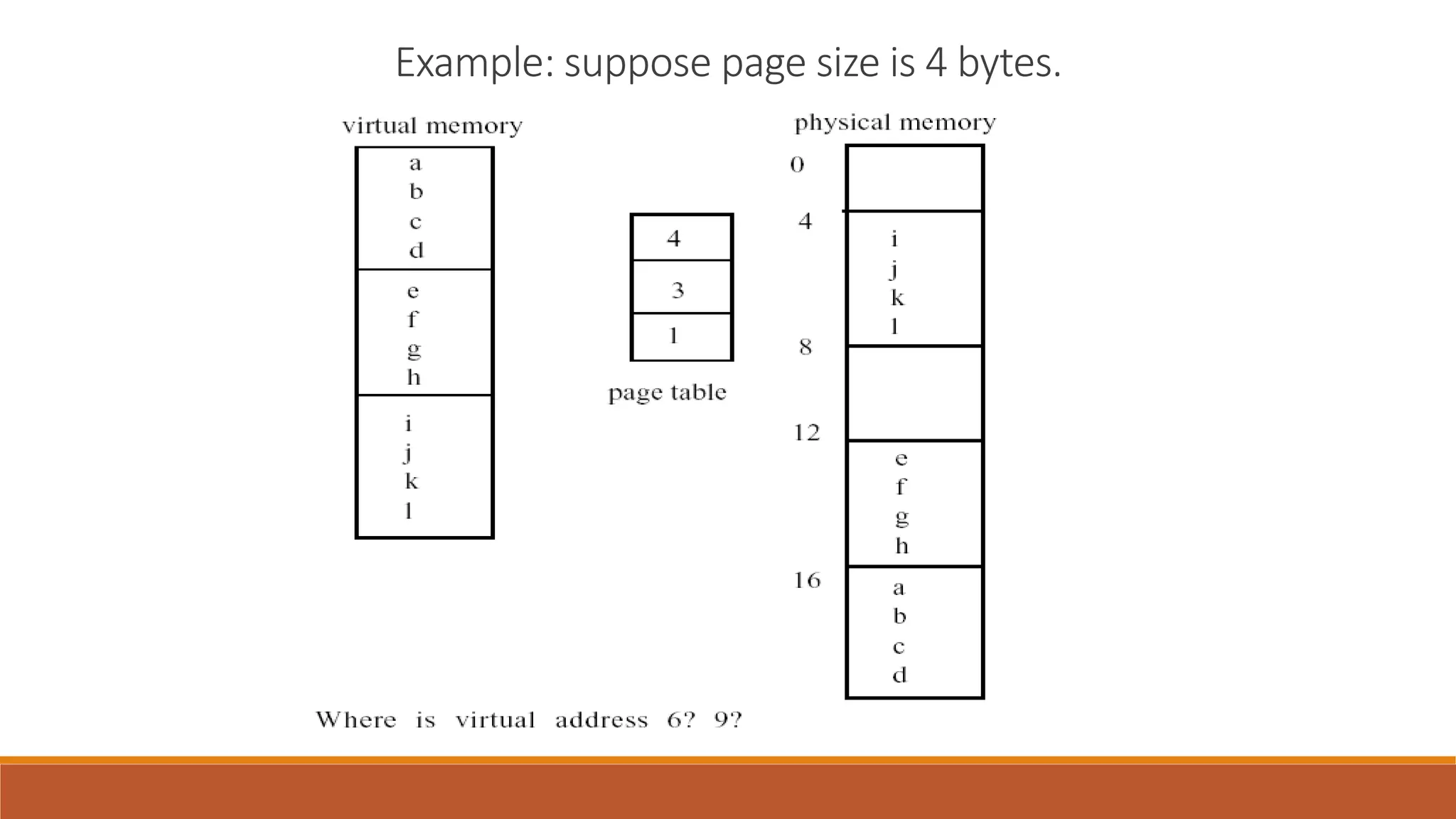
Example: suppose page size is 4 bytes.
Addressing Page Tables
Where do we store Page Tables? (Which address space)
 Physical Memory
◦ Easy to address, no translation required
◦ But allocated page tables consume memory for life time of VAS
 Virtual Memory (OS Virtual address space)
◦ Unused page table pages can be paged out to disk
◦ But addressing required translation
Segmentation
partition an address space into logical units
stack, code, data, subroutines, …
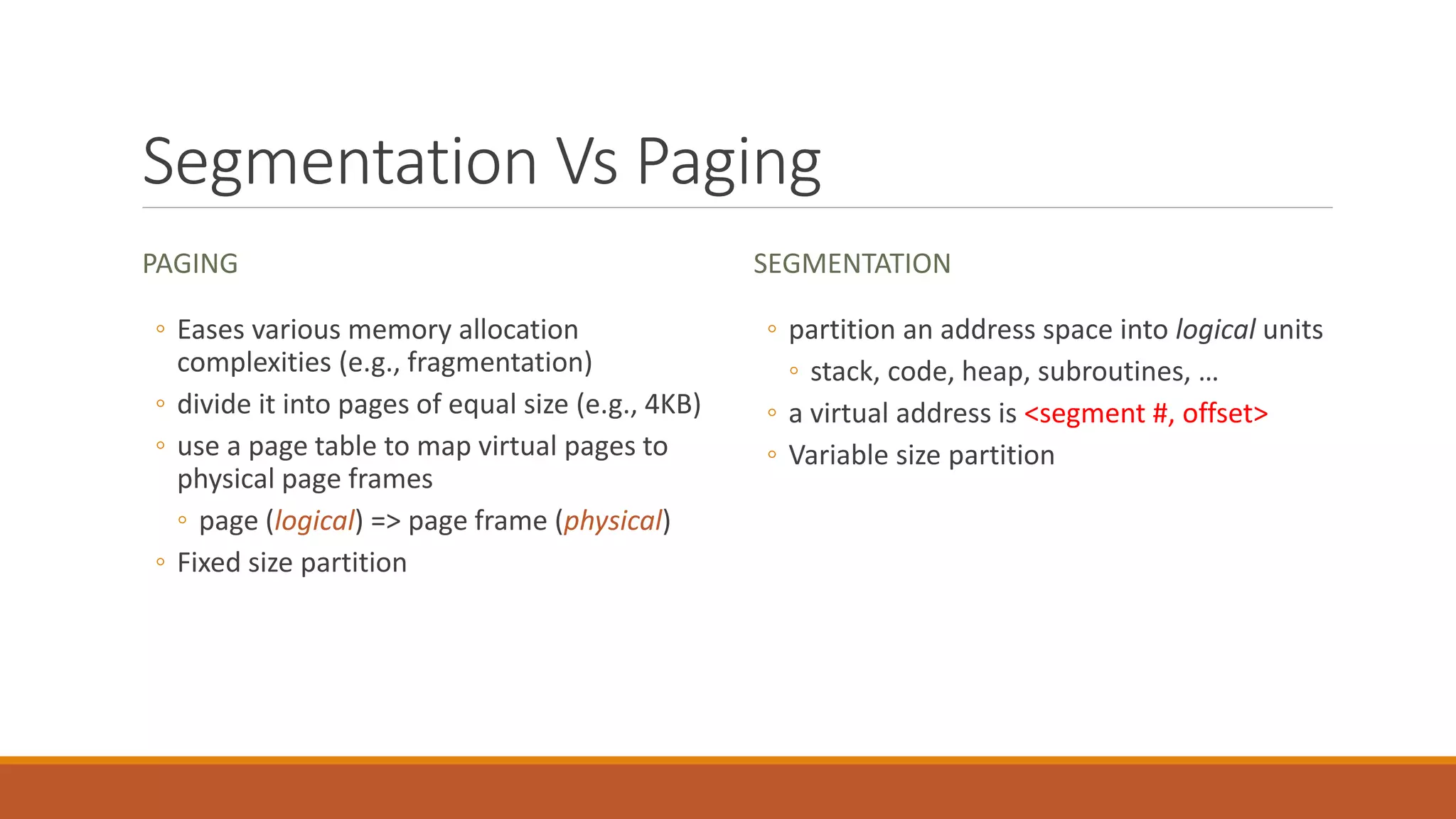
Segmentation Vs Paging
PAGING
◦ Eases various memory allocation
complexities (e.g., fragmentation)
◦ divide it into pages of equal size (e.g., 4KB)
◦ use a page table to map virtual pages to
physical page frames
◦ page (logical) => page frame (physical)
◦ Fixed size partition
SEGMENTATION
◦ partition an address space into logical units
◦ stack, code, heap, subroutines, …
◦ a virtual address is <segment #, offset>
◦ Variable size partition
Why Segmentation?
 More “logical”
◦ Linker takes a bunch of independent modules that call each other and organizes
them
 Facilitates sharing and reuse
◦ a segment is a natural unit of sharing
 A natural extension of variable-sized partitions
◦ variable-sized partition = 1 segment/process
◦ segmentation = many segments/process
Hardware support
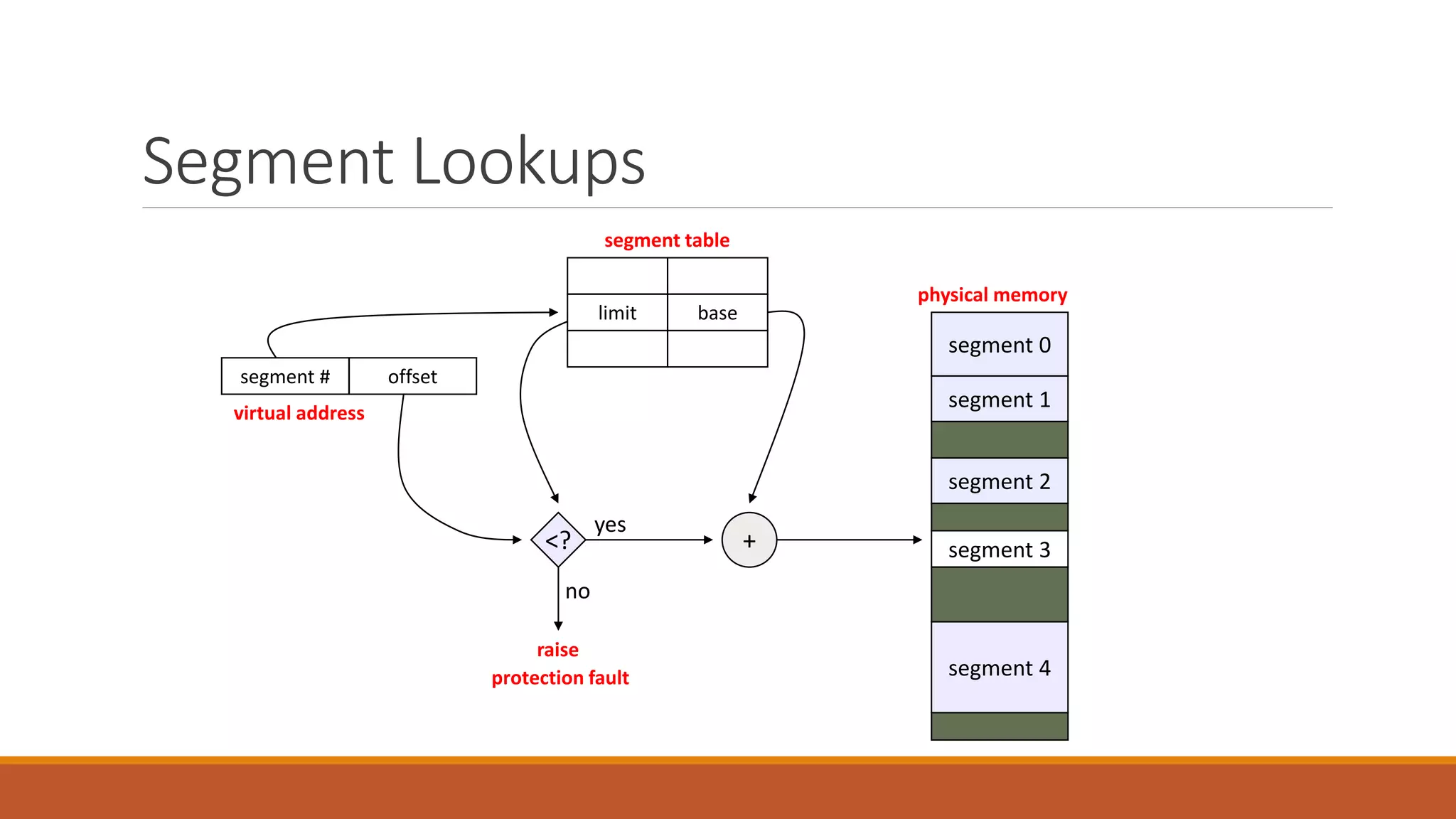
 Segment table
◦ multiple base/limit pairs, one per segment
◦ segments named by segment #, used as index into table
◦ a virtual address is <segment #, offset>
Segment Lookups
segment 0
segment 1
segment 2
segment 3
segment 4
physical memory
segment #
+
virtual address
<?
raise
protection fault
no
yes
offset
baselimit
segment table
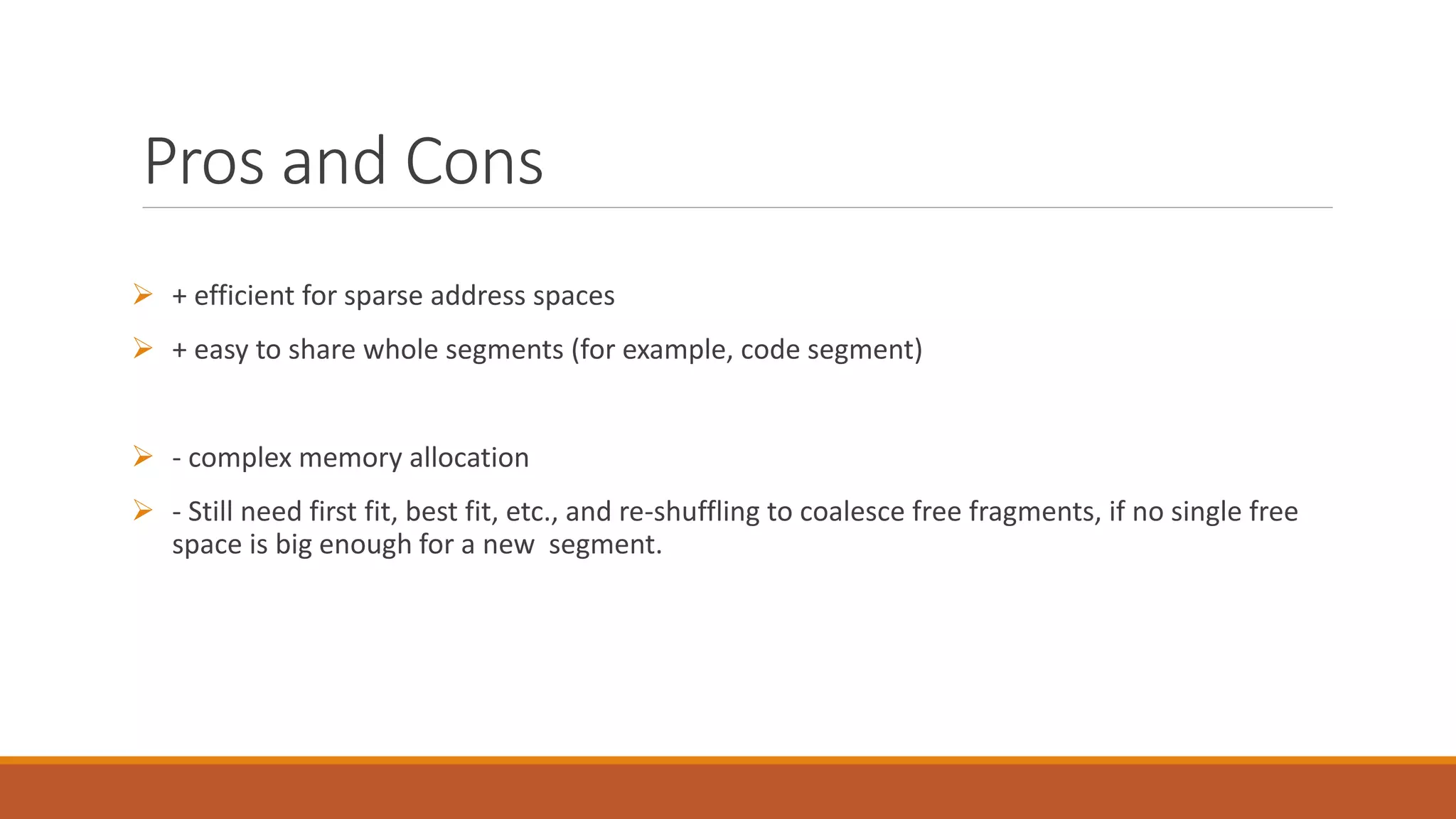
Pros and Cons
 + efficient for sparse address spaces
 + easy to share whole segments (for example, code segment)
 - complex memory allocation
 - Still need first fit, best fit, etc., and re-shuffling to coalesce free fragments, if no single free
space is big enough for a new segment.
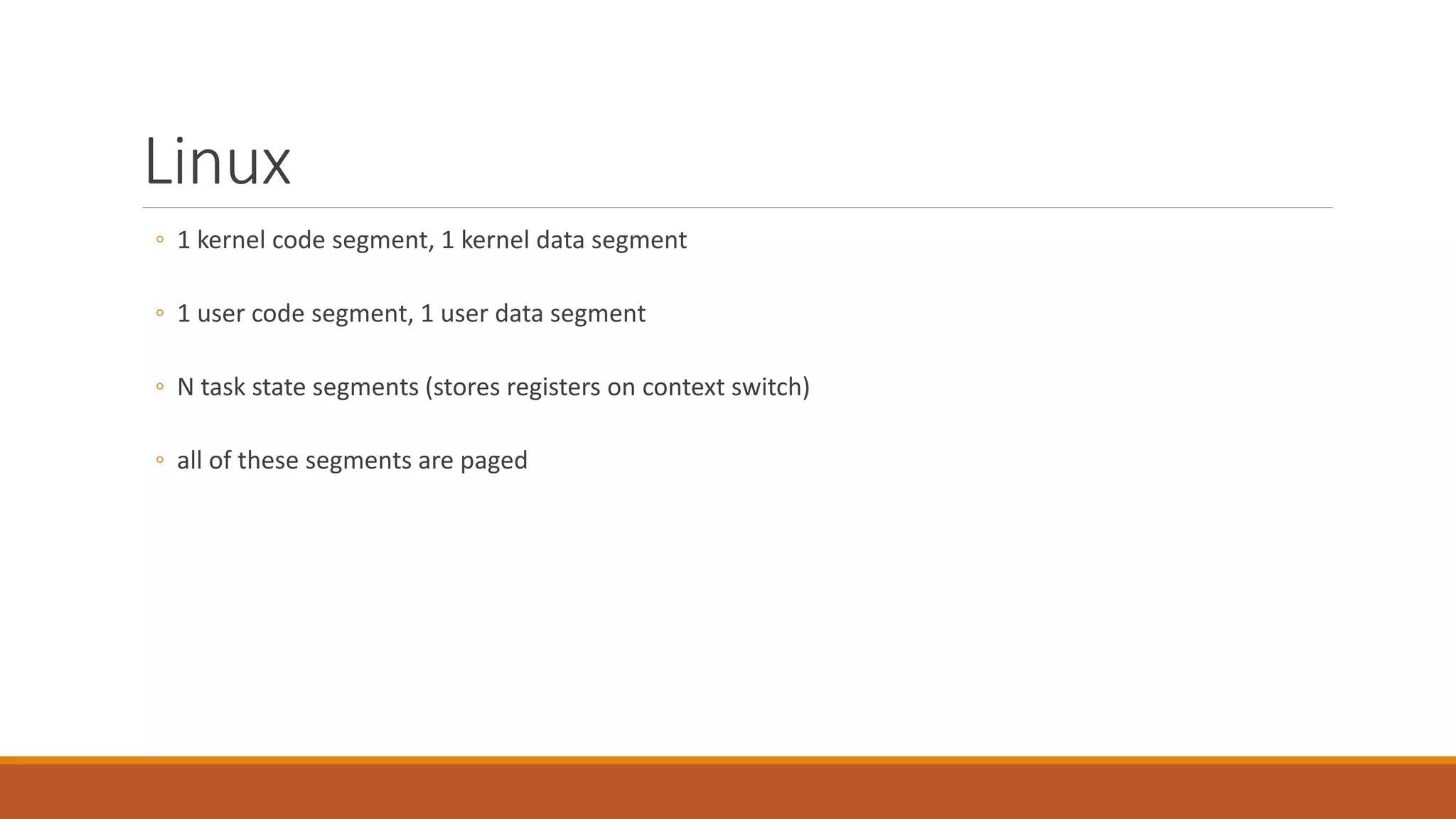
Linux
◦ 1 kernel code segment, 1 kernel data segment
◦ 1 user code segment, 1 user data segment
◦ N task state segments (stores registers on context switch)
◦ all of these segments are paged
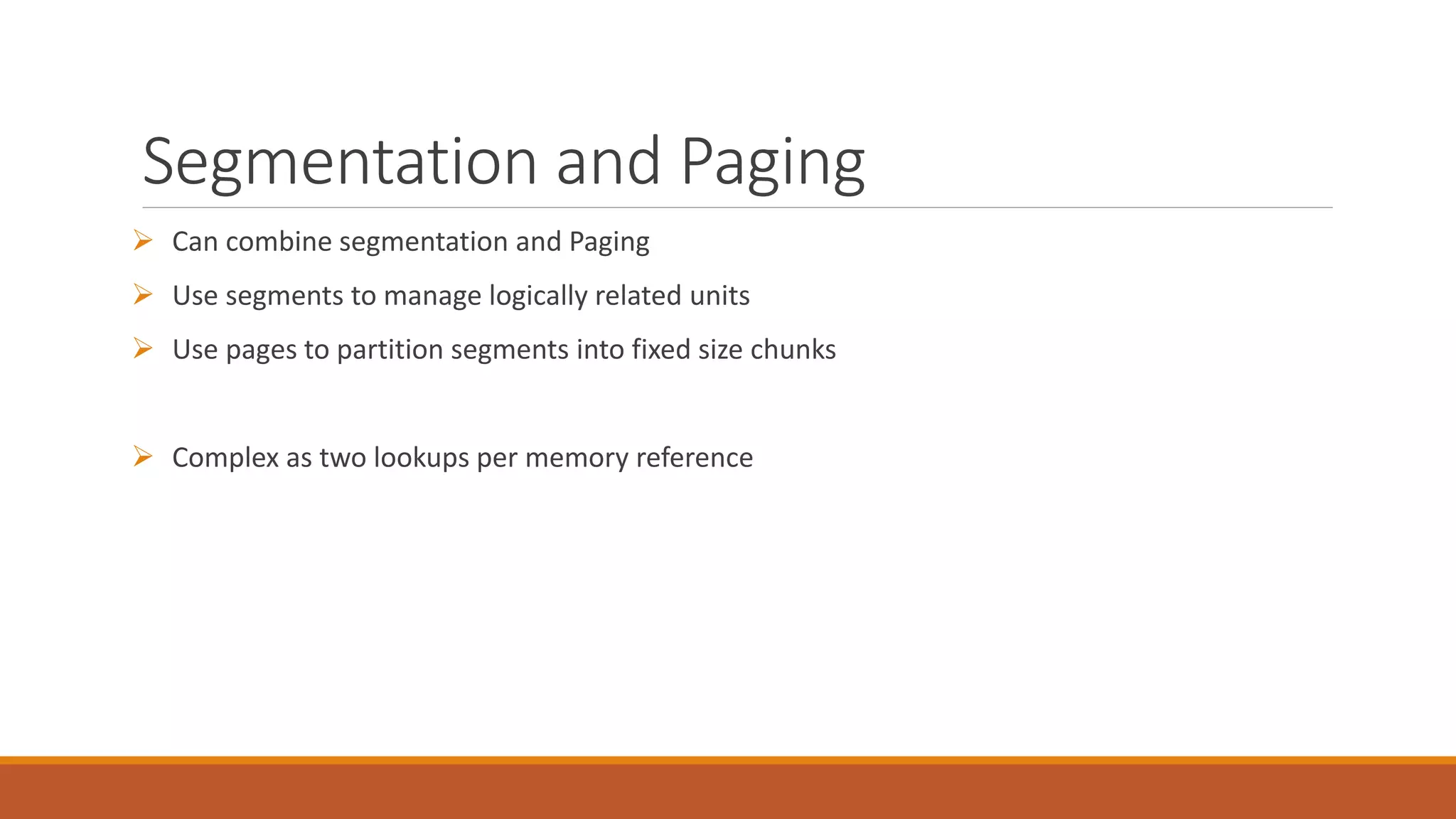
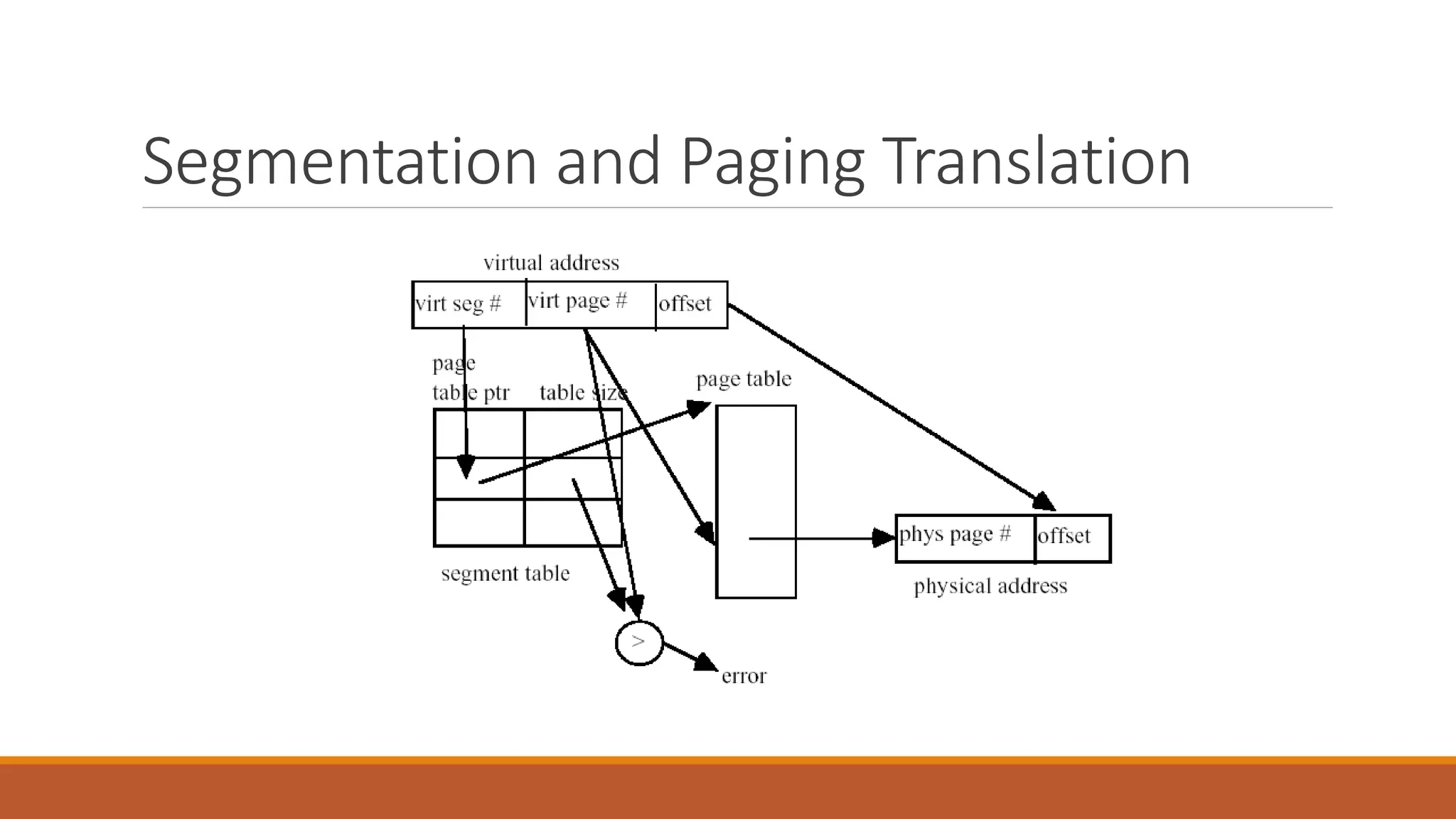
Segmentation and Paging
 Can combine segmentation and Paging
 Use segments to manage logically related units
 Use pages to partition segments into fixed size chunks
 Complex as two lookups per memory reference
Segmentation and Paging Translation
Efficient Translation
 Our original page table scheme already doubled the cost of doing memory lookups
◦ One lookup for page table, another to fetch the data
 Now two level page tables triple the cost
◦ Two lookups into the page tables, third to fetch the data
 How can we use paging and have same lookup cost as fetching from memory?
◦ Cache translation in hardware
◦ Translation Lookaside buffer (TLB
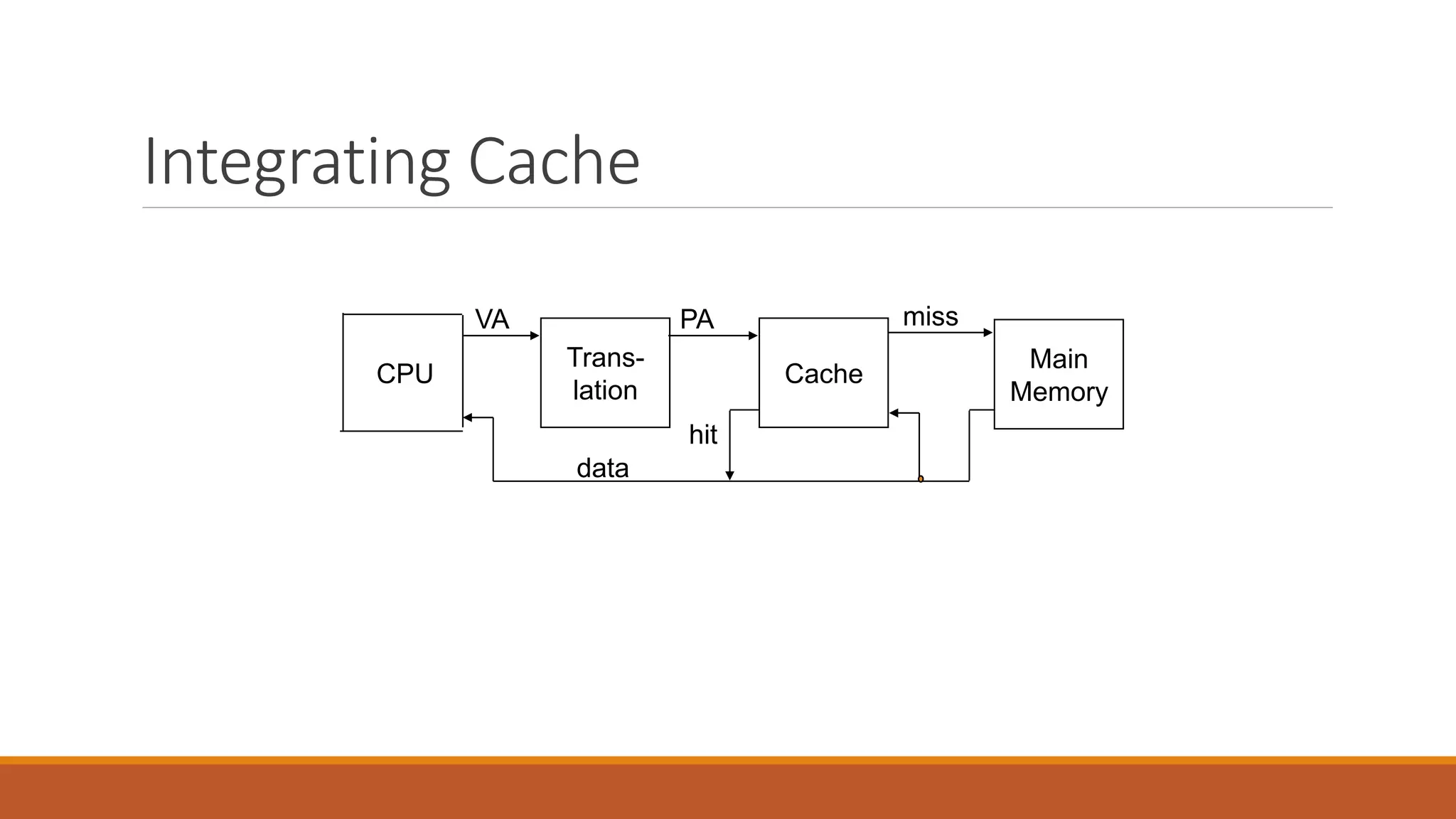
Integrating Cache
CPU
Trans-
lation
Cache
Main
Memory
VA PA miss
hit
data
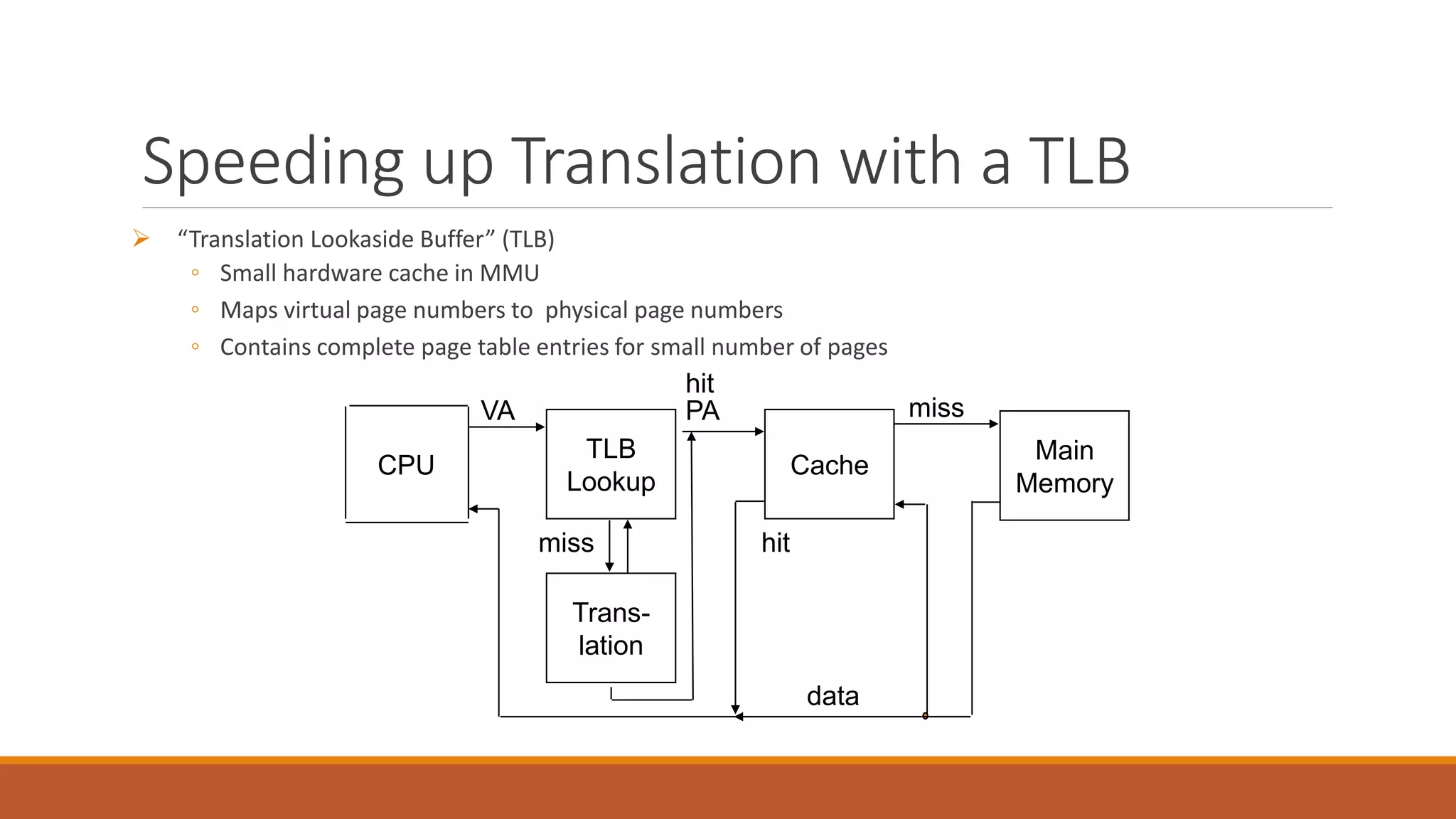
Speeding up Translation with a TLB
 “Translation Lookaside Buffer” (TLB)
◦ Small hardware cache in MMU
◦ Maps virtual page numbers to physical page numbers
◦ Contains complete page table entries for small number of pages
CPU
TLB
Lookup
Cache
Main
Memory
VA PA miss
hit
data
Trans-
lation
hit
miss
Thanks

VIRTUAL MEMORY

  • 1.
    VIRTUAL MEMORY PRESENTED BYKAMRAN ASHRAF 13-NTU-4009
  • 2.
    Outline  Virtual Memory Page faults  Swapping  Paging  Segmentation  Paging in Linux  Cache translation in hardware  Translation Lookaside buffer (TLB)
  • 3.
    Goals of OSmemory management Allocate limited memory resources among competing processes Maximizing memory utilization Provide isolation between processes
  • 4.
    Our main questions How is protection enforced?  How are processes relocated?  How is memory partitioned?
  • 5.
    Why Virtual Memory? The basic abstraction that the OS provides for memory management is virtual memory ◦ VM enables programs to execute without requiring their entire address space to be resident in physical memory ◦ program can also execute on machines with less RAM than it “needs”  virtual memory isolates processes from each other ◦ each process has its own isolated address space
  • 6.
    Virtual addresses  Tomake it easier to manage memory of multiple processes, virtual addresses are used ◦ virtual addresses are independent of location in physical memory (RAM) ◦ OS determines location in physical memory  virtual addresses are translated by hardware into physical addresses
  • 7.
    Swapping save a program’sentire state (including its memory image) to disk allows another program to run first program can be swapped back in and re-started right where it was
  • 9.
    Fragmentation  internal fragmentation: ◦the available partition is larger than what was requested  external fragmentation: ◦ two small partitions left, but one big job  dealing with fragmentation: ◦ Swap a program out ◦ Re-load it, adjacent to another partition 0 partition 1 partition 2 partition 3 partition 4 partition 0 partition 1 partition 2 partition 3 partition 4
  • 10.
    Modern technique: Paging Solve the external fragmentation problem by using fixed sized units in both physical and virtual memory frame 0 frame 1 frame 2 frame Y physical address space … page 0 page 1 page 2 page X virtual address space … page 3
  • 11.
    Virtual address space Processes view memory as a contiguous address space from bytes 0 through N ◦ virtual address space (VAS)  In reality, virtual pages are scattered across physical memory frames ◦ virtual-to-physical mapping is invisible to the program  Protection is provided because a program cannot reference memory outside of its VAS
  • 12.
    Address translation  avirtual address has two parts: virtual page number & offset ◦ virtual page number (VPN) is index into a page table ◦ page table entry contains page frame number (PFN) ◦ physical address is PFN::offset  Page tables ◦ managed by the OS ◦ map virtual page number (VPN) to page frame number (PFN)
  • 13.
     Examples: ◦ workstations,servers, modern PCs, etc.  Address Translation: Hardware converts virtual addresses to physical addresses via OS-managed lookup table (page table) CPU 0: 1: N-1: Memory 0: 1: P-1: Page Table Disk Virtual Addresses Physical Addresses
  • 14.
    page frame 0 page frame 1 page frame2 page frame Y … page frame 3 physical memory offset physical address page frame #page frame # page table offset virtual address virtual page #
  • 15.
    Page Table Entries(PTEs) ◦ the valid bit says whether or not the PTE can be used ◦ says whether or not a virtual address is valid ◦ it is checked each time a virtual address is used ◦ the referenced bit says whether the page has been accessed ◦ it is set when a page has been read or written to ◦ the modified bit says whether or not the page is dirty ◦ it is set when a write to the page has occurred ◦ the protection bits control which operations are allowed ◦ read, write, execute ◦ the page frame number determines the physical page ◦ physical page start address = PFN page frame numberprotMRV 202111
  • 16.
    Paging advantages  Easyto allocate physical memory ◦ physical memory is allocated from free list of frames ◦ external fragmentation is not a problem!  Leads naturally to virtual memory ◦ entire program need not be memory resident ◦ take page faults using “valid” bit
  • 17.
    Paging disadvantages  Canstill have internal fragmentation ◦ process may not use memory in exact multiples of pages  Memory reference overhead ◦ 2 references per address lookup (page table, then memory) ◦ solution: use a hardware cache to absorb page table lookups
  • 18.
    Page Faults  Whatif an object is on disk rather than in memory? ◦ Page table entry indicates virtual address not in memory ◦ OS exception handler invoked to move data from disk into memory ◦ current process suspends, others can resume ◦ OS has full control over placement, etc. CPU Memory Page Table Disk Virtual Addresses Physical Addresses CPU Memory Page Table Disk Virtual Addresses Physical Addresses Before After
  • 19.
    Example: suppose pagesize is 4 bytes.
  • 20.
    Addressing Page Tables Wheredo we store Page Tables? (Which address space)  Physical Memory ◦ Easy to address, no translation required ◦ But allocated page tables consume memory for life time of VAS  Virtual Memory (OS Virtual address space) ◦ Unused page table pages can be paged out to disk ◦ But addressing required translation
  • 21.
    Segmentation partition an addressspace into logical units stack, code, data, subroutines, …
  • 22.
    Segmentation Vs Paging PAGING ◦Eases various memory allocation complexities (e.g., fragmentation) ◦ divide it into pages of equal size (e.g., 4KB) ◦ use a page table to map virtual pages to physical page frames ◦ page (logical) => page frame (physical) ◦ Fixed size partition SEGMENTATION ◦ partition an address space into logical units ◦ stack, code, heap, subroutines, … ◦ a virtual address is <segment #, offset> ◦ Variable size partition
  • 23.
    Why Segmentation?  More“logical” ◦ Linker takes a bunch of independent modules that call each other and organizes them  Facilitates sharing and reuse ◦ a segment is a natural unit of sharing  A natural extension of variable-sized partitions ◦ variable-sized partition = 1 segment/process ◦ segmentation = many segments/process
  • 24.
    Hardware support  Segmenttable ◦ multiple base/limit pairs, one per segment ◦ segments named by segment #, used as index into table ◦ a virtual address is <segment #, offset>
  • 25.
    Segment Lookups segment 0 segment1 segment 2 segment 3 segment 4 physical memory segment # + virtual address <? raise protection fault no yes offset baselimit segment table
  • 26.
    Pros and Cons + efficient for sparse address spaces  + easy to share whole segments (for example, code segment)  - complex memory allocation  - Still need first fit, best fit, etc., and re-shuffling to coalesce free fragments, if no single free space is big enough for a new segment.
  • 27.
    Linux ◦ 1 kernelcode segment, 1 kernel data segment ◦ 1 user code segment, 1 user data segment ◦ N task state segments (stores registers on context switch) ◦ all of these segments are paged
  • 28.
    Segmentation and Paging Can combine segmentation and Paging  Use segments to manage logically related units  Use pages to partition segments into fixed size chunks  Complex as two lookups per memory reference
  • 29.
  • 30.
    Efficient Translation  Ouroriginal page table scheme already doubled the cost of doing memory lookups ◦ One lookup for page table, another to fetch the data  Now two level page tables triple the cost ◦ Two lookups into the page tables, third to fetch the data  How can we use paging and have same lookup cost as fetching from memory? ◦ Cache translation in hardware ◦ Translation Lookaside buffer (TLB
  • 31.
  • 32.
    Speeding up Translationwith a TLB  “Translation Lookaside Buffer” (TLB) ◦ Small hardware cache in MMU ◦ Maps virtual page numbers to physical page numbers ◦ Contains complete page table entries for small number of pages CPU TLB Lookup Cache Main Memory VA PA miss hit data Trans- lation hit miss
  • 33.