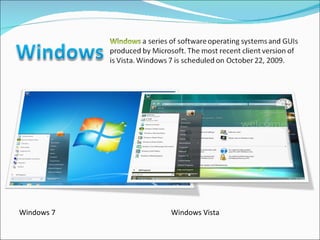
Windows 7 Windows Vista


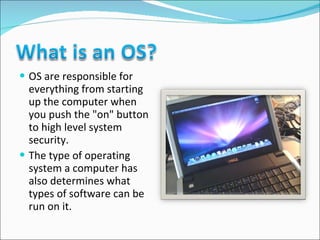
OS are responsible for everything from starting up the computer when you push the "on" button to high level system security.  The type of operating system a computer has also determines what types of software can be run on it.
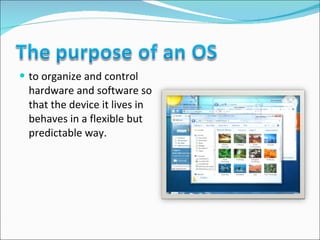
to organize and control hardware and software so that the device it lives in behaves in a flexible but predictable way.
 
It manages the hardware and software resources of the system.  In a desktop computer, these resources include such things as  the processor (is an electronic circuit that can execute computer programs),  memory,  disk space and  more (On a cell phone, they include the keypad, the screen, the address book, the phone dialer, the battery and the network connection).
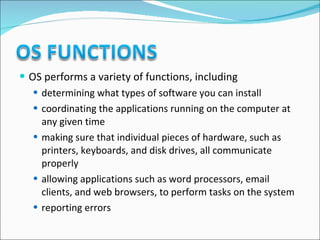
It provides a stable, consistent way for applications to deal with the hardware without having to know all the details of the hardware.
OS performs a variety of functions, including determining what types of software you can install coordinating the applications running on the computer at any given time making sure that individual pieces of hardware, such as printers, keyboards, and disk drives, all communicate properly allowing applications such as word processors, email clients, and web browsers, to perform tasks on the system reporting errors
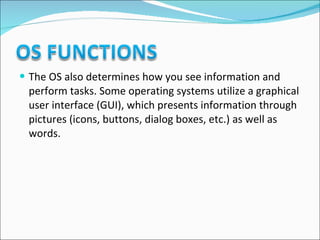
The OS also determines how you see information and perform tasks. Some operating systems utilize a graphical user interface (GUI), which presents information through pictures (icons, buttons, dialog boxes, etc.) as well as words.
The first task, managing the hardware and software resources, is very important, as various programs compete for the attention of the  central processing unit  (CPU).
In this capacity, the OS plays the role of the good parent, making sure that each application gets the necessary resources while playing nicely with all the other applications,  as well as husbanding the limited capacity of the system to the greatest good of all the users and applications.
The second task, providing a consistent application interface,  is especially important if there a lot of types of computer using the operating system,  or if the hardware making up the computer is always open to change.
A consistent  application program interface  (API) allows a software developer to write an application on one computer and have a high level of confidence that it will run on another computer of the same type, even if the amount of memory or the quantity of storage is different on the two machines.
Even if a particular computer is unique, an operating system can ensure that applications continue to run when hardware upgrades and updates occur.  One of the challenges facing developers is keeping their operating systems flexible enough to run hardware from the thousands of vendors manufacturing computer equipment.
Today's systems can accommodate thousands of different printers, disk drives and special peripherals in any possible combination.
 
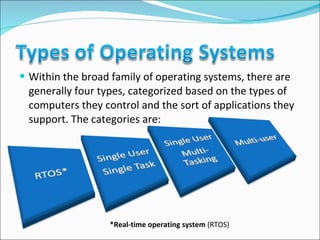
Within the broad family of operating systems, there are generally four types, categorized based on the types of computers they control and the sort of applications they support. The categories are: *Real-time operating system  (RTOS)
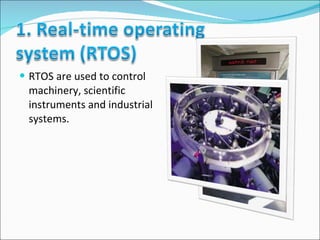
RTOS are used to control machinery, scientific instruments and industrial systems.
An RTOS typically has very little user-interface capability, and no end-user utilities, since the system will be a "sealed box" when delivered for use.  A very important part of an RTOS is managing the resources of the computer so that a particular operation executes in precisely the same amount of time, every time it occurs.  In a complex machine, having a part move more quickly just because system resources are available may be just as catastrophic as having it not move at all because the system is busy.
As the name implies, this operating system is designed to manage the computer so that one user can effectively do one thing at a time.
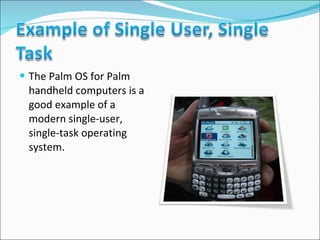
The Palm OS for Palm handheld computers is a good example of a modern single-user, single-task operating system.
  This is the type of operating system most people use on their desktop and laptop computers today.
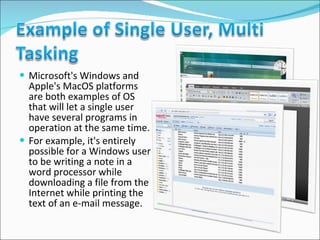
Microsoft's Windows and Apple's MacOS platforms are both examples of OS that will let a single user have several programs in operation at the same time.  For example, it's entirely possible for a Windows user to be writing a note in a word processor while downloading a file from the Internet while printing the text of an e-mail message.
A multi-user operating system allows many different users to take advantage of the computer's resources simultaneously.  The operating system must make sure that the requirements of the various users are balanced, and that each of the programs they are using has sufficient and separate resources so that a problem with one user doesn't affect the entire community of users.
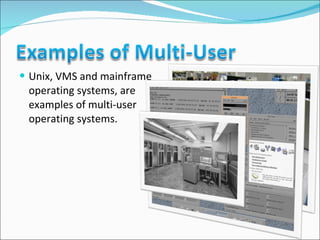
Unix, VMS and mainframe operating systems, are examples of multi-user operating systems.
 
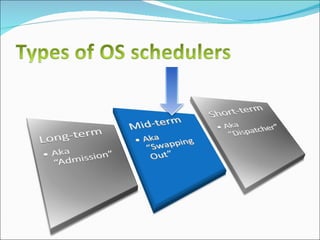
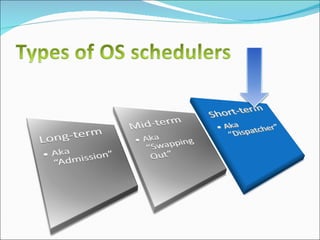
Scheduling refers to the way processes are assigned to run on the available CPUs.  This assignment is carried out by software known as a scheduler.
 
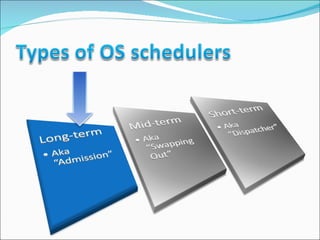
Also called “admission” decides which jobs or  processes  are to be sent to the  ready  queue;  Process  is an instance of a computer program. A computer program itself is just a collection of instructions, while a process is the actual execution of those instructions.  A " ready “ process has been loaded into main memory and is awaiting execution on a CPU Queue  line of waiting processes
that is, when an attempt is made to execute a program, its admission to the set of currently executing processes is either authorized by the long-term scheduler.
Thus, this scheduler dictates what processes are to run on a system, and the degree of  concurrency  to be supported at any one time  Concurrent  all happening at one time
In modern OS's, this is used to make sure that real time processes get enough CPU time to finish their tasks.  Without proper  real time  scheduling, modern  GUI  interfaces would seem  sluggish .  GUI  Graphical User Interface. Everything you see on the screen. Real time  actual events happening at this moment Sluggish  moving slowly
Long-term scheduling is also important in large-scale systems such as  batch processing  systems,  computer clusters ,  supercomputers  and  render farms .  Batch processing  is execution of a series of programs on a computer without human interaction. A  computer cluster  is a group of linked computers, working together closely so that in many respects they form a single computer.  A  supercomputer  is a computer that is at the frontline of current processing capacity, particularly speed of calculation. A  render farm  is a computer cluster built to render computer-generated imagery (CGI), typically for film and television visual effects, using off-line batch processing.
 
 
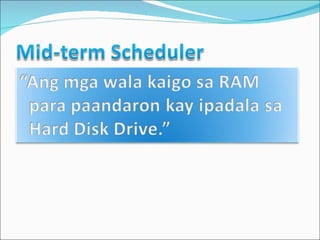
referred to as "swapping out" or "swapping in"  present in all systems with  virtual memory ,  temporarily removes processes from main memory (RAM) and places them on secondary memory (such as a disk drive) or vice versa.  With  virtual memory , the computer can look for areas of RAM that have not been used recently and copy them onto the hard disk. This frees up space in RAM to load the new application. MORE WILL BE DISCUSSED LATER.
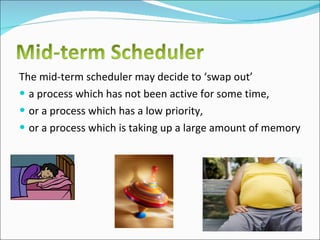
The mid-term scheduler may decide to ‘swap out’ a process which has not been active for some time,  or a process which has a low priority,  or a process which is taking up a large amount of memory
 
also known as the “dispatcher” decides which of the ready, in-memory processes are to be executed
makes scheduling decisions much more frequently than the long-term or mid-term schedulers because a decision will be made after every  time slice , and these are very short.  time slice  time para sa each program para iprocess sa CPU
This scheduler can be  preemptive , implying that it is capable of forcibly removing processes from a CPU when it decides to allocate that CPU to another process. Preemptive  characteristic of securing something before someone else.
 
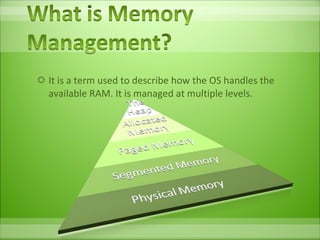
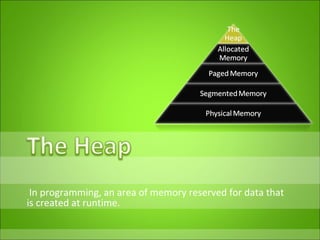
It is a term used to describe how the OS handles the available RAM. It is managed at multiple levels.
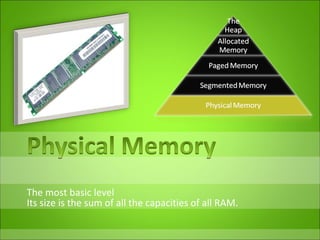
The most basic level Its size is the sum of all the capacities of all RAM.
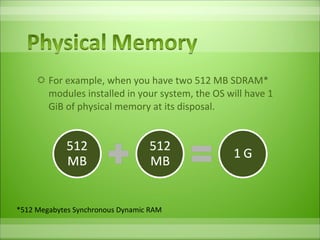
For example, when you have two 512 MB SDRAM* modules installed in your system, the OS will have 1 GiB of physical memory at its disposal. *512 Megabytes Synchronous Dynamic RAM
If someone asks you how much memory your computer has, they're  not  talking about  hard drive space.  They're asking you how much  RAM  your computer has.
 
Just as with your computer, when you want to write a letter or work on some project, you need to open programs and spread them out within your computer's memory—it's RAM.  If you have a simple note to write, you might use a little program like Notepad.  If it's a more involved project, maybe you'll open Word or some special stationary program.
The bigger the program, the more RAM will be needed and subsequently used.
If you have a large dining room table, just like a lot of RAM, you'll find you don't have much difficulty getting the job done because you have lots of room on that table to work.  Just as your computer has lots of RAM to allow programs to work quickly.
 
An imaginary memory area supported by some OS in conjunction with the hardware.
You can think of virtual memory as an alternate set of memory addresses.
Programs use these virtual addresses rather than real addresses to store instructions and data.
The purpose of virtual memory is to enlarge the address space, the set of addresses a program can utilize.
 
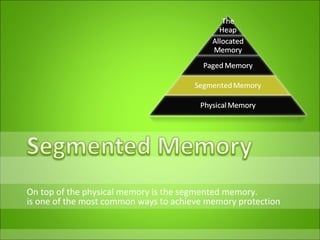
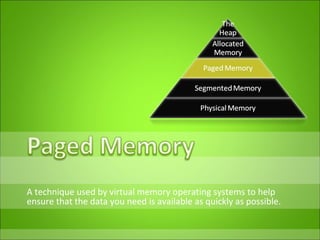
On top of the physical memory is the segmented memory. is one of the most common ways to achieve memory protection
An  address space   logically  divided into sections, called  segments.   Address space  Memory allocated to an application by the operating system. Logically  related
A segment has a set of permissions, and a length, associated with it.  If the currently running process is allowed by the permissions to make the type of reference to memory that it is attempting to make, the reference is permitted.
Segmented Memory is the additional 64 KB of RAM for early computers.  But most operating systems today don't use a segmented memory model, with the advent of paging.
A technique used by virtual memory operating systems to help ensure that the data you need is available as quickly as possible.
the OS retrieves data from secondary storage in same-size blocks called  pages .
The operating system copies a certain number of pages from your storage device to main memory.  When a program needs a page that is not in main memory, the operating system copies the required page into memory and copies another page back to the disk.
When a program needs a page that is not in main memory, the operating system copies the required page into memory and copies another page back to the disk.
To replace pages or segments of data in memory.  Swapping is a useful technique that enables a computer to execute programs and manipulate data files larger than main memory.  The operating system copies as much data as possible into main memory, and leaves the rest on the disk.
When the operating system needs data from the disk, it exchanges a portion of data (called a page or segment ) in main memory with a portion of data on the disk.
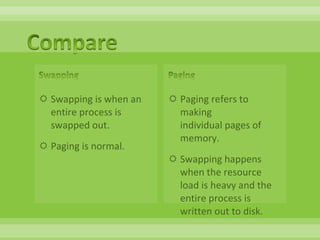
Swapping is when an entire process is swapped out.  Paging is normal.  Paging refers to making  individual pages of memory.  Swapping happens when the resource load is heavy and the entire process is written out to disk.
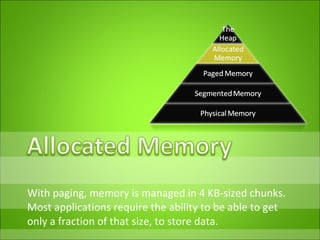
With paging, memory is managed in 4 KB-sized chunks.  Most applications require the ability to be able to get only a fraction of that size, to store data.
The memory allocator gets a big chunk of memory For example 4 pages, or 4 * 4 KB = 16 KB and divides this into much smaller chunks which it gives to the applications when requested.
In programming, an area of memory reserved for data that is created at runtime.
an area of memory reserved for data when the program actually executes.  an area of memory reserved for data whose size can be determined when the program is compiled.
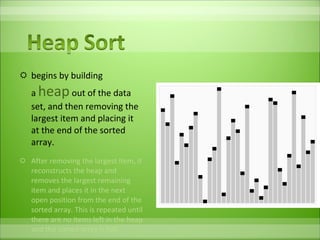
begins by building a  heap   out of the data set, and then removing the largest item and placing it at the end of the sorted array.  After removing the largest item, it reconstructs the heap and removes the largest remaining item and places it in the next open position from the end of the sorted array. This is repeated until there are no items left in the heap and the sorted array is full.
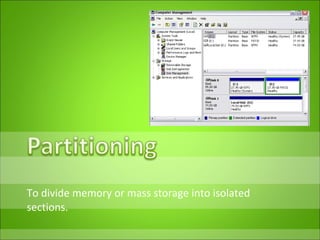
To divide memory or mass storage into isolated sections.
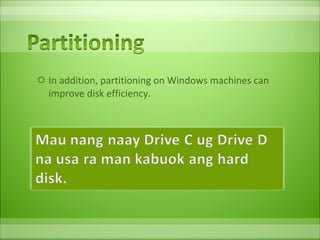
In addition, partitioning on Windows machines can improve disk efficiency.
Buffer  A temporary storage area, usually in RAM.
For example, word processors employ a buffer to keep track of changes to files.  Then when you save the file, the word processor updates the disk file with the contents of the buffer.
This is much more efficient than accessing the file on the disk each time you make a change to the file.
Another common use of buffers is for printing documents.  When you enter a PRINT command, the operating system copies your document to a print buffer (a free area in memory or on a disk) from which the printer can draw characters at its own pace.  This frees the computer to perform other tasks while the printer is running in the background. Print buffering is called spooling.
Most keyboard drivers also contain a buffer so that you can edit typing mistakes before sending your command to a program.


Operating Systems and Memory Management

  • 1.
  • 2.
  • 3.
  • 4.
  • 5.
  • 6.
  • 7.
  • 8.
  • 9.
    OS are responsiblefor everything from starting up the computer when you push the "on" button to high level system security. The type of operating system a computer has also determines what types of software can be run on it.
  • 10.
    to organize andcontrol hardware and software so that the device it lives in behaves in a flexible but predictable way.
  • 11.
  • 12.
    It manages thehardware and software resources of the system. In a desktop computer, these resources include such things as the processor (is an electronic circuit that can execute computer programs),  memory, disk space and more (On a cell phone, they include the keypad, the screen, the address book, the phone dialer, the battery and the network connection).
  • 13.
    It provides astable, consistent way for applications to deal with the hardware without having to know all the details of the hardware.
  • 14.
    OS performs avariety of functions, including determining what types of software you can install coordinating the applications running on the computer at any given time making sure that individual pieces of hardware, such as printers, keyboards, and disk drives, all communicate properly allowing applications such as word processors, email clients, and web browsers, to perform tasks on the system reporting errors
  • 15.
    The OS alsodetermines how you see information and perform tasks. Some operating systems utilize a graphical user interface (GUI), which presents information through pictures (icons, buttons, dialog boxes, etc.) as well as words.
  • 16.
    The first task,managing the hardware and software resources, is very important, as various programs compete for the attention of the  central processing unit  (CPU).
  • 17.
    In this capacity,the OS plays the role of the good parent, making sure that each application gets the necessary resources while playing nicely with all the other applications, as well as husbanding the limited capacity of the system to the greatest good of all the users and applications.
  • 18.
    The second task,providing a consistent application interface, is especially important if there a lot of types of computer using the operating system, or if the hardware making up the computer is always open to change.
  • 19.
    A consistent  applicationprogram interface  (API) allows a software developer to write an application on one computer and have a high level of confidence that it will run on another computer of the same type, even if the amount of memory or the quantity of storage is different on the two machines.
  • 20.
    Even if aparticular computer is unique, an operating system can ensure that applications continue to run when hardware upgrades and updates occur. One of the challenges facing developers is keeping their operating systems flexible enough to run hardware from the thousands of vendors manufacturing computer equipment.
  • 21.
    Today's systems canaccommodate thousands of different printers, disk drives and special peripherals in any possible combination.
  • 22.
  • 23.
    Within the broadfamily of operating systems, there are generally four types, categorized based on the types of computers they control and the sort of applications they support. The categories are: *Real-time operating system  (RTOS)
  • 24.
    RTOS are usedto control machinery, scientific instruments and industrial systems.
  • 25.
    An RTOS typicallyhas very little user-interface capability, and no end-user utilities, since the system will be a "sealed box" when delivered for use. A very important part of an RTOS is managing the resources of the computer so that a particular operation executes in precisely the same amount of time, every time it occurs. In a complex machine, having a part move more quickly just because system resources are available may be just as catastrophic as having it not move at all because the system is busy.
  • 26.
    As the nameimplies, this operating system is designed to manage the computer so that one user can effectively do one thing at a time.
  • 27.
    The Palm OSfor Palm handheld computers is a good example of a modern single-user, single-task operating system.
  • 28.
      This isthe type of operating system most people use on their desktop and laptop computers today.
  • 29.
    Microsoft's Windows andApple's MacOS platforms are both examples of OS that will let a single user have several programs in operation at the same time. For example, it's entirely possible for a Windows user to be writing a note in a word processor while downloading a file from the Internet while printing the text of an e-mail message.
  • 30.
    A multi-user operatingsystem allows many different users to take advantage of the computer's resources simultaneously. The operating system must make sure that the requirements of the various users are balanced, and that each of the programs they are using has sufficient and separate resources so that a problem with one user doesn't affect the entire community of users.
  • 31.
    Unix, VMS andmainframe operating systems, are examples of multi-user operating systems.
  • 32.
  • 33.
    Scheduling refers tothe way processes are assigned to run on the available CPUs. This assignment is carried out by software known as a scheduler.
  • 34.
  • 35.
    Also called “admission”decides which jobs or processes are to be sent to the ready queue; Process is an instance of a computer program. A computer program itself is just a collection of instructions, while a process is the actual execution of those instructions.  A " ready “ process has been loaded into main memory and is awaiting execution on a CPU Queue line of waiting processes
  • 36.
    that is, whenan attempt is made to execute a program, its admission to the set of currently executing processes is either authorized by the long-term scheduler.
  • 37.
    Thus, this schedulerdictates what processes are to run on a system, and the degree of concurrency to be supported at any one time Concurrent all happening at one time
  • 38.
    In modern OS's,this is used to make sure that real time processes get enough CPU time to finish their tasks. Without proper real time scheduling, modern GUI interfaces would seem sluggish . GUI Graphical User Interface. Everything you see on the screen. Real time actual events happening at this moment Sluggish moving slowly
  • 39.
    Long-term scheduling isalso important in large-scale systems such as batch processing systems, computer clusters , supercomputers and render farms . Batch processing is execution of a series of programs on a computer without human interaction. A computer cluster is a group of linked computers, working together closely so that in many respects they form a single computer. A supercomputer is a computer that is at the frontline of current processing capacity, particularly speed of calculation. A render farm is a computer cluster built to render computer-generated imagery (CGI), typically for film and television visual effects, using off-line batch processing.
  • 40.
  • 41.
  • 42.
    referred to as"swapping out" or "swapping in" present in all systems with virtual memory , temporarily removes processes from main memory (RAM) and places them on secondary memory (such as a disk drive) or vice versa. With virtual memory , the computer can look for areas of RAM that have not been used recently and copy them onto the hard disk. This frees up space in RAM to load the new application. MORE WILL BE DISCUSSED LATER.
  • 43.
    The mid-term schedulermay decide to ‘swap out’ a process which has not been active for some time, or a process which has a low priority, or a process which is taking up a large amount of memory
  • 44.
  • 45.
    also known asthe “dispatcher” decides which of the ready, in-memory processes are to be executed
  • 46.
    makes scheduling decisionsmuch more frequently than the long-term or mid-term schedulers because a decision will be made after every time slice , and these are very short. time slice time para sa each program para iprocess sa CPU
  • 47.
    This scheduler canbe preemptive , implying that it is capable of forcibly removing processes from a CPU when it decides to allocate that CPU to another process. Preemptive characteristic of securing something before someone else.
  • 48.
  • 49.
    It is aterm used to describe how the OS handles the available RAM. It is managed at multiple levels.
  • 50.
    The most basiclevel Its size is the sum of all the capacities of all RAM.
  • 51.
    For example, whenyou have two 512 MB SDRAM* modules installed in your system, the OS will have 1 GiB of physical memory at its disposal. *512 Megabytes Synchronous Dynamic RAM
  • 52.
    If someone asksyou how much memory your computer has, they're  not  talking about  hard drive space.  They're asking you how much  RAM  your computer has.
  • 53.
  • 54.
    Just as withyour computer, when you want to write a letter or work on some project, you need to open programs and spread them out within your computer's memory—it's RAM. If you have a simple note to write, you might use a little program like Notepad. If it's a more involved project, maybe you'll open Word or some special stationary program.
  • 55.
    The bigger theprogram, the more RAM will be needed and subsequently used.
  • 56.
    If you havea large dining room table, just like a lot of RAM, you'll find you don't have much difficulty getting the job done because you have lots of room on that table to work. Just as your computer has lots of RAM to allow programs to work quickly.
  • 57.
  • 58.
    An imaginary memoryarea supported by some OS in conjunction with the hardware.
  • 59.
    You can thinkof virtual memory as an alternate set of memory addresses.
  • 60.
    Programs use thesevirtual addresses rather than real addresses to store instructions and data.
  • 61.
    The purpose ofvirtual memory is to enlarge the address space, the set of addresses a program can utilize.
  • 62.
  • 63.
    On top ofthe physical memory is the segmented memory. is one of the most common ways to achieve memory protection
  • 64.
    An  address space  logically  divided into sections, called  segments.   Address space Memory allocated to an application by the operating system. Logically related
  • 65.
    A segment hasa set of permissions, and a length, associated with it. If the currently running process is allowed by the permissions to make the type of reference to memory that it is attempting to make, the reference is permitted.
  • 66.
    Segmented Memory isthe additional 64 KB of RAM for early computers. But most operating systems today don't use a segmented memory model, with the advent of paging.
  • 67.
    A technique usedby virtual memory operating systems to help ensure that the data you need is available as quickly as possible.
  • 68.
    the OS retrievesdata from secondary storage in same-size blocks called  pages .
  • 69.
    The operating systemcopies a certain number of pages from your storage device to main memory. When a program needs a page that is not in main memory, the operating system copies the required page into memory and copies another page back to the disk.
  • 70.
    When a programneeds a page that is not in main memory, the operating system copies the required page into memory and copies another page back to the disk.
  • 71.
    To replace pagesor segments of data in memory. Swapping is a useful technique that enables a computer to execute programs and manipulate data files larger than main memory. The operating system copies as much data as possible into main memory, and leaves the rest on the disk.
  • 72.
    When the operatingsystem needs data from the disk, it exchanges a portion of data (called a page or segment ) in main memory with a portion of data on the disk.
  • 73.
    Swapping is whenan entire process is swapped out.  Paging is normal. Paging refers to making individual pages of memory. Swapping happens when the resource load is heavy and the entire process is written out to disk.
  • 74.
    With paging, memoryis managed in 4 KB-sized chunks. Most applications require the ability to be able to get only a fraction of that size, to store data.
  • 75.
    The memory allocatorgets a big chunk of memory For example 4 pages, or 4 * 4 KB = 16 KB and divides this into much smaller chunks which it gives to the applications when requested.
  • 76.
    In programming, anarea of memory reserved for data that is created at runtime.
  • 77.
    an area ofmemory reserved for data when the program actually executes. an area of memory reserved for data whose size can be determined when the program is compiled.
  • 78.
    begins by buildinga  heap   out of the data set, and then removing the largest item and placing it at the end of the sorted array. After removing the largest item, it reconstructs the heap and removes the largest remaining item and places it in the next open position from the end of the sorted array. This is repeated until there are no items left in the heap and the sorted array is full.
  • 79.
    To divide memoryor mass storage into isolated sections.
  • 80.
    In addition, partitioningon Windows machines can improve disk efficiency.
  • 81.
    Buffer Atemporary storage area, usually in RAM.
  • 82.
    For example, wordprocessors employ a buffer to keep track of changes to files. Then when you save the file, the word processor updates the disk file with the contents of the buffer.
  • 83.
    This is muchmore efficient than accessing the file on the disk each time you make a change to the file.
  • 84.
    Another common useof buffers is for printing documents. When you enter a PRINT command, the operating system copies your document to a print buffer (a free area in memory or on a disk) from which the printer can draw characters at its own pace. This frees the computer to perform other tasks while the printer is running in the background. Print buffering is called spooling.
  • 85.
    Most keyboard driversalso contain a buffer so that you can edit typing mistakes before sending your command to a program.
  • 86.
  • 87.