1
Shared Memory
2
Shared Memory
 Introduction
 Creating a Shared Memory Segment
 Shared Memory Control
 Shared Memory Operations
 Using a File as Shared Memory
3
Introduction
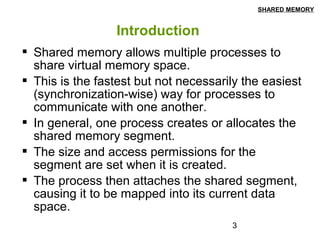
 Shared memory allows multiple processes to
share virtual memory space.
 This is the fastest but not necessarily the easiest
(synchronization-wise) way for processes to
communicate with one another.
 In general, one process creates or allocates the
shared memory segment.
 The size and access permissions for the
segment are set when it is created.
 The process then attaches the shared segment,
causing it to be mapped into its current data
space.
SHARED MEMORY
4
Introduction
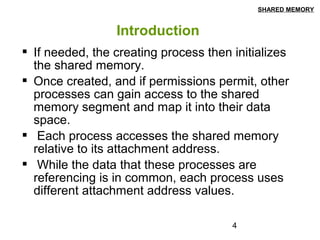
 If needed, the creating process then initializes
the shared memory.
 Once created, and if permissions permit, other
processes can gain access to the shared
memory segment and map it into their data
space.
 Each process accesses the shared memory
relative to its attachment address.
 While the data that these processes are
referencing is in common, each process uses
different attachment address values.
SHARED MEMORY
5
Introduction
 For each process involved, the mapped memory
appears to be no different from any other of its
memory addresses.
SHARED MEMORY
6
Creating a Shared Memory Segment
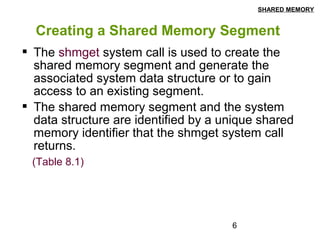
 The shmget system call is used to create the
shared memory segment and generate the
associated system data structure or to gain
access to an existing segment.
 The shared memory segment and the system
data structure are identified by a unique shared
memory identifier that the shmget system call
returns.
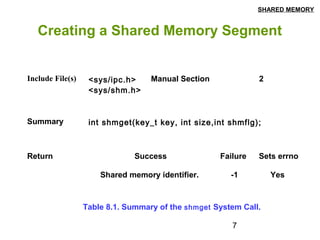
(Table 8.1)
SHARED MEMORY
7
Creating a Shared Memory Segment
Return
Summary int shmget(key_t key, int size,int shmflg);
Include File(s) <sys/ipc.h>
<sys/shm.h>
Manual Section 2
Success Failure Sets errno
Shared memory identifier. -1 Yes
Table 8.1. Summary of the shmget System Call.
SHARED MEMORY
8
Creating a Shared Memory Segment
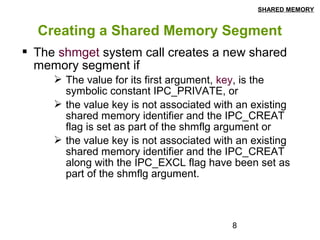
 The shmget system call creates a new shared
memory segment if
 The value for its first argument, key, is the
symbolic constant IPC_PRIVATE, or
 the value key is not associated with an existing
shared memory identifier and the IPC_CREAT
flag is set as part of the shmflg argument or
 the value key is not associated with an existing
shared memory identifier and the IPC_CREAT
along with the IPC_EXCL flag have been set as
part of the shmflg argument.
SHARED MEMORY
9
Creating a Shared Memory Segment
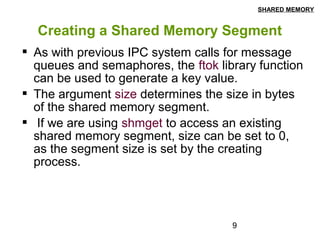
 As with previous IPC system calls for message
queues and semaphores, the ftok library function
can be used to generate a key value.
 The argument size determines the size in bytes
of the shared memory segment.
 If we are using shmget to access an existing
shared memory segment, size can be set to 0,
as the segment size is set by the creating
process.
SHARED MEMORY
10
Creating a Shared Memory Segment
 The last argument for shmget, shmflg, is used to
indicate segment creation conditions (e.g.,
IPC_CREAT, IPC_EXCL) and access
permissions (stored in the low order 9 bits of
shmflg).
 At this time the system does not use the execute
permission settings.
 To specify creation conditions along with access
permissions, the individual items are bitwise
ORed.
SHARED MEMORY
11
Creating a Shared Memory Segment
 The shmget system call does not entitle the
creating process to actually use the allocated
memory.
 It merely reserves the requested memory.
 To be used by the process, the allocated
memory must be attached to the process using a
separate system call.
SHARED MEMORY
12
Creating a Shared Memory Segment
 If shmget is successful in allocating a shared
memory segment, it returns an integer shared
memory identifier.
 If shmget fails, it returns a value of -1 and sets
the value in errno to indicate the specific error
condition.
 Example 9.1 shows creating of the shared
memory segments. You can run it multiple times
and see the results by ipcs –m system command
SHARED MEMORY
13
Shared Memory Control
 The shmctl system call permits the user to
perform a number of generalized control
operations on an existing shared memory
segment and on the system shared memory
data structure.
SHARED MEMORY
14
Shared Memory Control
Return
Summary int shmctl(int shmid, int cmd, struct shmid_ds
*buf);
Include File(s) <sys/ipc.h>
<sys/shm.h>
Manual Section 2
Success Failure Sets errno
0 -1 Yes
Table 8.4. Summary of the shmctl System Call.
SHARED MEMORY
15
Shared Memory Control
 There are three arguments for the shmctl system
call:
 The first, shmid, is a valid shared memory
segment identifier generated by a prior shmget
system call.
 The second argument, cmd, specifies the
operation shmctl is to perform.
 The third argument, buf, is a reference to a
structure of the type shmid_ds.
SHARED MEMORY
16
Shared Memory Control
 If shmctl is successful, it returns a value of 0;
otherwise, it returns a value of -1 and sets the
value in errno to indicate the specific error
condition.
SHARED MEMORY
17
Shared Memory Operations
 There are two shared memory operation system
calls.
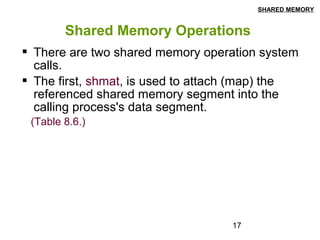
 The first, shmat, is used to attach (map) the
referenced shared memory segment into the
calling process's data segment.
(Table 8.6.)
SHARED MEMORY
18
Shared Memory Operations
Return
Summary void *shmat(int shmid, const void *shmaddr, int
shmflg);
Include File(s) <sys/ipc.h>
<sys/shm.h>
Manual Section 2
Success Failure Sets errno
Reference to the data segment -1 Yes
Table 8.6. Summary of the shmat System Call.
SHARED MEMORY
19
Shared Memory Operations
 The first argument to shmat, shmid, is a valid
shared memory identifier.
 The second argument, shmaddr, allows the
calling process some flexibility in assigning the
location of the shared memory segment.
 If a nonzero value is given, shmat uses this as the
attachment address for the shared memory
segment.
 If shmaddr is 0, the system picks the attachment
address.
 In most situations, it is advisable to use a value of
0 and have the system pick the address.
SHARED MEMORY
20
Shared Memory Operations
 The third argument, shmflg, is used to specify
the access permissions for the shared memory
segment and to request special attachment
conditions, such as an aligned address or a
read-only segment.
 The values of shmaddr and shmflg are used by
the system to determine the attachment
address.
SHARED MEMORY
21
Shared Memory Operations
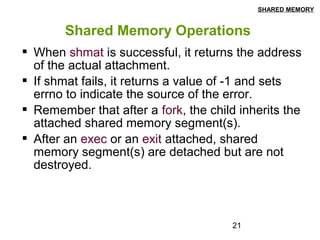
 When shmat is successful, it returns the address
of the actual attachment.
 If shmat fails, it returns a value of -1 and sets
errno to indicate the source of the error.
 Remember that after a fork, the child inherits the
attached shared memory segment(s).
 After an exec or an exit attached, shared
memory segment(s) are detached but are not
destroyed.
SHARED MEMORY
22
Shared Memory Operations
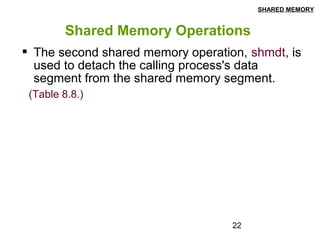
 The second shared memory operation, shmdt, is
used to detach the calling process's data
segment from the shared memory segment.
(Table 8.8.)
SHARED MEMORY
23
Shared Memory Operations
Return
Summary int shmdt ( const void *shmaddr);
Include File(s) <sys/types.h
>
<sys/shm.h>
Manual Section 2
Success Failure Sets errno
0 -1 Yes
Table 8.8. Summary of the shmdt System Call
SHARED MEMORY
24
Shared Memory Operations
 The shmdt system call has one argument,
shmaddr, which is a reference to an attached
memory segment.
 If shmdt is successful in detaching the memory
segment, it returns a value of 0.
 If the shmdt call fails, it returns a value of -1 and
sets errno.
 See Example 9.2 that shows the example of
sharing a memory segment by parent and child
SHARED MEMORY
25
Using a File as Shared Memory
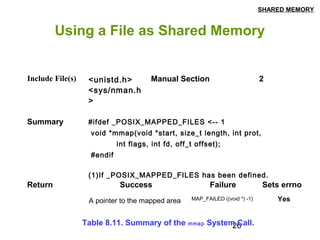
 mmap system call can be used to map a file to a
process's virtual memory address space.
 In many ways mmap is more flexible than its
shared memory system call counterpart.
 Once a mapping has been established, standard
system calls rather than specialized system calls
can be used to manipulate the shared memory
object.
 Unlike memory, the contents of a file are
nonvolatile and will remain available even after a
system has been shut down (and rebooted).
(Table 8.11).
SHARED MEMORY
26
Using a File as Shared Memory
Return
Summary #ifdef _POSIX_MAPPED_FILES <-- 1
void *mmap(void *start, size_t length, int prot,
int flags, int fd, off_t offset);
#endif
(1)If _POSIX_MAPPED_FILES has been defined.
Include File(s) <unistd.h>
<sys/nman.h
>
Manual Section 2
Success Failure Sets errno
A pointer to the mapped area MAP_FAILED ((void *) -1) Yes
Table 8.11. Summary of the mmap System Call.
SHARED MEMORY
27
Using a File as Shared Memory
 The mmap system call requires six arguments.
 The first, start, is the address for attachment. As
with the shmat system call, this argument is most
often set to 0, which directs the system to choose
a valid attachment address.
 The number of bytes to be attached is indicated
by the second argument, length.
 The third argument, prot, is used to set the type of
access (protection) for the segment.
SHARED MEMORY
28
Using a File as Shared Memory
 The fifth argument, fd, is a valid open file
descriptor. Once the mapping is established, the
file can be closed.
 The sixth argument, offset, is used to set the
starting position for the mapping.
 If the mmap system call is successful, it returns
a reference to the mapped memory object.
 If the call fails, it returns the defined constant
MAP_FAILED (which is actually the value -1 cast
to a void *).
 See Example 9.3 that uses mmap
SHARED MEMORY
29
Using a File as Shared Memory
 While the system will automatically unmap a
region when a process terminates, the system
call munmap can be used to explicitly unmap
pages of memory.
(Table 8.16)
SHARED MEMORY
30
Using a File as Shared Memory
Return
Summary #ifdef _POSIX_MAPPED_FILES
int munmap(void *start, size_t length);
#endif
Include File(s) <unistd.h>
<signal.h>
Manual Section 2
Success Failure Sets errno
0 -1 Yes
Table 8.16. Summary of the munmap System Call.
SHARED MEMORY
31
Using a File as Shared Memory
 The munmap system call is passed the starting
address of the memory mapping (argument
start) and the size of the mapping (argument
length).
 If the call is successful, it returns a value of 0.
 Future references to unmapped addresses
generate a SIGVEGV signal.
 If the munmap system call fails, it returns the
value -1 and sets the value in errno to EINVAL.
SHARED MEMORY

Shared memory

  • 1.
  • 2.
    2 Shared Memory  Introduction Creating a Shared Memory Segment  Shared Memory Control  Shared Memory Operations  Using a File as Shared Memory
  • 3.
    3 Introduction  Shared memoryallows multiple processes to share virtual memory space.  This is the fastest but not necessarily the easiest (synchronization-wise) way for processes to communicate with one another.  In general, one process creates or allocates the shared memory segment.  The size and access permissions for the segment are set when it is created.  The process then attaches the shared segment, causing it to be mapped into its current data space. SHARED MEMORY
  • 4.
    4 Introduction  If needed,the creating process then initializes the shared memory.  Once created, and if permissions permit, other processes can gain access to the shared memory segment and map it into their data space.  Each process accesses the shared memory relative to its attachment address.  While the data that these processes are referencing is in common, each process uses different attachment address values. SHARED MEMORY
  • 5.
    5 Introduction  For eachprocess involved, the mapped memory appears to be no different from any other of its memory addresses. SHARED MEMORY
  • 6.
    6 Creating a SharedMemory Segment  The shmget system call is used to create the shared memory segment and generate the associated system data structure or to gain access to an existing segment.  The shared memory segment and the system data structure are identified by a unique shared memory identifier that the shmget system call returns. (Table 8.1) SHARED MEMORY
  • 7.
    7 Creating a SharedMemory Segment Return Summary int shmget(key_t key, int size,int shmflg); Include File(s) <sys/ipc.h> <sys/shm.h> Manual Section 2 Success Failure Sets errno Shared memory identifier. -1 Yes Table 8.1. Summary of the shmget System Call. SHARED MEMORY
  • 8.
    8 Creating a SharedMemory Segment  The shmget system call creates a new shared memory segment if  The value for its first argument, key, is the symbolic constant IPC_PRIVATE, or  the value key is not associated with an existing shared memory identifier and the IPC_CREAT flag is set as part of the shmflg argument or  the value key is not associated with an existing shared memory identifier and the IPC_CREAT along with the IPC_EXCL flag have been set as part of the shmflg argument. SHARED MEMORY
  • 9.
    9 Creating a SharedMemory Segment  As with previous IPC system calls for message queues and semaphores, the ftok library function can be used to generate a key value.  The argument size determines the size in bytes of the shared memory segment.  If we are using shmget to access an existing shared memory segment, size can be set to 0, as the segment size is set by the creating process. SHARED MEMORY
  • 10.
    10 Creating a SharedMemory Segment  The last argument for shmget, shmflg, is used to indicate segment creation conditions (e.g., IPC_CREAT, IPC_EXCL) and access permissions (stored in the low order 9 bits of shmflg).  At this time the system does not use the execute permission settings.  To specify creation conditions along with access permissions, the individual items are bitwise ORed. SHARED MEMORY
  • 11.
    11 Creating a SharedMemory Segment  The shmget system call does not entitle the creating process to actually use the allocated memory.  It merely reserves the requested memory.  To be used by the process, the allocated memory must be attached to the process using a separate system call. SHARED MEMORY
  • 12.
    12 Creating a SharedMemory Segment  If shmget is successful in allocating a shared memory segment, it returns an integer shared memory identifier.  If shmget fails, it returns a value of -1 and sets the value in errno to indicate the specific error condition.  Example 9.1 shows creating of the shared memory segments. You can run it multiple times and see the results by ipcs –m system command SHARED MEMORY
  • 13.
    13 Shared Memory Control The shmctl system call permits the user to perform a number of generalized control operations on an existing shared memory segment and on the system shared memory data structure. SHARED MEMORY
  • 14.
    14 Shared Memory Control Return Summaryint shmctl(int shmid, int cmd, struct shmid_ds *buf); Include File(s) <sys/ipc.h> <sys/shm.h> Manual Section 2 Success Failure Sets errno 0 -1 Yes Table 8.4. Summary of the shmctl System Call. SHARED MEMORY
  • 15.
    15 Shared Memory Control There are three arguments for the shmctl system call:  The first, shmid, is a valid shared memory segment identifier generated by a prior shmget system call.  The second argument, cmd, specifies the operation shmctl is to perform.  The third argument, buf, is a reference to a structure of the type shmid_ds. SHARED MEMORY
  • 16.
    16 Shared Memory Control If shmctl is successful, it returns a value of 0; otherwise, it returns a value of -1 and sets the value in errno to indicate the specific error condition. SHARED MEMORY
  • 17.
    17 Shared Memory Operations There are two shared memory operation system calls.  The first, shmat, is used to attach (map) the referenced shared memory segment into the calling process's data segment. (Table 8.6.) SHARED MEMORY
  • 18.
    18 Shared Memory Operations Return Summaryvoid *shmat(int shmid, const void *shmaddr, int shmflg); Include File(s) <sys/ipc.h> <sys/shm.h> Manual Section 2 Success Failure Sets errno Reference to the data segment -1 Yes Table 8.6. Summary of the shmat System Call. SHARED MEMORY
  • 19.
    19 Shared Memory Operations The first argument to shmat, shmid, is a valid shared memory identifier.  The second argument, shmaddr, allows the calling process some flexibility in assigning the location of the shared memory segment.  If a nonzero value is given, shmat uses this as the attachment address for the shared memory segment.  If shmaddr is 0, the system picks the attachment address.  In most situations, it is advisable to use a value of 0 and have the system pick the address. SHARED MEMORY
  • 20.
    20 Shared Memory Operations The third argument, shmflg, is used to specify the access permissions for the shared memory segment and to request special attachment conditions, such as an aligned address or a read-only segment.  The values of shmaddr and shmflg are used by the system to determine the attachment address. SHARED MEMORY
  • 21.
    21 Shared Memory Operations When shmat is successful, it returns the address of the actual attachment.  If shmat fails, it returns a value of -1 and sets errno to indicate the source of the error.  Remember that after a fork, the child inherits the attached shared memory segment(s).  After an exec or an exit attached, shared memory segment(s) are detached but are not destroyed. SHARED MEMORY
  • 22.
    22 Shared Memory Operations The second shared memory operation, shmdt, is used to detach the calling process's data segment from the shared memory segment. (Table 8.8.) SHARED MEMORY
  • 23.
    23 Shared Memory Operations Return Summaryint shmdt ( const void *shmaddr); Include File(s) <sys/types.h > <sys/shm.h> Manual Section 2 Success Failure Sets errno 0 -1 Yes Table 8.8. Summary of the shmdt System Call SHARED MEMORY
  • 24.
    24 Shared Memory Operations The shmdt system call has one argument, shmaddr, which is a reference to an attached memory segment.  If shmdt is successful in detaching the memory segment, it returns a value of 0.  If the shmdt call fails, it returns a value of -1 and sets errno.  See Example 9.2 that shows the example of sharing a memory segment by parent and child SHARED MEMORY
  • 25.
    25 Using a Fileas Shared Memory  mmap system call can be used to map a file to a process's virtual memory address space.  In many ways mmap is more flexible than its shared memory system call counterpart.  Once a mapping has been established, standard system calls rather than specialized system calls can be used to manipulate the shared memory object.  Unlike memory, the contents of a file are nonvolatile and will remain available even after a system has been shut down (and rebooted). (Table 8.11). SHARED MEMORY
  • 26.
    26 Using a Fileas Shared Memory Return Summary #ifdef _POSIX_MAPPED_FILES <-- 1 void *mmap(void *start, size_t length, int prot, int flags, int fd, off_t offset); #endif (1)If _POSIX_MAPPED_FILES has been defined. Include File(s) <unistd.h> <sys/nman.h > Manual Section 2 Success Failure Sets errno A pointer to the mapped area MAP_FAILED ((void *) -1) Yes Table 8.11. Summary of the mmap System Call. SHARED MEMORY
  • 27.
    27 Using a Fileas Shared Memory  The mmap system call requires six arguments.  The first, start, is the address for attachment. As with the shmat system call, this argument is most often set to 0, which directs the system to choose a valid attachment address.  The number of bytes to be attached is indicated by the second argument, length.  The third argument, prot, is used to set the type of access (protection) for the segment. SHARED MEMORY
  • 28.
    28 Using a Fileas Shared Memory  The fifth argument, fd, is a valid open file descriptor. Once the mapping is established, the file can be closed.  The sixth argument, offset, is used to set the starting position for the mapping.  If the mmap system call is successful, it returns a reference to the mapped memory object.  If the call fails, it returns the defined constant MAP_FAILED (which is actually the value -1 cast to a void *).  See Example 9.3 that uses mmap SHARED MEMORY
  • 29.
    29 Using a Fileas Shared Memory  While the system will automatically unmap a region when a process terminates, the system call munmap can be used to explicitly unmap pages of memory. (Table 8.16) SHARED MEMORY
  • 30.
    30 Using a Fileas Shared Memory Return Summary #ifdef _POSIX_MAPPED_FILES int munmap(void *start, size_t length); #endif Include File(s) <unistd.h> <signal.h> Manual Section 2 Success Failure Sets errno 0 -1 Yes Table 8.16. Summary of the munmap System Call. SHARED MEMORY
  • 31.
    31 Using a Fileas Shared Memory  The munmap system call is passed the starting address of the memory mapping (argument start) and the size of the mapping (argument length).  If the call is successful, it returns a value of 0.  Future references to unmapped addresses generate a SIGVEGV signal.  If the munmap system call fails, it returns the value -1 and sets the value in errno to EINVAL. SHARED MEMORY