1 1999 ©UCB
CS 162
Ch 7: Virtual Memory
LECTURE 13
Instructor: L.N. Bhuyan
www.cs.ucr.edu/~bhuyan
2 1999 ©UCB
Improving Cache Miss Latency-Reducing DRAM Latency
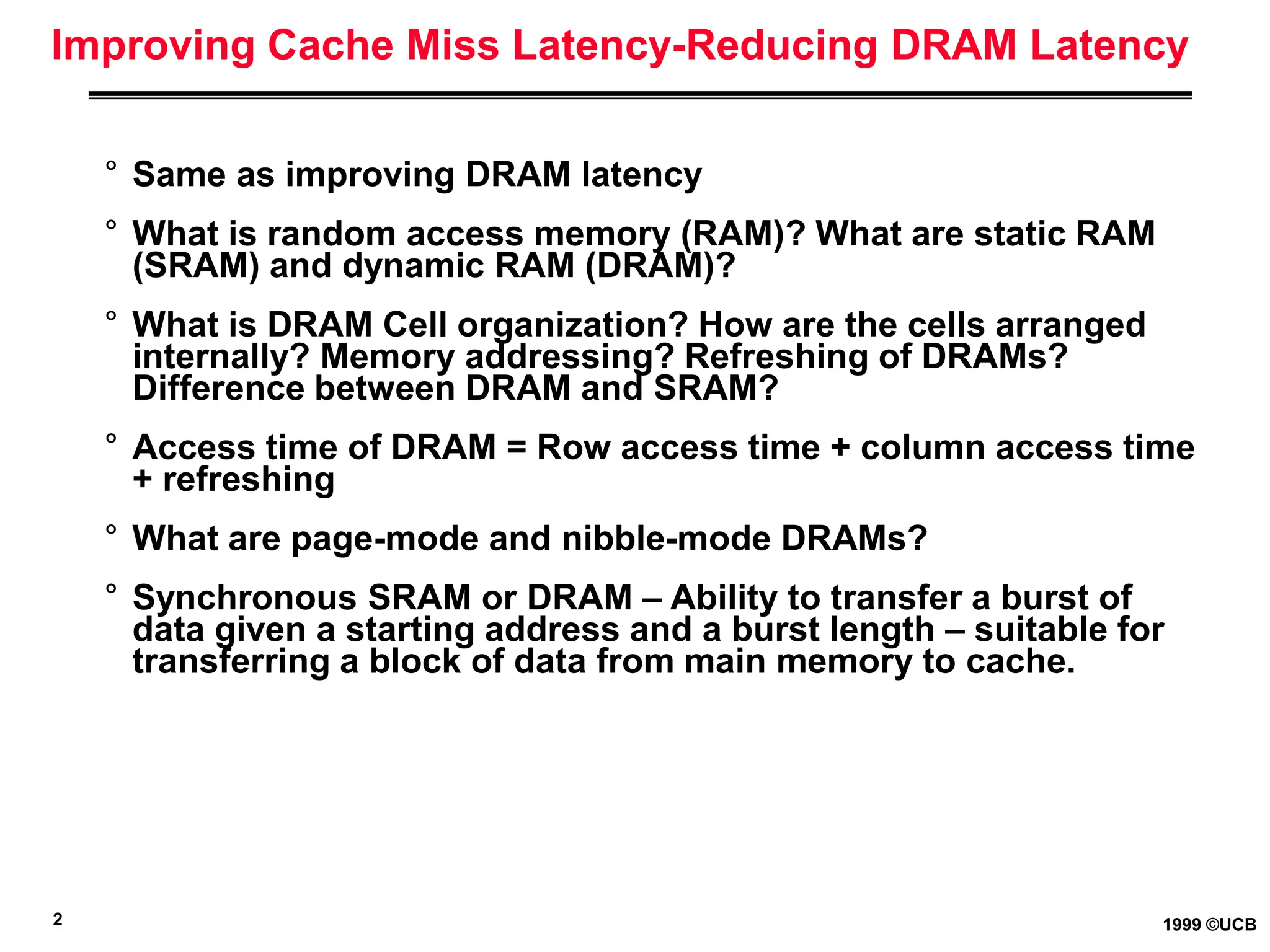
° Same as improving DRAM latency
° What is random access memory (RAM)? What are static RAM
(SRAM) and dynamic RAM (DRAM)?
° What is DRAM Cell organization? How are the cells arranged
internally? Memory addressing? Refreshing of DRAMs?
Difference between DRAM and SRAM?
° Access time of DRAM = Row access time + column access time
+ refreshing
° What are page-mode and nibble-mode DRAMs?
° Synchronous SRAM or DRAM – Ability to transfer a burst of
data given a starting address and a burst length – suitable for
transferring a block of data from main memory to cache.
3 1999 ©UCB
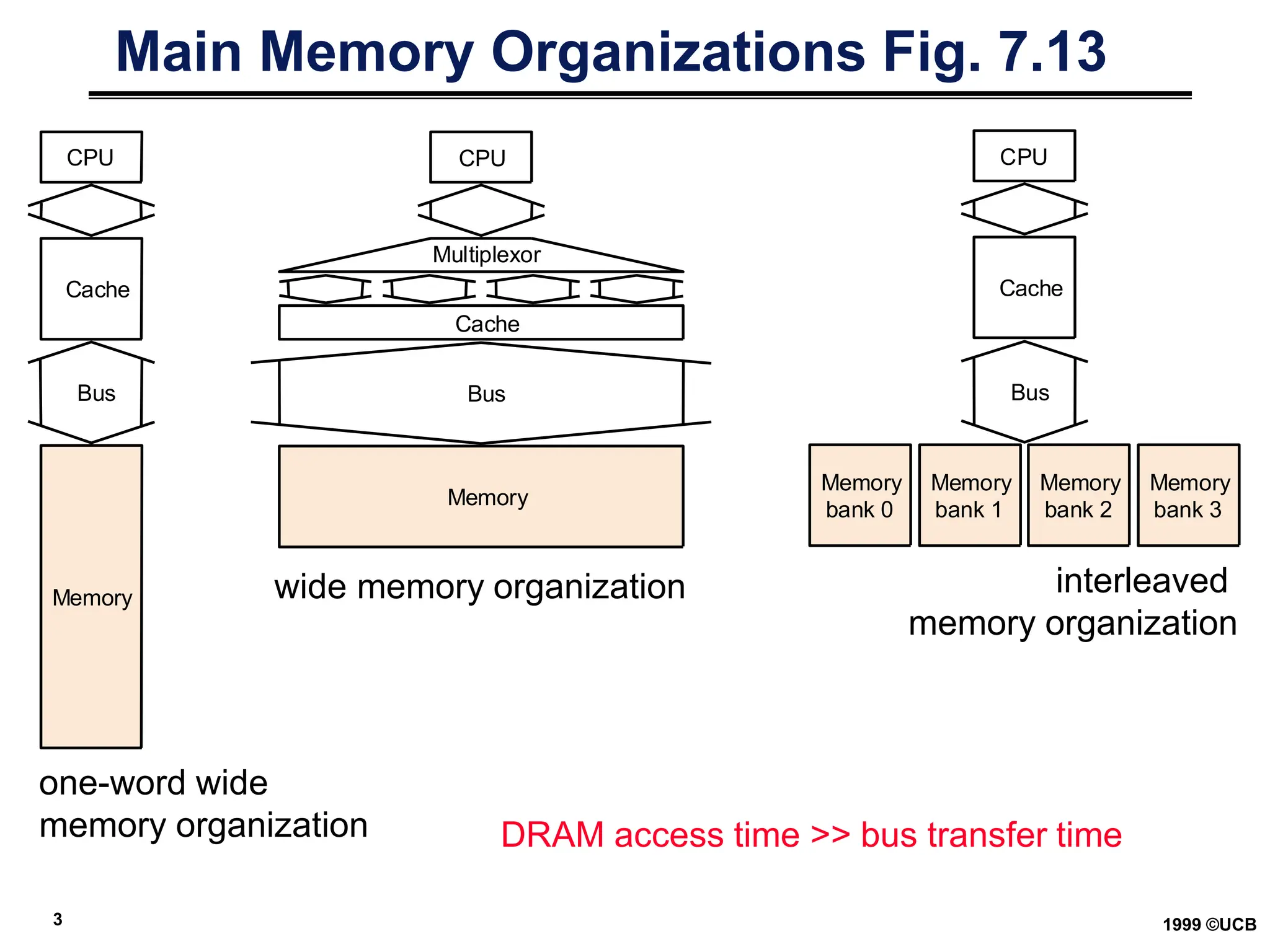
Main Memory Organizations Fig. 7.13
CPU
Cache
Bus
Memory
CPU
Bus
Memory
Multiplexor
Cache
CPU
Cache
Bus
Memory
bank 1
Memory
bank 2
Memory
bank 3
Memory
bank 0
one-word wide
memory organization
wide memory organization interleaved
memory organization
DRAM access time >> bus transfer time
4 1999 ©UCB
Memory Access Time Example
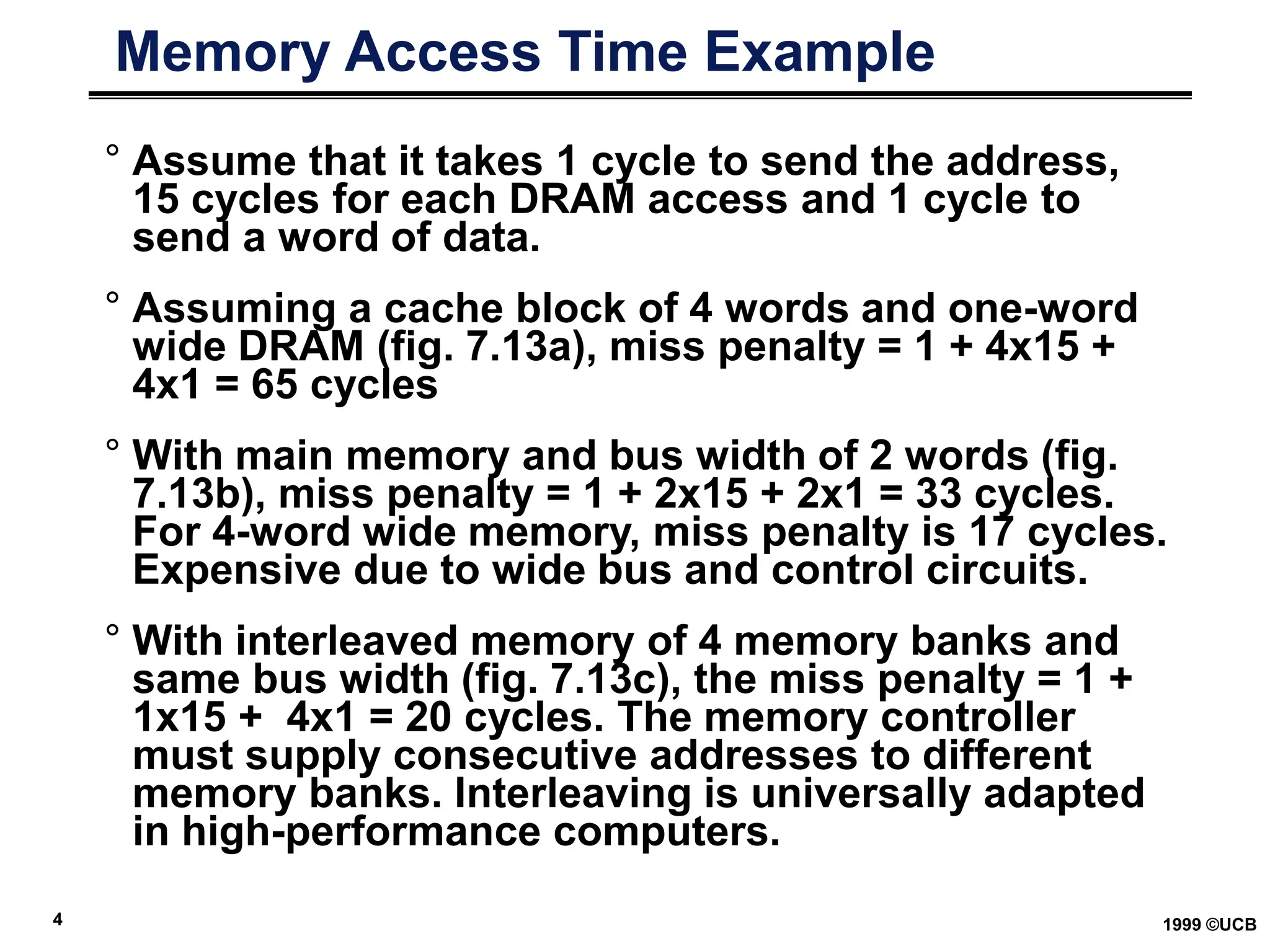
° Assume that it takes 1 cycle to send the address,
15 cycles for each DRAM access and 1 cycle to
send a word of data.
° Assuming a cache block of 4 words and one-word
wide DRAM (fig. 7.13a), miss penalty = 1 + 4x15 +
4x1 = 65 cycles
° With main memory and bus width of 2 words (fig.
7.13b), miss penalty = 1 + 2x15 + 2x1 = 33 cycles.
For 4-word wide memory, miss penalty is 17 cycles.
Expensive due to wide bus and control circuits.
° With interleaved memory of 4 memory banks and
same bus width (fig. 7.13c), the miss penalty = 1 +
1x15 + 4x1 = 20 cycles. The memory controller
must supply consecutive addresses to different
memory banks. Interleaving is universally adapted
in high-performance computers.
5 1999 ©UCB
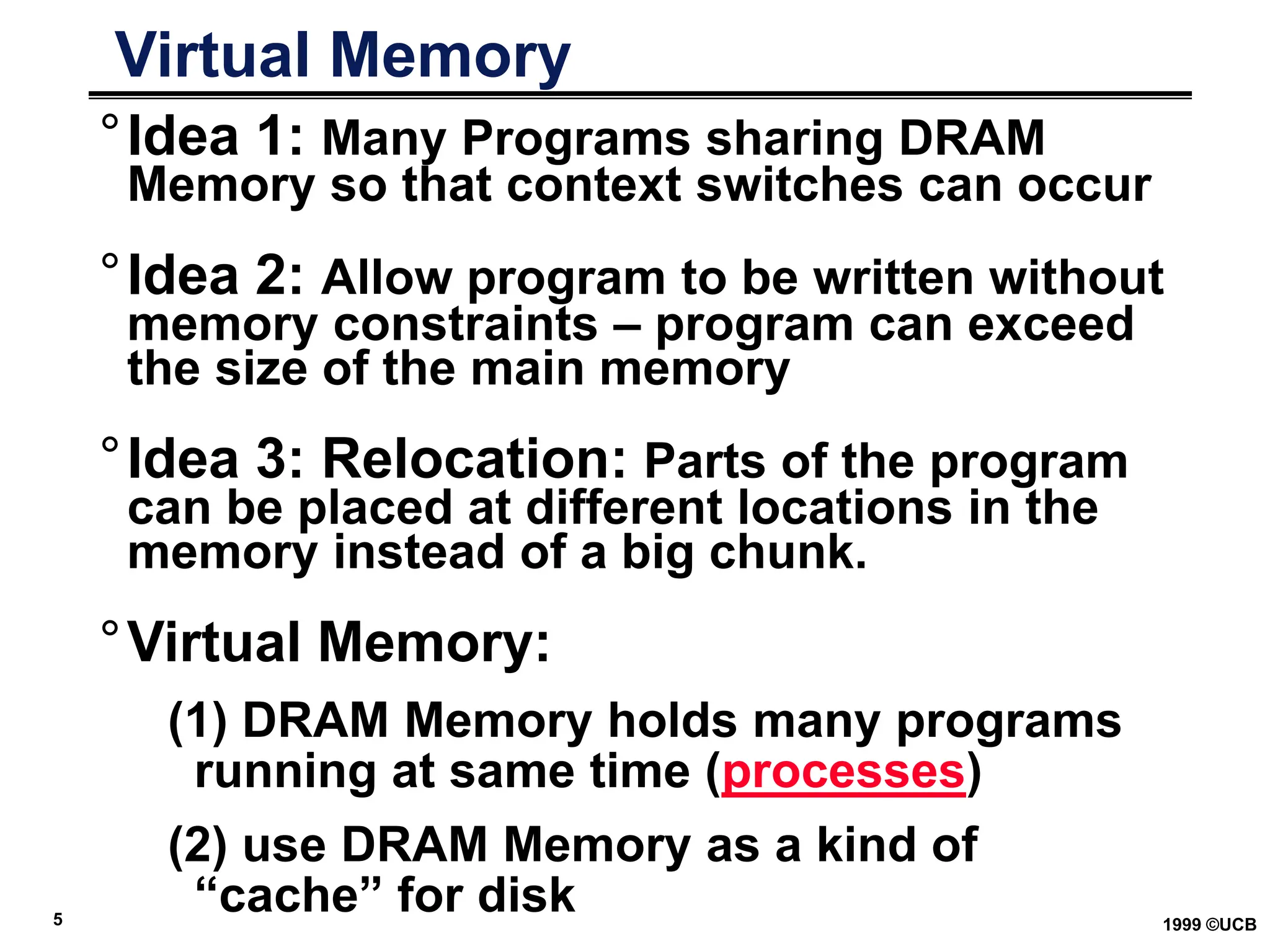
Virtual Memory
°Idea 1: Many Programs sharing DRAM
Memory so that context switches can occur
°Idea 2: Allow program to be written without
memory constraints – program can exceed
the size of the main memory
°Idea 3: Relocation: Parts of the program
can be placed at different locations in the
memory instead of a big chunk.
°Virtual Memory:
(1) DRAM Memory holds many programs
running at same time (processes)
(2) use DRAM Memory as a kind of
“cache” for disk
6 1999 ©UCB
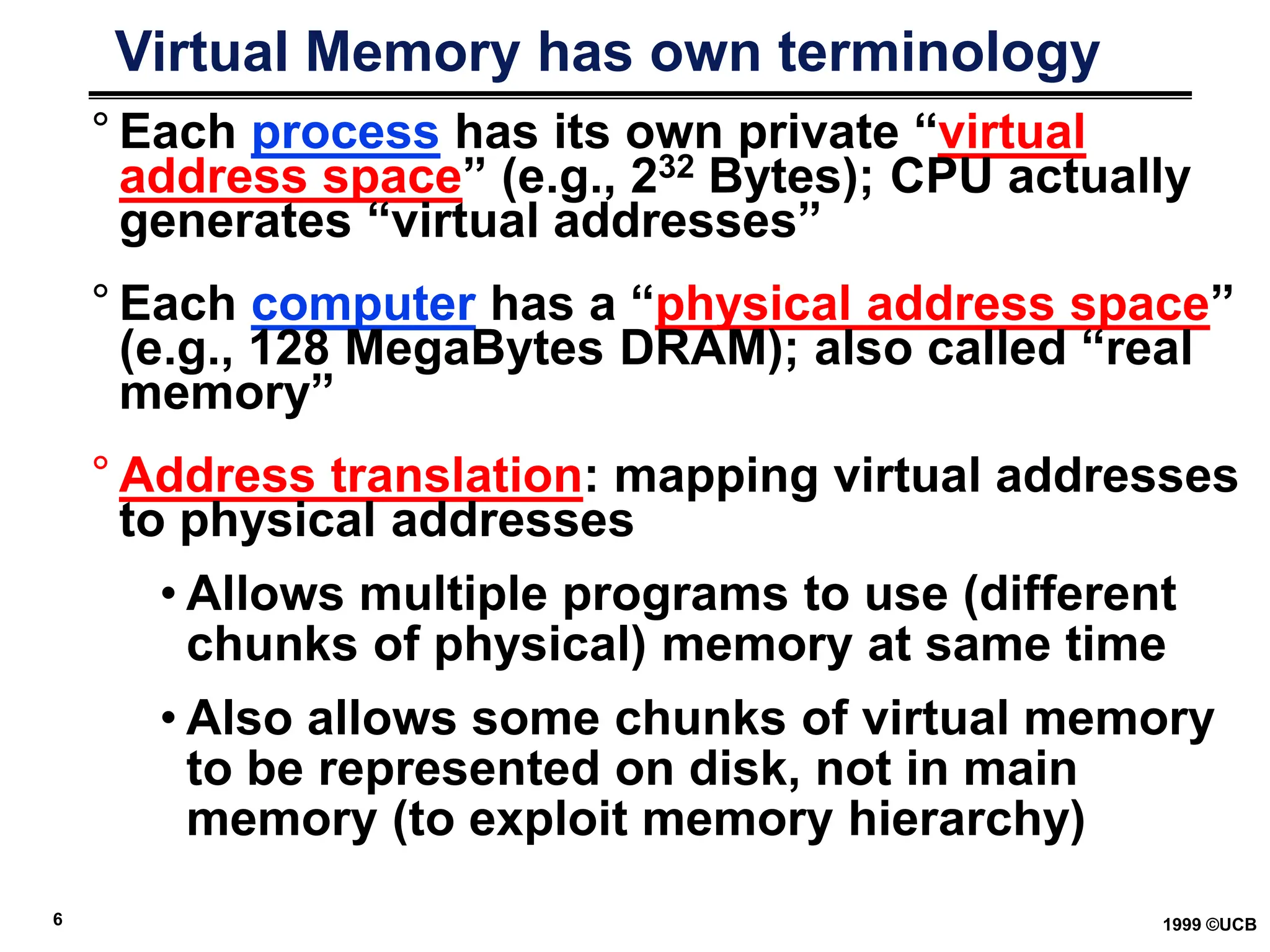
Virtual Memory has own terminology
° Each process has its own private “virtual
address space” (e.g., 232 Bytes); CPU actually
generates “virtual addresses”
° Each computer has a “physical address space”
(e.g., 128 MegaBytes DRAM); also called “real
memory”
° Address translation: mapping virtual addresses
to physical addresses
• Allows multiple programs to use (different
chunks of physical) memory at same time
• Also allows some chunks of virtual memory
to be represented on disk, not in main
memory (to exploit memory hierarchy)
7 1999 ©UCB
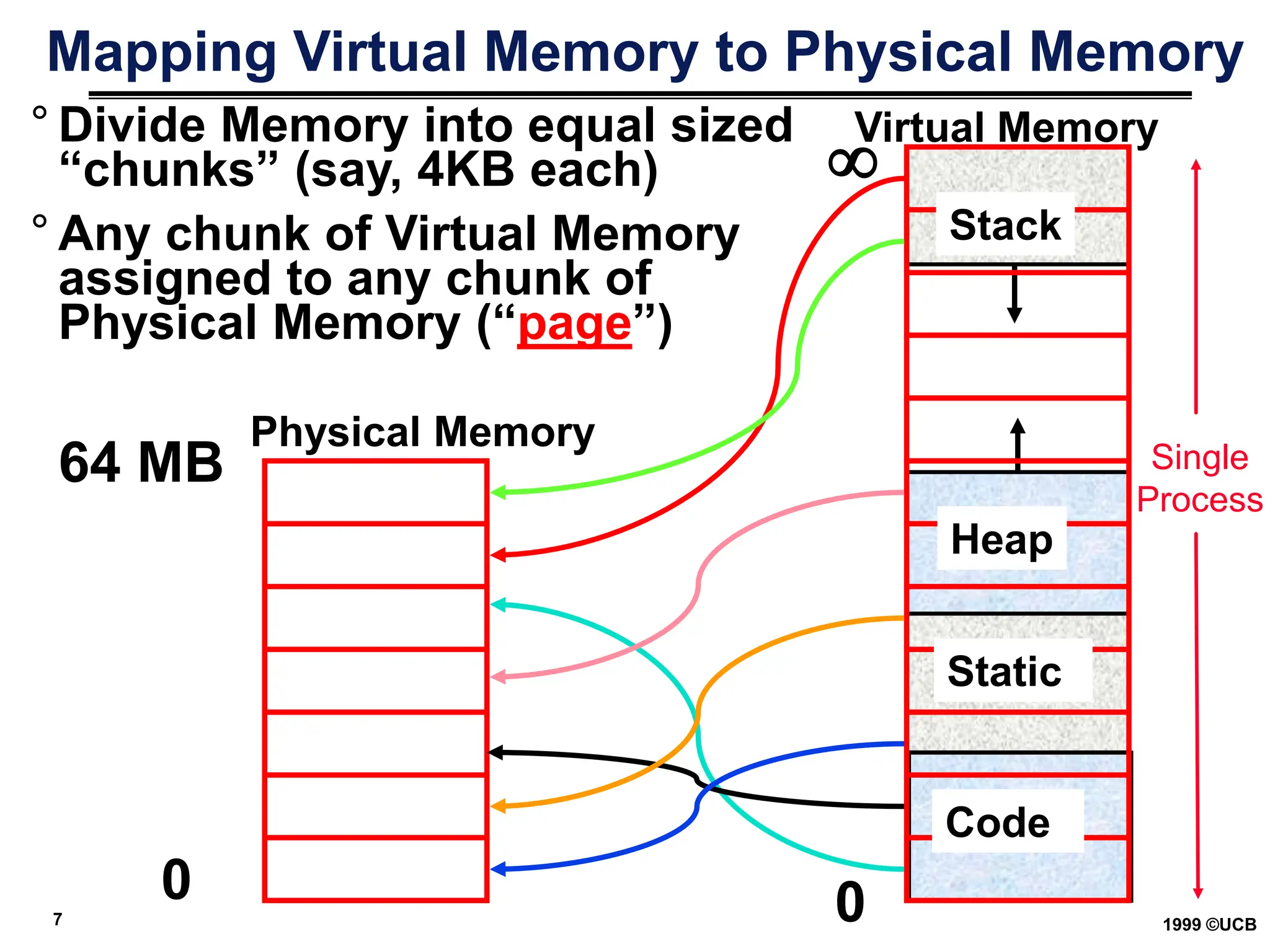
Mapping Virtual Memory to Physical Memory
0
Physical Memory

Virtual Memory
Heap
64 MB
° Divide Memory into equal sized
“chunks” (say, 4KB each)
0
° Any chunk of Virtual Memory
assigned to any chunk of
Physical Memory (“page”)
Stack
Heap
Static
Code
Single
Process
8 1999 ©UCB
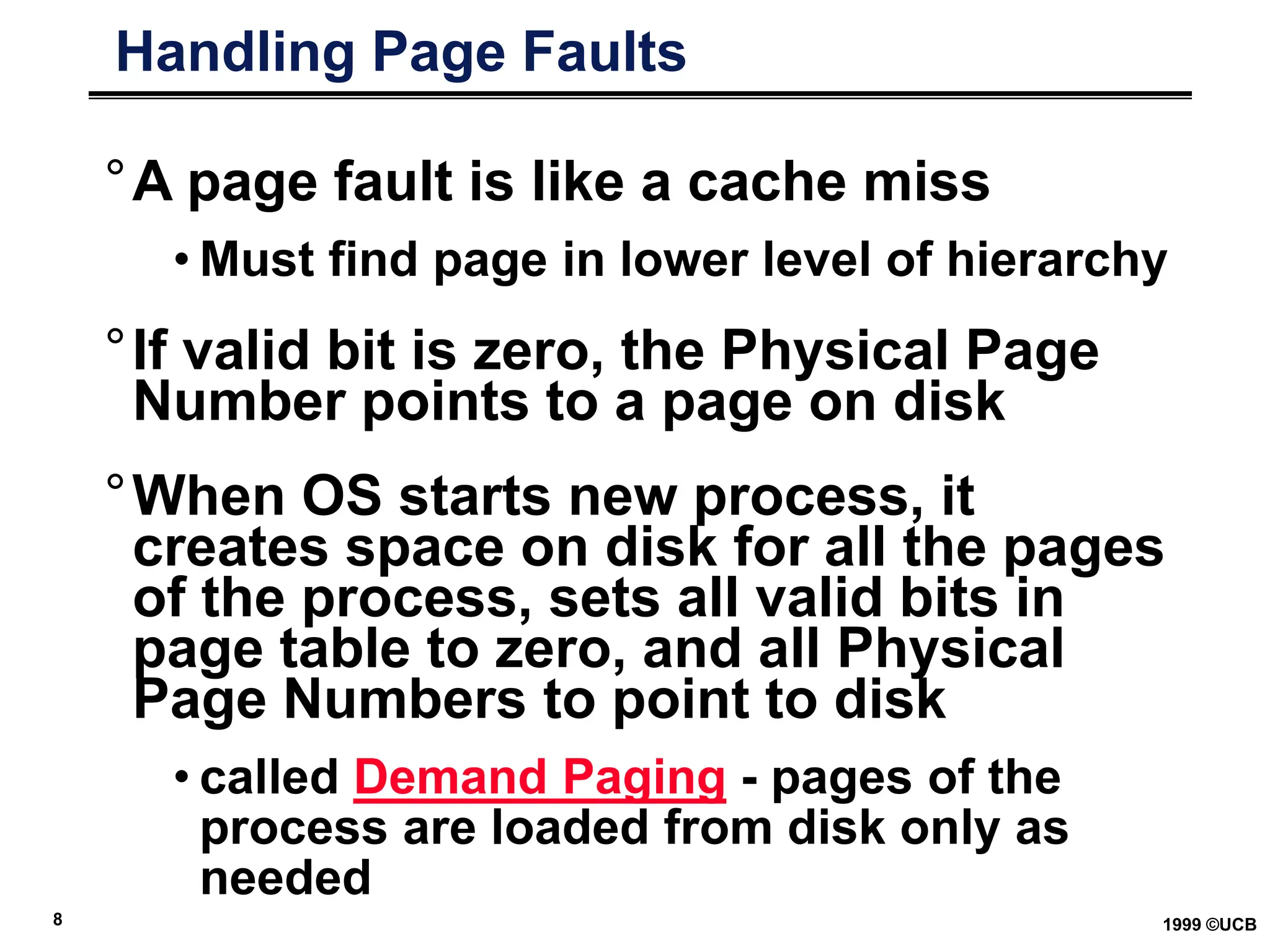
Handling Page Faults
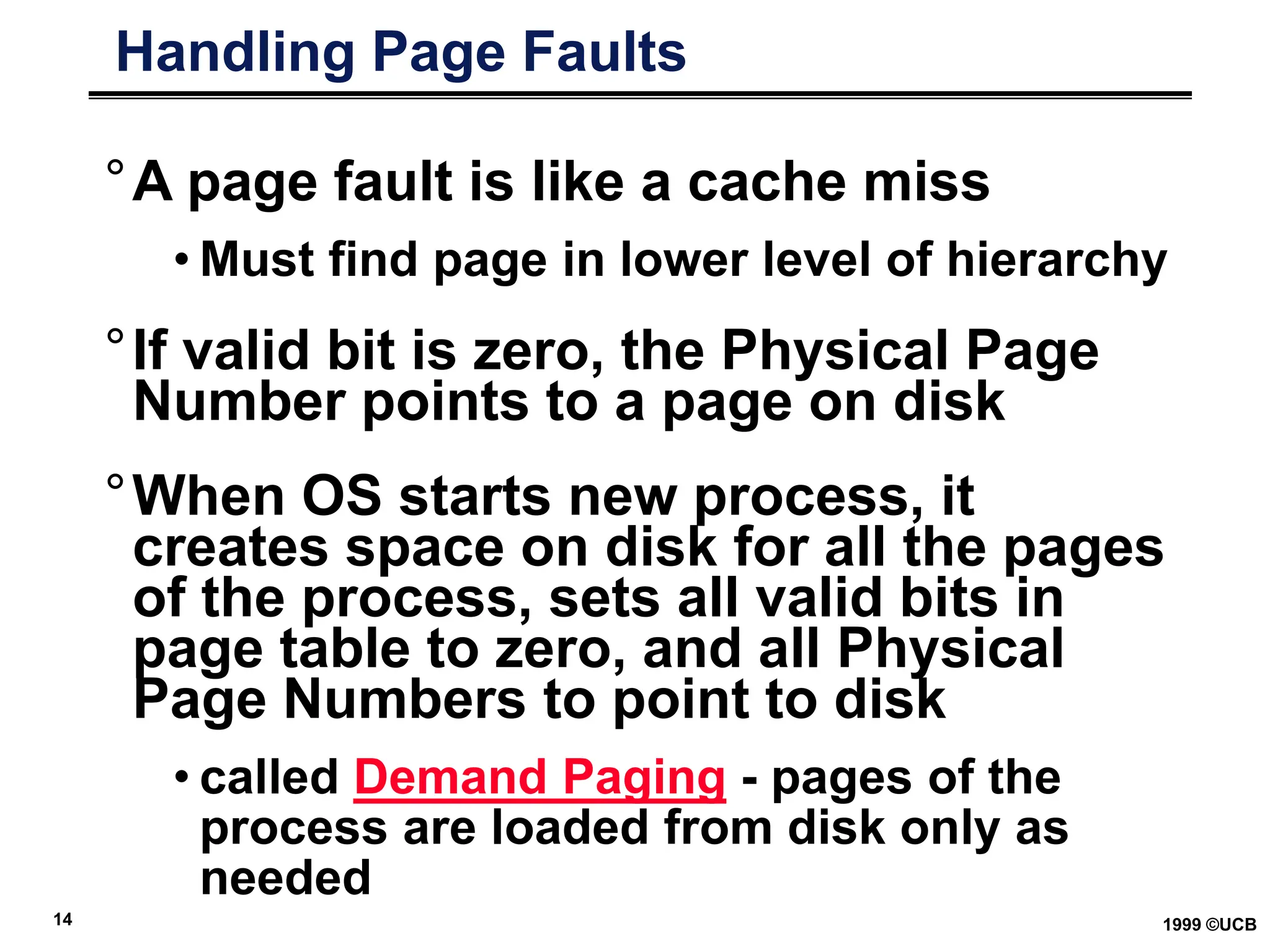
°A page fault is like a cache miss
• Must find page in lower level of hierarchy
°If valid bit is zero, the Physical Page
Number points to a page on disk
°When OS starts new process, it
creates space on disk for all the pages
of the process, sets all valid bits in
page table to zero, and all Physical
Page Numbers to point to disk
• called Demand Paging - pages of the
process are loaded from disk only as
needed
9 1999 ©UCB
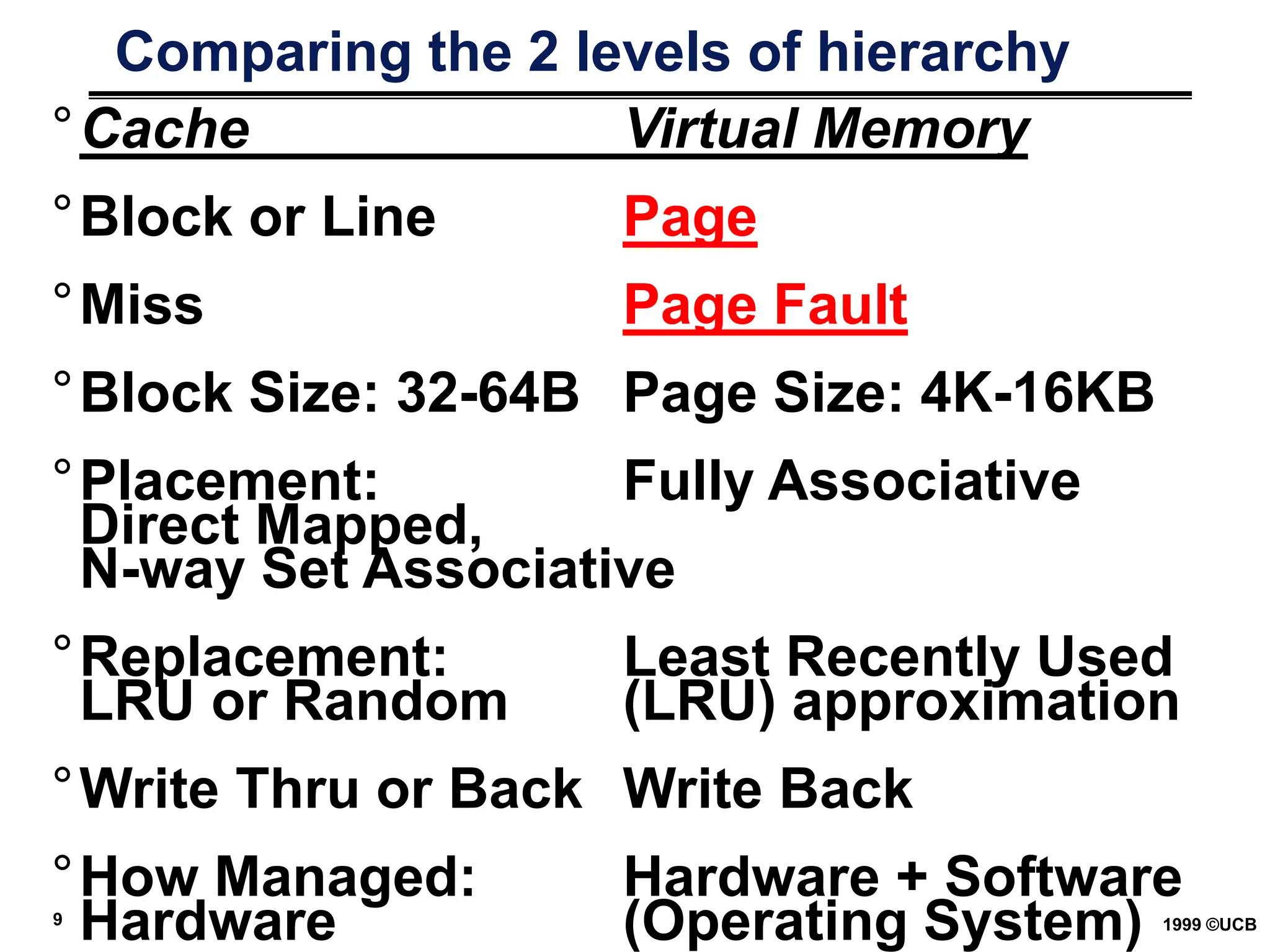
Comparing the 2 levels of hierarchy
°Cache Virtual Memory
°Block or Line Page
°Miss Page Fault
°Block Size: 32-64B Page Size: 4K-16KB
°Placement: Fully Associative
Direct Mapped,
N-way Set Associative
°Replacement: Least Recently Used
LRU or Random (LRU) approximation
°Write Thru or Back Write Back
°How Managed: Hardware + Software
Hardware (Operating System)
10 1999 ©UCB
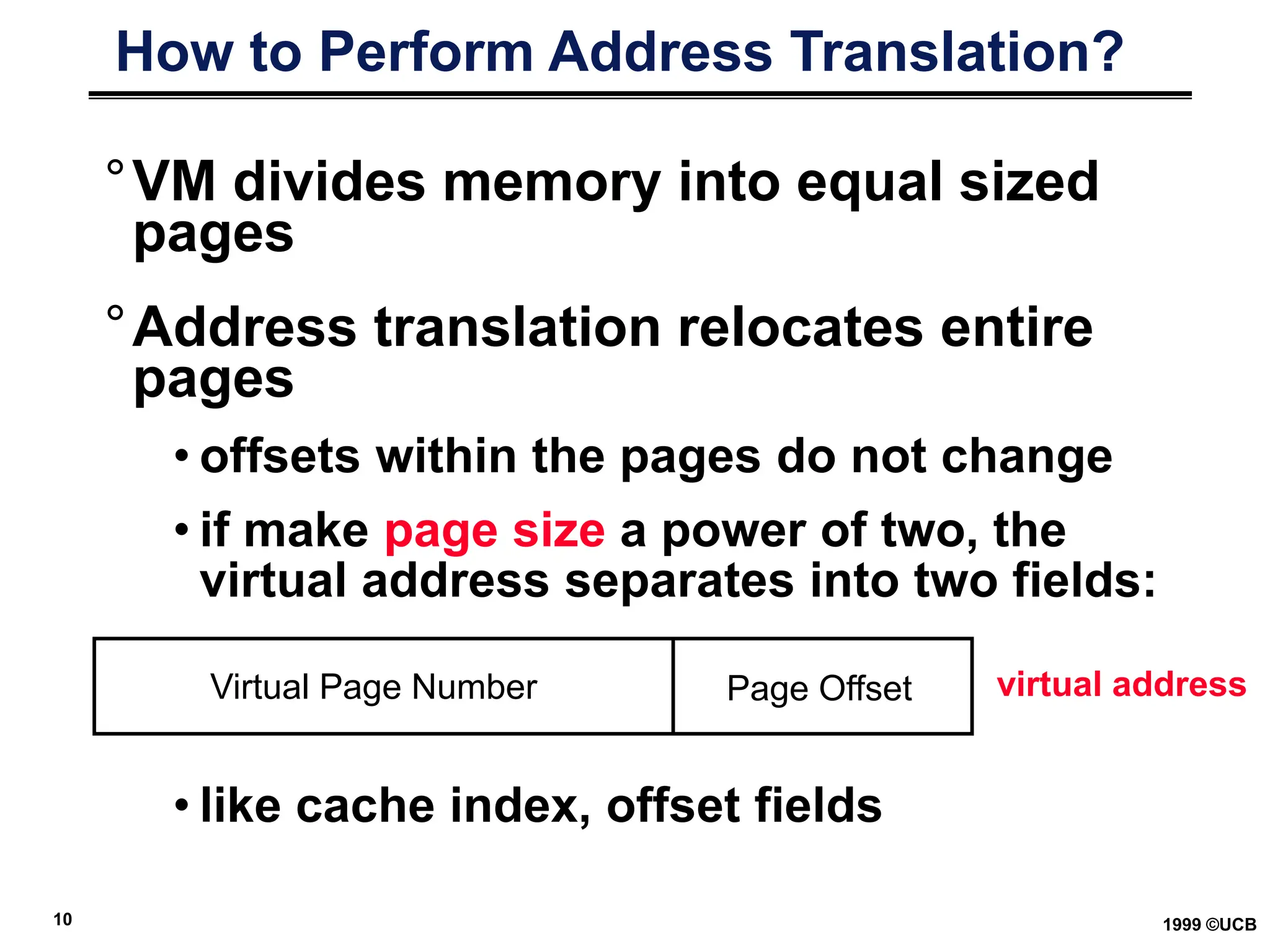
How to Perform Address Translation?
°VM divides memory into equal sized
pages
°Address translation relocates entire
pages
• offsets within the pages do not change
• if make page size a power of two, the
virtual address separates into two fields:
• like cache index, offset fields
Virtual Page Number Page Offset virtual address
11 1999 ©UCB
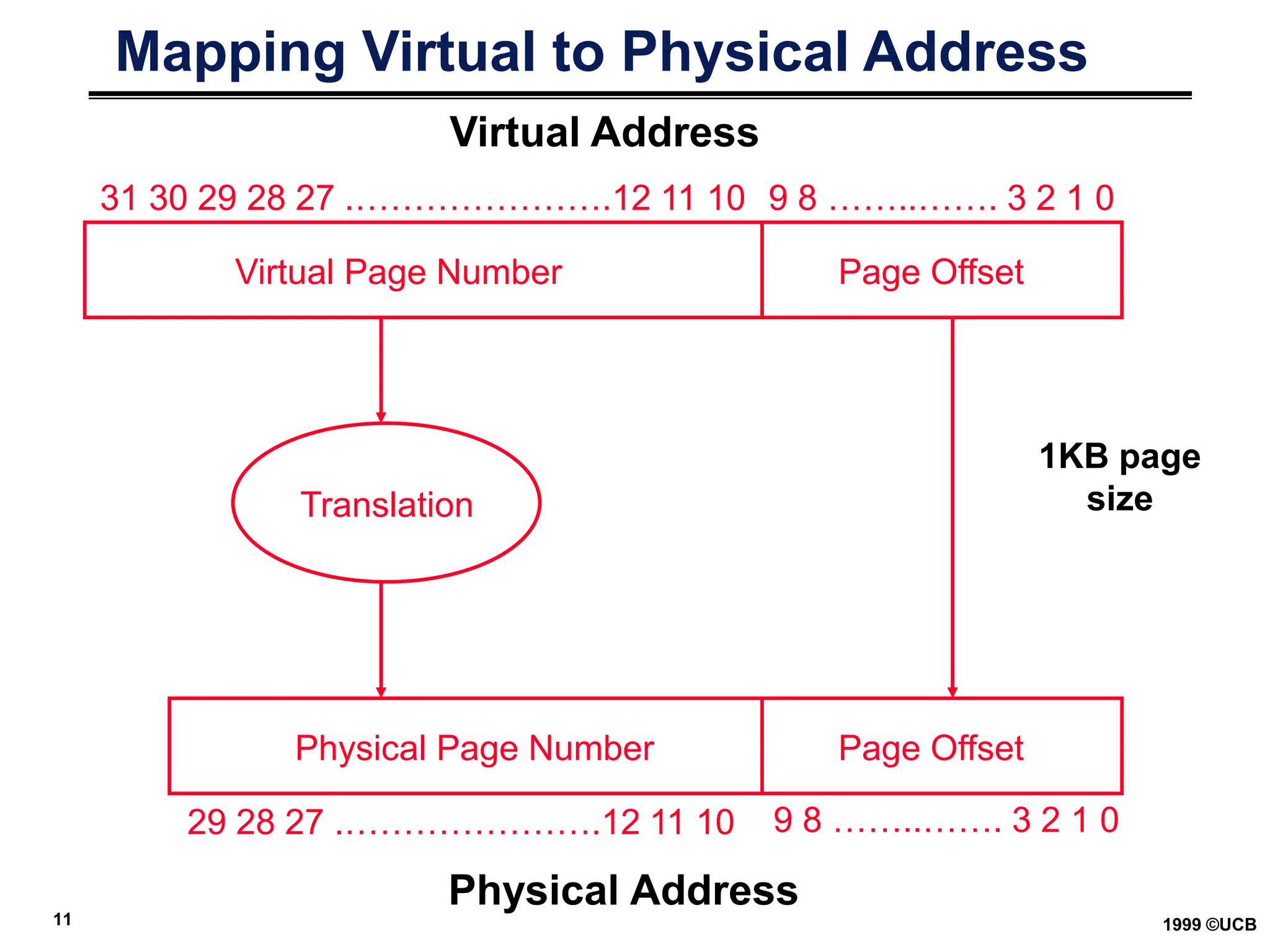
Mapping Virtual to Physical Address
Virtual Page Number Page Offset
Page Offset
Physical Page Number
Translation
31 30 29 28 27 .………………….12 11 10
29 28 27 .………………….12 11 10
9 8 ……..……. 3 2 1 0
Virtual Address
Physical Address
9 8 ……..……. 3 2 1 0
1KB page
size
12 1999 ©UCB
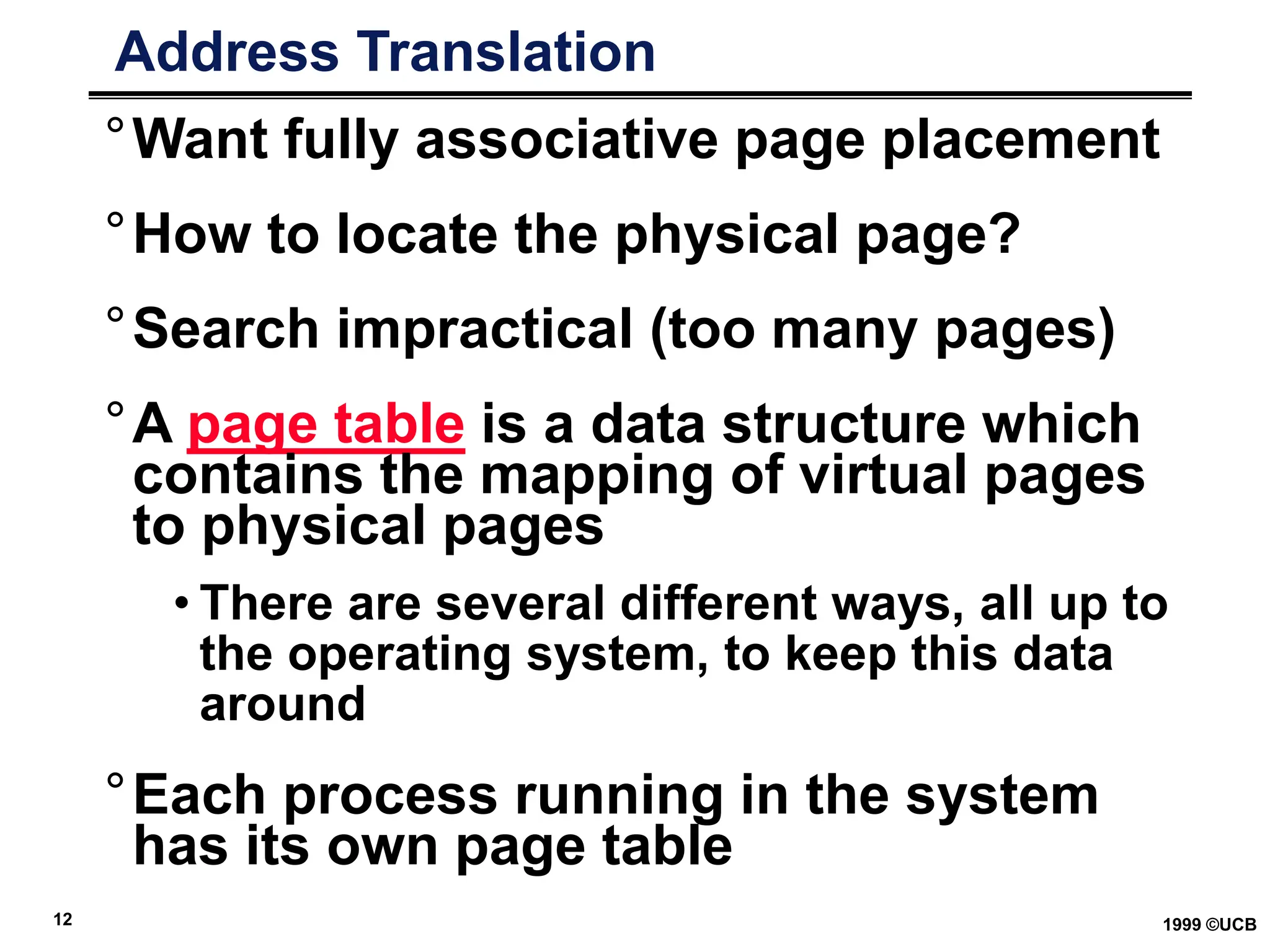
Address Translation
°Want fully associative page placement
°How to locate the physical page?
°Search impractical (too many pages)
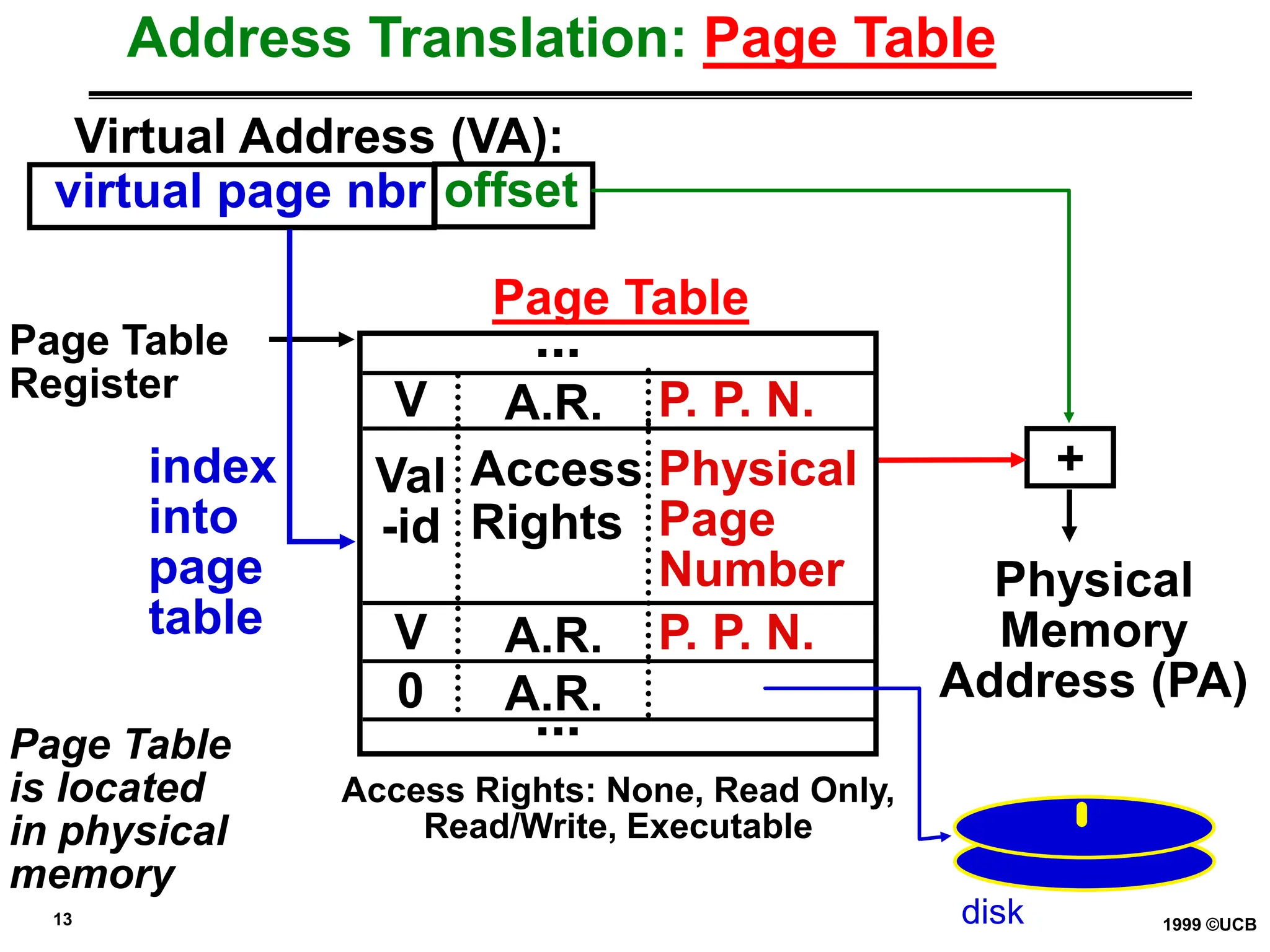
°A page table is a data structure which
contains the mapping of virtual pages
to physical pages
• There are several different ways, all up to
the operating system, to keep this data
around
°Each process running in the system
has its own page table
13 1999 ©UCB
Address Translation: Page Table
Virtual Address (VA):
virtual page nbr offset
Page Table
Register
Page Table
is located
in physical
memory
index
into
page
table
+
Physical
Memory
Address (PA)
Access Rights: None, Read Only,
Read/Write, Executable
Page Table
Val
-id
Access
Rights
Physical
Page
Number
V A.R. P. P. N.
0 A.R.
V A.R. P. P. N.
...
...
disk
14 1999 ©UCB
Handling Page Faults
°A page fault is like a cache miss
• Must find page in lower level of hierarchy
°If valid bit is zero, the Physical Page
Number points to a page on disk
°When OS starts new process, it
creates space on disk for all the pages
of the process, sets all valid bits in
page table to zero, and all Physical
Page Numbers to point to disk
• called Demand Paging - pages of the
process are loaded from disk only as
needed
15 1999 ©UCB
Optimizing for Space
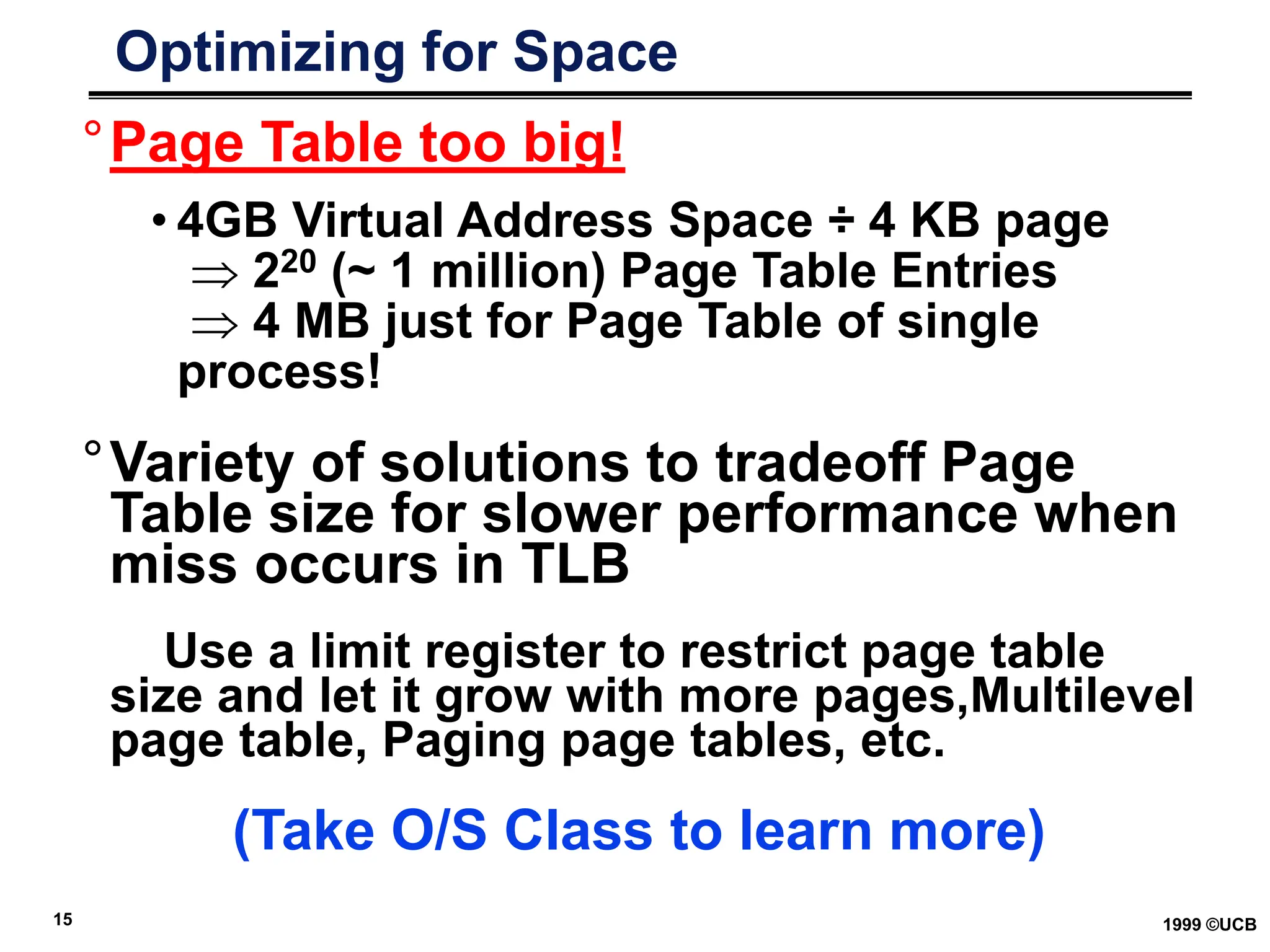
°Page Table too big!
• 4GB Virtual Address Space ÷ 4 KB page
 220 (~ 1 million) Page Table Entries
 4 MB just for Page Table of single
process!
°Variety of solutions to tradeoff Page
Table size for slower performance when
miss occurs in TLB
Use a limit register to restrict page table
size and let it grow with more pages,Multilevel
page table, Paging page tables, etc.
(Take O/S Class to learn more)
16 1999 ©UCB
How Translate Fast?
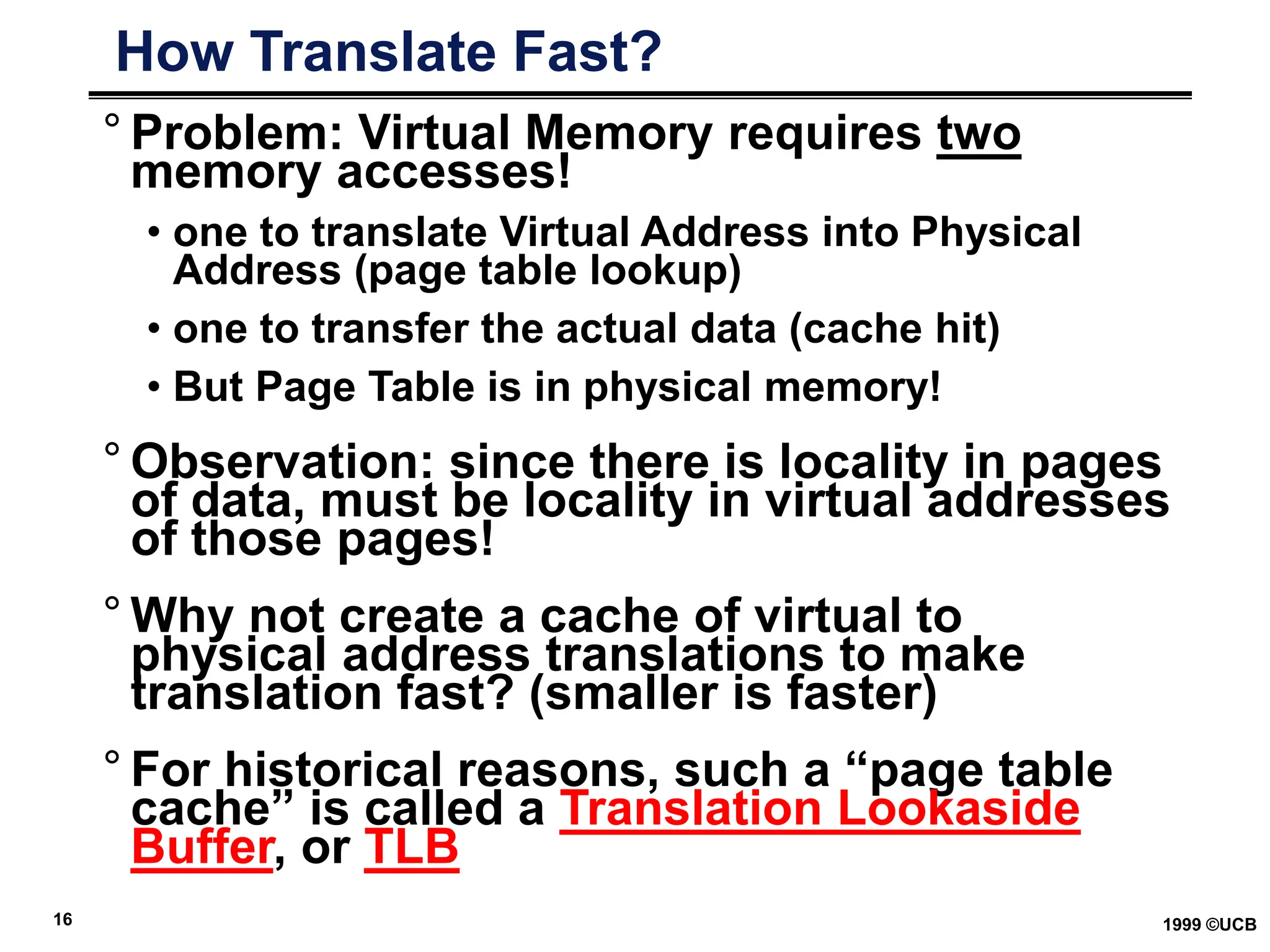
° Problem: Virtual Memory requires two
memory accesses!
• one to translate Virtual Address into Physical
Address (page table lookup)
• one to transfer the actual data (cache hit)
• But Page Table is in physical memory!
° Observation: since there is locality in pages
of data, must be locality in virtual addresses
of those pages!
° Why not create a cache of virtual to
physical address translations to make
translation fast? (smaller is faster)
° For historical reasons, such a “page table
cache” is called a Translation Lookaside
Buffer, or TLB
17 1999 ©UCB
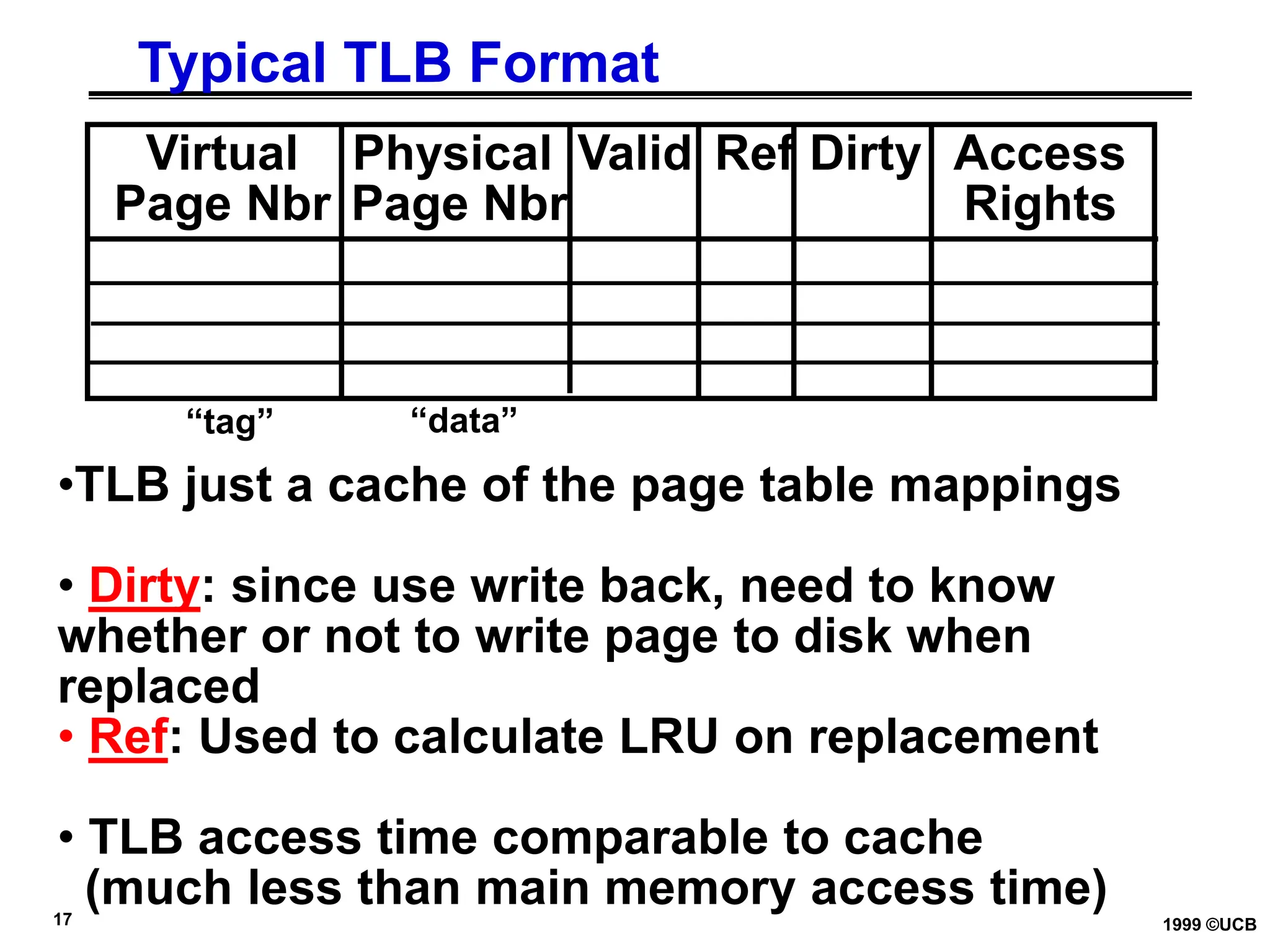
Typical TLB Format
Virtual Physical Valid Ref Dirty Access
Page Nbr Page Nbr Rights
•TLB just a cache of the page table mappings
• Dirty: since use write back, need to know
whether or not to write page to disk when
replaced
• Ref: Used to calculate LRU on replacement
• TLB access time comparable to cache
(much less than main memory access time)
“tag” “data”
18 1999 ©UCB
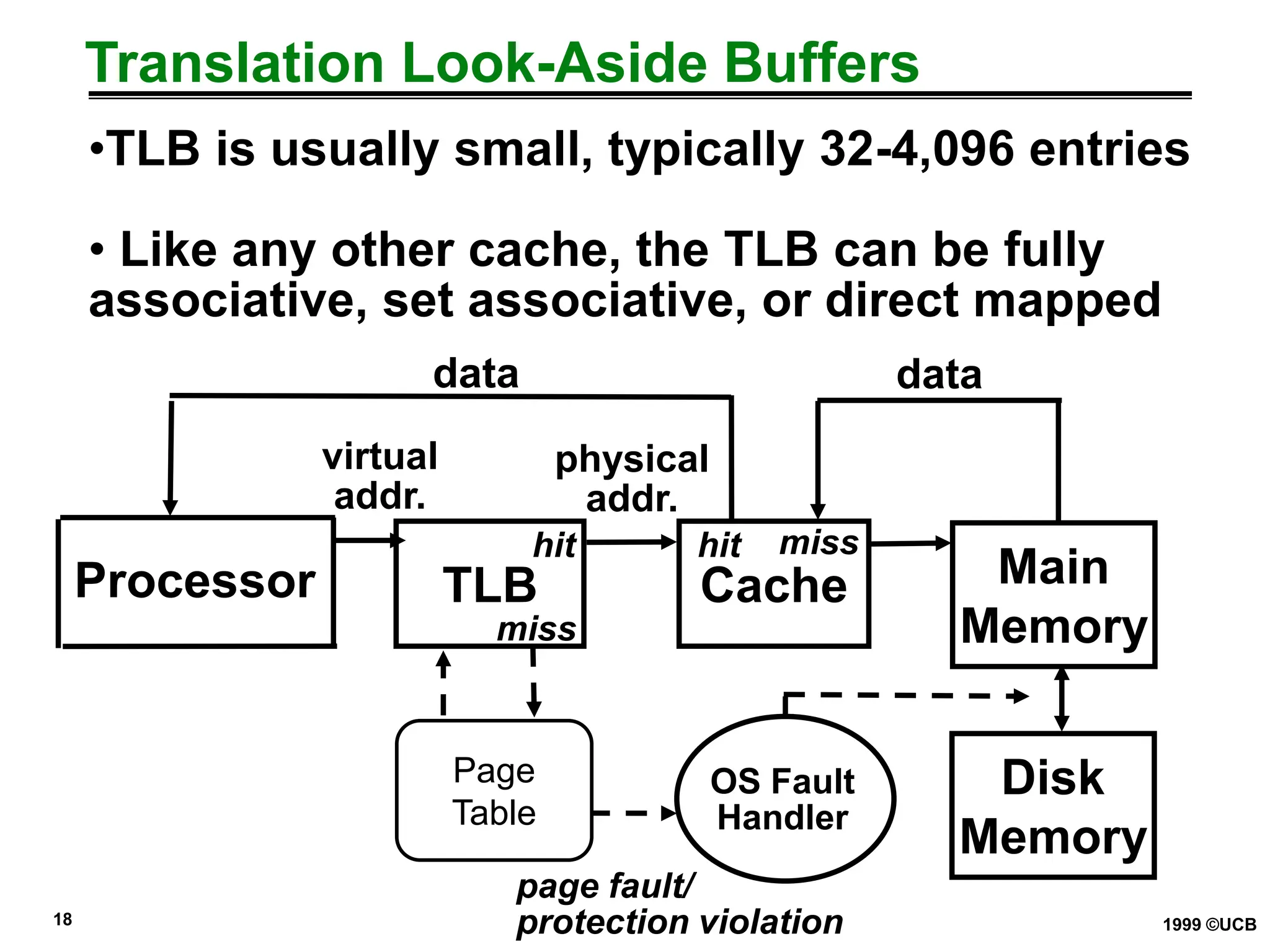
Translation Look-Aside Buffers
•TLB is usually small, typically 32-4,096 entries
• Like any other cache, the TLB can be fully
associative, set associative, or direct mapped
Processor TLB Cache Main
Memory
miss
hit
data
hit
miss
Disk
Memory
OS Fault
Handler
page fault/
protection violation
Page
Table
data
virtual
addr.
physical
addr.
19 1999 ©UCB
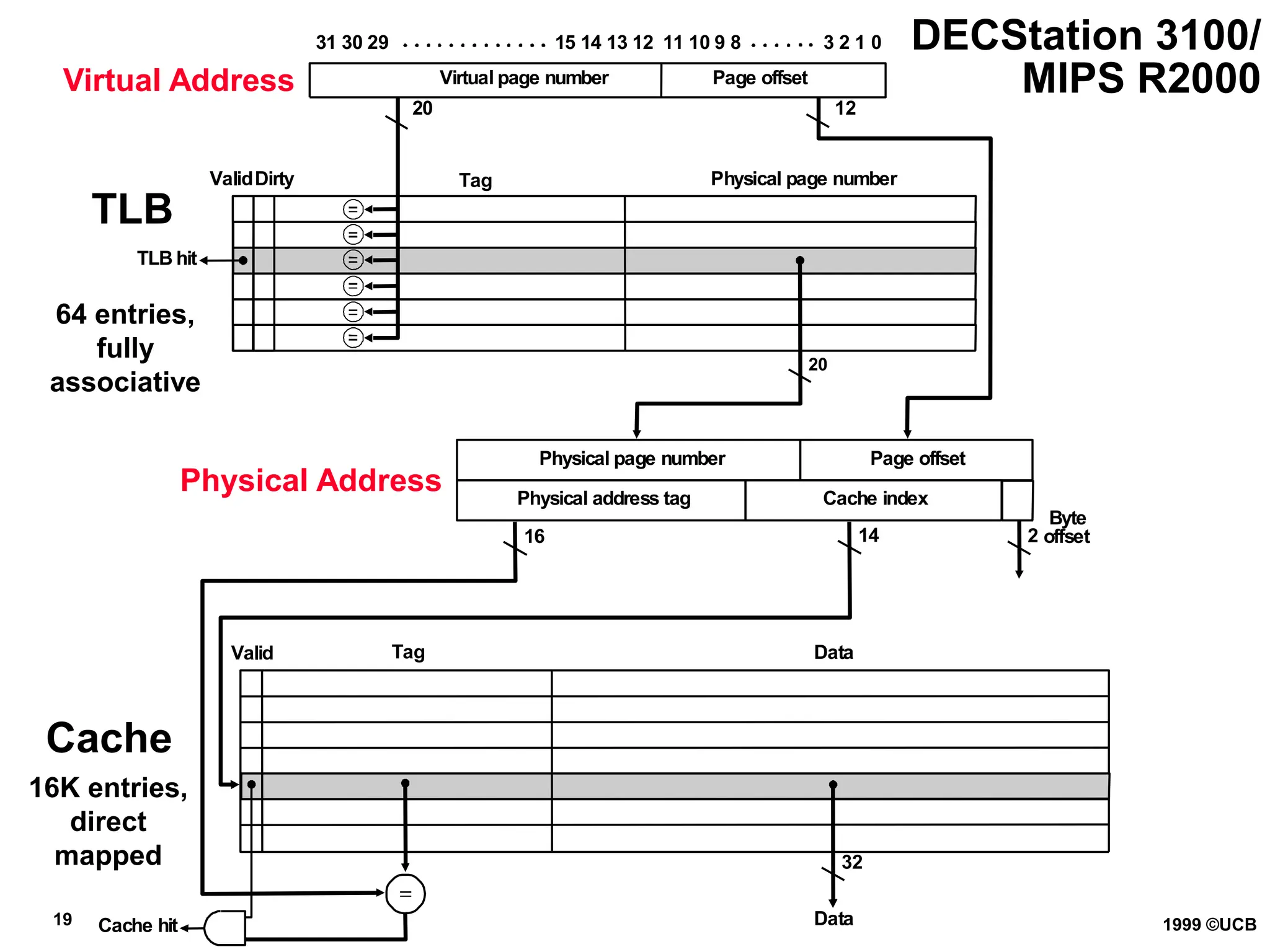
Valid Tag Data
Page offset
Page offset
Virtual page number
Physical page number
Valid
12
20
20
16 14
Cache index
32
Data
Cache hit
2
Byte
offset
Dirty Tag
TLB hit
Physical page number
Physical address tag
31 30 29 15 14 13 12 11 10 9 8 3 2 1 0 DECStation 3100/
MIPS R2000
Virtual Address
TLB
Cache
64 entries,
fully
associative
Physical Address
16K entries,
direct
mapped
20 1999 ©UCB
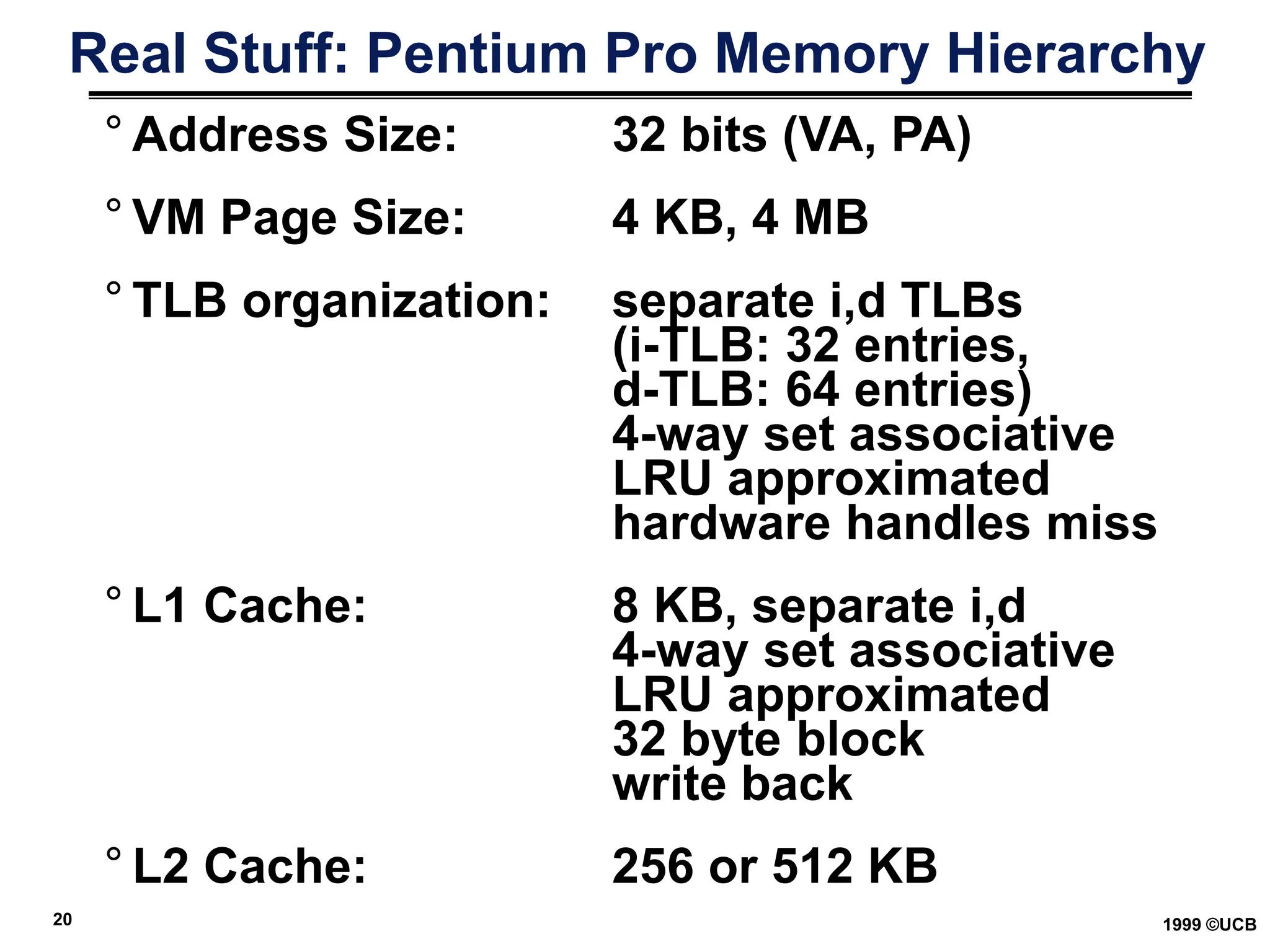
Real Stuff: Pentium Pro Memory Hierarchy
° Address Size: 32 bits (VA, PA)
° VM Page Size: 4 KB, 4 MB
° TLB organization: separate i,d TLBs
(i-TLB: 32 entries,
d-TLB: 64 entries)
4-way set associative
LRU approximated
hardware handles miss
° L1 Cache: 8 KB, separate i,d
4-way set associative
LRU approximated
32 byte block
write back
° L2 Cache: 256 or 512 KB

LECTURE13nvjlfdihbkzbjvzbfmdnmzbxckbn.ppt

  • 1.
    1 1999 ©UCB CS162 Ch 7: Virtual Memory LECTURE 13 Instructor: L.N. Bhuyan www.cs.ucr.edu/~bhuyan
  • 2.
    2 1999 ©UCB ImprovingCache Miss Latency-Reducing DRAM Latency ° Same as improving DRAM latency ° What is random access memory (RAM)? What are static RAM (SRAM) and dynamic RAM (DRAM)? ° What is DRAM Cell organization? How are the cells arranged internally? Memory addressing? Refreshing of DRAMs? Difference between DRAM and SRAM? ° Access time of DRAM = Row access time + column access time + refreshing ° What are page-mode and nibble-mode DRAMs? ° Synchronous SRAM or DRAM – Ability to transfer a burst of data given a starting address and a burst length – suitable for transferring a block of data from main memory to cache.
  • 3.
    3 1999 ©UCB MainMemory Organizations Fig. 7.13 CPU Cache Bus Memory CPU Bus Memory Multiplexor Cache CPU Cache Bus Memory bank 1 Memory bank 2 Memory bank 3 Memory bank 0 one-word wide memory organization wide memory organization interleaved memory organization DRAM access time >> bus transfer time
  • 4.
    4 1999 ©UCB MemoryAccess Time Example ° Assume that it takes 1 cycle to send the address, 15 cycles for each DRAM access and 1 cycle to send a word of data. ° Assuming a cache block of 4 words and one-word wide DRAM (fig. 7.13a), miss penalty = 1 + 4x15 + 4x1 = 65 cycles ° With main memory and bus width of 2 words (fig. 7.13b), miss penalty = 1 + 2x15 + 2x1 = 33 cycles. For 4-word wide memory, miss penalty is 17 cycles. Expensive due to wide bus and control circuits. ° With interleaved memory of 4 memory banks and same bus width (fig. 7.13c), the miss penalty = 1 + 1x15 + 4x1 = 20 cycles. The memory controller must supply consecutive addresses to different memory banks. Interleaving is universally adapted in high-performance computers.
  • 5.
    5 1999 ©UCB VirtualMemory °Idea 1: Many Programs sharing DRAM Memory so that context switches can occur °Idea 2: Allow program to be written without memory constraints – program can exceed the size of the main memory °Idea 3: Relocation: Parts of the program can be placed at different locations in the memory instead of a big chunk. °Virtual Memory: (1) DRAM Memory holds many programs running at same time (processes) (2) use DRAM Memory as a kind of “cache” for disk
  • 6.
    6 1999 ©UCB VirtualMemory has own terminology ° Each process has its own private “virtual address space” (e.g., 232 Bytes); CPU actually generates “virtual addresses” ° Each computer has a “physical address space” (e.g., 128 MegaBytes DRAM); also called “real memory” ° Address translation: mapping virtual addresses to physical addresses • Allows multiple programs to use (different chunks of physical) memory at same time • Also allows some chunks of virtual memory to be represented on disk, not in main memory (to exploit memory hierarchy)
  • 7.
    7 1999 ©UCB MappingVirtual Memory to Physical Memory 0 Physical Memory  Virtual Memory Heap 64 MB ° Divide Memory into equal sized “chunks” (say, 4KB each) 0 ° Any chunk of Virtual Memory assigned to any chunk of Physical Memory (“page”) Stack Heap Static Code Single Process
  • 8.
    8 1999 ©UCB HandlingPage Faults °A page fault is like a cache miss • Must find page in lower level of hierarchy °If valid bit is zero, the Physical Page Number points to a page on disk °When OS starts new process, it creates space on disk for all the pages of the process, sets all valid bits in page table to zero, and all Physical Page Numbers to point to disk • called Demand Paging - pages of the process are loaded from disk only as needed
  • 9.
    9 1999 ©UCB Comparingthe 2 levels of hierarchy °Cache Virtual Memory °Block or Line Page °Miss Page Fault °Block Size: 32-64B Page Size: 4K-16KB °Placement: Fully Associative Direct Mapped, N-way Set Associative °Replacement: Least Recently Used LRU or Random (LRU) approximation °Write Thru or Back Write Back °How Managed: Hardware + Software Hardware (Operating System)
  • 10.
    10 1999 ©UCB Howto Perform Address Translation? °VM divides memory into equal sized pages °Address translation relocates entire pages • offsets within the pages do not change • if make page size a power of two, the virtual address separates into two fields: • like cache index, offset fields Virtual Page Number Page Offset virtual address
  • 11.
    11 1999 ©UCB MappingVirtual to Physical Address Virtual Page Number Page Offset Page Offset Physical Page Number Translation 31 30 29 28 27 .………………….12 11 10 29 28 27 .………………….12 11 10 9 8 ……..……. 3 2 1 0 Virtual Address Physical Address 9 8 ……..……. 3 2 1 0 1KB page size
  • 12.
    12 1999 ©UCB AddressTranslation °Want fully associative page placement °How to locate the physical page? °Search impractical (too many pages) °A page table is a data structure which contains the mapping of virtual pages to physical pages • There are several different ways, all up to the operating system, to keep this data around °Each process running in the system has its own page table
  • 13.
    13 1999 ©UCB AddressTranslation: Page Table Virtual Address (VA): virtual page nbr offset Page Table Register Page Table is located in physical memory index into page table + Physical Memory Address (PA) Access Rights: None, Read Only, Read/Write, Executable Page Table Val -id Access Rights Physical Page Number V A.R. P. P. N. 0 A.R. V A.R. P. P. N. ... ... disk
  • 14.
    14 1999 ©UCB HandlingPage Faults °A page fault is like a cache miss • Must find page in lower level of hierarchy °If valid bit is zero, the Physical Page Number points to a page on disk °When OS starts new process, it creates space on disk for all the pages of the process, sets all valid bits in page table to zero, and all Physical Page Numbers to point to disk • called Demand Paging - pages of the process are loaded from disk only as needed
  • 15.
    15 1999 ©UCB Optimizingfor Space °Page Table too big! • 4GB Virtual Address Space ÷ 4 KB page  220 (~ 1 million) Page Table Entries  4 MB just for Page Table of single process! °Variety of solutions to tradeoff Page Table size for slower performance when miss occurs in TLB Use a limit register to restrict page table size and let it grow with more pages,Multilevel page table, Paging page tables, etc. (Take O/S Class to learn more)
  • 16.
    16 1999 ©UCB HowTranslate Fast? ° Problem: Virtual Memory requires two memory accesses! • one to translate Virtual Address into Physical Address (page table lookup) • one to transfer the actual data (cache hit) • But Page Table is in physical memory! ° Observation: since there is locality in pages of data, must be locality in virtual addresses of those pages! ° Why not create a cache of virtual to physical address translations to make translation fast? (smaller is faster) ° For historical reasons, such a “page table cache” is called a Translation Lookaside Buffer, or TLB
  • 17.
    17 1999 ©UCB TypicalTLB Format Virtual Physical Valid Ref Dirty Access Page Nbr Page Nbr Rights •TLB just a cache of the page table mappings • Dirty: since use write back, need to know whether or not to write page to disk when replaced • Ref: Used to calculate LRU on replacement • TLB access time comparable to cache (much less than main memory access time) “tag” “data”
  • 18.
    18 1999 ©UCB TranslationLook-Aside Buffers •TLB is usually small, typically 32-4,096 entries • Like any other cache, the TLB can be fully associative, set associative, or direct mapped Processor TLB Cache Main Memory miss hit data hit miss Disk Memory OS Fault Handler page fault/ protection violation Page Table data virtual addr. physical addr.
  • 19.
    19 1999 ©UCB ValidTag Data Page offset Page offset Virtual page number Physical page number Valid 12 20 20 16 14 Cache index 32 Data Cache hit 2 Byte offset Dirty Tag TLB hit Physical page number Physical address tag 31 30 29 15 14 13 12 11 10 9 8 3 2 1 0 DECStation 3100/ MIPS R2000 Virtual Address TLB Cache 64 entries, fully associative Physical Address 16K entries, direct mapped
  • 20.
    20 1999 ©UCB RealStuff: Pentium Pro Memory Hierarchy ° Address Size: 32 bits (VA, PA) ° VM Page Size: 4 KB, 4 MB ° TLB organization: separate i,d TLBs (i-TLB: 32 entries, d-TLB: 64 entries) 4-way set associative LRU approximated hardware handles miss ° L1 Cache: 8 KB, separate i,d 4-way set associative LRU approximated 32 byte block write back ° L2 Cache: 256 or 512 KB