VIDEO CONFERENCING
THE OUTLINE 
What is 
videoconferencing?
VIDEO CONFERENCING 
“Video conferencing is the use of video 
and audio to connect two or more 
points across the Internet for two-way 
conferencing over distance.” 
Also known as “Videoteleconference”.
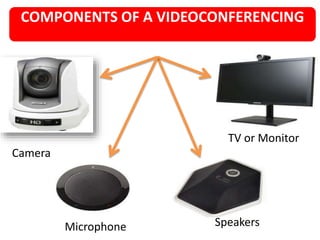
COMPONENTS OF A VIDEOCONFERENCING 
Camera 
TV or Monitor 
Microphone Speakers
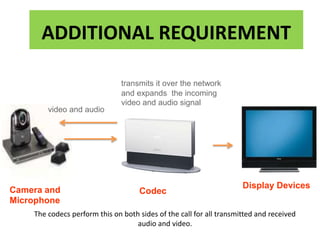
ADDITIONAL REQUIREMENT 
Camera and 
Microphone 
Codec 
Display Devices 
video and audio 
transmits it over the network 
and expands the incoming 
video and audio signal 
The codecs perform this on both sides of the call for all transmitted and received 
audio and video.
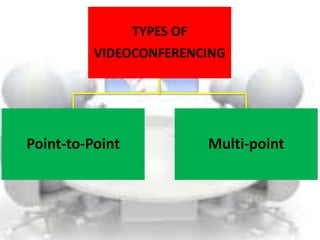
TYPES OF 
VIDEOCONFERENCING 
Point-to-Point Multi-point
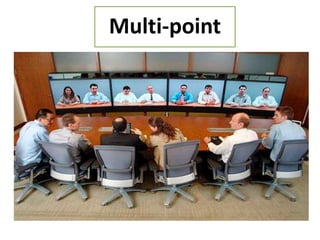
PMoinutl-ttio--ppooiinntt
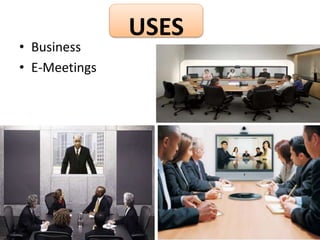
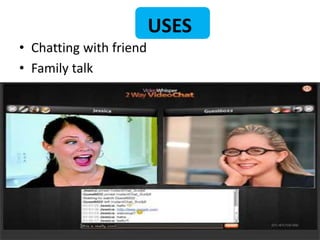
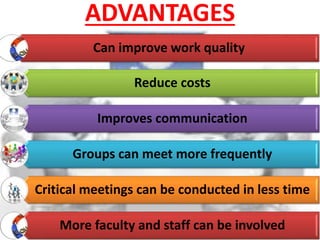
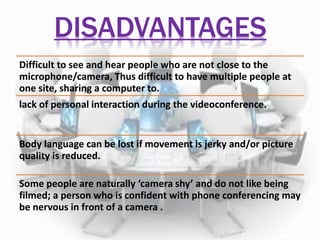
USES 
• Business 
• E-Meetings
USES 
• Chatting with friend 
• Family talk
ADVANTAGES 
Can improve work quality 
Reduce costs 
Improves communication 
Groups can meet more frequently 
Critical meetings can be conducted in less time 
More faculty and staff can be involved
DISADVANTAGES 
Difficult to see and hear people who are not close to the 
microphone/camera, Thus difficult to have multiple people at 
one site, sharing a computer to. 
lack of personal interaction during the videoconference. 
Body language can be lost if movement is jerky and/or picture 
quality is reduced. 
Some people are naturally ‘camera shy’ and do not like being 
filmed; a person who is confident with phone conferencing may 
be nervous in front of a camera .
Video conferencing

Video conferencing

  • 1.
  • 2.
    THE OUTLINE Whatis videoconferencing?
  • 3.
    VIDEO CONFERENCING “Videoconferencing is the use of video and audio to connect two or more points across the Internet for two-way conferencing over distance.” Also known as “Videoteleconference”.
  • 4.
    COMPONENTS OF AVIDEOCONFERENCING Camera TV or Monitor Microphone Speakers
  • 5.
    ADDITIONAL REQUIREMENT Cameraand Microphone Codec Display Devices video and audio transmits it over the network and expands the incoming video and audio signal The codecs perform this on both sides of the call for all transmitted and received audio and video.
  • 6.
    TYPES OF VIDEOCONFERENCING Point-to-Point Multi-point
  • 7.
  • 8.
    USES • Business • E-Meetings
  • 9.
    USES • Chattingwith friend • Family talk
  • 10.
    ADVANTAGES Can improvework quality Reduce costs Improves communication Groups can meet more frequently Critical meetings can be conducted in less time More faculty and staff can be involved
  • 11.
    DISADVANTAGES Difficult tosee and hear people who are not close to the microphone/camera, Thus difficult to have multiple people at one site, sharing a computer to. lack of personal interaction during the videoconference. Body language can be lost if movement is jerky and/or picture quality is reduced. Some people are naturally ‘camera shy’ and do not like being filmed; a person who is confident with phone conferencing may be nervous in front of a camera .