


INTHE NAME OF ALLAH THE MOST
BENIFICIENT & MARCIFULL
VIDEO CONFERENCING
PRESENTATION TOPIC:
CONTENTS:
 DEFINATION/CONCEPT OFVIDEO
CONFRENCING
 COMPONENTS
 TYPES
 USES OR APPLICATIONS
 ADVANTAGES
 DISADVANTAGES OR LIMITATIONS
WHAT IS VIDEO CONFERECING??
 Video conferencing is simply a vehicle for
interactive communication.
 enables one set of people to see and hear
people in a different location.
 In video conferencing transmission of image
(video) and speech (audio) take place
between two or more physically separate
locations
 Also known as “Video teleconference”.
BASIC FEATURES
 Very straightforward approach.
 Calls can be made locally, nationally or across
the world.
 The idea of video conferencing system first
given by IBM in 1991.
VIDEO CONFERENCING
COMPONENTS
VIDEO CONFERENCING
COMPONENTS
 Basic components are:
 Camera
 Microphone
 Speakers
 TV or Monitor
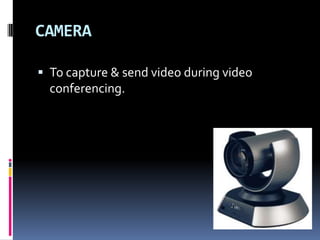
CAMERA
 To capture & send video during video
conferencing.
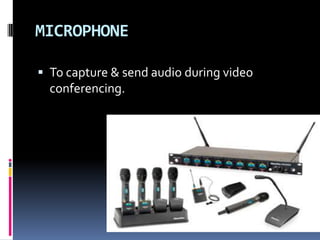
MICROPHONE
 To capture & send audio during video
conferencing.
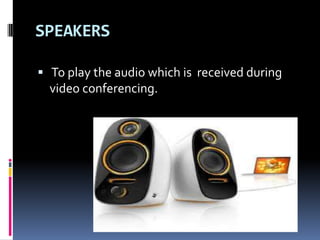
SPEAKERS
 To play the audio which is received during
video conferencing.
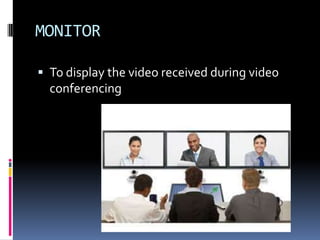
MONITOR
 To display the video received during video
conferencing
VIDEOCONFERENCING TYPES
VIDEO CONFERENCING TYPES
 There are two basic types of video
conferencing:
 1. point to point
 2. Multipoint
Point-to-point
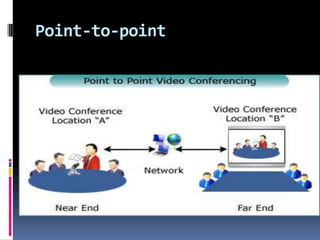
 A videoconference that connects two
locations.
 Each site sees and hears the other sites at all
times
Point-to-point
Multi-point
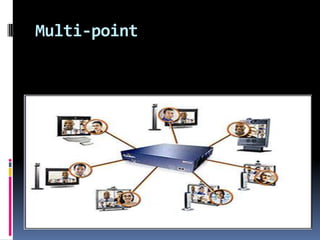
 A videoconference that connects to more
than two sites through the use of a multi-
point control unit( MCU ) or video hub.
 Participants at all sites can hear one another
at all times and see the site that is currently
speaking.
 This is a bridge that interconnects calls from
several sources.
Multi-point
USES OF VIDEO CONFERENCING
USES
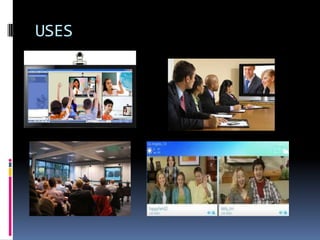
 Business
 E-Learning
 E-Meetings
 Presentations
 Chating with friends
 Family talk
USES
USES (CONT…)
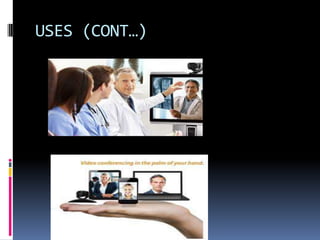
 Telemedicine
 Transmission of medical images
 Diagnosing & consulting
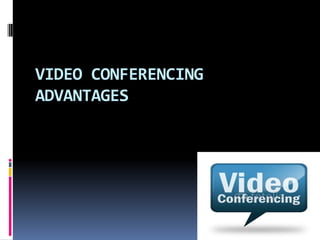
 Video conferencing in my hand
=> mobiles phones
=>Tablets
=> Ipads
=> Etc
USES (CONT…)
VIDEO CONFERENCING
ADVANTAGES
ADVANTAGES
 Student learning is impacted in several
ways:
 Enhances student motivation
 Connects with the real world.
 Promotes student retention and learning.
 Accommodates many learning styles.
ADVANTAGES (cont…)
 Videoconferencing affords students the
opportunity to develop and improve
various communication skills.
Presentation and speaking skills.
Communication and management
skills.
Questioning and interviewing skills.
ADVANTAGES (CONT…)
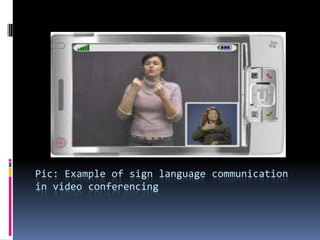
 Use of sign language communications for
deaf, hard-of-hearing and mute
 Can improve work quality
 Reduce costs
 Improves communication
 Groups can meet more frequently
 Critical meetings can be conducted in less
time
 More faculty and staff can be involved
Pic: Example of sign language communication
in video conferencing
VIDEO CONFERENCING
LIMITATIONS
LIMITATIONS
 Initial cost of the equipment is high.
 Blurred images seen when rapid movement
occurs :
Wear neutral, solid colors.
Avoid checks and stripes.
Use plain background.
Avoid glass in the background.
 Audio echo effect seen when system is not
properly installed :
????

Video conferencing