Using Turnitin

Details from Turnitin.com
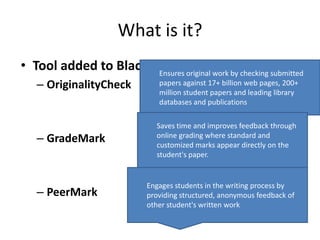
What is it?
• Tool added to Blackboard that work by checking submitted
                      Ensures original
                                       allows
   – OriginalityCheck       papers against 17+ billion web pages, 200+
                            million student papers and leading library
                            databases and publications

                           Saves time and improves feedback through
   – GradeMark             online grading where standard and
                           customized marks appear directly on the
                           student's paper.


                         Engages students in the writing process by
   – PeerMark            providing structured, anonymous feedback of
                         other student's written work
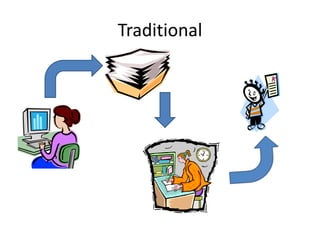
Traditional
Using Turnitin
Benefits for learners
•   Easy to submit work
•   Can get instant receipt of submission
•   Feedback through same interface
•   Useful for checking referencing before
    submission
Benefits for lecturers
•   Gives richer feedback in less time
•   Paperless grading
•   Drag and Drop comments – can be preset
•   Flags unoriginal content and sources
•   Links to gradecentre in Blackboard
Drawbacks
• Need access to Turnitin
• Relies on Internet connections
• Can only submit restricted file types – mainly
  text based

Using Turnitin

  • 1.
  • 2.
    What is it? •Tool added to Blackboard that work by checking submitted Ensures original allows – OriginalityCheck papers against 17+ billion web pages, 200+ million student papers and leading library databases and publications Saves time and improves feedback through – GradeMark online grading where standard and customized marks appear directly on the student's paper. Engages students in the writing process by – PeerMark providing structured, anonymous feedback of other student's written work
  • 3.
  • 4.
  • 5.
    Benefits for learners • Easy to submit work • Can get instant receipt of submission • Feedback through same interface • Useful for checking referencing before submission
  • 6.
    Benefits for lecturers • Gives richer feedback in less time • Paperless grading • Drag and Drop comments – can be preset • Flags unoriginal content and sources • Links to gradecentre in Blackboard
  • 7.
    Drawbacks • Need accessto Turnitin • Relies on Internet connections • Can only submit restricted file types – mainly text based

Editor's Notes

  • #2 Brief introduction to Turnitin as we use it in Aberdeen CollegeMore details about how it is used and examples available if required
  • #3 Turnitin is a building block that is added to blackboard.It allows lecturers to create assignments where the submissions are then sent to Turnitin for checking originality.Grademark allows lecturers to comment electronically on student’s work with pre-set or original comments. Grades can be given and these are linked back to the gradecentre in Blackboard. Students can access both the grades and the comments directly through blackboardHave not used peermark myself but it can allow other students to see each others work and anonymously comment on it
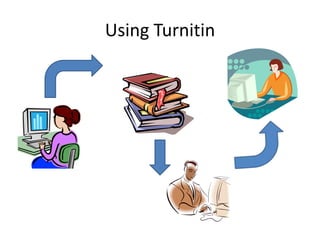
  • #4 In the traditional approach to written assessments:Student prepares assessment, probably on a computer, prints it out and submits a paper copy .Paper copies are passed to lecturers who comment on papersPapers are collated and marks passed to students, possibly electronically after marks are manually entered
  • #5 In the turnitin approach to written assessments:Student prepares assessment and submits electronically to blackboard. They receive a digital receipt proving submission.Turnitin checks paper for originality and flags up any copied elements and their sources. Using grademark lecturers comment on papers and grade papers on same interface. Grades can appear directly the papers are marked.Grades are passed directly to blackboard for display in gradecentre, students can also access lecturers comments through their assignment link