MSP2 Tech Talk: Moodle for Middle School Tom Jenkins
Quick Poll Rate your Moodle experience level A.  I haven’t worked with Moodle at all as an instructor B.  I have set up a page and have experimented a  little bit with Moodle C.  I have my own Moodle course that I use on a  regular basis D.  I am a “Moodle Master”
What is Moodle? Moodle  is a free and open source  e-learning software platform Somewhat similar to Blackboard or WebCT Over 28,000,000 users registered in over 2,500,000 courses
Why is it called Moodle ? M odular O bject O riented D ynamic  L earning  E nvironment
What is the purpose of Moodle? Moodle is designed to help educators create online courses with opportunities for rich interaction.  Educators have the ability to tailor each course to his/her style and needs.  Its open source license and modular design mean that people can develop additional functionality.
What do you need for Moodle? An in house server or paid hosting site Can work on different OS.  Even free Linux.
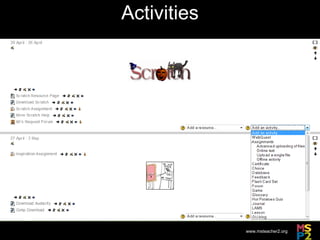
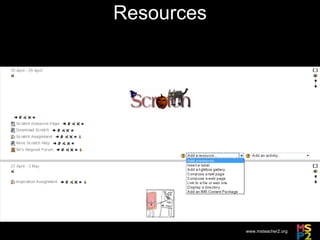
What can you do with Moodle? Use Multiple Graphical Themes and Dynamic Nature to Create a Useful Tool  Create Different Activities  Post Several Types of Resources Multiple Forms of Assessment Gather, Store, and Share Data
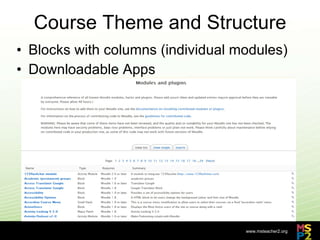
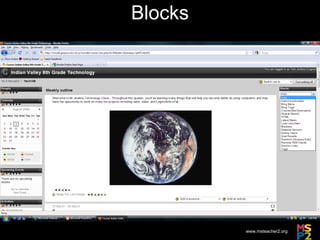
Course Theme and Structure Blocks with columns (individual modules) Downloadable Apps
Blocks
Activities
Resources
Forms of Assessment Both informal and formal Upload Assignments Blogs/Journals Choice Flashcards Questionnaires Surveys
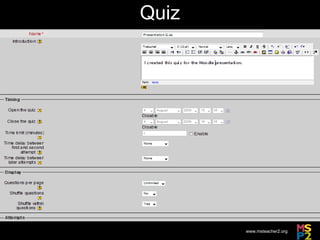
Quiz
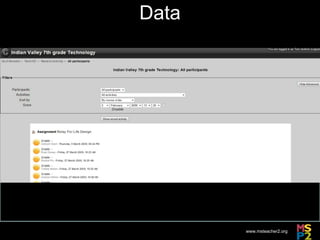
Data
How Have I Used Moodle? I have used Moodle over the past 3 years to teach classes at Indian Valley Middle School and Wittenberg University I have used it to teach graduate level Technology for Teachers, 8 th  Grade Science, 5 th -8 th  Grade Technology, and will be using it this year for 5 th  & 6 th  Grade STEM Also Student Council and Washington DC Trip
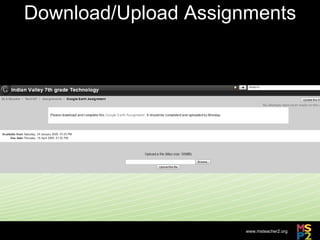
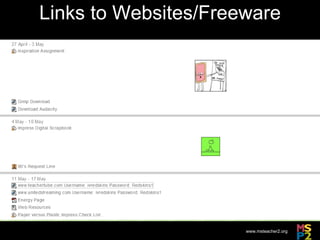
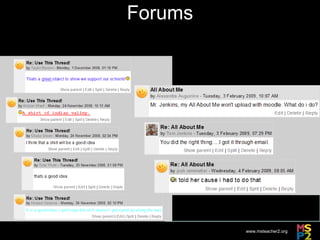
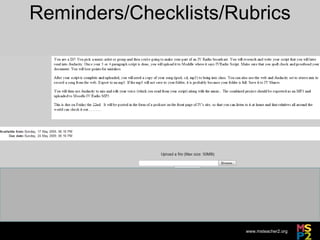
What Types of Moodle Activities Have I Done? Download and Upload Single Assignments Download Freeware Surveys Forums (to communicate with each other or while I’m out) Links to Websites Reminders/Checklists/Rubrics Post Pictures Archive PowerPoints for later viewing Posting Podcasts Quizzes Embed Videos Wikis
Download/Upload Assignments
Links to Websites/Freeware
Forums
Reminders/Checklists/Rubrics
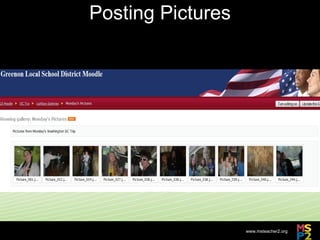
Posting Pictures
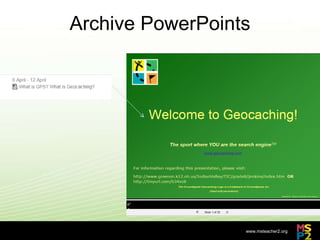
Archive PowerPoints
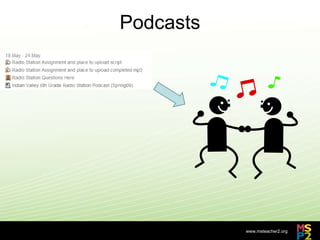
Podcasts
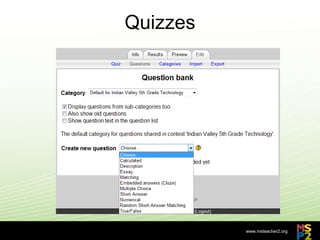
Quizzes
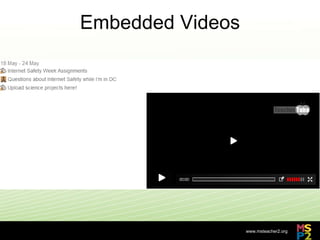
Embedded Videos
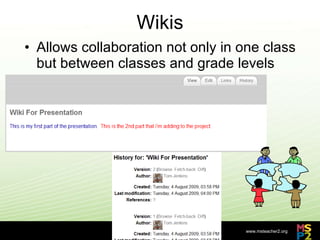
Wikis Allows collaboration not only in one class but between classes and grade levels
Safety Features Built-in Backup  Authentication methods  (Enrolment Key, Guests or no guests)  Enrollment methods  Content Filters
Additional Resources http://moodle.org/   http://playpen.moodle.com.au/moodle/index.php http://www.buddyproject.org/resources/moodle/default.asp http://moodle.buddylearning.org/moodle/
Additional Questions? Please feel free to ask
Contact Information Email:  [email_address] Post to Wall:  http://msteacher2.org/

Moodle Presentation Summer 2009

  • 1.
    MSP2 Tech Talk:Moodle for Middle School Tom Jenkins
  • 2.
    Quick Poll Rateyour Moodle experience level A. I haven’t worked with Moodle at all as an instructor B. I have set up a page and have experimented a little bit with Moodle C. I have my own Moodle course that I use on a regular basis D. I am a “Moodle Master”
  • 3.
    What is Moodle?Moodle is a free and open source e-learning software platform Somewhat similar to Blackboard or WebCT Over 28,000,000 users registered in over 2,500,000 courses
  • 4.
    Why is itcalled Moodle ? M odular O bject O riented D ynamic L earning E nvironment
  • 5.
    What is thepurpose of Moodle? Moodle is designed to help educators create online courses with opportunities for rich interaction. Educators have the ability to tailor each course to his/her style and needs. Its open source license and modular design mean that people can develop additional functionality.
  • 6.
    What do youneed for Moodle? An in house server or paid hosting site Can work on different OS.  Even free Linux.
  • 7.
    What can youdo with Moodle? Use Multiple Graphical Themes and Dynamic Nature to Create a Useful Tool Create Different Activities Post Several Types of Resources Multiple Forms of Assessment Gather, Store, and Share Data
  • 8.
    Course Theme andStructure Blocks with columns (individual modules) Downloadable Apps
  • 9.
  • 10.
  • 11.
  • 12.
    Forms of AssessmentBoth informal and formal Upload Assignments Blogs/Journals Choice Flashcards Questionnaires Surveys
  • 13.
  • 14.
  • 15.
    How Have IUsed Moodle? I have used Moodle over the past 3 years to teach classes at Indian Valley Middle School and Wittenberg University I have used it to teach graduate level Technology for Teachers, 8 th Grade Science, 5 th -8 th Grade Technology, and will be using it this year for 5 th & 6 th Grade STEM Also Student Council and Washington DC Trip
  • 16.
    What Types ofMoodle Activities Have I Done? Download and Upload Single Assignments Download Freeware Surveys Forums (to communicate with each other or while I’m out) Links to Websites Reminders/Checklists/Rubrics Post Pictures Archive PowerPoints for later viewing Posting Podcasts Quizzes Embed Videos Wikis
  • 17.
  • 18.
  • 19.
  • 20.
  • 21.
  • 22.
  • 23.
  • 24.
  • 25.
  • 26.
    Wikis Allows collaborationnot only in one class but between classes and grade levels
  • 27.
    Safety Features Built-inBackup Authentication methods (Enrolment Key, Guests or no guests) Enrollment methods Content Filters
  • 28.
    Additional Resources http://moodle.org/ http://playpen.moodle.com.au/moodle/index.php http://www.buddyproject.org/resources/moodle/default.asp http://moodle.buddylearning.org/moodle/
  • 29.
  • 30.
    Contact Information Email: [email_address] Post to Wall: http://msteacher2.org/