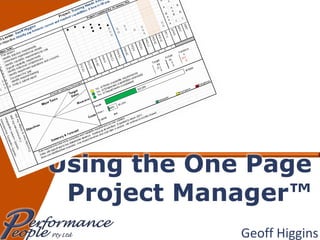
Geoff Higgins
Attribution (1) The One Page Project Manager™ is the intellectual property of O.C. Tanner Company (USA). Image:  www.octanner.com
Attribution (2) Clark Addison Campbell has published a book called  The One-Page Project Manager (2007, John Wiley & Sons). This was a key source  of content in this presentation. Image:  www.amazon.com
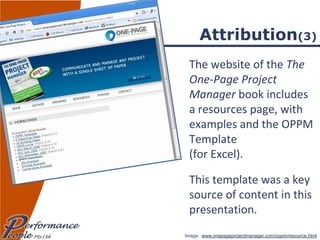
Attribution (3) The website of the  The One-Page Project Manager  book includes a resources page, with examples and the OPPM Template  (for Excel). This template was a key source of content in this presentation. Image:  www.onepageprojectmanager.com/oppm/resource.html
Purpose To understand how the One Page Project Manager™ can be used as a tool for planning, monitoring and communicating project performance. To be able to develop a One Page Project Manager™ for your own project.
Topics The One Page Project Manager™ Planning Your Own Project Monitoring & Reporting Reading the OPPM
Question What is the core information that any person needs to know about your project… …  before you start? …  part way through? ?
 
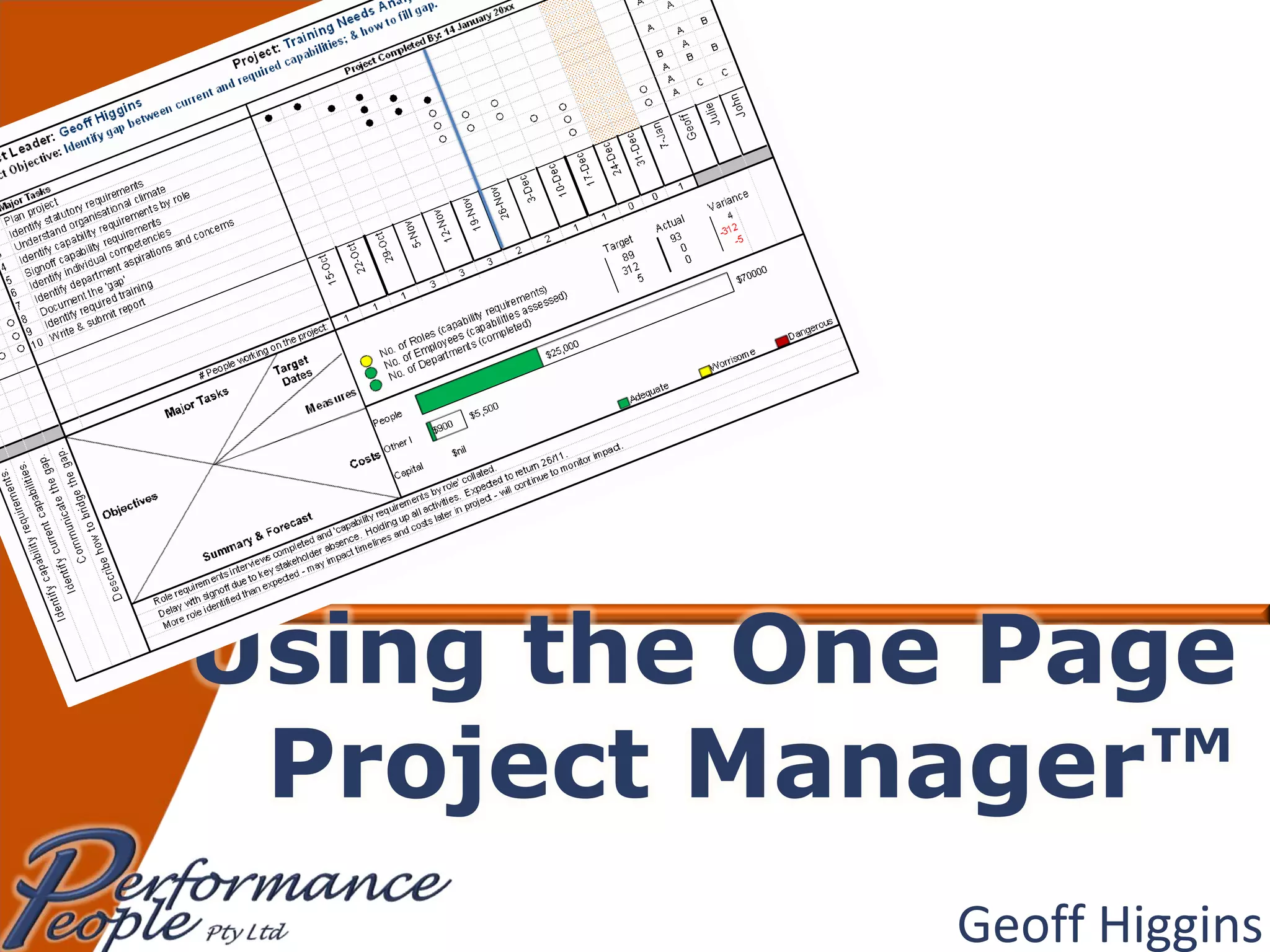
One Page Project Manager A tool, not a methodology The discipline:  To present summary project information on a single A4 sheet The purpose: To communicate the plan & progress Not ‘simple’, but reasonably straightforward
Special Note The OPPM does not take the place of other, more detailed project documentation.  Including: Business Case Project Schedule Risk & Issue Register Timesheets
 
General Principles Always work on the OPPM with the team/team leaders Get task owner agreement to commitments in the OPPM
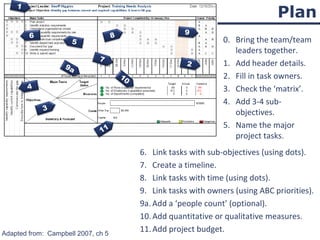
Plan 0. Bring the team/team leaders together. Add header details. Fill in task owners. Check the ‘matrix’. Add 3-4 sub-objectives. Name the major project tasks. Adapted from:  Campbell 2007, ch 5 Link tasks with sub-objectives (using dots). Create a timeline. Link tasks with time (using dots). Link tasks with owners (using ABC priorities). 9a. Add a ‘people count’ (optional). Add quantitative or qualitative measures. Add project budget. 1 2 3 4 5 6 7 8 9 10 9a 11
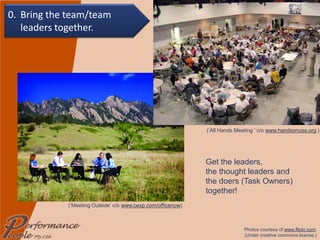
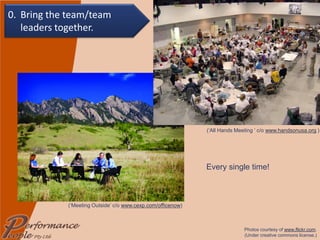
(‘Meeting Outside’ c/o  www.cexp.com/officenow ) (‘All Hands Meeting ’ c/o  www.handsonusa.org  ) Get the leaders,  the thought leaders and  the doers (Task Owners) together! Photos courtesy of  www.flickr.com . (Under creative commons license.) 0. Bring the team/team leaders together.
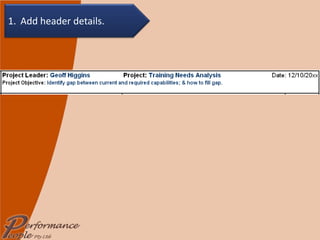
1. Add header details.
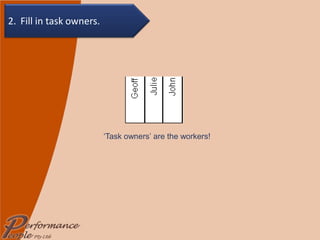
‘ Task owners’ are the workers! 2. Fill in task owners.
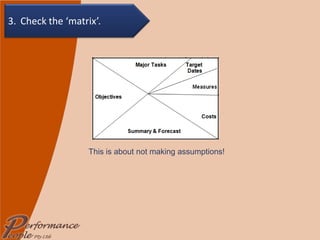
This is about not making assumptions! 3. Check the ‘matrix’.
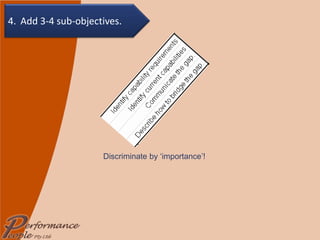
Discriminate by ‘importance’! 4. Add 3-4 sub-objectives.
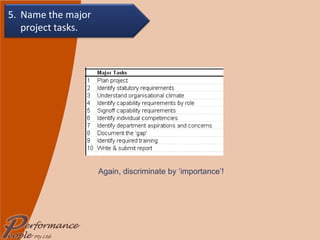
Again, discriminate by ‘importance’! 5. Name the major  project tasks.
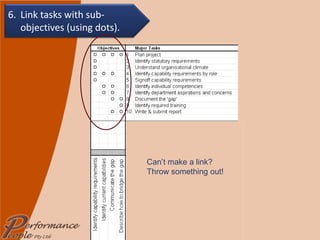
Can’t make a link?  Throw something out! 6. Link tasks with sub-objectives (using dots).
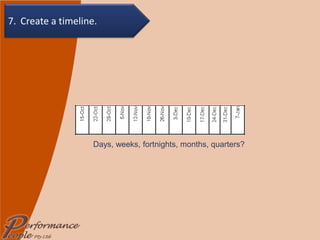
Days, weeks, fortnights, months, quarters? 7. Create a timeline.
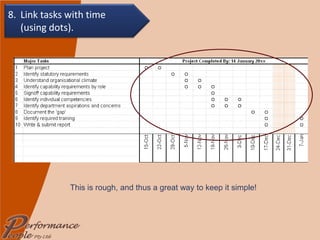
This is rough, and thus a great way to keep it simple! 8. Link tasks with time  (using dots).
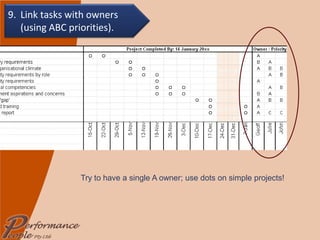
Try to have a single A owner; use dots on simple projects! 9. Link tasks with owners (using ABC priorities).
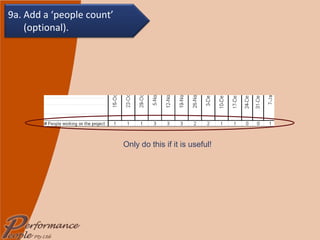
Only do this if it is useful! 9a. Add a ‘people count’ (optional).
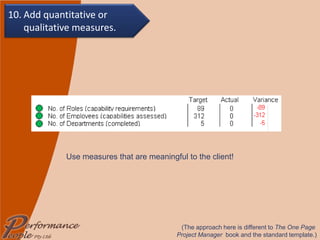
Use measures that are meaningful to the client! (The approach here is different to  The One Page  Project Manager  book and the standard template.) 10. Add quantitative or qualitative measures.
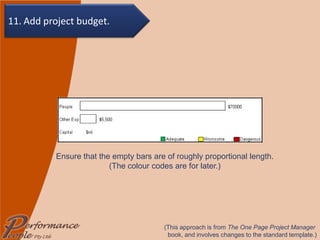
Ensure that the empty bars are of roughly proportional length. (The colour codes are for later.) (This approach is from  The One Page Project Manager  book, and involves changes to the standard template.) 11. Add project budget.
Flexibility Don’t be afraid to make changes – continuous improvement is about taking advantage of opportunities and overcoming obstacles. When this happens, and it impacts the OPPM, change it!
HAVE A GO YOURSELF!!! To Download the Excel File,  :   one page project manager resources & download  OPPM Template
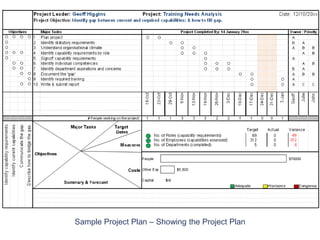
Sample Project Plan – Showing the Project Plan
 
General Principles Always work on the OPPM with the team/team leaders Get task owner agreement to changes to commitments in the OPPM This is the time to identify and discuss issues and opportunities Do a ‘Save As…’ before making changes!
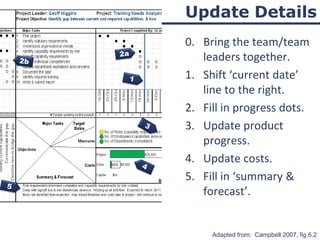
Update Details 0. Bring the team/team leaders together. Shift ‘current date’ line to the right. Fill in progress dots. Update product progress. Update costs. Fill in ‘summary & forecast’. Adapted from:  Campbell 2007, fig 6.2 1 2a 3 4 2b 5
(‘Meeting Outside’ c/o  www.cexp.com/officenow ) (‘All Hands Meeting ’ c/o  www.handsonusa.org  ) Every single time! Photos courtesy of  www.flickr.com . (Under creative commons license.) 0. Bring the team/team leaders together.
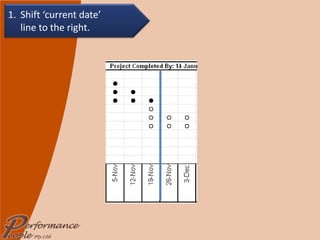
1. Shift ‘current date’  line to the right.
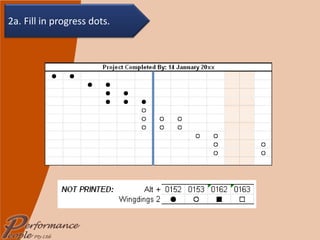
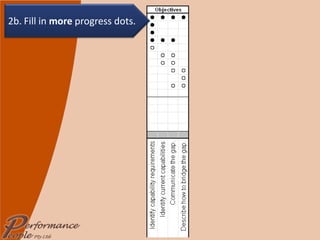
2a. Fill in progress dots.
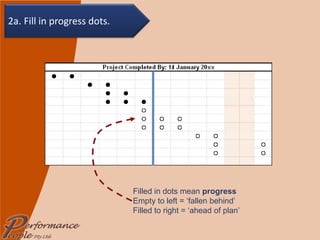
Filled in dots mean  progress Empty to left = ‘fallen behind’ Filled to right = ‘ahead of plan’ 2a. Fill in progress dots.
2b. Fill in  more  progress dots.
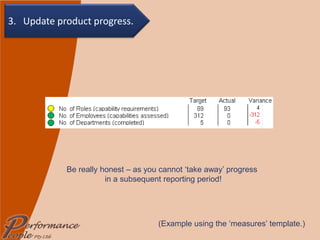
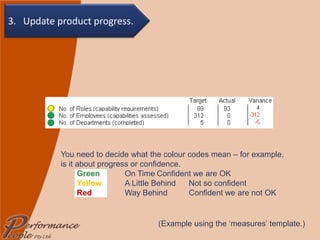
(Example using the ‘measures’ template.) You need to decide what the colour codes mean – for example, is it about progress or confidence. Green   On Time Confident we are OK Yellow   A Little Behind Not so confident Red   Way Behind  Confident we are not OK 3.  Update product progress.
(Example using the ‘measures’ template.) Be really honest – as you cannot ‘take away’ progress  in a subsequent reporting period! 3.  Update product progress.
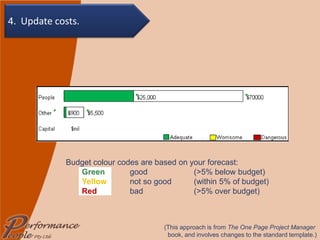
(This approach is from  The One Page Project Manager  book, and involves changes to the standard template.) Budget colour codes are based on your forecast: Green   good  (>5% below budget) Yellow   not so good  (within 5% of budget) Red   bad  (>5% over budget) 4. Update costs.
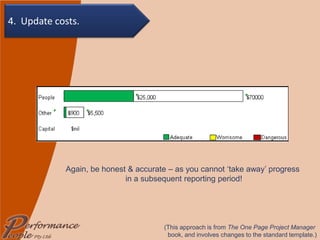
Again, be honest & accurate – as you cannot ‘take away’ progress  in a subsequent reporting period! (This approach is from  The One Page Project Manager  book, and involves changes to the standard template.) 4. Update costs.
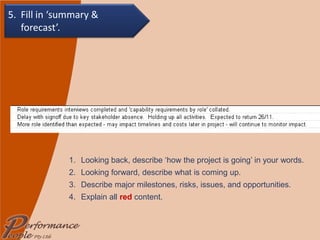
Looking back, describe ‘how the project is going’ in your words. Looking forward, describe what is coming up. Describe major milestones, risks, issues, and opportunities. Explain all  red  content. 5. Fill in ‘summary & forecast’.
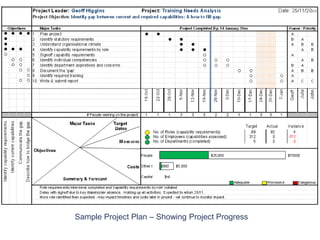
Sample Project Plan – Showing Project Progress
Reading & Resources Campbell, CA 2007  The One-Page Project Manager  Wiley & Sons, New Jersey. Campbell’s Resources at  www.onepageprojectmanager.com/oppm/resource.html   Balanced customer review on Amazon.com http://www.amazon.com/review/R1M1BI11AF4D7N
© Performance People Pty Ltd, 2009 The One Page Project Manager is the  property of O.C.Tanner Co. Photos courtesy of  www.flickr.com . (Under creative commons license.) Added to SlideShare by  GeoffatPerformancePeople www.performancepeople.com.au

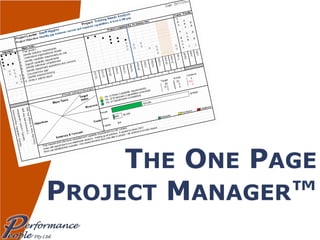
Using The One Page Project Manager

  • 1.
  • 2.
    Attribution (1) TheOne Page Project Manager™ is the intellectual property of O.C. Tanner Company (USA). Image: www.octanner.com
  • 3.
    Attribution (2) ClarkAddison Campbell has published a book called The One-Page Project Manager (2007, John Wiley & Sons). This was a key source of content in this presentation. Image: www.amazon.com
  • 4.
    Attribution (3) Thewebsite of the The One-Page Project Manager book includes a resources page, with examples and the OPPM Template (for Excel). This template was a key source of content in this presentation. Image: www.onepageprojectmanager.com/oppm/resource.html
  • 5.
    Purpose To understandhow the One Page Project Manager™ can be used as a tool for planning, monitoring and communicating project performance. To be able to develop a One Page Project Manager™ for your own project.
  • 6.
    Topics The OnePage Project Manager™ Planning Your Own Project Monitoring & Reporting Reading the OPPM
  • 7.
    Question What isthe core information that any person needs to know about your project… … before you start? … part way through? ?
  • 8.
  • 9.
    One Page ProjectManager A tool, not a methodology The discipline: To present summary project information on a single A4 sheet The purpose: To communicate the plan & progress Not ‘simple’, but reasonably straightforward
  • 10.
    Special Note TheOPPM does not take the place of other, more detailed project documentation. Including: Business Case Project Schedule Risk & Issue Register Timesheets
  • 11.
  • 12.
    General Principles Alwayswork on the OPPM with the team/team leaders Get task owner agreement to commitments in the OPPM
  • 13.
    Plan 0. Bringthe team/team leaders together. Add header details. Fill in task owners. Check the ‘matrix’. Add 3-4 sub-objectives. Name the major project tasks. Adapted from: Campbell 2007, ch 5 Link tasks with sub-objectives (using dots). Create a timeline. Link tasks with time (using dots). Link tasks with owners (using ABC priorities). 9a. Add a ‘people count’ (optional). Add quantitative or qualitative measures. Add project budget. 1 2 3 4 5 6 7 8 9 10 9a 11
  • 14.
    (‘Meeting Outside’ c/o www.cexp.com/officenow ) (‘All Hands Meeting ’ c/o www.handsonusa.org ) Get the leaders, the thought leaders and the doers (Task Owners) together! Photos courtesy of www.flickr.com . (Under creative commons license.) 0. Bring the team/team leaders together.
  • 15.
    1. Add headerdetails.
  • 16.
    ‘ Task owners’are the workers! 2. Fill in task owners.
  • 17.
    This is aboutnot making assumptions! 3. Check the ‘matrix’.
  • 18.
    Discriminate by ‘importance’!4. Add 3-4 sub-objectives.
  • 19.
    Again, discriminate by‘importance’! 5. Name the major project tasks.
  • 20.
    Can’t make alink? Throw something out! 6. Link tasks with sub-objectives (using dots).
  • 21.
    Days, weeks, fortnights,months, quarters? 7. Create a timeline.
  • 22.
    This is rough,and thus a great way to keep it simple! 8. Link tasks with time (using dots).
  • 23.
    Try to havea single A owner; use dots on simple projects! 9. Link tasks with owners (using ABC priorities).
  • 24.
    Only do thisif it is useful! 9a. Add a ‘people count’ (optional).
  • 25.
    Use measures thatare meaningful to the client! (The approach here is different to The One Page Project Manager book and the standard template.) 10. Add quantitative or qualitative measures.
  • 26.
    Ensure that theempty bars are of roughly proportional length. (The colour codes are for later.) (This approach is from The One Page Project Manager book, and involves changes to the standard template.) 11. Add project budget.
  • 27.
    Flexibility Don’t beafraid to make changes – continuous improvement is about taking advantage of opportunities and overcoming obstacles. When this happens, and it impacts the OPPM, change it!
  • 28.
    HAVE A GOYOURSELF!!! To Download the Excel File, : one page project manager resources & download OPPM Template
  • 29.
    Sample Project Plan– Showing the Project Plan
  • 30.
  • 31.
    General Principles Alwayswork on the OPPM with the team/team leaders Get task owner agreement to changes to commitments in the OPPM This is the time to identify and discuss issues and opportunities Do a ‘Save As…’ before making changes!
  • 32.
    Update Details 0.Bring the team/team leaders together. Shift ‘current date’ line to the right. Fill in progress dots. Update product progress. Update costs. Fill in ‘summary & forecast’. Adapted from: Campbell 2007, fig 6.2 1 2a 3 4 2b 5
  • 33.
    (‘Meeting Outside’ c/o www.cexp.com/officenow ) (‘All Hands Meeting ’ c/o www.handsonusa.org ) Every single time! Photos courtesy of www.flickr.com . (Under creative commons license.) 0. Bring the team/team leaders together.
  • 34.
    1. Shift ‘currentdate’ line to the right.
  • 35.
    2a. Fill inprogress dots.
  • 36.
    Filled in dotsmean progress Empty to left = ‘fallen behind’ Filled to right = ‘ahead of plan’ 2a. Fill in progress dots.
  • 37.
    2b. Fill in more progress dots.
  • 38.
    (Example using the‘measures’ template.) You need to decide what the colour codes mean – for example, is it about progress or confidence. Green On Time Confident we are OK Yellow A Little Behind Not so confident Red Way Behind Confident we are not OK 3. Update product progress.
  • 39.
    (Example using the‘measures’ template.) Be really honest – as you cannot ‘take away’ progress in a subsequent reporting period! 3. Update product progress.
  • 40.
    (This approach isfrom The One Page Project Manager book, and involves changes to the standard template.) Budget colour codes are based on your forecast: Green good (>5% below budget) Yellow not so good (within 5% of budget) Red bad (>5% over budget) 4. Update costs.
  • 41.
    Again, be honest& accurate – as you cannot ‘take away’ progress in a subsequent reporting period! (This approach is from The One Page Project Manager book, and involves changes to the standard template.) 4. Update costs.
  • 42.
    Looking back, describe‘how the project is going’ in your words. Looking forward, describe what is coming up. Describe major milestones, risks, issues, and opportunities. Explain all red content. 5. Fill in ‘summary & forecast’.
  • 43.
    Sample Project Plan– Showing Project Progress
  • 44.
    Reading & ResourcesCampbell, CA 2007 The One-Page Project Manager Wiley & Sons, New Jersey. Campbell’s Resources at www.onepageprojectmanager.com/oppm/resource.html Balanced customer review on Amazon.com http://www.amazon.com/review/R1M1BI11AF4D7N
  • 45.
    © Performance PeoplePty Ltd, 2009 The One Page Project Manager is the property of O.C.Tanner Co. Photos courtesy of www.flickr.com . (Under creative commons license.) Added to SlideShare by GeoffatPerformancePeople www.performancepeople.com.au