Project Planning - The Basics  Presented By Keely Killpack, PhD Killpack Group, LLC [email_address] Content: Outline of Basics Planning Deliverables Functioning
Effective Project Managers  maintain documents that lead the project, track critical deliverables and keep the team informed. They include: Project Plan Outline Project Description Team & Contact Information Schedule  Budget Risk & Issue Management Team Communications Approvals Want More? Just ask!  I’ve got templates and experiences to share! [email_address]
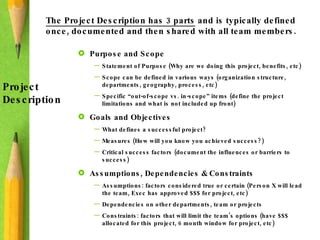
The Project Description has 3 parts  and is typically defined once, documented and then shared with all team members.  Project  Description Purpose and Scope Statement of Purpose (Why are we doing this project, benefits, etc) Scope can be defined in various ways (organization structure, departments, geography, process, etc) Specific “out-of-scope vs. in-scope” items (define the project limitations and what is not included up front) Goals and Objectives What defines a successful project? Measures (How will you know you achieved success?) Critical success factors (document the influences or barriers to success) Assumptions, Dependencies & Constraints Assumptions: factors considered true or certain (Person X will lead the team, Exec has approved $$$ for project, etc) Dependencies on other departments, team or projects Constraints: factors that will limit the team’s options (have $$$ allocated for this project, 6 month window for project, etc)
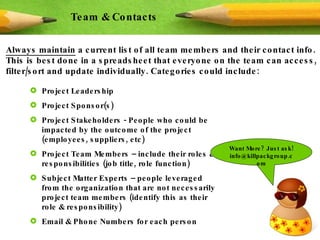
Always maintain  a current list of all team members and their contact info. This is best done in a spreadsheet that everyone on the team can access, filter/sort and update individually. Categories could include: Team & Contacts Project Leadership Project Sponsor(s) Project Stakeholders - People who could be impacted by the outcome of the project (employees, suppliers, etc) Project Team Members – include their roles & responsibilities (job title, role function) Subject Matter Experts – people leveraged from the organization that are not necessarily project team members (identify this as their role & responsibility) Email & Phone Numbers for each person Want More? Just ask! info@killpackgroup.com
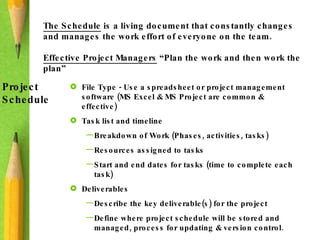
The Schedule  is a living document that constantly changes and manages the work effort of everyone on the team.  Effective Project Managers  “Plan the work and then work the plan”  Project Schedule File Type - Use a spreadsheet or project management software (MS Excel & MS Project are common & effective) Task list and timeline Breakdown of Work (Phases, activities, tasks) Resources assigned to tasks Start and end dates for tasks (time to complete each task) Deliverables Describe the key deliverable(s) for the project Define where project schedule will be stored and managed, process for updating & version control.
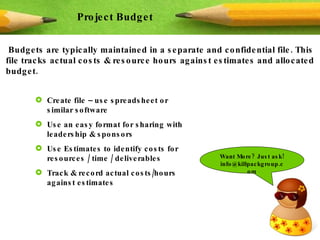
Budgets are typically maintained in a separate and confidential file. This file tracks actual costs & resource hours against estimates and allocated budget. Project Budget Create file – use spreadsheet or similar software Use an easy format for sharing with leadership & sponsors Use Estimates to identify costs for resources / time / deliverables  Track & record actual costs/hours against estimates Want More? Just ask! info@killpackgroup.com
Risks & Issues  are inevitable in projects and it is critical to keep tracking documents current and available to the team.  Risk & Issues Management Use spreadsheets that includes categories/types, name of accountable person, short & long descriptions of issue/risk, notes area for tracking progress toward resolution and dates. Risk Log Identify software limitations or other critical elements that threaten the success of the project Issues Log Details snags, hardships, problems that impede the project schedule or performance. Team leads work issues & risks during meetings and keep focused on resolving them. Tracking resolution or next steps (in both logs) is a critical function of the Project Manager
Effective Project Managers  lead the team’s internal communication effort. Decide how members access documents, interact with each other and keep informed of progress and deliverable completion. Team Communications Team Document Access – SharePoint, a shared network drive or other common platform where all team members access current versions of project documents Include key documents (like Project Plans, Schedule, Team Contacts, sub-team folders for work in progress & deliverables) Status Reports – create template with required fields of information and set expectation of when they are due (weekly) Project Team Meetings – lead team in discussing status, issues/risks, mitigation, leadership/stakeholder input, etc (weekly) Sponsor/Stakeholder Updates – Inform key people outside the project on actions, progress & relevant information (week/month) Knowledge Transfer – define how new team members are oriented & those leaving will document knowledge to remain in their absence
All projects require approvals  along the way. Documenting those items that require approval will help you keep on track and maintain communication with project authority or corporate leadership.  Approvals File Type - Use a spreadsheet or project management software (MS Excel & MS Project are common & effective) List of Items that require approval: What it is Who approves / approved it Finalized Version that was approved Date it was approved Want More? Just ask! info@killpackgroup.com
About Keely Killpack, PhD PhD in Industrial & Organizational Psychology –  study of people behaviors in the workplace, and work systems involved in employee performance, behavior management, change and coaching Specialty in Work Motivation –  leverage these techniques into all team management, change initiatives and implementing employee adoption  Project Management –  Decade of consulting experience, managing technical, professional, leadership & subordinate teams through projects Global consulting experiences  -  Learned worldwide views and diverse business cultures to leverage with new clients Strong talent in maximizing value –  helping leaders with project management, change strategy, team & leadership development, process redesign and employee transformation  Proven track record of successful results –  client & leadership references available Killpack Group Management Consulting -  Leadership & Team Development Project Planning & Management Change Strategy & Employee Change Management Sustainable Strategies & Implementation

Project Planning Basics - Everything you need to start managing a project

  • 1.
    Project Planning -The Basics Presented By Keely Killpack, PhD Killpack Group, LLC [email_address] Content: Outline of Basics Planning Deliverables Functioning
  • 2.
    Effective Project Managers maintain documents that lead the project, track critical deliverables and keep the team informed. They include: Project Plan Outline Project Description Team & Contact Information Schedule Budget Risk & Issue Management Team Communications Approvals Want More? Just ask! I’ve got templates and experiences to share! [email_address]
  • 3.
    The Project Descriptionhas 3 parts and is typically defined once, documented and then shared with all team members. Project Description Purpose and Scope Statement of Purpose (Why are we doing this project, benefits, etc) Scope can be defined in various ways (organization structure, departments, geography, process, etc) Specific “out-of-scope vs. in-scope” items (define the project limitations and what is not included up front) Goals and Objectives What defines a successful project? Measures (How will you know you achieved success?) Critical success factors (document the influences or barriers to success) Assumptions, Dependencies & Constraints Assumptions: factors considered true or certain (Person X will lead the team, Exec has approved $$$ for project, etc) Dependencies on other departments, team or projects Constraints: factors that will limit the team’s options (have $$$ allocated for this project, 6 month window for project, etc)
  • 4.
    Always maintain a current list of all team members and their contact info. This is best done in a spreadsheet that everyone on the team can access, filter/sort and update individually. Categories could include: Team & Contacts Project Leadership Project Sponsor(s) Project Stakeholders - People who could be impacted by the outcome of the project (employees, suppliers, etc) Project Team Members – include their roles & responsibilities (job title, role function) Subject Matter Experts – people leveraged from the organization that are not necessarily project team members (identify this as their role & responsibility) Email & Phone Numbers for each person Want More? Just ask! info@killpackgroup.com
  • 5.
    The Schedule is a living document that constantly changes and manages the work effort of everyone on the team. Effective Project Managers “Plan the work and then work the plan” Project Schedule File Type - Use a spreadsheet or project management software (MS Excel & MS Project are common & effective) Task list and timeline Breakdown of Work (Phases, activities, tasks) Resources assigned to tasks Start and end dates for tasks (time to complete each task) Deliverables Describe the key deliverable(s) for the project Define where project schedule will be stored and managed, process for updating & version control.
  • 6.
    Budgets are typicallymaintained in a separate and confidential file. This file tracks actual costs & resource hours against estimates and allocated budget. Project Budget Create file – use spreadsheet or similar software Use an easy format for sharing with leadership & sponsors Use Estimates to identify costs for resources / time / deliverables Track & record actual costs/hours against estimates Want More? Just ask! info@killpackgroup.com
  • 7.
    Risks & Issues are inevitable in projects and it is critical to keep tracking documents current and available to the team. Risk & Issues Management Use spreadsheets that includes categories/types, name of accountable person, short & long descriptions of issue/risk, notes area for tracking progress toward resolution and dates. Risk Log Identify software limitations or other critical elements that threaten the success of the project Issues Log Details snags, hardships, problems that impede the project schedule or performance. Team leads work issues & risks during meetings and keep focused on resolving them. Tracking resolution or next steps (in both logs) is a critical function of the Project Manager
  • 8.
    Effective Project Managers lead the team’s internal communication effort. Decide how members access documents, interact with each other and keep informed of progress and deliverable completion. Team Communications Team Document Access – SharePoint, a shared network drive or other common platform where all team members access current versions of project documents Include key documents (like Project Plans, Schedule, Team Contacts, sub-team folders for work in progress & deliverables) Status Reports – create template with required fields of information and set expectation of when they are due (weekly) Project Team Meetings – lead team in discussing status, issues/risks, mitigation, leadership/stakeholder input, etc (weekly) Sponsor/Stakeholder Updates – Inform key people outside the project on actions, progress & relevant information (week/month) Knowledge Transfer – define how new team members are oriented & those leaving will document knowledge to remain in their absence
  • 9.
    All projects requireapprovals along the way. Documenting those items that require approval will help you keep on track and maintain communication with project authority or corporate leadership. Approvals File Type - Use a spreadsheet or project management software (MS Excel & MS Project are common & effective) List of Items that require approval: What it is Who approves / approved it Finalized Version that was approved Date it was approved Want More? Just ask! info@killpackgroup.com
  • 10.
    About Keely Killpack,PhD PhD in Industrial & Organizational Psychology – study of people behaviors in the workplace, and work systems involved in employee performance, behavior management, change and coaching Specialty in Work Motivation – leverage these techniques into all team management, change initiatives and implementing employee adoption Project Management – Decade of consulting experience, managing technical, professional, leadership & subordinate teams through projects Global consulting experiences - Learned worldwide views and diverse business cultures to leverage with new clients Strong talent in maximizing value – helping leaders with project management, change strategy, team & leadership development, process redesign and employee transformation Proven track record of successful results – client & leadership references available Killpack Group Management Consulting - Leadership & Team Development Project Planning & Management Change Strategy & Employee Change Management Sustainable Strategies & Implementation