Using Padlet in Your
Classroom
Robin Skelley
Spring 2016
What we will talk about
- Why should you use Padlet
- How to create a Padlet
- Ideas on how to use Padlet in your
classroom
What is Padlet?
A Web 2.0 discussion tool.
- Allows posting of text, images, audio, and web links
- Provides different backgrounds and layouts
- Many options for sharing and exporting
- Several privacy levels
Why use it?
- Provides a different way for student to show what they
know
- Promotes group discussion
- Provides opportunities for students to learn about
digital etiquette and digital citizenship
- Works on any device with a web browser
How Padlet works
- www.padlet.com
Follow along! If you have any questions, please let me
know.
Ideas for classroom use- Large group
- Lesson Starter- We want to know more about ________
- http://padlet.com/skelleyrobin/desertexample
- Students could ask questions/ make comments during
large group reading
- Ticket out the door
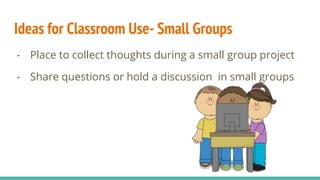
Ideas for Classroom Use- Small Groups
- Place to collect thoughts during a small group project
- Share questions or hold a discussion in small groups
Ideas for Classroom Use- Individual
- Answer the final question on a webquest
- Make a digital newspaper
As the Teacher
- Collaboration tool- Collect thoughts/ideas from a
meeting all in one place
- Collect Resources- Save links and resources for lessons
on the wall (you could share resources with other
teachers)
Brainstorm- Your turn!
What other ways could you use a Padlet in your
classroom?
http://padlet.com/skelleyrobin/brainstorm
One last thing...
Please take sometime to fill out this survey!
https://www.surveymonkey.com/r/8GF3QLT

Using padlet in your classroom

  • 1.
    Using Padlet inYour Classroom Robin Skelley Spring 2016
  • 2.
    What we willtalk about - Why should you use Padlet - How to create a Padlet - Ideas on how to use Padlet in your classroom
  • 3.
    What is Padlet? AWeb 2.0 discussion tool. - Allows posting of text, images, audio, and web links - Provides different backgrounds and layouts - Many options for sharing and exporting - Several privacy levels
  • 4.
    Why use it? -Provides a different way for student to show what they know - Promotes group discussion - Provides opportunities for students to learn about digital etiquette and digital citizenship - Works on any device with a web browser
  • 5.
    How Padlet works -www.padlet.com Follow along! If you have any questions, please let me know.
  • 6.
    Ideas for classroomuse- Large group - Lesson Starter- We want to know more about ________ - http://padlet.com/skelleyrobin/desertexample - Students could ask questions/ make comments during large group reading - Ticket out the door
  • 7.
    Ideas for ClassroomUse- Small Groups - Place to collect thoughts during a small group project - Share questions or hold a discussion in small groups
  • 8.
    Ideas for ClassroomUse- Individual - Answer the final question on a webquest - Make a digital newspaper
  • 9.
    As the Teacher -Collaboration tool- Collect thoughts/ideas from a meeting all in one place - Collect Resources- Save links and resources for lessons on the wall (you could share resources with other teachers)
  • 10.
    Brainstorm- Your turn! Whatother ways could you use a Padlet in your classroom? http://padlet.com/skelleyrobin/brainstorm
  • 11.
    One last thing... Pleasetake sometime to fill out this survey! https://www.surveymonkey.com/r/8GF3QLT