1
Smarter Software for Communities
August 19, 2015
8 Ways to Leverage LinkedIn for:
Economic Development
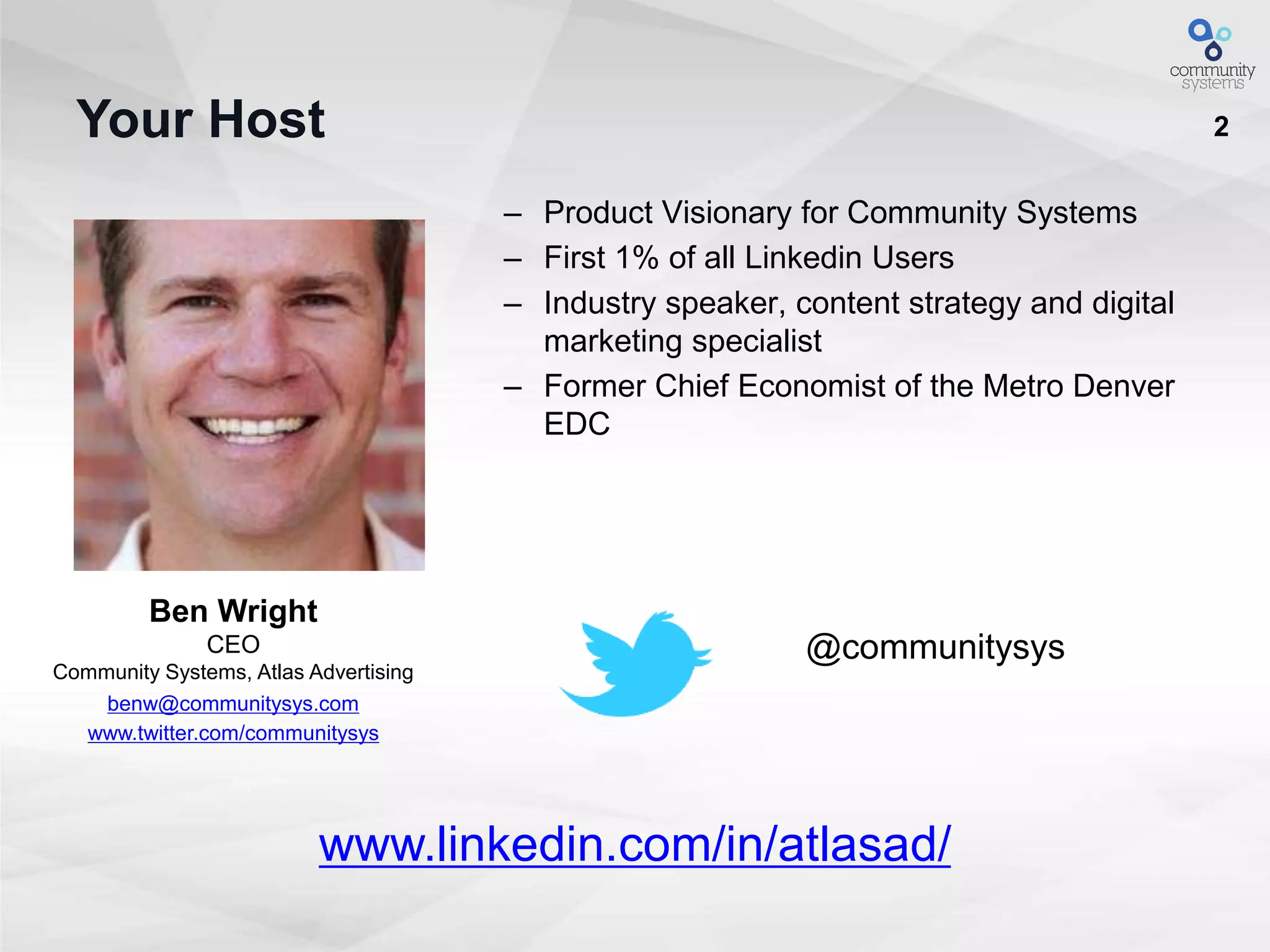
2Your Host
– Product Visionary for Community Systems
– First 1% of all Linkedin Users
– Industry speaker, content strategy and digital
marketing specialist
– Former Chief Economist of the Metro Denver
EDC
Ben Wright
CEO
Community Systems, Atlas Advertising
benw@communitysys.com
www.twitter.com/communitysys
@communitysys
www.linkedin.com/in/atlasad/
3
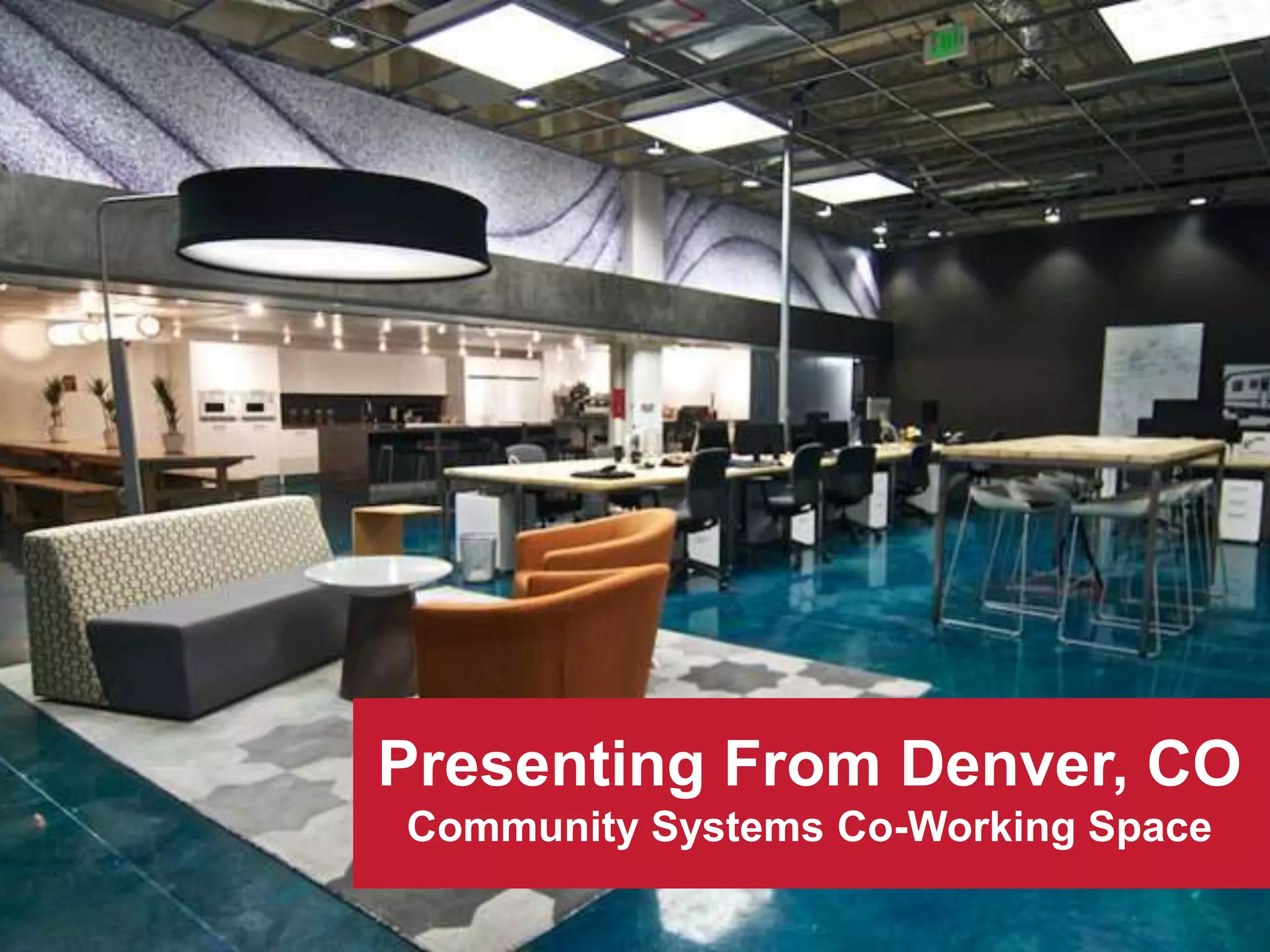
Presenting From Denver, CO
Community Systems Co-Working Space
4
Outline
1. Introductions
2. Understanding LinkedIn's Networks
3. 8 Ways to Leverage LinkedIn for Economic
Development
4. LinkedIn for Social Prospecting
5. Bring out Your Devices - Exploring LinkedIn
6. Wrap up/Questions
5
Smarter Software for Communities
“If you wait until there is another
case study in your industry,
you will be too late”
Seth Godin
Keynote Speaker
Author of Permission Marketing
6
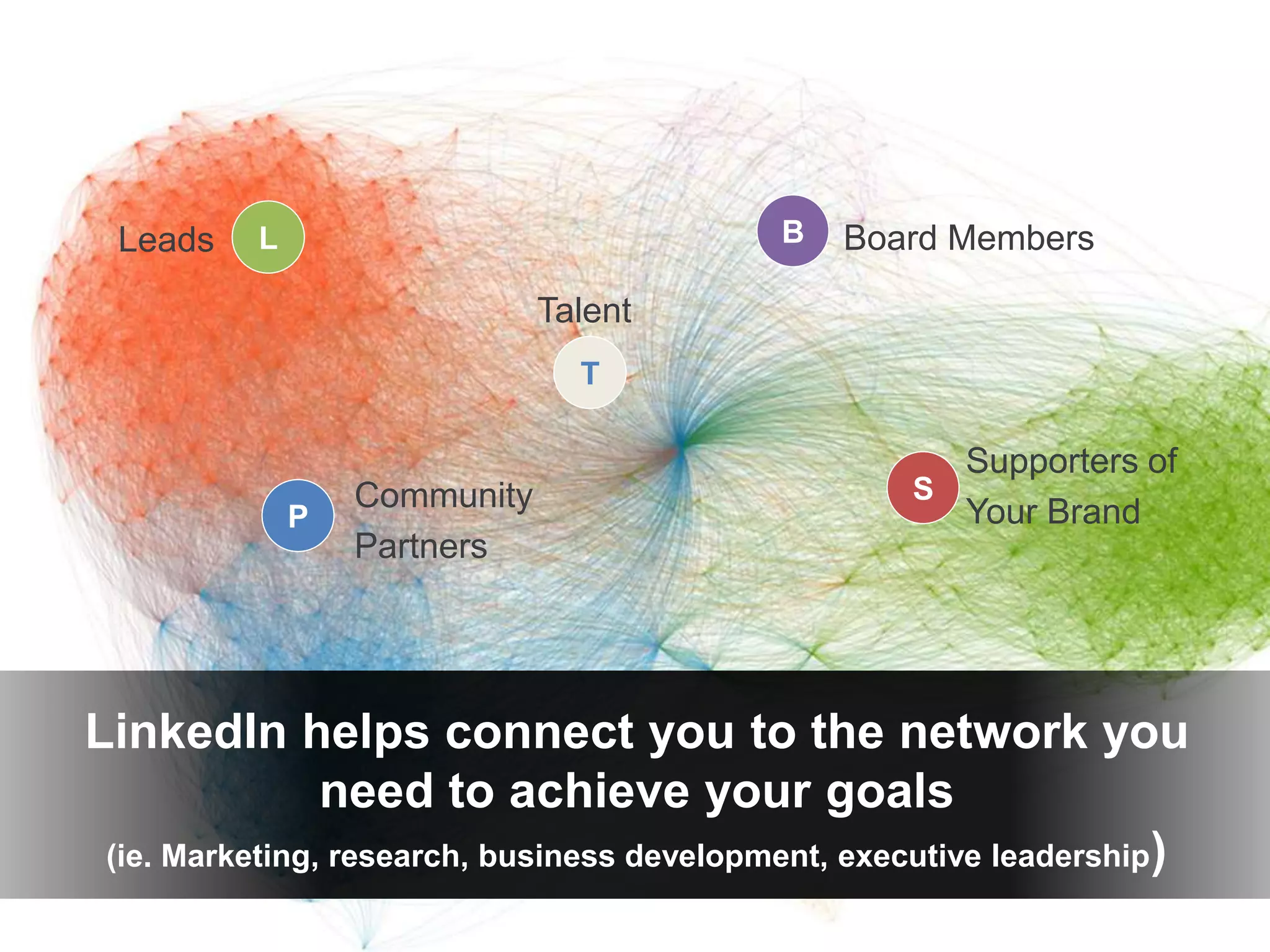
LinkedIn helps connect you to the network you
need to achieve your goals
(ie. Marketing, research, business development, executive leadership)
P
B
S
L Board Members
Community
Partners
Leads
Supporters of
Your Brand
T
Talent
7
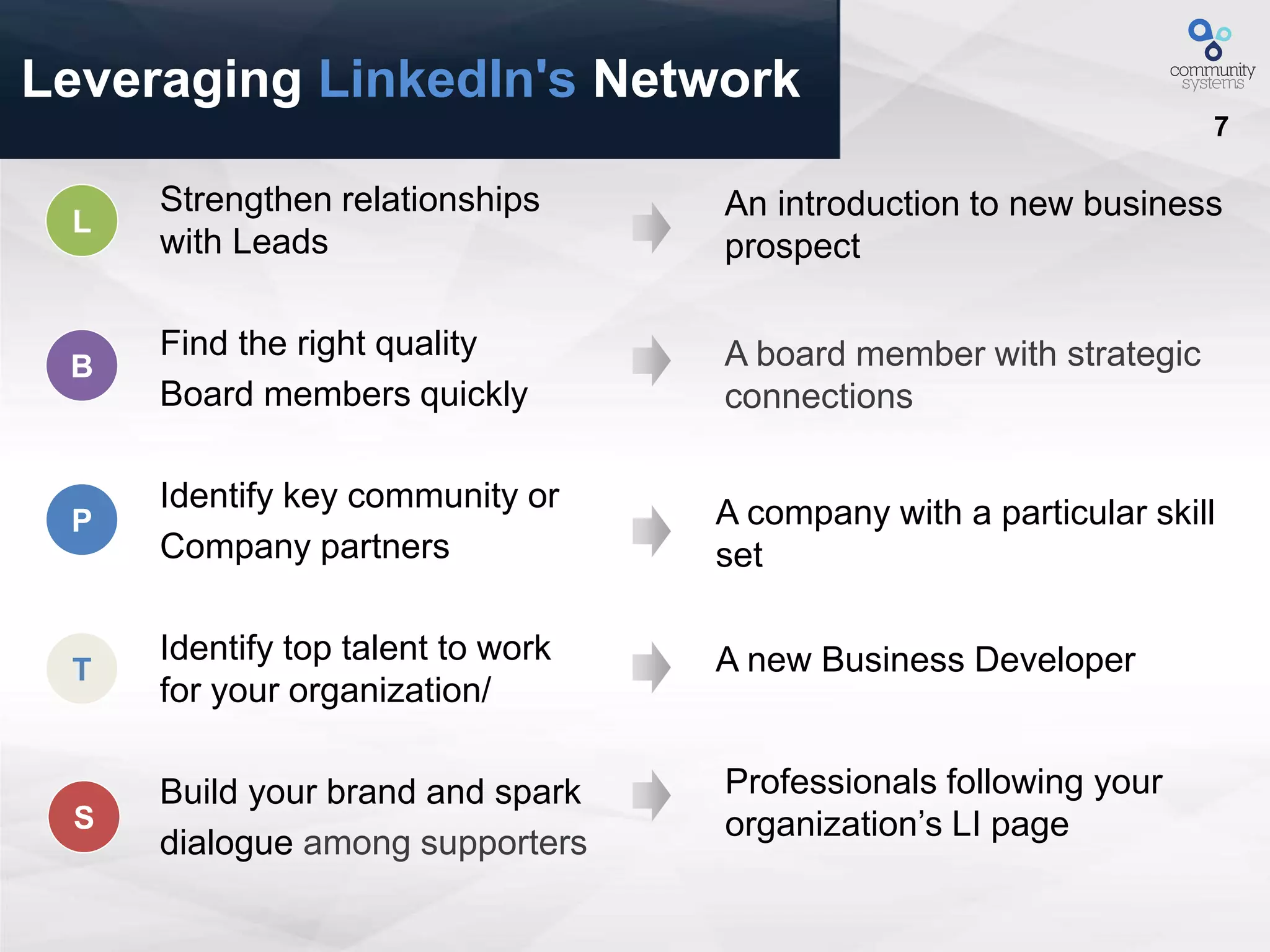
Leveraging LinkedIn's Network
Strengthen relationships
with Leads
Find the right quality
Board members quickly
Identify key community or
Company partners
Identify top talent to work
for your organization/
Build your brand and spark
dialogue among supporters
An introduction to new business
prospect
A board member with strategic
connections
A company with a particular skill
set
A new Business Developer
Professionals following your
organization’s LI pageS
P
B
L
T
8
Build Relationships With
Leads
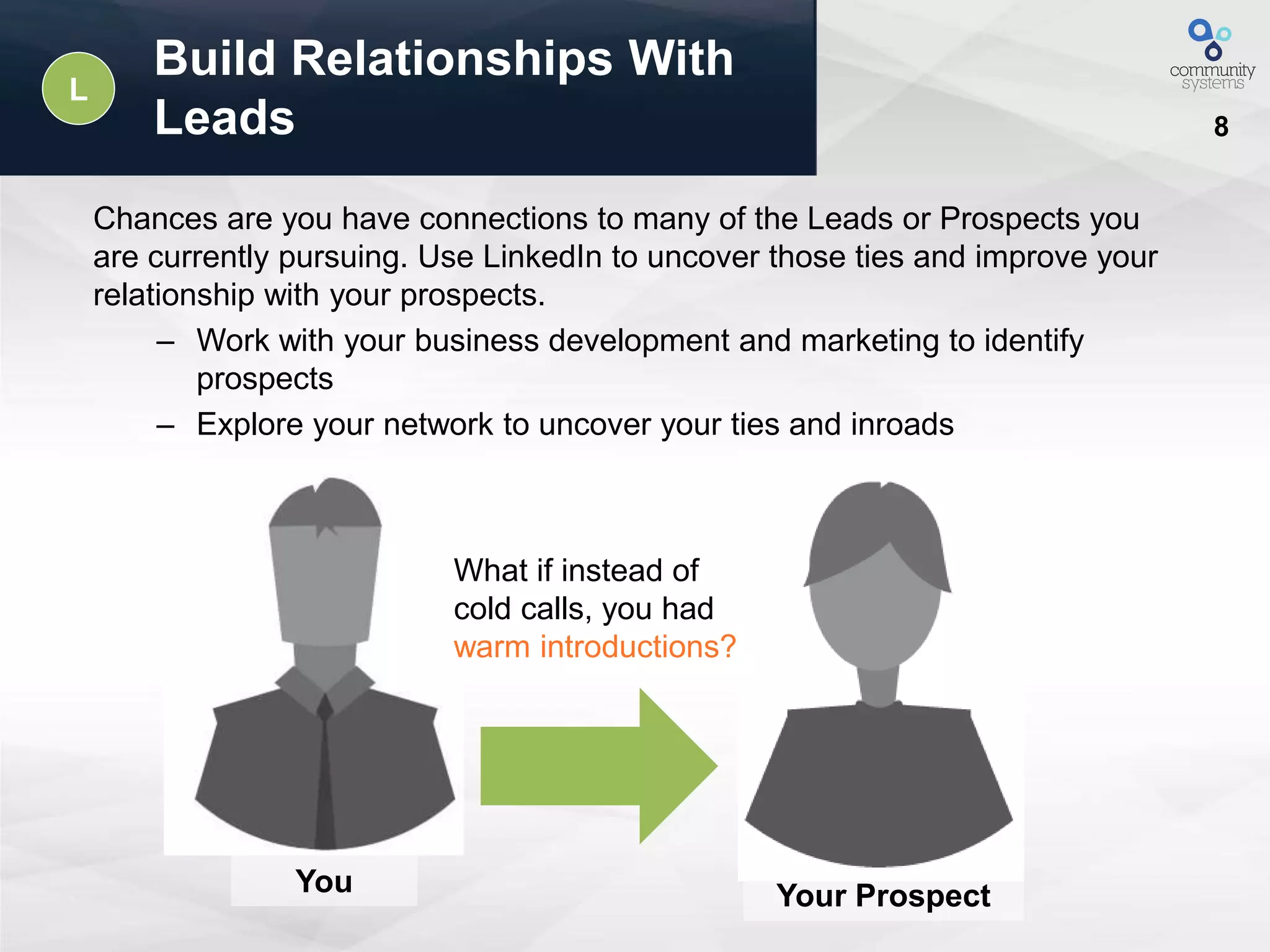
Chances are you have connections to many of the Leads or Prospects you
are currently pursuing. Use LinkedIn to uncover those ties and improve your
relationship with your prospects.
– Work with your business development and marketing to identify
prospects
– Explore your network to uncover your ties and inroads
What if instead of
cold calls, you had
warm introductions?
Your ProspectYou
L
9
Quickly Connect With Companies
And Board Members
B
LinkedIn makes it easy to explore your existing
connections to find potential board candidates. Connect
with your current board in order to fully leverage their
connections.
Use “advanced search” and
filter by:
Keyword
• Geographic location
• Desired skills
• Company or affiliation
10
Find And Engage
Community Partners
P
Looking for a particular skill set? Interested in building relationships
with partners from a particular company or industry?
• LinkedIn’s advance search feature makes zeroing in on the exact
talent you need easy.
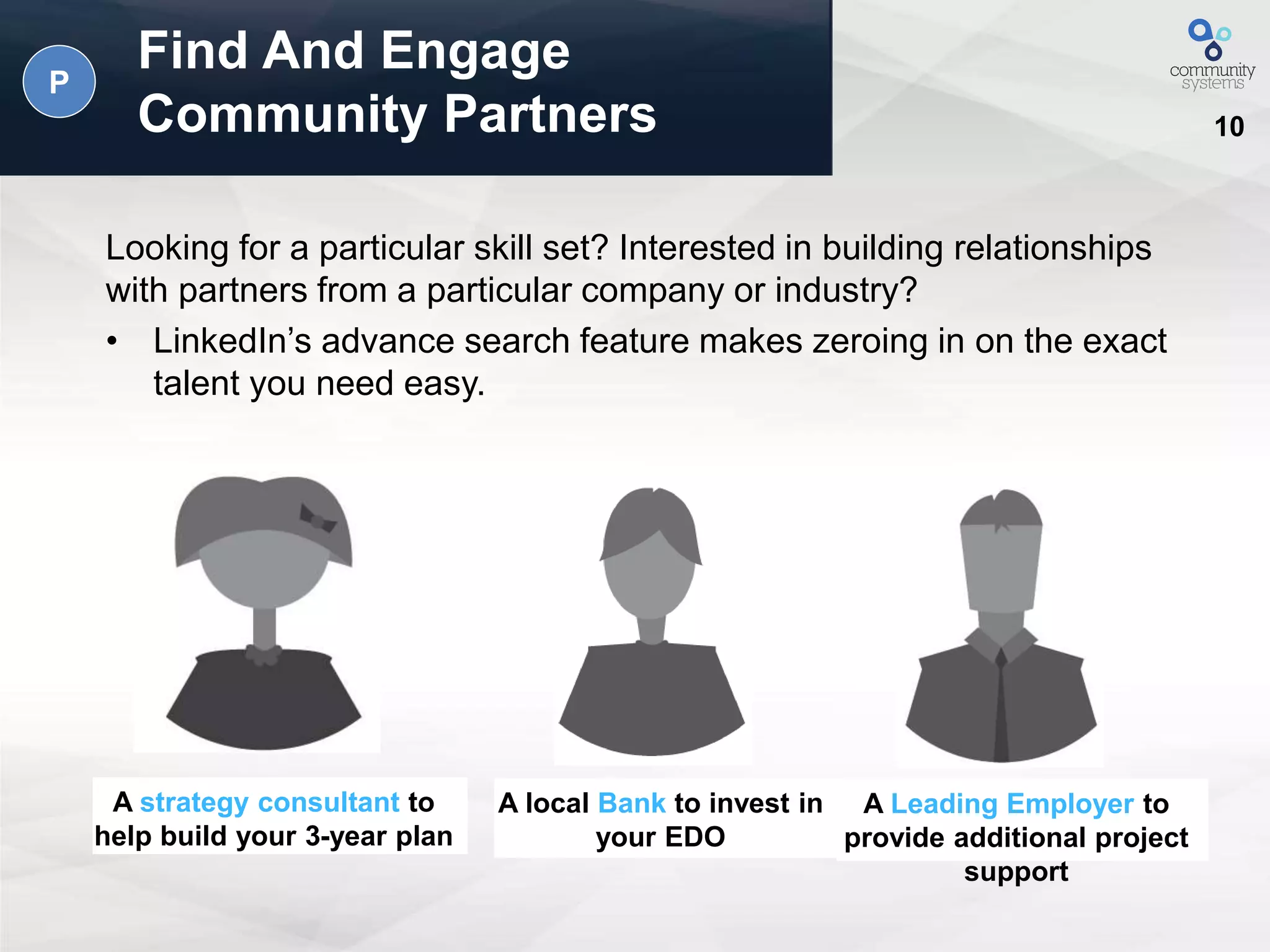
A strategy consultant to
help build your 3-year plan
A local Bank to invest in
your EDO
A Leading Employer to
provide additional project
support
11
Identify Top Talent For
Your Organization
T
With LinkedIn you can use “advanced search” to identify
potential candidates and then see shared connections.
Speed up your talent search and cut through the crowd to
find a perfect match
12
Build Meaningful Supportive
Relationships With Companies
LinkedIn is a vibrant community with hundreds of
millions of professionals worldwide. Your friends, fans
and supporters are already on LinkedIn. Invite them to
become your advocates.
– Create a company page, grow your follower base,
and post updates to spread your message across
the LinkedIn network.
– Ask your supporters to list your organization on their
profile in the Volunteer & Causes section.
– Join a Linked Group that is relevant to your cause
and help drive the conversation.
S
13
Smarter Software for Communities
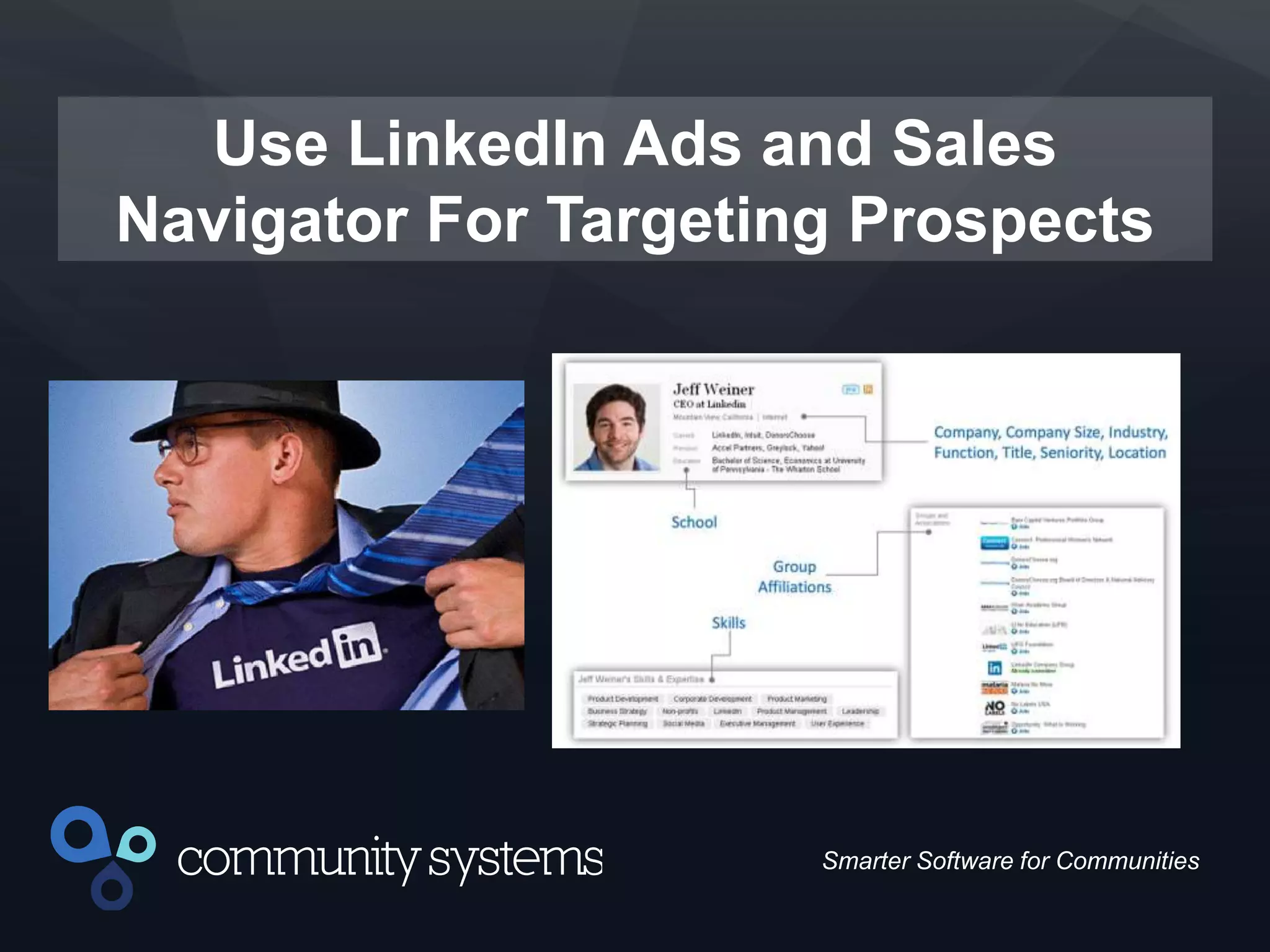
Use LinkedIn Ads and Sales
Navigator For Targeting Prospects
14
Smarter Software for Communities
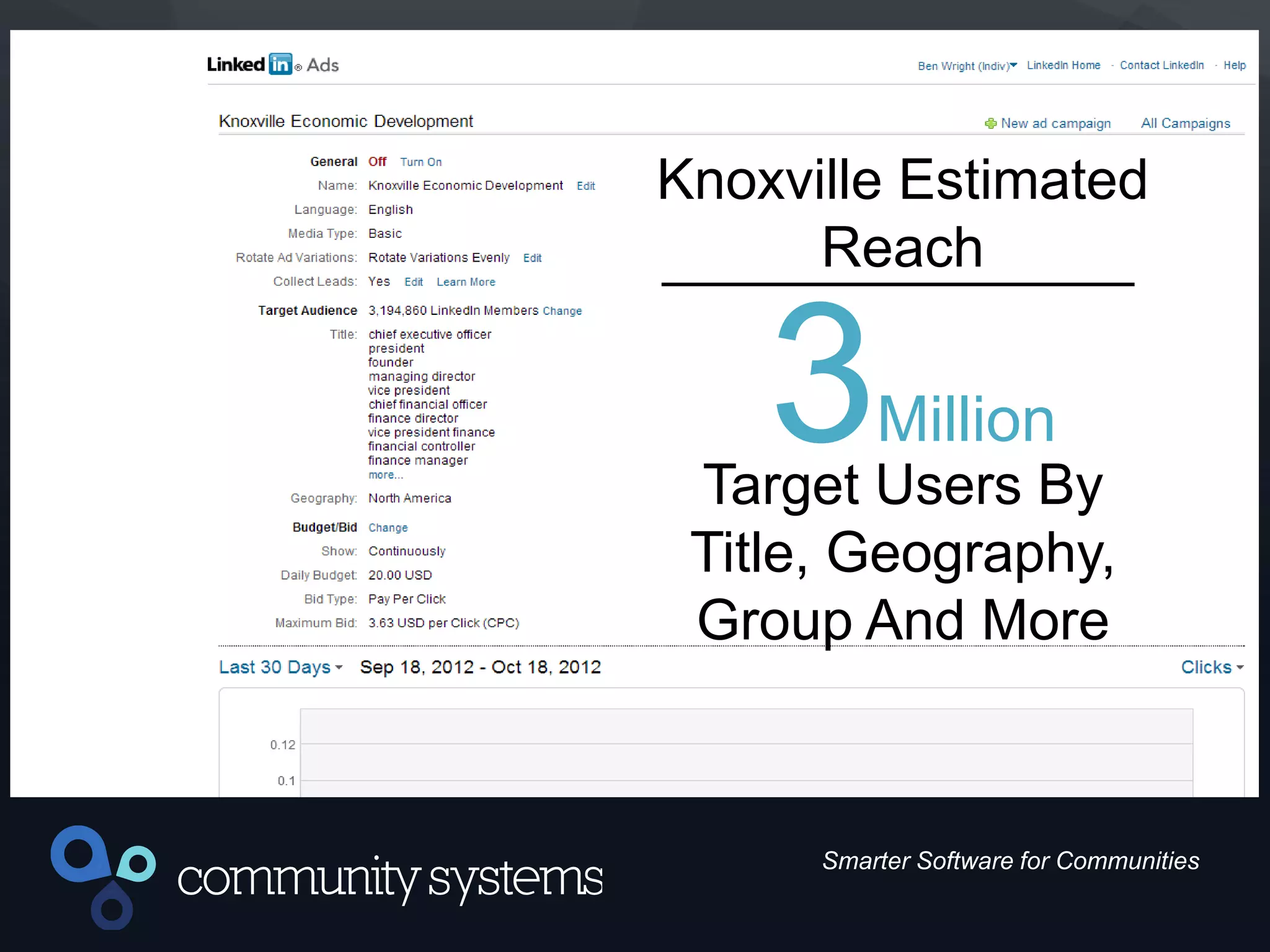
Knoxville Estimated
Reach
3Million
Target Users By
Title, Geography,
Group And More
15
Smarter Software for Communities
8 Ways to Leverage LinkedIn
LinkedIn is the most valuable social tool at
your disposal for ED marketing and
attraction. Make sure you’re using it right
and it will pay dividends.
16
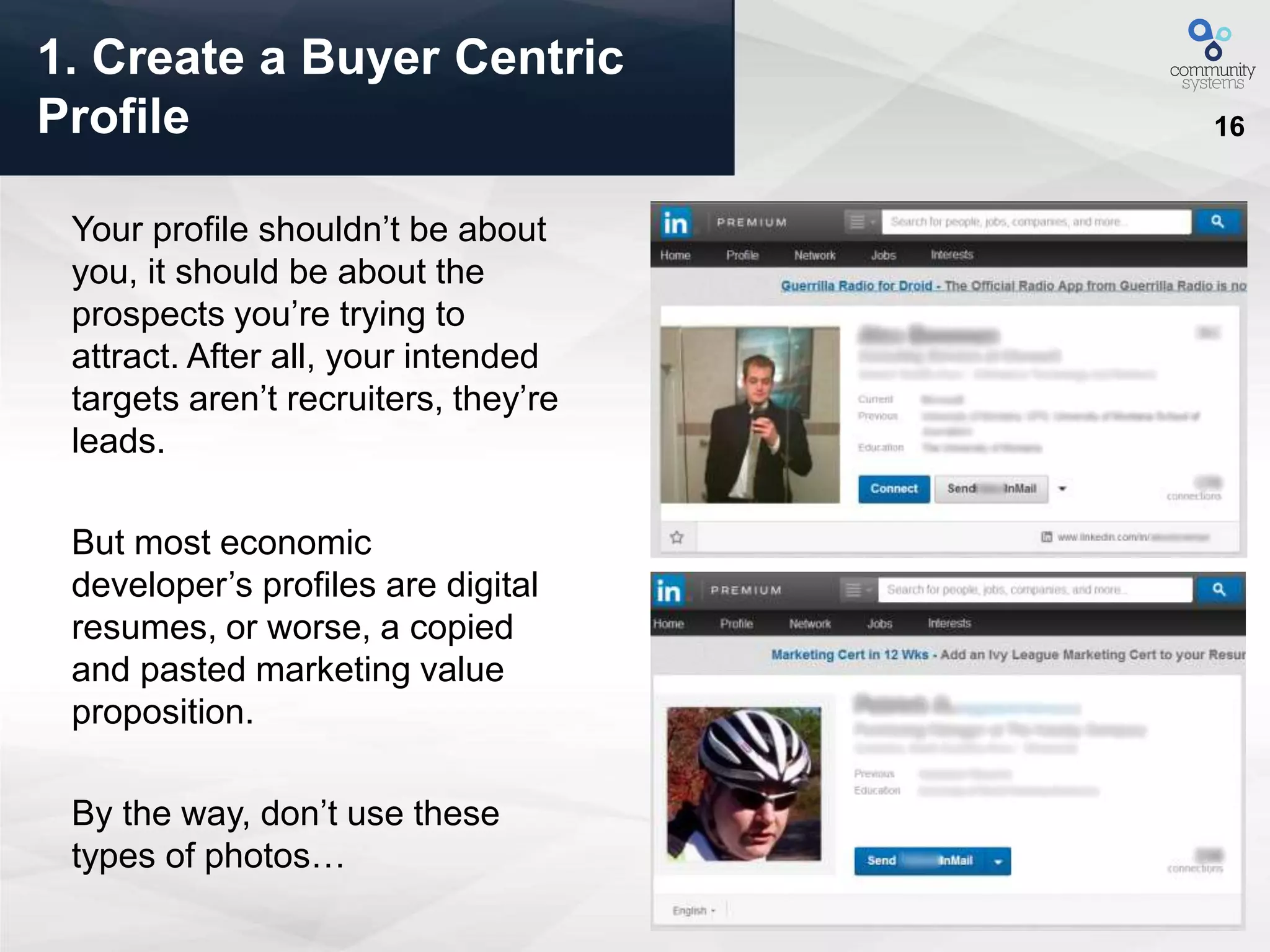
Your profile shouldn’t be about
you, it should be about the
prospects you’re trying to
attract. After all, your intended
targets aren’t recruiters, they’re
leads.
But most economic
developer’s profiles are digital
resumes, or worse, a copied
and pasted marketing value
proposition.
By the way, don’t use these
types of photos…
1. Create a Buyer Centric
Profile
17
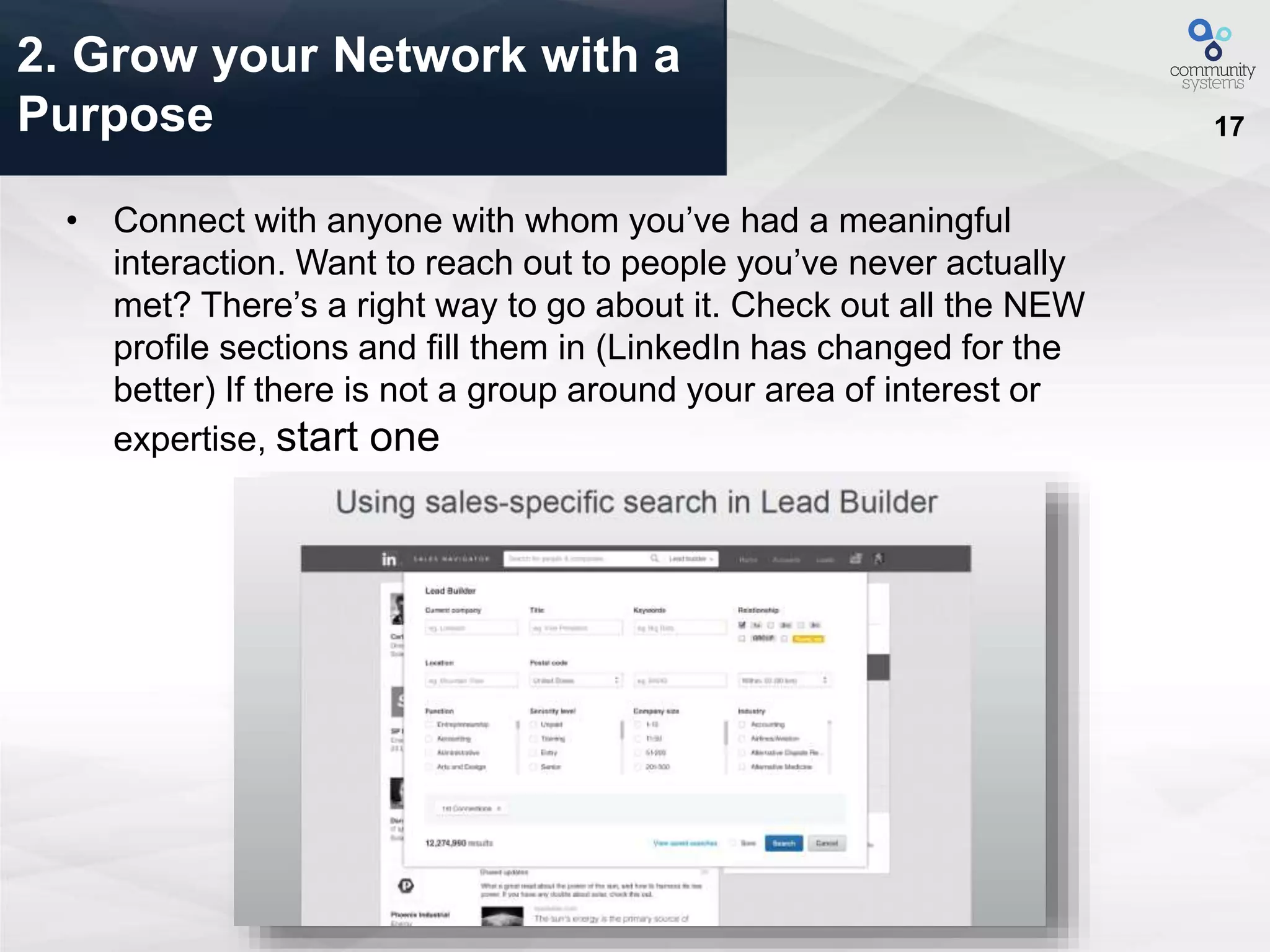
• Connect with anyone with whom you’ve had a meaningful
interaction. Want to reach out to people you’ve never actually
met? There’s a right way to go about it. Check out all the NEW
profile sections and fill them in (LinkedIn has changed for the
better) If there is not a group around your area of interest or
expertise, start one
2. Grow your Network with a
Purpose
18
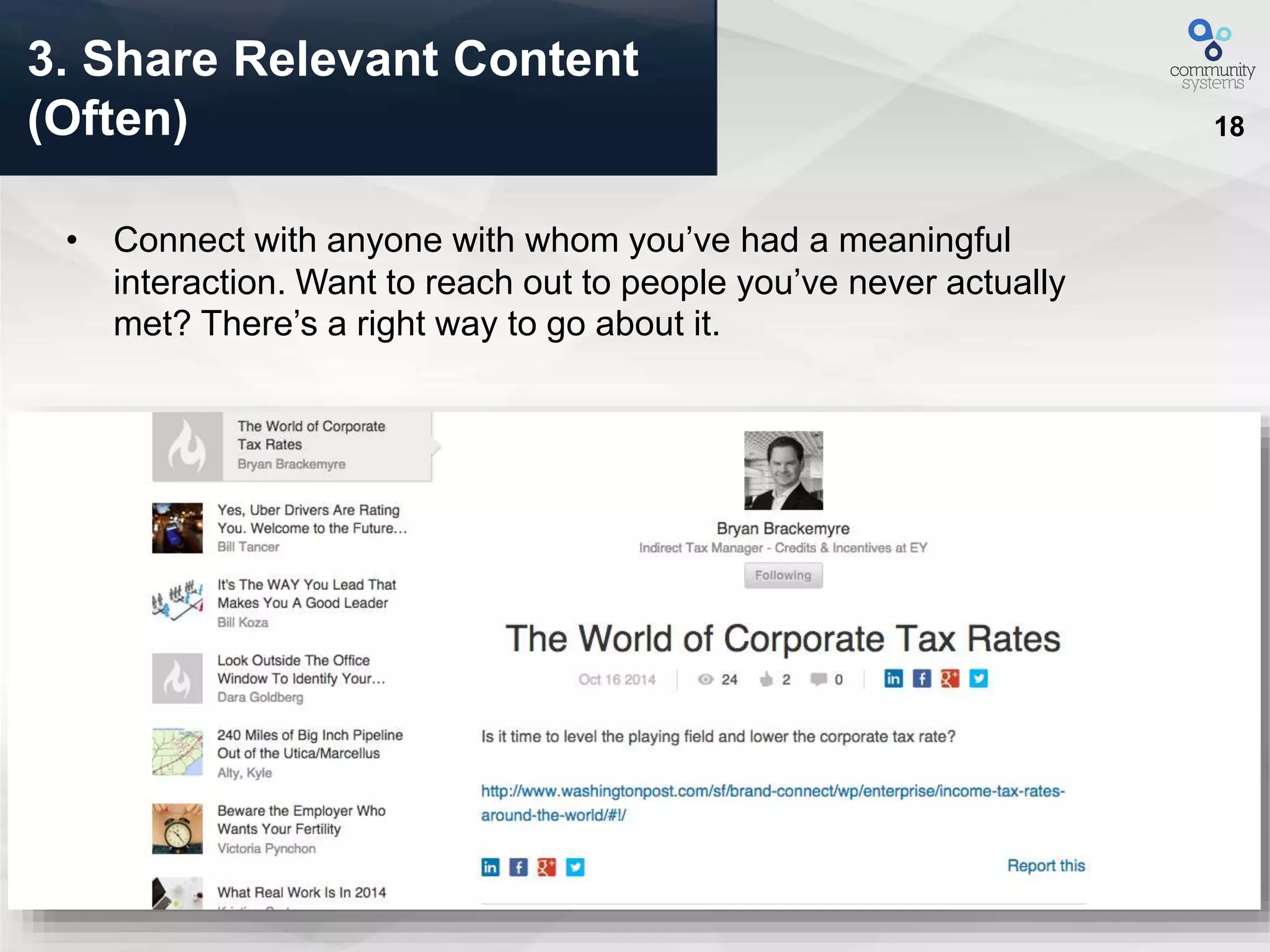
• Connect with anyone with whom you’ve had a meaningful
interaction. Want to reach out to people you’ve never actually
met? There’s a right way to go about it.
3. Share Relevant Content
(Often)
19
3. Share Relevant Content
(Often)
20
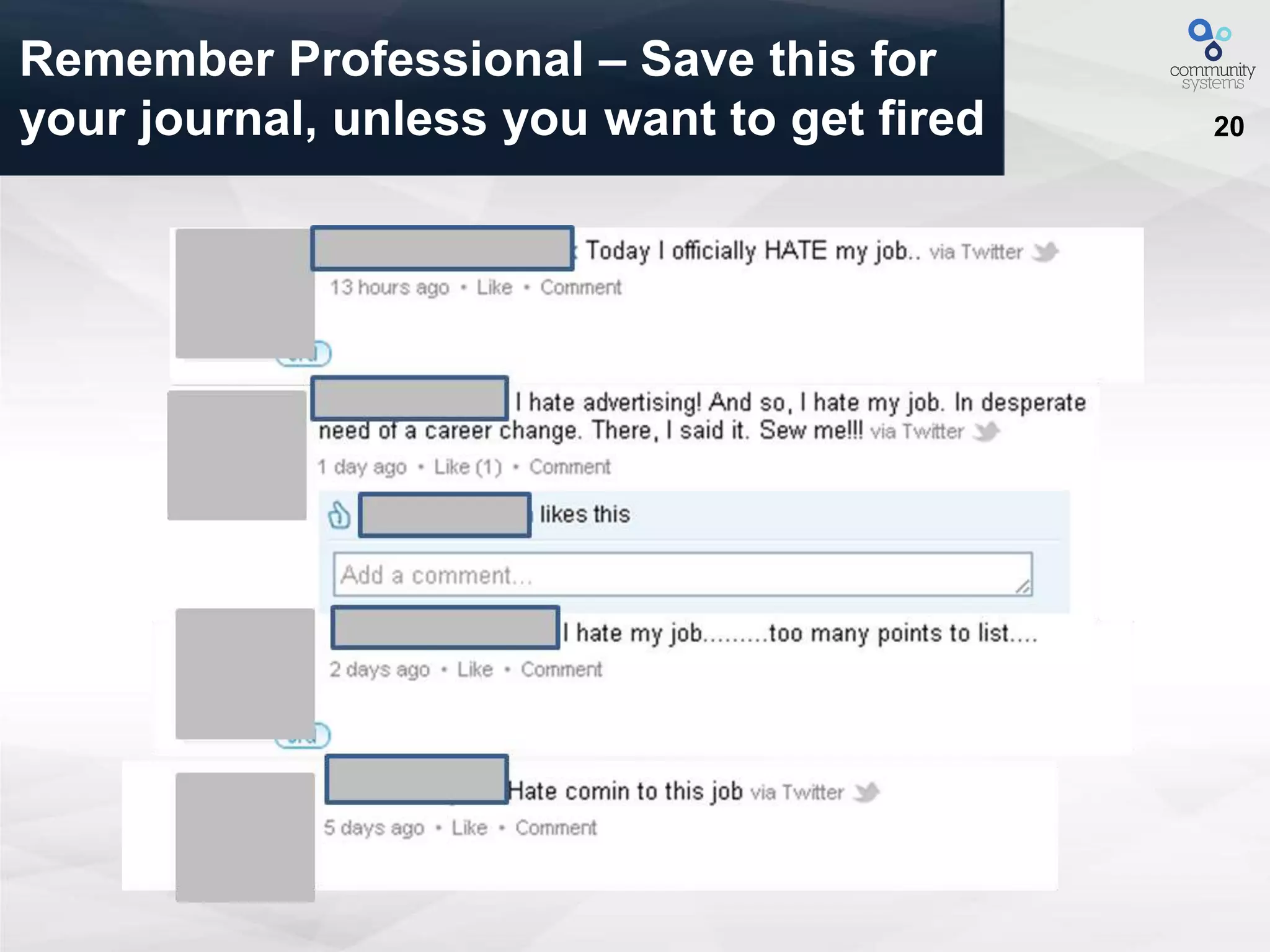
Remember Professional – Save this for
your journal, unless you want to get fired
21
• Look for three types of information: role-specific, goal-specific,
and common ground.
– Role-specific: What are they responsible for?
– Goal-specific: What are the targets they need to hit in their role?
– Common ground: Find some sort of tie back to you, whether it’s a common
connection, a college, a hobby, or an experience.
• You should also try to glean trigger events from your prospect’s
LinkedIn profile, although this can be tricky. Look at the stream of
content they’ve shared recently to see if you can find any press
releases or other articles about new leadership, acquisitions, or
significant changes.
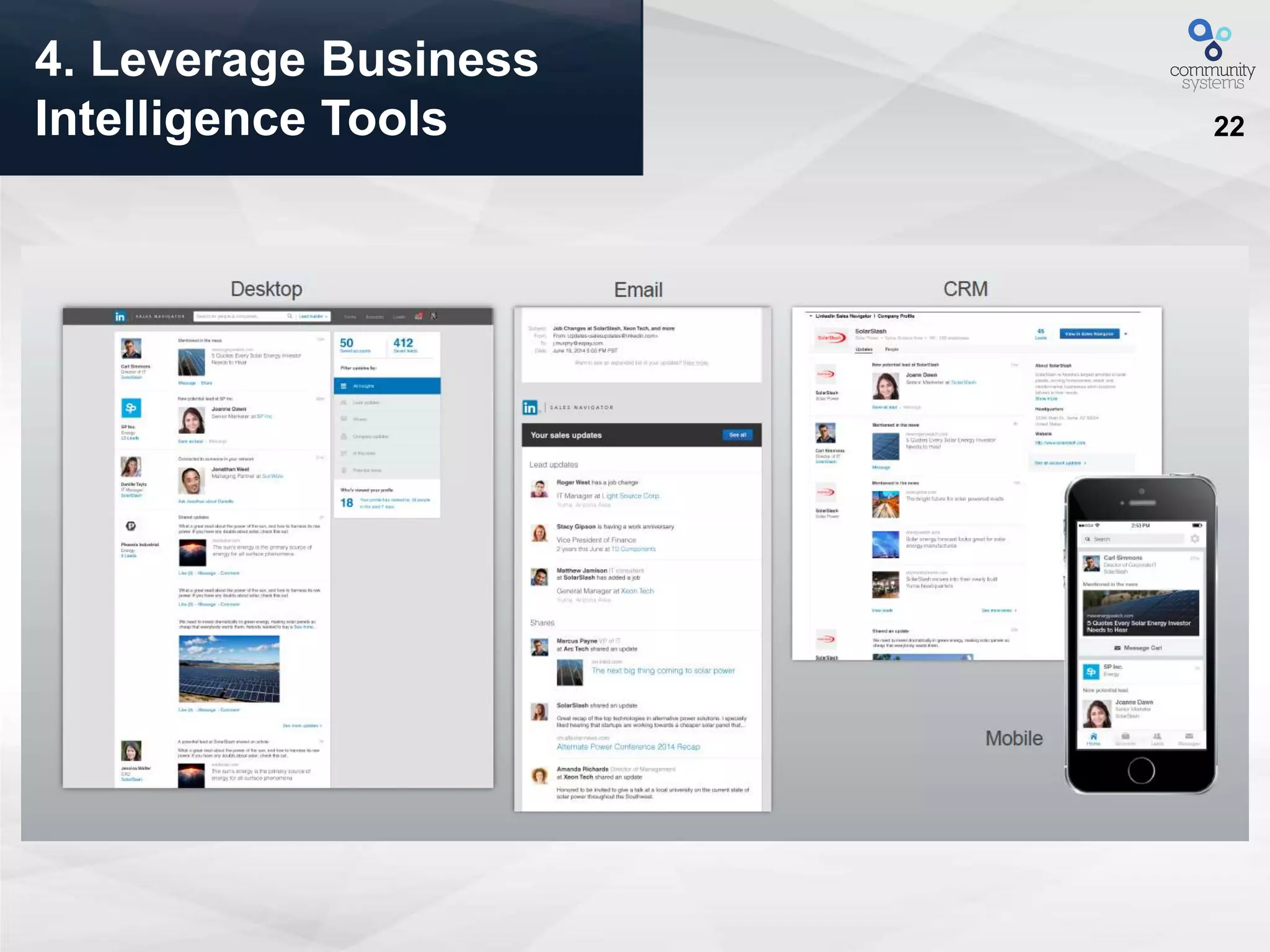
4. Leverage Business
Intelligence Tools
22
4. Leverage Business
Intelligence Tools
23
• Just like emails, InMails are an appropriate -- and perhaps even
more effective -- channel for an introduction to your product or
service. Research from InsideSales.com found that:
InMail with the exact same copy as an email will get a 33%
higher response.
• Pair emails and InMails. Send the email first, and then follow up
with an InMail. Insert one or two lines at the beginning of your
InMail, explaining that while you sent an email, you’re also
reaching out on LinkedIn since you weren’t sure which channel
was preferable. Then simply copy and paste the email copy into
the InMail, and send. If your buyers are social, this is an easy way
to boost response rates.
5. Use Multiple Tools for
Effectiveness
24
We Asked Site Selectors: What is the
applicability of LinkedIn to your
profession?
“I have used it along with Hoovers to check who is on LinkedIn and contact people
for business meetings.”
“I think it has good application. I have gotten proposals through this tool.”
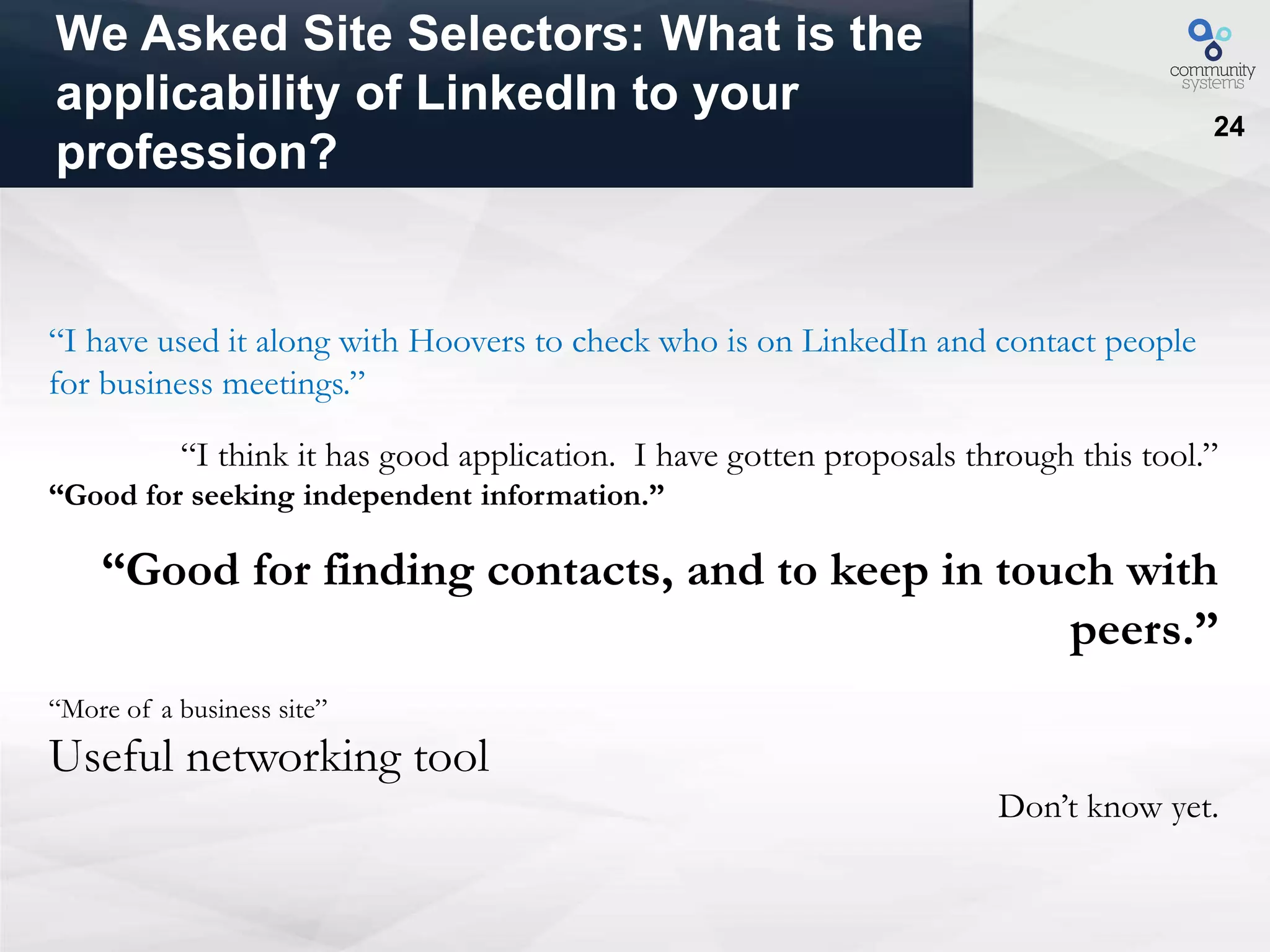
“Good for seeking independent information.”
“Good for finding contacts, and to keep in touch with
peers.”
“More of a business site”
Useful networking tool
Don’t know yet.
25
6. Get Mobile or Fall Behind
– Get the LinkedIn App
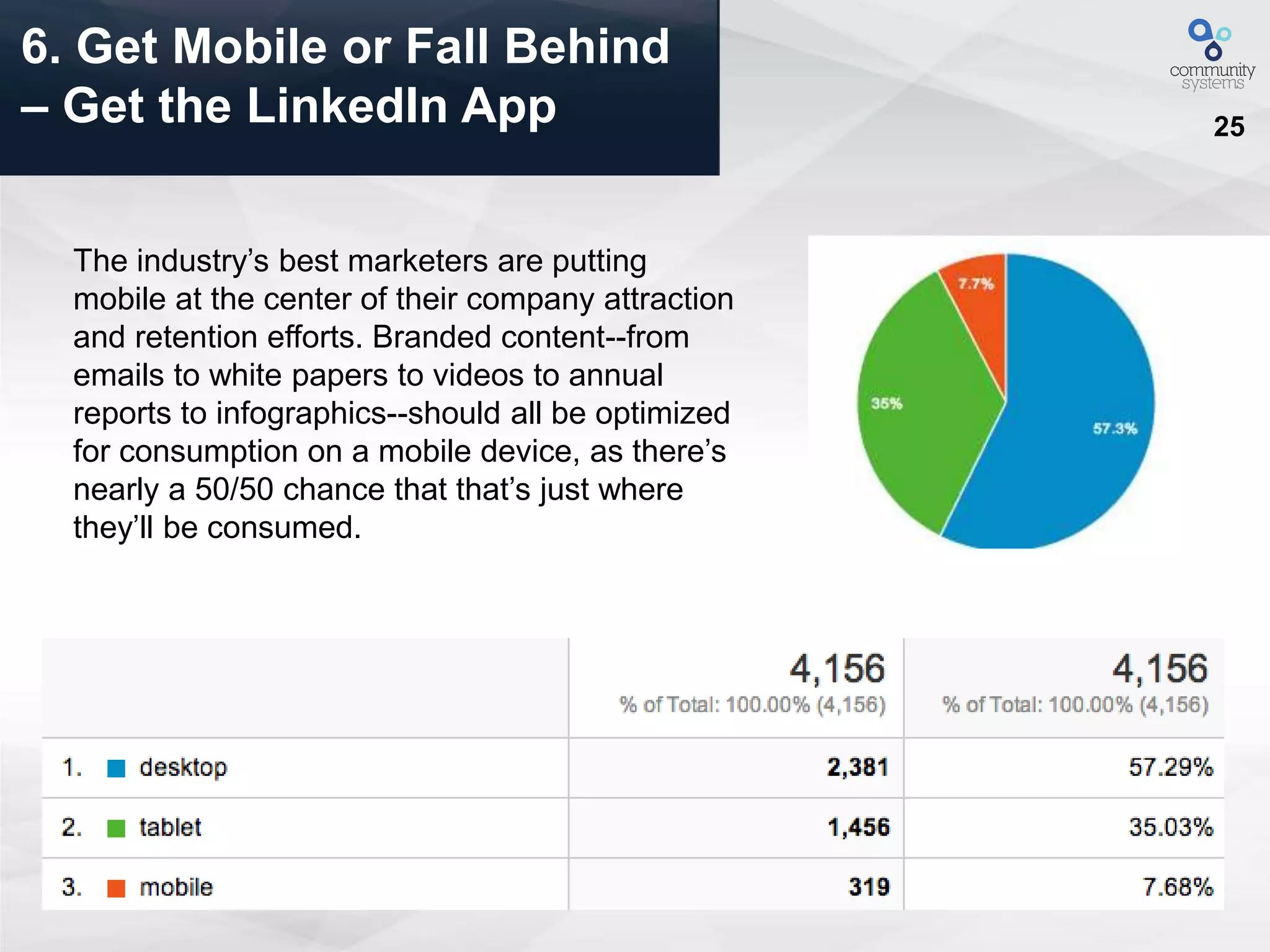
The industry’s best marketers are putting
mobile at the center of their company attraction
and retention efforts. Branded content--from
emails to white papers to videos to annual
reports to infographics--should all be optimized
for consumption on a mobile device, as there’s
nearly a 50/50 chance that that’s just where
they’ll be consumed.
26
Smarter Software for Communities
“Smart phones are reinventing the
connection between
companies and their customers.”
Rich Miner
Partner, Google Ventures
Co-Founder, Android
27
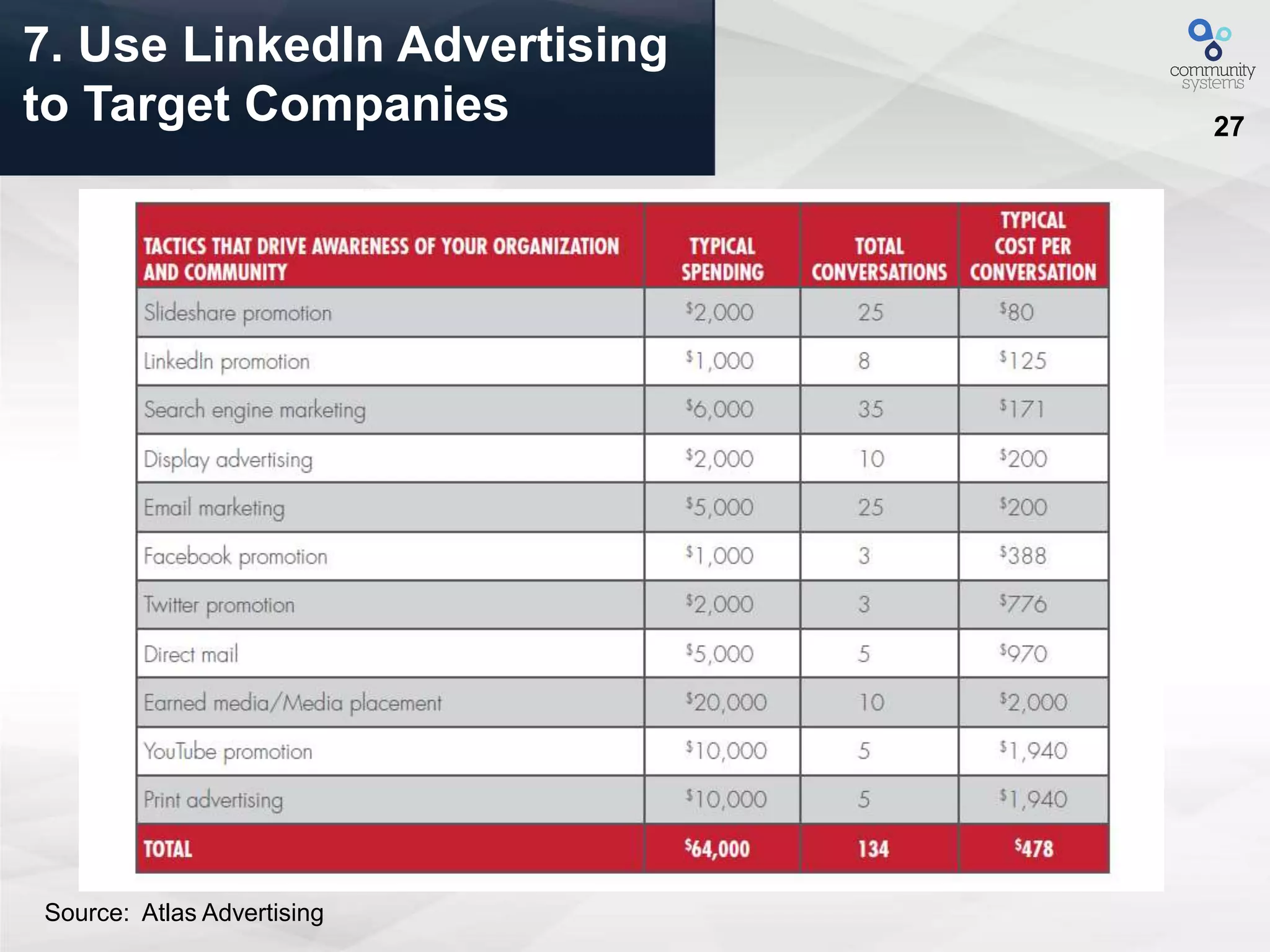
7. Use LinkedIn Advertising
to Target Companies
Source: Atlas Advertising
28
8. Use LinkedIn for Social
Prospecting
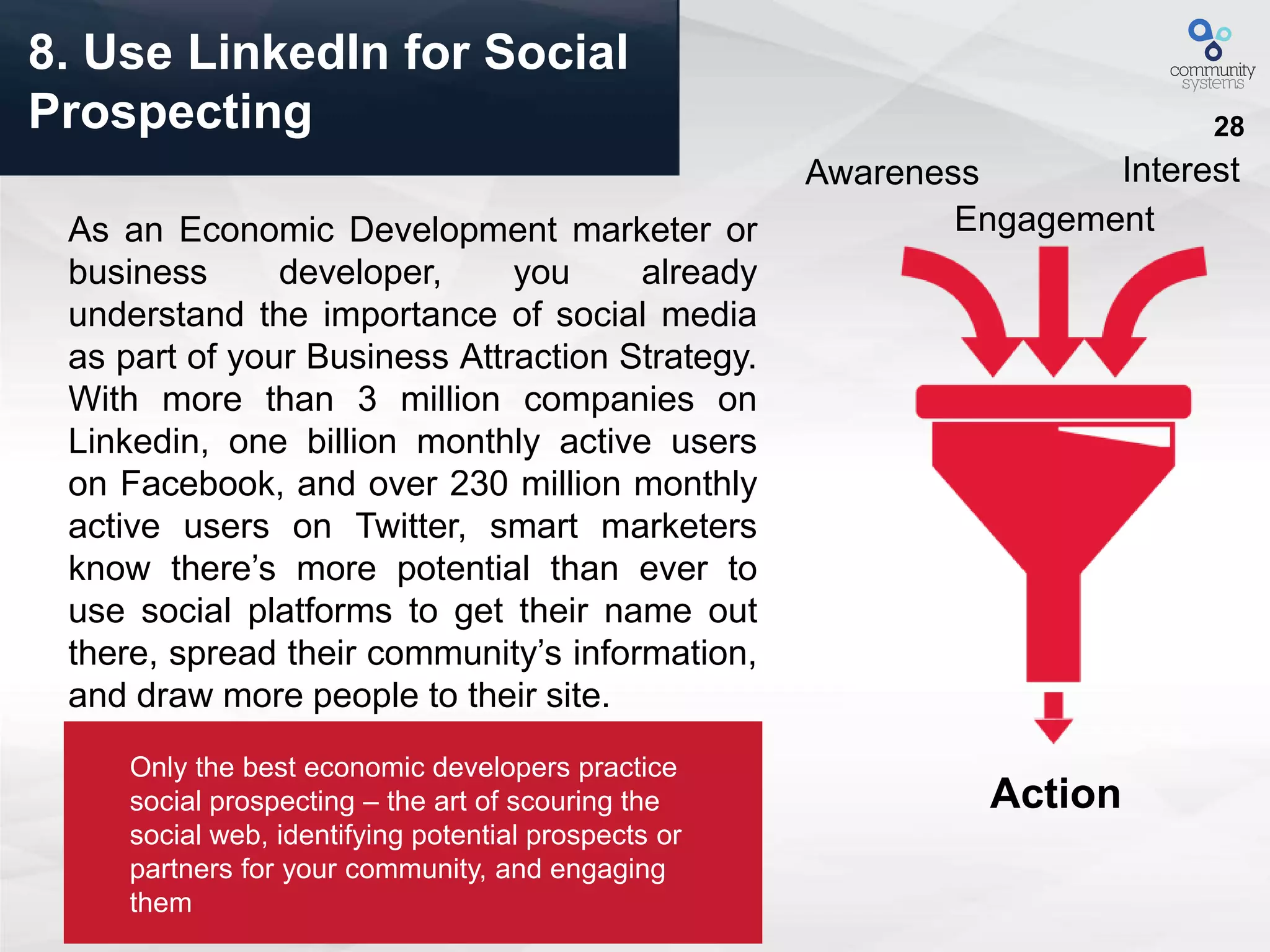
As an Economic Development marketer or
business developer, you already
understand the importance of social media
as part of your Business Attraction Strategy.
With more than 3 million companies on
Linkedin, one billion monthly active users
on Facebook, and over 230 million monthly
active users on Twitter, smart marketers
know there’s more potential than ever to
use social platforms to get their name out
there, spread their community’s information,
and draw more people to their site.
Awareness
Engagement
Interest
Action
Only the best economic developers practice
social prospecting – the art of scouring the
social web, identifying potential prospects or
partners for your community, and engaging
them
29
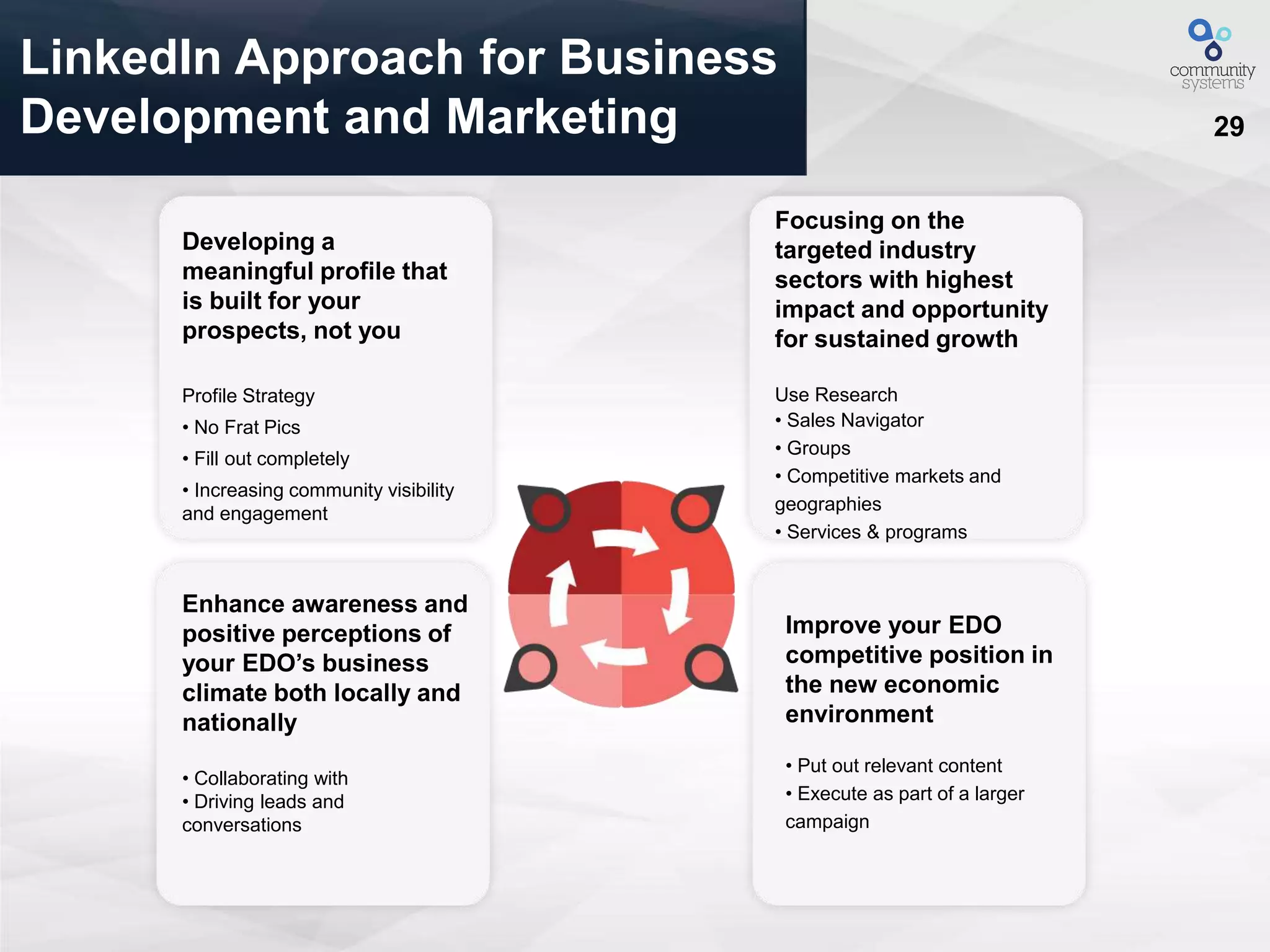
LinkedIn Approach for Business
Development and Marketing
Improve your EDO
competitive position in
the new economic
environment
• Put out relevant content
• Execute as part of a larger
campaign
Enhance awareness and
positive perceptions of
your EDO’s business
climate both locally and
nationally
• Collaborating with
• Driving leads and
conversations
Focusing on the
targeted industry
sectors with highest
impact and opportunity
for sustained growth
Use Research
• Sales Navigator
• Groups
• Competitive markets and
geographies
• Services & programs
Developing a
meaningful profile that
is built for your
prospects, not you
Profile Strategy
• No Frat Pics
• Fill out completely
• Increasing community visibility
and engagement
30
LinkedIn Workshop Exercise -
Preps
(1) Prep
Write down the top three keyword phrases that people use to find you on
search. You'll be able to use this content to draw prospects back to your profile
or economic development website.
1.
2.
3.
Pro tip: Remember, more business-focused keywords are favored on
LinkedIn.
Write down three pieces of content that are related to the search results of
your keyword phrases.
1.
2.
3.
31
LinkedIn Workshop Exercise -
Get Started
(2) Get Started:
Sign into LinkedIn, and to the left of the top search bar, select “Groups” from
the drop-down icon menu, which will search all LinkedIn groups.
Pro tip: You can narrow your search results in the menu on the left by choosing
what your relationship is to members of the groups, for instance if you want a
category of “Open” or “Members only,” or if you want search results for groups
that are in one or multiple Languages.
Notes:
Based on the group’s description (and a quick scan), identify five LinkedIn
Groups that could have potential prospects for your business and join them.
1.
2.
3.
4.
5.
32
LinkedIn Workshop Exercise -
Action
(3) Take Action:
Now it’s time to start sharing the pieces of content you identified earlier. Start
engaging with potential prospects by:
Joining in on conversations in the group where you can add value with your
content “Liking” content that others are sharing in the group
Sharing your own content and posing your own questions to the group
Marketing:
When you find a particular post within the group you want to monitor, you can
choose to “Follow Discussion” so you’ll be updated when content for that post is
added.
33
Take Home Exercise –
Extra Credit
Take-home exercise]
Spend 20 minutes a week:
- Reviewing the content in the groups you’ve joined (5 mins)
- Commenting and adding value to posts from others in the group (5 mins)
- Evaluate those you engage with the most to see if a prospect is a good fit (5 mins)
- Share one piece of organic content to the groups you've joined (5 mins)
And if your profile picture looks like this, change it.
34
Smarter Software for Communities
Thank you!
Contact information:
929 Broadway
Denver, CO 80203
Contact: Ben Wright
t: 720.420.3800 x 210

Using LinkedIn to Drive Prospect and Stakeholder Engagement

  • 1.
    1 Smarter Software forCommunities August 19, 2015 8 Ways to Leverage LinkedIn for: Economic Development
  • 2.
    2Your Host – ProductVisionary for Community Systems – First 1% of all Linkedin Users – Industry speaker, content strategy and digital marketing specialist – Former Chief Economist of the Metro Denver EDC Ben Wright CEO Community Systems, Atlas Advertising benw@communitysys.com www.twitter.com/communitysys @communitysys www.linkedin.com/in/atlasad/
  • 3.
    3 Presenting From Denver,CO Community Systems Co-Working Space
  • 4.
    4 Outline 1. Introductions 2. UnderstandingLinkedIn's Networks 3. 8 Ways to Leverage LinkedIn for Economic Development 4. LinkedIn for Social Prospecting 5. Bring out Your Devices - Exploring LinkedIn 6. Wrap up/Questions
  • 5.
    5 Smarter Software forCommunities “If you wait until there is another case study in your industry, you will be too late” Seth Godin Keynote Speaker Author of Permission Marketing
  • 6.
    6 LinkedIn helps connectyou to the network you need to achieve your goals (ie. Marketing, research, business development, executive leadership) P B S L Board Members Community Partners Leads Supporters of Your Brand T Talent
  • 7.
    7 Leveraging LinkedIn's Network Strengthenrelationships with Leads Find the right quality Board members quickly Identify key community or Company partners Identify top talent to work for your organization/ Build your brand and spark dialogue among supporters An introduction to new business prospect A board member with strategic connections A company with a particular skill set A new Business Developer Professionals following your organization’s LI pageS P B L T
  • 8.
    8 Build Relationships With Leads Chancesare you have connections to many of the Leads or Prospects you are currently pursuing. Use LinkedIn to uncover those ties and improve your relationship with your prospects. – Work with your business development and marketing to identify prospects – Explore your network to uncover your ties and inroads What if instead of cold calls, you had warm introductions? Your ProspectYou L
  • 9.
    9 Quickly Connect WithCompanies And Board Members B LinkedIn makes it easy to explore your existing connections to find potential board candidates. Connect with your current board in order to fully leverage their connections. Use “advanced search” and filter by: Keyword • Geographic location • Desired skills • Company or affiliation
  • 10.
    10 Find And Engage CommunityPartners P Looking for a particular skill set? Interested in building relationships with partners from a particular company or industry? • LinkedIn’s advance search feature makes zeroing in on the exact talent you need easy. A strategy consultant to help build your 3-year plan A local Bank to invest in your EDO A Leading Employer to provide additional project support
  • 11.
    11 Identify Top TalentFor Your Organization T With LinkedIn you can use “advanced search” to identify potential candidates and then see shared connections. Speed up your talent search and cut through the crowd to find a perfect match
  • 12.
    12 Build Meaningful Supportive RelationshipsWith Companies LinkedIn is a vibrant community with hundreds of millions of professionals worldwide. Your friends, fans and supporters are already on LinkedIn. Invite them to become your advocates. – Create a company page, grow your follower base, and post updates to spread your message across the LinkedIn network. – Ask your supporters to list your organization on their profile in the Volunteer & Causes section. – Join a Linked Group that is relevant to your cause and help drive the conversation. S
  • 13.
    13 Smarter Software forCommunities Use LinkedIn Ads and Sales Navigator For Targeting Prospects
  • 14.
    14 Smarter Software forCommunities Knoxville Estimated Reach 3Million Target Users By Title, Geography, Group And More
  • 15.
    15 Smarter Software forCommunities 8 Ways to Leverage LinkedIn LinkedIn is the most valuable social tool at your disposal for ED marketing and attraction. Make sure you’re using it right and it will pay dividends.
  • 16.
    16 Your profile shouldn’tbe about you, it should be about the prospects you’re trying to attract. After all, your intended targets aren’t recruiters, they’re leads. But most economic developer’s profiles are digital resumes, or worse, a copied and pasted marketing value proposition. By the way, don’t use these types of photos… 1. Create a Buyer Centric Profile
  • 17.
    17 • Connect withanyone with whom you’ve had a meaningful interaction. Want to reach out to people you’ve never actually met? There’s a right way to go about it. Check out all the NEW profile sections and fill them in (LinkedIn has changed for the better) If there is not a group around your area of interest or expertise, start one 2. Grow your Network with a Purpose
  • 18.
    18 • Connect withanyone with whom you’ve had a meaningful interaction. Want to reach out to people you’ve never actually met? There’s a right way to go about it. 3. Share Relevant Content (Often)
  • 19.
    19 3. Share RelevantContent (Often)
  • 20.
    20 Remember Professional –Save this for your journal, unless you want to get fired
  • 21.
    21 • Look forthree types of information: role-specific, goal-specific, and common ground. – Role-specific: What are they responsible for? – Goal-specific: What are the targets they need to hit in their role? – Common ground: Find some sort of tie back to you, whether it’s a common connection, a college, a hobby, or an experience. • You should also try to glean trigger events from your prospect’s LinkedIn profile, although this can be tricky. Look at the stream of content they’ve shared recently to see if you can find any press releases or other articles about new leadership, acquisitions, or significant changes. 4. Leverage Business Intelligence Tools
  • 22.
  • 23.
    23 • Just likeemails, InMails are an appropriate -- and perhaps even more effective -- channel for an introduction to your product or service. Research from InsideSales.com found that: InMail with the exact same copy as an email will get a 33% higher response. • Pair emails and InMails. Send the email first, and then follow up with an InMail. Insert one or two lines at the beginning of your InMail, explaining that while you sent an email, you’re also reaching out on LinkedIn since you weren’t sure which channel was preferable. Then simply copy and paste the email copy into the InMail, and send. If your buyers are social, this is an easy way to boost response rates. 5. Use Multiple Tools for Effectiveness
  • 24.
    24 We Asked SiteSelectors: What is the applicability of LinkedIn to your profession? “I have used it along with Hoovers to check who is on LinkedIn and contact people for business meetings.” “I think it has good application. I have gotten proposals through this tool.” “Good for seeking independent information.” “Good for finding contacts, and to keep in touch with peers.” “More of a business site” Useful networking tool Don’t know yet.
  • 25.
    25 6. Get Mobileor Fall Behind – Get the LinkedIn App The industry’s best marketers are putting mobile at the center of their company attraction and retention efforts. Branded content--from emails to white papers to videos to annual reports to infographics--should all be optimized for consumption on a mobile device, as there’s nearly a 50/50 chance that that’s just where they’ll be consumed.
  • 26.
    26 Smarter Software forCommunities “Smart phones are reinventing the connection between companies and their customers.” Rich Miner Partner, Google Ventures Co-Founder, Android
  • 27.
    27 7. Use LinkedInAdvertising to Target Companies Source: Atlas Advertising
  • 28.
    28 8. Use LinkedInfor Social Prospecting As an Economic Development marketer or business developer, you already understand the importance of social media as part of your Business Attraction Strategy. With more than 3 million companies on Linkedin, one billion monthly active users on Facebook, and over 230 million monthly active users on Twitter, smart marketers know there’s more potential than ever to use social platforms to get their name out there, spread their community’s information, and draw more people to their site. Awareness Engagement Interest Action Only the best economic developers practice social prospecting – the art of scouring the social web, identifying potential prospects or partners for your community, and engaging them
  • 29.
    29 LinkedIn Approach forBusiness Development and Marketing Improve your EDO competitive position in the new economic environment • Put out relevant content • Execute as part of a larger campaign Enhance awareness and positive perceptions of your EDO’s business climate both locally and nationally • Collaborating with • Driving leads and conversations Focusing on the targeted industry sectors with highest impact and opportunity for sustained growth Use Research • Sales Navigator • Groups • Competitive markets and geographies • Services & programs Developing a meaningful profile that is built for your prospects, not you Profile Strategy • No Frat Pics • Fill out completely • Increasing community visibility and engagement
  • 30.
    30 LinkedIn Workshop Exercise- Preps (1) Prep Write down the top three keyword phrases that people use to find you on search. You'll be able to use this content to draw prospects back to your profile or economic development website. 1. 2. 3. Pro tip: Remember, more business-focused keywords are favored on LinkedIn. Write down three pieces of content that are related to the search results of your keyword phrases. 1. 2. 3.
  • 31.
    31 LinkedIn Workshop Exercise- Get Started (2) Get Started: Sign into LinkedIn, and to the left of the top search bar, select “Groups” from the drop-down icon menu, which will search all LinkedIn groups. Pro tip: You can narrow your search results in the menu on the left by choosing what your relationship is to members of the groups, for instance if you want a category of “Open” or “Members only,” or if you want search results for groups that are in one or multiple Languages. Notes: Based on the group’s description (and a quick scan), identify five LinkedIn Groups that could have potential prospects for your business and join them. 1. 2. 3. 4. 5.
  • 32.
    32 LinkedIn Workshop Exercise- Action (3) Take Action: Now it’s time to start sharing the pieces of content you identified earlier. Start engaging with potential prospects by: Joining in on conversations in the group where you can add value with your content “Liking” content that others are sharing in the group Sharing your own content and posing your own questions to the group Marketing: When you find a particular post within the group you want to monitor, you can choose to “Follow Discussion” so you’ll be updated when content for that post is added.
  • 33.
    33 Take Home Exercise– Extra Credit Take-home exercise] Spend 20 minutes a week: - Reviewing the content in the groups you’ve joined (5 mins) - Commenting and adding value to posts from others in the group (5 mins) - Evaluate those you engage with the most to see if a prospect is a good fit (5 mins) - Share one piece of organic content to the groups you've joined (5 mins) And if your profile picture looks like this, change it.
  • 34.
    34 Smarter Software forCommunities Thank you! Contact information: 929 Broadway Denver, CO 80203 Contact: Ben Wright t: 720.420.3800 x 210