Using Google Tools

Enabling learning for yourself and
          your students
Controlling the flow
   Push vs. Pull
   Curating
   Peeking in
   Using the cloud


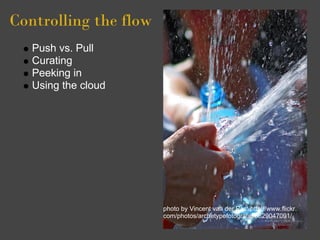
                       photo by Vincent van der Pas: http://www.flickr.
                       com/photos/archetypefotografie/3629047091/
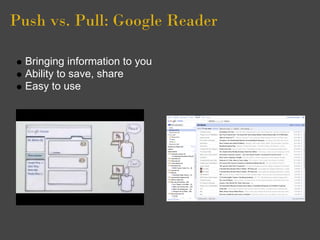
Push vs. Pull: Google Reader

  Bringing information to you
  Ability to save, share
  Easy to use
Let's Try It!

  Go to google.com/reader
  Create account or use existing gmail account
  Two ways to subscribe
      "Add a subscription" button
      "RSS Feed" buttons on web sites
  Now things come to you (pushed) rather than you having to
  find them
Curating

  Finding credible sources that collect tools (someone else's
  curation)
      http://www.freetech4teachers.com/
      http://www.hackeducation.com
      http://teachpaperless.blogspot.com/
  Organizing what you have (your own curation)
     Folders/tags
     Search
  Recommendations/play
Peeking In
 Easy to glance at
 headlines and
 excerpts
 Star to save for later
 Not like e-mail--you
 don't *have* to read
 everything
 Mark all as read is
 your friend


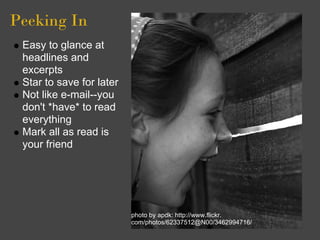
                          photo by apdk: http://www.flickr.
                          com/photos/62337512@N00/3462994716/
The cloud: 
Google Docs
 Word Processing,
 Spreadsheets,
 Presentations, Drawings,
 Forms
 Work at the office, work at
 home. No uploading
 required.
 Save as pdfs, Microsoft
 Word format, plain text,
 PowerPoint, etc.
 Or upload anything--
 movie files, pictures, etc.
 Collaborate on projects       picture by kevindooley:
                               http://www.flickr.com/photos/pagedooley/2511369048/
 with colleagues
Let's try it

  From Reader, click on Documents (top left of page)
  Click "Create New"-->Document
  Works just like Word (mostly)
  Saves revision history
  Ability to share with colleagues
  Ability to comment
  Save in multiple formats
Google Docs & Students

  Peer editing via Share feature
  Group projects--easy collaboration
     simultaneous editing
     chat
     discussions
  Teacher comments
  Can see revision history
  Surveys via forms (student- or teacher-created)
  And more . . .

Using google tools

  • 1.
    Using Google Tools Enablinglearning for yourself and your students
  • 2.
    Controlling the flow Push vs. Pull Curating Peeking in Using the cloud photo by Vincent van der Pas: http://www.flickr. com/photos/archetypefotografie/3629047091/
  • 3.
    Push vs. Pull:Google Reader Bringing information to you Ability to save, share Easy to use
  • 4.
    Let's Try It! Go to google.com/reader Create account or use existing gmail account Two ways to subscribe "Add a subscription" button "RSS Feed" buttons on web sites Now things come to you (pushed) rather than you having to find them
  • 5.
    Curating Findingcredible sources that collect tools (someone else's curation) http://www.freetech4teachers.com/ http://www.hackeducation.com http://teachpaperless.blogspot.com/ Organizing what you have (your own curation) Folders/tags Search Recommendations/play
  • 6.
    Peeking In Easyto glance at headlines and excerpts Star to save for later Not like e-mail--you don't *have* to read everything Mark all as read is your friend photo by apdk: http://www.flickr. com/photos/62337512@N00/3462994716/
  • 7.
    The cloud:  Google Docs Word Processing, Spreadsheets, Presentations, Drawings, Forms Work at the office, work at home. No uploading required. Save as pdfs, Microsoft Word format, plain text, PowerPoint, etc. Or upload anything-- movie files, pictures, etc. Collaborate on projects picture by kevindooley: http://www.flickr.com/photos/pagedooley/2511369048/ with colleagues
  • 8.
    Let's try it From Reader, click on Documents (top left of page) Click "Create New"-->Document Works just like Word (mostly) Saves revision history Ability to share with colleagues Ability to comment Save in multiple formats
  • 9.
    Google Docs &Students Peer editing via Share feature Group projects--easy collaboration simultaneous editing chat discussions Teacher comments Can see revision history Surveys via forms (student- or teacher-created) And more . . .