Google Docs, Part 1
  The what, why & how
  of Google Apps.


    This presentation is published
    at: http://

    goo.gl/TKQE1
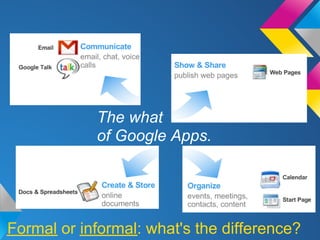
The what
            of Google Apps.


Formal or informal: what's the difference?
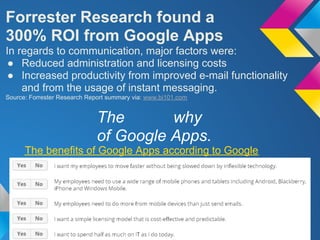
Forrester Research found a
300% ROI from Google Apps
In regards to communication, major factors were:
 ● Reduced administration and licensing costs
 ● Increased productivity from improved e-mail functionality
    and from the usage of instant messaging.
Source: Forrester Research Report summary via: www.bi101.com


                              The       why
                              of Google Apps.
      The benefits of Google Apps according to Google
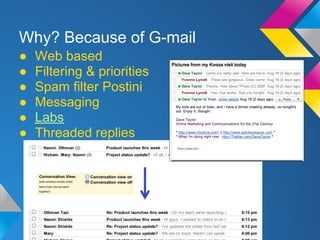
Why? Because of G-mail
●   Web based
●   Filtering & priorities
●   Spam filter Postini
●   Messaging
●   Labs
●   Threaded replies
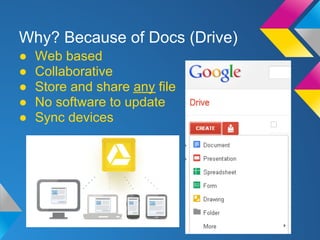
Why? Because of Docs (Drive)
●   Web based
●   Collaborative
●   Store and share any file
●   No software to update
●   Sync devices
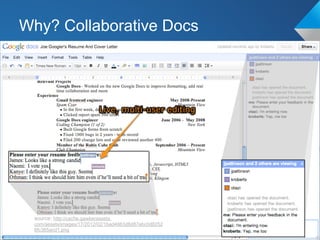
Why? Collaborative Docs


 source: http://cache.gawkerassets.
 com/assets/images/17/2012/02/1bad4663d8d87ebc0d8252
 6fc365acd1.png
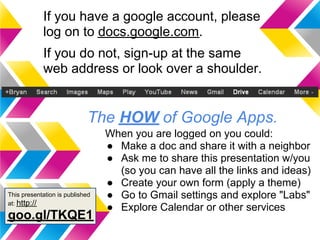
If you have a google account, please
            log on to docs.google.com.
            If you do not, sign-up at the same
            web address or look over a shoulder.


                            The HOW of Google Apps.
                                 When you are logged on you could:
                                 ● Make a doc and share it with a neighbor
                                 ● Ask me to share this presentation w/you
                                   (so you can have all the links and ideas)
                                 ● Create your own form (apply a theme)
This presentation is published   ● Go to Gmail settings and explore "Labs"
at: http://
                                 ● Explore Calendar or other services
goo.gl/TKQE1
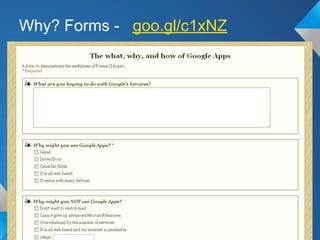
Why? Forms - goo.gl/c1xNZ
Why?
Because when I'm done, I'm done!
I just finished making this presentation and I can turn
off my PC and go home without thinking about where my
presentation is stored and what file type it is. I do not
need a USB thumb drive and I never once needed to
think about pushing "save". I was able to instantly share
this with my proof-reader even before I was done
creating it, and whenever I have an idea and I want to
add to this presentation, I can pull out my phone and do
it, or ask my proof-reader to do it for me. :-)

             I ♥ Google Docs!

Google docs part 1

  • 1.
    Google Docs, Part1 The what, why & how of Google Apps. This presentation is published at: http:// goo.gl/TKQE1
  • 2.
    The what of Google Apps. Formal or informal: what's the difference?
  • 3.
    Forrester Research founda 300% ROI from Google Apps In regards to communication, major factors were: ● Reduced administration and licensing costs ● Increased productivity from improved e-mail functionality and from the usage of instant messaging. Source: Forrester Research Report summary via: www.bi101.com The why of Google Apps. The benefits of Google Apps according to Google
  • 4.
    Why? Because ofG-mail ● Web based ● Filtering & priorities ● Spam filter Postini ● Messaging ● Labs ● Threaded replies
  • 5.
    Why? Because ofDocs (Drive) ● Web based ● Collaborative ● Store and share any file ● No software to update ● Sync devices
  • 6.
    Why? Collaborative Docs source: http://cache.gawkerassets. com/assets/images/17/2012/02/1bad4663d8d87ebc0d8252 6fc365acd1.png
  • 7.
    If you havea google account, please log on to docs.google.com. If you do not, sign-up at the same web address or look over a shoulder. The HOW of Google Apps. When you are logged on you could: ● Make a doc and share it with a neighbor ● Ask me to share this presentation w/you (so you can have all the links and ideas) ● Create your own form (apply a theme) This presentation is published ● Go to Gmail settings and explore "Labs" at: http:// ● Explore Calendar or other services goo.gl/TKQE1
  • 8.
    Why? Forms -goo.gl/c1xNZ
  • 9.
    Why? Because when I'mdone, I'm done! I just finished making this presentation and I can turn off my PC and go home without thinking about where my presentation is stored and what file type it is. I do not need a USB thumb drive and I never once needed to think about pushing "save". I was able to instantly share this with my proof-reader even before I was done creating it, and whenever I have an idea and I want to add to this presentation, I can pull out my phone and do it, or ask my proof-reader to do it for me. :-) I ♥ Google Docs!