Using Functions in Excel
Review
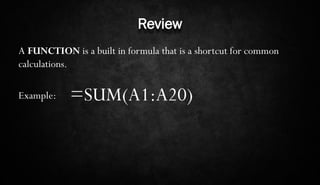
A FUNCTION is a built in formula that is a shortcut for common
calculations.
Example:

=SUM(A1:A20)
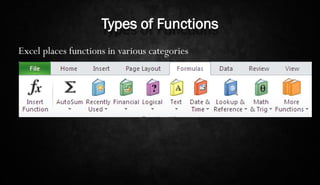
Types of Functions
Excel places functions in various categories
Common Functions
In this class we will use a few common functions
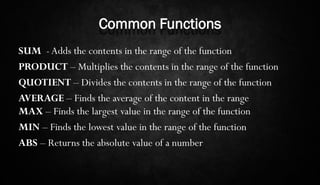
Common Functions
SUM - Adds the contents in the range of the function
PRODUCT – Multiplies the contents in the range of the function
QUOTIENT – Divides the contents in the range of the function
AVERAGE – Finds the average of the content in the range
MAX – Finds the largest value in the range of the function
MIN – Finds the lowest value in the range of the function
ABS – Returns the absolute value of a number
Common Functions
There is NO function for subtraction in excel
Using Functions
Functions can be used in the same ways that formulas are used
Using Functions
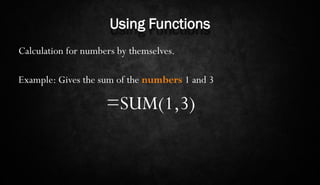
Calculation for numbers by themselves.
Example: Gives the sum of the numbers 1 and 3

=SUM(1,3)
Using Functions
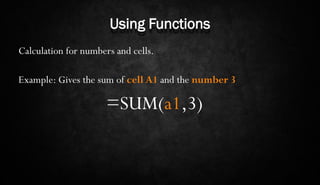
Calculation for numbers and cells.
Example: Gives the sum of cell A1 and the number 3

=SUM(a1,3)
Using Functions
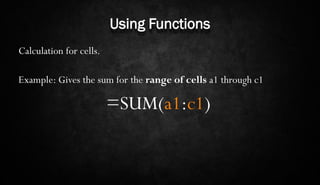
Calculation for cells.
Example: Gives the sum for the range of cells a1 through c1

=SUM(a1:c1)
Using Functions
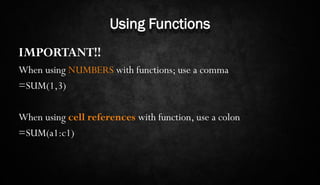
IMPORTANT!!
When using NUMBERS with functions; use a comma
=SUM(1,3)

When using cell references with function, use a colon
=SUM(a1:c1)

Using Functions in Excel