Functions
Learning to use Functions in Spreadsheets
Value of the week
“A Healthy living for a
Strong body and mind”
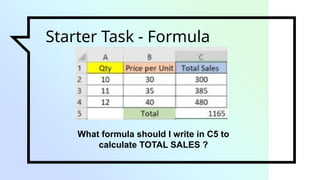
Starter Task - Formula
What formula should I write in C5 to
calculate TOTAL SALES ?
What are
Functions ?
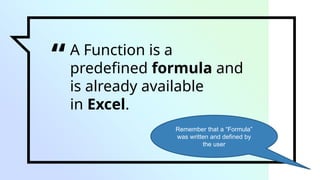
“A Function is a
predefined formula and
is already available
in Excel.
Remember that a “Formula”
was written and defined by
the user
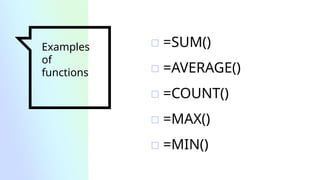
Examples
of
functions
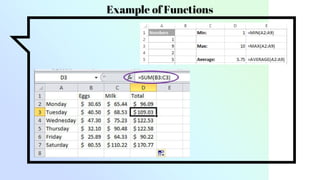
▫ =SUM()
▫ =AVERAGE()
▫ =COUNT()
▫ =MAX()
▫ =MIN()
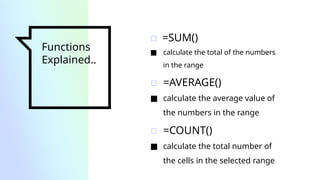
Functions
Explained..
▫ =SUM()
■ calculate the total of the numbers
in the range
▫ =AVERAGE()
■ calculate the average value of
the numbers in the range
▫ =COUNT()
■ calculate the total number of
the cells in the selected range
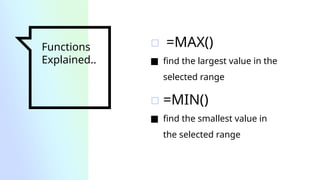
Functions
Explained..
▫ =MAX()
■ find the largest value in the
selected range
▫ =MIN()
■ find the smallest value in
the selected range
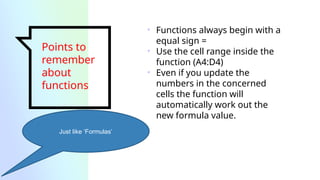
Points to
remember
about
functions
• Functions always begin with a
equal sign =
• Use the cell range inside the
function (A4:D4)
• Even if you update the
numbers in the concerned
cells the function will
automatically work out the
new formula value.
Just like ‘Formulas’
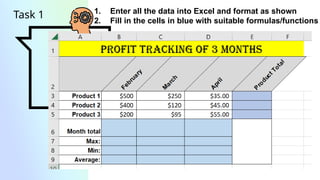
Task 1 1. Enter all the data into Excel and format as shown
2. Fill in the cells in blue with suitable formulas/functions
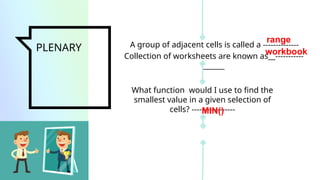
PLENARY A group of adjacent cells is called a --------------
What function would I use to find the
smallest value in a given selection of
cells? -----------------
Collection of worksheets are known as__-----------
______
range
workbook
MIN()

Spreadsheets - Functions in Microsoft Excel.pptx

  • 1.
    Functions Learning to useFunctions in Spreadsheets
  • 2.
    Value of theweek “A Healthy living for a Strong body and mind”
  • 3.
    Starter Task -Formula What formula should I write in C5 to calculate TOTAL SALES ?
  • 4.
  • 5.
    “A Function isa predefined formula and is already available in Excel. Remember that a “Formula” was written and defined by the user
  • 6.
  • 7.
    Functions Explained.. ▫ =SUM() ■ calculatethe total of the numbers in the range ▫ =AVERAGE() ■ calculate the average value of the numbers in the range ▫ =COUNT() ■ calculate the total number of the cells in the selected range
  • 8.
    Functions Explained.. ▫ =MAX() ■ findthe largest value in the selected range ▫ =MIN() ■ find the smallest value in the selected range
  • 9.
    Points to remember about functions • Functionsalways begin with a equal sign = • Use the cell range inside the function (A4:D4) • Even if you update the numbers in the concerned cells the function will automatically work out the new formula value. Just like ‘Formulas’
  • 11.
    Task 1 1.Enter all the data into Excel and format as shown 2. Fill in the cells in blue with suitable formulas/functions
  • 12.
    PLENARY A groupof adjacent cells is called a -------------- What function would I use to find the smallest value in a given selection of cells? ----------------- Collection of worksheets are known as__----------- ______ range workbook MIN()