Information Use and User
Shubhada Nagarkar, Ph.D.
Assistant Professor
Department of Library and Information Science
Savitribai Phule Pune University, Pune
shubha@unipune.ac.in
National Conference on “Libraries in the Changing Information Marketplace”
SNDT, University, Mumbai, 24-26 February 2016
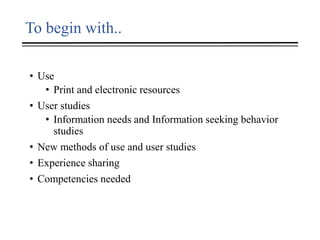
To begin with..
• Use
• Print and electronic resources
• User studies
• Information needs and Information seeking behavior
studies
• New methods of use and user studies
• Experience sharing
• Competencies needed
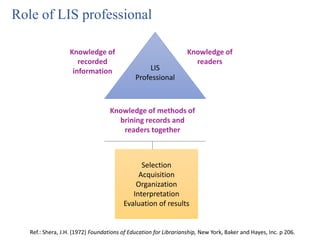
LIS
Professional
Knowledge of
readers
Knowledge of
recorded
information
Knowledge of methods of
brining records and
readers together
Selection
Acquisition
Organization
Interpretation
Evaluation of results
Ref.: Shera, J.H. (1972) Foundations of Education for Librarianship, New York, Baker and Hayes, Inc. p 206.
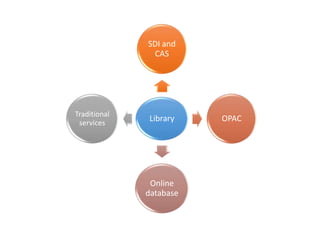
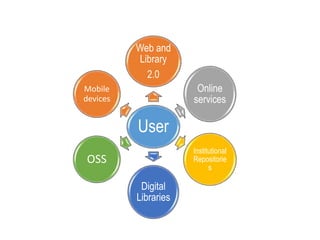
Role of LIS professional
Library
SDI and
CAS
OPAC
Online
database
Traditional
services
User
Web and
Library
2.0
Online
services
Institutional
Repositorie
s
Digital
Libraries
OSS
Mobile
devices
Use studies
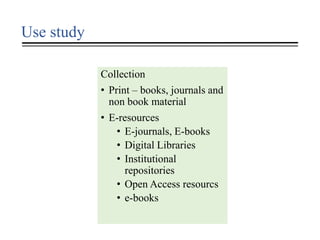
Use study
Collection
• Print – books, journals and
non book material
• E-resources
• E-journals, E-books
• Digital Libraries
• Institutional
repositories
• Open Access resourcs
• e-books
Methods – usage of print collection
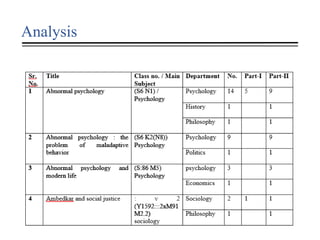
• Collection based analysis
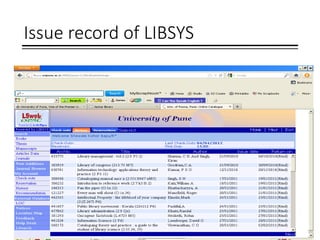
• Mining and analysis of issue records
• Library Analytics, LMS reports
• Surveys
• Citation analysis
Issue record of LIBSYS
Analysis
Measuring the use of E-resources
Methods
• Usage statistics by
publishers, aggregators
and consortia
• Citation analysis, i.e.
application of
quantitative techniques
• Conduct surveys
Benefits
• To benchmark the needs
• To utilize the grants
properly
• Journal wise usage
• To fill the gaps in
subscriptions
• Add new relevant
journals
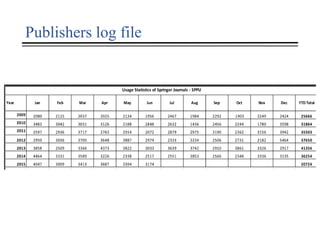
Publishers log file
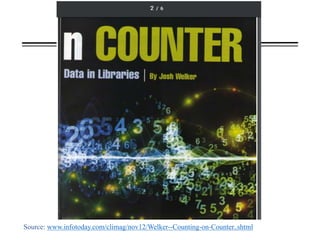
Source: www.infotoday.com/climag/nov12/Welker--Counting-on-Counter..shtml
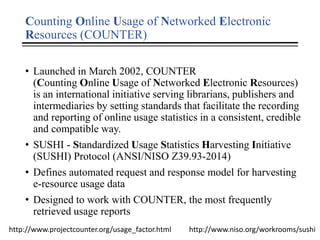
Counting Online Usage of Networked Electronic
Resources (COUNTER)
• Launched in March 2002, COUNTER
(Counting Online Usage of Networked Electronic Resources)
is an international initiative serving librarians, publishers and
intermediaries by setting standards that facilitate the recording
and reporting of online usage statistics in a consistent, credible
and compatible way.
• SUSHI - Standardized Usage Statistics Harvesting Initiative
(SUSHI) Protocol (ANSI/NISO Z39.93-2014)
• Defines automated request and response model for harvesting
e-resource usage data
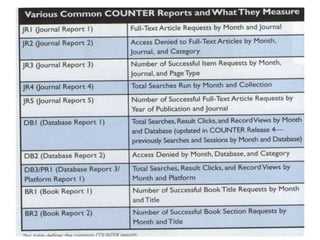
• Designed to work with COUNTER, the most frequently
retrieved usage reports
http://www.projectcounter.org/usage_factor.html http://www.niso.org/workrooms/sushi
Limitations of usage statistics
• Constantly changing resources and technology
• eBooks still need some work
• Limited picture of what users are actually doing
Need to know
• Queries or Searches
• Page Views or Record Views
• Non vendor data – google analytics
How to increase usage? for librarians..
• Do not accept mediocrity from vendors.
• Be willing to educate yourself on and participate in NISO
Project COUNTER, and open source initiatives
• Conducting usability studies would help to understand the
problems in searching information
• Information literacy programs about the use of e-resources,
writing effective search strategies, etc. would help to a great
extent
• Marketing of subscribed e-resources
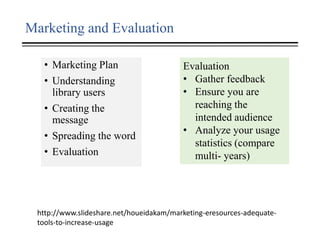
Marketing and Evaluation
• Marketing Plan
• Understanding
library users
• Creating the
message
• Spreading the word
• Evaluation
http://www.slideshare.net/houeidakam/marketing-eresources-adequate-
tools-to-increase-usage
Evaluation
• Gather feedback
• Ensure you are
reaching the
intended audience
• Analyze your usage
statistics (compare
multi- years)
Library web sites
• Revamp the webpage if needed
• Make your e-resources page attractive
• Use your library homepage to advertise
• Use of social media for marketing
• Attractive flyers with relevant information and instructions
about the use of e-resources
• e-Resources Visibility, Website Trainings
• LibGuides Library Events Discovery Tool
• Library portals with links to e-resources
http://www.slideshare.net/houeidakam/marketing-eresources-adequate-tools-to-
increase-usage
User awareness OR Information Literacy
Programs
• How to use electronic resources?
• Which e-resources are subscribed?
• How to search them effectively?
• Facilities provided by publishers and database vendors
• How to use e-resources on mobile devises or through smart
phones
Questions to consider
• What are your goals for collection assessment?
• How do you evaluate e-resources at your library?
• Do you know whom to contact for usage data?
• When is a good time of year to evaluate e-resources?
• What is your process for cancellation/renewal?
• Do you have a collections committee?
http://scholarworks.gsu.edu/cgi/viewcontent.cgi?article=1020&context=southeasternlac
User study
User study
• Information needs
• Information seeking
behavior
Methods and Tools
• Survey-questionnaire,
interviews
• focus groups
• Delphi
• Usability studies
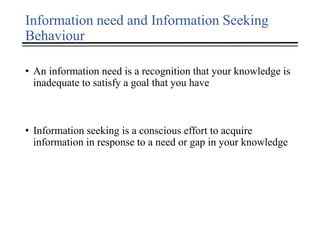
Information need and Information Seeking
Behaviour
• An information need is a recognition that your knowledge is
inadequate to satisfy a goal that you have
• Information seeking is a conscious effort to acquire
information in response to a need or gap in your knowledge
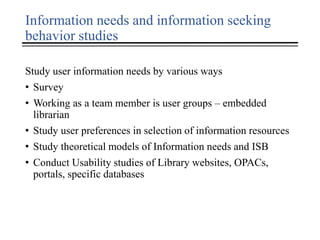
Information needs and information seeking
behavior studies
Study user information needs by various ways
• Survey
• Working as a team member is user groups – embedded
librarian
• Study user preferences in selection of information resources
• Study theoretical models of Information needs and ISB
• Conduct Usability studies of Library websites, OPACs,
portals, specific databases
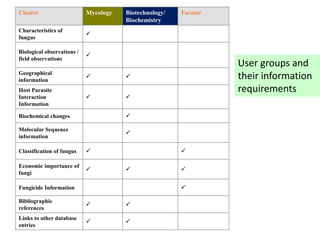
Cluster Mycology Biotechnology/
Biochemistry
Farmer
Characteristics of
fungus
P
Biological observations /
field observations
P
Geographical
information
P P
Host Parasite
Interaction
Information
P P
Biochemical changes P
Molecular Sequence
information
P
Classification of fungus P P
Economic importance of
fungi
P P P
Fungicide Information P
Bibliographic
references
P P
Links to other database
entries
P P
User groups and
their information
requirements
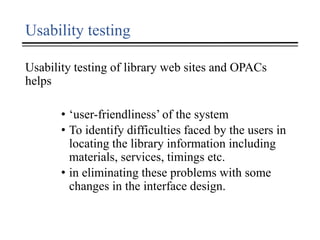
Usability testing
Usability testing of library web sites and OPACs
helps
• ‘user-friendliness’ of the system
• To identify difficulties faced by the users in
locating the library information including
materials, services, timings etc.
• in eliminating these problems with some
changes in the interface design.
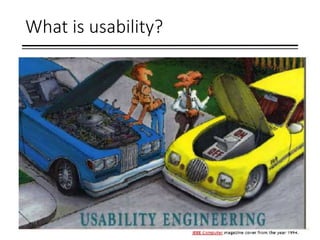
What is usability?
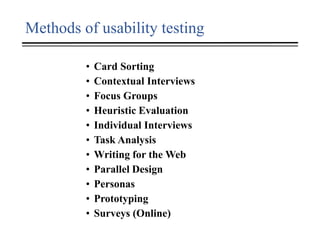
Methods of usability testing
• Card Sorting
• Contextual Interviews
• Focus Groups
• Heuristic Evaluation
• Individual Interviews
• Task Analysis
• Writing for the Web
• Parallel Design
• Personas
• Prototyping
• Surveys (Online)
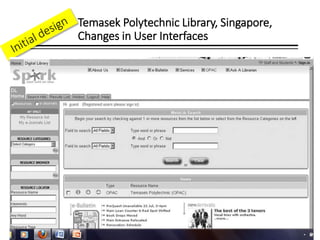
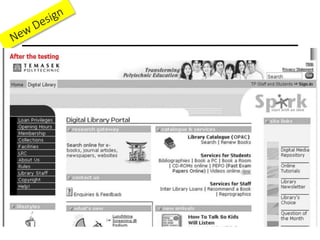
Temasek Polytechnic Library, Singapore,
Changes in User Interfaces
Competencies needed
Core subject knowledge
• Be familiar with latest trends in the fields by participating in
training programmes / conferences and seminars
• Participate in awareness workshops other than library and
information science fields to understand the trends in research
• Awareness of latest trends in publishing
• Awareness of copyright and intellectual property laws
Information organization skills
• Classification and cataloguing of library collection
• Use of control vocabulary tools like MeSH and other thesaurus
• Development and design of library portals
Competencies..
Computing skills
• Tools for library automation, digital libraries and content
management, data and text mining
• Mobile and cloud based information services
• Skills of effective use of various search engines
Collaborative skills
• In-depth knowledge of research and development
programmes in the organization
• Collaborative activities with other faculty on the campus or
within the organisation
• Work like embedded librarian and become a team member of
scientific activities
Competencies
Communication skills
• Negotiation and communication skills with publishers and
suppliers
• Communication skills with users to understand information
needs
Information literacy skills
• Design and development of information literacy programmes
• Teaching abilities
Conclude with…
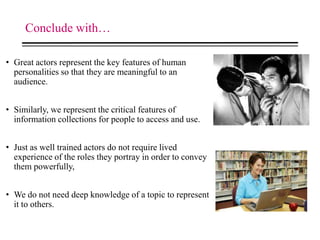
• Great actors represent the key features of human
personalities so that they are meaningful to an
audience.
• Similarly, we represent the critical features of
information collections for people to access and use.
• Just as well trained actors do not require lived
experience of the roles they portray in order to convey
them powerfully,
• We do not need deep knowledge of a topic to represent
it to others.

Use and user study

  • 1.
    Information Use andUser Shubhada Nagarkar, Ph.D. Assistant Professor Department of Library and Information Science Savitribai Phule Pune University, Pune shubha@unipune.ac.in National Conference on “Libraries in the Changing Information Marketplace” SNDT, University, Mumbai, 24-26 February 2016
  • 2.
    To begin with.. •Use • Print and electronic resources • User studies • Information needs and Information seeking behavior studies • New methods of use and user studies • Experience sharing • Competencies needed
  • 3.
    LIS Professional Knowledge of readers Knowledge of recorded information Knowledgeof methods of brining records and readers together Selection Acquisition Organization Interpretation Evaluation of results Ref.: Shera, J.H. (1972) Foundations of Education for Librarianship, New York, Baker and Hayes, Inc. p 206. Role of LIS professional
  • 4.
  • 5.
  • 6.
  • 7.
    Use study Collection • Print– books, journals and non book material • E-resources • E-journals, E-books • Digital Libraries • Institutional repositories • Open Access resourcs • e-books
  • 8.
    Methods – usageof print collection • Collection based analysis • Mining and analysis of issue records • Library Analytics, LMS reports • Surveys • Citation analysis
  • 9.
  • 10.
  • 11.
    Measuring the useof E-resources Methods • Usage statistics by publishers, aggregators and consortia • Citation analysis, i.e. application of quantitative techniques • Conduct surveys Benefits • To benchmark the needs • To utilize the grants properly • Journal wise usage • To fill the gaps in subscriptions • Add new relevant journals
  • 12.
  • 13.
  • 14.
    Counting Online Usageof Networked Electronic Resources (COUNTER) • Launched in March 2002, COUNTER (Counting Online Usage of Networked Electronic Resources) is an international initiative serving librarians, publishers and intermediaries by setting standards that facilitate the recording and reporting of online usage statistics in a consistent, credible and compatible way. • SUSHI - Standardized Usage Statistics Harvesting Initiative (SUSHI) Protocol (ANSI/NISO Z39.93-2014) • Defines automated request and response model for harvesting e-resource usage data • Designed to work with COUNTER, the most frequently retrieved usage reports http://www.projectcounter.org/usage_factor.html http://www.niso.org/workrooms/sushi
  • 16.
    Limitations of usagestatistics • Constantly changing resources and technology • eBooks still need some work • Limited picture of what users are actually doing Need to know • Queries or Searches • Page Views or Record Views • Non vendor data – google analytics
  • 17.
    How to increaseusage? for librarians.. • Do not accept mediocrity from vendors. • Be willing to educate yourself on and participate in NISO Project COUNTER, and open source initiatives • Conducting usability studies would help to understand the problems in searching information • Information literacy programs about the use of e-resources, writing effective search strategies, etc. would help to a great extent • Marketing of subscribed e-resources
  • 18.
    Marketing and Evaluation •Marketing Plan • Understanding library users • Creating the message • Spreading the word • Evaluation http://www.slideshare.net/houeidakam/marketing-eresources-adequate- tools-to-increase-usage Evaluation • Gather feedback • Ensure you are reaching the intended audience • Analyze your usage statistics (compare multi- years)
  • 19.
    Library web sites •Revamp the webpage if needed • Make your e-resources page attractive • Use your library homepage to advertise • Use of social media for marketing • Attractive flyers with relevant information and instructions about the use of e-resources • e-Resources Visibility, Website Trainings • LibGuides Library Events Discovery Tool • Library portals with links to e-resources http://www.slideshare.net/houeidakam/marketing-eresources-adequate-tools-to- increase-usage
  • 20.
    User awareness ORInformation Literacy Programs • How to use electronic resources? • Which e-resources are subscribed? • How to search them effectively? • Facilities provided by publishers and database vendors • How to use e-resources on mobile devises or through smart phones
  • 21.
    Questions to consider •What are your goals for collection assessment? • How do you evaluate e-resources at your library? • Do you know whom to contact for usage data? • When is a good time of year to evaluate e-resources? • What is your process for cancellation/renewal? • Do you have a collections committee? http://scholarworks.gsu.edu/cgi/viewcontent.cgi?article=1020&context=southeasternlac
  • 22.
  • 23.
    User study • Informationneeds • Information seeking behavior Methods and Tools • Survey-questionnaire, interviews • focus groups • Delphi • Usability studies
  • 24.
    Information need andInformation Seeking Behaviour • An information need is a recognition that your knowledge is inadequate to satisfy a goal that you have • Information seeking is a conscious effort to acquire information in response to a need or gap in your knowledge
  • 25.
    Information needs andinformation seeking behavior studies Study user information needs by various ways • Survey • Working as a team member is user groups – embedded librarian • Study user preferences in selection of information resources • Study theoretical models of Information needs and ISB • Conduct Usability studies of Library websites, OPACs, portals, specific databases
  • 26.
    Cluster Mycology Biotechnology/ Biochemistry Farmer Characteristicsof fungus P Biological observations / field observations P Geographical information P P Host Parasite Interaction Information P P Biochemical changes P Molecular Sequence information P Classification of fungus P P Economic importance of fungi P P P Fungicide Information P Bibliographic references P P Links to other database entries P P User groups and their information requirements
  • 27.
    Usability testing Usability testingof library web sites and OPACs helps • ‘user-friendliness’ of the system • To identify difficulties faced by the users in locating the library information including materials, services, timings etc. • in eliminating these problems with some changes in the interface design.
  • 28.
  • 29.
    Methods of usabilitytesting • Card Sorting • Contextual Interviews • Focus Groups • Heuristic Evaluation • Individual Interviews • Task Analysis • Writing for the Web • Parallel Design • Personas • Prototyping • Surveys (Online)
  • 30.
    Temasek Polytechnic Library,Singapore, Changes in User Interfaces
  • 32.
    Competencies needed Core subjectknowledge • Be familiar with latest trends in the fields by participating in training programmes / conferences and seminars • Participate in awareness workshops other than library and information science fields to understand the trends in research • Awareness of latest trends in publishing • Awareness of copyright and intellectual property laws Information organization skills • Classification and cataloguing of library collection • Use of control vocabulary tools like MeSH and other thesaurus • Development and design of library portals
  • 33.
    Competencies.. Computing skills • Toolsfor library automation, digital libraries and content management, data and text mining • Mobile and cloud based information services • Skills of effective use of various search engines Collaborative skills • In-depth knowledge of research and development programmes in the organization • Collaborative activities with other faculty on the campus or within the organisation • Work like embedded librarian and become a team member of scientific activities
  • 34.
    Competencies Communication skills • Negotiationand communication skills with publishers and suppliers • Communication skills with users to understand information needs Information literacy skills • Design and development of information literacy programmes • Teaching abilities
  • 35.
    Conclude with… • Greatactors represent the key features of human personalities so that they are meaningful to an audience. • Similarly, we represent the critical features of information collections for people to access and use. • Just as well trained actors do not require lived experience of the roles they portray in order to convey them powerfully, • We do not need deep knowledge of a topic to represent it to others.

Editor's Notes

  • #8 Collection – analysis of collection :subjectwise, publisherwise, yearwise, syllabus wise