Changing user behaviour on the
web – what does this mean for the
development of online information
literacy tools?
Caroline Williams, Executive Director of
Intute and Deputy Director of Mimas
Shall we give up and
leave it to Google?
1. What do we know?: research studies and
Mimas market research
2. What can we do?: Mimas’ approach and
discussion
Overview
IL of young people not improved; little time spent on
evaluating information; people have poor understanding of
their information needs; difficulties in assessing relevance
when faced with a long list of search hits; unsophisticated
mental maps of what the Internet is failing to appreciated
that it is a collection of networked resources from different
providers; search engines become the primary brand
associated with the Internet; people do not find library
sponsored resources intuitive and prefer to use Google
instead: the familiar solution ….
[CIBER (2008). Information Behaviour of the Researcher of the Future]
Research reports
“HEIs, colleges and schools treat information literacies as
a priority area and support all students so that they are
able, amongst other things, to identify, search, locate,
retrieve and especially, critically evaluate information
from the range of appropriate sources … and organise and
use it effectively.”
[Committee of Inquiry into the Changing Learner Experience (May 2009). Higher
Education in a Web 2.0 World. March 2009. http://www.clex.org.uk]
Research reports
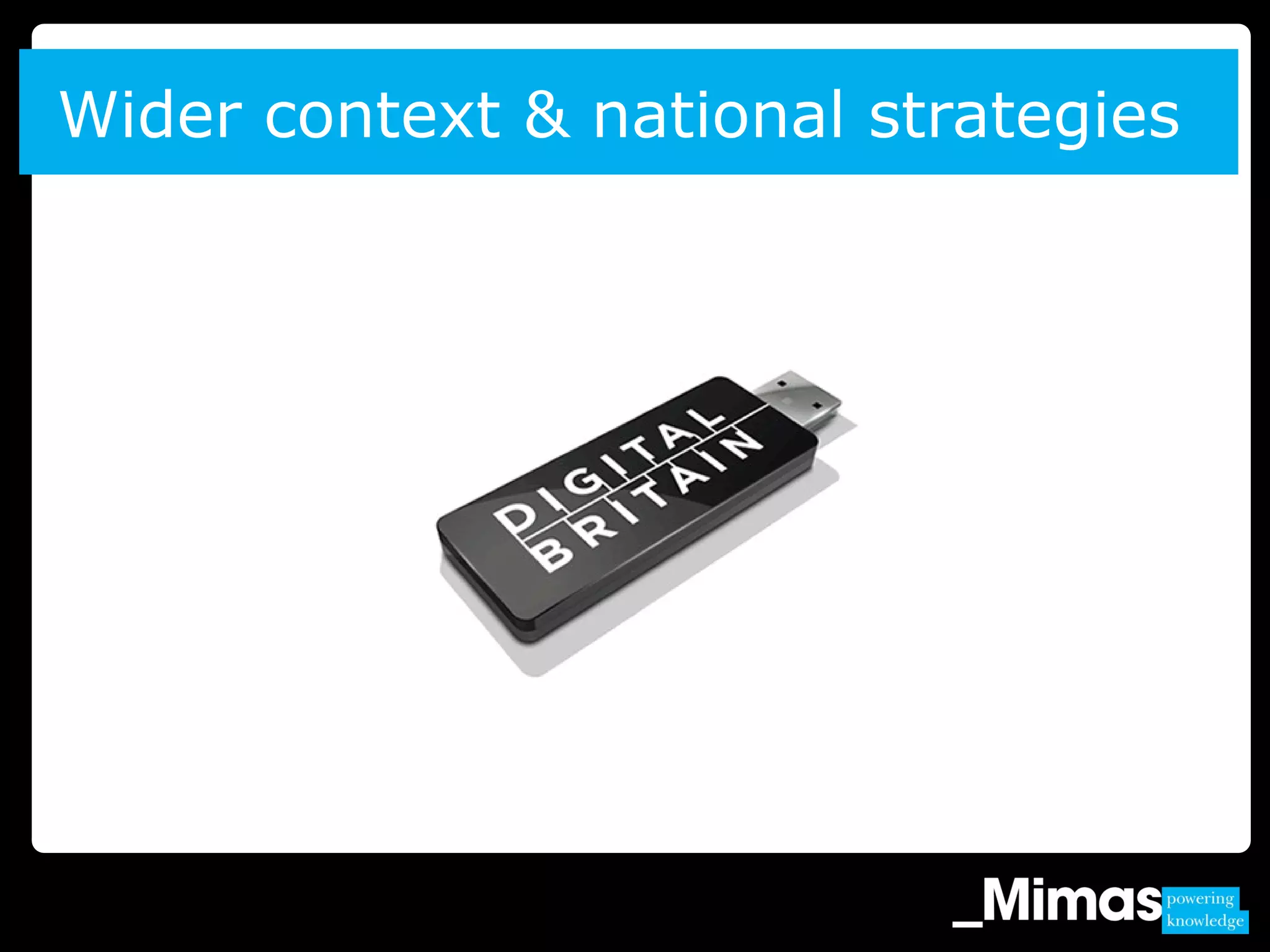
Wider context & national strategies
1. Project Fusion
2. Intute Web 2.0
3. ViM project
4. Mobile Internet Detective
Mimas market research
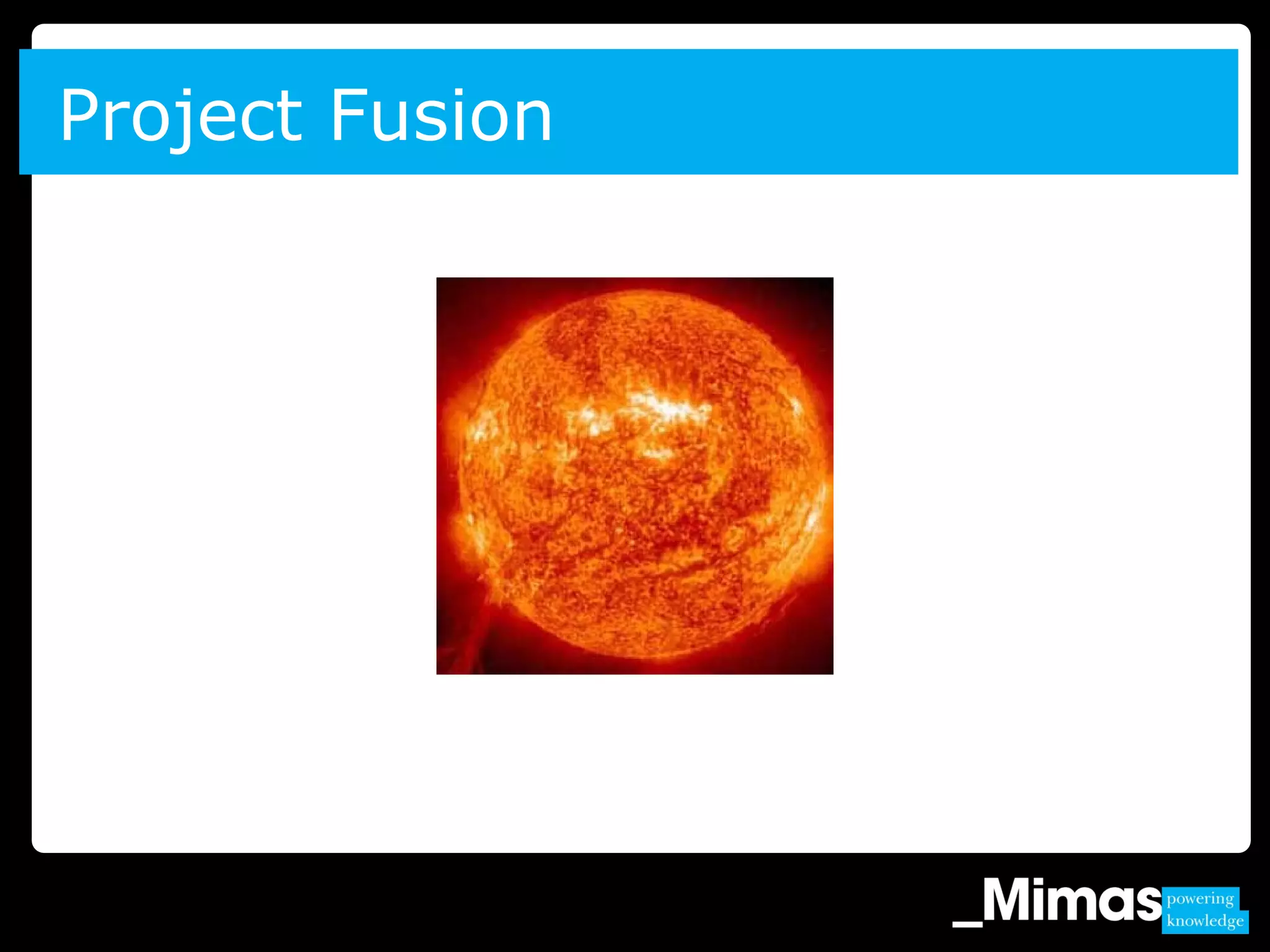
Project Fusion
Typical research practices (1)
“At this stage I’m writing-up. I was
trying to find a reference I’d included
– missing dates. I looked up the
library catalogue.”
“I did one on ‘geography and the avant-garde’.
Google Scholar was a bit useless – lots of stuff
not related to it. Then I went to Web of
Knowledge and geography journals and that
was better.”
» Google and Google Scholar indispensable
» However, other resources are used as
appropriate to the nature of the search being
undertaken
» All vary the way they search and the resources
used depending on what they are searching for
» ‘centrifugal’ model of information gathering
(‘Scholarly Work and the Shaping of Digital
Access’; Carole Palmer; 2005)
Typical research practices (2)
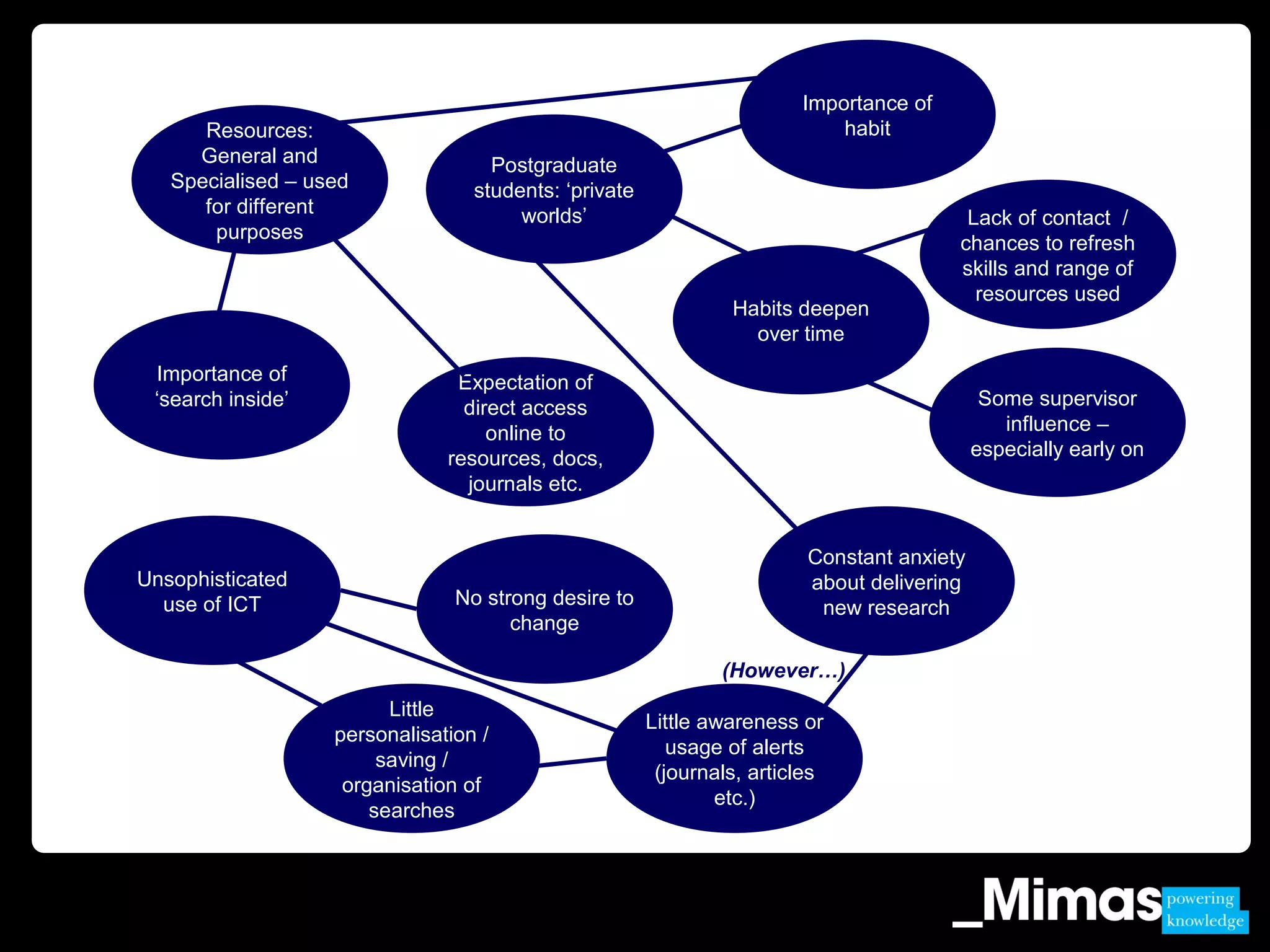
Resources:
General and
Specialised – used
for different
purposes
Importance of
habit
Habits deepen
over time
Importance of
‘search inside’ Some supervisor
influence –
especially early on
Expectation of
direct access
online to
resources, docs,
journals etc.
Lack of contact /
chances to refresh
skills and range of
resources used
Postgraduate
students: ‘private
worlds’
Unsophisticated
use of ICT No strong desire to
change
Little
personalisation /
saving /
organisation of
searches
Constant anxiety
about delivering
new research
Little awareness or
usage of alerts
(journals, articles
etc.)
(However…)
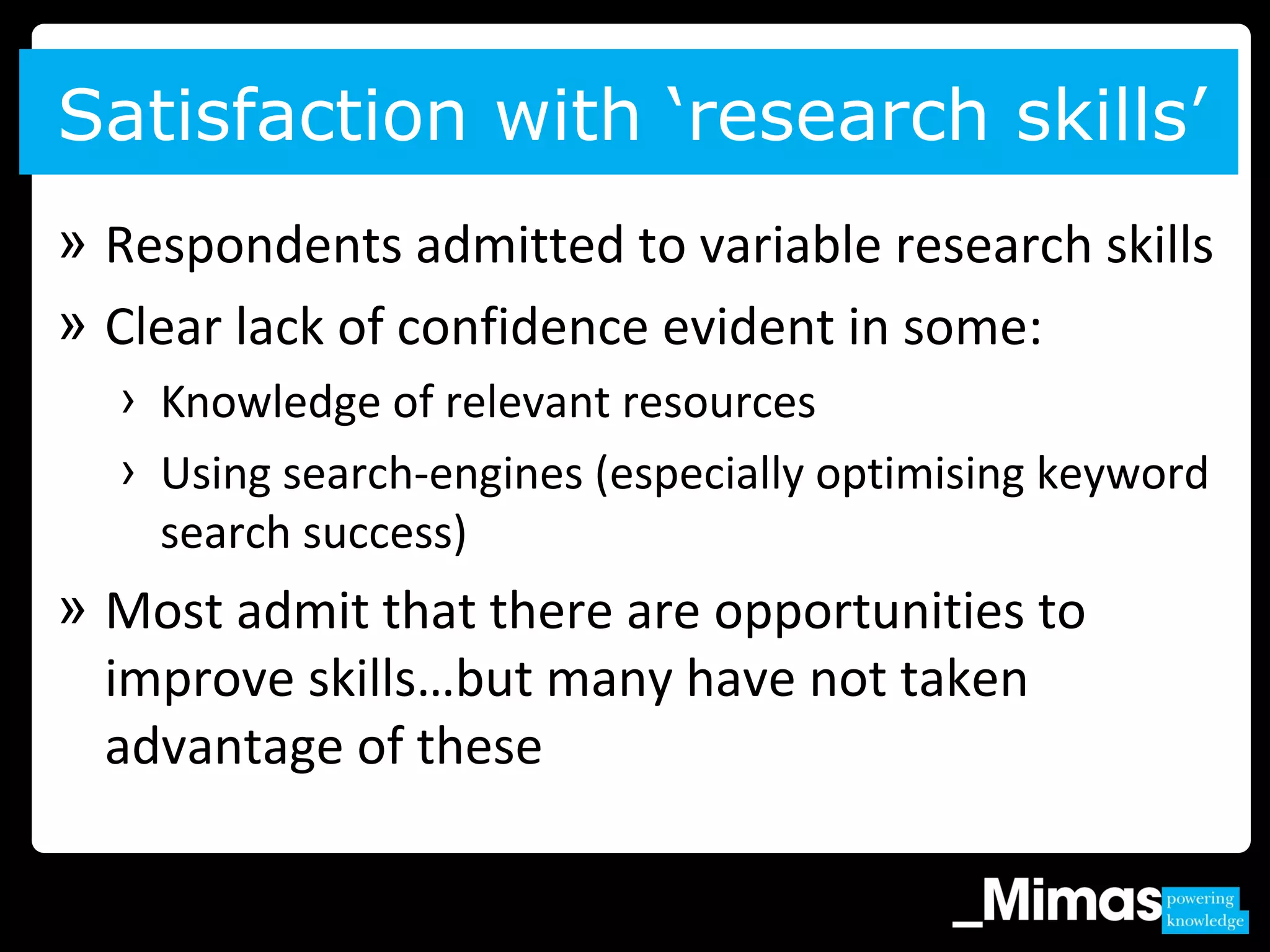
» Respondents admitted to variable research skills
» Clear lack of confidence evident in some:
› Knowledge of relevant resources
› Using search-engines (especially optimising keyword
search success)
» Most admit that there are opportunities to
improve skills…but many have not taken
advantage of these
Satisfaction with ‘research skills’
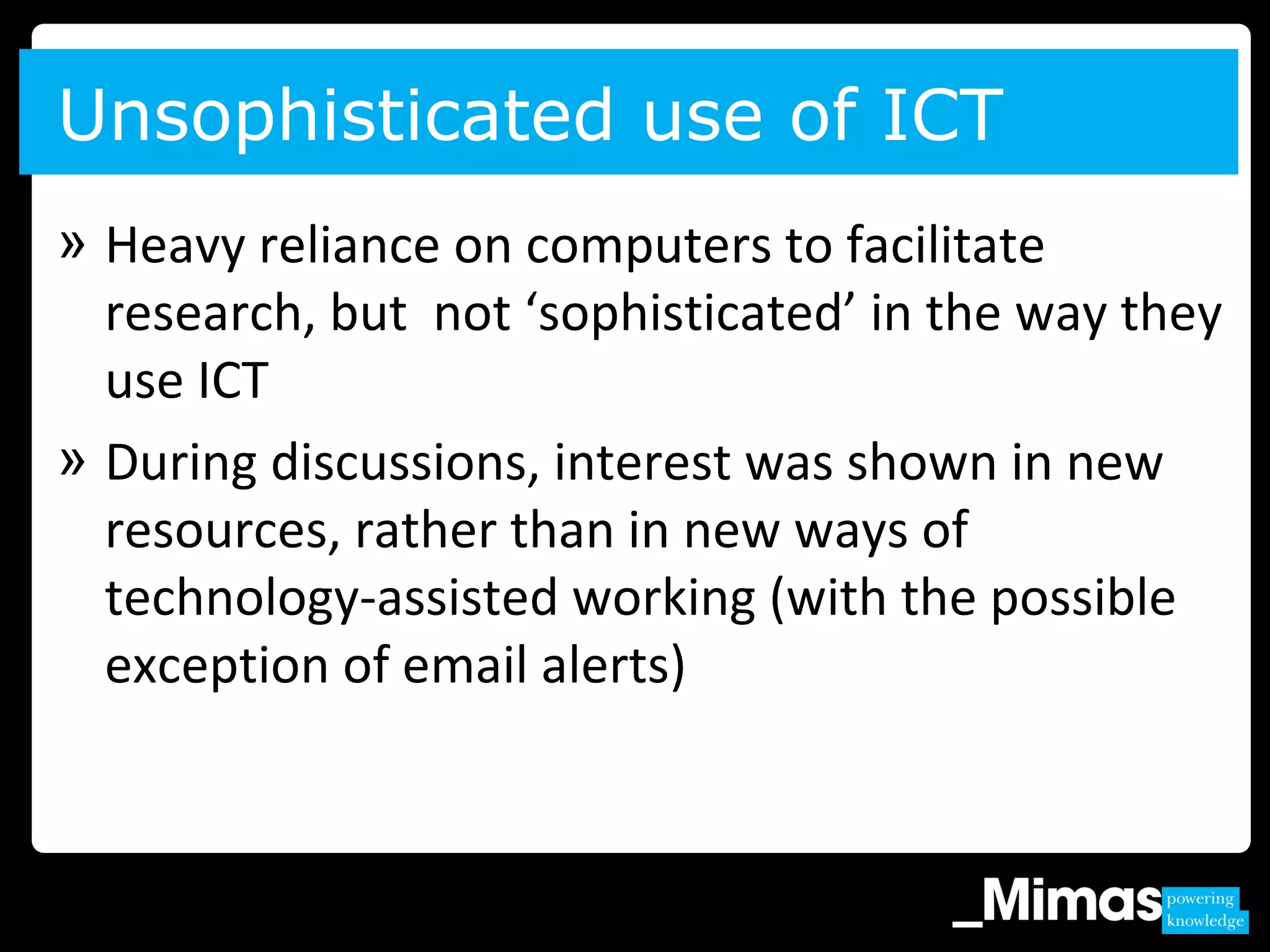
» Heavy reliance on computers to facilitate
research, but not ‘sophisticated’ in the way they
use ICT
» During discussions, interest was shown in new
resources, rather than in new ways of
technology-assisted working (with the possible
exception of email alerts)
Unsophisticated use of ICT
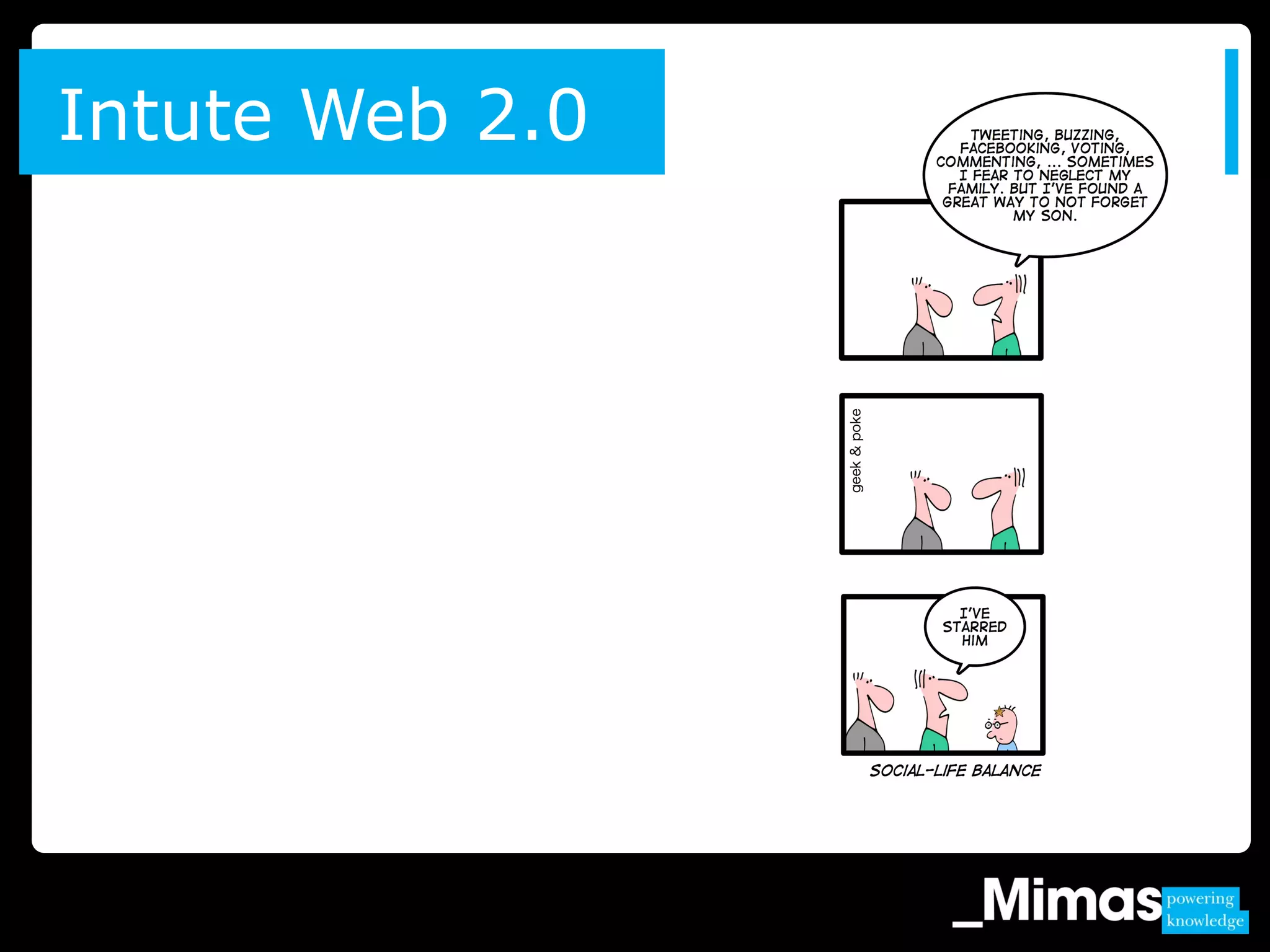
Intute Web 2.0
All audiences in agreement that:
» Undergraduate – and sometimes postgraduate – skills in
this area are often very limited
» Many fall back on bad habits (e.g. Googling everything)
» Once habits and patterns are formed – including reliance
on particular resources – they are rarely changed
» Few opportunities to squeeze proper training and
instruction into timetable – and relatively few courses
have research skills as an embedded module
Internet & research skills
Librarians’, PGs’ and academics’
thoughts on UGs
“Typically they don’t get much guidance how to
venture wider than their reading list.”
(Librarian)
“Typically they don’t get much guidance how to
venture wider than their reading list.”
(Librarian)
“It’s nice to get
academics who will
come to the class or will
ask you to do a class just
for them and their
colleagues.” (Librarian)
“It’s nice to get
academics who will
come to the class or will
ask you to do a class just
for them and their
colleagues.” (Librarian)
Web 2.0 in education
» Web 2.0 technologies and approaches have a place, but
they should not be adopted simply because the
technology exists
» Dismissive of many aspects of Web 2.0 technologies or
admitted to be novices in their use
» Although Facebook was predictably popular, its usage
limited to being a way of staying in touch and finding
out about social events
» Some students spoke of Facebook groups being set up
as part of their studies but few if any were heavily
reliant on applications of this type
» Not in the habit of ‘rating and commenting’ (for
example, on Amazon) and, to an extent were suspicious
of those who were
» Practical barriers to the adoption of interactive
technologies in HE institutions
Web 2.0 in education
» Library community is currently trying to work out how
to proceed with Web 2.0 technologies
» Much interest in how other institutions are using
emerging technologies
» Apparent that developments are characterised by
experimentation with small projects – rather than a co-
ordinated and strategic roll-out
» A key benefit is that potentially students and lecturers
can be in more constant dialogue
Web 2.0: Librarian community views
Value for money In automatic Metadata
generation (ViM)
» UGs largely ignorant of how to undertake effective
internet searches
» UGs claimed that their typical practice would be to ‘throw
a few key words’ at a search engine and quickly scan the
results
Common search practices
“The more you use [Amazon] the more it gets
to understand you.” (PG)
» Fairly subjective process
» Varies significantly by discipline
» Reliance on the ‘first 10’ results
» Preferred two or three lines of description
» Other initial ways of quickly evaluating the
relevance and potential usefulness of results
include:
› Checking the url (with, for example, an ‘.ac.uk’ domain
being an indicator of a credible resource)
› Recognised subject authorities / governing bodies etc.
Evaluating search results
» User ratings and reviews have only limited
appeal
» Disregarded due to:
› Who are the users and how can students be certain
that relevance is a universal quality?
› Propensity to give ratings is not equal across all
users.
Ratings and reviews
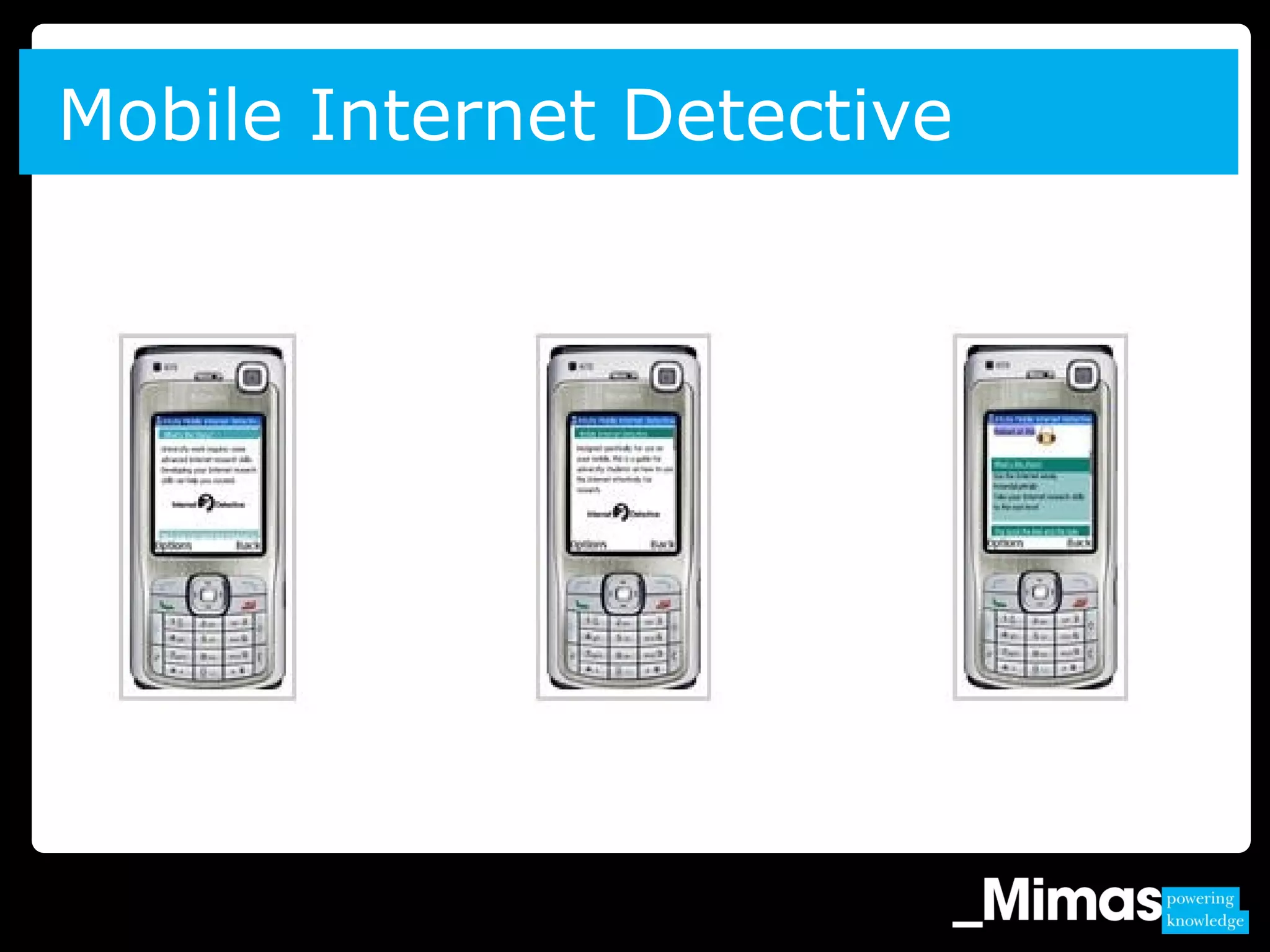
Mobile Internet Detective
“The mobile phone is undoubtedly [a] strong
driving force, a behaviour changer…Library users
will soon be demanding that every interaction
can take place via the cell phone”
Mobile use
Internet use
“(I use the Internet) for absolutely everything.
Why walk to the library if it’s on the Internet.
You just flick through it. Your university’s
signed up to all these journals and the journals
are available to buy but you just look it up on
the Internet. You don’t even bother going to
the library.” London Focus Group, Female
Views on the mobile Internet
‘‘Mine’s quite bad actually … quite poor
so I don’t really use it. I would if it was
better, if it actually looked like the
Internet pages then I’d probably use it
more but at the minute I just do it for
emails I really need … but the interface
on mine isn’t very good.” Manchester
Group, Female.
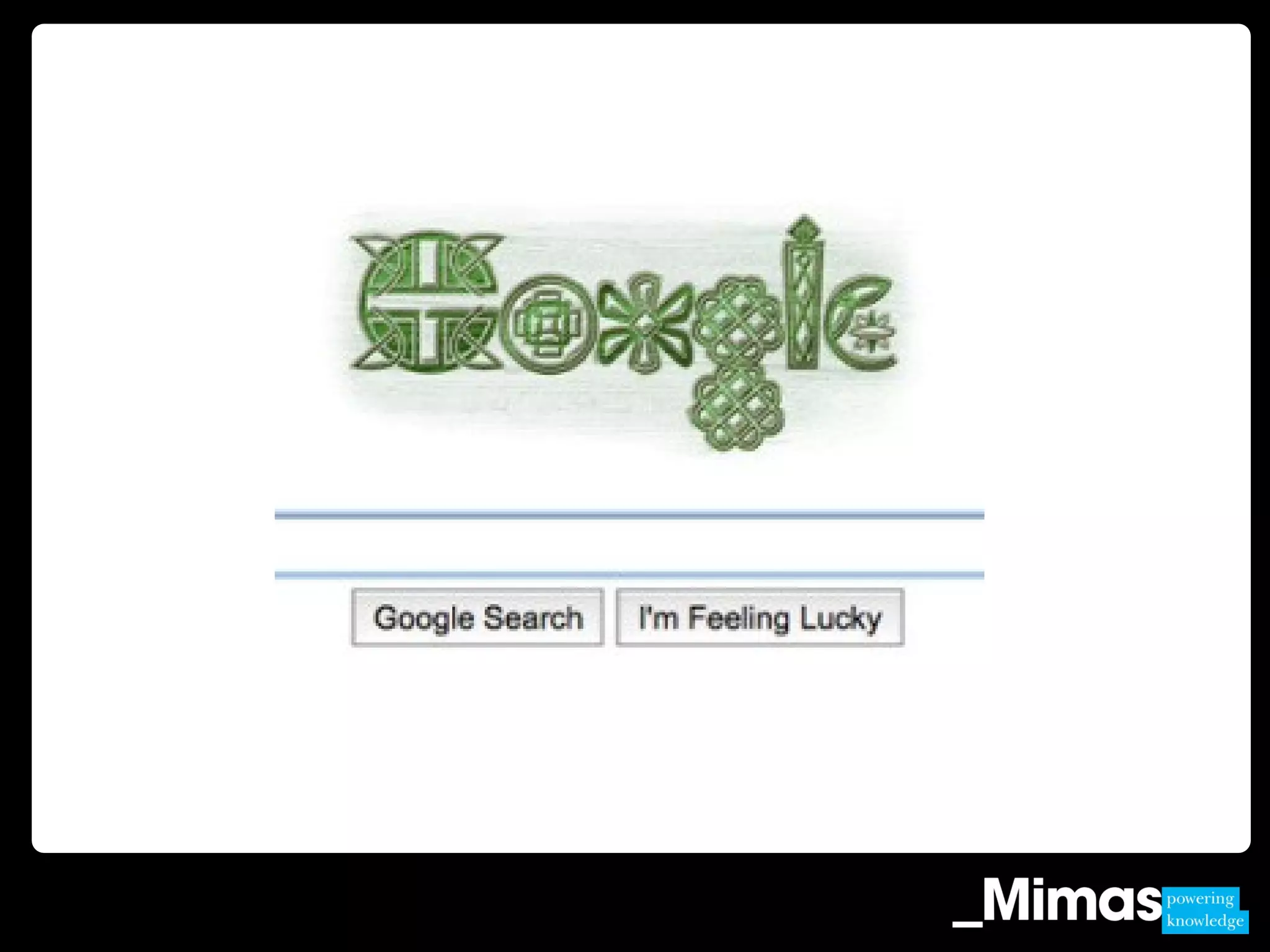
Shall we give up and leave it to
Google?
What steps are we taking?
1. Virtual Training Suite
2. Informs
3. Mobile Mimas
4. Widgets and feeds
5. New search interfaces
Summary
“You fall into habits don’t you? …
once you fall into a habit it’s difficult
to break it”. [Post-graduate student]”
“I can’t think of anywhere that would
have everything I need. You’re only
one click away with Google”. [Post-
graduate student]
1. Does this research match your experience and
are there other factors to consider?
2. What implications does this research have –
what can we do?
3. What is the impact of changing user behaviour
on the development of IL tools and teaching?
Discussion questions
» Mimas stand
» Caroline.williams@manchester.ac.uk
Contact us

Changing user behaviour on the web - what does this mean for the development of online information literacy tools? Williams

  • 1.
    Changing user behaviouron the web – what does this mean for the development of online information literacy tools? Caroline Williams, Executive Director of Intute and Deputy Director of Mimas
  • 2.
    Shall we giveup and leave it to Google?
  • 3.
    1. What dowe know?: research studies and Mimas market research 2. What can we do?: Mimas’ approach and discussion Overview
  • 4.
    IL of youngpeople not improved; little time spent on evaluating information; people have poor understanding of their information needs; difficulties in assessing relevance when faced with a long list of search hits; unsophisticated mental maps of what the Internet is failing to appreciated that it is a collection of networked resources from different providers; search engines become the primary brand associated with the Internet; people do not find library sponsored resources intuitive and prefer to use Google instead: the familiar solution …. [CIBER (2008). Information Behaviour of the Researcher of the Future] Research reports
  • 5.
    “HEIs, colleges andschools treat information literacies as a priority area and support all students so that they are able, amongst other things, to identify, search, locate, retrieve and especially, critically evaluate information from the range of appropriate sources … and organise and use it effectively.” [Committee of Inquiry into the Changing Learner Experience (May 2009). Higher Education in a Web 2.0 World. March 2009. http://www.clex.org.uk] Research reports
  • 6.
    Wider context &national strategies
  • 7.
    1. Project Fusion 2.Intute Web 2.0 3. ViM project 4. Mobile Internet Detective Mimas market research
  • 8.
  • 9.
    Typical research practices(1) “At this stage I’m writing-up. I was trying to find a reference I’d included – missing dates. I looked up the library catalogue.” “I did one on ‘geography and the avant-garde’. Google Scholar was a bit useless – lots of stuff not related to it. Then I went to Web of Knowledge and geography journals and that was better.”
  • 10.
    » Google andGoogle Scholar indispensable » However, other resources are used as appropriate to the nature of the search being undertaken » All vary the way they search and the resources used depending on what they are searching for » ‘centrifugal’ model of information gathering (‘Scholarly Work and the Shaping of Digital Access’; Carole Palmer; 2005) Typical research practices (2)
  • 11.
    Resources: General and Specialised –used for different purposes Importance of habit Habits deepen over time Importance of ‘search inside’ Some supervisor influence – especially early on Expectation of direct access online to resources, docs, journals etc. Lack of contact / chances to refresh skills and range of resources used Postgraduate students: ‘private worlds’ Unsophisticated use of ICT No strong desire to change Little personalisation / saving / organisation of searches Constant anxiety about delivering new research Little awareness or usage of alerts (journals, articles etc.) (However…)
  • 12.
    » Respondents admittedto variable research skills » Clear lack of confidence evident in some: › Knowledge of relevant resources › Using search-engines (especially optimising keyword search success) » Most admit that there are opportunities to improve skills…but many have not taken advantage of these Satisfaction with ‘research skills’
  • 13.
    » Heavy relianceon computers to facilitate research, but not ‘sophisticated’ in the way they use ICT » During discussions, interest was shown in new resources, rather than in new ways of technology-assisted working (with the possible exception of email alerts) Unsophisticated use of ICT
  • 14.
  • 15.
    All audiences inagreement that: » Undergraduate – and sometimes postgraduate – skills in this area are often very limited » Many fall back on bad habits (e.g. Googling everything) » Once habits and patterns are formed – including reliance on particular resources – they are rarely changed » Few opportunities to squeeze proper training and instruction into timetable – and relatively few courses have research skills as an embedded module Internet & research skills
  • 16.
    Librarians’, PGs’ andacademics’ thoughts on UGs “Typically they don’t get much guidance how to venture wider than their reading list.” (Librarian) “Typically they don’t get much guidance how to venture wider than their reading list.” (Librarian) “It’s nice to get academics who will come to the class or will ask you to do a class just for them and their colleagues.” (Librarian) “It’s nice to get academics who will come to the class or will ask you to do a class just for them and their colleagues.” (Librarian)
  • 17.
    Web 2.0 ineducation » Web 2.0 technologies and approaches have a place, but they should not be adopted simply because the technology exists » Dismissive of many aspects of Web 2.0 technologies or admitted to be novices in their use » Although Facebook was predictably popular, its usage limited to being a way of staying in touch and finding out about social events » Some students spoke of Facebook groups being set up as part of their studies but few if any were heavily reliant on applications of this type
  • 18.
    » Not inthe habit of ‘rating and commenting’ (for example, on Amazon) and, to an extent were suspicious of those who were » Practical barriers to the adoption of interactive technologies in HE institutions Web 2.0 in education
  • 19.
    » Library communityis currently trying to work out how to proceed with Web 2.0 technologies » Much interest in how other institutions are using emerging technologies » Apparent that developments are characterised by experimentation with small projects – rather than a co- ordinated and strategic roll-out » A key benefit is that potentially students and lecturers can be in more constant dialogue Web 2.0: Librarian community views
  • 20.
    Value for moneyIn automatic Metadata generation (ViM)
  • 22.
    » UGs largelyignorant of how to undertake effective internet searches » UGs claimed that their typical practice would be to ‘throw a few key words’ at a search engine and quickly scan the results Common search practices “The more you use [Amazon] the more it gets to understand you.” (PG)
  • 23.
    » Fairly subjectiveprocess » Varies significantly by discipline » Reliance on the ‘first 10’ results » Preferred two or three lines of description » Other initial ways of quickly evaluating the relevance and potential usefulness of results include: › Checking the url (with, for example, an ‘.ac.uk’ domain being an indicator of a credible resource) › Recognised subject authorities / governing bodies etc. Evaluating search results
  • 24.
    » User ratingsand reviews have only limited appeal » Disregarded due to: › Who are the users and how can students be certain that relevance is a universal quality? › Propensity to give ratings is not equal across all users. Ratings and reviews
  • 25.
  • 26.
    “The mobile phoneis undoubtedly [a] strong driving force, a behaviour changer…Library users will soon be demanding that every interaction can take place via the cell phone” Mobile use
  • 27.
    Internet use “(I usethe Internet) for absolutely everything. Why walk to the library if it’s on the Internet. You just flick through it. Your university’s signed up to all these journals and the journals are available to buy but you just look it up on the Internet. You don’t even bother going to the library.” London Focus Group, Female
  • 28.
    Views on themobile Internet ‘‘Mine’s quite bad actually … quite poor so I don’t really use it. I would if it was better, if it actually looked like the Internet pages then I’d probably use it more but at the minute I just do it for emails I really need … but the interface on mine isn’t very good.” Manchester Group, Female.
  • 29.
    Shall we giveup and leave it to Google?
  • 31.
    What steps arewe taking? 1. Virtual Training Suite 2. Informs 3. Mobile Mimas 4. Widgets and feeds 5. New search interfaces
  • 32.
    Summary “You fall intohabits don’t you? … once you fall into a habit it’s difficult to break it”. [Post-graduate student]” “I can’t think of anywhere that would have everything I need. You’re only one click away with Google”. [Post- graduate student]
  • 33.
    1. Does thisresearch match your experience and are there other factors to consider? 2. What implications does this research have – what can we do? 3. What is the impact of changing user behaviour on the development of IL tools and teaching? Discussion questions
  • 34.
    » Mimas stand »Caroline.williams@manchester.ac.uk Contact us

Editor's Notes

  • #2 Me – my position and background. Not an academic, service, national internet information service – Internet research skills (narrower that IL), so I read research and look at practice and extract thinking into what makes sense on the Internet for national info service. Its become so engrained. Looking a bit wider that straight IL tools, this is about user behaviour and its wider implications Say what Mimas is … give e.g.s of services
  • #3 The question I was asked after a presentation at the ILI conference in London last October I could make a reasonable response but the question stayed with me and I’ve delved deeper
  • #4 This a presentation does fall neatly into two halves (with the first one, the most substantial in terms of information to impart and the second one more challenging in thinking) Format – not workshop, presentation with discussion
  • #5 Over the last 18 months many JISC commissioned reports have highlighted this need for the development of digital literacy. The findings of the “Google Generation”[3] study by the University College London’s Centre for Information Behaviour and the Evaluation of Research (CIBER) assert that widening access to technology has not improved the information literacy of young people and that, “little time is spent in evaluating information, either for relevance, accuracy or authority”. You’ll all be familiar with it - Noted some of the findings on the slide In addition, the DPIE2[4] report provides evidence of students’ need for “just in time” access to high quality resources. One focus group participant stated “it would be even better if at a certain time on your course they e-mailed you with a list of relevant websites” [p 114]. Struck a cord with me – other side of the IL coin. [3] “Information behaviour of the researcher of the future”, a CIBER briefing paper. Jan 2008. http://www.jisc.ac.uk/media/documents/programmes/reppres/gg_final_keynote_11012008.pdf [4] Curtis+Cartwright, (2008). Developing Personalisation for the Information Environment (2). JISC 2008.UCL, CIBER, Information Behaviour of the Researcher of the Future 2008. Study commissioned by the BL and JISC
  • #6 Another is The Higher Education in a Web 2.0 World[1] report which examines skills development for the 21st century. It identifies information literacy as a “significant and deficit area” and recommends that (something we all should welcome). READ: Relevance to wider context and other national strategies The development of digital literacy as recognised by JISC is also articulated in the Digital Britain report[1] which recommends a programme of action aimed at ensuring “that people have the capability and skills to flourish in the digital economy”. The Independent Review of ICT User Skills[2] conducted by Baroness Estelle Morris published in June sets digital skills in the wider societal context stating that these skills “have an impact on an adult’s equality of access to information and services; employability; social inclusion; engagement in further learning; and on wider business productivity”. Concerns in the academic community about the student use of Google and the Internet have been explored by as you know Tara Brabazon[3] and more recently by Andrew Whitworth in his book Information Obesity. Whitworth describes the scholarly environment as one where there is an increasing volume and complexity of information, and that is typified by: “Obesity is not simply the result of an overload of food. It is also caused by a decrease in quality … Mass production has given us easy access to very large stocks of information. Finding information is no longer the problem, but being discriminating, filtering it out, and managing it is difficult … The long-term impact of these changes on the health of people and societies has yet to be seen, but many believe it will be negative unless we find a way to manage the flow of information.” [Andrew Whitworth (2009), Information Obesity] [1] Department for Culture, Media and Sport and Department for Business, Innovation and Skills (2009). Digital Britain. June 2009 [2] Baroness Estelle Morris (2009). Review of ICT User Skills. Department for Business, Innovation and Skills, June 2009. [3] Brabazon, T. (2002). Digital Hemlock: Internet education and the poisoning of teaching. UNSW Press, 2002.
  • #7 Relevance to wider context and other national strategies The development of digital literacy as recognised by JISC is also articulated in the Digital Britain report[1] which recommends a programme of action aimed at ensuring “that people have the capability and skills to flourish in the digital economy”. The Independent Review of ICT User Skills[2] conducted by Baroness Estelle Morris published in June sets digital skills in the wider societal context stating that these skills “have an impact on an adult’s equality of access to information and services; employability; social inclusion; engagement in further learning; and on wider business productivity”. Concerns in the academic community about the student use of Google and the Internet have been explored by Tara Brabazon (who of course has been a keynote at this conference) Not just academic sector concerned about equipping people with skills to operate in the digital economy [3] and more recently by Andrew Whitworth in his book Information Obesity. Whitworth describes the scholarly environment as one where there is an increasing volume and complexity of information, and that is typified by: “Obesity is not simply the result of an overload of food. It is also caused by a decrease in quality … Mass production has given us easy access to very large stocks of information. Finding information is no longer the problem, but being discriminating, filtering it out, and managing it is difficult … The long-term impact of these changes on the health of people and societies has yet to be seen, but many believe it will be negative unless we find a way to manage the flow of information.” [Andrew Whitworth (2009), Information Obesity] [1] Department for Culture, Media and Sport and Department for Business, Innovation and Skills (2009). Digital Britain. June 2009 [2] Baroness Estelle Morris (2009). Review of ICT User Skills. Department for Business, Innovation and Skills, June 2009. [3] Brabazon, T. (2002). Digital Hemlock: Internet education and the poisoning of teaching. UNSW Press, 2002.
  • #8 Share findings of three pieces of market research conducted over the last 18 months to help us understand better how to improve and enhance Mimas library and bibliographic services. I’m not going to share with you the finding that are most generally applicable and those which are relevant to IL, so it will be whistle-stop tour Mindset and FDS international Quick one liner about each project: Fusion – (give full title) understand the way in which postgraduate humanities researchers conduct and manage online research; To explore if (and how) an online tool could help them work more efficiently; looking at aggregating Copac, Archives Hub, Intute and Zetoc data Intute Web 2.0 – looking at how we could deliver the service through community engagement and using web 2.0 technologies ViM – Value for money in automatic metadata generation – what's the cost and benefit to manual cataloguing of web resources as opposed to using automated methods, use of ratings and rankings Mobile Internet Detective – taking the online introduction to the Internet tutorial and making it suitable for use on a mobile phone The research methods used varied and included focus groups, questionnaires, in depth interviews, and search diaries
  • #9 Humanities researchers focus groups
  • #10 Searching processes and choice of resource depends on the nature of the search. Most common searches: Books (including searches to check/complete references) Journal articles, conference papers etc Broad searches by subject and/or keywords (e.g. “city spaces”; “geography and the avant-garde”) Searches for works by a particular author
  • #11 All see Google and Google Scholar as indispensable tools, used extensively throughout their studies However, other resources are used as appropriate to the nature of the search being undertaken All agreed that they vary the way they search and the resources they used depending on what they are searching for Certainly, the ‘centrifugal’ model of information gathering (‘Scholarly Work and the Shaping of Digital Access’; Carole Palmer; 2005) in which scholars move from lead to lead is relevant in many search situations…
  • #12 Summary of behaviour characterisation Note habit and search inside I’m just going to highlight two of these themes in more detail – skills and unsophisticated use of ICE
  • #14 Although all respondents were heavily reliant on computers to facilitate their research, it does not appear that the majority are ‘sophisticated’ in the way they use ICT For the most part during discussions, interest was shown in new resources, rather than in new ways of technology-assisted working (with the possible exception of email alerts)
  • #15 The panacea to all People/faces in this picture Who was part of focus groups – librarians, undergrads, post grads across a range of disciplines
  • #16 All audiences in agreement that: Undergraduate – and sometimes postgraduate – skills in this area are often very limited Many fall back on bad habits (e.g. Googling everything) Once habits and patterns are formed – including reliance on particular resources – they are rarely changed Few opportunities to squeeze proper training and instruction into timetable – and relatively few courses have research skills as an embedded module
  • #17 Widespread view that undergraduates lack research skills and are overly reliant on: Google Specified resources Discussion among librarians about the reluctance of some academics for librarians to be too involved in ‘teaching’ A welcome – and rare – experience is for academics to request assistance in this area
  • #18 Clear and consistent finding across all groups was that although these technologies and approaches have a place, they should not be adopted simply because the technology exists Majority of respondents dismissive of many aspects of Web 2.0 technologies or admitted to be novices in their use: (for example, few respondents organise internet browsing beyond perhaps adding useful sites to favourites; few used iGoogle – most had not even heard of it etc.) Although Facebook was predictably popular, its usage limited in most cases to being a way of staying in touch and finding out about social events Some students spoke of Facebook groups being set up as part of their studies but few if any were heavily reliant on applications of this type
  • #19 Particularly imp if thinking about making online tutorials more attractive – zouped up technology Most suggested that they were not in the habit of ‘rating and commenting’ (for example, on Amazon) and, to an extent were suspicious of those who were Additionally, it was explained that in many ways, there are practical barriers to the adoption of interactive technologies in HE institutions: Some academics and lecturers are traditional in outlook and working practices – and this is the audience that is most influential To an extent, students wish to separate working and social dimensions of their lives Typically ICT is tightly controlled within universities which results in…
  • #20 Very strong sense that the library community is currently trying to work out how to proceed with Web 2.0 technologies – in fact, for some, this was a key motivation for attending Much interest in how other institutions are using emerging technologies Apparent that developments are characterised by experimentation with small projects – rather than a co-ordinated and strategic roll-out A key benefit is that potentially students and lecturers can be in more constant dialogue: useful at postgraduate level where a ‘wrong turn’ can be especially damaging if not corrected early on In short, support for Web 2.0 technologies where they offer choice, without any evidence yet of ‘becoming mainstream’…
  • #21 Say who we spoke to – Librarians, undergrads and post-grads, but did have a real librarian focus
  • #22 And it’s not surprise that Google was popular again – ubiquitous Google, confirmation of previous findings Although many students are making use of their institutions’ own resources, catalogues and data-base searching tools, more generic search tools – and Google in particular – remain very popular Course students at all levels use resources such as Google Scholar, Web of Knowledge and JSTOR However, groups across all audiences acknowledged that there is an over reliance on generic search engines amongst the student community Most students will continue to use Google as their initial searching tool and explain this in terms of habit, convenience and value in scoping research requirements
  • #23 Several respondents mentioned using Amazon as a way of finding related books and considered it a useful tool “The more you use it the more it gets to understand you.” (PG) UGs admitted that they are largely ignorant of how to undertake effective internet searches In most cases, UGs claimed that their typical practice would be to ‘throw a few key words’ at a search engine and quickly scan the results – without thinking too carefully about what is being searched and how the results are presented
  • #24 For most, this is a fairly subjective process It can vary significantly by discipline. For example: Medical / law subjects – users have typically identified sources which are provided for them; scientific / technical / computer based subject areas – typically require a ‘black & white’ response to a query and thus credibility and source are considered less important Humanities and social sciences – often need to read widely around a subject including reviews of sources outside the academic domain – credibility of source is therefore more relevant here and perhaps more difficult to evaluate Many undergraduates simply rely on the ‘first 10’ results – believing that, for example Google will deliver the most relevant results first. At most, students might review three or four pages of results Preferred two or three lines of description Other initial ways of quickly evaluating the relevance and potential usefulness of results include: Checking the url (with, for example, an ‘.ac.uk’ domain being an indicator of a credible resource) Recognised subject authorities / governing bodies etc.
  • #25 Rating and rankings – issue of quality. Assume students aren’t interested in that but … automatically generated description puts people off. A strong reaction – and one which was consistent across almost all groups and audiences – was that user ratings and reviews have only limited appeal Most would have a quick look, but on the whole would disregard them due to numerous identified concerns: Who are the users and how can students be certain that relevance is a universal quality? (i.e. what might be relevant to one student might not be so to another) Propensity to give ratings is not equal across all users. In crude terms there is a certain type of person more inclined to rate and comment and respondents felt that such a person is not necessarily a reliable barometer of usefulness and relevance to all
  • #26 The move towards mobile technologies in libraries and in the wider educational environment is gathering increasing momentum as we enter a new decade. This is reflected in the huge amount of Web content, research reports and innovative projects devoted to mobile learning and mobile applications in libraries which can be found via a quick search on Google. This article describes our own foray at Intute into the world of mobilisation, via a JISC Rapid Innovations [2] project in 2009. The aim of the Mobile Internet Detective project was to adapt Intute’s well respected and popular online Internet Detective tutorial [3] to develop a prototype application suitable for access on a mobile device. As well as investigating the provision of more flexible access for end users the project was also intended to act as a test bed to inform the potential re-development of other JISC services based at Mimas [4], (the home of Intute) and build on existing expertise in mobile technologies within the organisation. The foundation stone for this work was a qualitative market research programme commissioned specifically for the project. This enabled us to find out directly about the needs of students in higher education in the UK and their own views on the use of mobile technologies for learning. The research provided invaluable insights and also sounded some notes of caution which informed our subsequent work on standards and content for mobile applications.
  • #28 Using the Internet for academic research Students regarded access to the Internet as an integral part of their academic life: Most students had received some sort of training in using the Internet for academic research but the quality of this training varied greatly. For some it had been part of a Key Skills module at school, others were given the option of attending seminars run by the university library and some received more informal guidance from tutors. The training received was often of fairly limited scope and there was a perceived skills gap in many students who were not aware of the additional support and guidance available to them as their studies continued.
  • #29 While ownership of mobile phones was virtually universal, the extent to which students accessed the Internet using their phones varied greatly. Only a small number ever used their mobiles for academic work. Cost and slow access to the Internet were identified as the main reasons for not using the mobile Internet. The availability of free, faster access via a PC at university or at home meant that there is little need to use mobiles for anything other than social purposes such as email or Facebook. Another factor was that very few students possessed new telephones with large screens, or had a contract with free Internet access and they also referred to the lack of compatibility of many Web sites with mobile phones. ‘Mine’s quite bad actually … quite poor so I don’t really use it. I would if it was better, if it actually looked like the Internet pages then I’d probably use it more but at the minute I just do it for emails I really need … but the interface on mine isn’t very good.’ Manchester Group, Female. This finding reinforced our intention to include a podcast as a project output, in addition to a mobile Web site, which can be downloaded easily and accessed at low cost on relatively low specification phones, or broadcast to users at no cost using Bluetooth. However, mobile technology is changing fast and students were keen to trade up to the latest technology. Despite the current difficulties many students stated that they would use the mobile Internet for their academic work if: Their phones had larger screens It was quick and easy to load and navigate Web sites It was cheaper or free (included in their contract) to access the Internet ‘The pros would be that it’s handy, it’s like more convenient to be able to use it there and then but the cons would be I don’t know, it’s like too small to look at it on the phone and I don’t know, it would be too fiddly I guess.’ Depth Interview, London, Male A key theme which emerged was the need to summarise the content of the existing tutorial so that users would be able to load the mobile Web site quickly and navigate easily around the tutorial, with minimal time and cost. Students were very clear about what they expected from a mobile Web site: ‘I would consider using it if it’s short and brief. If it’s long I would just skip it straightaway …’ Depth interview, London, Male ‘It’s way too big for mobile phones, too much information’ London Focus Group, Male ‘To be honest as well this is not the kind of thing I’d use on my mobile. This is something that you do, you sit there and you learn it … Mobile Web sites are kind of like reference, a quick check … and you’d have to have a serious condensation of information there, you’d have to have one page – don’t forget that, don’t forget that. That would be the only way I’d probably look at it on the mobile.’ Manchester Focus Group, Female Overall it became clear that the content of the Internet Detective is very relevant and students were able to identify some elements of new knowledge in it. However, as we expected, the full tutorial was not the type of Web site they would use on a mobile phone. To make it appealing to mobile users would require a radical overhaul of the content.
  • #30 Let’s go back to my original question Google is usually the first port of call for Internet searching but this is not without issues in the academic context.  Increasingly Google is a very effective search mechanism as it indexes databases and reaches deeper into the hidden Web.  Libraries and publishers now strategically engage with Google to expose their content as it covers more and more of the worlds’ information. Google Scholar is becoming more trusted and used amongst academics. However, in the academic context there is unease around information literacy and trust (as articulated in the following sections).  The Google ranking mechanism does not guarantee quality. Google, although a powerful search engine does not discriminate between the biased, the commercial, and the self interested website and this means that for learning and research the academic community needs either the critical evaluation skills to assess the copious stream of content it generates and/or recommendations from trusted sources. What is the problem we are trying to fix with IL? Students and researchers perception – they can get what they need in terms of information on line – no perceived problem Library and IL community – students and researchers don’t have the skills to be discerning users of the Internet
  • #31 The response to this has to be double pronged – its about improving access to our library information resources in the context of the student and research experience and supporting the development of IL skills So, should we give up and leave it to Google? We don’t think so. We’d prefer to challenge ourselves to develop and promote information services which engage and support this new generation of users. We are using the research findings to inform our work updating the websites of the Archives Hub, Copac, and Jorum so that they tread that tight rope of providing sophisticated search options with uncluttered interfaces. We are continuing to develop ideas around community engagement and personalisation, mindful of the need to preserve trust in the resources. We are working on search engine optimisation so that Google picks up the academic resources we deliver, and promotes them up to the tops of its results list. There’s still a lot for us to do here and our developments and experiments are set to continue. But facilitating access to resources is only one side of the coin. The other side is equipping students with Internet research skills so that they can better manage their own information seeking experience. And, here is where we intend to target more effort over the next year. The Informs online tutorial service is to be developed along with user requirements, and we hope to use this as a spring board to greater engagement with the information/digital literacy agenda.
  • #32 The response all of this has fed into a number of projects that we are currently looking at Give some e.g.s Projects – mobile Mimas project Informs will continue VTS Search engine optimisation Export RSS, widgets – Archives Hub and Copac Informs going to have a new lease of life, we’re revisiting the technology with a view to making it more flexible and robust VTS – allowing you to customise it ILRT Search interface – new archives hub imminent with others to follow This is the Mimas response now and in the future New mind sets – the user is not broken, where’s the boundary between IL and digital literacy, open educational resources literacy Perceptions – user feel they are getting what they want New services New spaces New approaches to IL – not just about teaching courses, embedding in courses, being in the right place at the right time with right resource or advice We’re hoping our work with Informs will provide a spring board to greater engagement with the information literacy agenda and are looking for ways we can support the community in the development of the next generation of online information literacy tools
  • #33 Summary –from lisa’s story Some of the results were no surprise to us. We found that: Google and other search engines had firmly established themselves as indispensable and heavily used tools. Indeed most of the students and researchers that we spoke to claimed that they would always use Google as their initial searching tool for reasons of habit, familiarity and perceived value Awareness of electronic academic information services was low amongst students and researchers, and a small and they tended to rely on a small and familiar range of resources Search practices were habitual, and both students and researchers confessed to having limited confidence and skills in undertaking effective internet searches. Our participants admitted that their practices often amounted to ‘throwing a few keywords’ at a search engine and quickly scanning the results However, there were some surprises. We found that: There was a lack of interest in using new and emerging technologies for research purposes. For example, in a society home to the seemingly ubiquitous iPhone, few students were using mobile phones to access academic material online. The use of Web 2.0 and social networks in education was viewed with suspicion and caution. Although use of these technologies, was widespread for social purposes, our research revealed an appreciation for educational resources that didn’t need input from the community. Our participants were worried about a possible lack of consistency and, above all, quality. Also, little interest was shown in personalising searches and materials. Widely implemented functionality such as comments and ratings were dismissed and personalised homepages did not appeal the users we spoke to.
  • #34 Discussion questions: Small groups, discuss for 10 mins. Not ideal room, feel free to move about. Then open up the floor for comments. Leave us with a final question to start off the last discussion, a few minutes in twos and threes again and then I’ll invite those of you who want to share your points and comments with the whole group to do so.
  • #35 We’ll be on the Mimas stand through the conference come and talk to us