Engaging users (and ourselves) through technology: How Web 2.0 makes a librarian’s job easier and more interesting  Barbie E. Keiser Shanghai Society for Libraries October 2008
Our agenda Literacy skills for the 21 st  Century What is Web 2.0 (and do we have the skills to use it to our advantage)? Why (and how) should we make use of Web 2.0 applications in libraries? Examples of Library 2.0 projects For interaction with “users” For the professional development of librarians/information professionals Some of my favorite tools (some for free; others for a fee)
21 st  Century literacy skills What are they? Media Visual Multicultural ICT Digital  Web INFORMATION Why should I care? National/societal level Institutional level Individual
Socio-economic and political development are best advanced by... People who recognize their need for information and can identify, locate, access, evaluate, and apply the needed information  Entities that organize and manage information so that their employees, suppliers, customers, and joint-venture partners can easily access and use it
What an information literate society means to a country Increased competitiveness Make additional capital available Improve general business practices and  company operations Increase knowledge creation within each country
So, nations should… Support and encourage lifelong learning Develop an information literacy policy for the nation Invest! Alter taxation and other regulatory policies
Industries can… Build industry-specific portals with an information literacy component Customize generic education/training programs for your specific industry Understand that policies can influence practice
Individual entities can… Organize and maintain organizational caches of information/knowledge that are easily accessible to all (employees, suppliers, customers) with built-in guidance functions for novice/occasional users Arrange both formal and informal education and training opportunities
What about libraries? Moving away from walk-in tours and bibliographic instruction How can you teach online skills without being online? Understanding what makes for good learning Learning what you need when you need it (on-demand) Learners learn differently; use multiple paths for instruction
How to succeed? Don’t teach library skills; help learners with information skills Emphasize tools that are facility and subject independent Create strong partnerships Apply what you’ve learned in one instance to another (e.g., subject, tool) Assess learning outcomes Consider pilot programs
What will you do?
IL models and standards guidelines Country models National Information Literacy Framework (Scotland)  Information Literacy Framework for Schools (Hong Kong) Australian and New Zealand IL Framework: Principles, Standards, and Practice (ANZIL) US School Library Media Center Questionnaire ( http://nces.ed.gov/surveys/sass/pdf/0304/sass_ls1a.pdf )   Big6 Information Problem-Solving Process ( http://www.big6.com/what-is-the-big6 )  Task definition Information seeking strategies Location and access Use of information  Synthesis Evaluation AASL ( http://www.ala.org/ala/aasl/aaslproftools/informationpower/InformationLiteracyStandards_final.pdf ) and CASL ( http://www.cla.ca/casl/literacyneeds.html )  ACRL (higher education) guidelines (competencies) -  http://www.ala.org/ala/acrl/acrlstandards/standardsguidelines.cfm , toolkit  http://www.ala.org/ala/acrl/acrlissues/acrlinfolit/infolitstandards/standardstoolkit.cfm  and  http://www.ala.org/ala/acrl/acrlstandards/informationliteracycompetency.cfm   Five standards Performance indicators (and outcomes for each) Seven Pillars ( http://www.sconul.ac.uk/groups/information_literacy/sp/sp/model.html )  Information Inquiry, Problem-Solving and Research Process
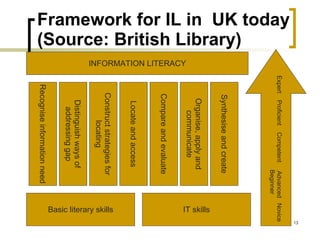
Framework for IL in  UK today (Source: British Library) INFORMATION LITERACY Basic literary skills Expert  Proficient  Competent  Advanced  Novice Beginner Distinguish ways of addressing gap Recognise information need IT skills Construct strategies for locating Locate and access Compare and evaluate Organise, apply and communicate Synthesise and create
Assessment models and samples TRAILS: Tool for Real-time Assessment of Information Literacy Skills ( http://www.trails-9.org/ )  http://www.paccd.cc.ca.us/library/ilhandbook/il_assessform.htm http://jonathan.mueller.faculty.noctrl.edu/toolbox/   http://school.discoveryeducation.com/schrockguide/assess.html   iSkills from ETS Additional assessment resources ( http://www2.acs.ncsu.edu/UPA/assmt/resource.htm )
Information literacy (IL): One definition Practical skills involved in effective use of  information technology and print or electronic information resources (Source: American Library Association) Usually, we talk about IL in terms of teaching  users
Just now, let’s refocus on the information professional What do we need to know? How do we find out? How do we keep up with the fast pace of change? Using the new tools to do so Techmeme.com
What are the “new” technologies? The cutting edge New to us New to our libraries New to our users
Web 2.0 Changing the entire concept of idea “origination” New ways for sharing relevant information (and  collaborating on new knowledge development  projects) Libraries must understand how they can make the most of Web 2.0 technologies!
Our next “market” is always today’s youth The Web is the first stop for many of today’s youth This may not be true for adults This may not be true for all Accustomed to less traditional communication methods Expect convenient resource delivery Broadband allows for streaming Delivering more to mobile devices What does this mean for us today ,  and what does it portend for tomorrow ? Gaming
The emphasis is on collaboration and sharing Pictures Videos News Bookmarks Knowledge Everything Social networking Flickr YouTube Memeorandum Del.icio.us Wikipedia, Citizendium Freebase MySpace LinkedIn, Hi5
Where do you turn to find out… Emarketer, September 25, 2008
How can your library change to accommodate anticipated needs? Can you afford to use new technology and techniques? Delivery of information and materials Communication Engaging users (dialogue) Can you afford not to? What’s the plan? Does someone else have the knowledge, skills, and abilities you lack? Opportunities for partnership Modeling after another library’s work 23 things   ( http://plcmcl2-about.blogspot.com/ )
Libraries have always been at the forefront using technology Back office operations Email Integrated services with suppliers/vendors OPAC (external) Downloading/uploading records Databases (CD-Rom and online) available to staff and users Self checkout of library materials (barcodes and RFID tags) And how to best use information/IT User training sessions for effective use of the available databases and the Web ( information literacy ) Online tutorials, including podcasts and Webcasts/Webinars
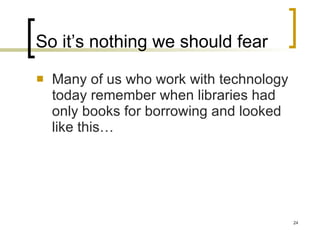
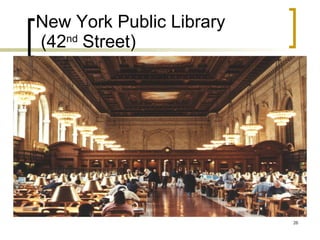
So it’s nothing we should fear Many of us who work with technology today remember when libraries had only books for borrowing and looked like this…
Trinity College (Dublin)
New York Public Library  (42 nd  Street)
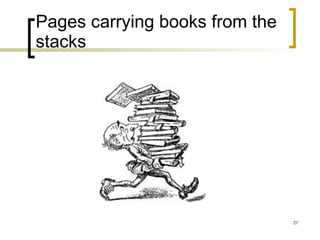
Pages carrying books from the stacks
Then we moved on…
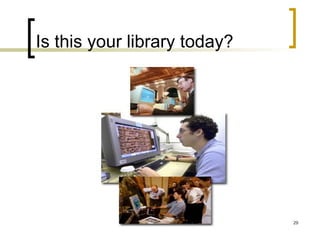
Is this your library today?
Why we shouldn’t back away now Extending what we always did/who we are Building on our strengths as  information advisors Doing it better and faster Freeing staff time to do what only staff can do Time shifting
The burning question: What should we do? It’s not what we CAN do, it’s what we OUGHT to do, based on: Information resources Human resources Financial resources Making intelligent and  strategic  decisions Where do we want to go? Where can we lead the way? Internal operations : Streamlining processes External operations : Exploiting technology to increase the number and diversify the types of interactions with users Start small  Use the experiences of other libraries to inform your trials Consider partnerships with others Begin with internal experiments (e.g., Wikis for professional development of staff) Expand to the user community using Library 2.0 to  inform  and  engage  users A library is a learning environment
More than just books: the library as place Building community It’s about what takes place in those spaces--- physical facility and virtual Delivering information  through lectures, meetings, movies, and concerts Becoming the window  to information Utilizing the library’s website as that window Enhancing online tutorials  For the generation coming up, websites are too static and email is old fashioned (too slow) Libsite.org
Library 2.0 We’re not talking about large-scale technology project management here Today’s tools have been designed for the merely interested to be able to use New ways for sharing relevant knowledge “in an instant” with users, among staff, and within communities of colleagues around the world Libraries must appreciate how they can make the most of Web 2.0 technologies if they are to be relevant to “users” Remember, it’s new for  everyone
2.0 software Empowers individuals, decentralizing decision-making Frees up knowledge Inherently more democratic Changes structures Past structures are not effective for present or future work processes Younger staff is more comfortable using technology and collaborating, questioning top-down decision-making Small, agile groups move faster than large bureaucracies
Tips for implementing new technology in libraries Establish clear objectives for each project Be realistic; maintain objectivity Share your vision of the future with your staff, your boss, your boss’ boss… Provide leadership Be prepared to manage a crisis Involve all of your stakeholders along the way Encourage your staff to make mistakes
Tools for YOU Listserves, blogs & wikis Reference assistance Ask a Librarian Instant Messaging Chat Services Finding suitable content for your website that utilizes new technology Podcasts available to you (or generate your own?) RSS Feeds Online tutorials Tips for streaming media  ( http:// streaming.wisconsin.edu/creation/creation.html )  I want to…  ( http:// www.philb.com/iwantto.htm )  Exploring the tools of Internet Technology ( http://www.rrfcnetwork.org/content/view/418/47 )  Engaging the user by applying social networking The catalog Amazon effect Book reviews
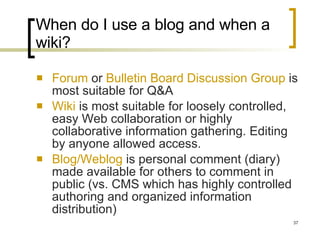
When do I use a blog and when a wiki? Forum  or  Bulletin Board Discussion Group  is most suitable for Q&A Wiki  is most suitable for loosely controlled, easy Web collaboration or highly collaborative information gathering. Editing by anyone allowed access. Blog/Weblog  is personal comment (diary) made available for others to comment in public (vs. CMS which has highly controlled authoring and organized information distribution)
Listserves for librarians BusLib-L LibRef-L Cataloging Librarians AcqNet [email_address] http://serials.infomotions.com/colldv-l/   http://groups.google.com/group/collectiondevelopment   ILL-L ERIL-L Liblicense-L SysLib-L ( http://listserv.buffalo.edu/cgi-bin/wa?A0=syslib-l )  Web4Lib (Webjunction e-newsletter) Digital-Preservation LIS-INFOLITERACY Digital-Copyright Find listerserves for yourself on Hbz  ( http://digilink.digibib.net/wk/links.pl?&LNG=en )  Join a community  ( http:// businesslibrarians.ning.com / )  Build your online discussion group ( http:// www.smartstreet.org/login.asp )  Digest mode
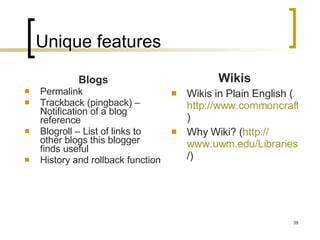
Unique features Blogs Permalink Trackback (pingback) – Notification of a blog reference  Blogroll – List of links to other blogs this blogger finds useful History and rollback function Wikis Wikis in Plain English ( http://www.commoncraft.com/video-wikis-plain-english )  Why Wiki? ( http:// www.uwm.edu/Libraries/courses/wiki / )
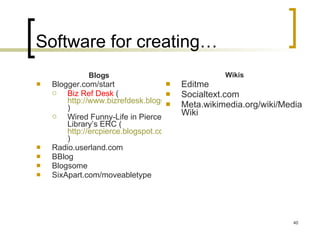
Software for creating… Blogs Blogger.com/start Biz Ref Desk  ( http://www.bizrefdesk.blogspot.com/ )  Wired Funny-Life in Pierce Library’s ERC ( http://ercpierce.blogspot.com )  Radio.userland.com BBlog Blogsome SixApart.com/moveabletype Wikis Editme Socialtext.com Meta.wikimedia.org/wiki/MediaWiki
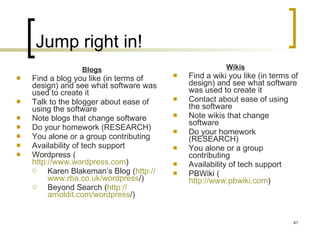
Jump right in! Blogs Find a blog you like (in terms of design) and see what software was used to create it Talk to the blogger about ease of using the software Note blogs that change software Do your homework (RESEARCH) You alone or a group contributing Availability of tech support Wordpress ( http://www.wordpress.com ) Karen Blakeman’s Blog ( http:// www.rba.co.uk/wordpress / )  Beyond Search ( http:// arnoldit.com/wordpress / )  Wikis Find a wiki you like (in terms of design) and see what software was used to create it Contact about ease of using the software Note wikis that change software Do your homework (RESEARCH) You alone or a group contributing Availability of tech support PBWiki ( http://www.pbwiki.com )
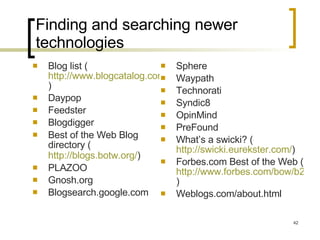
Finding and searching newer technologies Blog list ( http://www.blogcatalog.com/directory ) Daypop Feedster  Blogdigger Best of the Web Blog directory ( http://blogs.botw.org/ )   PLAZOO  Gnosh.org Blogsearch.google.com Sphere Waypath Technorati Syndic8 OpinMind PreFound What’s a swicki? ( http://swicki.eurekster.com/ ) Forbes.com Best of the Web ( http://www.forbes.com/bow/b2c/section.jhtml?id=12 )  Weblogs.com/about.html
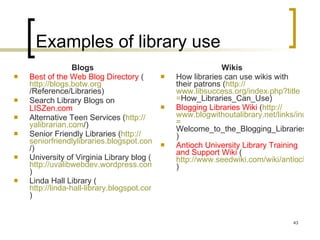
Examples of library use Blogs Best of the Web Blog Directory  ( http:// blogs.botw.org /Reference/Libraries ) Search Library Blogs on  LISZen.com   Alternative Teen Services ( http:// yalibrarian.com / )  Senior Friendly Libraries ( http:// seniorfriendlylibraries.blogspot.com / ) University of Virginia Library blog ( http://uvalibwebdev.wordpress.com ) Linda Hall Library ( http://linda-hall-library.blogspot.com )  Wikis How libraries can use wikis with their patrons ( http:// www.libsuccess.org/index.php?title = How_Libraries_Can_Use )  Blogging Libraries Wiki  ( http:// www.blogwithoutalibrary.net/links/index.php?title = Welcome_to_the_Blogging_Libraries_Wiki ) Antioch University Library Training and Support Wiki  ( http://www.seedwiki.com/wiki/antioch_university_new_england_library_staff_training_and_support_wiki/ )
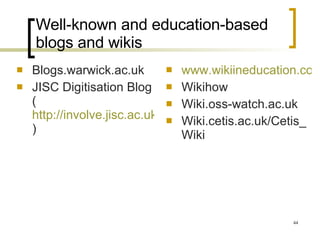
Well-known and education-based blogs and wikis Blogs.warwick.ac.uk JISC Digitisation Blog ( http://involve.jisc.ac.uk/wpmu/digitisation )  www.wikiineducation.com/display/ikiw/home Wikihow Wiki.oss-watch.ac.uk Wiki.cetis.ac.uk/Cetis_Wiki
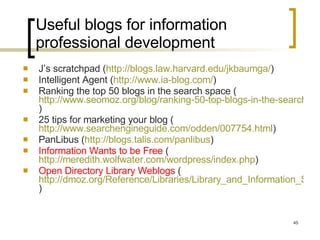
Useful blogs for information professional development J’s scratchpad ( http://blogs.law.harvard.edu/jkbaumga/ ) Intelligent Agent ( http://www.ia-blog.com/ )  Ranking the top 50 blogs in the search space ( http://www.seomoz.org/blog/ranking-50-top-blogs-in-the-search-space )  25 tips for marketing your blog ( http://www.searchengineguide.com/odden/007754.html ) PanLibus ( http:// blogs.talis.com/panlibus )  Information Wants to be Free  ( http://meredith.wolfwater.com/wordpress/index.php )  Open Directory Library Weblogs  ( http://dmoz.org/Reference/Libraries/Library_and_Information_Science/Weblogs/ )
Useful wikis for information professional development LISWiki ( http://liswiki.org/wiki/Wiki )  TechEssence.info   Library Success: A Best Practices Wiki  ( http://www.libsuccess.org/index.php?title=Main_Page )  Library Instruction Wiki  ( http://instructionwiki.org/Main_Page ) Five Weeks to a Social Library  ( http:// www.sociallibraries.com/course/prelimprogram )
What can we learn from these tools? Techmeme Digg BlogPulse  ( http://blogpulse.com/ )
Collaborative approaches Google Docs ( http://docs.google.com )  Slideshare.net  ( http://www.slideshare.net/group/tttworkshops/slideshows )  Socialcast.com (Free trial) Jing Tagging and social bookmarking Connotea.org Del.icio.us Furl.net Clouds Rollyo IM Chat and 24/7 virtual reference http://journal.code4lib.org/articles/107
Ask a librarian AskNow.org  http://www.spl.org/default.asp?pageID=info_ask
Messaging in an instant IM a librarian ( http:// www.llrx.com/features/virtualreferenceservice.htm )  Trillian ( http://www.download.com/Trillian/3000-2150-10047473.html )  Meebo ( http://wwwl.meebo.com/ ) Pidgin ( http://www.pidgin.im/ )  Digsby ( http://widget.digsby.com/ )  Twitter for Librarians ( http://www.collegeathome.com/blog/2008/05/27/twitter-for-librarians-the-ultimate-guide/ )  Using Twitter as an Education Tool (SearchEngineWatch.com September 25, 2008) Twitter in Plain English ( http://www.commoncraft.com/twitter )
Podcasts What are they? How can I find one? How can I create one? Examples of podcasts Online training tutorials Useful podcasts for information professional development
Definition An audio or video show which can be downloaded to your computer to watch or listen to at your convenience You can find podcasts on websites or you can subscribe to them. Then, you will automatically receive every new episode of your favorite program whenever it is published The latest versions of both Mozilla Firefox and Microsoft Internet Explorer now support RSS feeds. If you click on the button, you will be able to “subscribe” to that podcast from inside your browser. It’s like saving a bookmark.  Source: The Podcast Network  ( http://www.thepodcastnetwork.com/ )
Finding podcasts Odeo.com Podfeed.net Podcasting Station  ( http://www.podcasting-station.com/categories.php )  Podcast Directory Podcast.net Digital Podcast Podscope Podanza.com Everyzing (formerly Podzinger) Feedster ( http:// podcasts.feedster.com )  Podcast Pup Every Podcast SpeakWire Podcasts.Yahoo.com Casting Words  Blabline Blinkx (video)
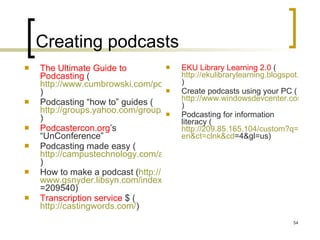
Creating podcasts The Ultimate Guide to Podcasting  ( http://www.cumbrowski.com/podcastingguide.asp )  Podcasting “how to” guides ( http://groups.yahoo.com/group/Net-Gold/message/14793 ) Podcastercon.org ’s “UnConference”  Podcasting made easy ( http://campustechnology.com/articles/40978/ )  How to make a podcast ( http:// www.gsnyder.libsyn.com/index.php?post_id =209540 )  Transcription service  $ ( http://castingwords.com/ )  EKU Library Learning 2.0  ( http://ekulibrarylearning.blogspot.com/2007_08_01_archive.html ) Create podcasts using your PC ( http://www.windowsdevcenter.com/pub/a/windows/2005/04/05/create_podcasts_with_pc.html )  Podcasting for information literacy ( http://209.85.165.104/custom?q=cache:HRxpNy-GR48J:www.ifla.org/IV/ifla73/papers/133-LeeRoberts-en.pdf+information+literacy&hl= en&ct = clnk&cd =4&gl=us )
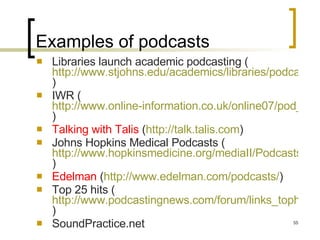
Examples of podcasts Libraries launch academic podcasting ( http://www.stjohns.edu/academics/libraries/podcast.sju )  IWR ( http://www.online-information.co.uk/online07/pod_list.shtml?press_id=13980 )  Talking with Talis  ( http://talk.talis.com ) Johns Hopkins Medical Podcasts ( http://www.hopkinsmedicine.org/mediaII/Podcasts.html )  Edelman  ( http://www.edelman.com/podcasts/ )  Top 25 hits ( http://www.podcastingnews.com/forum/links_tophits.htm )  SoundPractice.net
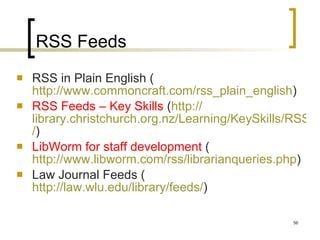
RSS Feeds RSS in Plain English   ( http://www.commoncraft.com/rss_plain_english )  RSS Feeds – Key Skills  ( http:// library.christchurch.org.nz/Learning/KeySkills/RSS / )  LibWorm for staff development  ( http://www.libworm.com/rss/librarianqueries.php ) Law Journal Feeds ( http://law.wlu.edu/library/feeds/ )
Vendors as a resource Information Today  (http://www.infotoday.com) Vendor correspondence ( [email_address]  e-newsletter) SirsiDynix Institute Factiva InfoPro Alliance ( http:// www.factiva.com/infopro/index.asp?node =menuElem1103 )  InfoPeople  ( http:// infopeople.org/training/webcasts/list/archived )  Ingenta Table of Contents Alert ( http://www.ingentaconnect.com )  LexisNexis InfoPro Gale’s Digital Reference Shelf ( http://www.gale.com/reference/peter ) and  http://www.gale.com/reference/lawrence )  Quantum 2 ( http:// quantum.dialog.com / )
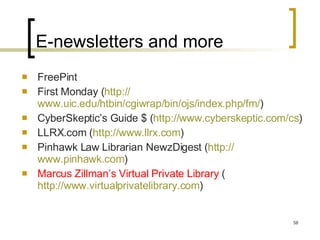
E-newsletters and more FreePint First Monday ( http:// www.uic.edu/htbin/cgiwrap/bin/ojs/index.php/fm / )  CyberSkeptic’s Guide $ ( http:// www.cyberskeptic.com/cs ) LLRX.com ( http:// www.llrx.com ) Pinhawk Law Librarian NewzDigest ( http:// www.pinhawk.com )  Marcus Zillman’s Virtual Private Library  ( http://www.virtualprivatelibrary.com )
Models for online tutorials ($) Viewlet Builder ( http://www.qarbon.com/presentation-software/viewletbuilder5/ ) or ( http://www.p4you.co.uk/products.asp )   DemoCreator ( http://www.sameshow.com/demo-creator.html )  Demofuse ( http:// www.demofuse.com / ) Adobe Captivate ( http://www.adobe.com/Products/Captivate ) Screencast-o-matic.com  Freescreencast.com  Splashcast/Camstudio mashup  ( http://danielrhood.com/2007/10/22/splashcastcamstudio-mashup/ )  Webinaria.com UTipU  ( http://www.utipu.com/app/ )
Additional ways to introduce 2.0 technologies to our users “ Talk” to our users The “professional” vs. the  community’s  book review Audio and video recordings were made in the past; now, how about simulcasting over the Web?  ( http://www2.morainevalley.edu/default.asp?SiteId=10&PageId=1356 )  IM reference chat service to serve those in and outside the building Transform our catalog Use  Rollyo  to target search results for our users Consider how search results are presented “ Amazon” effect using circulation/loan data “ Clouds” Automating compilation and posting of “new titles” Sharing your favorites Del.icio.us ( http://eprints.rclis.org/archive/00013233/01/BCLA2008_ItsDelicious.pdf )  Libguides ( http://www.springshare.com/libguides/ )  Longwood University ( http://libguides.longwood.edu/ )  Missouri Western State University ( http://libguides.missouriwestern.edu/ )
Visualization tools Clusty SpaceTree ( http://www.cs.umd.edu/hcil/spacetree/ )  Anacubis ( http://www.i2.co.uk/anacubis/anacubisviewer/help/Welcome_to_the_Anacubis_Viewer.htm )  WebBrain Grokker  ( http://www.groxis.com/service/grok/ ) Fractal PC ( http://www.softsea.com/review/Fractal-PC.html )   Kartoo Touchgraph Google  ( http://www.touchgraph.com/TGGoogleBrowser.html ) Inxight ( http:// www.businessobjects.com/demos/bi_platform/index.htm )  ThinkMap http:// spotfire.tibco.com /
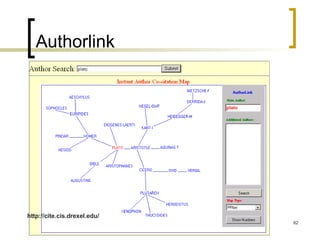
Authorlink http://cite.cis.drexel.edu/
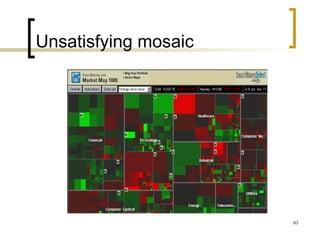
Unsatisfying mosaic
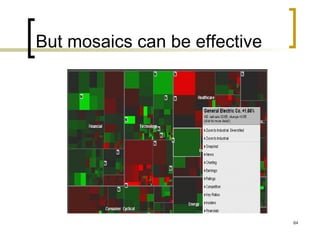
But mosaics can be effective
Graphic presentation of information literacy resources http://www.mindomo.com/view.htm?m=b93aa8ef223445ff8919191fbc3ed23c
Going where our users are: Facebook et al Hennepin County Public Library ( http://www.facebook.com/pages/Minnetonka-MN/Hennepin-County-Library/7223112325 )  Stoneham Public Library ( http:// www.myspace.com/stonehamlibrary )  Worthington Libraries ( http://www.facebook.com/pages/Worthington-OH/Worthington-Libraries/6091518004 )  Targeting teens Steele Creek Teen Library ( http://www.myspace.com/steelecreeklibrary )  Worthingteens ( http://www.myspace.com/worthingteens )  Denver Teen Library ( http://www.myspace.com/denver_evolver )  Lancaster Library ( http://www.myspace.com/getitloudinlibraries )  Brooklyn College Library ( http://profile.myspace.com/index.cfm?fuseaction=user.viewprofile&friendID=42712933 )  LibSuccess ( http:// www.libsuccess.org/index.php?title = Social_Networking_Software )
The library is a living, evolving organism Questions? Thank you! Feel free to be in touch… Barbie Keiser (barbieelene@att.net)
Questions?
Thank you! Feel free to be in touch… Barbie Keiser (barbieelene@att.net)

Why Library 2

  • 1.
    Engaging users (andourselves) through technology: How Web 2.0 makes a librarian’s job easier and more interesting Barbie E. Keiser Shanghai Society for Libraries October 2008
  • 2.
    Our agenda Literacyskills for the 21 st Century What is Web 2.0 (and do we have the skills to use it to our advantage)? Why (and how) should we make use of Web 2.0 applications in libraries? Examples of Library 2.0 projects For interaction with “users” For the professional development of librarians/information professionals Some of my favorite tools (some for free; others for a fee)
  • 3.
    21 st Century literacy skills What are they? Media Visual Multicultural ICT Digital Web INFORMATION Why should I care? National/societal level Institutional level Individual
  • 4.
    Socio-economic and politicaldevelopment are best advanced by... People who recognize their need for information and can identify, locate, access, evaluate, and apply the needed information Entities that organize and manage information so that their employees, suppliers, customers, and joint-venture partners can easily access and use it
  • 5.
    What an informationliterate society means to a country Increased competitiveness Make additional capital available Improve general business practices and company operations Increase knowledge creation within each country
  • 6.
    So, nations should…Support and encourage lifelong learning Develop an information literacy policy for the nation Invest! Alter taxation and other regulatory policies
  • 7.
    Industries can… Buildindustry-specific portals with an information literacy component Customize generic education/training programs for your specific industry Understand that policies can influence practice
  • 8.
    Individual entities can…Organize and maintain organizational caches of information/knowledge that are easily accessible to all (employees, suppliers, customers) with built-in guidance functions for novice/occasional users Arrange both formal and informal education and training opportunities
  • 9.
    What about libraries?Moving away from walk-in tours and bibliographic instruction How can you teach online skills without being online? Understanding what makes for good learning Learning what you need when you need it (on-demand) Learners learn differently; use multiple paths for instruction
  • 10.
    How to succeed?Don’t teach library skills; help learners with information skills Emphasize tools that are facility and subject independent Create strong partnerships Apply what you’ve learned in one instance to another (e.g., subject, tool) Assess learning outcomes Consider pilot programs
  • 11.
  • 12.
    IL models andstandards guidelines Country models National Information Literacy Framework (Scotland) Information Literacy Framework for Schools (Hong Kong) Australian and New Zealand IL Framework: Principles, Standards, and Practice (ANZIL) US School Library Media Center Questionnaire ( http://nces.ed.gov/surveys/sass/pdf/0304/sass_ls1a.pdf ) Big6 Information Problem-Solving Process ( http://www.big6.com/what-is-the-big6 ) Task definition Information seeking strategies Location and access Use of information Synthesis Evaluation AASL ( http://www.ala.org/ala/aasl/aaslproftools/informationpower/InformationLiteracyStandards_final.pdf ) and CASL ( http://www.cla.ca/casl/literacyneeds.html ) ACRL (higher education) guidelines (competencies) - http://www.ala.org/ala/acrl/acrlstandards/standardsguidelines.cfm , toolkit http://www.ala.org/ala/acrl/acrlissues/acrlinfolit/infolitstandards/standardstoolkit.cfm and http://www.ala.org/ala/acrl/acrlstandards/informationliteracycompetency.cfm Five standards Performance indicators (and outcomes for each) Seven Pillars ( http://www.sconul.ac.uk/groups/information_literacy/sp/sp/model.html ) Information Inquiry, Problem-Solving and Research Process
  • 13.
    Framework for ILin UK today (Source: British Library) INFORMATION LITERACY Basic literary skills Expert Proficient Competent Advanced Novice Beginner Distinguish ways of addressing gap Recognise information need IT skills Construct strategies for locating Locate and access Compare and evaluate Organise, apply and communicate Synthesise and create
  • 14.
    Assessment models andsamples TRAILS: Tool for Real-time Assessment of Information Literacy Skills ( http://www.trails-9.org/ ) http://www.paccd.cc.ca.us/library/ilhandbook/il_assessform.htm http://jonathan.mueller.faculty.noctrl.edu/toolbox/ http://school.discoveryeducation.com/schrockguide/assess.html iSkills from ETS Additional assessment resources ( http://www2.acs.ncsu.edu/UPA/assmt/resource.htm )
  • 15.
    Information literacy (IL):One definition Practical skills involved in effective use of  information technology and print or electronic information resources (Source: American Library Association) Usually, we talk about IL in terms of teaching users
  • 16.
    Just now, let’srefocus on the information professional What do we need to know? How do we find out? How do we keep up with the fast pace of change? Using the new tools to do so Techmeme.com
  • 17.
    What are the“new” technologies? The cutting edge New to us New to our libraries New to our users
  • 18.
    Web 2.0 Changingthe entire concept of idea “origination” New ways for sharing relevant information (and collaborating on new knowledge development projects) Libraries must understand how they can make the most of Web 2.0 technologies!
  • 19.
    Our next “market”is always today’s youth The Web is the first stop for many of today’s youth This may not be true for adults This may not be true for all Accustomed to less traditional communication methods Expect convenient resource delivery Broadband allows for streaming Delivering more to mobile devices What does this mean for us today , and what does it portend for tomorrow ? Gaming
  • 20.
    The emphasis ison collaboration and sharing Pictures Videos News Bookmarks Knowledge Everything Social networking Flickr YouTube Memeorandum Del.icio.us Wikipedia, Citizendium Freebase MySpace LinkedIn, Hi5
  • 21.
    Where do youturn to find out… Emarketer, September 25, 2008
  • 22.
    How can yourlibrary change to accommodate anticipated needs? Can you afford to use new technology and techniques? Delivery of information and materials Communication Engaging users (dialogue) Can you afford not to? What’s the plan? Does someone else have the knowledge, skills, and abilities you lack? Opportunities for partnership Modeling after another library’s work 23 things ( http://plcmcl2-about.blogspot.com/ )
  • 23.
    Libraries have alwaysbeen at the forefront using technology Back office operations Email Integrated services with suppliers/vendors OPAC (external) Downloading/uploading records Databases (CD-Rom and online) available to staff and users Self checkout of library materials (barcodes and RFID tags) And how to best use information/IT User training sessions for effective use of the available databases and the Web ( information literacy ) Online tutorials, including podcasts and Webcasts/Webinars
  • 24.
    So it’s nothingwe should fear Many of us who work with technology today remember when libraries had only books for borrowing and looked like this…
  • 25.
  • 26.
    New York PublicLibrary (42 nd Street)
  • 27.
    Pages carrying booksfrom the stacks
  • 28.
  • 29.
    Is this yourlibrary today?
  • 30.
    Why we shouldn’tback away now Extending what we always did/who we are Building on our strengths as information advisors Doing it better and faster Freeing staff time to do what only staff can do Time shifting
  • 31.
    The burning question:What should we do? It’s not what we CAN do, it’s what we OUGHT to do, based on: Information resources Human resources Financial resources Making intelligent and strategic decisions Where do we want to go? Where can we lead the way? Internal operations : Streamlining processes External operations : Exploiting technology to increase the number and diversify the types of interactions with users Start small Use the experiences of other libraries to inform your trials Consider partnerships with others Begin with internal experiments (e.g., Wikis for professional development of staff) Expand to the user community using Library 2.0 to inform and engage users A library is a learning environment
  • 32.
    More than justbooks: the library as place Building community It’s about what takes place in those spaces--- physical facility and virtual Delivering information through lectures, meetings, movies, and concerts Becoming the window to information Utilizing the library’s website as that window Enhancing online tutorials For the generation coming up, websites are too static and email is old fashioned (too slow) Libsite.org
  • 33.
    Library 2.0 We’renot talking about large-scale technology project management here Today’s tools have been designed for the merely interested to be able to use New ways for sharing relevant knowledge “in an instant” with users, among staff, and within communities of colleagues around the world Libraries must appreciate how they can make the most of Web 2.0 technologies if they are to be relevant to “users” Remember, it’s new for everyone
  • 34.
    2.0 software Empowersindividuals, decentralizing decision-making Frees up knowledge Inherently more democratic Changes structures Past structures are not effective for present or future work processes Younger staff is more comfortable using technology and collaborating, questioning top-down decision-making Small, agile groups move faster than large bureaucracies
  • 35.
    Tips for implementingnew technology in libraries Establish clear objectives for each project Be realistic; maintain objectivity Share your vision of the future with your staff, your boss, your boss’ boss… Provide leadership Be prepared to manage a crisis Involve all of your stakeholders along the way Encourage your staff to make mistakes
  • 36.
    Tools for YOUListserves, blogs & wikis Reference assistance Ask a Librarian Instant Messaging Chat Services Finding suitable content for your website that utilizes new technology Podcasts available to you (or generate your own?) RSS Feeds Online tutorials Tips for streaming media ( http:// streaming.wisconsin.edu/creation/creation.html ) I want to… ( http:// www.philb.com/iwantto.htm ) Exploring the tools of Internet Technology ( http://www.rrfcnetwork.org/content/view/418/47 ) Engaging the user by applying social networking The catalog Amazon effect Book reviews
  • 37.
    When do Iuse a blog and when a wiki? Forum or Bulletin Board Discussion Group is most suitable for Q&A Wiki is most suitable for loosely controlled, easy Web collaboration or highly collaborative information gathering. Editing by anyone allowed access. Blog/Weblog is personal comment (diary) made available for others to comment in public (vs. CMS which has highly controlled authoring and organized information distribution)
  • 38.
    Listserves for librariansBusLib-L LibRef-L Cataloging Librarians AcqNet [email_address] http://serials.infomotions.com/colldv-l/ http://groups.google.com/group/collectiondevelopment ILL-L ERIL-L Liblicense-L SysLib-L ( http://listserv.buffalo.edu/cgi-bin/wa?A0=syslib-l ) Web4Lib (Webjunction e-newsletter) Digital-Preservation LIS-INFOLITERACY Digital-Copyright Find listerserves for yourself on Hbz ( http://digilink.digibib.net/wk/links.pl?&LNG=en ) Join a community ( http:// businesslibrarians.ning.com / ) Build your online discussion group ( http:// www.smartstreet.org/login.asp ) Digest mode
  • 39.
    Unique features BlogsPermalink Trackback (pingback) – Notification of a blog reference Blogroll – List of links to other blogs this blogger finds useful History and rollback function Wikis Wikis in Plain English ( http://www.commoncraft.com/video-wikis-plain-english ) Why Wiki? ( http:// www.uwm.edu/Libraries/courses/wiki / )
  • 40.
    Software for creating…Blogs Blogger.com/start Biz Ref Desk ( http://www.bizrefdesk.blogspot.com/ ) Wired Funny-Life in Pierce Library’s ERC ( http://ercpierce.blogspot.com ) Radio.userland.com BBlog Blogsome SixApart.com/moveabletype Wikis Editme Socialtext.com Meta.wikimedia.org/wiki/MediaWiki
  • 41.
    Jump right in!Blogs Find a blog you like (in terms of design) and see what software was used to create it Talk to the blogger about ease of using the software Note blogs that change software Do your homework (RESEARCH) You alone or a group contributing Availability of tech support Wordpress ( http://www.wordpress.com ) Karen Blakeman’s Blog ( http:// www.rba.co.uk/wordpress / ) Beyond Search ( http:// arnoldit.com/wordpress / ) Wikis Find a wiki you like (in terms of design) and see what software was used to create it Contact about ease of using the software Note wikis that change software Do your homework (RESEARCH) You alone or a group contributing Availability of tech support PBWiki ( http://www.pbwiki.com )
  • 42.
    Finding and searchingnewer technologies Blog list ( http://www.blogcatalog.com/directory ) Daypop Feedster Blogdigger Best of the Web Blog directory ( http://blogs.botw.org/ ) PLAZOO Gnosh.org Blogsearch.google.com Sphere Waypath Technorati Syndic8 OpinMind PreFound What’s a swicki? ( http://swicki.eurekster.com/ ) Forbes.com Best of the Web ( http://www.forbes.com/bow/b2c/section.jhtml?id=12 ) Weblogs.com/about.html
  • 43.
    Examples of libraryuse Blogs Best of the Web Blog Directory ( http:// blogs.botw.org /Reference/Libraries ) Search Library Blogs on LISZen.com Alternative Teen Services ( http:// yalibrarian.com / ) Senior Friendly Libraries ( http:// seniorfriendlylibraries.blogspot.com / ) University of Virginia Library blog ( http://uvalibwebdev.wordpress.com ) Linda Hall Library ( http://linda-hall-library.blogspot.com ) Wikis How libraries can use wikis with their patrons ( http:// www.libsuccess.org/index.php?title = How_Libraries_Can_Use ) Blogging Libraries Wiki ( http:// www.blogwithoutalibrary.net/links/index.php?title = Welcome_to_the_Blogging_Libraries_Wiki ) Antioch University Library Training and Support Wiki ( http://www.seedwiki.com/wiki/antioch_university_new_england_library_staff_training_and_support_wiki/ )
  • 44.
    Well-known and education-basedblogs and wikis Blogs.warwick.ac.uk JISC Digitisation Blog ( http://involve.jisc.ac.uk/wpmu/digitisation ) www.wikiineducation.com/display/ikiw/home Wikihow Wiki.oss-watch.ac.uk Wiki.cetis.ac.uk/Cetis_Wiki
  • 45.
    Useful blogs forinformation professional development J’s scratchpad ( http://blogs.law.harvard.edu/jkbaumga/ ) Intelligent Agent ( http://www.ia-blog.com/ ) Ranking the top 50 blogs in the search space ( http://www.seomoz.org/blog/ranking-50-top-blogs-in-the-search-space ) 25 tips for marketing your blog ( http://www.searchengineguide.com/odden/007754.html ) PanLibus ( http:// blogs.talis.com/panlibus ) Information Wants to be Free ( http://meredith.wolfwater.com/wordpress/index.php ) Open Directory Library Weblogs ( http://dmoz.org/Reference/Libraries/Library_and_Information_Science/Weblogs/ )
  • 46.
    Useful wikis forinformation professional development LISWiki ( http://liswiki.org/wiki/Wiki ) TechEssence.info Library Success: A Best Practices Wiki ( http://www.libsuccess.org/index.php?title=Main_Page ) Library Instruction Wiki ( http://instructionwiki.org/Main_Page ) Five Weeks to a Social Library ( http:// www.sociallibraries.com/course/prelimprogram )
  • 47.
    What can welearn from these tools? Techmeme Digg BlogPulse ( http://blogpulse.com/ )
  • 48.
    Collaborative approaches GoogleDocs ( http://docs.google.com ) Slideshare.net ( http://www.slideshare.net/group/tttworkshops/slideshows ) Socialcast.com (Free trial) Jing Tagging and social bookmarking Connotea.org Del.icio.us Furl.net Clouds Rollyo IM Chat and 24/7 virtual reference http://journal.code4lib.org/articles/107
  • 49.
    Ask a librarianAskNow.org http://www.spl.org/default.asp?pageID=info_ask
  • 50.
    Messaging in aninstant IM a librarian ( http:// www.llrx.com/features/virtualreferenceservice.htm ) Trillian ( http://www.download.com/Trillian/3000-2150-10047473.html ) Meebo ( http://wwwl.meebo.com/ ) Pidgin ( http://www.pidgin.im/ ) Digsby ( http://widget.digsby.com/ ) Twitter for Librarians ( http://www.collegeathome.com/blog/2008/05/27/twitter-for-librarians-the-ultimate-guide/ ) Using Twitter as an Education Tool (SearchEngineWatch.com September 25, 2008) Twitter in Plain English ( http://www.commoncraft.com/twitter )
  • 51.
    Podcasts What arethey? How can I find one? How can I create one? Examples of podcasts Online training tutorials Useful podcasts for information professional development
  • 52.
    Definition An audioor video show which can be downloaded to your computer to watch or listen to at your convenience You can find podcasts on websites or you can subscribe to them. Then, you will automatically receive every new episode of your favorite program whenever it is published The latest versions of both Mozilla Firefox and Microsoft Internet Explorer now support RSS feeds. If you click on the button, you will be able to “subscribe” to that podcast from inside your browser. It’s like saving a bookmark. Source: The Podcast Network ( http://www.thepodcastnetwork.com/ )
  • 53.
    Finding podcasts Odeo.comPodfeed.net Podcasting Station ( http://www.podcasting-station.com/categories.php ) Podcast Directory Podcast.net Digital Podcast Podscope Podanza.com Everyzing (formerly Podzinger) Feedster ( http:// podcasts.feedster.com ) Podcast Pup Every Podcast SpeakWire Podcasts.Yahoo.com Casting Words Blabline Blinkx (video)
  • 54.
    Creating podcasts TheUltimate Guide to Podcasting ( http://www.cumbrowski.com/podcastingguide.asp ) Podcasting “how to” guides ( http://groups.yahoo.com/group/Net-Gold/message/14793 ) Podcastercon.org ’s “UnConference” Podcasting made easy ( http://campustechnology.com/articles/40978/ ) How to make a podcast ( http:// www.gsnyder.libsyn.com/index.php?post_id =209540 ) Transcription service $ ( http://castingwords.com/ ) EKU Library Learning 2.0 ( http://ekulibrarylearning.blogspot.com/2007_08_01_archive.html ) Create podcasts using your PC ( http://www.windowsdevcenter.com/pub/a/windows/2005/04/05/create_podcasts_with_pc.html ) Podcasting for information literacy ( http://209.85.165.104/custom?q=cache:HRxpNy-GR48J:www.ifla.org/IV/ifla73/papers/133-LeeRoberts-en.pdf+information+literacy&hl= en&ct = clnk&cd =4&gl=us )
  • 55.
    Examples of podcastsLibraries launch academic podcasting ( http://www.stjohns.edu/academics/libraries/podcast.sju ) IWR ( http://www.online-information.co.uk/online07/pod_list.shtml?press_id=13980 ) Talking with Talis ( http://talk.talis.com ) Johns Hopkins Medical Podcasts ( http://www.hopkinsmedicine.org/mediaII/Podcasts.html ) Edelman ( http://www.edelman.com/podcasts/ ) Top 25 hits ( http://www.podcastingnews.com/forum/links_tophits.htm ) SoundPractice.net
  • 56.
    RSS Feeds RSSin Plain English ( http://www.commoncraft.com/rss_plain_english ) RSS Feeds – Key Skills ( http:// library.christchurch.org.nz/Learning/KeySkills/RSS / ) LibWorm for staff development ( http://www.libworm.com/rss/librarianqueries.php ) Law Journal Feeds ( http://law.wlu.edu/library/feeds/ )
  • 57.
    Vendors as aresource Information Today (http://www.infotoday.com) Vendor correspondence ( [email_address] e-newsletter) SirsiDynix Institute Factiva InfoPro Alliance ( http:// www.factiva.com/infopro/index.asp?node =menuElem1103 ) InfoPeople ( http:// infopeople.org/training/webcasts/list/archived ) Ingenta Table of Contents Alert ( http://www.ingentaconnect.com ) LexisNexis InfoPro Gale’s Digital Reference Shelf ( http://www.gale.com/reference/peter ) and http://www.gale.com/reference/lawrence ) Quantum 2 ( http:// quantum.dialog.com / )
  • 58.
    E-newsletters and moreFreePint First Monday ( http:// www.uic.edu/htbin/cgiwrap/bin/ojs/index.php/fm / ) CyberSkeptic’s Guide $ ( http:// www.cyberskeptic.com/cs ) LLRX.com ( http:// www.llrx.com ) Pinhawk Law Librarian NewzDigest ( http:// www.pinhawk.com ) Marcus Zillman’s Virtual Private Library ( http://www.virtualprivatelibrary.com )
  • 59.
    Models for onlinetutorials ($) Viewlet Builder ( http://www.qarbon.com/presentation-software/viewletbuilder5/ ) or ( http://www.p4you.co.uk/products.asp ) DemoCreator ( http://www.sameshow.com/demo-creator.html ) Demofuse ( http:// www.demofuse.com / ) Adobe Captivate ( http://www.adobe.com/Products/Captivate ) Screencast-o-matic.com Freescreencast.com Splashcast/Camstudio mashup ( http://danielrhood.com/2007/10/22/splashcastcamstudio-mashup/ ) Webinaria.com UTipU ( http://www.utipu.com/app/ )
  • 60.
    Additional ways tointroduce 2.0 technologies to our users “ Talk” to our users The “professional” vs. the community’s book review Audio and video recordings were made in the past; now, how about simulcasting over the Web? ( http://www2.morainevalley.edu/default.asp?SiteId=10&PageId=1356 ) IM reference chat service to serve those in and outside the building Transform our catalog Use Rollyo to target search results for our users Consider how search results are presented “ Amazon” effect using circulation/loan data “ Clouds” Automating compilation and posting of “new titles” Sharing your favorites Del.icio.us ( http://eprints.rclis.org/archive/00013233/01/BCLA2008_ItsDelicious.pdf ) Libguides ( http://www.springshare.com/libguides/ ) Longwood University ( http://libguides.longwood.edu/ ) Missouri Western State University ( http://libguides.missouriwestern.edu/ )
  • 61.
    Visualization tools ClustySpaceTree ( http://www.cs.umd.edu/hcil/spacetree/ ) Anacubis ( http://www.i2.co.uk/anacubis/anacubisviewer/help/Welcome_to_the_Anacubis_Viewer.htm ) WebBrain Grokker ( http://www.groxis.com/service/grok/ ) Fractal PC ( http://www.softsea.com/review/Fractal-PC.html ) Kartoo Touchgraph Google ( http://www.touchgraph.com/TGGoogleBrowser.html ) Inxight ( http:// www.businessobjects.com/demos/bi_platform/index.htm ) ThinkMap http:// spotfire.tibco.com /
  • 62.
  • 63.
  • 64.
    But mosaics canbe effective
  • 65.
    Graphic presentation ofinformation literacy resources http://www.mindomo.com/view.htm?m=b93aa8ef223445ff8919191fbc3ed23c
  • 66.
    Going where ourusers are: Facebook et al Hennepin County Public Library ( http://www.facebook.com/pages/Minnetonka-MN/Hennepin-County-Library/7223112325 ) Stoneham Public Library ( http:// www.myspace.com/stonehamlibrary ) Worthington Libraries ( http://www.facebook.com/pages/Worthington-OH/Worthington-Libraries/6091518004 ) Targeting teens Steele Creek Teen Library ( http://www.myspace.com/steelecreeklibrary ) Worthingteens ( http://www.myspace.com/worthingteens ) Denver Teen Library ( http://www.myspace.com/denver_evolver ) Lancaster Library ( http://www.myspace.com/getitloudinlibraries ) Brooklyn College Library ( http://profile.myspace.com/index.cfm?fuseaction=user.viewprofile&friendID=42712933 ) LibSuccess ( http:// www.libsuccess.org/index.php?title = Social_Networking_Software )
  • 67.
    The library isa living, evolving organism Questions? Thank you! Feel free to be in touch… Barbie Keiser (barbieelene@att.net)
  • 68.
  • 69.
    Thank you! Feelfree to be in touch… Barbie Keiser (barbieelene@att.net)